Customer Ratings & Reviews
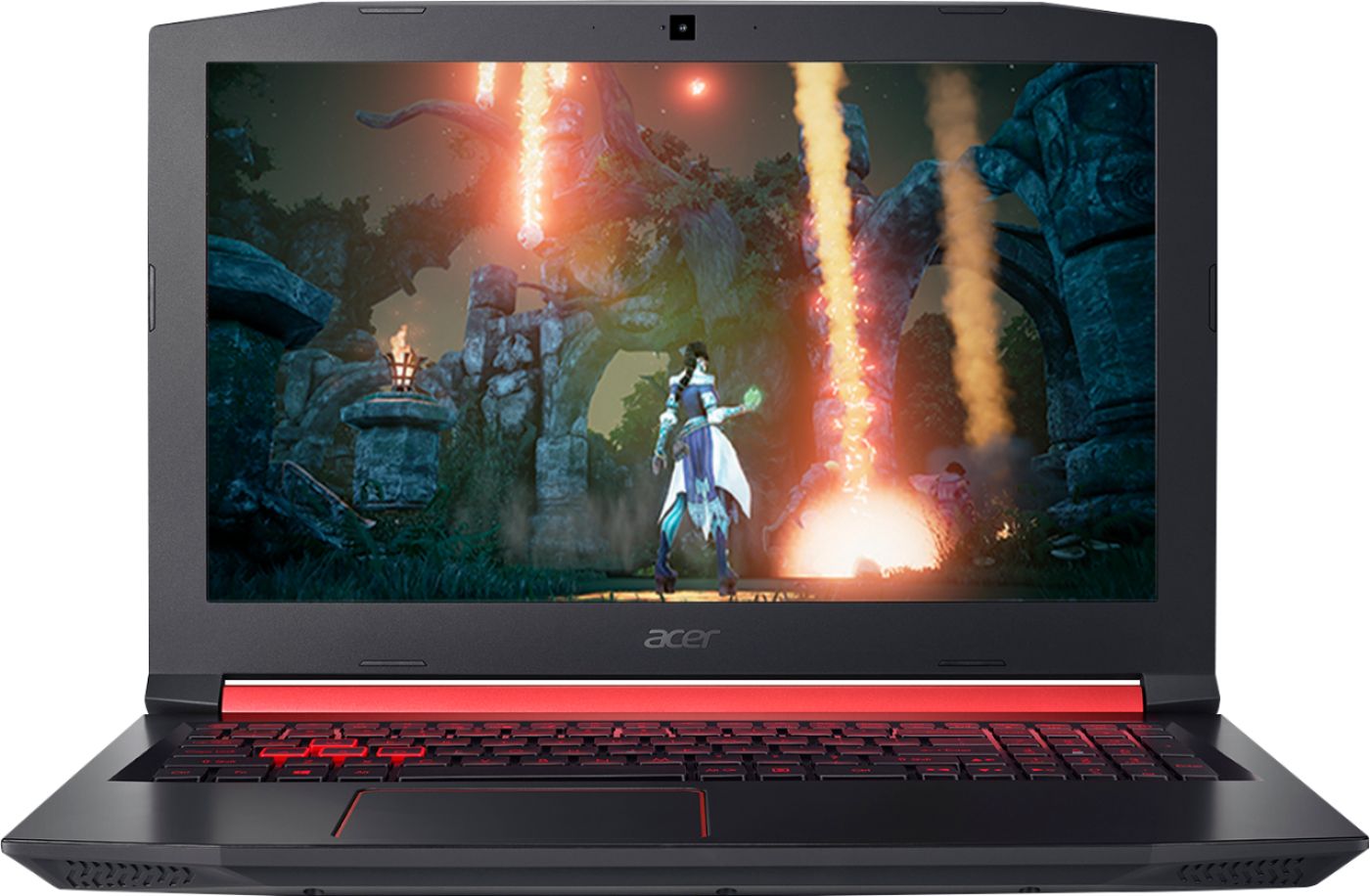

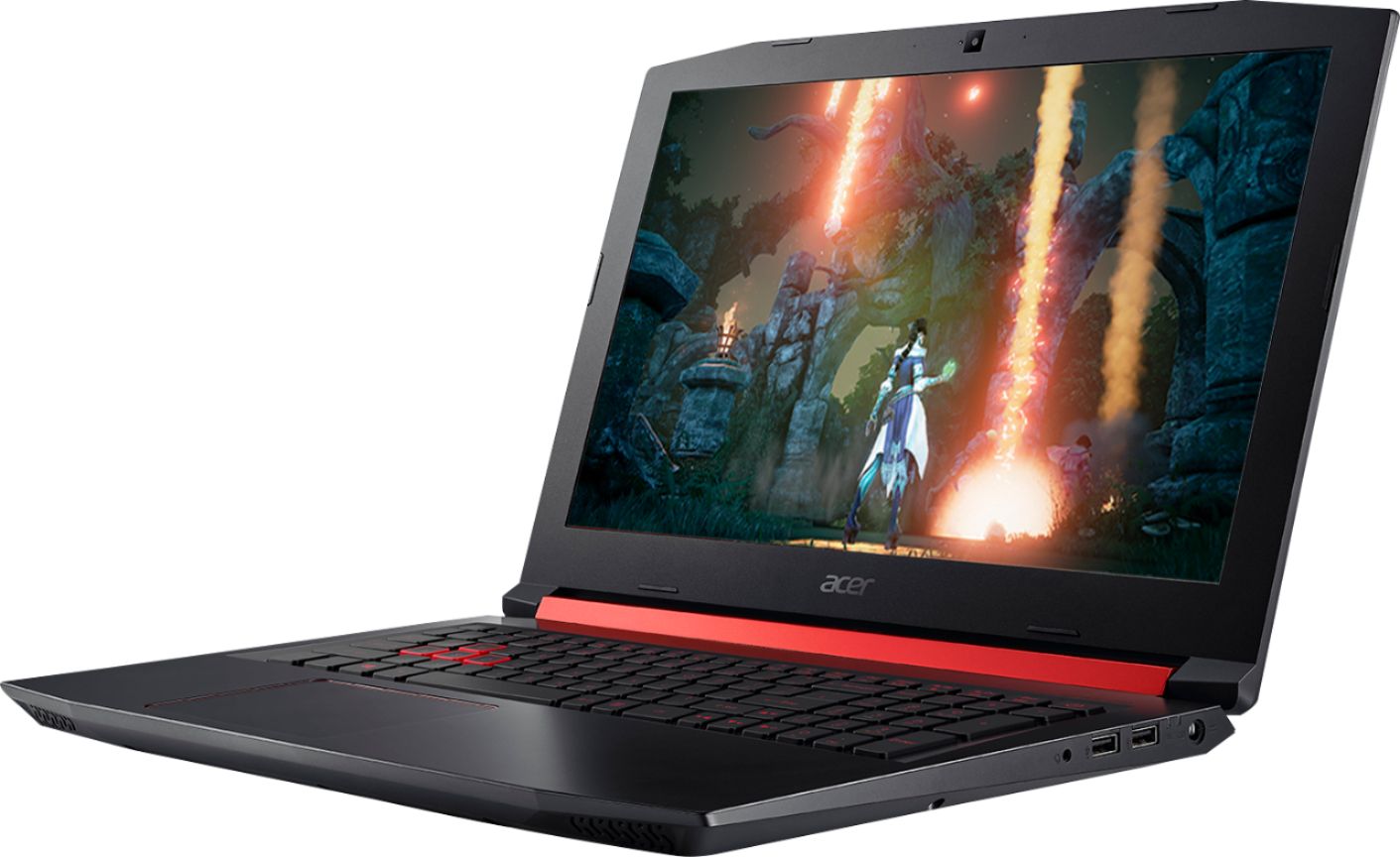


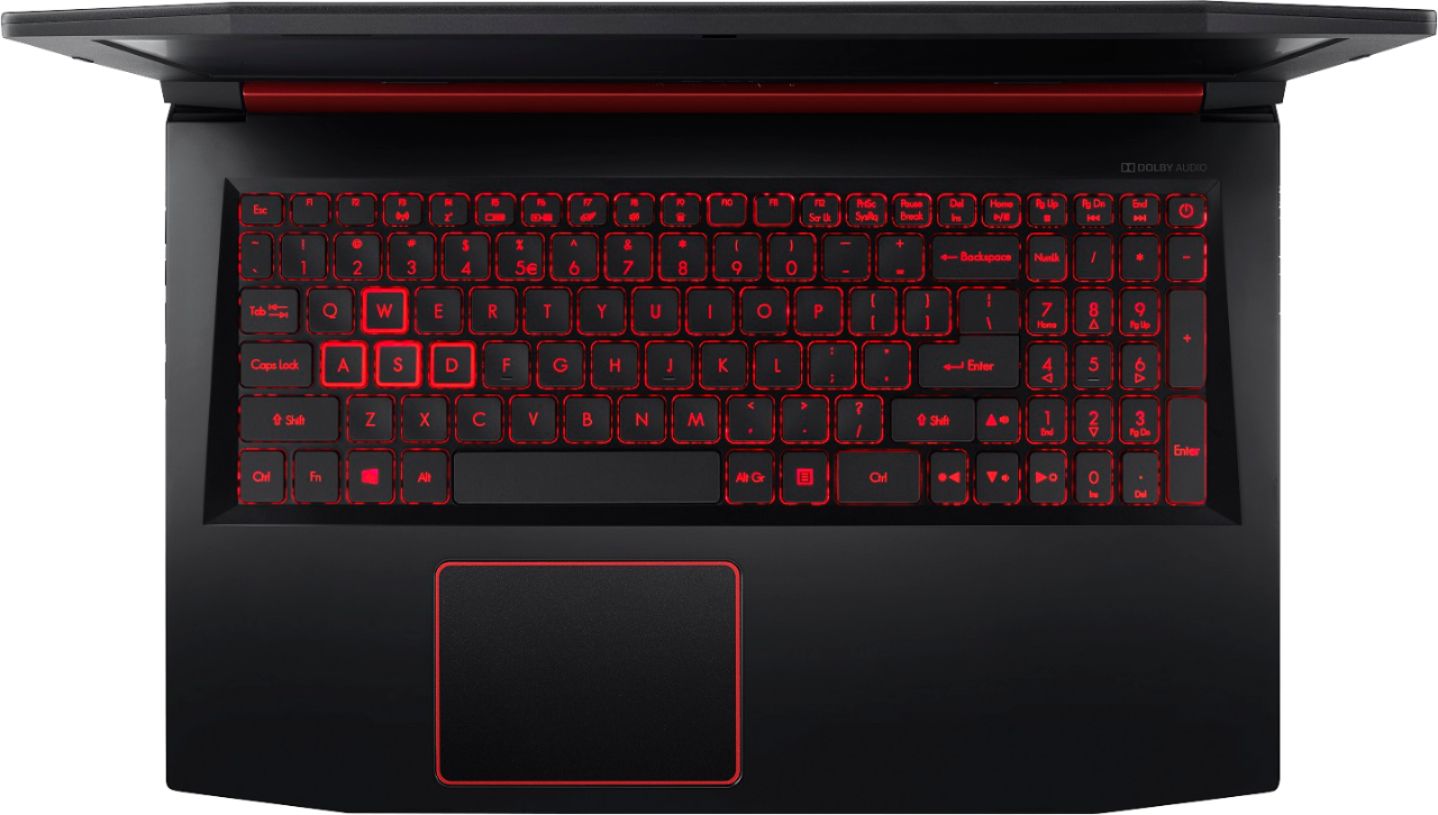



- Model:
- AN515-42-R5ED
- SKU:
- 6301650
Rating by feature
- Battery Life
Rating 4.0 out of 5 stars
- Speed
Rating 3.7 out of 5 stars
- Display
Rating 4.1 out of 5 stars
Customers are saying
Customers consistently note the strong performance and good graphics of the Nitro 5 gaming laptop, frequently praising its value for the price. However, some users point to limitations in battery life and the hard drive speed as potential drawbacks. Concerns were also raised regarding the keyboard backlight and its tendency to overheat.
This summary was generated by AI based on customer reviews.
- Pros mentioned:Performance, RamCons mentioned:Heat, Keyboard backlight

Nice entry level gaming machine
|Posted .This reviewer received promo considerations or sweepstakes entry for writing a review.I already have an Acer Predator 17” gaming laptop, but the thing is huge and not really portable. I wanted a new laptop that I could use for some light gaming, have around a 15” screen “14” and less are just too small for me”, and not cost an arm and a leg. This new Nitro 5 seems to fit the bill, “almost”. Unpacking and first thoughts: The laptop comes well packaged in a closed cell foam frame, “most do anymore” along with the power supply, paperwork and surprisingly a nice neoprene sleeve. The power adapter is rated at 135w and is much smaller than the brick sized power hungry 230w one that comes with the predator. The outside of the lid is brushed plastic, and the palm rest area is just plain matte plastic with just a little bit of shine to it. The bezel around the screen is in matte black and has no reflection but is fairly wide. The Predator has a rubbery coating around the palm rest, keyboard area, and while it feels nice it’s a lot harder to clean off compared to the hard plastic of the Nitro. The keyboard itself is smaller than the one on the Predator and the num pad is right up against it with no spacing in between. The direction keys are not separated from the keyboard at all like the Predator and the keys lettering is all done in a dark red font with the WASD keys outlined in red. The touch pad is about the same size as the one on the Predator but the L/R buttons are integrated in the bottom of the pad. Weight wise, this Nitro is a lot lighter than the Predator, it’s just shy of 6lbs where the Predator is around 9.25lbs, big difference, but then again they are completely different machines. The Nitro itself is very sturdily built, the LCD has a little flex to it, not as much as compared to some of the ultra-books I’ve used and the base is very solid with really no flex to it at all. Outside looks: Around the outside of the machine there are a good number of ports available. On the left side there’s an Ethernet port, “which is getting rarer lately and nice to see”, 1 USB “C”, a HDMI out, a full sized USB 3 port and a card reader slot, “also disappearing on ultraportable units lately”. On the right side there the power port, 2 standard USB ports and an audio port. I do like that the power plug on the adapter is a 90 degree angle plug, it lets you get the power cord out of the way easily. The back of the machine only has cooling vents and, the front has nothing. Running for the first time: This model came with 8gb of DDR4 2400 memory and a single 1tb regular spindle type hard drive. I set the unit up for the first time. You won’t be able to turn on the device the first time if you don’t plug in the adapter first, this is normal for any of the Acer laptops I’ve used for quite a while now. I setup my windows account, let all the updates run “there were quite a few actually and also required a few reboots. I always make it a point to create the recovery thumb drive right away after getting a system. This took the longest, a good hour or so to complete. After that was done I started testing the system out. Screen quality: The screen is an IPS screen like the one on the Predator, and just like that one and most other IPS screens I’ve seen, there is a little light bleed around the edges in black areas of the screen that you will notice while it’s booting up. After booting into windows I really don’t notice the light bleed and it never really bothers me anyway. The screen is nice and clear and the viewing angles are very wide, nice to see in this price range of laptop. The 1080 resolution is more than plenty on the 15.6” screen, and I wouldn’t want it any higher personally. The screen is a little dimmer than the one on the Predator and I had to set the brightness a little higher to get it to match up, but there’s still plenty of room left to crank it up if needed. Gaming performance: I installed Steam and then installed Fallout 3 & 4 and The Witcher 3. All three games ran fine, with Fallout 3 needing a little tweaking in the compatibility mode to get it to run under Windows 10 but that’s normal for it on all my machines. I set both Fallout 3 & 4 to high on the graphics settings and they ran very smoothly, “so far I’m pretty impressed with the new AMD devices. The Witcher 3 with the settings set on 1080 and ultra have a little stutter to them but not horrible, turning the graphic settings to medium or high really smooths out the gameplay, “I haven’t had time to tweak all the individual settings but the game looks great and very playable on the smaller screen “I’m use to the 17” on the Predator or the 27” on my desktop gaming rig. Overall speed for the system is really good if you are web surfing, playing videos and simpler tasks. The laptop only has one 8gb stick installed so it’s running single channel. At least the spindle drive is a 7200rpm drive, still no were near as fast as an SSD. Internals and upgrading: I decided to open this up and see just how upgradeable the system is. On the bottom of the unit there are two service hatches, one for memory access and another for the hard drive. Opening these up revealed that there is an open memory slot and another 8gb stick could easily be added. The only thing visible under the hard drive hatch is the hard drive, so I went ahead and took the bottom cover off. It’s actually fairly simple with this model. Just remove all the screws, use a plastic spudger or guitar pick and run it around the perimeter “I started at a front corner” to release all the clips holding the bottom to the palm rest and lift the bottom cover away. Inside I was pleasantly surprised to see an open M.2 slot and I happen to have a spare 256gb Samsung SSD around so I installed it, unplugging the original hard drive to make sure I could use the recovery thumb drive to set it up the SSD. After installing the SSD, “it even had a screw in the hold down so I didn’t have to search for one of those”, and putting the bottom cover back on. Oh, and with all the Acer’s I’ve owned you have to be sure to install one screw in the middle of the bottom or it won’t turn on. I booted up the system and went into the bios, the Samsung SSD was there “woohoo”. I inserted the backup thumb drive and booted up the system in recovery and let it do its work. It took about 30 minutes for it to re-install everything and windows was back up and running. Wasn’t hard at all installing the M.2 SSD and getting that setup, much easier than I expected. I also went ahead and ordered one stick of Crucial “Vengeance” DR4 2400 memory so I could upgrade that too, but with the new SSD boot time is cut way down and the system runs much faster now. I also took the original 1tb drive, completely wiped it and set it up as a secondary drive, “I may install a larger SSD there but really not needed at this point, the spindle drive is plenty fast for storage”. Negatives and heat: I now have the extra 8gb of ram installed and that combined with the SSD main drive this laptop runs great. The games are all running very fluently and I’m more than happy with the performance. There are a couple things I’ve noticed though. There aren’t any led indicator lights for drive activity or caps lock, I did like having those on the Predator. The heat while gaming is perfectly acceptable, the areas around the WASD keys and direction keys stay pretty cool, the warmest area is above the keyboard right below the screen. “I have a thermal camera and added a picture of the heat after playing for about 30 minutes. The fans to get noticeable after the system heats up but I use a headset and never noticed it, and they weren’t so loud my wife noticed them sitting across the room from me. But overall the system is a lot warmer and louder than the Predator while gaming. The body of the laptop just holds in more heat in comparison. The bottom of the unit has very large heat vents, you really don’t want to be gaming with this sitting on a bed or anything that will block those vents. The speakers sound good, just don’t try to max them out, the sound becomes a little distorted on the high end. The power switch is also part of the keyboard, “top right” and it’s pretty easy to accidentally hit it, I would have preferred that to be separate. Final thoughts: Overall this is a very good entry level gaming laptop, the price is about right for someone that wants a decent gaming laptop but doesn’t want to spend much initially. Upgrading it to 2 sticks of RAM to enable dual channel “not a big difference in overall performance but on lower end systems anything helps”, and installing a SSD in the empty M.2 slot really make this a very capable machine. It’s not going to match the higher end models of the Nitro line but it’s not intended to, it’s an entry level machine that works really well, especially for the casual gamer. Using it for office work, web browsing, email, and movies it’s on the top end for doing those things.
I would recommend this to a friend - Pros mentioned:Graphics, RamCons mentioned:Keyboard backlight
Great Budget Gaming Laptop
|Posted .This reviewer received promo considerations or sweepstakes entry for writing a review.The Acer Nitro 5 AN515-42-R5ED is a solidly low-mid range gaming laptop. It packs enough power to handle most E-sports titles (CS:GO, Overwatch, LoL) at high settings. It also has no problem with games like Fortnite and Minecraft at high settings (and with good FPS), as well as AAA titles at med-high settings (with average, but playable FPS). Specs Processor – AMD Ryzen 5 Pro 2500U with Vega 8 Graphics - CPU 4C/8T @ 2.0 GHz with boost to 3.6 GHz Graphics – AMD Radeon RX 560X 4GB [Discrete] / Vega 8 iGPU 8 cores Memory – 8GB DDR4 2400 Single Channel (17-17-17-39) Storage – 1 TB HGST 7200 RPM HDD with 32MB Cache Buffer Display – 15.6” 1920 x 1080p LED IPS screen (no freesync) Network Adapter – 802.11AC WiFi adapter with MU-MIMO support / 1X Gigabit LAN Port Ports – 1X USB-C / 1X USB 3.0 / 2X USB 2.0 / 1X SD Card Reader / 1X HDMI / 1X TRRS 3.5mm for Headset and mic Battery – 48Wh (long enough for 4-5 hours of browsing) The Nitro 5 comes with and all AMD loadout with their stellar Ryzen processor and Radeon graphics card. This laptop may come in priced cheaper than the Intel/Nvidia combos, but that belies the potential of this setup [Full disclosure I am an AMD fan with an R7 1800X/Vega64 powered tower]. The R5 sports 4 cores with 8 threads and performs roughly on par with an Intel i5-7300HQ. The RX-560X graphics card performs similarly to an Nvidia 1050, while both fall behind a 1050ti. It is still a perfectly good card that can play AAA games, and still deliver an enjoyable gaming experience. Also you can connect to an external Freesync display via HDMI and bump up your gaming experience. Like most Nitro 5’s, this laptop comes with a single 8GB DDR4 RAM stick. This, for the most part, is enough RAM to play most games without becoming a bottleneck. Storage comes in the form of a 1TB 7200RPM hard drive. Unlike most laptops with HDD’s, this drive is not the slow 5400RPM variety. While not nearly as fast as a SSD, the 7200RPM drive is at least serviceable and provides enough storage space for games. The display is a 15.6” 1920 x 1080p 60 HZ IPS screen. I couldn’t find any listed response times for the monitor, so I would assume it would follow the default IPS times of about 5ms (I may be wrong on this, so if you find it drop a comment). It’s not the best display out there, but still a solid panel that fits the budget. I only had to do some minor color calibration out of the box (for my personal tastes), but otherwise I am happy with the display. Picture reproduction is at least clear, colors are decent, and text is sharp. 1080p is the sweet spot for budget gaming builds, so this panel makes sense. The first knock I have on it is the lack of Freesync. I know this display is also used with other Nitro models that carry an Nvidia card, which likely is the reason for the omission. The second knock is the color reproduction. Pictures came out clear, but the colors weren’t quite right. I compared the screen side by side with my 24.5” Acer XF251Q monitor, and the picture on the 24.5” screen was noticeably brighter and more vibrant. Games and Benchmarking I ran the Nitro through a series of benchmarks to test its various capabilities. I ran the benchmarks with and without Norton running since I wasn’t sure what its impact would be. Tests included Cinebench R15, 3DMark Time Spy and Skydiver, PC Mark 10, GeekBench, and CrystalDiskMark 6. I have included a screenshot of my raw results table. The results show, when compared to other gaming laptops, that the Nitro is solidly mid-range. It’s not going to set any records, but it will perform well with most things thrown at it. I made sure to run it through the 1 game I know will be played on it – Fortnite (ugh). I was able to achieve mid 40’s to low 50’s with V-sync enabled on high (not customized) settings with a long draw distance. When I do play Fortnite, I tend to play it on console (original XBONE) when my friends pressure me into it. The Nitro not only looked better than I expected it to, but it allowed me to actually play better. Sure, I could have customized the settings and squeaked out a few more FPS, or dropped down to medium, but for my purposes I was pretty happy with the performance playing at high settings. I also made sure to put in a couple of hours in a AAA title. I chose Shadow of War since it’s a game I bought last black Friday, and I still hadn’t played it yet. I ran the game at high settings with V-sync on. I played for several hours, and the whole time I thought it played great. When I ran the in game benchmark with my settings it record the gaming running at only 32fps. I was surprised it was so low because it really didn’t feel that way at all. Maybe I’m just used to the console experience? Regardless, the game was easily played at high settings, and looked great. Design The Design of the Nitro surely plays the part of looking like a gaming laptop. The entire body of the laptop is all plastic save for some hinge components. This keeps the cost down on the laptop, and maybe helps with weight. The exterior plastic has a brushed metal look to it, giving it a little more upscale appearance. The red accents around the body really set it off and give the Nitro a cool look. The angled corners add to the look in a meaningful way, and again help with that cool gamer look. Oddly one of my favorite little features is the spring loaded expanding ethernet port. The port collapses down when no cable is present and maintains a smooth body profile. The laptop comes in at roughly 5.5 lbs and a little over an inch thick. It’s a little meaty, but then again so are most gaming laptops. Where the lightweight plastic shell fails though is the structural rigidity of the laptop. The palm rest is a little flexible, but the biggest offender is the lid. It has a lot of flex to it, so much so that I can see the display flex with it. I would have liked to have seen the Nitro be a little sturdier in this area. Keyboard and Touchpad The keyboard has a red LED backlight that is on by default when the laptop is plugged in to wall power, and it toggles off on battery when keys are not being pressed (30 sec after last keystroke). The keys are low profile and have a pretty decent throw length. They have a soft actuation – no real clack to them, so you can hammer out keystrokes fairly quietly. The WASD buttons have an additional red ring around them to help them stand out a bit. I wish the arrow keys got the same treatment, but that’s just my navigational button preference showing through. Under full light the keys are easy to read and decipher even without the backlight. In the dark though, if you don’t have the backlight on – forget it. This isn’t such a big deal when you are plugged into the wall, but under battery power you cannot force the keyboard backlight to stay on. You also cannot adjust the brightness of the LED’s, so gaming in the dark you may be faced with the red glow or hunting for the right key. The keys low profile design makes it difficult to feel for the keys if you lose your place in the dark. The touchpad is a single piece clickable surface with multipoint touch. It seems fairly responsive, and easy to use. When it comes to gaming though – pick up a mouse. I actually can’t stand track pads, and anxiously yearn to use a mouse whenever I have to use one. However, for standard navigation and browsing this trackpad is certainly adequate. Upgradability The biggest knock on gaming laptops compared to desktops is their diminished upgradability. The same holds true for the Nitro 5, but that doesn’t mean you can’t improve your rig down the line. There are 2 upgrades were performing on this laptop at some point in time – RAM and an SSD. As the machine sits now, it is perfectly capable to handle what you throw at it, but over time it will show its age. The Nitro 5 sports a single RAM stick as a factory default. Unfortunately for Ryzen processors, single channel RAM hampers performance a decent amount in some workloads – more so than Intel. Most of the Nitro 5 models come with a single 8GB stick, so this really applies to the broader lineup as well. I plan to toss another stick of DDR4 2400 into the it – the going rate is about 60 bucks for this upgrade. If you want to wait to upgrade in the future – that’s fine too! Having an available, and easily accessible RAM slot is the easiest upgrade you can do, and it can help prolong the life of your investment. The Nitro 5 has a max RAM capacity of 32GB DDR4 2400 (2 x 16GB). The next, and probably most beneficial upgrade you can do to this particular Nitro is add an M2 NVME SSD drive. This upgrade is a little more involved – it requires taking off the entire bottom cover (21 screws!), installing the drive, and reinstalling windows onto the new drive. It is without a doubt the biggest performance boost you can get, and NVME drives are pretty affordable ($40+). Mechanical drives are so much better as just being large capacity storage, and really bog down a PC when they are used as a boot drive. As an SSD user for the last 8 years, this is a must for me long term. Final Thoughts This version of the Acer Nitro 5 comes to the market at a pretty affordable price point for a mid-range gaming laptop. I like that it comes with some more budget friendly options like the 1 TB HDD. You can add an M2 SSD further down the line and spread out the cost. The same goes for the RAM. There are only a couple of areas that could use some improvement – lid rigidity, better spec’d display, control over the keyboard LED’s, and no preinstalled Norton trial. I am happy with the Nitro as a whole, and I think it would be a great pickup for the casual/new gamer. I know a few coworkers of mine are looking into the Nitro for their kids’ Christmas presents this year – a move I would support. Overall, I give it a 4 – 4.5/5 – it would have been 5/5 if the issues I had above weren’t present.
I would recommend this to a friend - Pros mentioned:Graphics
Great computer for beginner gamers
||Posted .This reviewer received promo considerations or sweepstakes entry for writing a review.I play a few games and I like the visual graphics on it.
I would recommend this to a friend - Pros mentioned:Graphics
Great gaming laptop. My kids enjoy it.
||Posted .This reviewer received promo considerations or sweepstakes entry for writing a review.Great graphics! Kids love it. Wonderful. Awesome. I will recommend this to my friends and family.
I would recommend this to a friend - Pros mentioned:Graphics, Performance, Ram
Good for the price, a couple of glitches
|Posted .This reviewer received promo considerations or sweepstakes entry for writing a review.The Nitro 5 case is brushed plastic, kind of looks like the matte finish on a Grand Piano, pretty classy and it comes with a Folio case to prevent the case from getting scratched. The build quite firm (non-ultrabook), the lid (screen) has hardly any give and the base is very solid, making it a firm typing platform. The screen is a IPS HD (1920x1080) panel, with what Acer calls ComfyView, which to me is a matte finish a which is not exactly crisp, but very bright. Viewing from any angle is excellent, from extreem angles a slight amount of light bleed can be seen at the edges (acceptable). It include the latest AMD Ryzen™ 5 with 4 cores and 8 logical processors. This version comes with 8GB memory and a 1TB HDD (7200 RPM). Now I have to say I'm spolied, as I've upgraded all my notebooks to have SSD drives. Once set up, the Nitro took 1 minute 10 seconds to completely boot up. Not what I'm used to, after turning off Norton, the boot time was still 1 minute. But once running the speed did not see that bad , the Ryzen CPU certanly seemed snappy. Opening multiple brower windows was a breeze (after 10 tabs it started to studder). This notebook is built for gaming, it includes the AMD Radeon RX 560X graphics processor with 4GB GDDR5 RAM, I loaded my photoshop app and did some edititng, it felt very snappy even with multiple photos open and appling effects across multiple images. Played some video clips they were very smooth, I transcoded some videos I had stored in the cloud to a more compact format, here I could tell the CPU was really working as the fans kicked in, not too loud, but quite noticable, but it took a fraction of the it takes on my notebook without a dedicated graphics procesor (like 1/10th the time). A good start. Now for some games. The first game I tried was Fortnite, something was wrong, I was only seeing about 8 FPS. The problem, the computer was using the integrated GPU instead of the discrete RX 560X GPU. I tried several things to fix the problem but only disabling the onboard graphics adapter did the trick. The frame rate then jumped to over 60 fps, and the game play was very smooth, But the sound was somewhat muffled, this was due to the computer setting a soft surface (placemat). Once I put it on a hard surface the sound was much improved, but not great (but pretty loud). All the sound output is from downward firing speakers, the red bar at the bottom of the screen is cosmetic, it would be better if some sound came out (forward) from here. But I usually play games with headphones (jack is on right side) or external speakers so I just note this in passing. I did try to load a newer graphics driver to see it if would correct the detection problem, but I failed and went back to the original. Frustrating. I hope Acer get a new drivers posted to correct this problem. The notebook has a nice assortment of output ports, 3 USB-A (2*USB 2.0 & 1*USB 3.0), 1*USB C 3.1 (No Thunderbolt), 1*HDMI, 1*Gigabit Ethernet, 1*Headphones/mic, 1*Kensington Lock and Wireless support for 802.11a/b/n/ac and a SD card slot. The keyboard is backlighted with a red glow (with the WASD keys highlighted). It has a really with a nice feeling to the keyboard, the trackpad is fairly large and works well, supporting all the multi-touch gestures I threw at it. The screen is not a touch screen. I then decided that I was pretty happy with what I'd found, and thought I'd investigate increasing the memory and adding a M.2 SSD (the maching has a open M.2 slot (that requires removing 17 screws). The memory update was a breeze, a added another 8GB DDR4, single Channel (DDR4 PC4-21300) no problems. The M.2 slot is M keyed, which would lead one to believe it supports a PCIE NVMe drive, I looked at Acer Specs online and found conflicting information, one place said NVMe was supported, another said SATA (M+K key). I called their tech support and was told NVMe was supported. So I tried a EVO 970 Pro 1TB drive...it was not recognised by the Bios, talked to their tech support again and they said they had a Nitro 5 with the EVO 970 1TB in front of them working, So I exchanged the 970 Pro or the 970 and tried again, Still not recognised, more calls to their tech support, more inconsiatant information, eventually saying that I should a use SATA drive <500MB. I still doubt the size limitation, but ended up replacing the HD with a Samsung 860 1TB SATA drive (cheaper than M.2 SATA which would have performed the same). All good now, still waiting to hear back from their tech support on what exactly is supported (I did mentioned the graphics driver problem to them and was told a new version would be posted soon (like they knew about the problem)). But now system boots in about 20 seconds. Wish I could have used M.2 but only had so much time to get it running as I wanted it. BTW: adding the additional memory allowed me to open many more browser tabs without any noticabe difference. Now it really flies, and total cost still under $1K, tought to beat if all worked properly. If Acer gets their BIOS/drivers updated to correctly recognise games and properly documents the avaliable m.2 slot this is a great buy, Having owned other Acer notebooks I have no doubt the probelms will get resolved.
I would recommend this to a friend - Cons mentioned:Hard drive
Terrible PC
||Posted .This reviewer received promo considerations or sweepstakes entry for writing a review.This is advertised as a gaming PC. But be aware this PC CANNOT run any contemporary games. This is only for gamers who enjoy very minimal, indie, web based and SIMs like games. This PC has AMD processor and Graphics card. This was the first and last time I buy anything that isn’t Intel. Not only is it a lack luster gaming PC. This computer struggled to run core functions. Hiccuping, stuttering, lagging; Just opening up google chrome and the AMD graphics card setting control panel glitched out. I could not open that program no matter what. Although this PC seems at a competitive price, it is a massive and bulky PC that is fairly slow using A Hard drive, not an SSD. For this price I simply bought a quicker, lighter, and MUCH sleeker laptop that didn’t have the word “gaming” attached to it.
No, I would not recommend this to a friendBrand response from TeamAcer
Posted .Dear Xavier,
We are sorry to hear you are unhappy with the performance of your Acer Nitro laptop. This is not the experience we want our customers to have and we want to work with you to see how we can help improve this experience. If you are located in the US or Canada, please fill out this form so that we can assist you:
http://csapps.acer.com/prompt/?key=38fc70dcde20b445ea12a79bbb504861d71d8c7d
We appreciate you taking the time to write this review.
Regards,
Acer America
- Pros mentioned:Performance, Price, Ram
A Great PC Starter Pack
|Posted .This reviewer received promo considerations or sweepstakes entry for writing a review.I spent a couple weeks with the Acer Nitro 5 and have to admit that this is one of my first real step into the PC gaming world. I think that this laptop is a great gateway to the PC gaming world. It's not at all intimidating. It' actually pretty inviting to the new comer. The price point to power ratio is the biggest selling point for this machine. I like the fact that you can actually get a pretty powerful gaming rig for such a minimal price. There are a few different versions of the Nitro 5 to choose from, so I would think about what it is you want to accomplish with this particular unit. Are you planning on using it for work and some light gaming on the side? If that's the case, you will find that you've got one heck of a deal. If gaming is your primary focus, then you can buy this one, but you would do yourself a great service by Adding RAM and possibly swapping out the HDD for a SSD. But if that's an option, you may do better by picking up a more expensive laptop. I recommend this to only the new PC gamers out there. Parents won't go wrong by buying this one for their kids that are new to the PC gaming world. I've run a few games on the Nitro 5 ( Warframe, RWBY, G.O.W.4, Forza Horizon 3 & even Destiny 2) All of these games, with the exception of G.O.W.4, ran really well. As I usually do, I will leave a link to my full online review below. https://docs.google.com/document/d/1VgkNjhzeJtg_T90bi3_SVV-Fy0caddZFTjiRJJhcVEo/edit?usp=sharing
I would recommend this to a friend - Pros mentioned:Graphics, Performance, RamCons mentioned:Hard drive, Keyboard backlight
Surprisingly good!
||Posted .This reviewer received promo considerations or sweepstakes entry for writing a review.This review will cover 2 things: this gaming laptop running "as is" and another after "enhancing" it. First of, I was pleasantly surprised by the packaging. A sleek black box which kept the machine from getting damaged. After unwrapping and starting it for the first time, I jumped through the usual hoops of a new windows installation. It took about 30-45 minutes. Once done, I was able to install a bunch of games and see if my suspicion of a Ryzen APU paired with a RX560X was correct: I was as they work wonderfully in tandem, the ability to switch back and forth between the integrated Vega 8 within the Ryzen and the RX is absolutely great if you need to save battery. I threw a couple of games at it and it did its best to render at least on medium settings with most of them. PROS: * It's only a bit over 600 bucks !!! * Nice IPS screen * Ryzen/RX combo is a win * Backlit keyboard * Sleek design * Can play most games * Cooling system can be loud but is efficient * Not a lot of bloatware (nitrosense is actually a cool and useful tool) CONS: * Slow hard drive (HGST branded in mine) * 8 Gigs of RAM is a bit light * The Qualcomm WIFI stinks really bad and has a tendency to lose connection * Only 3 USB ports of which only ONE is 3.0 * Plastic surfaces are stain magnets * Keyboard feels a bit cheap Lots of pros, lots of cons. This is an entry level gaming laptop and I wasn't expecting miracles, but it's a rather solid machine. ***********: ENHANCED VERSION :************* Be aware that if you choose to proceed to replicate my upgrades, you could void the warranty or damage the laptop. If you mess up, it's your own fault. This being said, let's transform this baby into a powerhouse! As I got this gaming laptop for less than $650, I decided to spend another couple hundred bucks on it. The first thing I did was to buy a 1TB SSD and to clone the original slow HDD onto it. Once that was done, I replaced the original HDD with the SSD and low and behold, it took windows only 8 to 10 seconds to load. Not bad! The second step was to add more RAM to it. I ended up replacing the original Hynix branded DDR4 memory with some Corsair Vengeance DDR4 which offers better performance and can run in Dual Mode. With 16 Gigs or RAM, every game I threw at it ran really well (some even on Ultra Settings). All together, the laptop plus the components cost me about $800 and it outperforms all and any gaming laptop in that price range. I wholeheartedly love this laptop and enjoy my games almost always with great 3D and 2D. I absolutely recommend this small gem which can be upgraded to a serious gaming laptop.
I would recommend this to a friend - Pros mentioned:Graphics, Ram
New to gaming on a laptop but very happy!
|Posted .This reviewer received promo considerations or sweepstakes entry for writing a review.I myself just started to get into Pc/Laptop gaming. I’ve played console gaming for at least 20+ yrs. never thought to try gaming on a laptop. But I have always heard about that pc gamer gods. And how you can get way more more for graphics off console. 1st thing I am have to say is I love the design of this acer nitro. Red is my favorite color so it’s perfect for my taste. I’ve had other laptops. But nothing like this and this is a what they call a budget gaming laptop. Doesn’t feel budget to me. This comes with 8gb ddr4 which is plenty but I added 4gb more (12gb) and it seems to run even better. Played world at war and it ran very smoothly. Tried doom 3 also ran smooth on high. Although I am not a pro. The screen quality is beautiful most likely due to it being an ips. Better viewing angles and contrast. WiFi convection is solid no issues there. And the speakers are clear enough and plenty loud. Great value for the price. With a rizen 5 and 4gb dedicated graphics card. Can’t go wrong. Give it a shot. I’m pretty sure you will love it as well. Unless you are used to very high end machines. Tho they probably cost 2xs as much. Good luck and happy shopping.
I would recommend this to a friend Piece of junk
||Posted .This reviewer received promo considerations or sweepstakes entry for writing a review.I dont understand these reviews, people are praising it. I've owned this POS for less than 7 hours, and after installing everything I needed, discord, steam, and origin, i attempted to play Rust, and it took literally a little over 22 minutes to join a server, and when i got in, i may as well have been watching paint dry. It was unplayable to say the least. I am HIGHLY disappointed with this, and i will be returning it tomorrow.
No, I would not recommend this to a friendBrand response from TeamAcer
Posted .We are sorry to hear you are unhappy with your Acer Nitro 5 laptop. This is not the experience we want our customers to have and we want to work with you to see how we can help improve this experience. If you are located in the US or Canada, please fill out this form so that we can assist you:
http://csapps.acer.com/prompt/?key=b2f6b521bea3802e0c78ed2b7685e21fe5d54030
We appreciate you taking the time to write this review.
Regards,
Acer America
Great Entry Gaming Notebook.
|Posted .This reviewer received promo considerations or sweepstakes entry for writing a review.Where to begin? Well the Acer - Nitro 5 is good entry Gaming Notebook PC. It comes with an AMD Ryzen 5 2500U APU with a dedicated 4GB Radeon 560X GPU. This brings some variety and certainly some power in the portable Arena. As one who has used both Intel and AMD in their PC’s I can say with certainty that if Intel hadn’t started putting AMD GPU tech into their Notebooks for Integrated Graphics solutions they were quickly going to lose a lot of ground. The other big thing here is the CPU itself. This is a 4 Core, 8 Thread CPU at 2.0GHz. Not the fastest for clock speed though it can Boost to 3.6Ghz. There’s not too many Notebooks out currently that will have this many Cores and Threads, not unless you start going into the pricing around $1000+. Having one that can actually play games unlike any of the Intel HD or UHD Integrated solutions has put those on a budget out to pasture so to speak. Having a proper GPU even integrated is a big step up cause you’re able to actually play games on your device, not just browser based social media games but games such as GTA, DOOM, Fallout and so forth. I did play a fair few games on this system and didn’t really have issues outside of taking into fact this is not a GTX 1070 or higher equipped notebook, meaning sacrifices need to be made for achieving a playable frame rate. GTAV for example, with a good mix of medium-high settings can get you 45-50 fps. Making some other adjustments can likely get you to that 60fps mark. DOOM, if you must have everything at its highest, you can get around 30FPS on Ultra. Back it off to high, and you should be able to comfortably play around 45 or more. Performance isn’t bad at all even on the Vega GPU that’s in the 2500U. I have another Notebook from another manufacturer that has one of those in it as well and it could play games fairly well, not as good as the 560X, but better than pretty much any other Integrated Solution on the market. This does come with a 1TB HDD. This is a mechanical drive and as someone who uses multiple SSD’s in their other PC’s and Tablet’s and Notebooks, the difference is staggering. It always reminds me how we got on for so long with standard Mechanical Drives. This does adversely affect all performance of the Notebook. Loading times, for games and even Windows is fairly slow. It takes about 15-25 seconds to get to the Windows Login screen, then about another 30 seconds before you can start doing anything. I noticed a lot of System Lag when browsing things on the internet. I solely use Chrome and it’s quite slow. It would take about 20 seconds or longer after launching it before I could even open a webpage. This can easily be rectified by installing an SSD. Thankfully there are a couple ways this can be done. There is an M.2 slot on this system, however it is not easily accessible and requires the base to be removed. It does not support NVME however, it’s only a SATA based slot. This really won’t make too much of a noticeable difference unless you’re doing heavy data transfer. You’re likely not doing this on a Notebook though. In day to day, you’re not going to see the difference between M.2 SATA and NVME. If you’d rather not mess with disassembling the chassis, you can just swap out the mechanical HDD for a standard 2.5” SSD. This will radically change the performance and will likely be what I will do for this. It does only have 8GB of RAM but for normal day to day, this will likely be enough. You can upgrade this as well as there are two RAM Slots, one occupied one not. Another really nice thing I noticed is there is a Ethernet Port. This is something that’s becoming rare on Notebooks nowadays. It’s quite nice if you don’t mind have a cable connected since there is some performance differences and reliability between Hardwired and Wireless connections. Temperatures are actually quite impressive on this. I didn’t really see it get all that hot. Playing a lot of games I really only saw it get around 50C which isn’t that hot, especially for a Notebook. The fact there is two fans in the bottom certainly helps. There is the Nitro Sense software that’s preloaded and allows you to control the cooling using 3 different Fan speed settings. Kicking it up to its highest is quite audible but on the Lowest and Balanced settings it’s not bothersome or invasive. Battery Life is pretty good too. I noticed I got a couple hours out of gaming. Browsing and watching videos I could see around 3-5 hours, though you’re mileage will vary with things such as brightness and other power settings. If you’re looking for a good entry level Notebook, this is not a bad option at all. Are there better options, sure, same as in a desktop PC, but this is a pretty good value at its price point. If you find it on sale, it’s definitely worth picking up and getting a similarly sized SSD to upgrade it with.
I would recommend this to a friend- Pros mentioned:PerformanceCons mentioned:Hard drive
Perfect machine for every day gaming on the budget
Posted .This reviewer received promo considerations or sweepstakes entry for writing a review.I was going to give my 2 cents when Adrenalin 2019 Edition first came out. But, I figure I will wait for Division 2, and see how committed AMD is for supporting their gamers. I am very pleased to see that me and my son can play Division 2 without having to tinker with anything on the Radeon setting. This system is a great buy even if AMD never really gave us a way to update driver. But, during these past almost 1 month. Multiple updates to ensure that when new titles are out, games are playable on the same day. I've updated to 19.3.2 the day before the Division 2 release (I was too cheap to upgrade for the 3 day preview), and this game played perfectly smooth and fast, and I had to cap the fps to 60, on purpose. Good job AMD. Finanally. System wise, there's nothing to complain. If I have to nick pick... yeah, it came with a HDD. But, for the price, performance, and quality, it's fantastic. I will wait until school is over before I let my son upgrade to a SSD. And to the parents that buys this system from Best Buy, this system came with a flyer that has a 24/7 phone number for, I believe/assume 1 year of support. My son tried it, when Apex had some frame rate issue. The call was quickly answered, and resolved literally in 3-5 minutes. Good job Acer. You saved me time.
I would recommend this to a friend - Pros mentioned:Performance, RamCons mentioned:Hard drive
Nice entry gaming laptop
||Posted .This reviewer received promo considerations or sweepstakes entry for writing a review.Was surprised by what you got for the price. I bought it on sale and I think its a good buy at that sale price. They will be used only when we travel and when they go to friends houses. They already have a great gaming desktop at home but are too big to travel with. One thing that is missing was an SSD. The 1TB drive is very very slow... After researching and chatting with ACER I found a way to make this laptop use an SSD and the original hard drive. Trust me its the best 45$ you can spend... The M2 Sata slot (Not NMVE M2. Only SATA M2) is located right next to the RAM. It is not accessible. So you need to remove the bottom cover of the laptop. Not to worry it is VERY easy to do. Just remove all the bottom screws and gently remove it. Next after you install the new M2 (HAS TO BE 256GB OR BELOW) you need to make a recovery USB drive using the ACER Care APP. Use a 32GB USB3.0 drive. The new SSD will not show up until the original drive is removed. Once backup is done unplug the 1TB drive leaving the M2SSD and the USB recovery drive. Start laptop and follow prompt to reset the laptop. It will transfer data from USB to M2.... After done reconnect 1TB drive and power up laptop and get it into the BIOS by pressing F2 a few times until the menu appears. You need to change boot disk from HD0 to HD1.... Save and exit. Once boot is done format the 1TB drive and use it as storage.... Boot time went from 60-90 seconds to 15-20 seconds. Also performance is much higher when you open anything. You could also upgrade the RAM to 16 GB by adding an extra stick of 8 but for now I do not see the need for it. Maybe when kids play a lot more with it and complain about running out of RAM. So far kids are happy with performance they get.
I would recommend this to a friend - Pros mentioned:Graphics, Performance, Ram
Great Budget Gaming Laptop!
||Posted .This reviewer received promo considerations or sweepstakes entry for writing a review.I've always wanted a new laptop, specifically for gaming. I kept beating around the bush for months trying to figure out what kind to buy since I'm not a hardcore gamer, but still wanted to run games like The Sims 4 and Planet Coaster (which needs decent graphics and speed to run). I have primarily used Macs for the last several years because of going to school for Graphic Design, but Macs lack gaming performance. I finally had a decent amount of money saved and went out to BestBuy to see my options. I was new to it, and the guy at my closest store found one in my budget that would work great with my games. I bought it and downloaded my games, and was happy to see them work nicely on this thing! It's not super bulky, stays pretty cool to the touch while my games are running with the huge vents in the back, and I love the red light-up keyboard. It also comes with a sleeve to keep in covered when not in use. The nice part about this laptop is that it's customizable to upgrade, which I'm looking at adding another RAM card to speed it up even more. Overall, super happy with it, and look forward to using it for years to come. If you're looking for a good starter gaming laptop like I was, this is good for the price.
I would recommend this to a friend - Pros mentioned:PriceCons mentioned:Keyboard backlight
Decent no frills gaming laptop
||Posted . Owned for 1 year when reviewed.This reviewer received promo considerations or sweepstakes entry for writing a review.I got this on sale and for the price it's perfect for my needs. I'm generally an Mac user but needed a PC Windows based machine to run some specific video editing and mixing apps. I opted for the all AMD version of this as I've had driver issues with Nvidia cards in the past with my video mixing app, Resolume. I haven't had any problems with this machine. I know most gamers prefer Nvidia over AMd cards, but this one has proven to be powerful and reliable for my needs. This thing works for what I need but it doesn't have the premium quality build of my Macbook Pro, although it is certainly more powerful for the apps I need to run. The screen resolution isn't all that great coming over from a Macbook, but good enough for my needs. The Nitro 5 series has a weird power saving issue that times out the lighted keyboard when on battery power after 30 seconds which is pretty annoying. Acer released a patch to this through an updated BIOS but I still can't get it to stay on. I predominantly use this for video projection gigs so It's generally always on AC power. I got it on sale, so overall happy with it.
I would recommend this to a friend - Pros mentioned:PerformanceCons mentioned:Keyboard backlight
Love it! Minus the keyboard...
||Posted . Owned for 1.5 years when reviewed.This reviewer received promo considerations or sweepstakes entry for writing a review.I watched this Laptop for a while and waited for it to get in my budget. I am an AMD fan so I wanted it to be full AMD. Being an AMD fan I have gotten used to not having the fasted computers. This one surprised me. Plenty of performance and nice 1080P gaming. I ordered 2 sticks of 8GB to have 16GB total, and I ordered an m.2 1TB and cloned the original hard drive. Quick and easy. Now it has 16GB ram and 2TB total storage. PROS: Price for performance is exceptional. Display is sharp and crisp. Good brightness. Aesthetically pleasing. CONS: Acer apparently has keyboard issues on certain models. This is one of them. I deal with it for the most part. If I need to do a decent amount of typing I have a wireless keyboard and mouse. Final thoughts: Due to the keyboard issues I find it hard to recommend this model. I'm going to try replacing the keyboard and see.how it goes. Unfortunately I never got around to putting in a warranty request and now I'm on my own.
No, I would not recommend this to a friend - Pros mentioned:Graphics, Price, Speed
Great computer
||Posted . Owned for 2 weeks when reviewed.This reviewer received promo considerations or sweepstakes entry for writing a review.Great price great color super fast and easy to use graphics are fantastic
I would recommend this to a friend - Pros mentioned:PerformanceCons mentioned:Keyboard backlight
Great laptop for the price
||Posted .This reviewer received promo considerations or sweepstakes entry for writing a review.The good; Well performing budget gaming laptop. Runs modern games at medium settings. It's all plastic but feels sturdy. Good wifi speed, bluetooth works great. Easy access to upgrade ram and hard drive. Minimal LCD light bleed. Decent battery life. Full keyboard with numberpad. Better than average laptop speakers. The bad; Ryzen laptops in general have very limited video driver updates. Photoshop has some compatibility issues. Keyboard backlight is red only Volume keys are on the arrows, which are a long way from the function key, requires both hands to adjust volume. Although the ram and hard drive have an access door, the m.2 sata port does not. The latest bios update turns the keyboard backlight off after 30 seconds even while the laptop is plugged in and is not configurable.
I would recommend this to a friend - Cons mentioned:Battery life, Keyboard backlight
Good Enough
||Posted .This reviewer received promo considerations or sweepstakes entry for writing a review.It's an entry level gaming laptop so take it for what it's worth. My circa 2012 desktop is more powerful but you can't complain for the price. It runs older games like Portal/2 but barely runs Wolfenstein: The Old Blood. I didn't even install DOOM or Wolfenstein 2 because I knew it couldn't handle it. I wish I could customize the keyboard backlight and I don't think the touchpad is going to feel like new years down the road. However the rest of the product is solid and it doesn't come with much crapware. It will also run Ubuntu witch has been fun to play around with. Battery life is two hours on games, three with lighter use.
I would recommend this to a friend - Pros mentioned:PerformanceCons mentioned:Keyboard backlight
Plays Rainbow 6 Siege well
||Posted .This reviewer received promo considerations or sweepstakes entry for writing a review.Bought this for my 15 year old son. Installed Steam & Rainbox Six Siege on it. He reports it plays very well on ultra, with little stuttering. He says it works as well as his i5 desktop with 1050ti (!) - slightly less detail, but less stuttering. Boots fast enough. Doesn't like the trackpad too much, but then, he uses a mouse when gaming anyway. This is the 8GB, non-SSD, AMD Ryzen 5 rx600x version, haven't even added RAM or SSD to it. Hats off to AMD for a good mid-level gaming system that doesn't break the bank.
I would recommend this to a friend