Deals Worth GiftingShop now

Main Content

Customer Ratings & Reviews

Your price for this item is $699.99
The comparable value price is $799.99

Customer reviews

Rating 4.9 out of 5 stars with 140 reviews

Rating Filter

Rating by feature

  • Display Quality

    Rating 4.9 out of 5 stars

  • Ease of Use

    Rating 4.9 out of 5 stars

  • Features

    Rating 4.8 out of 5 stars

Pros mentioned filter

Cons mentioned filter

99%would recommend to a friend

Customers are saying

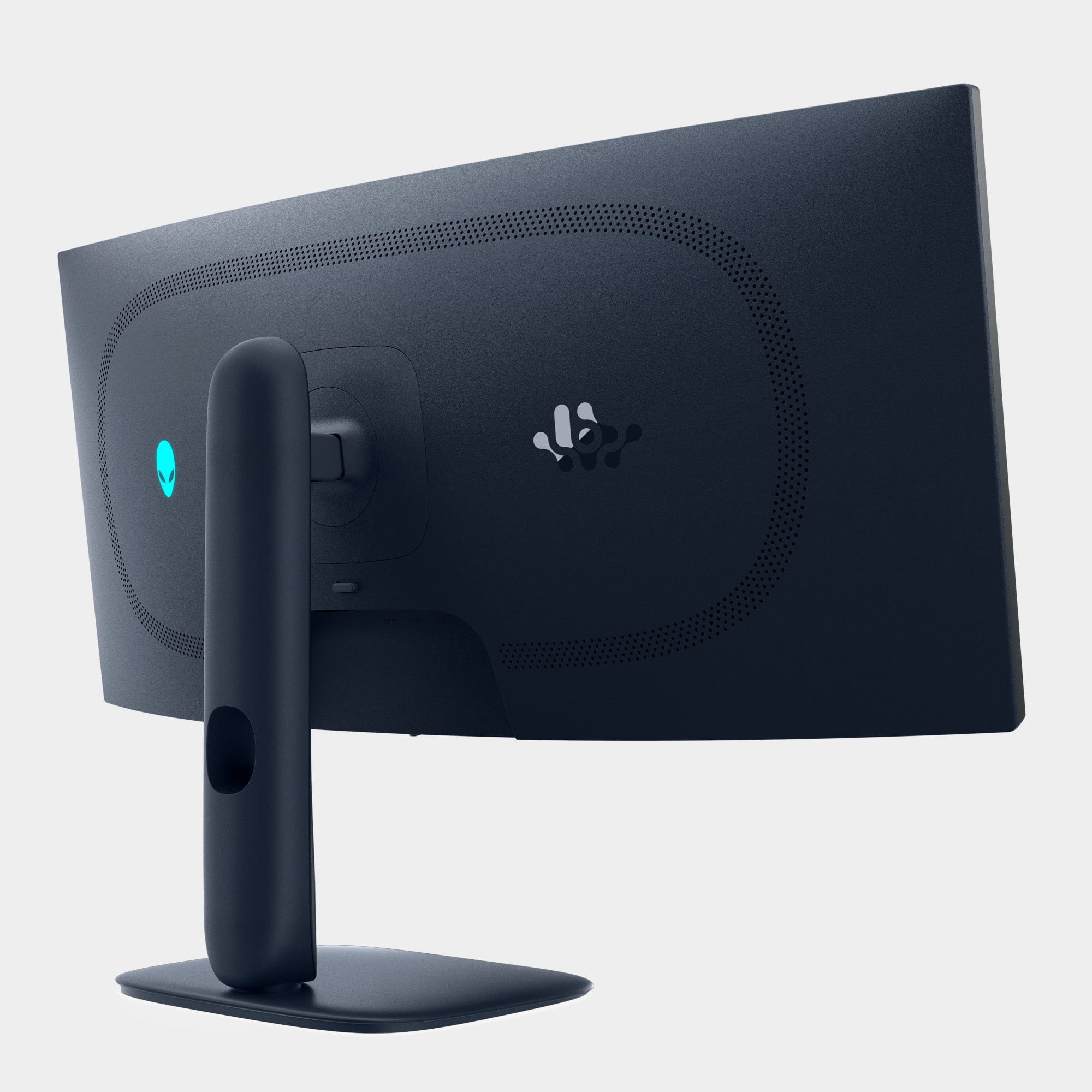
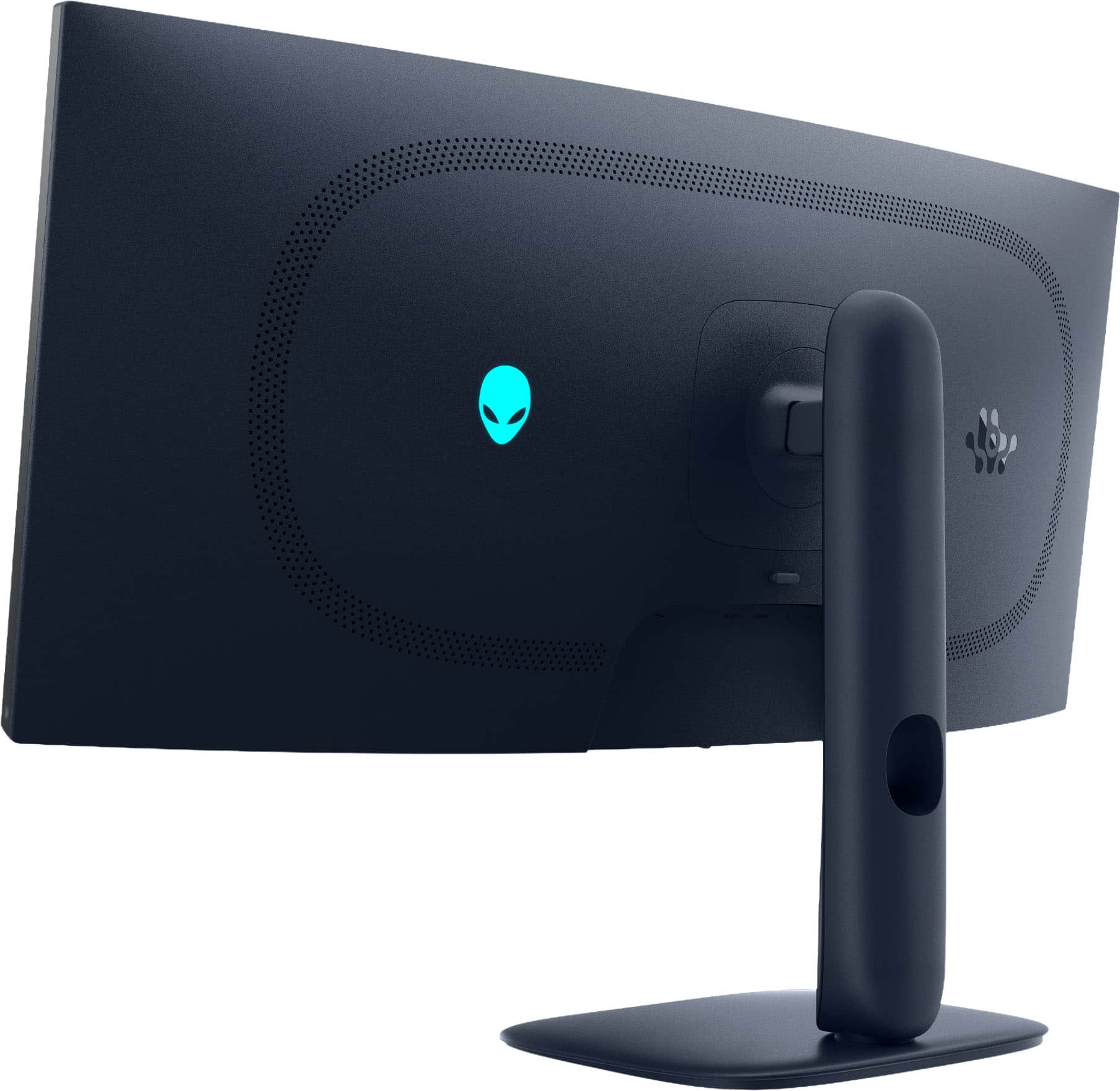
Customers are satisfied with the AW3425DW 34" gaming monitor, particularly the exceptional image quality and the smooth 240Hz refresh rate. The monitor's connectivity options, including HDMI, DisplayPort, and USB ports, are also appreciated. Additionally, users have noted the solid HDR performance and the impressive contrast with deep blacks that OLED technology provides.

This summary was generated by AI based on customer reviews.

The vast majority of our reviews come from verified purchases. Reviews from customers may include My Best Buy members, employees, and Tech Insider Network members (as tagged). Select reviewers may receive discounted products, promotional considerations or entries into drawings for honest, helpful reviews.
Page 1 Showing 1-20 of 140 reviews
  • Pros mentioned:
    Color quality

    Rated 5 out of 5 stars

    Amazing Size and Picture Quality

    |
    |
    Posted . Owned for 1 month when reviewed.
    This reviewer received promo considerations or sweepstakes entry for writing a review.

    The size and image quality are fantastic. Everything looks sharp and immersive, especially when watching movies or playing certain games. Just keep in mind that because it’s an ultrawide display, not every game is perfectly optimized for this aspect ratio, so a few titles may need some configuration tweaks. Overall, though, it’s an excellent monitor and totally worth it!

    I would recommend this to a friend
  • Pros mentioned:
    Color quality

    Rated 4 out of 5 stars

    Amazing Picture quality

    |
    |
    Posted . Owned for 3 weeks when reviewed.
    This reviewer received promo considerations or sweepstakes entry for writing a review.

    The picture quality of this monitor simply can not beat, and this is my third oled screen at this point, granted I am having a issue with mine personally with the screen going black, the picture does come back after a second but it is quite distracting and it happens three or four times every 30minutes the only way i can get it to stop for 4 to 5 hours is by changing the hdr mode ( hdr 1000 down to true black 400 ) vice versa works also this stops it from happening for a couple of hours and that is how I knew it wasn't HDMI cord because if it was, simply switching from True black 400 to HDR 1000 or back down true black 400 wouldn't be a temporary fix. I can also rule out NVIDIA drivers because of this as wel, on top of that, I came from an older version of the same monitor where this issue was not present on the exact same PC. So I might have just gotten one with a small issue, but as far as the picture quality and all the features, it doesn't give any better than this.

    I would recommend this to a friend
  • Pros mentioned:
    Color quality, Contrast

    Rated 5 out of 5 stars

    Amazing monitor

    |
    |
    Posted .
    This reviewer received promo considerations or sweepstakes entry for writing a review.

    One you see OLED you really can't go back. This is an amazing monitor for the price. The contrast and black levels are second to none

    I would recommend this to a friend
  • Pros mentioned:
    Refresh rate

    Rated 5 out of 5 stars

    Absolutely stunning display

    |
    |
    Posted . Owned for less than 1 week when reviewed.
    This reviewer received promo considerations or sweepstakes entry for writing a review.

    Beautiful display with a fast refresh rate at a great price. Improvements on the previous model with the same display panel but at a lower price point. 3year dell OLED warranty that covers burn in but I also chose to purchase the Greek squad 4 year warranty for only $119. If you love OLED, perfect colors, perfect blacks, high refresh and almost no latency it's a win across the board. Be sure to set wineries to the correct refresh rate and run Windows color calibration for HDR to get the most from your experience.

    I would recommend this to a friend
  • Pros mentioned:
    Color quality

    Rated 5 out of 5 stars

    Worth every Penny

    |
    |
    Posted . Owned for 2 weeks when reviewed.
    This reviewer received promo considerations or sweepstakes entry for writing a review.

    Packaged well, screen is nicer than I thought. After adjusting some sertings, gaming is amazing, watching movies is so vivid, and the colors om the screen are extraordinary. Absolutely love this screen. Best I’ve had so far!

    I would recommend this to a friend
  • Rated 5 out of 5 stars

    Finally AW! Best 240hz ultra wide gaming monitor

    |
    |
    Posted . Owned for 1 week when reviewed.
    This reviewer received promo considerations or sweepstakes entry for writing a review.

    They finally got the specs right. 240hz on a OLED ultrawide. I love this monitor i had the last gen of this monitor. It was a very very beautiful monitor but only supported up to 175hz refresh rate. They finally nailed it with ultrawide. Upgraded refresh rate, few tweaks ergonomically , with very beautiful picture and performance. This is a grand slam home run . Great job alienware. Ive always been a fan of their monitors they make very good quality.

    I would recommend this to a friend

  • Pros mentioned:
    Color quality

    Rated 5 out of 5 stars

    Top tier UW monitor for a great price!

    |
    |
    Posted .
    This reviewer received promo considerations or sweepstakes entry for writing a review.

    Exactly what I wanted a top tier UW monitor pictures looks just incredible could not be happier with this purchase!

    I would recommend this to a friend
  • Rated 5 out of 5 stars

    An amazing QD OLED

    |
    |
    Posted . Owned for less than 1 week when reviewed.
    This reviewer received promo considerations or sweepstakes entry for writing a review.

    This is my first ultrawide or OLED display and I would recommend this to anyone looking to upgrade from an older monitor. The panel is not TFT (not sure where BB is getting that), it is a gen 2 samsung QD OLED panel. This also comes with an HDMI, DP, and USB cable, which is not mentioned on the BB page. The curve is much more subtle than LG models and allows for the use of a side screen if you want one for more static browsing (chat or other browsing). The aspect ratio is supported by almost all current games without having bars on the top/bottom or on the sides, which is great considering the alternative larger ultrawides. The price here is the selling point - an amazing value for the technology!

    I would recommend this to a friend
  • Rated 5 out of 5 stars

    Excellent monitor.

    |
    |
    Posted . Owned for 2 weeks when reviewed.
    This reviewer received promo considerations or sweepstakes entry for writing a review.

    This was an excellent choice for a monitor. Games look amazing with the OLED screen. And being able to go all Alienware system. My laptop recognized it and has been a great experience. The best part was getting it on sale. I've even purchased the mouse and keyboard and that was even more awesome. Thank you Dell. Only gripe is relax on the price a little .

    I would recommend this to a friend
  • Rated 5 out of 5 stars

    Worth Every Dollar

    |
    |
    Posted .
    This reviewer received promo considerations or sweepstakes entry for writing a review.

    I made this purchase as an upgrade for my LG 31 inch monitor. This new monitor is “off the hook!!”The colors are amazingly vibrant and the curved monitor is very immersive. Thanks Alienware for such an awesome proof.

    I would recommend this to a friend
  • Pros mentioned:
    Color quality

    Rated 5 out of 5 stars

    Top tier display

    |
    |
    Posted .
    This reviewer received promo considerations or sweepstakes entry for writing a review.

    Couldnt ask for a better display for the prize. Great for 1440p gaming

    I would recommend this to a friend
  • Rated 5 out of 5 stars

    Step up from previous gen

    |
    |
    Posted .
    This reviewer received promo considerations or sweepstakes entry for writing a review.

    Best in its category of 34 in 21:9 oled monitors with them upgrading the hz to 240 from 165 and having even better hdr then before.

    I would recommend this to a friend
  • Rated 5 out of 5 stars

    Best screen

    |
    |
    Posted .
    This reviewer received promo considerations or sweepstakes entry for writing a review.

    This is one of the best if not the best 34in OLED that money can buy.

    I would recommend this to a friend

  • Pros mentioned:
    Color quality, Hdr performance, Refresh rate
    Tech Insider Network Member

    Rated 5 out of 5 stars

    Outstanding gaming monitor

    |
    Tech Insider Network Member
    Posted .
    This reviewer received promo considerations or sweepstakes entry for writing a review.

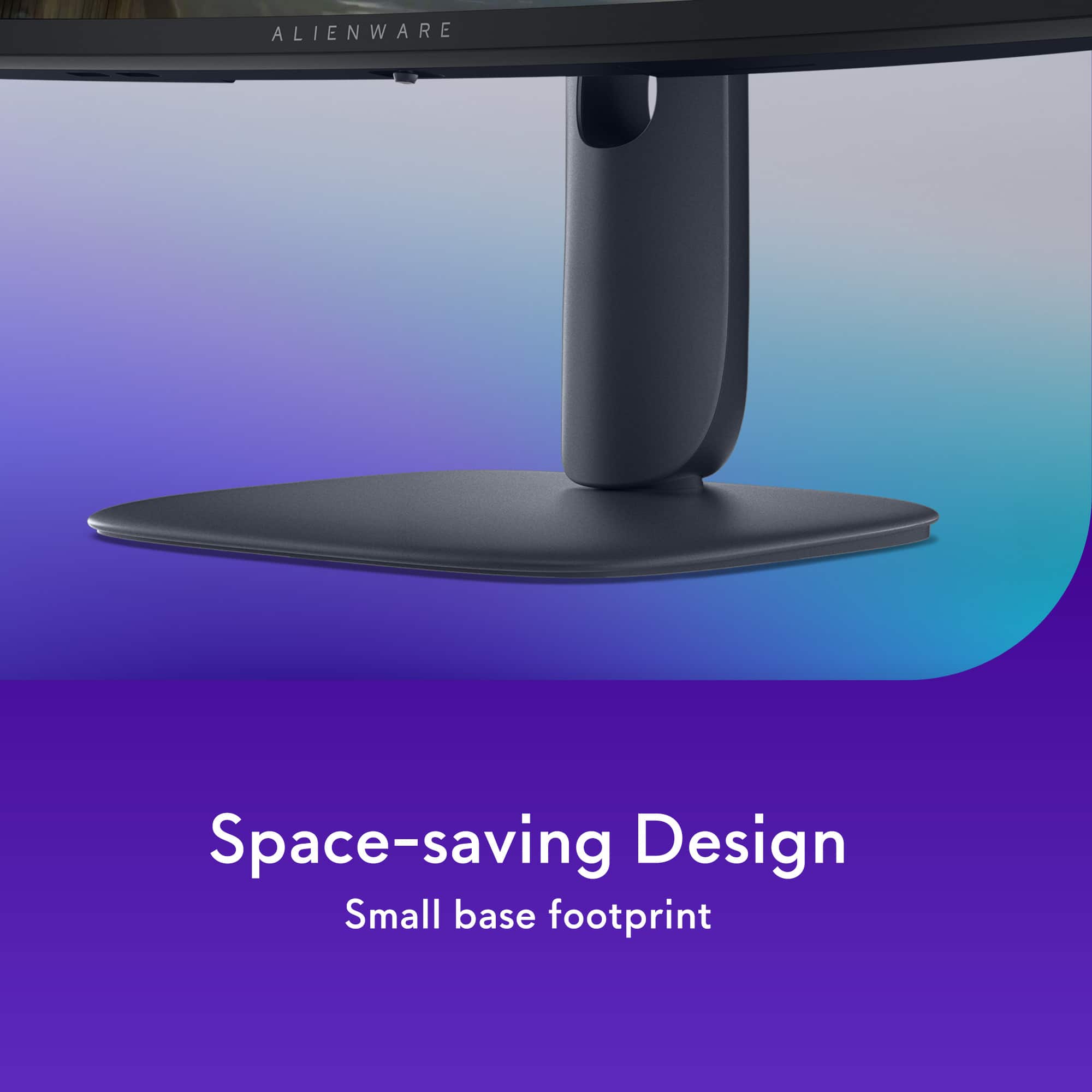
    The Out Of Box experience was fine with this. Open the large box, and on top in the shaped cardboard shell is everything OTHER than the monitor, easy to get it all out. Lift that shell, and the monitor itself is underneath, also simple to remove. Assembly is straight forward as with most monitors now - the riser is placed on the base, and the base has a metal screw mechanism that secures it to the riser. Then the monitor simply affixes to the plate on the top of the riser and snaps right into place. Literally 30 seconds to be completely assembled. It sits high - that's my only real complaint at the initial stage. I have a 27" 4k Asus ROG OLED monitor for gaming and even that one is nearly 2 inches less tall than this when they are both as far down as they can be pressed. I was initially testing this on my Surface Pro 11 on the dining table to see what it would be like having an external monitor here - and this would never work here, it blocks the view of the TV in the great room that is off of the dining room. So I took this into the gaming room to put on the desk with my Asus Rog Strix 18" gaming laptop that has an Nvidia 4080. The way the desk is situated, this will JUST fit on the small riser behind the monitor to the right, without either monitor blocking the other. Should make for some good FPS gaming. Hooking up is simple. I had all the plugs already there from where I pulled out the ROG 27" monitor. HDMI, USB link to the laptop, a USB C hookup for my Focusrite Scarlett audio interface, a charging plug for my game controller... My laptop saw it right away, let me get the HDR enabled, and I saw it already had the 240Hz refresh rate enabled. Started a bit of windows work, just to see how it worked with normal windows apps. And it was great. I've got the 49" Samsung G9 OLED at work, and it's an amazing monitor, but all I do there is work off of my Surface Pro, so no games... I really appreciate this form factor for multiple monitor work in Windows, some office apps open on the widescreen while I have RDP sessions on the laptop screen. Then I finally was able to fire up Steam to see how it would do with gaming. It was nice to see one of these ultrawide screens in a gaming context. With the 4080 in my laptop, I play my games at all the highest settings, and this handled those just fine. I spent an hour or so in various FPS games, and then settled down for some Destiny 2 for a few days. The colors are vibrant, the contrast is just amazing. The blacks are gorgeous. I've always loved OLED screens, and for gaming they are the bomb. No issues at all, no tearing, no jumpiness even with the most violent horizontal spinning and movement, nothing bad at all. Response was great. That wider vision for FPS games gives a bit more immersion. And despite anything I've used it for so far, gaming or windows, I've had no hiccups at all. Even my Samsung G9 still randomly is a problem at work. This thing has been rock solid and taking anything I throw at it. The vertical adjustment works fine, a bit tight but that's good, I don't feel like at some point in the future after a year or two of use it may start sagging. When I first was testing this with the Surface Pro in my dining room with patio doors in behind me at an angle, I had no issues with reflections. There's a bright tall work lamp right next to it and even with that turned on and the long LED strip pointed straight at the monitor, you could see it, but muted, not at all like most screens are with reflections. The surface of the screen is so much better than, say, my Surface Pro... And in my gaming room where it ended up, where I have blackout blinds, it's just pure joy to the eyes. The toggle joystick for menu navigation works well, and there are so many options in there to work through. So far I've not done much other than changing to a few of the built in profiles to see, but I've not had to adjust anything at all to make this usable out of the box. The 27" Rog OLED that I mentioned I got a few months ago, that one took quite a bit of tweaking before people looked like people. Every available profile was just so heavy on the red. I spent about 20 minutes trying to find a good color balance before I thought the picture was acceptable. But this one? Nothing. Each profile looks great to me as is. I loved that ROG monitor for gaming. The only thing my laptop didn't have was the OLED part, so it was great having that second screen to game on instead. But after using this one now, the other is going to be relegated to the dining table as an external monitor for my Surface Pro 11 to make my remote desktop sessions easier to deal with. I've often told people that once they try an OLED, they'll be ruined for anything else. And apparently that goes for these ultrawide screens as well. Sure, I've been using one at work for about a year and a half, and absolutely LOVE it, but I never looked at it from a gaming perspective, it was always just my work monitor. But now that I've been gaming on this for a few days, I just can't see going back to the standard aspect ratio. If you want a great refresh rate, and gorgeous blacks that you can only get with an OLED, and an ultra wide screen, this is the monitor you were looking for.

    I would recommend this to a friend
  • Pros mentioned:
    Color quality, Connectivity, Refresh rate
    Tech Insider Network Member

    Rated 4 out of 5 stars

    Great gaming monitor and as a dual display setup

    |
    Tech Insider Network Member
    Posted .
    This reviewer received promo considerations or sweepstakes entry for writing a review.

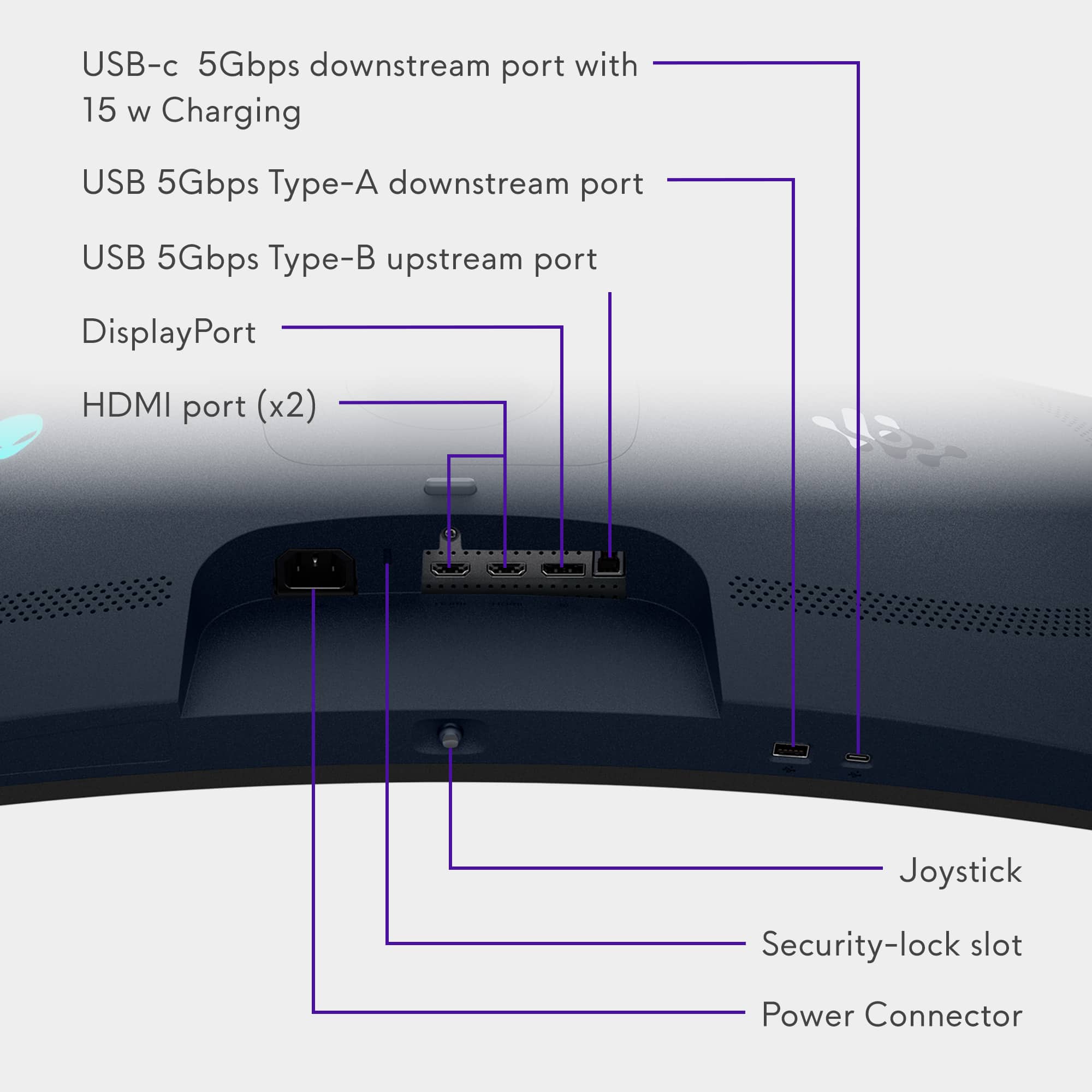
    I am currently running a triple computer setup in my office studio area. I have a dedicated computer for photo and video editing, a computer for audio production, and a laptop for web browsing, that also doubles as my gaming computer. This review is about the excellent Alienware 34” ultra wide gaming monitor, which I have connected to my gaming laptop. I’ve been wanting an ultra wide monitor for more immersive gaming, but also wanted the monitor to have great resolution, to be bright, to have a fast refresh rate, and to showcase vivid, yet accurate colors. I have to admit, the specs of the Alienware 3425DW monitor were intriguing and ultimately, this monitor has surpassed all of my expectations. Upon receiving the monitor, the first thing I noticed was that the box was pretty huge and the monitor was packed carefully inside. The unboxing and setup process was so easy, I was up and running in only a few minutes. When I powered it on for the first time, I was greeted with the Alienware logo, then a default message stating that the monitor was factory color calibrated and ready to go. I connected my gaming laptop and fired up DOOM for some intense testing and a lot of fun. Once I configured DOOM’s settings for the 21:9 aspect ratio and selected 3440x1440, it was a glorious sight to behold. I experienced everything I had been hoping to see performance wise. It was literally hours before I got up from my seat. With the 240Hz refresh rate, I experienced ZERO tearing, or latency issues. DOOM is a very demanding, high action, fast paced FPS game, and it ran flawlessly, looked bright, sharp, and vibrant. Needless to say, it looks absolutely incredible with max video settings. I sit about 2-3 feet from my monitor, so having a curved screen with this type of performance makes gaming much more visually immersive than the standard non-curved flat screen I was previously using. This display is very easy on the eyes! The colors and brightness I witnessed playing DOOM were about the best I have seen on any gaming monitor I have owned. This monitor can display 99.3% of the DCI-P3 color space, which is important if you want accurate colors and rich vibrancy. Rated for up to 1000 nits brightness, this monitor also produces deep blacks and white whites, making the gaming experience that much more enjoyable. If that wasn’t enough, the Alienware 3425DW is also NVIDIA G-Sync and AMD FreeSync compatible out of the box, which helps to eliminate screen tearing even more by matching the refresh rate to your GPU of choice. Included in the box were cables for high speed HDMI, a Display Port cable, and a USB A to B cable. It was also nice to see that the power cable was only a single IEC cable, instead of having a power brick in-between. Thank you, Alienware! The ports are abundant and more than enough for my needs. You get two HDMI ports, a Display Port, a USB Type B upstream port, a USB Type A downstream port, and a USB Type C downstream port that also includes 15 watt charging. Taking all of that into consideration, there are a few things I would love to see changed on future versions of this monitor series, starting with the port placement. If you use this monitor on a desk, but want to plug in cables, it is pretty difficult to see the ports since they are on the bottom. I would much prefer the ports to be on the back of the monitor instead. That way, you can just swivel the monitor on its stand and look around back, instead of picking it up to see the bottom, tilting it back on its base, or trying to get your head under it to see them. I would also have preferred the resolution to be a full 5120x2160, but I know that would also put it in a different price range and category all together. My main reason for this is that text would be much more sharp, and I could also then use it more comfortably for photo and video editing if needed. I do love the look and performance of this monitor. It does exactly what I need it to do as my extended laptop gaming monitor. If I had the desk space, I would get a second one to have the ultimate curved dual display experience. If you get the chance to see this in-person at a local Best Buy, I would highly recommend it! ***PROS*** 240 Hz refresh rate, G-Sync, and FreeSync for stable, tear free gaming Great resolution and color accuracy for top tier gaming Very bright with deep blacks and white whites Ultra-Wide angle for immersive gaming ***CONS*** I would have preferred 5120x2160 resolution Port location is difficult to see

    I would recommend this to a friend

  • Rated 1 out of 5 stars

    I can't even safely clean my screen.

    |
    |
    Posted . Owned for 1 month when reviewed.
    This reviewer received promo considerations or sweepstakes entry for writing a review.

    With the screen off, I've used the provided Alienware cloth with just a small amount of distilled water, and it has removed this coating, as shown in the attached photo. I now can't clean the rest of the screen unless I'm ready for all of the coating to come off, and the display will look far worse when viewing anything. I'd reached out to Dell and was told I had cleaned it correctly, but they still wouldn't warranty it and suggested I speak to sales just to buy another one. No way I will! This wasn't just a couple of dollars. Paid nearly a grand after tax for my screen to start to look like crap already. I had zero issues with the AW3423DWF for the 2 years I'd owned it, but I'd owned this for under 2 months, barely cleaned it, and this is the circumstance I'm stuck with since DELL doesn't care at all! I've owned numerous OLEDs & QD-OLEDs and never had this screen issue. Last one I'll be buying from DELL and those around me I'll mention to avoid this one.

    No, I would not recommend this to a friend
  • Pros mentioned:
    Color quality, Contrast, Refresh rate
    Tech Insider Network Member

    Rated 5 out of 5 stars

    Gaming Just Got an Upgrade!!!

    |
    Tech Insider Network Member
    Posted .
    This reviewer received promo considerations or sweepstakes entry for writing a review.

    If you are looking for a monitor to up your gaming experience, then I would recommend looking no further. The Alienware AW3425DW (You would think they would come up with a better name), has been one of the best gaming monitors I have tested out so far. This thing offers great real estate, beautiful picture quality, and curves that keep you staring. So, let’s go over what the Alienware AW3425DW has to offer. Let’s start off with the display. This model offers a QD-OLED panel display. The QD-OLED panel gives you the best of both worlds: the rich contrast and deep blacks of OLED, with the vibrant, punchy color quantum dots combined with the WQHD 3440 x 1440 resolution which results in just a beautiful display for a truly immersive experience. The ultra-fast refresh rate (240 Hz), low latency (0.03 ms), 34-inches of prime rea estate and that beautiful curve takes your gaming experience to another level. Honestly, I had an older gaming monitor that I was using before I received this one and the difference was night and day, truly made my gaming more enjoyable. The design on this monitor is not bad either. It comes with a space saving stand that puts together in minutes without any tools. It will take you longer to take everything out of the packaging than putting this thing together, that’s how fast and simple it is. It also offers a variety of menu options to personalize your gaming experience, such as AlienFX lighting, PIP/PBP, and something called Alien vision which is a neat feature if you’re into FPS games. Ports: 1 x Display Port 1.4 2 x HDMI 2.1 1 x USB-B 1 x USB- A 1 X USB – C Note: HDMI, Display port and USB-A to UBS-B cables are provided. To sum it up, the display is absolutely the highlight of this monitor. If you care about visuals with smooth game play, then this is it. You get an amazing gaming monitor that will bring any gamer to tears.

    I would recommend this to a friend

  • Pros mentioned:
    Color quality, Connectivity, Refresh rate
    Tech Insider Network Member

    Rated 5 out of 5 stars

    A Superb Monitor

    |
    Tech Insider Network Member
    Posted .
    This reviewer received promo considerations or sweepstakes entry for writing a review.

    Monitor quality keeps improving.  I come from the CRT monitor era.  But I continue to evolve and I'm always looking for a better computer monitor.  I'm a software developer. I use my different notebooks (8 Windows, 3 Apples) for different projects. I keep some with older OS's for testing, others for the differing software and hardware projects I'm working on.  In most situations I prefer a multiple monitor setup, I almost always have a 27" monitor next to the notebook I'm using (when I travel I have 2 USB portable monitors).  I pretty much can't work without a second monitor.  This Alienware is a different beast (it's like 2 monitors in one). I'm going to use it on my desk, where I currently have a 4K monitor, that's aging.  It came out before HDR was common and long before large OLEDs even existed.  It was expensive, similar to this Alienware monitor.  My first impression when I connected the Alienware AW3425DW to my OLED notebook - the colors and stability are spectacular.  I'm amazed how vivid this monitor is. My notebook has an OLED display supporting a 120Hz refresh rate. But the Alienware AW3425DW supports 240Hz refresh rate.  Several years ago a response time of 8ms was considered good, and a couple of years ago 1ms was the fastest available, so this monitor's 0.03ms response time is astonishing. Assembly of the unit is very simple, screw the base into the mounting arm, and with the monitor in the box, click the monitor onto the arm.  The monitor supports 2 HDMI ports (2.1), 1 Display port (1.4) and it serves as a USB3 hub (5Gbps, with 15W charging), with a USB-A and USB-C port. The monitor supports both Nvidia G-Sync, AMD's FreeSync Premium Pro and VESA AdaptiveSync.  It also has 4 VESA mounting holes (100x100) on the back (which are hidden). The package includes a DisplayPort cable, a HDMI cable, and USB Type-A to Type-B cable all are 5.9 feet long. The monitor does not have speakers.  The monitor supports an enhanced anti-burn-in AI algorithm coupled with an anti-burn-in graphite sheet protects your screen from unwanted burn-in and has a 3-year warranty. This is my third widescreen display (the others are also curved); but first with any form of HDR; which I'm a big fan of (it ensures the monitor's calibration matches what's expected from a video).  And it ensures that black levels are perfect.  I've found in editing photos and videos it makes a big difference in getting accurate colors. Make sure your drivers are current to get the correct refresh rate.  You should run Windows color calibration for HDR to get the most out of this display. I had to load the latest Alienware Command Center and Alienware drivers from Dell's web site to enable all of the options.  The display is extremely steady, no flickering.  It has a glossy screen but the curved nature helps to prevent reflections. It has a built-in feature that reduces blue light emissions.  I thoroughly enjoyed watching videos on this display. The on screen setup for the display is very extensive (accessed via joystick on the center bottom of the monitor).  The monitor stand offers only a tilt adjustment (no height, so it can't be used in portrait mode with the stand provided). It has a native resolution of 3440x1440 with a screen brightness of 1000 candela per square meter (outstanding). I noticed that its blacks on some dark videos were extremely precise (I could see shadows within shadows).. The extensive color/contrast controls can be used to make additional changes as desired. Used for gaming it's an incredible monitor.  For day to day computer use it's an incredible monitor. Not to mention for software development it's an incredible monitor. It's an absolutely superb monitor.

    I would recommend this to a friend

  • Pros mentioned:
    Color quality, Hdr performance, Refresh rate
    Tech Insider Network Member

    Rated 5 out of 5 stars

    An Everyday Gamer's Dream Screen

    |
    Tech Insider Network Member
    Posted .
    This reviewer received promo considerations or sweepstakes entry for writing a review.

    I’ve been using the Alienware AW3425DW for a few days now, and as someone who enjoys games and needs a PC for both play and productivity, this monitor has quietly elevated the whole experience. Right away, the image quality stood out. The native 2K resolution (1440p) is crisp and clear. The colors are vibrant without being overdone, and the deep blacks give a nice sense of depth. The HDR adds extra detail where it counts, like glowing cityscapes or shadowy corners, without making things look blown out. The gently curved 34-inch screen subtly draws me into the action. It’s immersive in a gentle way—not overwhelming. Whether I'm playing something open-world, just browsing or editing a spreadsheet, it’s comfortable on the eyes and doesn’t feel like overkill for everyday use. In terms of performance, the 240Hz refresh rate and super low response time make everything feel fluid. It’s one of those things you don’t think you need until you notice how smooth everything becomes. No screen tearing, no laggy weirdness—just easy, consistent gameplay. And with support for FreeSync and G-SYNC, it plays nicely with whatever setup you're running. Design-wise, it’s clean and modern. The lighting on the back adds a subtle touch of personality without being flashy, and the overall build feels premium. It looks good in a setup without dominating it, which I appreciate. As for value, it’s not the cheapest option out there, and there are more affordable options if your needs are basic. But if you’re someone who spends a lot of time gaming, watching content, or even working from the same screen, the quality is easy to notice. It’s definitely an investment—but one that feels justified if you want a monitor that consistently delivers across the board. All in all, the AW3425DW doesn’t scream for attention—but once it’s part of your setup, it quietly impresses. For the gamer who wants just a bit more out of their screen, it’s a solid, stylish step up. Note: This monitor was reviewed running 240Hz using an RTX 4070 Ti Super (G-SYNC) and Radeon RX 7800 XT (Freesync).

    I would recommend this to a friend

  • Pros mentioned:
    Color quality, Refresh rate
    Tech Insider Network Member

    Rated 5 out of 5 stars

    Best Pure Gaming Ultrawide - Period.

    |
    Tech Insider Network Member
    Posted .
    This reviewer received promo considerations or sweepstakes entry for writing a review.

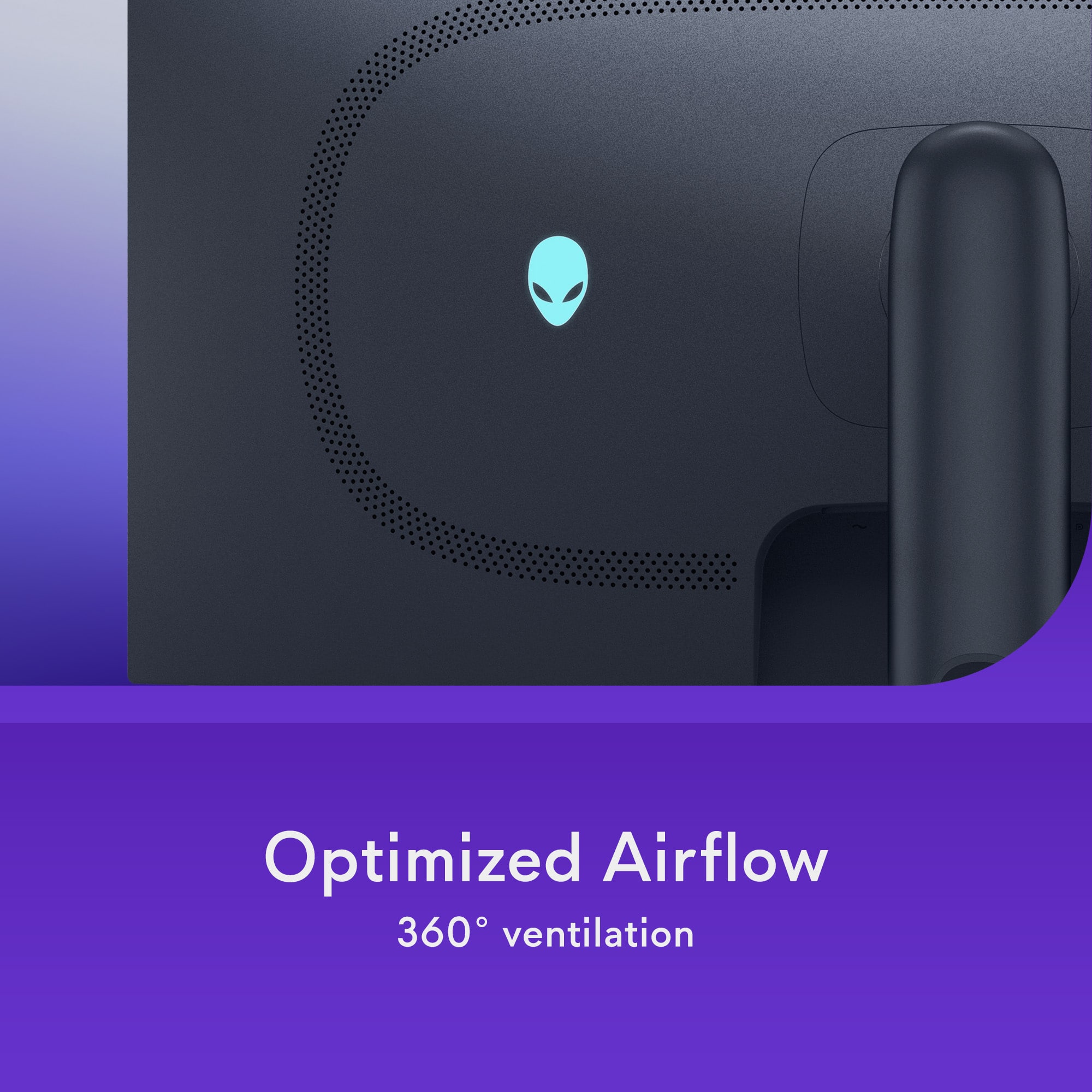
    THIS… IS Alienware's revised 34” curved QD-OLED ultrawide monitor, the creators of the first QD-OLED gaming monitor on the market, and they have just taken it to the next level! 240z, .03ms GTG, 1440p, 1000nits peak brightness AND the best part is that it doesn’t cost your first born child. Lets take a look to see how Alienware has stacked this monitor and… became the best value option in the process?! Ok so opening the box I was greeted with a very sleek and almost overlooked blue color paired to an alien esque stand with curves. Something that ACTUALLY looks alien for once and different from every other monitor on the market. Something that is noticeably missing from the monitor compared to almost every other monitor on the market is some wild RGB design on the back. I personally am a fan as you usually see the RGB once and then put it against the wall and never see it again. I have seen several people complaining about the lack of RGB on the monitor and … I just don't get it?? My current main monitor has an exquisite RGB backing that looked super cool when I took it out of the box.. And that's the last time I saw it! The build quality is mostly a nicely finished plastic and the 1800R curve is noticeable but not so curved that it was catching stray lighting from every which angle. Before we get into the meat and potatoes on how this monitor looks, I wanted to put a quick note on how Alienware has not only created one of the best 34” monitors, but did it at a lower price than everyone else. They cut the features that most people just simply don’t use. There is no KVM switch, USB-C display or high wattage power hub that you can charge half your room off of. There is also no audio passthrough either. If you can make it past those small hurdles, my oh my is the picture going to blow you away without taking your wallet. So here is what we are alllll here for! This is a second gen QD-OLED panel that has almost every feature that you could wish for in a dream gaming monitor. 240hz, HDR 400, G-sync compatible and freesync premium pro, A GLOSSY SCREEN (how they should all come!), 99% DCI-P3 coverage and a 3 year warranty against burn in (Nice!). This panel is fantastic! I knew I had to boot up forza instantly when I received this monitor and the colors just POP. Something that I really enjoyed about this monitor was that it is 1440p, so I am actually going to be able to get 240hz in most of the games I am playing without having to sacrifice on settings. I was really looking to find any flaw or stone left unturned but… Alienware has hit it out of the park with this monitor. The only caution I give with this monitor is in really bright rooms as its SDR performance is only 250 nits, but I didn’t find myself closing my blinds to see my screen at any point in time. Something else to note for my console gamers, this monitor will have bars on the sides as PS5 and Xbox don’t support ultrawide just yet, so if you can’t get past that (as with all ultrawide monitors), then I would look elsewhere. Alienware has also solved the flickering issues with this generation…so I really can’t find any holes in this seemingly perfect evolution. Shocked is an understatement, Alienware has somehow created the best 34” pure gaming monitor and… its not the most expensive? If you can get past a few features being skimmed to save on price then I really cannot endorse this enough. This is the perfect gaming monitor for my racing sim and I really don’t see that changing anytime soon. As with all monitors, best buy has an awesome return policy, so there is no harm in testing this one out. Until next time :)

    I would recommend this to a friend

Sponsored