Customer Ratings & Reviews


- Model:
- B0CJM1GNFQ
- SKU:
- 11058766
Rating by feature
- Value
Rating 4.8 out of 5 stars
- Quality
Rating 4.8 out of 5 stars
- Ease of Use
Rating 4.8 out of 5 stars
Fire stick
||Posted . Owned for 1 month when reviewed.This reviewer received promo considerations or sweepstakes entry for writing a review.The fire stick freezes up from time to time and ned to reset it.
No, I would not recommend this to a friendBrand response from Amazon Devices Customer Support
Posted .Hi RussellCoburn, thank you for providing feedback on the Fire TV Stick 4K. I am sorry to see you've had issues with the device freezing up from time to time. This could be due to several reasons including network issues, overloaded apps, outdated software, or even a faulty HDMI cable; try restarting your Fire Stick, checking your Wi-Fi connection, clearing app caches, updating your Fire Stick software, and ensuring your HDMI cable is properly connected. If these steps do not help and you are still experiencing issues, you can reach out to Amazon Customer Support 24/7 at 1-888-280-4331. Thank you again and have a wonderful day!

Make the remote bigger!!!
||Posted . Owned for 1 month when reviewed.This reviewer received promo considerations or sweepstakes entry for writing a review.Please Please!!!!!!!!!!!! redesign the REMOTE!! The buttons are tooooo small and opening it to replace the battery is horrible! Make the remote BIGER!!!!!
No, I would not recommend this to a friendAwful
||Posted . Owned for 3 weeks when reviewed.This reviewer received promo considerations or sweepstakes entry for writing a review.it doesn't work!!!!!!!!!!!!!!!!!!!!!!!!!!!!!!!!!!!!!!!!!!!!!!!!!!!!!
No, I would not recommend this to a friendBrand response from Amazon Devices Customer Support
Posted .Hi caob,
Thank you for your feedback, and I'm sorry to hear that your Fire TV Stick 4K Plus isn't working. I understand how frustrating it is to purchase a new streaming device and have it not function properly right out of the box.
Let's try a few quick troubleshooting steps that often resolve setup issues:
Basic troubleshooting:
Ensure the Fire TV Stick is plugged directly into an HDMI port on your TV (not through an HDMI switch or extender)
Make sure you're using the included power adapter plugged into a wall outlet (not the TV's USB port, as it may not provide enough power)
Try a different HDMI port on your TV
Unplug the Fire TV Stick from power for 30 seconds, then plug it back in
If you've tried these steps and the device still doesn't work, please contact Amazon Customer Service at 1-888-280-4331 or through your Amazon account to arrange for a replacement or refund. They'll be able to help you get this resolved quickly.
We apologize for this experience and appreciate you giving us the opportunity to make it right.
Put the Fire out
||Posted . Owned for 1 month when reviewed.This reviewer received promo considerations or sweepstakes entry for writing a review.Nice if you want movies and news from other places but not if you want your local stations good price though
No, I would not recommend this to a friendBrand response from Amazon Devices Customer Support
Posted .Hello Grizz57! Thank you so much for taking the time to provide feedback on your experience with our Fire Stick 4K! I am glad you got a nice deal on this device! I am so sorry for the misunderstanding of exactly what live programming is available for each area. One thing that you can do to access your live local programming is via a live service subscription through services and apps such as Hulu Live, YouTube TV, or Sling TV. While those services do require subscriptions, they do give the full experience of streaming a cable service provider. In addition to this, you can access a wide plethora of free live programming through apps like PlutoTV and there are even select markets with free Live Local news and weather available via the News app. These are all just the tip of the iceberg of what one can do with a Fire Stick as well! There are thousands of movies and shows available with an immense amount of them all being free. Also, if you do have a cable service provider, we have access to apps like DirecTV Stream and Xfinity that you can use. There are games available for download and via our Luna cloud based gaming service. And with Alexa fully integrated into this, you can use your voice and remote to control your smart home services through brands like Ring or Blink amongst many others. I hope this gives you a small taste of the many ways you can utilize the terrific priced value you got on your Fire Stick and that you have an improved experience the more you dive into your options. Thanks again for your feedback and I hope you have an amazing day!
Fire Stick review
||Posted . Owned for 1 month when reviewed.This reviewer received promo considerations or sweepstakes entry for writing a review.when listening to Sirius music, it shuts off after 15 minutes. seems to be an issue with the fire stick settings that can't be updated.
No, I would not recommend this to a friendUnable to update apps.
||Posted . Owned for 3 weeks when reviewed.This reviewer received promo considerations or sweepstakes entry for writing a review.This unit worked when first installed. When an app was updated by the service, there seemed to be no easy way to load it into the Fire TV Stick. Now it does not work at all.
No, I would not recommend this to a friendBrand response from Amazon Devices Customer Support
Posted .Hi JamesF, thank you for providing feedback about Amazon Fire TV Stick 4K Max. I am sorry to see that the device has stopped working properly. Based on the issue stemming from an app update, I would recommend trying the following steps, in order, until the issue is resolved:
1.
Unplug the Fire Stick from the power source for a few seconds, then plug it back in.
You can also restart from the Fire TV settings: Go to Settings > My Fire TV > About > Restart.
2.
Go to Settings > My Fire TV > About > Check for Updates.
If an update is available, install it.
3.
Go to Settings > Applications > Manage Installed Applications.
Select the problematic app, and then choose "Clear Cache" and "Clear Data".
4.
Go to Settings > Applications > Manage Installed Applications.
Select the app, then choose "Uninstall".
Find the app in the Amazon Appstore and reinstall it.
If you have tried all steps and are still having issues please contact Amazon Devices Customer Support directly at 1-888-280-4331. Thank you again, have a great day!
Viewing
||Posted . Owned for 1 month when reviewed.This reviewer received promo considerations or sweepstakes entry for writing a review.The firestick was interfering with regular TV and You Tube viewing, etc. Our TV is about 8 yrs old. Perhaps that was the issue.
I would recommend this to a friendAmazon - Fire TV Stick
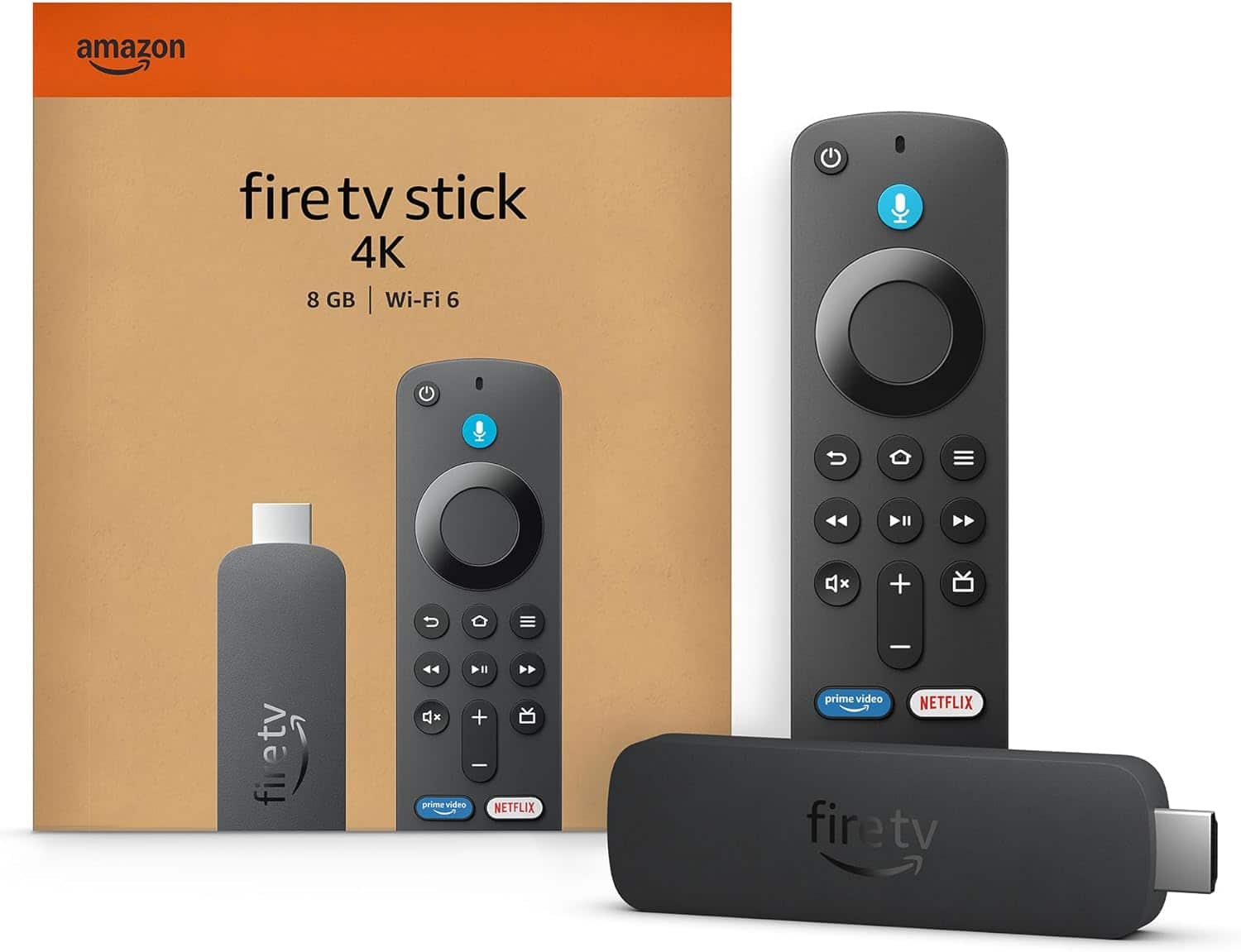
||Posted . Owned for 2 weeks when reviewed.This reviewer received promo considerations or sweepstakes entry for writing a review.Amazon - Fire TV Stick 4K streaming device, includes support for Wi-Fi 6, Dolby Vision/Atmos, free & live TV - Black
I would recommend this to a friendWorks as intended
||Posted . Owned for 1.5 years when reviewed.This reviewer received promo considerations or sweepstakes entry for writing a review.Works as expected. Just like all Electronics starts messing up when it needs an update. Or after it's had an update LOL
I would recommend this to a friendBrand response from Amazon Devices Customer Support
Posted .Hi BCcable,
We hope you are enjoying the Fire TV Stick 4K! If you have further questions, or need assistance, please call us! Amazon customer service can be reached at 1-888-280-4331! Hope that helps!
Solid entertainment anchor
||Posted . Owned for 1 week when reviewed.This reviewer received promo considerations or sweepstakes entry for writing a review.Basic Firestick and does the job if you're familiar with this hardware.
No, I would not recommend this to a friendFlimsy cheap build
||Posted . Owned for 3 months when reviewed.This reviewer received promo considerations or sweepstakes entry for writing a review.The platform is great. The remote is so cheap and feels like it might crumble like a Pringle.
No, I would not recommend this to a friendOk, but could be better
||Posted . Owned for 3 months when reviewed.This reviewer received promo considerations or sweepstakes entry for writing a review.Works but is sometimes slow and hard to get a wifi signal. Lots of buffering. Could be better
No, I would not recommend this to a friendDispleased
||Posted . Owned for 3 weeks when reviewed.This reviewer received promo considerations or sweepstakes entry for writing a review.Overheated and difficult to use. Not user friendly in my opinion.
No, I would not recommend this to a friendBrand response from Amazon Devices Customer Support
Posted .Hi JerryR,
Thank you for sharing your experience with the Fire TV Stick 4K. We're concerned about the overheating issues you've encountered and apologize for any frustration with the user interface.
For the overheating: This isn't normal behavior for the Fire TV Stick 4K. A few quick solutions that might help:
Use the included HDMI extender to improve airflow
Ensure the device isn't enclosed in a tight space
Connect to a wall outlet rather than the TV's USB port
Regarding ease of use, we'd love to help make your experience better. Our customer support team can walk you through navigation tips and shortcuts that many users find helpful. You can reach us 24 hours a day at 1-888-280-4331
Winner
||Posted . Owned for 3 weeks when reviewed.This reviewer received promo considerations or sweepstakes entry for writing a review.I hate them my dog loves em !! Bought 7 in the last 3 months make it not atrracrive to labs!!
No, I would not recommend this to a friendFire TV Stick
||Posted .This reviewer received promo considerations or sweepstakes entry for writing a review.It lasted 3 1/2 months. Fortunately, Best Buy replaced it.
No, I would not recommend this to a friendFaulty Fire Stick
||Posted . Owned for 3 months when reviewed.This reviewer received promo considerations or sweepstakes entry for writing a review.Faulty Fire Stick. Not sure if I was sold something returned to the store. It was the last one on the shelf. Unplugged it and put it in a drawer after putting my old one back on TV. Forgot past the return time frame allowed so be sure to take yours back right away if it seems to have issues. Oddly, never had an issue with ones I ordered online from Amazon.
No, I would not recommend this to a friendBrand response from Amazon Devices Customer Support
Posted .Hello TeresaM,
I am sorry to hear your Fire TV Stick 4K was faulty. If you are still having issues with the Fire Stick you can reach out to Amazon Customer Support 24/7 at 1-888-280-4331. Hope that helps, have a nice day!
Don't recomend it
||Posted . Owned for 1 month when reviewed.This reviewer received promo considerations or sweepstakes entry for writing a review.Amazon as lock this firesticks now i guss i will be using the WallMart On TV. I use to love the firestick
No, I would not recommend this to a friendBrand response from Amazon Devices Customer Support
Posted .Hello walts1. Thank you for your review. For enhanced security, only apps from the Amazon Appstore are available for download. Registered developers are still able to sideload. I hope that helps and have a great day!
Fire stick stuck on black screen
||Posted . Owned for 2 weeks when reviewed.This reviewer received promo considerations or sweepstakes entry for writing a review.I've had this product for a total of 14 days and after about 10 days it has begun to malfunction. I would turn on the tv and navigate to the fire stick hdmi input and the screen would just remain black. I've switched to different hdmi ports, tried to reset the fire stick, unplugged and replugged and nothing works. This product is poorly made and I will never purchase one again. Furthermore, I would not recommend this product to anyone.
No, I would not recommend this to a friendBrand response from Amazon Devices Customer Support
Posted .Hi JonT, thank you for providing feedback about the Amazon Fire TV Stick 4K. I am sorry to see the experience you have had thus far. Some common solutions to try (understanding you have may already tried some or all of these):
Restart your Fire TV device.
Disconnect the Fire TV device from the HDMI port then plug it back in.
Use the power cord or adapter included with your device to plug the Fire TV device. This ensures Fire TV has access to enough power.
Let the device sit for 25 min (turned on) or until the screen changes.
If possible, try with and without an HDMI adapter or extender.
Make sure that you're using a high-speed HDMI cable.
Try using a different HDMI port.
If possible try using a different TV.
If none of these have resolved the issue you are having, a factory reset may be necessary.
To factory reset your Fire TV device with your remote:
If needed, safely eject expandable storage.
Press and hold the Back button and the right side of the navigation circle together for 10 seconds.
On the TV screen, choose to continue or cancel the factory reset. If you don't choose, the device resets automatically after several more seconds. If these steps do not help and you are still experiencing issues, you can always reach out to Amazon Customer Support 24/7 at 1-888-280-4331. Thank you again for your feedback and I hope you have a wonderful day!
Meh
||Posted . Owned for 3 weeks when reviewed.This reviewer received promo considerations or sweepstakes entry for writing a review.Marginally better than the early edition Fire Stick 4k that it replaced. Remote would not control TV volume however, the TV remote easily controls the Fire Stick.
I would recommend this to a friendBrand response from Amazon Devices Customer Support
Posted .Hello, Arby. Thank you for taking the time to leave a review, and I am sorry to hear about the issues you are having with the Fire TV Stick 4K remote. I have some recommendations to try and solve your issue. First, I would check the TV settings within the Fire TV Stick 4K. You can do this by going to Settings, Equipment Control, and selecting Manage Equipment. Select "Change TV" and choose the TV manufacturer to ensure the correct IR codes are being sent. If that does not work, I recommend repairing the remote. Go to Settings, Controllers and Bluetooth Devices, and select Amazon Fire TV Remotes. Select the remote and follow the on-screen prompts. If these steps do not help, and you are still having functionality issues, you can call Amazon customer service, available 24/7 for assistance with the device. You can reach them at 1-888-280-4331. I hope this information is helpful. Thank you!
Remote/ streaming device
||Posted . Owned for 2 months when reviewed.This reviewer received promo considerations or sweepstakes entry for writing a review.Purchased this item for our family to watch movies together Great purchase.
I would recommend this to a friend