Customer Ratings & Reviews


- Model:
- ALLY-0091K
- SKU:
- 5651002
to a friend
Customers are saying
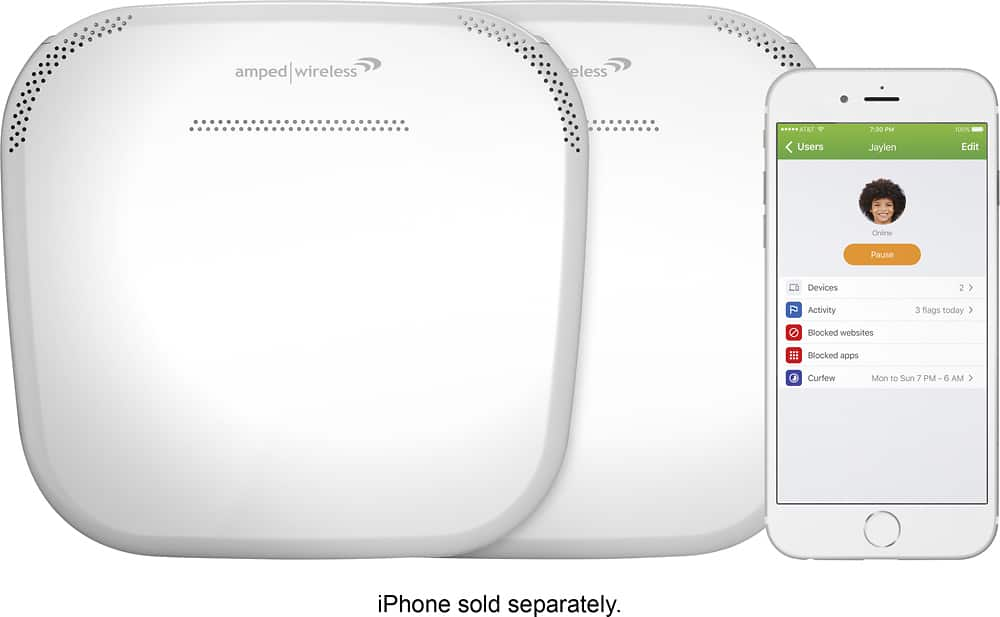
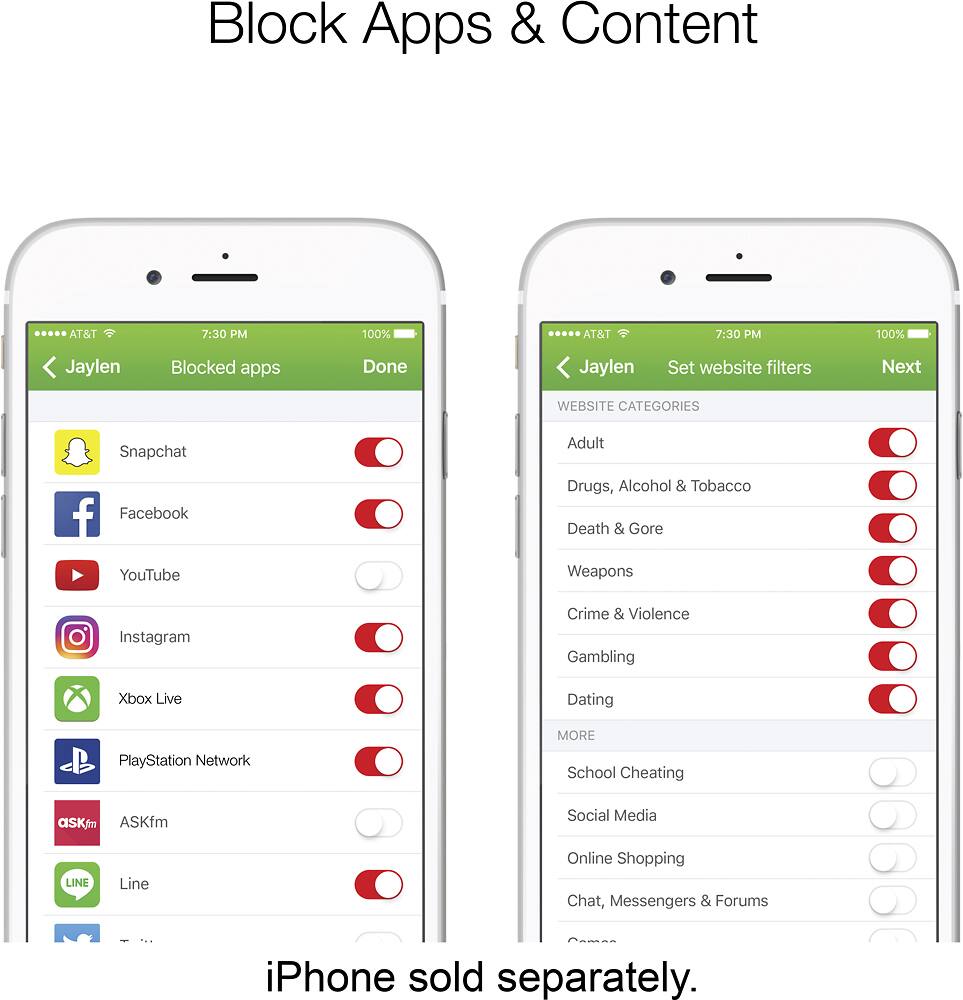
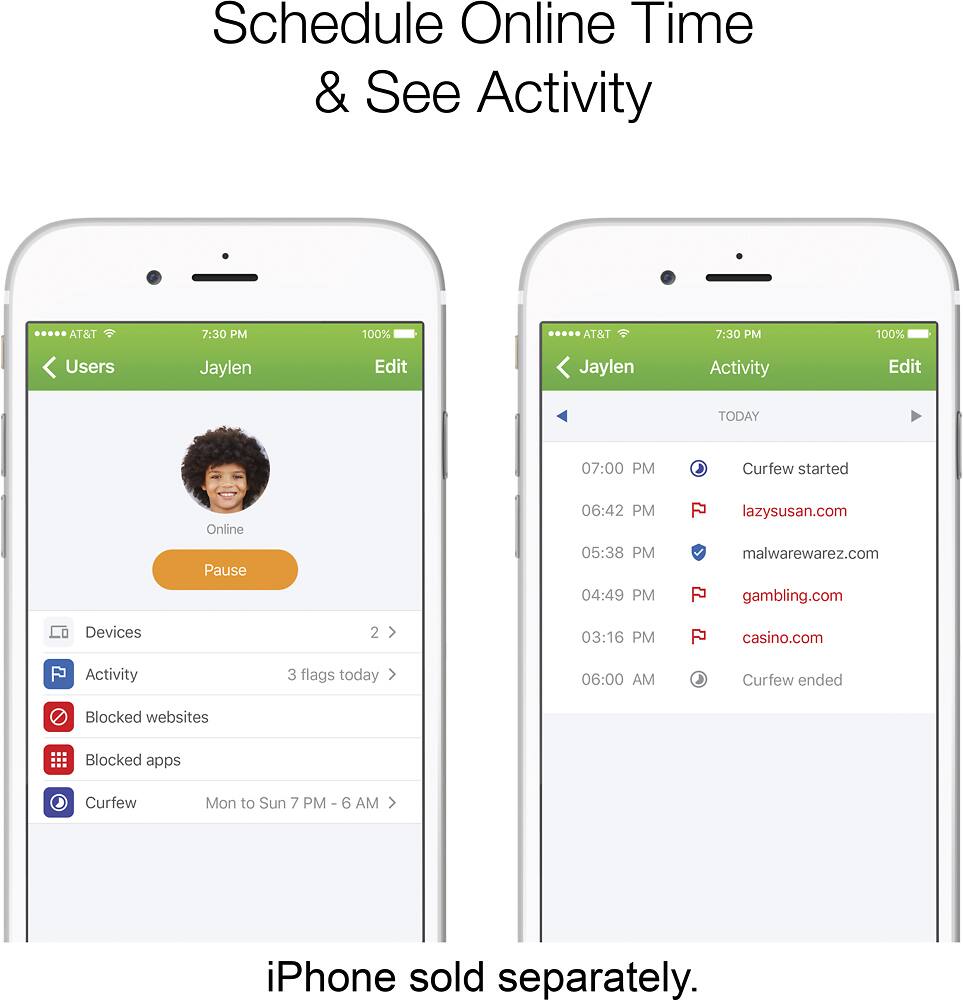
Customers commend the Ally Plus AC1900 Dual-Band Mesh Wi-Fi System for its easy setup, extensive coverage, and strong parental controls, frequently citing improvements in connectivity and speed. However, some users experienced connectivity challenges, particularly with the extender and signal strength in certain areas. The system's performance was generally praised, although some noted occasional pauses or decreases in connectivity when moving between coverage areas.
This summary was generated by AI based on customer reviews.
- Pros mentioned:Coverage, Setup, Speed

Very good for what it is!
|Posted .This reviewer received promo considerations or sweepstakes entry for writing a review.I have seen lots of mixed reviews about this router. I for one, actually like it. It seems more of the negative comments come from advanced users and people that are very tech savvy and want to be able to tweak everything. This router is great for people that just want something they can plug in and go without having to mess around with it too much. As far as what its mainly used for...you will get blazing fast speeds throughout your household. We have a house with 2 adults and 3 teenagers...so we definitely needed something that could cover a lot of devices being used all at once. This system was easily able to handle it. It works great having one upstairs and one downstairs so that the whole house is covered. Now to the reason we really wanted this router over any other one. The ability to set schedules for certain people and devices, to keep tabs on the online activity of the kids, and being able to block certain content so that the kids wouldn't be able to see it. All 3 of those things were very easy to do. The app makes it so easy to have complete control over the whole household and make sure that people aren't seeing things they aren't supposed to see. That really makes us not have to worry about the kids when they are online! The setup was very easy and straightforward. Pretty much download the app, connect everything and you are up and running in no time! There are a few little bugs here and there that need to be ironed out, but I think with some firmware and software updates those can be fixed in the future. Overall, I would highly recommend this mainly to people who might not be so tech savvy...or people what want to keep an eye on what is happening on and what people are viewing on your network.
I would recommend this to a friend - Pros mentioned:Coverage, Ease of use, Range
Full wifi coverage for the family
|Posted .This reviewer received promo considerations or sweepstakes entry for writing a review.The Amped Wireless Whole Home Wifi System was easy to install and connect. The product arrived with everything you need to get wireless connectivity to a lot of square footage, as the accompanying range extender can be put on another floor of your home and has an LED indicator that confirms to you it is in a good location. Getting seamless service to my devices was very simple; I have been able to connect a couple of laptops, an iPad, several mobile phones and video game consoles, and an Android tablet thus far with no discernable lag or major issues. However, it's somewhat annoying having to download and refer to a recommended proprietary app for my setup and technical support. It's not that bad and there are conventional setup options available on your computer, but I just hate having to download yet another thing onto my devices. A big plus is the ease of blocking/limiting usage on specific devices, which is great for parents managing kids' screen time. I did have some issues streaming 4K video in the far reaches of my three-story house, but nothing that really ruined the experience. Overall, this is a very robust router/extender combination that should provide you with all the coverage you and your family will need. A very good product. Full disclosure, I received this product for my honest, unbiased review.
I would recommend this to a friend - Pros mentioned:Ease of use, Speed
This is a great router system, better than expectd
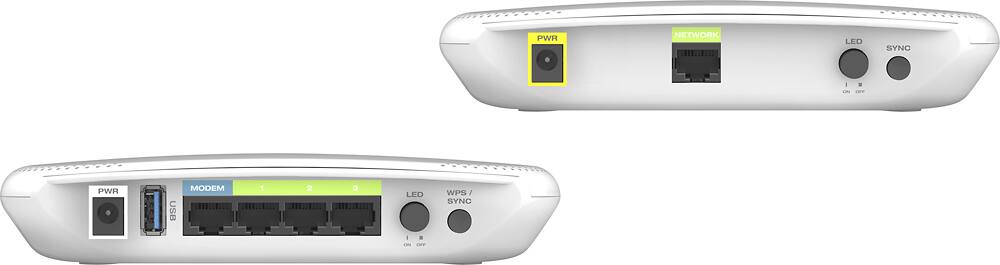
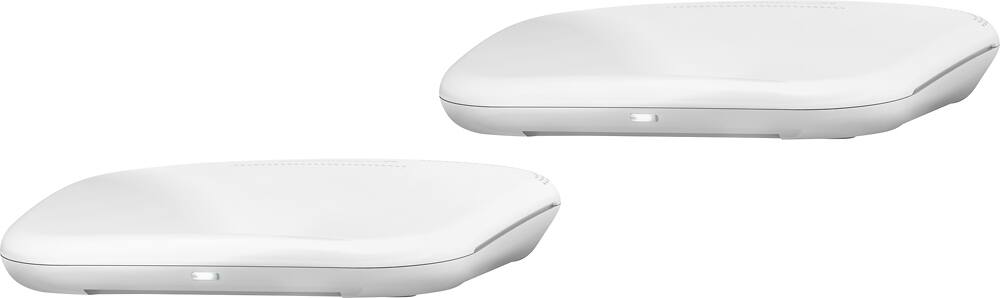
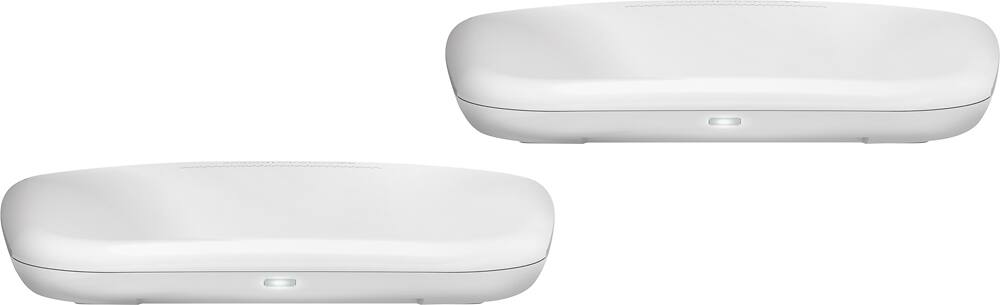
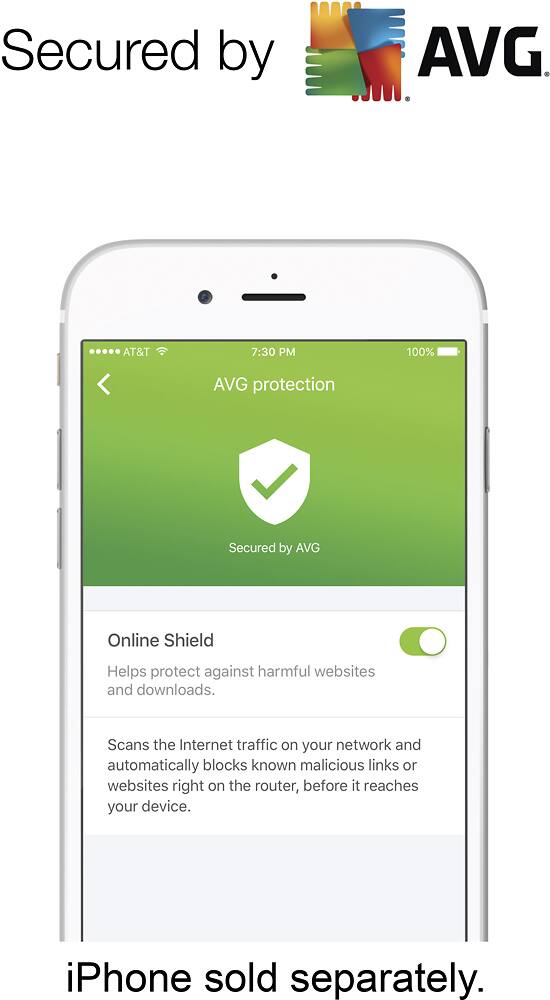
|Posted .This reviewer received promo considerations or sweepstakes entry for writing a review.After reading some reviews, I was hesitant and didn't have very high expectations. I can assure you that whatever was wrong before, has been resolved. I had this thing up and running in minutes, both the base and the extender unit. The app is full featured enough for most, and then you can dig deeper into the programming via a web browser, even accessible via your phone. The system is protected with AVG, which I believe provides a level of protection that I have learned works well. You can see a list of your devices, and you can rename them easily, so you can see at a glance how many devices are connected, then see the detailed list of what is connected. When I was adding new devices to it, I was getting alerts on my Apple Watch that a new device has joined the network. That is really cool. I don't know about you, but knowing what is on your network is important, in case a neighbor has found a way onto your network. This will alert you of new devices connecting, but also let you rename things on your network to real life names, not IP addresses or mac addresses. And you can easily block something you don't know what it is, and when you do figure it out, you can easily unblock it. Very very cool. All of this can be done via the app. You can also setup users, and limit what they can do. For this, think of parental controls. You can also have a guest network, and limit what they can do as well. This prevents someone from making bad decisions on your network and your internet service. There are schedules and logging, but those are a bit more involved to set up. I found myself venturing into the web browser based programming through my phone's browser, where there were many setup options, status of the extender and signal strength, and a whole lot more, some things I didn't really understand but were for advanced network people. The access code for this is shown when you go to connect through the app, to the advanced settings. Very cool - oh, and you can change that code if you want. This is dual band, 2.4 and 5 GHz. You can do A, AC, G, N and B wireless transmission standards, It has a network jack on the back of the extender, if you don't have a WIFI card on something away from the base and you don't want to have to run a network cable from the base. There is a USB jack on the back of the main router for use with a hard drive, or printer. I was quite impressed with the speeds coming off the expander and the base. Both came in with perfect speeds, no loss on either the base or the extender. Typically the extenders on systems like this can be slower than the base - not in this case. The only thing I can say I didn't like, but really this is a small thing, the LED lights on the units are not very bright. There aren't but a light you can see when it is sitting normally, and an identical LED underneath. I'm not sure why, but I guess if you were standing it up you'd see it? But they are both very dim and that is a small frustration. Small though. The app is really the hidden gem with this, and the fact you can see who is on your network at any given time, using the app. That is worth alot to me and one of the most valuable things about this. It is rated at up to 15,000 square feet, however my place isn't that big. I do know I was able to get good WIFI outside of my house, and that is cool - I can be in my car in front of my house, or out back, and still be able to use WIFI without any issues. Typical dead spots, or devices that have a hard time connecting because of weak WIFI radios, seemed to be non-issues with this router and extender. Probably for most, this will fit the bill with only the base and extender. As for price, you really cannot beat this, and my experiences from setup, to use, compatibility with many different devices, etc. has been nothing short of amazing.
I would recommend this to a friend - Pros mentioned:Speed
Very well thought out
||Posted .This reviewer received promo considerations or sweepstakes entry for writing a review.Very well thought out design, much faster than I had expected.
I would recommend this to a friend Better Wifi
||Posted .This reviewer received promo considerations or sweepstakes entry for writing a review.I had poor WiFi in our two story ranch. This solved our WiFi coverage throughout the house.
I would recommend this to a friend- Pros mentioned:Coverage, Setup, Speed
A Great Mesh WiFi Option
|Posted .This reviewer received promo considerations or sweepstakes entry for writing a review.The Ally Plus Whole Home Smart WiFi System is an affordable, easy to setup mesh WiFi system with some excellent special features. Starting with the setup of the system. The setup is quick and easy. It only took about 15 minutes to have excellent, full coverage throughout the house. Speedtest.net results were excellent, even at the furthest reaches of the WiFi coverage. The Ally Plus system provided speeds similar to other Mesh networks I have had experience with. I was able to stream 4K test videos to all areas of my house, and my VOIP phone service also worked well in all covered areas. Here is where the Ally Plus system gets interesting. Using just your cellphone, you can manage your home network. Management includes being able to set times when the Internet won't be available, to ensure family time happens with everyone's full attention. You can also manage which sites your kids can visit, allowing some parental guidance for web use, even when you aren't in the room. It also allows you to check the sites that have been visited b each user. The Ally Plus system is all you need for an excellent home WiFi network, with plenty of protection. The addition of AVG antiviral services ensures your devices will be protected from malicious software attacks. The Ally Plus system should be able to cover up to 15,000 square feet, which means you'll have Internet access, even in your back yard.
I would recommend this to a friend - Pros mentioned:Ease of use, Range, Speed
Fast whole house Wi-Fi
|Posted .This reviewer received promo considerations or sweepstakes entry for writing a review.I have the two (2) unit whole house kit. The first is the wireless router with high speed gig ports for quick expansion. TIP: the unit I have is not the traditional IP address but was 192.168.3.1. So, some of my static addresses needed updating. If the wireless device like ROKU of my Linksys extenders needed to be reconnected to the SSID. . I have to say, once I got past the initial setup, you could easily see an improvement in connectivity and speed. Alexa apps through WINK hub now respond very quickly. I suppose the high speed ports really help there. The router and remote extender come with separate power pucks (xformers). They wires are nicely labels for ease of use. The app is basic, but you can direct connect through the wires cable and your PC to fix any special port setting needs. Love this so far. I will check the range outdoors as the weather warms up. Has a push button switch to turn the front indicator LED ON or OFF. NICE! I may check out the log files when the grandkids stay over. Good to limit their time online.
I would recommend this to a friend - Pros mentioned:Setup
Easy and good setup with some slight cons
|Posted .This reviewer received promo considerations or sweepstakes entry for writing a review.The Amped Ally Plus WiFi system bring improvement to your home WiFi especially if you're mix-matching WiFi system and extenders. I used this on a 2 story house with horrible WiFi reception at one end of the house and a great reception at the other. Setup was very easy with Amped wirelss app. Follow the simple instructions and you should be good. Let me get to the slight cons, Amped says this system is good for 15,000 sq ft but I didn't find this to be exactly correct. It could have been cause because of my modem location. I'm going to try and move the modem to a central location as per the Amped instructions and see if that improves the coverage. However, that being said, I noticed a significant increase in performance of my home WiFi. The only other con is that these nodes do not use stands or can stand up. They either lay flat or are wall mounted so they take up more space then nodes that can stand. Other then those two issues I would recommend this system for it's easy of setup and performance.
I would recommend this to a friend - Pros mentioned:Range
Great Hardware, Terrible iPhone App
|Posted .This reviewer received promo considerations or sweepstakes entry for writing a review.First off, the Ally Plus range is nothing short of amazing. 4800+ square feet was easily covered with the extender and I never experienced more than 12% decrease in performance anywhere in the house with the router on the first floor and the extender on the second. That is many times better than any old school extender I ever owned. It does say that it can cover 15000 square ft which I see feasible although I would expect considerable degradation in performance in such a large area. However, I could not test it in an environment that large to tell how good it would actually do. So I will not be judging that but I was more than happy with what I experienced. Advanced users can control how much power it should use - default is 100%, set DMZ, forward ports, set QoS and dynamic DNS just to name a few features network gurus love. If you use 4K streaming, it uses WMM which prioritizes multimedia such as video thus preventing constant buffering. It actually works. Set up was not too easy even after following the instructions and using the required App on an iPhone 7plus. Set up failed multiple times and even after it was completed the app got stuck saying Ally (the router) was offline even though I was connected and could browse the internet. It still happens too often and you may need to turn off Wi-Fi on and off a few times. I ended up using only the web interface with my laptop after getting the access code from the app. The web page says the code is on the bottom of the device: it is not and you can change it after you log in. My other disappointments are: 1) you can't control the anti-malware function (AVG); 2) URL filtering affects everybody not just your children although you can work around that by setting up different networks for you and them; 3) Only 3 Ethernet ports were not enough for me. In my opinion, the superb range and excellent performance make it a 5-star product, maybe among the best home router systems out there. But the shortcomings and the need of some serious software updates cannot warrant it more than 3 stars.
I would recommend this to a friend - Pros mentioned:Coverage, Speed
Whole Home WI-FI and Family Security
|Posted .This reviewer received promo considerations or sweepstakes entry for writing a review.The Amped Wireless ALLY Plus is a Whole Home Wi-Fi system that consists of a primary router as well as a range extender. The system claims to provide Whole Home Wi-Fi for homes as large as 15,000 square feet although our home is only 2,500 square feet. The system performs well and like many other Wi-Fi systems available on the market today, the setup is performed via the mobile app which is available for both iOS and Android. Where this system really excels though is with it's security features that allow parents to assign user profiles to individual users to control what kids access online and how long they can be accessing the Internet. The app even provides reports of what kids are accessing online as well as alerts when other devices try and connect to your network. Generally speaking, the system works well and provides adequate speeds to support services such as Netflix, Amazon Video and other streaming services.
I would recommend this to a friend - Pros mentioned:Coverage
Reliable Wifi Coverage!!
|Posted .This reviewer received promo considerations or sweepstakes entry for writing a review.I found Ally Plus to be reliable Wifi coverage. The setup process of this application was very user friendly thanks to the app that I obtained in Google’s play store. I must add the process was a piece of cake, even if you’re a novice, you’ll find it an enjoyable experience that can be completed within a matter of minutes. I have multiple devices that connected well. I especially like the fact that it comes with AVG virus protection which adds that extra measure of security protection against harmful intrusion caused by malware, phishing, and nasty viruses. The manufacturer added parental controls in order to monitor kids’ activities while on online which affords peace of mind to parents. In testing Ally Plus, I didn’t see that great of an increase in my overall internet speeds within my home, but I did get extended coverage within my back yard area which is an added plus for me. While out back, I did not experience any lags, dropped signals or disruptions. Suffice to say, the 15,000 feet of coverage that the manufacturer boasts thus far works well.
I would recommend this to a friend Great family option for whole home wifi
|Posted .This reviewer received promo considerations or sweepstakes entry for writing a review.First off I was excited about the new amped Ally Plus and installed it pretty quickly to go full speed with my new cable cutter PS Vue. Straight out of the box it has good aesthetic appeal although I'm not a fan of extenders which this system is based off. The installation was fairly easy and is app based which seems to be the direction of most routers now, although you are still able to use the website to change somethings but not all as they are restricted to the app. Placing the extender in the perfect place in the house is simple as it has light indicator to let alert you of a strong or weak signal. My house is nearly 2000 sq feet which is average. Now this is where I began to become a little underwhelmed. The Ally promises upto 15000 sq feet which would allow me to use my wifi anywhere in yard front or back. This was not the case as I lost signal or at least had a very weak signal in my backyard which was within the 15000 ft range. Granted I will not be using the wifi here that often, it if I paid for a promise I would like it to be reliable. But I have had the same issues with other routers also. The app and all of the other features (security, activity reports, and customization) is where this system is a step above the rest. It is great for a family with kids that they want to monitor or restrict certain sites or usage of the internet. The app is very user friendly and allows complete control of your personal wifi. Overall, if you are looking for control and security of your wifi, this is the system for you. If you are just looking for a wifi system that supports streaming to all devices throughout your entire home, there are options that may be more reasonably priced.
I would recommend this to a friend- Pros mentioned:Range
Great home wi-fi for families
|Posted .This reviewer received promo considerations or sweepstakes entry for writing a review.The Ally Plus, is this the right fit for your home? Lets talk about some of the pros and cons and help figure out if this will be the right move for your home. Right out of the box you will receive two units, the actual wireless router and the second unit will serve as an extender. These units come backed by AVG protection from malware and other suspicious activity. Set up on this unit is actually quite easy and doesn't require you to be too tech savvy. Since the extender is already equipped with software built in to recognize its companion router there is no additional programming necessary. Simply follow the step by step instructions and set up should be done within a matter of 5 to 10 minutes. Without getting too technical on the specs the router is set up to be able to handle high speed gaming and 4K streaming on multiple devices in a home with approximately anywhere to 2,000 to 5,000 sq. ft. I myself live in a home that is 3,000 sq. ft. with multiple levels and drop outs can usually be a concern, the Ally Plus had no issue covering my entire home and property for that matter including coverage of my back and front yard. One issue i noticed almost immediately after using the WiFi system was the lack of a dedicated third band which allows for backhaul. What this means in a simplistic tone is that the extender in a sense will act like the middle man for anyone trying to connect to the internet. For example, lets say the router is connected to your second floor office and your extender is on the main level and you are in your basement on your laptop surfing the web. Due to the large gap you will obviously be tapped into the extender since it is the closest to you, however anyone tapped in to the extender will have reduced speed and performance. The reason being is because the extender will pick up what site you want to go to, then relay it the main router, which then sends the signal to the internet telling it where you want to go then sends all the information back the same way. This can create lag at times and reduce performance up to almost 50 percent for any users that are bouncing information off the extender. Don't let this detour you though, because where this unit really shines is in its ability to provide safe and well managed internet streaming for a family that has young ones. The unit allows for an optional app download which helps you manage your WiFi settings, and i highly recommend using the app. In order to use the app service you need to sign up for an AVG account due to the fact that it is protected by AVG and there services. Once you have set up your app and you are connected to your WiFi settings there are countless options available at your disposal. First off you can see if any unwanted guest has gotten into your WiFi, maybe a neighbor? You can block groups or device from visiting certain websites or categories you may deem unappropriated. You can even monitor what websites devices in your home have visited during a set period that you appoint. You can even pause the internet for certain devices both manually or you can even set up a schedule. For example lets say you set up the WiFi to pause the internet for 3 hours after your kids get home from school allowing them to focus on homework before they are allowed to surf the web. After the set time has been met the internet will resume allowing said devices to gain internet access. These were the features i was actually very impressed with. All in all if you are single or married without kids you may want to get something a little stronger but if you have multiple members in your home all ranging in different ages then this device is a must. pros: great range AVG protected Manageable WiFi options Good Pricing cons: Lack of a dedicated third band at this time
I would recommend this to a friend - Pros mentioned:Speed
Simple Router w/ Fast Speed Web Surfing
|Posted .This reviewer received promo considerations or sweepstakes entry for writing a review.Very simple router with extender, and its distance is 15,000 sq ft. I like that there are a lot gigabit ports behind the router and 1 network port behind the extender. It also has a USB input in the back of the router for storage. I'm planning on using my external hard drive which is full of music and movies so i can access it from any device within my network. I was using the Linksys - Velop Tri-Band Whole Home Wi-Fi System (3-pack), but this router only needs 2 and they cover the same distance which is pretty cool. I did 3 speed test, i did it at night when the amount of users using the router is low ( i have a lot of room mates) and the average download speed is 117.29 mbps, keep in mind i only have the 100 mbps plan! Upload speed is 11.90 mbps. One thing I don't like, is the set up, i have to download the Amped Wireless Ally App, simple instructions to follow, but it kept giving me error messages when finding the modem. i had to close the app a couple of times in order to work correctly. I also like the users monitoring feature w/ the app. It tells me when was the last time the users were logged into my wifi network. I don't have kids, so i can't say a lot about the blocked websites feature, but i could see it work for the teenagers in the family. I like this router, its not flashy or has a lot of lights(it even has a button in the back if you want to turn off the lights in the front), but i could tell it was good based on the speed tests and web surfing. I put one star down because of the price and because the router and extender get kind of hot (make sure to put it some where where it can have ventilation). If they lower the price from, lets say 50 to 80 dollars less this would be a great addition for any home without breaking the wallet.
I would recommend this to a friendBrand response from Amped Wireless Elite Support
Posted .Hello,
Thank you for your feedback we do appreciate it. We will take your concerns into consideration so that we can improve on them. As for the units getting hot that is not normal depending on how hot they get so please call our tech support line at 888-573-8820 so that a technician can look into it.
Amped Wireless Tech Support.
888-573-8820
- Pros mentioned:Ease of use
Not as great as I had hoped!
|Posted .This reviewer received promo considerations or sweepstakes entry for writing a review.I had high hopes for the Amped Wireless - Ally Plus “Whole Home Smart Wi-Fi System”. It is advertised as easy to configure, and able to provide seamless Wi-Fi for up to 15,000 square feet. I was hoping to use it to improve the wireless coverage for a church where I do IT support. The primary unit is very easy to configure, but does require a smartphone and an app download. I was hoping that this unit would have better coverage than my existing N-speed wireless router, but in actual use the coverage was almost identical. The big selling point for this unit is the included range extender, which is supposed to greatly extend the coverage. The extender is easy to set up – you just plug it in and wait for the flashing light to go solid. Green means you are in a good location, yellow means OK, and red means you are too far away from the router. This is where I was really disappointed, as I first tried it about 50’ feet from the main router, a few rooms away. Red light. Moved it one room closer, still red, then moved it to a room about 20’ feet away, and under a window that faced toward the room where the router is. Still got a red light. This is where I decided to give up, because if I moved it any closer, they would be in the same room. I didn’t see the point in spending $300 on a system that was no better than the $75 router I was previously using
No, I would not recommend this to a friend - Pros mentioned:Setup
A Whole-Home WiFi System for EVERYONE...Finally
|Posted .This reviewer received promo considerations or sweepstakes entry for writing a review.Originally, mesh WiFi systems were only used by large entities (businesses, higher education, government, etc). Over the past few years, consumer “mesh” systems entered the market (Google Wi-Fi, Linksys Velop, Netgear Orbi, Eero, etc). Each has “plusses” & “minuses”: Google Wi-Fi is simple to set up, but lacks multi-port Ethernet switches, security, & USB ports, plus it’s not a true “mesh”; Netgear Orbi has a 3-port switch on the router & 4-port switch on the mesh node, but isn’t a true mesh, & while it has USB, it’s only USB 2.0; Eero is small, easy to set up, has good overall performance, & a low-profile design, but lacks in security, has no built-in switch, & only USB 2.0 ports; Linksys Velop is easy to set up & maintain, a true mesh, very fast, & has good security, but no built-in switch, or USB ports, plus the $500 price is “out of reach” for most consumer. However, we have a new entrant in whole-home WiFi: the amped|wireless ALLY Plus. To start, the ALLY Plus sells for $299 (on sale, $250-270), so it’s already starting off on a decent note. Second, setting up the extender node is as simple as it gets…plug & play, baby…plus & play (I’ll cover this more, later). In truth, while the ALLY Plus is a whole-home WiFi system, it’s NOT a true “mesh”, but closer to a router/extender configuration (similar to several mentioned above). This is NOT necessarily a bad thing, as you’ll soon discover. At the same time, while amped|wireless advertises this as an AC1900 system, it’s actually an AC2100 system (800Mbps max on 2.4GHz & 1300Mbps max on 5GHz). Currently, the ALLY Plus includes only a single extender node…but, word from amped|wireless is that additional nodes could be made available in the future (explained later). UNBOXING, AND INITIAL IMPRESSIONS: The external package is your typical generic design, but upon opening it, everything inside is laid out in a neat, organized manner. You’re greeted by a large “Welcome sign”, followed by a “Let’s Get Started” pamphlet, which lays out the simple 6-step process of setting everything up. Below that, you find the two ALLY units, power cords, & Ethernet cable, with everything pre-labeled…call this “intelligent packaging”. SETUP: I set this up in my parent’s house, as the size & layout was better suited for testing. Setting up the router is simple, as all cables/connections are pre-labeled & color-coded, making it “idiot-proof”. Before doing ANYTHING, the first step is to download the app from Google Play or Apple Store, as the app is required for setup (but NOT for maintenance, see below), providing simple step-by-step instructions. Even your 3 year-old child, or 93 year-old grandmother, has a 99% chance of success. Initial setup is easily completed within a few minutes. I won’t provide a ‘step-by-step’ for each of the features, as there are several, but they are all equally-simple to configure. In addition to your primary 2.4GHz & 5GHz networks, you can enable guest access, with its own separate SSID & password. Once the router is up & running, connecting the extender is even easier. Earlier, when I said “plug & play”, I really meant it – plug the extender into your desired location’s outlet, and it immediately starts working (the two units are pre-programmed, using a proprietary signal, to connect with each other). Anyone failing this step needs to return to pre-school. Lastly, you will notice a WPS button on the router & extender. As mentioned above, additional nodes will (eventually) be made available, and, since these would not be pre-paired to the router, the WPS button will be used to pair them. SPEED & SIGNAL STRENGTH TESTS: Testing was done on both 2.4GHz & 5GHz, from three points: close to router, halfway between router & extender (no line-of-sight to either node), & far end of house (approximately 15ft from extender). Separate names were set for 2.4GHz & 5GHz bands, to allow separate tests. I mention this because most other whole-home systems auto-switch between 2.4GHz & 5GHz connections, giving you no control as to which band you’re connecting to. On the 2.4GHz band, throughput close to the router averaged in the 100-120Mbps range, while a 40ft distance achieved 80-100Mbps. Standing 15ft from the extender achieved 70-90Mbps. Moving to the 5GHz band, the results were 500-600Mbps, 350-400Mbps & 300-350Mbps, respectively. While quite good (compared to most other whole-home WiFi systems), if you’re looking for the best performance, the Linksys Velop is faster…but, at the same time, it lacks several features of the ALLY Plus…NO built-in switch & NO USB ports, plus you’ll spend $200 more. DATA TRANSFER TESTS: In terms of real-world data transfer speeds, thigs are always slower than throughput speeds. Using the same distances, the 2.4GHz band produced average results of 71Mbps, 62Mbps & 62Mbps, while the 5GHz band produced average results of 105Mbps, 74Mbps, 72Mbps. Again, while not the fastest (compared to true mesh systems), this is more than fast enough for the typical home-user. In fact, while your typical conventional router will achieve approximately equivalent results close to the router, said router will produce far lower results as distance from the router increases, which is the advantage of whole-home WiFi systems. ADDITIONAL INFORMATION: This is where the ALLY Plus really starts to shine. First, while most other whole-home systems have but a single Ethernet port on each node, the ALLY Plus includes a 3-port switch on the primary router. Follow that up with a USB 3.0 port (other whole-home systems have USB 2.0, or none at all) on the router, PLUS a USB 3.0 port on the extender, and things are looking a lot better when compared to other whole-home systems. While other whole-home systems are set-up & maintained via app ONLY, the ALLY Plus can be maintained via the app AND/OR a web interface (setup still MUST be done via the app). Lastly, there are parental controls, activity logging, notifications, and the ability to schedule user’s access. You even have the ability to block access to specific sites, by category, or by content type…all on a per-user basis. If you realize you forgot to set a block, or user-access, there’s also a “Pause” button (accessible via the app), which instantly shuts off access for that user. THE GOOD: Simple set-up & configuration Easy to maintain Good data speeds (for a router/extender configuration) Built-in malware protection from AVG Parental controls Compact & low-profile Low price (comparted to other mesh Wi-Fi systems) 3-port switch on router USB 3.0 ports on BOTH nodes Can manage network via app OR web interface (other systems ONLY work via app OR web interface) THE BAD: Not a true mesh system Data speeds are considerably lower than a true tri-band mesh system THE UGLY: Northing that I’m able to determine CONCLUSION: Is the amped|wireless ALLY Plus the whole-home WiFi system for you? Unless you have super-high speed needs, the probable answer is “YES”. If you have kids, that “yes” becomes even more prominent, as the ALLY Plus has the best parental controls of any whole-home system. Add in AVG’s security, and it only gets better. The system has features advanced enough for most seasoned users, but is also simple enough for anyone to set up. At $299, it’s reasonably priced…plus, with the security & parental features, that only adds to its overall value. In short, this is an excellent choice for those looking to set up a whole-home WiFi system. It contains features & functions lacking in most other whole-home WiFi systems, and only lacks in one major area – being a true mesh system. Even though it’s not a true mesh system, its speed capabilities are equal to, if not better than, what most home users would need. The router’s built-in 3-port switch is a huge plus (you can always plug a switch into the single Ethernet port on the extender, adding additional Ethernet ports), and the USB 3.0 ports on both nodes gives it a huge advantage over almost all other whole-home systems. I’ve personally tested the Google Wi-Fi & Linksys Velop whole-home systems, and while each had some very good things, both had enough bad things that, while I’d still recommend them to specific people, I wouldn’t be able to recommend either of them to just about everyone. The ALLY Plus, on the other hand, is a whole-home WiFi system that I can EASILY recommend to all but those needing the fastest speeds. To that limited group, the Linksys Velop is what they need…for EVERYONE else, the amped|wireless ALLY Plus is what you WILL WANT. Disclaimer: This product was provided free, or at reduced cost, for the purpose of reviewing the product. Nevertheless, the above review, be it positive, negative, or somewhere in-between, is a 100% honest review, and the price paid played absolutely no part in my review.
I would recommend this to a friend - Pros mentioned:Range, Speed
Solid Hardware, software needs work.
|Posted .This reviewer received promo considerations or sweepstakes entry for writing a review.The hardware specs on this thing are pretty good. I like the range, speed, and coverage area when it worked. Like a lot of new routers, the software is buggy right now and I am sure after a few software updates it will be top notch. I encountered a few crashes with it and had to reboot it a couple of times. Also I had devices randomly lose connection and had to reboot them. This never happened on my old router. I did download all of the software updates but still encountered issues.
No, I would not recommend this to a friend - Pros mentioned:Speed
Easy set-up, eliminated dead zone issues
|Posted .This reviewer received promo considerations or sweepstakes entry for writing a review.The ALLY Plus Whole Home Wifi system is a reasonably affordable solution for extending WiFi coverage, similar to other recent competing systems (one of which I've also tried). Unlike some of the competing "mesh" systems, the ALLY Plus doesn't utilize an extra radio band or wired Ethernet for the connection back to the router, so it might be better considered a router and extender solution. However, this is a brand new product and Amped has been saying promising things about potentially adding wired backhaul support. The packaging was well done, and a labeled cable was even pre-connected which might help people who are unfamiliar with doing computer networking to get started. Short, easy to follow instructions were provided with the device. An app is necessary to set up the router. I used the iOS version. I connected the router, connected my phone to the wifi network created by the router, and the app immediately identified the router. I was able to setup the router with the same network SSID's as my previous router. This allowed for all my devices to connect to the network without needing additional configuration. I then hooked up the extender on the same floor in the middle of a 2 floor, 2500 sq ft home. The extender has a three color LED telling you if the connection to the router is excellent, okay, or bad with green, yellow, and red, respectively. If you see the red or yellow, it is suggested to reposition the router until you see a green LED. At the location I put the router in our family room, it was green on the first try so I had no need to move the router. Once I had the router and extender set up, I tested the speed of the network from various locations in my home with the Speedtest app. I currently have Charter cable internet rated for 60 Mbps download and 4 Mbps upload speeds. For a baseline, I verified I was able to achieve this speed on both the 2.4GHz and 5GHz network close to the router. I then proceeded to test the rooms on the same floor. I was able to achieve that max speed on the rooms adjacent to the room with the router on the same floor and the floor above. The real test was to verify the speed of the network on the other side of the house. The kitchen is the room I had previous issues with as it was in the opposite corner of the house. Previously, I could not connect to the 5GHz network at all and had spotty 2.4GHz reception. Now, with the extender, I was able to achieve full WiFi bars in the kitchen, and easily get the full cable Internet speed there as well. This is a significant improvement over my old single-router system, and matches or exceeds the range of the competing mesh network system I have experience with. I did have to register for an account which it says provides remote management of the router when away from the home. I don't anticipate using this often, so it somewhat concerns me a security vulnerability could someday be exploited. I would have liked for the router to allow me to set it up without requiring an Amped account, and it would be nice to have a way to disable the remote management capability just to reduce the chances that my router could be exploited. All in all, I am very happy with the performance of the router and the improvement in performance outweighs my security concerns. I am very happy with this new setup thus far.
I would recommend this to a friend - Pros mentioned:Coverage
Useful for families with kids
|Posted .This reviewer received promo considerations or sweepstakes entry for writing a review.Since I don't have anyone here that needs monitoring, I don't have a lot of use for the rather complete user-geared suite of monitoring tools that the Ally provides. I do have a spread-out one story home that needs a system with multiple points for connectivity. That need is covered pretty well with the Amped Ally. I did experience several restarts and interruptions during setup, but it wasn't complicated. Just a little frustrating. For the mid-price that the Ally has, I think it has more of a niche market than other mesh or mesh-like systems (this is not a mesh network proper) - people with a need to monitor connections, more than anything. This router can be used via both a mobile app and a web interface, though for different tools, and the user should have some knowledge of how to get around in router settings and should definitely be comfortable with manipulating IP addresses. In my experience, the Amped Ally requires more knowledge to configure than the Orbi, Velop, and Google Wi-fi simply because there is more configuring to be done in order to accomplish monitoring web traffic and device connectivity, and to use the included AVG protections. In short - good coverage for single-story areas; both advanced and basic settings to suit several types of users; nice aesthetics - low profile white units; separate 2.4 and 5 GHz bands; glitchy setup; either too expensive for basic users or a good price for more advanced needs.
I would recommend this to a friend - Pros mentioned:Coverage, Setup
Easy setup; it's ok
|Posted .This reviewer received promo considerations or sweepstakes entry for writing a review.Followed the step-by-step instructions and no issues with the setup. Connection to the internet took 3 attempts, but once connected, no issues. Coverage throughout the house (2700 sq ft) is good. I've had some issues with the app on my phone, but to me it's not that big of a deal for me. It's a good product so far.
I would recommend this to a friend