Customer Ratings & Reviews




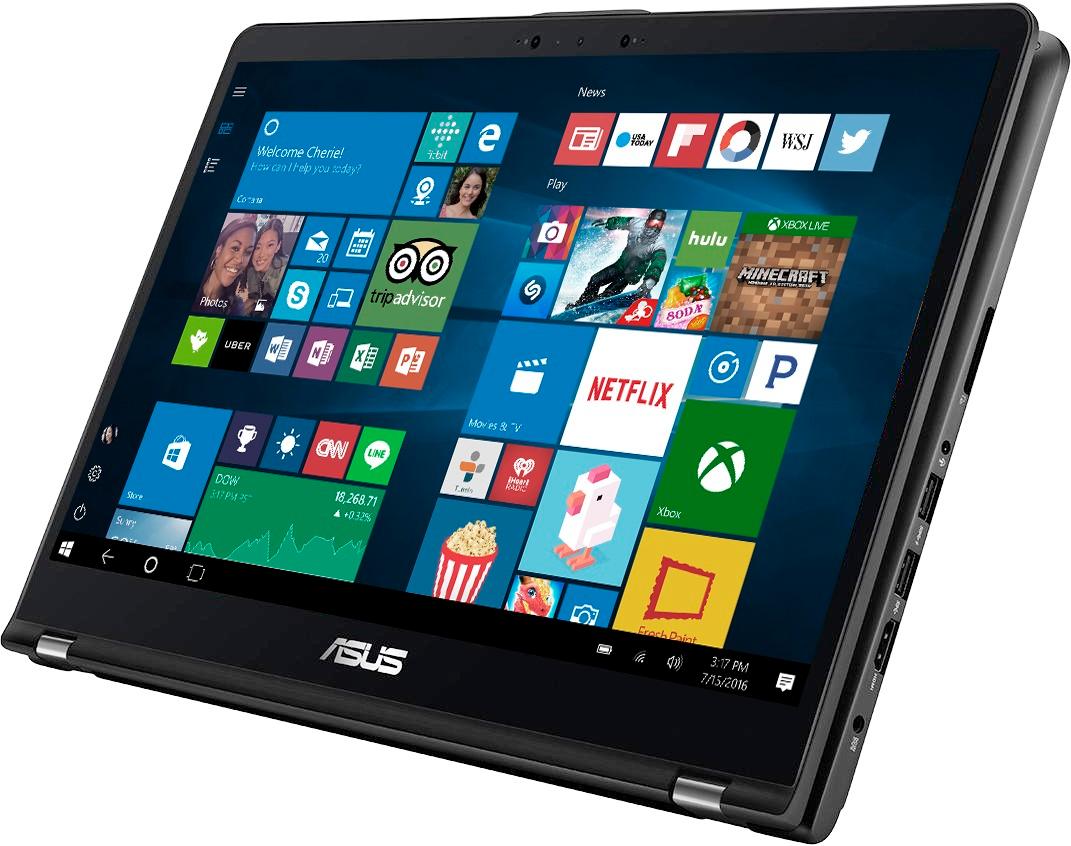
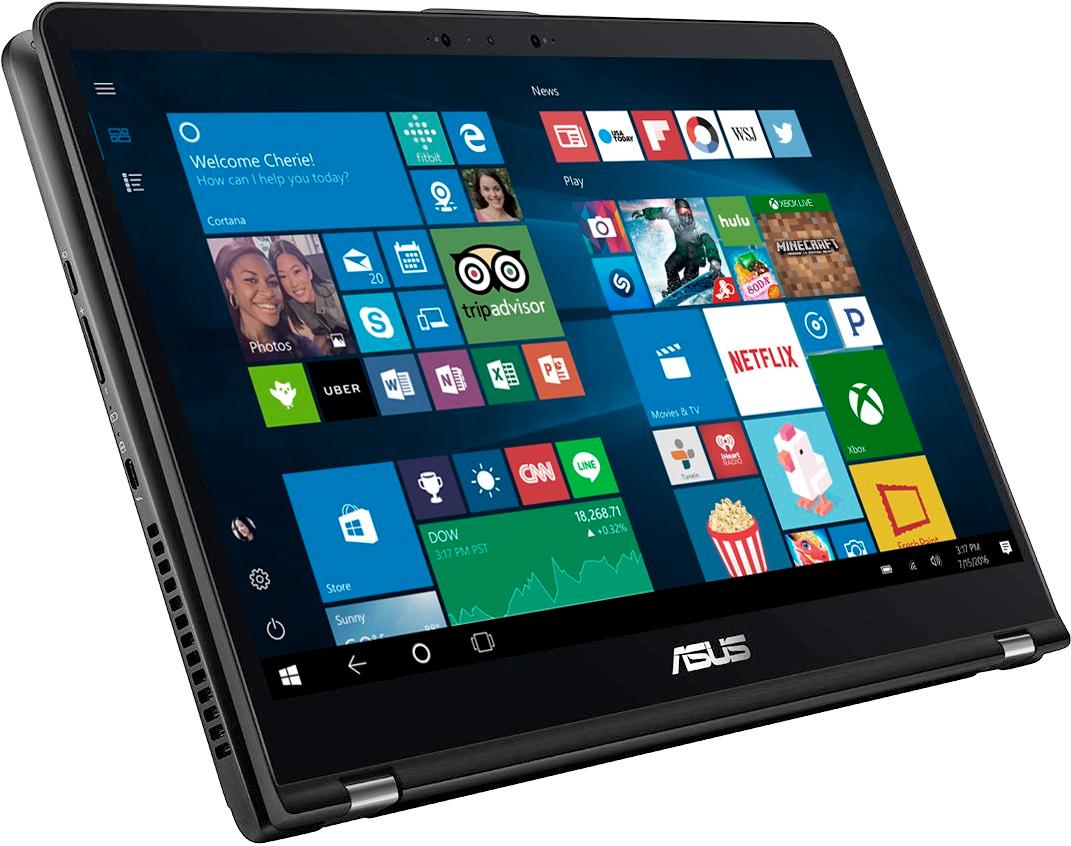
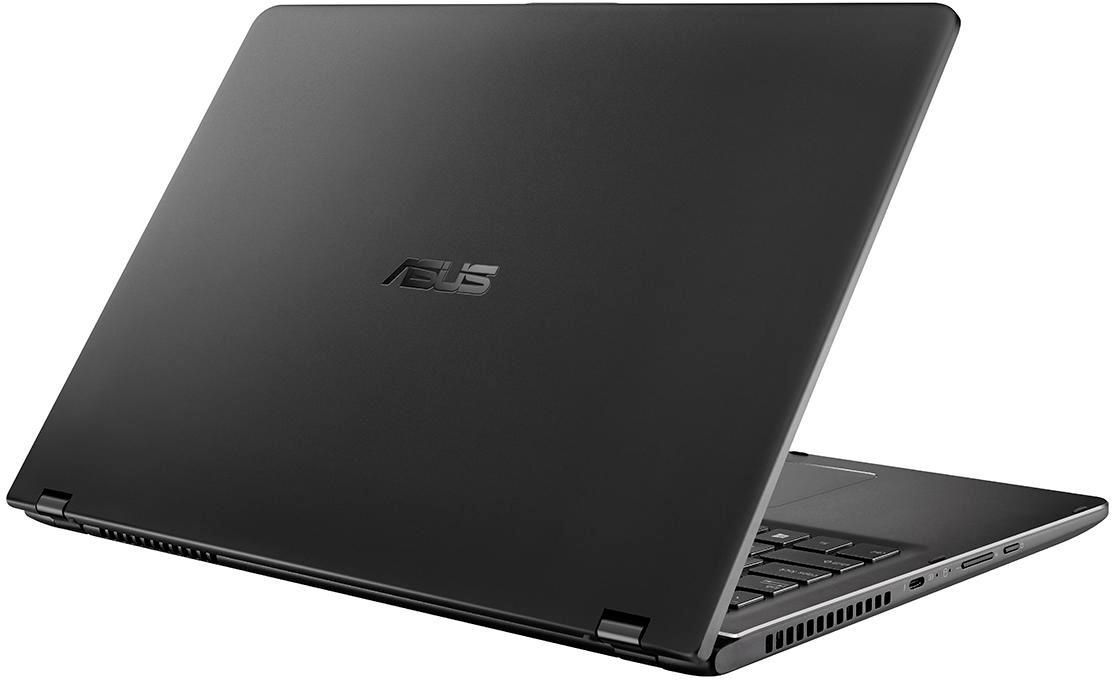
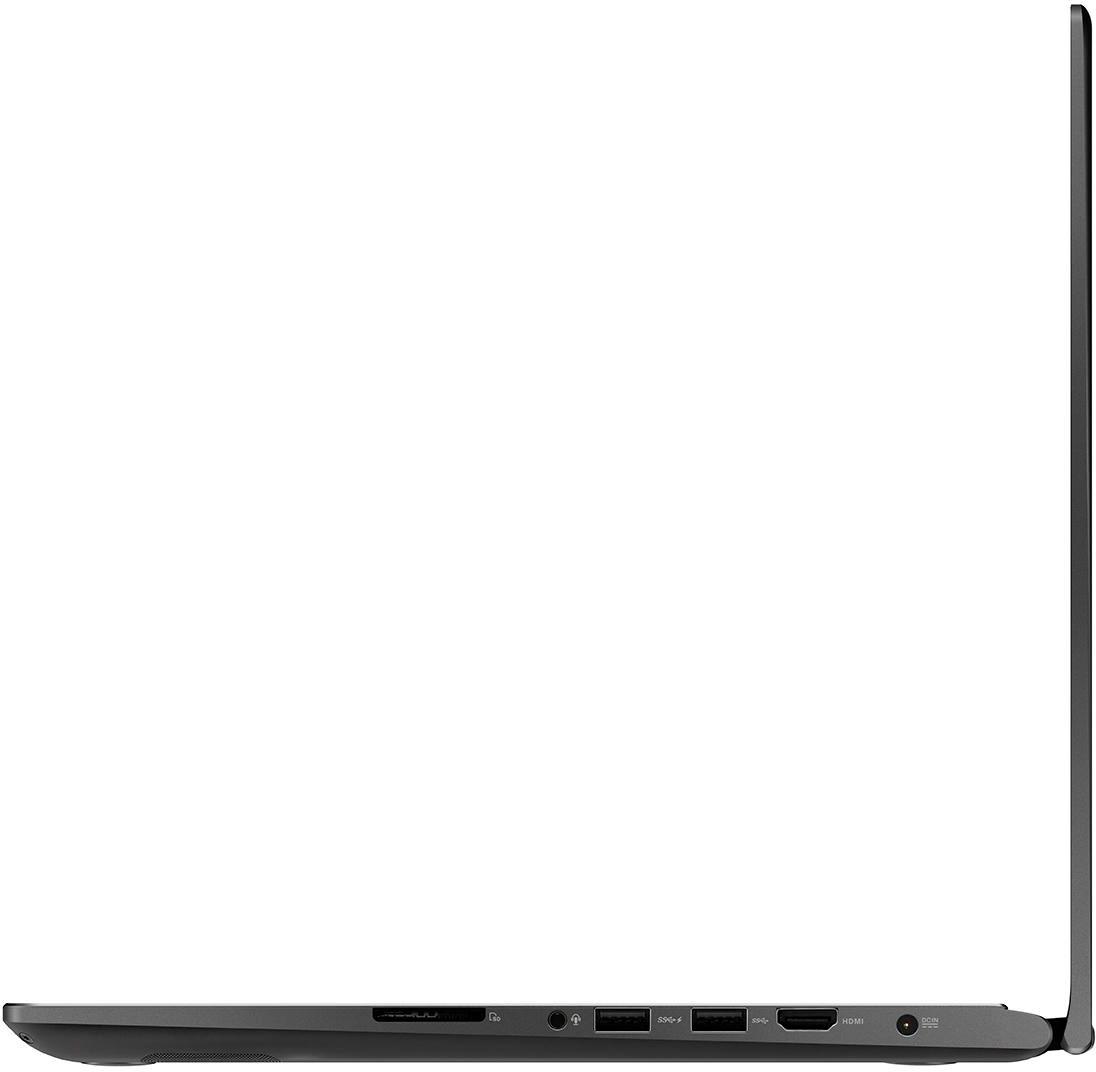


- Model:
- Q535UD-BI7T11
- |
- SKU:
- 6077506
Customer reviews
Rating 4.3 out of 5 stars with 230 reviews
(230 customer reviews)Rating by feature
- Value3.8
Rating 3.8 out of 5 stars
- Quality4.0
Rating 4.0 out of 5 stars
- Ease of Use4.4
Rating 4.4 out of 5 stars
Customers are saying
Customers are positive about the laptop's fast performance, beautiful touch screen, impressive graphics, and ample storage. They appreciate the value for the price and find it powerful and easy to use. However, some customers have concerns about the battery life and overheating issues.
This summary was generated by AI based on customer reviews.
- Cons mentioned:Battery life
Rated 2 out of 5 stars
Powerhouse, but Major Issues
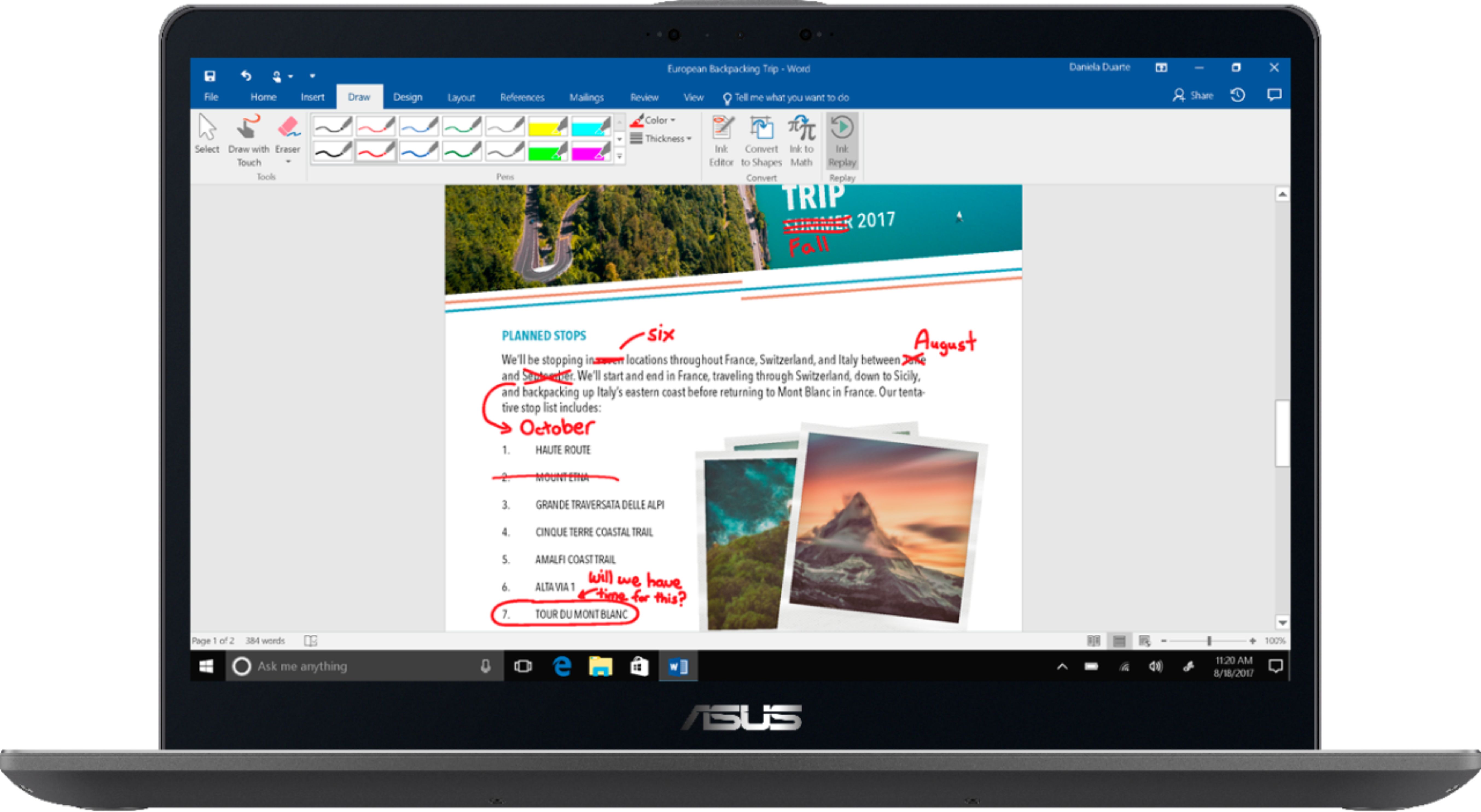
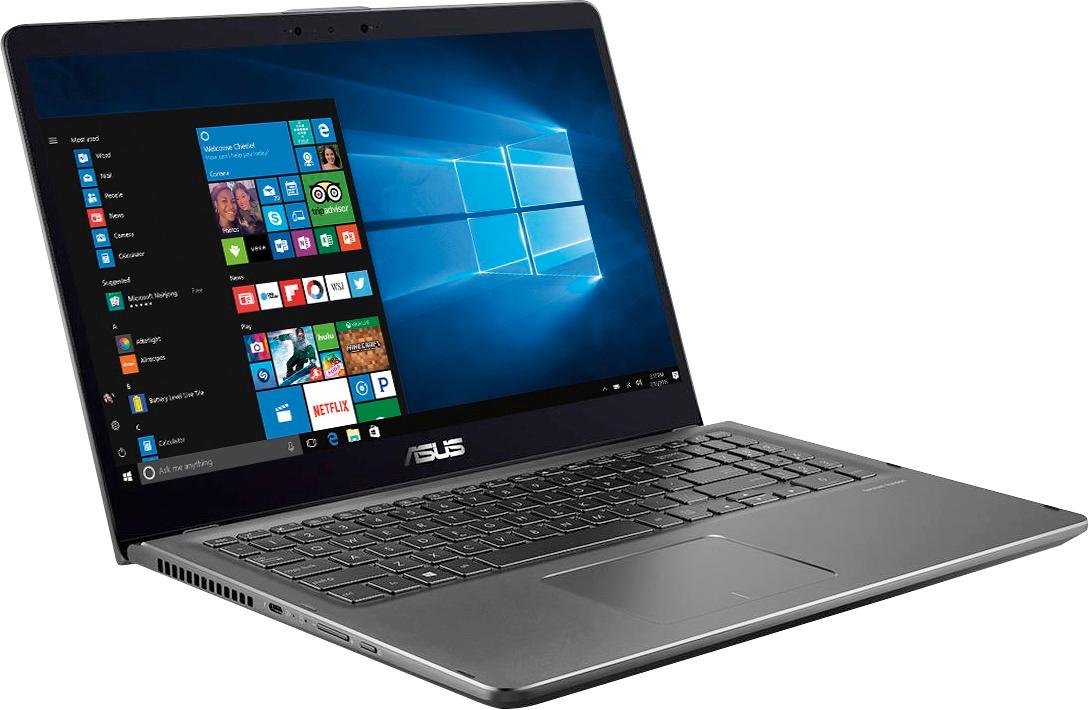
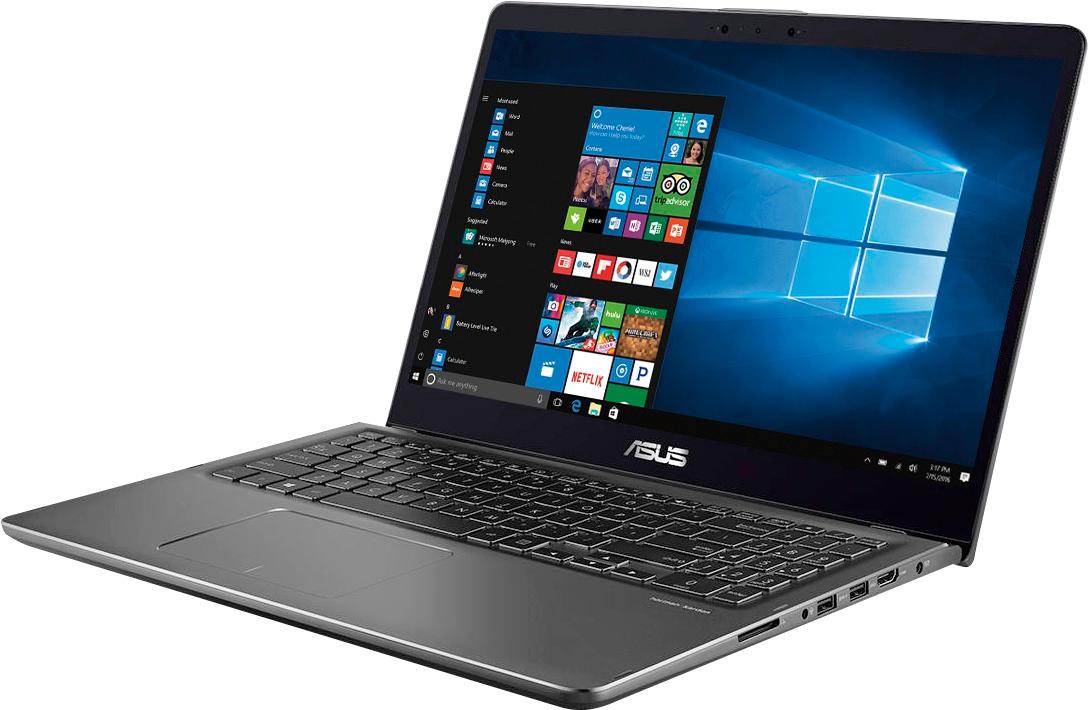
||Posted .This reviewer received promo considerations or sweepstakes entry for writing a review.Let me start off with I really wanted to like this laptop. I have loved ASUS products for awhile now, but this was sure a complete disappointment. I researched this laptop for months before purchasing. It’s essentially the US version of the Zenbook flip 15. Best Buy must have bought marketing rights and just labeled it as a Q series. The only difference is there isn’t a fingerprint reader on this model, 4k screen instead of a HD (1920x1080p) screen, and the storage is different. But this laptop has some major design quirks. Let’s start with the good: - Screen resolution and quality (except burn in, see below) - Body build quality (except bottom of the chassis, see below) - Track Pad was probably the best I have ever used. Very responsive and not finnicky - Good amounts of USB ports and Thunderbolt 3 ports. - Extremely fast, SSD paired with the 1050, the ram, the i7, it booted and ran like a true workhorse. - Good components (ASUS uses quality parts, other than the screen…) - Good key travel and feeling keyboard, great lighting on the keyboard. (horrible 10-key, see below) - Windows Hello facial recognition - Sleek design and great color Now, the bad: - Screen burn in right out of the box: This is the main reason for my two stars, I cannot believe that ASUS shipped these laptops with such horrid issues right out of the box. The screen depth was nice, its clarity was great. But man, the task manager after a few days immediately burnt into the screen. It was hardly noticeable, but on certain darks on movies, or certain grays, or drawing on the screen you could obviously see the windows icon, the time, etc. I didn’t want to believe the reviews, I wanted this laptop to be the one that worked. Some people got away without having screen burn issues by hiding their task bar. But I guarantee you are going to see major issues in the future. If you accidentally left your screen on for more than 4 hours without some type of dimming or screen saver (it happens, like falling asleep on a movie title screen) you will FOR SURE get screen burn. This was completely unacceptable for a $1,500 laptop to me. Maybe to you it won’t be a big deal, but I couldn’t handle this, and it made me very disappointed with ASUS. I tried including a image of the burn in, and mine wasn’t as bad as others (I only had it for around 3 weeks.) But Best Buy only let's me upload two images, and it's hard to tell when you're using a phone to take a picture of the screen. Just take my word for it, I didn't want to believe anyone when I heard it. A note on this only the 4k resolution screens appear to be having these issues. The 1080p Zenbook flip 15 (not sold in the US) has had no screen burn in reports. Asus must be going through a cheap manufacturer for the 4k screens. - Windows Pen Protocol and Windows Ink doesn’t work well, or at all: The touch screen was horrible when trying to use the Windows Pen Protocol with my Bamboo Ink. It always, always glitched. I couldn’t take notes or write consistently without it skipping lines or being unrecognizable. I’m assuming this was some random issue with it keeping performance going to the windows ink workspace. But this was one of my main selling points, and it didn’t work like it was supposed to. - Horrible Number Pad: This was another selling point for me is to have a 10 key number pad, but the layout of it was so bad it pretty much shouldn’t have been there at all. They tried to just cram it in the corner, the enter key didn’t feel right, the addition and subtraction was in a weird spot, it just didn’t feel good to use. It probably would have felt better over time of getting used to it, but doing my physics homework I hated typing in formulas with this 10 key. - Poor motherboard protection for the air intake on the undercarriage: You literally can see the exposed motherboard through the vents in plain light (see images below). Absolutely no dust protection, and no protection to the motherboard. The vents were huge, and really didn’t pull much air in at all in that location. If you set your laptop down on a weird object, I’d say goodbye to your motherboard. The vents felt sturdy, but I wouldn’t trust them one bit. - Poor cooling design in general: I’m pretty sure part of the screen burn in issues comes from one of the exhaust vents for the CPU shooting straight into the screen. It doesn’t go behind the screen, it puts the heat onto the screen from the weird hinge design. I’ll talk about that below. - Poor screen hinge design: The laptop when used normally (not flipped over in tablet mode) has hinges that make it so the laptop rests on the screen itself. It has these small, ridiculous rubber feet that keep your screen off of what you are resting it on, but I think this is a horrible design. Those small rubber feet will wear off or peel fast, and you will just be resting your screen on the table. It slightly props the laptop up so it gets more cooling, but it’s still a horrible design. (Picture included below showing how bad the screen droops from the actual chassis). - Medium to heavy gaming is horrible: Now, this laptop will absolutely give you great frames on low / medium settings like PUBG, Battlefield, GTA, etc. The problem is thermal locking. This laptop cannot for the life of it keep the GPU and CPU cool. I had it placed on a Cooler Master laptop cooler even, and the laptop was too hot to even touch during a game of PUBG. Light gaming is fine, but really, this laptop cannot keep up with cooling. I’d assume you could get some hardware damage over time of gaming. If you plan on using this for any type of major processing or heavy gaming I wouldn’t think twice. It cannot keep cool, it doesn’t have the thermal dissipation that most gaming laptops have even though this is the same price. I’d say it’s too powerful for its own good. - Large charger, and less than average battery life: Even on power saving and medium-high brightness it never showed more than 4 hours with light use. (like surfing the web, mild workplace use.) It’s a laptop made to be on the go, but you are guaranteed to be carrying around a hunky charger with it. Obviously, it needs that power for the GPU and CPU, but in reality, it can’t even keep up with cooling to use either of them effectively. My Verdict: I think this isn’t a bad laptop by any means. But those issues mentioned above really made this laptop not worth the price to me. I really wanted to love this laptop, I spent a few months researching this and competitors and this seemed like the perfect fit for me. But, in the end over using it I had to take it back. For $1,500 you can get some extreme quality 2 in 1 Ultrabook’s. This Asus was just crammed down by hardware faults, design flaws, and it didn’t seem to know what its identity was. Would I recommend you buy this laptop? Absolutely not, unless it was $1,000 instead of $1,500. If they fixed the burn in issues, WPP issues, then I’d probably recommend it. As of now, until they update this model, it’s not worth it’s price. The laptop I ended up exchanging for is the new design HP Spectre X360 15” (15-CH011DX). They seemed to fix the cooling issues with the new model, and I’ll make sure to write a review about this laptop. I do enjoy it much more than I did the Asus though, but it has its own quirks.
No, I would not recommend this to a friend Rated 5 out of 5 stars
Great Value & Performance
||Posted .This reviewer received promo considerations or sweepstakes entry for writing a review.First of all, I went with the open box purchase. These computers are powerful 2-in1 touch screen /tablet mode and versatile. With 16G RAM a 2 THDD and 256G SSD with GTX1060 GeForce Nvidia graphics card i7 (8thgen) this easily can power quality gaming and or adobe photoshop/ adobe premiere. For a price as low as $900 at an original $1600 is a quality bargain. Computer exterior is great and screen flawless. Highly recommend this unit being ASUS is better than HP 9 times out of 10.
I would recommend this to a friend- Cons mentioned:Heavy
Rated 5 out of 5 stars
The laptop is feature rich
||Posted . Owned for 11 months when reviewed.This reviewer received promo considerations or sweepstakes entry for writing a review.The quality of the laptop is really good and the performance is good for students going to college. It is a little heavier compared to other laptops but with more horsepower.
I would recommend this to a friend Rated 5 out of 5 stars
Great computer and accessories.
||Posted .This reviewer received promo considerations or sweepstakes entry for writing a review.My shopping list was faster because it was a special gifts to my daughter in another country.
I would recommend this to a friend- Pros mentioned:Fast, Graphics, Touch screen
Rated 5 out of 5 stars
From a Macbook Pro user
||Posted .This reviewer received promo considerations or sweepstakes entry for writing a review.The experience with this laptop has been outstanding. Being used to nothing but mac my whole life (and top of the line macs w/retina and tons of RAM) I was hesitant, but lately mac has been going in a direction other than Steve Jobs' original excellence. So I did the research. This may be the best laptop available at bestbuy. The graphics are ridiculously good. The speed is amazing. I log in via face recognition, and even though I'm new to windows it was very intuitive, and there's something about the crispness of this display that makes me want to use this laptop more than my 27' iMac. There are so many things that I prefer over mac, including icloud and itunes not running my life and getting in my business. I love the touch screen and the fact that the display flips around to tablet mode. I tested this against all the gaming machines and this was lighter, faster, and sharper. You can't go wrong with this one. And at way less than half of the smaller macbook pros. Make sure you get the 15" tho. The resolution is absolutely incredible.
I would recommend this to a friend - Pros mentioned:Fast, Touch screenCons mentioned:Battery life
Rated 5 out of 5 stars
Glad I made this choice
||Posted .This reviewer received promo considerations or sweepstakes entry for writing a review.For many years I've been Sony loyal and put off purchasing a new computer because I could no longer purchase Sony. Seems everything is compared to the "poison Apple" for ease of use, quality of screen, speed, range of functions, etc. I looked and hemmed and hawed for the better part of the last year and finally chose the Asus q35 2 in 1. Though not perfect, easily close to it. Upon set up, which was pretty easy I was disappointed that files default to transfer to the smaller C drive - resulting in temporary lack of space for my files. The purpose of the D drive is for data - but not set up by the manuacturer with these folders. After simply moving the data files from C to D (except for desktop) evertything has gone very smoothly. The screen is beautiful. The tablet ability is nice, though I wasn't really looking for that. The speed is nice - though I'd gotten used the sluggish speed of a 9 1/2 year old laptop. The only other peeve is that the battey life could be better - but is not bad. This is a quality machine. I look forward to years (as I got from my Sony) of computing - which is why I purchased a high end machine rather than a lower price machine.
I would recommend this to a friend - Pros mentioned:Price, Storage, Touch screen
Rated 5 out of 5 stars
Great Price
||Posted .This reviewer received promo considerations or sweepstakes entry for writing a review.I was looking for a laptop that would run SolidWorks. I don’t have the full version installed but it I haven’t had any problems with it. I really love the 4K display but I turn it down when I don’t really need it. The storage is a plus and so is the GTX 1050 graphics card. The price is what made me really lean more towards asus than the dell I was looking at. This has a small number pad which is really useful for MATLAB and the body isn’t made out of flimsy plastic. I enjoy the battery life but you have to pay attention to those setting so you can get the most out of the battery life. Never been a fan of touchscreen computers because I always thought they were not really accurate. This blew my mind on how accurate it is. I don’t have a fancy bamboo pen yet but my adonit works great with it. This has some face recognition feature but I haven’t used it yet. First PC (I’m a Mac guy) and I am really happy with this purchase. (I needed a PC to run Windows software and didn’t want to run parallels on my old Mac or Bootcamp).
I would recommend this to a friend - Cons mentioned:Battery life
Rated 3 out of 5 stars
Amazing, but not for artists.
||Posted .This reviewer received promo considerations or sweepstakes entry for writing a review.I never, in a million years, would’ve considered a 2-in-1 as my next laptop until I saw a product overview of the Dell XPS 15 2-in-1. That machine is just 1 chunk of gorgeous metal. Especially the black version that Best Buy is selling; but we’re not going to talk about that. What I have here is what ASUS has to offer. Initially launched in the US as the Q535UD, it is ASUS’ entry to the ZENBOOK 2-in-1’s this year. The Q-series, as I’ve noticed, is a Best Buy exclusive. I believe there’s an agreement with Best Buy and ASUS to release this “Q” series before launching its Zenbook line here in the US. Even with the exclusivity, the specs hold up. It is similar to the Zenbook Flip 15 outside of the US. The Q535UD houses an Intel 8th gen i7-8550U processor (a kaby-lake refresh), 16 GB of RAM (8GB soldered and 8GB on a stick), a GTX 1050 with 2GB of VRAM, 256GB main M.2 SSD and a middle-ranged 2TB 2.5” 5400 RPM secondary storage. These internals are matched with an awesome 4k Touchscreen display with somewhat slim bezels, an IR-blaster for Windows Hello, a combo of aluminum and plastic chassis with a USB-C, 2-lane Thunderbolt 3.0 port on the left side, and 2 USB-A’s, HDMI port, power plug, headphone/mic combo and a full SD-card reader and everything on a nice to type on, backlit keyboard and an ELAN trackpad using an ASUS precision driver (I’m assuming this is a Microsoft Precision Trackpad). These are all crammed in a 4.6-pound device and for size comparison, its dimension is almost the same as my 2013 Macbook Pro. MY FIRST 2 WEEKS: SETUP: I was looking for a device that would allow me to draw, animate and game without sacrificing portability, a good display was a factor, and the cost is a huge factor. My brands have been limited to Dell and Apple and I’ve not owned a touch screen laptop or a 2-in-1 before so I didn’t know what to expect. I wanted to purchase the XPS 15 2in1 but that is way over my current budget. As for all my tech purchase, I did my due diligence to research and check for reviews and there were a couple of people in reddit who had this and were saying good things about it, so I caved. :D Plus my wife has the Zenbook UX430 so I thought it would be nice to have something similar, like a family thing. Booting up the laptop was quick, setting up was a breeze. I’m sure having the SSD helped make a setup a smooth process. After the setup, I installed all my software for work and the games that I’d like to play on-the-go. WORK: After installing all the programs that I need, I thought I could work right away, but I still had to adjust the UI scaling to what’s best for my eyesight. It took me a little while, but I got it to work. I needed to attach a mouse though, since the touchpad isn’t the best for this program. Here’s another thing, all the USB-A sockets are on the right side, which is not the best spot when you’re using a wired mouse. The power socket is on the right side too! Basically, your right side has a limited space. Silver lining here is I am left handed, so my left side is free and there’s nothing in the way for my tablet. I am a right-handed mouse user, so I can’t use both my tablet and my mouse, especially when you have a limited desk space. Performance is great! No hiccups, no throttling. Granted that my work doesn’t really stress the system out, so my fans, and temps are in check. I purchased the Wacom Bamboo Ink Smart Stylus thinking that it will help with my workflow and eliminate my need of using an external tablet. Nope. It didn’t. I’ll go in detail about this in a bit. The typing experience is great as well. The keys are well spaced and I don’t have to lift my hands to reach most of the keys. There’s an occasional mistype and missing of the backspace and right-shift but nothing too drastic. The keyboard is ok, it doesn’t use a mechanical switch, and it needs a little more push than my 2013 Macbook Pro keyboard, which I actually love. DISPLAY: 4k, 100% sRGB, 88% Adobe. Touch screen and Microsoft Pen Protocol (MPP) enabled. (Source: Notebookcheck.net – Zenbook Flip 15 UX561UN Review) I’d also like to point out that this is a good touchscreen device not a drawing/painting one. PEN EXPERIENCE: I cannot recommend this to artists as their possible main creativity device. I purchased the Wacom Bamboo Ink Smart, and probably this isn’t the best stylus for this but it’s MPP, so I am assuming the experience it the same among various 2-in-1s. This uses N-Trig drivers and in my opinion isn’t the best for drawing professionally or if you’re going to school to become an artist. I would recommend buying a separate tablet for drawing if you want this device. There are affordable pen displays that are portable as well in the market right now. Go research about it. And if you have the money, just buy the Cintiq Mobile Studio Pro. CHASSIS: The overall build is ok. It isn’t Zenbook quality though. My wife has the UX430UA and it is a well-made machine. The build quality is not the Zenbook that I know. We have the original Zenbook Prime, and it’s still running, it is still solid, no cracks, or dents. Some scratches but nothing serious. It aged gracefully. I couldn’t say it for this Q series (Zenbook Flip 15) though. Seems like the “Flip” wasn’t given the same treatment as the main Zenbook line. It’s also very difficult to open the laptop with one hand. I’d have to place my fingers in certain spots so that I can hold the bottom and pull the top lid. I have mixed feelings about the hinges, it’s a combo of loose and tight, possibly for the different modes. They tried to compensate for each mode, but I think they missed the mark on this one. Still on the topic of hinges, the lid also hangs open about half an inch when you hold the laptop vertically. Now, this one is pretty annoying. I don’t think I can let this pass since the lid basically protects the keyboard and the screen when you close it. Now, something that’s smaller than an inch can slide in there in my bag or I slide this laptop somewhere and it could go in and scratch the screen. There’s also good flexing on the keyboard area and the lid. Flexing where you don’t want them to flex. BATTERY LIFE: The battery on the Q535UD is a 3-cell 52 Watt-hour battery. For the 2 weeks that I’ve had it, the maximum that I can get it to be is at least 3-4 hours of regular use. I made it little past 4 hours, but it was at the bare minimum settings, 10% brightness, battery saver, undervolted, no animation tools, fewest tabs open in Chrome. I am not sure how others made it past 5 hours. That’s just insane battery saving technique. To be honest, I wasn’t thrilled when I was getting these results because my 5 year old Macbook pro can last about the same time. KEYBOARD: Keyboard, like I said, is amazing. I typed this review using this laptop and, in some instances, I felt like my fingers were going to move faster than what I wanted to type. I am not fast at typing, but I thought that I am a pro at typing stuff. The keys that I wanted to press seemed like were in the right spot, and the keyboard was built for my hands. My biggest gripe about the keyboard is that there is no right Ctrl key. I need that Ctrl for my zoom in, Ctrl+i, Ctrl+; among other shortcut keys that I use in Photoshop, animate and Spine. I solved this by downloading a keyboard mapping software and mapped the menu key as the right Ctrl key. I just made sure that the keyboard mapper starts when Windows starts. Another thing is that there is a cramped numpad on the right-side. It feels like they just added it for the sake of having it. The layout is weird, the plus button is where the numlock should be and the “enter” key is where the decimal key should be. Basically the numpad is missing the entire right column and is relocated somewhere on top of the numpad. Keyboard is backlit though, with 3 levels and off. It also turns off when there’s no activity. PROS: Good performance for everyday use Capable gaming device if you’re not picky 4k Display and color accuracy More than enough storage No-fuss 2-in-1 Loud speakers CONS: Battery life Pen experience Hinges are not going to break but it’s a miss Build quality – flexing in areas you don’t want to Port placement – all USB-As are on the right side No right CTRL button 2-lane thunderbolt 3 only NITPICKS: Numpad layout Touchpad Windows Hello 2-lane Thunderbolt 3 only CONCLUSION: I’d say the Best Buy exclusive Q535UD, is the Zenbook is for the masses. The raw performance, the display and its versatility are some features that someone should not overlook. I just couldn’t recommend this to artists because of the pen experience isn’t up to par, but if you’re someone who has used MPP and loves it, go ahead and get this. As long as you don’t mind some misses with the build quality and being plugged most of the time and just a reminder, there’s also no right CTRL button. Don’t forget to do your research though. I heard that Lenovo just released the YOGA 730, which has almost similar specs but a 4GB GTX 1050 and a Wacom ActiveES display. That machine possibly has its own flaws as well but is something to be considered for this price range.
No, I would not recommend this to a friend - Cons mentioned:Battery life
Rated 5 out of 5 stars
Do not pass this up!
||Posted .This reviewer received promo considerations or sweepstakes entry for writing a review.I originally purchased the newest HP Envy 2-in-1 15m with the similar specs and I wrote a review then returned it because the wifi and bluetooth had such a bad interference with each other I couldn't use it. I bit the bullet and doubled my money to buy this puppy. Long story short I do not regret it! What originally attracted me to the previous laptop was the lightweight, portable, and powerful specs that looked to be perfect for college. When I brought it home I had nothing but issues with it, from the flimsy screen to the miserable 20 megabit max wifi speed; It's only saving grace was the battery. The ASUS is everything the HP tried to be and then some. This ASUS laptop is basically all metal and it feels extremely high quality and durable and I don't worry about it being squished in my carrying bag, something I worried about with the HP. I love the fact the keyboard back lighting has an adjustable brightness level, something the HP lacked and was often too bright in a dark room. I found the keys to be very quiet even after slamming them while panicking to submit my finals. The OS is installed on the SSD so it's very quick and snappy, another huge victory over my previous pick, and the additional 2TB was just icing on the cake. The screen appears to be true 4K (3840 x 2160) and everything is incredibly crisp, clear, and I really enjoyed using the screen for creative purposes more than I expected. The screen didn't have any issues with pressing on it and making a ripple effect and wasn't wobbly in any of the 'modes'. The hinges are really solid and fold in such a way it creates a flush edge so it looks very expensive and attractive. I absolutely love this laptop and it's as close to perfect as it gets for me! Now for the short list of bad things. The biggest trade off for all the amazing specs in this little bugger is battery life. I turned off all background apps, disabled all the pretty effects, and just tried to maximize my overall battery while trying to keep the features I paid premium for like the 4K screen and pen. I get roughly 5-6 hours doing casual Firefox browsing and roughly the same or maybe less actively using Visual Studio but I'll be honest I usually keep it plugged in before I lose my work. There is some icky bloatware that is easy to get rid of and it's pretty annoying but it's a ton better than HP's. The touch pad is something I have to get use to coming from a desktop back to the portable world but it's nothing a wireless mouse cannot fix. The keyboard backing does have a little flex if you give some pressure but it's very rigid overall. When you use this laptop for a decent amount of time or using a lot of intensive programs there is a tad bit of heat that comes from the bottom. The fan placement isn't the best and it's suggested not to leave it in tablet mode for too long because of it. Lastly, the beautiful metal finish tracks finger prints extremely easy so if that bothers you maybe grab a lid cover or something to clean it after use. Overall this laptop is insanely great and I can see myself using this well after I graduate! If you ever see this thing on sale, grab it! Full price is still fantastic so don't hold your breath on said sale, just buy it already!
I would recommend this to a friend - Pros mentioned:FastCons mentioned:Heavy
Rated 4 out of 5 stars
Great overall computer
||Posted .This reviewer received promo considerations or sweepstakes entry for writing a review.This computer works well. Fast, good resolution, well made. It was easy to setup and required no special tricks or knowledge. I did find that a Microsoft Bluetooth mouse did not connect with the computer regardless of the troubleshooting I did (this turned out to be a known issue with this mouse and Windows 10 for some computers). I had no trouble connecting with the Bamboo Ink pen or a set of Bluetooth ear buds. The battery has been lasting easily for about 4 hours of gaming use. I really like the fact that the keyboard has a number pad. The chichlet keyboard is nice and responsive. WiFi speed is nice. It is a little heavier than I would have liked coming in at almost 5 pounds, it feels all of that. It does get pretty warm while plugged in with extended use but vents well. For me, the 256GB SSD really isn't that useful considering it has a 2 TB hard drive, but it's there if you need it. All in all, it is a great computer and was a great price for the power and capacity.
I would recommend this to a friend - Pros mentioned:Touch screenCons mentioned:Battery life
Rated 5 out of 5 stars
Awesome Laptop
||Posted .This reviewer received promo considerations or sweepstakes entry for writing a review.I bought this laptop with the intention of getting something for school that would be able to game as well. If your strictly looking for a laptop that is meant for gaming then I wouldn't purchase this laptop as there are other laptops which have better specs for a better price. That being said, this laptop has been great so far and has given no issues. The start up is almost instant and logging in is just as quick. The keyboard feels great and responsive. They have backlighting for those that need the feature. The screen is touch screen and responds very nicely with no issues thus far. The battery life can last a while but it depends on what you're doing. While doing simple tasks it can last 5+ hours while gaming brings that down to around 2 hours. The most intense game I've played on this is Witcher 3 and it can handle the game just not at 4k 60fps. You'll need to reduce the resolution if you want to keep it at 60fps. Overall its a really great laptop.
I would recommend this to a friend - Pros mentioned:Graphics
Rated 5 out of 5 stars
Fantastic all around machine
||Posted .This reviewer received promo considerations or sweepstakes entry for writing a review.This review is from a lay persons point of view. (No in depth technical stuff from me. I.e. frame rates, etc.) Not a “gamer” either but wanted a machine with a GPU for occasional game play and a lot of storage. This machine does everything right from my perspective in home usage. From its beautiful 4k touch screen to its super fast boot (ten seconds from power button to password screen) up. It has a massive 2tb storage drive for my photos, videos, and music collection. (i’m old school guy with 1,000 CD collection burned uncompressed, (.wav) and for that you need a lot of hard drive space. Wireless adapter is very fast. If you have broadband (and who doesn't these days) you will be pleased with the speed. I like everything about this machine. Its well build. Keys don't feel like they are going to break or come loose when in use. Display hinge is slightly unusual but just took a few minutes to get used to. (it lifts the base up off the table a little bit as you lift the screen up) When I do play a game, graphics are just fine with no issues. (old COD and the like, Fortnite plays just fine also) Summary: Super fast boot up and usage thanks to large 256GB SSD drive & latest I7 Intel CPU. Giant storage for all my photos, videos, games, and music. Nvidia dedicated graphics and a beautiful 4K screen. The machine is very well built & premium feeling throughout with a great selection of ports. Gamers and professional CAD graphics / rendering folks may look elsewhere. For everyone else….take a good look at this machine. It does the job well.
I would recommend this to a friend - Cons mentioned:Hinge
Rated 5 out of 5 stars
Great 2-in-1 - Power, Power, Power
||Posted .This reviewer received promo considerations or sweepstakes entry for writing a review.I am a software engineer, photographer, and play PC games. I needed something that has plenty of space for my RAW files and enough power to process them as they are 80MB files straight out of camera. Additionally, I do play PC Games. I have a gaming desktop, that this does not replace, but it is really nice to be able to sit on my couch and play Rise of the Tomb Raider on medium settings at 40FPS in 1080, jump off that onto doing some heavy photoshop work with my wacom bamboo ink on files that eclipse 300MB in RAM, all before compiling a web project. The CPU is the same as the HP Spectre X360 with the 8550u but the CPU in this machine is so much better cooled. In fact the cooling system in this machine is so good that it routinely gets much better cinebench benchmarks than the i7-770hq found in the Lenovo 720 Yoga (which also has the GTX1050 GPU like this model). The keyboard is really nice to type on, Once you get used to some of the key positions. But, that is because they were able to fit a number pad on a 15" 2 in 1 laptop. The number pad is not ideal, but Im glad to have one. The only negatives seems to be a touchpad that sometimes does not seem to want to cooperate. Cleaning it seems to bring it back to normal though. Also, the hinge is not that stiff for drawing work so you either have to use it all the way back or in easel mode.
I would recommend this to a friend - Pros mentioned:Touch screen
Rated 5 out of 5 stars
Nice college laptop
||Posted .This reviewer received promo considerations or sweepstakes entry for writing a review.Overall the Asus Q535UD is a great college laptop with the student discount. It is powerful and has plenty of storage. This laptop has a gorgeous screen with excellent colors and many brightness levels. I have not had the burn-in that others mention, instead, I get an after-image, usually of the taskbar, that has not been permanent or noticeable, with the already very faint after-image disappearing after 5 minutes if the image on the screen changes. The keyboard isn't cramped and the key presses aren't overly clicky, and the backlight has three levels. Overall a pleasure to type on. The facial recognition is quick and easy to use, it even works in the dark. The hinge props up the bottom of the laptop a bit which is neat and probably helps with cooling but I don't find it useful. The two in one functionality is nice and I use it in tablet mode to take notes with the bamboo stylus (sold separately). There are a couple of pre-installed programs that I got rid of right away because they are pointless for me like ASUS Giftbox, WPS Office, and ZEN-Link. Other than those mentioned it is a clean Windows 10 Home install. However, as others have mentioned the battery on this laptop is average at best. I get about 5 hours even with reasonable battery saving settings on. It's not to big a deal for me because it charges back to full fairly fast. The speakers are good and get surprisingly loud even at halfway but I started to notice crackling/clipping with some songs above 80% on the volume control.
I would recommend this to a friend - Pros mentioned:Price, Storage, Touch screen
Rated 5 out of 5 stars
Great, perfect for a one computer family.
||Posted .This reviewer received promo considerations or sweepstakes entry for writing a review.Lots of storage and fast was important to me. A 256 GB SSD HDD and a 2 TB HDD solved that problem. Along with a a fast processor and lots of memory, touch screen and 2in1, all at a reasonable price. This replaces my 10 year old Asus...which served me well!
I would recommend this to a friend - Pros mentioned:Fast, Graphics, Storage
Rated 5 out of 5 stars
Amazing features for the price!
||Posted .This reviewer received promo considerations or sweepstakes entry for writing a review.I was about to buy the HP Envy which cost more and didn’t have to dual drives and more space. The ASUS is very fast. Tons of storage and very quiet. I am a Engineering stupendous and it works well. Great graphics as well!
I would recommend this to a friend - Pros mentioned:Touch screenCons mentioned:Overheating
Rated 5 out of 5 stars
Amazing Laptop
||Posted .This reviewer received promo considerations or sweepstakes entry for writing a review.I purchased this laptop mainly because I wanted something that I could use to write notes with using a stylus but if I wanted to game, it would be able to handle intense gaming. While I would I recommend this laptop to everyone, if you want something that is strictly gaming, then you may want to look at another laptop as some of the features like 2 in 1 and touchscreen are just extras that aren't needed. That being said, this laptop has been able to play game with no problem like Witcher 3, Fortnite just name a few. It does get hot but thats to be expected with a gaming laptop. overall though I really love this laptop and it suits my needs perfectly.
I would recommend this to a friend - Pros mentioned:Fast, Graphics, Storage
Rated 5 out of 5 stars
A great computer
||Posted .This reviewer received promo considerations or sweepstakes entry for writing a review.A great computer with lots of storage. It turns on fast and loads multiple programs without slowing down. It has amazing graphics.
I would recommend this to a friend - Pros mentioned:Graphics, Storage
Rated 5 out of 5 stars
Nice laptop with lots of storage.
||Posted .This reviewer received promo considerations or sweepstakes entry for writing a review.This laptop is replacing a an old tower I built myself. I wanted to retain lots of storage and good graphics, and this one does that. The high quality of the screen shows up with full screen .heic images transferred from my wife's I phone. The detail is better than I have ever seen on any computer monitor before.
I would recommend this to a friend - Pros mentioned:StorageCons mentioned:Battery life
Rated 4 out of 5 stars
Good laptop for a student
||Posted .This reviewer received promo considerations or sweepstakes entry for writing a review.Pros : Fast startup, Excellent picture quality, loads of storage Cons : Battery ( Does not last 5 hours maybe max 4 hours) I mainly use this for my studies and it runs software like matlab,maple ,minitab smoothly.
I would recommend this to a friend