Customer Ratings & Reviews




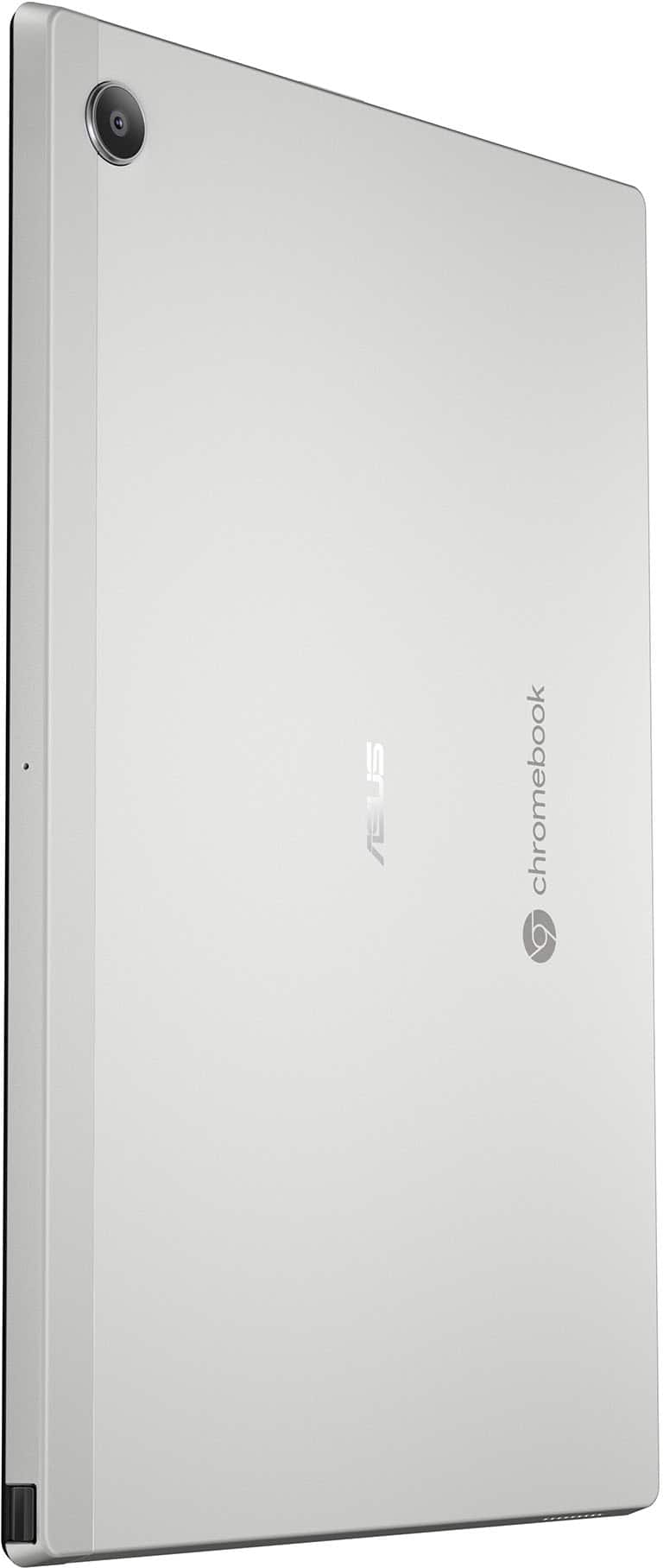



- Model:
- CM3001DM2A-M8186
- SKU:
- 10467061
Rating by feature
- Battery Life
Rating 4.6 out of 5 stars
- Speed
Rating 4.2 out of 5 stars
- Display
Rating 4.6 out of 5 stars
Customers are saying
Customers commend the Chromebook Detachable CM3001 for its excellent keyboard quality, portability, and impressive battery life. The MediaTek processor ensures smooth Chrome OS performance, and users appreciate its perfect size and sleek design. However, some customers express concerns about the limited storage and RAM, and a few find the weight slightly excessive when used as a tablet. Additionally, a small number of users have reservations about the operating system.
This summary was generated by AI based on customer reviews.
- Pros mentioned:Keyboard quality, Portability
Travel Partner laptop + tablet
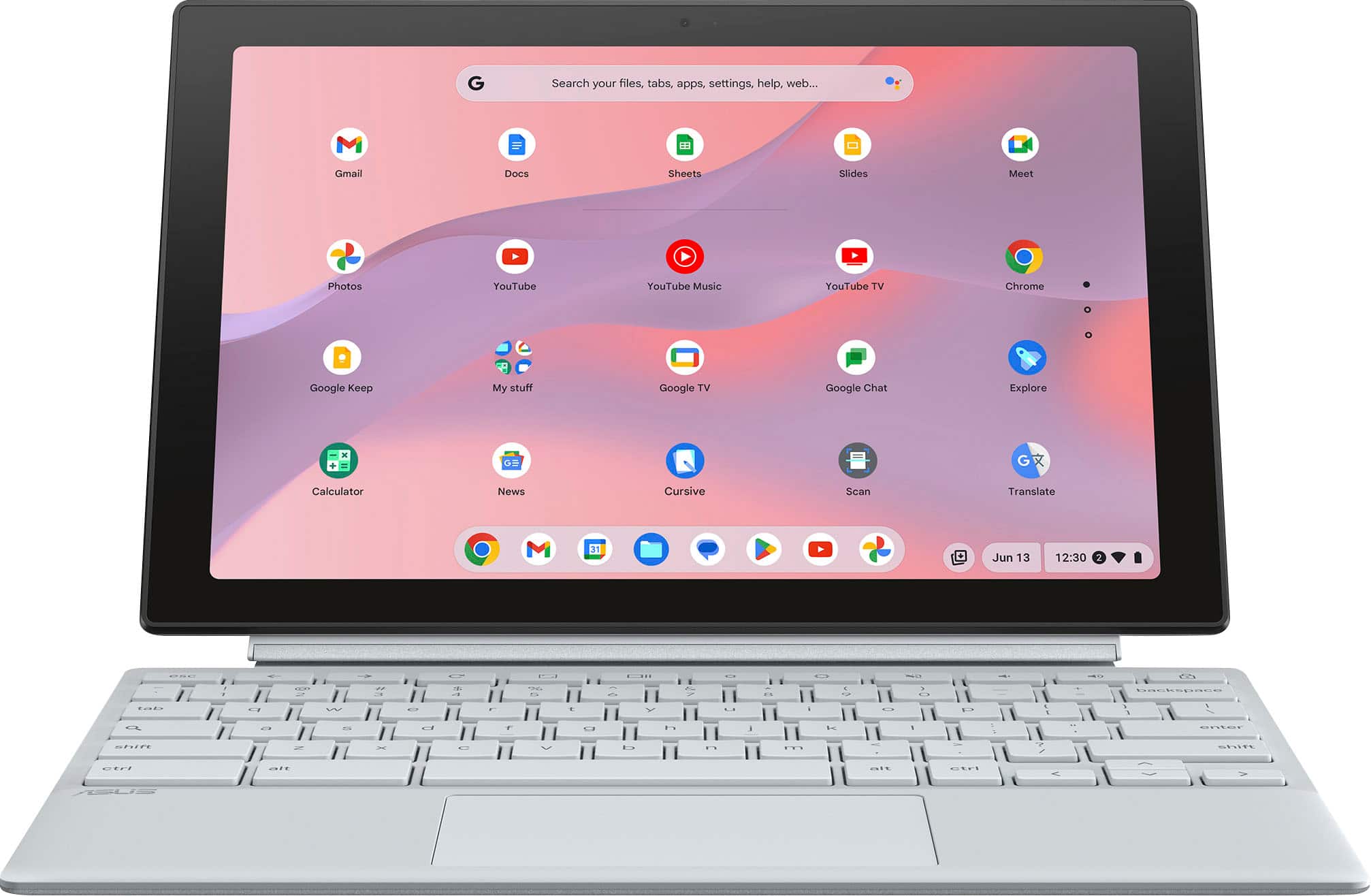
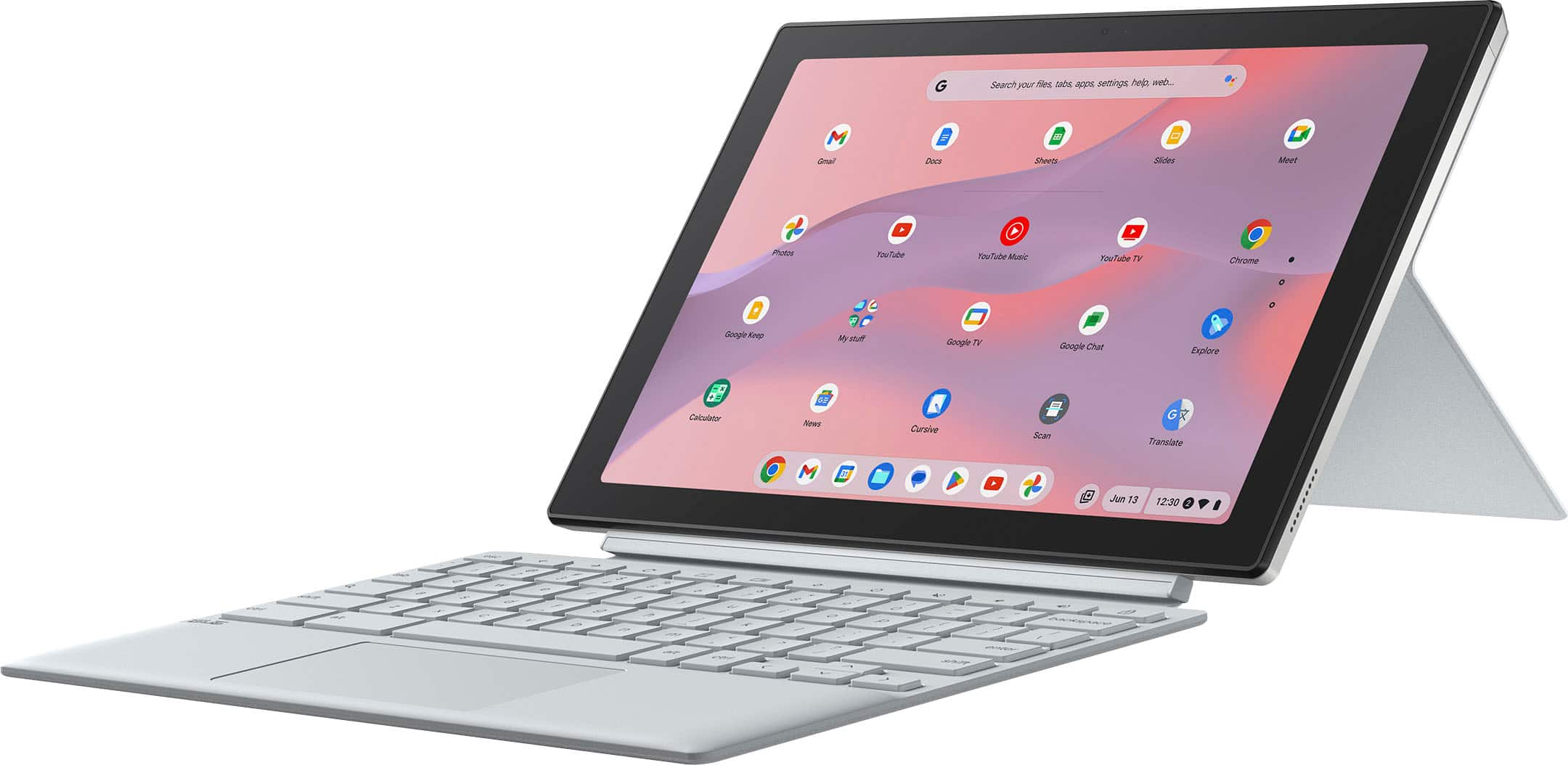
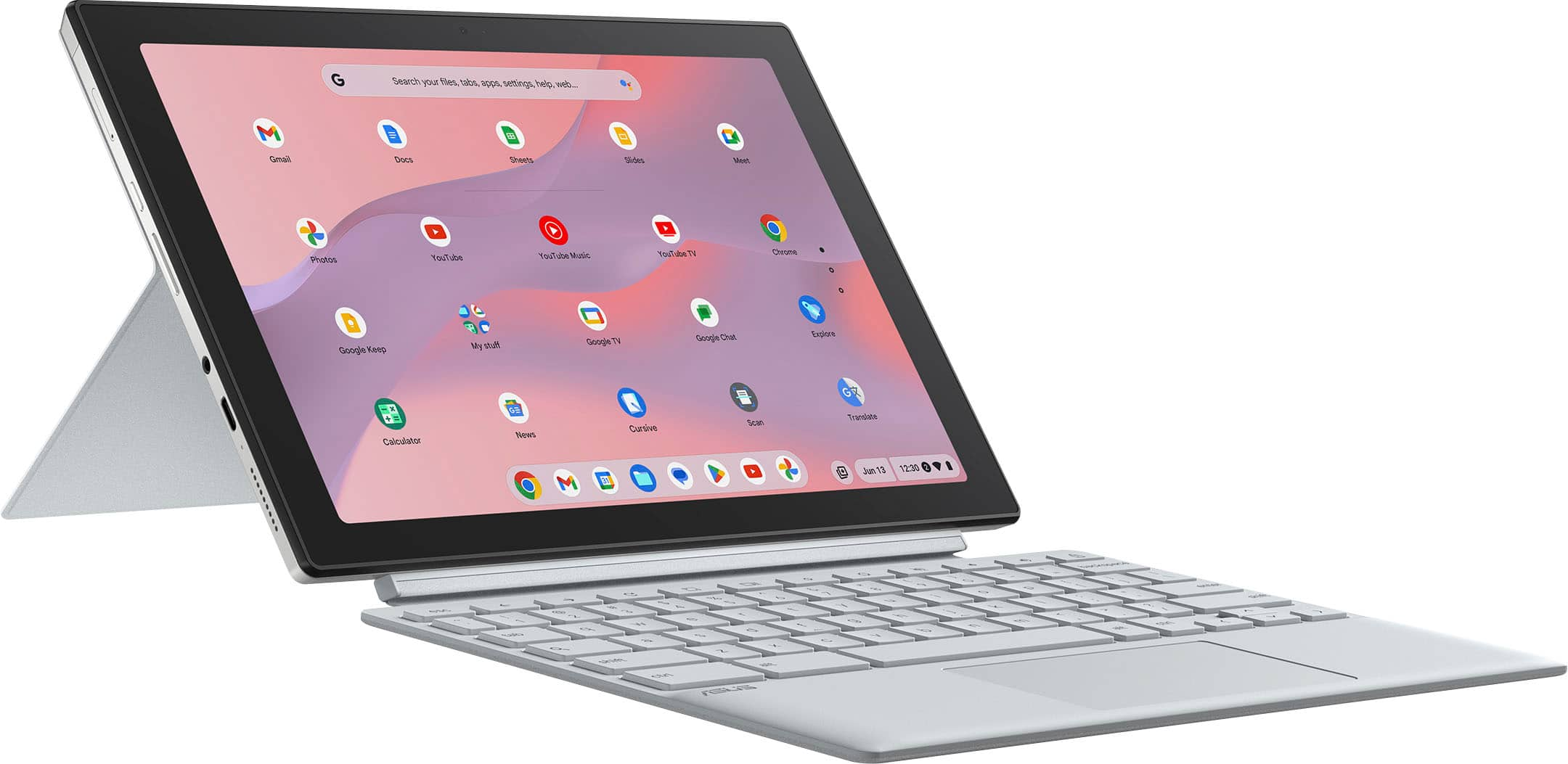
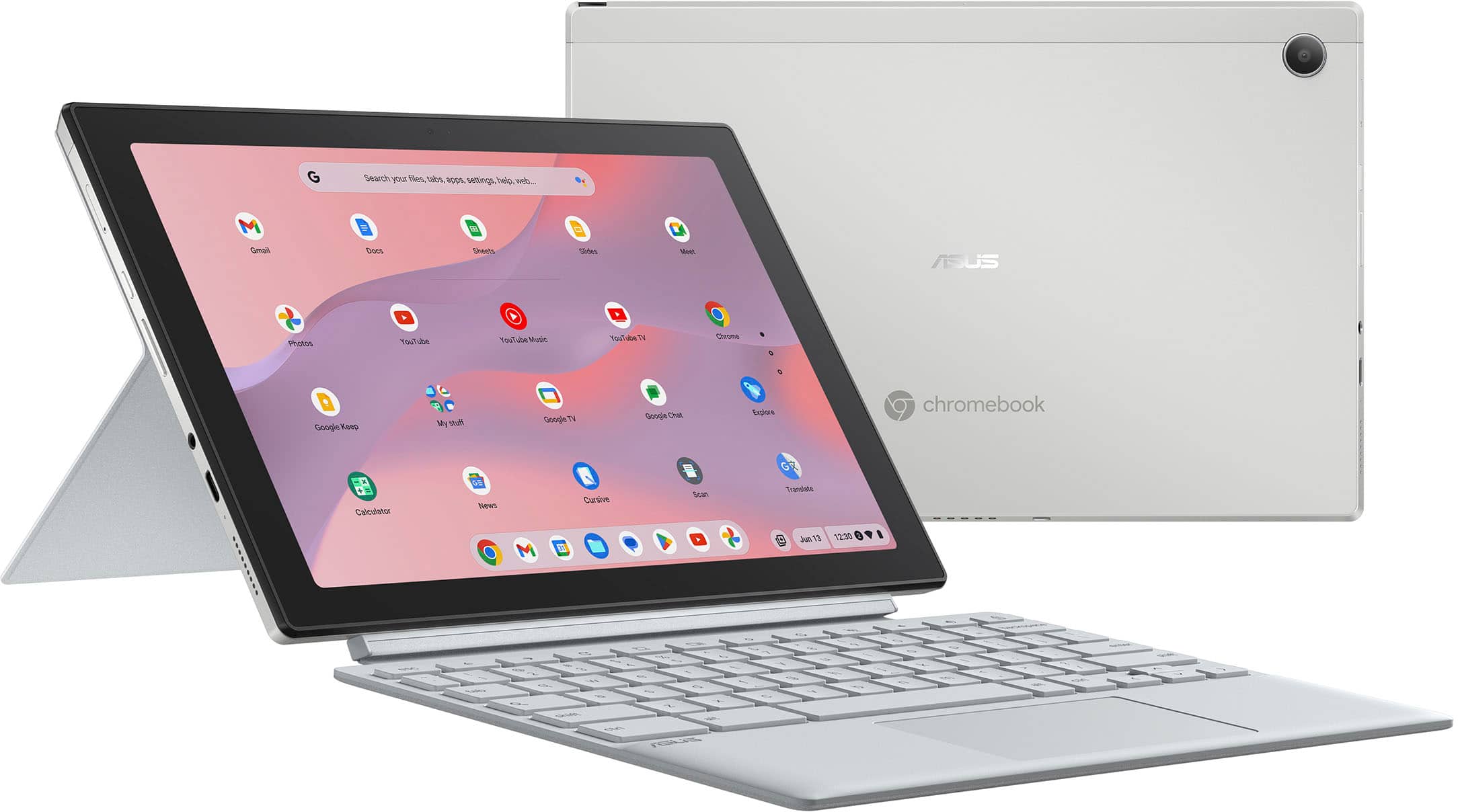
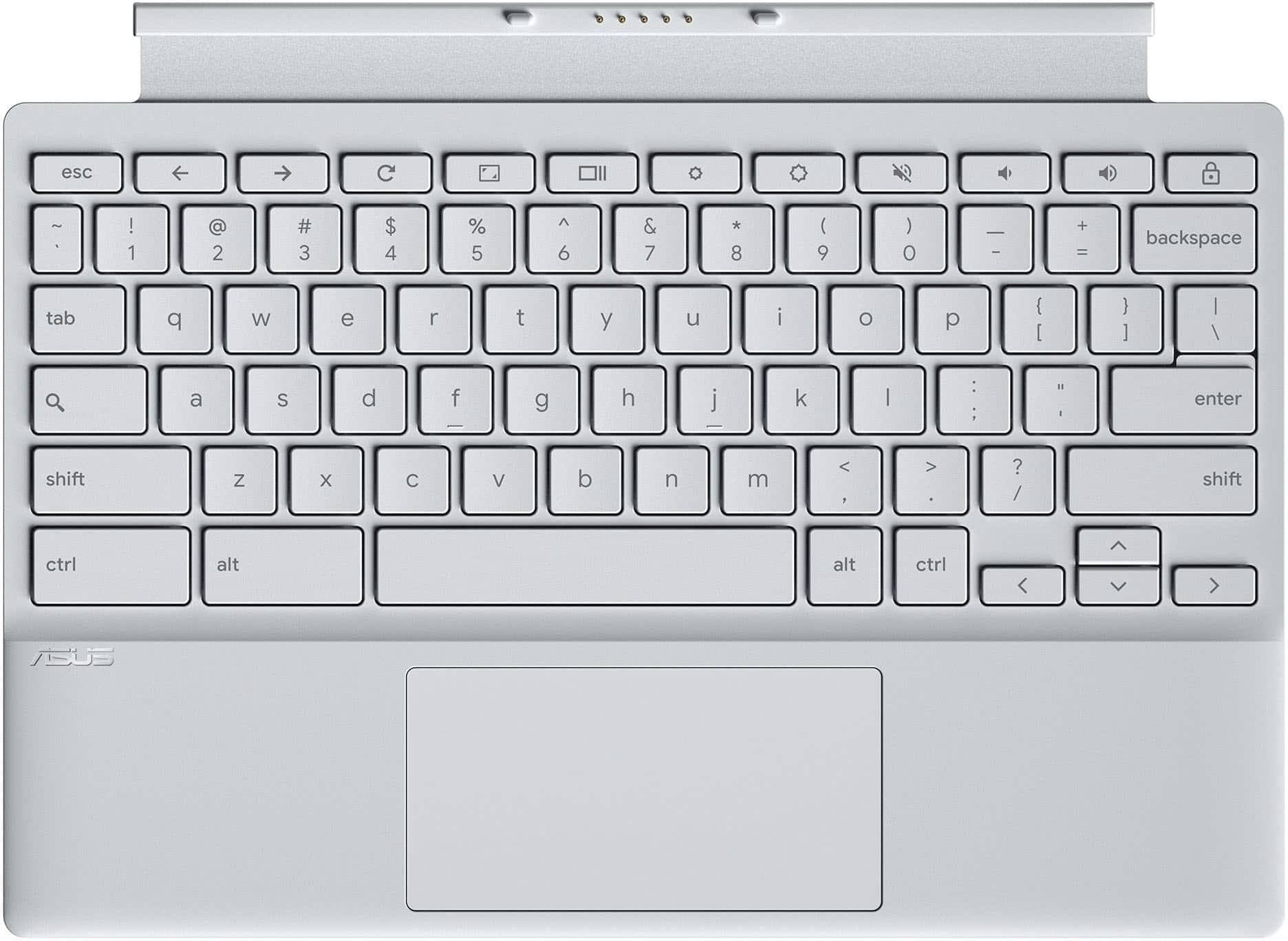
||Posted . Owned for 1 week when reviewed.This reviewer received promo considerations or sweepstakes entry for writing a review.It has a very soothing look and feel, quite easy to detach and convert into tablet. The keyboard is slim and amazing. The stylus is great and provide good note taking experience
I would recommend this to a friend Budget laptop
||Posted .This reviewer received promo considerations or sweepstakes entry for writing a review.For a budget laptop, this is great. I needed to use our for my art and music but couldn't really spend more than I did on this and it does everything I need it to plus some. It has no extra storage No way to input a SIM card or anything That doesn't bother me, I back everything up to my phone anyway. The stylus does die quickly, I suggest you order a backup of ours your main way of using it. If you're looking for a good budget laptop, then you can't go wrong here
I would recommend this to a friend- Pros mentioned:Portability
small in size but big in function
||Posted .This reviewer received promo considerations or sweepstakes entry for writing a review.It is a computer tablet that is quite sufficient for travel and small-scale work, and its keyboard is very easy to detach.
I would recommend this to a friend Asus Chromebook Cm3001DM2
||Posted . Owned for 2 months when reviewed.This reviewer received promo considerations or sweepstakes entry for writing a review.I love the design with the magnetically attached keyboard that doubles as a cover and you can't beat the price.
I would recommend this to a friendTablet with ChromeOS
||Posted .This reviewer received promo considerations or sweepstakes entry for writing a review.Exactly what I needed: a chromebook that can be a tablet. I love the portability and looks of it. The only thing is because the keyboard is more like a cover flap so sometimes it is difficult to get it settled since it cannot stand up by itself. With only 4GB memory, it is not best at multi-tasking but it is exactly what I needed!
I would recommend this to a friendAmazing
||Posted . Owned for 1 month when reviewed.This reviewer received promo considerations or sweepstakes entry for writing a review.Very Good App, honestly, i was going to say this is the best app I've ever seen with an amazing beneficiary offers For users, I'm going to recommend this to a friend to also tell a friend to tell a friend!!
I would recommend this to a friend- Pros mentioned:Battery life, Keyboard quality, Processor speedCons mentioned:Ram, Storage

Great screen, compact, but with a few big "cons"
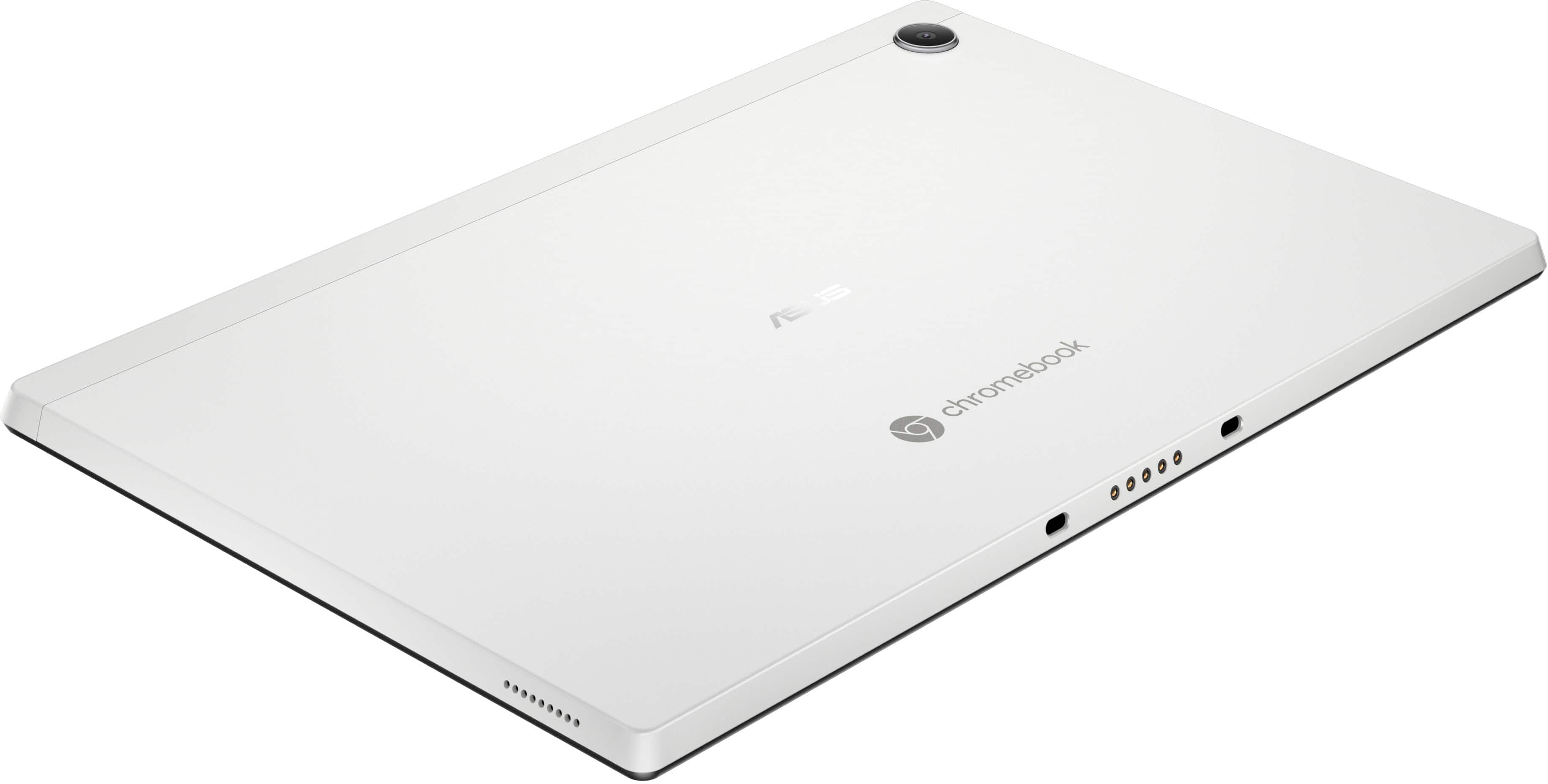
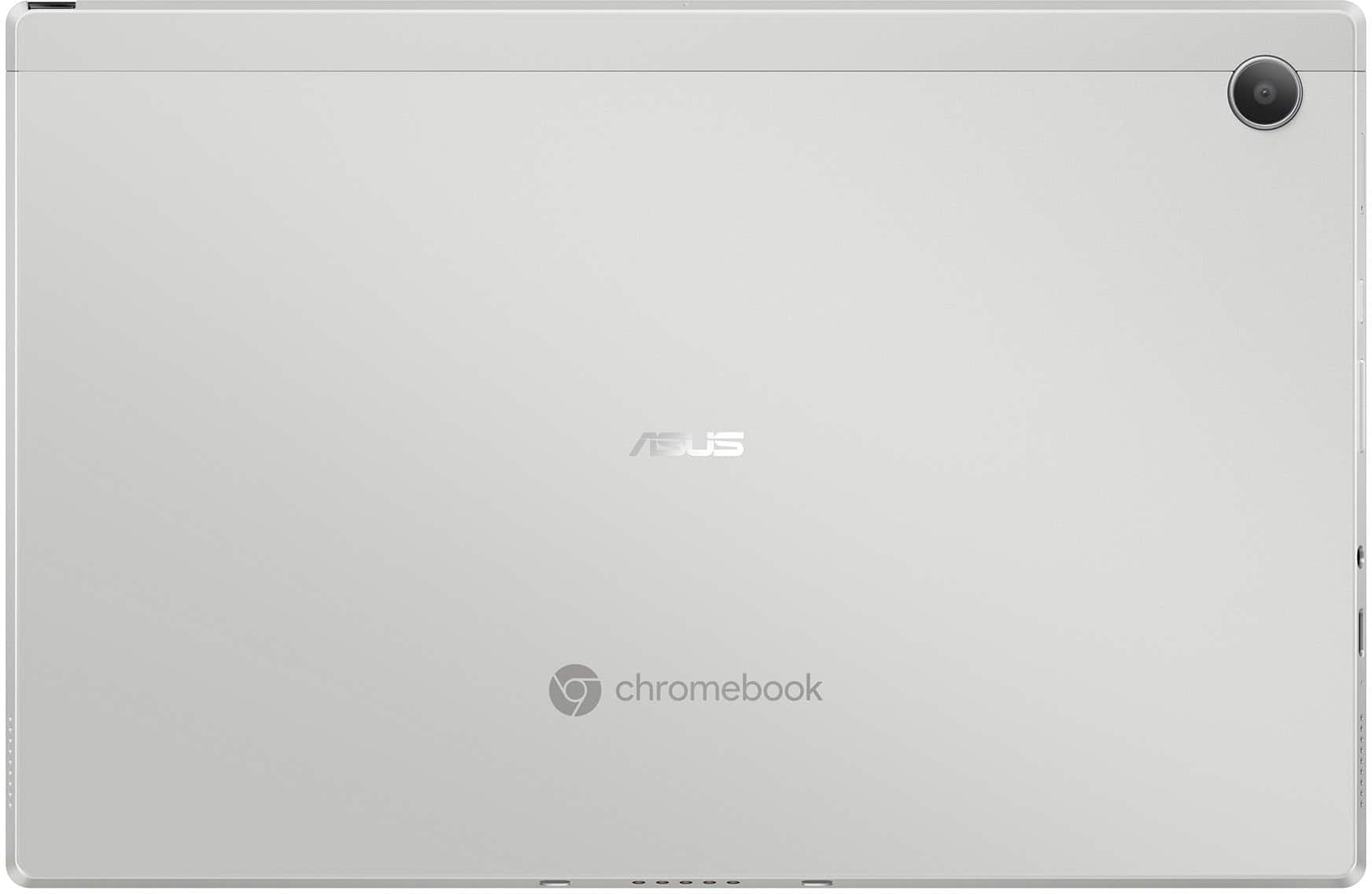
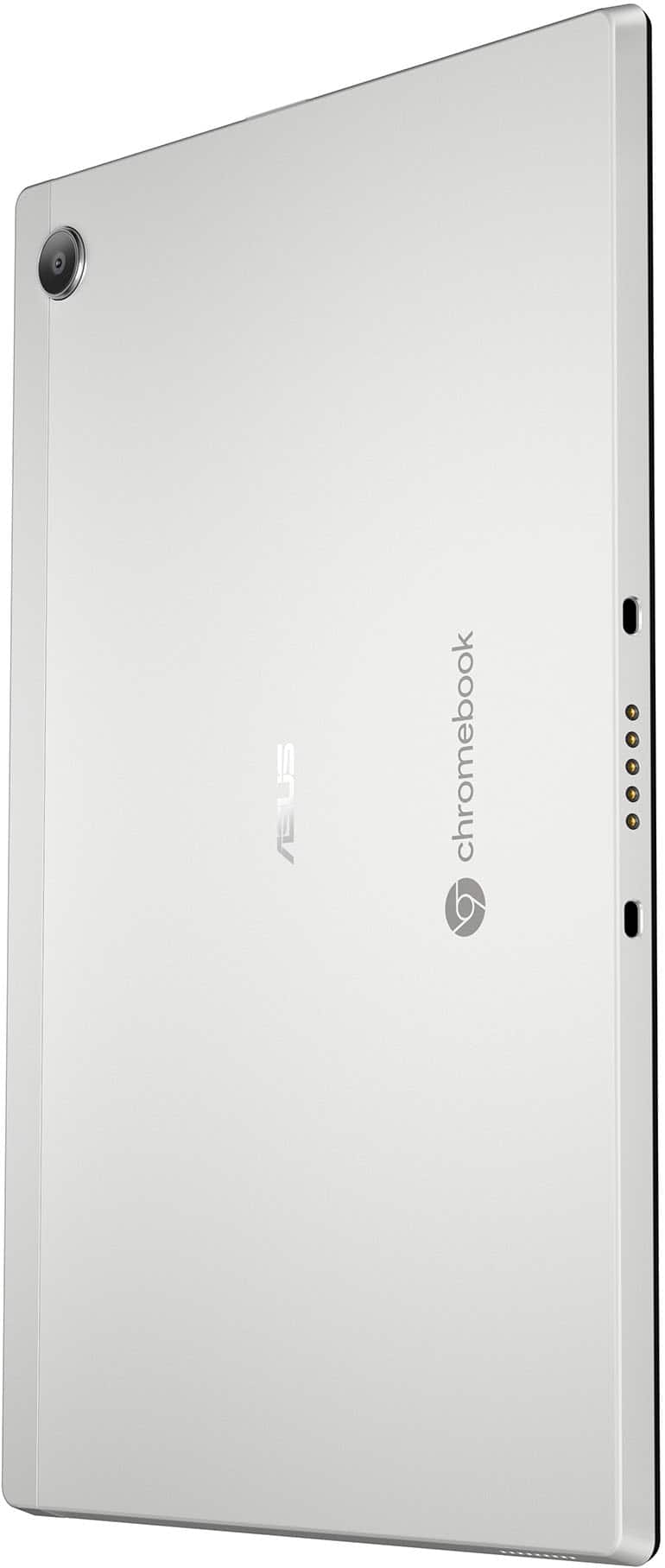
|Posted .This reviewer received promo considerations or sweepstakes entry for writing a review.The Chromebook arrived nicely boxed. Got it out and charged fully to begin using. To start with, there are some very good aspects of this Chrome book - and some areas that really deserve an “upgrade” or two. The display really impressed me. A 10.51 inch with good brightness, excellent color rendition, 1920 x 1200 resolution, and touch screen. Great for movies, videos, You Tube, etc. The computer has a magnetically coupled back, with a kickstand for using either with the keyboard, or alone in tablet mode. The keyboard is also magnetically coupled, and attaches very firmly to the base of computer. I found the full size keyboard feel and travel to be fairly comfortable when typing. There is an installed stylus that fits in the right side of the case, and charges when garaged. Great for taking notes or “doodles”. The sound from the 2 speakers was surprisingly loud considering how small they are. The outer case is aluminum, and the fit and finish is exceptional. The MediaTek Kompanio 520 is an eight core processor running at 2Ghz, and offers reasonable performance and graphics. I didn't test the battery life fully, but after a couple hours at 75% brightness, the battery was down to 80%. I am sure 8 to 10 hours can be achieved by lowering brightness. I feel there are some major cons depending on your intended use.... I did notice some slow down and choppiness when multiple pages / apps were open, and feel the computer would benefit with 8Gb of ram. There is only 64Gb internal storage, and no slot for a micro SD card, so storage is limited – unless using an external storage / drive. A large drawback is lack of ports – only one USB C port that also is the charging port, and one headphone jack. Be prepared to carry a hub if you have peripherals. And lastly, (for those like me who are not “touch typists”) I found that the white lettering on the light beige keys was almost impossible to see in lower lighting. For students, those on the go, etc., this is very portable, and offers fairly snappy performance, a great screen, in a small form factor - as long as you can work with limited storage and the lack of ports.
I would recommend this to a friend - Pros mentioned:Battery life, Keyboard quality, SizeCons mentioned:Ram, Storage
Arguably, E-Waste. But May Have A Purpose?
|Posted .This reviewer received promo considerations or sweepstakes entry for writing a review.Trackpad: - The trackpad feels good. However, you can tell that in ChromeOS that there is still significant latency. Causing accuracy errors. But found gestures to work well. Trackpad is also quite small. Which is to be expected. Keyboard: - The keyboard is good. Satisfying enough to type on. Keys are smaller than normal, relatively. Normal layout, and does have the ‘function’ keys at the top. I got 124 wpm which is around my average. The keys are NOT backlit. Stylus: - It comes with a stylus. Which is pretty awesome. It can be a bit hard to get out of the shell. There is a notes app you can write in and draw in. It is pretty basic. There is latency when drawing/writing but it isn’t horrible. Overall, a fun experience. I think it is a positive. But don’t expect miracles. Screen: - Honestly, I had no problems with this. Especially for the price range. It won’t win any awards. But it is a solid experience. It is crisp, clear, and easy to read text. Gets bright enough in normal environments (not outdoors) to see easily. Watching content is pleasurable. Contrast ratio is good enough to not be distracting. There is some IPS glow, blacks are pretty good only being slightly gray in challenging environments, with some dirty screen effect. For the price, no complaints, and I think this is a strong point of this device. Performance: - The CPU is low-end. As is the 4 GB of ram. On a Chrome device this is barely passable. Especially, for those who don’t know any better. But on a regular occurrence I noticed slow downs where my cursor would stop moving, I would have to wait for something to load, or the system would lock up on me for a few seconds while it caught up. For reference I do own a lot faster devices, I am considered a “power user”. Often having multiple things open, using keyboard shortcuts, very sensitive to latency, etc. Where I am going to be on the extreme end of criticizing a product like this. I am aware this is not a hardcore device and when using only kept 1 - 2 things open at a time with 2 - 4 tabs and still noticed those slow downs. Especially, when first opening an app or when switching between a different app. - If you are wanting to play games. This is not the device for you. First, the size is small so heat is a factor. But more importantly the CPU just simply can’t handle anything but the most basic of phone games. - Loading most YouTube videos took about 30 - 90 seconds. Where it would take a while to get the video up. Then would have to buffer or the video itself would skip around. Trying to listen to anything at 2x speed everything falls apart. Where you still get the audio but the picture does not keep up. - I found that staying in the Chrome browser over using the standalone apps improved performance. To be more reasonable and enjoyable. - Also, thought performance was better in tablet mode over when the trackpad and keyboard was attached. Speakers: - Keeping the price in mind here again. I thought they were acceptable. From a normal distance away I was getting 65 - 70 dB on my dB reader at max volume with music. Right next to the speaker 80 dB. They are treble focused making it sound a bit sharp. But that allows you to effectively understand voices. Making talking type content easy to understand. But makes music a lot less enjoyable. The bass is almost non-existent. Imaging is terrible. I can barely pull any sounds apart. Mostly you get the main vocals and main instrument with everything else blending together. - Unfortunately, the speakers are right where your hands would normally be when holding it in tablet mode. Muting them significantly. Not the best choice in position from them. Battery Life: - This is a place it excels. ChromeOS is lightweight, this chip doesn’t use a lot of power, making the battery life excellent. The estimate it was giving when writing up this review was 10.5 - 11 hours with 98% left with just a word document open. When playing a YouTube video in the background, max brightness, 50% volume, it dropped to 6 hours with 88% left. Lowering the screen to 50% volume to 50% it increased to 8 hours. ChromeOS: - The mixture between what works as a touchscreen and what works with the touch pad is a bit hit or miss. Something I think they could further improve on. For example in Google Docs to zoom in on the documentation I could pinch with the trackpad but I couldn’t pinch the touch screen. But most other places that particular thing worked like normal working on both. - But I still think overall, ChromeOS continues to be a better and better operating system with each update. Updates are quick and automatic. Making it ideal for those who are not computer savvy or for those like myself who set up systems for the rest of the family and don’t want the headache of keeping them up to date all the time. As it is very easy to navigate. Generalized Use: - I do like the size of this. As it is like a pocket computer. Screen for the price and size is good. Making reading articles, books, comics, digital school work, etc. excellent. - I really like that you have a tablet/keyboard open. As for a lot of things I found I liked to just use this as a tablet without the keyboard. Touchscreen felt good and responsive (not including the slowdown of the OS mentioned above which has more to do with the CPU over the quality of the touchscreen). - The overall device feels well built and quality. Storage: - This has very limited storage. Making it so you will be using the cloud predominantly for storage. Which is what ChromeOS is all about so shouldn’t be a problem. But 64 GB can be filled up quickly. Leaving only 40 GB free after the OS system. Conclusion: This is one of those devices for the price I think is adequate. But you are making serious trades. If you are only doing lightweight tasks (email, word documents, reading ebooks) it is a good device. But if you are looking as a media machine you’ll run into a lot of slow downs which can be frustrating. If you are doing any medium to heavy workloads you should look elsewhere. As at that point the slowdowns and waiting for things to happen due to CPU, RAM, and Storage is a massive hindrance.
No, I would not recommend this to a friend - Pros mentioned:Battery life, Keyboard quality, PortabilityCons mentioned:Storage, Weight
Nice alternative to a Surface
|Posted .This reviewer received promo considerations or sweepstakes entry for writing a review.This is a nice compact tablet style computer that not only offers the flexibility of a tablet but the keyboard and touchpad mouse of a laptop. It has a great screen that is crips and clear with colors that pop. It is heavier than a normal tablet with the keyboard and stand attached but not so much it isn't still portable and easy to take on the go. The battery life is what has probably impressed us the most as we have been using it over the last week and still have yet to charge it again and it has about 25% battery left. The keyboard is also nice and reminds me of our old Surface one that we had although the magnetic connections on this are way stronger than any other Surfaces or Chromebooks I have used. There is definitely no worry of this one coming off or losing it. Setup was quick and easy and we had our Google account for our business logged in, synched up, and ready to go in about 10 minutes. Pros - Great battery life - Sharp and clear display - Amazingly strong magnetic detachable keyboard - Responsive Keyboard Cons - Rear magnetic kickstand is not strong enough, comes off too easy - Heavier than other Chromebooks or our previous Surface - Limited storage unless you pay for additional cloud storage - No MicroSD slot to expand storage - Chrome OS which might have a bit of a learning curve if you aren't familiar with it Overall for placing orders for our home based business and staying on top of emails this is a great option. It is small yet has a lot of the features with a keyboard and touchpad to manage items without having to be at our desktop PC. For the price it is a solid tablet style Chromebook if that is what you are looking for and if you are familiar with the Chrome OS you will be able to jump right in.
I would recommend this to a friend - Pros mentioned:Battery life, Keyboard quality, Processor speed
Impressive Power in a budget Chromebook
|Posted .This reviewer received promo considerations or sweepstakes entry for writing a review.The Asus CM3001 Chromebook is a budget 2-in-1 Chromebook that surprised me in terms of its build quality, features, and performance. It comes in an eco-friendly plain brown box and inside the box is the Chromebook itself, a well designed magnetic detachable keyboard and kickstand cover, a 45 watt USB-C power adapter and QuickStart guide. Also included with the Chromebook is a stylus that provides 4096 pressure levels and up to 55 degrees writing angle. The stylus is easily accessed by pushing down on it to pop it out. The stylus automatically charges when stored inside the Chromebook and is supposed to be able to provide up to 45 minutes of use just from 15 seconds of charging time. –Quick Specs– The unit I am reviewing came with the following specs: Mediatek Kompanion 520 SOC running at 2 Ghz 10.5 inch IPS 1900 x 1200 touchscreen display with 400 nits of brightness 4 GB LPDDR4x system memory 64 GB eMMC storage 1 USB-C/Thunderbolt 4 port 1 Headphone jack Wi-FI 6 and Bluetooth 5 MP front and back facing cameras Magnetic detachable keyboard and kickstand cover. –Initial Impressions– The Asus CM3001 feels very solid and felt a little heavier than I expected. The aluminum chassis of the Chromebook gives it a premium feel. I was extremely impressed with the design of the detachable magnetic keyboard and kickstand cover and how easy it is to attach and detach them to/from the tablet. They both just easily snap into the correct position using magnets. It seems impossible to incorrectly attach the keyboard and kickstand cover. I really like the 2-in-1 design as it allows great flexibility to use the Asus CM3001 Chromebook as either a tablet or as a laptop. –Setup– Setup was very easy and quick as all you need to do is to enter your Google account information and follow the prompts. I was immediately notified that there was a newer version of the Chrome OS available and it proceeded to update the device. The update process was much quicker compared to updating a Windows device. Start-up and shut-down was also much quicker compared to a Windows based device. –Display and Sound– The 1920 x 1200 IPS display is very nice.. The display is bright (according to the specifications, the display provides up to 400 nits of brightness) with vibrant colors and very sharp text which makes watching YouTube videos and browsing the web very enjoyable. Sound was okay. The speakers are probably the least impressive aspect of this device. The sound produced was clear but seemed slightly less rich and loud compared to some other tablets and laptops I’ve tried but it was still perfectly acceptable to me. –Camera– The camera is much better than a lot of more expensive laptops I’ve tried in the past. It is a full 1080p camera with good low light performance. I have some expensive gaming laptops that only come with 720p cameras. The image looks fairly sharp to me. It might not be the best but I think it’s very good and the Asus CM3001 would make an excellent device for video calls and meetings. –Performance– For the most part, I thought the Asus CM3001 Chromebook performed very well and I was very impressed with the Mediatek Kompanio 520 SOC that powers it. For a budget device, it performed much better than I expected. It’s not as powerful as other more premium devices but for most tasks it’s perfectly fine. Browsing the web felt very snappy as well as reading and writing emails. Editing Google documents also performed well for me. I wrote most of this review on the Chromebook. In fact, pretty much anything done using the Chrome browser felt as good and responsive as on my desktop computer. Playing Android games such as Fallout Shelter was also great. Other apps (Google Meet, Google Maps, Google Keep, Fitbit, etc.) also performed well. With a Chromebook, I’m sometimes confused about whether I am running an Android app or accessing a website using the Chrome browser. Overall, I am very happy with the performance of the Asus CM3001. The keyboard and trackpad are also better than I expected which makes the CM3001 a decent travel productivity device for remote work as well as a media consumption device. I’m still trying to get used to the different key arrangements on a Chromebook (where are the CAPS LOCK and Delete keys?). If I am using this Chromebook at home for an extended period of time, I would prefer to use an external keyboard, mouse and monitor. Luckily the Asus CM3001 supports this use case using a USB-C dock/hub. Chrome OS detected the external devices without any problems for me. One odd thing I noticed is that the external monitor seemed to be limited to 1920 x 1080 while my monitor supported resolutions up to 2560 x 1440. I don’t know if this is a limitation of the Asus CM3001 or if it is a limitation of the USB-C dock/hub I was using. –Battery Life– I thought battery life was extremely impressive. The battery seems to drain about 10% per hour of use (watching YouTube videos while writing this review on Google Docs) so that would translate to about 10 hours or more per charge which I consider very good. –Summary– I think the Asus CM3001 would make an excellent laptop/tablet for a child or older parent or as a travel companion device for someone who already has another main computer. I think it could even be a good primary computer for someone on a budget that just needs something basic for general productivity tasks (email, web browsing, editing and creating documents, spreadsheets etc.) in addition to some light gaming and general media consumption. Overall, I think the Asus CM3001 is a great value and I’m very interested in seeing how Chromebooks get more powerful and useful as they evolve over time.
I would recommend this to a friend - Pros mentioned:Battery life, Keyboard quality, Processor speed
Well built, fast and versatile.
|Posted .This reviewer received promo considerations or sweepstakes entry for writing a review.I am very surprised by this 2 in 1 chrome book. I've had a Chromebook long time ago, when Chrome OS was a new thing and at that time I thought it needed "more time in the oven" (the OS). Not this time, Chrome OS has greatly evolved and it is a legit OS these days and very light. I was surprised on how easy it integrates with the Android/Google ecosystem. The laptop itself is amazingly built. It feels sturdy, compact and Asus has put great care on the design. They include a nice case that doubles up as a stand and a nice magnetic keyboard with touchpad (the back of the keyboard also has the same material as the case and envelopes the laptop, closing the case). The laptop's material on the sides is almost metallic, like aluminum. It feels hefty and well built on my hands. The included keyboard is nice and the keycaps are your typical chiclet type. They are not backlit though. The touchpad is nice and responsive. I was surprised they also include a nice stylus with several functions and it goes into the laptop to charge (kind of like some phones that include a stylus that rests inside its own compartment). Because the keyboard attaches magnetically, you can detach it from the laptop and it instantly senses it has been removed and it switches to "tablet" mode. You can use the touchscreen to operate it and Chrome OS automatically becomes more of a tablet OS. Supported apps automatically go into full screen mode. Some may not automatically do that, but the device will ask you if you want to see the app in full screen mode. If you re attach the keyboard it goes into laptop mode and apps have your typical "X" on the top corner like other desktop OSes to close the apps. The tablet integrates wonderfully with an Android phone. If you login with the same info, it will ask you if you want to pair them for certain functions (like unlock the laptop if automatically if your phone is nearby, receive messages you get on your phone also synced up to your tablet). The cameras are alright, not going to win photo quality contests, but are plenty good for teleconferencing videos, photos/videos. Performance is great, I was dubious of the Mediatek processor, but its plenty fast, considering Chrome OS is such a lightweight and productive OS. Since its part of Google's ecosystem, there is also access to the Play store to download tons of apps. I have had no issues using them at all. The screen is also great, plenty bright and highly responsive to touch commands. I highly recommend this Laptop/tablet to anyone wanting one for work or school. You have a great laptop and a great tablet in just one device, and don't forget the included stylus!! +++PROS+++ +Two devices in one, laptop and tablet. +Included magnetic keyboard and protecting case (with back stand). +Included Stylus +Fast, lightweight ChromeOS +Access to the Playstore, tons of apps. +Included charger adapter (type C). Charging light. Charges very fast. +Fast CPU, great battery life (device notifies you how much battery life you have letf, not only in percentage but also usable time). ---CONS--- -Keyboard isn't backlit. -You are bind to the Google ecosystem (Chrome OS). -Not meant for gaming (although Play store games do work good).
I would recommend this to a friend Cheap
||Posted . Owned for 1 week when reviewed.This reviewer received promo considerations or sweepstakes entry for writing a review.Small and cheap. The keyboard is very poor quality
No, I would not recommend this to a friendBrand response from ASUS Answers
Posted .Dear SmartVend,
Thank you for sharing your comments on the ASUS CM3001DM2A Chromebook. We understand that it didn't meet your full expectations, and we sincerely apologize for that as we do understand your concerns. We are committed to providing our customers with the highest-quality products and we will forward your review to our Product team for review.
We stand behind our products and continuously strive to improve our products and processes to achieve customer service excellence. If you require any further assistance, please email us at [email protected] and include the case number "N2504015419-0001" as a reference. We will do our best to resolve your case quickly. Your feedback is very important to us and enables us to improve our support channels. Thank you for choosing ASUS.
Best Regards,
Chantae
ASUS Customer Loyalty US Support
- Pros mentioned:Battery life, Keyboard quality, Processor speed
A Mostly Positive Experience
|Posted .This reviewer received promo considerations or sweepstakes entry for writing a review.The ASUS 2-in-1 chrome book is a decent device for an average to low need user. This device perfectly compliments your needs if you don't always want to lug around your laptop or if you have a desktop at home. I feel as though I still need a laptop or desktop and this would not suffice as a replacement but like I said is a great addition as it is lightweight and useful. Pros: -Bright and vibrant screen -Front and rear cameras -Long battery life -Built in stand and serves as device protection -Built in stylus/pen - Thin and light weight at 1.98 pound Cons: -Keyboard is not illuminated -Keyboard flops around (fabric by screen) -Trackpad is loud when clicking -Sometimes there's a delay when typing with the keyboard -The apps I use are on the playstore but some do not seem formatted to be used on a chromebook -Large bezels Screen: The screen is vibrant and bright. The touch screen is responsive and works well with the included stylus. Bezels are large and take up a lot of space. I wish the bezels were reduced so the device could have a larger screen. The resolution is 1920x1200 equipped with LED backlight. Overall a bright and crisp display. Keyboard: The keyboard buttons are perfectly sized and are semi quiet when typing. The keyboard has a plastic interior where you place your palms and has alcantara type material on the outside. I am disappointed that the keyboard is not illuminated. I discovered this when typing at night and could not see my keyboard, after looking all around for a keyboard shortcut to turn on the keyboard illumination; I realized there was no button because it didn't have this feature. The trackpad is loud when clicking and I think it's annoying. Attaching the keyboard is easy as it is magnetized. It snaps on and off easily but not so easy that it will fall off. It should be noted that the fabric between the keys and where the keyboard connects to the device is flimsy. If you're typing on a non-flat surface it's kind of hard to keep everything straight. The keyboard is also a great screen protector for when you travel. The biggest perk is the rear of this device has a magnetized stand that also has alcantara type material. It protects your device, easily turns into a stand, and easily can just click off. I never saw so much built in (case like) protection like I have on this device. Pen/Stylus: The pen is very responsive and usable. At first I thought I wouldn't use it but I find myself using it more and more. The pen stores in the device on the top right edge. Click it in once and a little piece pops up to let you grab and pull out the pen. The device automatically charges the pen when stored. The device also knows when the pen is popped out and offers stylus tools (bottom task bar) that you can change or use special pen features. The taskbar screen will also show you pen battery life. ChromeOS and Device performance: ChromeOS seems to be missing something. To me it seems like it's not a laptop but it's also not a tablet. I downloaded a few of the apps I normally use on other devices and noticed that they are not formatted to be properly used on ChromeOS. I downloaded a few widely known newspaper and news apps and they would not fit the screen properly (seem to be the mobile phone versions). Long story short, I don't use the news apps and just login into their web pages which works a lot better. The device seems speedy but I notice sometimes there's a delay from when I am typing on my keyboard to the device. It doesn't happen all the time but it does happen and I don't like it. Other exterior features include a physical power and volume buttons, a usb-c port, and a headphone jack. The usb-c port is used for charging or can be for data. There is a front and rear camera. Other than when on Zoom or making an online call, I couldn't find a camera app or setting to take pictures. During a test web call I noticed the cameras streamed well but had a lower quality than what I was expecting.
I would recommend this to a friend - Pros mentioned:Keyboard quality, Portability, Processor speed
Affordable and versatile
|Posted .This reviewer received promo considerations or sweepstakes entry for writing a review.I have to start off my review by pointing out that this Chromebook convertible costs less than the cheapest iPad, and it includes the keyboard case and stylus. That's kind of insane. In some ways, that might be all you need to know about the value provided by Asus here, as the iPad is probably the most obvious competitor. I've had iPads since they launched and remain a fan of those devices, but even the base model is objectively way way overpriced compared to this Chromebook as a productivity device. (To say nothing of the iPad Pros!) And especially so if you are a heavy Gmail, Google Docs, Sheets, Calendar, etc. user, as those apps have always been limited on the iPad and don't work great on mobile Safari. You can get a lot of work done on this little 2 in 1. Full stop. As for the hardware, you can look at my photos and get a sense of the size. It's a little narrower than an iPad Pro and a good bit thicker. The bezels around the screen are beefy and overall it's just never going to be confused for a product from Apple, Microsoft or Google. That said, it's still so compact! It's hard to believe how close it is to a tiny laptop at this size and yet that's exactly what it's like to use - a small 11 inch laptop. Which is cool and convenient! It feels good to hold, use, and carry. It's got some weight, but is by no means heavy. You can throw it in your bag and it won't take up much room at all. Or it'd be incredibly easy to just carry into an office meeting, no bag necessary. Beefy bezels aside, the display is really pretty darn good. It's very bright and text is crips. YouTube will play 4k and 60fps videos without much difficulty if you're on good wifi. (At full screen I noticed a little choppiness, but given the size of this screen there's really very little benefit in watching 4k content vs. 1080p which plays nice and smoothly). The touchscreen is very responsive, and scrolling etc. are very smooth. Especially for browsing the web - it just handles Chrome really well, as to be expected. No lag in changing screen orientation when in table mode. The speakers won't wow you but get pretty loud considering the size (and cost). And there's a headphone jack or bluetooth if you want headphones or external speakers. There's a nifty little silo that houses a stylus, which you can pop in and out when you need to sign something. The stylus itself feels pretty good and works well enough. If you're really looking at this device as the thing to make digital handwritten notes on, then I'd highly advise trying it in a store before buying. It's plastic on glass, so it's never going to feel quite like writing on paper. The keyboard attaches and detaches very easily. What's interesting is that the kickstand mechanism on this device is actually a back cover that connects to the tablet magnetically and is completely separate from the keyboard itself. You can take it off if you want for some reason, which is kind of cool and leaves the possibility of a future better option from Asus or 3rd party. The whole set up is reminiscent of the Microsoft Surface, though the last time I used one of those it had a fabric-like keyboard whereas this one feels a bit more plasticy and hard. The keys themselves have great travel, but are a little slick to the touch for my tastes. Still, it is really quite easy and comfortable to write on and I've had no issues using it for long stretches of time. Trackpad works as expected and has been fine. And again, I can't stress enough how nice it is that this keyboard is included!! I worry a little about how dirty it's going to get over time given the light color, but we'll have to see on that front. A darker option would be nice... but no backlight, folks. My guess is that's why they went with this color. Backlit keys would be so nice to have here, but I'm guessing this is one area where they made a cost decision to keep the price low. Chrome OS is nice and snappy. I'm not terribly familiar with this processor, but so far so good. No lagginess of issues getting things to load. Having the option for touch is so convenient on a device like this. Sometimes you just want to scroll with your finger, even when the keyboard is connected. This is my first time using a tablet though with Chrome OS and that experience leaves a little to be desired. When you detach the keyboard, the device automatically goes into tablet mode. Why? If touch works just fine with the regular desktop mode, why am I forced to use a different fork of the OS? This should be something users can choose to do via an option in the system settings. Instead, you're thrown into this mode which has no app drawer, meaning you get a grid of app icons blocking your desktop wallpaper and there's no way to get rid of that grid. (Even Apple finally added an app drawer to the iPhone and iPad a few years ago, making this experience feel even more dated.) Apps automatically open in full screen instead of in a window you can easily resize, and the whole thing just feels a little strange and unnecessary. In a perfect world - tablet mode would just run Android and bring with it a much better tablet operating system experience. So, if you're looking for a small and very mobile laptop like experience that runs Chrome OS this feels like a tremendous option and value. If you really, really are thinking you want to use this more in tablet mode than with the keyboard attached... I'd strongly advise you to just make sure you know what you're getting with the tablet mode fork of Chrome OS. Otherwise, this is a really cool little productivity machine!
I would recommend this to a friend - Pros mentioned:Keyboard qualityCons mentioned:Storage
An excellent school/work companion
|Posted .This reviewer received promo considerations or sweepstakes entry for writing a review.Well built. Well thought out. Well designed. Three phrases that aren't usually ascribed to Chromebooks. The Asus 2-in-1 earns all 3. I handed this over to my daughter to use for her schoolwork and productivity. It exceeds that purpose, and I'm using it more often that she does. It challenges the limitations of what we normally attribute to Chromebooks. The build is extremely solid and sturdy. Nothing feels cheap of flimsy. Cover/case provides enough protection that I don't feel overly cautious when handling or tossing in a bag. Keyboard keys provide great tactile feedback, and the trackpad usage is smooth and precise. The keyboard also easily attaches and detaches without much fumbling. Screen is bright and clear with excellent details in images, games, and videos. Touch functionality is on par with any other tablet I have in my home. Sound is decent with a solid set of speakers. Definitely good enough for watching movies and general music listening. Not tinny. Sound has decent depth. Cameras are good for tablet standard. Great for video calls and general shooting. Not full function but fits the bill. On paper, the ram and processor look underwhelming, but for surfing, games, streaming, note taking, and my daughter's schoolwork, it was completely able to keep up. Open too many processes, yes there will be a slowdown, but general usage hasn't been problematic. The stylus fits snuggly into the screen for storage which also doubles as a charger. There are no buttons on the stylus for clicking options, but writing and general navigating is very smooth. The stylus is also capable of quick charging. 15 seconds adds dozens of minutes to usage. Being that it is android, it fits into my home ecosystem flawlessly. I have several "OK Google" devices around my home. Using voice commands and/or device casting works better than some of my native devices. Of course, there are a few cons. The first is the viewing angle. You cannot get a 90-degree angle as there is no horizontal hinge, and the screen is supported by a kickstand that is attached magnetically to the back of the screen. This makes it cumbersome to actually use on your lap in laptop mode without a lap desk of some sort. Not impossible, but cumbersome. Second issue is no SD expansion slot. Unfortunately, with the push towards "clouding" everything, expandable storage is starting to become a rarity. This is a shame because with all this Chromebook can do/handle, it would be great to add on-board content for those offline situations. There is a USB-C port for HD connection, but an SD card would have been preferable. Lastly, camera has no zoom. Front or rear. For video calls, not too much of an issue, but you must have the appropriate distance for every call. But for photography, not having at least a digital zoom is lacking. For example, when scanning a QR code, it's great to zoom in to scan rather that having to create a physical crop. All and all, this is a great, handy Chromebook that serves several purposes, and serves them well. My daughter can't get enough, and I too find myself grabbing it for a quick task.
I would recommend this to a friend - Pros mentioned:Battery life, Keyboard quality
Slimline With Varied Usages
|Posted .This reviewer received promo considerations or sweepstakes entry for writing a review.This is a laptop that can be used in various ways. Included in the box are the screen/tablet, magnetic keyboard, fabric feel case with kickstand and USB-C charger. It is lightweight and has a long battery life. It states you can get 12 hours of use on one charge. You can use this as either a tablet or a small screen laptop. I found this Chromebook to be very well made and it seems very durable. The Asus Chromebook has a touch screen which I love. It comes with a built in stylus which is another big plus. If you don’t like leaving your fingerprints all over the screen this stylus is a great thing to have. When I use this as a laptop, I just plug in a cordless mouse and use that. This comes with front (2 MP) and rear (8 MP) facing cameras which comes in handy for video calls. If you are looking to take great pictures you will not appreciate the cameras. Because of the low MP for the cameras, the images are not of the best quality, but what can you expect from such a small laptop/tablet at this great price. Since this is a Chromebook and not an actual laptop, there is a limited hard drive. This is enough for the things you would expect from a tablet or what I consider a beginner’s laptop. It has a 64 GB SSD hard drive which is great for its size and price. You will need to utilize web based apps and such for many tasks. Because of the size of the hard drive, you will be somewhat limited on the types of programs you can load onto it. The one thing I would consider a downfall is having just one USB-C port. However, I easily remedied this by getting a USB-C hub, so that I can have the Chromebook charger plugged in, the wireless mouse hooked up and if I want I can connect this to an external hard drive. I think this is the easiest way to transfer files and such. I have found many uses for this Chromebook. I have loaded quite a few recipes and prop this up in the kitchen to view them. It is the perfect size for this use. I also have watched how-to videos on baking, cooking and DIY projects. Kids can watch cartoons to keep them occupied or you can listen to music while working around the house. I have also typed emails to friends and searched the internet for questions that needed answering. I find that this is a very handy and versatile 2 in 1 laptop/tablet that I would highly recommend for young and old. There are so many uses for this small gem.
I would recommend this to a friend - Pros mentioned:Battery life, Keyboard quality, SizeCons mentioned:Ram
Semi premium feeling 2-in-1, slow performance
|Posted .This reviewer received promo considerations or sweepstakes entry for writing a review.TLDR - This 2 in 1 Chromebook from Asus was almost a great value, great chassis/feels more premium than you’d expect. The keyboard is small but useful, and the stylus is a nice addition. The system still all “works”, but underperforms. Pro’s - The screen is decently sharp and pixel dense for the size. The included keyboard cover is just big enough to be usable, with a serviceable touchpad and magnetic attachment. The back cover has a surprisingly solid hinge that allows for tons of adjustability to get the angle correct. Battery life seems stellar, browsing for a couple hours straight at 90%ish brightness, and it's still reporting that I have over 60% left. The speakers are decent, the webcam looks fine, and playing 720p60 youtube videos goes on without a hitch. For doing one thing at a time, the CM30 is just enough… Con’s - but that brings me right into the negatives. It CANNOT handle much more than a couple tabs at a time. You will be waiting what seems like an unreasonable amount of time for certain things to open/launch. Having 4GB of ram is passable in a Chromebook, but the Mediatek chip holds it back in a BIG way. It seems to be barely good enough for a cheap Android phone, let alone a Chromebook 2 in 1. The benchmarks are silly bad, and just using the device in normal daily use (not even power user level stuff) you’ll notice full system lag and slow down. Even youtube at 1080p60 seems to drop frames intermittently. If you’re looking for a 2 in 1 Chromebook for work or school, I would steer away from this one. For a child or grandparent checking email and watching videos, it is just good enough.
No, I would not recommend this to a friendBrand response from ASUS Answers
Posted .Dear GlennT,
We do understand your disappointment with the product and the inconvenience this may have caused if it didn't meet your expectations.
On the contrary, lots of satisfied customers, having positive experience using the product, will agree with me that it is a decent laptop. It runs basic or light computing applications, without compromising system stability and performance as long as the Chrome OS is up to date and browser tabs not being used are closed.
Should you need further assistance with the product, please email me at [email protected] and I would be more than happy to help. Or, you are most welcome to call Product Support Hotline at: 1(888) 678-3688. Also, you can chat with an ASUS live support agent from the link: https://www.asus.com/us/support/article/1135/.
Thank you for choosing an ASUS product.
Regards,
Rodel
ASUS Customer Loyalty
- Pros mentioned:Battery life, Keyboard qualityCons mentioned:Storage
Compact and Handy
|Posted .This reviewer received promo considerations or sweepstakes entry for writing a review.Right out of the box this tablet feels very high quality. The keyboard comes attached and it is ready to connect the power cable and get started. There are only two connections, one USB-C and one audio jack. Once it is fully charged, the charging cable can be disconnected, and the USB-C can be used to connect other USB-C supported device. I would suggest getting a USB-C hub if you need to connect multiple devices at the same time, such as a backup drive. The back includes a magically attached cover, with an included stand. The keyboard is easily disconnected via a magnetic connection as well. The keyboard has a good feel and types well for the compact size. Setup was as easy as logging in, or creating a Google account, connecting to a wireless network and letting the system do its initial update. After the initial update, all updates will be done automatically in the background. Google Chrome already comes with built-in security and no third-party security software is needed. Storage is limited, but it still has enough to download a good amount of Android applications. I like to use if for checking my email throughout the day and streaming shows / news. It is much more economical choice then to be running a regular PC or TV. The battery life is amazing, and a full charge states it will last about 15 hours. I can easily get two days of use streaming news on average for 6 hours a day. I highly recommend if you want a device that gives more viewing area than a phone, but you don't need the full capacity of a PC.
I would recommend this to a friend - Pros mentioned:Battery life, Portability, Processor speedCons mentioned:Storage
Great Portable Device for Everyday Use!
||Posted . Owned for 2 months when reviewed.This reviewer received promo considerations or sweepstakes entry for writing a review.I’ve been using the ASUS Chromebook CM3001 for a couple of months now, and it’s been a solid choice for lightweight tasks and portability. The detachable 10.5” screen is very convenient for both work and casual browsing, and the MediaTek processor handles Chrome OS smoothly. Battery life is excellent, lasting me through a full day of light usage. It’s perfect for students or professionals who need an affordable, no-fuss laptop for on-the-go productivity. However, the storage (64GB) might be limiting for some users, so external storage could be helpful. Overall, it’s a great value for the price!
I would recommend this to a friend - Pros mentioned:Keyboard quality, Processor speed
Handy 2-In-1 Chromebook highlights convenience.
|Posted .This reviewer received promo considerations or sweepstakes entry for writing a review.ASUS - CM3001 10.5" Chromebook - MediaTek 8186 - 4GB Memory - 64GB eMMC I love having a laptop that is under 2lbs, and is wrapped in a case that also serves as a keyboard until I disconnect it, while the other side doubles as a nifty stand. By itself the ASUS is a high quality tablet with a brilliantly colorful screen that is fun and almost always ready to use with its decent battery capacity (suggested 13 hours). Converting it to a laptop takes no more than wrapping it in its case that results in the keyboard magnetically linking to contacts on one edge while the other edges are magnetically held to complete the protection. This linking process internally, and automatically, enables keyboard input. It’s transparent to the user. You can also simply fold the keyboard back and around the computer and use the pop-up screen keyboard. This type of keyboard attachment does not invite laptop use unless you have a solid laptop table. It wants to separate a bit too easily when not on a flat surface. This is a light, easy to carry portable computer that is equally easy to store in a carry pouch/bag. The new MediaTek chipset is a nice upgrade over previous Chromebook chips which sometimes caused frustration when I had a few Apps opened. With the newest Asus CM3001, I can keep my YouTubeTv game running in the background while I have a Chrome web browser on for shopping and my security camera App on. I’ve loaded my VPN, and read eBooks when I’ve got time. I listen to music without a hiccup. I’m not a game player but this screen is wonderful and the headphone jack invites a personal game session. Internet access has been very reliable and fast. SpeedTest shows 364Mbps up/374down from within the Chrome App. It’s a bit slower from within the Brave App and significantly lower using the discrete SpeedTest App, which I don’t understand. I’m also not sure what are the implications for everyday use. Do some Apps have facilitated Internet connections? The keyboard has a nice usable feel and it never fails to capture my finger touch. My first complaint is to question the wisdom of white lettering on light grey keys. I find myself constantly fussing with keyboard placement to get sufficient light on the keys. (No. I’m not a touch typist.) Often, I pull the keyboard off and resort to using the onscreen keypad. It’s very easy to switch, but let’s think first about usability and not design. Give me some contrast. But, ASUS has another trick hidden away along the top of the screen when in its horizontal orientation. There is a style pen which serves to select screen input or it can be used to directly draw or write text. My second, and last complaint is about the grainy, built-in, camera. It demands lots of light to keep grain levels as low as possible, and that isn’t completely successful. Photos are otherwise not very inviting to use. A Chromebook like this ASUS 10.5” is entirely practical and approachable for new users who want to explore a world of online access to social media, games, educational resources, streaming resources and all types of banking, communications and Internet-of-things tools. Experienced computer users who want to leave their heavy laptops at home but still have a very compatible set of tools, will enjoy this Chromebook as a substitute. It makes it easy to share access to a full range of online resources they rely on. I don’t worry about carrying the charger with me, because I seem to always have adequate remaining charge for my purpose. This is genuinely and reliably the truly portable computing we want.
I would recommend this to a friend