Early Black Friday DealsNew Doorbusters every Friday.Shop now

Main Content

Customer Ratings & Reviews
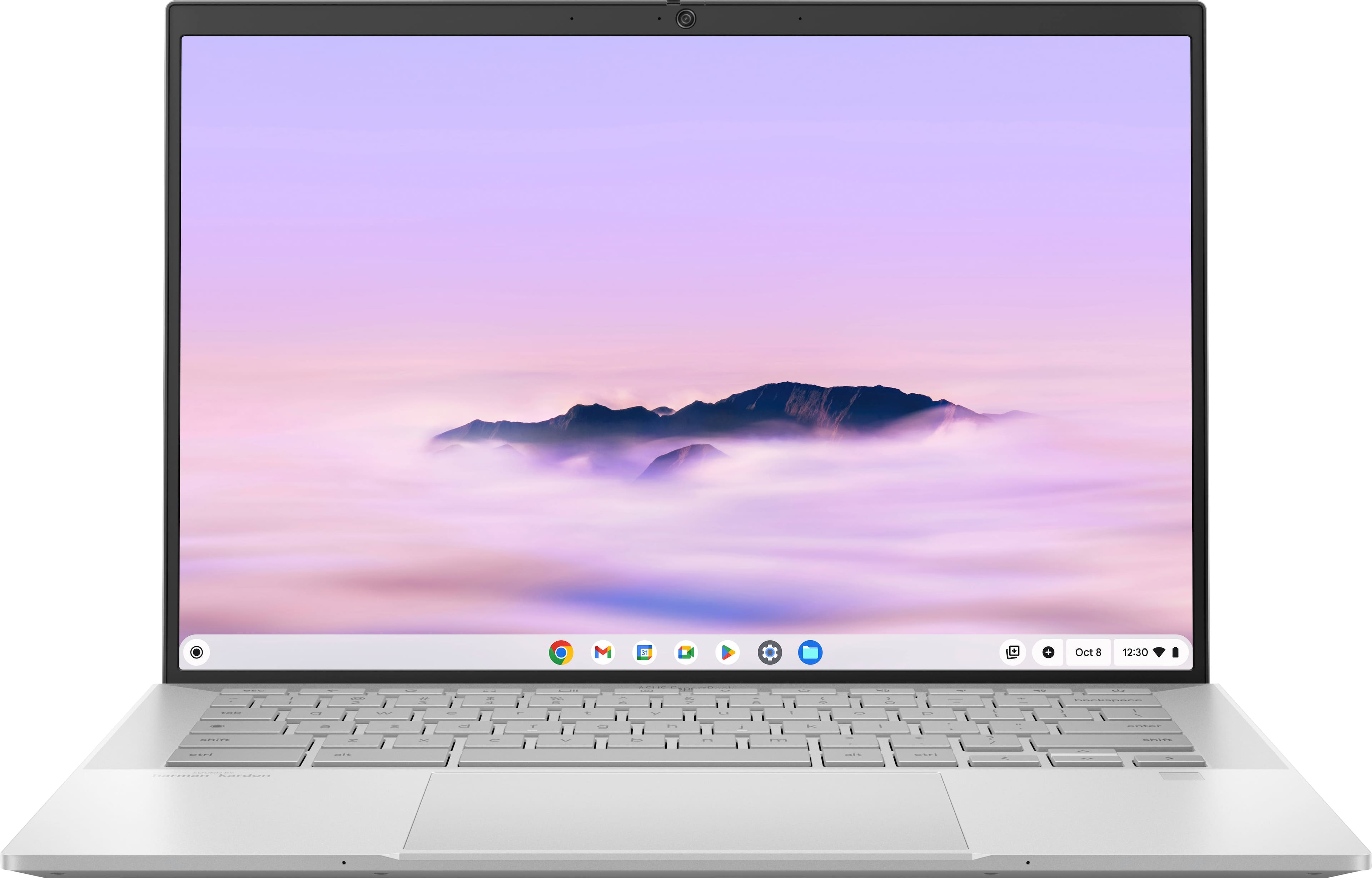
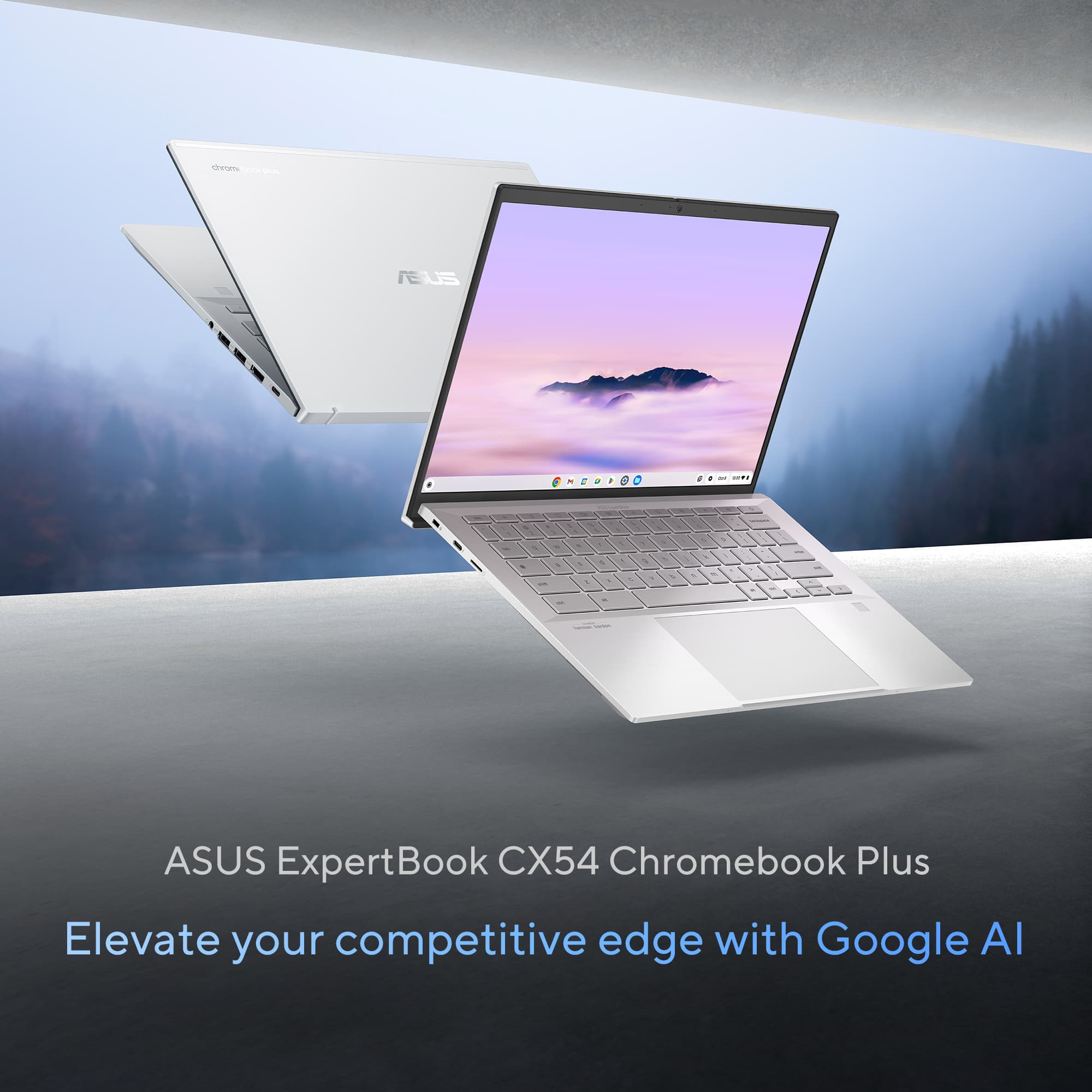
Your price for this item is $799.99

Customer reviews

Rating 4.6 out of 5 stars with 53 reviews

Rating Filter

Rating by feature

  • Battery Life

    Rating 4.5 out of 5 stars

  • Speed

    Rating 4.9 out of 5 stars

  • Display

    Rating 4.8 out of 5 stars

Pros mentioned filter

Cons mentioned filter

89%would recommend to a friend

Customers are saying

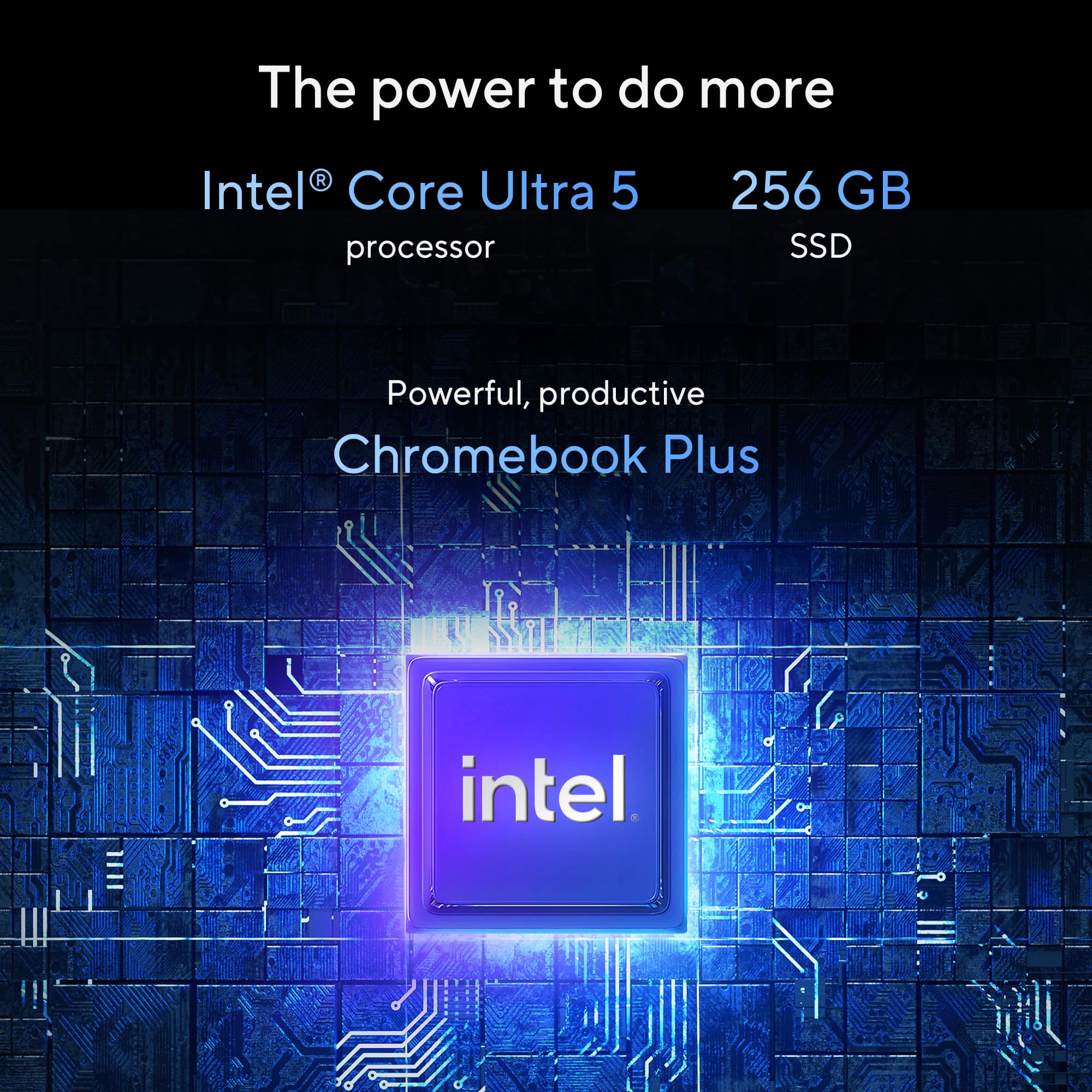
Customers are pleased with the ExpertBook CX54 Chromebook, highlighting its superb build quality and the fantastic Intel Core Ultra 5 processor. Many appreciate the inclusion of Thunderbolt 4 ports on both sides, as well as the impressive battery life and screen brightness. The device's portability, light weight, ample memory, and convenient fingerprint reader also receive positive feedback.

This summary was generated by AI based on customer reviews.

The vast majority of our reviews come from verified purchases. Reviews from customers may include My Best Buy members, employees, and Tech Insider Network members (as tagged). Select reviewers may receive discounted products, promotional considerations or entries into drawings for honest, helpful reviews.
Page 2 Showing 21-40 of 53 reviews
  • Rated 5 out of 5 stars

    very happy

    |
    |
    Posted . Owned for 3 weeks when reviewed.
    This reviewer received promo considerations or sweepstakes entry for writing a review.

    I had to purchase a replacement for my laptop on the fly, and I’m really glad I chose the ASUS ExpertBook CX54 Chromebook Plus. I do a lot of Zoom calls for work, so video and audio quality were very important to me. This Chromebook was on sale at Best Buy when I bought it, and it turned out to be a great deal. It was super easy to set up—just log in to Google, and everything works right away. The laptop is lightweight, sleek, and camera quality is great. Several of my clients have even commented on how much better my video looks during our meetings. Overall, I’m very happy with this purchase and would definitely recommend it.

    I would recommend this to a friend
  • Pros mentioned:
    Screen brightness

    Rated 5 out of 5 stars

    Chromebook Powerhouse

    |
    |
    Posted . Owned for 2 weeks when reviewed.
    This reviewer received promo considerations or sweepstakes entry for writing a review.

    If you want a Chromebook with horsepower, this is the one. Having used a few different ones previously, I always loved ChromeOS - Lightweight and excellent for normal daily use, and integration with your phone. However, most manufacturers really cheap out on the specs and during certain tasks it can really show. Not this one. When I saw this one had a whopping 16gb ram it was a must buy for me. Everything, including Android apps, run flawlessly on this device. The screen is gorgeous, and perfect for regular use and the photo editing I use it for. Keyboard is nice and premium and the speakers have surprisingly good sound quality. Considering most of the Chromebook Plus models are still only shipping with 8gb of ram, this thing should be a power house for quite a few years to come.

    I would recommend this to a friend
  • Rated 5 out of 5 stars

    Asus Great Job with this machine!

    |
    |
    Posted . Owned for 1 week when reviewed.
    This reviewer received promo considerations or sweepstakes entry for writing a review.

    Great Chromebook! 16 GB for the win. Fingerprint Reader and 256GB Storage with great touchscreen.

    I would recommend this to a friend
  • Pros mentioned:
    Build quality

    Rated 4 out of 5 stars

    Excellent Chromebook

    |
    |
    Posted .
    This reviewer received promo considerations or sweepstakes entry for writing a review.

    Excellent Chromebook with two flaws. Specifications, build quality and display are all excellent. The excellent performance is a bit overshadowed by its design flaws: (1) The keyboard illumination opaques the keys lettering during daylight and must be switched off to see the lettering. (2) When the laptop is opened, the display's bottom edge lifts the keyboard to a welcome angle for table-top use. The same bottom edge of the keyboard digs into your legs when using it on your lap making it very uncomfortable. If you will be using this on mostly a table/desk, this is one of the best Chrombooks out there.

    I would recommend this to a friend
  • Pros mentioned:
    Processor speed, Screen brightness

    Rated 5 out of 5 stars

    Top 3 chromebook out right now

    |
    |
    Posted . Owned for 2 weeks when reviewed.
    This reviewer received promo considerations or sweepstakes entry for writing a review.

    Love the screen and the speed of this Chromebook plus.

    I would recommend this to a friend
  • Pros mentioned:
    Screen brightness

    Rated 5 out of 5 stars

    Would Buy Again

    |
    |
    Posted .
    This reviewer received promo considerations or sweepstakes entry for writing a review.

    Seems to be A-OK. Liking the bigger screen (Old laptop was 11 inch). The backlit keyboard is a bit hard to see during daylight hours so I just turn it off. Very handy at night though. All in all, very nice laptop. Would buy again.

    I would recommend this to a friend
  • Pros mentioned:
    Build quality

    Rated 4 out of 5 stars

    Good laptop, touchpad can be better

    |
    |
    Posted . Owned for 2 weeks when reviewed.
    This reviewer received promo considerations or sweepstakes entry for writing a review.

    Screen is very good, overall design of the laptop is very slim and pro looking. Touchpad feels little slow response compares to macbook and lenovo laptops.

    I would recommend this to a friend
  • Rated 5 out of 5 stars

    ASUS CX54CM

    |
    |
    Posted . Owned for 1 week when reviewed.
    This reviewer received promo considerations or sweepstakes entry for writing a review.

    Honestly, wait until this baby is reduced, then pounce. Surprisingly heavier than I expected, the 14"screen is a delight, and the brightness and clarity well worth it. I don't like the keyboard - too plastic, clicky, but that's me. USB A, USB C, HDMI ports to burn, the same could have been achieved with 3 C ports and you just go buy a hub, but again I'm looking for faults. It's never gonna be a Google pixelbook but it's a fine 2nd best.

    I would recommend this to a friend
  • Rated 5 out of 5 stars

    Great computer

    |
    |
    Posted . Owned for 1 week when reviewed.
    This reviewer received promo considerations or sweepstakes entry for writing a review.

    Great computer! Very snappy and fast. I like the look and the color. Light weight and love the finger touch sign in.

    I would recommend this to a friend
  • Rated 4 out of 5 stars

    graet laptop

    |
    |
    Posted . Owned for 3 weeks when reviewed.
    This reviewer received promo considerations or sweepstakes entry for writing a review.

    Overall a great laptop, heat up when in heavy use.

    I would recommend this to a friend
  • Pros mentioned:
    Battery life, Build quality, Processor speed
    Tech Insider Network Member

    Rated 5 out of 5 stars

    Stunningly Fast

    |
    Tech Insider Network Member
    Posted .
    This reviewer received promo considerations or sweepstakes entry for writing a review.

    I recently had the opportunity to review the ASUS ExpertBook CX54 14" 2K Chromebook plus laptop with Google AI using an Intel Core Ultra 5 with 16GB memory and 256GB SSD. I think the CX54 has single handedly reshaped how I view what I consider the niche market of Chromebooks or web-based laptops. ASUS hit it out of the park with this one and delivered a next iteration unit which is sleek looking, stunningly fast, and a picture that can rival most high-end systems. I will expand on what I mean when I say I thought Chromebooks were more of a niche marketed item. We have had a couple of Chromebooks that have become more of a companion, sitting on the bar to help be a media source while cooking. A past example was that we often look up YouTube video recipes to stream and cook along with. Or it will sit on the sofa table, and we will use it as a one-off to assist with remembering an actor’s name or something to that effect. However, the power and grace of the ExpertBook CX54 has changed my consensus entirely. I use a laptop every day for work, but in my role, a powerful device is not a must have need. This is because everything I do is sourced from the cloud. I log into a Chrome based enterprise resource planner that has all of our needed software conveniently combined and accessible via a web browser. I will admit that I personally prefer my email application as opposed to the web variants, just because the application is more user friendly and has more features I like to use. This continues when I look at both of my high school aged children’s needs as well. Literally, everything they do is web browser centric. This would include social media, school directed learning websites, everything, Google, such as Docs, Sheets, and Slides, and all things media. Both have grown past video games to some degree, so on the low end, this is included in my holistic thought about the performance of the device. I am an avid gamer and have a high performance desktop that even most laptops cannot match, so I am excluding gaming from my sentiments for my own usage. Same for my wife, who does massive amounts of photo and video editing and needs a lot of power. I get that, I am several years late here, but the ASUS ExpertBook has made me a believer. I am even going to pitch the idea to our information technologies department to start offering Chromebooks. Out of the box, this device is visually captivating. The CX54 is made of recycled aluminum from renewable energy sources. With its metal body, it produces a military grade chassis that feels very well crafted. The display portion of the chassis has a cool sunken edge when in display mode that allows the unit to sit up for better air movement underneath, while also providing a more comfortable view and ergonomic feel while typing. The unit I have is a touch screen as well. The CX54 reminds me of a fighter jet with all its edges that come together in a crisp and stern demeanor. The unit weighs just less than three pounds and has a long lasting battery life. I do have two mild complaints about the design and sound that I found through some research I was not alone on. The slip resistant nodes on the bottom of the unit that the screen rests on are noticeably uncomfortable, even for a short usage period. The next is the less than stellar performance of the sound output. The unit has Harman Kardon speakers that, unfortunately, are underwhelming. The sound production is not as clear or powerful as one would expect from a high-end device, especially in a noisy environment. In a quiet setting, the speakers are loud enough to enjoy the media. That said, in a more noise rich environment, the sound output will get washed out, and I would recommend an external peripheral device. The display is vibrant and beautiful with an antiglare coating. The 89 percent usage on the 14 inch display, combined with ASUS's deep color rich screen gives the user a fully immersive experience that makes the screen feel significantly larger. From a system performance aspect, this laptop uses the Intel Core Ultra 5 processor supported by 16GB of DDR5 memory and an internal 256GB SSD. These make the CX54 a superfast multitasker that gives the user an endless amount of demand without compromising performance. I am still getting into the AI, but this is very cool so far. The AI feature, powered by Google Gemini, is designed to assist users in various tasks. For instance, it can help tailor your project by providing suggestions or automating specific processes, thereby enhancing productivity. A real example was that I was working on something, and the unit was able to help tailor my project. Overall, in a very summed up message, this is it for me. I will be using the CX54 as a daily driver that I can throw in my backpack and use at work, home, or out and about. The case is sharp, the screen is impeccable, and the performance is outstanding.

    I would recommend this to a friend
  • Rated 5 out of 5 stars

    Very good

    |
    |
    Posted . Owned for 1 month when reviewed.
    This reviewer received promo considerations or sweepstakes entry for writing a review.

    The product is so good that and it has the best specs for everything you could ever want

    I would recommend this to a friend
  • Pros mentioned:
    Battery life, Build quality, Processor speed
    Tech Insider Network Member

    Rated 5 out of 5 stars

    Reliable Laptop for School and small office.

    |
    Tech Insider Network Member
    Posted .
    This reviewer received promo considerations or sweepstakes entry for writing a review.

    I have had the opportunity to utilize the ASUS ExpertBook CX54 14″ 2K Chromebook Plus with Google AI for the past week, and I am genuinely impressed by its performance. From the initial unboxing to daily usage, this device has delivered a seamless and powerful experience that effectively meets both productivity and entertainment needs. In the following sections, I will outline my setup, performance observations, and the notable features that render this Chromebook Plus a worthwhile investment. Design & Build Quality The first thing I noticed was that the ASUS CX54 Chromebook Plus has a premium look. Despite its durability, the laptop does not feel bulky; it slips easily into my backpack without adding unnecessary weight. Quick Out-of-the-Box Configuration Right out of the box, the initial setup took me roughly 10 minutes. ChromeOS walked me through signing into my Google account, selecting the apps I regularly use, and syncing settings across devices. Having the option to customize which apps to install from the start felt liberating. Intuitive ChromeOS ChromeOS is impressively fast and secure. With familiar Google apps already integrated, I was up and running almost instantly. Intel Core Ultra 5 Processor The ExpertBook CX54’s Intel Core Ultra 5 processor handles everything I throw at it. Whether I am juggling multiple browser tabs, editing a presentation, or streaming a show in the background, the laptop remains snappy. During video calls and virtual meetings, I experienced no lag or stutter. 16 GB Memory & 256 GB SSD Equipped with 16 GB of RAM and a 256 GB solid-state drive (SSD), application load times are nearly instantaneous. I can seamlessly launch Gmail, transition to Google Docs, and open multiple Chrome tabs while still retaining capacity for additional tasks. The SSD alleviates concerns regarding prolonged boot times and enhances the efficiency of file transfers. In one instance, I was simultaneously editing a spreadsheet and reviewing a PDF document that I had received via email. The experience was remarkably smooth, without any disruptions or delays, which I attribute to the effective combination of a high-performance processor and ample RAM. Anti-Glare Touchscreen (2560 × 1600) The 14-inch display provides exceptional clarity, boasting a resolution of 2560 x 1600. The sharpness of the text is impressive, while the images exhibit vibrant detail. During an afternoon spent editing photographs in Google Photos, I observed that the colors rendered were true to life. Enhanced Touch Navigation The touchscreen is very responsive to every swipe and tap. My documents and videos were delightful to navigate with touch gestures. The anti-glare coating also allowed me to work near a window without being distracted by reflections. Battery Life & Portability On a single charge, I consistently saw around 8 hours of mixed use (emails, document editing, and video streaming). Comfortable Keyboard & Trackpad Beyond the rugged build, the keyboard is comfortable for extended typing sessions. The key travel is just right, tactile but not too stiff. The large trackpad is both accurate and smooth, making navigation easy without the need for an external mouse. I highly recommend this laptop to anyone in need of a computer for school or light office work.

    I would recommend this to a friend
  • Pros mentioned:
    Battery life, Build quality, Processor speed
    Tech Insider Network Member

    Rated 5 out of 5 stars

    Great Chromebook

    |
    Tech Insider Network Member
    Posted .
    This reviewer received promo considerations or sweepstakes entry for writing a review.

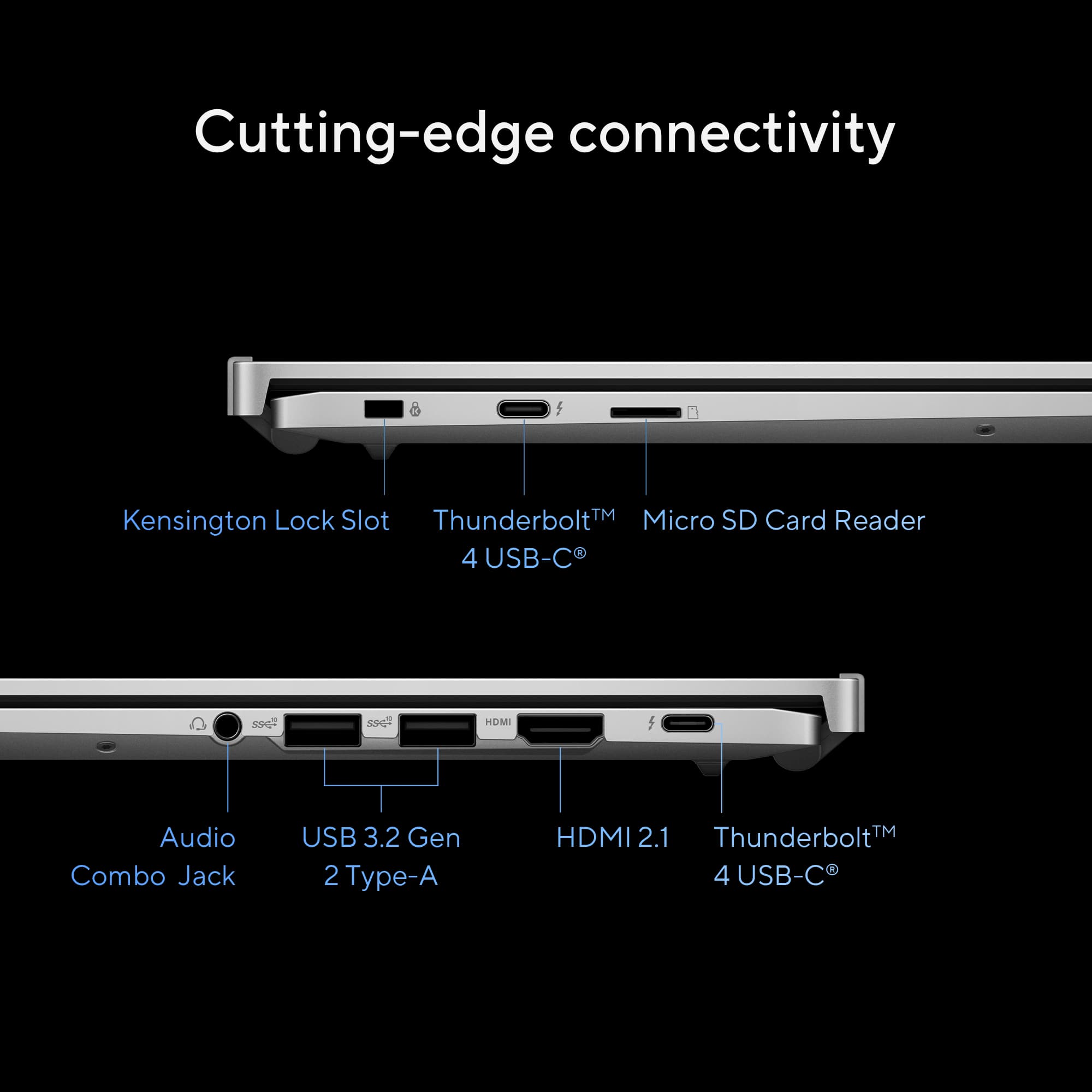
    OKAY- this is the bees knees of Chromebooks and I have used a few in my life.The all-metal chassis feels sturdy, professional, and sleek. At just under 3 pounds, it's light enough to carry daily without feeling flimsy. The 180° hinge adds flexibility for collaborative work or presentations, and the overall aesthetic is modern and understated. Highlights: Military-grade durability (MIL-STD-810H) Premium recycled aluminum finish Great port selection: 2x Thunderbolt 4, HDMI 2.1, USB-A, headphone jack The 14-inch 2K (2560×1600) display is one of the best I have found on any Chromebook. Colors are vibrant, text is razor-sharp, and the 120Hz refresh rate makes everything from scrolling through documents to watching videos buttery smooth. Brightness peaks around 500 nits, which is plenty for outdoor use. Whether I am editing photos in the cloud, attending video calls, or multitasking across multiple windows, the display delivers a premium experience. I have been specially very impressed with the speed and effectiveness it has displayed when I have put it through some heavy use for photo and video editing. Honestly, the results (and speed) were much better than what I had anticipated and at par with a very high end Windows laptop I have used for the same tasks. This makes this a wonderful deal for me. Typing on the CX54 is comfortable, with decent key travel and quiet feedback. The backlit keyboard is a plus for working at night, though the lighting could be a touch brighter. The large glass trackpad is smooth and responsive, offering great gesture support. Powered by Intel Core Ultra 5, 16GB of LPDDR5X RAM, and a fast 256GB SSD, this Chromebook runs ChromeOS like a dream. Multitasking is seamless, Android apps load quickly, and Linux development environments (like VS Code or terminal-based tools) run without hiccups. The onboard NPU makes this machine "Google AI"-ready, which means it’s optimized for upcoming AI tools and productivity enhancements on ChromeOS. However, the lack of specific apps for ChromeOS might still be a deal breaker. I mean the majority of the apps are for Android applications still and the performance for a few may leave something to be desired. It has to be also taken into consideration that ChromeOS is way more secure than Windows and this configuration is plenty fast. The 256 SSD is huge and plenty useful in terms of what you get in other Chromebooks. Battery life is decent. 10 hours is about right unless you are using it for heavy lifting like I have been with my photo edits. Thermal performance is excellent—fans rarely kick in, and when they do, they are surprisingly and pleasantly, quiet. The speakers can be better. Highly recommended.

    I would recommend this to a friend
  • Rated 5 out of 5 stars

    Great for college

    |
    |
    Posted .
    This reviewer received promo considerations or sweepstakes entry for writing a review.

    Fantastic for college student. I researched for almost a month before deciding on this one. It’s been great for the price point.

    I would recommend this to a friend
  • Rated 5 out of 5 stars

    Chrome

    |
    |
    Posted . Owned for 1 month when reviewed.
    This reviewer received promo considerations or sweepstakes entry for writing a review.

    This was a gift for a college student. He is very happy with his chrome.

    I would recommend this to a friend
  • Pros mentioned:
    Battery life, Build quality, Port count
    Tech Insider Network Member

    Rated 5 out of 5 stars

    Definitely NOT your grandfather's Chromebook!

    |
    Tech Insider Network Member
    Posted .
    This reviewer received promo considerations or sweepstakes entry for writing a review.

    The Asus ExpertBook CX54 Chromebook Plus (model CX5403CMA-DB588, Best Buy SKU: 6588600) is a standout in the evolving world of Chromebooks. As someone who has used various laptops—Windows, Macs, and an early Chromebook from another brand—I’m thoroughly impressed by this device. My first Chromebook, purchased three years ago, was a reliable web browser but limited in scope. It still functions today, outlasting other laptops that degraded faster, cementing my appreciation for Chromebooks’ simplicity, speed, and security. The CX54 takes this to a new level, blending premium hardware with a refined ChromeOS, making it an ideal choice for home use, students, or professionals seeking a secure, high-performing laptop. I highly recommend it. Why a Chromebook? Chromebooks have transformed from basic, budget devices to powerful alternatives to traditional laptops. The Chromebook Plus line, exemplified by the CX54, pairs top-tier hardware with a versatile ChromeOS that boots in seconds, offers all-day battery life, and supports a vast app ecosystem. Its Linux-based OS ensures robust security, perfect for sensitive tasks like online banking. Enabling a full Linux environment is simple, adding flexibility for advanced users. Even gamers benefit, as high-end models like the CX54 support local and online games effectively, though gaming isn’t their primary focus. For those with a Windows work laptop, the CX54 is a secure, efficient home companion. Design and Build Quality The CX54’s aluminum chassis is exceptionally sturdy, with no flex in the body or hinges. Weighing just over 3 pounds and remarkably thin when closed, it’s highly portable, slipping easily into a backpack. The hinge design elevates the keyboard for a comfortable typing angle while improving airflow to keep the system cool—a thoughtful touch. Opening the lid requires two hands due to the lightweight materials, but this minor inconvenience underscores the laptop’s solid construction. Display The 14-inch, 16:10 WQXGA (2560x1600) touchscreen display is stunning. Its thin bezels maximize screen space, and the anti-glare coating reduces reflections and smudges while enhancing viewing angles. The high-resolution panel delivers crisp, vibrant visuals with minimal ghosting, even during gaming. Fonts are sharp, making it ideal for prolonged reading or home office tasks. Webcam The 8MP webcam, equipped with a privacy shutter, HDR, and AI-enhanced imaging, rivals smartphone-quality video. It performs exceptionally in varied lighting, delivering clear, vibrant streams for video calls. The AI processing ensures visuals remain sharp and appealing, impressing anyone on the other end of a conference call. Performance and Storage Powered by an Intel Core Ultra 5 processor with Google AI capabilities, the CX54 balances performance and efficiency. With 16GB of RAM and a 256GB NVMe 3.0 SSD, it delivers fast, responsive performance. While 256GB is ample for local storage, cloud integration (e.g., Google Drive) is seamless. Wi-Fi 6E ensures rapid internet connectivity, and Bluetooth 5.2 connects peripherals like mice and headphones instantly, with no lag or setup issues. Connectivity The CX54 offers impressive connectivity for its size: four Thunderbolt USB-C ports and one HDMI 2.1 port. These enable versatile setups, from external drives to multiple monitors. I connected a 32-inch curved monitor via HDMI, and it worked instantly, highlighting the laptop’s plug-and-play reliability. Keyboard and Trackpad The keyboard provides excellent tactile feedback with satisfying key travel and a pleasant click. However, the gray keys with lowercase lettering and uneven backlighting can be hard to read, especially in low light. Adjusting the backlight to maximum helps, but it’s a minor weak point. The trackpad is precise and responsive, complementing the overall experience. Security ChromeOS’s Linux-based foundation makes it inherently more secure than Windows laptops, ideal for protecting online activities and data. The CX54 enhances this with a fingerprint sensor for quick, secure logins and a Titan C2 security chip for added protection. These features make it a top choice for privacy-conscious users. Value Proposition The CX54 delivers premium features at a reasonable price, rivaling more expensive Windows laptops and Macs. The Intel Core Ultra 5 processor offers ample power for most tasks, including light gaming and AI-driven applications, while maintaining exceptional battery life—I can work all day without plugging in. The Intel Core Ultra 7, while available, isn’t necessary for most users, as the Ultra 5 hits the sweet spot for performance and efficiency. The build quality, port selection, and display quality make this Chromebook a fantastic value. Conclusion The Asus ExpertBook CX54 Chromebook Plus earns a solid five stars for its blend of premium hardware, robust security, and outstanding build quality. It’s reliable, portable, and versatile, making it perfect for home use, education, or professional tasks. I’d buy it again without hesitation and recommend it to anyone seeking a high-end Chromebook.

    I would recommend this to a friend
  • Rated 5 out of 5 stars

    Highly recommend for seniors

    |
    |
    Posted .
    This reviewer received promo considerations or sweepstakes entry for writing a review.

    Great product and perfect performance. Mother in law loves it

    I would recommend this to a friend
  • Rated 2 out of 5 stars

    Would not buy again

    |
    |
    Posted . Owned for 2 weeks when reviewed.
    This reviewer received promo considerations or sweepstakes entry for writing a review.

    Short battery life. Design makes it uncomfortable to use as a laptop. Protrusions where screen and keyboard join hurts and leaves marks on your legs.

    No, I would not recommend this to a friend
    • Brand response from ASUS Answers
      Posted .

      Dear Valued Customer,

      Thank you for your comment.

      We certainly understand your disappointment and inconvenience this may have caused if you are experiencing short battery life and difficulty using the Chromebook. The battery life on this Chromebook is approximately 10 hours of light to medium workload. To improve or prolong the battery charge life, try to do battery calibration manually. To start with, drain it completely then charge it fully without using it. Once fully charged, use the laptop without the AC adapter connected, and let the battery drain completely again. Repeat the charging process thereafter. Also, please verify if the unit is running with the most current system update and third-party battery draining applications are not running if not in used.

      Chromebook operates, or works just like any other laptop, it comes with a web or cloud base OS that is fast, secure, and easy to use and is becoming a popular choice for young and old users alike because of these features. Internet security or antivirus software is integrated, no need to purchase the software or application separately. Besides being a low-cost and lightweight laptop, it supports thousands of popular computing applications, both in Chrome and Android, and Linux applications as well. Since it is a web base OS it does require a Google or Gmail account and an internet connection to use or operate it properly. If this is your first experience with a Chromebook, I recommend using the HELP file incorporated within the OS. To access HELP, please click your profile picture on the Notification Bar, located on the lower right-hand corner of the home screen then click the question mark icon or widget. For more help, please visit Google Support webpage at: https://www.google.com/chromebook/howto/.

      Should you need further assistance, please email me at [email protected] and I will be more than glad to help. Or you are most welcome to call Product Support Hotline at: 1(888) 678-3688. Also, you can chat with an ASUS live support agent from the link: https://www.asus.com/us/support/article/1135/.

      Thank you for choosing an ASUS product.

      Regards,

      Rodel

      ASUS Customer Loyalty Asus

  • Rated 5 out of 5 stars

    Good Buy!

    |
    |
    Posted .
    This reviewer received promo considerations or sweepstakes entry for writing a review.

    It is the best computer I ever bought. I am very satisfied with the purchase.

    I would recommend this to a friend
Sponsored