Customer Ratings & Reviews

- Model:
- VG279QR
- SKU:
- 6450750
Rating by feature
- Display Quality
Rating 4.8 out of 5 stars
- Ease of Use
Rating 4.8 out of 5 stars
- Features
Rating 4.7 out of 5 stars
Customers are saying
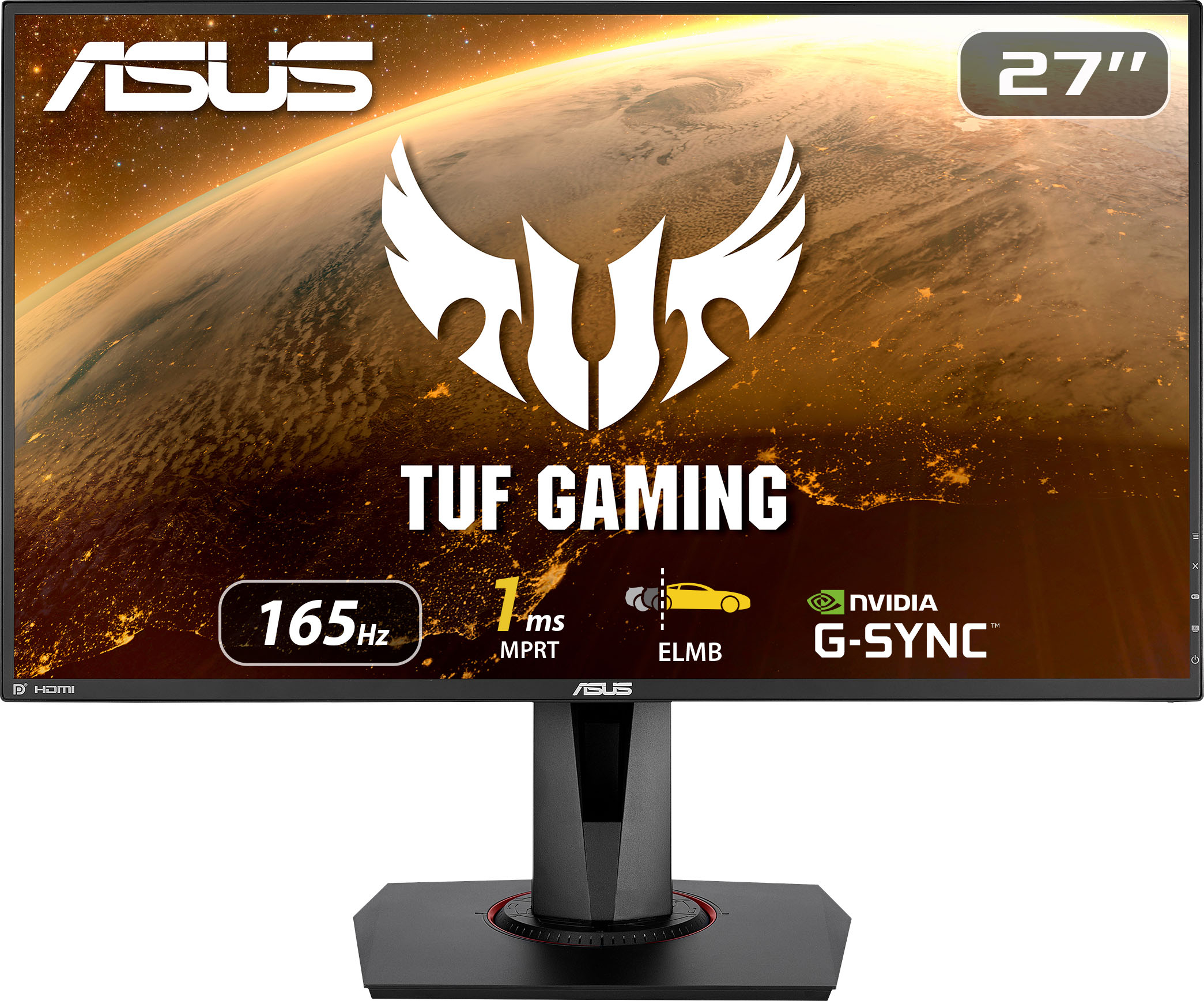
Customers are enthusiastic about the picture quality, refresh rate, and color accuracy of the TUF 27” IPS monitor. Many appreciate the monitor's height adjustability and ease of use, finding it to be a good value for the price. However, some users noted that the built-in speakers could be improved, and a few reported issues with dead pixels. While some users found the lack of HDR support disappointing, others highlighted the monitor's low input lag and lack of motion blur.
This summary was generated by AI based on customer reviews.
- Pros mentioned:PriceCons mentioned:Dead pixels
great price and monitor with one major let down
||Posted . Owned for less than 1 week when reviewed.This reviewer received promo considerations or sweepstakes entry for writing a review.I bought two of these monitors on Friday 11/19/2021. What made me buy this monitor was the price. There was a deal going on and I managed to get two at $199.99 each. Aside from the price, the 1ms MPRT, IPS, 165Hz, 27in and G-Sync Compatible (not Native G-Sync), were more reasons why this monitor was a steal. Keep in mind, they retail for $329.99 so grabbing these for $200/piece was a major steal. Though, there is a chance I might return both of these. First and foremost, the pixel density. When comparing this display to the VG249Q, it is obvious that the screen looks less HD due to it being a 1080p display but at 27 inches. The VG249Q really benefits from its 23.8in display. If both monitors were on sale, I would get the VG249Q and sacrifice 21Hz and 3.2in simply because I know there's a higher pixel density on the smaller monitor. Secondly, one monitor had a dead pixel. I went to Best Buy and exchanged it. I still have it in the box and have yet to test it out. I've had dead pixels before on other monitors. It is not a bid deal, but if you're paying for a new monitor, it has to be flawless. Especially if they're ASUS monitors. Ultimately, these monitors are pretty good for the price. I know I previously mentioned that I might return them, but the price was so good that I'm willing to keep it. If it was retail price, I would definitely pass and pick up two VG249Qs at retail instead. If neither are on sale, definitely get the VG249Q. If both are on sale, you can't go wrong with either choice. Get the cheapest one.
I would recommend this to a friend - Pros mentioned:Refresh rate
Asus is the best
||Posted . Owned for less than 1 week when reviewed.This reviewer received promo considerations or sweepstakes entry for writing a review.Asus is the way to go. Me and 2 of my buddies bought this monitor for the ps4 and ps5 and it’s excellent. Runs at 120hz 1080p on games that support 120 hz on ps5 and has excellent brightness unlike other cheaper pc monitors. I have the Sony x900h for games like assassin creed but FPS games are excellent on this pc. Wouldn’t suggest buying for anything other then FPS games tho
I would recommend this to a friend Great stuff
||Posted . Owned for 1.5 years when reviewed.This reviewer received promo considerations or sweepstakes entry for writing a review.I got this around a year ago for around 180 dollars on sale. It’s been great. No dead pixels, no weird color shifting/banding. Motion is smooth and there no smearing as far as I can see. The OS is very detailed. Colors are great since it is an IPS. Great bang for the buck if you get it on sale.
I would recommend this to a friendGreat for serious FHD gaming
||Posted . Owned for 1 year when reviewed.This reviewer received promo considerations or sweepstakes entry for writing a review.This monitor hasn’t failed me I had it since last year for my PS5 and swapped it with my new PC. Playing new world at 120+ fps comfortably.
I would recommend this to a friendI’m not a dirtbike
||Posted . Owned for more than 2 years when reviewed.This reviewer received promo considerations or sweepstakes entry for writing a review.Pretty good little screen if I say so myself. Hope to get years of use out of it. My kids like it.
I would recommend this to a friendPC MONITER
||Posted . Owned for 1 year when reviewed.This reviewer received promo considerations or sweepstakes entry for writing a review.I’m so in love with my monitor bought it back in November and until this day I’ve never had an issues definitely will recommend
I would recommend this to a friend- Pros mentioned:Picture quality
AWESOME!
||Posted . Owned for 3 weeks when reviewed.This reviewer received promo considerations or sweepstakes entry for writing a review.Awesome! Picture is great. Easy set up. Worth the buy for sure!
I would recommend this to a friend - Pros mentioned:Adjustable
27" asus tuff gaming monitor 165hz
||Posted . Owned for 2 weeks when reviewed.This reviewer received promo considerations or sweepstakes entry for writing a review.Found no lag or screen tare. Excellent monitor sceen heght is very easy to raise and lower, also found that the screen rotates so good for landscape or portrait use. Adjustable in many ways. The base is very nice and allows for rotation of the sceen. Would recommend. I will be buying 2 more.
I would recommend this to a friend Best Purchased
||Posted . Owned for 3 weeks when reviewed.This reviewer received promo considerations or sweepstakes entry for writing a review.I have had both monitor for about four weeks now. The monitor is packaged very well and it is easy to assemble. No dead pixels, the monitor has thin bezels. I mostly use this monitor for gaming and it is great for fast paced FPS games like Apex and COD. I was able to overclock to 165 Hz with no issues. Coming from an Asus 25 2k 60 Hz monitor this is a big upgrade for gaming. It would have been nice to have a USB 3.0 port in the I/O, but I understand Asus usually reserves those premium features for their ROG brand. The TUF Gaming series is a great middle ground for those that want value and performance without spending an arm and a leg on a ROG monitor. Highly recommend especially if you can get it on sale.
I would recommend this to a friend- Pros mentioned:Gaming
Happy with it!
||Posted . Owned for 6 months when reviewed.This reviewer received promo considerations or sweepstakes entry for writing a review.Bought it like 8months ago and so far so good i love it. Have it connected to my ps5 and the monitor does the job for competitive gaming like COD can see everything clear and perfect
I would recommend this to a friend Can’t go wrong w ASUS
||Posted . Owned for 1 month when reviewed.This reviewer received promo considerations or sweepstakes entry for writing a review.I got this monitor while it was on sale during the holidays and then purchased another one while the price was low. Great monitors. You can’t go wrong with it. There are minor adjustments in my settings that I can tweak to make my gaming experience better but I have no complaints here.I only had one other ASUS monitor that was a 23.8 or so size that was also great. Just can’t go wrong with ASUS in my opinion but also because I’m not really picky and I’m a little new to PC gaming and streaming for the past year.
I would recommend this to a friend- Pros mentioned:Picture quality
Asus TUF gaming monitor
||Posted . Owned for 1 month when reviewed.This reviewer received promo considerations or sweepstakes entry for writing a review.Great monitor, perfect size for gaming. The clarity of the screen and the ability to change screen brightness makes all games more playable with minimal settings adjustments
I would recommend this to a friend Everything works great
||Posted . Owned for 1 month when reviewed.This reviewer received promo considerations or sweepstakes entry for writing a review.So far so good, bought this for a second monitor for my laptop. Large, easy to set up and like all the movement abilities.
I would recommend this to a friendAsus Monitor Gaming
||Posted . Owned for 1 month when reviewed.This reviewer received promo considerations or sweepstakes entry for writing a review.I bought the asus gaming monitor for a Cyber Power gaming computer. The monitor is excellent, it has its own video card and several configuration options including the gameplus that has the crosshair, fps counter, timer and display alignment. It is my first product asus and I would recommend it.
I would recommend this to a friend- Pros mentioned:Refresh rate
Great monitor
||Posted . Owned for 1 month when reviewed.This reviewer received promo considerations or sweepstakes entry for writing a review.The monitor is great but the colors are a little weird takes some to adjust them. Great refresh rate and size.
I would recommend this to a friend Smooth and responsive gaming monitor-
||Posted . Owned for 2 months when reviewed.This reviewer received promo considerations or sweepstakes entry for writing a review.Monitor is super smooth and responsive. Great color settings and great setting ui.
I would recommend this to a friendI love ASUS Monitors
||Posted . Owned for 1 month when reviewed.This reviewer received promo considerations or sweepstakes entry for writing a review.I bought this monitor for my Daughters Rig and she Love the IPS screen, running Full 165 HZ of pure color and a fast refresh rate for gaming. Never picture tearing and always meets games demand on frame rates.
I would recommend this to a friendnice monitor
||Posted . Owned for 2 months when reviewed.This reviewer received promo considerations or sweepstakes entry for writing a review.Really cool monitor also comes it g sync wich is cool to and has cross air for playing shooter games.and comes with different modes like racing, shooter, movie, pvp
I would recommend this to a friendwould recommend buying this
||Posted .This reviewer received promo considerations or sweepstakes entry for writing a review.I love this monitor best monitor I have had in forever.
I would recommend this to a friend- Pros mentioned:Price, Refresh rate

Big and Pretty but Pushing the Limits
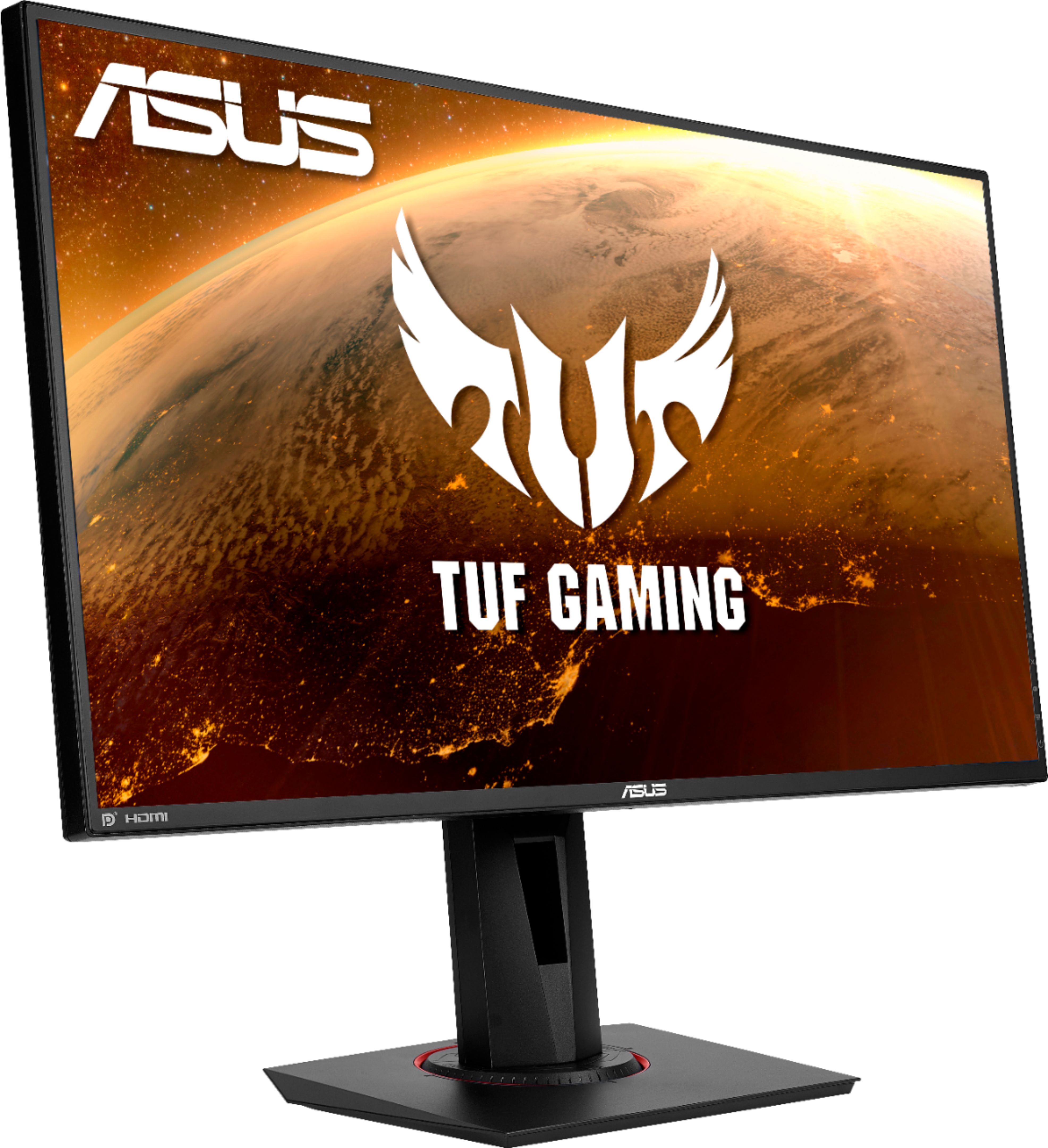
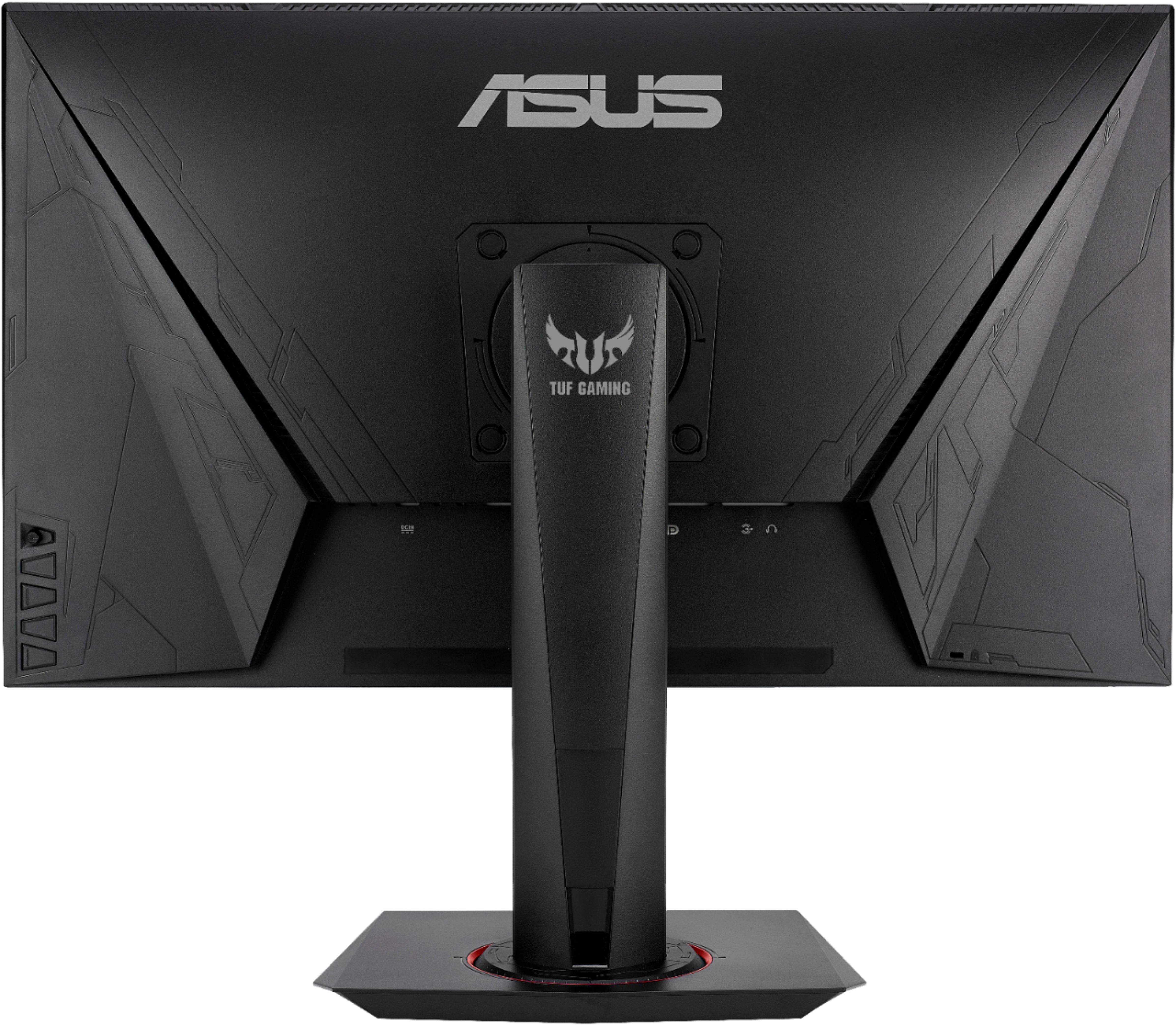
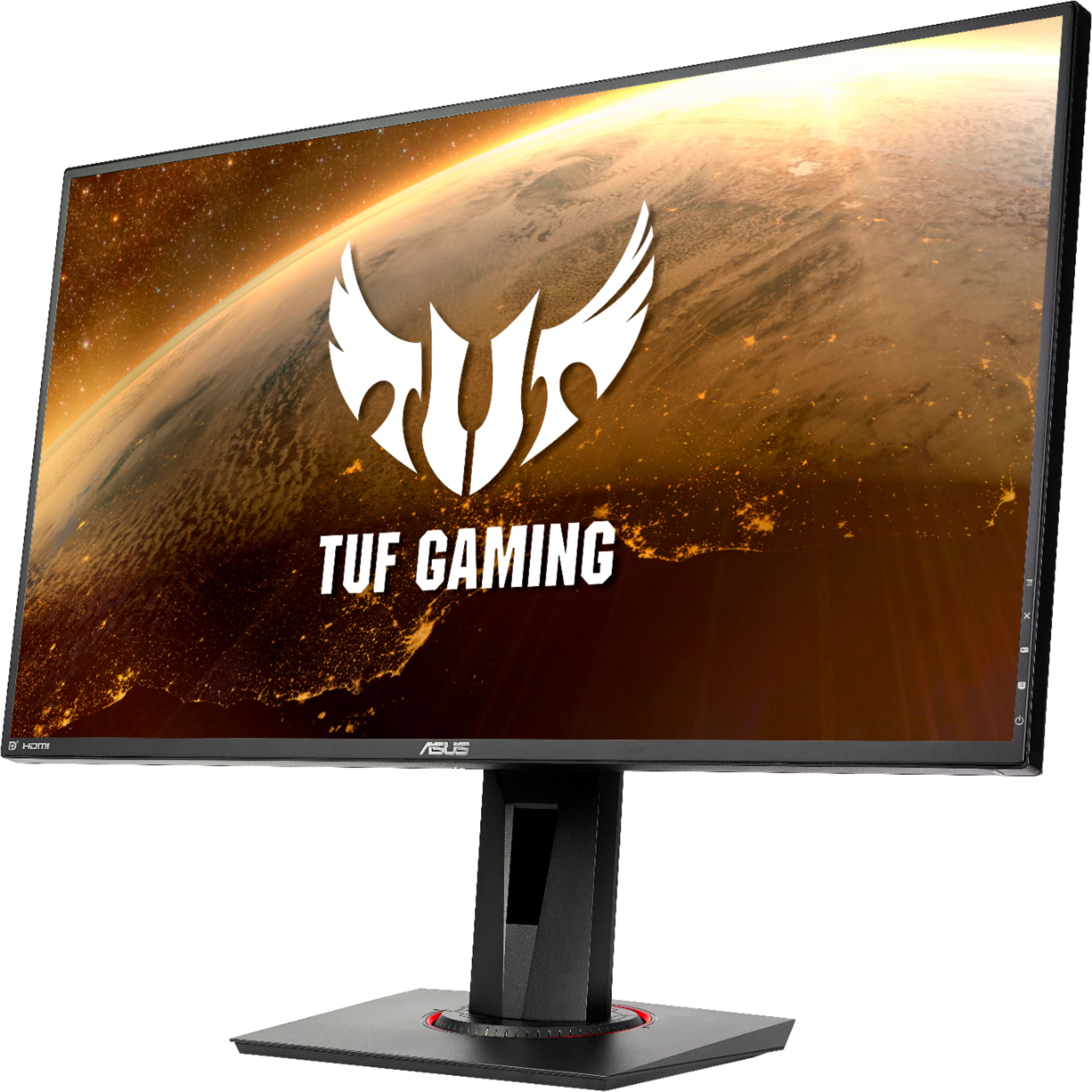
|Posted .This reviewer received promo considerations or sweepstakes entry for writing a review.I have had a chance to use the ASUS TUF VG279QR 27" monitor almost a week now. I paired this monitor with my existing gaming PC setup of R7 1800X with a Vega 64 GPU. I also tried to pair it with my ASUS TUF Dash F15 (w/an RTX 3070) laptop but ran into issues setting the refresh rate. I currently have an abundance of 1080p monitors – triple 22” 75hz IPS gaming monitors, and double 24” 144HZ TN gaming panels. This is this largest, and highest refreshing monitor I have used. Specs Resolution – 1920 x 1080p FHD Refresh Rate – 165Hz Screen Size/Ratio – 27” diagonal 16:9 Panel Type – IPS Anti-Glare – Yes Brightness – 300 cd/m¬2 (nits) Speakers – Yes 2Wx2 Viewing Angle - ±178° VRR – Yes – G-Sync and Freesync Premium Ports – 2X HDMI 1.4/DisplayPort 1.2/3.5mm Headset Build Quality/Design Construction and build quality are excellent, which is something I have come to expect from ASUS. The stand the monitor comes with quite nice. It has a couple of “gamer” looking features like the NVIDIA and TUF branding as well as the red ring around the swivel base. The backside of the stand has some info printed onto it describing its capabilities – 130mm (5.12”) of height adjustment, tilt is 5° forward/30° back, 180° swivel (±90°), and 180° rotation (±90°) for portrait or landscape orientation. I found the stand to be It is very stable thanks to some extra weight in its small footprint. The max height (to the bottom bezel) is 5.75”, which means this monitor can adjust down to a minimum height of 5/8” off your desk surface. Because of the size of the screen and the max adjustable height you can’t switch from landscape to portrait without first tilting the screen back a bit. If you remove the monitor mount you will be met with a 100 X 100 VESA mounting pattern. The aesthetic design of the monitor itself is mullet-esque. It’s business in the front and a gamer party on the back. The front is a standard monitor design with a 0.4” thick bezel (frame edge to wear pixels begin on screen) around the sides and top with a thicker 0.57” bottom. This is a fairly thin bezel profile but not quite to the frameless design of my other monitors (0.28” thick). Still with a screen this size the thickness of these bezels shouldn’t deter you from using it in a multi-monitor setup. The backside on the other hand has angular design with an etched pattern that reminds me of my Halo Forerunner structures. There are 4 buttons on the back along with a little joystick. The buttons aren’t squares but zippered together trapezoids. Setup The panel itself provides a great picture after you fiddle with the settings. Out of the box the image is somewhat muddy and the presets leave a little to be desired. I settled on the scenery mode and then adjusted the sharpness down, lowered the brightness, and adjusted the vivid pixel setting down. All of the settings are accessible via the OSD which you use the little joystick on the rear of the panel to navigate. At the bottom of the menu are the presets (3 of them) that you can save you settings to once you have it dialed in to your liking. As you roll through the menus some items are greyed out depending on your settings. ASUS’s ELMB (extreme low motion blur) is not available of adaptive sync (Freesync)/G-Sync is enabled. Shadow Boost is another that toggles off if you are using as one of the brighter presets. The monitor also include a blue light setting for those that wish to adjust the blue light output – ranges from 0-5. Image Quality At 27", 1080p is starting to get stretched a little too thin. 1080p at 27” has a PPI of 81.6 which pushes below what you would normally want on a PC monitor. Even a 24” @ 1080p has a PPI of 92 and is considered just below what a good rating would be (100-150) for a normal desktop viewing distance of 2.5’. Currently my 22’s are the only ones that actually fall in this range, which is why I prefer them for typing/reading text. In order to mitigate this lower pixel density you would need to move your seating position a little further out and closer to 4’. This is why 27” is usually the line where a jump to 1440p starts to happen (108 PPI) – however your budget and your graphics card have to be prepared. For most graphics cards 1080p at high or ultra settings will be in their wheelhouse with 1440p quickly becoming more accessible. 4K@60 on high settings, let alone ultra is still a stretch for a lot of hardware out there, especially with people holding onto older hardware due to the GPU shortage. This monitor at 1080p and 165Hz is more squarely aimed at the competitive gaming segment where FPS is king. 1080p allows for a high frame rate from mid range hardware and the high refresh of the TUF VG279QR allows it to display more of those frames. If you plan to seat yourself a little further back then the lower pixel density shouldn’t bother you – for me I can’t sit back on my 22’s like I can with the 27. In games, with VRR (Freesync) enabled, the image quality was excellent. I had no frame tearing, or framerate issues. Games I tested were Halo MCC, Dirt Rally, Shadow of War, and Ori and the Blind Forest. The 1ms (gray to gray) response time is fantastic for FPS games as well as racing games where input lag kills you. The brightness of the screen was nice to have in Ori where you have a lot of dark and light elements in the same frame. I utilized the Shadow Boost feature in Shadow of War where the game can become heavily steeped in shadows/darkness. The screen itself had zero stuck or dead pixels upon startup. The backlight is consistent without any edge bleeding or visible hot spots. The Jump to 165Hz Prior to this monitor I have had 75Hz and 144Hz panels. The difference between 75Hz and 144Hz was very noticeable. However, the jump from 144 to 165 is only noticeable in the peak framerates that it can achieve. I have a difficult/impossible time discerning the difference between 144 and 165. However, if you are upgrading from a 60/75Hz screen then by all means go for the highest refresh you can get. There are a number of games that rely on the highest refresh you can get that won’t be as concerned with the PPI – games like Overwatch, CS:GO, COD, etc. Those are games where you typically turn down settings to get higher frames, and reduced lag. Anything the get the edge over your opponent. The monitor came packaged with an HDMI and DisplayPort cables. The HDMI is a Premium High Speed cable (18gbps), which is the same speed cable I had been using to drive my 24@144Hz. Like a lot of high refresh monitors, Windows likes to cap the refresh at 120Hz unless you make a custom resolution. I had to do this for 144Hz as well. So I just swapped the monitor in, went into my GPU settings and created a custom display setting at 165Hz. When I went to enable it all I got was a black screen that eventually timed out and reverted. I decided to swap cables to the included one only to run into the same issue. I then swapped out for the DisplayPort cable, which ran the resolution/refresh rate just fine. So for whatever reason I can’t hit 165Hz over HDMI, but I can on DP. My GPU has HDMI 2.0 ports so I not sure why it won’t work. My Freesync range is 48-165Hz over DP. Conclusion For those wanting to jump to a larger panel, but 1440p sits a little out of your budget then this is a good option. It comes with a high refresh rate that starts to become cost prohibitive at the higher resolutions due to panel cost and the necessary horsepower to drive it. 1080p keeps the price point low enough to make such a large panel affordable. The panel displays a really beautiful picture and is great for games and even movies. The only real caveat to this monitor is the low pixel density. I would avoid this for tasks like typing/reading and other tasks that require sharp lines to be legible. I have used it for 3D modeling which worked nicely, gaming was good as well. I was able to sit back further and use a controller to play. If you plan to sit close then you might want to save up for the 1440p version.
I would recommend this to a friend