Customer Ratings & Reviews


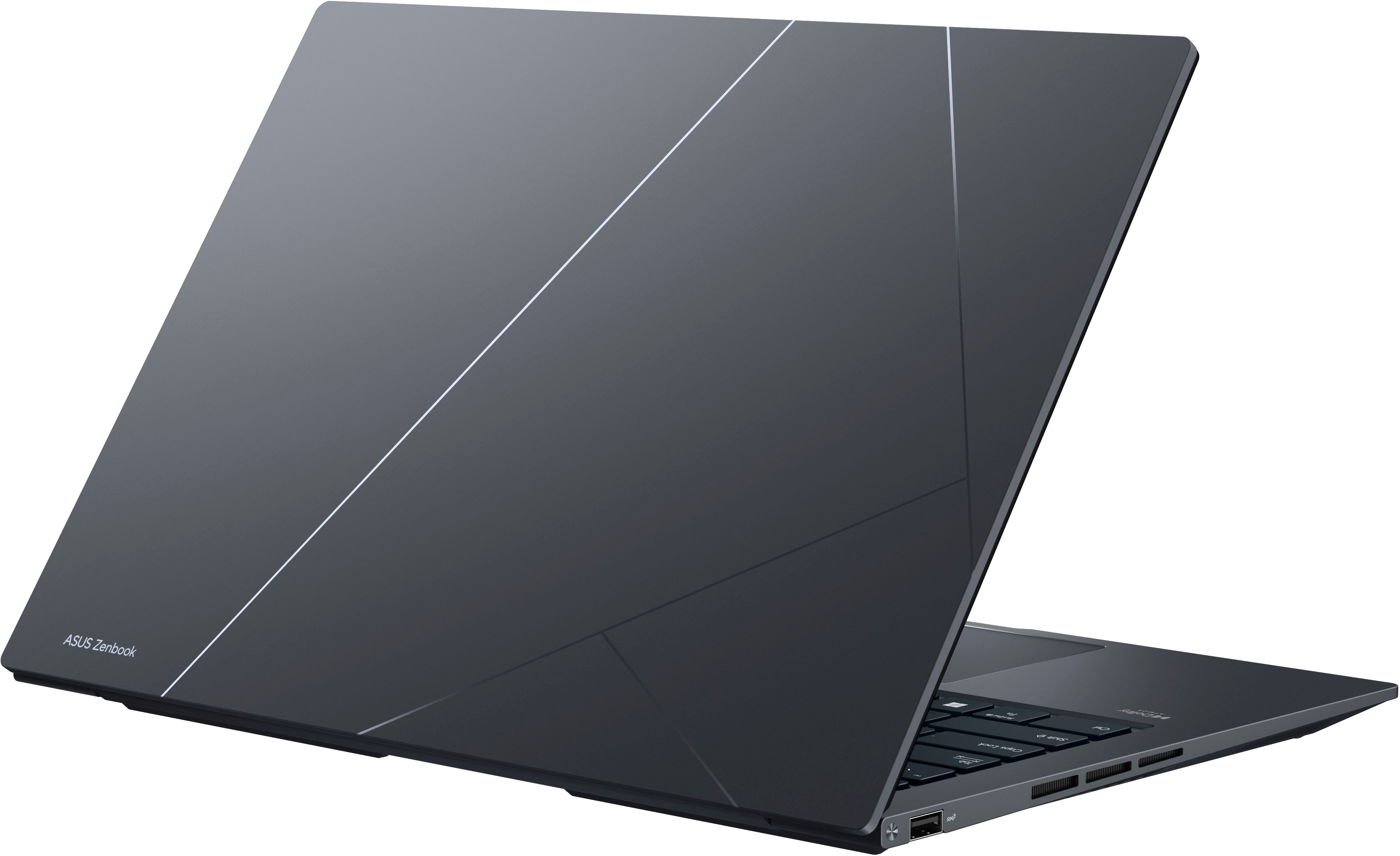



- Model:
- Q410VA-EVO.I5512
- SKU:
- 6543527
Rating by feature
- Battery Life
Rating 4.5 out of 5 stars
- Speed
Rating 4.6 out of 5 stars
- Display
Rating 4.8 out of 5 stars
Customers are saying
Customers value the Zenbook 14X's stunning screen quality and excellent battery life. The laptop's performance and lightweight design are also frequently praised. However, some users express concern regarding the limited and unupgradeable RAM, while others have noted minor issues with the touchpad and occasional heat generation under heavy use.
This summary was generated by AI based on customer reviews.
Does not include listed software option.
||Posted . Owned for 1 week when reviewed.This reviewer received promo considerations or sweepstakes entry for writing a review.There is not really an issue with the laptop, but the features list a three-month Adobe software subscription which ended up being the decision factor between this computer and the LG or Samsung. That subscription is not included with any of the models sold at BestBuy. Still deciding if I will return the laptop out of principle.
No, I would not recommend this to a friendBrand response from ASUS Answers
Posted .Dear Todd,
We do understand the inconvenience this may have caused.
This specific laptop doesn't come with a free 3 months Adobe software subscriptions. If you need further assistance with the warranty service for the product, please email me at [email protected] and I would be more than happy to help. Or, you are most welcome to call Product Support Hotline at: 1(888) 678-3688. Also, you can chat with an ASUS live support agent from the link: https://www.asus.com/us/support/article/1135/.
Thank you for choosing an ASUS product.
Regards,
Rodel
ASUS Customer Loyalty
- Pros mentioned:Screen quality

Compact package loaded with Modern Technology
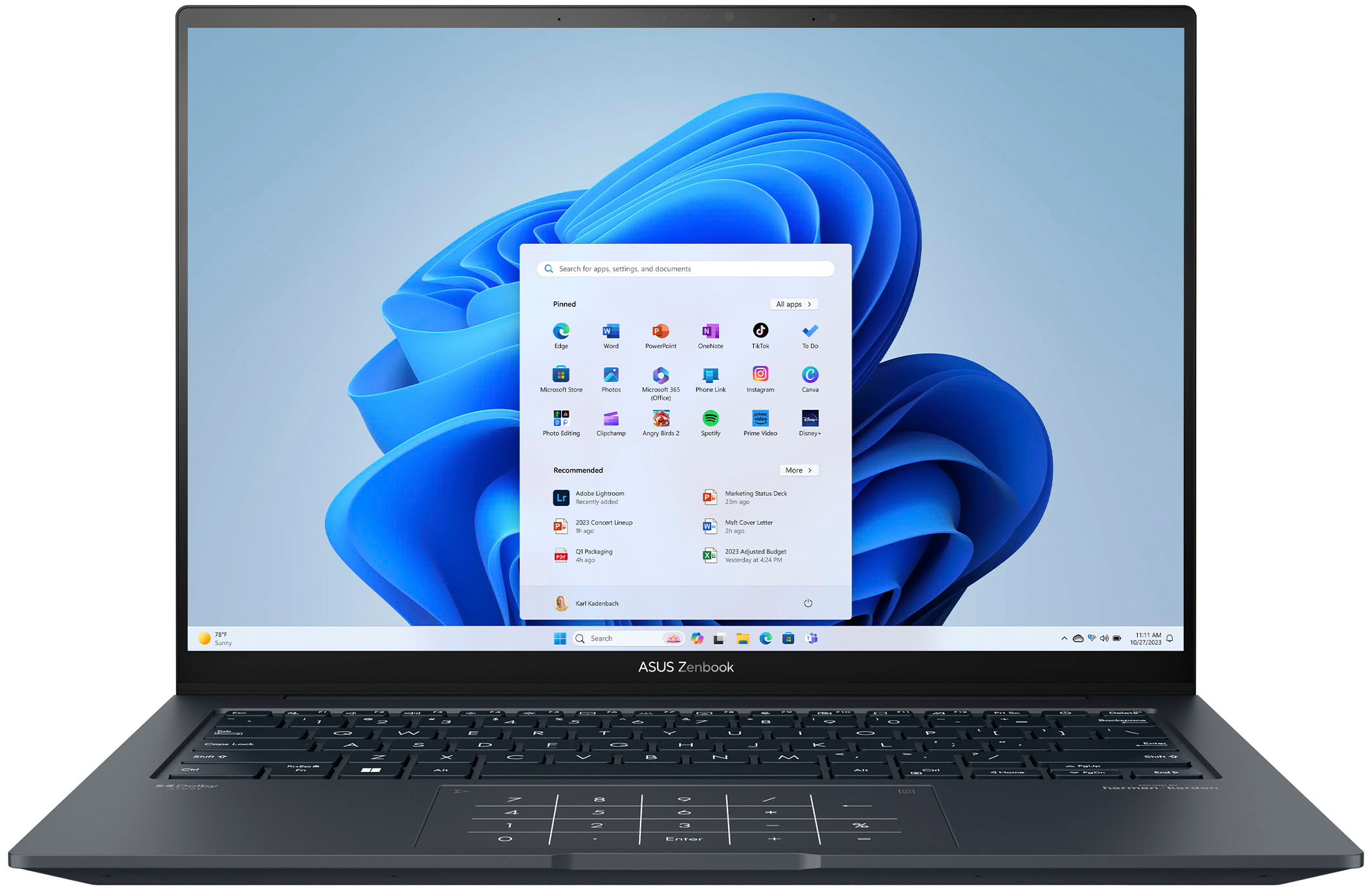
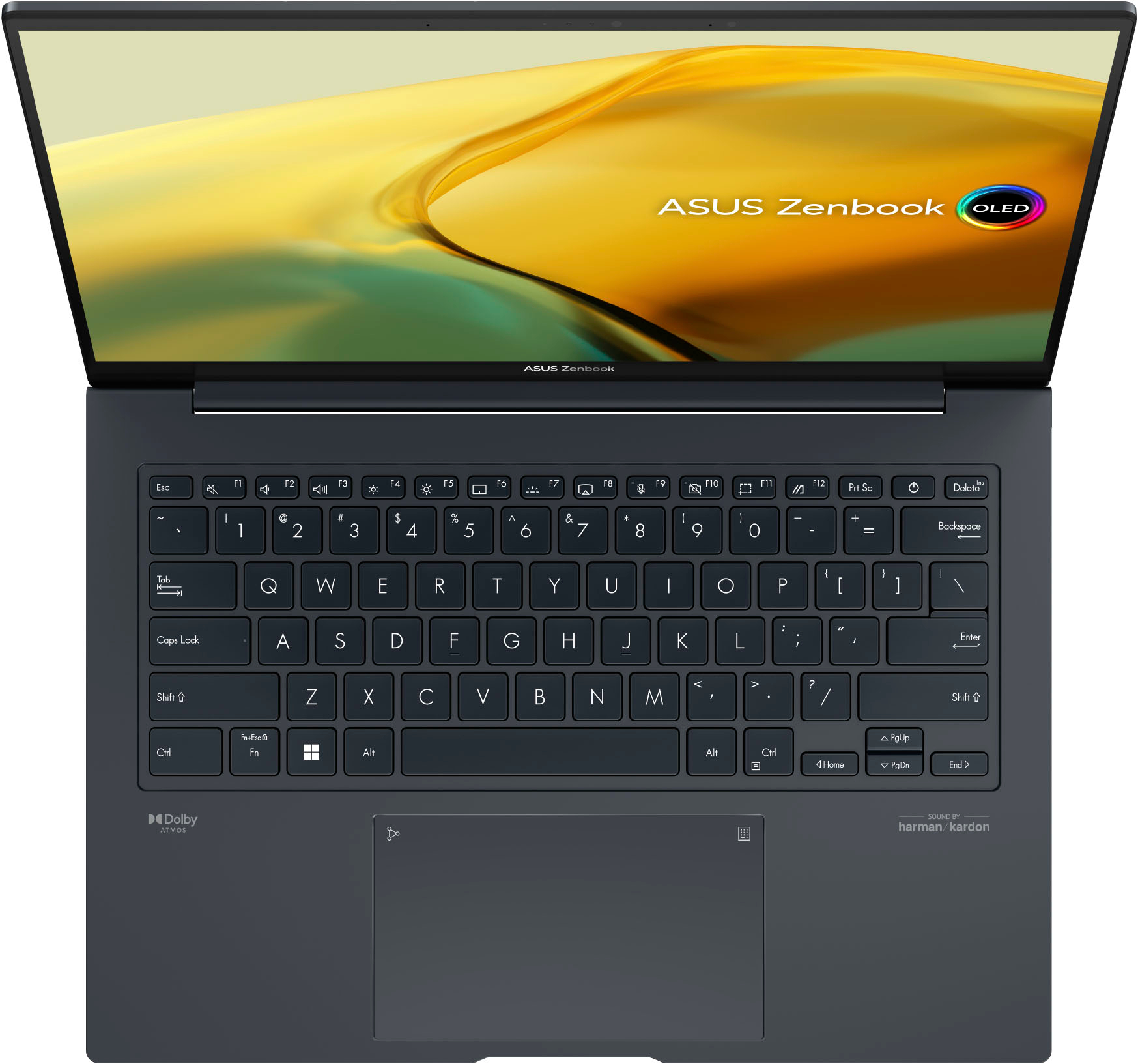
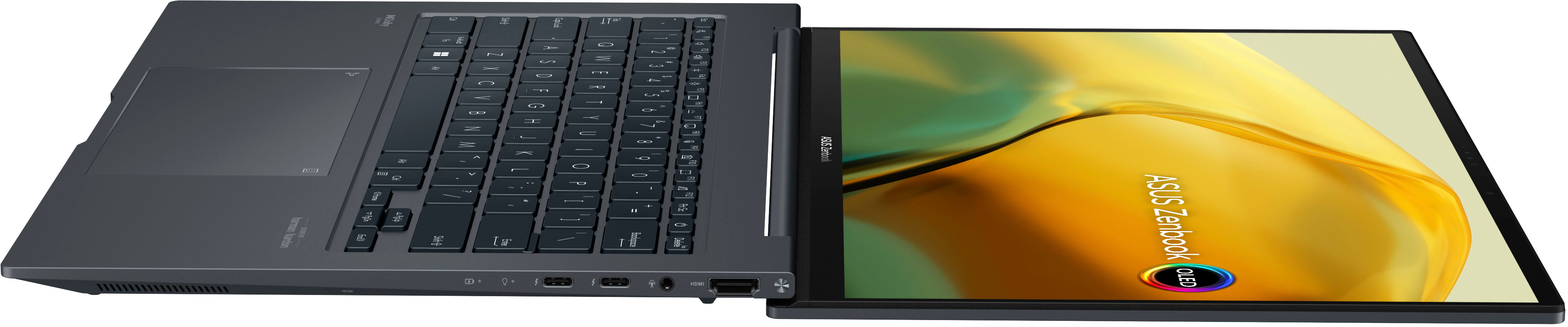
|Posted .This reviewer received promo considerations or sweepstakes entry for writing a review.The Asus Zenbook is a compact, mobile laptop that is light weight and attractive. The OLED screen is bright, vivid, and rich. The membrane keyboard is easy to type on, non-fatiguing, and the keys are well sized and spaced for a laptop this size. The system runs quietly. Fan noise was only noticeable during the most intense tasks. The ports are well positioned at the back of the case on either side of the keyboard. And the sound system is clear at all volume levels. This Zenbook packs enough value to make it a great choice for schoolwork, word processing, spreadsheets, social media, and streaming. OLED Screen: The OLED screen is bright and super responsive at 120hz refresh. YouTube Videos at high resolution are crisp and clear. Netflix is clear but with the normal artifacts in bright colored scenes that I see with all Netflix streaming on all my computers. Colors pop. And action scenes play without stutter or any smearing. The screen’s brightness is more than adequate to make video and images pop. Web surfing, office applications, and other similar operations look good but with a few caveats. First, this monitor suffers from color fringing along the top and bottom edges of static content. It is most noticeable on pages with a lot of text such as MS Word. I have word setup for Dark Mode which means the background page is dark grey and the text is white. To top edges of letters have a red fringe and the bottoms have a green fringe. I have included two photos that illustrate this. The fringing effect takes otherwise very clean and crisp text and makes it slightly blurry. I hope Asus releases a driver or firmware update soon that address this issue. Second, peak brightness is just too bright for anything other than video or photos in my opinion. This is not necessarily a con. For me, 40% brightness was the right balance between brightness and usability with my office apps, web surfing, and social media. I did not find any independent controls to adjust brightness and contrast. So, for now, the screen is either bright or it is not. Blacks at 40% brightness are true black. As you increase the brightness, blacks tend to lean more towards dark grey than black. Lowering the brightness below 40% and the whites suffer. Just keep that in mind before cranking up the brightness for dark scenes in your videos. There are several options in the MyAsus app to address screen behavior such as Blue Light, Vivid, Movie, and different HDR modes. Not every mode is designed to be good at reproducing all content. Be sure to play around with these so you can find what works best for you. Ports and expandability: Both USB-C ports are Thunderbolt. The power brick that ships with the Zenbook connects via USB-C. Either port can be connected to a monitor that also accepts Thunderbolt. I had this Zenbook rocking a 34” Alienware QD-OLED monitor without any issues. Better yet, the Intel Iris GPU was able to handle both the 34” Alienware monitor while also operating the 14.5” OLED of the Zenbook. That is like having three monitors running at the same time. Not too shabby. The remaining ports are HDMI, Stereo mini-jack, and a single USB-A port. There is no RJ-45 port. The Zenbook relies on Bluetooth and Wi-Fi 6E to expand its connectivity options. Wi-Fi 6E wireless network adapter connected to my Asus ROG router without any trouble at all. The connection remained fast and strong for all my Windows Updates and application downloads. I also did not experience any dropouts as I moved around my home. Bluetooth found my wireless headphones and SVS Soundbase within seconds. Connecting was quick and easy. Like Wi-Fi 6E, the Bluetooth connection remained strong and stable. Sound: The Harmon/Kardon sound system is very good. Better yet, Dolby Atmos is available for any sound system you want to connect this laptop to. And you do not need to purchase an additional license from Dolby. The MyAsus app allows access to many preset sound modes, Dolby Atmos settings, and the ability to create your own EQ presets. I like the flexibility because not all content is created equal. And different speakers and sound systems also have different limitations that EQ can compensate for. The built-in speakers are clear at all volume levels. However, before you crank the volume know that the entire keyboard surface resonates with the speakers. The higher the volume, the more the keyboard surface resonates. This includes the palm rest and the touch pad. This is not necessarily bad. For you sound purist out there…you probably already have audiophile quality headphones and an external DAC for critical listening. For non-critical listening such as lectures, news, YouTube content, and other content the internal speakers will do a good job. Touch Pad: The touch pad is large for a laptop this size. It is very smooth and easy to use. Asus integrated a number pad into the touch pad. There is a number pad icon in the upper-right hand corner of the touch pad that will reveal a lighted number pad through the touch pad surface. There is a second icon in the upper-left hand corner that controls brightness and is used to activate the calculator app. The calculator app function needs some work and is not very reliable. Everything else works without issue. The best part is you can use the number pad for any application including MS Word, Excel, or a financial application. Camera: The camera supports Windows Hello. This allows you to sign in with your face. For video, I tested the camera with Windows 11 Camera app. The video quality is only 1080p and will not win any awards anytime soon. The MyAsus app has settings that allow for different AI filters to be applied. The camera with zero AI filters worked well. The video was quick, clear, and responsive. In contrast, the AI filters penalized video frame rates and video quality. Frame rates dropped and image quality became blocky and unfocused. The only AI mode that did not incur a performance penalty was the AI Head Tracker. This mode did a good job of keeping my head center frame as I moved my head from side to side. Additional items: The Zenbook ships with 8GB of memory that is shared with Intel’s integrated GPU, Iris XE graphics. The laptop at idle will consume 5 to 7GB of memory. Memory management seems to do a good job of keeping things under control. I was able to run both the internal and external monitors with multiple web pages, a Netflix video running in its own window, and multiple office documents open at the same time. At no time did I suffer slow opening windows, drawing issues opening or switching between windows or tabs, or any video stuttering. Overall, pretty good. Games I downloaded from my Xbox Game Pass did not run very well if they ran at all. I would not recommend this laptop for gaming. The case’s hard edges are sharper than they need to be. This makes the laptop sit harshly in the hand when carrying it. This is most noticeable when typing or mousing with the laptop on my lap. The laptop will not cause injury. It would have been nice if Asus smoothed out the corners with future Zenbook offerings. MyAsus App: This is part bloatware and part master laptop control center. However, Asus does give you the choice whether to install certain applications. Which is nice because there was nothing for me to uninstall. It is worth taking the time to scroll through all the options and features the MyAsus app provides. This is where Camera, OLED Care, OLED features, Sound, AI, and other unique features of the Zenbook can be controlled. If you have other Asus products in your home or office networks then they can all be connected through this app. For example, MyAsus app connected with my Asus ROG router and provided me with some limited network controls. There are offers in this app to sync files via Drop Box, accept alerts and advertisements from Asus, and some options from some third-party applications. My advice: take 20 minutes and play with the options. Some I think are very useful such as the OLED options sections. You can also access the Dolby Atmos settings here and even configure the system to interface with a Dolby Atmos home theater. This would be excellent for someone who has a surround-sound-in-a-box solution or high-end sound bar with surround and height speaker capabilities. Final Thoughts: This is a very nice entry level ultra-light laptop that is rocking all the latest technologies and some nice innovations accessible via MyAsus app. The OLED screen is good but not perfect due to the color fringing. Hopefully Asus will address this in a future software update. The external ports are very well positioned and out of the way. Heat management seems good. Keyboard and touchpad are comfortable to use and well-spaced and positioned. The Zenbook case seems durable enough to survive your average backpack. And the unit can handle all my web surfing habits and Office Applications. Overall, I expect to get years of solid use out of this laptop.
I would recommend this to a friend - Pros mentioned:Processor speed, Screen quality
Feature Filled Laptop at a Great Price!
|Posted .This reviewer received promo considerations or sweepstakes entry for writing a review.I have always liked ASUS products and this Zenbook 14.5” 2.8K OLED Laptop is no different. Equipped with a 13th Gen Core i5 Intel Processor of the EVO platform which is certified by Intel for best performance. This laptop also has 8GB of Ram and a 512GB SSD and a nice OLED screen for an enjoyable viewing experience. Another thing I like is the size of the laptop it is very compact which makes it great for portability. The backlit keyboard is also very nice so you can use it in dimly lit areas without issue. That along with the touch screen, aluminum case the port availability and other top-notch features make this ASUS Zenbook a great buy in my opinion. It does everything right and looks good doing it for a very reasonable price. As long as you are not a serious gamer that needs a stand-alone graphics card or a creator that needs really good graphics this laptop will do what you want. It is a pleasure to watch videos on. I watched some Dolby 4k and 2k videos on it and it looked fantastic with HDR. While the resolution is 2.8k it played 4k videos on YOUTUBE with the auto resolution setting on YOUTUBE on. The sound from the speakers was great as well. So good in fact while I was listening I was thinking they were the best laptop speakers I had ever heard. They have a very full sound and wide range with more low end than other laptops I have listened to. There is also a very convenient built-in calculator on the touchpad. A feature I have never seen before on a laptop. This laptop is really packed full of features and is a great size. While I do enjoy bigger screens I gravitate towards the size of this ASUS Zenbook which is a nice medium between a 13” and a 15” laptop. In conclusion, I find this Zenbook to be a great choice if you are someone looking for a laptop in this size category. You really do get a lot for your money and the extra screen real estate is nice compared to a 14-inch. I feel like one would have a hard time finding a better laptop at this price and size.
I would recommend this to a friend - Pros mentioned:Battery life, Processor speed, Screen qualityCons mentioned:Ram
Great Performance and Display Quality
||Posted . Owned for 1 year when reviewed.This reviewer received promo considerations or sweepstakes entry for writing a review.I’ve been using the ASUS Zenbook 14X for about a year now, and it has been an excellent purchase overall. The standout feature for me is the 2.8K OLED touch display, which offers stunning color accuracy and sharpness, making it a joy to use for both work and media consumption. The 14.5" screen size is perfect for portability while still being large enough for comfortable multitasking. The Intel Evo Platform with the i5-13500H processor ensures smooth performance for most everyday tasks, including browsing, streaming, and light productivity work. The 8GB of memory is adequate, though power users might find it limiting for more demanding applications. The 512GB SSD provides ample storage and quick load times. The build quality is solid, and the Inkwell Gray finish gives it a sleek and professional look. The keyboard is comfortable to type on, and the touchpad is responsive. Battery life is decent, getting me through most of the day with moderate usage. If I had to mention a downside, it would be that 8GB of RAM might not be enough for heavy multitasking or more intensive applications. However, for regular use, this laptop performs admirably. Overall, I highly recommend the ASUS Zenbook 14X for anyone looking for a portable, well-built laptop with an outstanding display. It’s been a reliable companion for the past year, and I’m still very satisfied with its performance.
I would recommend this to a friend - Pros mentioned:Battery life, Screen quality, WeightCons mentioned:Ram
Great all around package
||Posted . Owned for 3 weeks when reviewed.This reviewer received promo considerations or sweepstakes entry for writing a review.This will be a solid laptop for most users with probably the best screen in this price class. If your a user that is gonna spend most of the time watching videos or streams , web browsing , video chatting this thing is gonna be more then enough for you. Pros OLED screen everything looks better on it movies sports games you name it. Sound this thing is loud for a laptop and sounds good puts alot of laptops to shame. Battery life I get 7+ hours at 50% brightness watching YouTube , Kick or twitch Keyboard is a nice typing experience that's backlit with 3 levels and can be changed to auto turnoff when not in use to save battery life. Weight thing is light thin would be great for traveling or school charges at 90 watts thru thunderbolt/USBC Thunderbolt 4 ports you could add an egpu to this if you wanted to use it for gaming. Cons 8gb soldered ram non upgradeable No gpu not for gaming unless your playing older titles with settings turned down Overall I'm very happy with this machine and I feel like most other people would love it over the other options in this price range
I would recommend this to a friend - Pros mentioned:Performance, Screen quality
Beautiful, Vibrant display-Quality laptop
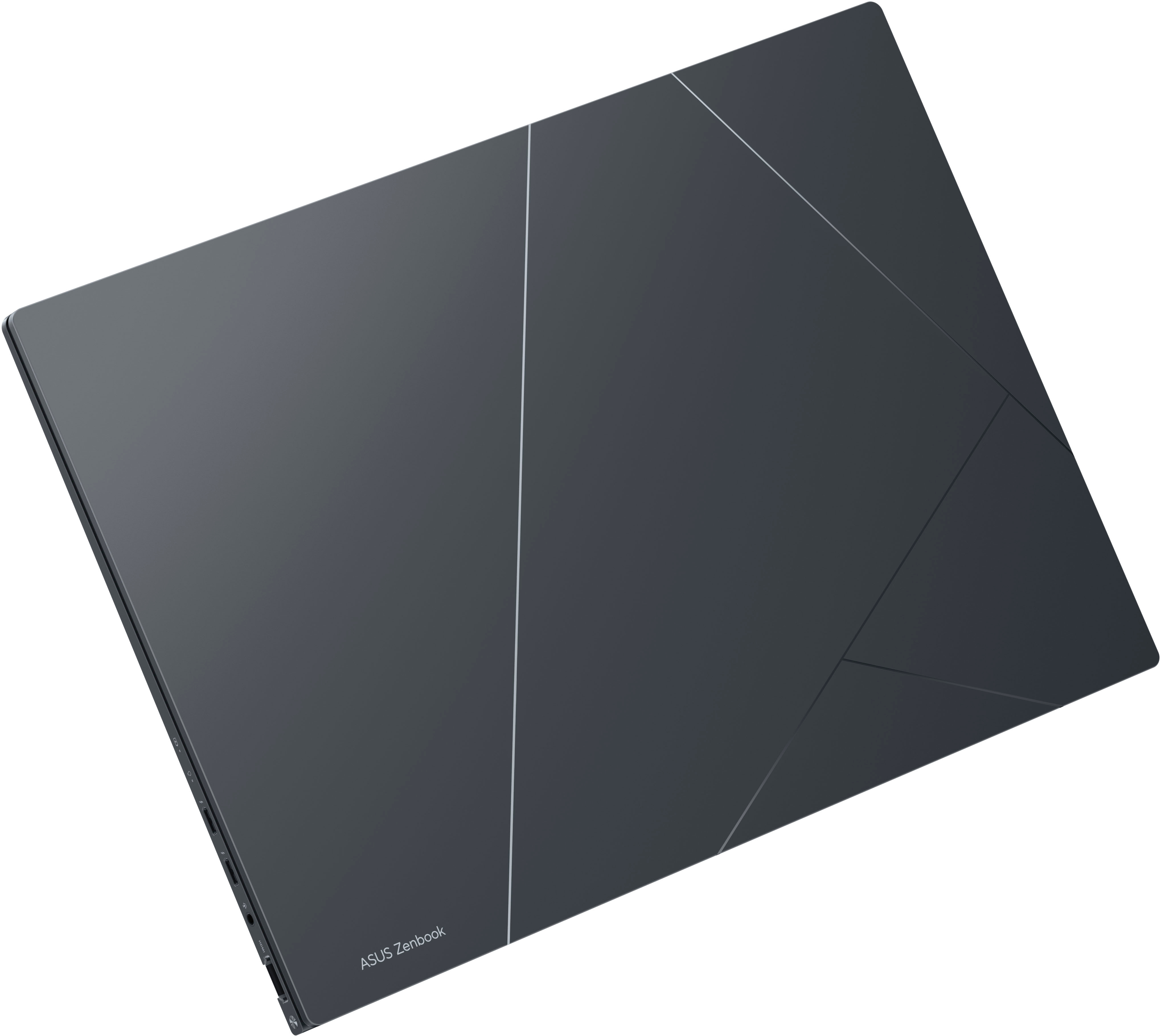
|Posted .This reviewer received promo considerations or sweepstakes entry for writing a review.My initial impressions upon opening the Asus Zenbook14.5" 2.8k OLED laptop are that the laptop itself is gorgeous, sleek, and lightweight. I love the slim and sleek look of it because it slides right into a sleeve in my backpack for easy to go access. Upon openingi realized it was touch screen and immediately fell in love that feature! I noticed that charger is a C- charger... I did find that odd as I never had a laptop with a charger like that so I am hoping that it holds up and is durable. I turned it on and saw how all the keys have a blue backlight to them...I love that. I proceeded to setup the laptop. Setup took about 10 minutes. During setup I loved that I was able to tailor my settings for my laptop based on what i would be using it for. The categories included entertainment, gaming, school, buisness, family, and creativity. As someone who will use this laptop for every category it listed, it made me feel confident that this laptop is going to be great for everything i need it for. The keyboard is sleek, the keys all worked perfectly and its very comfortable to type on. They never missed when typing. The touch pad at the bottom is spot on and detects everytime i touch it. I also love how there is a number keypad on touch pad. The screen being touchscreen is great for my family because we homeschool. This feature will be good for the kids when they are doing some of their lessons. It will also benefit me when i am designing things for my buisness and website. The screen is very vibrant, beautiful, clear, and the perfect size for what we need. Overall this laptop is fast, vibrant screen, great for typing, has all the features i need for my buisness and to homeschool my children. Its great for gaming and browsing the internet!
I would recommend this to a friend - Pros mentioned:Battery life, Screen qualityCons mentioned:Ram
Amazing
Posted .This reviewer received promo considerations or sweepstakes entry for writing a review.This laptop is truly amazing, there are multiples pros but only one con.The screen is amazing and and the battery life as well.The texture is also amazing.I only wish that you can swap the ram.8Gbs of ram is not really enough since when i use 5-6 tabs in google chrome,the ram usage is at 90 percent overall a great laptop but i hope we can swap rams next year
I would recommend this to a friend - Pros mentioned:Battery life, Performance, Screen quality
A perfect balance of power and great design.
||Posted . Owned for 1 week when reviewed.This reviewer received promo considerations or sweepstakes entry for writing a review.I ended up buying 3 of these wonderful laptops! ASUS has always been my favorite, going back to the 90's. I used to spend hours building and tweaking PC's running Windows XP :-) I used ASUS MB’s and video cards almost exclusively. Those were the days ... When my parents needed a "new" laptop because their five-year-old Lenovos were slowing down, instead of "cleaning" Win7 remotely and spending probably days without really doing any good, I decided to give these new laptops a shot! And what a success this has been! Let me just say that this laptop, configured as-is is a perfectly balanced technological gem! Everything from the screen size, to the lit keyboard/touchpad, the superb OLED display (which left me drool for hours on end!), the thin superb aluminum chassis and casing, the plenty large SDD and just the right amount of RAM and the not-bad-at-all battery life, make this a perfect traveler and a superb all-around laptop! Computers are build for a specific purpose once you go into the realm of professional video editing or gaming for example! You can do some of that with this computer as it can handle light to moderate loads (I tried it!), but it would be unfair to compare it side by side with a laptop that was built and spec’d out specifically for that level of professional tasking! This is not what this laptop was designed to do! I’ve been an all Mac user for the last 20+ years. The abysmal quality of the Microsoft Windows pushed me into that direction, that many years ago. I had enough of it! Switched and never went back. I used Linux, which I love, in addition to the rock-solid MacOS. But when I got to play with this Asus laptop, running Win 11 (which I had no experience with), after drooling over the SUPERB OLED screen which is just what it needs to be at in terms of size, I knew I was going to buy myself one too! And I did and I love it! I find myself sitting up on the couch in the living room reaching out for my new Asus laptop that sits right next or on top of my MacBook Pro. I think Microsoft, visually at least, if nothing else, finally after what, 40 years or agony, designed an operating system that is actually … I cannot believe I’m saying it … not bad! It’s fast. Snappy. Beautiful and not most of the features are in places that make sense! Still not the refinement and ease of use that MacOS offers but this version of Windows is a leap ahead the ones I remember pulling my hair out over in the past! I enjoy using it. I remember having the same epiphany with the Android OS. And again, on this laptop’s OLED display, everything looks and feels simply delicious! It’s slick. Feels light and good in the hand when you grab it. Portable. Definitely a nice traveling companion. Perfect size and weight. Ports are enough and placed right. The cooling vents are placed properly. Runs very cool under normal load and the heat dissipation is pretty good. It’ll get hotter under larger loads but every laptop will do that. Battery life is a jump from previous experience with PC laptops (i.e. my parents’ Lenovos). I nice a compact power supply. ASUS really hit a home-run with this and at the sale price I got them for, was a no-brainer. I do professional photography as a side gig and I usually use an iMac with a 5k Retina display. I’m still on a large screen Intel iMac, which I love. Spec’d out for those specific tasks. I used this laptop to edit RAW images in Adobe LR, using my pen and tablet and it was as smooth as using my iMac. I did some video editing, albeit light, and it ran just fine. Fast enough. Video calling and anything else from browsing, streaming and whatever we do on our computers daily, this thing performed flawlessly. For a student, this laptop should be the only thing they need through their four years of HS or college. Home-run! Very happy with it and BestBuy delivered, as always!
I would recommend this to a friend - Pros mentioned:Battery life, Screen qualityCons mentioned:Ram
Great laptop
||Posted . Owned for 1 week when reviewed.This reviewer received promo considerations or sweepstakes entry for writing a review.I'm going to start off with the negatives first which there aren't alot. Cons: -For this price, what you should get is at least 16gb memory but instead you only get the pity 8gb which in 2023 is not alot because just opening Edge/Chrome on a browser on a single tab can take up to 2gb of memory right there. The I Gpu also consumes more than 1/4 of the memory that is given which leaves you with nothing when you are actually doing something that is even light work. -What i noticed when you're plugged in is that your laptop tends to get really warm and the preset i was using at the time was balanced. But when on the fly when using the battery is actually pretty decent. From what i can tell from this is the one fan solution is not cutting it. That is actually the only Con And here are the Pro's - The display, is jaw droppingly good, and thats also coming from a user that used QD-Oled as a monitor, The PPI on this monitor is brilliant and watching movie is just amazing especially when you are being lazy and just want to watch something on the bed. - I normally dismiss the speakers on a laptop but this is something else, these actually contend with the Mac Pro's, The dolby atmos + Asus's magic made something brilliant here. - The Windows hello feature, is a given plus - The keyboard is really decent, not the same quality as what Razer offers but still decent. I know there is a configuration out there that gives you 16gb of memory but 8gb should not be offered period. And that's the only reason im giving this review a 4/5. But the rest is fantastic for content consumption and doing light work like accessing docs, casual use.
I would recommend this to a friend - Pros mentioned:Processor speed, Screen qualityCons mentioned:Heat
How is this so inexpensive?
||Posted . Owned for less than 1 week when reviewed.This reviewer received promo considerations or sweepstakes entry for writing a review.I cannot believe how good of a laptop this is for $800. The screen is unbelievable; OLED and 120hz! I was watching some 4k video and was stunned to how clear and colorful the image was. The screen makes for such a fun experience. The speed of the laptop is impressive as well. I am a big Intel EVO fan. I am completely in love with the trackpad; it has to be one of the best on any laptop. As for the heat, it will get a little warm sometimes, but no more than any other laptop would; it doesn't make it uncomfortable to use at all. For the fans, I have only heard them come on once for a short period of time when I was completing Windows updates. Other than that, I have not heard the fans at all, even when charging and using the laptop at the same time. There is one con, albeit very small. I am not a huge fan of the keyboard. It's a little mushy and the spacebar isn't the best to push. But, it's still a good keyboard. I, myself, am more of a clicky keyboard person.
I would recommend this to a friend - Pros mentioned:Battery life
Awesome Laptop!
|Posted .This reviewer received promo considerations or sweepstakes entry for writing a review.I received the ASUS Zenbook 14.5" 2.8K OLED Laptop - Intel Evo Platform - 13th Gen Core i5 Processor with 8GB Memory - 512GB SSD - Inkwell Gray. I must say I am very impressed with this premium laptop that offers an exceptional computing experience. It is very well made, sleek and modern looking, it is thin and light, making it ultra-portable and easy to carry around. The display delivers stunning visuals with impressive color and clarity, making it perfect for gaming, photo editing, and video editing. Has two ultrafast Thunderbolt 4 ports for fast-charging devices. One HDMI port for connecting to an HDTV or high-def monitor and a USB 3.2 Gen 2 Type-A port. Has a Built-in webcam and microphone with ASUS 3D Noise Reduction and AI noise-canceling technology Design perfect for remote teleconference or video chat with family and friends. Come with handy function key to mute the mic or webcam in just one tap on the keyboard. Has ample storage space for all your files and data. The SSD is also incredibly fast, allowing you to save files quickly and run applications smoothly, has a large battery capacity, which means you can work for extended periods without having to worry about running out of power. I would definitely recommend to anyone looking for a perfect laptop who wants a premium computing experience with exceptional performance, stunning visuals, and long-lasting battery life.
I would recommend this to a friend - Pros mentioned:Performance, Screen quality
Simple, Smooth, High Performing
||Posted . Owned for 3 weeks when reviewed.This reviewer received promo considerations or sweepstakes entry for writing a review.overall I would say this laptop performs great, especially for the price point. It has a beautiful display, the touchscreen is very responsive, the design is sleek and clean, and the keypad integrated into the touchpad is a cool and unique design feature that helps make the most of the space available. There are only 2 downsides about this laptop that have stuck out to me. One, the battery life is nothing to rave about, if you're actively using it throughout the day you will likely be charging it midway through the day. I suppose that's a fair trade for the crispness of the display and the performance you get with this model. Two, the lack of ports can prove to be quite inconvenient, you'll surely need a USB hub. There are 2 USB-C ports, but you can't charge the laptop if one of them is in use. It's a simple solution but can be bothersome if you don't like to have extra stuff hanging off your laptop cluttering space. Other than those two things, which at the price point would just be nit-picky to complain about I would certainly recommend this model to someone looking for a new laptop for work or play.
I would recommend this to a friend - Pros mentioned:Performance, Screen qualityCons mentioned:Ram
Great value
||Posted . Owned for 3 weeks when reviewed.This reviewer received promo considerations or sweepstakes entry for writing a review.I was worried about limits with 8gb that I could not upgrade. I’ve been very happy however with the performance. Running daily use which for me is a lot of browser windows and local apps, this does great. I played a couple of games (Genshin/Starfall) to see how it would do and it worked fine. I would have gone with the 16GB option however if gaming was a driver for this purchase. The screen is amazing and I like 11 a lot more than I thought I would.
I would recommend this to a friend - Pros mentioned:Battery life, Processor speed, Screen quality
laptop with nice visuals
||Posted . Owned for 1.5 years when reviewed.This reviewer received promo considerations or sweepstakes entry for writing a review.the laptop is very fast with amazing screen. good battery. it's very nice
I would recommend this to a friend - Pros mentioned:Processor speed, Screen quality, WeightCons mentioned:Touchpad
Great Buy
||Posted . Owned for 3 weeks when reviewed.This reviewer received promo considerations or sweepstakes entry for writing a review.Wonderful Purchase! Bought this for my daughter as a B-day gift and she is do happy with her new Zenbook
I would recommend this to a friend - Pros mentioned:Battery life, Screen qualityCons mentioned:Fan noise
Best screen I ever used!!
||Posted . Owned for less than 1 week when reviewed.This reviewer received promo considerations or sweepstakes entry for writing a review.I love the Zenbook 14X. This OLED screen is incedible. better than many devices that cost more money. 550 nits of brightness are impressive. The sound quality from the Harman Kardon, Dolby Stereo speakers are top notch. Battery life is very solid, and the keyboard and track pad are extremely comfortable to use. The i5 13th gen with 8GB RAM is more than efficient. Virtually no fan noise. Well done ASUS!!
I would recommend this to a friend - Pros mentioned:Screen qualityCons mentioned:Heat, Memory
Great little laptop
||Posted . Owned for 1 month when reviewed.This reviewer received promo considerations or sweepstakes entry for writing a review.Love everything about this laptop. The look, the feel, the sound are all top notch. The touch screen is vivid and responsive. The keyboard is sensitive. The memory is not upgradable and it tends to get very warm when charging. Although not perfect, it's a great buy at it's price point.
I would recommend this to a friend - Pros mentioned:Processor speed, Screen quality
Phenomenal
||Posted . Owned for 1 month when reviewed.This reviewer received promo considerations or sweepstakes entry for writing a review.I love this laptop!! The OLED screen is phenomenal and I love having a touch screen! It's fast, sturdy, and does everything I need it to do. It's very easy to set-up and to use. It's such a good computer my fiance bought the same one :)
I would recommend this to a friend - Pros mentioned:Screen qualityCons mentioned:Ram
Amazing Laptop
||Posted . Owned for 5 months when reviewed.This reviewer received promo considerations or sweepstakes entry for writing a review.This was an amazing deal at $499! The only thing I would of preferred was more RAM but to be honest the 8gb is keeping up with my needs. Windows allows you to use part of your ssd as virtual RAM , so I increased the virtual memory size to 24gb with max size of 32gb and it handles everything I throw at it. I use estimating software ( measuring buildings from pdf blueprints) that can be demanding and it plows right through with no problem. The size is PERFECT as I had intended on getting a 14" macbook pro and this computer was going to be kept in my truck for use out in the field but but I like this 14.5" screen size better and I like the keyboard better and the OLED screen on this is AMAZING so I am carrying this everywhere and love it. The only thing the mac does better is the trackpad , (probably a windows issue), and battery life is better. I have power at work, home and a charger in my truck so I am never away from power for extended lengths of time, but I would guess most students would easily get through a whole day. Unbelievable that this was half the price of the 13" air
I would recommend this to a friend - Pros mentioned:Battery lifeCons mentioned:Memory
Excellent pick-up on discount
||Posted . Owned for less than 1 week when reviewed.This reviewer received promo considerations or sweepstakes entry for writing a review.I grabbed this thing when it was $500, and I can already say that it was 100% worth it. That said, the typical $800 MSRP feels a little high, largely due to the limited 8GB of unupgradable memory. For $500 though, I could look past that since my use case is undemanding. The main reason I bought this was as a general media consumption and web browsing device while lounging around the house or when on the go, and it excels at that. The chassis is all aluminum, and it feels very premium. The 2.8K OLED screen looks downright gorgeous, and watching HDR videos on it is a treat for the eyes. The keyboard feels excellent for such a small laptop. The speakers aren't amazing, but they sound pretty good. The fan is silent to whisper quiet unless you're really stressing the CPU out. The battery life is quite respectable too, with windows often estimating 8+ hours when browsing the web. Overall, I can't think of any other laptop for the $500 I paid that feels even half as good to use as this one. The catch is the memory, but as long as you aren't trying to multitask or do any heavy work on it, it should still be okay. Set your expectations accordingly. Some tips: For the best SDR accuracy, set the color mode to sRGB. Many skin tones can look reddened or sunburnt if you don't do that. Windows will do this with SDR content automatically if you enable HDR mode. And for better audio, set the sound profile to one of the custom Dolby Atmos profiles but don't actually customize them. The default "music" profile was very muffled for me until I did this. Now it's clear and neutral sounding.
I would recommend this to a friend