Customer Ratings & Reviews



- Model:
- UX8406CA-PS99T
- SKU:
- 6619038
Rating by feature
- Battery Life
Rating 4.5 out of 5 stars
- Speed
Rating 4.8 out of 5 stars
- Display
Rating 4.9 out of 5 stars
Customers are saying
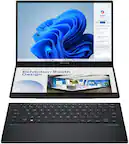
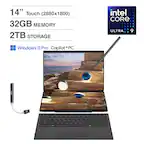
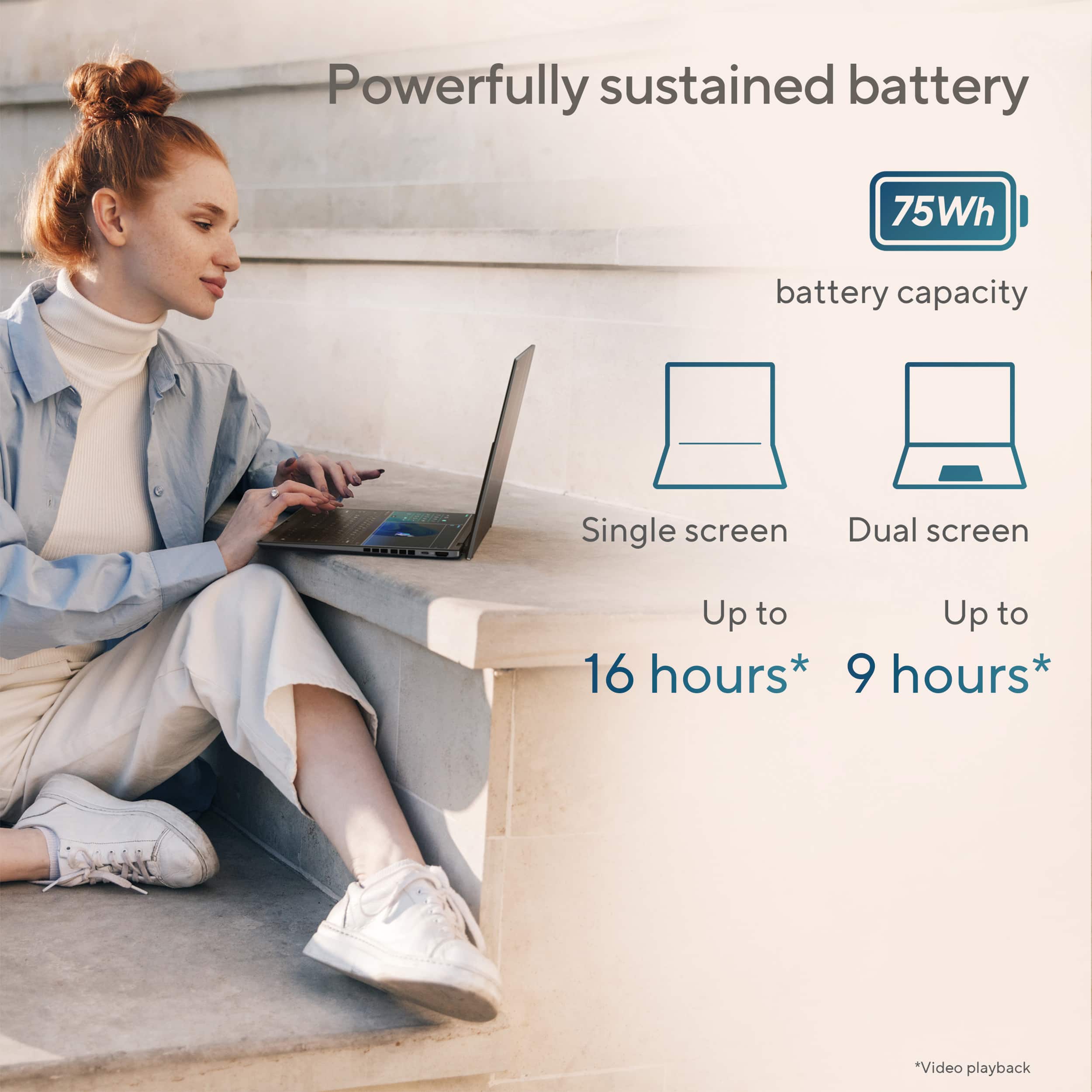
Customers enjoy the Zenbook Duo for its premium build quality, fast processor speed, and seamless dual screen transitions. The laptop's performance and portability are also highly praised, along with its solid battery life and vibrant OLED display. While the size is appreciated, some find the weight to be a bit heavier than expected.
This summary was generated by AI based on customer reviews.
- Pros mentioned:Overall performance
Best laptop
||Posted . Owned for 3 weeks when reviewed.This reviewer received promo considerations or sweepstakes entry for writing a review.This laptop is amazing, a complete game changer and I absolutely love all the capabilities
I would recommend this to a friend - Pros mentioned:Screen quality
Physically good.
||Posted . Owned for 2 weeks when reviewed.This reviewer received promo considerations or sweepstakes entry for writing a review.Blue screen the first day. So I returned it. It's physically very well built. Just don't want to take the risk.
No, I would not recommend this to a friend - Pros mentioned:Overall performance
works as promised
||Posted .This reviewer received promo considerations or sweepstakes entry for writing a review.Great machine it works like advertised and very fast.
I would recommend this to a friend Some great specs, but also some flaws
||Posted .This reviewer received promo considerations or sweepstakes entry for writing a review.Great design, nice and sharp displays and fast, but sadly I return the laptop. In less than a week had a blue screen and the mouse trackpad randomly stopped working properly and had to remove the keyboard and engage it again or restart, without those issues I would keep it.
No, I would not recommend this to a friendBrand response from ASUS Answers
Posted .Dear Raulcarmo,
Thank you for sharing your experience with the ASUS UX8406CA Laptop. We're pleased to hear you liked the design and display, but we're sorry to learn about the technical issues you encountered. We understand how disappointing it can be to face system instability and trackpad malfunctions, especially within the first week of use. Your feedback is appreciated and will be shared with our product team for further review.
Having returned the laptop, we hope that you were able to obtain a functional replacement.
We stand behind our products and continuously strive to improve our products and processes to achieve customer service excellence. If you require any further assistance, please email us at [email protected] and include the case number "N2507020591-0001" as a reference. We will do our best to resolve your case quickly. Your feedback is very important to us, and it enables us to improve our support channels. Thank you for choosing ASUS.
Best Regards,
Chantae
ASUS Customer Loyalty US Support
- Pros mentioned:Screen quality
Very happy
||Posted . Owned for 3 weeks when reviewed.This reviewer received promo considerations or sweepstakes entry for writing a review.I like the solid construction. Ergonomic and nice looking design.
I would recommend this to a friend Four out of 5
||Posted .This reviewer received promo considerations or sweepstakes entry for writing a review.Freezes a little on some apps, The key boar is not lid so its an inconvenient if working wit low light.
I would recommend this to a friendZenbook duo
||Posted . Owned for 3 weeks when reviewed.This reviewer received promo considerations or sweepstakes entry for writing a review.It’s the best duo screen computer ever!!! Get one!!
I would recommend this to a friendNice service
||Posted . Owned for 1 week when reviewed.This reviewer received promo considerations or sweepstakes entry for writing a review.Beautiful service, the manager is the best. I hope come back soon
I would recommend this to a friendTwo Screens Great-But would not buy
||Posted .This reviewer received promo considerations or sweepstakes entry for writing a review.Two screens is great, however the reason this is not a common feature must be that it affects performance. From frustrating issues like timing out and not being able to do anything to the touchpad randomly not working to scroll or highlight, I would not recommend buying this laptop. Moving around the screen for this review has been a pain. Don't waste your money or if find another option try that, avoid ASUS.
No, I would not recommend this to a friendBrand response from ASUS Answers
Posted .Dear Anthony,
Thank you for sharing your experience with the ASUS UX8406CA Laptop. We’re glad to hear you appreciate the dual‑screen design, but we sincerely apologize for the frustration caused by the performance issues and touchpad malfunctions you’ve encountered.
To help improve your experience, we recommend following the steps outlined in our FAQ guide linked below. If the issue continues, please contact our support team at https://www.asus.com/us/support/CallUs so we can assist you further or arrange repair service if necessary.
We stand behind our products and continuously strive to improve our products and processes to achieve customer service excellence. For more information, email us at [email protected] and include the case number "N2505024497-0002" as a reference. We will do our best to resolve your case quickly. Your feedback is very important to us and enables us to improve our support channels. Thank you for choosing ASUS.
Best Regards,
Chantae
ASUS Customer Loyalty US Support
[Notebook] Troubleshooting - Touchpad abnormal problems - https://www.asus.com/support/faq/1042539/
[Windows 11/10] Troubleshooting - Resolving System Error Messages or Unresponsiveness (Freeze/Black Screen/White Screen during usage) - https://www.asus.com/support/faq/1038855/
Verry well
||Posted . Owned for 1 week when reviewed.This reviewer received promo considerations or sweepstakes entry for writing a review.I love zenbook and best buy they gave me the best pr8ce
I would recommend this to a friendFirmware - Windows11 mismatch after a few updates
||Posted .This reviewer received promo considerations or sweepstakes entry for writing a review.Bought this dual-screen laptop thinking it would boost my productivities when reviewing multiple documents. It worked for a few weeks, but after several arounds of firmware updates and Windows 11 updates, problems start to show up. after one month, it tells me that my files in MS Cloud storage had viruses, so it can't sync anymore. I followed recommendation to do WIN 11 repair. After 2-2.5 hours, I found out that most of my files in OneDrive in the cloud had been deleted. Searched online to find out that I can restore deleted files within 30 days. So I followed Microsoft's procedure to do restoration, but about half of my folders are empty (files were gone). Went to Bestbuy's GeekSquad desk for help. Was told that Geeksquad guys can't help with this model's problems. They recommend me to return the Asus dual screen laptop because they had seen quite a few problems (like black screen death) in this model after software updates.
No, I would not recommend this to a friendBrand response from ASUS Answers
Posted .Dear KatyDad,
Thank you for reaching out.
We do understand your disappointment with the product and the inconvenience this may have caused if about half your folders are empty. Performing a Windows Startup Repair and System Restore typically do not delete all your files. Windows Repair is only focus on fixing system files and System Restore reverts your system to the last known good configuration without affecting or deleting your data. However, if you did a clean install of Windows, these will erase all your data, including files, settings and installed program. Additionally, your data in OneDrive will not be infected by virus since these files or data are in the Cloud and OneDrive uses AI to detect ransomware attacks, unless a malicious files were uploaded.
Should you need further assistance with the product, please email me at [email protected] and I would be more than happy to help. Or, you are most welcome to call Product Support Hotline at: 1(888) 678-3688. Also, you can chat with an ASUS live support agent from the link: https://www.asus.com/us/support/article/1135/.
Thank you for choosing an ASUS product.
Regards,
Rodel
ASUS Customer Loyalty
Computer
||Posted . Owned for 1 week when reviewed.This reviewer received promo considerations or sweepstakes entry for writing a review.I haven't try everything yet but I love it, it's exactly what I wanted
I would recommend this to a friendI’m too old for this model
||Posted .This reviewer received promo considerations or sweepstakes entry for writing a review.It was to complicated for me. Returned not because of laptop, but because of me.
I would recommend this to a friendBrand response from ASUS Answers
Posted .Dear Marcus E,
Thank you for sharing your experience with the ASUS UX8406CA laptop. We apologize that it did not meet your expectations and led to a return. We hope you have since found a laptop that better suits your needs and is easier to use.
We stand behind our products and continuously strive to improve our products and processes to achieve customer service excellence. If you require any further assistance, please email us at [email protected] and include the case number "N2507020591-0002" as a reference. We will do our best to resolve your case quickly. Your feedback is very important to us, and it enables us to improve our support channels. Thank you for choosing ASUS.
Best Regards,
Chantae
ASUS Customer Loyalty US Support
Carlos lap top..
||Posted . Owned for 2 months when reviewed.This reviewer received promo considerations or sweepstakes entry for writing a review.The laptop does not cover my minium specs i need to run my program i told sales person i needed this spe s and its not working well..
I would recommend this to a friendBrand response from ASUS Answers
Posted .Dear CarlosG,
Thank you for sharing your experience with the ASUS UX8406CA Laptop. We sincerely apologize that the device did not meet the minimum specifications you required to run your program and that it has not performed as expected. We regret the inconvenience this has caused.
To further investigate the issue and explore possible solutions, we kindly recommend contacting our support team directly at https://www.asus.com/us/support/callus/. Our specialists will be able to review your case in detail and provide guidance tailored to your situation.
We stand behind our products and continuously strive to improve our products and processes to achieve customer service excellence. For more information, email us at [email protected] and include the case number "N2505024497-0003" as a reference. We will do our best to resolve your case quickly. Your feedback is very important to us and enables us to improve our support channels. Thank you for choosing ASUS.
Best Regards,
Chantae
ASUS Customer Loyalty US Support
always crashing
||Posted .This reviewer received promo considerations or sweepstakes entry for writing a review.Everyday at school, this laptops randomly crashes and restarts itself. I called support and they recommended updating myASUS, when that didn't work they asked to factory reset, didn't work either. Now they want me to ship it to them to repair it for god knows how long. I looked up the issue and apparently it's very common with this device. The BIOS drives are faulty by design. Even if you factory reset it, the laptop will reinstall the same broken BIOS drives. Save your money and don't buy an ASUS laptop
No, I would not recommend this to a friendBrand response from ASUS Answers
Posted .Dear Taha F,
Thank you for sharing your experience with the ASUS UX8406CA laptop. We're truly sorry to hear about the ongoing crashing and restart issues, and we understand how disruptive this has been.
We appreciate you noting the update, reset, and repair referral. We hope you choose to send the device in, and we'll work to complete repairs promptly and return it to you as quickly as possible. Your feedback will be shared with the relevant team for further review.
We stand behind our products and continuously strive to improve our products and processes to achieve customer service excellence. If you require any further assistance, please email us at [email protected] and include the case number "N2504005872-0002" as a reference. We will do our best to resolve your case quickly. Your feedback is very important to us, and it enables us to improve our support channels. Thank you for choosing ASUS.
Best Regards,
Chantae
ASUS Customer Loyalty US Support
Brand New and Will Not Turn On
||Posted . Owned for less than 1 week when reviewed.This reviewer received promo considerations or sweepstakes entry for writing a review.I paid $1800 for this, received it, charged it, and it will not even turn on.
No, I would not recommend this to a friendBrand response from ASUS Answers
Posted .Dear Yoel,
We're sorry to hear that the Zenbook is unable to power on. This is not the kind of quality to expect from our products and it's not the norm. Based on the issue described, we recommend performing a Hard Reset.
Hard Reset
1. Remove the AC adapter.
2. Press and hold the power button for 60 seconds.
3. Reconnect AC adapter.
4. Turn on the power of the device.
Should the issue persist, we recommend contacting the place of purchase for an exchange or return. Please rest assured that if you cannot gain resolution when contacting the place of purchase, we will be glad to provide further assistance.
We stand behind our products and continuously strive to improve our products and processes to achieve customer service excellence. For more information, email us at [email protected] and include the case number "N2504005872-0001" as a reference. We will do our best to resolve your case quickly. Your feedback is important to us and enables us to improve our support channels. Thank you for choosing ASUS.
Best Regards,
Chantae
ASUS Customer Loyalty US Support
https://www.asus.com/support/faq/1014276/
- Pros mentioned:Processor speed, Screen quality
Great Productivity Machine
Posted .This reviewer received promo considerations or sweepstakes entry for writing a review.I had the 185H and now the 285H. This has been the best productivity machine I have ever owned. I run a medical practice and I can work in the patient's EMR on one screen while reviewing EKGs and chest x-rays on the other. It is not a gaming laptop, but I can also play a few good games on it during some down time. Fast, quiet, and built rock solid. Best laptop I have ever owned (and I've owned them all).
I would recommend this to a friend