Customer Ratings & Reviews
- Model:
- GRI070800G519
- SKU:
- 6370583
to a friend
Customers are saying
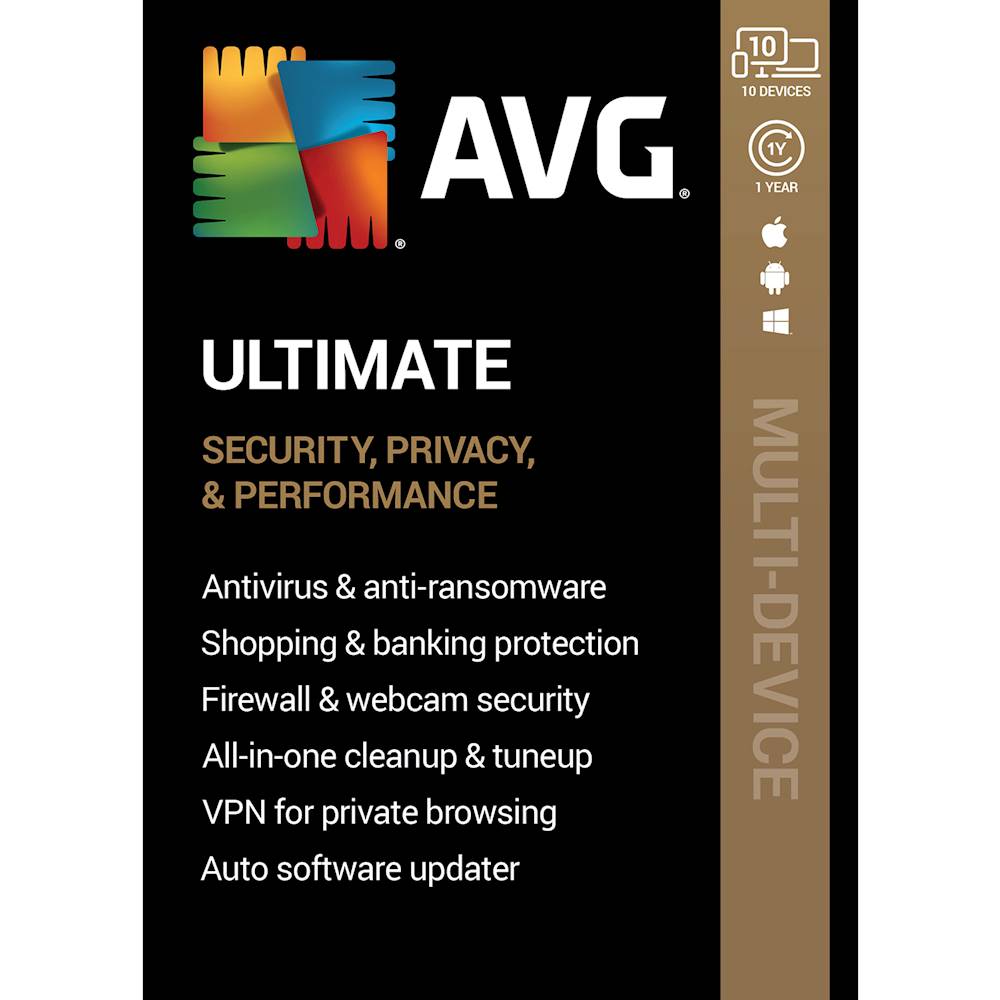
Customers are pleased with the ease of installation and user-friendly interface of AVG Ultimate. They appreciate the comprehensive protection it provides for their devices, including robust antivirus and anti-ransomware capabilities. The built-in VPN is also a popular feature, offering an additional layer of security and privacy. Overall, customers find AVG Ultimate to be a reliable and great value for the price, especially considering the protection it provides for up to 10 devices.
This summary was generated by AI based on customer reviews.
- Pros mentioned:Ease of use, PerformanceCons mentioned:Features

The king of free security steps up!
|Posted .This reviewer received promo considerations or sweepstakes entry for writing a review.AVG's Ultimate (10 Devices) (1-Year Subscription) - Android|Mac|Windows steps up from the king of free internet security to offer legitimate software in the paid arena. I found this to be simple to install and use. The tools are a nice addition to the traditional virus and malware checks. With the addition of computer update checks, it helps keep your computer working are peak performance. PROS - AVG recognition and name - Ultimate edition features beyond the free and entry-level editions - Automated updates - Easy to use - Up to 10 computers under one product key - Generally light weight program doesn't bog down your computer CONS - Not as feature robust as competitors Cost-effective for up to 10 computers makes this a great option on a budget.
I would recommend this to a friend Great for older parents
||Posted . Owned for 1 year when reviewed.This reviewer received promo considerations or sweepstakes entry for writing a review.Average security but it’s a systems resource hog. I use it on my elderly parents computer but I would never use it on my own.
No, I would not recommend this to a friend- Pros mentioned:Vpn
Anti virus and vpn
||Posted . Owned for 1 month when reviewed.This reviewer received promo considerations or sweepstakes entry for writing a review.Got on deal of the day for $8.00 after reward certificate . Does good job plus has VPN which I like
I would recommend this to a friend - Pros mentioned:Protection, Vpn
Comprehensive Protection
|Posted .This reviewer received promo considerations or sweepstakes entry for writing a review.After using AVG Ultimate for the past month, I’ve had some time to fully get an idea of what this software is capable while figuring out some quirks. Overall, I feel that it is a bit too feature packed (if that’s even possible). Having said that, if you’re looking for a comprehensive internet security program with additional features, AND if you have a lot of devices in your home (after all, this version supports 10 devices), AVG Ultimate 10-Device is a good pick. A few core features: Internet Security – As you might suspect, this software provides both antivirus and malware scanning/monitoring as well as software firewall protection. The scanning capabilities are pretty quick and will provide you with an overview after scanning. Luckily, I have yet to have any negative findings, so I will continue to assume my computers are virus-free. The firewall seems to work as well, with no issues at all. Password Protection – Okay, so this was a pretty cool feature. It monitors the Dark Web somehow using your email address and will notify you of any data leaks (typically from third-party services) and what if any of your login information have been compromised. It was a unexpected and useful feature to help you keep your accounts up-to-date by advising you of which accounts you should update with a new password. PC Tune-ups – There are a lot of third-party PC tune-up applications out there, but it’s nice to have an all-in-one package. AVG was able to scan my computer for any registry edits that need to be done, clear up unnecessary temporary files, and advise of which applications take up too much memory at start-up, allowing you to put them to sleep, thus speeding up your load time. A few core gripes: Memory Usage – AVG seems to a bit more RAM than my previous internet security software. Having said that, it is still much less than the “big guys.” Any modern computer (and older for that matter) should be able to handle this with no problem. Nagging for Upgrades – I would think that the Ultimate version of AVG includes all of the features the company offers, but that doesn’t appear to be the case from first-install. AVG seems to always advise of issues it has detected, and when you click to “resolve,” you reach a pay-wall asking to subscribe to that individual feature for whatever price. BUT, that is because a lot of the features, like Tune-ups and VPN, have to be installed separately and individually. Once you do that, those nagging paywall features work perfectly fine. So, make sure you install all the features to avoid all of the pay-walls. I feel like these confusing messages could be resolved if they were just installed from the beginning. After all, this is the Ultimate version.
I would recommend this to a friend - Pros mentioned:Performance
Not Quite the Ultimate
|Posted .This reviewer received promo considerations or sweepstakes entry for writing a review.Overall I like the software and its features. However it doesn’t include the Anti Tracking which to me is a major part of protecting your identification. Secondly it doesn’t include the Driver Update software which is included in competitive software. Both of these are major negatives. The installation is more user intensive than I would like and may prove to be problematic for some. The Android Cell phone protection seems to work but the App isn’t labeled correctly. One thing to note is that this software does not force you to enter a credit card for future automatic renewals which I consider a major plus. Installation - This software does not automatically remove competitive security software. After you download this software it is up to you to remove any other security software. This isn’t an issue for me but might be for someone else. After you download the software it also does not automatically activate everything, it only activates the Internet Security and Password Protect features. Its up to you to activate the Tune Up and Secure VPN features. Setup - The software does an initial scan of your system and makes numerous recommendations. This actually was quite interesting because I have never seen this level of detail. I chose to implement all the recommended settings and functions the software recommended and did not have any issues. Running - Its difficult to say how well the software is performing. So far I haven’t gotten any viruses or malware but I didn’t get that with the other brands either. The software doesn’t seem to have affected the overall performance of my computers but only time will tell if it stays that way. UnUltimate – You would think if you bought the Ultimate software that you would get everything available but that’s not the case. The Anti Tracking software is not included and cost an additional monthly charge. It also does not include the Driver Updater which is another fee to purchase. On a plus side the number of pop up ads trying to upsell me on these products so far has been minimal. Android Protection – This software also protects Android phones but you wont find an AVG Ultimate App in the App Store. I just downloaded the latest AVG Internet Security and when I entered my activation code it took it. I have no idea whether I am getting all the protection of the Ultimate since there was no Ultimate app.
I would recommend this to a friend - Pros mentioned:Protection, Vpn
Ultimate Sales Pitch With a Lot of Up Selling
|Posted .This reviewer received promo considerations or sweepstakes entry for writing a review.As an IT security engineer, I always recommend having antivirus software, regardless of which brand you get. Currently I'm testing AVG ultimate for 10 devices, which is more than just antivirus. This version came with a PC tune up software, a VPN, email protection, webcam protection, ransomware protection, password protection and an enhanced firewall. It also protects Mac's and android phones. For me these are excellent selling points that would make me want to recommend it and buy extra licences for the whole family. Please take my money! Now, I'm going tell you about my actual experience with it. Installation of the main software was really simple, however, after I ran the first scan, I felt like I just downloaded some scareware which was trying to up charge me at every click. All I saw was "you're not protected from this, you're not protected from that, here's a one month trial, If you want to keep it you can subscribe for X amount of dollars." This included things that were supposed to be part of the ultimate subscription such as tune up and the VPN. After that I immediately thought why the heck I would want this? and did I Just subscribe to an advertising platform? With that being said, It does do the job of protecting your devices however, when I buy software to protect my devices, I just want to feel confident that my devices are being protected and that was not the case here. Using this software felt like I just accepted a free trip in exchange for a high pressure timeshare sales pitch. It is for this reason, I immediately lost trust for the software and cannot recommend it.
No, I would not recommend this to a friend Lots of features and one major annoyance
|Posted .This reviewer received promo considerations or sweepstakes entry for writing a review.It’s been a while since I last used AVG. I started with the free version nearly 20 years ago and have used both the free and paid versions quite extensively in the early 2000’s. I stopped using AVG about 7-8 years ago but still recommend the free version to friends who need a dependable free Antivirus. I was curious to see how the app has evolved over the years since I last used it. Installation was easy and straightforward but there were a couple of minor hiccups. AVG offered me the option to install the Chrome browser during installation. Bundling in extra apps usually irks me. It’s fine for freeware but not so much for paid software unless there is a legitimate reason. With that in mind, I reserved judgement until I could determine whether there was a legit reason. After entering my primary activation code, I was provided additional activation codes for all included apps. These apps are installed independent of AVG Antivirus. In addition to antivirus/anti malware, the suite includes AVG Tune Up, AVG Password Protection and AVG Secure VPN. This is where I experienced the hiccups. First, I encountered problems installing AVG Tune Up and VPN. The installations simply kept failing. These problems persisted until I restarted my PC. I was never prompted to reboot after the initial installation. After running into the installation issues, I did so on my own and it quickly fixed the issue. I was finally able to get all of the apps successfully installed. AVG Password protection did manage to install prior to the reboot. However, when I opened it and tried to scan for browser exploits, the scan button was greyed-out and it kept prompting me to select a “compatible browser”. This is a brand new build with only IE (unused) and Edge installed. Remembering AVG’s offer to install Chrome during install, I downloaded and installed Google Chrome. Sure enough, Password protection finally started working with Chrome listed as a compatible browser. So, the Chrome option offered during installation did turn out to be legit rather than merely another sponsored bloatware add-in. Chrome is required to use AVG Password Protection, because the app is apparently incompatible with IE or Edge. I don’t really use Firefox, so I didn’t try it. Once everything was finally installed, system resource impact was minimal. The primary user interface for the antivirus/anti malware is simple and easy to use. The other apps each have their own interface which are easy to use as well and have their own desktop shortcuts. By default, the program runs a quick multi-tiered scan. Scans are fast and thorough but I don’t like the default scanning method. It’s an interactive session and I have to click next to move on from each scan category. The categories are: browser, virus & malware and advanced issues. I usually like to launch a full scan and do other tasks while my computer scans. I found the way to do so with AVG is by manually running a deep scan. Deep scan performs a full more in-depth virus and malware scan only and requires no user interaction during the scan. Both the default and deep scan methods indicated no threats. I don’t have a way to personally verify the accuracy of scans so I’ll have to trust the detection rate is reliable. AVG scored a 100 in the latest Virus Bulletin tests, so that provides some peace of mind. The other features of the suite can be pretty useful. AVG Secure VPN is easy to use and does not have any noticeable impact on connection speed. It’s sufficient for safely using public wifi and most basic needs but users looking for top-notch VPN privacy without any logging whatsoever should seek other options. There also aren’t as many servers available as some of the competition and it isn’t one of the few that work in China. Like most system tune up apps, AVG System Tune-up rids systems of unneeded or obsolete files, invalid registry entries and cached web browser files. There is also a file shredder for securely erasing files or folders and a disk doctor to scan for disk issues. AVG Password protection scans saved browser passwords for exploits and vulnerabilities like weak complexity. AVG Ultimate isn’t too bad but it’s not for me. It has fast scans, low system impact and a perfect VB100 score. It also includes useful extras for securing online safety and improving system stability and can be used on up to 10 devices across several platforms. I installed it on a Windows 10 laptop and an Android smartphone. For those looking for basic protection, AVG can still be used for free on mobile devices and computers. While I and countless others greatly appreciate the availability of the free software, some of the annoyances of the free version finds its way into the paid version. Obviously, the free version is going to bombard you with ads. In addition to trying to convince you to upgrade to the paid version, outside advertisers help subsidize the “free” product. That’s fine for a free product but it is totally inexcusable in paid products. And that’s where AVG drops the ball. I noticed a message in the app saying I am “leaving crumbs all over the web” through tracking cookies. There is a button titled “Resolve” next to the message. I clicked it, expecting to have the program to resolve the issue. Instead, I was redirected to a window that offered me the option to purchase AVG Antitrack. Huh????? So the web protection in the “Ultimate” version doesn’t offer something as basic as eliminating browser tracking cookies???? The odd thing is that AVG TuneUp indicates it is cleaning tracking cookies. If it really is doing so, why am I being offered another product for that task? I checked out AVG Antitrack and it does look pretty robust at stopping tracking. So does that mean AVG Ultimate isn’t? That’s a pretty big deal. My other antivirus suite programs clean tracking cookies without the need to purchase a separate program or add-on. I would certainly expect any antivirus/anti malware product labeled “Ultimate” to do the same without upselling the feature as an add-on. I was also offered the opportunity to purchase a driver updater in the app. I don’t need nor want a driver updater. I already have OEM software performing that duty, so I don’t want to be bothered by an in-app solicitation to buy a similar program. Again, why is this being offered as an additional purchase and in piecemeal fashion rather than included as part of AVG Tune-up? The entire suite also seems more like a collection of separate parts rather than a cohesive suite. Rather than having a single UI for everything, you have to launch totally separate apps for different tasks. I can live with the disjointed apps because it’s not like AVG promises an all in one suite but AVG completely lost me once the ads started. I stopped buying mobile apps and certain video games long ago after becoming totally disgusted by in-app purchases, add-ons, DLC and other upsell methods used to nickel and dime customers into constantly pay more and more money. I feel when people pay for a product, especially when they pay more for an “Ultimate” product, they shouldn’t be subjected to endless advertising and upsell attempts. If AVG can tone down the ads, it’s not a bad suite. But if you’re going to be hit with ads anyhow and mainly just need the antivirus/anti malware, it’s really hard not to suggest just going with the free version and spending that money on a more robust VPN.
No, I would not recommend this to a friend- Pros mentioned:Antivirus, Vpn
Peace of mind for today’s connected life
|Posted .This reviewer received promo considerations or sweepstakes entry for writing a review.As most people have multiple internet connected devices in their family, AVG Ultimate provides protection for up to 10 devices whether they be PC’s, Mac’s or Android devices. What’s interesting to me is the lack of iOS protection which i think speaks to the lack of a need for such protection on mobile Apple devices. Installation is very easy with the typical internet download and entering of your product purchase key code. You are able to tailor your install to features you deem important. Your choices include Antivirus and Anti-ransom ware (which most people will buy this for), VPN, Firewall and Webcam protection, password protection, computer file cleanup and tune up...among others. Antivirus and Anti Ransom is the most important to me and regular updates (for one year) are included. The VPN is important to me when using your devices on public networks and should always be used in those cases where you are away from home or work networks. The webcam protection is something that folks are certainly looking for as there is a chance your computer cam can be remotely activated by hackers without your knowledge...just look at all the people you see with pieces of tape on their laptop cameras. I haven’t come across any programs like this that are perfect and this one is no exception. Sometimes it makes you feel like you have a problem and try’s to sell you another feature or it prompts you to do something that perhaps will have wider range implications and will render programs not usable if you don’t watch out. Just be prudent in what you allow the program to make you change, delete etc Overall AVG Ultimate is a program that does what it says it will do and needs the usual caveats when using programs like this as I mention above.
I would recommend this to a friend kush
||Posted . Owned for 1 month when reviewed.This reviewer received promo considerations or sweepstakes entry for writing a review.great product for a price. this is not a complete product that i think.
I would recommend this to a friendNot worth the TROUBLE
||Posted . Owned for 1 month when reviewed.This reviewer received promo considerations or sweepstakes entry for writing a review.I wish I could send it back. What a complete and total waste of money. I swear it put something damaging on my laptop b/c it messed it up so bad to the point I had to call them for service. At which point then they promptly insisted I purchase another product from them to get rid of the problem!!! I ended up buying McAfee instead to completely fix my problem from them! Seriously, save yourself the time and money.
No, I would not recommend this to a friendNot worth full price
||Posted . Owned for 1 month when reviewed.This reviewer received promo considerations or sweepstakes entry for writing a review.It doesn't cover much more than the free version. Then when you set it up, they keep trying to upset you.
No, I would not recommend this to a friendDo Not Waste Your Money !!
||Posted .This reviewer received promo considerations or sweepstakes entry for writing a review.One of the more annoying experiences in a long time. As i attempted to install each module, it kept trying to get me to upgrade to a more expensive, or longer subscription. When i installed the VPN, it told me I was good for a 7 day trial, and NOT a years subscription I paid for. AVG is not a particularly ethical company INHO.
No, I would not recommend this to a friend- Pros mentioned:Vpn
Surpassed my expectations!
|Posted .This reviewer received promo considerations or sweepstakes entry for writing a review.Wow! I undownloaded my previous anti virus software and VPN software and downloaded AVG. AVG easily uploaded and had a super quick setup. I always already scanning my pc in the matter of minutes. It actually picked up a bunch of errors and files that have never been scanned before. So I’m glad I downloaded this program as it already did it’s job and exceeded its exceptions. I like the feature where it scans your entire pc for issues and fixes them correctly plus find programs that are slowing down your pc. I had other software for this but AVG did ten times better and more efficiently. The VPN works great. No complaints at all. AVG really stepped it up over the past few years. Download this!
I would recommend this to a friend I didn't really get my computer clean!
||Posted . Owned for 4 months when reviewed.This reviewer received promo considerations or sweepstakes entry for writing a review.I used this hoping to clean some viruses of my computer!
No, I would not recommend this to a friendWaste of digital dollar
||Posted . Owned for 3 weeks when reviewed.This reviewer received promo considerations or sweepstakes entry for writing a review.I purchased both they digital order and the hard copy. The digital won’t even download!! When you click the download button a page opens up and says “Sorry this page doesn’t exits”. Never could get in contact with customer service!!!! Plus they don’t refund!
No, I would not recommend this to a friendhard to install
||Posted . Owned for 3 weeks when reviewed.This reviewer received promo considerations or sweepstakes entry for writing a review.Hard to install and they are not customer friendly
No, I would not recommend this to a friend- Pros mentioned:Ease of use
Keep it safe
|Posted .This reviewer received promo considerations or sweepstakes entry for writing a review.I have not had any security software for while it and thought it was time. I have a number of devices so this was a good options as it overs 10. This was easy to install and set up was easy. it even gave step by steps on how to change some of the settings on my MAC. The dashboard looks nice but is also easy/clear to use. it has 4 main areas of protection. Computer, web/email, hackers, and payments. Don't wait as long as I did to get protected. This software is a good option for any one.
I would recommend this to a friend It says for 10 devices
||Posted . Owned for 1 month when reviewed.This reviewer received promo considerations or sweepstakes entry for writing a review.Access for 10 devices I keep uploading into my profile and it doesn't stay there. I managed to install it on one Windows computer after the hassle. No I would not buy it again.
No, I would not recommend this to a friendWorks well, but with a few minor bugs
|Posted .This reviewer received promo considerations or sweepstakes entry for writing a review.I've had this installed on both my windows PC and MacBook Pro for several days now and all in all its not bad. You definitely have to tweak the settings a bit to get it to work well with either operating system. Installation was simple and easy and took about 10-15 minutes to complete. Once installed, I ran an initial scan and it found almost 30gb of data that could be cleaned, broken registry files and several items that I could keep from running to speed up my system. I have an SSD drive, so speed wasn't that big of a deal to me, but getting rid of unnecessary files was huge as it saved me a ton of hard drive space. The one feature you want to make sure you tweak before you start is the Blocked & Allowed Apps. If you click on an app to open it and it wont work, its because it hasn't been listed on the allowed apps section of the settings. I also had issues accessing websites, such as Google without adjusting those settings as well. After using this for several days, I've learned how to adjust some of the settings and it has worked really well for me so far. Im used to some of the other brands of software, but this works just as well and in some cases better than the big names. Give it a try, you wont be disappointed.
I would recommend this to a friendEasy to use
|Posted .This reviewer received promo considerations or sweepstakes entry for writing a review.For the most part, I'm happy with this software. It downloads fast and scans the computer pretty fast. I don't notice it slowing down my computer at all (can't say that about some other big names). The interface is nice and easy to understand and to navigate. After I first loaded it, I was having a small issue with a red warning box popping up regarding the security of my passwords. It wouldn't close and I would have to reset the computer to get rid of it, only to see it return. A visit to the AVG support page pointed out that it was a recent issue between the program and Firefox. I followed the instructions on how to fix it and so far everything seems fine. You get the standard protections you would expect. Web & email protection, hacker attack protection, privacy and payment protection. It is hard to say just how well any virus protection is doing if you never get a virus. But AVG has been at this a long time and I see no reason not to trust them. Other security programs may give you much more control and options, but this does everything you really need. The fact that this gives you protection for unlimited devices (including Mac, PC and mobile), I can't see how you can go wrong.
I would recommend this to a friend