Customer Ratings & Reviews


- Model:
- BB-51-P-WS
- |
- SKU:
- 6558726
Customer reviews
Rating 4.5 out of 5 stars with 873 reviews
(873 customer reviews)Rating by feature
- Value4.4
Rating 4.4 out of 5 stars
- Quality4.6
Rating 4.6 out of 5 stars
- Ease of Use4.6
Rating 4.6 out of 5 stars
Customers are saying
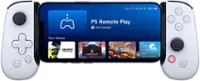
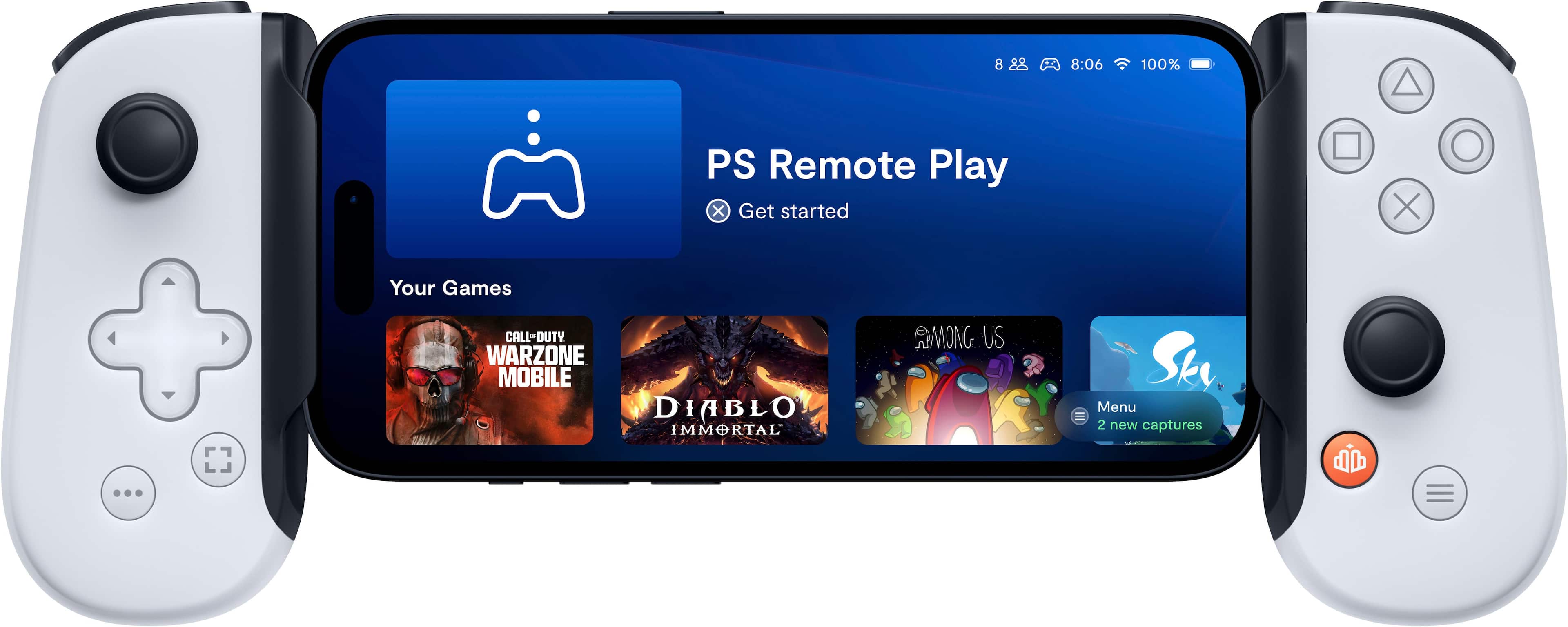
Customers are enthusiastic about the Backbone One - PlayStation Edition's portability, ease of use, compatibility, and remote play capabilities. They appreciate its comfortable grip, good build quality, and the fact that it uses a USB-C connector. Some customers find the size to be a bit small, and there are concerns about the subscription requirement for certain features. Overall, customers are pleased with the Backbone One - PlayStation Edition and consider it a great value for the price.
This summary was generated by AI based on customer reviews.
Rated 5 out of 5 stars
Backbone better than Portal.
||Posted . Owned for 3 weeks when reviewed.This reviewer received promo considerations or sweepstakes entry for writing a review.This item is excellent! Chraper than the PS portal and way more versatile. Can do eveything the portal can do and more. Highly recommend if choosing between the two.
I would recommend this to a friendRated 5 out of 5 stars
Backbone
||Posted . Owned for 1 month when reviewed.This reviewer received promo considerations or sweepstakes entry for writing a review.I really enjoy my backbone, it makes playing games made for phones so much easier to handle
I would recommend this to a friendRated 5 out of 5 stars
Best purchase ever
||Posted . Owned for 1 month when reviewed.This reviewer received promo considerations or sweepstakes entry for writing a review.Best thing I ever bought who needs a ps5 anymore!!
I would recommend this to a friendRated 3 out of 5 stars
Feature locked behind subscription
||Posted . Owned for 1 month when reviewed.This reviewer received promo considerations or sweepstakes entry for writing a review.Solid but feels slightly cheap the plastic creeks, FYI, if you plan to use it with that iPad, make sure you activate the iPad option in the Backbone plus app before your free subscription ends or you’re locked out of using it with an iPad
I would recommend this to a friendRated 5 out of 5 stars
Backbone ps edition
||Posted . Owned for 3 weeks when reviewed.This reviewer received promo considerations or sweepstakes entry for writing a review.Amazing. Works out of the box for almost all games.
I would recommend this to a friendRated 1 out of 5 stars
Waste of money
||Posted . Owned for 1 month when reviewed.This reviewer received promo considerations or sweepstakes entry for writing a review.Not great for xbox, PlayStation or steam mobile gaming. You need a subscription to backbone at $40/year to play xbox PlayStation or steam. You can play through the xbox gamepass app if you have it. It’s not even on the App Store anymore. For android or apple.
No, I would not recommend this to a friend- Cons mentioned:Size
Rated 1 out of 5 stars
Note 24 Ultra
||Posted . Owned for 1 week when reviewed.This reviewer received promo considerations or sweepstakes entry for writing a review.Disappointed that it is not compatible with all cases. I have two versions on Supcase and neither is compatible. I took case off and it seems to open up to just about that size, so with a case it hardly fits. The rubbers that hold it need to be wider to accommodate bigger cases.
No, I would not recommend this to a friend Rated 3 out of 5 stars
Best bang for your buck
||Posted . Owned for 3 weeks when reviewed.This reviewer received promo considerations or sweepstakes entry for writing a review.Right trigger went out after one week of use. Was fun wile it lasted
I would recommend this to a friendRated 5 out of 5 stars
Best Gaming Controller for iPhone
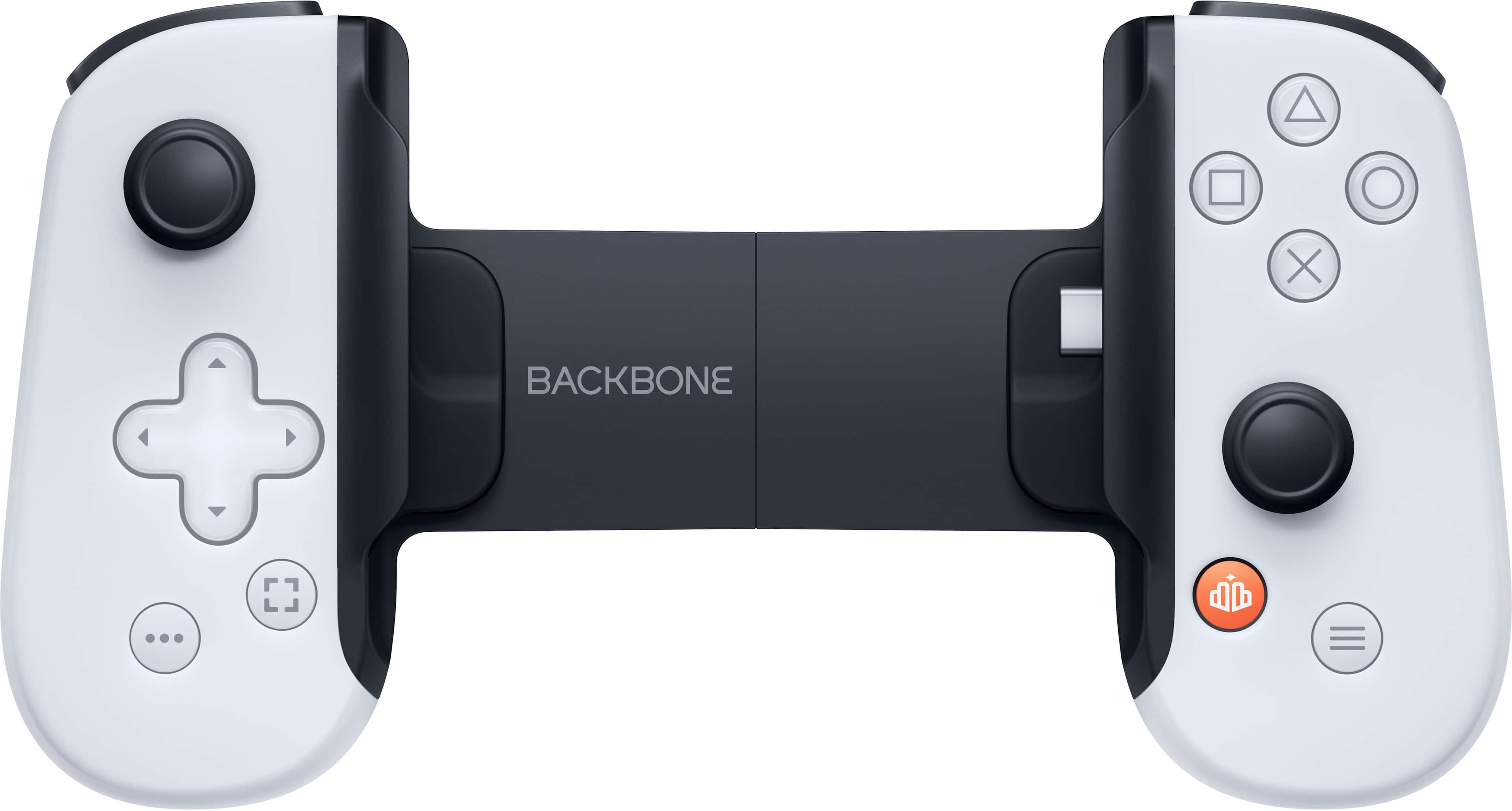
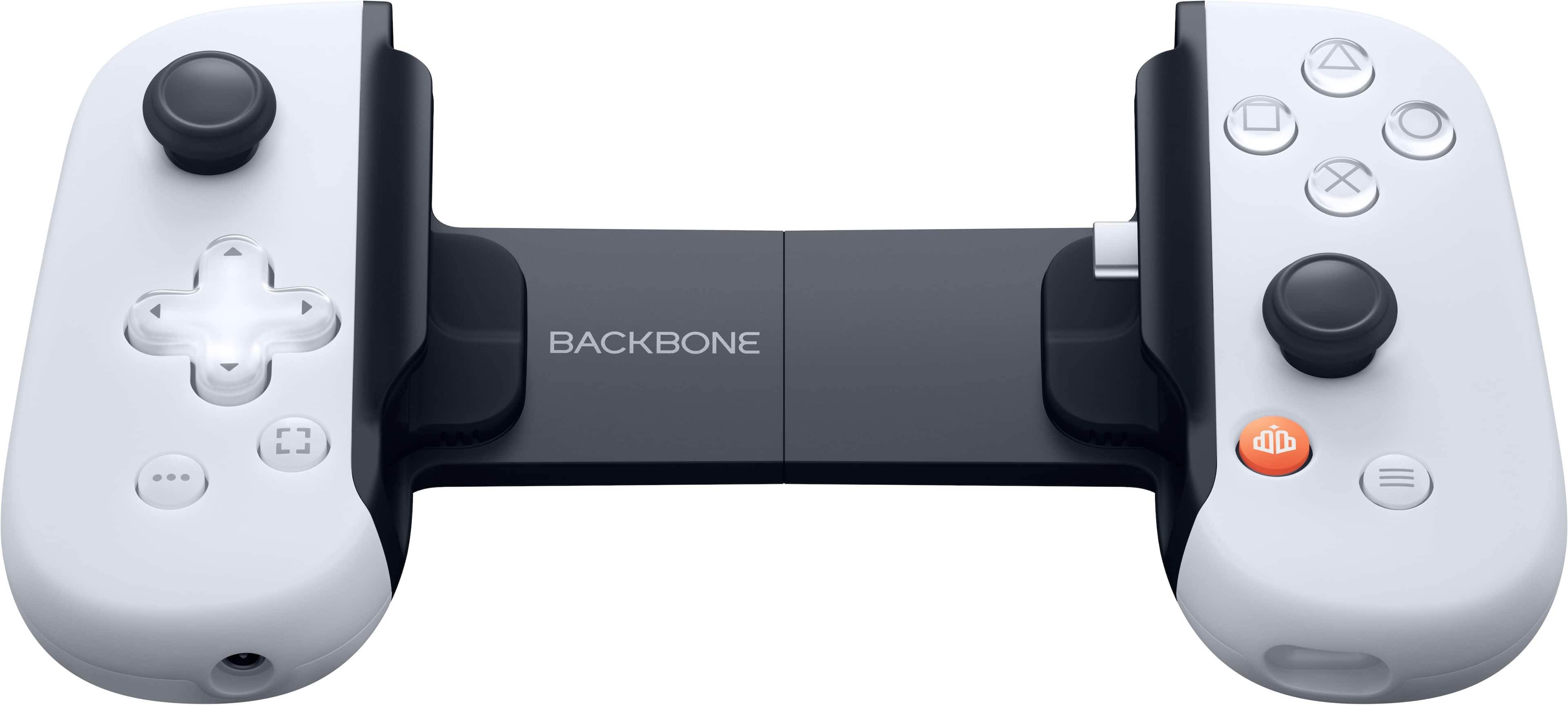
||Posted . Owned for 1 year when reviewed.This reviewer received promo considerations or sweepstakes entry for writing a review.PlayStation Backbone: The Ultimate Mobile Gaming Companion The PlayStation Backbone isn’t just an accessory—it’s a gateway to transforming your mobile device into a legitimate gaming platform. Designed specifically for PlayStation enthusiasts, this mobile controller offers a seamless, high-quality experience that makes it an essential companion for gaming on the go. PlayStation-Centric Design Right from the unboxing, it’s clear that the PlayStation Backbone is tailor-made for fans of Sony’s gaming ecosystem. The controller mirrors the sleek design aesthetic of the DualSense, with familiar PlayStation button layouts and symbols. This isn’t just a visual nod—it creates a sense of continuity for players accustomed to the PlayStation experience. The controller feels natural in hand, almost as if you’re holding a compact DualSense, and its ergonomic design ensures comfort during extended sessions. Seamless Cloud Gaming Integration The Backbone truly shines when paired with PlayStation Remote Play. Connecting your iPhone to your PS5 or PS4 is remarkably simple, and the latency is minimal, provided you have a strong Wi-Fi connection. Games like Horizon Forbidden West or Spider-Man 2 translate beautifully to the smaller screen, with controls that feel tight and responsive. But the versatility doesn’t end with PlayStation. The Backbone also supports cloud gaming platforms like Xbox Cloud Gaming and GeForce NOW, along with native mobile games. This flexibility makes it a one-stop solution for gamers who want the best of all worlds. Build Quality and Comfort The Backbone’s build quality is outstanding. It feels solid yet lightweight, striking the right balance between durability and portability. The telescoping mechanism accommodates a range of iPhone sizes securely, and the textured grips provide a firm hold without slipping. The tactile feedback of the buttons and triggers adds a level of precision that elevates the mobile gaming experience far beyond touchscreen controls. Intuitive Software Integration The Backbone app is an integral part of what makes this device so impressive. Once you connect the controller, the app acts as a hub for your games, streaming services, and more. The interface is clean and intuitive, providing easy access to your PlayStation library and cloud gaming platforms. The app also offers a variety of social features, like screen recording and instant sharing, that feel polished and well thought out. Battery-Free Simplicity Unlike many gaming peripherals, the Backbone doesn’t require charging. It draws power directly from your phone, which simplifies its use and ensures it’s always ready to go. While this does mean a slight drain on your phone’s battery, the trade-off is worth it for the convenience of never needing to worry about charging another device. A Portable Gaming Revolution At $99.99, the PlayStation Backbone is reasonably priced for what it offers. It’s a versatile, high-quality controller that brings console-level gameplay to mobile devices. Whether you’re grinding through your backlog via Remote Play or exploring the latest cloud gaming offerings, the Backbone delivers an experience that feels natural and polished. Verdict The PlayStation Backbone is a game-changer for mobile gaming. Its seamless integration with PlayStation Remote Play, coupled with excellent build quality and an intuitive app, makes it the definitive choice for PlayStation fans. But its versatility and comfort mean it’s also a fantastic option for anyone looking to enhance their mobile gaming setup. Rating: 5/5
I would recommend this to a friend- Pros mentioned:Button quality, ComfortCons mentioned:Connectivity
Rated 5 out of 5 stars
Fantastic option for mobile gaming!
||Posted . Owned for 1 month when reviewed.This reviewer received promo considerations or sweepstakes entry for writing a review.If you have kids and often times you’re kicked off the tv for their entertainment, this is fantastic. Much to my surprise, it use this even more than I had intended on doing so. The grips themselves are comfortable. I’ve gone a solid 3 hours without any issues or fatigue. The buttons feel great. The sticks are about on par with a Nintendo switch joy con, which I think is good. There is only one thing I don’t like that I find is rather annoying sometimes. The lack of PS button without having to manually tap on the screen to bring up the sub menu in the PS Remote play up. Which then ties into the touchpad functionality being flawed with having to tap on the screen multiple times to get it to pop up. The gestures for me as well in reference to the touch pad have been difficult. Lastly because I feel like it’s sometimes at the back of your mind when purchasing something like this… if you have subpar network speeds at your home, your experience is going to be awful. Keep that in mind. If you don’t have the bare minimum network speeds recommended I would suggest passing on it. One last plus thing.. while originally I had intended on purchasing the PlayStation portal, I settled into this because of the cost and the fact that the portal is seldomly in stock. I’m very happy with my decision.
I would recommend this to a friend Rated 4 out of 5 stars
Great feeling controller
||Posted . Owned for 3 weeks when reviewed.This reviewer received promo considerations or sweepstakes entry for writing a review.Very good build construction. Feels good to use. Easy to put phone in and out. My complaints are that there is no dedicated PS home button and or touchpad button. The Backbone button always wants to switch you to the Backbone app, which has little usefulness. When using it with PS Remote Play, you have to tap it for some very precise amount of time to get the effect of pressing the PS button. Also, there is no button to simulate tapping the touchpad of a Dual Sense/Sual Shock 4, which is very frequently used in most games to get to the map or pause screen. But I think this issue is Sony’s fault
I would recommend this to a friend- Pros mentioned:Button quality, Overall performance
Rated 5 out of 5 stars
The BEST Controller on the Market
||Posted . Owned for 3 weeks when reviewed.This reviewer received promo considerations or sweepstakes entry for writing a review.I recently purchased the Backbone One PlayStation Edition USB-C Mobile Gaming Controller for my iPhone 15 and Android devices, and I must say, it has completely transformed my mobile gaming experience. Design and Build Quality The controller sports a sleek, white design reminiscent of the PlayStation aesthetic, which is both modern and stylish. It feels incredibly sturdy and well-made, providing a comfortable grip for extended gaming sessions. The buttons are responsive, and the analog sticks are precise, ensuring a seamless gaming experience. Compatibility and Connectivity One of the standout features of the Backbone One is its compatibility. It works flawlessly with both my iPhone 15 and Android devices, thanks to the USB-C connection. The setup was straightforward, and the controller connected instantly without any issues. The Backbone app also enhances the overall experience, offering easy access to games and a smooth interface. Performance In terms of performance, the Backbone One excels. The latency is minimal, which is crucial for competitive gaming. I tested it with various games, from fast-paced shooters to complex RPGs, and it performed admirably across the board. The responsive controls and tactile feedback made every gaming session enjoyable and immersive. Additional Features The Backbone One PlayStation Edition also comes with some impressive additional features. The capture button allows for quick and easy screenshots or video recordings of gameplay, which is perfect for sharing memorable moments. Additionally, the pass-through charging is a lifesaver, ensuring that my phone stays charged even during extended gaming marathons. Value for Money While the Backbone One is on the pricier side, I believe it offers excellent value for money. The quality, performance, and additional features make it a worthwhile investment for any serious mobile gamer. It bridges the gap between console and mobile gaming, providing a console-like experience on your mobile device. Conclusion Overall, the Backbone One PlayStation Edition USB-C Mobile Gaming Controller is a must-have accessory for any mobile gamer. Its sleek design, exceptional build quality, and outstanding performance make it stand out in the market. Whether you’re a casual gamer or a hardcore enthusiast, this controller will undoubtedly enhance your gaming experience. Rating: 5/5
I would recommend this to a friend - Pros mentioned:Overall performance, Portability
Rated 5 out of 5 stars
It's handy to have for travel
||Posted . Owned for 1 month when reviewed.This reviewer received promo considerations or sweepstakes entry for writing a review.I am a daily gamer of Genshin Impact and other games. Even though I have a large phone, having to use the game's screen can take away from the playing experience, and at times interferes with the ability to do certain moves quickly. Having the Backbone has been a game changer! It's compact design takes a bit to get used to, however it is much better than using the phone's screen. Some games have had a bit of a loss of usage due to a button not doing what it was supposed to do, however I gave some feedback regarding the missing usage, I want to say within a few weeks, the issue was fixed! Having that responsiveness has been a #1 keeper for me.
I would recommend this to a friend - Pros mentioned:Portability
Rated 5 out of 5 stars
Good product for any Gamer player
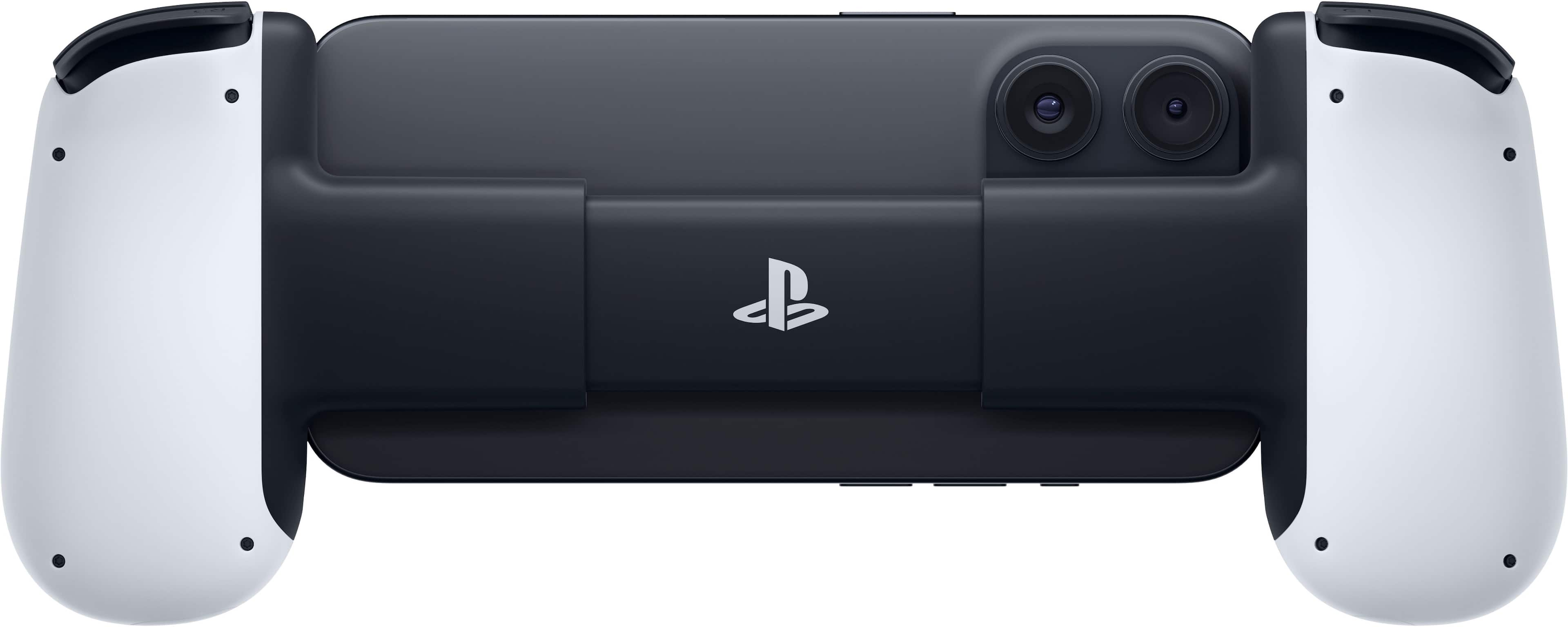
Posted .This reviewer received promo considerations or sweepstakes entry for writing a review.I liked the product because I feel that I can play most of my games with greater ease taking into account that some games require both hands that control the main controller. In terms of aesthetics, I liked it. It has a good design, good use of the buttons, I love the PlayStation logo on the back in pesos, I feel like it falls short, I would like or would have liked it to be made of more consistent materials based on better product quality, however, I really liked the product, the color is great, however I feel that it lacks detail, just like the PlayStation controller, detail on the controller
I would recommend this to a friend - Pros mentioned:Compatibility, Overall performance
Rated 4 out of 5 stars
Great Controller
||Posted .This reviewer received promo considerations or sweepstakes entry for writing a review.Amazing controller for all iPhone games and works great with my PS5 and Xbox games.
I would recommend this to a friend - Pros mentioned:Compatibility, Portability
Rated 5 out of 5 stars
Great controller with one annoying issue
||Posted . Owned for 1 week when reviewed.This reviewer received promo considerations or sweepstakes entry for writing a review.So the Backbone One is absolutely fantastic as a normal phone controller, and most importantly it works with every remote play service that's available on phone (including PS Remote Play, but that may only be for the Playstation edition). It comes with two different kinds of phone spacer to give it a snug fit with most phones even with their cases attached (the Samsung Flip phones may not fit due to their length) and works pretty much out of the box without even needing to download the optional Backbone app. However, and I can't find a way to fix this, it doesn't seem to have a "guide" button present. The Xbox or PS button that you would usually use to bring up the console menu while in a game, or to bring up the Steam overlay. The big orange button only seems to work with PS Remote Play, and only if you hold it down for a second. For the other services it doesn't function at all, and if you install the Backbone app it just opens that app instead of performing a useful function. There's no button reassignment feature too, so you have to just switch to the touchscreen when you actually want to use the guide button. It's not the biggest issue, but it's a constant annoyance.
I would recommend this to a friend - Pros mentioned:Comfort, Portability
Rated 5 out of 5 stars
Great portable controller for your phone!
||Posted .This reviewer received promo considerations or sweepstakes entry for writing a review.The backbone offers great portable controls for your everyday phone! I personally use it with PlayStation remote play and it works flawless. Great built quality and comfort.
I would recommend this to a friend - Pros mentioned:Portability
Rated 5 out of 5 stars
Great value for the money!
||Posted . Owned for 1 year when reviewed.This reviewer received promo considerations or sweepstakes entry for writing a review.I bought this for my husband as a fathers day gift a couple years ago. He literally takes it with him everywhere. He can just snap his phone right into it. And he doesn't have to worry about the hassle of carrying around a controller and a charger for the controller. Granted the price of a controller and this device is essentially the same, but now he can leave his controller at home! He loves that the feel of the backbone is similar to the controller itself. The fact that it collapses is also great for when you need to put it in small spaces, meaning i can literally stick it in my purse and not have it being bulky! This keeps him gaming on the go! It's great for gaming when he has down time at work or when we are traveling.
I would recommend this to a friend - Pros mentioned:Button quality, Compatibility
Rated 5 out of 5 stars
"Backbone One PlayStation Edition: The Ultimate Mo
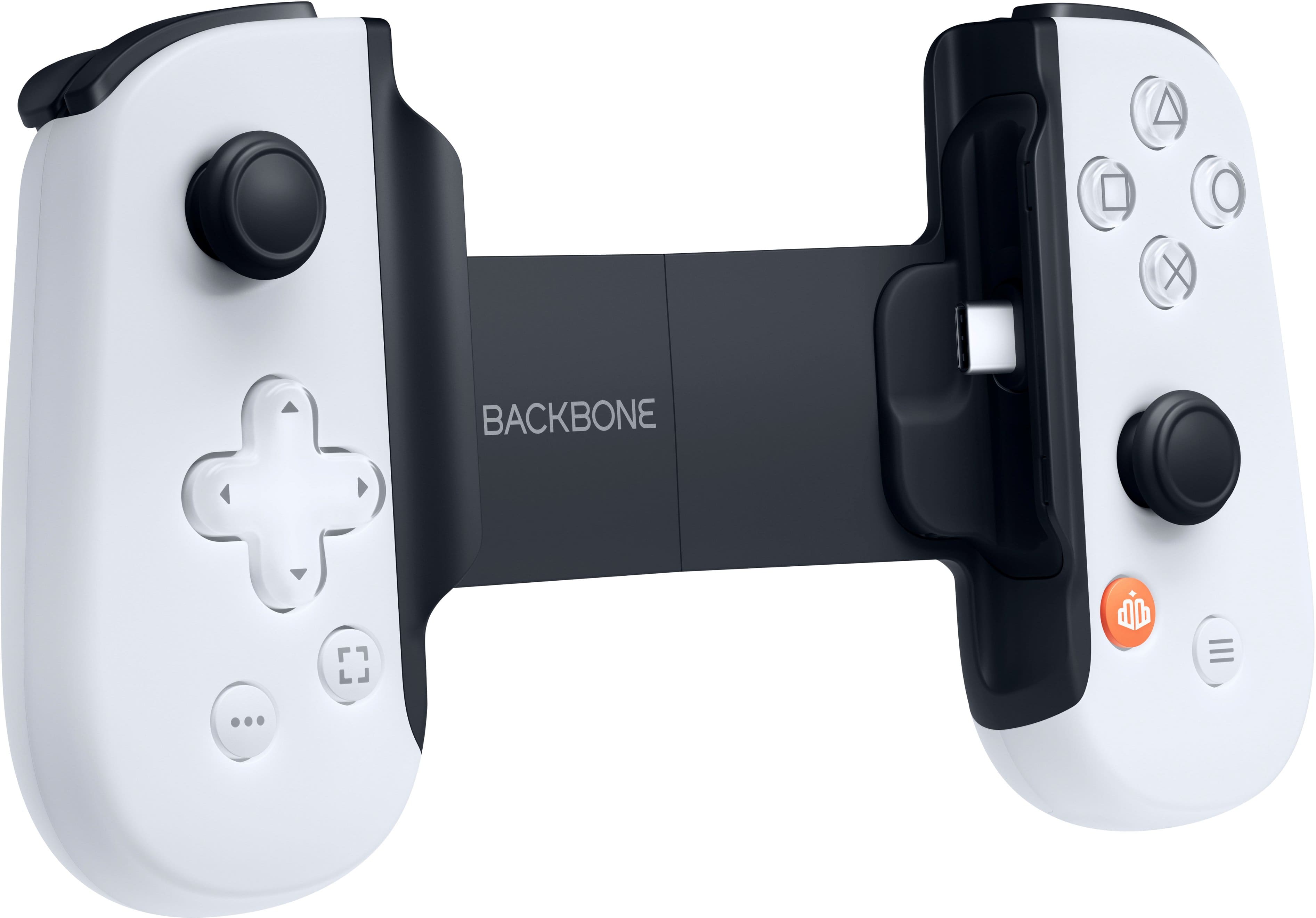
||Posted . Owned for 6 months when reviewed.This reviewer received promo considerations or sweepstakes entry for writing a review.The Backbone One PlayStation Edition delivers an impressive gaming experience for mobile players. Its ergonomic design perfectly complements the PlayStation 5 aesthetic, offering a comfortable grip for extended sessions. The responsive buttons and analog sticks provide precise control, while the adjustable, extensible design ensures compatibility with a wide range of smartphones. Integration with PlayStation’s remote play functionality enhances the overall experience, making it easy to access your PS5 games on the go. The Backbone app adds value with its intuitive interface and features. Overall, it's a must-have accessory for PlayStation enthusiasts seeking to extend their gaming beyond the console.
I would recommend this to a friend - Pros mentioned:Button qualityCons mentioned:Connectivity
Rated 4 out of 5 stars
So Convenient
||Posted . Owned for less than 1 week when reviewed.This reviewer received promo considerations or sweepstakes entry for writing a review.Some days I just want to play games while lying on my bed or couch. Plugging this into my phone and streaming games from my PC is fantastic. Only downside, is that the usb-c port on the controller doesn't seem to support data passthrough to my iPhone. It would have been great if I could attach it to a dock that would passthrough power and an ethernet connection. Other than that all the buttons are responsive and the app launcher make it well worth it.
I would recommend this to a friend
People also viewed
- $199.99Your price for this item is $199.99
- $99.99Your price for this item is $99.99
- $199.99Your price for this item is $199.99
- $73.99Your price for this item is $73.99$99.99The comparable value for this item is $99.99
- $104.99Your price for this item is $104.99$149.99The comparable value for this item is $149.99
- $99.99Your price for this item is $99.99
- $179.99Your price for this item is $179.99
- $59.99Your price for this item is $59.99$69.99The comparable value for this item is $69.99
- $99.99Your price for this item is $99.99
- $39.99Your price for this item is $39.99$69.99The comparable value for this item is $69.99
- $74.62Your price for this item is $74.62$79.99The comparable value for this item is $79.99
- $269.99Your price for this item is $269.99
- $199.99Your price for this item is $199.99$200.00The comparable value for this item is $200.00
- $313.49Your price for this item is $313.49$329.99The comparable value for this item is $329.99
- $58.96Your price for this item is $58.96$99.99The comparable value for this item is $99.99
- $74.99Your price for this item is $74.99