Customer Ratings & Reviews
- Model:
- AUZ002ttBK
- SKU:
- 6484638
Rating by feature
- Value
Rating 3.9 out of 5 stars
- Quality
Rating 4.5 out of 5 stars
- Ease of Use
Rating 4.2 out of 5 stars
Customers are saying
Customers are impressed with the SoundForm Connect's sound quality and ease of use, frequently praising its AirPlay 2 functionality and simple setup process. Many appreciate the adapter's compact size and the extended range it offers compared to Bluetooth. A common suggestion is that the product should include an optical cable.
This summary was generated by AI based on customer reviews.
- Pros mentioned:Airplay 2Cons mentioned:Optical cable
Convenient audio adapter to travel with
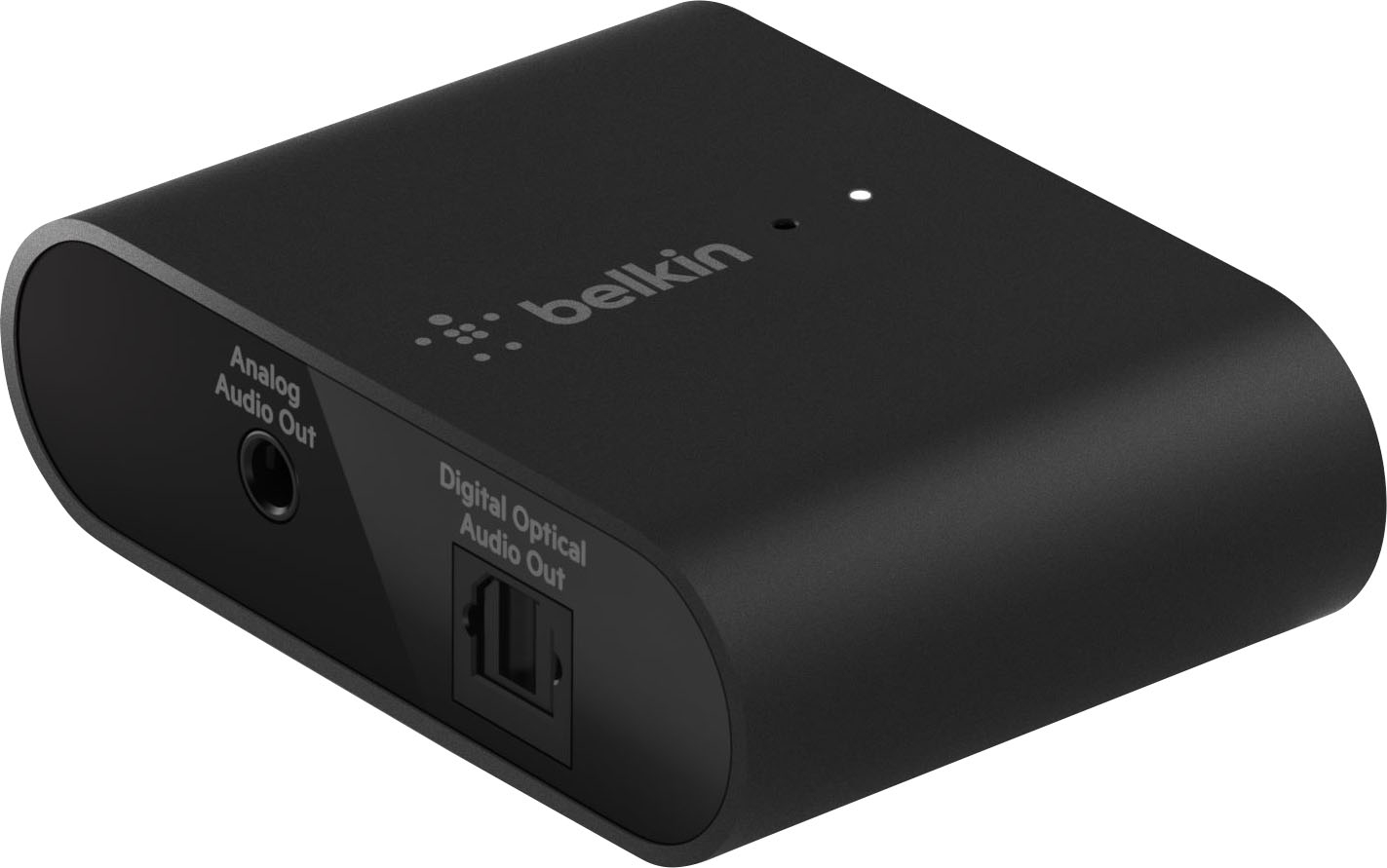
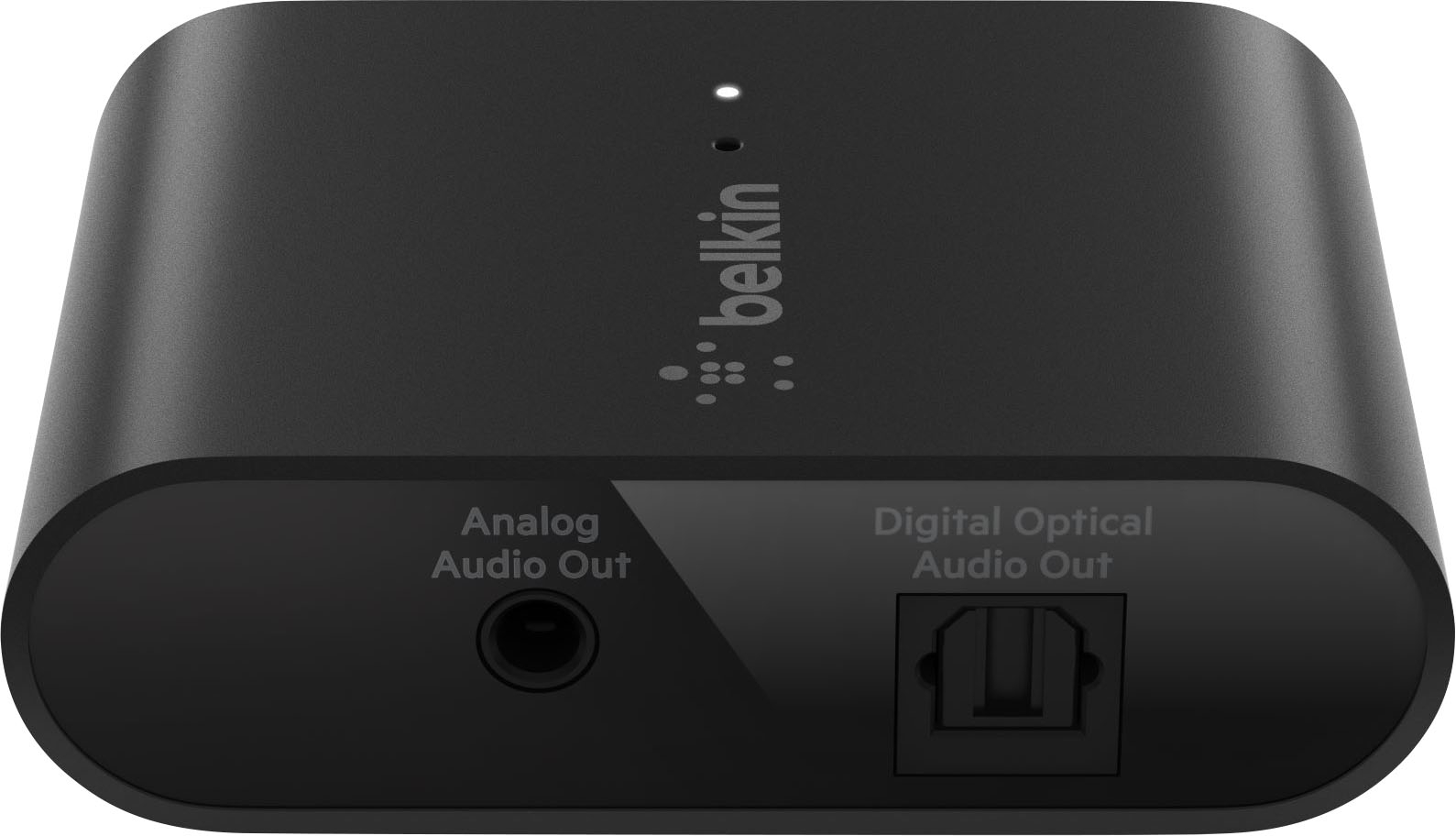
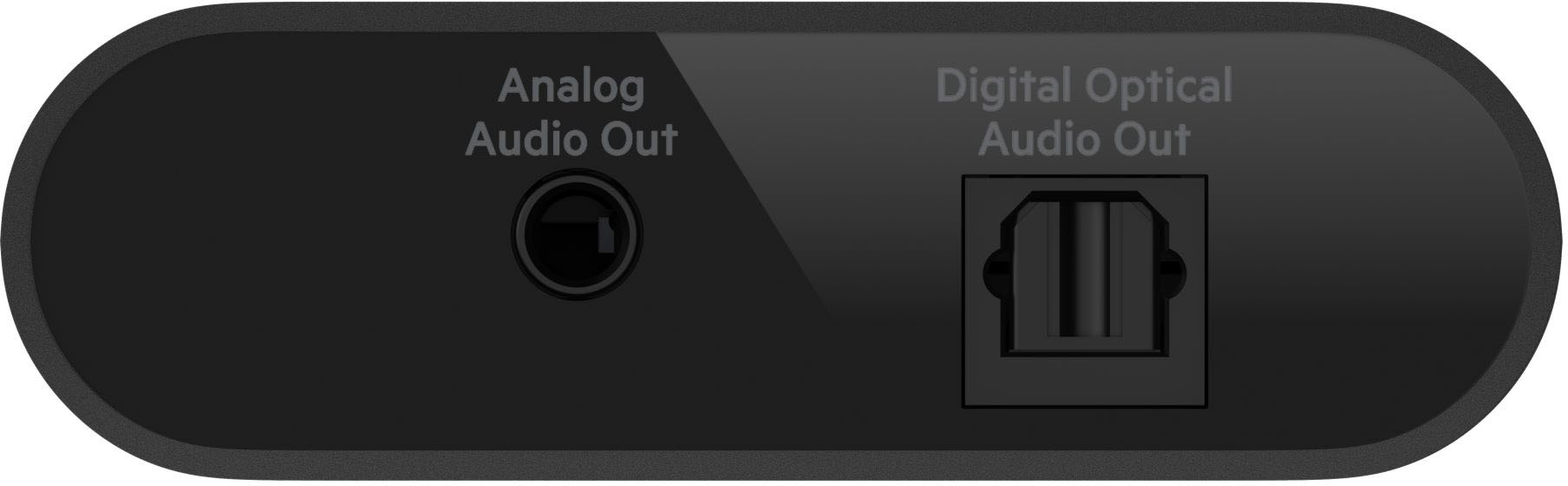
Posted .This reviewer received promo considerations or sweepstakes entry for writing a review.This is a device that converts your stereo or soundbar into an Airplay 2 speaker. The Audio Adapter with AirPlay 2 will work with any device that supports AirPlay 2 audio streaming. This includes iOS, macOS, and iTunes-enabled iPhones, iPads, Apple TVs, and Mac desktops. It's worth noting that it's not compatible with Android phones. The Belkin Soundform Connect audio adapter with AirPlay 2 comes with both a power supply and a USB-C cord. It's too bad it doesn't contain an Aux chord or a Digital Optical chord. This would have come in handy! It has three ports: one for auxiliary audio output, one for digital optical audio output, and one for USB-C charging. To configure the device, utilize the Apple Home App, which is accessible on most Apple devices. It operates with 802.11 b/g/n/ac on both the 5 GHz and 2.4 GHz wifi bands and requires an active WiFi connection. Simply choose the Belkin device from the menu on your iPhone/Airplay iPad, and you're connected. From there, you may change the music, play/pause it, listen to calls, modify the volume, and so on. As long as my iPhone or laptop are linked to the same network, I can effortlessly stream audio to my stereo. I also like how compact it is. It’s so small that I can even fit it in the pocket of my jacket. I’m really happy with this product and I highly recommend.
I would recommend this to a friend - Pros mentioned:Sound quality

Great way to add AirPlay!
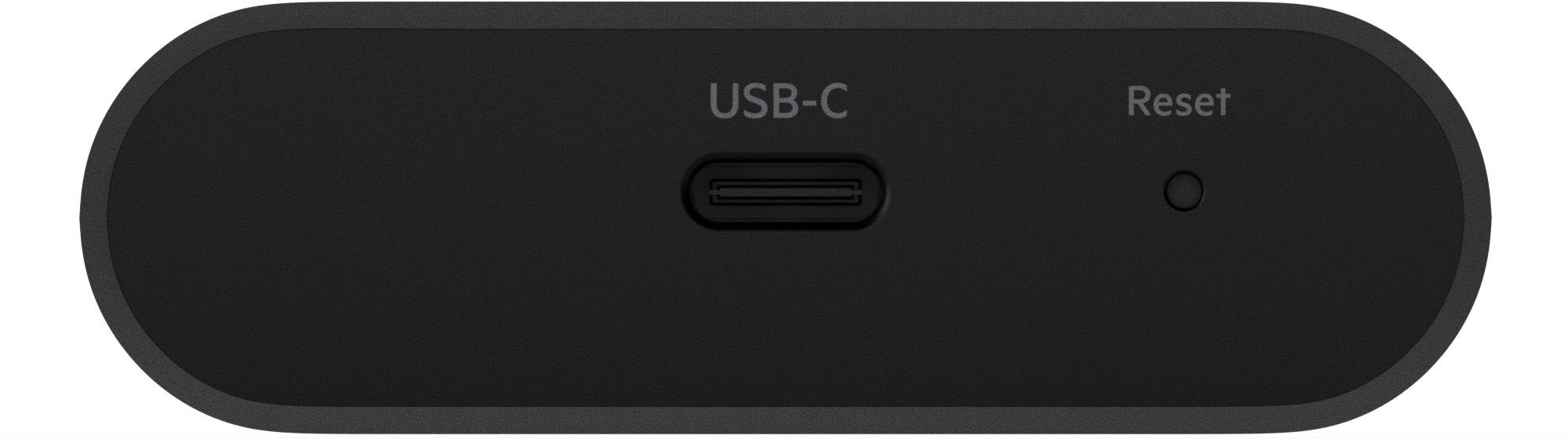
|Posted .This reviewer received promo considerations or sweepstakes entry for writing a review.I’ve been using a full Apple device household now for several years, and even maintained a 3rd Generation AppleTV hooked into my receiver for AirPlay with Apple Music in my office. The was overkill for this purpose, and I often had to restart the older device to get it to populate in my AirPlay list, or use the remote to turn the Apple TV on in order to use it. So, I was happy to see a third party device, which I’d hope would solve this use case for me. In the box, you’ll find the Belkin SoundForm device, a USB C cable, a power adapter, and setup documents. Important to note, you will need to provide the appropriate audio cable, whether optical or a 3.5mm input cable for your receiver, as this doesn’t come with either. The USB C to A power cable that comes with the device is only about 3 feet long, which wasn’t long enough to run down the desk to an available power plug. However, it isn't an issue if your receiver can output 5W of power from an available USB plug. One one end of the device, you’ll find the audio connections, and the USB C on the other side with a reset pinhole nearby; in case you need to factory reset the device for any reason during setup. Using your iPhone, you simply need to unlock your phone, and hold the device near the HomeKit label on the bottom of the device. My iPhone (running iOS 15), simply popped up to select a room, then go through the prompts of naming the device. This is all done independently of any Belkin App, which wasn’t required for setup, but is helpful with displaying the status of the device and installing any available firmware updates. In my case, the device was ready to use out of the box, and the app simply displayed a volume and settings button, which allowed me to rename the device, check the information of the device, and a sync audio option. The sync audio option in the app simply allows you to use auto sync, or set manual ms timing adjustments to account for any latency. Once the device was set up, it was immediately recognized by my iPhone as long as I was on the same WiFi network, and even worked with multi-room selection. During use, my receiver was detecting a 48Khz input over an optical cable, never suffered from latency issues, and the sound was just as good as the Apple TV brick it replaced, without the headaches! Overall, I’m incredibly happy with the Belkin SoundForm, as it allows me now to switch between Vinyl and Apple Music with ease on my “dumb” receiver, plus the installation was easy!
I would recommend this to a friend - Pros mentioned:Sound quality
Works well once connected
|Posted .This reviewer received promo considerations or sweepstakes entry for writing a review.I got this to add Airplay capability to an older micro shelf system in our bedroom. The compact size made it easy to hide so it was the perfect solution. Setup took a little patience. There wasn’t a QR code to scan to add it to HomeKit and it would. Connect via NFT. I was able to get I connected by entering the 8 digit code on the back Once paired it was easy to use AirPlay to stream SiriusXM or my favorite play lists to a 10 year old system and I couldn’t detect any change in the quality of the sound Four Stars due to setup process
I would recommend this to a friend - Pros mentioned:Sound quality
Elegant solution
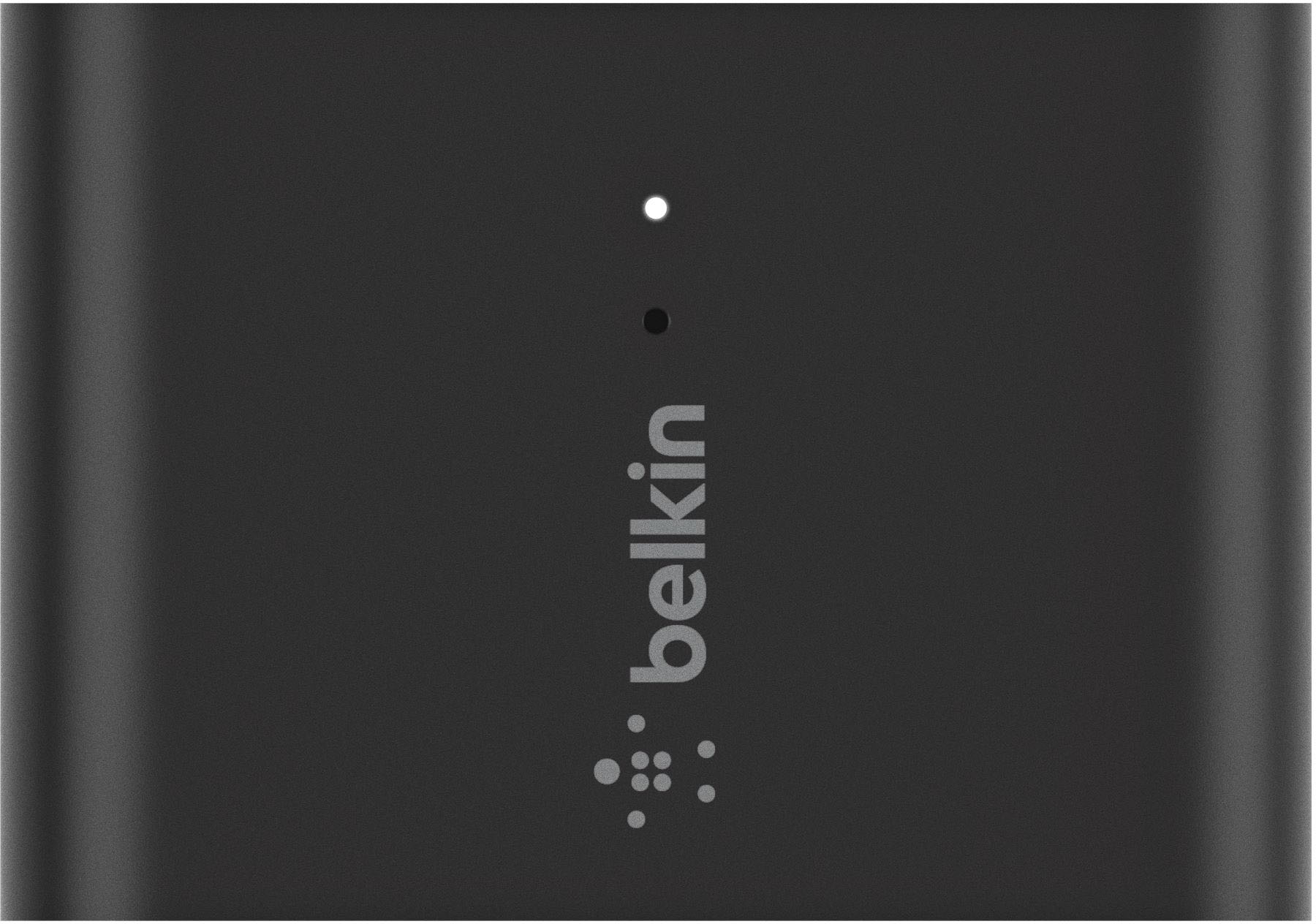
|Posted .This reviewer received promo considerations or sweepstakes entry for writing a review.Works as advertised. It supports audio out to either 3.5mm line-in (On the receiver/Speaker) or optical TOSLink. Although this is intended to be used mostly to bridge an audio receiver to AirPlay2, it works perfectly to retrofit an USB speaker. I have a nice Bluetooth speaker that also has an USB charge port and 3.5mm input, so this worked out of the box. The phone sees it as a HomeKit enabled AirPlay2 device and works as expected. There is an app that works for additional settings, but only after it has been paired using HomeKit. This is a HomeKit product and for initial setup, needs an iPhone that supports HomeKit and Airplay2. The initial setup process is through HomeKit as follows: Once it's plugged in, with an iPhone unlocked, tap the top back of the phone against the 'tag' section on the back of the adapter. The phone then discovers the adapter and after a few seconds it should configure the adapter's Wi-Fi, and prompt to rename it and assign it to a house and room. That's it. Then it can be managed via the HomeKit app and works like any other AirPlay2 speaker. Not that however, it was not seamless to me. I had to try several times: The phone would fist discover it right away but time out when configuring it. Eventually after several retries it worked. The 'Belkin SoundForm' app also works for other HomeKit speakers from Belkin, and with this adapter it can upgrade the firmware (Not needed in my case), rename it, or manually adjust audio delay (By default it's automatic. The adapter has a tiny mic on front to auto-adjust). It doesn't rely on this app to work. It's nice that being AirPlay2, I can group it with other speakers through the house and use it with the Apple TVs as well. It's powered by an USB-C connection. It comes with an USB-A to USB-C cable and a charger adapter that plugs into the wall outlet. It does not come with audio cables. Overall it works very well, except for the initial setup that was meant to be very simple but took several retries. I plan to eventually re-wire an old receiver and use this there instead of the portable speaker I'm using with now.
I would recommend this to a friend - Pros mentioned:Airplay 2
Perfect for Bridging the Old with the New Tech
|Posted .This reviewer received promo considerations or sweepstakes entry for writing a review.Have you ever wanted to keep those great speakers you invested in before streaming and airplay became so popular? Now you CAN by using the Belkin SoundFORM Connect Audio Adapter with AirPlay2. With this ‘plug and play’ device it is quick and easy to turn your stereo, or any non-streaming speaker, into an Airplay 2-enabled speaker. Simply use your iOS or Mac device’s wireless signals with this SoundFORM Connect Audio Adapter with AirPlay2, and the wireless signals can be brought to any speaker or receiver with an optical or 3.5 audio input. With the use of this adapter device, you can also play music in multiple rooms with other AirPlay 2 enabled speakers. What is in the box? If you purchase the Belkin SoundFORM Connect Audio Adapter with AirPlay 2 you will find the Audio Adapter with AirPlay2, a Power Supply and an USB-C to USB-A cable in the box. All three are essential for the adapter to work. With the use of the Belkin SoundFORM Connect App, once the adapter is plugged into an electrical outlet and also connected by either using a 3.5 audio input or an optical, the app will find the adapter as it is connected to the non-AirPlay 2 device, and you will be ready to start streaming. If for some reason it does not, there is a manual way to go into the systems of your iOS or Mac device and configure the adapter. I have a nice speaker that I really was not ready to part with but did not know how to incorporate it for use with all of my newer devices. This adapter is the perfect answer and works great. I highly recommend it if you have a comparable situation that you have not figured out how to bridge the ‘old and the new’ and solve.
I would recommend this to a friend Brings Sound Systems into the Modern Age!
|Posted .This reviewer received promo considerations or sweepstakes entry for writing a review.I have a nice but older stereo system that does not have any WiFi or Bluetooth capabilities. Now of course in today's age it's nice to be able to stream music to your speakers wire free, especially on an iPhone by using Airplay 2. This Belkin Soundform Connect is the exact upgrade I have been looking for and here are my thoughts: PROS: - The device itself is pretty small and simple! Overall, I like the design choice they made. - It has three ports: 1 Audio Out (Aux), 1 Digital Optical Audio Out, and the USB-C charging port which I think was a good move. - The setup was done all through your iPhone/iPad via their "Home" app. You just scan the code on the back, and everything else is set up and you are ready to go! - In addition, even if you setup the Belkin Soundform Connect with one iPhone, you can still connect and use it for Airplay from any Apple Device in your WiFi network! I made sure to test it out on different Apple Devices and it of course works well with any of them as long as they are on the same WiFi network. - On top of that, Airplay 2 allows you to stream music to multiple Airplay devices at once. So I can connect to my Belkin Soundform Connect while also connected to other smart speakers I might have creating a more multi room audio experience. - After setup, It performs exactly as expected! I connected the Soundform Connect to my speakers through the 3.5 mm output (Aux) and it works perfectly! - All you do is click Airplay on your iPhone/iPad, select the Belkin device, and you are connected! From there you can control the volume of the speakers and change songs, play/pause, anything else you would need! - Overall, I am just really happy with the sound quality and I have had no issues with my connection dropping. As long as I am connected to the same WiFi network as the Soundform Connect, then it is good to go! CONS: - The only downside is that is does not come with an Aux chord or a Digital Optical chord. So just make sure you have those before purchasing. - And of course, this only works with Apple Devices. Which is fine with me but just be aware of this! BOTTOM LINE: - The Belkin Soundform Connect brings your sound system without wireless connectivity into today's day instantly! It has brought new life into my stereo and I could not be happier with how it works. This is a simple review because this device performs one main function, but it does that function perfectly and thats why it is worth the purchase!
I would recommend this to a friend- Pros mentioned:Airplay 2
Simple Device Easy To Use!
|Posted .This reviewer received promo considerations or sweepstakes entry for writing a review.When you're invested in the Apple world that means your whole home audio is centered around Home Pod and Airplay 2. If you're like me, Home Pod Mini is neat....but it's not robust enough to handle music in my main listening areas. There are alternative devices to facilitate adding Airplay 2, but they're out of print (so to speak) and a little complicated to set-up. That's where this Belkin Adapter really shines. Set-up was as simple as plugging into the optical input to a center channel speaker I'm using with the network and opening the home app and searching for the accessory. If you're reading this review you've probably already dipped your toe into the smart home world and I can assure you that this is a welcome addition.
I would recommend this to a friend - Pros mentioned:Setup, Sound quality
Disappointed...
||Posted . Owned for 1 week when reviewed.This reviewer received promo considerations or sweepstakes entry for writing a review....so why a 5-star rating? Because I'm disappointed that setting this tiny little box wasn't more of a project! This thing sat on my desk in its package until I had an hour or so to set it up. But because of it's literal "it just works" nature, I found that I massively over-budgeted setup time. Plugged it in, tapped my iPhone to the NFC bump, and in a flash it showed up on my phone and in the space of 30 seconds I was listening to music on my studio monitors in pristine sound quality from my iPhone. And since then, it's worked EVERY. SINGLE. TIME. I can't even say that about AirPlaying to my Sonos sound bar, or my beloved Chromecast Audio (RIP, dear friend). This diminutive little black box includes a nice Belkin USB-C cable and charge brick (my $1200 iPhone doesn't even do that!), but no audio cables. Now, given the versatility of this little box, I feel like it would be silly to ever buy a "Smart" speaker ever again; I'd rather just buy a nice speaker that I like and add one of these! Now if only Belkin could add a little more friction to the setup, like an infuriating EULA to scroll through or something (no please don't)
I would recommend this to a friend - Pros mentioned:Airplay 2, Setup
HomeKit One trick pony
||Posted . Owned for 1 month when reviewed.This reviewer received promo considerations or sweepstakes entry for writing a review.One trick pony, but does it well. Now I can stream to my old Bose stereo over AriPlay 2 and multi-room audio. I chose this device over some of the other streaming device because this is HomeKit easy set up. Only challenge was reading the code in dark cabinet.
I would recommend this to a friend - Pros mentioned:Ease of use
Belkin Soundform Adapters
Posted .This reviewer received promo considerations or sweepstakes entry for writing a review.This Belkin Soundform Connect Airplay2 Adapter is great and easy to use. It works well to connect up to my stereo that does not have any other way to connect through my phone to play my music. This feature is great to have highly recommend.
I would recommend this to a friend - Pros mentioned:Airplay, Ease of use
Works as Described!
||Posted . Owned for 2 weeks when reviewed.This reviewer received promo considerations or sweepstakes entry for writing a review.Easy to use. Now i can use my old soundbar with my other whole home audio equipment via AirPlay.
I would recommend this to a friend Easy setup and seamless functionality
Posted .This reviewer received promo considerations or sweepstakes entry for writing a review.This is a very nice little device. As far as the hardware goes it feels well-built and not flimsy plastic. It is surprisingly small at 2.5" X 1.75" X .75", easily fitting in the palm of your hand. The outside is very simple; a USB-C power plug, 3.5mm TRS jack, an optical jack, and a recessed reset button. Hardware-wise, it's simply plug in the power and plug in your speakers. Adding the device to your Apple Home should be as easy as holding your iPhone near the Soundform Connect. Should the connection not auto-initiate just open the Apple Home app, tap the + and select Add Accessory. The only reason I docked it a star on Ease of Use is because I had to use the most manual way of adding it to Apple Home, but I have a feeling that blame may well lay with Apple. Once you have it added it will show up as an available audio source within Apple apps the same way AirPods or a Bluetooth speaker would. Sound was great, I didn't run into any connectivity problems initially or with around the house use. It really was set it up and forget it. I would definitely recommend this for someone looking to connect a legacy speaker setup for use via AirPlay.
I would recommend this to a friend- Pros mentioned:Ease of use
My Favorite Old Stereo is now Airplay compatible!
||Posted . Owned for 1 week when reviewed.This reviewer received promo considerations or sweepstakes entry for writing a review.Very impressed by the ease of set up and airplay performance of my old stereo. Out of the box, after connecting Belkin SoundForm to the power source and scanning the QR code, the guided set up allowed me to make my old Bose Acoustic Wave system airplay compatible. I could not believe I just brought my old stereo back from the dark ages to control it through my phone. I bought this as a test, and it passed with more than flying colors. Waiting for a deal to buy a bunch of them for my other stereo systems lying around the house unused.
I would recommend this to a friend - Pros mentioned:Airplay 2
Great way to add AirPlay
||Posted . Owned for 1 month when reviewed.This reviewer received promo considerations or sweepstakes entry for writing a review.This is an fantastic product to connect to any non airplay device. I have it connected to my Klipsch 2 channel speakers and I had no connect issues with the soundform.
I would recommend this to a friend Much Better Connection than Bluetooth
Posted .This reviewer received promo considerations or sweepstakes entry for writing a review.I received a free sample of the Belkin Soundform Connect to review. The Belkin Soundform Connect was very easy to set up and link to my Apple Home screen. I wanted a better way to play music outside on a small speaker without always having to take my phone outside. This did the trick! The wifi/Airplay connection worked much better than bluetooth and I was able to keep playing on the speaker outside without ever losing the connection and the sound quality didn't dip either. I also like that this adaptor comes with a USB-C cord, because it's easier for me if all my devices use the same cords.
I would recommend this to a friend
Awesome product
|Posted . Owned for 2 months when reviewed.This reviewer received promo considerations or sweepstakes entry for writing a review.[Employee of bestbuy] It is an awesome product to connect to any non airplay device. I have it connected to my k51pm and it works great. It does have a longer delay than a native airplay device. I couldn't find any other product that could compare.
I would recommend this to a friendHouse Party Helper
||Posted . Owned for 1 week when reviewed.This reviewer received promo considerations or sweepstakes entry for writing a review.Does what you think it does - this is my 3rd one I have around the house. Makes house parties better when the same music is playing inside/outside. Why it’s $99, I’ll never know - way overpriced and honestly laughable for a little plastic box…but I fortunately caught it on sale this time.
I would recommend this to a friendAirPlay 2 for any device
||Posted . Owned for 1 month when reviewed.This reviewer received promo considerations or sweepstakes entry for writing a review.Good quality as expected from Belkin, works perfect with AirPlay 2, but a little pricey (you can get a HomePod mini instead for the same price)
I would recommend this to a friendUseful tool to make ur sound system airplayable
||Posted . Owned for 2 months when reviewed.This reviewer received promo considerations or sweepstakes entry for writing a review.You can easily pair this device to your apple ecosystem. But need to realize, streaming audio through airplay is laggy
I would recommend this to a friend- Pros mentioned:Airplay
Works great
||Posted . Owned for 3 weeks when reviewed.This reviewer received promo considerations or sweepstakes entry for writing a review.I’ve used this unit on multiple jobs due to Sonos Ports being on back order. I connect this to multichannel amplifiers for house-wide music. I’ve added multiple units to create multi zone audio. This works very well using Apple AirPlay. It is very inexpensive and works as advertised. I recommend this as a alternative to other music streaming devices.
I would recommend this to a friend