Early Black Friday DealsNew Doorbusters through SundayShop now

Main Content

Customer Ratings & Reviews
Your price for this item is $629.99
The comparable value price is $679.99

Customer reviews

Rating 4.7 out of 5 stars with 516 reviews

Rating Filter

Rating by feature

  • Value

    Rating 4.7 out of 5 stars

  • Quality

    Rating 4.8 out of 5 stars

  • Ease of Use

    Rating 4.7 out of 5 stars

Pros mentioned filter

Cons mentioned filter

95%would recommend to a friend

Customers are saying

Customers praise the EOS R100 4K Video Mirrorless Camera for its excellent camera quality, particularly its 4K video recording capabilities, and its ease of use, with users appreciating its lightweight design and compact size. Many find it to be a great value for the price. However, some customers have expressed concerns regarding the battery life and the fixed screen.

This summary was generated by AI based on customer reviews.

The vast majority of our reviews come from verified purchases. Reviews from customers may include My Best Buy members, employees, and Tech Insider Network members (as tagged). Select reviewers may receive discounted products, promotional considerations or entries into drawings for honest, helpful reviews.
Page 5 Showing 81-100 of 515 reviews

  • Pros mentioned:
    Camera quality, Ease of use, Size
    Tech Insider Network Member

    Rated 5 out of 5 stars

    Fantastic camera to learn on

    |
    Tech Insider Network Member
    Posted .
    This reviewer received promo considerations or sweepstakes entry for writing a review.

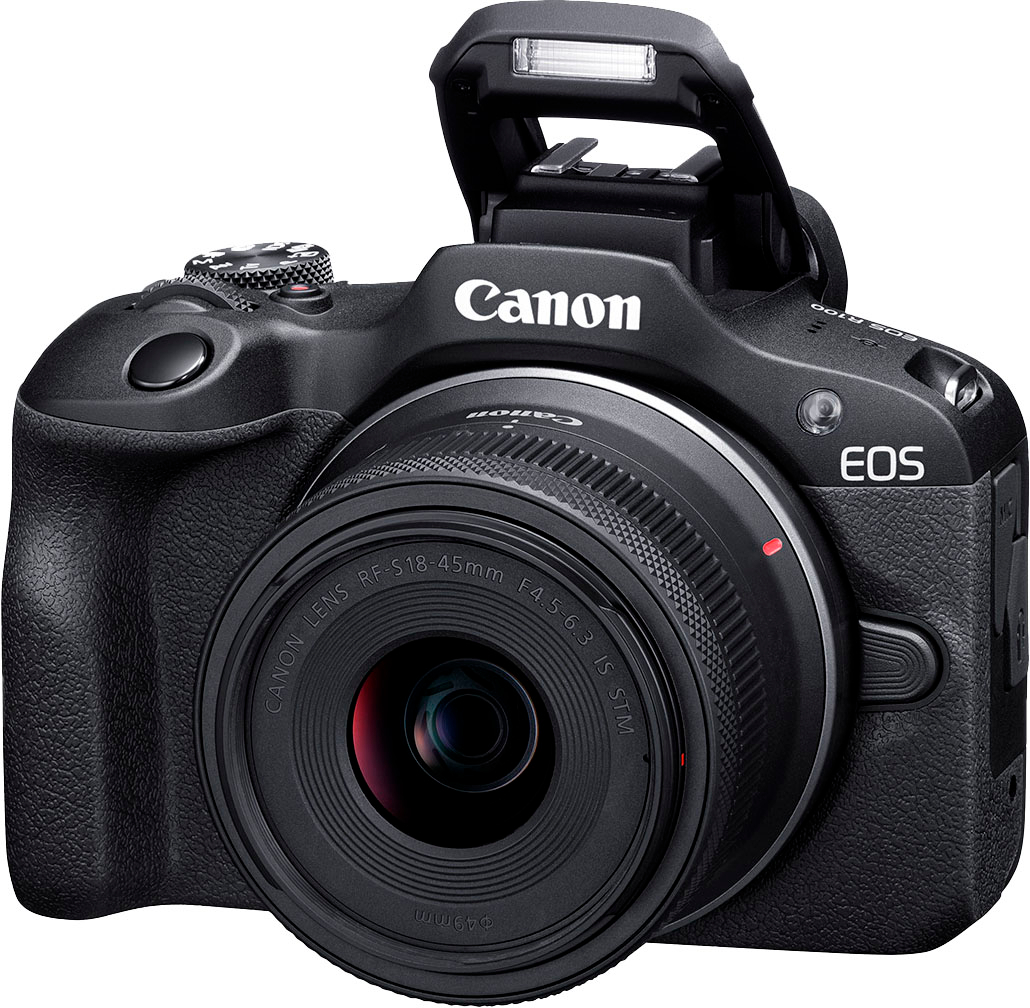
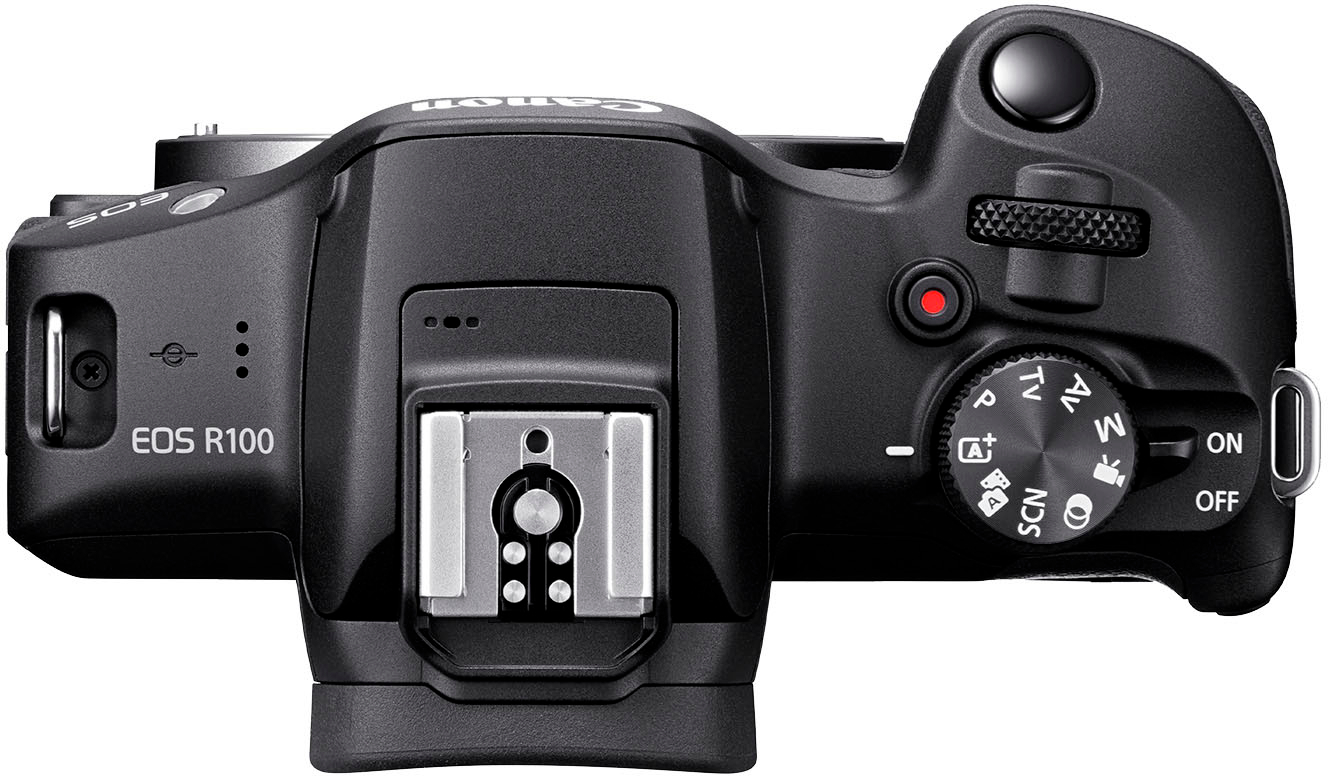
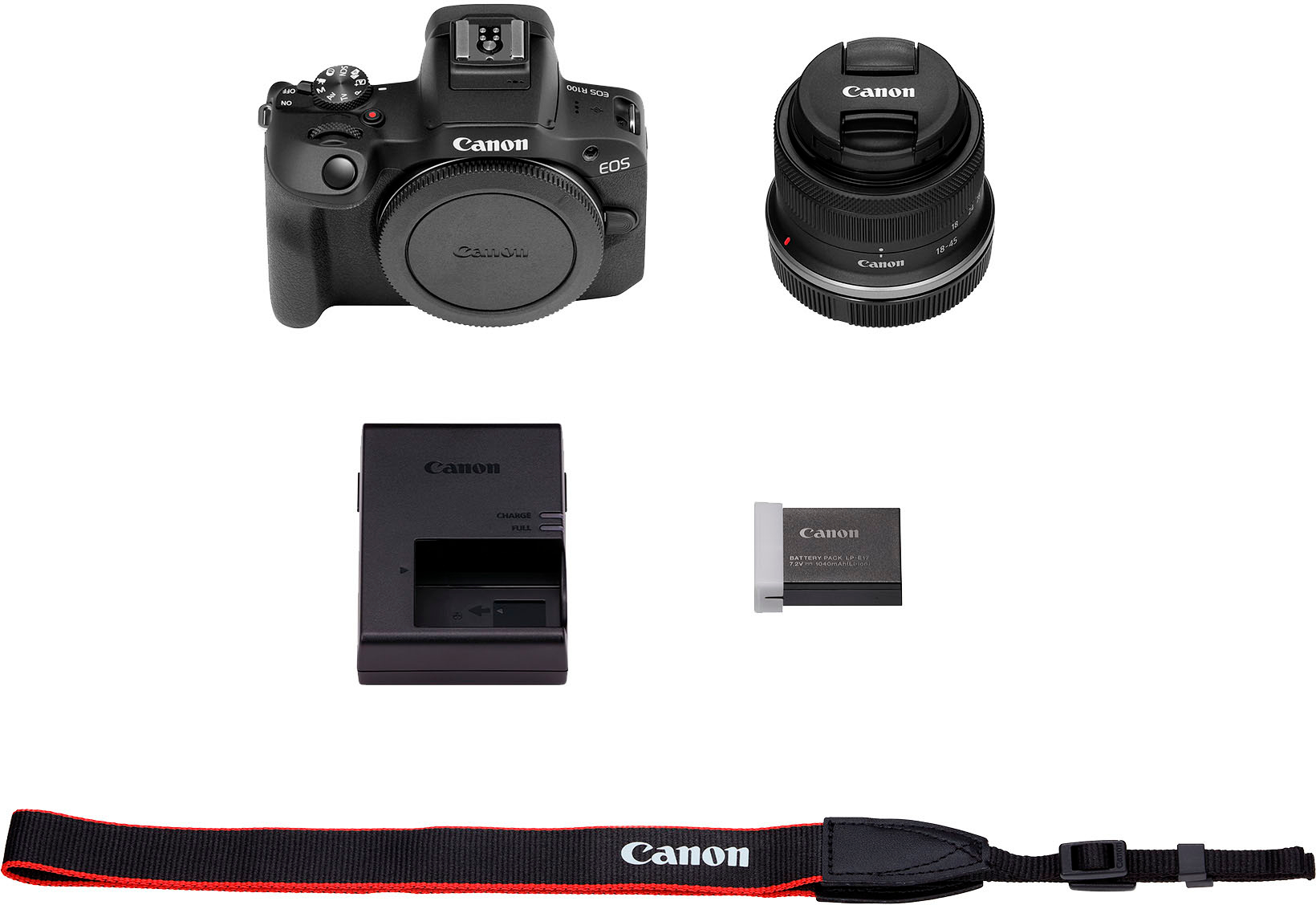
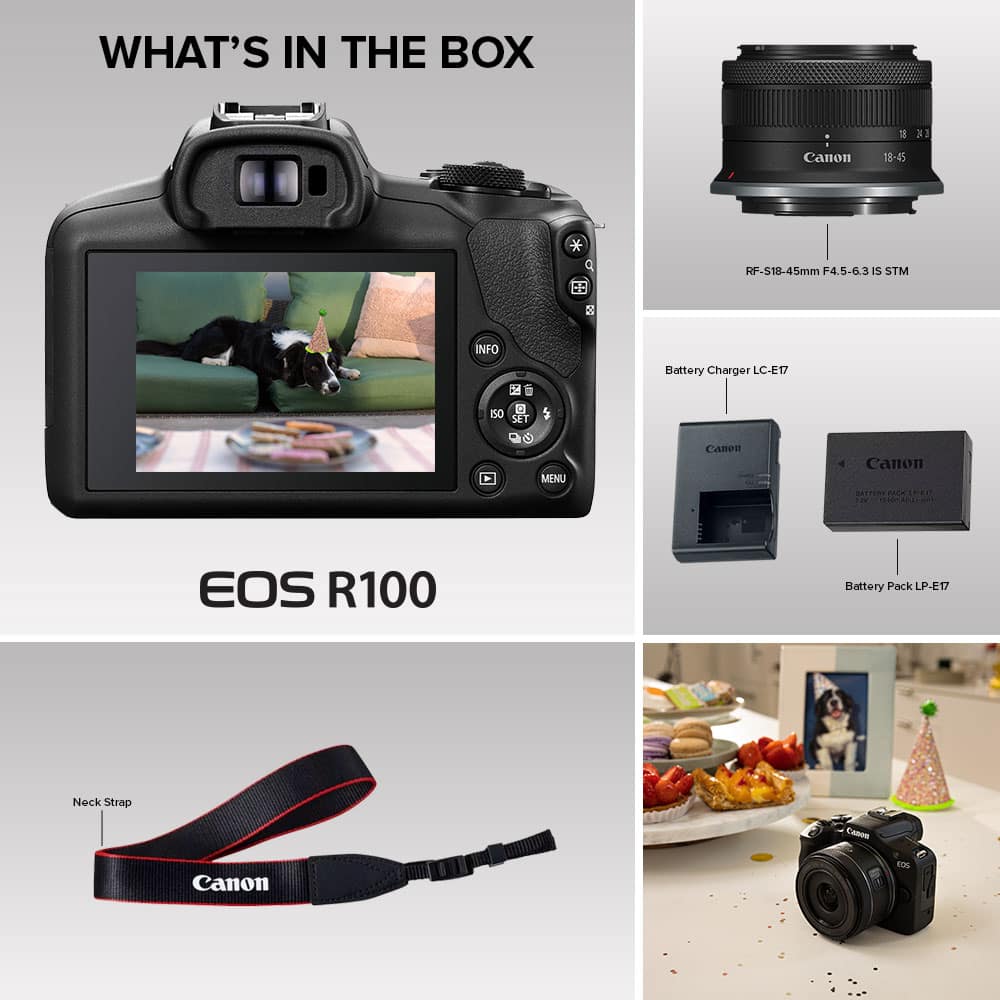
    With all the features and system guidance, the Canon EOS R100 almost makes me wish I had started with this camera before getting into DSLR, as I think it would greatly decrease the learning curve. It's a great camera to break into photography and understand mode selection, focus dynamics, and have a bit of fun with the built in filters and photo editing options. In the box is the R100 camera body, 18-45 mm lens, lens / dust caps, battery pack, battery charger, and neck strap. Setup is simple, charge the battery, insert an SD card (not included), and set up an account with the companion app, Cannon Connect. Once set up, the camera will walk you through each photography mode, and associated options under each mode. The camera offers the following nine modes: 1. Scene intelligent auto which is autofocus 2. Hybrid auto, where clips of scenes taken prior to a shot are compiled into a movie (good for social media applications) 3. Special scene, this optimizes the settings based on the scene type selected (examples are portrait, landscape, sports, etc) 4. Creative filters, there are 10 different filter options such as fish eye effect and water painting effect 5. Movie recording with either manual or auto exposure options 6. Manual exposure 7. Aperture priority AE allowing for background blurring 8. Shutter priority AE to photograph movement 9. Program AE, in my opinion this is a hybrid between autofocus and manual exposure, it allows for some manual inputs but not fully manual. Specs on this camera are that it boasts a 24.1 megapixel resolution and 4k video with frame rates up to 120 fps. The digital zoom is 10x, includes low / high lighting sensitivity, autofocus, brightness control, timer with delays, RF lens compatibility, integrated flash, face detection, and a few other standard features. The camera connects to your phone via Bluetooth and/or wifi, and the companion app will allow you to control the camera shutter via your phone. I took some tripod remote photos by setting up the shot then walking away and using my Android phone with the app. There was some minor lag in between shots, but overall it worked well and could come in handy for sports or other entertainment content where you don't want to be tethered to a camera tripod. The camera does allow for an external microphone to be connected for video recording audio. This is my first mirrorless camera so I wasn't sure what to expect. As I worked through the guided workflow and settings, I found this camera to cater to those interested in learning intermediate photography skills by providing many auto settings with giving just enough options to capture features without needing to understand the full physics behind setting up the shot. To test this theory, I let my 13 year old try this, since he's been begging for a DSLR since his older sister purchased one a year ago. My son was able to replicate some really neat photos of movement and artistic styling (blur and zoom combinations) via the mode selection that rivaled my daughter's DSLR manually adjusted shots. He also really liked the filters and adjustability offered through the various modes and settings. Personally, as an amateur photographer, in comparison to my Canon DSLR, I love the size and weight of this camera, it's easy to hold and is highly portable. I find that the camera mode selection guidance is relatively intuitive and easy for most to figure out the correct mode within the first two attempts. I was a bit disappointed that the large display screen was not touch enabled, so at times it was clunky to scroll through and select options using the directional buttons on the camera. On the flip side, I appreciate that the screen will show up via the viewfinder when I move the camera to my eye, this means that if I'm looking through the viewfinder I can still see the mode guidance and use the selection mirror without dropping the camera from my eye. Overall I think this is a great entry camera, allowing all levels of users to take beautiful photos while learning how to optimize settings as they go.

    I would recommend this to a friend
  • Pros mentioned:
    Camera quality
    Cons mentioned:
    Battery life, Screen
    Tech Insider Network Member

    Rated 4 out of 5 stars

    Great for beginners and some advanced users

    |
    Tech Insider Network Member
    Posted .
    This reviewer received promo considerations or sweepstakes entry for writing a review.

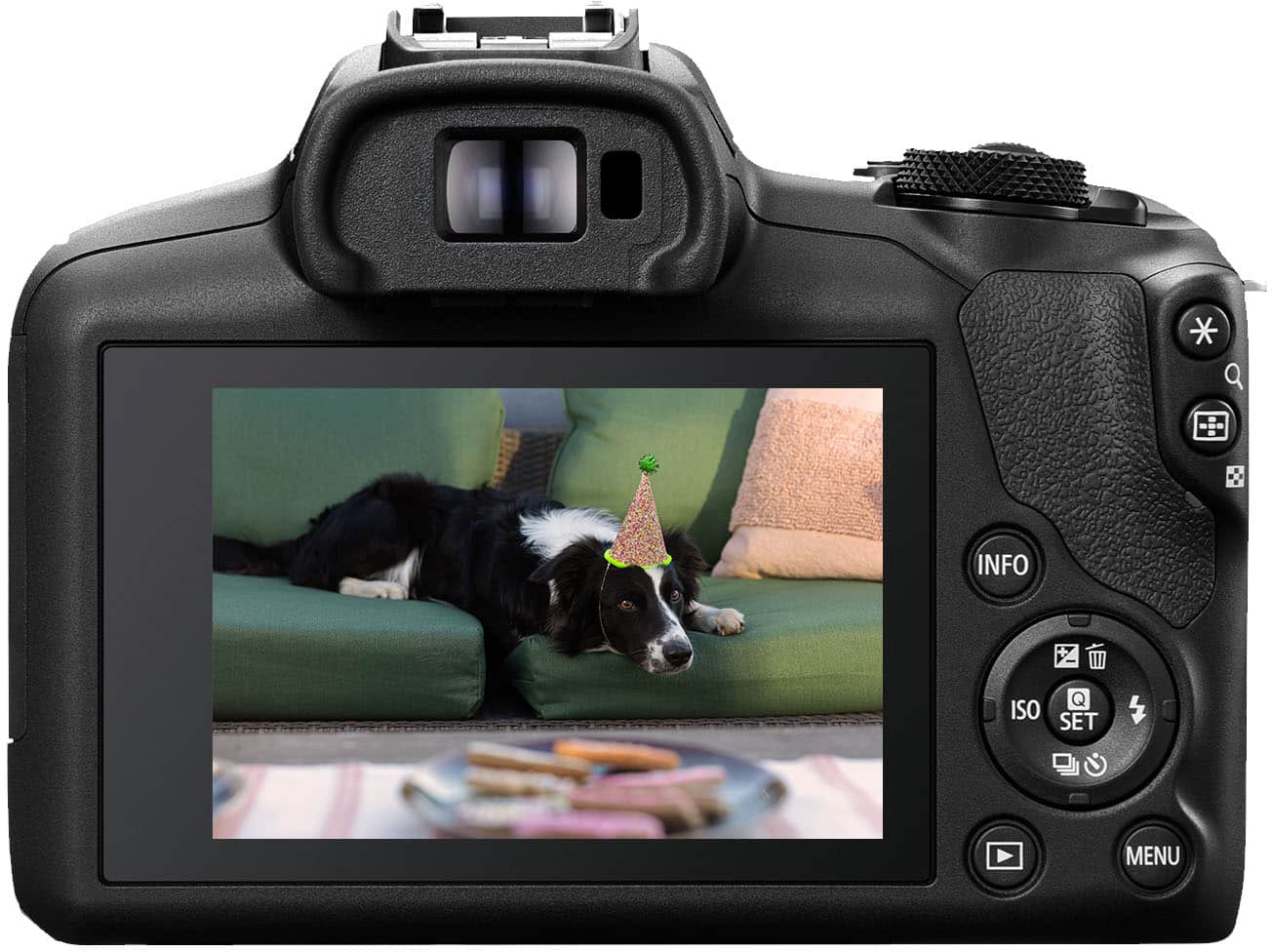
    ## Design One of the first things I noticed about the Canon EOS R100 camera is how lightweight it feels. The EOS R100 (0.81lbs) is only slightly lighter than my Canon M50 Mark II camera (0.88 lbs), but is still very comfortable to hold. The back of the camera has a fixed screen (no swivel like my Mark II) that is oddly not a touch screen, which is something I use a lot on my Mark II and it is taking a lot of getting used to on the EOS R100. The camera uses Canon’s new RF mount for lenses, so the number of lenses compatible with the camera may be initially limited. ## Performance The picture quality is virtual indistinguishable between the Canon EOS R100 and M50 Mark II cameras. Both capture sharp, colorful images (some samples are attached to this review) that you just can’t get with a phone’s camera (although each year, phones are coming closer and closer to DSLR quality!). The auto focus system is also fast and accurate, and supports face and eye detection. The camera also has a lot of features to help beginners and advanced users alike. For example, the “Mode” dial can be set to: - Fully automatic: The camera analyzes the scene and sets the picture settings automatically. Not sure how to change the brightness or the amount of background blur? Press the “Q Set” (middle) button to select some common settings in plain English (no need to know what “aperture” is and what number to pick). - Special Scene Mode: One of my favorite settings is located in this mode: HDR Backlight Control. The camera automatically takes 3 photos at different exposures and merges them together to help “even out” overly dark or bright areas of the photo and maintain the detail in shadowy areas. - Aperture-Priority AE: Another one of my favorite modes. This setting puts a priority on aperture and handles the shutter speed automatically so you can achieve the level of background blur you want. Another feature I like with this camera is its ability to upload pictures directly from the camera to a temporary online storage area (image.canon) so you can download them to your computer or smartphone without removing the SD card and importing the images manually. Again, the ability to touch the screen is sorely missed during the Wi-Fi setup process (using the directional pad to type out your Wi-Fi password and email address is a royal pain!) and the Wi-Fi can be flaky at times, so make sure you’re close to your router when you use this feature. The camera can also connect to your smartphone with the Canon app via Bluetooth, and it will automatically switch to a private Wi-Fi connection when needed for things like photo transfers to your phone. You can even “wake up” the camera when it is off from your phone and transfer photos. The screen on the back of the camera is large enough to determine if your photo is a dud or not, and you can zoom in portions of the photo to make sure you captured the detail you wanted to. ## Battery The battery is rated for 340 photos per charge (of course, video recording and Wi-Fi will eat through the battery’s charge quicker). The included battery needs to be removed from the camera in order to charge it with the included wall charger. Unfortunately, you cannot connect a cable to the camera and charge the battery while it is in place. ## Summary The Canon EOS R100 camera is great for beginners and more advanced users alike, with plenty of automatic and manual controls. Pictures come out sharp and colorful. The built-in Wi-Fi is convenient for transferring photos, but battery charging is a little more of a hassle as you need to remember to bring the wall charger with you when traveling. Also, the fact that the LCD screen is not a touchscreen makes some functions more difficult than they need to be.

    I would recommend this to a friend
  • Pros mentioned:
    Camera quality, Weight
    Cons mentioned:
    Screen
    Tech Insider Network Member

    Rated 3 out of 5 stars

    Beginner’s Budget Camera

    |
    Tech Insider Network Member
    Posted .
    This reviewer received promo considerations or sweepstakes entry for writing a review.

    BACKGROUND: I used to be a pretty avid photographer back in the 1970’s and 1980’s, primarily using a manual 35mm SLR camera (Minolta SR-T 101). Could develop my own B&W film and blow up numerous 8x10’s in my make shift dark room. For color, I normally shot Kodachrome slide film and owned a high-end auto-focus Carousell. No doubt I would bore anyone remotely interested with my self-taught skill set, especially those who were not actually in any of the shots. Ahhh, the good old days when the sound of a collapsing shutter/mirror was just pure music to my ears… Well life goes on, vintage film-based equipment was sold off years ago, and I have been using a high-end mobile phone for my current picture taking. Time to upgrade? R100 FIRST IMPRESSIONS: Now this is one super lightweight, compact, fully automatic, entry level picture/photography machine. When set to Automatic Mode, it is near impossible to take a bad picture. The inclusion of an 18 to 45mm (35mm Equivalent: 29 to 72mm) zoom lens is an excellent starter lens, abet a tad slow at f/4.5 to 6.3, but very usable and a decent match with the R100 for basic photography. LOTS TO LIKE: There are so many features and picture options available, that one can get quickly overwhelmed. Like most things in life, a slow steady pace works best. Once you begin to explore the numerous photo features offered, a mere snapshot is a thing of the past, and the word “photography” becomes more in focus. I highly recommend watching a few of the online reviews; Tony Northrup’s hour-long tutorial is one of the best explaining all of the different modes, with pros and cons. WHAT I DID NOT LIKE: I get it, this is Canon’s lowest price “beginners” camera so there are features and options eliminated to be able to be competitive and still make a profit. The two most glaring omissions are, the rear screen is not a touch-screen. You must use the directional pad to manually navigate stepping through numerous menus that are complex and non-intuitive. And the USB-C port cannot charge the battery; you must remove the battery for recharging. Because the R100 is intended to be Canon’s answer to those wanting to upgrade from mobile phone photography, to a mirrorless DSLR, leaving out those two features are major turn offs, since every mobile phone has those two features embedded in their devices. Add in the limited 4K video capabilities, and you may well be better served with purchasing the EOS-R50 when on sale. BOTTOM LINE: Overall, an acceptable entry level camera that is capable of excellent photographs in automatic mode. And having the ability to choose an assortment of manual mode options, for learning and creative purposes, is commendable. If one is taking photography courses, and requires a mirrorless DSLR, then this could be a viable option, especially when on sale. Note that you may quickly outgrow it, and/or you may become frustrated with the non-touch screen menu navigation system. RATING: For my intended use, with the overall difficulty I encountered using the menu system without a touch screen, the R100 earned a 3-Star Rating.

    No, I would not recommend this to a friend
  • Pros mentioned:
    Camera quality, Ease of use
    Tech Insider Network Member

    Rated 5 out of 5 stars

    Perfect Camera for Novice & Expert Photography

    |
    Tech Insider Network Member
    Posted .
    This reviewer received promo considerations or sweepstakes entry for writing a review.

    The Canon EOS R100 4K Video Mirrorless Camera is a fantastic full-featured camera, perfect for automatic point-and-shoot photos. While shooting a wealth of pictures with my iPhone, I was excited to get the EOS R100 as a dual-purpose camera. I like the ability to use the camera's automatic features for quick photos. Still, I especially wanted this camera to help me learn all the manual settings and features to grab photos beyond the capabilities of my iPhone. Unboxing and Setup The Canon folks want to ensure I have all the necessary information for each part in the box. Each component is wrapped in a bag with a QRCode. The QR codes lead to a web page describing the part. While I didn't scan these, I did try to search for and read through the 600+ pages of the Advanced User's Manual. A printed Quick Start guide is included in the box. The camera body, battery charger, battery, neck strap, RF-S18-45mm multipurpose lens, and related printed documentation are included in the package. I unwrapped everything, attached the lens to the camera, attached the neck strap, and read through the extensive Advanced User's Manual while the battery was charging. An SD memory card is not included with the camera. Since this camera can also shoot videos, I recommend an SDXC memory card for high-speed recording. The door for inserting the battery has a spring-loaded door release slider. A full-size SD memory card slot is next to the battery slot. I followed the steps in the illustrated Quick Start instructions, and within seven steps, I was ready to shoot photos. Camera Use The camera is easy to use with the automatic settings. The settings dial has four basic mode settings: • Scene Intelligent Auto - Fully automatic mode. • Hybrid Auto - Short photo/movie clips. • SCN Special Scene - Selectable modes for different scene types. • Creative Filters - Selectable set of effects filters. These mods are where I'll spend most of my time until I learn the more advanced features of the four Creative modes: • Program AE - Automatic shutter & aperture based on subject brightness. • Shutter-priority AE - Set shutter speed, and the aperture auto matches. • Aperture-priority AE - Set aperture, and the exposure auto matches. • Manual Exposure - Manual setting of shutter and aperture. The last mode on the settings dial is for movie recording. Trying to describe all of these modes is far outside the scope of this brief review, which is why I recommend downloading the 663-page Advanced Users Guide to your tablet or phone for reference. Taking Pictures My first round of pictures was shot outdoors, using the fully automatic and hybrid modes. Turning up the back display brightness improves the ability to see the settings and photographs. I used the Canon Shutter application to connect to the camera and download the pictures wirelessly. Sixty-seven images took a little over a half hour to download. The pictures looked great on my iPad Pro, and I could share some on social media. My next round of pictures was shot indoors at a full-day event, mostly of people, which allowed me to try out many of the Special Scene modes. Since I had my iPad, I could connect and download photos throughout the day and share them with others. Summary I am thrilled with the Canon EOS R100 camera and the RF-S18-45mm lens. I can pick it up for quick automatic shots in many modes and settings. I will be utilizing the manual settings for more advanced photography, especially astrophotography. I highly recommend this camera to anyone wanting to get serious about their photography.

    I would recommend this to a friend
  • Pros mentioned:
    Camera quality, Ease of use
    Cons mentioned:
    Screen

    Rated 5 out of 5 stars

    Great beginner camera

    |
    |
    Posted . Owned for 1 week when reviewed.
    This reviewer received promo considerations or sweepstakes entry for writing a review.

    I got the Canon R100 to take better photos of my kids and family trips, and I’m really happy with it. The picture quality is super clear, and the autofocus makes it easy to get sharp shots even if things are moving around. It’s light, easy to carry, and the battery lasts longer than I expected. The controls are simple enough for someone new to cameras, but it still gives you room to grow and learn. Perfect if you’re upgrading from a phone or just want something better for everyday use. Only downside is the screen doesn’t flip out, and there’s no mic input, so it’s not the best for vlogging. But for photos and casual videos, it’s awesome—especially for the price. Would definitely recommend this for beginners or anyone who just wants great photos without the extra bulk or complexity.

    I would recommend this to a friend
  • Pros mentioned:
    Camera quality
    Cons mentioned:
    Battery life
    Tech Insider Network Member

    Rated 5 out of 5 stars

    Great camera, period!

    |
    Tech Insider Network Member
    Posted .
    This reviewer received promo considerations or sweepstakes entry for writing a review.

    Short and sweet, I love this camera! It is my first mirrorless camera and has exceeded my expectations. Each picture has been sharp, pinpoint focused, and balanced. If I can capture photos like I've been shooting as a novice, I am excited to see what comes up next. There are some negatives that I'll lay out up front. For my experience, they aren't enough to warrant a lack of star, but they still should be noted. No touch screen. Not a deal breaker for me, because like any manual electronic, once you get used to the interface, it's truly smooth sailing. Next, the camera does not charge when connected to USB-C. That is a bit irritating. If you're doing a time lapse or shooting on low battery, this eliminates the option of using a portable battery pack to get finish up. Have no issue getting extra batteries s that's my usual MO, but that is a letdown. Lastly, transferring is SLOW if connecting vis cable or Wi-fi. Once again, not huge as in-camera transfer in all of my equipment is a last resort. I usually rip directly from the card. So, these are minor flags, but worth noting to any consumer. I imagine these were cut out to get such a gem down to this price point. Body is sturdy and well made. Feels exactly like higher end mirrorless cameras I've worked with in the past. Image quality is stunning. Great color. Acute details. In comparison with other cameras I've played with, I'd be gaslighting if I said I could see differences in images. Menus and options are extremely robust. Menus can vary between modes, but once you get all the options down, there is so much customization to make this camera truly suit your needs. So much control, it's overwhelming. Low light photography has been decent. As typical, the built-in flash is useable, but not going to produce "magic." Luckily, it has a shoe mount and all the needed ports to add on gear to get whatever shot I'm looking for. As for 4k, you're only getting 24fps, and there is some cropping that occurs. But, besides that, it's also gorgeous and pops right off the screen. If you drop to 1080p you can pick up some frames if needed. One major plus is this will work with higher end lenses. Often, when a new "value" camera is made, they make it proprietary so your experience is limited with only so much room for growth. Not here. If you can deal with the minor shortcomings, you can keep upping the level. As stated, I love this camera. Just paired it with a DJI RSC2 Gimbal, and I look forward to seeing what I can come up with. From portraits to chasing my son around in sport mode, it's exceeding my expectations in every way. If on the fence, jump over, you won't regret it!

    I would recommend this to a friend
  • Pros mentioned:
    Camera quality
    Cons mentioned:
    Battery life
    Tech Insider Network Member

    Rated 5 out of 5 stars

    Great Entry Level Camera!

    |
    Tech Insider Network Member
    Posted .
    This reviewer received promo considerations or sweepstakes entry for writing a review.

    This is ideal for those looking for an entry level camera. It can easily elevate your photography, blog, or overall photo-taking skills without breaking the bank. I personally think it’s a perfect entry point for those wanting to avoid spending thousands of dollars. Having operated a food blog for the past eight years, predating the trend, I find this camera perfect for capturing vibrant colors and achieving crisp photos in various lighting conditions. There are tons of features ideal for any situation. One notable point is that the camera does not come with an SD card, so I purchased one separately to allow high-quality photos. I've extensively tested it indoors and outdoors, focusing on still and moving objects, and I'm pleased with the results. The camera boasts an array of features, and if someone were to master those, capturing great shots will become straightforward: select the right setting, point, and shoot. While not considering it a dealbreaker, I have a slight concern about battery life over time, based on my experience with other cameras. During a family photo session involving three families, which lasted approximately one hour with 45 minutes of continuous usage, the battery level decreased by 30%. Not a big deal, but a caution if someone were to take it on vacation and take it on an 8 hour excursion. I’d then recommend bring a backup battery. Pros: - Affordable price - Rich feature set - Comes with a lens - Impressive video quality - Excellent entry-level camera Cons: - Features may be overwhelming for some users - Potential concern with battery life Overall, I'm highly satisfied with this camera. Despite my relatively short time using it, the camera excels in capturing various lighting scenarios, scenery, and landscapes. It offers outstanding quality at a reasonable price point.

    I would recommend this to a friend
  • Pros mentioned:
    Camera quality
    Tech Insider Network Member

    Rated 4 out of 5 stars

    Very Good, but Consider the Specs Carefully

    |
    Tech Insider Network Member
    Posted .
    This reviewer received promo considerations or sweepstakes entry for writing a review.

    Mirrorless cameras are the latest technological advancement in the digital camera space, combining the best aspects of a point-and-shoot with the quality of a DSLR. There are quite a few options available, although most mirrorless models command a fairly high price. The entry-level Canon EOS R100 is a new proposition at the more affordable end of the market, retailing for hundreds less than the next step up in the EOS range. It also has the distinction of being the smallest and lightest EOS R-series camera to date. The version here comes with Canon's stabilized RF mount kit lens, a perfectly diminutive match for the R100's svelte body. Unboxing the R100 -- a tidy affair with no styrofoam and a minimum of plastic -- reveals a camera that's even smaller and lighter than it looks in photos. Even with the kit lens installed the R100 weighs next to nothing, and forgiving the slightly awkward dimensions of a camera with a lens and viewfinder, it's about as tiny as you can get with these devices. Despite the tiny package Canon has managed to include both a viewfinders and a pop-up flash, as well as a 3-inch LCD screen and a small grip on the right side. Anyone with larger hands will wish for a deeper grip, but if you've used a camera without one I think you'll find yourself wishing you had something at all. The R100 kit comes with the basics (lens and body) as well as a battery and battery charger. Yes, like the DSLRs of old, you'll need to remove the battery to charge it, there's no charging over USB-C here. Not a huge loss on paper, but having a mirrorless camera with USB-C charging is a major convenience, especially when traveling, so keep in mind that you'll need to tote a charger around. As usual, there's no memory card included, but any quality SD card will work. Install a card and the battery and the camera fires right up, ready snap away with minimal setup. Canon has definitely designed the R100 for beginners, as the default user interface is extra-simple, with large icons and descriptions that appear for each icon. This is great, but can get a little annoying if you're comfortable with Canon's system already, but it's easy to turn off in settings. Coming from one of the other big-name camera systems, it's been nice to have icon descriptions, as some key functions use different names and symbols. While simple, it's pretty clear Canon focused heavily on the user interface when designing this as their entry-level model. You'll notice the biggest implication right away -- that large, bright LCD screen is both fixed in place and not touch-sensitive. I don't mind the fixed screen, especially because there's a viewfinder, but wow do I miss having a touchscreen. Scrolling through menus is just a little bit harder with only a d-pad, which can slow you down when changing camera settings on the fly to get that perfect shot. The biggest downside in my opinion is the lack of touch-to-focus. Once you're used to a quick tap-and-snap, having to move a focus mark around the screen with the d-pad feels positively archaic, and certainly makes changing the focus with moving subjects pretty difficult. Thankfully, Canon's autofocus system is very good. It's not the latest and greatest, but it's close, and very fast. I found it largely accurate, although it cannot recognize pet faces (only human), which means photos of furry friends may not always be in focus the first time. Be prepared to snap multiple shots or get good at changing the focus point on the fly when it comes to cats and dogs. Again, this may not seem big on paper, but depending on your photo-taking plans -- and in combination with the non-touch display -- this might be a pretty big downside. The R100 does include a selection of shortcut buttons on the back and side, but it's a minimal set, and there are no function buttons on the front or top to program to your preferred settings. You can change the default options of some of the included shortcut buttons, but if you're used to having a button for every function, you won't find that here. Thankfully Canon's "My Menu" lets you bookmark your most frequently-used settings, and with a little practice I was able to memorize where and how to change my preferred settings fairly quickly. Thankfully, the R100 is very good at choosing the right settings on its own, and folks that are content to leave the camera in its automatic modes will have very little trouble capturing beautiful images. The 24.1 megapixel sensor and snappy autofocus will give you great results most of the time, and the flexibility to compose shots on the rear LCD or the electronic viewfinder is great. I own another mirrorless camera without a viewfinder, and I really miss it, especially outside. Canon includes a sensor that automatically switches to the viewfinder when you hold the camera to your eye and snaps back to the LCD when you move the camera back, which is great for saving battery life. Both the viewfinder and the LCD have plenty of color and resolution to make capturing shots quick and easy. Another area Canon appears to have saved some money is in the speed of the camera's processor, which makes taking multiple shots in a row or snapping/reviewing/snapping/reviewing images just a hair slow. The camera takes just a second to record the photo to memory and ready the screen for the next shot, which on paper doesn't sound like much, but in practice results in a half-second stutter if you pause between shots. If you're the type that takes shot after shot in "burst" mode you'll likely be disappointed by the slow 6-ish shots per second. Keep this in mind if you shoot a lot of fast-moving action. I'm more of a casual/street photographer, so the slower speeds here aren't a dealbreaker, but they are noticeable. In a more casual or beginner use case the R100 performs admirably, capturing beautiful images without a ton of adjustment needed. Combined with the very compact and lightweight package this makes the R100 a great toss-in-your-bag travel type of camera. Over about a week of casual shooting I found the battery life more than adequate and I haven't had to charge it yet. Once you get the hang of changing key functions even the non-touch focus point becomes fairly livable, and Canon's excellent autofocus engine means you shouldn't need to adjust the focus manually too often. The included RF kit lens is compact, lightweight and very good. It captures enough light in most scenarios, focuses quickly and includes stabilization for shake-free photos. The R100 is an APS-C, or crop sensor, camera; nearly all the available RF lenses are full-size lenses, which mean they'll have a 1.5x (ish) longer focal length than stated (e.g., a 28mm lens is closer to 43/44mm on the R100). Like some other major camera manufacturers Canon has not fully fleshed out their crop-sensor-specific lenses, so you'll need to pay close attention when shopping for additional lenses so you get something with the focal length you're looking for. That being said any RF lens will fit the R100. If you're cross-shopping the R100 with other mirrorless camera systems make sure you compare the available lenses in each system before you buy, so you can be sure you're able to get what you need at a price you're comfortable with. To me, the Canon EOS R100 is a bit of a toughie to rate. It's small and light while being solidly-built, and in most scenarios is capable of taking fantastic photos. However, to achieve the entry-level price, Canon definitely made sacrifices, including no touchscreen and slightly-worse autofocus and processing engines, which have a real impact in certain scenarios with fast-moving subjects and/or a mix of people and pets. You'll have to spend hundreds more to get more in these areas, though, which is a very real concern for many. With the inclusion of a viewfinder and access to the RF lens system, though, you're not nearly as limited as you are with a smartphone or point-and-shoot camera, making the R100 a real value contender. All told, I enjoy the portability and quality of this camera, and it has earned a place in my rotation. Just make sure you pay close attention to the specs and what you're looking for when shopping this and other mirrorless cameras on the market.

    No, I would not recommend this to a friend
  • Pros mentioned:
    Camera quality, Ease of use
    Tech Insider Network Member

    Rated 5 out of 5 stars

    Great for me!

    |
    Tech Insider Network Member
    Posted .
    This reviewer received promo considerations or sweepstakes entry for writing a review.

    The Canon EOS R100 4K mirrorless camera is a great camera that is high quality, easy to use and seems to be perfect for a beginner like me. As someone who is a novice in the world of photography, I can say that using the Canon EOS R100 has been an overall pleasant experience. Setting up the camera was straightforward after downloading the Camera Connect app from Canon. Within the app you can update firmware, check out images, use remote live view, Bluetooth remote and more. You can also use the “apps” tab to get access to other Canon applications for your camera. Using this camera was slightly overwhelming at first but wasn’t so bad after getting acquainted with some of its functions and buttons. There are many modes and settings, but my favorites were creative filters and Aperture priority AE. Creative filters gave me the ability to just start taking photos with various effects which is nice considering you could probably spend half a day just playing with settings. Aperture priority was fun too. Being able to adjust the aperture and blur the background was quite fun. The video quality was pretty good with this camera. The main downside was 4K video is capped at 24 frames per second. You do get 60 fps in HD mode, however. Speaking of video, this camera would be great for someone who is into streaming and wants to upgrade their video quality for their audience. Overall, I am happy with this camera. It doesn’t seem to have too much of what I don’t need in a camera. It’s fairly easy to use, lightweight and you get that Canon quality, of course. If you are looking to get your feet wet with photography, but don’t want to sacrifice quality, I highly recommend this camera.

    I would recommend this to a friend
  • Pros mentioned:
    Camera quality
    Cons mentioned:
    Battery life
    Tech Insider Network Member

    Rated 4 out of 5 stars

    Good mirrorless camera for casual/beginner

    |
    Tech Insider Network Member
    Posted .
    This reviewer received promo considerations or sweepstakes entry for writing a review.

    This is a very good mirrorless camera aimed squarely at the casual user who’s interested in using more advanced manual features. I’ve always been a phone camera user (since the cameras on Pixel phones are so good), so this camera is definitely a good introduction for me. Image quality is reliably excellent through the included detachable 18-45 mm lens (giving optical zoom up to 2.5x -- not very much, although you can always enable digital zoom up to 10x in the settings). If you’re familiar with Canon cameras, the various shooting modes and Scene presets will be no surprise, including Sports, Portrait, Landscape, Food, etc. There are also modes that give the user more manual control, like Shutter Priority, Aperture Priority, and Manual Mode. Autofocus is fast, and usually allows for a quick snap (although there were a couple of candid shots I took at Thanksgiving dinner that ended up a little blurry). Preset filters like Fisheye and Watercolor are a bit gimmicky, and probably won’t be that useful for most photographers. Video recording can go as high as FHD at 60 FPS or 4K at 24 FPS. Image and sound quality is good (and there’s also an option to connect a higher quality external mic). There is digital image stabilization (but not optical), so video shakiness is reduced a little, but it’s not great. The built-in flash works decently. It’s a manual flip-up, which at first seemed a bit low-tech to me (as opposed to it automatically popping up when the camera sensed it needed more light) -- however, I came to appreciate it, because it was easy to choose not to use the flash if I didn’t want it, even though the system was suggesting more light. When I did use the flash, pics were a bit washed out, but this is pretty common for basic flash, and can be minimized by stepping back and zooming in. Controls are fairly self-explanatory, especially if you’re used to Canon, and the onscreen menus can be set to give concise summaries of all of the various functions. The main display is big and bright, providing good visibility even in direct sunlight. If the ambient light does end up being too bright to see enough detail on the main display, there’s also a traditional viewfinder, but this is simply a smaller LCD display -- it doesn’t look directly through the lens, like a traditional SLR. Build quality is excellent. The camera feels solid, buttons and switches have good tactile feedback, and materials have a nice premium feel. There are a few different connectivity options. In addition to miniHDMI and USB-C, it can also connect via Bluetooth and wi-fi. I especially appreciate the ability to upload photos directly to cloud storage (for me, Google Photos). Oddly, although the manual describes “automatic uploads”, I’ve found that the process is not automated -- I have to manually select the photos and then proceed with the upload in the menu. Upload speeds are pretty slow -- it took about 10 seconds to upload each pic. Battery life is probably the only minor downside I encountered. I didn’t run a formal test, but I noticed that the battery ran out after only some intermittent casual use for the first few days, and then more intensive use over 3-4 hours of Thanksgiving festivities. Total number of pics was about 60. Of course, there are some settings that can help to save battery (primarily when it comes to the display and its brightness), but if you plan to use the camera on a trip or at a big event, it’s advisable to get backup batteries. I’ve seen reviews online that trash this camera for being too basic and cutting too many corners, but I suspect these were from photography enthusiasts who are accustomed to high-end $1000+ cameras. For the entry-level mirrorless camera segment, and for the intended casual user, I think this is a really good introduction to a camera that isn’t a phone or point & shoot.

    I would recommend this to a friend
  • Pros mentioned:
    Camera quality
    Tech Insider Network Member

    Rated 5 out of 5 stars

    A Nice Entry Level Camera

    |
    Tech Insider Network Member
    Posted .
    This reviewer received promo considerations or sweepstakes entry for writing a review.

    I’ve had a DSLR for years and the Canon EOS R100 is my first dabble with a mirrorless camera. This camera is clearly made as a budget deal for beginners. This is evident in its simplicity and lack of frills. That said, it does not detract from its main function, the photography. The photos taken with this camera as captivating as those taken by my DSLR. Besides being great for beginners and those on a budget, it is also great for travel due to its lightweight and compact nature. Included: The package includes the mirrorless body of the camera with a dust cover, a RF 18-45mm lens with cap and dust cover, a battery, a battery charger, and a strap. The body: The camera’s body is very lightweight and simple. It has a fixed, non-touch screen. Although I am used to having the option to use the screen to autofocus by touching in a particular spot, I do not miss the touch screen that much. It’s probably because with my DSLR I tend to use the viewfinder mostly and this the touchscreen is not needed when shooting that way. What I do find difficulty in adjusting to is the fixed screen, as swivel screen is useful when shooting from a perspective higher or lower than eye level. The buttons on this camera are somewhat unsatisfying. They work great, but something about the way they sound and feel just gives off a rudimentary finish. There are also fewer buttons than I am used to. The multi-selector contains the ISO on its left side and the top side can be pressed to toggle between the white balance, aperture, and shutter speed setting. Flash: It has a manual flash option, as well as an external flash mount. The flash can be selected in the settings, but it has to manually be opened for it to work. Mirrorless: Having used DSLR up until now, I was amazed at the amount of weight the body sheds by losing the mirror component. There is also no loud shutter sound with this as a result, so taking a photo is much more discreet with a mirrorless option, though the sound is not completely eliminated. The photos are just as high quality too. One feature that the mirrorless aspect changes is that viewing the screen when shooting provides an accurate depiction of what the photograph will look like. The viewfinder is also an electronic screen but it works so well and provides the same view as the screen. Also, it magnifies so well that I can look through it without my glasses. Beginner to Expert: This camera is notably designed with beginners is mind. The default setting provides a guided mode that informs the users how each mode works, along with what to expect when searching through the menu. This mode can be disabled, and standard mode can be applied for those who are already versed in the use of these cameras. Hybrid Auto mode: Similar to iPhone’s “live photos,” it shoots 2-4 second clips before taking a photo and then combines them all into one movie as it goes. I had no idea what this was until I found the compilation of videos meshed into one and it was such a pleasant surprise. Of course, guided mode explains this, which I had bypassed in my eagerness. Low light: The low light quality of this camera is outstanding. The darkness can appear as bright as day with little ambient light to illuminate. Manual mode: This camera makes changing through the exposure settings surprisingly pleasant. This is because the camera will show you in real time how the setting will affect the photo, which my DSLR does not do. Therefore, there is no guess work or trial and error when deciding on the best balance of the exposure triangle for the desired look of the photo. This works on both the screen and the viewfinder. Video: The video and sound quality on this Canon is superb. It records at up to 4k at 24fps and below 4k can sustain higher up to 60fps. The camera will continuously look for faces and eyes to detect as it records and will adjust to the lighting fairly quickly. It does seem to take longer than I would like to focus when the subject changes. The manual mode allows for the ISO, aperture, shutter speed, and white balance to be changed as it records. The one feature I cannot find is manual focus. The videos record sound exceedingly clearly and audibly. I feel that the sound is the best part of the video as these types of cameras usually fall short on their mic but this one surpasses all expectations. One downside is that the videos are quite zoomed in. Because of this, they have to be shot from a distance and the amount of zoom available is limited with the lens provided. Another downside is the video quality is lacking. Although it records in 4K, the amount of time it takes to refocus and the lower fps renders a less than desirable result. Apps: There are two apps that Cannon involves with this camera. One is image.canon, and I cannot figure this one out. It is supposed to connect to the cloud and the camera is supposed to upload photos to the cloud. Thus far, I cannot get this to work even though I have made the account and logged in and connected from both ends. The other app is Canon’s CameraConnect. This is much easier to work with, it connects to the camera via Wi-Fi and Bluetooth and will show all the photos presently in the memory card of the camera. The camera must be turned on for it to connect though. From here, photos can be chosen and downloaded as desired. Compared to my DSLR, which is a different brand, it is a rather cumbersome process. My other camera connects regardless if on or off, and automatically uploads photos to my phone’s gallery through the app. It would be great if this worked the same way, but then again, it does help not to have to delete unwanted photos from my phone. So, it is up to personal preference which method is best. All things considered, I find the Canon R100 to be a great segue into mirrorless cameras for beginners and experts alike. Being as photography is its main purpose, it delivers all that is necessary to achieve professional photos. That can be personally determined of course, with the photos I accompany this review with. Lightweight and compact, this camera is going to accompany me on many excursions where I want to travel light but capture the moments with something far better than a phone.

    I would recommend this to a friend
  • Pros mentioned:
    Camera quality
    Tech Insider Network Member

    Rated 5 out of 5 stars

    Approachable yet powerful camera

    |
    Tech Insider Network Member
    Posted .
    This reviewer received promo considerations or sweepstakes entry for writing a review.

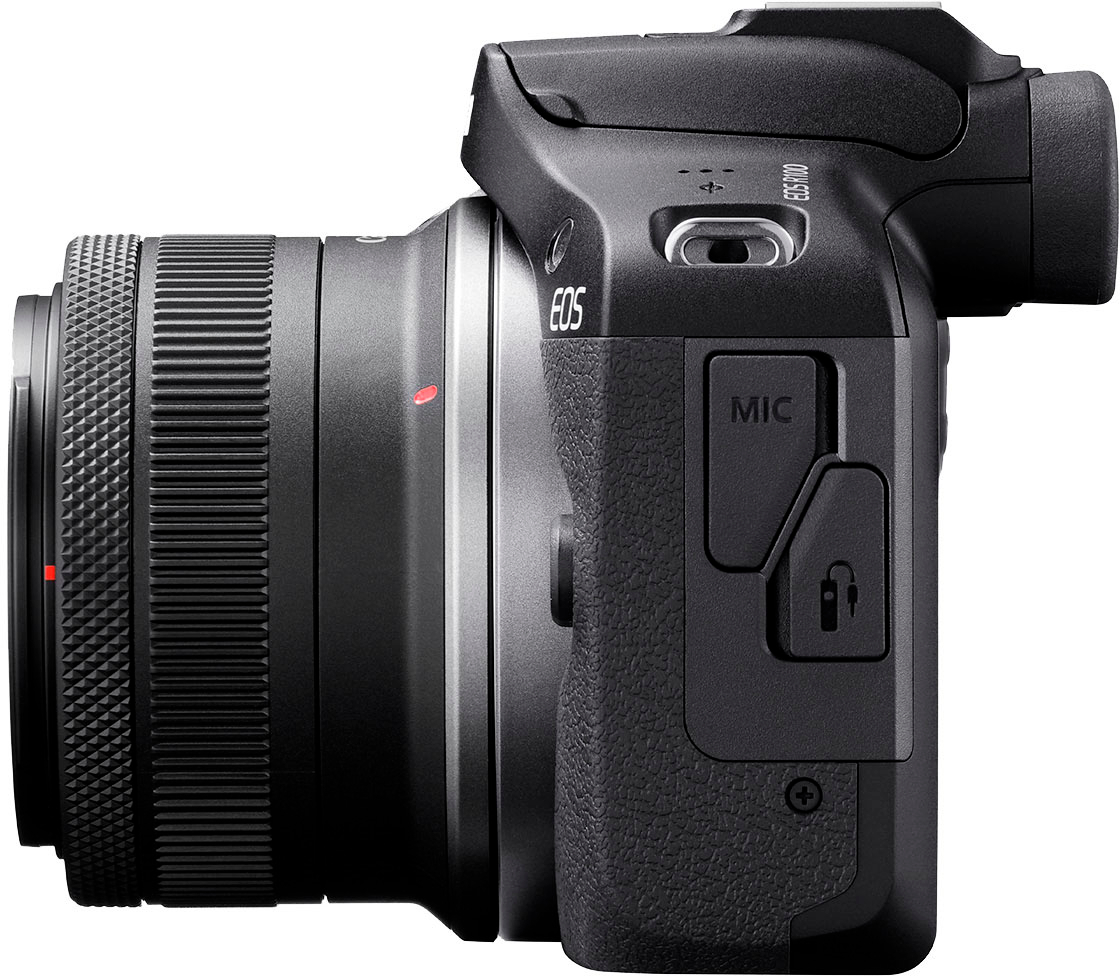
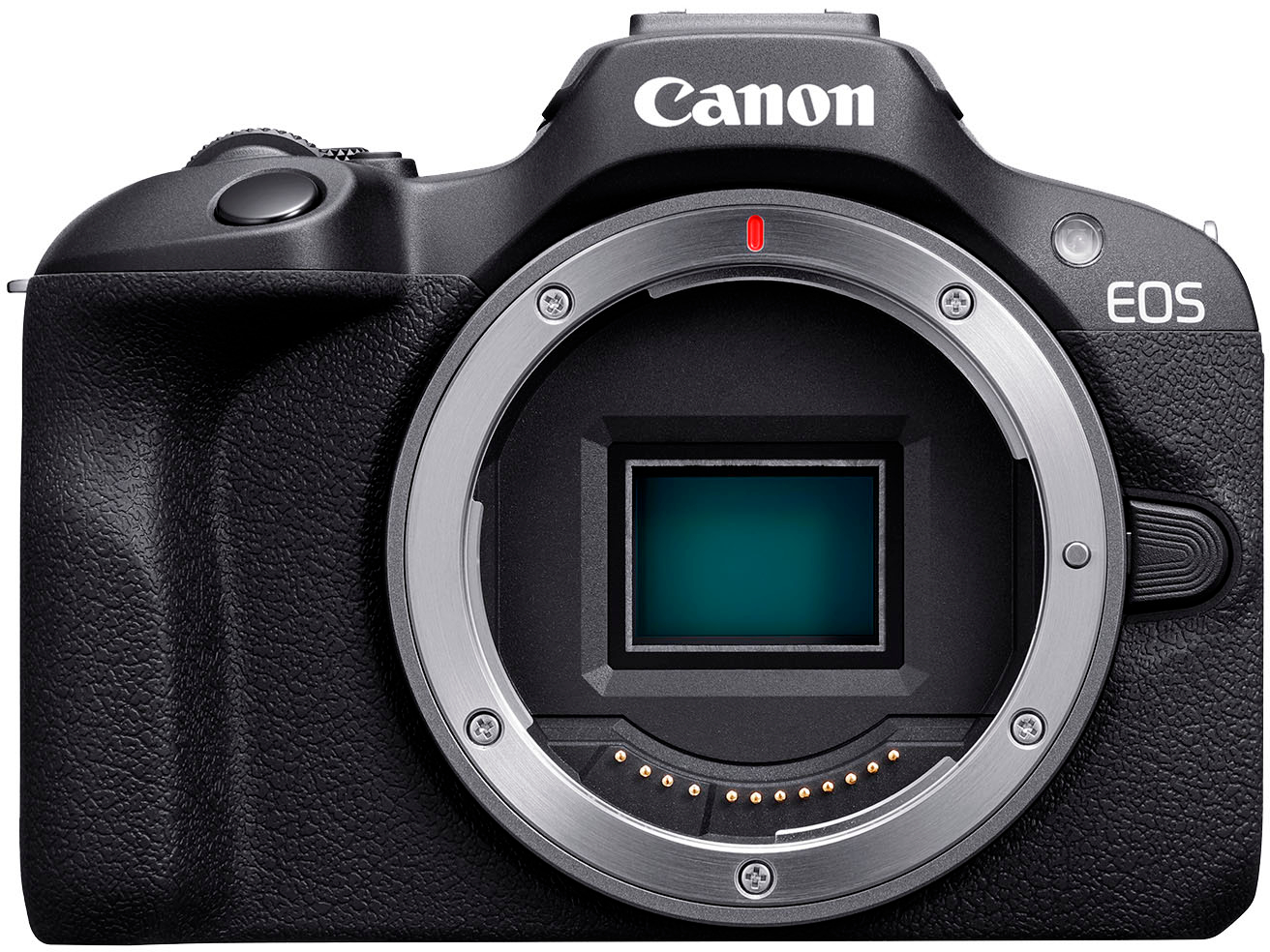
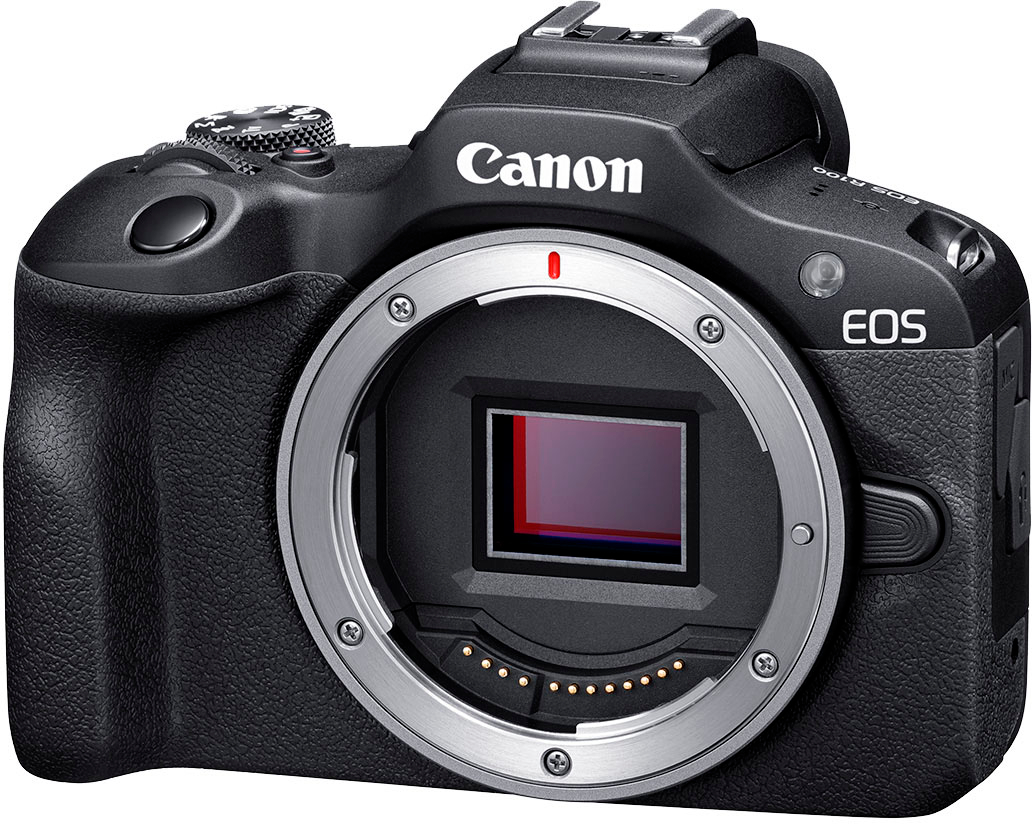
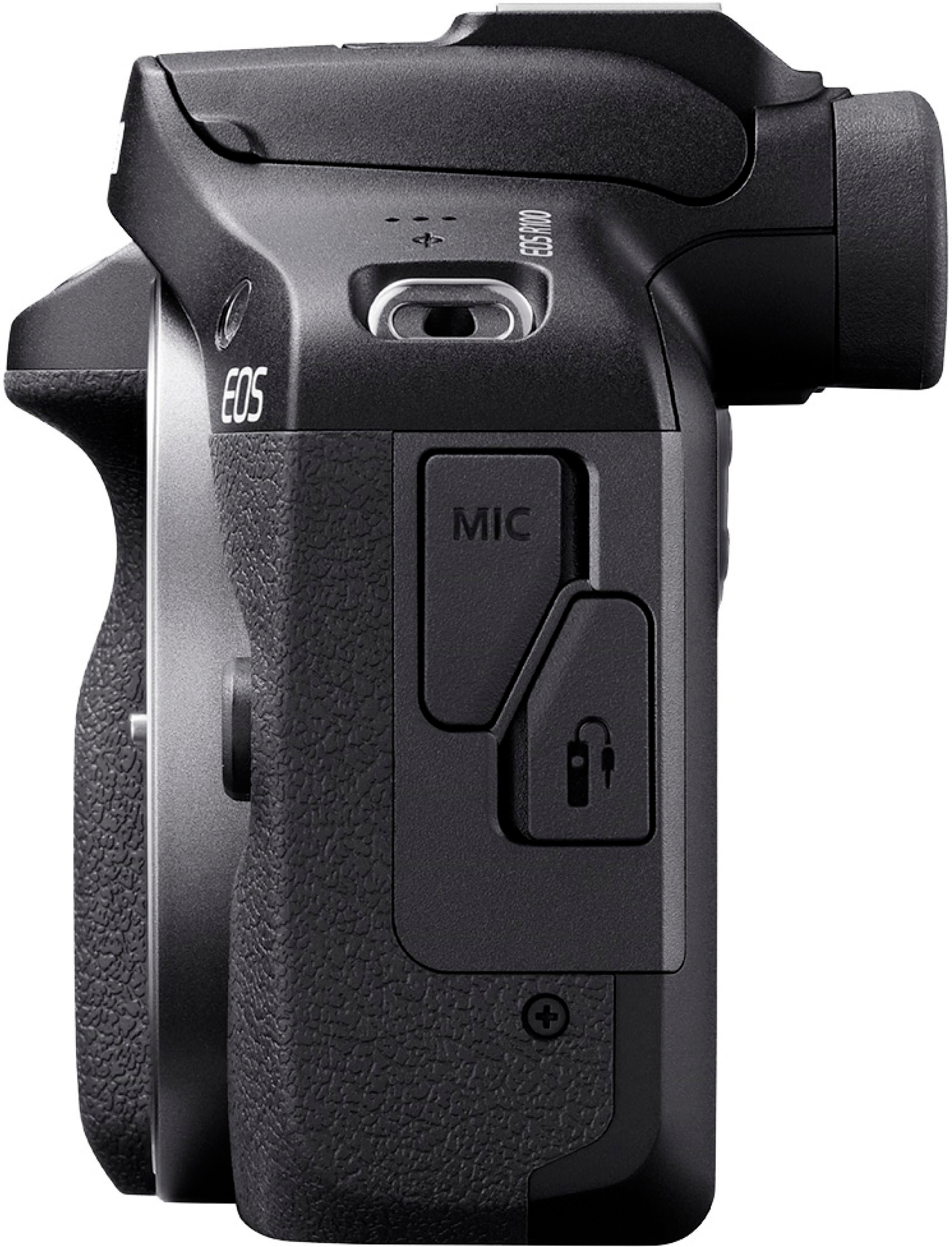
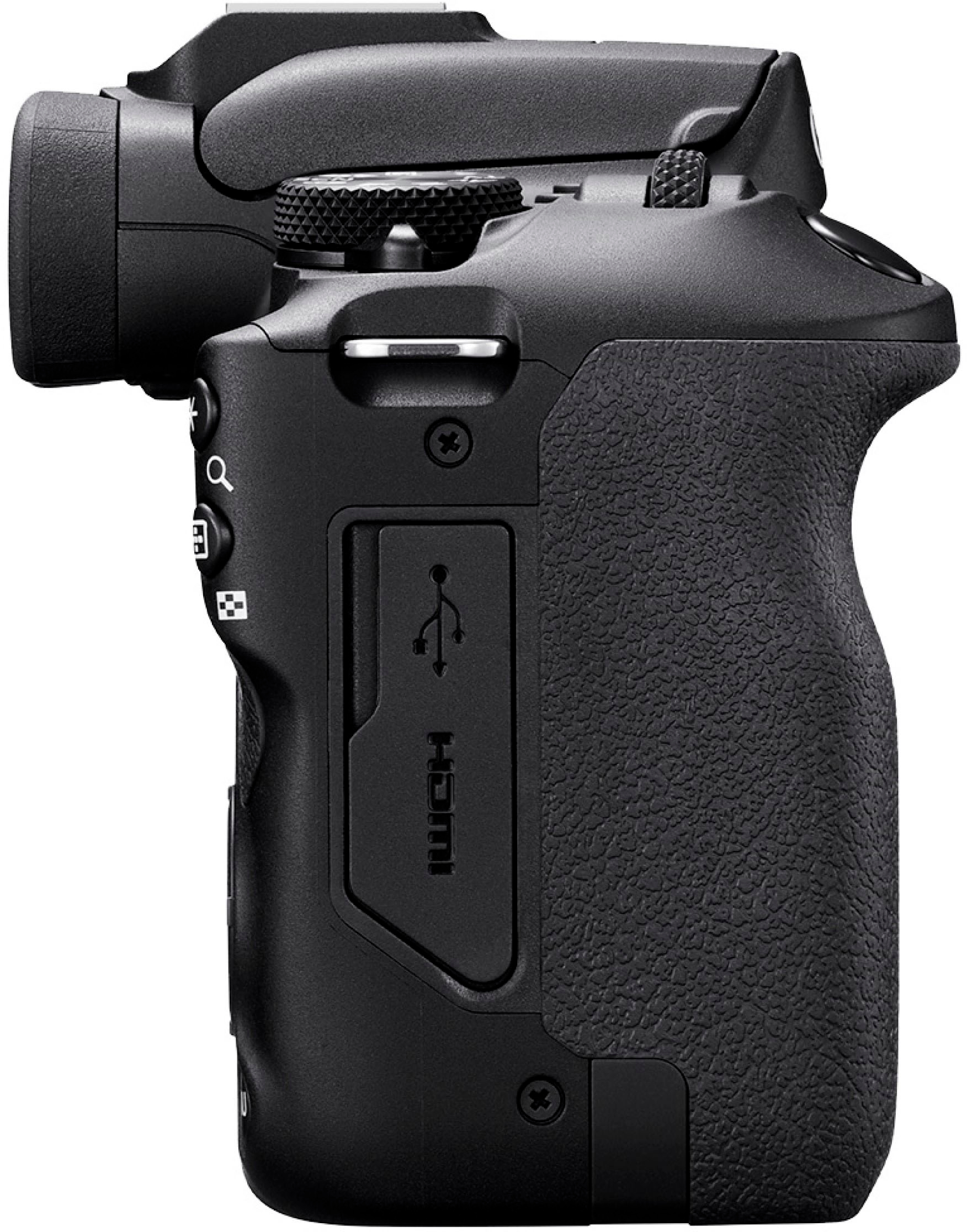
    To be clear, this is an entry level mirrorless camera. It's very powerful and takes excellent pictures, without things that are most useful for professionals. Being a mirrorless, the body is lightweight and compact (compared to reflex cameras). The size of the sensor is what's called APS-C. What this means is that in high end cameras. The size of the sensor (what's inside the body of the camera that receives the image from the lens) is comparable in size to a 35mm film. In this case the sensor is roughly the size of an APS film (This was a newer film popular in the late '90s that was much smaller than 35mm, commonly used in pocket film cameras). Now, since technology advanced much over the years, this is still a good size and obviously a magnitude larger than on smartphones. This kit comes with an RF-S 18-45mm lens. RF lenses are the newer format used by Canon on its range of mirrorless cameras, and those lenses work here as well, however, this uses the 'RF-S' lenses. The reason being the size of the sensor. Full size RF lenses will project an image larger than the size of the sensor, so some of the optical image is lost and the image appears zoomed in (in full resolution, but as if the lens were a zoom version of it). So the RF-S lenses focus its image on the smaller sensor. The diameter of the lens is the same so it can use the same filters, but the length of the lens ends up being more compact, so the end result is that RF-S cameras are more portable than full-size ones. The Digic 8 control unit used here is the one below their flagship, and it works very well on this camera. Autofocus is very accurate and fast for most situations. In fully automatic mode pictures come in focus and good lighting most of the time. The whole camera feels very responsive. I used different Canon cameras before from 35mm prosumer to pocket digital cameras, so controls will feel familiar to anyone that used a Canon camera before. The digital viewfinder is very clear and easy to use. For people wearing glasses, there is a slider underneath to adjust focus and it works great in my case as I can use it without wearing glasses. The screen is very clear and detailed although it's not touchscreen. This was somewhat expected, although the controls are easy to use. Also the screen is fixed to the body and does not rotate. It has a hot shoe and the built-in flash is good, although it does not pop-up on its own. Lifting the flash uses auto flash mode or it can be set to always on, through the side controls. Wired connectivity: On one side it has a 2.5mm external mic input and wired remote control. On the other side there is a micro HDMI and USB-C. The single battery and single SD cards are accessible from the bottom. I have to say was excited that the camera has USB-C but quickly got disappointed as it can only be used for copying images/videos from the camera to a computer. It does not charge the battery and it cannot be used for video. The battery life seems very good (compared to older cameras) but it has to be charger with a proprietary charger, included, that connects to a 110v outlet. Wireless connectivity included Bluetooth and Wi-Fi. It does not have a built-in GPS but it uses the CameraConnect app from Canon to obtain GPS from the phone while connected via Bluetooth. Wi-Fi connectivity is feels a world away from a smartphone. It can connect to a local network to upload images to Cannon's cloud service or to print to a local printer but most of the time it's used when connected to a smartphone. The CameraConnect app first establishes a Bluetooth connection and when needed it slowly negotiates Wi-Fi direct connection to the camera. In that mode, it can copy pictures to the phone or use the phone as a remote control, which also streams images (with a lot of lag). The remote control app works well although it's a bit basic and a bit clunky, although it does work as intended. The app remote control even allows for touch to autofocus, which the camera itself does not do. While picture quality is excellent, recording in 4K is limited to 24 FPS. 1080P can be 60 FPS, 30 FPS or 24 FPS, as well as 720P at 60 FPS. Overall it's a great camera, it's very friendly to use. It goes from fully automatic to multiple scenes with either shutter priority (action pictures) or aperture priority (focus on an object with softer backgrounds, etc.), several digital filters to full manual modes, so it grows with one's skills. Price to function ratio is very high. I do recommend this camera.

    I would recommend this to a friend
  • Pros mentioned:
    Camera quality, Ease of use

    Rated 5 out of 5 stars

    Canon EOS R100 Review

    |
    |
    Posted . Owned for 11 months when reviewed.
    This reviewer received promo considerations or sweepstakes entry for writing a review.

    The Canon EOS R100 is an excellent entry-level mirrorless camera that offers impressive image quality, ease of use, and a compact design—all at an affordable price. Perfect for beginners and casual photographers, this camera delivers great performance while maintaining Canon’s signature reliability. Image Quality & Performance Equipped with a 24.1MP APS-C CMOS sensor and Canon’s DIGIC 8 processor, the EOS R100 captures sharp, vibrant images with natural colors. The Dual Pixel Autofocus system ensures fast and accurate focusing, making it great for portraits, landscapes, and everyday photography. Compact & Lightweight Design Weighing just 356g (body only), the EOS R100 is one of the lightest cameras in Canon’s R-series. Its ergonomic grip and intuitive button layout make it easy to handle, whether you’re shooting for extended periods or traveling. Video Capabilities The camera supports 4K video recording (cropped) and Full HD 1080p at 60fps, making it suitable for casual videography and content creation. While it lacks in-body stabilization, it still produces high-quality footage with great color accuracy. Connectivity & Features With built-in Wi-Fi and Bluetooth, transferring photos to your smartphone is quick and seamless using the Canon Camera Connect app. The vari-angle LCD screen makes composing shots easier, especially for vlogging or creative angles. Final Verdict The Canon EOS R100 is a fantastic option for beginners looking to step into the world of mirrorless photography. It delivers excellent image quality, user-friendly features, and solid autofocus performance in a compact and budget-friendly package. While it may lack some advanced features found in higher-end models, it’s an ideal choice for those who want an easy-to-use, high-quality camera without breaking the bank. ⭐️⭐️⭐️⭐️⭐️ (5/5) Highly recommended for beginners and casual photographers!

    I would recommend this to a friend
  • Pros mentioned:
    Ease of use
    Tech Insider Network Member

    Rated 5 out of 5 stars

    An Excellent Starter Camera!

    |
    Tech Insider Network Member
    Posted .
    This reviewer received promo considerations or sweepstakes entry for writing a review.

    This is a camera for someone who wants to get into photography. I’m no professional but as someone who dabbles in photography, this camera is great for learning or for someone who simply wants a camera that can take nice pictures without the complicated stuff. The best feature this camera has is the multiple shooting modes. Canon did a great job at providing a small bit of information for each mode in an easy manner. I don’t ever plan to be a professional but would love to have semi-professional-looking photos and these modes will certainly be of assistance. Some of the modes are: Scene Intelligent Auto: Create beautiful images using the auto scene detection feature(great for taking most photos, the camera will adjust settings as needed) Shutter Priority AE: Adjust the shutter speed to make moving subjects look still or capture motion blurring (think of taking a picture of someone running) Creative Filters: Adds a filter to the image that gives the image a unique look, some filters are water painting effect (makes the image look like it was water painted, HDR art vivid(mimics vivid graphic art), grainy black and white(black and white photo), and miniature effect(makes it look like there was a picture taken of a mini model) The camera does have a nice screen, but it is not a touch screen. As a beginner, button navigation can be a bit of a learning curve. I would’ve preferred a touch screen but I think it is acceptable at this price point. There are two ways one can take photos with this camera. The first way is to use the screen and the second way is to use the digital viewfinder. I prefer the digital viewfinder since it provides a distraction-free environment when used and clarity is much better. Flash is also included and can be used by popping up the flash module and enabling it within the camera’s settings if needed. Video can also be recorded and there are several modes for video too. The camera is smaller compared to others of this caliber and that should make this camera easily portable. I just recommend some sort of case since none was included. Also, the Canon Camera Connect app is amazing. It is easy to use, and the app is a great way to quickly import photos from the camera into your phone. Firmware updates can be downloaded and installed through the app too. Overall, this is a solid entry-level camera for beginners and for someone who wants a camera that will take professional-looking photos without the learning curve that is required. The camera includes many features that will assist you in being able to take the best photos possible. If you are searching for a lightweight, portable, and professional-looking camera, I recommend you give this one a shot!

    I would recommend this to a friend
  • Pros mentioned:
    Camera quality, Ease of use

    Rated 5 out of 5 stars

    Excellent replacement to the T7

    Posted .
    This reviewer received promo considerations or sweepstakes entry for writing a review.

    This is a day and night difference between what its replacing. The t7 looks like dogwater compared to the r100 literally. The t7 was yellow in every picture and has the clarity of looking through filmy hot dog water. The lenses for EF were so soft that every picture looked like a foggy sauna window. This is hands down the best intro mirrorless camera. So much better than an iphone. The picture i uploaded is shot on the r100.

    I would recommend this to a friend
  • Pros mentioned:
    Camera quality, Ease of use, Size

    Rated 5 out of 5 stars

    review from a stage journalist

    |
    |
    Posted . Owned for 2 months when reviewed.
    This reviewer received promo considerations or sweepstakes entry for writing a review.

    THIS CAMERA IS GREAT! From amazingly quick settings to stunning optics, I hands down love this camera! This camera comes with a quick manual that is QR accessable, super easy to read and understand; even for beginners! The lens is beautiful, the camera is a nice compact size for anything and it doesnt trade quality at all. An amazing pick for quick travel photography, beginners, and more! This camera helped me persue my dream of photography and luckily the quality helped my quickly developing portfolio gain traction and fast! From shots of all types of stagework to closeups on flowers, pet pictures & the night sky all matching in quality! A beautiful camera for a beautiful job! I would definitely recommend this camera no matter how new or experienced you are with photography! Thank you.

    I would recommend this to a friend
  • Pros mentioned:
    Camera quality
    Tech Insider Network Member

    Rated 4 out of 5 stars

    Better than an entry level DSLR.

    |
    Tech Insider Network Member
    Posted .
    This reviewer received promo considerations or sweepstakes entry for writing a review.

    The Canon EOS R100 is smaller than most DSLR cameras, but don’t be fooled by its size as this is a powerful little camera. The R100 doesn’t come with a lot of accessories, it has the base camera, the lens, battery/charger, and a shoulder strap. You will need to buy your own memory card. I used a Samsung micro SDXC 128gb class 10, I just put it in an adapter and the camera took it with no problem. The camera does have built-in WiFi and Bluetooth so you can use your smartphone as a remote and/ transfer your pictures to your phone wirelessly, but it does take a minute if you have long videos. In that case I recommend using a USB-C cable to transfer to your computer using the free software that can be downloaded. The R100 comes with a 24.1-megapixel CMOS sensor, that can also shoot video in up to 4k 24fps. The camera many different styles to shoot with, along with plenty of effects built right into it. There is a built-in flash that works well with pictures, but I was disappointed that learn that it doesn’t work while shooting video. But the camera does have a place for a shoehorn adapter to place your own light on top of it. The R100 does take beautiful pictures. I took the camera up to the mountains and shot some great scenery pics, and they turned out amazing. I then took some portrait shots, and the way the camera blurs the background is much better than my phone ever did. Next, I tried taking pictures in low light and this is where the camera falls behind…Even with the built-in flash, the pictures didn’t seem to capture the area very well. The shadows were overpowering the shot, making the subject look dull. I tried the HDR shot where it takes multiple images in a row, then analyses the picture. This took a lot longer than I thought, and the results weren’t that much better than a standard picture. The only thing that it seemed to do, was just brighten up the whole picture. The next thing I tried was the video. As my daughter started to crawl for the very first time luckily, I had this camera in my hand and was able to capture the moment. The video turned out good. The camera even picked up the audio very well with the built-in mic. The one thing I think could be better is, the camera shake, or lack thereof. I noticed that my footage was a little shaky and that is due to the poor image stabilizer. One thing that really impressed me about the R100, is the viewfinder. Aside from the LCD screen on the back of the camera, you also have the option to use the viewfinder. The viewfinder has a beautiful OLED screen that looks very sharp and crystal clear. There is also a sensor that can detect when you put it up to your eye, this automatically turns off the screen and switches to the viewfinder instantaneously. Overall, I think the Canon R100 is a fantastic camera. It takes beautiful pictures that are both crystal clear and colorful. This is great option if you’re looking to step up to a DSLR camera.

    I would recommend this to a friend
  • Pros mentioned:
    Camera quality, Ease of use

    Rated 5 out of 5 stars

    A Beginner’s Dream Come True

    |
    |
    Posted . Owned for 3 weeks when reviewed.
    This reviewer received promo considerations or sweepstakes entry for writing a review.

    As a beginner photographer, I couldn’t have asked for a better camera than the Canon EOS R100. It’s user-friendly, compact, and offers professional-quality results, making it the perfect entry point into photography and videography. The image quality is incredible. The 24.1MP sensor captures sharp, vibrant photos with excellent detail. Whether I’m shooting landscapes, portraits, or everyday moments, the results look like they came from a seasoned professional. The 4K video capability is a huge plus. I’ve been experimenting with creating videos, and the quality is stunning. The autofocus is quick and accurate, even when my subjects are moving, which makes it ideal for capturing dynamic scenes. What I love most is how intuitive the controls are. As someone new to photography, I appreciate the built-in guides and simplicity of the menus. It’s easy to get started while still having room to grow and experiment with manual settings. The lightweight design is another highlight. I can carry it everywhere without feeling weighed down, and the ergonomics make it comfortable to use for extended periods. Overall, the Canon EOS R100 is a fantastic camera for beginners. It provides a perfect balance between ease of use and high-quality results. I’m thrilled with my purchase and excited to keep learning and creating!

    I would recommend this to a friend
  • Pros mentioned:
    Camera quality
    Cons mentioned:
    Battery life
    Tech Insider Network Member

    Rated 3 out of 5 stars

    Very basic Mirrorless Camera

    |
    Tech Insider Network Member
    Posted .
    This reviewer received promo considerations or sweepstakes entry for writing a review.

    A very basic entry-level type camera. The camera is very lightweight and easy to hold. You will need to purchase a memory card as one is not included (I purchased SanDisk - Extreme PLUS 128GB SDXC UHS-I Memory Card). A camera case is needed too. On fully automatic, this Canon takes great pictures. Experimenting with the different settings is fun too. Press the shutter button halfway to focus and then snap your picture. Video recording was good but a little more difficult. I thought I had turned off recording several times but it was still taping. More zoom during video taping would also have been beneficial when people are moving. And there isn’t video stabilization. I did test outdoors on a few days. Our weather was so cloudy and dark that I am not attaching those photos – they were so bland that they really don’t show the true capability of this camera. The 18-45mm f/4.5-6.3 IS STM Lens is very basic and slow. Sometimes my images blurred because it took so long to snap the photo. For outdoor shots you will want a better lens with more zoom. It is very easy to change lenses. The flash is okay. You have to manually open the flash in order to use it. An LED touchscreen would have been very useful. It is hard to see the small letters of the controls in low light so I ended up making some errors. Or with too much glare on the screen. You will need to remove the battery to charge it. Canon’s Camera Connect app allows you to transfer photos but it took a while to connect. It was easier to use the SD card directly. The hardest part of writing this review was deciding if I like this camera. One of my other cameras is a Canon PowerShot SX540 HS and I really love that one. The Canon EOS R100 is good but not my favorite. Mostly because it lags in shutter speed.

    No, I would not recommend this to a friend
  • Pros mentioned:
    Camera quality, Ease of use

    Rated 5 out of 5 stars

    Canon EOS R100 review

    |
    |
    Posted . Owned for 2 months when reviewed.
    This reviewer received promo considerations or sweepstakes entry for writing a review.

    --- As an avid photographer, I recently purchased the Canon EOS R100 from Best Buy, and it has been nothing short of a game-changer for my photography journey. This camera is a perfect blend of user-friendliness and advanced features, making it ideal for both beginners and seasoned photographers. **Build Quality and Design:** The Canon EOS R100 boasts a sleek and sturdy design, a testament to Canon's commitment to quality. Its lightweight build makes it extremely portable, a significant advantage for photographers on the go. Ergonomically, it fits comfortably in my hands, allowing for easy maneuvering during shoots. **Image Quality:** The image quality is phenomenal! The EOS R100 captures pictures with stunning clarity and vibrant colors. Whether I'm shooting landscapes at dusk or portraits in varied lighting conditions, the results are consistently impressive. The dynamic range and low-light performance have particularly exceeded my expectations. **Autofocus and Speed:** One of the standout features is its lightning-fast autofocus system. It locks onto subjects quickly and accurately, ensuring that I never miss a moment. The continuous shooting mode is a boon for action photography, capturing every detail with precision. **User Interface and Features:** Navigating the settings and features is a breeze, thanks to the intuitive user interface. I appreciate the customization options that allow me to tailor the camera to my shooting style. The touchscreen is responsive and makes adjustments while shooting effortless. **Video Capabilities:** The EOS R100 isn't just for stills; its video capabilities are equally impressive. Recording in high-definition, the video quality is crisp and smooth. The camera handles motion well, making it suitable for vlogging or capturing dynamic scenes. **Connectivity:** Transferring images and videos is seamless with its Wi-Fi and Bluetooth connectivity. This feature has streamlined my workflow, making it easy to share my work with clients and on social media. **Final Thoughts:** Overall, the Canon EOS R100 is a fantastic camera that offers great value for its price. It's versatile, easy to use, and delivers exceptional results. Whether you're just starting out in photography or looking to upgrade, the EOS R100 is a choice you won't regret. A big thumbs up for this remarkable camera! --

    I would recommend this to a friend
Sponsored