Customer Ratings & Reviews


- Model:
- 4108C002
- SKU:
- 6402214
Rating by feature
- Value
Rating 4.4 out of 5 stars
- Quality
Rating 4.4 out of 5 stars
- Ease of Use
Rating 4.3 out of 5 stars
Customers are saying
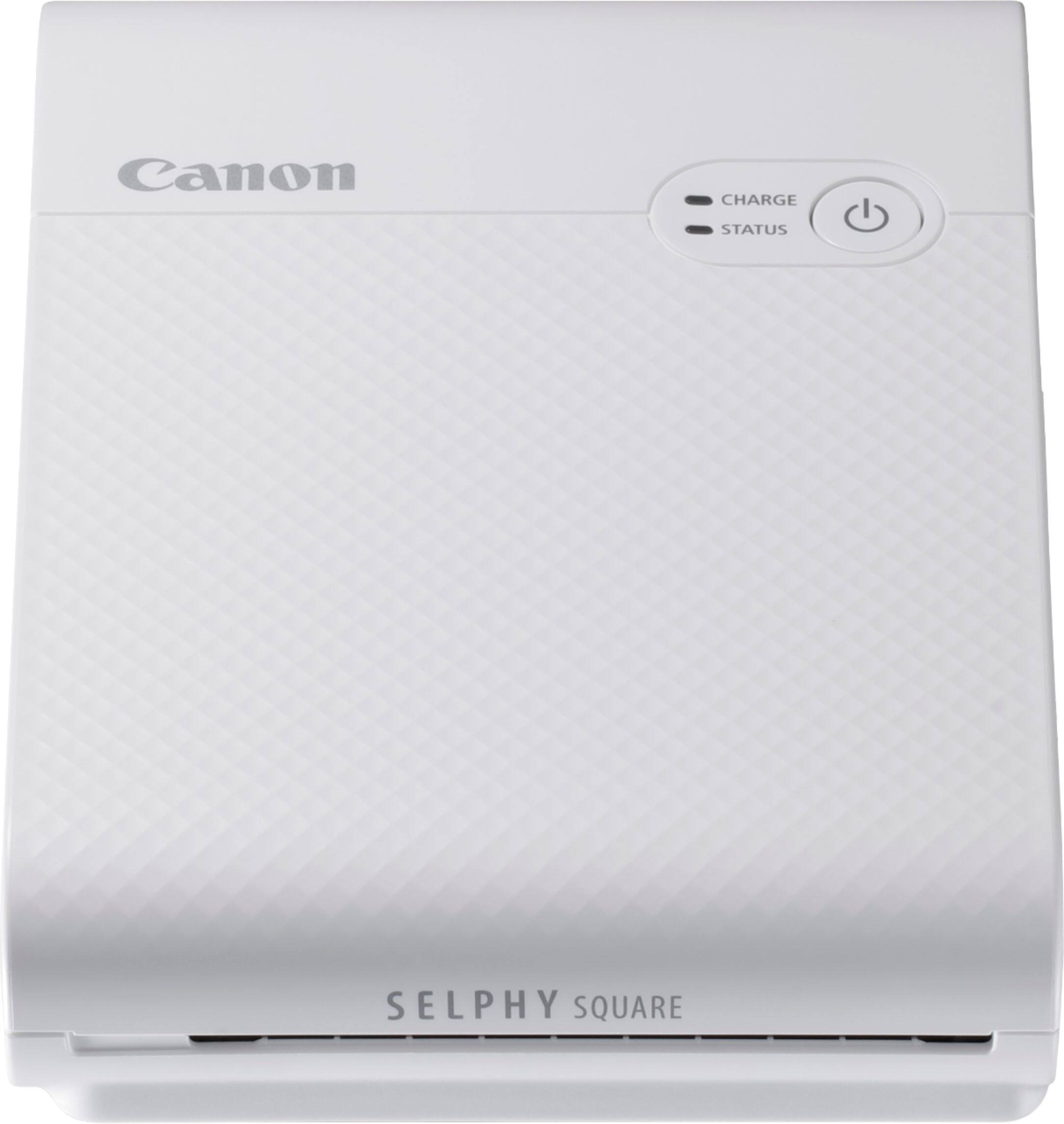
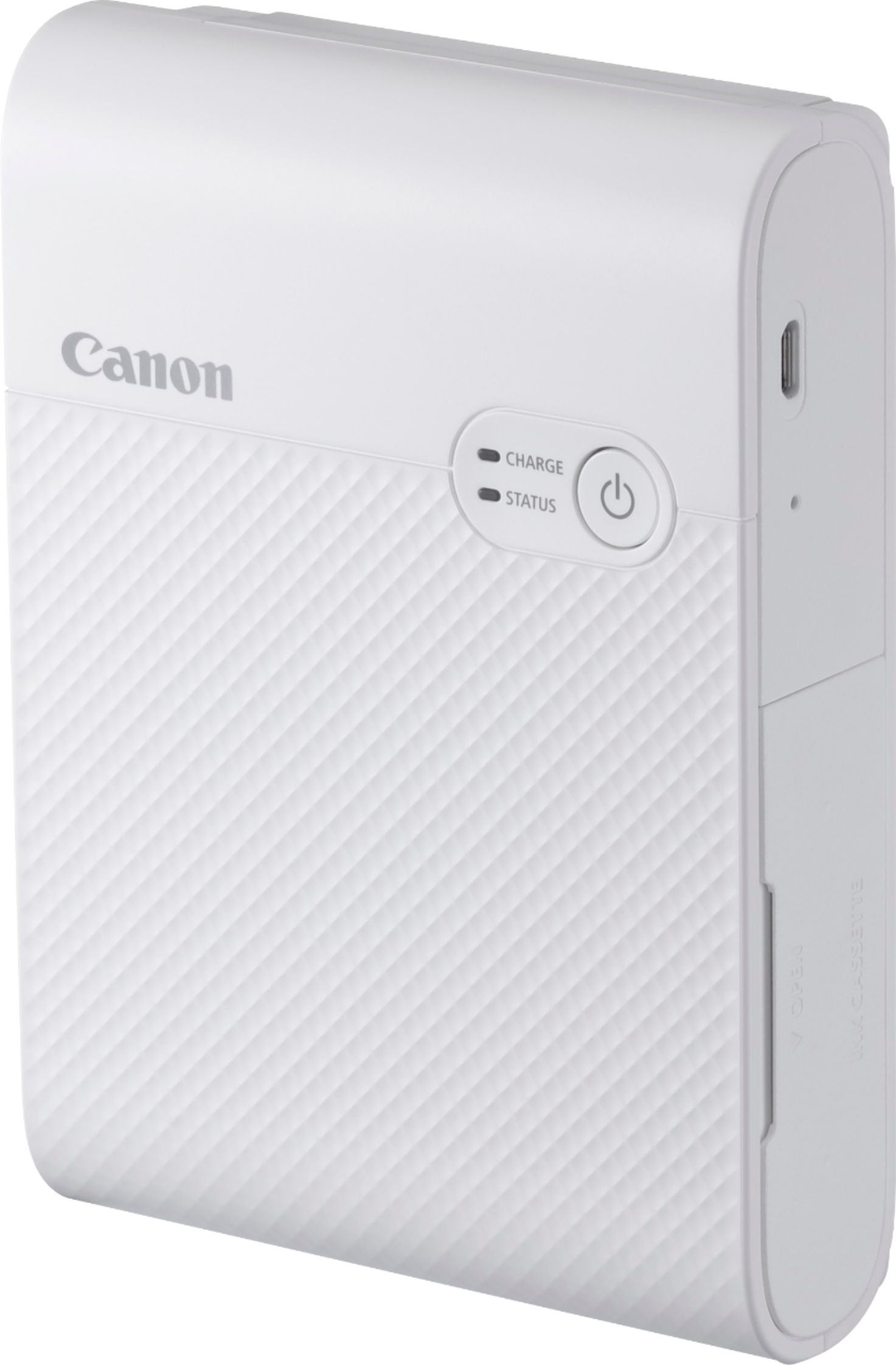
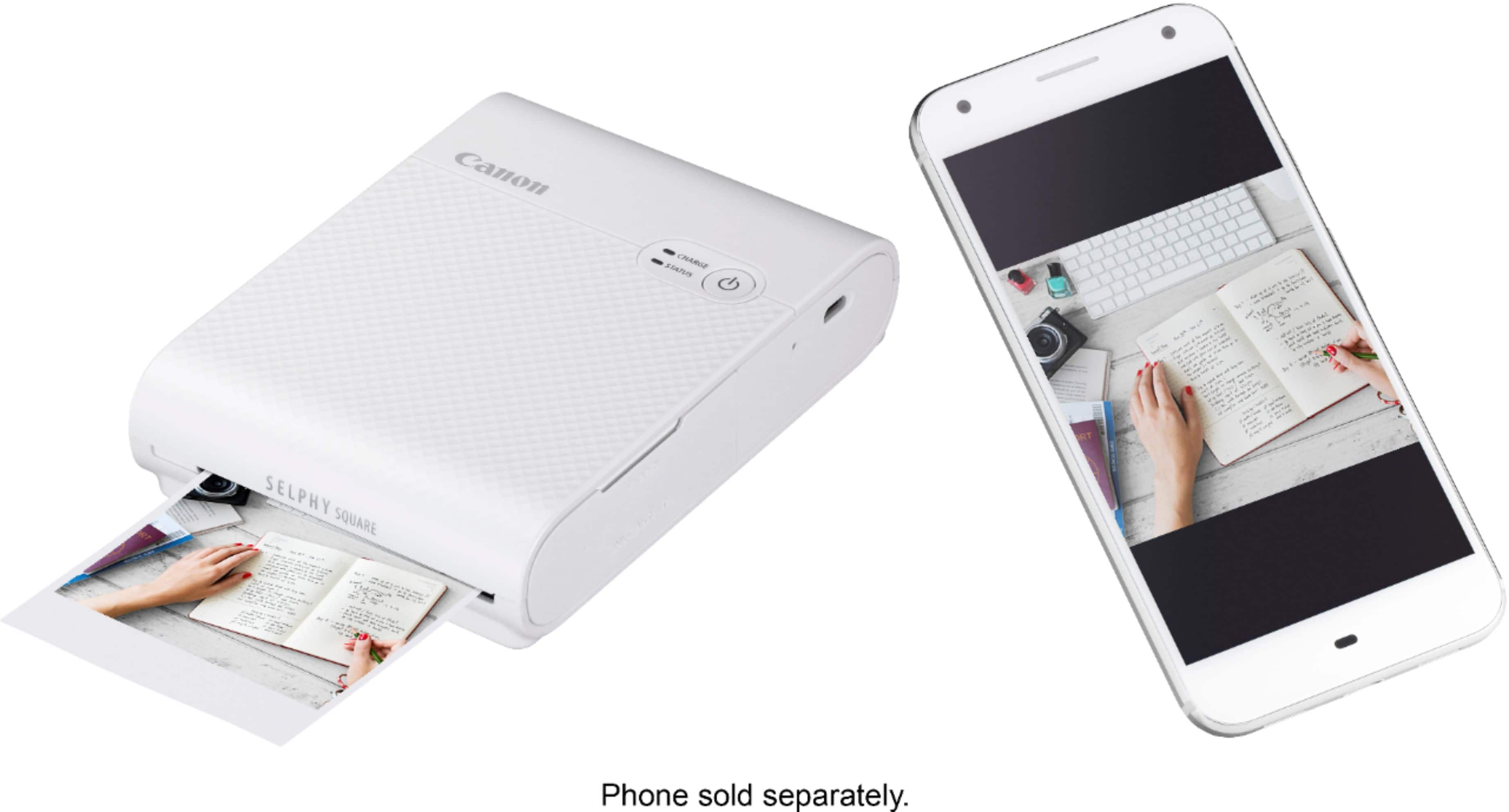
Customers regard the SELPHY Square QX10 Wireless Photo Printer highly for its excellent print quality and ease of use, praising its compact size and convenient wireless connectivity. The rechargeable battery also receives positive feedback for its longevity. While the accompanying app has received some criticism for its design, overall user experience is largely positive.
This summary was generated by AI based on customer reviews.
Em printer
||Posted . Owned for 3 weeks when reviewed.This reviewer received promo considerations or sweepstakes entry for writing a review.Good product small but does the job wonderful color ease of use good price setup is difficult
I would recommend this to a friend- Pros mentioned:Print quality
This portable printer over the Ivy
||Posted . Owned for 1 month when reviewed.This reviewer received promo considerations or sweepstakes entry for writing a review.Great quality prints with solid color and clarity. Tried the Ivy before this and the ZINK prints colors are too yellow,
I would recommend this to a friend - Pros mentioned:Ease of use, Print qualityCons mentioned:App

Hip to be square
|Posted .This reviewer received promo considerations or sweepstakes entry for writing a review.Recently, I have been taking photos with my Polaroid of my daughter to put in her baby book but I found myself wanting better quality photos. The Canon SELPHY Square printer is perfect for this. The SELPHY Square is a portable dye sublimation printer that delivers fast vintage style square prints that are cheaper and offer better clarity than similar Polaroid photos. My wife appreciates how the photo paper even has a removable backing so that it can stick directly to paper. The printer is battery operated so it is very portable and the app provides printing direct from your phone. The app does feel a little dated and clunky but it is manageable. Unfortunately the printer has an ad-hoc wifi that you must join every time you print, but the app automates this...mostly. I would have liked to have seen it support AirPrint for iOS devices but it isn’t a deal breaker. I could nitpick how it only came with enough ink and paper to print 5 photos (sold separately as a set) or how you can’t eliminate the borders but it works well despite the missing features. The SELPHY provides the square look with better quality prints in a convenient, portable design.
I would recommend this to a friend - Pros mentioned:Ease of use, Print quality
A bit high on the price but great at what it does.
|Posted .This reviewer received promo considerations or sweepstakes entry for writing a review.This is really an incredible product. The entry price is high. And the cost per photo is a bit high too. But it produces great photos for a journal, for putting something on the fridge, to decorate your cube at work or your dorm at school. I can't help but think that the best place for this is in a leather pouch, in a purse or a backpack, and ready to go for someone that loves Polaroid's. It's very portable, it's easily rechargeable, and you can get a photo in under a minute. But you'll need to have space in that purse for more paper and at least one extra ink cartridge. And you'll want to buy those along with this as it only comes with 3 sheets of paper. The sequence to go from a digital photo to the printed variety can be a bit daunting at first when you pull out the instruction manual that is nearly the size of the printer itself. It's a beast and I wish some of that paper would have been used to provide more printing paper. Printing is much simpler than the size of the manual would suggest. The printer uses a QR code to connect directly to the printer itself. You can do some light editing in the app with some simple overlays and text. And that's fine. There are a ton of ways to edit photos with proprietary software already on the phone by the manufacturer. But I really want a way to print these without the border. However, even without that option the final prints are close to what a good ole' Polaroid is but a far better quality that will last longer. Overall, this is excellent. It's a real niche product but it does a great job at what it does. It just comes at a bit of a premium.
I would recommend this to a friend - Pros mentioned:Print quality
Produces nice prints; Lacks good app support
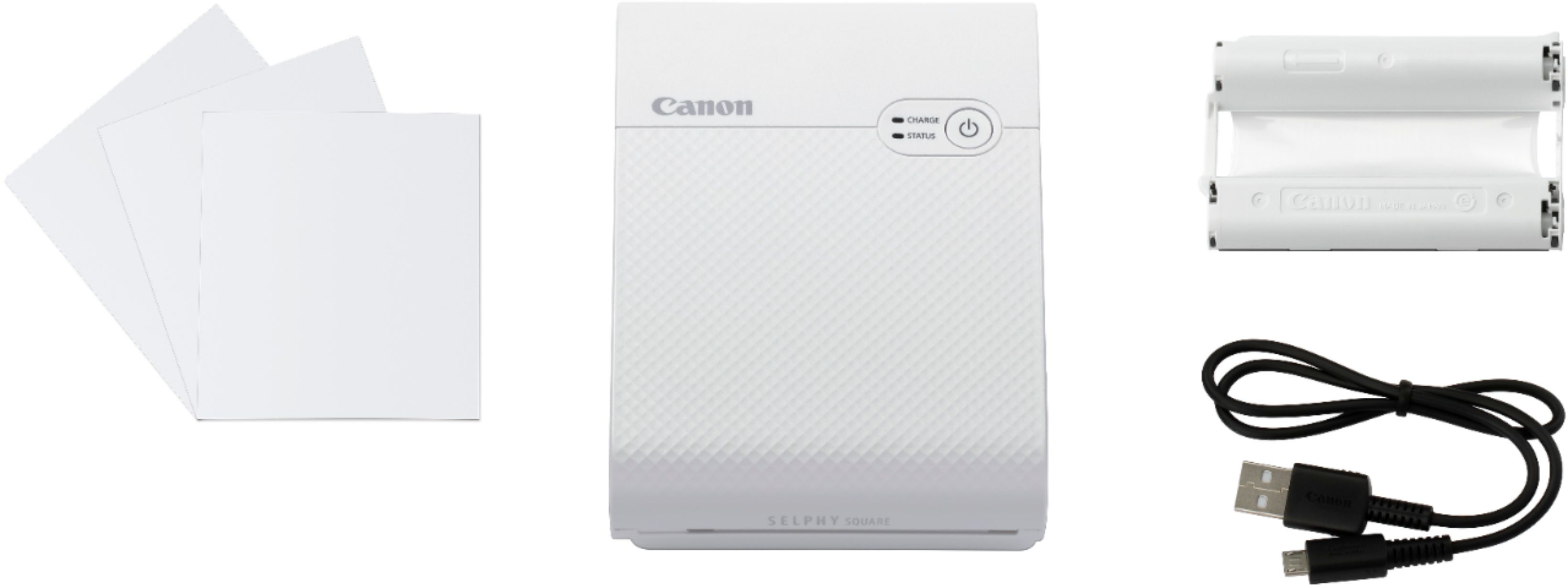
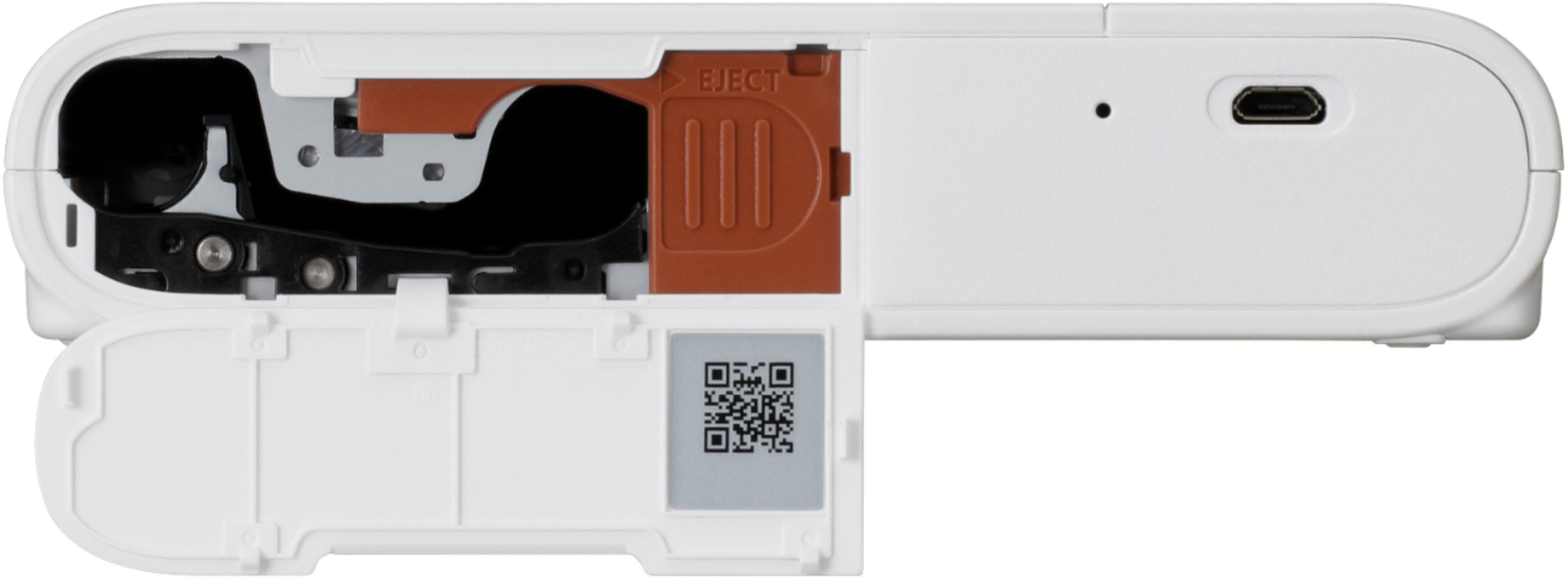
|Posted .This reviewer received promo considerations or sweepstakes entry for writing a review.I come from a time when photos were captured on film and you had no idea what your image was going to look like until you get the film developed, which sometimes took 7 days for processing. I remember in my college days (20 years ago now) when we were still making scrapbooks with printed photographs. When smartphones became commonplace, we started seeing photos transition to the digital realm instead of the paper-based one. So what happens when you want to print your memories out to share? Do you go to a drugstore every time? What if you could just print the photos out at home? That’s what the Canon Selphy Square QX10 Wireless Photo Printer can do for you. The printer comes in a Canon-branded box and is well-identified for the consumer. The unit comes with a multilingual user manual, Micro USB charging cable, a starter pack of photo paper, and the starter ink cartridge. Before I even set-up the printer, I found things I would upgrade immediately — the charging cable and the starting kit. The charging cable is Micro USB, which in my mind is ‘old technology’. It doesn’t seem very forward-thinking of Canon to release a new product with this older type of charging cable. Is it more cost-effective? Probably - but it’s not future-proof. The other issue I have is that the manual calls out using a wall adapter to charge the printer, but they don’t include one. The other issue I had out of the box was the miniature starter set of paper and ink. The starter ink cartridge is only enough ink to cover the 3 sheets of paper included in the starter kit. According to the specs of the device, the printer can hold up to 10 sheets of paper. I think the sample kit should include at least that much and the ink cartridge should match that. It seems silly to me for the consumer to have to purchase those items right off the bat in order to get the most out of their device. Imagine if this was received as a gift and the giver didn’t realize that what was included was such a small sample? They would effectively be telling the recipient that they had to spend money to enjoy their gift. It looks like Canon sells the set for around $15 so I’m not sure why they wouldn’t just include one set with the printer when it ships. The user manual booklet that comes in the box with the printer provides you with details on the device and then directs you to download the mobile app to complete the set-up. As it turns out, you can only print images directly from your Android or iOS smartphone (or tablets). The printer is not compatible with desktop computers. The first device I attempted to connect to the printer (via the app) was my iPhone 11 Pro. The instructions in the app tell you to scan a QR code that’s found inside the printer cartridge compartment. The QR code is supposed to connect you to the printer’s internal Wi-Fi network. I am assuming the code contains the Wi-Fi name and password for the device’s network. I tried a couple of dozen of times to get this process to work and my iPhone would never connect. I tried to scan directly from the QR code on the plastic door of the compartment; I tried to scan the QR code from an enlarged photo I took; I tried to enter the information manually; I even tried deleting the app and reinstalling it AND resetting the printer, but I could never get the iPhone to connect to it. I kept getting a failure to connect message. Just as I was about to throw in the towel, I decided to pick up my iPad and give it a try. I downloaded the app onto the iPad and scanned the QR code and within a few seconds, the printer connected to the iPad. I still can’t figure out why there was a problem with the iPhone/printer connection, but I was at least able to use the printer. Once the printer was connected, registered, and set-up, I selected a few photos of our family dog to print. The design interface of the Canon SELPHY app is pretty basic. You select your photo, choose a border size, the position of your photo, whether or not you want a date printed on the photo, choose a frame, add stamps or text, paint on the photo, select filters or embellishments, and then you print. Photos take approximately 45 seconds to print. The SELPHY Square uses a process called dye sublimation. With this process, the ink ribbon is heated and transfers the dye to a special photo paper. This process gives printed photos a much longer life (up to 100 years in some cases) than Zink-based prints. Once you send a photo from the app to print on the paper, the paper actually makes four passes through the printer ribbon. On each pass, the printer lays down a color. It goes in this order - yellow, magenta, and cyan. The fourth pass is actually a clear coat that helps to highlight the photo and protects the image. The quality of the photos is actually very good. So, even though it seems as though I have had a lot to complain about in this review, I can’t deny that the product the printer creates is very nice. One thing I wish the software would do a bit better is to allow for some color/brightness adjustments. On the screen, I thought the photos looked fine, but when they printed out, they were a bit darker than I expected. As far as cost goes, photo paper and printer ribbon kit is around $15 for 20 sheets. That would mean that each print (not including this the device charge) costs approximately $0.75. To me, this is a tad on the expensive side of things since you can order larger photo prints from drugstores for about half the cost (4x4 print on standard photo paper is $0.39 per print). The Canon SELPHY Square is a unique mobile printer, but I think the software really needs some upgrades to make it an exceptional product. I also think the support for it should be beefed up, too since I had a lot of trouble finding answers for issues I had when I was setting it up. I hope that Canon refines this product and its offerings so that the next version is better than the first.
No, I would not recommend this to a friend Printing On the Go
|Posted .This reviewer received promo considerations or sweepstakes entry for writing a review.The Canon Selphy QX10 is a compact mobile printer that produces 2.7” x 2.7” “polaroid-esque” print. It’s internal battery lets you print on the go from your mobile device using the Canon Selphy Photo Layout App (iOS and Android). I have a Polaroid camera that I like to use every so often, so the Selphy printer is a nice little alternative. It not a large device – about 2 pounds and just smaller than an old Sony Discman that we all (30+ crowd) carried around as kids. Starting off the Selphy uses a special type of paper and ink. This isn’t like other portable printers that were the zero ink variety, but a process called dye-sub (heat transfer printing). This is a process used in full size photo printers as an alternative to inkjet, and its generally known for its reliability and quality. So back to the special paper and ink – the printer comes with a sample ink cartridge and 3 sheets of printer stock. I ordered the XS-20L paper pack, which came with an ink cartridge and 20 sheets of photo stock from Best Buy for 15 bucks. This works out to $0.75/print before you factor in the cost of the printer. Not wildly expensive, but you pay premium for getting your pics instantly. So far I have printed 13 pictures, so I have a decent idea of what I’m doing. Setup with the Selphy was…interesting. The printer connects via Wi-Fi direct, not Bluetooth. However, the printer doesn’t have an interface, but rather just a power button. This is where the app comes in. To pair/connect your phone to the printer you need to scan the QR code on the printer with the app. Once its connected you are good to go, or you should be. I ran into problems getting my phone to connect. I have an LG V40 running Android 10. I tried connect 7 or 8 times to no avail. I had my GF try to connect her Samsung Galaxy S9+ running Android 10, and she connected straight away. I was confused, so I started toggling settings to get my phone to connect. I found that my Wi-Fi radio has to be turned off for my phone to pick up the printer. The app notifies you that your Wi-Fi is off, and that it needs to turn it on to connect, which it then does. Weird. So if you have problems connecting to the printer then I suggest turning off your Wi-Fi. Loading the paper is easy – open the bottom compartment and load the paper with the backing facing up (a little diagram inside shows this as well). Loading the ink cartridge requires you to pop open the side hatch and slide it in until it clicks. The cartridge can only go in one way, so you can get it backwards. The manual mentions the need to tighten the ink cartridge sheet if it is loose/sagging before inserting into the printer. My 2 cartridges (the sample and the one I bought) were both fine, but to tighten reminds me of winding old cassette tapes. Once connected you get into the photo collage app and you can select pictures to print, create layouts, add filters, borders, etc. I printed pictures that I took with my front facing camera, rear camera, and even my mirrorless camera to see if there were any differences in print quality. My mirrorless camera is a Canon EOS M6 Mark II, and I have the Canon Camera Connect app to transfer pictures directly from the camera to my phone without any compression. I was hoping there would be a way for me to connect the M6 to the Selphy directly, but to no avail. I saw a youtuber pull it off with the M6 and the Selphy CP1300, but only because the CP1300 does not rely on an app to facilitate the connection. I was a little disappointed in this missing connectivity, but its not a dealbreaker or even a knock on the product. The way the Selphy prints is pretty interesting. It passes the paper in and out several times while making the print. It lays down a single color with each pass and follows CMYK colors. First pass is yellow, then magenta, then cyan, and the last pass is black (hard to tell on this one), and the protective overlay. In the collage app you can add overlay effects that show up with that final pass – they are somewhat hard to see so I don’t really use them. Each print takes about a minute, so you don’t have to wait too long. I did find, however, that each time I went to print I would run into connection errors again. As long as I toggled off my Wi-Fi before printing I was fine. I should mention I did all my printing while I was at home, so maybe this won’t be an issue for me if I am out and about and sitting on a mobile data connection. Either way, it bugs me and it only affects my phone and not my GF’s. Print quality was pretty good. Like I said I tried 3 different sources for the prints to see if the quality of the print was impacted. Honestly, I really couldn’t tell the difference. The picture that came out the best was actually taken from my front facing camera (8MP) which has the lowest resolution of the 3 (rear camera – 16MP, M6 Mark II – 32.5MP). The prints from my front camera appeared a bit sharper and brighter while the images from the other 2 sources looked softer and smoothed out – making them look a bit dull. This may be due to operator error, but I made 13 prints and the results were consistent depending on the source. The 2 front facing pics I had were the least smoothed, so they looked crisp. The higher res sources just had a lot more processing/compression done to them to print – I guess. Using the printer was pretty easy and it worked pretty well. However, the app still needs work. It’s not super well laid out, the settings were lacking, and the photo browser was slow to show thumbnails. My main critique is picture positioning – there is none. The app doesn’t let you move the focus around on the pic so if you want to re-center or crop something out – no luck. You need to do all of those edits prior to getting into the app. The other thing about the app I didn’t like was it never showed the picture at a good resolution. I selected a high res pic, and the app showed it looking very compressed and fuzzy. Made me think my pic was messed up or that’s how it would print – either way it threw me off and made me unsure if my print would turn out OK. I think you are better off making all edits and adding text or whatever in other apps, saving the pic, and then going into the Selphy app to print. Overall am I happy with the printer? Yeah I’d say so. It’s a niche little item that I think would be fun to have around at parties (in a post COVID world that is), outings, etc. Its not going to replace a full size photo printer or ordering prints. My GF likes to do a pin up photo collage that she regularly updates, so she really likes it. If you are into Polaroid shots already, then this is right up your alley. It delivers that same feel, but with a much higher quality. The paper is a little hard to come by (Best Buy is currently sold out), but once the printer has been out longer the paper should become more readily available. The app certainly needs work, and I'd be surprised if I was the only one with the connectivity issues.
I would recommend this to a friend- Pros mentioned:Battery life, Print quality
Good mini portable printer
|Posted .This reviewer received promo considerations or sweepstakes entry for writing a review.I love this photo printer! It has many useful features that allow me to easily edit and print my pictures basically wherever I go. Since it comes with a rechargeable battery, it can be brought and charged wherever. The quality of the pictures is excellent! While the colors are slightly different, I love how great the pictures look and the size is so cute! I would say that this photo printer is best for personal use. It is perfect for crafts, to decorate living spaces, or simply just to have those memories in physical photographs. It was also a very cool experience to see the photos being made. The app worked well for me and the instructions were easy to follow. I would love to see more features added, like being able to print the pictures without the border or to include the date in the picture (the option is on the app, but did not work for me). You can add filters, borders, overlays, stickers, and texts using the app. You can also create layouts. The app could be improved by allowing users to find old pictures more easily. The paper tray capacity is 10 papers. After printing about 20 pictures, you will need to buy more photo papers and an ink cassette, which are sold together. Overall, I am very pleased with this photo printer!
I would recommend this to a friend - Pros mentioned:Ease of use, Print quality
Canon Does it in Style!
|Posted .This reviewer received promo considerations or sweepstakes entry for writing a review.I didn’t know I needed a portable printer to reinvigorate my passion for capturing memories and sharing it with family/friends! It’s not the most compact printer but because of the quality of photos it prints I would prefer to carry this with me wherever I go. I started with pics of the pups of course. They are my number one models and I have to have photos to show off to friends. I immediately printed two and put them in my planner at work so I can see my Frenchie everyday. Set up is easy, open the printer, put in the ink cassette and paper, download the application and pair your devices. It’s just that simple. I’ve got a big team at work and they are silly so we’ve used the printer to make a cork board of team bonding photos! It’s been a hit! With the holidays coming around I hope that Canon adds more features to the app with frames and stamps. This printer has a lot of great potential!
I would recommend this to a friend - Pros mentioned:Print quality
Good Compact Photo Printer
|Posted .This reviewer received promo considerations or sweepstakes entry for writing a review.I have nothing particularly bad to say about the Selphy Square QX10. It’s simple, easy to use, and prints very high quality photos. The per photo cost feels like it’s on the high side, but it’s not too unreasonable. The box includes the printer, USB charging cable, and a ‘sample’ pack of 3 sheets and an ink cartridge. I guess I shouldn’t have expected media to be included and you can get 20 sheets and a replacement ink cartridge for $15, so that’s about $.75 per photo. It doesn’t look like you can buy additional sheets or ink in any other quantity, so I assume one cartridge is good for 20 photos. The printer charges via an included micro-USB cable. Mildly disappointed they didn’t go with USB-C, but it’s not the end of the world. The printer itself is pretty compact and has a nice understated look that I appreciate. It’s nothing you could really keep on your person, but easily small enough to store in a drawer or bag when not in use. Everything is done through the Selphy Photo Layout, which works pretty well and has some nice little embellishments you can add to the photo like frames and stamps. Your phone connects to the printer via a direct WiFi link that’s created when you scan a code on the ink cartridge door. Printing the actual photo takes about 45 seconds and you’ll see it come out in multiple stages as it applies the different color layers. The finished photos look really great and feel like they’ll hold up over time. You can also peel and stick them and the adhesive is light enough that you can pick them up and reposition them pretty easily. I could definitely see using these in a card or something similar to give it a personal touch. The photos are 2.7 x 2.7 inches and there’s about a .5” space below them to write a little note; part me does wonder if it would be possible to utilize that space for wider photos. Overall I’m pretty happy with this printer. It’s sort of single purpose item, but it does what it does very well.
I would recommend this to a friend - Pros mentioned:Battery life, Print quality
Compact, Lightweight and great printouts!
|Posted .This reviewer received promo considerations or sweepstakes entry for writing a review.I have always missed the days of old where I could print out my pictures instantly. However with this product not only am I able to quickly print out the pictures I just took, they come out in great quality! I love how light weight this product is along with it using a rechargeable battery. The setup was easy and the print outs came quick. Unfortunately the cost of the photo paper is very high however I am sure it will decrease in prices once this is out for a while. Overall this is a great product that is made well and enjoyable to use!
I would recommend this to a friend - Pros mentioned:Print quality
Good Photo Printer for What It Does
|Posted .This reviewer received promo considerations or sweepstakes entry for writing a review.The Casio Selphy Square photo printer does a really good job for what it does. It's just that what it does seems to be a niche market or hobby-type printer. The printer is a small dye-sublimation type printer, about the size of a large deck of cards or two. The paper, which is roughly the size of a playing card, loads from the bottom. The dye-sub film loads from the side. The whole thing is controlled by Casio Selphy app on your iPhone or Android phone. The app runs well and is pretty fool-proof and controls the Selphy. The printer spits the picture in and out so the film can print the different color shades until the finished product is done. The photos are outstanding and supposedly have a long life. Haven't verified that, but they do look good. The issue is they are really small and also have an adhesive so the photo can be used as a sticker... The film and photo paper is sold in matching packs, so when one runs out, all must be replaced. It comes the a sample pack, and more can be ordered through Casio or Best Buy. So for what it does, it really does a great job. Just not sure what you would want small sticker-photos for. Might be just what you are looking for, though.
I would recommend this to a friend - Pros mentioned:Ease of use, Print quality
Fun to use
||Posted . Owned for 3 months when reviewed.This reviewer received promo considerations or sweepstakes entry for writing a review.Fun little printer. Decent quality prints. Easy to use.
I would recommend this to a friend - Pros mentioned:Ease of use
Love it ! Would buy again and again
||Posted . Owned for more than 2 years when reviewed.This reviewer received promo considerations or sweepstakes entry for writing a review.This has been an amazing little device … we use it all the time but especially for get together where we can just print out pictures we take with our phones and send home as souvenirs :) people always ask to come use it for craft projects too
I would recommend this to a friend - Pros mentioned:Ease of use, Print quality, Size
Quick print
||Posted . Owned for 3 weeks when reviewed.This reviewer received promo considerations or sweepstakes entry for writing a review.Very simple to use and print, pretty quick too. We like that it is smaller and not klunky. A great gift!
I would recommend this to a friend - Pros mentioned:Print quality
Love
||Posted . Owned for 1 month when reviewed.This reviewer received promo considerations or sweepstakes entry for writing a review.I love how this prints our pictures they look so good.
I would recommend this to a friend - Pros mentioned:Ease of use, Print quality
Super Easy to use
||Posted . Owned for 5 months when reviewed.This reviewer received promo considerations or sweepstakes entry for writing a review.Purchased for my mom. Works good and prints quality pictures. The easy of use was really important to me and I have no complaints.
I would recommend this to a friend - Pros mentioned:Print quality
Better Option that using a Polaroid Camera
||Posted . Owned for 2 weeks when reviewed.This reviewer received promo considerations or sweepstakes entry for writing a review.Bought this for my daughter for Christmas gift. She and her friends had been using Polaroid camera to get instance printouts. The IPhone camera is much better than the Polaroid one and this printer provides better prints as well. The one down fall is the paper and ink is $14.99 and only provides about 20 printouts and currently they are out of stock at Best Buy and majority of on-line sites. So when you do find them might want to stock up.
I would recommend this to a friend - Pros mentioned:Ease of use, Print quality
SELPHY SQUARE QX10
||Posted . Owned for 1 month when reviewed.This reviewer received promo considerations or sweepstakes entry for writing a review.Really loves this product... it’s easy to use , and I can carry it to where ever I go good quality picture. Ideal for a Gordy definitely recommend it.
I would recommend this to a friend Easy to start using
||Posted . Owned for less than 1 week when reviewed.This reviewer received promo considerations or sweepstakes entry for writing a review.Very excited about this printer. Wanted an option to be able to have the images immediately for travel or parties (assuming one day those happen again). This was easy to figure out and moderately compact, relative to a Polaroid camera. The paper/cartridges are about $15 so probably a little more in up keep long term (which is why the 4 stars).
I would recommend this to a friend- Pros mentioned:Ease of use, Print quality
Amazing pictures
||Posted . Owned for 2 months when reviewed.This reviewer received promo considerations or sweepstakes entry for writing a review.Print amazing pictures! Very portable and sleek looking. Would totally recommend, plus the paper needed for it is pretty affordable
I would recommend this to a friend