Customer Ratings & Reviews









- Model:
- CH-9315311-NA
- SKU:
- 6167607
Rating by feature
- Value
Rating 4.3 out of 5 stars
- Quality
Rating 4.5 out of 5 stars
- Ease of Use
Rating 4.4 out of 5 stars
Customers are saying
Customers frequently mention the wireless charging, RGB lighting, and ease of use as significant advantages. Many appreciate the quality and responsiveness, while some users find the battery life and button placement less satisfactory. Concerns were also raised regarding the software and the size of the mouse. A few users experienced connection issues.
This summary was generated by AI based on customer reviews.
- Pros mentioned:Rgb lighting, WirelessCons mentioned:Software

Lightning Fast Mouse; Clunky Software
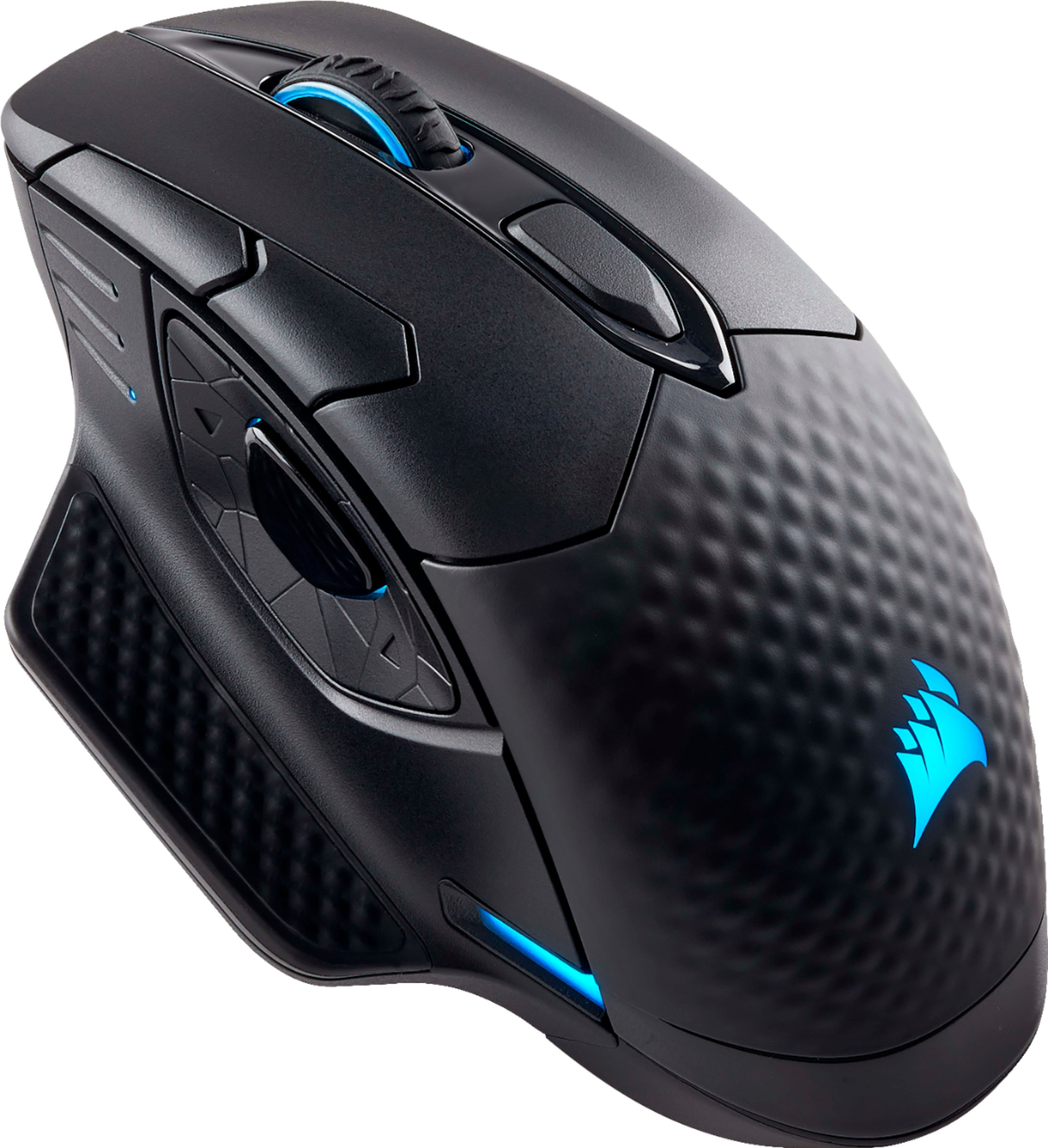
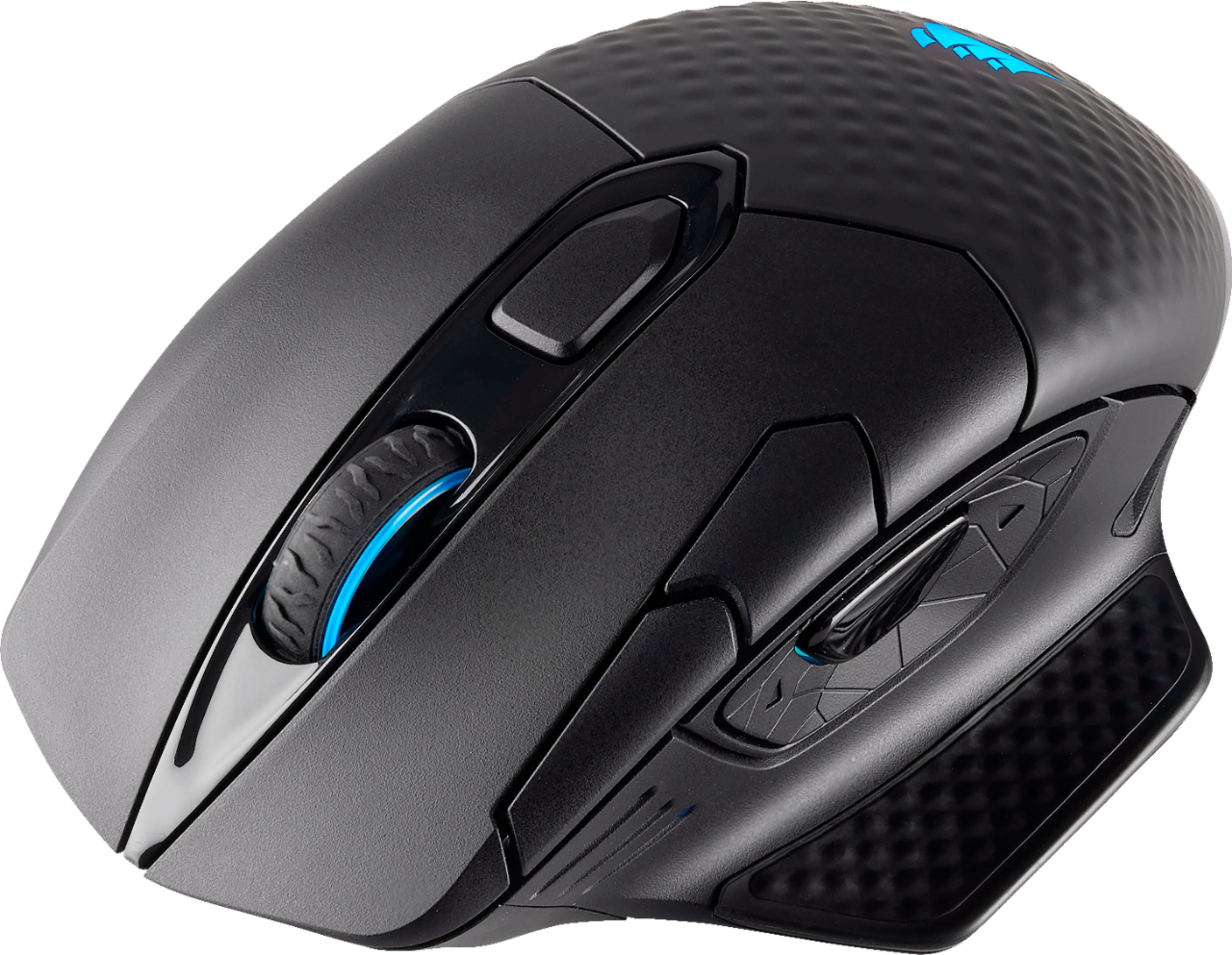
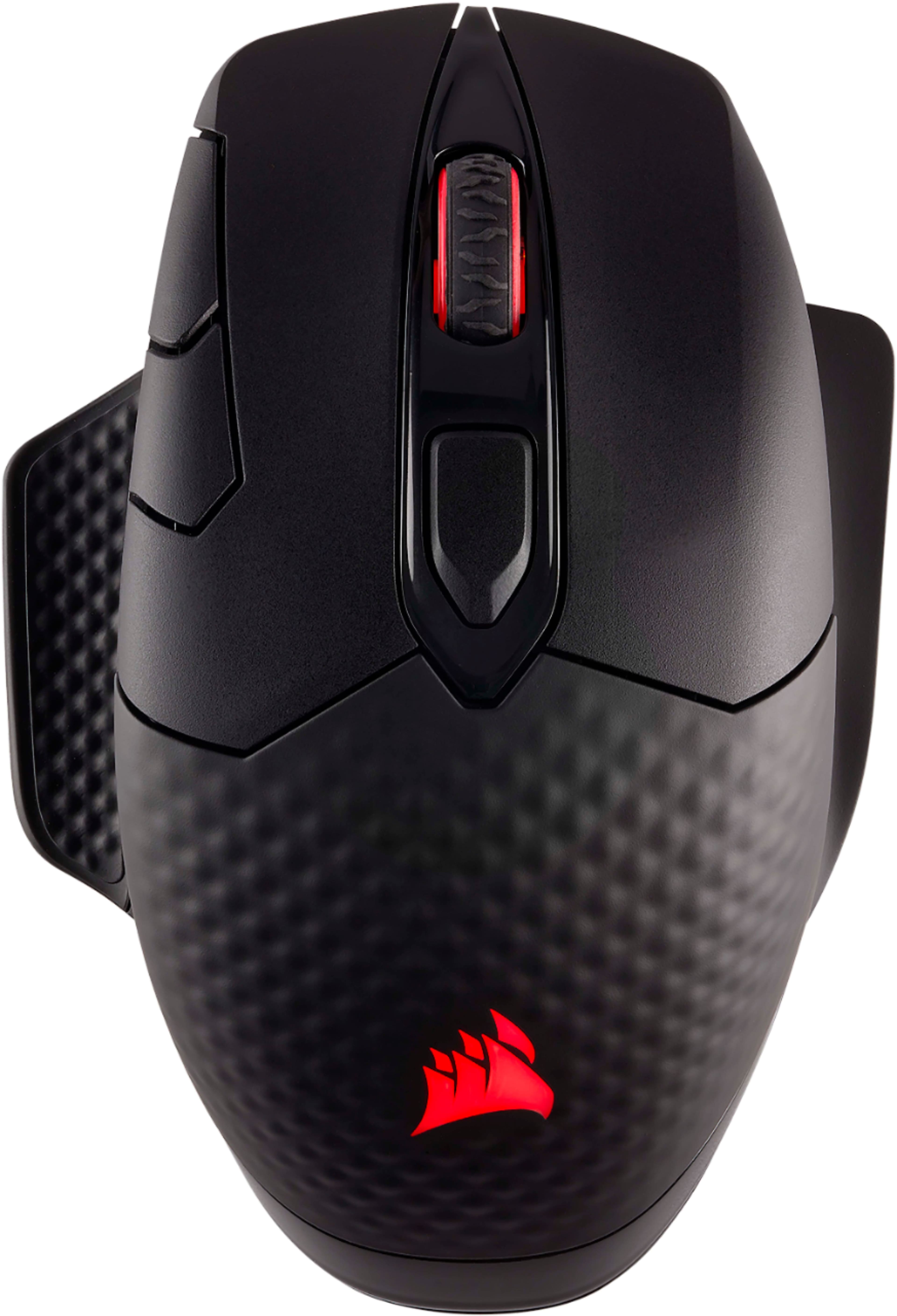
|Posted .This reviewer received promo considerations or sweepstakes entry for writing a review.Wireless gaming mice are the next "big" accessory being pushed at PC gamers. With the Dark Core SE, Corsair aims to rid wireless gaming mice of their reputation for perceived latency increases and wireless connection issues. In my experience, Corsair has largely succeeded, but there is still a lot of room for improvement. Here's my take: PROS: - Excellent, ergonomic design. The mouse is rather long and should comfortably fit the contours of your palm. The thumb rest is perfectly sized with a nice soft-touch plastic. The textured surface on the rear portion of the mouse provides nice grip during long gaming sessions. - Weight. The Dark Core SE feels very substantial. I prefer a heavier mouse since it tends to offer more control and precision. - Lightning fast performance. With a max DPI of 16,000, the mouse is extremely responsive. Buttons on the top of the mouse let you reduce mouse sensitivity for even more accuracy. Taking shots in Rise of the Tomb Raider has never been more precise. The mouse easily keeps up with rapid movements and I have yet to notice any lag whatsoever. - Multiple connection options, including wired, 2.4 GHz, and Bluetooth. You'll want to use 2.4 GHz for optimal wireless performance, but it's nice that Bluetooth is included as a back-up. - Nice placement of RGB lights. Not too many, not too few. The lights turn off after about 15 or 20 minutes of inactivity to save battery. Using the Utility Engine software, there are an almost limitless amount of color configurations to choose from. - Great battery life. Corsair claims up to 24 hours of use on a full charge, and that seems accurate to me. - Qi wireless charging. You can recharge the mouse on the companion MM1000 pad (sold separately) or on any Qi-enabled wireless charger. It works well, but like most wireless charging solutions, it seems to charge rather slowly. CONS: - Questionable button layout, especially the side buttons near your thumb. The backward and forward buttons seem to be too spread out, and I have to really stretch my thumb to reach for the forward button. Since the buttons are on a rocker, you can't press forward and backward at the same time. - Clunky customization software. In the quick-start guide, Corsair doesn't even mention that you have to go to its website to download and install the Utility Engine customization software. Regardless, the software is a confusing mess. Simply remapping a button takes about 50 clicks through menus, sub-menus, and sub-sub-menus. The mouse supports up to three "profiles" of different settings, but every time I edit and save an existing profile, I seem to accidentally delete or overwrite another profile. Furthermore, the software only seems to recognize the mouse via wired connection. So if you're using the mouse wirelessly, you'll have to plug it in every time you want to change a setting. Corsair really needs to rethink this entire process. - Slow to wake up. After the mouse goes to sleep after 15-20 minutes of inactivity, it takes at least a few seconds of movement to finally wake it up. OVERALL: Aside from a few awkward button placements and weak customization software, this is an excellent wireless gaming mouse. It's comfortable, sturdy, and extremely fast. The addition of Qi wireless charging helps it stand out in an increasingly crowded market. If you really want to get the most out of this mouse, just be prepared to spend several frustrating hours with Corsair's software.
I would recommend this to a friend - Pros mentioned:Response time, Wireless
Great Mouse
||Posted .This reviewer received promo considerations or sweepstakes entry for writing a review.This mouse has everything you can want in a mouse, Wifi Wireless, 1ms response time, ergonomically designed to fit your hand
I would recommend this to a friend - Cons mentioned:Button placement
Great mouse
||Posted . Owned for 1 week when reviewed.This reviewer received promo considerations or sweepstakes entry for writing a review.Had no issues at all with it being wireless and found it to be great! The only issue I noticed was the mouse 4/5 buttons and sniper button could be placed a little future back. Found a hard time being able to hit the M5 button during a game.
I would recommend this to a friend - Pros mentioned:Rgb lighting, Wireless
Great Wireless Gaming Mouse
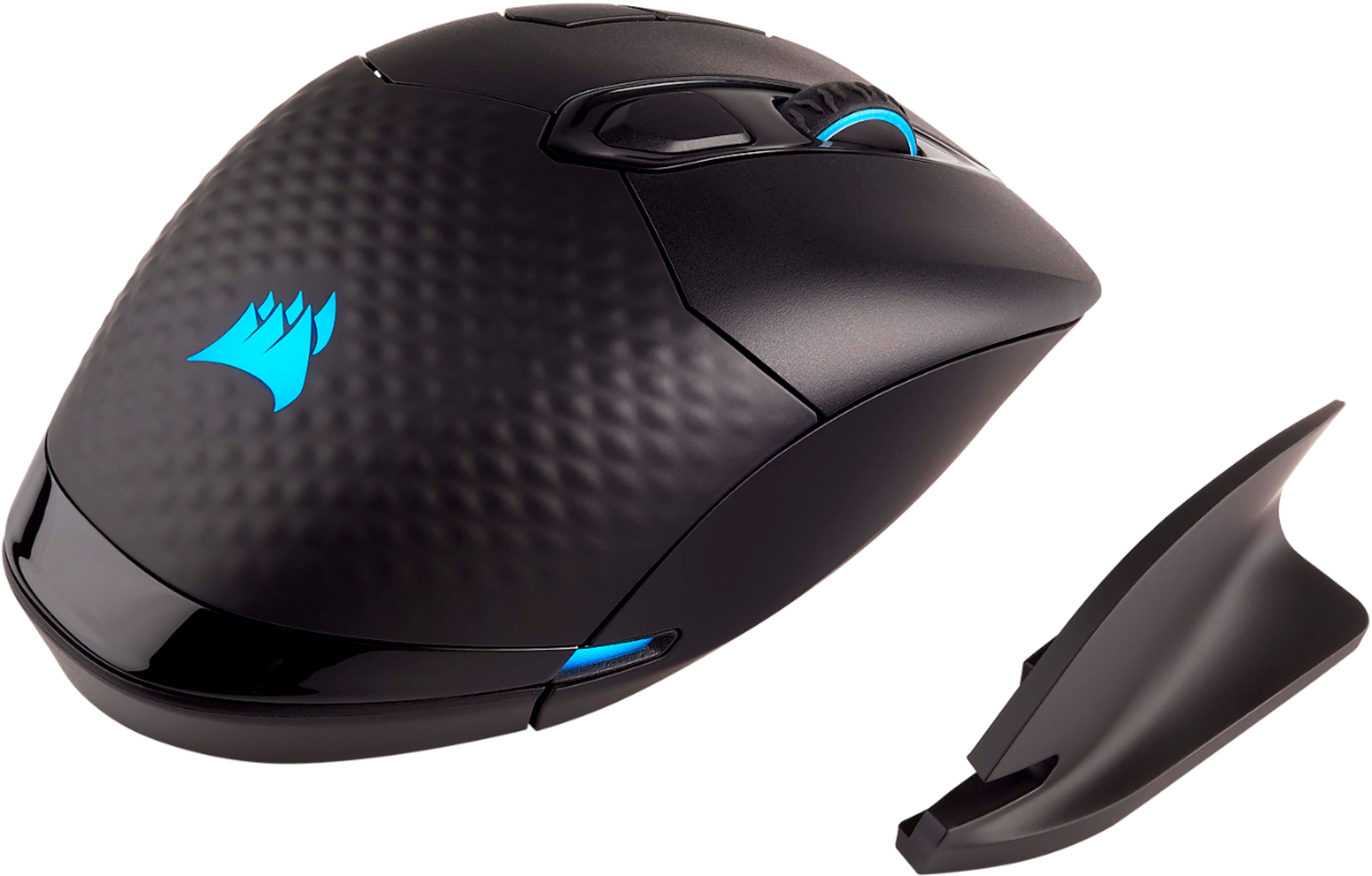
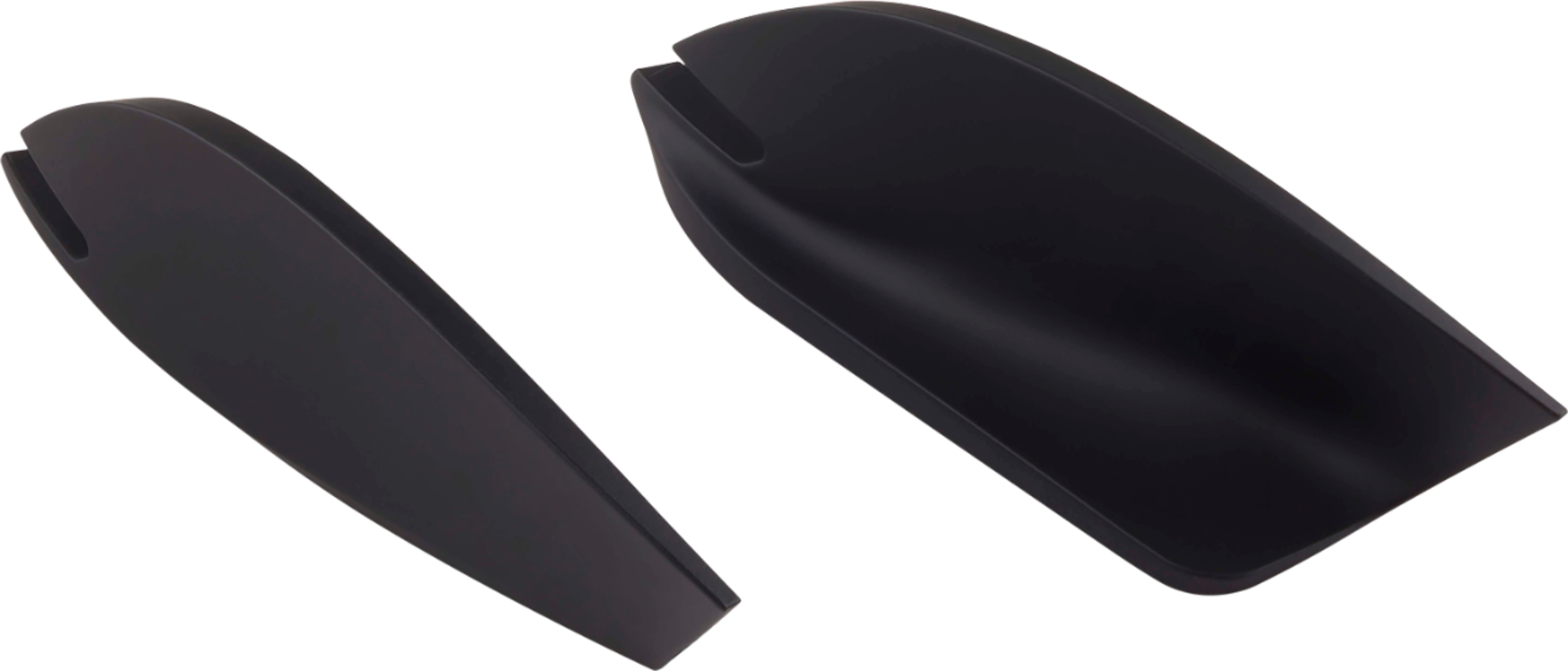
|Posted .This reviewer received promo considerations or sweepstakes entry for writing a review.The Dark Core SE is an awesome mouse for gaming and in general. It’s extremely comfortable to use and you get a ton of customization options. Oh, and it has wireless charging too, which is pretty sweet. The mouse has 9 buttons, a 16000 DPI sensor, RGB lighting, and wired and wireless functionality. The wireless can be done either through the included USB dongle or Bluetooth (switchable via the bottom of the mouse). It’s nice to have both options and you could potentially save yourself an extra USB port via the Bluetooth route. In the box you you get the mouse, an additional finger rest, a 2.4 GHz receiver dongle for wireless, a long micro-USB cable for wired, and a micro-USB to USB-A adapter, which is provided to help get the 2.4 GHz receiver as close to the mouse as possible for the strongest wireless connection. The Dark Core SE has a design that reminds me of Logitech’s MX mice. It’s ergonomic and it feels like my fingers all naturally land where I’d like them to be. There’s a nice textured surface as well. All of the buttons have a good click feel to them and the scroll wheel has just the right amount of feedback and resistance. Using the 2.4 GHz receiver and I didn’t encounter any delays or stutters in the connection at all, which is more than I can say of many wireless mice I’ve used in the past. The mouse is super smooth and extremely responsive, especially on the MM1000 mouse pad. The button placement is about right for the most part. You get your standard left/right and middle click buttons, as well as some forward/back and a ‘sniper’ button on the thumb rest. The sniper button dials back the DPI while you are holding it down and the idea is to allow you to aim with more precision, which is definitely useful in shooters. There are 2 buttons dedicated to adjusting the DPI just to the left of the left click button that are a little awkward to get to, but my personal experience with the mouse didn’t really see me needing to adjust the DPI very much. The RGB lighting on the mouse is done well. You get illumination on the scroll wheel, the Corsair logo, the thumb rest, and the lower left and right sides near the back. The default action is a slow cycle through the spectrum of colors, but it can be adjust in the software too. It’s a lot of lighting, but somehow it doesn’t feel overdone and it can be turned off all together as well. Almost everything about this mouse can be customized via Corsair’s Utility Engine software. The buttons, lighting, and DPI can all be customized here. The software doesn’t come in the box, so you need to go to Corsair’s website to get it. I did find the software to be a bit unintuitive to use. There’s a lot to do, but it’s not always clear where you need to find it and there are menus for demo products that I don’t even have that let you adjust the settings for them. I’m not sure what the point of the demo products are or how to remove them; they feel like unnecessary clutter. One more thing to mention about this mouse is it has wireless charging built-in. It uses the Qi standard, so any Samsung or iPhone wireless charger will charge it, but if you pair it with the MM1000 mouse pad that has Qi wireless charging built right in. Unfortunately the charging pad is only in one specific location and you can’t use and charge the mouse wirelessly at the same time. Still, it’s a cool feature to have and if you’re not going to pick up the mouse pad with the Dark Core SE you may as well just get the normal Dark Core, which gives you everything the SE has except Qi charging. Overall this is one of the best gaming mice I’ve ever used and I’d definitely recommend if you’re looking for a good wireless option. The clunky software and limited wireless charging implementation do make me wish I could give it 4.5 stars though. I don’t consider the wireless charging a must-have in its current state either, so you could do just as well with the non-SE model. Either way I think you’ll be happy.
I would recommend this to a friend - Pros mentioned:Response time, Rgb lighting, Wireless
CORSAIR - DARK CORE SE Wireless
|Posted .This reviewer received promo considerations or sweepstakes entry for writing a review.The Corsair dark core se wireless is a much needed upgrade for any pc gamer using a wired mouse. The response time is excellent and there is barely any lag experienced when using it for FPS games . The box contains the mouse, a charging cable, interchangeable side and the usb dongle. The mouse has a very modern look and feels comfortable in the palm of your hand. The soft rubbery grip plastic feels nice to the touch and seems good quality. The mouse has some extra side buttons and the one on the thumb side is a sniper button and this is perfectly placed allowing you to change dpi as needed and getting better shots when playing fps game. There are 3 lighted dots that indicate what dpi setting you are currently using as well as the profile. Buttons and lights can be easily customized using the software. Included in the box is a modular magnetic side grip that can be switched out to provide a rest for little finger. The RGB lightning looks pretty nice and adapts to the movement and can be easily adjusted to your liking by the software. Under the mouse you can see the 16000 dpi optical sensor, an on/off switch and a wireless select switch for bluetooth and 2.4GHz. With the 1ms response time this mouse feels very responsive and in a week of use it felt very natural and easy to use. An excellent wireless gaming mouse with snappy response and great controls.
I would recommend this to a friend - Pros mentioned:Ease of use
Really good
||Posted .This reviewer received promo considerations or sweepstakes entry for writing a review.Really good mouse good battery life easy to charge with the xi charger mouse pad or any xi charger will work
I would recommend this to a friend - Pros mentioned:Rgb lighting
Love it!
||Posted .This reviewer received promo considerations or sweepstakes entry for writing a review.Perfect mouse for gaming and browsing. Rgb looks amazing!
I would recommend this to a friend - Pros mentioned:Rgb lighting, Wireless
Great 2.4ghz wireless rgb mouse
|Posted .This reviewer received promo considerations or sweepstakes entry for writing a review.So far Im in love with this mouse. Love the wireless charging capability, as well as the multiple rgb options. The mouse is lightweight and comfortable to use for normal stuff as well as gaming. This mouse seems to have great accuracy. I like the interchangable grips, as well as the many useful buttons for gaming. Battery life is really good as well. Works well with the Corsair Link software. This is a must have for the gaming enthusiast who loves RGB like I do...
I would recommend this to a friend - Pros mentioned:Wireless
Great Gaming Mouse
|Posted .This reviewer received promo considerations or sweepstakes entry for writing a review.The Dark Core RGB SE is my first Corsair mouse. Prior to this, I have always used Logitech and / or Microsoft mice, but I have to say I am impressed with what Corsair has created here. Wireless charging and RGB profiles are icing on the cake. This mouse is obviously intended for gamers. You can connect the mouse directly via USB, wirelessly with the included dongle, or via Bluetooth 4.0 or greater. As far as I can tell, the USB and Wireless options perform near identically. I can't tell a difference. Combine that low latency with great DPI and a sniper toggle and I truly believe gamers with this mouse have an advantage in games like Overwatch and Fortnite. Downloading and installing Corsair CUE software is a must as that software lets you customize the DPI settings and the RGB profile of the mouse. All-in-all, I am greatly enjoying my Dark Core RGB SE mouse and I highly recommend it.
I would recommend this to a friend - Pros mentioned:Rgb lighting, Wireless
Works flawlessly
|Posted .This reviewer received promo considerations or sweepstakes entry for writing a review.I have been using this almost two days in a row with no hassles. Connection is smooth ans stable, I’m using it in my games flawlessly useing 2.4 GHZ for zero lagging. QI wireless charging is really cool! RGB fearure is amazing and has multiple buttons for smoother functionality
I would recommend this to a friend Solid Gaming Mouse Option
|Posted .This reviewer received promo considerations or sweepstakes entry for writing a review.Corsair's Dark Core RGB mouse is a no-brainer pickup if you also get the Qi MM1000 mousepad to go with it. Compared to other gaming mice I've tried, the overall feel is rather sturdy and I've come to appreciate the texturized surface on the back of the mouse where my palm rests. This mouse is also crazy sensitive, since I enjoy getting to pair my mice and keyboards to my gaming rig and my Mac mini, I also paired the mouse using the Bluetooth option. I used the included wireless dongle to connect to my rig and there's a physical toggle switch on the bottom of the mouse, so I don't move the cursor on both computers by accident. When I connected it to my rig, the setup was a breeze - Corsair offers some additional software to configure profiles for different gaming situations, but I usually set those options up in the games themselves, since I hate having to download bloatware. I like to keep my machines running clean. When I connected it to my Mac, I had to turn the sensitivity down to the lowest setting because the cursor was zipping all over the place. The Qi charging ability is cool - but you have to leave it in a very specific spot, so you can't move the mouse and play/charge at the same time. But, for the price, it's a great buy with some features that you'd easily end up shelling out 2x as much for on other mice.
I would recommend this to a friend- Pros mentioned:Wireless
Excellent Connectivity Options and Incredible Feel
||Posted . Owned for 1 month when reviewed.This reviewer received promo considerations or sweepstakes entry for writing a review.The CORSAIR - DARK CORE SE Wireless Gaming mouse is an excellent choice for any computer user requiring accuracy and configurability. While this is marketed as a "gaming mouse", it provides several significant features for most business computer users. 1. Programmable buttons. I use Adobe Photoshop and Microsoft Visio extensively. Being able to program buttons to macro sequences is important. 2. Wired, Wireless, or Bluetooth. Whether or not you use the wireless dongle is dependent upon Windows vs. Mac. There are more options and features on Windows than Mac. On my Windows laptops, I use the dongle, but on the MacBook Pro, I use Bluetooth. 3. Battery Life. I always leave mine unplugged from the computer unless the battery goes down during the day, but otherwise will just plug it in overnight a couple times a week. It does have the wireless charger built-in. I don't have a charging base, but if I did, you just have to set the mouse on it when not in use. 4. Accuracy. The resolution of the optical sensor is extremely good and when used on a proper mouse pad (I use the Corsair fabric medium sized mat), it allows for very fine work on screen. Two of the buttons are normally used for adjusting mouse resolution - normal use is position two, extremely fine work is position one, speed jumping around the screen is position three. All user adjustable. 5. Feel. I have the second claw grip (included) attached on the right side of the mouse. My thumb and pinky fully ride on the mouse and don't touch the mouse pad. It's comfortable and the mouse does not fatigue the hand at all--in spite of my carpel tunnel symptoms that most mice will aggravate. Initially, it feels like a heavy mouse, but that weight helps the overall ergonomics. I would absolutely recommend using this mouse with a quality gaming mouse mat. The Corsair one I use seems perfectly matched to the mouse and the glide and surface resistance is outstanding. Three negatives about the mouse: 1. It's a right-handed mouse. The thumb controls are on the left side. 2. The sliding surface pads on the bottom scuff up easily and that ends up changing how well the mouse slides across the pad. Also related is that one of the pads comes to a sharp point right by the power switch on the bottom. It's nearly impossible to turn the mouse on/off without touching the sharp point, causing it to detach from the mouse itself and causes a snag on the mouse pad. 3. The advanced macro functionality is not available through Bluetooth operation on the Mac. Don't be fooled by the "gaming" name on this mouse. This is a serious productivity tool and is highly recommended for any person using Photoshop, Visio or other program requiring detailed work. It is also built very well and has robust switches and is intended for hard use.
I would recommend this to a friend - Pros mentioned:Quality, Rgb lightingCons mentioned:Size
A good wireless mouse
||Posted . Owned for 1.5 years when reviewed.This reviewer received promo considerations or sweepstakes entry for writing a review.I bought this mouse because I sit ~10 feet away from my computer and wanted to minimize cord issues. The mouse is a little small for my hand, but I have very large hands and have not found any mice that were legitimately comfortable, so that is not surprising. This mouse is approximately as comfortable as any other comparable mouse that I have tried. The wireless works seamlessly. Connecting via bluetooth or via 2.4GHz works fine and having both connectivity types is nice for using the mouse with two different computers. The battery is decent. Much better battery life if you turn the RGB lighting off. I do not love Corsair's iCUE software, but it works and allows a lot of fine-grain customization over the mouse. My only major beef with the mouse is that I greatly prefer the Razer Naga Hex's thumb button array and this mouse only has three thumb buttons (one of which is not really usable due to how I hold my mouse). But that is entirely a preference issue and the Naga Hex is not wireless. Overall, this mouse has proven durable (I drop it occasionally, and have been able to push the scroll wheel back into position after a particularly nasty fall). The bumpy texture of the grip is actually quite nice. Makes the mouse stick to your hand in a good way. Meaning, it doesn't literally stick, but doesn't feel like it's getting away from you. The sensor works well and the sensitivity can be adjusted in iCUE. The mouse has three sensitivity settings that are toggleable with the shoulder buttons for fast switching. I change the sniper button (which defaults to setting the sensor resolution extremely low for fine-adjustments when sniping) to an alt key press, since I do not use the mouse for shooters. I would recommend this based on the build quality and battery life, as well as the sensor quality. I also enjoy the convenience of Qi charging (with the optional charging mat).
I would recommend this to a friend - Cons mentioned:Battery life, Button placement
5/5 star mouse but low internal battery life
||Posted .This reviewer received promo considerations or sweepstakes entry for writing a review.Excellent mouse. Extremely comfortable and highly responsive. All buttons can be easily reached and pressed. Note that the forward button might be slightly out of reach for someone with a smaller hand/shorter thumb length. The attached thumb rest is appreciated and prevents your thumb from dragging along the pad during use. I have also found the DPI sniper button useful outside of gaming for accuracy on art/modeling/editing. The mouse itself DPI/tracking is extremely responsive and accurate. No lag or other issues. The only notable concern is the low internal battery life. I have found that constant use can leave the mouse dead every one to two days; however, the wireless (Qi) charges the mouse very quickly so there is little downtime. If the mouse does die, it can be usable again for some time within a minute or two of charging and then left to charge between sessions. I purchased this with the matching MM1000 Corsair wireless charging mouse pad. I do not know how long the mouse will last using regular batteries. If you are not using the wireless charging function, look into the regular Corsair Dark Core (not the SE) which is the same mouse but cheaper because it does not have the wireless charging functionality. If you do not care about wireless charging, buy the non-SE for cheaper. If you want the built in wireless charging, I suggest buying this along with a wireless Qi charging pad (such as the Corsair MM1000), 5 out of 5 stars if you have a wireless charging pad. Excellent mouse. Accurate and responsive. Comfortable shape and materials. Just be aware of the low internal battery life.
I would recommend this to a friend Great responsive mouse
|Posted .This reviewer received promo considerations or sweepstakes entry for writing a review.My experience with this mouse has been excellent. I have used it for hours and no issues. The mouse comes with a 6ft long braided USB cable for easy changing and you can use the mouse while connected. I also have the Corsair charging mouse pad and accepts any compatible Qi wireless charging pads. It is very nice that it has many buttons such as the two buttons on the top left of the mouse. These buttons change the speed of the mouse. Another button that is useful for gamers is the sniper mode button this button slows down the speed of the mouse to snipe better in-game. The buttons are programmable and customizable. The mouse has a very nice fit for many hands and has the capability to switch the right side grip. My son and I use it a lot and we are very satisfied with all the features provided by this mouse.
I would recommend this to a friendNot for novice, great tech
|Posted .This reviewer received promo considerations or sweepstakes entry for writing a review.This mouse is not for the novice. It is jam packed with features that could be hard for some to use. However, button layout aside, this still wireless charges and has a great lighting feature to know when the mouse is fully charged. I noticed in the directions there are 4 suggested presets that can be utilized for the mouse. This, in my opinion is too many. Nevertheless, user are still able to only use a few button, or really minimalize the layout. The mouse fits great to my hand and does not feel that im "reaching" in any way to hit any buttons. Its a smaller mouse, yet still has every feature/button i would expect to see on a mouse at this level. All in great mouse, charging, sleek design.
I would recommend this to a friendHighly customizable
|Posted .This reviewer received promo considerations or sweepstakes entry for writing a review.This is probably the most customizable mouse I've ever used. The multiple assignable buttons, LED lighting and interchangeable thumb rest all add up to one of the best mice I've used. Pairing this with the MM1000 wireless charging mouse pad make a great combination. If I had any complaint, I wouldn't mind some added weight to the mouse. You can customize this mouse down to the button and color of the LEDs. This may seem overwhelming at first, but for gamers, this is probably one of, if not the best mouse you can buy. Pros: Extremely customizable buttons, LEDs, and quick switches between profiles Cons: I personally wouldn't mind a little more weight, may seem overwhelming with all the available buttons
I would recommend this to a friend- Pros mentioned:Rgb lightingCons mentioned:Battery life
Excellent mouse
||Posted .This reviewer received promo considerations or sweepstakes entry for writing a review.Very responsive and accurate precision with the variable dpi . Vibrant RGB colors. Comfortable ergonomics. In wireless mode, it doesn't give you any warning the battery needs recharging.
I would recommend this to a friend - Pros mentioned:Quality, Response timeCons mentioned:Battery life
Fast, fun, customizable mouse
||Posted .This reviewer received promo considerations or sweepstakes entry for writing a review.This is a solid gaming mouse. It performs well and I have experienced accurate quick response. The mouse is comfortable to use, and the button clicks feel satisfying. The build quality is very good and it feels solidly made. My only complaint is that even fully charged, the battery os short lived. If you leave it on over night, even without use, it is dead by morning.
I would recommend this to a friend Greatest mouse ever
Posted .This reviewer received promo considerations or sweepstakes entry for writing a review.This mouse is incredible for gaming and productivity. It is super customizable and comfortable in hand. <3
I would recommend this to a friend