Customer Ratings & Reviews
- Model:
- SLC8200BST
- |
- SKU:
- 6428082
Customer reviews
Rating 3.9 out of 5 stars with 155 reviews
(155 customer reviews)Rating by feature
- Value4.3
Rating 4.3 out of 5 stars
- Quality3.7
Rating 3.7 out of 5 stars
- Ease of Use4.1
Rating 4.1 out of 5 stars
Customers are saying
Customers are satisfied with the Gamer Supreme Gaming Desktop's powerful GPU and excellent performance, finding it to offer great value, especially considering its components. However, many customers reported needing to improve the cooling system, and some experienced issues with the case and power supply. The RAM received mixed reviews, with some users upgrading for better performance.
This summary was generated by AI based on customer reviews.
- Pros mentioned:Gpu, RamCons mentioned:Cooling
Rated 3 out of 5 stars
RTX 3080 PC with random parts and absymal cooling
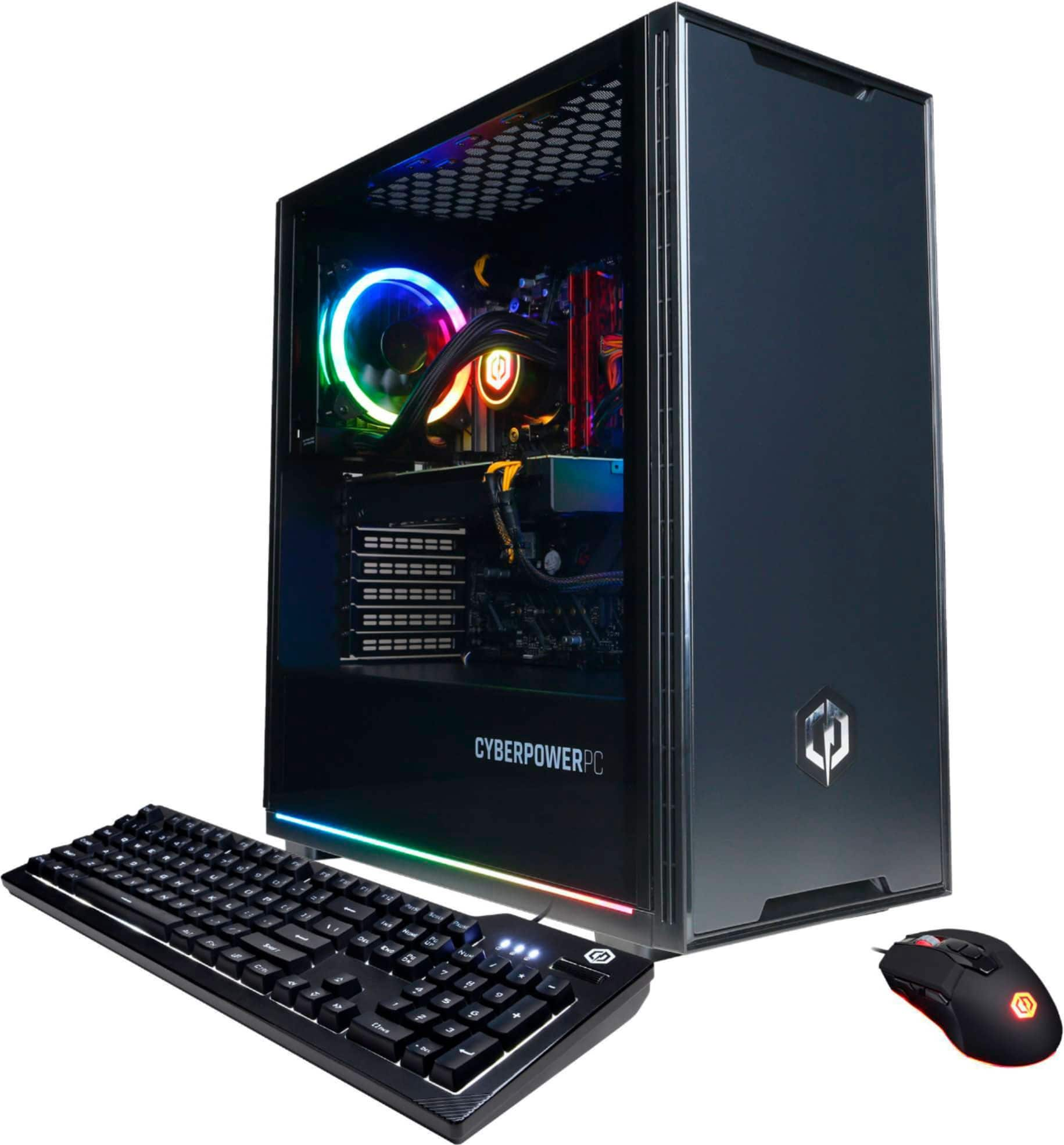
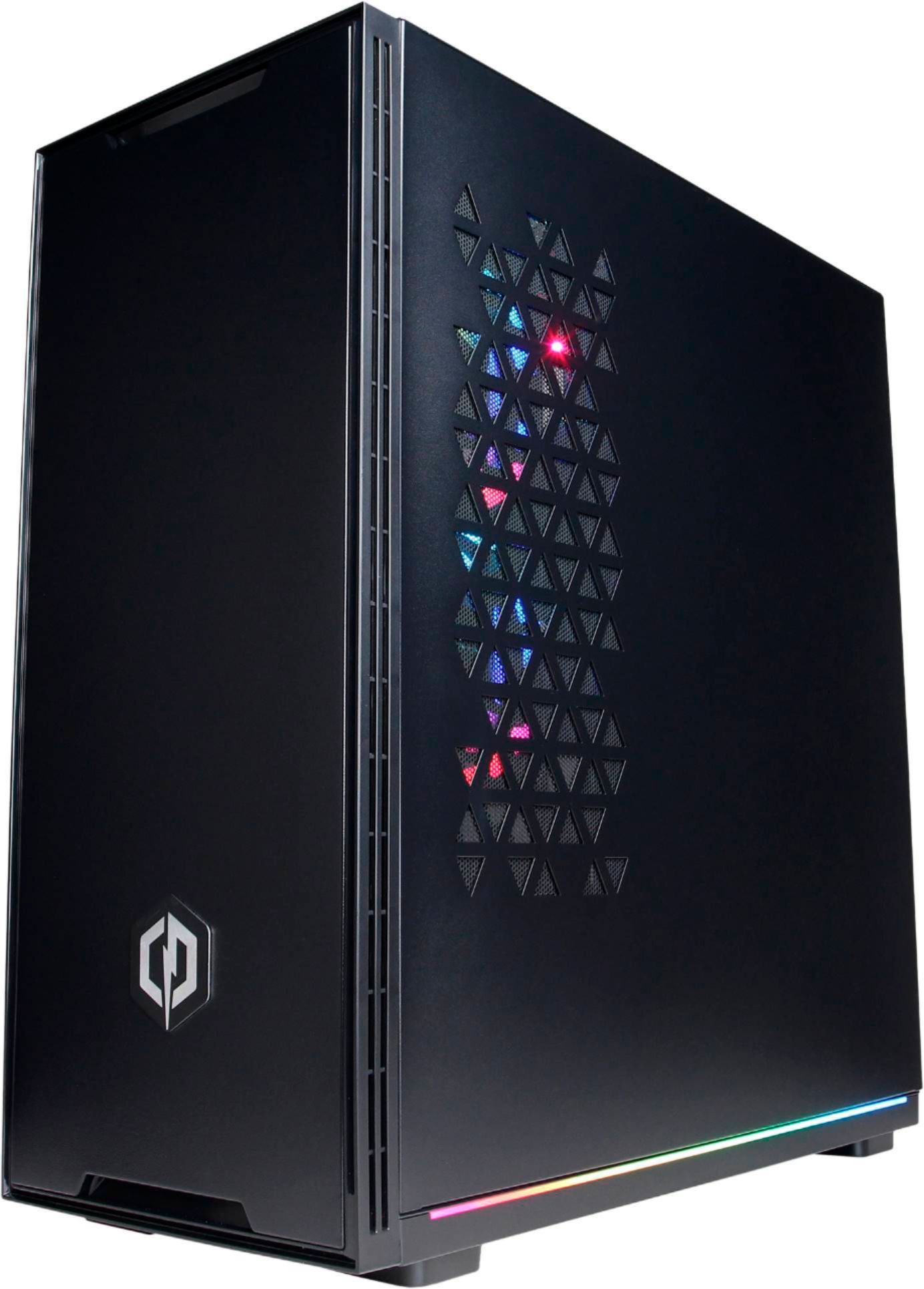
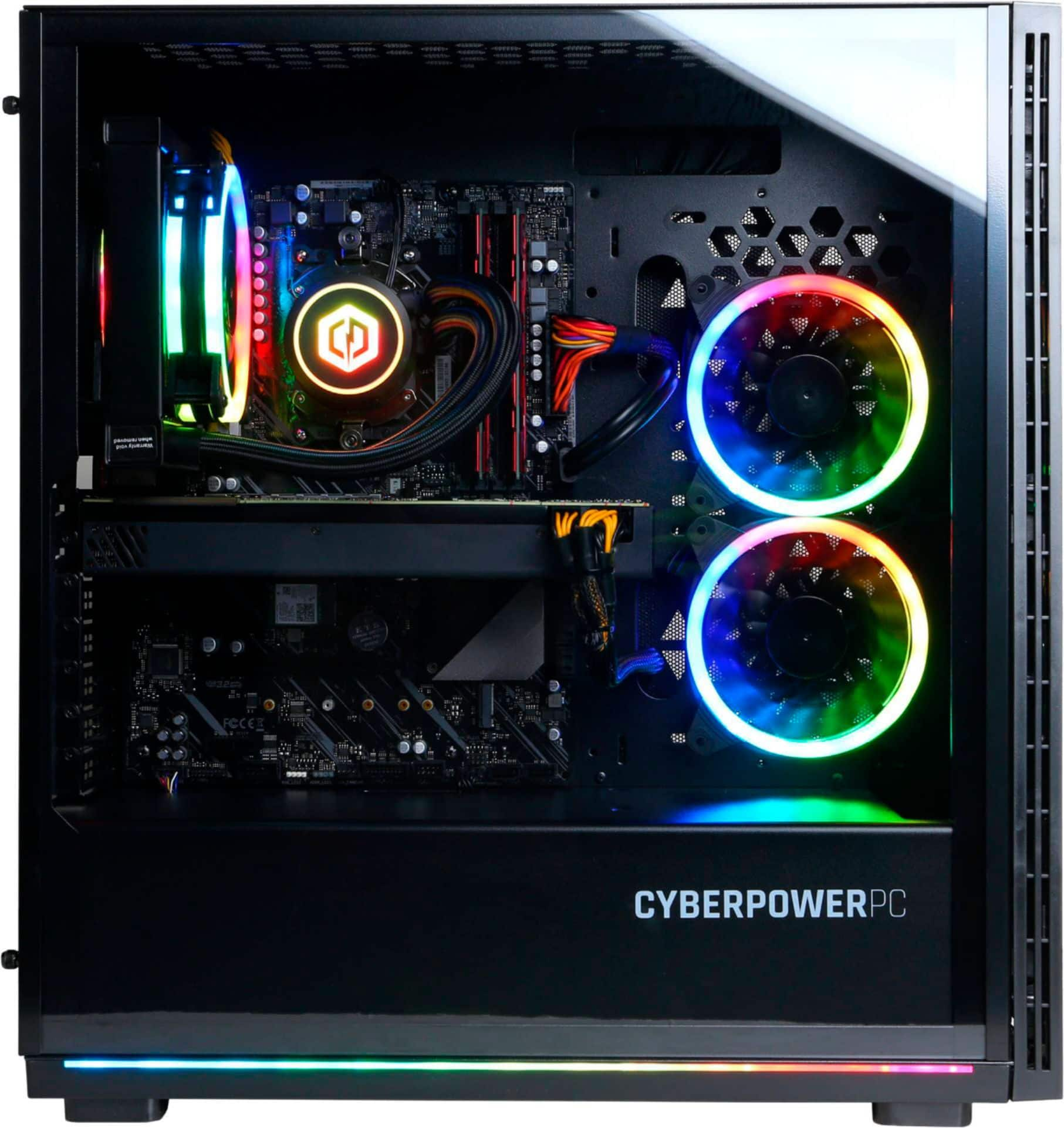
||Posted . Owned for 3 weeks when reviewed.This reviewer received promo considerations or sweepstakes entry for writing a review.At the time of this review, the Nvidia RTX 3080 remained in extremely short supply and nearly impossible to find. So finding a pre-built PC that includes the card, the top-end Intel Core i9-10900K, and was shipping immediately at a price that’s no more than the individual cost of its components was a no-brainer, since I was looking at upgrading to a new PC this year anyway. After ordering, I contacted CyberPowerPC to find out what components were being used, and was frustrated that they couldn’t identify brands/models without the system serial number. It turns out that the “Model SLC8200BST” has a guaranteed set of specs -- Z490 chipset, RTX 3080 graphics, etc – but is assembled from a variety of components and your build will depend on what was in the pile when your system was assembled. What this means it your PC might come with an Asus Z490-V Prime motherboard, as mine did, that has two m.2 storage slots and which is a solid, stable overclocker. Or you might get an AsRock Phantom Gaming 4 motherboard that has only one m.2 storage slot and which can’t even maintain stock speed without slowing due to thermal throttling, according to review tests on YouTube. The video card is also a tossup. I was excited to find I got an MSI 3080 Gaming X Trio, the company’s high-end overclocked card. Others have reported getting the base MSI Ventus card, and there’s always the chance you could get another brand entirely. Here’s what was included in my system. Note that there is zero guarantee your system’s components will match, should you order this, other than the processor, and probably the case and fans. • OEM Intel Core I9-10900K 10/20 3.70GHZ • MSI GeForce RTX 3080 Gaming X Trio • ASUS Prime Z490-V ATX ARGB 1GBE LAN 2 PCIE X16 4 PCIE X1 2X M.2 • AData 8GB DDR4-3000 XPG Z1 RAM • 1TB WD Blue SN550 NVME M.2 SSD • ASUS RTL8821CE AC WIFI PCI-E • Apevia 800WATT Gold 80 PLUS POWER SUPPLY • CyberPowerPC Eluna 242V Case W/ Tempered Glass 3 • CyberPowerPC NOHI 01 Multimedia USB Wired Gaming Keyboard w/backlight • CyberPowerPC Elite M1 131 7 Color Gaming Mouse • CyberPowerPC DeepCool Castle 120EX ARGB AIO Liquid CPU Cooler • APEVIA Dual Addressable Digital RGB 120MM Fan 3PINS Overall, it’s a good system, except for the cooling, which is completely inadequate. Running 3DMark as a stability test upon getting the system, it immediately heated to 100C and started thermal throttling. It's ridiculous that they shipped a 10900K with a single-fan Deepcool Castle 120EX AIO fan, which could in no way handle cooling that CPU. (It does look cool, though, which is likely why it was chosen.) Also, the fixed-speed fans were installed all venting outward, with no intake fans. When I would play games the processor heat would run over 90C, topping out at 100C and throttling in demanding titles like Microsoft Flight Simulator. I had to purchase a Noctua DH-15S to replace the included AIO cooler, turn the right-side fans around to intake, and now I'm getting temps maxing out around 70C instead of throttling at 100C. I eventually replaced the included fans with PWM fans to reduce noise and give better temperature control. Also, if you're including RGB fans on a system with an Asus Aura RGB controller, why use a custom controller instead of the motherboard RGB controls? Now that I've fixed the terrible cooling design, I'm happy with the system. But I'd have preferred that they’d either have included a good air cooler like the Noctua, or a three-fan AIO, which is needed with the 10900K. The price was good, but I'd have happily spent another $100 for a system with adequate cooling and smarter, PWM fan configuration. Given that there was almost zero markup vs buying the parts myself, I’m not annoyed that I had to spend a few more bucks to make the system work properly. But I feel sorry for non-technical users who buy the system looking for something that’s going to work well out of the box and end up with systems that are going to be maxing out temps and thermal throttling when gaming. TL;DR: Don’t buy a system with a Core i9-10900K unless it includes a 360mm liquid cooling solution or a massive air cooler. Really bad design call, CyberPowerPC.
No, I would not recommend this to a friend - Pros mentioned:GpuCons mentioned:Cooling
Rated 4 out of 5 stars
Exceptional value, terrible cooling
||Posted . Owned for 1 week when reviewed.This reviewer received promo considerations or sweepstakes entry for writing a review.Overall a great value. Buy this if you can't find a 3080 and need a new build. Slap on a $100-$200 360mm cpu cooler and you'll have a nice rig. With my modifications (pictured and described) I average 25c idle and 65c in games. Pros: The pros are the components you get RTX 3080 (I got the Gigabyte windforce one, friend who ordered this got the Eagle) i9 10900k Decent mouse + keyboard thrown in Cons: Mostly cooling Processor cooling The i9 needs a lot more than a 120mm single fan cooler to keep it under ideal temps. I was pushing the thermal limit after 15 minutes of cyberpunk with the stock cooler. Taking the side panel off brought me down to 90c (yikes). I would strongly advise not buying this computer if you don't plan on getting a better cooler. If you care somewhat about looks like I do the nzxt x73 (or z73 if you want real time temp displays) works really well for keeping the i9 cool. You'll probably want to mount the radiator to the top of your case and set it to exhaust. This is slightly annoying to install but not too bad. You'll have to squish the motherboard power cable a bit to get it to fix but it does fit. If you do not care about looks and want to save $80 you can also go with a Noctua NH-D15. This is ugly but works well. In either case make sure you get some decent thermal paste like arctic mx-4. Case fans The included case fans are a bit noisy but get the job done with the right configuration. I flipped the two from the side of the case to intake and moved them to the front of the case (see picture) I also left the one on the back as exhaust. If you really want a cool / quiet system you can get better ones but I have headphones on so it does not bother me. Wireless Terrible, you'll want to go with a cord or get better wireless.
I would recommend this to a friend - Pros mentioned:GpuCons mentioned:Case
Rated 5 out of 5 stars
Great pre-built PC with
||Posted . Owned for less than 1 week when reviewed.This reviewer received promo considerations or sweepstakes entry for writing a review.Pretty happy with this pre-built gaming PC experience from CyberPowerPC. The company was pretty good and professional when I emailed them with some technical questions prior to placing the order. The BestBuy delivered the product right on time. The only reason why I purchased this model because it is next to impossible to get an RTX 3080 GPU these days and this PC has decent parts and 3080 installed for a fair price. After I got my PC the other day - I tested it first and did not see any issues whatsoever. The fans were connected right and the assembled cables and parts looked good to me. It was a nice touch for them to include an extra mouse and a keyboard that my kids snatched away from me on that same day :) If you don't plan to abuse the GPU and CPU with overclocking - the stock case from CyberPower PC and the 120mm AIO may be just right to keep the temperatures at bay. But if you are a hard-core gamer with overclocking in mind - it would be better to upgrade the cooler and even the case as many people already reported in those reviews. Since I am pretty good with computers and put up lots of PCs by myself a few times before, I replaced the stock case and the cooler with an open frame Core P3 - Thermaltake one and a 360mm AIO water cooler. It took a few hours to do it properly but it was worth it. Now my CPU and GPU stay around 50 and 60 degrees while gaming which is just right. I placed the AIO radiator on DIY brackets 90 degrees to the case so the air would blow through the case and help the ventilation. I would highly recommend Core P3 - Thermaltake cases to anyone. They do not require tons of fans to keep it cool which reduces the noise. The parts selection in my opinion is pretty decent: this is what I got - ASUS Prime 490V (not P or A but still a good motherboard), MSI Ventus 3080 (decent middle-range 3080, no RGB unfortunately), ADATA SDD and memory (pretty decent, not top of the line though, I may upgrade later) and Apevia 800W PSU (just ok, there are better ones but they are 2x the price). Overall - very satisfied with the product, good ROI on parts and the build quality.
I would recommend this to a friend - Pros mentioned:GpuCons mentioned:Cooling
Rated 3 out of 5 stars
Great System, poor CPU cooling
||Posted .This reviewer received promo considerations or sweepstakes entry for writing a review.I received my CyberPowerPC yesterday. I am happy with the way it was delivered, no damage, packed well. It was very easy to get it up and running, no bloatware which is nice. I was worried about excessive heat issues that I have read on many reviews so I was careful to make sure everything was setup and hooked up properly. I have built many computers, so this was fun for me. I updated all the drivers, checked the BIOS, it was up to date, XMP RAM setup was enabled. The ME firmware needed and update along with the sound and chipset. I loaded Cyberpunk 2077, this would be the test. The CPU Temp on idle is at 43 degrees which is fine, no worries. I loaded up Cyberpunk 2077, I let the game set the video settings, mostly on Ultra, NICE! After play for about an hour checking the CPU temps that where 83-100 degrees, I exited the game, them the system blue screened, I am not too surprised, the heat is not being managed properly. I will reach out to Cyberpower about this, but like many others, I love the system, I will just need to invest in a 360 AIO to help with the CPU temp issues, CyberPowerPC, if you are listening, maybe a discount for customers like me at lest, I know there is not much of a margin on these right now, but adding an extra $100 for a 360 AIO to the build would make everyone happy I would think. My system came with a EVGA RTX 3080 FTW3, very nice, Intel Core I9-10900K 10/20 3.70GHZ , 1TB Adata Swordfish Nvme 2.0, entry level, but ok. 16GB AData 8GB DDR4-3000 XPG Z1 RAM, ASUS Prime Z490-V ATX ARGB 1GBE LAN 2 PCIE X16 4 PCIE X1 2X M.2
I would recommend this to a friendBrand response from CyberPowerPC Brand Expert
Posted .Dear Flynnaz,
We are sorry to hear about your experience and apologize for any inconvenience this may have caused. We always recommend you contact us as soon as you run into any issues with your PC as we are usually able to resolve it over the phone. If you haven't already, please contact our tech support agents at your earliest convenience so we can look into the matter further.
Tech Support:
(855) 888-2039
[email protected]
Hours of Operation:
Monday - Friday: 8:30AM - 6:00PM PST
Saturday: 9:30AM - 3:00PM PST
-CyberPowerPC Support
- Pros mentioned:PerformanceCons mentioned:Cooling
Rated 3 out of 5 stars
Support bracket damaged but let’s see how it runs
||Posted . Owned for less than 1 week when reviewed.This reviewer received promo considerations or sweepstakes entry for writing a review.Just opened as I’m writing this. Excited but there was some weird black oil gunk on the outside of case. I’m guessing the builder was in a rush? I received the Ventus MSI rtx 3080. The ventus comes with a support bracket but it already came damaged (crooked. I believe it was due to the balloon foam when it was inflated but it’s just an educated guess). Comparing to what others received, I believe I got the lower end parts but I’m hoping it’s still runs well and fast. A little bit more worried about cooling when comparing the other rtx’s. I guess another reviewer got a trio. My excitement has diminished a little bit but about to turn it on and see if it runs okay. Not a great start to spending two thousand dollars but let’s see what happens. More to come. Thank you UPS, Best Buy for the service. I’ve been pleasantly happy w the customer service of Best Buy, thus far. Will speak more about the pc performance later on.
No, I would not recommend this to a friendBrand response from CyberPowerPC Brand Expert
Posted .Dear Jason,
We are sorry to hear about your experience and apologize for any inconvenience this may have caused. We always recommend you contact us as soon as you run into any issues with your PC as we are usually able to resolve it over the phone. If you haven't already, please contact our tech support agents at your earliest convenience so we can look into the matter further.
Tech Support:
(855) 888-2039
[email protected]
Hours of Operation:
Monday - Friday: 8:30AM - 6:00PM PST
Saturday: 9:30AM - 3:00PM PST
-CyberPowerPC Support
- Pros mentioned:PerformanceCons mentioned:Cooling
Rated 4 out of 5 stars
Great buy for the price
||Posted . Owned for less than 1 week when reviewed.This reviewer received promo considerations or sweepstakes entry for writing a review.Bought a new PC from CyberPower for Christmas, the only retailer with 30 series GPUs in stock on PCs for reasonable prices. Not only was the PC sold pretty much at cost of parts, but it was also easy to set up out of the box and was well cable managed (Not to mention packed safely). I am very happy with my purchase with the only small complaint being that the cooling was barely enough for the power it was giving (Adding a couple of exhaust fans solved this issue). I would buy from them again in the future.
I would recommend this to a friend - Pros mentioned:Gpu, Performance, Ram
Rated 5 out of 5 stars
Great system, no issues
||Posted . Owned for 3 weeks when reviewed.This reviewer received promo considerations or sweepstakes entry for writing a review.Great system, would buy from CP again, bought 5 rgb fans from uphere , used 3 fans for intake from front and 2 intake from side, two fans from top for discharge, temp never goes above 50c while playing in vr. My rig came with a PNY triple fan rgb RTX3080, Asus prime Z490v, Adata 1 gb , cooler master liquid system.
I would recommend this to a friend Rated 4 out of 5 stars
Worth the effort and the price.
||Posted . Owned for less than 1 week when reviewed.This reviewer received promo considerations or sweepstakes entry for writing a review.If you're reading this during the pandemic and it's in stock, just buy it. After over 20 years of building my own rigs, the current market drove me to purchase my first pre-built rig--and I do not regret it. You will have to do a bit of work to get it to run optimally. As almost all the other reviews have stated, it runs hot because the fans are set up poorly. Contrary to some reviews, I do not think you have to replace the 120mm AIO to get temps down, you just need to add some case fans and move things around. I've attached a picture to show how I configured my case--all I did was purchase a big pack of Arctic F12 120mm fans for <$25 and set up a decent intake/exhaust flow (their default layout is a complete disaster). It's a bit of a pain to move everything around because they were pretty heavy-handed on the zip-ties during cable management, but you'll figure it out. With the pictured fan setup and stock BIOS settings, my CPU never goes over 70C even after hours of Prime95. GPU never goes over 70C either, even after hours of Furmark or maxed-out 1440p Cyberpunk 2077. You could probably get away with fewer total fans, I just went a little overboard. I totally lucked out on the GPU lottery and got an EVGA FTW3 Ultra with full RGB--looks absolutely gorgeous. In a non-pandemic market, you could probably build this for around $1750 (with retail Windows license) if you got a decent deal on each part. The PSU, motherboard, RAM, and SSD are all low/mid-range stuff, but it's all name brand. It's not like the old days where you'd crack open the case and find a completely unbranded PSU. It's also better than the proprietary motherboard/locked BIOS nightmares you find with HP/Dell. But there are a couple of slightly cut corners. It's not a 5-star machine because the RAM (XPG) and SSD (Adata) and PSU (Apevia 800w 80+ Gold) are "fine" but nothing special, the motherboard (Asus Prime Z490) has weak onboard sound, and most significantly because it's a fair bit of effort to get the machine running at proper temperatures. But once you DO get it running, it's absolutely glorious.
I would recommend this to a friend- Pros mentioned:ValueCons mentioned:Cooling
Rated 5 out of 5 stars
Great value, upgraded cooler
||Posted . Owned for 3 months when reviewed.This reviewer received promo considerations or sweepstakes entry for writing a review.Great value when I got it. Gigabyte 3080, asus motherboard, WD m.2, adata ram is ok. Cable management was really good. And fans were setup correctly unlike some of the other reviews. I ended up having to replace the stock single fan liquid cooler with a Noctua NH-D15 chromax black. I was constantly sitting in the 90’s while gaming and after switching I get low 70’s at its hottest. Incredibly tight fit but totally worth it. Also added an extra m.2 for more storage thankfully the board had an extra slot. No usb c port is a bit of a bummer at this price point but not a deal breaker, can still connect my oculus quest 2 no problem.
I would recommend this to a friend - Pros mentioned:GpuCons mentioned:Cooling
Rated 5 out of 5 stars
It's pretty much at cost so worth it.
||Posted . Owned for 1 week when reviewed.This reviewer received promo considerations or sweepstakes entry for writing a review.The greatest thing about this pc build is the cpu, gpu, and 1tb ssd. The fans and cpu cooling were terrible. Had to flip the back fans, add front fans and change the liquid cooling to exhaust the heat out the top. Got that 3080 though so worth it.
I would recommend this to a friend - Pros mentioned:Gpu, Ram
Rated 5 out of 5 stars
Nice machine. Delivered early.
||Posted . Owned for less than 1 week when reviewed.This reviewer received promo considerations or sweepstakes entry for writing a review.Very happy with purchase. Arrived in good shape. Swapped out cpu cooler for a 360 aio as the I9 10900k although fast, runs hot. Came with a EVGA ftw ultra 3080. Will be buying the hybrid kit off EVGA sight ASAP. Adata ssd Ballistic ram Very nice case however I swapped into my old case for nostalgia reasons. Would recommend 10/10!
I would recommend this to a friend - Cons mentioned:Cooling
Rated 4 out of 5 stars
Great CPU just needs 4 more fans.
||Posted . Owned for 2 weeks when reviewed.This reviewer received promo considerations or sweepstakes entry for writing a review.Like others stated. starts to overheat and gets blue screen of death. crashes and restarts while gaming, after spending about $45 for 4 extra fans at fry's it's working great now. I purchased Gamdias Aeolus M2 1204r. I relocated the side fans to the front of the case and made them intake fans. I added 3 fans for exhaust on top from the kit and the 4th fan on the front of the case as another intake. left the aio cooler alone. So now the GPU stays around 70C and the CPU around 32C.
I would recommend this to a friend - Pros mentioned:Gpu
Rated 5 out of 5 stars
Amazing just one flaw. Read review
||Posted . Owned for 1 week when reviewed.This reviewer received promo considerations or sweepstakes entry for writing a review.Ok here’s the deal. Crazy fast processor and video card. Everything else is pretty good and way better than you would get from a dell or other main retailer. I have read many other reviews and they complain about the cooking. Here is the deal. The 120mm liquid cooler that’s on this is enough to keep that i9 10900k cool but not the way it comes in the box. When I pulled it out of the box all the fans on the case and on the liquid cooler were exhaust fans.T here were zero intake fans so what you need to do is swap all the fans and make them all intakes that way for a liquid cooler breaths fresh air from the outside of the case and then add two aftermarket fans as exhaust to the top. my video card and CPU during intense gaming never get over 72°C. If you Don’t mind spending about $40 on two or three quality aftermarket fans and about 15 minutes to install them then this is the computer for you
I would recommend this to a friend - Pros mentioned:RamCons mentioned:Cooling
Rated 5 out of 5 stars
Great buy
||Posted . Owned for 2 months when reviewed.This reviewer received promo considerations or sweepstakes entry for writing a review.Great PC , I replaced the RAM with 32gig vengeance and it runs super fast. It does need extra fans or a cpu cooler like most of these comments have said but I run it with the glass off with ZERO issues. Best deal you can find 100%
I would recommend this to a friend - Pros mentioned:Ram
Rated 4 out of 5 stars
RTX 3080 and i9 10900k
||Posted . Owned for 1 week when reviewed.This reviewer received promo considerations or sweepstakes entry for writing a review.Great PC parts for the money but needs some buyer changes with fans, bios and/or customization. I moved the side fans to the front and leave the glass off for now. i9 10900k (AIO water cooler works fine. 4.8 all core stable 8hrs+) ASUS prime Z490-V (not the -P or -A and the VRM runs hot) Ballistic memory 3000mhz MSI Gaming trio 3080 10g WD 1T nvme
I would recommend this to a friend - Pros mentioned:Gpu
Rated 5 out of 5 stars
GIGABYTE RTX 3080
||Posted .This reviewer received promo considerations or sweepstakes entry for writing a review.CyberPower Did a excellent job! Mine was ordered 10-29-20. Mobo is Asus Prime Z490-V, Gigabyte RTX3080 very pleased. cooler master AIO. Everything works as is should.For the price way worth the money. This is my 2nd Cyberpower PC. And I have had great luck!
I would recommend this to a friend - Cons mentioned:Cooling
Rated 4 out of 5 stars
Just Purchased!
||Posted . Owned for 2 weeks when reviewed.This reviewer received promo considerations or sweepstakes entry for writing a review.PC looks good. Can't complain about a 3080 with them being so hard to get atm. Systems cooling will need some work but overall a good buy.
I would recommend this to a friend - Pros mentioned:Gpu
Rated 5 out of 5 stars
Good pc
||Posted . Owned for less than 1 week when reviewed.This reviewer received promo considerations or sweepstakes entry for writing a review.Pc works as it should. I added two intake fans on top to get some cool air in the case. I would rather exhaust them but I would have to turn the side panel fans around to intake and they would not look as good. My cpu temps are between 30-50 degrees which is not bad at all for a single fan cooler. 3080 temps are around 65 while gaming. Ignore the 1080 gpu in the pic.
I would recommend this to a friend - Pros mentioned:Gpu, Performance, RgbCons mentioned:Cooling
Rated 4 out of 5 stars
Great value, but lacking some key things
||Posted . Owned for 1 week when reviewed.This reviewer received promo considerations or sweepstakes entry for writing a review.With a computer that's pushing both top of the line Intel 10900k and the RTX 3080, you have quite the power hungry PC. While I think the PC is a beast in terms of raw performance capabilities, there are a few notable things to mention that aren't so good. My first purpose-built gaming PC was a CyberPowerPC custom build when the first 1Ghz chip hit, the Athlon K7, and it came equipped with a GeForce 2 GTS circa 1999. It is nostalgic to see them still around as a brand, coming a long way from where they were then. Anyways, to the goods. The case and fans are pretty cool, and are ARGB capable it appears. However the ADD-RGB port from the Asus Prime Z490-V wasn't wired into the fan controller in the back of the case, so the fans were only able to be controlled by the button on the case and not able to be via the Asus Armory Crate software. This is no big deal and can be fixed easily, but would have been nice to have had the wire included/connected out of the box given the minimal cost/effort to do so since all the hardware seems to support it. Both the rear-mounted 120mm AIO heatsink/fans, and the two front 120mm fans were setup as exhaust fans. I had read reviews while waiting for the PC to arrive, and powered it on immediately to check and found the same thing that others had. Flipped the two front 120mm fans to be intake, left the CPU 120mm fan as exhaust. Also, all fans/controller are powered by SATA, not by motherboard. This means they run 100% speed, 100% of the time. It doesn't personally bother me, but ymmv. The AIO CPU heatsink had one of it's two brackets inversely installed. The bracket is designed to allow the screws to tuck into the hole, but the bracket mold only has recessed screw holes on one side. I can't say for sure whether or not that impacted cooling, but the potential is there since the heatsink may not have had even contact across the CPU IHS. The AIO itself appears to be Deepcool despite the rebranding, but I could be mistaken. Some markings are identical to my Deepcool 360EX Castle on another PC. The 120mm AIO itself however isn't enough to tame the 10900K. The processor thermal throttles when near full load, and even when under it at times. Was able to trigger it in gaming, running benchmarks, and loading large files in CPU intense applications. Thermal throttling kicks in at 99c natively, but I've seen it trigger sometimes in the low-mid 90's when keeping eyes on the readings from HWinfo. Not sure what's going on there, but it's safe to say the AIO is heat soaked when pushed to the limits and can't displace the heat fast enough from the CPU. The memory isn't bad, but it's definitely not great. With the cpu and graphics card being what they are, it would have been nice to seen Samsung b-die ram with tighter timings. As for the GPU, mine came with an MSI RTX 3080 Gaming X Trio 10G. I haven't had any issues with crashing on the latest drivers. AIB cards generally speaking exhaust their heat internally, whereas the Founders Edition uses a blower which evacuates the air out the back, which keeps ambient case temps lower. The wireless card definitely isn't suited for those who want to game on wi-fi since it's lacking Wifi 6 capabilities to help lower wireless latency, but is up to the task for basic web surfing tasks, or for bluetooth devices if you use headphones, xbox controller, etc. While I lay out all the critical points, it goes without saying what the computer is a great value for the price, especially given the scarcity of both the GPU and CPU at the time of writing this causing over-inflated prices. The computer will play the latest and greatest games at ultra settings at 1440p 144hz, and can run Microsoft Flight Sim 2020 pretty well with triple 1440p monitors, ultra settings. Here is what I would change so that you can get the most out of what the computer has to offer; 1) Verify/Fix 120mm fan flow, as all fans were exhaust from my experience and several others I've read, and without intake the airflow in the case is suboptimal 2) Replace the AIO with something that's able to displace the heat the 10900k outputs more effectively. It is running two fans in push/pull, and unfortunately the 10900k really could use the extra cooling from a 240/360 setup, especially if you have any intention of overclocking. then 3) Add a few 120mm to the top of the case, as that should help with ambient case temps since the GPU exhausts inside the case
I would recommend this to a friend Rated 2 out of 5 stars
GPU fans are loud. I have to use a floor fan.
||Posted . Owned for 1 week when reviewed.This reviewer received promo considerations or sweepstakes entry for writing a review.The RTX 3080 included in my system was from GIGABYTE. It over heats very quickly. It does not perform as well as other RTX 3080's I have. I threw a floor fan on it and am using it with out the glass cover. Once I put a floor fan on it was ok. If you are OK with the loud noise that the GPU fans make or don't care that you should use an extra floor fan like I do then go ahead and take the gamble and hope you don't get a GIGABYTE card.
No, I would not recommend this to a friendBrand response from CyberPowerPC Brand Expert
Posted .Dear Bilbo,
We are sorry to hear about your experience and apologize for any inconvenience this may have caused. We always recommend you contact us as soon as you run into any issues with your PC as we are usually able to resolve it over the phone. If you haven't already, please contact our tech support agents at your earliest convenience so we can look into the matter further.
Tech Support:
(855) 888-2039
[email protected]
Hours of Operation:
Monday - Friday: 8:30AM - 6:00PM PST
Saturday: 9:30AM - 3:00PM PST
-CyberPowerPC Support