Customer Ratings & Reviews
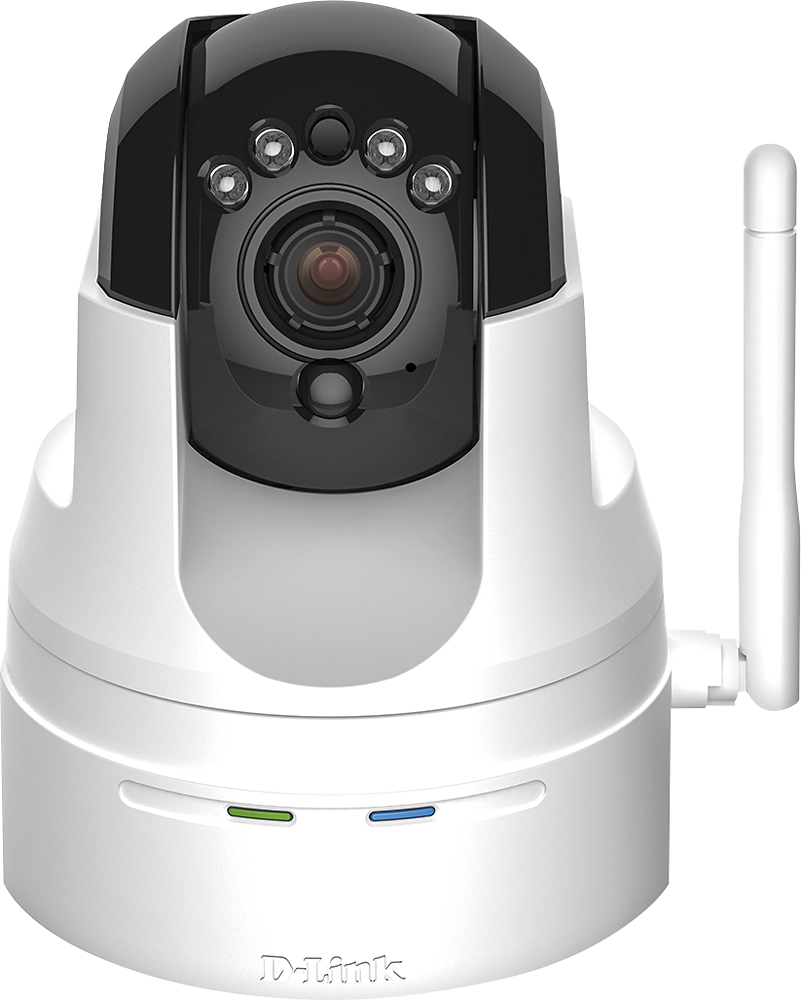
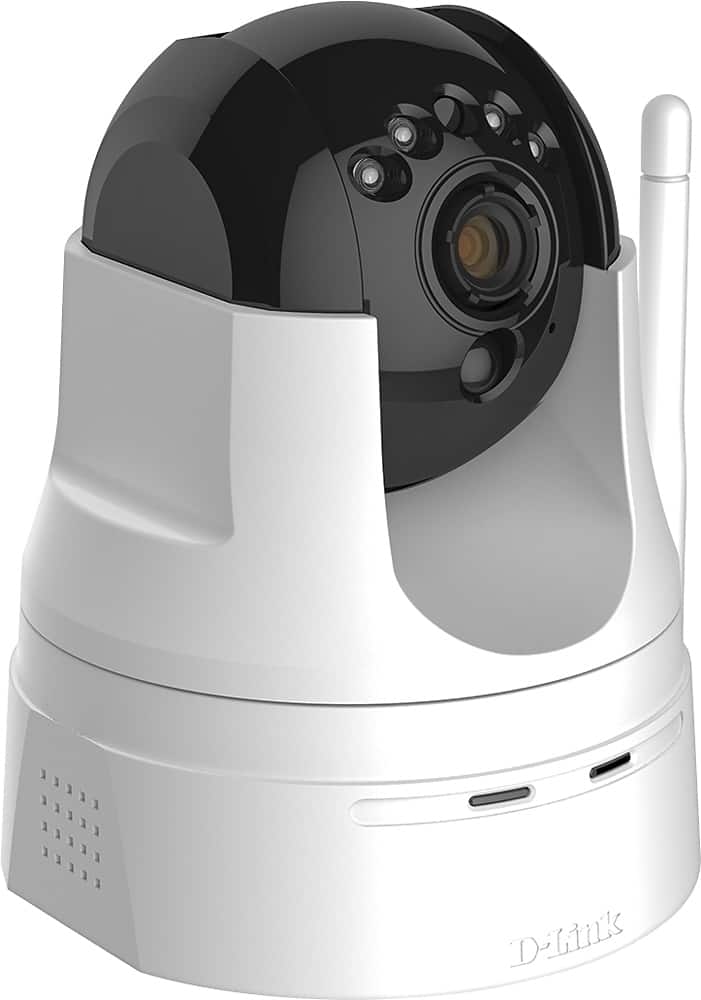
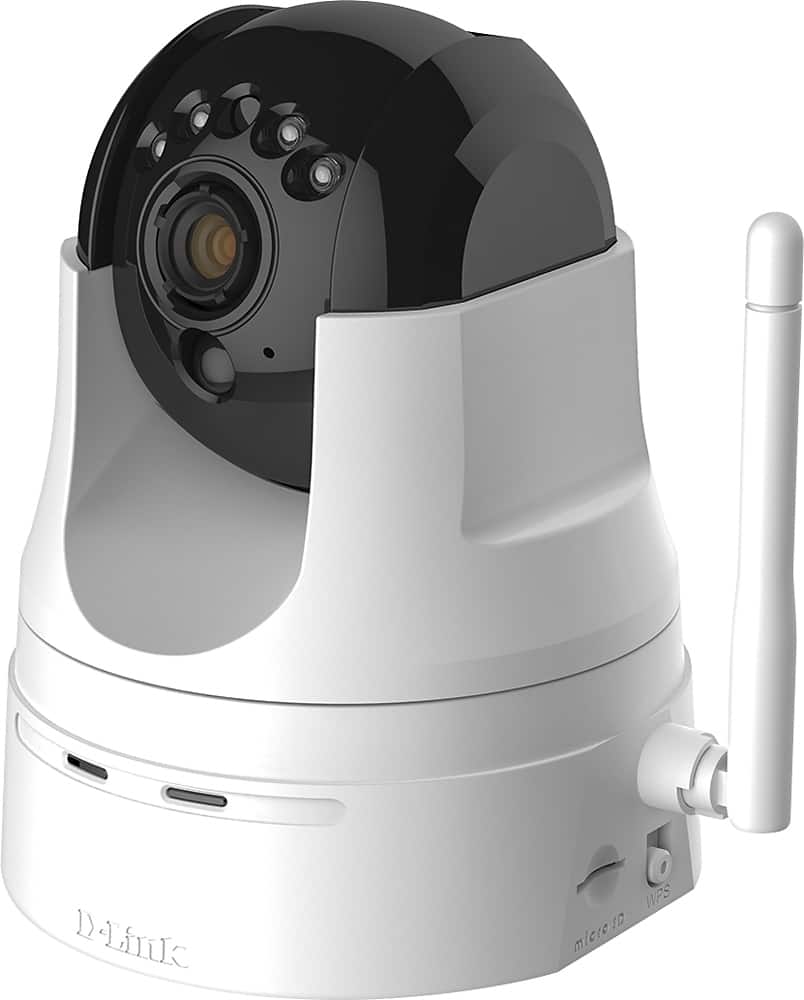
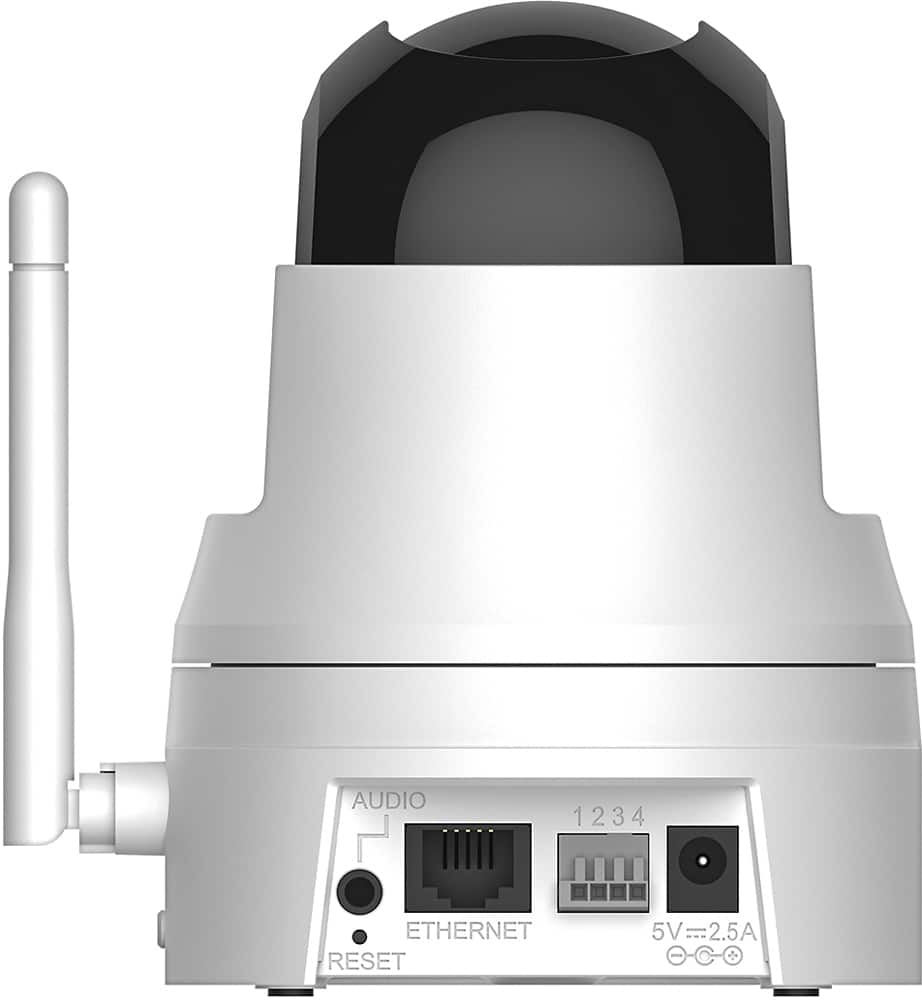
- Model:
- DCS-5222L
- |
- SKU:
- 5619743
Customer reviews
Rating 3.9 out of 5 stars with 807 reviews
(807 customer reviews)to a friend
Customers are saying
Customers are pleased with the excellent camera quality, ease of use, and the pan and tilt features of the High-Definition Pan and Tilt Wi-Fi Video Security Camera. Many also appreciate the night vision and motion detection capabilities. However, some users experienced difficulties with the setup process and software, while others reported issues with Wi-Fi connectivity and overall reliability. Improvements to the software and setup instructions would enhance the user experience.
This summary was generated by AI based on customer reviews.
- Pros mentioned:Camera quality, Motion detection
Rated 4 out of 5 stars
High Recommend by Elderly Care Giver
Posted .This reviewer received promo considerations or sweepstakes entry for writing a review.I was able to install the DLINK software to be laptop (via their web site download function) and configure my iPhone 6 within 30 minutes. I had to use the Ethernet cable (provided in package) to connect camera to my Dads network (no WPS available on his old router) but it was no problem. I am having an issue with the 2way communication not working on my iPhone. I am going to have to contact support on that issue. I only gave a 4 star rating because the web site you use to view Live stream lacks a bit. I was able to find the controls to make the camera rotate but now I cannot find it again. It is much easier to make it move from my iPhone than their web site. I set this camera up in my Dads house as he is disabled. This allows me to view his living area from my house when I get a call that he has pressed his emergency button or fallen. I can quickly see if he has truly fallen or has pressed the button by mistake. I left his home last night feeling a great deal of relief knowing that I could log in at any time and see that he was ok. Motion Detection works well too. When my sister entered Dads home this morning and crossed into the Detection area (that I was able to configure) I received an email alert. I have it set to notify me if Dad gets up at night. This will allow me to know if Dad is going out the door when he shouldn't be (or God forbid someone was coming in!). The camera was recommended to me by my cousin who had used it in his Dad's house (his Dad had alzheimer) and he was very pleased with the camera. There is no real user manual for the camera or DLINK web site. The online user manual has not been updated since 2014! When I contact support I will be asking for an up to date user manual for their web site!
I would recommend this to a friend - Cons mentioned:Setup
Rated 4 out of 5 stars
Works Well
Posted .This reviewer received promo considerations or sweepstakes entry for writing a review.Camera operates as expected. However, the documentation and installation process did not work. I had to call technical support. Had it not been for the support person, I would have returned the camera because it was impossible to install,. I had the best support person that I have ever gotten help from and she was patient and thorough. She definitely knows how to fix your problems and was a joy to work with. (Case C6694941) I suggest she gets a raise and D-Link reevaluate their instructions and setup and doesn't state it is an easy setup because it is not.
I would recommend this to a friend - Pros mentioned:Camera quality
Rated 4 out of 5 stars
Good camera
Posted .This reviewer received promo considerations or sweepstakes entry for writing a review.My set up experience with this item was a little tedious. But, after a little work and PC option fixes, things are working well. Pay attention to note about the micro SD card. There are notes on the web site to give you help on which cards will work. 32 gb tops!! The email tech support so far has been good. I still have a few tweaks to do -- and tech support should be helpful. The picture quality is excellent, and besides a few drop outs - the surveillance service has been good. Getting lots of emails noting "motion detected" as i try the unit out. Looks like it will fit my needs, and I'd recommend it to others needing a single camera solution with some recording capability.
I would recommend this to a friend - Cons mentioned:Software
Rated 4 out of 5 stars
First Day - And Camera Functions as Expected
Posted .This reviewer received promo considerations or sweepstakes entry for writing a review.Had trouble setting up new Hi-Def camera. Called Dlink Customer Support. Promptly connected to Agent ID No AR004620 REF No C6799602. Agent was very courteous, professional and technically competent. Assisted me in updating firmware, connecting camera to my home network initially by LAN cable and then by wireless mode. Also ensured that camera functioned properly on iPhone and MacBook. Cannot say enough positive things about Dlink Customer Support. Only one day with new camera so it is too early to give a reliable review on the hardware and firmware but initially the camera and iPhone app are performing to my expectations.
I would recommend this to a friend - Pros mentioned:Motion detection
Rated 4 out of 5 stars
Camera does the job
Posted .This reviewer received promo considerations or sweepstakes entry for writing a review.Marvin - ar004612 - formatted the sd card for us to record every detected motion. Most helpful!!!. I gave the camera 4 stars because you need to install speakers to be able to activate the sound motion notifications. But I guess that the motion detection notifications are enough
I would recommend this to a friend Rated 4 out of 5 stars
Satisfied
Posted .This reviewer received promo considerations or sweepstakes entry for writing a review.Camera works good, Had to contact DLink customer service to finalize setup. While I am very tech savvy, there were a few questions that I had that were not addressed in the manual or forums. I was under the impression that the motion detection sent a notification with pics. It is defaulted to send just a notification that states that motion has been detected. You can setup events that do allow pics to be sent and it works well, but not without some configurations that are not the most user friendly. DLink case#C6735600, Greg AR-004215 was very helpful addressing my questions and completing my setup. I have this setup inside the house looking through a window, the glass does not allow the infrared to work (just a side note). The app is just "ok" with limited options. The website allows more control and options. Overall, it does what I wanted it to do.
I would recommend this to a friend- Pros mentioned:Camera quality, Motion detection
Rated 5 out of 5 stars
Camera & Tech support great, little hard to set up
Posted .This reviewer received promo considerations or sweepstakes entry for writing a review.The camera is doing everything I was hoping for. Picture is sharp, does the motion detection and sends email. It was somewhat hard to set up, but the tech support (agents Randy AR004611, and Ford #AR00462 were outstanding and answered every question I had. I recommend this product
I would recommend this to a friend Rated 3 out of 5 stars
Decent System - Fairly Simple Setup
Posted .This reviewer received promo considerations or sweepstakes entry for writing a review.I received the camera and attempted to set it up the next day. I went through the process which included the camera having its firmware updated, and while I was able to see the real time footage on my iPhone 6P after the setup was complete, I was unable to view the video using the D-Link website on my laptop. I called their tech-support hotline and after being asked where I purchased the camera (best buy online) they had to transfer me because there is a special tech-support for Best Buy. An automated voice told me there would be a 30 minute wait, but a tech picked up within a couple minutes. I explained the issue and she stated that we had to update the camera with the latest firmware. I informed her that it did that automatically but she wanted to do this again anyway which led me to believe she’s simply going by a script. She had me navigate the D-Link website for the new software and she actually had me pick a slightly different firmware set. My camera is a DSC-5222L but she had me install the DSC-5222LB. I kinda wonder if that B is just the camera revision because there are two drivers to choose from under the L suffix in the beginning, A and B . After updating the firmware she had me again install the PC setup software wizard and reinitialize the camera. After spending an hour, the camera finally worked properly. The camera seems to work quite fine but this setup was quite ridiculous in my opinion. I also asked about storage since this is simply a live stream. She told me that the largest micro-SD that this camera has been tested with is 32GB and that provides about 4-hours of record time. I mentioned that anything less than 12-24 hours is worthless so she suggested that I place the camera in motion sensitivity mode. I explained that since I have dogs, that wouldn’t do much good. She then mentioned that I can buy a DVR module for $90 and then a hard drive for storage. I may look into this but only if this storage works through WiFi (which I don’t yet know) because I’m not running anymore wires, that’s kinda the purpose of a WiFi camera. You have to hook up the camera to your router with the included Ethernet cable during setup and you should take a quick photo of the nameplate on the bottom of the camera before starting setup or any phone support because you’ll need some of that information. The instructions at one point have you wait for a solid greed LED on the camera before proceeding, but I never saw this, it finally came to a slow flashing green LED and I continued without issue. The camera is very quiet when moving, neither my wife nor I could hear it move while in the room, but the sound is quite obvious on the monitored display or my phone when moved. I have no other WiFi cameras so I don’t have anything to compare this camera against. The whole setup while too long and annoying, wasn’t difficult. Also, their free tech support appears to be for 30-days after purchase. If you call after that, you have to pay them for their time.
I would recommend this to a friend- Pros mentioned:Camera quality
Rated 4 out of 5 stars
Great camera, affordable price
Posted .This reviewer received promo considerations or sweepstakes entry for writing a review.It is a great camera and affordable. Great image quality. Needed a little help to finish the configuration as required, and so I called customer service. The tech rep was kind, and really helpful. I recommend both the product and the service provided. Would definitely buy another camera when required. Case id # c6777256 Tech rep # ar004648
I would recommend this to a friend - Cons mentioned:Reliability
Rated 4 out of 5 stars
Very good very difficult to set up
Posted .This reviewer received promo considerations or sweepstakes entry for writing a review.Took 1 1/2 hrs to set up with a service tech. Customer service excellent. Multiple steps to set up. I don't know if I can recreate. Need to initially set up wired to router before you disconnect and go wireless. Any changes to device needs to connect to router. To early to tell reliability. Set up and firmware set up very time consuming.
I would recommend this to a friend - Pros mentioned:Camera quality
Rated 4 out of 5 stars
Does what it is supposed to do
Posted .This reviewer received promo considerations or sweepstakes entry for writing a review.The camera works great, day or night. Setup was a little confusing for a novice like me, but D-Link/Best Buy support was excellent. Support staff knew what they were doing and were patient with me. My support reps were AR004627 and AR004281.
I would recommend this to a friend - Cons mentioned:Setup
Rated 5 out of 5 stars
Customer Service
Posted .This reviewer received promo considerations or sweepstakes entry for writing a review.ar004611 - Randy Simply some of the best customer service I have ever received from a call in customer service line. Randy helped me in what had been a very frustrating process to get my camera set up. Walked us through every step and got the camera working perfectly. I come from a customer service business and I would be proud of any of my team members that provided the level of service Randy did. As far as the camera goes the setup was a little more difficult than I had hoped and without the assistance I was not able to get it working properly. However, now that the camera is functioning we are very happy with how it performs. Thank you!
I would recommend this to a friend - Pros mentioned:Camera quality
Rated 4 out of 5 stars
Difficult to set up
Posted .This reviewer received promo considerations or sweepstakes entry for writing a review.Nice units, good pictures, not friendly or helpful on the set up instructions for I-Pad or multiple devices. Called customer support and Aldy agent AR004246 was very helpful, polite and patient as I am not real tech savy
I would recommend this to a friend - Cons mentioned:Setup
Rated 4 out of 5 stars
Worked out in the end.
Posted .This reviewer received promo considerations or sweepstakes entry for writing a review.It will serve the purpose. I tried to set this up on my own, but ended up calling for technical support. Thank goodness for the customer service support person. He was very, very helpful. Thanks C6726250 Tech AR004273
I would recommend this to a friend - Pros mentioned:Camera quality
Rated 5 out of 5 stars
Good Security System
Posted .This reviewer received promo considerations or sweepstakes entry for writing a review.This seems like a great system! I called into technical support and spoke w/ Franchesca regarding a minor issue I was having with set up on my end. She was very patient and was able to walk me through my issue at hand with ease and great patience A+ to customer support. Looking forward to putting this camera to use. Only worry was I would not be able to complete the advanced settings needed without technical support. Again great product and great video quality Badge ID: AR004277
I would recommend this to a friend - Pros mentioned:Camera quality
Rated 4 out of 5 stars
easy set up.
Posted .This reviewer received promo considerations or sweepstakes entry for writing a review.good camera, great photo, customer service was extremely helpful, Badge id: AR004214 from tech support was extremely helpful and stayed with me on the phone until my issue was resolved. He should be promoted!
I would recommend this to a friend - Pros mentioned:Camera quality, Pan and tilt
Rated 5 out of 5 stars
Excellent Camera For Everybody.
Posted .This reviewer received promo considerations or sweepstakes entry for writing a review.This is a great camera for use at home or small office. I use this at home to monitor my english bully and my baby while I'm in the kitchen or working on my projects. Great way for me to keep an eye out for the troublemakers. Let me say that this camera is easy to setup. It took me no time to get it up on my iPhone and iPad. I was able to plug an dplay with my wireless network quickly as well. I love the video quality as I can see details. The day and night modes are great. I enjoy the pan and tilt of the camera as well. I have another baby monitor in the baby room and I needed to adjust every time I move the baby. With this I can take control. Overall, it is a great tool. I don't understand why people bash this camera. Works great for me.
I would recommend this to a friend Rated 2 out of 5 stars
Choose a different product....
Posted .This reviewer received promo considerations or sweepstakes entry for writing a review.so, I purchased this product to keep an eye on my epileptic dog while I was at work, so I could track his seizures. not the normal use for this, but hey...it's what needs to be done. so, first off out of the box the unit seems fairly decent. nice construction, not cheap or flimsy feeling. it comes with the power adapter, ethernet cable...everything you need to set this up and get it running. everything, that is, except the actual ability to do this easily and quickly, like the box suggests. so, I start following the ONLY start manual it has, which is 1 page telling you to download the app to your phone, and follow those steps. the app is a joke. after a half hour of trying to get the camera to respond using the instructions for the app, I finally got hold of tech support. and that's a whole new issue. tech support spent almost 2 hours on the phone with me, and the guy finally gave up. even he couldn't get the camera running. so, I took matters into my own hands, reset the entire system and started from scratch. through dumb luck, I got it running. what the booklet doesn't tell you is you need to get it set up via ethernet cable first, then turn the wireless on. about half way through the setup process on your PC, it'll ask if you want to use wired or wireless. you MUST choose wireless if you're going to want to use the wireless capability. otherwise, it just won't work. so, after about 3.5 hours, I finally got the camera to work. I can watch it from my phone or from the mydlink page. and here's some new issues. the feed is VERY laggy both on the phone and on the computer. my internet speed is very fast. I have a fast connection for gaming purposes. yet this system just lags. when you want to pan, it takes some time to respond. the video feed, even on HD, is grainy and sometimes fuzzy. the mdlink page requires a plugin to run, and this plugin routinely crashes. this means you need to close the page, re-open it, log back in and wait the 5 minutes or so for the page to re-connect to the camera. so, overall the software and remote viewing is very poorly thought out.
No, I would not recommend this to a friend- Pros mentioned:Ease of use
Rated 4 out of 5 stars
Good Product , worth for money
Posted .This reviewer received promo considerations or sweepstakes entry for writing a review.Great HD security cam ( verified in night time), Easy set-up and configuration form iPhone, PC and Mac laptop. However a tip is to reset wifi/camera to connect to different wifi.
I would recommend this to a friend Rated 4 out of 5 stars
Took few steps but got thru it
Posted .This reviewer received promo considerations or sweepstakes entry for writing a review.C6755251 fHenry-ar004373 The first problem we had was getting the camera to connect to our smartphones. Our computer was on the fritz and we could not complete the set-up without it. The next day we got the computer to finally work and we were able to complete the set-up process, however during the set-up the camera switched off the audio so we were unable to hear anything, and as we are going to use it as a baby monitor that would not due. Henry was able to help me fairly quickly get the audio switched back on and we are now able to hear and see the audio and video on both the computer and our smartphones.
I would recommend this to a friend