Customer Ratings & Reviews
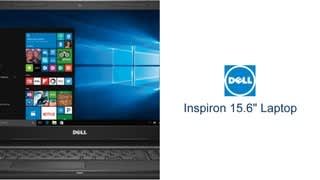
- Model:
- I3565-A453BLK-PUS
- SKU:
- 6190769
Rating by feature
- Value
Rating 4.1 out of 5 stars
- Quality
Rating 3.8 out of 5 stars
- Ease of Use
Rating 4.1 out of 5 stars
Customers are saying
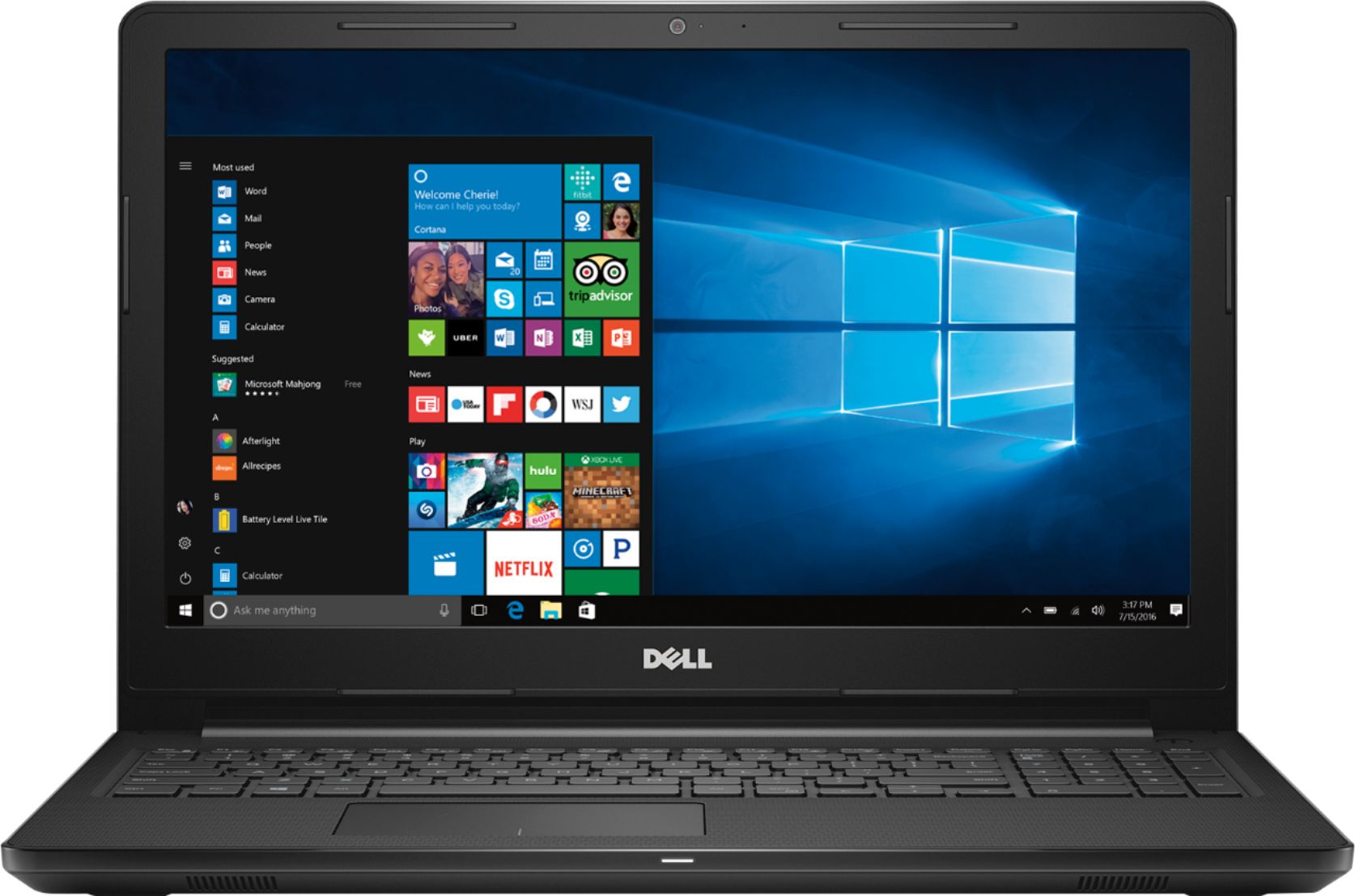
Customers love the Inspiron 15.6" Laptop for its budget-friendly price point and user-friendly interface. Many appreciate its lightweight design and adequate storage space. While some users find the performance satisfactory for casual gaming, others have concerns about its overall speed and battery life.
This summary was generated by AI based on customer reviews.
- Pros mentioned:Price
Good laptop for a student
||Posted .This reviewer received promo considerations or sweepstakes entry for writing a review.So far no problem with the laptop I would recommend for students for a good price.
I would recommend this to a friend - Pros mentioned:Easy to use
Has what is needed for younger person.
||Posted .This reviewer received promo considerations or sweepstakes entry for writing a review.Got it for birthday present,very easy to operate.Has good memory and boots up fast.
I would recommend this to a friend - Pros mentioned:Price
Best laptop ever
||Posted . Owned for 1 year when reviewed.This reviewer received promo considerations or sweepstakes entry for writing a review.This has been the best laptop ever. Very affordable and does what I need
I would recommend this to a friend - Pros mentioned:Easy to use
Great price. Affordable and easy to use.
||Posted .This reviewer received promo considerations or sweepstakes entry for writing a review.Easy to use laptop that I bought for my 72 year old mother. Easy for her to navigate.
I would recommend this to a friend - Pros mentioned:Price
Love this laptop
||Posted .This reviewer received promo considerations or sweepstakes entry for writing a review.Great laptop for the money. Perfect for my work from home.
I would recommend this to a friend - Cons mentioned:Ram
Good entry lapTop
||Posted .This reviewer received promo considerations or sweepstakes entry for writing a review.Good for the price, but a little slow due to only 4M of RAM
I would recommend this to a friendBrand response from YourDellTeam
Posted .Hi Eric,
Thanks for your review. We're glad that you are finding good value in your laptop. If you'd like help speeding up your laptop we'd suggest running the Windows Performance Troubleshooter:
1. Close all open windows.
2. Press the Windows logo key + X key on the keyboard.
3. Click Control Panel.
4. Click System and Security.
5. Under Security and Maintenance, select Troubleshoot common problems.
6. Under System and Security, click Run maintenance tasks.
7. Follow the on-screen instructions and prompts to complete the process.
8. Restart the PC.
You can read the full article here - http://dell.to/2tSulGV.
We hope this helps your computer speed up a little for you.
Best,
Bryan
1-800-624-9896
- Pros mentioned:Price
Decent
||Posted .This reviewer received promo considerations or sweepstakes entry for writing a review.Not to bad. Nice little zinger. You get what you paid for.
I would recommend this to a friendBrand response from YourDellTeam
Posted .Galfonator,
We're happy to hear that you're satisified with your new computer's performance. If you have questions about your computer you can check our Product Support Page here - https://dell.to/2HJQFI3.
Best,
Bryan
1-800-624-9896
- Cons mentioned:Speed
Nice laptop
||Posted .This reviewer received promo considerations or sweepstakes entry for writing a review.Decent laptop for the price. It seems to run a little slow.
I would recommend this to a friendBrand response from YourDellTeam
Posted .Hi Lefty,
Thanks for your review. If you'd like help speeding up your computer we'd recommend running the Windows Performance Troubleshooter here:
1. Close all open windows.
2. Press the Windows logo key + X key on the keyboard.
3. Click Control Panel.
4. Click System and Security.
5. Under Security and Maintenance, select Troubleshoot common problems.
6. Under System and Security, click Run maintenance tasks.
7. Follow the on-screen instructions and prompts to complete the process.
8. Restart the PC.
You can read the full article here - http://dell.to/2tSulGV.
We hope this helps the computer run better for you.
Best,
Bryan
1-800-624-9896
- Pros mentioned:Gaming
lightweight
||Posted . Owned for 1.5 years when reviewed.This reviewer received promo considerations or sweepstakes entry for writing a review.Great computer. My daughter enjoys playing her mine craft.
I would recommend this to a friend - Pros mentioned:Price
Great for school and work
||Posted .This reviewer received promo considerations or sweepstakes entry for writing a review.Excellent computer with an even better price! Good speed even while multitasking.
I would recommend this to a friend Disappointed
||Posted .This reviewer received promo considerations or sweepstakes entry for writing a review.Perhaps I expected too much, but I thought this laptop would perform a bit better than my old desktop. It doesn't. I'm not a gamer, I just window shop and watch movies. Very slow to load a page, problems with page freezing up, not unusual for a movie to be interrupted due to buffering. I'm keeping it, but I don't recommend it at all.
No, I would not recommend this to a friendBrand response from YourDellTeam
Posted .Hello Ziggy,
We're sorry to hear about the slowness and the freezing that you're experiencing. We'd recommend that you diagnose the freezing with the following steps:
1. Run a Computer Diagnostic. To determine if your computer is experiencing a hardware problem, run the Dell Preboot System Assessment (PSA) Diagnostics. For information on how to run Diagnostics, and to determine the issue, refer to Dell Knowledge Base Article: http://dell.to/2iaiujA.
2. Check Safe Mode for Symptoms. To boot into safe mode, please follow the instructions below:
a) Start the computer.
b) Tap 'F8' on the keyboard immediately and every one second until the Dell logo screen disappears. From there you will see the Windows Advanced Options Menu on the screen. (If the Windows Advanced Options Menu does not appear, restart the system and try again.)
c) Select Safe mode with Networking and press Enter.
d) Log on as the administrator or as a user with administrative access.
e) Open applications and test the computer in safe mode. If the symptoms exist in safe mode, please continue the troubleshooting steps in this article. If the symptoms do not exist in safe mode, the issue is likely related to a driver or software and you may wish to complete steps 6 to see if you are able to resolve the lockups or freezing.
6. Check for Malware. Malware (Virus, Spyware, etc.) can definitely cause a Windows system to lock up or appear to hang. To check for malware on your system and to ensure that your computer is up to date on security software, visit Dell Knowledge Base Article: http://dell.to/2wWP1zI.
You can read the full article here - http://dell.to/2tW5m33.
If you'd like to see if your computer can run faster for you, you can run the Windows Performance Troubleshooter:
1. Close all open windows.
2. Press the Windows logo key + X key on the keyboard.
3. Click Control Panel.
4. Click System and Security.
5. Under Security and Maintenance, select Troubleshoot common problems.
6. Under System and Security, click Run maintenance tasks.
7. Follow the on-screen instructions and prompts to complete the process.
8. Restart the PC.
You can read the full article here - http://dell.to/2tSulGV.
Best,
Bryan
1-800-624-9896
- Pros mentioned:Price
Nice
||Posted . Owned for 1 year when reviewed.This reviewer received promo considerations or sweepstakes entry for writing a review.Nice and excellent price for that product. I am very satisfied with it
I would recommend this to a friend Great price, great product
||Posted .This reviewer received promo considerations or sweepstakes entry for writing a review.Definitely a great laptop from Dell. Price was great and the associate that helped me was knowledgeable and friendly.
I would recommend this to a friend- Pros mentioned:Lightweight
Great for school
||Posted .This reviewer received promo considerations or sweepstakes entry for writing a review.Lightweight and capable of handling the multifunction of my high school child.
I would recommend this to a friend - Cons mentioned:Speed
Good
||Posted .This reviewer received promo considerations or sweepstakes entry for writing a review.Its good slow but good price for the computer a like it
I would recommend this to a friendBrand response from YourDellTeam
Posted .Adoce,
We're happy to hear that you're satisfied with your new Dell computer. If you'd like to see if your computer can run faster for you we'd recommend running the Windows Performance Troubleshooter:
1. Close all open windows.
2. Press the Windows logo key + X key on the keyboard.
3. Click Control Panel.
4. Click System and Security.
5. Under Security and Maintenance, select Troubleshoot common problems.
6. Under System and Security, click Run maintenance tasks.
7. Follow the on-screen instructions and prompts to complete the process.
8. Restart the PC.
You can read the full article here - http://dell.to/2tSulGV.
We hope that your computer will run faster for you soon.
Best,
Bryan
1-800-624-9896
- Pros mentioned:Price
Laptop
||Posted . Owned for 1 year when reviewed.This reviewer received promo considerations or sweepstakes entry for writing a review.Very nice laptop for the price was a graduation gift for my grandson
I would recommend this to a friend Okay Laptop
||Posted .This reviewer received promo considerations or sweepstakes entry for writing a review.I purchased this unit to use with my Brother Embroidery Software, which has not gone so well. This system gets hung up when trying to load Windows 10, I have to restarted it multiple times before the desk top loads. There is also a lag time when typing and the mouse pad has to be pressed multiple times before it responds
No, I would not recommend this to a friendBrand response from YourDellTeam
Posted .DeeH,
We're sorry to hear that this computer is not meeting all of your needs. We'd recommend re-calibrating the touchpad on your computer so that it responds better: Some Notebooks and Tablets with Keyboards have added gesture features to the touchpad hardware and drivers. A few of these features are two or three finger scrolling, pinch zoom, circle zoom, rotate and swiping. These new features may be the reason for the erratic cursor movement since most are turned on by default. You can disable or modify the way the features work in the touchpad driver properties. Here are some tips to modify these settings:
1. In the Search box, type main.cpl.
2. Touch or click main.cpl in the list of programs.
3. Touch or click the Dell Touchpad tab.
4. Touch or click on the picture of the touchpad.
5. Touch or click Gestures (depending on your computer there may not be a Gestures option).
6. Change the options as preferred.
7. Touch or click Save.
8. Touch or click the X in the upper-right corner to close the Dell Touchpad Utility.
9. Touch or click OK on the Mouse Properties window.
10. If the touchpad still does not work after following the preceding steps, refer to Dell Knowledge Base article - http://dell.to/2iaiujA.
You can read the full article here - http://dell.to/2tqmS02.
Best,
Bryan
1-800-624-9896
- Cons mentioned:Speed
Slow
||Posted .This reviewer received promo considerations or sweepstakes entry for writing a review.In my opinion slow, had to restart within the first week
No, I would not recommend this to a friendBrand response from YourDellTeam
Posted .Kami,
We're sorry to hear that your new Dell computer is slower than you hoped it would be. We'd recommend running the Windows Performance Troubleshooter to see if there are ways to help speed up your computer -
1. Close all open windows.
2. Press the Windows logo key + X key on the keyboard.
3. Click Control Panel.
4. Click System and Security.
5. Under Security and Maintenance, select Troubleshoot common problems.
6. Under System and Security, click Run maintenance tasks.
7. Follow the on-screen instructions and prompts to complete the process.
8. Restart the PC.
You can read the full article here - http://dell.to/2tSulGV.
Best,
Bryan
1-800-624-9896
One of the better Dell Inspiron models
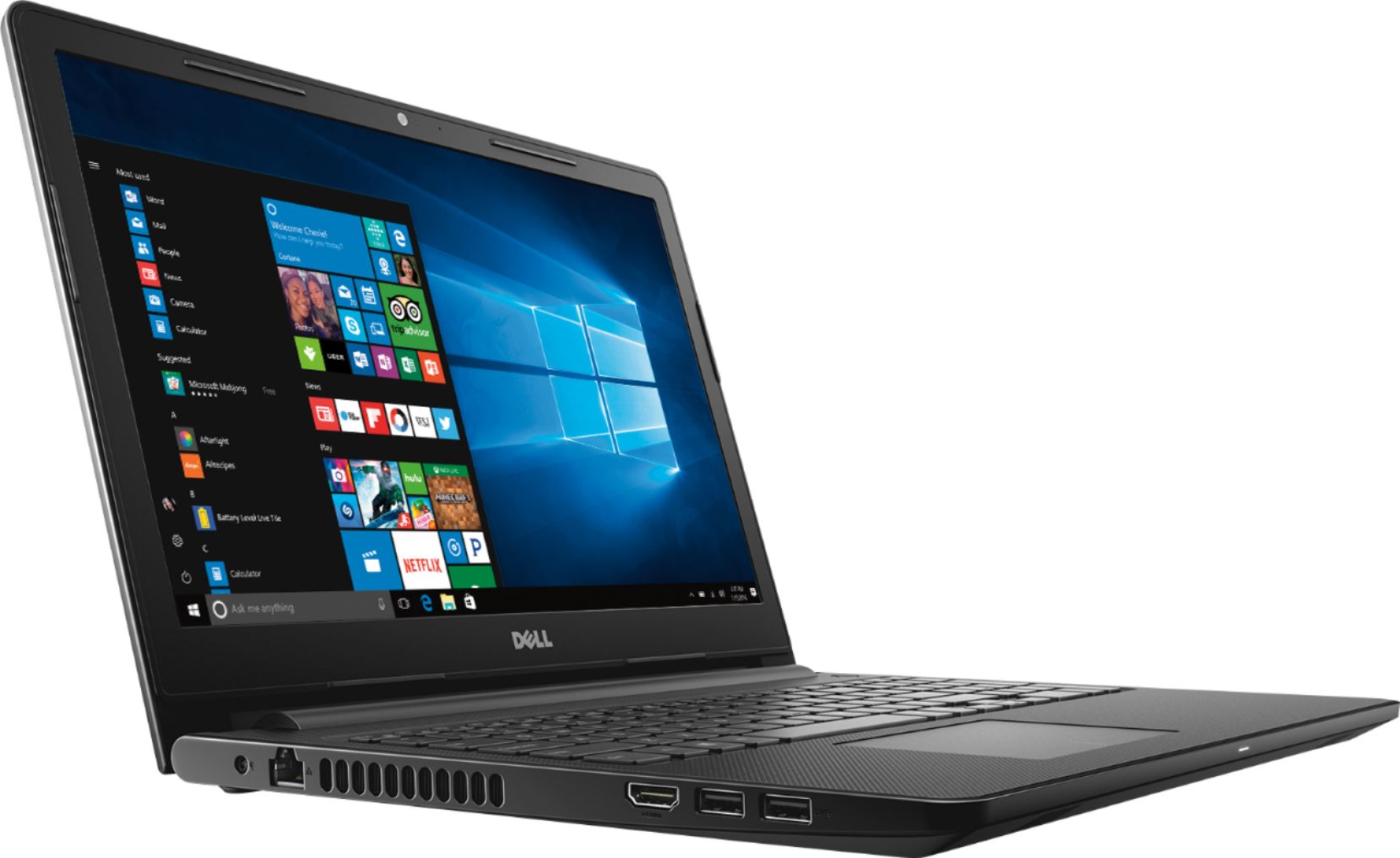
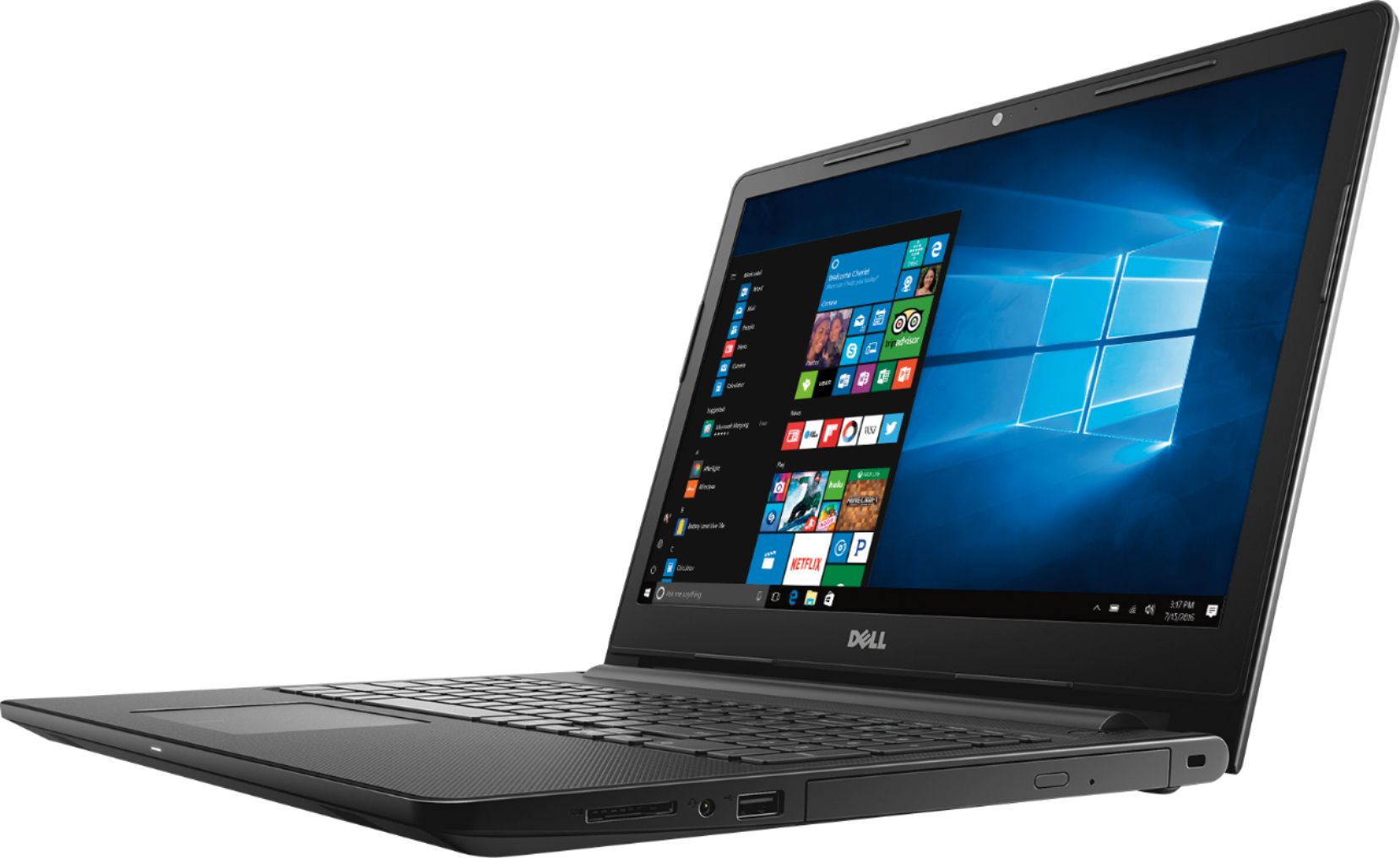
||Posted . Owned for 1 year when reviewed.This reviewer received promo considerations or sweepstakes entry for writing a review.This has been a really good computer. No complaints. Love that is has power, hard drive, charging and networking LED lights. A lot of the laptops are omitting the LED indicators. My dad has the big brother model with Intel processor. The only really noticeable speed difference is boot up and when you have a really heavy processor intensive application running.
I would recommend this to a friend- Pros mentioned:Price
A little on the slow side
||Posted .This reviewer received promo considerations or sweepstakes entry for writing a review.Overall not a bad computer for the price. Gets job done.
I would recommend this to a friendBrand response from YourDellTeam
Posted .Hi Tiffany,
Thanks for your feedback. We're sorry that your computer is slower than you had hoped it would be. We'd recommend running the Windows Performance Troubleshooter here:
1. Close all open windows.
2. Press the Windows logo key + X key on the keyboard.
3. Click Control Panel.
4. Click System and Security.
5. Under Security and Maintenance, select Troubleshoot common problems.
6. Under System and Security, click Run maintenance tasks.
7. Follow the on-screen instructions and prompts to complete the process.
8. Restart the PC.
You can read the full article here - http://dell.to/2tSulGV.
We hope that this troubleshooter will help your computer run faster for you.
Best,
Bryan
1-800-624-9896