Customer Ratings & Reviews
- Model:
- I5770-7432SLV-PUS
- SKU:
- 6162040
Rating by feature
- Value
Rating 4.2 out of 5 stars
- Quality
Rating 4.5 out of 5 stars
- Ease of Use
Rating 4.8 out of 5 stars
Customers are saying
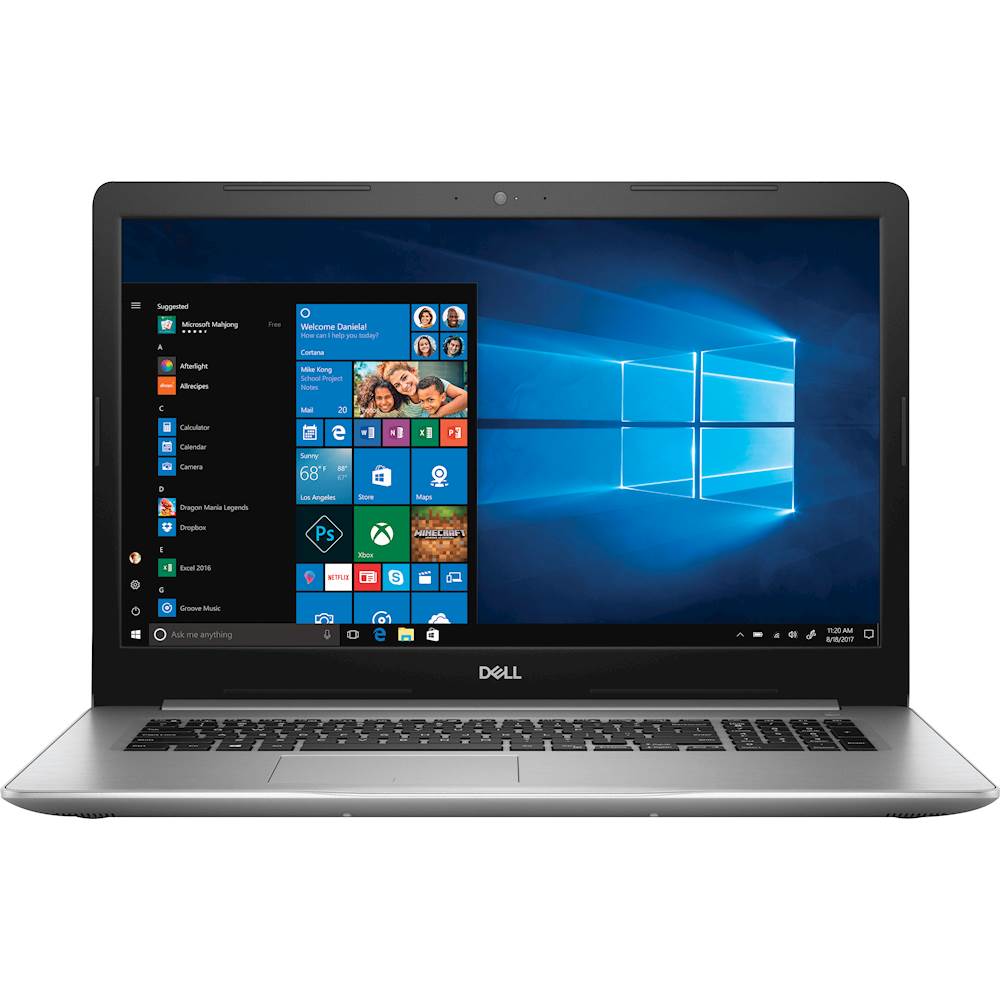
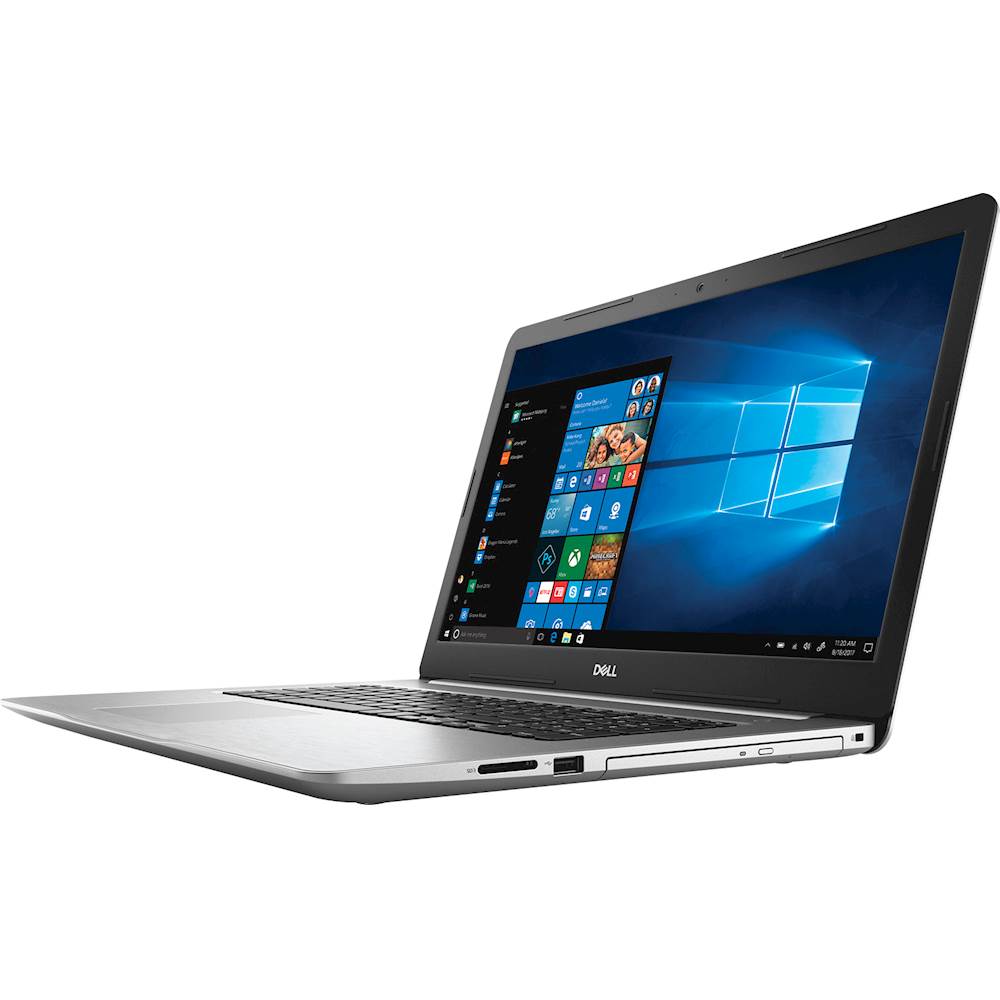
Customers often highlight the larger screen size, affordable price, and ample storage space of the Inspiron 17.3" Laptop. Many users appreciate the inclusion of a solid state drive and dedicated graphics card. However, some users have mentioned that the fan can be quite loud at times.
This summary was generated by AI based on customer reviews.
Love this machine
||Posted .This reviewer received promo considerations or sweepstakes entry for writing a review.Love the back-lit keyboard & thinness of this model
I would recommend this to a friendGreat computer for professionals
||Posted .This reviewer received promo considerations or sweepstakes entry for writing a review.Very happy with the computer. It does what I need.
I would recommend this to a friendGreat Computer
||Posted .This reviewer received promo considerations or sweepstakes entry for writing a review.This computer is everything I need. I'm very happy.
I would recommend this to a friend- Cons mentioned:Loud fan
Would not recommend
||Posted . Owned for 1 year when reviewed.This reviewer received promo considerations or sweepstakes entry for writing a review.The features of this laptop are ok, the only BIG issue is the FAN. The fan is so loud i could not hear a phone conversation in my office. It is unbelievably LOUD! I cannot understand how anyone would think this fan noise is acceptable. Unless you plan to use your ("Lap"top) with headphones (btw: you can still hear the noise with complete over the ear headphones, i would steer clear of this model, new or used.
No, I would not recommend this to a friend Slow
||Posted .This reviewer received promo considerations or sweepstakes entry for writing a review.Well I just received this laptop. I was pretty excited to get a faster one. Everything I do is slow. It takes about 15 seconds for my video to start in iTunes. Any time I click on Internet Explorer it's slow to start. I would think it's my Internet, but my old laptop is faster then this one. No problem opening videos or internet.
No, I would not recommend this to a friendBrand response from YourDellTeam
Posted .Pickles,
We hope that your computer will begin to perform the way that you intended it to after you run the Windows Performance Troubleshooter:
1. Close all open windows.
2. Press the Windows logo key + X key on the keyboard.
3. Click Control Panel.
4. Click System and Security.
5. Under Security and Maintenance, select Troubleshoot common problems.
6. Under System and Security, click Run maintenance tasks.
7. Follow the on-screen instructions and prompts to complete the process.
8. Restart the PC.
You can read the full article here - http://dell.to/2tSulGV.
We hope this helps speed up your computer for you.
Best,
Bryan
1-800-624-9896
- Cons mentioned:Battery life
Laptop
Posted .This reviewer received promo considerations or sweepstakes entry for writing a review.Absolutely love my laptop! Originally bought for interior design work. AutoCAD was needed at the time. I have never had any issues other than needing the battery replaced once back in July (2024). Item was purchased in August 2018. Bought as an open box item.
I would recommend this to a friend Not happy
||Posted .This reviewer received promo considerations or sweepstakes entry for writing a review.I basically hate it. I did not order nor know I was receiving a finger print locked machine and I hate it, hate it, hate it.
No, I would not recommend this to a friend- Pros mentioned:Screen sizeCons mentioned:Battery life
Excellent
Posted .This reviewer received promo considerations or sweepstakes entry for writing a review.It's really good. I had my doubts becaause other's reviews but I'm glad to have purchased it. It's expected that the battery doesn't last too much but it's normal with a screen of 17" and a powerful processor. It's fast, has a great screen and resolution.
I would recommend this to a friend I Would Not Buy a Dell Again
Posted .This reviewer received promo considerations or sweepstakes entry for writing a review.My last two laptops have been Dells and my tower is a Dell, however my next computer will not be. I bought this computer for work and it has had problems from day one. It did not occur to me to return it, which is unfortunate because four months later, many tech support calls and two trips to Dell to get fixed it is still having issues. When I first got it I had it sitting on my desk at work waiting for our tech guy to set it up and install software on it. Every so often, the fan would start to spin. There was nothing installed on it yet and I hadn't used it at all. It was just sitting there! Also, just to clarify, this was not just normal fan spinning type stuff. I have had several people comment on how loud and constant it was. I called Dell and they had me update the BIOS. Since at this point the problem occurred only sporadically, I did not know for sure until over a week later that it had not fixed the problem. This happened several times over the next three months. They would update the BIOS and it would actually get better for more than a week and then the problem would recur. I asked several times for them to take it back to fix it, but they would not until after three months and a lot of my time spent with them on the phone. One woman even asked if the noise was unbearable and when I said it wasn't, she said that there was no reason to send it in, then. Finally, they agreed to have it shipped in to be fixed. At this point the fan was spinning almost constantly. I sent a note with my computer telling them that the problem had been sporadic, and sometimes was fixed only to recur at a later time, so to please troubleshoot it thoroughly and keep it as long as they needed it to be sure it was working because I could not even use it at this point. They replaced the fan and sent it back after having it less than a day. When I turned it on, the fan immediately started spinning! They could not even have turned it on after replacing the fan or they would have known they had not resolved anything. I sent it in again, after a delay on their end sending out the shipping label with the same admonition to keep it as long as they need it to get it fixed. I even talked to a woman in their escalation department and she said she would talk to them and tell them of my concerns. When I got it back the second time, it was silent for less than a day and then it was back spinning again. This is a work computer and at this point I have been unable to use it for almost a month. They want me to spend more of my time on the phone with them troubleshooting the problem. I have spent more than enough of my time and my company's time on a computer that had the issue right out of the box. I have been unable to use my computer for almost a month, which makes it difficult to do my job. There is a reason I bought a laptop and not a tower. Two lessons I take away from this experience: If your computer has any issue *at all* in the first month, do not call technical support. Replace it!!!! Second, I will not be buying Dell again for my personal or business computers. The computer should have been working right out of the box. The computer should have been working both times that I got it back from their repair depot. This experience has really soured me on Dell.
No, I would not recommend this to a friendBrand response from YourDellTeam
Posted .LoveMyHorses,
Thanks for your review. We appreciate the time that you have taken to speak with our technical support team and try to resolve the fan noise issues that you are facing. Aside from updating the BIOS on your computer you can also try these helpful tips to keep the vents of your laptop clean and cut down on fan noise:
Cleaning the Vents
1. Check the vents on the computer to see if they are covered with dust and not allowing heat and air to pass through.
2. Turn off the system.
3. Remove all power sources: Unplug the AC adapter and remove the battery, or unplug the desktop power Cord.
4. Use a compressed air can to blow the dust out of the vents. Be sure to hold the can at an upright angle (near 90 degrees), and hold it 15-20 centimeters (6-8 inches) away from the vent.
You can read the full article here - http://dell.to/2ENlXfz.
We hope that these tips will lead to minimal noise on your work laptop.
Best,
Bryan
1-800-624-9896
Still going strong
Posted .This reviewer received promo considerations or sweepstakes entry for writing a review.This was purchased in 2018 and going strong. Very happy with it. Changed the battery after using 2 years, have to be careful to use it correctly - charging then disconnect from power, etc - to get best life from battery. Windows 10 was a good upgrade from 7 and 10 was a nice experience.
I would recommend this to a friendGreat look and feel. Under the hood issues
Posted .This reviewer received promo considerations or sweepstakes entry for writing a review.I was really excited to get this laptop and as soon as I opened it I loved it. I loved the keyboard and the touchpad (after changing some of the settings). Now the problems came after the computer wanted to update the Windows 10. Fine let's do it. Except: Not fine. My computer would always show I was using 100% of my disk space and 99% of my memory. How? I didn't even have any programs downloaded at this point. I tried all the updates, tips, and tricks I could find and nothing helped. And I also felt like I shouldn't have to go through all of that to get my NEW laptop to work efficiently. I'm returning this laptop.
No, I would not recommend this to a friendBrand response from YourDellTeam
Posted .Hello Chip - Thanks for your review. We're sorry to hear about your frustrations with your new laptop and the updates that you went through. We'd recommend taking a look at the programs that you have installed and see if anything was pre-installed that you do not plan to use. You can watch this video - http://bit.ly/2ALK0IH to show you how to remove programs that you do not plan to use.
We would also suggest the following in order to clear out any history that may be on your computer since you started using it:
Delete temporary files and directories
1. Click Start, then in the search bar type "disk". Disk Cleanup should appear on the menu above the search box.
2. Run disk cleanup and eliminate unneeded temporary files (Search results, Internet Cache and other windows temp files you may no longer need)
3. Select files you want to delete then click OK to start the cleanup process.
We hope these tips help your computer perform the way that you'd like it to. - Bryan
Dell laptop
Posted .This reviewer received promo considerations or sweepstakes entry for writing a review.Excellent laptop! I had this for many years and it still runs like new.
I would recommend this to a friendmultiable issues
Posted .This reviewer received promo considerations or sweepstakes entry for writing a review.I bought this laptop primary for the back lite keyboard , that stopped working after 3 months , I've also had it in for repair 4 times for other issues , I always was a fan of dell products until now . next time its HP
No, I would not recommend this to a friendBrand response from YourDellTeam
Posted .jimbo,
Thanks for your review. We're sorry to hear about the troubles that you've been having with your computer. We'd recommend reaching out to Dell's Technical Support Team for additional assistance in the future: http://dell.to/2sH7Qlm.
Best,
Bryan
1-800-624-9896















