Customer Ratings & Reviews
- Model:
- I5477-7491SLV-PUS
- SKU:
- 6239842
Rating by feature
- Value
Rating 4.2 out of 5 stars
- Quality
Rating 4.0 out of 5 stars
- Ease of Use
Rating 4.3 out of 5 stars
Customers are saying
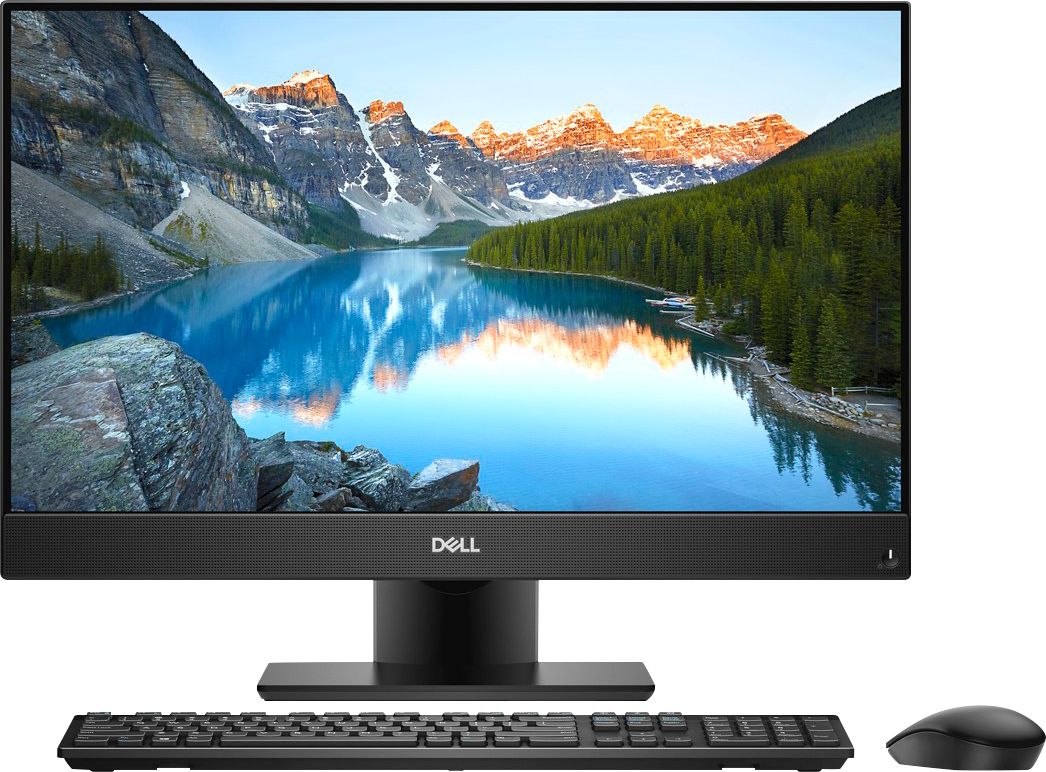
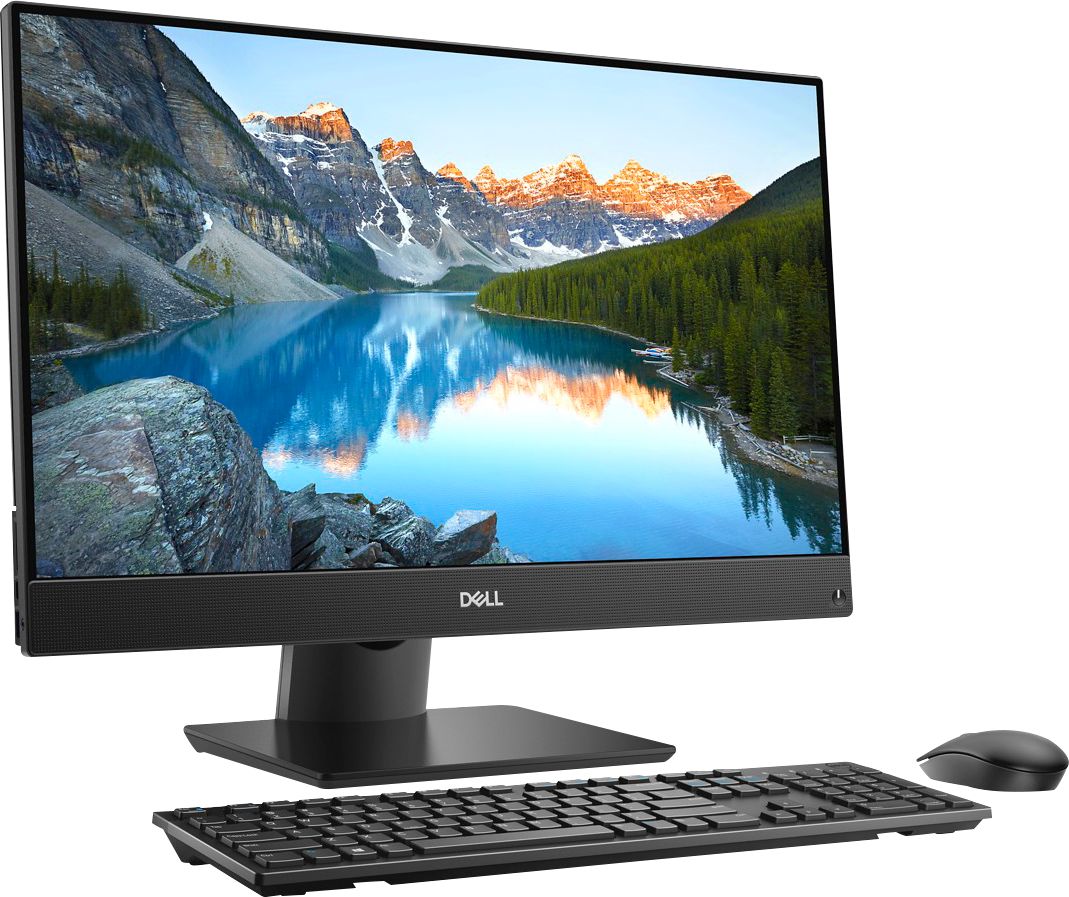
Customers find value in the Inspiron 23.8" All-in-One's touch screen, ease of use, and performance. Many appreciate its sleek design and the ample storage provided by the hard drive, along with the sufficient RAM for everyday tasks. Positive feedback highlights the space-saving size and the overall user-friendly experience. The all-in-one design is frequently praised for its convenience.
This summary was generated by AI based on customer reviews.
Worst Computer ever
||Posted .This reviewer received promo considerations or sweepstakes entry for writing a review.I'm going for my 2nd computer not working properly
No, I would not recommend this to a friendBrand response from YourDellTeam
Posted .Jahearn,
We're sorry to hear that your computer is not working the way you hoped it would. We'd recommend checking out our Product Support Page if there are specific questions that you have: https://dell.to/2DgG9WT.
You can also reach out to Dell's Technical Support Team here: http://dell.to/2sH7Qlm.
Best, Bryan
1-800-624-9896
- Pros mentioned:Touch screen

Good design, bad experience
|Posted .This reviewer received promo considerations or sweepstakes entry for writing a review.I love the design of this computer. It is very compact and slim looking with the nearly edge to edge display. The screen is quite beautiful despite being only 1080p but mine has a dead pixel in the middle of it. I wish this came with an SSD instead of the HDD because the hard drive really slows down the rest of the speedy performance. It feels pretty slow booting up and getting through the initial Windows loading. If I try to open a web browser before the background apps are done booting, the browser usually crashes. Beyond that it runs pretty smoothly. The integrated graphics can not handle games very well though which is kind of disappointing considering the 12GB of RAM included. My biggest complaint is the build quality, as right out of the box I have had speaker issues where they cut out for no reason, and at the time of writing this review, one speaker does not work at all. The included keyboard and mouse feel very light and cheap. They function well but I feel at the price point of this computer, Dell would include higher quality accessories.
No, I would not recommend this to a friendBrand response from YourDellTeam
Posted .Hi CW24,
With regards to the screen issues that you are having with your new computer, we'd recommend downloading the LG tool from this site and implementing it on your system: https://www.dell.com/support/home/us/en/19/drivers/driversdetails?driverId=R6TNF.
We'd also recommend limiting the number of programs that launch at startup so that your computer boots up faster for you:
1. Close all open windows.
2. Press CTRL + Shift + ESC key together on the keyboard.
3. In the Task Manager window, click Startup tab.
4. Select the program or application that you want to disable from loading during startup.
5. Right-click and select Disable.
6. Repeat Step 4 & 5 for all the programs or applications that you want to disable from loading during startup.
7. Restart your PC.
You can read the full article here - http://dell.to/2tSulGV.
If you are experiencing crashes on your computer we'd recommend diagnosing it with the following steps:
1. At the desktop, click the Search the web and Windows box and type "problem reports".
2. Select View all problem reports to view a list of errors that have occurred on your computer and possible solutions for them, such as updating drivers, flashing your system BIOS, or checking for updates to the software.
3. Under the Source column, look for Windows and under Summary, look for Shut down unexpectedly.
4. Right-click the line item and select Check for a solution.
We'd also suggest checking to make sure that your software and drivers are up to date on Dell's Product Page - https://dell.to/2Kjx40V.
You can read the full article here - http://dell.to/2u98Cct.
If you have additional questions about your computer please check our Product Support Page here: https://dell.to/2tInLSQ.
Best,
Bryan
1-800-624-9896
A compact solution for your desktop computing need
|Posted .This reviewer received promo considerations or sweepstakes entry for writing a review.This is my first All-in-One computer and I think Dell has a winner here. Dell put everything inside a crisp 24", HD touch screen monitor with a wireless keyboard and mouse. This allows you to maximize your limited desktop real-estate without giving up performance. The unboxing experience was a little disconcerting as the contents seemed to have been re-packaged! The in-box literature was not even in English but there was nothing missing. In fact, the batteries for the keyboard and mouse were REAL Duracells, not the typical reduced-life, no-name variety that seems to be so prevalent with new products these days. And actually assembling the components was really very easy since the all-in-one design minimizes the number of discrete parts. The monitor base is solid and heavy and very easy to attach. It is also articulating so adjusting the screen is very easy. My unit came with the next-gen Intel i7 processor, 12GB of RAM and a 1TB hard drive. This is kind of middle of the road for a desktop as I have a Dell laptop with better specs, but the overall performance is still quite good. The initial power-on and setup process was typical in every way. I was ready to go after about 15 minutes. Image and sound quality are very good. The camera is mounted on top of the screen and is recessed when not in use. The built in wireless capability includes both 802.11ac and Bluetooth 4.2. There are also a number of USB ports (3.0 and 2.0), HDMI , and an Ethernet port so your connection choices are very good. There is no internal optical DVD reader, however an external option is available. Overall, I would recommend this product to anyone who is looking for a solid, compact computing option to use in a restricted space (can anyone say "dorm room"?)
I would recommend this to a friendGood Job Dell !
|Posted .This reviewer received promo considerations or sweepstakes entry for writing a review.My current desktop computer is a traditional tower with the typical peripherals attached. It is from 2010 and was upgraded to Windows 10 from Windows 7. It has been a rather unpleasant Windows 10 experience for me, so I was really looking forward to trying Windows 10 on a computer designed from the beginning for 10. I know most people think desktops are ancient, but I believe they still have their place for certain tasks. This Dell Inspiron 5477 All-In-One (AIO) arrived in one easy to carry box that contained the computer, wireless keyboard, wireless mouse, power block and cords, needed batteries and quick start instructions. The only assembly required was mounting the base of the stand to the AIO’s attached stand and inserting the batteries into the keyboard and mouse. The base attaches without tools in less than 30 seconds. There is a small receiver for the keyboard and mouse to plug into a USB port, and that is it. Since I still have the need/desire for an optical drive, I added a Dell DW316 drive for a minimal added expense. Once you get the hardware set up, Windows walks you through the set-up process and I had no issues at all with this. The biggest wait is for Windows 10 to download and install all the attendant updates to the operating system. This is no fault of the hardware vendor regardless of brand. The AIO unit has a bit of heft to it and is handsomely styled. Various ports are located on the back of the AIO and along the left edge. Included are: USB 2.0 (two), DC power in, headphone, audio line-out, SD card reader, Ethernet, USB Type-C, HDMI in, HDMI 1.4 out, USB 3.1 with PowerShare and USB 3.1 (two) ports. One thing I would really like to see (literally, pun intended) is slightly larger markings with greater contrast labeling the ports so that my old eyes can more readily identify the icons. Built-in speakers are forward-firing and are located at the bottom edge of the screen. The speakers are rather small, but sound quality is more than adequate for most computer chores. Music lovers will want to hook up some powered speakers with a sub-woofer for serious listening. The built-in camera (including infrared emitters) is cleverly concealed in a little pop up housing at the top edge of the monitor. This means when you don’t want to use it or are afraid of “spies”, you can press it down and hide it inside of the computer. No more ugly tape placed over the camera lens when you are concerned about your privacy – a nicely integrated feature. The included mouse is rather plain and inexpensive looking, but I was rather impressed with the feel of the buttons and scroll wheel while coming from a third-party mouse with a lot of features and some buttons that I do not make use of. The battery compartment (and receiver storage location) is under the top cover which is held in place with magnets rather than the usual cheap, plastic snap tabs. The included wireless keyboard has rather nice tactile feel to the keys and grippy, rubber feet, but the appearance of it is somewhat unimpressive. Maybe I’m being too harsh on it after being used to many years of upscale, third-party keyboards. Non-illuminated keyboards just don’t cut it for home use where ambient room lighting is usually much dimmer than the typical office environment. I switched to a third-party, illuminated keyboard in short order and my user experience was much improved. The included keyboard is perfectly adequate in areas with good lighting, but Dell does offer an optional upgraded keyboard and mouse package. Windows 10 with a touchscreen user interface has been around for so long now that it is hard to believe there are Windows users who have not experienced it, but I have had very little experience with it (I’ve been primarily a MacBook user for the past few years, but there are still two Windows machines in the house that I do frequent). I have to say that using the touchscreen on this Inspiron gives me a whole new outlook on the Windows 10 operating system. The monitor has a matte finish screen which minimizes fingerprints on the touchscreen surface compared to glossy screens of the past. I find a new and useful way to utilize this interface every time I use this computer. Dell provides a service manual on their web site for those of us not afraid to open the case. RAM is upgradable in the future if you find you need more. When I consider my prior PC experiences involving three different Dells (besides this one), two HPs, a Toshiba, a Sony and a Samsung, I have to say that by far the Dell products have been the most satisfying with the least number of hardware issues over the years. I am truly impressed with all aspects of this all-in-one design and look forward to the coming years of using it for a variety of tasks that I prefer to not perform on a laptop or tablet.
I would recommend this to a friend- Pros mentioned:Touch screen
Perfect for a home station
|Posted .This reviewer received promo considerations or sweepstakes entry for writing a review.So with any desktop review, I’m sure the first thought is, “can’t I build a rig for cheaper?” And the answer is always yes. Yes, you can build a rig with the same (often better) specs as a production rig for cheaper. But I’m not a college student looking to max out my settings on the latest games. I need a solid work station with good enough specs to let me play a few games here and there. And this is perfect. The 23.8 in screen is a great size to be productive on. I’m able to play a few rounds of overwatch. The touchscreen feature I’m a bit skeptical of on desktops, but hey for those that need it, it was pretty responsive the few times I tested (...before immediately wiping my screen bc I’m ocd and leaving smudges on my screen is crazy to me) All in all, a nice convenient one stop shop setup that gets everything done well.
I would recommend this to a friend Surprised and Impressed
|Posted .This reviewer received promo considerations or sweepstakes entry for writing a review.I've been using this for about a week and am finding the experience really pleasurable. After using laptops with solid state hard drives the last few years I suspected this machine would be considerably slower, but figured I could always just replace the included HDD at some point. Honestly, I don't think I'll bother now. This thing is perfectly snappy for everyday use and everything I do, including audio editing in Audacity and working in Excel. I have been exceptionally impressed by how quickly this computer wakes from sleep and launches apps. The only time I see any slow down is on start up. I haven't clocked it but it's obviously slower than my 1 year old laptop. Is it a deal breaker or even annoyingly slow? No, not at all. The screen looks great and I like having a touch option. I'm using another 24" monitor as a secondary display and it connected via HDMI without a hitch. The speakers are fine, though you'll get better sound from an external pair. The included mouse and keyboard are perfectly usable and paired to the desktop with zero issues. The webcam looks just fine and it's nice having the option to stow it away if you're the paranoid type. The port options are good for the price and should cover most situations, unless you're doing something crazy intensive. All in all, I have a hard time finding things to fault. Biggest complaint? It didn't ship with the April Windows 10 update and that took a VERY long time to install. There was also a BIOS update to install right out of the bat and the included Dell Support Assist app was almost unusable on my machine until downloading and installing the update for that. Really, it feels like all that stuff should have been installed prior to shipping at this point in the year, but c'est la vie. So be aware - it may take you an hour or so to get everything updated even on fast internet and my experience was that the computer functioned extremely slowly during these updates. But afterwards? It's excellent and a generally great looking computer. (Though not silver. Nope.)
I would recommend this to a friend- Pros mentioned:Design
Love It!
|Posted .This reviewer received promo considerations or sweepstakes entry for writing a review.I really like this pc. It’s sleek and attractive. My first all in one and what convenience it provides. Wireless keyboard and mouse included. Just perfect for moving to another room if you have to. I was sold at the facial recognition to log on to the pc. What an awesome feature! Set up was seamless. You will not go wrong purchasing this pc. The specs speak for themselves. It doesn’t have an optical drive so I don’t know if that’s a turn off. Wasn’t for me since everything is downloaded nowadays. Im still trying to get through all of the many features available!
I would recommend this to a friend I’ll admit it - this is pretty cool
|Posted .This reviewer received promo considerations or sweepstakes entry for writing a review.I’m going to start with this by saying the Inspiron line has really not been my favorite. This one, however, rocks. Now, there will always be a need when the laptop is not the right choice, and a desk top is too permanent. This fits that need. I have mine as the sole entertainment device in my bedroom. Web + app (Netflix, amazon) content rocks. And the HDMI input is too cool. I do wish that the HDD was an SDD, but I’ll swap that out at some point. All in all a fast, powerhouse in a very small footprint (and with a real sized screen). Love this all in one.
I would recommend this to a friendGreat space saving desktop computer
Posted .This reviewer received promo considerations or sweepstakes entry for writing a review.going on year 5 and have no complaints. Love the simplicity and space saving size.
I would recommend this to a friendVery useful all-in-one
|Posted .This reviewer received promo considerations or sweepstakes entry for writing a review.I got this Dell all-in-one for my daughter who is 15 years old and she loves it. She has had it for 2 weeks. It was fairly simple to set up the unit. She loves that it takes up a small amount of space on her desk. The mouse and keyboard are ok quality, she ended up buying better ones. It is very quiet and the wireless internet connection is pretty good on this unit, no complaints from her on this important topic. She likes the touchscreen response and the overall quality of the speakers. She is very comfortable using Windows 10 which comes with this unit. She won't fully realize its full use until she gets to use it for school, but so far she is very happy with this Dell.
I would recommend this to a friendDell - Inspiron 23.8" All in one - Im impressed
|Posted .This reviewer received promo considerations or sweepstakes entry for writing a review.Got this delivered two days ago. Plugged it in and took about 30 minutes to get it setup and working. I have Microsoft Office 365 so all my documents were available to me immediately. Boot up time is impressive and is Intel Optane ready. Easy to upgrade according to what I have seen. I like the look, the popup camera is easy, screen is clear and easy on the eyes. The stand makes changing the angle of the monitor very easy and customizable.
I would recommend this to a friendNot recommended the screen goes white..
Posted .This reviewer received promo considerations or sweepstakes entry for writing a review.I really liked dell but it is not like it use to be.. like 10 yrs ago.. the screen turns white after a week not recommended..
No, I would not recommend this to a friendScreen Issues
Posted .This reviewer received promo considerations or sweepstakes entry for writing a review.I purchased this computer on 6/24/2018. It is now 5 days later. I spent a few hours getting it setup. Purchased the Windows recommended transfer software, transferred everything from my old PC to this All in one. All was good for 2 days - yep, two days. Yesterday I discovered a cloudy screen with a two inch vertical line from top to bottom of the right hand side of the screen. Spent hours on the phone with Dell, got it right again. Today, no vertical line but a cloudy, fluttering screen. Spent another hour on the phone with Dell plus two hours of reinstall and the screen is still cloudy and fluttering. Now I have to return it and reinstall everything. So frustrated! What a waste of time and money.
No, I would not recommend this to a friendBrand response from YourDellTeam
Posted .MelissaK,
Thanks for your review and we're sorry to hear about all of the troubles that you have been facing with your new Dell computer. We're glad that you've been able to reach out to Dell's Technical Support Team for help. We hope that when you receive your new computer after you return this one that you will not have similar issues.
If you continue to have screen issues with your new computer we'd recommend that you download the LG tool from the following link and implement it on your system: https://www.dell.com/support/home/us/en/19/drivers/driversdetails?driverId=R6TNF.
If you do have additional questions about your computer you can always refer to our Product Support Page here - https://dell.to/2tInLSQ.
Best,
Bryan
1-800-624-9896
Gave me issues right away
Posted .This reviewer received promo considerations or sweepstakes entry for writing a review.I bought this computer literally 20 days ago 10/15/2018 and it already malfunctioned twice. I bought this computer for my office at work. I spent a bit more of money because the capabilities of the product, first time buying a dell and last. Sadly, as soon as I set up the computer, updates started installing and these messed with my screen. The computer went to normal by itself after I restarted it, but now 4 days after; I turned the computer and the screen was flickering and discolored with stripes from top to bottom on the right side of the screen ( looks like dead led/pixels) I can't return the product because I am 5 day past the 15 day guarantee from best buy ... very inconvenient. I called Dell spend an hour on the phone, and 2 hours with my screen changing colors - to fix the dead pixels - resulted by the software malfunction. The marks are still on the screen and dell never called back as promised. Just get a lenovo. ( even the Dell representative told me that these computers are know to do this !! )
No, I would not recommend this to a friendBrand response from YourDellTeam
Posted .Jerryrodri,
Thanks for your review. We're sorry to hear about the screen flickering that you're experiencing. Dell does offer a One Year Limited Warranty on our products: http://dell.to/2tNsVOs.
Please try to reach out to Dell again to find out what your options are: http://dell.to/2sH7Qlm.
You can also view our Product Support Page for your computer here: https://dell.to/2tInLSQ.
We hope that your computer performs the way you'd like it to soon.
Best,
Bryan
1-800-624-9896
Terrible
Posted .This reviewer received promo considerations or sweepstakes entry for writing a review.Beware of buying any open box items at Best Buy!! Products are brought back SEVERAL times just to be sold AGAIN without fixing any needed issues. I fell into trap today with this unit...had blue screen issue after wasting 3 hours on it. Was told there was other computers on shelf that keep coming back with problems over and over!! These items should be 100 % working.
No, I would not recommend this to a friendDefective monitor screen
Posted .This reviewer received promo considerations or sweepstakes entry for writing a review.I had to replace this twice to Bestbuy, about 10 days each time because the screen turned cloudy and started flickering. I got a Mac in the third time.
No, I would not recommend this to a friendBrand response from YourDellTeam
Posted .Tarek,
Thanks for your review. We're sorry to hear about the issues with your Dell monitor. In the future you can always reach out to Dell's Technical Support Team for additional assistance troubleshooting your concerns: http://dell.to/2sH7Qlm.
Best,
Bryan
1-800-624-9896
Dell has problems
Posted .This reviewer received promo considerations or sweepstakes entry for writing a review.Dell has a hardware problem with the screen. I purchased and returned 2 of these due to screen flickering. The machine was excellent for a few days and then the screen washed out into a flicker. I have enjoyed Dell products for many years with no major problems. This surprised me.
No, I would not recommend this to a friendBrand response from YourDellTeam
Posted .Patski,
Thanks for your review. We're sorry that you had issues with the screen flickering on your new All-In-One. Dell has identified a tool that you can run that will help with the screen flickering that you've ben experiencing. You can download and implement the tool from this site: https://www.dell.com/support/home/us/en/19/drivers/driversdetails?driverId=R6TNF .
We hope that this helps alleviate the issues you've been facing.
Best,
Bryan
1-800-624-9896
Bad!
Posted .This reviewer received promo considerations or sweepstakes entry for writing a review.I loved the fact that is a mate screen computer I don’t really like glossy finish but the screen went white after a month of using it. I went to best buy for repair it was good the first day I got it but the second day it continued the same problem. I am really disappointed with this computer I had great expectations going back to change it!!!!
No, I would not recommend this to a friendBrand response from YourDellTeam
Posted .Angie,
Thanks for your review. We're sorry to hear about the problems that you've been having with the screen on your new All-In-One. Have you reached out to Dell's Technical Support Team yet? You can reach them here: http://dell.to/2sH7Qlm.
We hope that they'll be able to help you with the screen problems that you're experiencing.
Best,
Bryan
1-800-624-9896
***WARNING***
Posted .This reviewer received promo considerations or sweepstakes entry for writing a review.Do not buy this Dell. The monitor went out on day 15, and Best Buy was closed at 9 pm. Dell support was of no help, of course. Returned it on day 16 with the help of a manager, because "policy says" guy wouldn't help me because I was one day late.
No, I would not recommend this to a friendImmediate Screen Problems
Posted .This reviewer received promo considerations or sweepstakes entry for writing a review.Screen problems right away. Long vertical lines down the screen. This is my work computer. How much is your failure, Dell, going to cost me in time and money?
No, I would not recommend this to a friendBrand response from YourDellTeam
Posted .Hi Josh,
We appreciate your feedback. We'd recommend reaching out to Dell's Technical Support Team for additional help with the lines you're experiencing: http://dell.to/2sH7Qlm.
Best,
Bryan
1-800-624-9896