Customer Ratings & Reviews
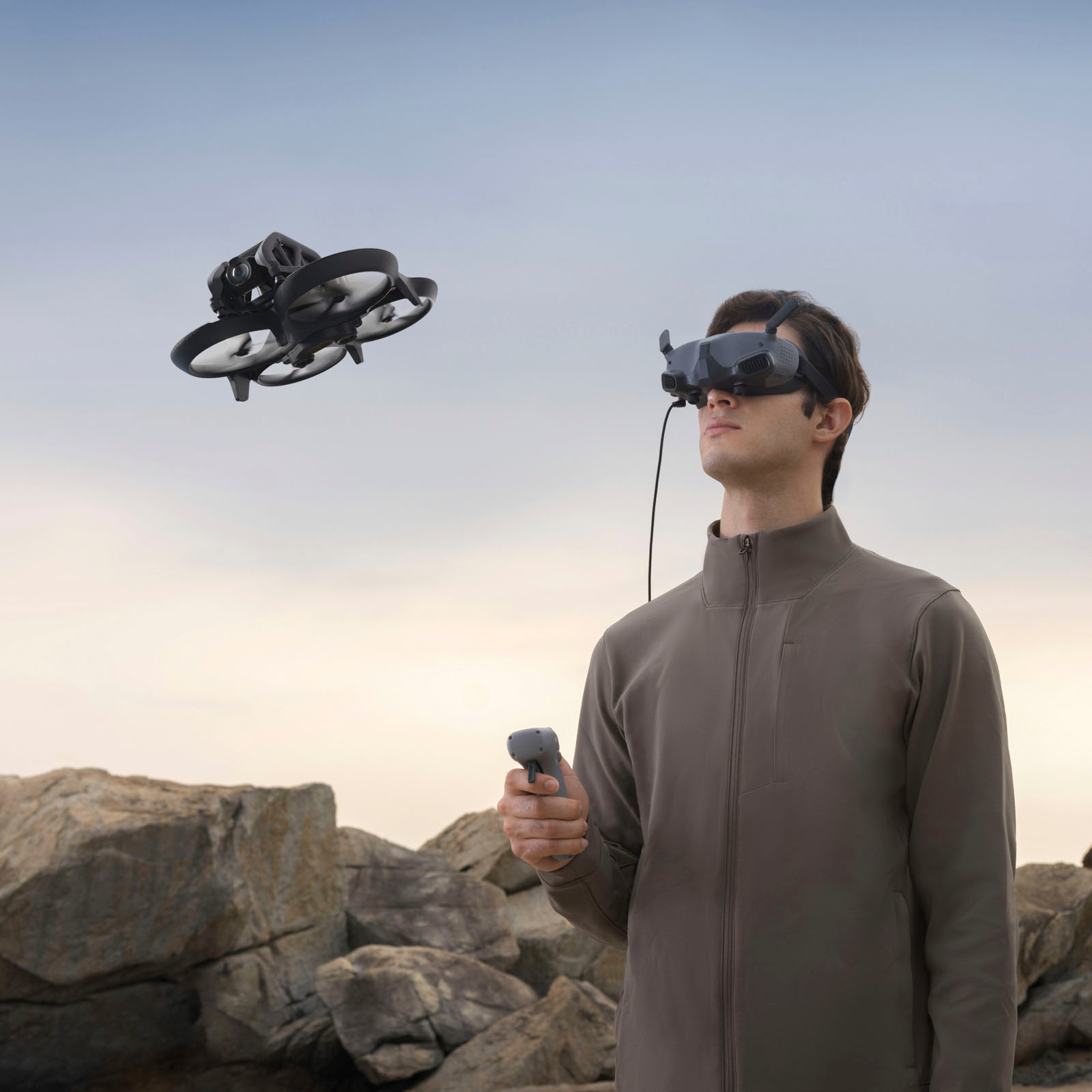
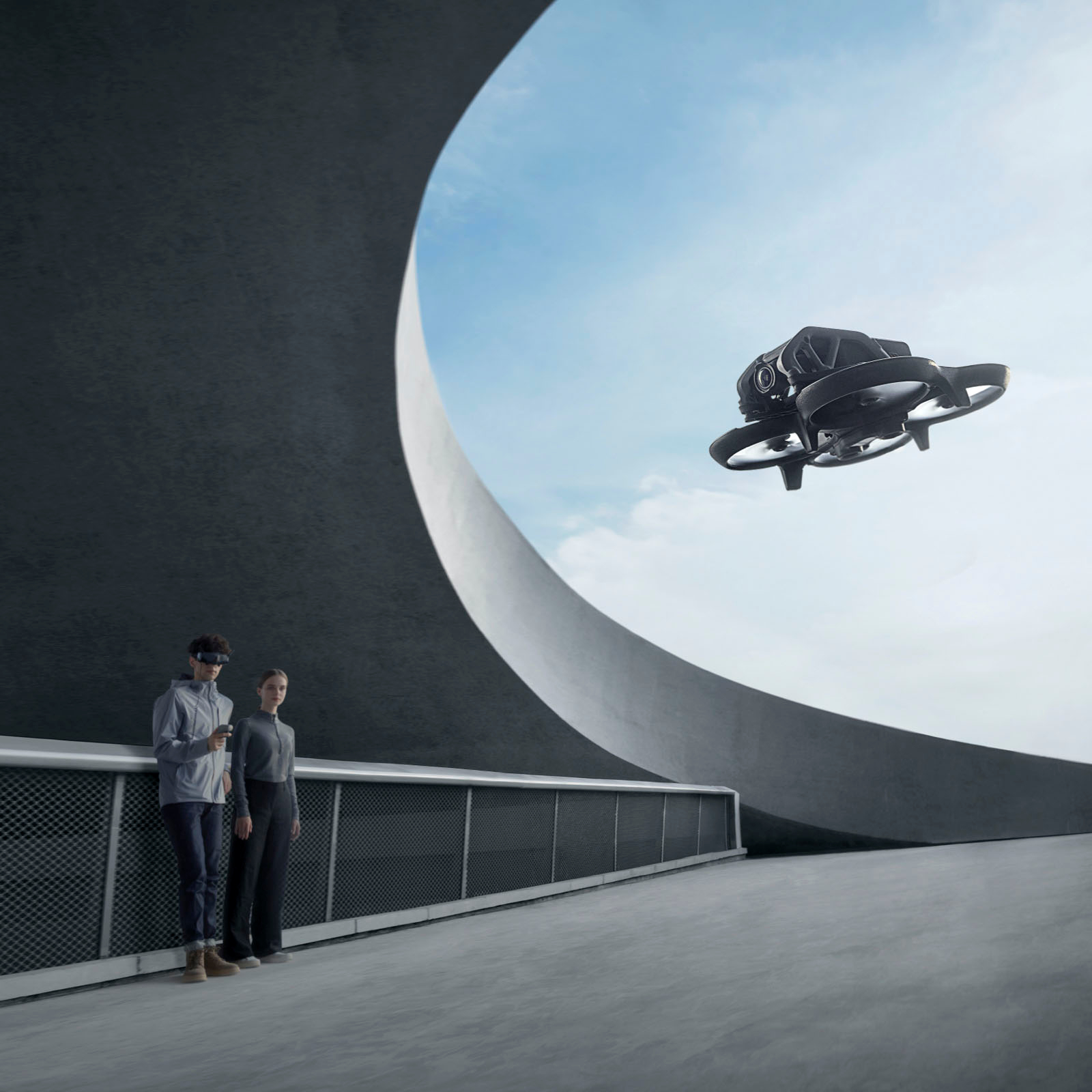
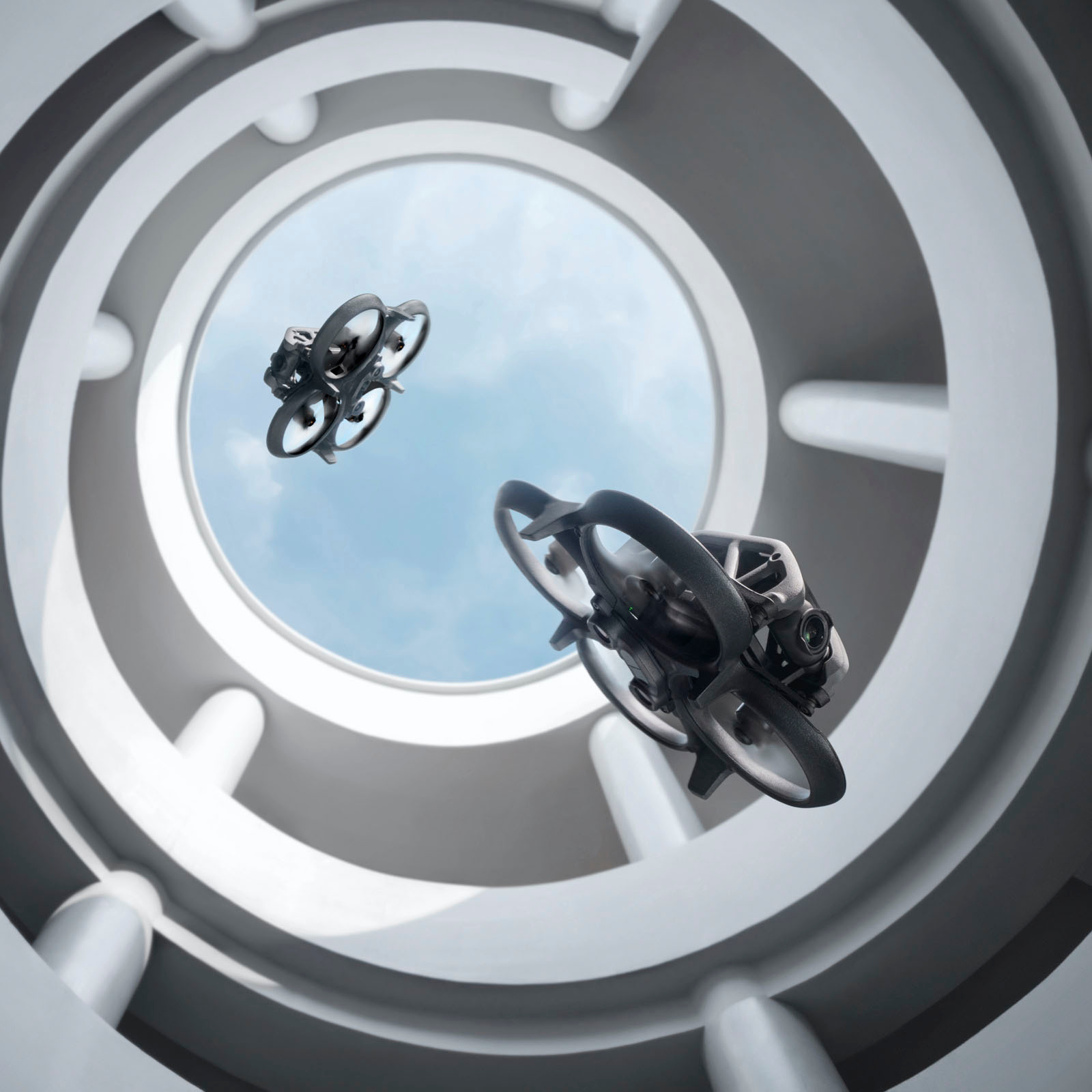
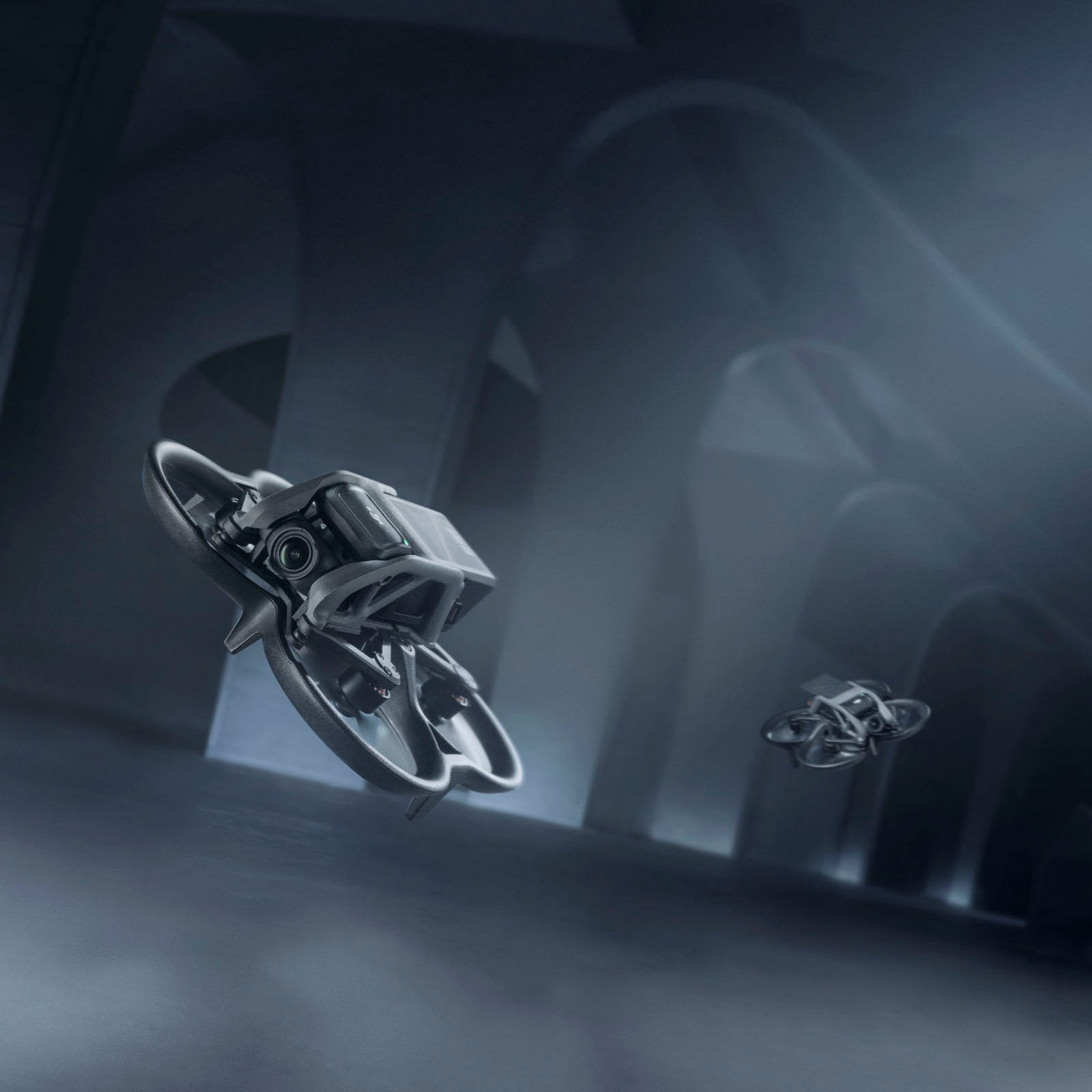
- Model:
- CP.FP.00000129.01
- SKU:
- 6540208
Rating by feature
- Battery Life
Rating 3.9 out of 5 stars
- Range
Rating 4.5 out of 5 stars
- Camera Quality
Rating 4.6 out of 5 stars
Customers are saying
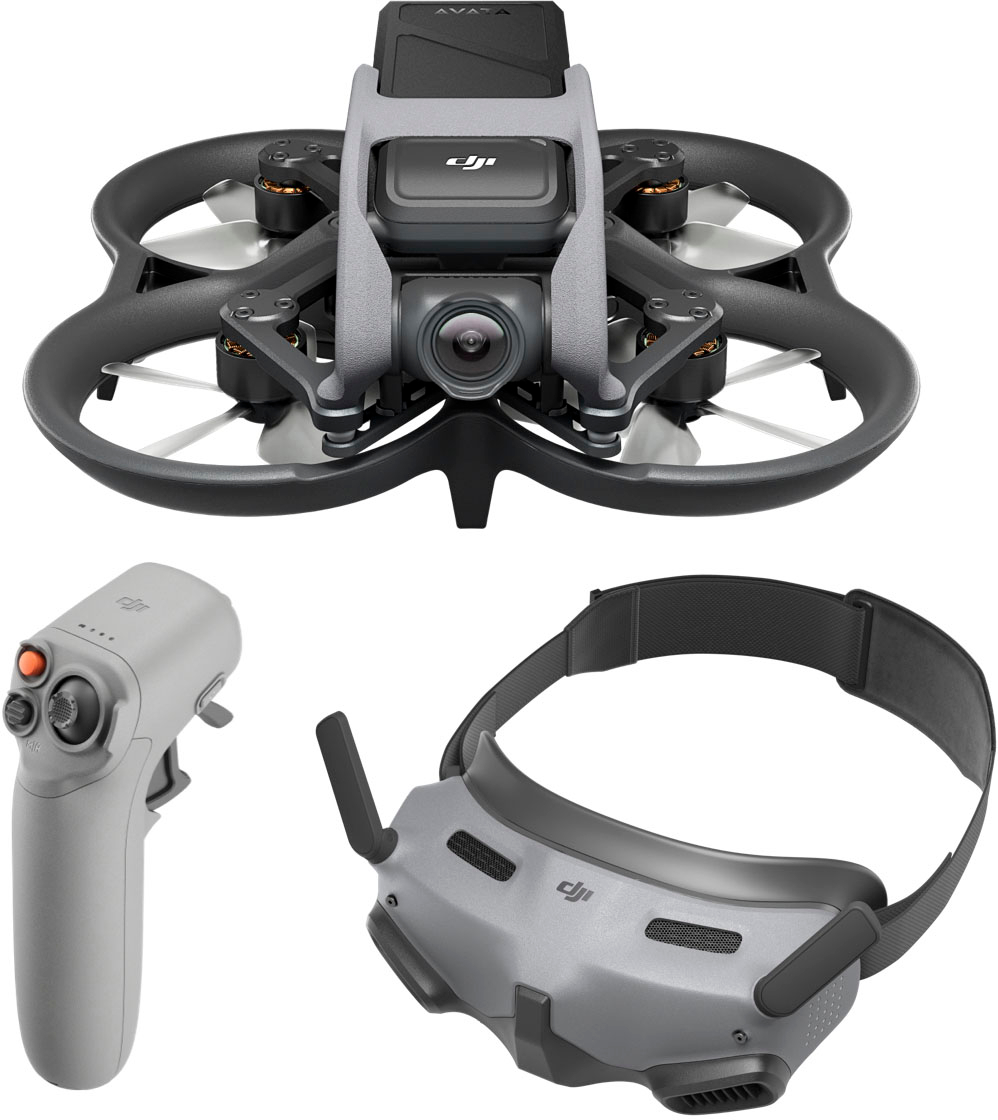
Customers highly value the Avata Pro-View Combo Drone's superior video quality and ease of use, finding the motion controller and goggles enhance the immersive flight experience. However, some users express concerns regarding the battery life and the drone's relatively high price point. The placement of the USB-C port is also cited as a minor inconvenience by some users.
This summary was generated by AI based on customer reviews.
Avata
||Posted . Owned for 1 month when reviewed.This reviewer received promo considerations or sweepstakes entry for writing a review.Maravilhoso, um produto de primeira qualidade.....
I would recommend this to a friendgreat
||Posted . Owned for less than 1 week when reviewed.This reviewer received promo considerations or sweepstakes entry for writing a review.the best ********************************************
I would recommend this to a friendGreat fpv drone
||Posted . Owned for 3 weeks when reviewed.This reviewer received promo considerations or sweepstakes entry for writing a review.Good drone works flawlessly no lag. Get it ..
I would recommend this to a friendDji avata
||Posted . Owned for 2 weeks when reviewed.This reviewer received promo considerations or sweepstakes entry for writing a review.Awesome little drone.I Will definitely recommend.
I would recommend this to a friend- Cons mentioned:Price
Useless
||Posted . Owned for 3 months when reviewed.This reviewer received promo considerations or sweepstakes entry for writing a review.Expensive... to me is worth about $150... the classic mavic was fun.. this motion controller seems more for minors.. not a fun drone at all. Its not fun to fly... reminds me just throwing a paper airplane.... why is this cheap junk $1400... probably the name brand.... dont buy..... probably the biggest waste of money. Ive also spent $4000 on a scooter... this avata is a complete waste.. to small... broke mine a couple trips out.... waste of money and time... i dont like to use goggles... very boring.....
No, I would not recommend this to a friend Good but not Great
||Posted . Owned for 6 months when reviewed.This reviewer received promo considerations or sweepstakes entry for writing a review.Fun and easy to fly. Not bad for a first timer FPV flyer. But it lacks power to weight ratio. Its also extremely top heavy which limits you.
I would recommend this to a friend- Pros mentioned:Ease of use, Motion controller, Size

Best out of the box FPV drone
|Posted .This reviewer received promo considerations or sweepstakes entry for writing a review.The Avata is DJI’s newest FPV drone and one of my personal favorites. DJI goggles 2 are a major upgrade. They are lightweight, high definition, and easy to use. Flying in the goggles is an experience unlike any other drone flying experience. It makes you feel connected with the nature you are flying in. I have found that I am more conformable swooping and diving through small spaces than I would be without the goggles. The HD low latency transmission means that you get a stable crystal clear image while you are flying. The new motion controller makes that experience even more life like and flying becomes very natural. The best upgrade on the motion controller is the addition of reverse. I had the previous motion controller and not being able to reverse was a big downside to me. Although this is a smaller drone the camera is still high quality. It is capable of 4K 60FPS and has a 155 degree view to make sure you are able to capture beautiful landscape views. Programs such as RockSteady and HorizonSteady allow you to make your videos even better. Although FPV drones are not typically used for cinematic video, the video captures on the Avata looks amazing and I would have no issue using it for creative purposes. The agility of this drone allows you to get shots that you could not otherwise capture. FPV drones are typically seen crashing and breaking. DJI has put in several measures to ensure anyone can fly this drone with ease. The first is its size. It is small enough to fit through just about any space. It has a built in propellor guard so that if you accidentally bump into something you should not have any issues. Other features that DJI has built in is an emergency brake that will stop the drone and hover in place. It also has downward sensor built in to ensure safety during low altitude flight. I would recommend this drone to anyone looking to get into FPV flying that wants an out of box solution that it easy to fly. This drone is easy for a beginner but also has pro features that the most experience people can take it to the next level. DJI has continued to refine the motion controller and goggles to make them even better than before.
I would recommend this to a friend Dizzy
||Posted . Owned for 1 week when reviewed.This reviewer received promo considerations or sweepstakes entry for writing a review.The way to control the drone with Goggle is not so comfortable for me because I will easily get dizzy using it.
No, I would not recommend this to a friendBattery charger NOT included
||Posted . Owned for 3 weeks when reviewed.This reviewer received promo considerations or sweepstakes entry for writing a review.Battery charger not included. Additional cost $70 plus… Ridiculous for what you initially pay for the bundle. No where does it state it’s needed and an additional cost. I purchased 2 so had to pay over $140.00 extra
No, I would not recommend this to a friend- Pros mentioned:Flight experience, Video qualityCons mentioned:Noise level
Dynamic Flight with High-Quality Gear
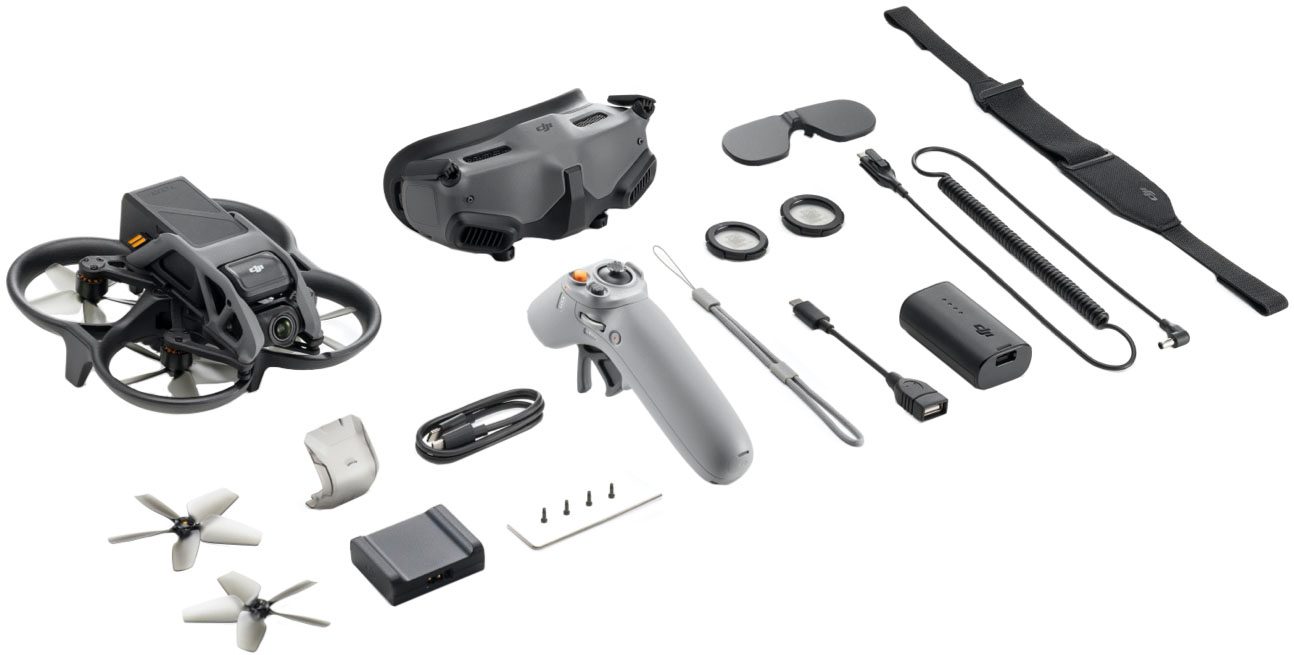
|Posted .This reviewer received promo considerations or sweepstakes entry for writing a review.The DJI Avata Drone is a dynamic product, bringing the joy of drone flying indoors and outdoors. The drone, along with the bundled Goggles 2 and RC Motion controller, boasts of an exceptional build quality. My experience started with charging the batteries via a USB-C connection. The package did not include a charging block, so a separate one is required. An important factor to be aware of is that all available updates must be installed before you can fly the drone. After powering on the drone, I had to install several updates using my phone - the drone supports both iOS and Android platforms. Although the process was over the air and took around 35 minutes, it's worth noting that there is an option to connect the controller to a computer for quicker installation. After this initial setup process, I had to calibrate the Goggles 2. The calibration process was straightforward, as I simply had to follow the instructions displayed on the goggles. The touchpad on the side, used for accessing the menu and changing settings, is quite responsive. The micro-OLED screen inside the Goggles 2 delivers a 1080p resolution at 100hz, providing a quality view of your drone's flight. An adjustment knob below each eye allows for individual customization, making it possible to use the goggles without contact lenses or glasses, though they cannot be worn with glasses. Note: The adjustment knobs can’t compensate for astigmatism, however they do include some extra lens holders if you’d like to get prescription lenses cut for your Goggles. The drone requires a remote identification (Remote ID), as mandated by the FAA, which means your phone needs to be connected to the Goggles 2 prior to take-off. This can be a bit inconvenient, considering you also need to have the DJI Fly app open while your phone is connected and you're wearing the Goggles 2. On top of requiring Remote ID, make sure to register your drone with the FAA and pass TRUST, the FAA’s Recreational UAS Safety Test. The experience of flying the drone was truly unique, especially with the RC Motion controller. It took me a bit of time to get used to it but eventually, I found it easy and fun. However, a notable downside is the loss of awareness of your surroundings while flying with the Goggles 2, leading DJI to recommend a second person's presence during your flights. Even though the drone is a bit loud when its propellers start up, it did not dampen the fun I had flying it both indoors and outdoors. The drone's camera is impressive with its 4K 60 FPS capacity, delivering high-quality videos and photos. The protective cover for the camera is a thoughtful addition, helping to prevent damage when not in use. The internal memory of 20GB is ample for storing your aerial adventures, and the drone also offers a USB-C port and a MicroSD card slot for additional storage. However, the positioning of these ports could have been better, as they are a bit difficult to access, especially for those with larger fingers. The RC Motion controller is a true game-changer. Its high responsiveness and build quality make it feel like you're playing a video game when flying the drone. The throttle to move forward and backward is highly responsive, adding to the overall experience. The drone offers around 20 minutes of flight time, while the battery life of the controller and Goggles 2 outlasts that of the drone, allowing for multiple flights before needing a recharge. In conclusion, the DJI Avata Drone is an excellent product. Despite minor inconveniences like the noise level, and the need to keep your phone connected with the DJI Fly app open, the overall experience is thrilling. The package comes complete with the drone, Goggle 2, RC motion remote, two batteries, USB C cable, USB C adapter, screen protector, goggle power cable, lanyard, and manual. I'm greatly enjoying this drone and am eagerly looking forward to mastering piloting and capturing more video.
I would recommend this to a friend - Pros mentioned:Motion controller, Video qualityCons mentioned:Battery life
The most fun I've had flying a drone!
|Posted .This reviewer received promo considerations or sweepstakes entry for writing a review.The experience of flying the DJI Avata is about as much fun as you can have flying a drone. There were a few things that needed to be added to the overall package, but with some research, I learned everything I needed to have an enjoyable flight experience. There have been a lot of influencers that are quick to say Motion Controller 2 is a throw in due to not being able to sell them separately. They seem to disregard the Motion Con 2 and say the Remote Controller 2 is the way to go for that full manual control. But for the user with no FPV experience the Motion 2 Con is intuitive to use and as simple as you can get. I had my 7yo and my 80yo father up and flying in less than 5mins (Don’t sleep on the Motion Con 2). It feels both like playing a video game and being a pilot. The feeling of soaring up above the trees is a truly breathtaking experience, especially in October as the trees start turning. Setup is a little tedious, but following along the tutorials slowly and step by step and I ran into no snags during the charging(make sure you get a decent 65W charger), setup, pairing and updating. DJI does not include a way to charge your batteries and you will have a bad time with a 15W USB charger. Anker makes reliable 65W+ chargers that are definitely worth looking into. The Avata is a sturdy unit with the props protected so that bumping into walls or trees those tiny props are less likely to be obliterated when making contact with a hard object. The Avata with the battery is clocking in at 410grams, well over the 250grams set by the FAA, so it will need to be registered. Once registered I used a PTouch labeler to put the registration number on the prop guard and in the battery cage behind the camera. Remote ID is also required and the use of a cell phone with GPS capability AND the DJI Fly app installed needs to be wired to the Goggles 2 in order take off. You can disconnect the phone after you lift off, but you will see a Remote ID error on the screen. If you touch down you won’t be able to take off again until the phone is reconnected again. I use an old spare Android phone with no service with a belt clip case and I keep it in a phone holster on me or my spotter will be holding on to it so they can see what I see. It would be nice to see a direct wireless connection to the phone so that it does not have to be tethered to the goggles. The headband for the Goggles 2 is decent for what it is. A little too big for my child but they are not the primary users. I would recommend an aftermarket goggle strap that has a battery holder for so there isn’t another cable dangling from your head. You’re essentially blind folded with only screens in the Goggles and can only see yourself when the drone is pointed at you. So situational awareness is severely cut down which is another reason why the less cables dangling around you is beneficial and the importance of having a spotter. A foldable camp chair with cup holders is also part of my flight kit. The image quality of the goggles is great, but it doesn’t hold a candle to the output image when it’s pulled from the memory card. Super smooth, crisp beautiful videos/pictures taken from high above. I will need to try the ND filters and see what that is all about, but I also like the idea of using them as additional protection. The diopters help in adjusting the field of view and focus, but my eyelashes almost touch the lenses. There is not chance you getting your glasses in the Goggles. There is little to no latency between the Motion Con, Googles and Avata. It’s all very responsive and confidence inspiring when “splitting gaps”. On my first battery pack I flew it into an open window of my house and gave my wife a heart attack. The first few times getting everything wired up, turned on and in the air took me a 10-15 mins. But now I can get it Avata out of my pack all powered up and wired and in the air in less than 5mins. Not having much experience with FPV drones, battery life seems VERY short, but from what I have researched, the Avata has the best battery life in the FPV space. Although the Fly More Kit (maybe plus a 4th and 5th battery on top of that) is an absolute MUST if you plan on flying for any appreciable amount of time. I also use a portable power station (a larger battery bank) to charge up the used batteries while I’m away from wall power. The power station will allow me another recharge for each of my 3 batteries with some power to spare while in the field. This has proved useful especially when go to a destination to do some longer recreational flying/exploring. I started myself and all new users with just the Motion Con first and after I (and everyone else) got used to it then I introduce the head tracking which brings a whole other level to the experience. I have flown drones before where you are looking at the drone and/or screen on the remote, and while fun, it did not give me the immersive feel. The googles introduce a new layer of immersion with head tracking where I not only feel that I am controlling the drone, I feel like I am flying. I imagine it’s as close as you can get to feeling like you are flying while still on the ground. There is a ceiling limit of 400ft which doesn’t seem that high but I can barely see the Avata at that altitude. I went to tops of some large hills and valleys to see how far I could get it, but the one weekend it didn’t rain it was too windy and I didn’t want to risk it. But there are safety features that DJI have baked into the Avata such as the air brake, auto land, turtle mode and Return to Home (outside of 20meters, after hitting low battery or losing signal to the remote) which all give you more confidence when your expensive drone looks so far away. Additionally DJI offers piece of mind with the Fly Away Protection in case you either lose your drone or it is damaged beyond repair. Flying the Avata is a lot of fun and so simple to learn. I do want to see what the hype is over the RC2 Controller, but the Motion is just Speaking to the durability of the Avata, I have crashed it a number of times and outside of a few scratches along the frame it has held up to dropping off my roof, bouncing off the side of my neighbor’s house falling through a few trees and it has help up like a champ. I did get a chance to use the turtle mode once again on my roof and it worked great. The Avata dropped upside down. Just before I went to grab my ladder, I tried the turtle mode (have to dive into the menu a bit to get to it) but the Avata righted itself and I was back in the air with a few more scratches along the frame. Another must have is a way to secure the battery to the Avata. The heaviest item on the flight unit is the battery and will likely eject after falling and likely tumbling. I used 16mm x 300mm Velcro strap with rubber backings and secured it to the frame and it has worked beautifully. They are lightweight and I have not bucked a single battery. But there are a multitude of solutions out there so it clearly is a thing to keep an eye on. Seems like something Avata V2 will need to address. The last must have accessory that would be have been nice if DJI included is a case/bag to carry the Avata like the Minis come in. I currently use a semi hard case that will fit the flight unit, Motion Con, Googles 2 + battery, phone, all the cables plus the Fly More Kit and microfiber cloth. The case will fit into a backpack which I carry various other tools and items for a day out. I can even strap my chair to the side of my pack. I have flown several traditional drones in the past, even watched an inexpensive one float away into nature never to be seen again. None have provided the same confidence or immediate fun the DJI Avata offers. It isn’t cheap to get into but it so simple even kids and seniors can enjoy it with relative ease. There were things I need to add to enhance the overall experience after doing my research but it was well worth it. For anyone looking to get into drone flying I wouldn’t hesitate recommending the Avata.
I would recommend this to a friend - Pros mentioned:Size, Video quality
So much fun! Reality beats virtual reality!
|Posted .This reviewer received promo considerations or sweepstakes entry for writing a review.Wow. The DJI Avata is amazing. I have the Mavic Air 2S and this just leaves it for dust. It's faster, smaller, can fly low at incredible speed, and well... I will go on! The Avata Pro View combo is different from other DJI's in that you fly using the Motion Controller and see using the Goggles. I'm not sure how earlier versions compared, so this is based on my personal experience. Setup was a little slower than normal. You have to your phone connected via cable (USB C) to the Goggles, set them up, then pair (from memory) the drone, then controller. There is also the obligatory firmware update. I had a little complication calibrating the motion controller (calibration is done after pairing) and the touch controls on the goggles are sensitive and I accidentally restarted calibration twice - so take your time and go slow. Despite the visuals on the website, there are a lot of cables involved. I wish some of the cables were longer and was lucky I was wearing a winter jacket with front pockets. Once paired, flying was AMAZING. This knocks the Mavic out of the park. Watching through the Googles is immersive, and you really get a sense for the speed of the Avata, especially at low levels. The Motion Controller is intuitive and you feel like you're flying an aircraft (or as my son said, the experience is like pod racing). Video is stable, clear, the colors on the goggles do come across high contrast, making it feel video-game like (for me) but it's impossible to fault the latency given how fast and maneuverable the Avata is. One thing I will say about the Google is kudos to DJI, you can adjust pupil distance and focus of each lens - as someone who wears glasses I was worried I would need custom lenses, but DJI makes the Avata Goggles hassle free for glasses wearers. Some thoughts on where the Avata could be better: - USB C cable you connect to your phone could be longer (braided cable would be good) - should come with a case, there's so many cords, cables, etc. you will need a case - they should encourage you to setup at home inside first for firmware updates, etc. - an extra battery would be great, as well as a belt clip for battery - get yourself a 45w USB C charger to fast charge everything These are minor things, although I do think the lack of a case is an oversight for a sophisticated unit like the Avata. Even my Mavic came with a case. Final advice. Make sure you fly your drone safe. Get the FAA B4U Fly Up, pay your 3 year license fee, do the drone training (free) and get certified. The Avata is a LOT of fun and I joined a nearby flying club to get into drone racing. But if you don't have a club nearby, please still drone safe and responsibly.
I would recommend this to a friend Good
||Posted . Owned for 6 months when reviewed.This reviewer received promo considerations or sweepstakes entry for writing a review.Didn't really need it and didn't really use it so I couldn't give a detailed review on it but the build quality was pretty good
I would recommend this to a friendDJI poor Quality Control
||Posted . Owned for less than 1 week when reviewed.This reviewer received promo considerations or sweepstakes entry for writing a review.DJI is a real piece of work! Unlike my other issue with a refurbed drone, this was a purchase of a brand new product! The controller won’t pair. No amount of factory resetting helps. Multiple attempts at pairing failed. I’m going to attempt to exchange this. I hope I don’t get friction. I am not trying to deal with manufacturer replacements this early in the purchase period. Who know if they will send me a brand new replacement or a refurb. Not a risk I want to take.
No, I would not recommend this to a friend- Pros mentioned:Motion controller
Not for beginners
|Posted .This reviewer received promo considerations or sweepstakes entry for writing a review.Setup seemed easy since there was a QR code with videos. Upon reviewing them I was lead to create a DJI account and pair the RC controller 2, Goggles, Drone and phone before everything was fully connected. The entire package could have used either a beginning to end video or an instruction guide as thru trial and error. I needed to charge, pair and update firmware on various items. Even after this I found out that the ID error meant the phone needed to be connected so in order to achieve that I needed to purchase a 10’ USBC cable so my phone can sit in my pocket while flying. First time use. I think the product is very polished with the auto start/land function and the goggles give a clear image of what your drone is seeing. The joystick took a few hours to get used to the controls and be able to operate them with the goggles on. After that I found it quite enjoyable. I flew around my neighborhood and about knee level and weaved in and out of people. Just like in the movies. The quality of the footage is clear during the daylight. It was amazingly steady considering this was flying around. I do however feel like by the time I was able to fly it I was just frustrated since it felt like too many steps to prep before use. Also without a Micro SD card I have to connect the drone to my computer to import the footage. That is frustrating since the cover and blade makes the connection really tight. I am unsure how well this will continue to work after use. They did include some spare blades which is nice. As for battery life. I found about 30-40 min of solid use. Also depending on how much 4k 60fps footage your recording as storage moves quick. I found it much better at 4k 30fps as it was less storage. The motion controller feels like what you would use if flying a real plane which is fun. Summary. I like this but wish they offer the phone controller also so you can get used to flying it before you attempt the goggles. It feels like too much on your person to fly the drone. More restricting. I much prefer the option of the goggles and controller so depending on the need I can switch to what I am looking for. Also, the photo quality is very low res so if you're looking for double duty then I would look at different model. In all I think this is simply the best out there as far as competition. I just think the execution for setup/training was lacking.
I would recommend this to a friend - Pros mentioned:Flight experience, Video quality
Nifty Little Drone
|Posted .This reviewer received promo considerations or sweepstakes entry for writing a review.When shopping for a drone you can never, ever, go wrong with going with one from DJI. This company knows how to do drones right. This is my third drone from the company and it's got a lot going for it. If you are used to flying other drones then go into this one knowing it's not anything like flying your "typical" drone. First the controler takes some getting used to as it's not your typical controler. You really have to get used to using your wrist to make it fly. The other thing you'll have to get used to is the headset for seeing where you're going and what you are doing. Pairing the controller, drone, and your phone (either iPhone or Android) can take more than a few minutes in my experiences. Once you get everything out of the box charge the batteries first. Trust me. You can use the DJI on your phone to do some "practice" flights to get used to flying the drone. Do a couple of practice runs. Some things of note... You'll average about 20 to 25 minutes of flight time. The range is rather impressive considering the small size of the drone. I pretty much held a rock solid connection and I covered a good large city block and a moderate altitude. And watch out as this drone can get going at a pretty good speed if you are not careful. Video quality is above average for a drone like this. Great and stable video. Build quality is fairly robust and I feel it can a couple of crashes and come out ok. At least mine has. One thing I don't like is of a personal opinion. I'm not a fan of the controller and headset combo. To me it can lead to a loss of situational awareness. This could be a bad thing in an urban environment with lots of people and animals. Overall this is a very impressive piece of drone kit.
I would recommend this to a friend Cool, but not worth it.
||Posted . Owned for 1 month when reviewed.This reviewer received promo considerations or sweepstakes entry for writing a review.Defective. Did all the “updates” required and still doesn’t work.
No, I would not recommend this to a friendDefective product dyed on my hand.
||Posted . Owned for 2 months when reviewed.This reviewer received promo considerations or sweepstakes entry for writing a review.Came with terrible battery installation error, it’s difficult to use with this error and DJI no have after sale service in Best Buy, just lost my investment. No way to DJI fix it.
No, I would not recommend this to a friend- Pros mentioned:Ease of use, Video quality
Tons of flying fun
|Posted .This reviewer received promo considerations or sweepstakes entry for writing a review.This drone really is a lot of fun to fly. I also own DJI Mini 2 and I'm not sure how much I'm going to be using it now that I have this Avata. The biggest difference I immediately noticed was how much easier it was going to be to fly. It may take a little getting used to but once you get the hang of it (which only took a couple minutes for me) it's pretty intuitive and you'll see how much easier it is to control than the Mini 2 at least. Since the Mini 2 has the standard controller (with dual sticks controlling all movement of the drone) and does not work with goggles, for me at least, it's a little difficult to control it times. I can get confused at times as to which direction to "flick the stick" to get it to turn and pan in the direction I want at the same time, for example. I can't speak for the newer drones that are compatible but I imagine it would be easier with them as well. It's really the ability to have that first person view from the goggles that make it easier to control because you see exactly what the camera is seeing and you just use the controller to fly in that direction. I won't go into how the controller works because it would be confusing trying to explain. Just watch the video guide. If you're familiar with DJI drones you know you're getting a quality drone (it even feels very sturdy and well built) as well as a quality camera. Once you get everything setup for the type of video you'll be shooting (there're plenty of adjustments available, i.e. white balance, iso, etc.) it will shoot really great video. Just search the internet for much more impressive videos than I as a recreational user can produce. Not that it's difficult, you just have to spend the time to produce them which isn't my use case. You can read all the specs, features, etc. so I won't get into that. I'll just say it does everything it says it will do and does it well. There is one complaint I have about it though. Well, two actually. First getting the controller, headset (goggles), and drone to connect to each other wasn't working for me. Maybe I didn't spend enough time searching online, but I ended up having to call CS to get help (which I never do). I will say they answered promptly and we got everything connected. The problem seemed to be that you apparently have to do the setup and connecting through the goggles , not the DJI Fly app on your phone. I didn't see anything about that part in the directions, print or video, so it could be a little clearer in my opinion as far as how to get everything setup. That's not a big deal though. If you aren't aware (as I wasn't) the battery for the goggles doesn't go in the goggles, it actually connects to the goggles via a long-ish coiled cord. Still not a big deal as the cord is long enough to just stick the battery in your pants pocket even. However, what I also wasn't aware of is that the goggles also have to be connected to your phone via USB in order to get the Remote ID that is now required by the FAA. So you need a GPS signal as well as internet connection on your phone before you can fly the drone. This could be a deal breaker for some. Now you don't have to keep it connected the whole time, just before you can fly so it transmits the RID, but that's one more thing you have to plan for (GPS signal and cell reception) if you want to shoot video somewhere. I could be wrong but I don't think this is something that can be fixed with a firmware update. I don't think the drone has the hardware to transmit the RID. Maybe DJI will have some program to send in your drone for a hardware update or come up with some attachment to so, but who knows. Ok, there is a third complaint. While the goggles do have adjustable diopters to dual in the focus for both eyes separately, you may not be able to get it just right. It will focus, but for me (and others I've read) the outer edges won't be in focus. I'm not sure if this has to do with how far apart your eyes are (you can adjust the lenses side to side to accommodate this to an extent), how your vision is, or if it's common to all "VR" style goggles as some people say. So you may or may not notice it or it may or may not bother you, but it is a thing and isn't something wrong with the goggles (as I initially thought). But if those things are not a deal breaker for you (and they're probably not for most people), I would definitely recommend this drone. Like I said, it's a ton of fun to fly and I think once you've flown this way (FPV via goggles) you probably won't want to fly "the old way" anymore.
I would recommend this to a friend - Pros mentioned:Motion controllerCons mentioned:Battery life
Nice FPV Drone - Easy & Fun Battery life is poor
|Posted .This reviewer received promo considerations or sweepstakes entry for writing a review.DJI - Avata Pro-View Combo Drone with Motion Controller The Avata is a fun drone and since I also use a Virtual Reality Headset for gaming this was super easy to get used to using the headset and motion controller. Even if you don’t have the background of using VR I feel you could pick this up pretty easily with only a slight learning curve using the controller. You could also purchase and use a traditional controller. The camera is very good at capturing video and stills except in low light conditions. Make sure you have a large SDCard and format the card in exFAT prior to installation. Like most small quadcopter drones this is loud so expect to be stealth flying this and you will draw attention in public places. Now with that being said I have flown my Avata inside my house and this is manageable both in sound and usage. Keep in mind you need a FAA license (recreational drone UAS flyer or commercial drone UAS flyer to operate the drone) and the FAA app to B4UFLY to see if there are any flight restrictions in the area you are flying and complete and pass the TRUST test. And you must register your drone with the FAA. Since this is a FPV style drone you must have a spotting partner with you to keep it in constant view. They can use your phone or tablet to also see what you are seeing in the headset. I suggest getting a suitable USB-C cable of sufficient length so you don’t step on one another. The Avata has lots of automation to help out piloting the drone as well as safety features like return to home, low battery return to home, and disconnection return to home. The motion controller works well and I like the fact that it has a dual action trigger. This allows for forward speed and when pushed forward – movement in reverse. You can fly the Avata in normal mode and sport mode. If you want to get a little bit more advanced, you can put it into manual mode. The documentation in the box is limited and you want to scan the QR codes to go to the flight training videos to go over these for setup and flying plus updating firmware and codes. BTW don’t download the app from the play store because it isn’t what you want. You need to download the APK and install this to be able to setup and use the DJIFly app. The organization of the online documentation and videos may require you to poke around some to find the right ones as they are organized in not a straightforward manner. Oh and if you have USB-C to USB-C cable and the same ports on your phone /tablet you don’t have to use the cable adapter supplied as it is only a USB-A to USB-C adapter. This is a nice FPV drone that is fun to use and easy to learn the only real downside is that the battery life even on normal mode is about 10 minutes. With additional batteries being a tad pricy this can limit your fun. The batteries do charge pretty quickly but nothing you would want to wait around in the field for it to get charged up. There are several options available to purchase including a charging hub for charging multiple batteries and a insurance plane (within 48 hours of activation) if you crash and break things. The done is pretty robust and forgiving but I am also very careful.
I would recommend this to a friend