Customer Ratings & Reviews
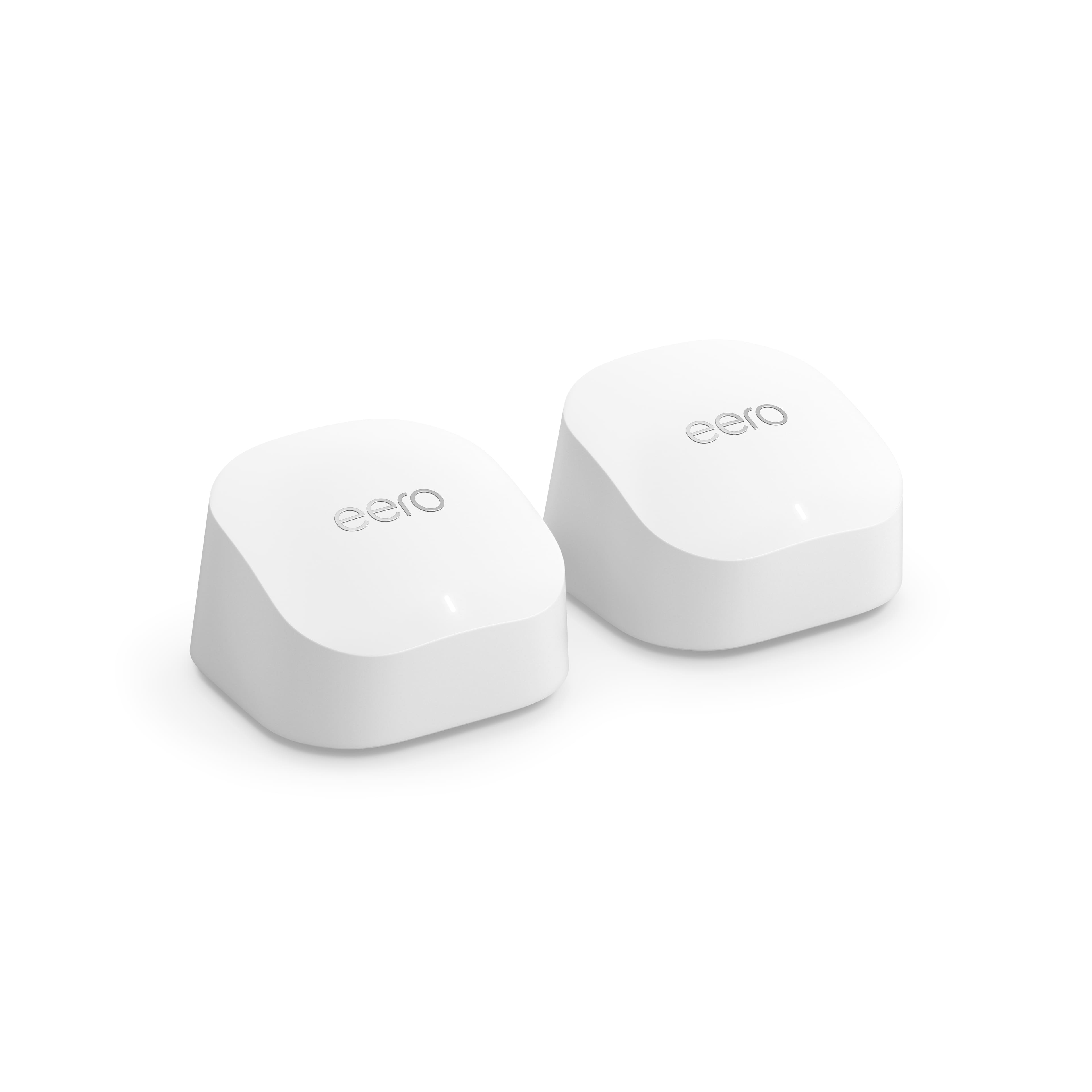






- Model:
- M110211
- SKU:
- 6433418
Rating by feature
- Setup
Rating 4.7 out of 5 stars
- Range
Rating 4.7 out of 5 stars
- Signal Strength
Rating 4.6 out of 5 stars
Customers are saying
Customers are delighted by the increased Wi-Fi range and ease of use of the 6 AX1800 Dual-Band Mesh Wi-Fi 6 System. Many customers also appreciate the consistent internet speed and good coverage throughout their homes, along with the strong signal strength. However, some customers have reported issues with buffering and compatibility with certain devices.
This summary was generated by AI based on customer reviews.
- Pros mentioned:Speed
No mess with this mesh.
||Posted . Owned for 1 month when reviewed.This reviewer received promo considerations or sweepstakes entry for writing a review.Works very well! Our whole house has good internet speed. Recommend this product.
I would recommend this to a friend - Pros mentioned:Speed
Great Product - Solid Build - Appealing Looks
||Posted . Owned for 1 month when reviewed.This reviewer received promo considerations or sweepstakes entry for writing a review.Love this system, it works incredibly well. I am impressed that the wifi-mesh signal is giving me great speeds throughout the house. I don’t like that each pod doesn’t have an Ethernet out option. Only the main router had two Ethernet ports. I am getting really good signal and about half speeds in the furthest locations. Great product!
I would recommend this to a friend - Pros mentioned:Ease of use
Easy! Works well.
||Posted . Owned for 2 weeks when reviewed.This reviewer received promo considerations or sweepstakes entry for writing a review.The install and set up was the best. It was so streamlined and user friendly. Love the ease of connecting devices. The ability to control devices and name devices keeps our network organized.
I would recommend this to a friend Great for wifi deadzones
||Posted . Owned for 1 week when reviewed.This reviewer received promo considerations or sweepstakes entry for writing a review.Loving this product. I have had it for a week and it works wonders. After a recent move, we had an issue with wifi connectivity. Our wifi only worked in part of the apartment, the other part was a dead zone. After getting this booster and extenders, I have no issues and the whole apartment has great connectivity. I have one set up in the main bedroom next to the Optimum gateway, one in the second bedroom in the middle of the apartment and the third in the kitchen towards the back of the apartment. Truly a lifesaver for us since we all work from home! Would definitely recommend to those facing issues with wifi nor covering your whole apartment/house.
I would recommend this to a friendWifi on steroids
||Posted .This reviewer received promo considerations or sweepstakes entry for writing a review.Startup was done under 10mins. If I had not connected it in the wrong port the 1st time it would have been less LOL never the less after operator error, EERO picked up my internet and started working immediately moving my WiFi bars completely up almost instantaneously! After the hub was setup it continued to remind me to setup the other two and offered advice as to where they might best benefit. Although I appreciate it, I still chose my locations. Thank you though. I cannot say anything negative it has been working wonders in the 24hrs I’ve had it setup. Nothing has dropped, none of my games have lagged or stopped with the “connection interrupted” message. Movies are streaming at 4k with no distortion, it is worth every pretty penny. I luckily picked this pretty gem during Black Friday so it was only $170 ! Don’t hesitate as I did the first week. Make the purchase. Worth it !
I would recommend this to a friend- Pros mentioned:Speed
Perfect internet
||Posted . Owned for 1.5 years when reviewed.This reviewer received promo considerations or sweepstakes entry for writing a review.Helped my internet tremendously, the 2 satellites are awesome, well worth the money and looks wonderful compared to the old provider modem and tower.
I would recommend this to a friend Goes through metal siding
||Posted . Owned for 1 week when reviewed.This reviewer received promo considerations or sweepstakes entry for writing a review.These work great so far. What we love about them is we can put one in our garage which is metal siding and it works. We get internet out there now.
I would recommend this to a friend- Pros mentioned:Ease of use
Easy to Setup and Forget
||Posted . Owned for 7 months when reviewed.This reviewer received promo considerations or sweepstakes entry for writing a review.These things just work. Plug them in and you are ready to go, phone app makes it easy to check on things or reset. strongly recommend
I would recommend this to a friend great when connected, but not much ease of setup
||Posted . Owned for 1 year when reviewed.This reviewer received promo considerations or sweepstakes entry for writing a review.It is the best mesh wifi that we have used, after the setup. The only issue that we have had is that when it is disconnected, its not easy to set up again and reconnect
I would recommend this to a friendGreat help with internet coverage
||Posted . Owned for 3 months when reviewed.This reviewer received promo considerations or sweepstakes entry for writing a review.It works wonders amazing meshing system a great way to fix Internet not being covered in the home or taken care of gray (dead zones) areas. If you need WiFi it’s a good item to use if you have just a modem
I would recommend this to a friend- Pros mentioned:Speed
Highly recommend
||Posted . Owned for 3 weeks when reviewed.This reviewer received promo considerations or sweepstakes entry for writing a review.Absolutely love this product. I live in a condo so having this product makes everything better. My internet connection is so much stronger.
I would recommend this to a friend Very effective system easy to install.
||Posted . Owned for 3 weeks when reviewed.This reviewer received promo considerations or sweepstakes entry for writing a review.Excellent experience. Easy to set up. Works great over my 2550 sq ft single story home. Helpfully hint: if you are replacing an old router, name this new one the same and give the same password. That way you won’t have to change all your other connected items names and passwords to be connected.
I would recommend this to a friend- Pros mentioned:Signal strength
Full 5 bars everywhere
||Posted . Owned for 1 month when reviewed.This reviewer received promo considerations or sweepstakes entry for writing a review.Easy to install and definitely maximized my signal. I have a metal roof and I don’t want to leave my house because I have the best signal in town.
I would recommend this to a friend Excellent device Mesh service and great coverage
||Posted . Owned for 1 year when reviewed.This reviewer received promo considerations or sweepstakes entry for writing a review.This is the best mesh system, that you can find for this price, and even other more expensive, the instalation and configuration is very easy and the coverage is impressive 100% recomended
I would recommend this to a friendBuy now!
||Posted . Owned for 2 weeks when reviewed.This reviewer received promo considerations or sweepstakes entry for writing a review.Wow what a difference! Huge upgrade over previous WiFi router. Ranch style home with basement and I now get great speeds with no lag throughout the house.
I would recommend this to a friendImprovement
||Posted . Owned for 2 months when reviewed.This reviewer received promo considerations or sweepstakes entry for writing a review.Has definitely improved the wifi. It is not always consistent but has been a help.
I would recommend this to a friendMARILLA (Eero)
||Posted . Owned for 3 weeks when reviewed.This reviewer received promo considerations or sweepstakes entry for writing a review.For a start the sales lady staff was so helpful and knowledgeable of what best suit our Wi-Fi needs. We are satisfied with the option that she recommended to us. We are happy that we ended up buying the eero 6 as she recommended.
I would recommend this to a friend
The best brand rn
|Posted . Owned for 1 year when reviewed.This reviewer received promo considerations or sweepstakes entry for writing a review.Works very well, make sure your placement is on point !
I would recommend this to a friend- Pros mentioned:Speed
The best...
||Posted . Owned for 3 weeks when reviewed.This reviewer received promo considerations or sweepstakes entry for writing a review.eliminate the problem of speed and connection in my house with this aeero
I would recommend this to a friend Excellent performance
||Posted . Owned for 3 weeks when reviewed.This reviewer received promo considerations or sweepstakes entry for writing a review.Extended the wifi in our home to reach all areas without interuption.
I would recommend this to a friend