Customer Ratings & Reviews
- Model:
- V11H956620
- SKU:
- 6429443
Rating by feature
- Value
Rating 4.1 out of 5 stars
- Quality
Rating 4.3 out of 5 stars
- Ease of Use
Rating 4.3 out of 5 stars
Customers are saying
Customers value the exceptional picture quality and brightness of the EpiqVision™ Ultra LS500 projector, frequently praising its stunning visuals and clarity, even in brightly lit rooms. The short throw distance is also a highly appreciated feature, simplifying setup and maximizing space. Many users were impressed by the HDR capabilities and the resulting detail and clarity. Overall, the projector receives overwhelmingly positive feedback for its impressive image quality and convenient design.
This summary was generated by AI based on customer reviews.
- Pros mentioned:Picture quality, Throw distance
Solid projector, but still has room for improvemen
||Posted . Owned for 1 month when reviewed.This reviewer received promo considerations or sweepstakes entry for writing a review.This Epson projector has solid overall image quality, a decent set of built-in speakers and the short-throw technology is extremely helpful for room setup. I'm really happy with the projector, but I also have several things I dislike about it too. First, its options for adjusting the height are extremely limited and the adjustable legs are hard to move. Second, the settings menu is clunky and slow to navigate. The projector feels a bit clunky in general and is slow to react to the remote when adjusting volume or switching between feeds. This projector also doesn't support anything over a 60Hz refresh rate, which is also a bit disappointing given the price. And finally, the fan is quite loud on the projector too. We've opted to keep this projector as we really do not want to go back to a standard projector that projects from across the room. We also don't know how susceptible we are to rainbow artifacts, so we don't want to get many of the similar priced competing solutions either. But we do really wish this model was a bit better in its secondary features.
I would recommend this to a friend - Pros mentioned:Brightness, Picture quality
Finally a 4k HDR-10, 3D projector!!!
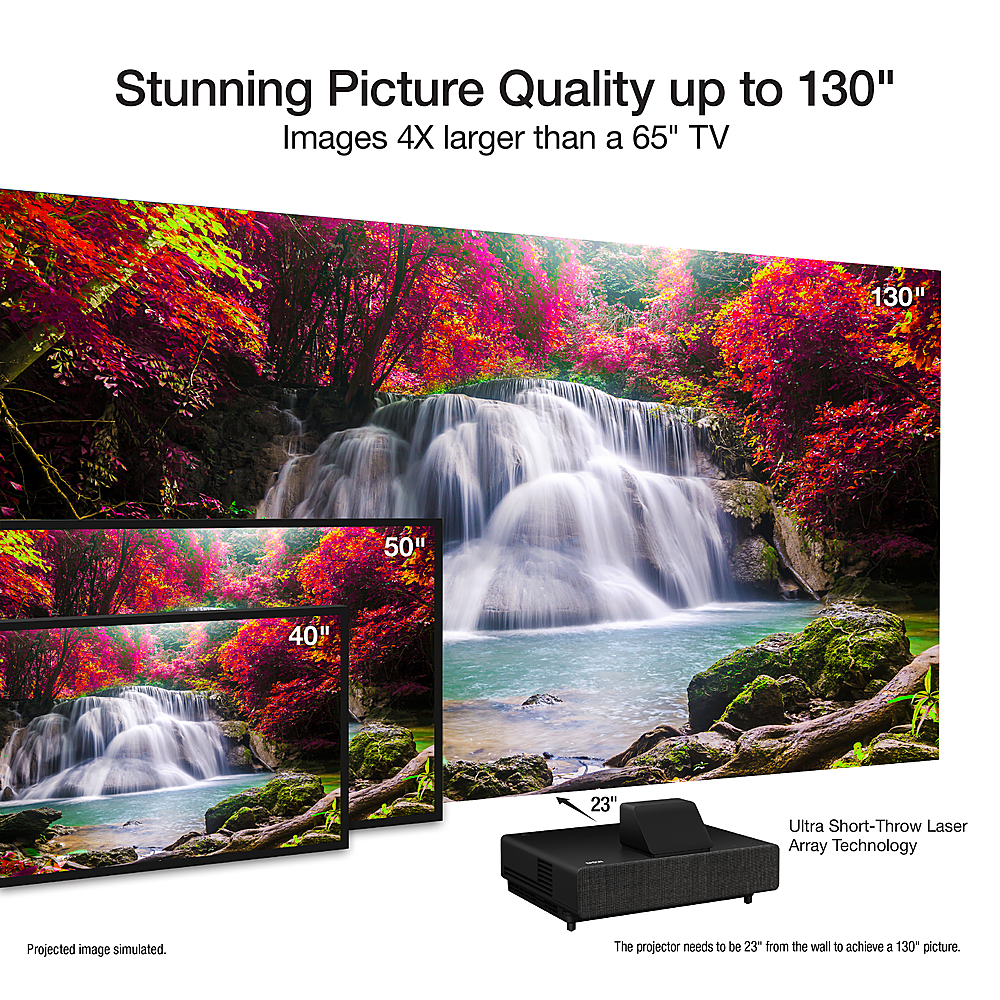
||Posted . Owned for 1 week when reviewed.This reviewer received promo considerations or sweepstakes entry for writing a review.This is hands down the best mid priced ultra short throw projector you can buy. All the photos below are on my tan color painted, old beat up wall before we even installed the screen. Then i ordered RF 3d glasses from amazon and hooked up my 3d bluray player and WOW, this is what 3D should have been when it was out years ago. Having a 4000lumens Brightness output and watching the 3d on a 4k upscaling 100inch screen made me feel like i was at a imax theater. The system comes with a cheap android stick, do not use it. USE A 4KFIRESTICK or Roku whatever you feel comfortable with. The one it comes with is slow and horrible. I replaced it with my 4k firestick and its been amazing ever since. One negative is the ls500 needs to be 17inches away from the wall to project on 100" screen. The ls800 supposedly can be 7 inches away however the ls800 doesnt support 3D so choose whichever is more important to you.
I would recommend this to a friend - Pros mentioned:Picture quality
Worth every Penny
||Posted . Owned for 1 year when reviewed.This reviewer received promo considerations or sweepstakes entry for writing a review.I was skeptical initially to buy this, as this is my first purchase for any projector, but this was simply the best choice I could ever make. Amazing quality and in build apps just gives you what an LED smart TV can.
I would recommend this to a friend Not as good as LS800!
||Posted . Owned for 2 months when reviewed.This reviewer received promo considerations or sweepstakes entry for writing a review.If you are particular about clarity and brightness of images LS500 comes below LS800. I had to return LS 500 and go for LS800 because of following reasons 1) Clear difference in picture clarity and screen brightness in ambient light (for the same projector screen) 2) The projection ratio is high for 500 so it has to sit farther than 800. 3)The popup on the top is inconvenient in some cases. I believe Epson put it for 3D movie watching which I personally am not going to do any time. Attached pictures to compare how the brightness of same movie clip is for 500 versus 800. Huge difference.
No, I would not recommend this to a friendExcellent projector
||Posted . Owned for 3 weeks when reviewed.This reviewer received promo considerations or sweepstakes entry for writing a review.Excellent projector! Love the clarity and versatility of the android software
I would recommend this to a friendBeware of Open Box Items
||Posted . Owned for less than 1 week when reviewed.This reviewer received promo considerations or sweepstakes entry for writing a review.This review is for an *OPEN BOX* item. I am sure new out of the box was great. I tried to take a chance and buy this because of the price and I have always wanted an ultra short throw. The Condition was labeled as "Good". I am guessing all Best Buy did was plug it in and saw that the light turned on and didnt actually look at the projection. For starters it did not come with a power cord so I had to go buy one. It also was missing the front plate and lens cap. The remotes were missing and the one they gave me did not work even with brand new batteries. Once I finally got the power cord and turned on the projector, right away it had this yellow tint to it. Everything else seemed to be working fine. Plugged my Roku in and started play a basketball game to try and to see if I could adjust the picture. The more I messed with it the more I realized there wasn't anything I could do. I had stepped away for a second and came back to a red circle on the projection. I obviously returned this and got my money back. I had talked with a Geek Squad employee and he seemed annoyed that Best Buy even sold it. All the employees were super apologetic and the return process was very easy. To Best Buy. Do more than just plug in the projectors. This shouldn't have been sold. The condition wasnt good either. This should have been sent for repair or just tossed.
No, I would not recommend this to a friend- Pros mentioned:Brightness, Hdr, Picture quality

Endgame Home Theater Projector
|Posted .This reviewer received promo considerations or sweepstakes entry for writing a review.We've been chasing that movie theater at home feeling for over a decade now. We started with a humble 720p projector, then moved on to 1080p, 1080p and 3D, then a huge 4K ceiling-hanged projector. Finally we had an opportunity to try out this 4K short throw projector. Until something crazy happens with projectors (8K?!) I'm happy to say we've reached the endgame. While the long-throw projector was no slouch, this short-throw laser-projector is head and shoulders above the image quality I was used to. First off, you'll notice that Epson refers to this as a "Projection TV" rather than a projector. It seems like semantics until you get it set up and properly tuned. Then it feels more like looking at a 100+" TV rather than a projector on a screen. The picture is incredibly bright without blowing out lighter colors and is tack-sharp while exhibiting no screen-door effect. Even when I walked up to within a couple feet of the screen it was hard to pick out the pixel arrangement! The dynamic color mode looks amazing, even with movies. I guess I'm not too much of a purist to watch a movie in dynamic mode with it's bright, punchy colors, because I was really enjoying the look. I watched 1917 in 4K HDR from an Apple TV 4K and was absolutely blown away by the amount of detail and clarity. There are also two cinema modes to give it more of a movie theater feel. The Bright Cinema mode does a good job of balancing the brightness of dynamic mode with the subdued color and black levels of a movie screen. The regular cinema mode drops the overall brightness to deliver better detail in the darker areas. I couldn't resist checking out Spider-Man into the Spiderverse with its bright comic-book colors and was similarly blown away by how amazing the colors were. Again, i was impressed with the amount of detail in the brighter portions of the screen where my past projectors would have shown a ton of blown-out whites. Setup was pretty easy. I had my soundbar sitting on one of those three-cube cubbies from the big-box store, so I moved it and set the projector there. Just a couple feet from the wall provided an image to fill my 10" 16:9 screen. If you've never set up a short-throw projector, know that it takes some time and patience. Small movements will skew the picture one direction or another. There are some corner-based keystone adjustments you can make via the remote, but the more you do that the more you're processing the picture. You're best off moving the projector around as much as possible. Also, my experience is with my low-end screen and not anything fancy and it looks amazing. I can only imagine what a screen with some gain would look like! On the front there are a couple HDMI ports (one with ARC - Audio Return Chanel) and a USB port for software updates. If you remove the fabric panel on the back there are the menu controls, the focus slider and a hidden panel. Inside the panel is one more HDMI port and a high-current USB jack. The intention is for you to hook up the included AndroidTV stick here and close up the panel, but there's no reason you can't hook up another stick-style streamer like a Roku or FireTV provided they fit in the cavity. Once you put the fabric panel back you have a perfectly clean install! Speaking of the AndroidTV stick, it's a really clunky way to add on ATV and is not as smooth an experience as Epson's other projectors with built-in android. The stick comes with a second, slightly different remote, so you have two remotes, either of which runs the projector. One has a few extra app buttons. Neither is backlit which makes me crazy. Projectors are usually used in dimmed rooms (mine is at least) so I need to use my phone to see the keys. If you're using the projector in a lighted room (and I'm sure you can it's so bright, it does look good with the lights on in the theater) it's not as big a deal. Additionally, you're probably going to want to add a sound bar or home theater receiver. While the Epson has built in speakers, they're not up to par with an outboard sound solution. I get that the goal here is you just need to plunk down one (heavy, sturdy!) device and you have all of your entertainment taken care of, but the reality is the speakers are not on par with the picture quality and don't deliver that "big" feeling. One thing that I also really like is that this projector supports HDR and any of the fancier color modes that my gear can throw at it. I have everything enabled on my AppleTV (all of those settings that it warns you your TV may not support) and they all work. The changes are subtle, but it's comforting to know that it will handle expanded color space and HDR, so it'll be a good match with next gen video consoles. There is also a video game picture mode. Not sure what it does, but typically those cut out a lot of processing to cut down on lag. I did do some research on lag and this particular model does very well for gaming, coming in just a tad slower than most "gaming" monitors. Again, good future proofing, making this a sound investment. The laser light engine will also ensure a long life. If you're looking to make a serious investment on home entertainment, either for a dedicated theater space or even a fairly bright room with controlled lighting, you should feel confident selecting the LS500. It's a serious piece of gear that performs well enough to chase off any buyer's remorse. Anything better quality than this is going to be far more expensive or will be in the projection booth at the local theater.
I would recommend this to a friend 4K excellence and great for gaming on PS5/XSX
||Posted . Owned for 2 weeks when reviewed.This reviewer received promo considerations or sweepstakes entry for writing a review.Great 4K display and a low input lag bodes well for Movies and gaming. The internal sound is the deal breaker here as it’s very low and one would need to purchase an additional sound system to get the home theatre feeling. I play on the PS5 and the low input lag has me using the projector more often for gaming than via a TV.
I would recommend this to a friend- Pros mentioned:Brightness, Hdr, Picture quality
Almost Perfect
|Posted .This reviewer received promo considerations or sweepstakes entry for writing a review.4K UHD Resolution ✅ HDR ✅ Low Latency Input ✅ x3 HDMI Port including ARC Support ✅ Amazing image quality ✅ The Perfect Home Theater Projector: very close Specs: 4K Ultra HD Resolution HDR 10 Support 4000 Lumens for a bright vivid Picture High Contrast Ration for excellent shadow details and blacks. 3x HDMI ports (HDMI 2 Supports ARC) Ethernet Connection 2x USB A Ports (1 rear and 1 front) Dual 10w built-in Speakers The game mode is for low latency input (16.7 milliseconds when running 4K at 60 Hz) ideal for FPS games. 20,000 hours of life. Android TV Dongle Sound Quality: The built-in speakers let’s just say they get the job done if you’re watching the news. For movie watching, you will be disappointed. The included Android TV dongle does allow you to connect a Bluetooth speaker or wireless headphones if you prefer. If you switched over to another source like your game console you won’t be able to use your Bluetooth speaker. There is an audio jack on the rear that can be used to feed sound into a soundbar or speaker. In my opinion, this would be the best option since Bluetooth is susceptible to audio delay that results in out-of-sync audio. I was using a Bluetooth transmitter but there were times especially when gaming that the audio was out of sync. If you can use a wired cable instead of wireless for your audio needs. Picture Quality: This model is usually paired with a fancy Ambient Light Rejecting (ALR) screen but for my review, it’s without it. Even without the ALR screen, it did not disappoint at all. The first thing you will notice how bright the picture can that is enough for HDR content to pop. I was also impressed by how much detail is displayed in dark scenes. For my test, I used my Xbox One X and Planet Earth 2 4K UHD Disc. Even though I have a 4K 70inch HDR TV, being able to get that type of quality but on a much bigger screen is something else. Overall, I’m impressed with the high-quality image that is displayed. Even without the ALR screen imagine quality was top-notch, I can only imagine how much better the image quality looks if you pair this bad boy with one. If you want to take advantage of every pixel that this projector puts out make sure to properly pair it with a high-quality projector screen even if it’s not an ALR screen. You have 4 Picture Preset Modes to choose from Dynamic ( bright saturated image), Bright Cinema ( vivid image) Cinema (darkroom natural tone image), Game (low latency input with a vivid imagination). You also have the option to adjust the brightness, contrast, color saturation, and tint to finer tuned in the image quality to your personal taste. Besides those, you can also adjust the sharpness and white balance. Each preset can also be adjusted if you find the colors to be over-saturated or brightness too low. Most of the time I kept it in the Bright Cinema mode except for times I was playing an FPS game. Cons: For a short-throw projector, this one sure requires more distance from the wall compared to other similar projectors. I would have to estimate almost 30inches away from the wall to achieve the image you see from my pictures. I suggest making sure that you have a good spot for it so it’s not on the way or taking up too much space by sticking out. Epson does provide a setup feature that will display bars on the corners to help with picture alignment. Bluetooth built-in to the projector would have been a lot better so you weren’t just limited to the Android TV dongle. If you’re in the market for a high-end short-throw laser projector the Epson LS500 is a good choice and actually one of the more affordable 4K laser projectors out there. With 20,000 hours of estimated life, Epson has you covered for a very long time and future proof with 4K resolution, x3 HDMI Ports, and 1 ARC HDMI 2 Port along with HDR support. For you gamers out there Epson has you covered too with low latency input. Just make sure to pair it along with a good projection screen and be prepared to wow your guest with your home theater set up. “Reviewers in this invitation-only program are provided products for the purpose of writing honest, unbiased reviews.”
I would recommend this to a friend - Pros mentioned:Picture quality
EPSON LS500 Home Theatre Projection
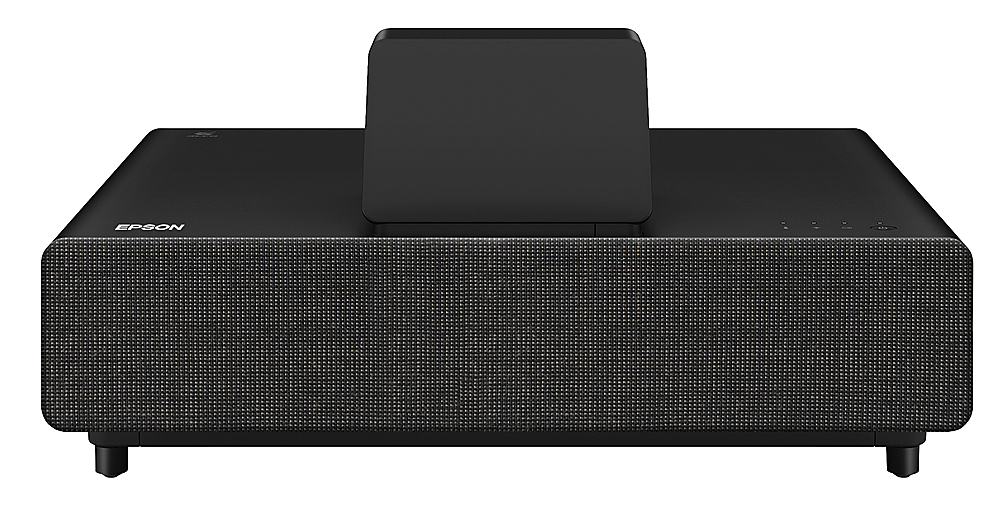
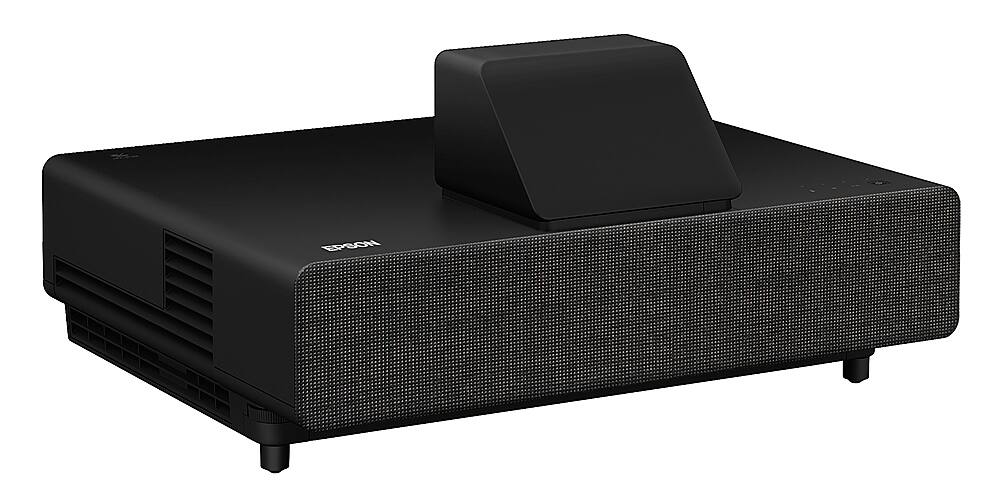
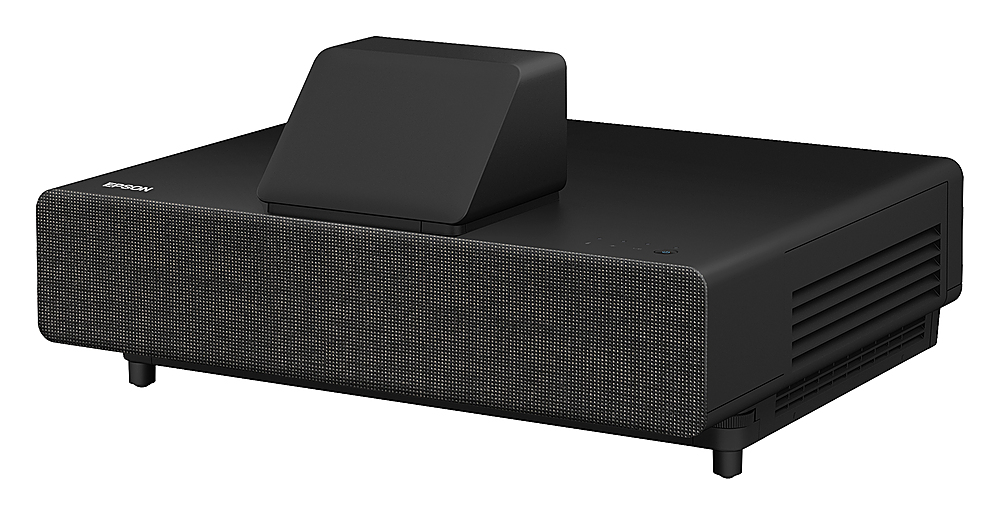
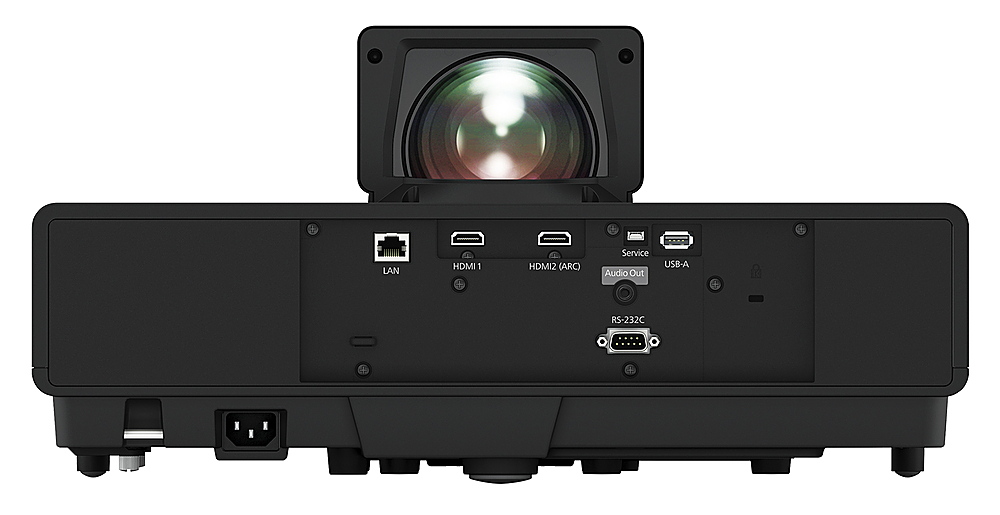
|Posted .This reviewer received promo considerations or sweepstakes entry for writing a review.I got the Epson EpiqVision Ultra LS500 Short Throw Laser Projector to replace an older Epson 3LCD projector that I was using as a multi-media entertainment system. What a world of difference!!! First off, the Laser Projector makes its presence known by its very size and apparent build quality. It is definitely not a portable projector that you want to move often. But it has a very appealing ambiance and design that will compliment any theatre room or game room décor easily if you have an adequate table or desk area. I got the black version of the Laser Projector and it comes equipped with a nice magnetic front plate covering that has a very subtle knit gold, blue, and black thread design. You have to look closely to even know that the plate covering is not just your everyday black/grey knit or plastic covering. It has four small magnets at the corners that make it easy to remove to get to the storage space cover (which has its specific purpose), focus lever, and basic control buttons (menu, enter, volume up/down, home, source, and enter). Hidden behind the front cover are also two 3-inch 10 watt speakers that are a welcomed addition. As mentioned, there is a storage space cover that you must remove to make connections for a HDMI extension cable and USB power cable for the Epson streaming device that is included. Once the connections are made the streaming device is snugly placed and hidden in the storage space. I am not sure why this was integrated into the design in the first place to skip this step of set up, but it works. Now you replace the front cover, plug in the power cable to a power outlet, and set the projector in its resting place. Very Easy setup from start to finish if you are just wanting the one connection which is extremely convenient and clean. Now if you are wanting to add external video/audio sources, there are additional connections on the back of the projector which looks like the front depending on your perspective. There are two HDMI connections, HDMI1 and HDMI ARC for both audio/video. Included is a LAN for internet, an USB-A, service input, audio out jack, and lastly a RS-232C. The power adapter connection is also located here. On the back is where the lens is located behind lens cap. It has a spherical shape to it which makes for an interesting picture that it projects, I will get into that in a bit. Now that all connections are made and the projector is placed in its home, the real fun begins. I powered it up and immediately was impressed. It started up fairly quickly and came to a prompt instructing to connect the Bluetooth remote. This is where I ran into my first hiccup which is silly… two remotes are included but I was so excited to get started that I failed to get the second (primary) remote that was hidden in a small box of contents. So I was trying to get the remote connected but was unsuccessful because one of the remotes is used only for the apps (a little pointless in my opinion). The primary remote is very user friendly and resembles a Fire TV stick remote with a few more buttons and functions, this would make sense because it is an Android Smart tv projector after all. This remote works for basically everything that I needed and integrated well with all my apps. Ok, now back to the fun. The menu prompt was very clear and crisp after a few minor adjustments of angle and height made by moving the projector manually and raising the adjustable legs at the front end. I also had to slightly adjust the focus with the lever at the front. All said and done, the clarity of just the menu impressed me and the background music of the menu surprised me with the included speakers. So far having everything integrated into one unit was much more impressive and convenient than a stand-alone projector that required external devices to complete the theatre. After initial set up you get into the meat of the “home theatre” projector. The Epson connected seamlessly to my WIFI network, signed in to my google account, and I was off and running downloading all my streaming apps made available thru the Google Play store already installed along with several other apps (Netflix, YouTube, Kids YouTube, Hulu, Kodi, and more). Searching for other apps was made simple by the included Google Assistant mic that I just spoke into and pulled my app. Downloading was fast and sign in was easy using a mobile device connected to the same network. Picture quality of this Laser projector is stunning! I have my projector placed about 23” from the screen on a small table and it projects an amazingly crisp picture on my 100” screen. I made very little adjustments to the picture to get it clear and positioned properly. The only thing that I am confused about is the curve seen at the upper corners and sides of the display on menu screens and widescreen outputs. I am assuming it is from the spherical shaped lens that enables the projection at such close proximity to the screen. It kind of reminds me of the curved tv’s that are sold now. I may have contact Epson or Best Buy to get some help with the adjustments because I am no expert on configuring projector screens. The picture looks great in both well lit rooms and dark. I am able to watch movies and streaming tv during the day with all windows open and it does not take away from the bright crisp picture. It is absolutely amazing the quality of this projector! Watching action movies and sports with fast motion does not cause lag or distortion in the picture at all. There are no grid lines or pixilation of any of the pictures no matter how fast the action. I have included photos but they do no justice for how deep the color and clarity of picture is. I am using a third-party screen purchased online and am sure that if you have an upgraded screen from EPSON or the wall installation, the picture will be even more amazing. I have watched movies and streamed services for hours continuously with no ill affects of heat dispersion from the projector or ambient fan noise. The only thing that I wish was included is the ability to connect to external audio or soundbars via Bluetooth. I will have to give an updated review once I connect to Epson Customer Service or Best Buy for assistance with calibration and adjustment of the panel display. Other than that, this projector is amazing in all aspects for a theatre room upgrade.
I would recommend this to a friend - Pros mentioned:Brightness
What an upgrade! Clear and BRIGHT!
|Posted .This reviewer received promo considerations or sweepstakes entry for writing a review.I have been wanting to replace my original home theater projector from 10+ years ago. I was happy with that projector for a long time, but now it’s outdated, the light is dim, and with the new technology out, it is well past time for an upgrade... But I didn’t know it would be THIS much of an upgrade... It completely blew me away...I had no idea what I’ve been missing! Setup was a breeze and easier than I expected it to be. Hardest part of it was finding something the correct height and distance from the screen for this to sit on! It’s packaged well and once I got everything out of the box, the fun began. This thing is pretty, and heavy! It looks so much nicer than my existing projector, not that important, but I expect it to look nice and it does. I set it up the recommended height and distance from the screen, plugged everything in and turned it on. I started the calibration to make sure it fit my screen correctly and it was simple and quick. Maybe because I had it the proper distance away from, and below my existing screen to start with? I think doing that step first and not rushing through it paid off! But either way it calibrated with ease, and I’m no expert. The feet are adjustable up and down if you need to get the exact height right, or if you’re on an uneven surface, like mine is. I’ll say that the menus and setup was very intuitive. Turning it on and setting everything up only took a few minutes, which I was pleasantly surprised with! Ok ok, once we were up and running the first thing to watch had to be an action movie, and the kids picked Spider-Man... WHOA! Yes, the 4K was a huge upgrade from 1080p, ok I expected that. But what really stood out to me was the brightness and clarity/crispness of the movie! For me, it’s the 4K and brightness combination that made these movies so crystal clear!!! It’s advertised at 4000 lumens, and I’m not sure what my old projector is but this is what I am the happiest about! Game changer! In my experience, The only negative about having a projector over a standard tv is the brightness. Not anymore!!! This exceeded all of my expectations, every detail and color pops brightly and clearly. There was absolutely 0 blur on anything or in any scene! Even super fast moving scenes and action sequences. I can see perfectly fine in well lit rooms, unlike my old projector. Again, this is huge for me. My room is naturally bright, I have blinds and shades, but they don’t completely black it out. Now I don’t even have to close the blinds. Seriously, It’s that much of an upgrade. Biggest regret? I wish I got this in time to watch the Super Bowl on it! Oh well, maybe next year. I can’t wait to watch football games on this. My home theatre is back!
I would recommend this to a friend - Pros mentioned:Hdr
Impressive Home Theater Upgrade!
||Posted . Owned for 1 week when reviewed.This reviewer received promo considerations or sweepstakes entry for writing a review.I recently purchased the Epson EpiqVision™ Ultra LS500 4K Short Throw Laser Projector along with the 100-inch screen in a fantastic package deal. Here are my thoughts: Product Performance (5/5): The projector's 4K upscaling and HDR capabilities deliver breathtaking visuals. The 4000 lumens ensure bright and vivid images, even in well-lit rooms. A little downside to the audio quality. Ease of Use (4.5/5): Setting up the LS500 was straightforward, and the Android TV integration is convenient for streaming. However, the remote control could be more intuitive. Value for Money (5/5): The package deal with the 100-inch screen made this a fantastic value. I feel like I got a high-end home theater experience without breaking the bank. Overall Experience (4.5/5): The LS500 has transformed my living room into a cinema. The picture quality is exceptional, and the Android TV platform provides easy access to a variety of content. The only minor downsides is the remote's user-friendliness and audio isn't the greatest. In summary, the Epson LS500 projector, especially when bundled with the 100-inch screen, is a fantastic addition to any home theater setup. It offers incredible performance and value for money, making it a worthwhile investment for movie and sports enthusiasts.
I would recommend this to a friend Sharp, bright and vibrant
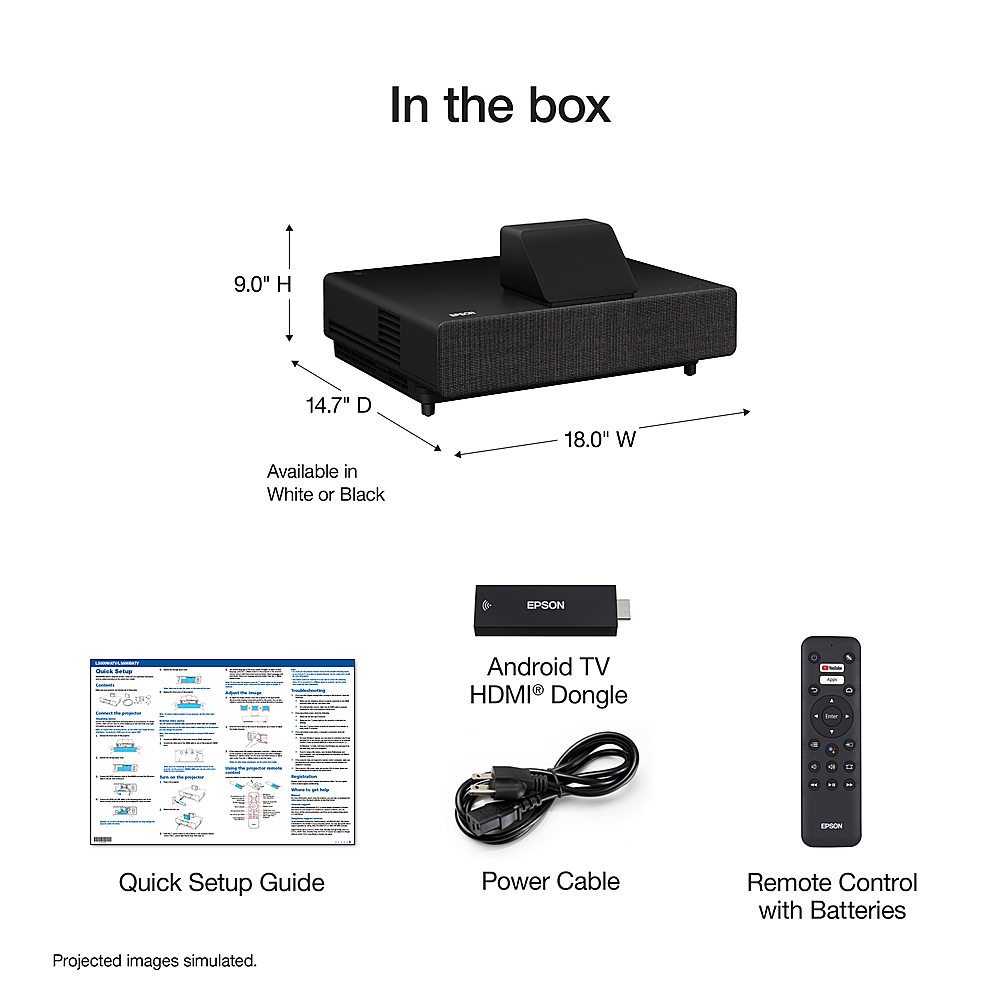
|Posted .This reviewer received promo considerations or sweepstakes entry for writing a review.Short and sweet, this projector is absolutely stunning. At about 20 inches from the screen, making it 35 inches total to the far edge of the projector I am able to have an amazingly clear, bright and vibrant 120” picture. However, with any ultra-short throw projector, you may have to make some furniture adjustments to get the perfect picture. I’ve had various Epson projectors over the past decade for different reasons and the one I have had the longest was considered one of the top HD projectors at its time. Of course, technology has changed a bit since then and the differences between my older 1080UB and this LS500 are astounding. Not only was this a resolution jump but an increase in contrast and brightness as well as a much faster boot time and making it nearly impossible for someone to walk in front of the projector. This projector is a bit bigger than I had expected, but like all others, it was simply removed from the box, remove the lens cover and was ready to go. Included is the power cable, an Android TV stick, two remotes with batteries and short HDMI and USB cables for the installation of the Android TV device. I personally found it a bit strange that you have to install the Android TV device yourself. However, this does make it easy enough to install your own if you have a different branded device that you would rather use or want to use this stck in a different TV. It is easy as pulling the magnetic speaker cover off, opening a panel and attaching the included cables and tucking it back into the space. The most time consuming and crucial part of installing this projector is ensuring you have the perfect spot for it. Since I already had a screen in place, it required more furniture adjustments to make it fit. However, if you are installing a screen for the first time with the projector, whether it be from Epson or 3rd party, there is an option on the projector menu, under settings, called “Installation Guide.” This gives a simple screen that is meant to help install the brackets for their screen, but still works nicely to give squared edges and fine lines to help set the focus. The thing with ultra short throw projectors is that the slightest little movement or uneven surface will make a huge shift on the screen. There are options to digitally adjust the corners, zoom and then image shift if you can’t physically get the projector in the perfect spot. However, for the best image it is better off physically getting the right spot for it. For mine, with the screen already in place, I ended up having to place some wooden shelves under the projector as my current entertainment stand was either 8 inches too tall or 2 inches too short for the perfect placement. Just in general, for a 120” projection, the bottom of the image will be about 15 inches higher than the surface the projector is sitting on. Once in place and the manual focus is adjusted, everything else is like a regular TV. The included Android TV stick requires pairing with the remote, which is simply guided on the screen the first time it is powered. However, it comes with 2 remotes that provide most the same functions, except one has the projector options while the other is strictly for the TV stick. Though they are similar, they have slightly different methods in pairing which isn’t discussed even in the online manual. The on screen pairing method for the projector remote is “Home” + “Enter” but for the other remote it is “Volume -” + “Enter”, or the center of the round button since it is not labeled on that remote. You can pair the other remote through the settings of the Android TV stick and it is strictly for the TV stick. The Android TV stick came with a few apps already installed, like YouTube and Netflix, that worked flawlessly once logged in. Streaming 4K HDR shows and movies provided your account is set for that. However, I tried a few other apps that required install and had some issues with Hulu and Disney+ in particular. Their images would freeze or constantly load every few seconds as if my internet connection was slow. However, I don’t believe that was the issue as other apps worked fine and there is no way to hook the TV stick to a wired network to ensure it’s not a wireless issue. This situation may be resolved with updates to the applications on the Android stick or more troubleshooting on my part. For typical movie watching the image is clear and vibrant. In a dark room I feel like I am in a theater. However, with a little outside light on a standard screen, the image was washed out fairly easily. Even though the lumens are rated at 4,000, it relies on the special ambient light rejection screens to help provide peak performance. In some situations where there is a little light on a dark image, it has some bleed over as it is still LCD. It is really noticeable in images that have thin lines that should be white but appear slightly purple. This is not typically something seen in movies and TV though, but rather computers and some games. I have spent several days playing my Xbox One X on this device and I haven’t noticed any input lag. There is a little bit of blur in some high contrast fast moving scenes, but it is something to play a 4K HDR game at near life size. The only disadvantage is that I had to physically look at the radar in the top corner rather than just a glance on a smaller TV. The built in audio works if you don’t care about quality. It gets decently loud and it is better than most other built in projector speakers, but even a basic sound bar sounds better, especially if you have a subwoofer. The only output for audio is through a 3.5mm stereo jack or through ARC of an HDMI cable. Personally I like to run everything through a receiver to get surround sound and output that to the projector. This is also where that Android TV stick could be moved to for a single input to the projector. Overall, if you want the large size of a 100 to 130 inch theater like experience but don’t want to install a classic projector on the opposite side of the room, this is a perfect solution. No more need for extra long HDMI cables, no one casting shadows as they get up to get more popcorn and no delay in waiting for the light to warm up for full brightness. Plus, I don’t think I’m going to hit the 20,000 hour lifespan of the light source anytime soon as I did the 2500 half life of my old projector.
I would recommend this to a friendA fantastic ultra short throw
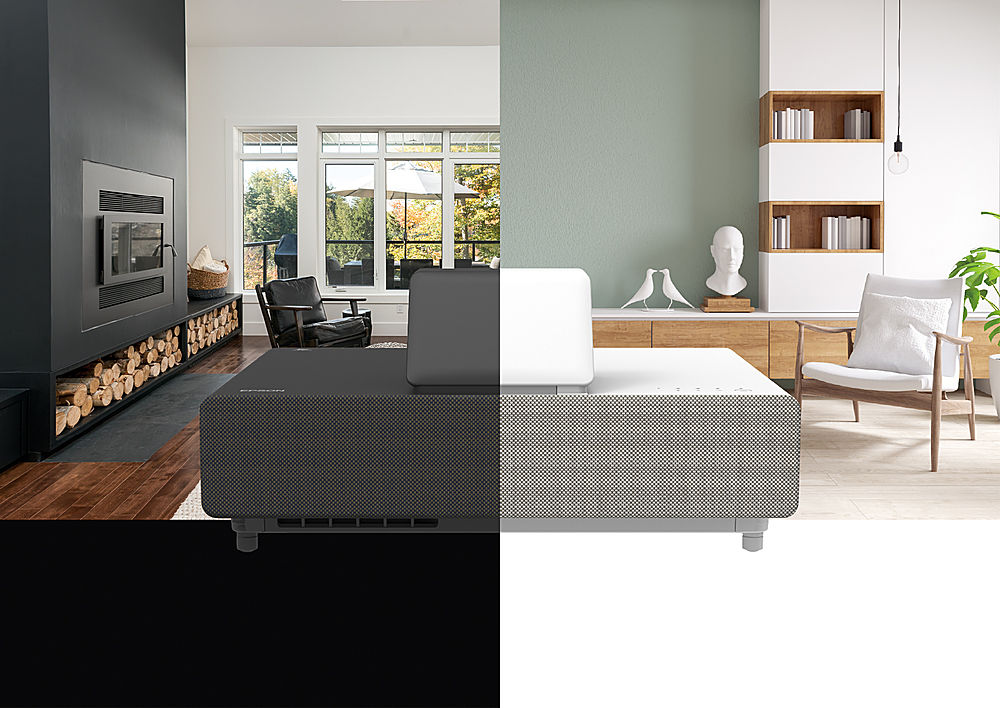
|Posted .This reviewer received promo considerations or sweepstakes entry for writing a review.There are two color variants for the Epson EpiqVision LS500 namely black and white to suit your specific color preferences unlike other projectors which solely come in one color only. And the color white (and its different tones) seem to be the more popular color. What comes inside the box is the projector itself with a protective lens cover, a power cable, two remote control devices with two pairs of batteries, an Epson branded Android TV dongle with a short HDMI cable and also a short USB cable for power. Also included are quick setup guides in different languages. The full manual is available for download at the Epson website. Setting up the projector is pretty much as straightforward process. First determine what size your image you want. The Epson LS500 is capable of providing an image size ranging from 70” to 130”. Of course the bigger the better, otherwise you would be better off with just a 4K TV. Epson has a video to setup the screen both available in its website and in YouTube. And for those who got the bundled screen, a popup measuring cardboard guide and a computer image is available to download on the Epson website. For those wanting an image size of 100” a projector distance or throw of 15” is required (Note the Epson video states 17” whereas the manual states 15”) and a throw of around 20” is needed. Also, the projector must be below or have a vertical throw of 13” below the screen. A complete guide for throw distances is available in the Epson website. And for the uninitiated the LS500 and most home theatre projectors have a screen aspect ratio of 16:9. In my case, I did it the old fashioned way, I positioned my projector 15” away from my wall taking measurements of 49” x 87” for a 100” image size. Powering up the LS500 by my estimate is around 40 seconds but that also includes the boot up of Android TV. (Compare that to the roughly minute and a half from my 65” Hisense Android TV.) And without Android TV, boot from my guess would be around 30 seconds or maybe even less. From thereon, the next step is to properly align the projector image to the screen just by physically moving the projector accordingly by a little bit. (And that seems pretty obvious enough.) The next step is to go to Settings then start the installation. There you can see more details on how to setup your screen including how to use the use the adjustable feet on the front of the projector. The main issue here is that the foot knobs are pretty much stuck most of the time and has become quite annoying to adjust. Also, the front feet are non-adjustable. For me, it has been much easier to use floor protectors to adjust the projector. Once done, you can use both horizontal and vertical correction to fine tune your alignment. Likewise, you can use the quick corner feature to micro align the corners to the edges of your screen. But with other projectors, they have an eight point correction tool as compared to the four corner tool Epson has. And if in case you really can’t fit in the screen in your screen, it also has a zoom tool just to do that. I actually prefer to make the necessary corrections by just physically adjusting the projector. One thing to note is the blanking tool in the LS500. Generally, it is easy to dismiss the necessity of this tool if you are using a wall, a large roll up or stretch screen or even a fixed frame screen with a two and a half inch bezel. But coming from a portable cloth projector screen to an edgeless screen, I found that blanking out the image bleed to be quite annoying given the fact that though there may be an actual bezel in my frame, it is actually a quarter inch wide only. Physically aligning it would be a near impossible task as an ultra short throw projector. Even aligning your image with the keystone correction tool tends to greatly distort your image. And from my initial observation, image correction may be required as often you may change the volume of the show you are watching. I guess that is part of “projector life.” With regard to image quality aside from it being great, I would like to make some layman or amateur clarifications with regard to Epson’s 3LCD/PRO-UHD. Most projectors use DLP technology to create 4K images with 8 million pixels. But most if not all DLP based projectors also use a so-called color wheel which if the projector is not adjusted and in conjunction with inappropriate screen may lead to the so-called rainbow effect. This has been an annoyance of AV enthusiasts. With 3LCD technology there are some advantages and some trade-offs. 3LCD projectors tend to be brighter hence the LS500 4,000 lumens ratings and this “rainbow effect” is removed. On the other hand, contrast levels are reduced and instead of 8 million pixels (3840 x 2160 or 4096 x 2160), PRO-UHD has a limitation of 4 million pixels (1920 x 1080 x 2). So what does this mean to us consumers. From my untrained eyes, the difference is negligible. Do note that I am coming from an Epson 3LCD XGA projector (800 x 600) which is not even 720p but higher that DVD resolution. The resolution is still great. Only pixel peepers will really concern themselves with this. But I am telling this to let you have an informed decision when considering the Epson LS500. There are four color modes in the LS500 namely Dynamic, Bright Cinema, Cinema and Gaming modes. The Dynamic mode maximizes Epson’s 4,000 lumens giving you the brightest options. This would be optimal if there is a lot of ambient light around. However, this mode tends to oversaturate. The Bright Cinema mode as per my understanding utilizes 2,500 lumas and is the default setting. For those used to the brightness of TVs, this seems to be the acceptable setting hence the default. The regular Cinema mode uses 50% brightness, so I am assuming 1,250 lumens are used and in my opinion gives you a more real life cinema experience in terms of brightness. Also, the lower brightness helps you in preserving the life of the lasers though the LS500 has a life of 20,000 lamp hours or ten years or so with regular use. Finally, there is a Gaming mode which has the same brightness level of the Bright Cinema mode but boasts of a 16.7 ms input lag. But since I am not a gamer, this has real life use for this. And even if my twelve year old son decides to play using the projector, the default color mode is likely to be used. Aside from the color modes, you can also find the usual color setting found on regular TVs such as Brightness, Contrast, Color Saturation and more. But for most people leaving these alone work as the Color Modes area doing such a great job. Also, custom settings can also be saved in the projector. There are some things I would like to point out though. In the product literature, it is stated the LS500 is 3D capable. However, Epson Customer Service as noticed in Q & A sections in the web would state that it is not. But I have seen professional reviews stating that the LS500 is 3D capable and 3D movies such as Avatar and Alice and Wonderland were used for the reviews. But in my case, the 3D option is disabled even though though my Blu Ray player is 3D capable. But given these pro reviews I have seen were written months ago, perhaps they got early versions where the 3D option is available. And for whatever reason, Epson decided to disable it in later releases. As to why Epson would do that, I have not idea. Regardless, 3D movies have already gone the way of the dinosaurs, It is no great loss for me. Also, Epson representatives say that you cannot mount it in your ceiling. But I have noticed that there is an option to reverse the image therefore, indicating that you can actually mount it. I find this odd enough since the main purpose of being able to flip the screen is if you want to reverse mount it on your ceiling. But honestly, that kind of defeats the purpose of an ultra short throw projector as one of its main selling points is the simplicity of setting it up. Lastly, aspect ratio adjustment has been disabled too. I often use the aspect ratio to fill in the screen but that this is more for the computers I use. But then again, Epson did a good in maintaining the ratio and the blanking tool is doing a good job in maintaining edges. But in spite of these shortcomings, the Epson LS500 produces fantastic images and video and has provided a feature set that can come with a fair amount of future proofing that it is a worthwhile investment. The Epson LS500 PRO-UHD Ultra Short Throw Projector is one of the best out there.
I would recommend this to a friendAmazing Picture Quality, Inadequate Sound /Outputs
|Posted .This reviewer received promo considerations or sweepstakes entry for writing a review.For the last year, I had a strong desire to purchase a 4k Laser Projector to replace my 3000 lumen 1080p HD Projector in my theater room. Mainly, because of the ultra-short throw capabilities you get with a laser. As of this week, I am the reluctantly happy owner of the Epson, EpiqVision Ultra LS500 laser projector. Hopefully, my opinion will help you in choosing what is best for you. The Epson, EpiqVision Ultra LS500, is an ultra-short throw projector which includes an Android TV dongle. There is another version of this projector that also comes with a special Ambient Light Rejection (ALR) screen. However, I did not get that version. I am using the LS500 with my plain jane, 120-inch, white projector screen. (I will mention again this later) Unboxing and Setup In the box, there was a laser projector, Android TV dongle, HDMI extender, USB cable, two remote controllers, and a set up guide. The setup was very straight forward. To set up the projector, I had to remove the panel covering the speaker and then another hidden panel where the Android TV dongle is stored. Inside the hidden panel there was an HDMI port, a USB port and just enough space to fit the android TV dongle. After plugging in the dongle, I placed the projector 36 inches away and one inch below my projector screen. Then, I powered the projector on and used my phone to complete the set up the Android TV. Everything went off without a hitch. After setting up the projector, I discovered a few things. The first was something I did not even consider. I quickly learned that an average TV stand is only 18 inches in width. Meaning I would have had a huge gap between my TV stand and the wall. I also discovered that the projector should sit at least 11 inches below the screen. In my case, an old IKEA coffee table worked perfectly to prevent the wall gap. Secondly, the extra remote controller does not go into pairing mode in the same manner as the primary remote. To pair the second remote, you must press and hold <enter> and <volume down.> Picture and sound The image quality of the projector is nothing short of amazing. If you did not see the projector sitting on the table, you would think I had a giant TV on the wall. The UHD and HDR colors are vibrant, accurate and perfectly tuned. The blacks are deep and immersive. There is no soap opera effect, no picture lag, and no rainbowing. Only superior perfect picture quality in both well-lit and dark rooms. However, I will caveat this with a recommendation. Do not be like me. Get yourself the version that comes with the ALR screen or find yourself a high-quality screen. Unlike a standard projector, the laser projector is not forgiving of any flaws in your screen. If your screen is not completely flat, the picture will be distorted. As for the sound, this is one area the projector is lacking. I will caveat this by saying, I have never used or heard a projector that had reasonably decent sound so, this was not a surprise to me. The built-in speakers sound horrible and there is no way to adjust the sound profile in the projector menu, nor in the android TV menu. so, make sure you invest in a sound bar or a home theater system. Inputs and Outputs For I/O Epson made some questionable decisions. The projector comes with a LAN port for network connectivity 3 HDMI inputs (however, one is used for the Android TV dongle), 2 USB ports (Again, one is used for the dongle), and an aux port for sound. For some reason, Epson left out any other sound outputs unless you consider Bluetooth an output. Yet they included 1. RS 232C port and 1 service port, which as far as I know, no one will ever use. In conclusion, I absolutely love the 4K, UHD, android TV and short throw capabilities of this laser projector. However, I am disappointed with the sound and lack of audio outputs. With that being said, I recommend this for someone that wants superior picture quality and is content with using HDMI, Bluetooth or an Aux cable for their sound output.
I would recommend this to a friend4 Times the Size, 4 Times the Experience
|Posted .This reviewer received promo considerations or sweepstakes entry for writing a review.The Epson - EpiqVision™ Ultra LS500 Short Throw Laser Projection TV with 4K PRO-UHD and HDR is nothing short of amazing. Spectacular picture quality. Bright and vibrant, rich colors, bold capturing black levels, and stunningly smooth motion on a gigantic 130” screen all combine to create an immersive viewing experience. The images look life-like in 4k. You will want to watch everything on this Epson - EpiqVision™ Ultra LS500 Short Throw Laser Projection TV with 4K PRO-UHD and HDR system. This projector supports 4K@30fps with HDR and 4K@60fps giving you the most enjoyable fast paced action in ultra clear quality right in your home. This is the way 4K gaming and UHD movies are meant to be viewed. It’s like being at the movie theater. The support for HDR further enhances the experience by optimizing brightness and black levels to bring out the sharpest image possible without sacrificing clarity and fluidity in motion on-screen. You will definitely notice the difference when playing HDR compatible games on the current generation High-Definition consoles. I have never experienced this level of clarity in a home projector or television. The Epson - EpiqVision™ Ultra LS500 Short Throw Laser Projection TV really brings out the best of the complimentary 4K technology (4K game consoles, video players, cameras) connected to the system. Setup: The projector is really easy to set up. In includes everything you need to get started, the remote control, HDMI connectors, and power cable. There are a few things to keep in mind as it relates to setting up this projector. The first thing: Because it’s a short throw system, you will have to place the projector approximately two feet away from the wall where the screen is mounted. Therefore, you’ll want to make sure the room you choose for this solution can accommodate that requirement. The second thing to consider: This projector is designed to pair with specific screens in order to get the best visual experience. Be sure to check with Epson for the correct screen. It will work with a standard projection screen; however, it will not look as stunning. The Epson - EpiqVision™ Ultra LS500 Short Throw Laser Projection TV not only delivers a transformative visual experience, but it also offers feature rich integration with Android TV (using the included Android TV USB adapter) and voice control service with Google assistant. If you are a fan of video streaming, you will be extremely happy with this solution for your home, as you can stream from your favorite services in true HD. Gaming experiences are elevated to an entirely new level when using the The Epson - EpiqVision™ Ultra LS500 Short Throw Laser Projection TV. The experience is like reserving a movie theater for yourself and your friends and playing all your favorite gaming titles in elaborate UHD quality. Any game you play will look amazing. I highly recommend games that support HDR. Fast paced sports games, action games, driving games, and shooters all look unbelievably realistic. The detailing on buildings, shadows, reflections and so much more just come to life in a way that I’ve never seen before. I highly recommend the Epson - EpiqVision™ Ultra LS500 Short Throw Laser Projection TV with 4K PRO-UHD and HDR - Projector.
I would recommend this to a friendMovie Theatre Experience!
|Posted .This reviewer received promo considerations or sweepstakes entry for writing a review.Really looking forward to this Epson Short Throw Laser Projection TV. There is a streaming device (think Amazon Fire Stick) and two cables, they all have different connection end points so they can only possibly go in one spot. Right there, genius! After reviewing the Pictures on the Getting Started document it was easy to figure out where the streaming device goes. See attached picture. Another Genius idea, open the front (easy pop-off panel) and there is a storage container with the proper plug in ports. The wall I am displaying on is 82 inches and it looks fantastic. Moving the projection TV back away from the wall increases the size of the display. The specifications say the display is 120” or ten feet. I measured an image 154” (12 feet, 10 inches) and the display is clear and crisp. The colors (even on my red wall) look great. I was very interested to find out if the sound would be acceptable or if I would need to connect this to a home theatre setup. Sure, the whole home theatre thing would be great… eventually, but I wanted to know if could use and enjoy this out of the box, no extra accessories or devices required. I was very pleasantly surprised to hear great sound from this unit. Reviewing the specifications for this unit, it states it is “A Complete Solution” with an “exceptionally bright, colorful and sharp picture”. It also says “Incredibly Bright Picture” “… exceptional level of brightness … for all day viewing in virtually any lightening environment”. I’m not an expert in these things, but I did watch the same show in the evening and then again during the day. I made sure the front shades were open to get the normal light during the day in the house. It’s a north facing house so not a lot of light comes in through the windows. I do; however, have two skylights in the living room and today is a sunny day. The picture is in fact “incredibly bright” and I get a beautiful picture in the day light. It is a true movie experience, even during the day. The picture is amazing, clear and bright. The attached picture does not do it justice as it is displayed on a red textured wall. Ignore, the picture hangers and black light switch on the wall that are in the image. Still deciding on a permanent location for this TV. Wrapping up, here is what you need to know – 1. Incredibly easy to setup, you really only need to read the Quick Guide. 2. Voice control finds what you need/want. 3. Movie theatre like experience. Amazing display, applies to screen size, image crispness and color. 4. Sound from the projection TV is great, voices come through clearly even with background noises or music. 5. Easy to add other components such as a Blu-ray, receiver, etc.
I would recommend this to a friend- Pros mentioned:Brightness, Picture quality
Good projector, terrible smart tv
||Posted . Owned for 3 weeks when reviewed.This reviewer received promo considerations or sweepstakes entry for writing a review.Picture quality and brightness are great and has the ports and settings needed for a full theater with surround sound setup. Also bright enough to use in a room with natural light as long as you have a good projector screen. Only small issue with the projector itself is that throw distance could be a little shorter. The major issue with this deal is if you try to use the smart tv part of it, which is just an Android TV stick plugged into an HDMI and USB port. Constantly get a glitch where it will register a double input on the remote, slow performance when starting up, and recently got a glitch where the volume becomes very low. Tried changing settings and updating the stick but would get error messages when doing thag too. Thinking of replacing the Android TV stick with a Google Chromecast with Google TV. Overall I'd recommend the projector if you don't care about the smart TV part of it or if youre willing to get something else to plug into it
I would recommend this to a friend - Pros mentioned:Picture quality, Throw distance
Better picture than any I have seen before.
Posted .This reviewer received promo considerations or sweepstakes entry for writing a review.While locked inside like the rest of the world in 2020 our family was watching TV on a small 10-year-old 42” television. It had so many little issues, but we kept using it since it still technically worked, and we spent a lot of money when we bought it. Recently we were told about a new projector that we should get to replace our TV, and I’ll say this much the Epson Ultra LS500 really lives up to the hype. I had no idea that a short throw projector could get a screen so dang big. I am not exactly sure how big the picture is, but I do know that even without a projector screen the picture quality was better than anything I have seen before. This really looks like something that will last us another 10 or more years like our last TV. This is a review for the Epson EpiqVision Ultra LS500 Short Throw Laser projector that I received free of charge to do a beta test and review.”
I would recommend this to a friend - Pros mentioned:Picture quality, Throw distance
Epson EpiqVision Ultra LS500
Posted .This reviewer received promo considerations or sweepstakes entry for writing a review.I used the projector to watch movies, it has a crystal clear picture as if I'm looking at a smart Tv. It's peacefully quiet and lets off less heat than other projectors I've had in the past. It has a short throw lens so you have put the projector low and inches away from the screen. I was using a 6ft screen and I would recommend using a 8ft screen or larger, but if could have been not adjusting the settings correctly. It comes with a plug-in Epson android stick that you plug into the back slot (HDMI 3), which has a cover for it. You can download all apps just the same as a firestick. I Highly recommend this for your home especially if you have limited space. “This is a review for the Epson EpiqVision Ultra LS500 Short Throw Laser projector that I received free of charge to do a beta test and review.”
I would recommend this to a friend