Customer Ratings & Reviews


- Model:
- V11HB59120
- SKU:
- 6634709
to a friend
Customers are saying
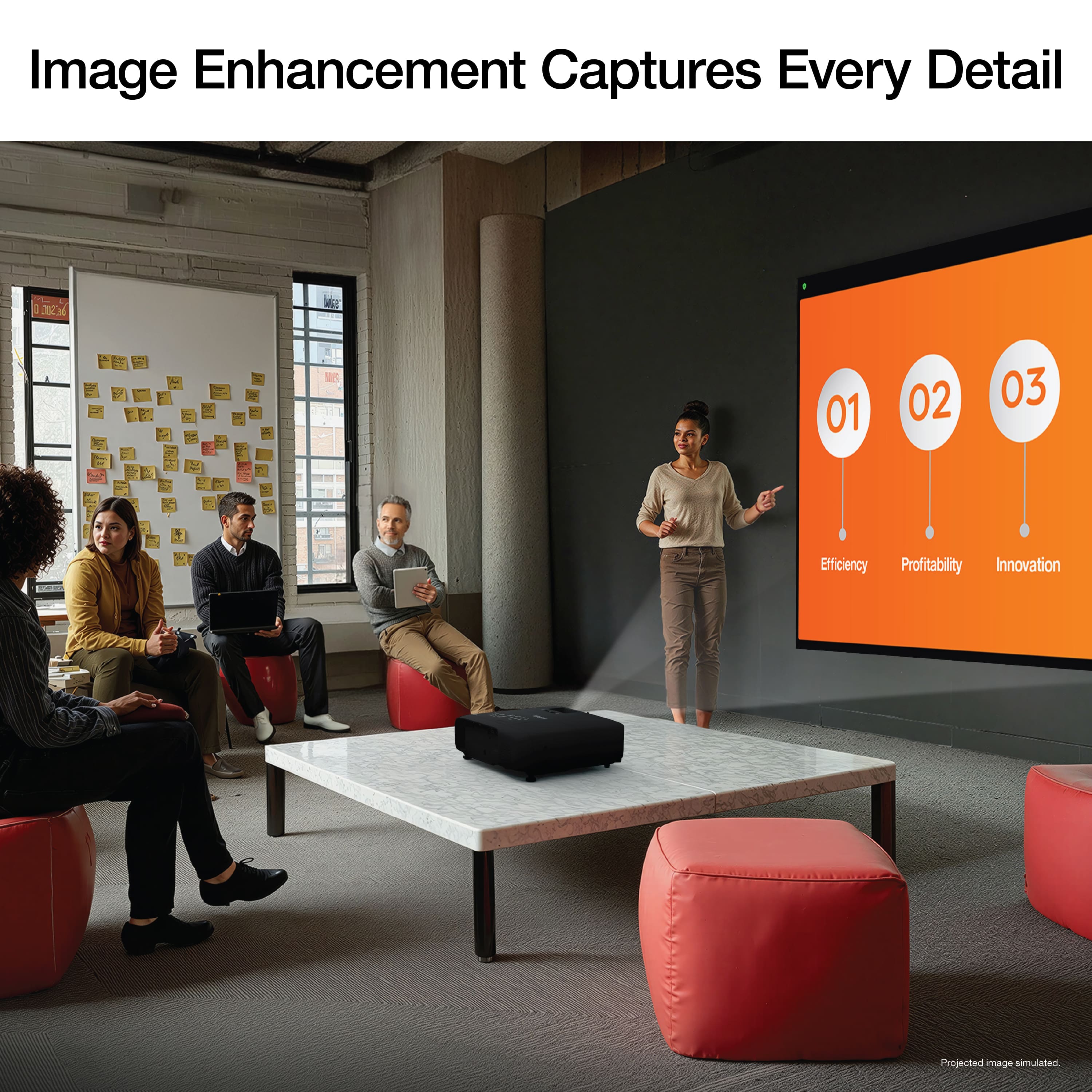
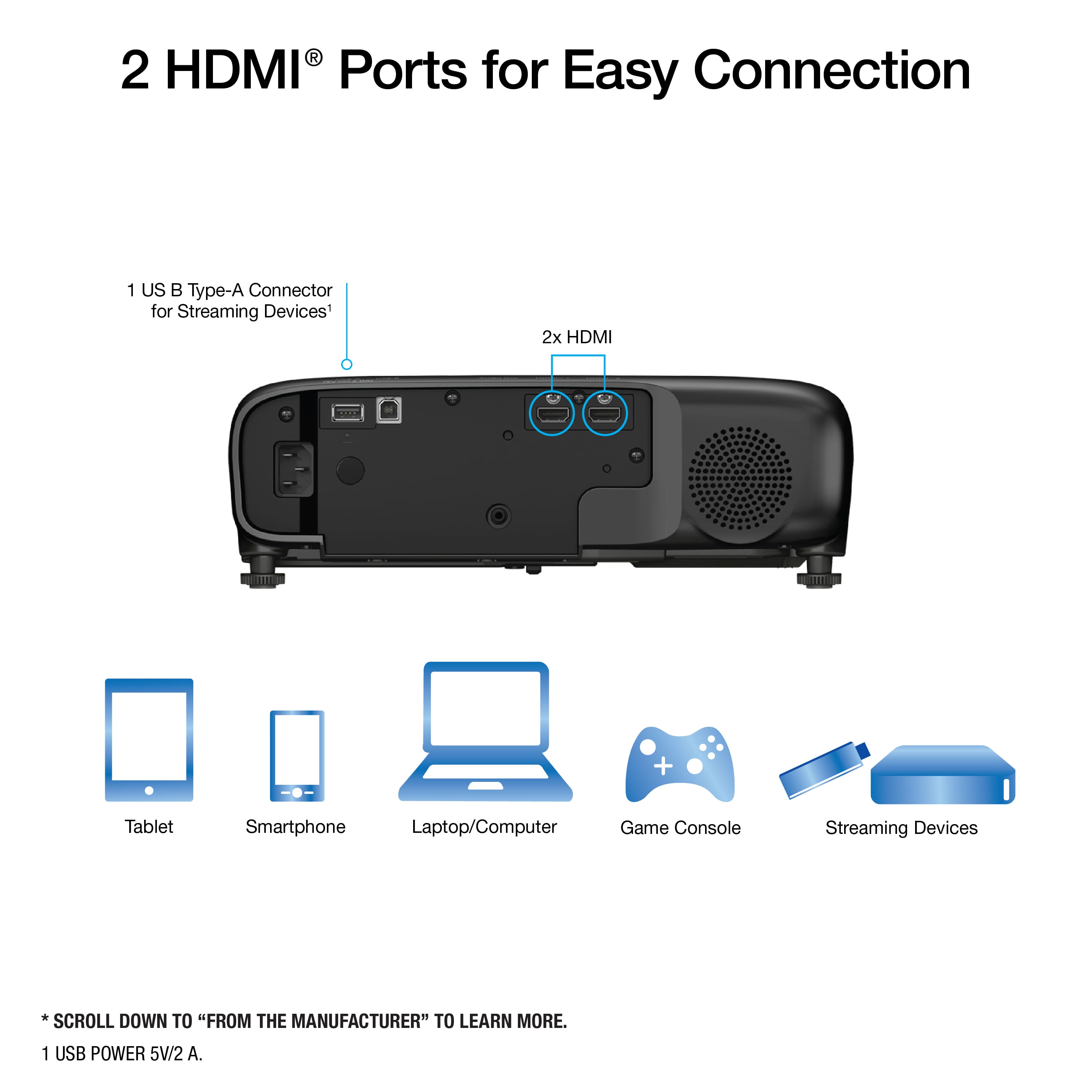
Customers have good things to say about the Pro EX9270 Wireless Full HD 1080p 3LCD Projector's brightness, noting its ability to project decently even in daylight. The dual HDMI ports were also appreciated for their convenient connectivity. However, some customers have noted that the fan noise is noticeable.
This summary was generated by AI based on customer reviews.
- Pros mentioned:BrightnessCons mentioned:Noise level

Shatters the Pedestal I had Epson Projectors On
|Posted .This reviewer received promo considerations or sweepstakes entry for writing a review.TLDR: Excellent brightness, but fan noise makes it problematic for anything but the largest conference rooms. Features and firmware are not yet available. PROS Upto 4000 lumens of brightness 1920 x 1080 full HD resolution Multiple connection options including AirPlay CONS Below average contrast ratio Brightness comes at the cost of high fan noise Product released without firmware to fix bugs Unresponsive Remote Control THEATER USE I’ve had Epson projectors in my theater for years now. Starting with the 880, upgrading to a 3800, then a 5040UBe, and now the 9270. I had high hopes for the 9270. On paper the 9270 had impressive specs. Light output to 4000 lumens, full HD resolution, all wrapped in a package that is about 25% smaller in every dimension than my 3800, nearly half the size of my old 5040UBe. I was IMMEDIATELY disappointed in the 9270 on fire up. I could tell right away that this is not worthy of the Epson Pro designation. Starting with the lack of contrast between the light and dark sections. Nothing nearly as good as my similarly priced 3800. Blacks are a very light gray and shadow details are nearly non-existent, being washed out by the projectors’ inability to control light output. I know others will say I am probably comparing apples to oranges, but I am doing back-to-back 1080p comparisons. Even though that 3800 is a “4k” projector, it isn’t. It pixel shifts. At heart, it is a 3LCD, 1080p projector, just like the 9270 is. Second. The dynamic iris is extremely noisy during operation. Distractedly so. It sounds like a set of stripped gears rattling around inside the projector when being activated. A crunchy and grinding sound overpowers quiet scenes in movies. To be fair, the 3800 exhibited these same traits when I first installed it, but an immediate firmware update remedied the situation. That’s not an option with this projector. Lastly. The 9270 can throw out a terrifically bright image. In my light controlled, dedicated theater the 9270 can put my current Epson 3800 to shame. Even on ECO mode, the 9270 is significantly brighter. Producing bright images and rich colors. But, that beautiful, bright image is also its downfall. Bright lights = Loud fans. Even on Eco mode the 9270’s fan is considerably louder than my 3800. Take it out of Eco mode to enjoy a huge and bright picture and the fan noise is so loud it will drown out voices. Unacceptable for theater use. CONFERENCE ROOM USE The 9270 was never marketed as a true home theater projector, but most projectors can serve dual duty. To be fair to the 9270, I decided to try it in a home office setting. Again, I was left wanting. The fan noise is just too loud to use. Obnoxious when sitting on a table and projecting on a wall-mounted screen. Not much better when mounted 10ft in the air. The fan is just too dang loud. An office setting makes it that much worse. Because it is harder to control lighting, it forces you to use the 9270 on Normal mode instead of Eco. That fan is so loud, it is audible over Teams or Zoom meetings. Not to mention when it is on a conference room table, everyone must raise their voices to talk over the projector. Ceiling mounting options don’t help a great deal either. That fan just sits and howls above your head. I love the light output, but the fan destroys a good thing. I would trade a dimmer picture for a quieter fan. APPLE AIRPLAY One of the most desirable features of the 9270 was its support for Apple AirPlay. That is EXTREMELY convenient for simple streaming from an iOS device. After 3 failed attempts to update the firmware, the 9270 finally managed to install the latest firmware. Good thing, as the remote control no longer works with the projector. AirPlay performance is spotty, at best. During my testing, roughly 25% of the apps recognized the projector as an AirPlay destination. The other 75% of the apps I tested, found every other compatible device on my network (a total of 12), but not the projector. FINAL THOUGHTS This product isn’t ready for prime time. There are still too many bugs to fix. To add insult to injury, the projector has stopped taking all commands from its remote control. The remote worked perfectly 2 days ago during set-up and hours of movie and TV watching but now it refuses to control the projector. I know it's working. I have a separate IR receiver for all my gear inside an equipment closet. If I aim the remote at the receiver, I get an acknowledgement that it received commands, but the projector still refuses to operate via the remote, even after installing fresh batteries. There are VERY few products that I give 1-star ratings to. Most products, even if they don’t do it for me, have some redeeming qualities about them. Unfortunately, I can’t find any redeemable qualities to recommend this projector. A non-functional remote. Spotty Wi-Fi connectivity. No available firmware updates available via the Epson website, and a fan that is louder than any gaming laptop I’ve ever tested. It hurts. I’ve had Epson projectors in my house for years now. Many, many years. I’ve recommended Epson projectors to friends and family. I’ve installed Epson projectors for family members. When my work was remodeling the conference room, they asked me what projector I’d use? You guessed it, I said, Epson. We’ve all loved them. The EX9270? Nope. NOT RECOMMENDED
No, I would not recommend this to a friendBrand response from Epson
Posted .Hi Namo, thank you for taking the time to post a review. We apologize for the issues you are experiencing with your projector. The symptom you describe could be caused by a number of factors. Your EX9270 features lifetime support, and we’d be happy to try to diagnose the issue. Feel free to call Epson Support at (562) 276-4382; Hours: Monday – Friday, 7 a.m. – 4 p.m. (PT). Sincerely, Joseph - The Epson Team.

- Pros mentioned:BrightnessCons mentioned:Noise level
Good old-school projector - Big Screen, No Smarts
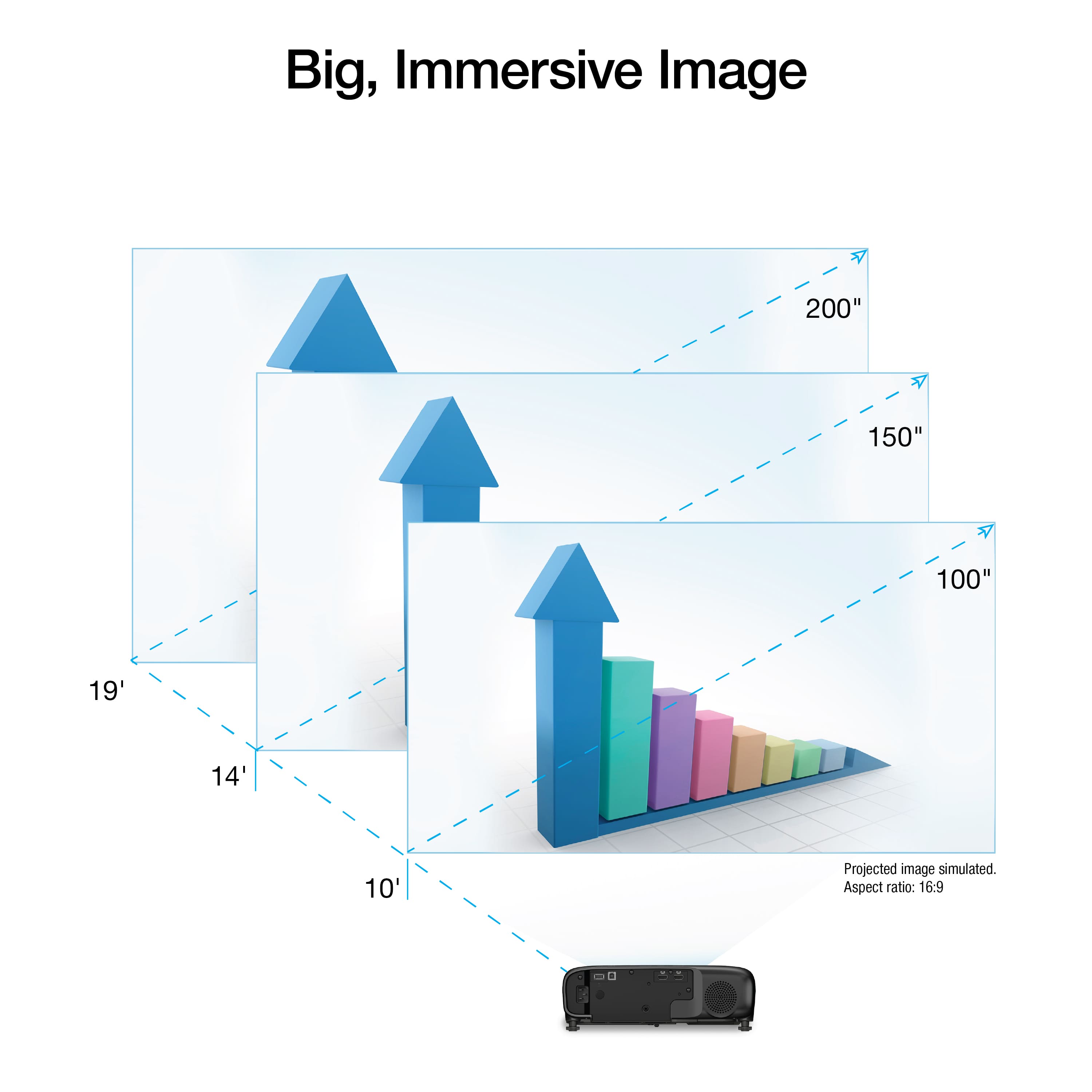
|Posted .This reviewer received promo considerations or sweepstakes entry for writing a review.Summary: —----------- If you like classic projectors (non-smart projectors with manual adjustment controls) whose primary job is to deliver a really good, really wide and bright image in the dark, and a decent projection in daylight, you will be very happy with the Epson Pro EX9270. However, you may be disappointed if you’re looking for smart features, like many devices in this day and age, or hoping to replace your smart TV with this projector, unless you’re aware and comfortable with the limitations I detail later in this review. For watching movies, sports, or binge-worthy shows, avoid connecting your laptop and don’t bother trying to mirror your iPhone with Apple Play–it’s more headache than it’s worth. Instead, plug in a streaming device like an Apple TV, Google Chromecast, Roku, or Fire TV Stick. That instantly gives the projector a brain and solves most of the issues I mention later. As for the sound? The built-in speaker is fine for a slideshow or video you recorded on your phone, but if you care about audio quality, grab an external speaker. —---- Pros —---- - Great picture definition and brightness in the dark - With enough space, you can have a massive screen, way bigger than any TV! The specs say the image size can go up to 300 inches!! I tested it on a 120” white projector screen, which I thought was super big, and to my surprise, it felt small the moment I turned on this projector. I had to shrink the image size on the Epson Pro EX9270 just to make it fit! —------------- Not so great —------------- - During daytime, while you can see the projection, it is dimmed. The good thing is that you can see it. I had a 1,100-lumen projector where you could not see anything in daylight. I had another 3,000-lumen projector and you could see enough in daylight to know what was happening, but the image was fairly dim. With this 4,100-lumen projector, I expected wonders… and it didn’t live up to my expectations. The projection is still dim in daylight but it’s certainly better than the other 2 projectors I mentioned. But it won’t be as bright as an LED or OLED TV. - Sound is not great. You’d be better off hooking up a speaker, otherwise the sound is very boxy… I tried a Bluetooth speaker and the sound improved so much! However, when watching a movie, the character’s lips movement didn’t match the sound as there was enough delay that it was bothersome to me. Granted, this might not be an issue with the projector itself, but if the projector’s sound was better, there wouldn’t be a need for an external speaker - Manual Controls – The Epson Pro EX9270 offers manual controls that let you adjust the image size, focus, and edge alignment—especially useful when projecting from an angle rather than directly in front of the screen. While this is helpful, I wish there were options to automate these adjustments. In today’s world, many devices include smart features to simplify setup, such as auto-focus. Unfortunately, this projector lacks that capability. - This is not a “smart” projector. In other words, it doesn’t have any built-in apps to watch movies, TV shows, sports, etc. If you don’t mind hooking up an external smart device such as an Apple TV, Google Chromecast, Roku or Fire TV stick, then this shouldn’t be an issue for you at all. But if you don’t have one of these devices and don’t want to buy one, then, I would not recommend you buy this Epson for watching movies/TV shows. Here’s why… —- Laptop/Computer: While you can also hook up a laptop/computer through an HDMI cable, I find that super inconvenient. First, that means that instead of using a remote, you have to control everything through the laptop (search, play, pause, skip, etc.). That means having to be next to it (very annoying to me). I tried playing a TV show on Netflix using the Microsoft Edge internet browser on Windows 11. Unfortunately, the top margin of the screen kept moving slightly up and down, making the projection very shaky and just terrible. To be clear, this is not at all an issue with the projector. It’s probably some bug/issue on Netflix's full-screen feature or on Microsoft Edge. Regardless, that means trying to watch a movie/TV show/etc by hooking up your laptop/computer to the projector is not enjoyable. —- Apple Play - The good thing is that this projector allows mirroring your phone’s screen using Apple Play. This is great for photos and videos on your phone. However, if you’re thinking of projecting movies from Netflix or Disney+, that won’t work. When trying to mirror anything from Disney+, it results in a black screen being projected (the movie/show is only shown on your phone), although you can hear the sound through the projector’s built-in speakers. As for Netflix, every time I tried to mirror a movie from my phone, the app displayed an error message: “Error. Cannot play title. Please try again later.” When I used another projector, it at least provided a warning stating that, due to copyright restrictions, content from Disney+ and Netflix cannot be mirrored. I wish the Epson projector had offered a similar explanation so we could understand that the issue isn’t with the projector itself, but rather an expected limitation due to legal constraints.
No, I would not recommend this to a friend - Pros mentioned:Brightness
Excellent Buy - Worth the Cost
||Posted .This reviewer received promo considerations or sweepstakes entry for writing a review.Bought this for work. Connects to my laptop very easily with HDMI/HDMI cord. Highly recommend. High quality image and lighting.
I would recommend this to a friend - Pros mentioned:Brightness
Great and brighter than expected.
||Posted .This reviewer received promo considerations or sweepstakes entry for writing a review.This was brighter than I expected. This was purchased to show a slideshow at a celebration of life party and it performed flawlessly. It you just want something that you can plug USB stick into this was perfect. It worked great in a fire hall in the daytime.
I would recommend this to a friend We love it!
||Posted . Owned for 2 weeks when reviewed.This reviewer received promo considerations or sweepstakes entry for writing a review.Very clear and bright picture. Some people think that it is "loud" but it is much quieter than the older Epson projector that we were replacing. LOVE that it can be controlled via Apple Airplay! No more cord for me!
I would recommend this to a friendMovie night
||Posted .This reviewer received promo considerations or sweepstakes entry for writing a review.Amazing picture even when at full 300 in . I have bought many even high end , I like this one the most
I would recommend this to a friendGreat Value
||Posted . Owned for 1 week when reviewed.This reviewer received promo considerations or sweepstakes entry for writing a review.Works great, using it as a golf simulator, great image, sound and increadible features for the price.
I would recommend this to a friend- Pros mentioned:Brightness, ConnectivityCons mentioned:Noise level
Bright Performer with Modern Touches
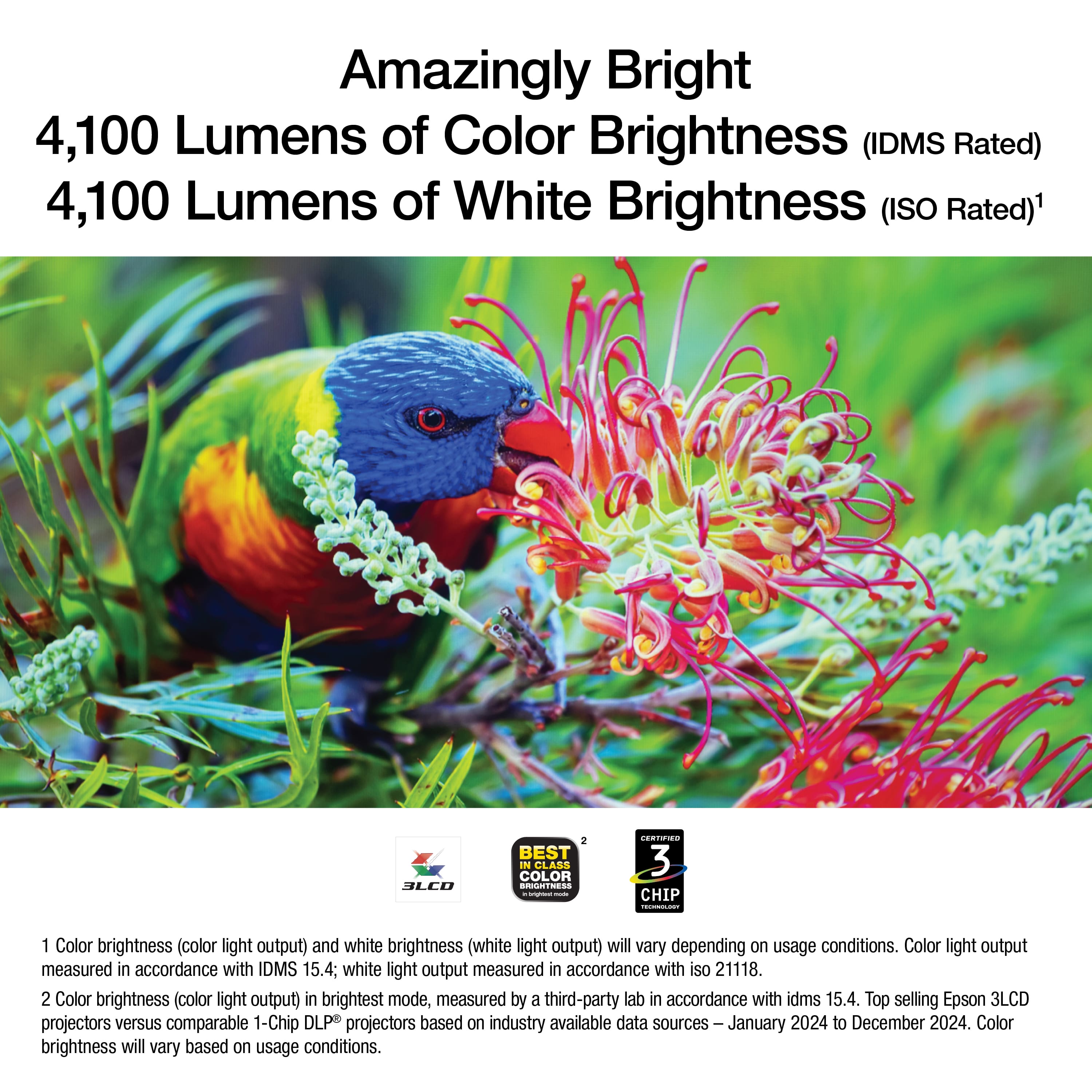
|Posted .This reviewer received promo considerations or sweepstakes entry for writing a review.Here's the thing about business projectors, most people overthink the specs and underthink the actual daily usage. After setting up the Epson Pro EX9270 in both our main conference room and testing it at home, I've got a pretty clear picture of who this projector is really for. And spoiler alert: it's probably not your first choice for movie night. Let me start with what hit me right out of the box. This thing is bright. We're talking 4,100 lumens of both color and white brightness, which in plain English means you can leave most of the lights on during your presentation and people can still see everything clearly. I've deployed dozens of projectors over the years, and this level of brightness puts it ahead of most sub-$1,000 units I've tested. The build quality feels solid too, not quite tank-like, but definitely more robust than the budget projectors that seem to break if you look at them wrong. Setup was refreshingly straightforward, though I'll admit the wireless configuration had me scratching my head for a few minutes (more on that later). The standout feature has to be the new Apple AirPlay support. In my testing, streaming from my iPhone and iPad worked flawlessly. No dongles, no adapters, just seamless mirroring. If your office is heavy on Apple devices, this alone might seal the deal. The 1080p resolution delivers genuinely sharp text and detailed spreadsheets, and Epson's 3LCD technology means you won't get that annoying rainbow effect that plagues some DLP projectors. I found myself appreciating the 1.6x optical zoom more than expected, it gave me flexibility to position the projector without losing image quality through digital correction. Now, where it falls short is in the contrast department. While Epson claims a 16,000:1 ratio, real-world performance is nowhere near that. Dark scenes in videos look washed out, and black levels are more like dark gray. This isn't a deal-breaker for PowerPoint presentations, but if you're thinking about dual-duty as a home theater projector, you'll be disappointed. The built-in 16W speaker is decent for a conference room, but the fan noise is a little loud. It's not jet-engine loud, but it's noticeable during quiet moments. In a busy meeting room, you won't notice it, but in a home setting, it becomes pretty distracting. What struck me during real-world testing was how well this handles mixed lighting conditions. Our conference room has those awful fluorescent lights that nobody ever wants to turn off, and the EX9270 punched right through them. Colors stayed reasonably accurate (though slightly oversaturated in presentation mode), and text remained crisp even on a 120-inch image. The dual HDMI ports are a convenient, I kept our video conferencing system on one and had the other free for laptops. The USB port providing power for streaming sticks is also a nice touch that eliminates cable clutter. Looking for a reliable workhorse for your conference room that can handle anything from Zoom calls to quarterly presentations? The EX9270 delivers where it counts. At around $1,000, it's priced competitively against BenQ and ViewSonic's business models, though those lack the AirPlay integration. Is it perfect? No. The contrast ratio limitations and fan noise keep it from being a true all-rounder. But for what it's designed to do, make your presentations pop in less-than-ideal lighting conditions, it's a solid performer that won't leave you troubleshooting instead of presenting. Just don't expect it to replace your home theater setup.
I would recommend this to a friend - Pros mentioned:Brightness, ConnectivityCons mentioned:Noise level
Reliable, Portable Presentation Partner
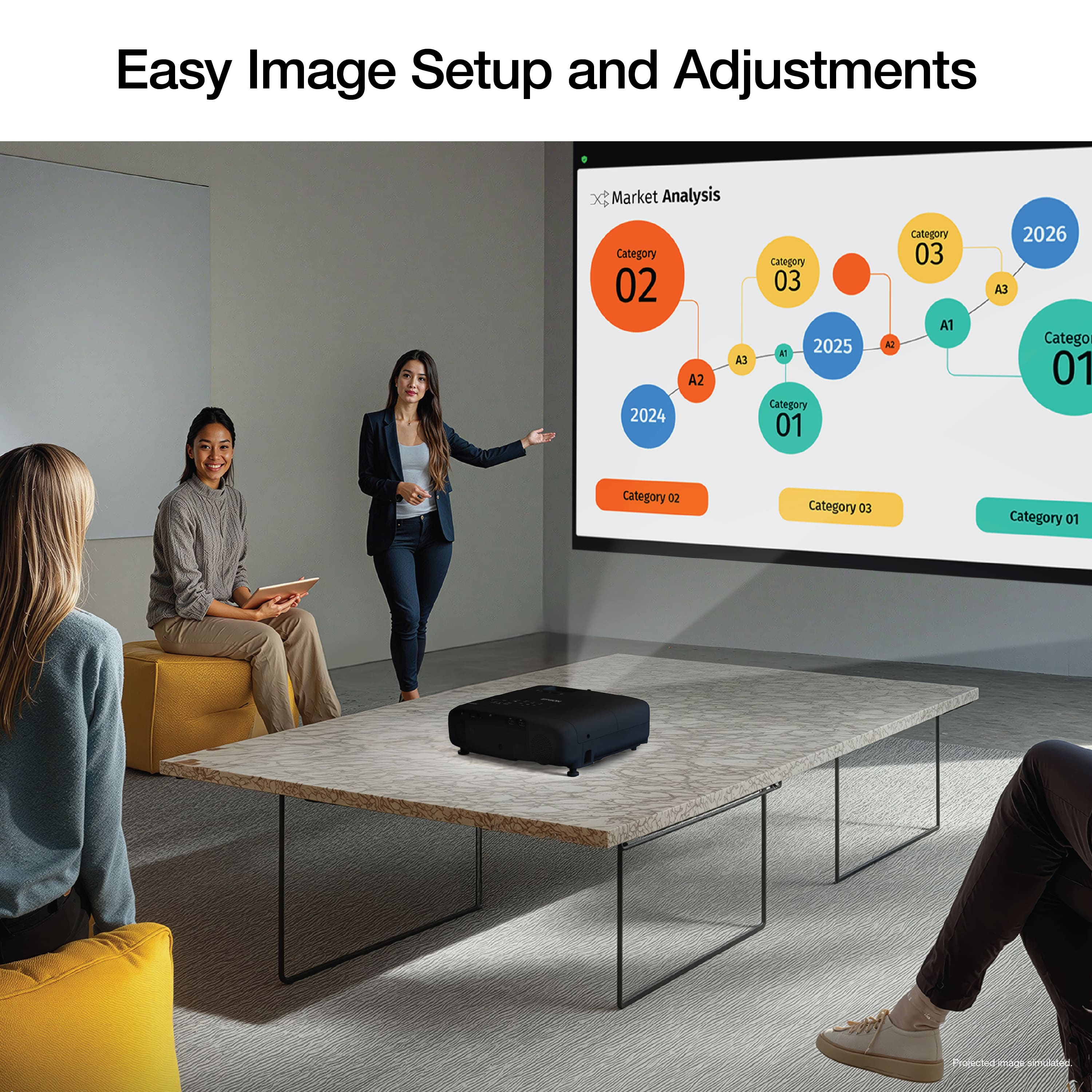
|Posted .This reviewer received promo considerations or sweepstakes entry for writing a review.I've been in the market for a projector that could serve as a reliable tool for professional presentations at pop-up events and training sessions. These are often in spaces that aren't set up like conference rooms - I'm frequently in bars, restaurants, and other venues that either don't have robust A/V setups or where it's much more convenient if I roll up with my own. I needed something that was both bright enough for various environments and intuitive to set up & operate. The Epson Pro EX9270 has truly met these needs and has become an essential part of my professional toolkit. When it comes to brightness and flexibility, this projector is a standout. It's reasonably lightweight, which means I can carry it without major considerations. I also carry a portable screen as a backup, but I find myself not needing it most of the time. The projector is exceptionally bright, allowing me to set up in nearly any room I want. Its ECO mode is more than sufficient for spaces with low or adjustable light, while the normal mode has performed well even in well-lit places, including outdoors on a cloudy day. The color reproduction is solid, so even when projecting onto a non-white surface like a gray or beige wall, the visuals remain true and don’t look distorted. Regarding the sound, the fan noise is present but typically blends into the normal chatter of a room. For video with important audio, I would recommend switching to quiet mode. The onboard speakers are adequate for spoken word -it works great for a video conference, for example. In that context, it's plenty loud to easily fill a room. However, the audio setup isn't really designed for high-fidelity multimedia. An example - I rely on on separate speakers to get the clarity required for "name that song" trivia rounds. The operation of the projector is very simple. So many of these devices feel like they were designed for a different species, with convoluted menus and remotes, but this one is incredibly straightforward. It also has Apple AirPlay connectivity, which a colleague recently used and found to be very convenient. As an Android user, that just serves to make me a little jealous; I do wish this direct compatibility extended to my devices. While I haven't yet tried the Miracast standard, I hope to find a similar level of seamless connectivity. It's a really good fit for my needs, which I think are somewhat demanding.
I would recommend this to a friend - Pros mentioned:Brightness, Connectivity
Great bright projector
|Posted .This reviewer received promo considerations or sweepstakes entry for writing a review.I’ve never used a projector before and I’m glad that I tried this one out. It has 4000 lumens and 1080P resolution. It also uses Apple’s AirPlay which makes it easy to show my iPhone screen for video content or even music if I wanted to. I’ve mostly used my iPhone with Apple TV content and I wasn’t disappointed. I used it mostly on a dark wall with no issues but probably better with a screen built for a projector. It was bright enough for me bright room with a 4000 rated lumens which is great. It would also be great to project your laptop for business needs or school. Like for presentations, word documents or etc. I did hookup a PS5 to it and for casual gaming it’s great but idk how I’ll feel if we’re talking about competitive gaming. I played games like Elder Scrolls Skyrim , fallout 4 on this and it was a good experience. I also played some older games like Star Wars Knights of the old republic on this with my laptop and it was great for that as well. For casual gaming and viewing media this thing is great
I would recommend this to a friend