Customer Ratings & Reviews
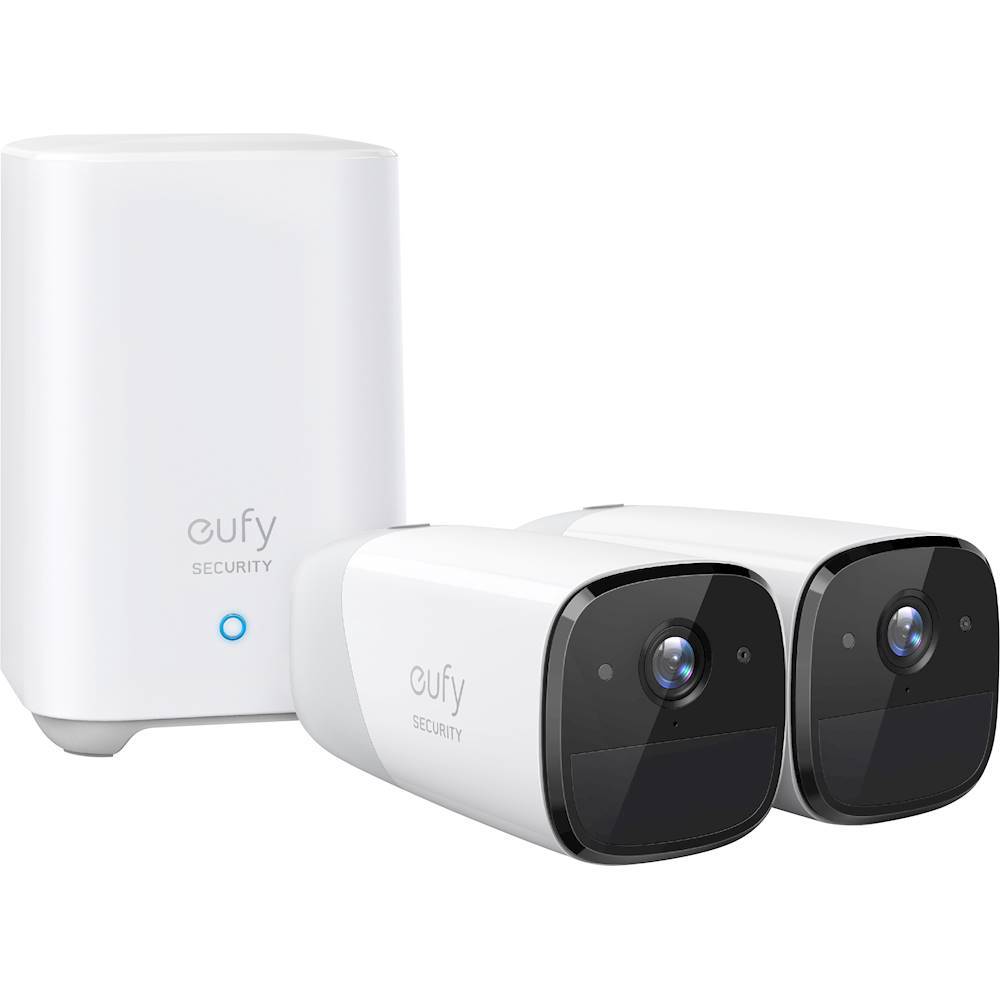
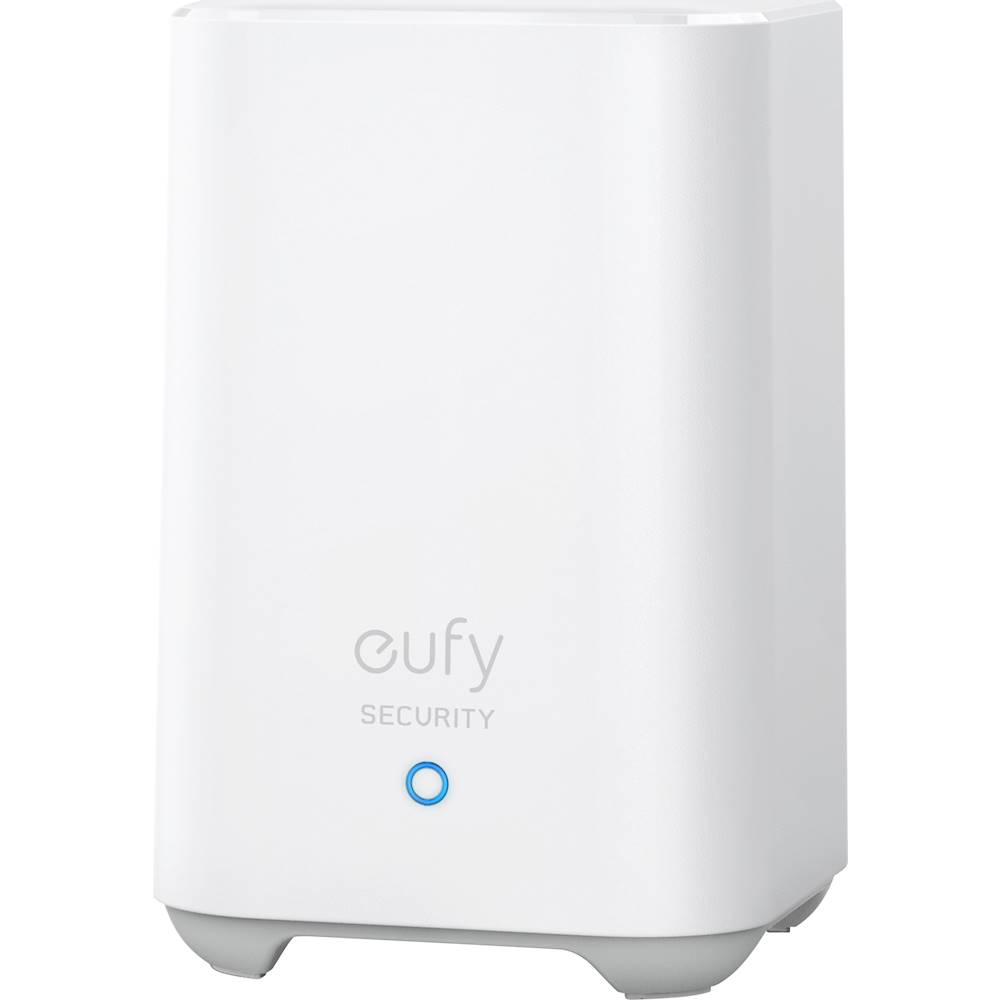
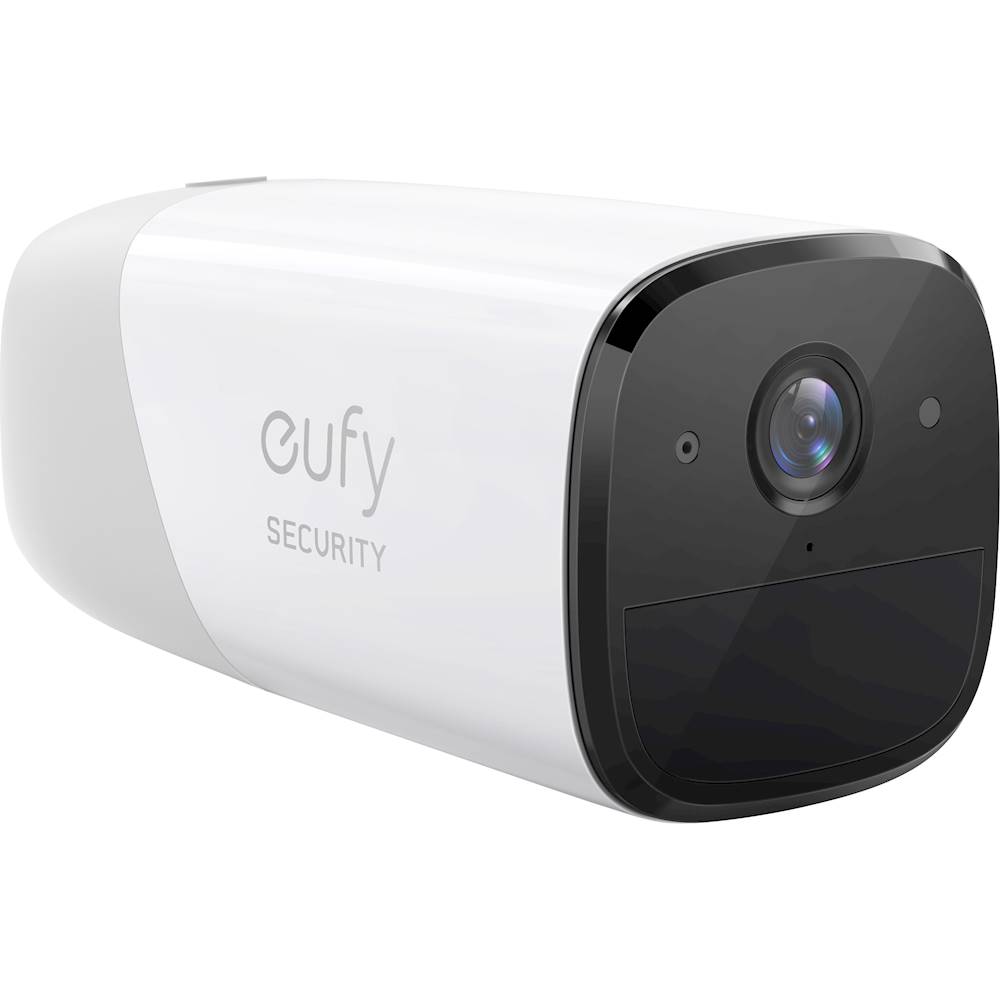
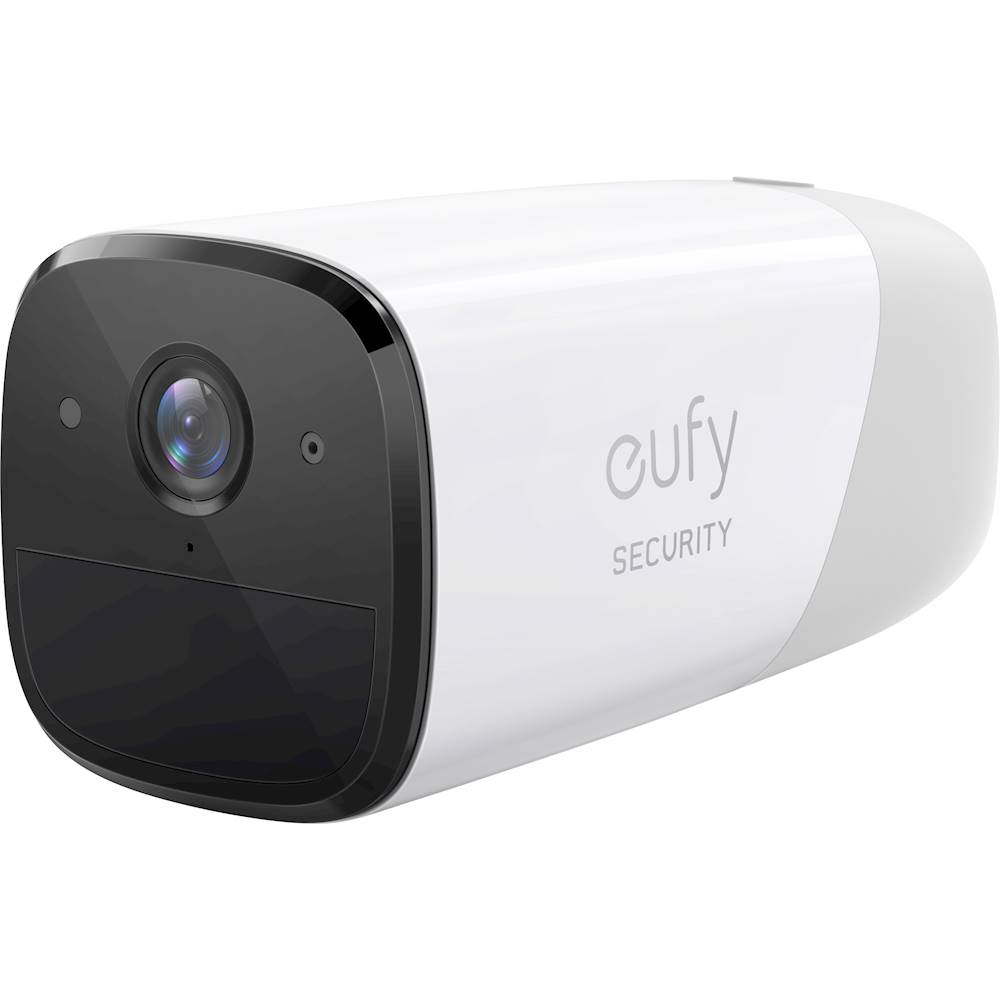


- Model:
- T88411D1
- SKU:
- 6386028
Rating by feature
- Value
Rating 4.4 out of 5 stars
- Quality
Rating 4.5 out of 5 stars
- Ease of Use
Rating 4.6 out of 5 stars
Customers are saying
Customers commend the eufyCam 2 for its excellent camera quality, long battery life, and ease of setup. Positive feedback also highlights the system's effective night vision and convenient local storage option, eliminating the need for cloud subscriptions. However, some users reported inconsistencies with the motion detection feature, suggesting areas for potential improvement. The system's motion detection sometimes fails to capture events or experiences delays in recording.
This summary was generated by AI based on customer reviews.
- Pros mentioned:Battery life, Video quality
I recommend Eufy for home security
||Posted . Owned for 1 year when reviewed.This reviewer received promo considerations or sweepstakes entry for writing a review.I've been using these EufyCam2 for 1 1/2 years now and am happy with them. ________________ +Pros: +Even though they are 1080p, not the newer 2K resolution, they provide a clear image in both day and night conditions. +Battery life is excellent. The advertised 1-year charge is only realistic for a camera that has minimal use, but these last for 6+ months on a charge with moderate activations. Not bad, IMO. +The Eufy cellphone app is easy to use and enables me to quickly see live views as well as recordings. +Eufy customer service and support have been top notch. _______________________ -Cons: -I wish the sensing range was longer. My cameras max out at 20 to 30 feet. -I haven't encountered any serious drawbacks to these battery powered Eufy cameras. I liked these two so well that I added 7 more Eufy devices.
I would recommend this to a friend - Pros mentioned:Battery life, Video quality

I see you..: buying this product
|Posted .This reviewer received promo considerations or sweepstakes entry for writing a review.Let’s start with the hardware out of the box. Two sturdy, quality built security cameras, the proper connecting cords, both indoor and outdoor mounts, and a home base. The packaging is sleek, modern, and buyer friendly. The instructions are quite easy to follow in regards to initial setup as well. More or less, you’re going to setup the Eufy cameras where you see fit, and you’re dang near ready to go. Included are traditional mounting devices for outdoor use and magnetic mounts for indoor use. I set one camera up inside, and one out, both mounting systems were very easy to setup, especially the indoor one. Before setup, you’ll need to charge the cameras because there are wireless and have a battery life that lasts about a year before you’ll simply charge it up again. I’d recommend setting a calendar alert on your phone as a reminder. You’ll need WiFi to use this product since that’s how the cameras transmit data, with the home base connecting directly to your router. If the area is very large you may need to setup the cameras closer to where your router is on the inside, but luckily the app will tell you if there is low signal so you can move it accordingly before mounting. The pictures on the cameras in the app are very clear and are pretty much exactly real time. There are a lot of different setting options for sensitivity which are great for high traffic areas. For example, I have one in my backyard where my dog will go in and out frequently so I used a low sensitivity setting. There are options to turn each individual camera off as well if you want to save battery. It’s also really nice to be able to talk through the camera if someone is at the door, or you’d like to say hello to your pup when you’re at work. There’s an anti-theft setting which will alarm you from the camera and the home base if the camera is trying to be moved. It’s easy to see how much battery life is left and how strong the service is through the app. The “help” setting in the app is also amazing because you can live chat with someone from Eufy, 24/7 for any questions. All in all this is one of the best security systems I’ve ever seen. The charge life is amazing, lasting a year. The camera quality is especially notable, being both waterproof and weather proof. Most of all, the very efficient app makes it extremely easy to use. The only con was that it took over night to charge both cameras to start which was slightly unexpected. I’d recommend this product to anyone though.
I would recommend this to a friend - Pros mentioned:Battery life, Video qualityCons mentioned:Motion detection, Night vision
Smart cameras, without the subscription
|Posted .This reviewer received promo considerations or sweepstakes entry for writing a review.Pros Responsive company very open to feedback No subscriptions required to enable smart features Local recording means minimal internet requirements Planned USB storage expansion option Planned solar panel early 2020 Planned Geofencing by the end of 2019 Fast app launch time Quick app notifications Person and face detection directly on camera Option to only alert for people while still recording motion Extremely long battery life Excellent speaker and microphone quality Easy setup process Base station speaks instructions very clearly Base station is both wired and wireless RTSP and storage to NAS options Night vision is easily improved by a small amount of supplemental lighting Nest home hub integration Cons Video compression artifacts reduce image quality Video quality varies based on varying wireless conditions Initial recording is pixelated Delay in motion recording means sometimes recordings are missed Ghosting sometimes occur with night vision Screw mount feels weak and has no slot to angle camera higher 3-piece screw mount seems overly complicated Sometimes detection motion detection fails to record people Night vision isn’t very far without supplemental lighting Audio recordings affected by small amounts of wind Security cameras for home use have become increasingly popular in the past few years. The first goal was to make them more affordable than the ones used by businesses. They were complicated to install and not user-friendly. Next came wireless and battery power options to make installation simpler and more flexible. They either required strong Wi-Fi everywhere or frequently recharges. Then came smart cameras requiring a subscription to enable full functionality. At each stage in the evolution of home security cameras there seemed to be a big gotcha in the design that, even though you might have bought them, made you wish they would improve the design. The Eufycam 2 is the latest version from Anker that tries to find that perfect balance between price and features that we want. Design and Features The cameras are wireless, and the base station also has a Wi-Fi option to allow optimal placement. The batteries claim to have a 1-year battery life, which is noticeable when you feel their weight. In contrast, the base station is barely larger than a large coffee cup. Included is an ethernet jack and a USB port, which Anker says they plan to offer a USB expansion dongle in early 2020. Included are both magnetic bases, better suited to indoor use, and screw in bases, which are ideal for outdoor mounting. The magnetic bases feel sturdy but the screw in bases have a 3-piece design with parts feeling less substantial. Furthermore, adjustment is limited as there is no slot like generic mounts that allow placement up to 90 degrees from the mounting bracket. As of November 12, Anker added RTSP functionality and the ability to store clips directly to a NAS. If you have a way to plug the cameras into USB power while keeping them safe from the elements, Anker says they can operate in a continuous recording mode. One would assume this would mean this is using RTSPS or a NAS as continuous recording would quickly fill up the integrated 16GB eMMC. Geofencing and an iPad version of the app are slated for release before the end of 2019. A web management portal is slated for release early January 2020 as well. Furthermore, Anker has stated they plan to develop a solar panel for Eufycam early 2020. Even if nothing else stood out about Eufycam, one thing should. Anker is serious about making Eufycam a strong contender. They are very open to feedback, are accessible and easy to contact, and are rapidly improving the product. Performance The range of the cameras will vary wildly based on your local conditions, but with the base station using Wi-Fi, you shouldn’t have any problems installing cameras anywhere in the average sized home. Being wireless and battery powered does come with some caveats. Fast motion can sometimes be missed as the object has left the frame by the time the camera has turned fully on from its lower power mode. This is a tradeoff with battery powered cameras and Anker has worked to try to alleviate that some by start recording as soon as possible, which results in the start of recordings being more block with lighting being less accurate and audio a bit strange. Shortly after leaving low power mode the cameras will settle down and things will clear up. This is not unique to Eufycam. As part of the tradeoff for wireless convenience, sometimes videos can show some compression artifacts or slight signal issues. Regardless, the system adjusts things to make sure they work reliably even if not always at max quality. The result is a clear picture with good color balance and clarity during the day and respectable night vision for battery powered cameras that can be easily improved with a little bit of lighting. Some occasional ghosting, where people partially disappeared or appeared in parts, occurred when someone quickly moved in sight of the camera and there wasn’t enough light. People are recognizable up to about 60 feet in daylight and around 10-15 feet at night. You can still see them beyond 10-15 feet, but you might not be able to recognize them depending on overall lighting. The human and face detection really comes in handy for reducing false alerts. You can configure multiple motion detection boxes in the app but without the AI you would still be notified of simple things like swaying branches. By keeping processing local, not only to you improve privacy, but recognition is very fast and doesn’t even need a fast connection. By keeping processing and recording local, you also avoid the problem of cloud cameras that require a fast internet connection. Unlike cloud based smart cameras, detection and classification is near instantaneous. This can come in handy as you won’t have wait for the video to upload and get processed before you get notified a person is in your back yard. The AI will also take a snapshot of the first face it sees but Anker states they are working to optimize this as well. One could hope this means it will eventually take snapshots of everyone recognized. What is even more surprising is how good the audio quality is for conversations. While breezes can affect the quality of audio recordings easily, conversations are very clear and crisp. Once you get the hang of how to use the app, it is quite easy to hold a conversation with someone standing in front of the camera and for them to clearly understand you. Other wireless cameras have struggled with this. The camera speaker is not only loud enough to conversation but also work as an alarm. You can set the cameras to sound an alarm based on motion or if a camera is moved, such as when someone is tampering with it. A bonus feature is Alexa and Google Assistance integration. Although support for other smart platforms would be nice, it is still nice to be able to ask Google to show a camera on your Nest Hub or Chromecast device just using your voice. Launch times are noticeably slower than when viewing video via the app. Hopefully this is just a matter of Anker optimizing their software in future releases. Final Thoughts Anker might be a relative newcomer to the security camera space but the commitment to constant improvement shows they are serious about getting your business. There are still some slight rough edges in operation and future promises but judging based on their 2 firmware updates and the app updates that have been installed in the 5 days of ownership it seems like Anker will be one of those companies to follow through. If you are looking for the convenience of fully wireless security cameras, don’t like paying subscriptions to keep features working, and don’t like charging cameras frequently, then you should give the Eufycam 2 a serious look. Anker has done a commendable job of minimizing the limitations of the technology to offer a convenient solution.
I would recommend this to a friend - Pros mentioned:Video qualityCons mentioned:Motion detection
Not ready for prime time
||Posted . Owned for 3 weeks when reviewed.This reviewer received promo considerations or sweepstakes entry for writing a review.75% of the time it totally misses someone walking up to my front door, if I were to login and look at my front door there’s nothing there, I didn’t get an email from Amazon saying my package was delivered, I login and low and behold there’s a package at the front door, no indication from the camera that anything had happened. When it does pick up motion it’s usually the person walking away back to their vehicle and the package on the front step. The picture quality is not bad at all when it does pick something up. Will leave the camera where it is but will start saving for a wired system that continually records and saves to a hard drive and then will sell this on eBay. I don’t think the system is any worse than any other system, I just don’t think these wireless/wi-Fi security cameras are ready for prime time yet. Maybe if you have an apartment and you put these cameras indoors and you have no pets this could be a fine fit, but not for me.
No, I would not recommend this to a friendBrand response from Eufy Team
Posted .Thank you so much for sharing your experience. It's unusual for this product to be acting like this, and we'd love to get you what you need!
If possible, please set the “Motion defection”to be “All motions” and adjust the “Detection sensitivity” to the highest to see if the issue persists.
If it doesn’t help, please reach out to us via support@eufylife.com or call us at +1 (800) 988 7973. We are more than happy to assist you further.
We offer a 12-month warranty for this product, plus lifetime technical support. Our standard for responding to email quests is less than 24 hours, and we look forward to hearing from you!
- Cons mentioned:Motion detection
Came as refurbished
||Posted . Owned for 2 weeks when reviewed.This reviewer received promo considerations or sweepstakes entry for writing a review.Package was sealed but when I opened the box I saw that cameras have scratches on them. But I don't this is Best Buy fault. Probably Anker sent them to Best buy like this as refurbished. Also sometimes cameras get wrong detections or miss necessary detections. Hopefully they will fix them with software updates. Other than that good system..
I would recommend this to a friend Switched from brand A
||Posted . Owned for 3 weeks when reviewed.This reviewer received promo considerations or sweepstakes entry for writing a review.It's been almost a month. The bad first, the motion sensors are so wacky. It will pick up my flag flying across my driveway but not me pulling in my driveway in my truck, or walking around my truck detailing it. See pictures. I'm not impressed with the night vision..if you dont have street lights or a porch light on they are basically worthless. IMHO. The batteries are holding strong, but they will not last a year as advertised. I'm guessing 4-6 months...maybe 9 if you get one or two detection a day. Easy to install. I'm not sold, I'm thinking of going back my others that I have to change my batteries more often, they are better at picking movement up.
No, I would not recommend this to a friend- Pros mentioned:Battery life, Video quality
No Monthly Fees, Good Quality, Easy to use App
|Posted .This reviewer received promo considerations or sweepstakes entry for writing a review.I picked-up this camera for two reasons: 1) there is no additional cost, like a monthly cloud subscription, to view my saved footage, and 2) it is made by Anker. I have been buying Anker products for years because of the quality. Anker was started by two former Google employees and their knowledge in technology and product manufacturing shows in their products. Everything I’ve bought from them has worked well and lasted, so I was curious to see if their new wireless camera system is the same. And so far, I’m really impressed. These cameras come with a lot of features that make using them extremely easy. And the accompanying app is reliable, simple to use, and allows for you to customize settings if you choose to do so. Many of these features (e.g. human detection & facial recognition) cost extra with other brands but are included as part of this system for no extra cost. And not having to pay anything extra per month to view and store my footage was very important to me. In terms of setup, it was very easy. There is a speaker at the bottom of the base that provides verbal instructions to aid in the setup process. The audio is quite loud, so I don’t recommend setting the system up while the family is asleep for the night, like I did. It takes about 12 hours for the cameras to fully charge, so I charged them the night before I planned on setting everything up. After setting up the base and cameras inside the app, you are prompted to update the firmware (the hardware’s software) on each. I highly recommend updating the firmware as soon as the system is up and running. Doing so brings the software up to date with the latest features, as well as corrects any bugs and errors that users may have encountered in the past. Other features include the ability to connect the base directly into your router using an Ethernet cable, or via Wi-Fi if you’re not able to set it up in the same location as your router. In terms of battery life, the app has three modes that control how much the camera activates and records events. You can choose from: “Optimal Battery Life” where video clip length is kept to 20 seconds max; “Optimal Surveillance” where video clip length can be up to 60 seconds; or “Customize Recording” where video clip length and detection periods can be customized. I’m assuming the 365-day battery claim is achieved with the first setting only (Optimal Battery Life). I choose the second option to begin with, but the modes can be changed anytime. And if you want to extend the number of recordings the base can store, there is an option to plug a USB drive into the base. The app’s help section clearly states that this feature isn’t enabled yet but will be supported in a future update. In terms of picture quality, the images are clear and crisp at 1080p in well lit conditions. I also love that the viewing angle is 140 degrees, which is much wider than most competing cameras on the market. And during night use the images are also clear. However, I noticed that the infrared lights do a good job lighting up the dark areas immediately in front of the camera but aren’t strong enough to brighten the areas further away (see pic). This may be because the camera only uses 4 infrared lights. Other cameras I’ve used either had more lights or brighter ones built in. My guess is the number of infrared lights on these cameras are related to the battery life. It’s a trade-off I’m willing to accept if it means I only need to charge these cameras once a year as they claim. A few more things worth mentioning, I tested the sirens on both the camera and base, they are loud, but not ear piecing loud. Depending on your needs, this may be acceptable or not. There are sirens built into the camera’s themselves, so if someone tries to steal one from its mount, the siren on the camera and base will go off. Again, these settings are optional, but it’s well thought options like this that makes this camera system well worth it. Another well thought out option is this camera’s ability to use Google Assistant. This feature is still in the Beta (testing) phase, but I was able to pair the camera with the Google Home app. Once connected, I can say, “Okay Google, show the Patio camera on the living room TV.” You can see an example of this in the attached pic. It shows the Eufy camera pointed towards the TV while streaming its live feed on the screen. While I don’t have a Google Hub, my TV does support Google Chromecast, so anyone with Chromecast can use this feature. Similar features are also being tested from Amazon Alexa too. Finally, if you need help, you can live chat with tech support directly through the app at any time, day or night. I had a few questions, so I used this option a couple of times and was connected with an Eufy employee immediately and got the answers to my questions within minutes. Again, this is another reason why I’ve trusted Anker products all these years. I am really happy with this system.
I would recommend this to a friend - Pros mentioned:Video quality
Solid Performing Camera System
|Posted .This reviewer received promo considerations or sweepstakes entry for writing a review.The eufyCam2 system has been pretty impressive and a very solid performer for me over the last 7-10 days of use. Once up and running, I’ve had zero issues with camera connections, quality of video feed and notifications and changes to settings and locations. I’ve used similar camera systems from the other top 2-3 brands in this space, and the eufyCam2 delivers as good or better performance in all areas. Setup: Very easy. The package came with a HomeBase2 unit and two cameras. The first thing you’ll notice is that the cameras are very large, compared to others in this space. As you can imagine, touting 365 day battery life, the internal batteries are pretty big. I downloaded the eufy Security app for iOS and followed the setup instructions. Very simple and easy to follow. You basically connect your HomeBase to your home network (either by Ethernet or wifi) and then add each camera, and place them where you’d like. The app will notify you of the signal strength between the HomeBase and your cameras, allowing you to place them all in ranges that maximize connection strength. I started by using Ethernet connection directly to my router, however my second camera seemed to get a lower than desired connection, so I simply switched my HomeBase connection to wifi and placed the HomeBase in the middle of where the two cameras were placed, and all connections are solid. This is a great feature, and something you don’t get with some of the other brand cameras. It also states that the HomeBase can be used as a wifi extender when used in wifi mode. I’ve not tried that out since I use a mesh wifi system, but that’s an awesome feature to have just in case for those that might need it. One of the nice things about the eufyCam2 system is there is no need for cloud storage subsections. Your videos are stored locally within the HomeBase unit. It comes with a 16GB internal storage, that can be expanded to 128GB. Eufy says the internal 16GB will store up to 3 months of clips (at their standard factory settings) but being able to expand and not have to pay monthly or yearly cloud storage fees is awesome. And you can download and save any or all your clips to other devices when and wherever you want. App: The app is great, very polished and very fast to load and operate. From the home screen you have direct access to your cameras installed and can quickly add new cameras if needed. The first thing you do in the app is either go directly to your clips, or go directly to Live Streaming. You don’t have to wait for motion detection, you can always go directly to a live stream video to see what’s happening in real time on any camera at any time. Eufy says that the system will accommodate up to 16 cameras, that’s amazing and well beyond what other brands offer. You can toggle between your devices, your recorded video history and your desired security settings. Video history of course keeps a timeline of all recorded video events the camera has captured so you can go back by day/time and find the clip you want. from here you can view the clips, save them to your device, share them with others or social media, even share them with eufy, and also delete the clip. The security tab allows you to modify what mode you want the camera system to operate in; Home, Away, Disarmed or Scheduled. These can be adjusted to do different things related to notifications, motion detection, alarm settings etc. The app also allows your direct control over the cameras and their individual settings. Per camera you can turn them on or off. You can adjust night vision to on or off per camera, you can adjust different motion detection settings, audio settings and other custom configurations, all per camera. So based on placement, you might need different settings for one camera that you don’t need for the other and vice versa. The app allows you to configure them individually however you’d like. It also has an alarm setting, meaning that if someone were to try and move your camera or remove it from its mount, the camera will start sounding an alarm. Great feature to have! You also can control activity zones per camera to detect motion. You can create custom, single or multiple zones in which the camera will prioritize when motion is detected. And if you don’t want to use zones, no problem, the camera will detect motion across the entire field of view. And this can be set to all motion, which depending on placement can be a good or bad thing. somewhere where motion is limited, that’s great because you’ll immediately be notified, but somewhere else, and you’ll get leaves, trees, bushes, animals, cars, etc. So you can set the motion detection to People only, so the camera will notify you only when it detects a human. It even has facial recognition, so it will zoom in and save a shot of the persons face. This is great for high traffic areas where you don’t want false alarms. You also have complete control over the length and duration of the video clips. You can let eufy record for as long as it thinks it needs to, or you can customize specifically how long and how often you want your clips to be. This will have an impact on battery life, but if you want to have more control over the videos, eufy gives it to you, which is great. Performance: I’ll start by saying the video quality is very nice. It is only 1080p, and while having 4K resolution would have been nice, I’m finding that the 1080p quality of the video is very solid. Clips or live stream video is very clear with little to no jitter or frame rate buffering or pixilation. Quality is best is very bright sunlight, but it holds up very well in dark conditions too. And when it’s too dark for clarity, you can switch to night mode. I do think the night mode could be better, it seems sort of washed out to me, with an overly gray contrast-less appearance, but it’s much better than no night mode at all. Field of view is very good, I think 140° so not super wide, but wide enough, giving a nice clear view of all surroundings. The motion detection is very fast, and I’ve never missed a portion of a triggered motion event because the camera took too long to start recording. Live view video is also very fast. I can open the app and immediately activate a camera to live stream in just a couple seconds, no buffering or waiting for the connection to happen, it’s all instant. I’ve found the range to be pretty good, not great. I did have to move my home base setup from Ethernet to wifi to make sure I was connected fully to both cameras, which isn’t a big deal, but to me based on the distance of each camera from the home base originally, I would expect slightly better range. But one thing that is nice, is when in the app viewing video, it will show you the current connection signal strength, which I think is awesome. You never have to guess if the camera is connected well or not, because you can see it right on screen. I’ve not been able to validate the battery life claim of 365 days, obviously, but I will say that with lots of custom settings and video record configurations, my battery meter has not changed from day 1. I’d like to be able to see the actual battery % of each camera, but you can only view the battery icon and it’s status. with all the custom configurations I have I am not expecting a full 365 days, but using other cameras systems that needed to be charged every 30 days or so, this will be a much appreciated change of pace. Even if I can get 6 months before a recharge, it’s well worth it to me. Audio is an area where I think there could be improvements. The mic in the cameras is way too hot. They are set so hot that even super subtle sounds or just normal ambient sound is amplified in an uncomfortable way. You can control audio volume from low, mid, high, but that doesn’t seem to also lessen the internal mic settings. When scene audio/noise is happening the audio does tend to balance out, so everything does not become just a white noise mess, but overall the audio has been the one distracting element overall for me while using the eufyCam2. The two way audio speak and listen capability is nice, and the audio through the camera seems to be nice and clear, which is good. Overall: The eufyCam2 is a solid system. Having used the other top brand versions of similar camera systems, I can say that the eufyCam2 is the system that I’m currently going to be using going forward. Easy setup, loads of custom settings, fast operation and great motion detection highlight the system to me. A subpar night mode and way too hot internal camera mic recording are things that keep the system from being a solid 5 star performer, but aren’t things that would sway me from using it. This is the best motion detection camera system I’ve used, and if the battery life promise even half lives up to its claim, I’m all in!
I would recommend this to a friend Fast and easy!
||Posted . Owned for 2 months when reviewed.This reviewer received promo considerations or sweepstakes entry for writing a review.This wireless camera system is easy to setup and simple to manage. Crisp and clear images every time. Real time push notifications to your phone is great as well. An all around great system!
I would recommend this to a friend- Pros mentioned:Battery life, Video quality
Way more hits than misses in a great package
|Posted .This reviewer received promo considerations or sweepstakes entry for writing a review.Pros: - Wireless cams - Long battery life with tuning options - AI People Detection - Accurate motion detection with few false alarms - Excellent video/still image quality - Theft detection on cams - Decent local storage with battery backup - Works well with Alexa/Nest smart screens - RTSP support Cons: - Sparse documentation with some errors - Support hours/availability - No IFTTT support yet though promised When I got my Eufycams, I decided to try to get them set up without even looking at the manual, just to see how easy/hard it might be and I was surprised that in less than 30 minutes it was up and connected. But before mounting them, I wanted to fully charge the cams and while the docs mention the indicator light will turn off when it is fully charged, my were simply blinking after a 10 hour charge cycle. It turns out that this behavior was corrected in a firmware update, but could be confusing to some folks. Once that was resolved I set out to mount my cams outside. I opted to use the magnetic mounts because the recommended outside mounts didn't allow me to point my cams in the direction I wanted. While the cams have an impressive field of view, the mounts don't allow a lot of range in positioning, which may be an issue in some cases. But the mounts are similar to Arlo cams and I've had my Arlos outside for two years now with the magnetic mounts and had no issues so I'm not too concerned. Compared to other cams in my setup, I found the motion sensing to be very accurate (especially when using motion zones setup) and caught things that my other cams missed while not setting off anywhere near as many false motion events. For instance, I discovered the neighborhood tomcat uses my yard as a highway around the same time every night and despite having two other cams in that general area, they never spotted him. My other cams also set off constant motion events during rainstorms while the Eufy's were silent for the same time frame. This is important because to many false events make notifications worthless. Quality of the images were very impressive, both in day and night vision mode. The images are sharp and well lit. I especially like the feature that shows a close up of any faces that it detects - I've not seen this on other cams and this worked well. Streaming was smooth in the app and worked well in my Amazon Show devices - which is impressive because most of the cams I've tried in Show end up timing out or not showing at all. Another really useful feature is the sirens built into the cams that detect if someone is trying to move/remove them; in testing it I'm pretty sure someone who tried this would immediately drop it - it's pretty darn shrill! These can also be triggered on motion. Best of all, this all comes with local storage and a battery backup in the home base. A cloud account is an option, but not a necessity which is truly refreshing as everything seems to require a cloud account these days. I was told by a company rep that while the USB port in the home base is currently just there for charging the cams, it will be upgraded to allow for storage expansion in a future firmware update. Furthermore, the cams offer RTSP streaming support which is a wonderful option to get your video into other programs like an NVR/NAS, Blue Iris, or even an open source program like HomeAssistant. Openness like this is important to me as it increases the extensibility of my investment and allows me more freedom. The stream is steady and worked the first time I set it up. Unfortunately, there is no support for IFTTT - at the moment of writing this - although this was something that was promised in the original Kickstarter for the Eufycam 2. I'm hoping that this is something that will be resolved shortly though. One big miss though is the support structure. For a cam aimed at the average consumer, I think that Mon-Fri 9am-5pm (PT) is too restrictive. A lot of folks are going to be installing these things on a weekend and while they are certainly easy to set up and the app guides you very effectively, not everyone is experienced with smart home tech. In many cases a camera system is one of the first things a new user would buy as part of a smart home set up. Not having any weekend support hours is a significant misread of the market segment in my opinion. That being said, I believe most users with some experience with electronic devices and knowledge of their network shouldn't need to seek help if they follow the steps in the guided install. I would also suggest that users connect their cams *before* charging or mounting so that they can ensure that they have the correct firmware updates. All in all, I'm already impressed enough with these cams that I am planning to add more and replace some of my other devices. Eufy has done an excellent job in assessing the current competitors and finding ways to surpass them in features and quality. They continue to show that they are listening to the market and hopefully will continue to break new ground and expand their support hours. I've already recommended the setup to my neighbor.
I would recommend this to a friend - Pros mentioned:Ease of use, Video quality
Finally a security camera set that makes sense
|Posted .This reviewer received promo considerations or sweepstakes entry for writing a review.The "Eufy - eufyCam 2, 2-Camera Indoor/Outdoor Wire-Free 1080p 16GB Surveillance System" set comes with a Quick Start Guide which describes all [easy-to-perform] installation phases beautifully. Things to consider prior to installing: - An available Ethernet port (The homebase 2 unit cannot wirelessly connect to your home wifi, and as such, does not make use of your home wifi; it creates its own wifi, which explains why it can't connect to your home wife wirelessly) - A location that allows placement of the homebase 2 unit close to the security cams (as they wirelessly connect to the homebase 2 unit) - A perfect location for the 2 security cams, preferably 6 to 9 ft high from the area you want to surveil (e.g., front door, back door, yards, etc.) - The cams provide for a pretty wide angle of 140 degrees, which is awesome - Charge both cams using the supplied charging cable, one by one (there is only one charging cable in the box; use the homebase 2 unit as a charger, or use a standard iPhone USB charger, which is not provided) - Make sure you have a 15/64 drill available (not in the box) to install the mounts if you want to use the anchors (which you should when installing on drywall or outdoors) My overall very positive feedback: (in no particular order) - Absolutely true, installing the homebase (via downloadable iPhone or Android app) is totally easy and quick (as advertised); there are voice prompts guiding you along the way; the installation process includes automated updating the firmware on the homebase unit as well as cameras - Absolutely sharp 1080p picture quality in any light condition (no need for 4K cams really); note that cams switch to black/white mode during poor lighting and/or night conditions - The quality of the built-in microphones and speakers in the cameras is very good (and loud if so desired) - Superior product quality (especially the cams with both mounts, indoor and outdoor; when used indoors the cameras are easy to take off from the mount as they are attached via magnets (see picture); makes it easy to take them off in a fraction of a second to recharge them when necessary) - No monthly fee to operate this system, which is awesome - The app provides for 4 selectable operation modes: Home / Away / Disarmed / Schedule (see picture), where all of them are configurable (see picture). You need to find out which of the modes work best for you and your family. As for me, I found that for as long as my family and I are in the house I keep the system disarmed, and select "Home" when we go to sleep. Of course, you want to select "Away" when you leave your home. - Recordings made by eufy were in the app's "Events" tab, from which you can select the ones you want to download or share, e.g., e-mail them to you, or send via text message. Overall verdict: Very Highly recommended.
I would recommend this to a friend - Pros mentioned:Video quality
A solid quality product. Getting even better.
|Posted .This reviewer received promo considerations or sweepstakes entry for writing a review.Eufy Cam2 Full disclosure: I was given a two camera EufyCam 2 system in exchange for a timely, and honest review. This is a long review, so if you just want my summary, scroll to the bottom. First, the two-camera kit comes in a very compact box. It is well presented and the contents are well protected by the packaging. The sleeve on the outside clearly emphasizes battery life, which Eufy claims could be up to 365 days. I know from my fairly extensive experience, that this will depend greatly on the amount of “action” these cameras see each day and therefore how much the record each day. I won’t be able to comment much on battery life given the timeframe I have for writing this review versus the claimed battery life. The top of the box reinforces the battery life message by saying “Recharge your EufyCam one year from today”. I opened the box to see the little blue folder holding the quick start guide and a little reset key that looks a lot like a rounded version of the SIM holder key for an iPhone. The Quick Start Guide is pretty much what you would expect. It starts with “What’s included” and walks us through the setup. I took a good look at all of the hardware. The fit and finish is excellent. The Homebase 2 and EufyCam 2 devices have a very nice, quality look and feel. I compared the size of the Homebase 2 to my Arlo Pro and Pro 3 base stations. The Homebase 2 is smaller overall than both of the Arlo base stations. It is square and tall, but not big overall. See photo. So far so good. I like it. The cameras are long and tubular in shape, but OK...just a different approach to batteries. The 1st installation step is to plug the Homebase 2 into your router or other LAN port on your home network. Then power up the Homebase 2. I placed mine in a 2nd floor bedroom where I have no other wireless equipment. Then I came back downstairs to get my cameras ready. The next step is to download the Eufy app and create an account. I did this first, so I was looking at my EufyCam 2 cameras when I thought I heard someone talking loudly upstairs. I immediately realized, the Homebase 2 talks to us. Ugh. Like Guardzilla as I recall. I grabbed the cameras and went back upstairs to configure them. The Homebase indicated it needed to do a software update, so I let it do that and then continued. I pulled out the first camera and started the process of adding a device. I tried to add the camera and the app told me I needed to add a Homebase first. Good coaching. I added and Homebase 2 to the app using the camera on my iPad to scan the QR code on the bottom of the Homebase 2. It took a few tries to get the distance and lighting correct. It would have been nicer to be directed to scan this code before I connected the Homebase 2 to a network, so I could have easily positioned it in the light. I was successful, but this seems like an opportunity for improvement. Scan the QR code...then go place it and connect it. After the Homebase 2 was installed, I think “she” spoke again loudly announcing my success. It was last night and I am recalling from memory. I should have taken very detailed notes. I then moved on to adding the first camera. This is well guided and involves keeping the camera about 3’ from the Homebase 2. The first time I tried, it failed, but gave me good instructions about what to do before retrying. I power cycled the Homebase 2 and when that was complete, the process for adding a camera progressed beyond the previous failure point. The camera pairing process is done via an audio signal that is fairly loud, but not as “wake up the dead” loud as the previous voice announcements. This time it was successful and the camera paired just fine. I repeated the process for the second camera. Overall, I liked the level of detail, quality of presentation and flow of the set up process. What I did not like was the voice prompts and audio pairing. I don’t like to disturb other people with my technology. I keep my volume set to off, of all of my iPads and laptops unless I’m specifically listening to something and I use low volume or earbuds when I do turn up the volume. So I find the audio prompts really annoying and a one star detractor. If the prompts were a user choice, that would be fine, but having a very loud and IMHO annoying sound forced upon me, is not acceptable. Another rather odd part was that after pairing the cameras, I was directed to fully charge the cameras before mounting them. It would seem like this should be the first step even though I know consumers are generally impatient and want to get going with the installation. The cameras were only about 55% charged when they arrived, so directing us to fully charge them before setting them up would seem prudent. It also struck me as being inconsistent (though not technically) with the message on the top of the box “Recharge your EufyCam one year from today”. You still have to “charge” it today. The camera mounts look decent. The kit came with two indoor and two outdoor mounts. The indoor mounts are metal half-domes, similar to the Arlo, Pro, Pro 2 mounts. The outdoor mounts are small 1/4”-20 thread connections on a locking ball mount. Also the instruction for mounting include a video. The camera positioning view seems to give me a static image. I have to refresh the image as I move the camera to an optimal position. Charging the cameras from about 55% to full, took a few hours using a 12 watt iPad adapter. I should have thought to use my 48 watt (I think) Anker IQ charger. The provided charging cable has a USB-A connector on the adapter end, so I could not use a USB-3 PD charger unless I used a different cable. After charging overnight, the first camera was offline the next morning. I poked around the app a bit and discovered guidance on what to do. I just pressed the sync button momentarily and it flashed a blue light. After a refresh in the app, the camera was back online. I believe the second camera also did this. After charging both cameras, I placed the cameras around the room and played with the settings. Under security we have the choice of modes: Home, Away, Disarmed, Schedule and Custom. Each mode determines how each camera will react “when motion is detected”. The action choices are: record video, push notification, camera alarm, base alarm. I did not see an option for email notifications. The default mode for Disarm has all actions disabled as you would expect. The Home mode was set to record video and send a push notification. The Away mode was set to also trigger the camera alarm. I made the mistake of setting the mode to Away before checking these actions and I was quickly blasted with a piercing siren. Ok, my mistake! I don’t use any alarms on any of my surveillance systems. My experience is that these systems see a ton of motion that doesn’t warrant an alarm at my locations. I could see using the alarm if I was monitoring an interior space where no one should be, when the cameras are in Away mode, but outside, I think this would be problematic. My preference would be for eufy to disable alarms by default and offer them as a choice, so people to accidentally suffer the startling and piercing alarm by accident like I did. I created a Custom mode named “Night” to see how that worked and it was easy. I then created a schedule and that was also straightforward. I like that I was able to set up a block of time from 10:00 PM to 6:00 AM with one operation. Arlo requires schedules passing by midnight to be set up as two time blocks on either side of midnight, rather than one contiguous block of time. This is nice and represents a thoughtful design process that considered user needs above programming convenience. Notably absent from the mode choices is geofencing. Eufy has Home and Away modes, but I appear to have to manually change the mode rather than the system automatically detecting my entry and exit from my location. This seems a bit odd, since the app installation included a query as to whether I wanted to allow eufy to use my location. Perhaps this is indicative that geofencing is under development and will be available in the future. I am not privy to their plans. After disabling the siren settings from my two cameras, just in case I put them in Away mode again, I left them to capture some motion events. This is a good spot to discuss one thing I don’t like about the eufy app. I use my iPad as my got-to device. 99% of the time, I’m on my iPad. The eufy app does not appear to have an iPad version or mode, so I’m stuck looking at a tiny sideways user interface. I have to rotate my iPad to portrait orientation (or read sideways) and all of the iPad screen real estate is wasted. The UI looks fine on my iPhone, but I really want an iPad UI as well. There is a browser based UI for people who use Eufy cloud storage, but I didn’t use it, so I can’t review it. When I had several events recorded, I viewed the footage. The video quality is excellent even in (infrared) night mode. I like the “watermark” time and date stamp on the videos. This is so important when saving video for future use by authorities or even personally. Eufy, like other camera manufacturers doesn’t properly set the video metadata time and date stamp to the recording time and date. The metadata shows the date and time the recording was downloaded. This is a royal pain, IMHO. If I take a photo with my camera and download the photo (or a video) a week later, the date and time metadata correctly reflect the date and time the photo or video we’re actually taken (or at least whatever was set on my camera at the time it was taken).
I would recommend this to a friend - Pros mentioned:Battery life, Video quality
Great Cameras
|Posted .This reviewer received promo considerations or sweepstakes entry for writing a review.First set of of outdoor camera I've owned. So I can only based this off of my experience thus far. The cameras come packaged very well. Which usually tells you that they care and you're opening a quality product. First you download the Eufy Security app. Then you plug in the base station and follow the setup guide provided in the instruction manual or the app itself. Once the base station is set up you move onto the cameras. Find the place you want your camera, and remember it has 140 field of view and you'll see more then you think. Once you find your location installation is super simple. Screw the mounting bracket in with 2 screws and thats it.Screw the camera on to the mounting screw, set the desired position of your camera and walk away. Done, No wires to mess with and after a full charge 1 year of battery life. Such a great system. (of course I can not yet testify on battery life and if they'll make it a full year with normal activity in the home.) Video quality is great, crisp 1080p video. Microphone and speaker sound clear. One great thing about this system is the human/facial recognition. This has a setting to only record Human activity. And when it does detect a human it will crop a facial image of the person and attach it to the recorded video so you have a still image of any perp that might be on your property. You can also set the app up to notify you when there is human movement. I like this so much as it wont detect a cat or a dog, only a human and send a notification to your phone with a link to the video. With easy setup, easy camera installation and pretty great software this is a great set of security cameras. Definitely worth your time to take a look at. 1: Fully Wireless 2: 1 yr batter life 3: Good video quality at 1080P 4: easy set up.
I would recommend this to a friend don't buy
||Posted . Owned for more than 2 years when reviewed.This reviewer received promo considerations or sweepstakes entry for writing a review.it's an ok but not a great camera, lots of false alarms when there is really no human or animal there, I will not give it 1 star if the camera is still working but completely dead after 2 years, which the warranty only covers to 1 year, throw to the garbage and will never buy eufy anymore.
No, I would not recommend this to a friendWill not last more then 2 years.
||Posted . Owned for 1 year when reviewed.This reviewer received promo considerations or sweepstakes entry for writing a review.Good for first year then the Homebase stars resetting itsefl constantly . It seems not last more than 2 years.
No, I would not recommend this to a friendBrand response from Eufy Team
Posted .Thank you so much for sharing your experience. We are sorry to hear you are not satisfied with this item. We really appreciate your feedback to make this item better.
We are dedicated to ensuring your 100% satisfaction. Please reach out to us via support@eufylife.com or call us at +1 (800) 988 7973. We are more than happy to assist you further.
We offer lifetime technical support. Our standard for responding to email quests is less than 24 hours, and we look forward to hearing from you!
Impressive camera system
|Posted .This reviewer received promo considerations or sweepstakes entry for writing a review.The eufyCam 2, 2-Camera Surveillance System is a very capable system that allows the user to monitor either indoor or outdoor areas with relative ease. Out of the box, the cameras appear to be well made and solid. Downloading the app, creating an account, and setting up the base station was extremely simple and went flawlessly. Adding the cameras to the system was just as simple and also went off without a hitch. Both the base station and cameras updated their firmware right after the initial setup, but even with that, the complete set up was only about 15-20 mins. The quick start guide suggests that you fully charge the cameras, but the cameras already appeared to have about 90% charge (according to the app), and I needed to test the system asap, so I placed them immediately. I currently have an Arlo 2 system, so I placed the Eufy cameras as close to the Arlo cameras as possible so I could get a good comparison. When placing the cameras, the app allows you to choose a location that has good WiFi coverage. However, the location I chose showed very poor coverage on the app, even though the camera, once installed, shows 3 out of 5 'bars', so I'm not sure how accurate the app is in that regard since it's dependent on the device on which the app is installed. The first thing I noticed is that the Eufy cameras are more visible because of their shape, although I'm not sure if that's a bad thing since intruders might avoid the area altogether if they see the cameras (of course they could also try to circumvent them and go to another location that's not monitored). Once positioned, the Eufy app allows complete control over the cameras. The main settings are Camera Working Mode and Motion Detection. The first allows you to set the camera for Optimal Battery Life, Optimal Surveillance, or you can create a customized recording template. The second allows you you to turn motion detection on or off, set the sensitivity of the motion detection, create multiple activity zones (which Arlo only allows if the camera is plugged in), and it gives you the ability to have the camera alert you to all motion or just humans by using face recognition algorithms. The ability to only alert on human recognition is a huge plus for me for one camera location because of the number of animals that come through the area. Another big plus for the Eufy cameras is their night vision; the Arlo 2 night vision seems to have a fog over the entire video making it almost impossible to see what's moving around if the target is more than 6-8 ft away from the camera, whereas the Eufy cameras are extremely clear, even up to 15-20 ft. Another plus for the Eufy system is that the base station stores a year's worth of video locally on a 16GB microSD card (upgradeable to 128GB) without a paid plan whereas Arlo stores a week's worth of videos on the cloud and requires a paid plan to store more video. Moreover, the Arlo system requires a paid service plan if you want to have more than 5 cameras connected to your base station, whereas the Eufy system supports up to 16 cameras connected to one base station, all without a monthly fee. The only feature missing from the Eufy cameras is the the ability to detect and alert on audio detection. The Eufy base station seems to be very stable; the Arlo cameras occasionally appear to be offline even though I know they're not, and if the router needs to rebooted, the Eufy base station comes back online much faster, allowing access to the cameras almost immediately, whereas the Arlo cameras can take several minutes to come back online. Overall, the eufyCam 2 surveillance system appears to be a very robust and capable product with some outstanding features. If the cameras prove to be durable over the next few months, which I feel certain they will, I will definitely be purchasing additional units to place around my house. I would recommend this product in a heartbeat to anyone wanting to keep an eye on their property.
I would recommend this to a friendReally good alternative Security Camera System
|Posted .This reviewer received promo considerations or sweepstakes entry for writing a review.I go to review the Eufy - eufyCam 2, 2-Camera Indoor/Outdoor Wire-Free 1080p 16GB Surveillance System and I have to say it's quite good. Out of the box you get: Base 1080p Waterproof Cameras (x2 pcs) Magnetic base (x2 pcs) Wall mount (x2 pcs) Cables and power supply Key Features: A few of the things that caught my attention about this system was the local storage for the video recordings, this is both good and bad. Most security systems now require a monthly fee for recording your security footage. if you hate those monthly charges this system is a great alternative. You still have online access to your footage from the base anywhere on the go. The bad part would be if someone stole the base but you would have already gotten an alert way before anyone was able to access the base. Realistically this is a great way of go about saving footage without additional cost. Another key feature I thought was great was that the system has facial nonrecognition, instead of getting hundreds of alerts telling you there's motion in the back yard and then reviewing your footage only to find it was just the branch of the tree moving with the wind. Eufy uses A.I.technology to filter out true intruders from movement of leaves, trees and even pets. The Setup: Setup couldn't have been any easier, starting with the base, after plugging it in, Eufy, uses verbal instructions to help instruct you exactly what to do. After I plugged in the I was instructed by the base on exactly what to do and how to do it. I thought this was great, the cameras sync perfectly with the base and everything was installed in minutes. User Interface: The user interface is oddly similar to a major brand security system so it was very easy to navigate and customized setting for my particular needs and schedule of when I wanted the system to record or be armed and disarmed. In conclusion, I would highly recommenced this system for anyone looking for alternative to the existing market and looking for better tech as well as avoiding any monthly cost.
I would recommend this to a friend- Pros mentioned:Battery life, Video qualityCons mentioned:Motion detection
Beat Expectations!
||Posted . Owned for 1 week when reviewed.This reviewer received promo considerations or sweepstakes entry for writing a review.I have to admit after I read the negative reviews I was a little skeptical. First the camera base station and set up was flawless so easy. Adding cameras and doorbell camera was super easy as well! You put the camera next to the base station and hit sync and it’s done. The camera furthest away from my base station seemed to have the biggest problem. I set the target motion zones for where I wanted them. For some reason it wasn’t picking up the motions as good as I wanted. I took the camera off re-synced it with the base, put it back up and didn’t add any target zones. Works great now!! I added a doorbell with 2K quality and that has never been a problem, completely battery operated works flawlessly. There’s not been one time I’ve received a package where it has not captured the delivery person or the individual picking up the package on the porch. So moral of the story is a great product, great sound quality great microphone, great app and no subscription fees for under $500 for everything that I purchased. Very pleased!!
I would recommend this to a friend - Pros mentioned:Battery life, Setup, Video quality
Perfect
||Posted . Owned for 4 months when reviewed.This reviewer received promo considerations or sweepstakes entry for writing a review.Easy to set up. Easy to use on the app. Great video quality. Great battery life. Was just what I wanted to use for surveillance around the house against package thieves.
I would recommend this to a friend - Pros mentioned:Battery life, Video quality
Eufy Cameras are GOOD!
||Posted . Owned for 3 weeks when reviewed.This reviewer received promo considerations or sweepstakes entry for writing a review.For 1080p Cameras, these are absolutely beautiful. I put one in my living room and one in my garage. The one in the living room, being that its a more opened space, looks good even with low light / no light conditions.. The one in my garage, because it's more of an enclosed space, didn't work so well in low light / no light conditions.. When it was bright enough and it wasn't using the night vision, it worked very well. The camera has a magnetic mount that is very strong.. In my garage I have steel shelves that it just attached right to without having to physically using the mounting brackets. This camera in the Eufy software allows you to set the motion detection to detect human, animal, sound, or all.. Based on where mine was mounted, the motion detection for human wasn't enough, so i had to set it to sound, so that when the garage opens or something makes a noise, it starts saving the recording, or if anything moves, it records.. This mode works perfectly for me. The videos take up very little space on the Eufy base. So it will store a heck of a lot of videos for a long time. The other beauty is that there is no monthly fee as everything is stored locally.. Now you can pay for a plan with Eufy to have those videos uploaded to the cloud as well. I am currently paying for that and all of those videos show up online as well.. So very convenient. The only other thing that i wanted to mention is the battery life. It seems like the battery life is really good with these cameras.. I'm considering getting the solar panel that can be purchased separately and have them hooked up to the camera to provide power all the time, but i haven't had a need to do that yet. Being that these are magnetic mounted, its easy to pull them down and charge them for a few hours until they are full and then just put them back up. So with all this raving review, why did I give it four stars instead of five? The 2k cameras video quality is definitely better than the 1080p, and so if you want a good camera, then these are the ones to purchase, if you want a better camera, then the 2k version of these cameras from Eufy are what you're going to want to purchase. There you have it. Hopefully this review has been helpful to you.
I would recommend this to a friend