Customer Ratings & Reviews















- Model:
- GA01894-US
- SKU:
- 12312664
Rating by feature
- Value
Rating 4.0 out of 5 stars
- Quality
Rating 4.3 out of 5 stars
- Ease of Use
Rating 4.3 out of 5 stars
Ups and Downs
||Posted .This reviewer received promo considerations or sweepstakes entry for writing a review.The image quality of the new Nest cameras haven't really improved from the old ones; mainly HDR. The added options of battery power, biometrics being part of the camera, and offline video storage incase the internet goes out are nice improvements. They are slightly cheaper than the old outdoor cameras, however you have to buy the optional power cable which will make these more expensive in the end. This camera is exclusively for the Google Home app and will NOT work with the Nest app. It will stream live video to the Nest Hub and Hub Max, it will NOT stream video to Chromecast and Chromecast with GoogleTv. Since not all Nest products appear in the Google Home app (Nest Protects and temp sensors for the thermostat), you'll have to use two different apps for your Nest products depending on what device you want to use. You maybe better finding the old outdoor cameras if your not interested in using the battery feature.
I would recommend this to a friendBrand response from Nest Support
Posted .Hi NDRedhead, thanks for sharing your experience with the Nest Cam (Battery). We appreciate your feedback as this helps us better understand our customers’ preferences and needs.
You can adjust the video quality in settings to balance high resolution video with longer battery life and lower bandwidth use. For optimal video quality at 1080p, an internet connection upload speed with at least 2 Mbps per camera is recommended (DSL may not qualify). Please see the steps below:
- Open the Home app Google Home app.
- Select your camera.
- Tap Settings Video.
- Under “Video quality,” tap High.
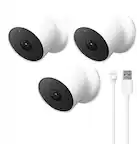
Nest Cam (battery) comes with the camera, magnetic plate, wall plate, wall anchors, wall screws, charging cable, power adapter, Quick Start Guide, and Safety and warranty document. You can use the included 3.3 ft (1 m) charge cable that plugs into the included 7.5 W USB-A power adapter.
Our long term plan is to use the Google Home app as the one place you can control all of your favorite Nest and other smart home devices, as well as Google Assistant. In the near future, we’ll allow users to set up previous Nest devices and have full control in the Home app. Users with older cameras can view their camera feeds in the Google Home app alongside the new Nest Doorbell and Nest Cams. Our team is working on bringing full functionality to the Google Home app so all of your cameras can be set up and controlled in one place.
Also, there are some limitations on some versions of Chromecast that do not allow us to support this, but we’re aiming to add support as soon as possible and the team continuously evaluates additional features.
We have help always available for your support needs, feel free to visit us anytime here: https://support.google.com/googlenest/gethelp
Clear Visibility and Good Range
||Posted . Owned for 1 month when reviewed.This reviewer received promo considerations or sweepstakes entry for writing a review.Set these up after we our street was consistently being egged. Added on both sides of the house with a full and clear view of the front both day and night. And no eggs since!
I would recommend this to a friendBest option in the market
||Posted . Owned for 2 months when reviewed.This reviewer received promo considerations or sweepstakes entry for writing a review.This is the best option in the market today. I have had a hassle free installation, long battery life, good clarity, reliable access. It's a great investment along with the cloud plan for 8$/month
I would recommend this to a friendMajor flaw
||Posted . Owned for 3 weeks when reviewed.This reviewer received promo considerations or sweepstakes entry for writing a review.Camera has good footage but a huge flaw if you disconnect from the magnetic base the camera is useless so the only way to have true security with the cameras they have to cover each other or they can easily be knocked down and rendered useless
No, I would not recommend this to a friendBrand response from Nest Support
Posted .Hi there, TimothyW. Thanks for your feedback on Nest Cam (Battery). We're sorry to hear about your concerns with the removable magnetic base. We understand your concerns and would love to offer some help.
If you prefer to secure your Nest camera, you may have the option to do so by using an anti-theft security mount with the It's possible to place an anti-theft security mount Wasserstein Anti-Theft Mount for Google Nest Cam. This accessory is a simple solution to prevent your cameras from being stolen or tampered with. It also protects your Nest camera from accidental drops whenever you need to charge it. We recommend checking the availability of this accessory with Best Buy support. And if you need further guidance, you're always welcome to speak to our support team using this link: https://support.google.com/googlenest/gethelp
My Google Nest Camera
||Posted . Owned for 1 month when reviewed.This reviewer received promo considerations or sweepstakes entry for writing a review.Living in a high-rise condo with concrete walls and floors and big windows! Google Nest Cam is the only camera that captured the Wi-Fi signal all others fail
I would recommend this to a friendgoogle camera
||Posted . Owned for 2 weeks when reviewed.This reviewer received promo considerations or sweepstakes entry for writing a review.so far so good im a really picky person and this one its a good product
I would recommend this to a friendCamera's
||Posted . Owned for 2 weeks when reviewed.This reviewer received promo considerations or sweepstakes entry for writing a review.These cameras work great with Google Home. I set them up for my mother and she is 76 years old they work great for her
I would recommend this to a friendNest cams
||Posted . Owned for 1 month when reviewed.This reviewer received promo considerations or sweepstakes entry for writing a review.Work great if you purchase the Google plan for them and work even better if they are plugged in for non stop recording.
I would recommend this to a friendsafer than ever
||Posted . Owned for less than 1 week when reviewed.This reviewer received promo considerations or sweepstakes entry for writing a review.security with my camera and I can see it at all times and anywhere
I would recommend this to a friendMy favorite cameras
||Posted . Owned for 1 week when reviewed.This reviewer received promo considerations or sweepstakes entry for writing a review.I’ve had pretty much every brand of subscription based home cameras, and Nest has consistently been my favorite. My biggest complaint is that generation 2 cameras (this one) is not compatible with the original Nest app. The original Nest app was much easier and more intuitive to use. Fortunately, my generation 1 cameras work with the Google Home app, so I’m still able to use all my cameras on a single app, just not the Nest App. The face recognition on the camera is fantastic, as is the person recognition. My Simpli Safe camera repeatedly mistakes leaves and my flag for a person, but my Nest cam is spot on. Overall, really happy with these. I love the nest Nest Aware subscription too, it covers all cameras for $12 a month, whereas I was previously paying for each individual camera with the old Nest Aware Generation 1 subscription.
I would recommend this to a friend- Cons mentioned:Battery life
Not a good choice
||Posted . Owned for 1.5 years when reviewed.This reviewer received promo considerations or sweepstakes entry for writing a review.Constantly goes offline - and WiFi has perfect signal. It’s a wireless/battery camera but will not record more than 3 hours of activity unless it’s plugged in, which defeats the purpose of being a battery camera that is wireless! It should be able to record continuously without being wired
No, I would not recommend this to a friendBrand response from Nest Support
Posted .Hi there, Isld. Thanks for leaving feedback about the Nest Cam (battery). We're sorry to hear that your experience is below your expectations.
Our goal is to give users more options. With event video history, we wanted our products to help our customers understand what’s going on at home easily and highlight the important activity for you. We offer 24/7 video history on wired Nest Cams with a Nest Aware Plus subscription for people who want to see everything that happens at home. We continue to invest in the use of both technologies.
We’d like to investigate whether the connectivity issue is caused by the device, network or other environmental factors. You’ll find our dedicated team always ready to help you here: https://support.google.com/googlenest/gethelp
Excellent camera with a caviat.
||Posted . Owned for 1 month when reviewed.This reviewer received promo considerations or sweepstakes entry for writing a review.Excellent camera. The only thing I don't like is the camera isn't integrated with the Nest app. You have to use Google Home app.
I would recommend this to a friendBrand response from Nest Support
Posted .Hi Steve, we´re happy to hear that you´re finding Nest Cam (Battery) an excellent camera. We´re sorry to hear about your disappointment with the move from the Nest app to the Google Home app.
Our goal was to make the Google Home app the one place where you can control all your favorite Google Nest devices and other smart home devices with the Google Assistant. Here are some benefits you can get by using the Google Home app with your Nest Cam (Battery):
- Automatic security protections such as Suspicious activity detection, 2-Step Verification and Security Checkup.
- Your Google Nest devices and services will work together. For example, if you have a Nest Cam and a Nest Hub, just say, ""Hey Google, show me the backyard camera” to cast your camera stream to your display without any additional setup.
- One account to sign into both the Nest and Google Home apps.
- Your homes and home members will be aligned across the Nest and Google Home apps.
- If you', you may set up your Nest cameras to the Google Home app. Check out this help article: https://support.google.com/googlenest/answer/9893532
We'd also like to hear more about your experience and help you with some features you are having difficulty with. You may reach out to our support team here: https://support.google.com/googlenest/gethelp
Don’t Try to Use as a Monitor - Use Wired Version
||Posted . Owned for 8 months when reviewed.This reviewer received promo considerations or sweepstakes entry for writing a review.Not a fan of the automatic shutdown this device has
No, I would not recommend this to a friendBrand response from Nest Support
Posted .Hello there, Rford. Thank you for sharing your concern about your Nest Cam (battery). We're sorry to hear that the device automatically shuts down on its own. This is not the type of experience we want you to have with your device. We'd like to know more details about the camera automatically shutting down so we can provide you with the best help possible and identify the cause of this issue. Please reach out to our dedicated team of specialists on our Google Nest Help page for immediate support here: https://support.google.com/googlenest/gethelp
- Cons mentioned:Battery life
Battery sucks ULESS YOU DONT MIND CHARGING WEEKLY.
||Posted . Owned for less than 1 week when reviewed.This reviewer received promo considerations or sweepstakes entry for writing a review.I charged up the cams til 100% dropped almost 10% less than 24 hours. No traffic or people on the cam this is not a good option if your battery only person.
No, I would not recommend this to a friendBrand response from Nest Support
Posted .Hi Make46GREAT, thanks for reaching out. We're sorry to hear about the unlikely experience you're having with the battery drain issue with Nest Cam (Battery).
The battery life for your Nest Cam (Battery), is affected by factors including activity, temperature, and camera settings that you select. You can extend the battery life by adjusting video quality, length of video clips, time between recorded events, and using activity zones to monitor specific areas. Here are some typical scenarios:
Busy: About 1.5 months battery life (about 20-25 recorded events per day)
Typical: About 3 months battery life (about 9-12 recorded events per day)
Quiet: About 7 months battery life (about 2-4 recorded events per day)
It's important to check the frequency of events (per day) that you get with your Nest Cam (Battery). If the short battery life isn´t related to the frequency of events, then we may need to have a closer look at your device and understand what may be causing it. We recommend contacting our support team for further assistance by visiting us here: https://support.google.com/googlenest/gethelp
Google Battery indoor outdoor suck especially the
||Posted . Owned for 4 months when reviewed.This reviewer received promo considerations or sweepstakes entry for writing a review.The product would be awesome if It rendered the service that they claimed! I am disappointed with the cashier for not executing my request for the protection coverage, myself for not checking to see if she place the protection plan and Google for the poor performance of the cameras in addition to the subscription! For this I would worse buy at Best Buy! I have called time after time to Google tech support and am still waiting for an resolution for missing videos recordings, glitches to be rectified. There seems to be a scripted version of troubleshooting for the same issues happening again and again! Not getting notifications, at times there’re notifications but no videos. A semi with a long flatbed passed by two cameras and no alerts!
No, I would not recommend this to a friendBrand response from Nest Support
Posted .Hi SemperfiPapa, we really appreciate you for sharing your feedback about your experience with the Nest Cam (Battery) and with our support team, and we’re sorry to hear that it’s a disappointment for you. We understand how having poor performance of the cameras can be frustrating, and it’s unfortunate that the issue is still happening after calling us multiple times. We’ll use your feedback and we’ll share this to the appropriate teams to work on how we handle customer concerns with accuracy and efficiency. We request for your patience as we’re working hard to resolve your issues as soon as we can, and as we may still need to investigate the issue in order for us to come up with the best course of action. If you’d like to check about any progress or updates about your case, please feel free to visit us and share with us your most recent case interaction number here: https://support.google.com/googlenest/gethelp
- Pros mentioned:Ease of use
Good pet cam
||Posted . Owned for 1 month when reviewed.This reviewer received promo considerations or sweepstakes entry for writing a review.Battery life is better than I expected (using indoors) and is easier to find a place for it than the wired version. Use it to keep an eye on the dog when we’re out.
I would recommend this to a friend - Cons mentioned:Battery life
Get the plug in one..
||Posted . Owned for 2 weeks when reviewed.This reviewer received promo considerations or sweepstakes entry for writing a review.I like nest cameras, but the battery ones seems like you cannot stream live for 24 seven due to the battery. I would recommend using the plug-in one if you can accommodate it.
No, I would not recommend this to a friendBrand response from Nest Support
Posted .Hello Alleycat, we really appreciate the feedback you shared about the Nest Cam (battery), and we hear your concerns about streaming round the clock live video. We understand that access to 24/7 live video is a great idea, and we’ll definitely share this with the right team for future improvements. Meanwhile, please note that the live video stream from wired Nest cameras and doorbells stops after 12 hours, and 5 minutes from battery-powered Nest Cams and doorbells. So to start the live stream again, you need to tap the Watch live button in the Google Home app.
For any support concerns, or anything you want to share with us, please let us know by visiting us anytime here: https://support.google.com/googlenest/gethelp
- Cons mentioned:Battery life
Cameras
||Posted . Owned for 1 month when reviewed.This reviewer received promo considerations or sweepstakes entry for writing a review.The battery discharges very quickly when the weather is 20 degree
No, I would not recommend this to a friendBrand response from Nest Support
Posted .Hello there, DorisD. We appreciate taking your time sharing your feedback on the Nest Cam (battery) and we understand your frustration with the battery draining quickly in cold weather. This is a common concern at colder temperatures which leads to batteries naturally losing capacity on video recording and motion detection. Cold weather can also affect the camera's efficiency, leading to faster battery consumption. We recommend reaching out to our dedicated team of specialists on the Google Help Center here: https://support.google.com/googlenest/gethelp
- Pros mentioned:Camera quality
Excellent system
||Posted . Owned for 2 months when reviewed.This reviewer received promo considerations or sweepstakes entry for writing a review.Excellent cameras!!! Definitely need to get id into surveillance…. I used night owl before, and did not work out as well.
I would recommend this to a friend No Live View Huge Problem!! Don’t Buy!!
||Posted . Owned for 3 months when reviewed.This reviewer received promo considerations or sweepstakes entry for writing a review.I wouldnt by this again. I looked up online “why doesn’t my google battery camera show live view?” Camera unavailable or conserving battery. VERY FRUSTRATED! I saw lots of customer complaints for this same issue of this camera not showing live view since January 2022. I tried everything it said to do and nothing solved the problem!! LOTS of people had the same problem with this very camera!! Don’t buy!!! Waste of money until Google fixes this issue!!
No, I would not recommend this to a friendBrand response from Nest Support
Posted .Hello, AnitaB. Thanks for taking the time to share your feedback on the Nest Cam (battery), and we’re sorry to hear your experience with viewing live videos is below your expectations.
The camera will go into idle mode whenever it's running on battery. To stream live video in this case, you'll first need to tap "Live video" for your camera in the Google Home app. If Nest Cam (battery) is wired, the live video will stream without needing to tap the option.
If the camera still shows unavailable after tapping “Live video”, please get in touch with anytime and we’d be happy to provide you with additional services and support, here: https://support.google.com/googlenest/gethelp