Customer Ratings & Reviews










- Model:
- GA03030-US
- SKU:
- 10961714
Rating by feature
- Setup
Rating 4.6 out of 5 stars
- Range
Rating 4.5 out of 5 stars
- Signal Strength
Rating 4.4 out of 5 stars
- Pros mentioned:Ease of use
Fine, but doesn’t get the job done
||Posted . Owned for 10 months when reviewed.This reviewer received promo considerations or sweepstakes entry for writing a review.Works fine, but definitely not a pro version. Can’t select specific channels. Go with something else, unless all you care about is easy setup
No, I would not recommend this to a friendBrand response from Nest Support
Posted .Hey there, MarcusH. Thank you for posting your review on Nest Wifi Pro. We're sorry to hear that your experience with the device didn't meet your expectations. The device is designed to make managing your home Wi-Fi network easy. Your feedback is appreciated and we've taken note. If you need any help in the future, please don't hesitate to contact us on our Google Help page here: https://support.google.com/googlenest/gethelp

- Cons mentioned:Connectivity
Didn’t work, set up failed every time
||Posted . Owned for 1 month when reviewed.This reviewer received promo considerations or sweepstakes entry for writing a review.Didn’t work as well as the older model and then the access points wouldn’t connect to each other. Spent about four hours trying to get them to talk and didn’t work at all. Going to stick with the old Nest Wi-Fi stuff.
No, I would not recommend this to a friendBrand response from Nest Support
Posted .Hi there, Justin. Thanks for letting us know of your concerns with the Nest Wifi Pro. We can imagine how hard you tried, and we’re sorry for the inconvenience these issues have caused you.
The placement of your Wi-Fi router and points is vital to have reliable Wi-Fi throughout your home. Points work best when they’re no more than two rooms away from each other. For example, if the far end of your house has weak Wi-Fi, don’t put a Wifi point in that exact spot. Instead, put it part way in that direction. Try to place it in an elevated position like on a shelf. You can also give these steps a try to see if the connectivity will improve:
- Move the connected device closer to your Wifi router or point.
- Repositioning the points to avoid obstructions like walls, doors, and aquariums can improve performance.
- Make sure all unused devices are off and not draining bandwidth with large downloads.
- Check for possible sources of interference such as microwave ovens, refrigerators or other equipment.
- Run a mesh test to confirm placement of your Wifi points.
For additional assistance, we’d be happy to guide you with further troubleshooting and isolation here: https://support.google.com/googlenest/gethelp
Router
||Posted . Owned for 2 months when reviewed.This reviewer received promo considerations or sweepstakes entry for writing a review.Best Buy always give me an amazing experience. They have the best products
I would recommend this to a friendAll should have
||Posted . Owned for 1 month when reviewed.This reviewer received promo considerations or sweepstakes entry for writing a review.Google is the leader in Wi-Fi works great with my T-Mobile home internet
I would recommend this to a friendAwesome product
||Posted . Owned for 7 months when reviewed.This reviewer received promo considerations or sweepstakes entry for writing a review.Had nighthawks and they kept disconnecting. The Google ones are amazing.
I would recommend this to a friendmesh network
||Posted . Owned for 1 week when reviewed.This reviewer received promo considerations or sweepstakes entry for writing a review.product works well and plugged holes in existing wifi network, easy setup
I would recommend this to a friendGOOD PURCHASED
||Posted . Owned for 1 week when reviewed.This reviewer received promo considerations or sweepstakes entry for writing a review.GREAT FOR OUR GOOGLE-NEST WIFI. DEFINETLY FIXED OUR CONNECTIONS PROBLEM.
I would recommend this to a friendNo more rage quitting.
||Posted . Owned for 6 months when reviewed.This reviewer received promo considerations or sweepstakes entry for writing a review.Works well, helps out with gaming for my brothers and I.
I would recommend this to a friendWork great
||Posted . Owned for 1 month when reviewed.This reviewer received promo considerations or sweepstakes entry for writing a review.They work great so far. Only wish they had a few more settings you could set.
I would recommend this to a friendBrand response from Nest Support
Posted .Hey there, Andy. We appreciate your feedback on Nest Wifi Pro. We’re delighted that they work well, and we hear your concern about having more settings you can configure. We’ll share this with the right team for future improvements. We trust that you’re getting the most benefits out of their smart features. And if support is needed, our dedicated team is always available to to help you here: https://support.google.com/googlenest/gethelp
Solved my connectivity issue
||Posted . Owned for 1 month when reviewed.This reviewer received promo considerations or sweepstakes entry for writing a review.Solved my connectivity issue, I no longer have a problem with my WiFi dropping
I would recommend this to a friendExactly what I wanted
||Posted . Owned for 3 weeks when reviewed.This reviewer received promo considerations or sweepstakes entry for writing a review.Super easy to install and my connectivity is impeccable
I would recommend this to a friendGreat
||Posted . Owned for 1 week when reviewed.This reviewer received promo considerations or sweepstakes entry for writing a review.Great, wifi definitely improved after updating . Would buy again
I would recommend this to a friendDo not buy. Needs daily reboot or will slow down
||Posted . Owned for 5 months when reviewed.This reviewer received promo considerations or sweepstakes entry for writing a review.I do not recommend purchasing this product. It works well for a couple days and then the speed slows waaaaaaaay down. The only way to fix is by rebooting the router. But this router doesn't have a built in way to schedule a reboot. Search on Google and you'll find plenty of people having this exact same issue. I've been unable to find a solution and cannot return the product. For $300 you should purchase another router
No, I would not recommend this to a friendBrand response from Nest Support
Posted .Hello there, Brian. We're sorry to hear about your issues with the connectivity of your Nest Wifi Pro. We understand that having to reboot the device regularly can be an inconvenience, and this is not the kind experience we want to share with you.
It may be helpful to check the placement of your Wi-Fi router and points, which is vital to have reliable Wi-Fi throughout your home. As a general rule, points work best when they’re no more than two rooms away from each other. For example, if the far end of your house has weak Wi-Fi, don’t put a Wifi point in that exact spot. Instead, put it part way in that direction. Try to place it in an elevated position like on a shelf.
We also suggest trying these steps below:
- Move the connected device closer to your Wifi router or point.
- Repositioning the points to avoid obstructions like walls, doors, and aquariums can improve performance.
- Make sure all unused devices are off and not draining bandwidth with large downloads.
- Check for possible sources of interference such as microwave ovens, refrigerators or other equipment.
- Run a mesh test to confirm placement of your Wifi points.
If further assistance is required, don’t hesitate to contact us here: https://support.google.com/googlenest/gethelp
AV
||Posted . Owned for 3 weeks when reviewed.This reviewer received promo considerations or sweepstakes entry for writing a review.very easy to install and wifi range is so good. recommend this one.
I would recommend this to a friendA great upgrade
||Posted . Owned for 6 months when reviewed.This reviewer received promo considerations or sweepstakes entry for writing a review.Excellent for the price and it covers my whole house
I would recommend this to a friend- Cons mentioned:Connectivity
HORRIBLLY INCONSISTENT
||Posted . Owned for 1 month when reviewed.This reviewer received promo considerations or sweepstakes entry for writing a review.this wifi drops connections randomly all the time, when internet is working just fine through any wired device. Switched back to my old Nest Wifi pucks and those arent dropping connection at all. WAIT for this to get improved before you buy it!! Google this is unacceptable.
No, I would not recommend this to a friendBrand response from Nest Support
Posted .Hi TheodorB, we appreciate you for sharing a review on the new Google Nest Wifi Pro. We're sorry to hear that you are experiencing connectivity drops.
We recommend trying out some troubleshooting below that might be helpful with the connectivity drops:
- Make sure any offline Wifi devices are powered on and that all cables are secure. If your device is hardwired, check that your - Ethernet cables are correctly connected to another Wifi point or switch.
- Unplug the Wifi device that is offline and plug it back in.
- Open the Google Home app > and then touch and hold your device's tile and then Settings > and then restart Wifi Point.
- Perform a mesh test to confirm your devices are working properly. Here's how: https://support.google.com/googlenest/answer/7620337
- Check that your points are within range of your router or primary Wifi point. You might need to move the point closer towards your router or another mesh point.
- Run a mesh test again.
- Factory reset your offline device, wait until the light indicates that your device is ready to set up, then add your Google Nest Wifi point or additional router or Google Wifi point again.
If the issue persists, you may contact our support team so we can assist you further with the issue. You're more thans welcome to speak to our supprt team using this link: https://support.google.com/chromecast/gethelp
- Cons mentioned:Connectivity
Don’t make assumptions
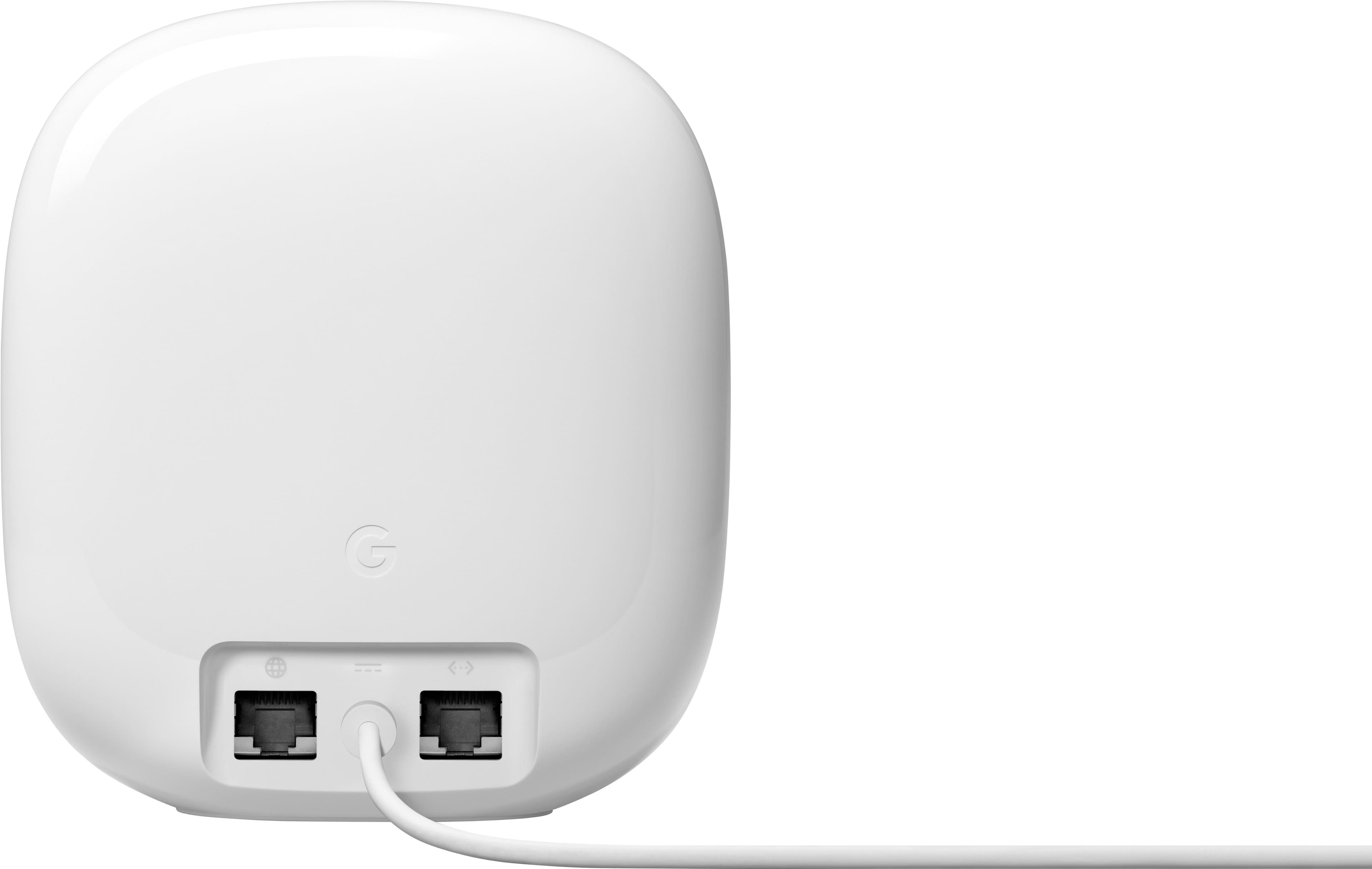
||Posted . Owned for less than 1 week when reviewed.This reviewer received promo considerations or sweepstakes entry for writing a review.Purchased and set up today then spent an hour troubleshooting why my network speed was half my previous wifi 6 setup. Its my fault for assuming that a device advertising mutli gigabit wifi would be able to connect to a multi gigabit wan but thats not the case for this. Google saw fit to only have gigabit Ethernet ports. Do yourself a favor and pass on this product, conplete waste of time and money.
No, I would not recommend this to a friendBrand response from Nest Support
Posted .Hello there, AmyFaith. Thank you for providing feedback on your experience with the Nest Wifi Pro. We sincerely apologize for the frustration and inconvenience you've encountered during the setup process and subsequent issues with network speed. We understand your disappointment in the device not meeting your expectations and we wanted more details about your concerns. We encourage you to reach out to our dedicated team of specialists on the Google Help Center "Contact Us" page here: https://support.google.com/googlenest/gethelp
Just ok
||Posted . Owned for 2 weeks when reviewed.This reviewer received promo considerations or sweepstakes entry for writing a review.I have been using these for about a month now. Replacing my old google wifi system the rang is ok but nothing what they clame and the speed well lets just say a little disappointing.
No, I would not recommend this to a friendBrand response from Nest Support
Posted .Hey there, Moejo.Thank you for sharing your review on the Nest Wifi Pro. We're sorry to learn that you're experiencing some inconsistencies with the speeds you're getting with the device. We recommend checking your Wi-Fi network to see if your bandwidth is congested, which may happen if you have too many devices connected on the same bandwidth or if your network package is not enough to handle the data traffic on the network. These few steps can help:
- You can try restarting your router to reset your internet connection.
- If you have a lot of open apps on your phone, they can slow down its overall performance. Try closing some apps.
- If that doesn’t work, you can try restarting your phone or device.
- Other devices in your home may be using a lot of bandwidth. You can temporarily stop a device’s bandwidth use by quitting an app or program, disconnecting it from Wi-Fi or ethernet, or by turning it off.
If you've done these steps before or if the issue still persists, reach out to us at the following Google Help link for further assistance: https://support.google.com/googlenest/gethelp
Appealing
||Posted . Owned for 2 months when reviewed.This reviewer received promo considerations or sweepstakes entry for writing a review.Aesthetically appealing. So far setup as a mesh network works well
I would recommend this to a friendCannot select wifi speec
||Posted . Owned for 3 weeks when reviewed.This reviewer received promo considerations or sweepstakes entry for writing a review.You cannot select 2.4, 5, or 6 wifi speed so you do not know if you are getting the fastest speed you can get. I want to select the fastest speed I can get as I can on my Net gear router
No, I would not recommend this to a friend