Customer Ratings & Reviews


- Model:
- GA04282-US
- SKU:
- 6540493
Rating by feature
- Sound Quality
Rating 4.6 out of 5 stars
- Battery Life
Rating 4.5 out of 5 stars
- Connectivity
Rating 4.7 out of 5 stars
Customers are saying
Customers value the product's impressive sound quality, comfortable fit, and long battery life. They also appreciate its good connectivity, enhanced bass, competitive price, and ease of pairing, particularly for Android users. However, some customers have noted that the volume does not get very high, and the touch controls can be inconsistent.
This summary was generated by AI based on customer reviews.
Great for 4 months, Now: Constant Problems
||Posted .This reviewer received promo considerations or sweepstakes entry for writing a review.Less than 6 months in, and battery life is failing, and I have to charge multiple times per night now (I wear while sleeping, mostly). Even though when they're at 100% charge, the estimated battery life is over 5hrs (says the app), I believe it's half that at best. And they stopped charging well--I have to constantly check on them to make sure they're seated correctly because they'll appear to be both charging, but if I look again in a half hour, one will usually be at say, 35%, the other stuck at say 18%. So then I'll fuss with them to make sure they're both charging (both have a lightning bolt symbol, both are gaining a percentage point every few minutes at least...) But then it's likely I'll come back later and the one that had quit charging before will now be at 100% and the one that had been charging well before will now be the one stuck at around 50% or less. (See screenshot) It doesn't matter L or R, they're equally glitchy. I've tried cleaning the contacts and annodes repeatedly. And I try to let the magnets seat the buds, as designed. But it's to the point that it's very difficult to get both buds seated to charge evenly, and it's almost guaranteed that if I don't babysit and adjust each charge session multiple times, I'll go to put the buds in and one will be 100%, the other will warning chime it's at 15% or less. At this point, I'd recommend getting the more expensive buds that have contactless charging. At least I think that's a feature on the more expensive ones. I'm a pixel fanboy--love the phones and therefore want to stick with pixel buds too, but these are too problematic after only 5 months. And these buds have not been abused. I WFH, and I've rarely brought them with me out of the house. They've spent their life span in my ears while on MS Teams meetings, or mostly while I sleep, or charging in the case on a padded (upholstered) end table. Rarely have they even been bouncing around in the case in a jacket pocket, although they should be ok with that by design. I plan on asking google if I can turn these in for a refund or credit toward the more expensive wireless charging type. Hopefully they're more accommodating than they've seemed according to other reviewers who had conflicts, as they seem to have a "blame the victim" mentality with some customers.
No, I would not recommend this to a friendBrand response from Google Team
Posted .Hi kb3d, thanks for sharing the details of your feedback about the Pixel Buds A-Series, and it’s unfortunate to hear that they stopped charging well. We appreciate you for doing your best, and are sorry for the inconvenience it has caused you.
We suggest resetting the charging case that might help. Please note that if you reset the charging case (or the Pixel Buds), these will reset all settings, which includes the name of the device and their preferences for enabling or disabling features.
To reset the charging case:
- Remove the Google Pixel Buds from the charging case.
- At the back, press and hold the setup button for 10 seconds or until the status light flashes white.
- If it still flashes an orange status light, connect the case to the power outlet and close the lid.
- Check the status lights again. The light should be a solid orange.
If the issue persists, you may also need your Android device to forget the Pixel Buds, and reset them. To forget the Pixel Buds on an Android device:
- Open the device's Settings .
- Tap Connected devices.
- Under ""Previously connected devices"", locate Pixel Buds and tap Settings .
- Tap Forget.
- Reset the Google Pixel Buds following the steps here: https://support.google.com/googlepixelbuds/answer/9642886
If the steps above didn’t help, we recommend getting in touch with our specialists for further assistance using this link: https://support.google.com/googlepixelbuds/gethelp
- Pros mentioned:Fit, Sound quality

Simple, Sleek, Easy to Use Buds
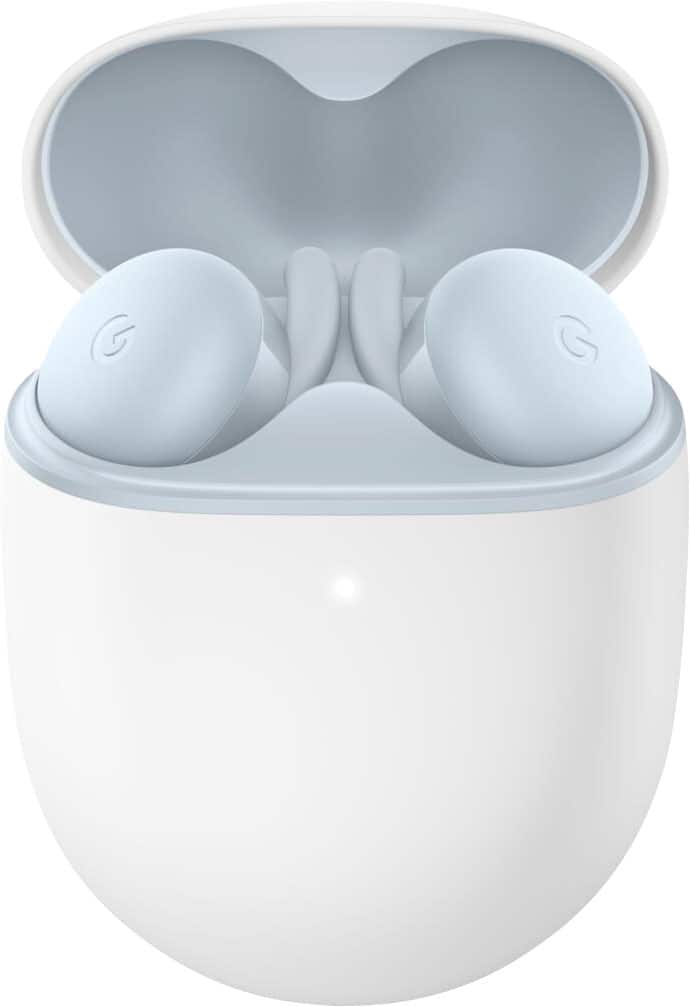
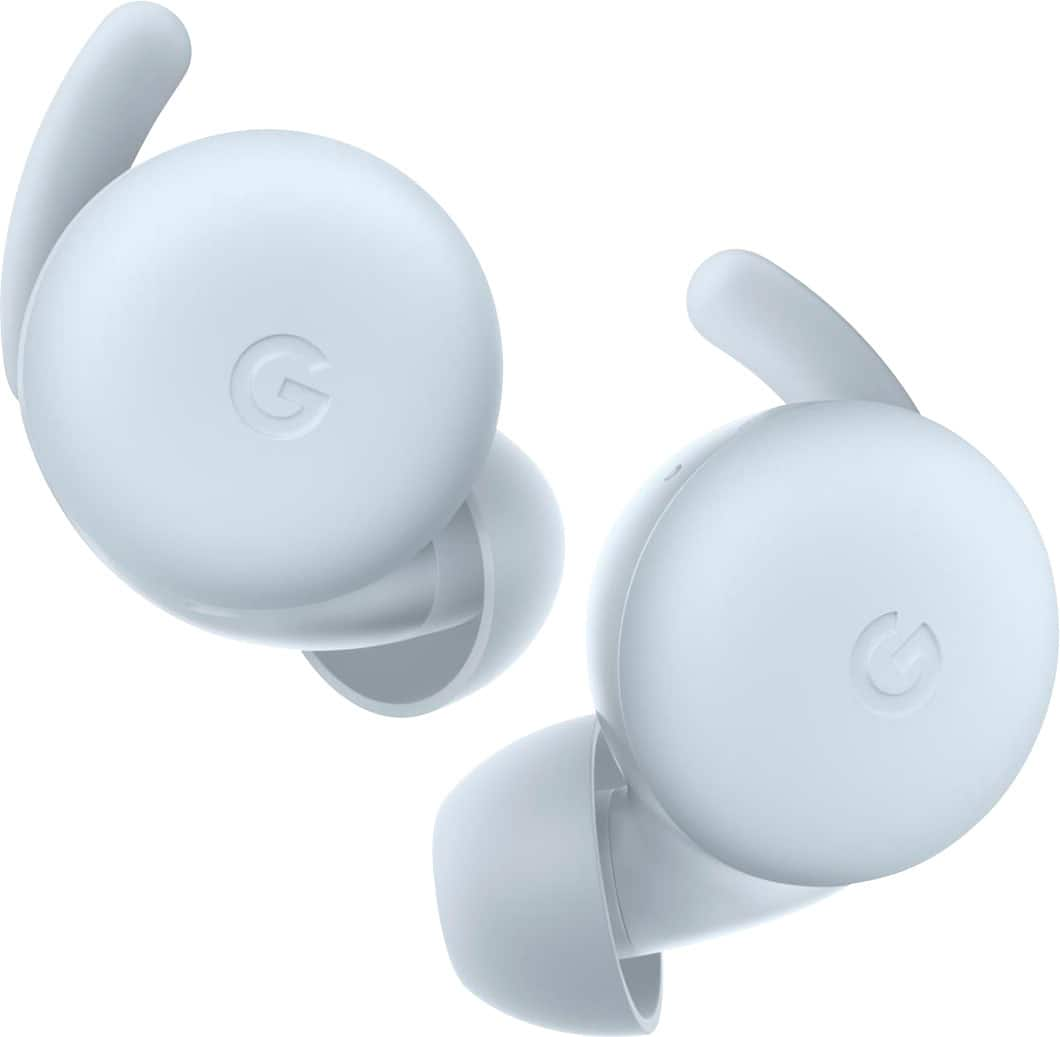
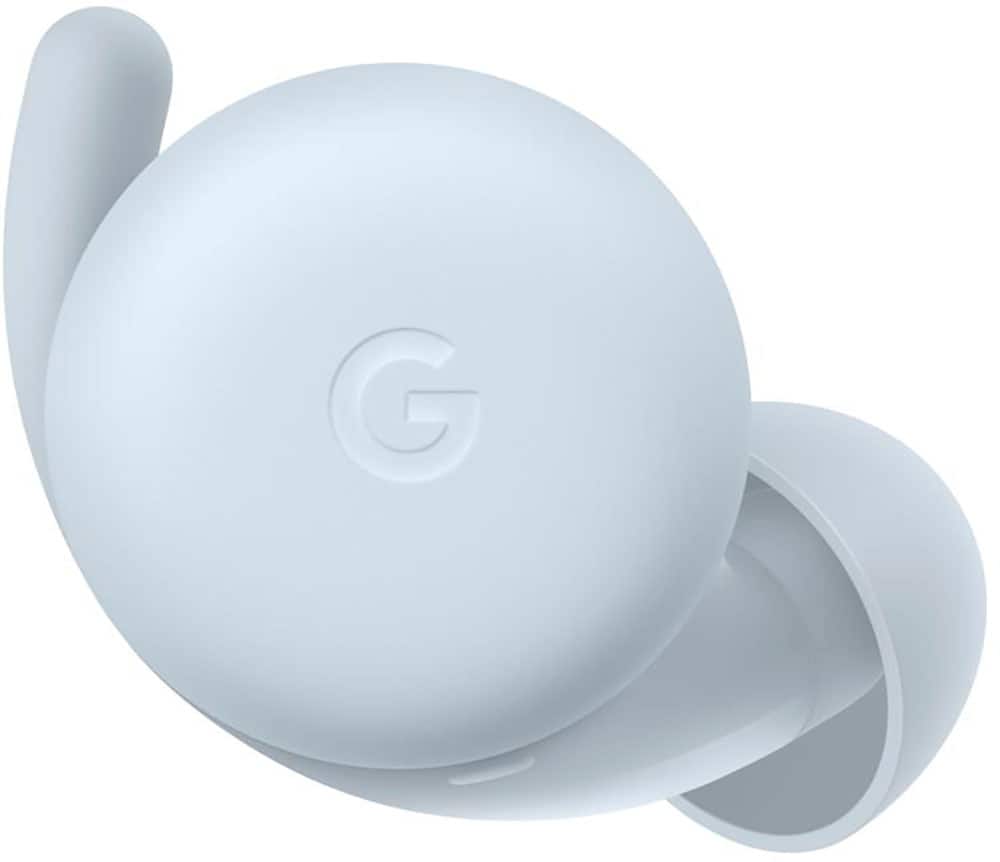
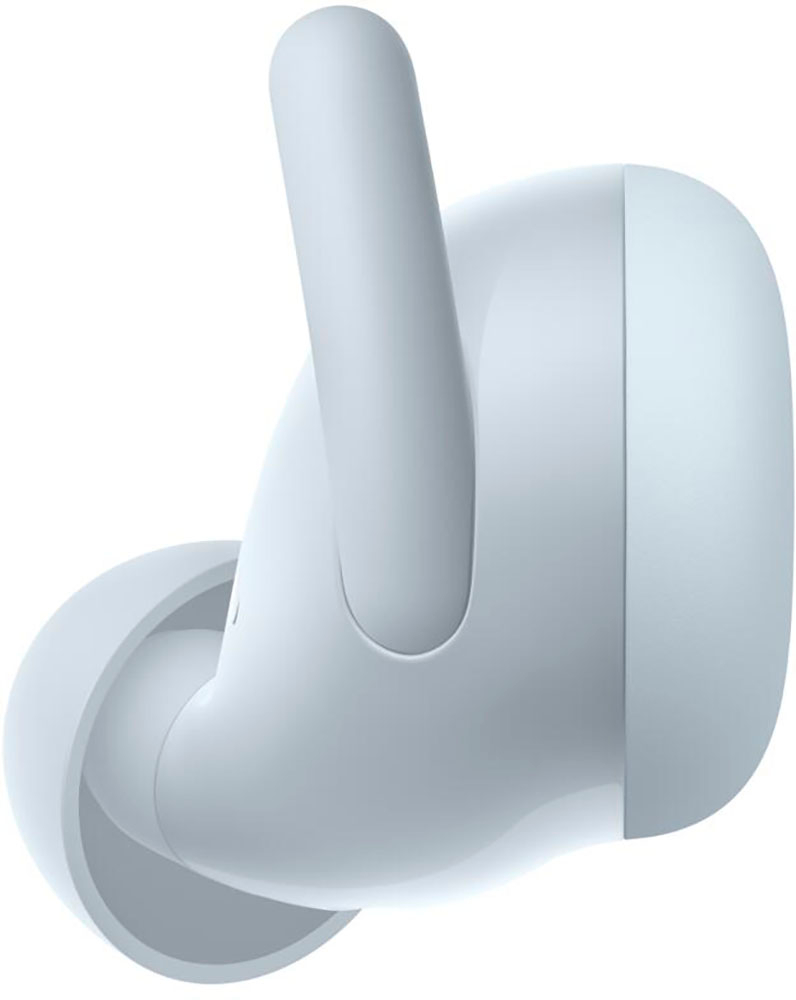
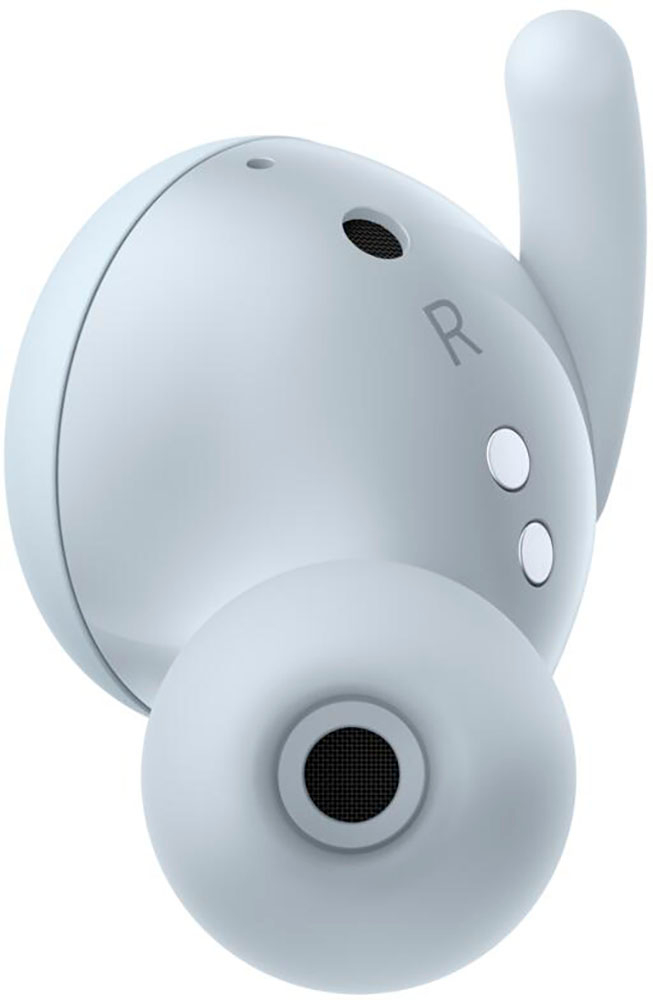
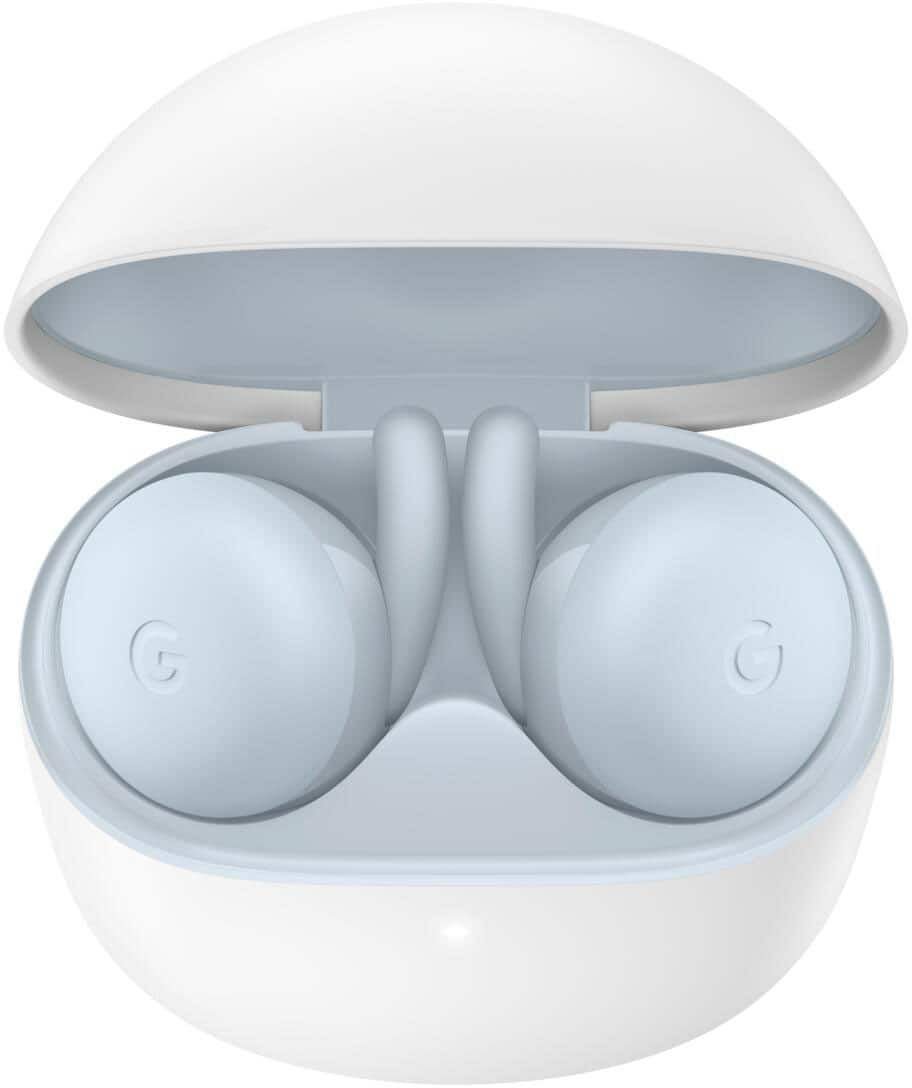
|Posted .This reviewer received promo considerations or sweepstakes entry for writing a review.The Google Pixel Buds A - Series are a pair of lightweight neatly designed true wireless earphones that I really enjoyed using with my Pixel 4XL and Samsung Note 8. They are light, fit comfortably and securely inside my ears and sport a low profile hence didn’t stick out much from my ears like other true wireless earphones I have used before. Let’s start with inside the box where we have the charging/carrying case in which the pixel buds were seated, a usb type C cable, replacement ear tips and the usual paperwork. When it comes to their design and fit, there is nothing I can complain about. Starting with the case, it seems to be made of a matte like smooth material that so far seems somewhat resistant to scratches and scuffs (personally, since it is white I will most likely still get a protective case). It has a very simple oval design with the charging port found at its base, an easy to flip top section that gives access to the buds and around the back it has a button towards the base that is used for subsequent pairings with other devices. The lid is kept closed magnetically and I have total confidence in the lid staying closed, I tossed and flashed it around for good measure. Also below the opening of the lid there is an LED status indicator light, orange for the case is charging, white for the case is fully charged, and blinking white for when the buds are charging. The buds themselves seem very well made and with a matte finish where the touch controls are and glossy finish everywhere else. They are magnetically held in place inside the charging case, so they wont fall out even if you pop the lid and wiggle the case upside down. They have a rubber like fin that projects from the glossy section that definitely helps to guide the buds for placement while securing the fit. They are very comfortable and I was able to wear them for hours with no issues. When it comes to how they sound, they are average/decent. The thing that stood out the most to me was how clear the vocals were on every track that I tried. It came through clear and crisp despite the overall sound being flat. There is a bass boost and Adaptive Sound toggle inside the Pixel Bud app which does improve my listening experience but the difference doesn't blow you out the water. They have standard touch controls (i.e 1 tap to play/pause/answer, 2 taps to skip to next track etc. sadly no volume controls though) that work from either earbud and they are built with in-ear detection, meaning your music pauses when you take them out and resume when you put them back in. When it comes to call quality, they performed very well. I tested them across multiple apps, such as WhatsApp, Duo, Signal and with a regular phone call and the persons on the other end were able to clearly hear me. Even when I took to noisy areas I was told that it seems the background noise from my end was reduced and my voice was somewhat isolated, which is great. Battery life is just about average and I got about 4.5 hours listening to music at about 60% volume. They also can be charged at least 2 times from the case and they charge very quickly with up to 50% in 30 mins. In conclusion the Pixel Buds-A have decent performance, slim simple design and fit superbly well in-ear. They don't have multipoint bluetooth connect, wireless charging or noise cancelling but come in at a great price for what they offer, especially for Android users.
I would recommend this to a friend - Pros mentioned:Sound quality
Perfect ear buds
||Posted . Owned for 1 week when reviewed.This reviewer received promo considerations or sweepstakes entry for writing a review.Perfect ear buds; my partner says they are better than her Apple buds. Sold
I would recommend this to a friend Not a fit for me
||Posted . Owned for 1 year when reviewed.This reviewer received promo considerations or sweepstakes entry for writing a review.Not a great fit for my ears. Felt looser and bulkier than other true wireless brands.
No, I would not recommend this to a friendBrand response from Google Team
Posted .Hello Brendan, thank you for posting your review on your Google Pixel Buds A-Series. We're sorry to hear that your experience with the fit of the device in your ear has been less than ideal. Ears are unique so your left ear may be different from your right ear. Try different sizes for each ear to find the best fit. We'd like to assist you further in improving your experience with your A-Series so please don't hesitate to contact us on our Google Help page here: https://support.google.com/googlepixelbuds/gethelp
- Pros mentioned:Battery life, Comfort, Sound quality
A must have for Android and Google users
|Posted .This reviewer received promo considerations or sweepstakes entry for writing a review.The Pixel Buds A-Series takes the Google experience to the max. In the box you get the Pixel Buds, the storage/charging case, a usb-a to usb-c cable and small, medium and large ear tips. My Pixel Buds came with a 100% charge. They are rated by Google to last up to 5 hours per charge, and the case will recharge them multiple times giving you up to 24 hours of total charge. Talk time lasts approximately 2 ½ hours. The case does not have built in wireless charging which is fine with me. I am not a fan of wireless charging as I have accidentally knocked too many devices off of wireless chargers and they create additional heat. The usb-c cable providers fast charging. The case is small and has a nice texture which does not show fingerprints. I have a Pixel 4 phone and as soon as I opened the case the buds immediately paired to my phone. The settings include the following: Notifications and Preferences, which includes setting up voice controls and tutorials Find Device- to locate your buds if you forget where you put them Touch Controls-for Google Assistant, play, pause, skip, and return. Sound- which allows you to use Bass Boost and Adaptive Sound ( automatically raising and lowering volume depending on the noise in your surroundings. In-ear detection which turns on or pauses what you are listening to when putting the buds in or taking them out. You can also turn on HD audio and authorize contact sharing for phone calls and texts. After using the Pixel Buds A-Series for several days I have the following impressions: First, these are the most comfortable ear buds that I have ever used. And I have Sony and Bose QC noise cancelling ear buds. They are small, light and flush to your ears. Sound quality is very subjective, but in my opinion the Pixel Buds A-Series has excellent sound for both music and phone conversation, though it is not on the same level as the Bose. However, the Bose costs almost 3 times as much. Now some people may complain that there is no touch control for volume, however there is simply no need for that. This is where the Google Assistant integration comes in. You can tap and hold either ear bud for the Google assistant, but that isn’t even necessary. You can just say “’Hey Google or “OK Google” and the Assistant will respond without any gestures at all. So now you can simply speak and say “Raise volume 10%” or “Lower volume 30%” or “Mute”. You can tell Google Assistant to call or text nay one of your contacts, and the Assistant can read all of your notifications, emails and texts to you. In addition, I use Google Home to control all of my home devices, such as lights, thermostat,. doorbell and lock. Now that can all be controlled through the Pixel Buds. Another great feature is the language translation. All you have to do is say “Hey Google be my Spanish interpreter”, or any other language, and when you speak in English your phone will speak in the foreign language to the other person, and their response will be translated to English in your Pixel Buds. You can also ask how much power is remaining and it will tell you The only shortcoming is the lack of noise cancelling. But, barring the need for that feature in certain circumstances, the Pixel Buds A-Series have knocked my much more expensive Bose and Sony ear buds into my drawer and have become an indispensable part of my daily life. I love these and heartily recommend them to anyone, but especially to Android and Google Assistant users.
I would recommend this to a friend So. So
||Posted . Owned for 1 month when reviewed.This reviewer received promo considerations or sweepstakes entry for writing a review.The work. The batteries don't last an entire shift. The fins on the back hurt even when changing plug sizes for your ears. They are ok
I would recommend this to a friendBrand response from Google Team
Posted .Hi there, NicolasR. Thanks for sharing a review about the Pixel Buds A-Series. We’re sorry to hear that your experience with the battery life has been less than ideal.
The earbud listening time can last up to 5 hours or up to 2.5 hours of talk time, and total listening time (with charging case) of up to 24 hours or up to 12 hours of talk time. All listening times are approximate and were measured using music playback with pre-production hardware and software, with fully charged Pixel Buds A-Series and case, and other features disabled. Charging times are approximate. Use of other features will decrease battery life and depend on the device, features enabled, usage, environment, and many other factors.
If the battery life is significantly lower than the information above, we suggest contacting us through our support channels for troubleshooting guidance: https://support.google.com/googlepixelbuds/gethelp
- Pros mentioned:Battery life, Fit
Good but not Great
|Posted .This reviewer received promo considerations or sweepstakes entry for writing a review.The Pixel A Buds are comfortable to wear, great for taking phone calls but the audio quality can be too bright and they lack bass when it comes to music. Because of their tight fit and sweat resistance they are my primary earbuds for workouts. Pros: - Comfortable fit that doesn’t move when you do - IPX4 Sweat and water resistant - Great for phone calls, high quality microphone - Easy set up and fast pairing with Google or Android phones - Integrated Google assistant - Auto pause when earbud is removed from the ear Cons: - Lack of bass even with the Bass Boost turned on - No volume control via earbud touch - No ability to re-assign touch functions - No built- in equalizer in the Pixel Buds app - No Pixel Buds app for Pixel Chromebooks or IOS devices - No ANC – Active Noise Cancellation Performance: The earbuds feel solid and the low profile allows it to sit comfortably in your ear. As soon as you open the case the earbuds automatically pair with an Android phone which is great. There is also a pairing button on the back of the case to turn on pairing if your device is not an Android. Operating the play, pause, forward/reverse functions as well as phone call control is simple and fairly intuitive however you cannot change the volume nor can you change the button’s assigned function. The earbuds use Adaptive Volume if you have an Android phone and this automatically adjust the volume to the environment. I found that often the Adaptive control would set the volume too low for my liking and I eventually just turned the feature off. The auto-pause when one ear bud is removed worked well and it’s a great feature to have especially if you are using these in an office or a gym where people may interrupt you. The battery life of 5 hours for the earbuds and 24 hours for the case are typical of what you get in this price range. There is a light on the front of the case that indicates the charging and paring status of the earbuds. Pixel Buds App: This is a very minimalistic app that is only available on Android phones. It’s not available for Pixel Chromebook or IOS devices. Sadly, it doesn’t include touch function management or an equalizer. You can check the battery levels of each ear bud and the case. There are four areas in the app, Find Device, Touch Controls, Sound and In Ear Detection. In Find Device you can use location info to help locate a missing earbud as well as turn on a ringing sound within the earbud if it’s within range. In Touch Controls you can turn the Touch control on or off but you cannot reassign the functions. In Sound you can turn Bass Boost on or off which is the only equalize control you have in this app. You can also turn Adaptive Sound on or off which automatically adjust the volume based on your environment. In Ear Detection you can turn on or off the detection of the earbud being out of your ear.
I would recommend this to a friend - Pros mentioned:Battery life, Sound quality
GREAT “ALL AROUND” GOOGLE EARBUDS AT A FAIR PRICE
|Posted .This reviewer received promo considerations or sweepstakes entry for writing a review.GREAT “ALL AROUND” GOOGLE EARBUDS AT A DECENT PRICE REVIEW: GOOGLE - PIXEL BUDS A-SERIES TRUE WIRELESS IN-EAR HEADPHONES - WHITE MODEL:GA02213-US Best Buy Tech Insider Network SUMMARY: You can’t buy audio gear from a review alone. Everyone hears differently. What I can tell you is that these are well built, well designed, and easy to set up and use for music, voice, conference calls and so on. On my Android Phone (One Plus 6), as soon as I turned them on, my phone popped up an install screen. It does not get any easier. For me, I found the PIXEL BUDS A-SERIES a good all-around performer. Music was good, phone calls were good. I paired them with my laptop for video calls and they worked well without sounding hallow. I do wish they could be paired to more than one device at a time, so that I could seamlessly move between using them on my phone and laptop without going into Bluetooth settings on each device. But that is pretty minor, and it is still hit or miss which devices in general support dual pairing. Playing around with equalizer settings on the phone help elevate the music performance closer to my taste. I find the bass a little lacking, but not bad. I even turned on the bass boost in the app, which helped, but was not perfect. Overall, though, they performed well across my music library. It is not fair to compare these to super high-end buds costing 3X to 5X more, but they still very good. My other buds ($3X) have much better bass, but they are giant in comparison and stick out of my ears like Frankenstein’s monster’s bolts. The PIXEL BUDS A-SERIES are small comfortable, almost invisible. I like the auto pause when you remove them. The noise reduction on the microphones is pretty strong. There is no active noise cancellation on the speakers, which is OK at this price point. I’m not a big fan of tapping my ears to skip ahead or reverse or whatever, so I don’t really use those features, but they are there if you do. Use your phone volume controls or your voice (google assistant) to change the volume. INITIAL IMPRESSIONS: Everything was packaged in typical google excellent fashion. Easy to unbox and setup right away as they are already charged. SUBJECTIVE SOUND TESTING Listening to Music (HD DVD Audio Eric Clapton – “Ridding with the King”) = 6 (needs about 15% more bass) PC Conference Calls (my listening) = 7 (slight problem with buds trying to mimic stereo cutting out in either left or right ear at times) PC Conference Calls (the other hearing me) = 7 (no problems reported) Phone Calls (my listening) = 6.5 (could hear well, I did need to increase volume on the handset) Phone Calls (the other person hearing me) = 6.5 (no problems came through clearly with a tiny echo) Ease of use = 10 (easy to pair, easy to learn the few controls) App Quality = 9 (minimal settings for sound quality, need to use phone equalizer) Battery Life = 7 (a good balance / trade off of size vs batter life) Size / Fit / Looks = 9. Fits great (slightly twist into your ears). Very small almost invisible. Seems secure enough for light sports (biking, walking, etc) SUMMARY: I think the PIXEL BUDS A-SERIES are going to find a nice spot as my “everyday” earbuds. They do a great all-around job, and I would not be heartbroken if I lost or damaged them due to the affordable price. Just like I have an “everyday” smartwatch that I wear for gardening and exercise and a “luxury” smart watch for dressing up. They both serve a particular need. I would recommend the PIXEL BUDS A-SERIES for everyday use.
I would recommend this to a friend Best product I ever had...
||Posted . Owned for 1 year when reviewed.This reviewer received promo considerations or sweepstakes entry for writing a review.Best product I ever had...Best product I ever had...
I would recommend this to a friendGoogle pixel buds a series
||Posted . Owned for 3 weeks when reviewed.This reviewer received promo considerations or sweepstakes entry for writing a review.Overall good headphones and they get the job done.
I would recommend this to a friend- Pros mentioned:Battery life
A must buy for Pixel Phone Owners
|Posted .This reviewer received promo considerations or sweepstakes entry for writing a review.I own a Pixel 4XL and the Pixel Buds A Series are my new favorite earbuds. You can find better sounding earbuds with active noise canceling (Sony) but the price point, built in Google Assistant, and ease of use/pairing makes this a must have for Pixel Owners. IN THE BOX It’s a tiny box, you get the charging case with two ear buds, three sizes of tips (the medium size are already on the ear buds) and a USB-C to USB-A cable. Note that the case does not have wireless charging. DESIGN I just want to briefly mention the design, both of the case and the ear buds themselves. The case is made of plastic that has some grip to it. Meaning it doesn’t feel “slippery.” The case is pretty small, about the size of a Tic Tac container. The ear buds themselves are pretty small, with a small rubber hook that doesn’t come off that I personally like because it helps them stay secure in my ears. I found the Pixel Buds to be comfortable to wear for hours at a time. EASE OF USE Bluetooth has been around so long, I feel pretty comfortable pairing anything with my phone/computer. That said, pairing the Pixel Buds A Series was incredibly easy (I’ve never used Airpods, but I’m confident it’s a similar process). Just having taken the earbuds out of the box, I simply flipped open the top lid, pulled out the ear buds, and almost immediately I got a notification on my Pixel to pair my headphones. It was that easy. Even better than that, they pair instantaneously every time you take them out of the case. I’ve had other earbuds that sometimes pair immediately when I take them out of the case, other times I have to cycle Bluetooth on/off and sometimes even re-pair them. Not with the Pixel Buds. They simply work every time. FEATURES I mentioned earlier that the case doesn’t have wireless charging like last year’s Pixel Buds model. To me, that is not a big deal. The surface of the Pixel Buds have touch sensitive controls. Much has been made that you can’t control the volume, you can only tap it to stop tracks, double-tap to advance a track and three taps to go back. I’ve always found it hard to use touch controls on earbuds, they just aren’t always responsive. While you can’t control the volume from the Pixel Buds themselves, I found the controls to pause, advance tracks, etc. to be extremely responsive. I’ll take limited functionality (which can be difficult to memorize and use if it’s too complicated) for having features that work every time. Google Assistant is also extremely responsive and frankly, I dig it a lot. I don’t always use it, but when you say “Hey, Google” with the Pixel Buds on, it activates the assistant and you can ask Google to do anything you would ask a Google Nest or your phone (i.e. ask for the news, weather, control lights, play a song, etc.). This is extremely helpful when you’re doing yard work or some other activity that makes accessing your phone difficult. When you take an earbud out, say someone walks up to you and starts talking, the music just pauses. Then, when you put it back in, the music automatically resumes. This worked for me each and every time. Battery life is also on par with what you’d expect. 5 hours on a full charge, with the ability to charge the earbuds in the case 4-5 more times. Honestly, I’ve never used them 5 hours straight, so I can’t say they actually make it that far, but I think you’d be hard pressed to wear them on a full charge and complain they didn’t last long enough. They also have some water resistance. I went running with them and they came out no worse for the wear. And even better, they didn’t fall out or even come loose. I was never concerned that they would fall out. I just want to mention that I heard the older model Pixel Buds suffered from audio connection issues. Meaning they would cut out. I didn’t own those so I can’t validate those concerns, but in the time I’ve owned the Pixel Buds A Series, they’ve yet to drop out even once. Although I admittedly kept my phone in my pocket when I used it; I’ve never walked away from my phone to see how they would work in that scenario. SOUND QUALITY Last but certainly not least, the sound quality. These Pixel Buds don’t have deep bass, but they make up for it with sound accuracy and clarity. I listen to podcasts, audiobooks and all types of music. I found the quality to be pretty solid. The only drawback is that the Pixel Buds let in a lot of noise. So if you’re walking on a sidewalk near a busy road, you’re going to hear background noise (which isn’t necessarily a bad thing). When there’s a lot of ambient noise, I found the music to be a little muted. But all-in-all, the sound quality is pretty darn good. CONCLUSION These are must haves for Pixel phone owners and deserve serious consideration for Android users. I can’t say the same for Apple iPhones, but when you combine the sound quality, price, built in Google Assistant, you have a great value. And like I’ve mentioned before, at least speaking from a Pixel phone owner’s perspective, they just simply work, and that means a lot.
I would recommend this to a friend Damage
||Posted .This reviewer received promo considerations or sweepstakes entry for writing a review.The buds case is damage and not clean atall it has dirt on it
No, I would not recommend this to a friendBrand response from Google Team
Posted .Hi Yashghatge, thank you for sending in your feedback and we're sorry to hear that the Pixel Buds A-Series you received had a damaged case and was dirty. We'd recommend that you reach out to the retailer so they can address this issue. If you need assistance with the A-Series itself you can contact us on our Google Help page here: https://support.google.com/googlepixelbuds/gethelp
- Pros mentioned:Fit, Sound quality
Great buds!
||Posted . Owned for 3 weeks when reviewed.This reviewer received promo considerations or sweepstakes entry for writing a review.Sounds: they sound very good. There is a bass boost option in the app if you prefer more bass. Overall the sound is great for the price. Fit: they fit the most secure of any earbuds I've used (Jabra elite 65t,75t, JLab air, razer hammerhead). I would have preferred if the tip was a little softer, but it feels good overall. Controls: there is no way to control the volume by touching then which is a bummer. You can answer calls and skip songs with it. You can change the volume with voice controls. Voice controls work great Pairing: they pair very quickly. It's very easy to switch between android devices. Once paired, just to to Bluetooth settings and click on the buds. The stay connected very well and connect quickly. TLDR: these buds are great. My favorites.
I would recommend this to a friend - Pros mentioned:Fit, Sound qualityCons mentioned:Volume
Pleasantly surprised
||Posted . Owned for 1 week when reviewed.This reviewer received promo considerations or sweepstakes entry for writing a review.After coming from the original pixel buds (the wired ones) and loving them for the fit and integration with my pixel, I was torn that this was the design of the last two buds. But when my buds finally died I decided to take a chance on these. I have been pleasantly surprised by the fit and comfort with these. They are the first pair of buds I've used that go in the ear canal that haven't fallen out after a few minutes. I can't say much for sound quality other than podcasts and multimedia sounds amazing. The price is amazing as well for what you get. I was between these and the Galaxy buds live but decided on these because of the Google integration. The only gripe I have is the loss of volume control on the buds but that is not a make or break feature for me. I would say if you need buds for an Android phone and want a good bang for your buck these are your best bet.
I would recommend this to a friendBrand response from Google Team
Posted .Hi Salcicca, thanks for posting your feedback. We’re glad to hear that you find Google Pixel Buds A-Series great, and we do apologize if you’re unable to use gestures to control the volume.
We made a few focused tradeoffs to bring the same sound quality, design language, and Google helpfulness to this more affordable price. One of those was the focus on tap controls for Pixel Buds A-Series. You can still use Google Assistant to turn the volume up and down hands-free. To change the volume, simply say “Hey Google, turn up the volume”.
Your feedback is important to us, and your satisfaction is what drives us in improving our products and services. If you need help, you can always reach out to our support team. We’d be more than happy to assist you here: https://support.google.com/googlepixelbuds/gethelp
- Pros mentioned:Battery life, Comfort, Sound quality
Fantastic product! Highly recommended!
||Posted . Owned for 1 week when reviewed.This reviewer received promo considerations or sweepstakes entry for writing a review.I purchased the Pixel Buds A-Series to replace an aging set of Jabra Elite 65t true wireless ear buds. I paid nearly $200 for the Jabra buds at the time that I bought them, but only $99 for the Pixel buds. I made a great choice! I LOVE these ear buds! First, I have not encountered any of the "hiss" or audio interference that some people reported early after this product was released. That was my one concern at the time that I ordered them, and I'm happy to report that I've had zero problems. Second, the integration with my Google Pixel phone is fantastic. If you have any Android phone, you have access to the Google Assistant by pressing and holding the bud to activate Assistant. But if you have a Pixel phone, the microphones are always active, so you only have to say "Hey Google" or "Ok Google", and assistant activates immediately and reliably. It works reliably even in high noise environments, and/or when music is playing. On a Pixel phone, you can also have the buds read your notifications to you when you receive them. The buds speak the name of the application that sent the notification, when it arrives, and you just press one of the buds to instruct it to read the notification to you. It works REALLY well. Add to that the fact that you can instantly get battery status for both the individual buds, and the charging case, just by opening the lid on the case and watching the status banner pop up on your phone screen... It's slick. Sound quality it quite good, both for music and phone calls. Some people report that the vented design lets in too much noise, but that has not been my experience. I wear them in the home office, with other sounds and activity around me. I wear them when working in the yard. I wear them when walking or running, with moderate traffic around me. It's seriously not a problem. The "adaptive sound" feature, that many criticize has reacting too slowly, I actually find useful. It's true that if a lone vehicle passes me on the road, the adaptive sound doesn't react quickly enough to counteract the sound of the vehicle. But it's clear to me that this feature is designed to be useful around more sustained sounds. Persistent traffic, nearby lawns being mowed, etc, it's quite useful. The Pixel Buds A-Series really are all-day comfortable to wear. I put one in at the start of my work day, and have at least one in all day long. They pair nicely with the bluetooth on my laptop, and work well for Zoom, Slack and Teams calls. The olive color is unobtrusive, and doesn't stand out on video calls. The vented design really does let enough sound through that your ear doesn't feel plugged, and you really can hear what's going on around you. I actually count that as a good thing. For battery life, I was able to get a reliable 5-6 hours of continuous use out of the Jabra 65t buds. The Pixel Buds Series-A won't go that long. These are good for close to 5 hours. Not bad, but not great. They are good for a solid 5 hours if I turn off the adaptive sound and the bass boost. On the other hand, they have a rapid charge mode in their case, so if I pop them back in the case for 15 minutes, I'm basically good for the rest of the day after about 15 minutes of charging. On top of that, each bud can function independently of the other. All tap controls work on either one, unlike the design of some other products. For business use, I usually only have one in at a time, so if it runs a bit short on juice, I can pop it in the case, and pull the other one out. It's really not a problem, so I leave adaptive sound and bass boost on all the time. I highly recommend these buds! Having used other, pricier, products for several years I can honestly say that these are a winner!
I would recommend this to a friend - Pros mentioned:Connectivity, Fit, Sound qualityCons mentioned:Volume
Quality mid-range earbuds.
||Posted . Owned for 5 months when reviewed.This reviewer received promo considerations or sweepstakes entry for writing a review.Good sound quality. Mic is also good when used for calls/meetings. There's no noise cancellation but I wasn't looking for that feature anyway because I need to stay aware of my surroundings. These earbuds let in some sounds and offer a gentle isolation when playing music at low/mid volume, and that's perfect for me. They don't fall down when working out if attached properly. I like the integration with my pixel phone and also how easy it is to switch from phone to computer. I didn't have any connectivity issues like it was noted for the previous model. I also like the green olive color, less boring than white or black. I'm overall happy with these earbuds. The only feature I'm missing is touch based volume control like the previous, more expensive model.
I would recommend this to a friend - Pros mentioned:Battery life, Fit, Sound quality
Very Pleasantly Surprised!
||Posted . Owned for 1 week when reviewed.This reviewer received promo considerations or sweepstakes entry for writing a review.I purchased these along with the Beats Studio Buds because I have an iPhone and an Android phone. Let me start with the sound quality of this product. Taking these out and pairing them to my Android phone for the first time, the phone tells me that downloading the app would give me a few extra options.. One of these options is to give it a bass boost.. I would definitely recommend that you turn on this option even though it says it would use a bit more battery life.. I mean WOW.. These sound amazing for how small they are.. I'm a Beats / Apple guy and I am here to tell you, I own the Beats Solo Pro, Beats Studio Wireless 2 & 3, Beats X, Powerbeats Pro, AirPods Pro and these Google Pixel Buds are just as good as them, and slightly better than the Beats Studio Buds. Battery life is pretty decent.. They lasted for about 3.5 hours before I had to put them back into the case to be charged again.. So definitely longer than my AirPods pro.. In order to conveniently control the phone from the headset, you have to tap the side of the ear bud.. These don't register as well, so there are times that I have to hit it a couple of times.. That could be because I'm not used to it yet, but the Beats Studio Pro has an actual push in and haptic feel, which these do not.. You tap and it plays a quick little ding in your ear to tell you it registered your tap. So this could be a little bit better.. The case is about the same size as the AirPods Pro case, just in portrait vs landscape.. So height vs width. Not very bulky when you put the case in your pocket, so it shouldn't bother you to much if you carry the case with you. The fit is absolutely one of the things that put me over the top with this particular ear buds.. My AirPods Pro would constantly have issues where I would have to adjust them to keep them in my ear.. These, once I put them in, I generally don't have to adjust them at all.. And I mean at all... They are comfortable to wear for the entire 3.5 hours.. So that is huge for ear buds.. Overall I believe if you are looking for an answer on whether to purchase these, I would say YES!.. I don't think they will disappoint..
I would recommend this to a friend - Pros mentioned:Battery life, Fit, Sound qualityCons mentioned:Volume
Decent
||Posted . Owned for 3 weeks when reviewed.This reviewer received promo considerations or sweepstakes entry for writing a review.Okay/good ear buds.Sounds decent. It doesn't fall out of my ear when running/jogging. Haven't used it long enough to determine the battery life, but it seems pretty good so far. The ear buds recharges from the case. I just wish you can adjust the volume with the earbuds. People can hear some sound from it if you have it at a somewhat loud volume. Also disconnects and reconnects for a few seconds every now and then. My friend has the same issue. Also wish there were different colors as the white gets dirty. Connects fast to my S10. Good for $100.
I would recommend this to a friendBrand response from Google Team
Posted .Hi Victor, thank you for sending in your review. We're sorry to learn that your experience with your Pixel Buds A-Series has been less than ideal when it comes to adjusting the volume with the earbuds. We made a few focused tradeoffs to bring the same sound quality, design language, and Google helpfulness of Pixel Buds to this more affordable price. One of those was the focus on tap controls for Pixel Buds A-Series. That said, you can still use Google Assistant to turn the volume up and down or turn on Adaptive Sound to adjust the volume based on your surroundings which may improve your experience. This will subtly and automatically optimize volume based on the noise level of your environment. To enable Adaptive Sound, simply follow these steps:
- On a Pixel phone with Android 10+: Go to Settings > and then Connected devices > and then Pixel Bud's settings.
- Other Androids: Open your Google Pixel Buds app.
- Tap Sound and then Adaptive Sound.
- Toggle Adaptive Sound.
If you need further assistance with the connectivity of your A-Series, please don't hesitate to contact us on our Google Help page here: https://support.google.com/googlepixelbuds/gethelp
- Pros mentioned:Battery life, Fit, Sound quality
Very good budget earbuds with some small downsides
||Posted . Owned for 1.5 years when reviewed.This reviewer received promo considerations or sweepstakes entry for writing a review.First, the audio quality is very nice for the price with music sounding clear with room to adjust the bass. They stay well in the ear although they may sometimes get uncomfortable after a while. Battery life is also good, I have found myself not needing to charge the case often with daily use. Touch controls work well, although no volume adjustment which is not much of a problem if your phone is near. Some problems though ive noticed is that the plastic on the case wears out after a while in an odd way where some areas become smooth and reflective. There is also noticable delay and the auto connecting can be janky sometimes. Microphone leaves alot to be desired but even with these downsides these earbuds are very good for their price, I would give it 4.5 stars if i could.
I would recommend this to a friendBrand response from Google Team
Posted .Hi there, Thank you for your review. We're sorry to hear you're having trouble with the auto-connecting feature and the microphone. For further assistance, please contact us at the following link:
https://support.google.com/googlepixelbuds/gethelp?sjid=8873214001884259852-NC
- Pros mentioned:Battery life, Connectivity, Fit
Great for the price.
||Posted . Owned for 1.5 years when reviewed.This reviewer received promo considerations or sweepstakes entry for writing a review.These fit great, have great battery life, feel super light in your ears, sound great. Connectivity is no longer an issue with this version either, when compared to the 2nd gen Pixel buds. The reason for 4-stars is that these do not have the same extensive touch functionality as the previous 2nd gen buds, which is a real shame.
I would recommend this to a friend