Early Black Friday DealsNew Doorbusters through SundayShop now

Main Content

Customer Ratings & Reviews
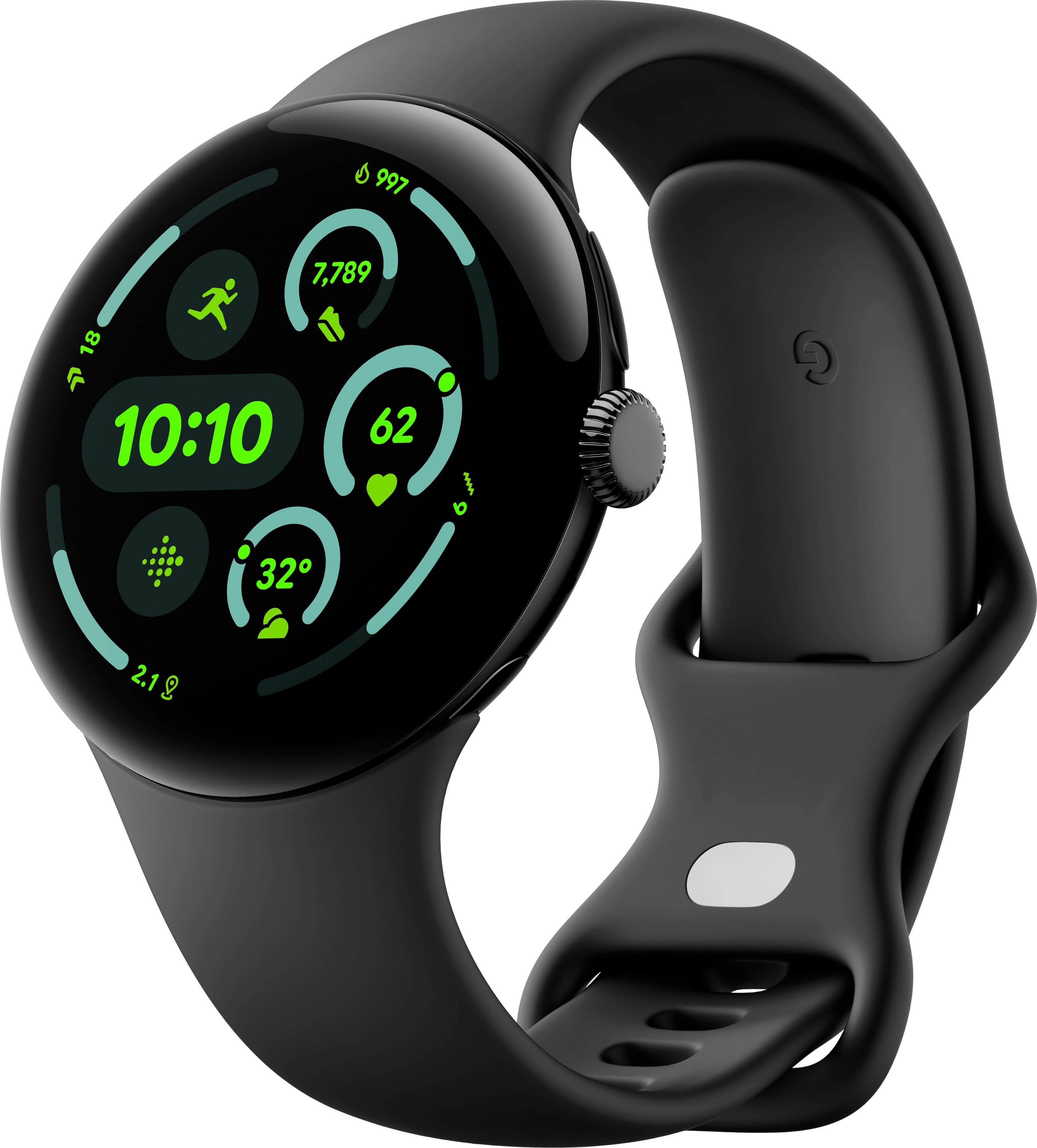
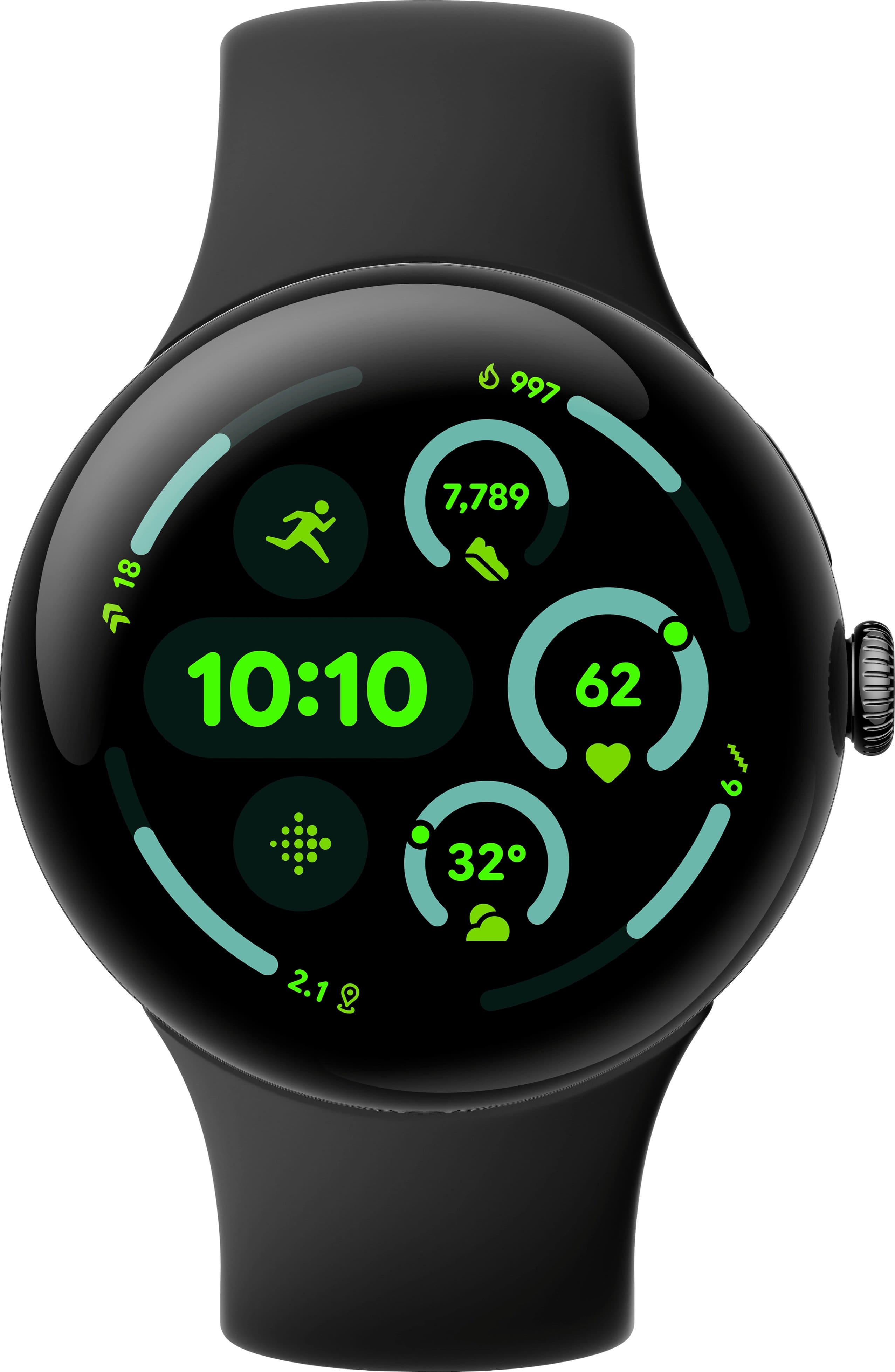
Your price for this item is $287.95
The comparable value price is $299.99

Customer reviews

Rating 4.6 out of 5 stars with 291 reviews

Rating Filter

Rating by feature

  • Battery Life

    Rating 4.5 out of 5 stars

  • Durability

    Rating 4.6 out of 5 stars

  • Comfort

    Rating 4.7 out of 5 stars

Pros mentioned filter

Cons mentioned filter

92%would recommend to a friend
The vast majority of our reviews come from verified purchases. Reviews from customers may include My Best Buy members, employees, and Tech Insider Network members (as tagged). Select reviewers may receive discounted products, promotional considerations or entries into drawings for honest, helpful reviews.
Page 2 Showing 21-40 of 291 reviews
  • Rated 5 out of 5 stars

    Pixel watch 3 (45mm)

    |
    |
    Posted .
    This reviewer received promo considerations or sweepstakes entry for writing a review.

    This watch lasts 2 to 3 days on one charge has a lot of features and easy to use

    I would recommend this to a friend
  • Rated 5 out of 5 stars

    Great Smart Watch

    |
    |
    Posted . Owned for 3 weeks when reviewed.
    This reviewer received promo considerations or sweepstakes entry for writing a review.

    Just works, intuitive and just looks like regular watch. So far no hiccups and battery last a day and a half.

    I would recommend this to a friend
  • Rated 5 out of 5 stars

    Buen diseño

    |
    |
    Posted . Owned for 1 month when reviewed.
    This reviewer received promo considerations or sweepstakes entry for writing a review.

    Lo compré pensando que era un buen regalo y así fue mi esposa quedó encantada con él muy útil y práctico.

    I would recommend this to a friend
  • Rated 5 out of 5 stars

    Stylish and Useful

    |
    |
    Posted . Owned for 1 month when reviewed.
    This reviewer received promo considerations or sweepstakes entry for writing a review.

    PW3 has been working amazing with the only downside being that it lacks compatibility with certain gym equipments such as treadmills, stair walkers, and others, when compared to the Apple Watch SE 2nd gen. The tracking of the steps its pretty accurate! Plus the Fitbit app helps me keep on track on areas I got to improve.

    I would recommend this to a friend
  • Rated 5 out of 5 stars

    Accurate and comfortable to wear

    |
    |
    Posted . Owned for 2 weeks when reviewed.
    This reviewer received promo considerations or sweepstakes entry for writing a review.

    This very accurately monitors my heart rate, especially during strenuous exercise. It is the most accurate HRM I've used of many, over many years. And, this Pixel 3 watch is very comfortable to wear.

    I would recommend this to a friend
  • Rated 5 out of 5 stars

    Google pixel

    |
    |
    Posted .
    This reviewer received promo considerations or sweepstakes entry for writing a review.

    So far it’s been great I’m glad I have one I would recommend to a friend.

    I would recommend this to a friend
  • Rated 5 out of 5 stars

    Best smart watch so far

    |
    |
    Posted .
    This reviewer received promo considerations or sweepstakes entry for writing a review.

    google pixel watch 4 is current best among the smartwatch wearables. I loved it.

    I would recommend this to a friend
  • Rated 5 out of 5 stars

    Great buy!

    |
    |
    Posted . Owned for 3 weeks when reviewed.
    This reviewer received promo considerations or sweepstakes entry for writing a review.

    Super easy to use and customize. Tracks my sleep, health, and workouts.

    I would recommend this to a friend
  • Rated 5 out of 5 stars

    Love it!

    |
    |
    Posted . Owned for 2 weeks when reviewed.
    This reviewer received promo considerations or sweepstakes entry for writing a review.

    Love this Watch. Have been using Samsung cause Oux l looked too small. Now I have the 45mm, and Love it. I'm a larger guy so I do love the larger scale.

    I would recommend this to a friend
  • Rated 4 out of 5 stars

    Pixel watch 3

    |
    |
    Posted . Owned for less than 1 week when reviewed.
    This reviewer received promo considerations or sweepstakes entry for writing a review.

    So far so good especially with the Fitbit app. Takes some getting use to. I'm usually a Samsung guy.

    I would recommend this to a friend
  • Tech Insider Network Member

    Rated 5 out of 5 stars

    The best Pixel Watch to date.

    |
    Tech Insider Network Member
    Posted .
    This reviewer received promo considerations or sweepstakes entry for writing a review.

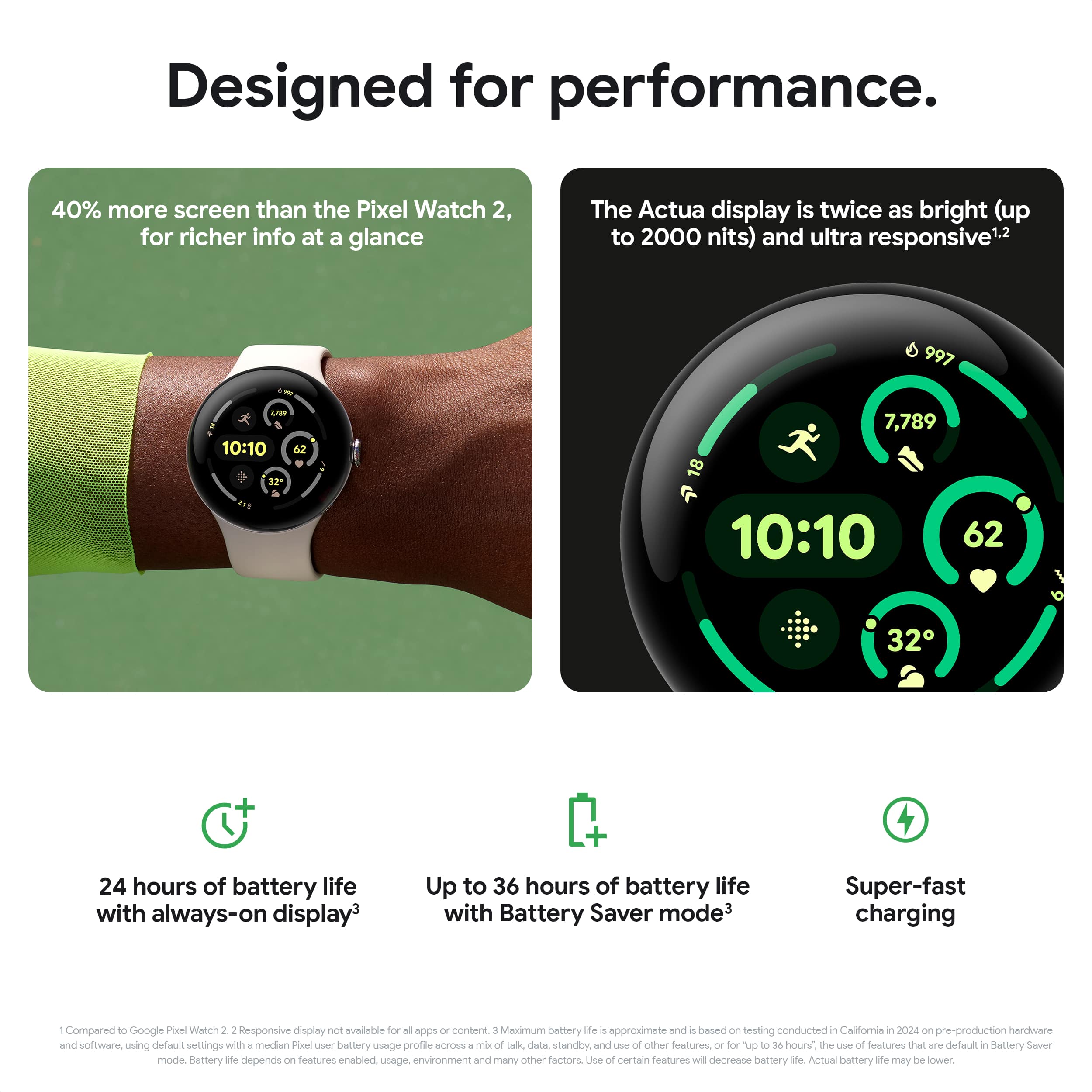
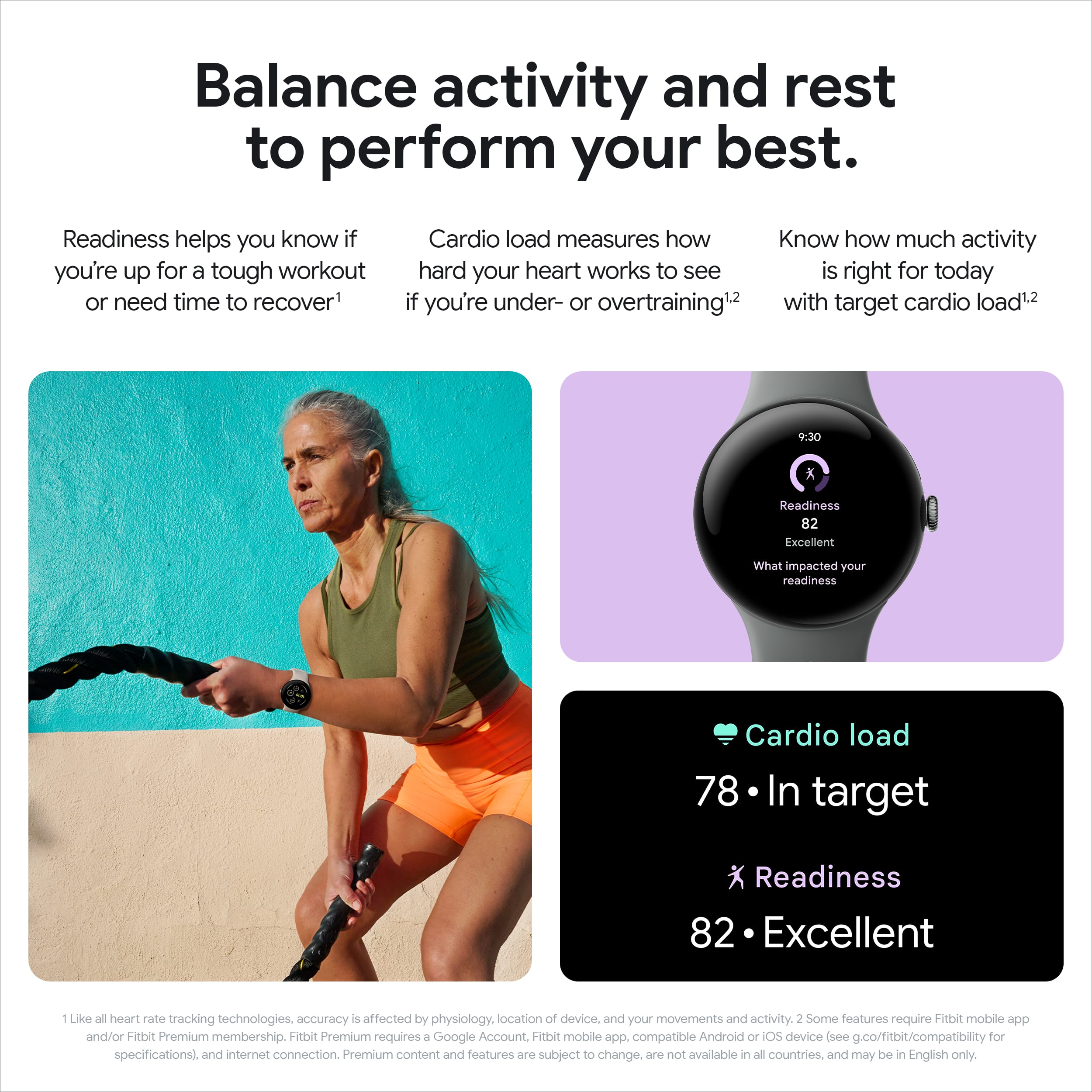
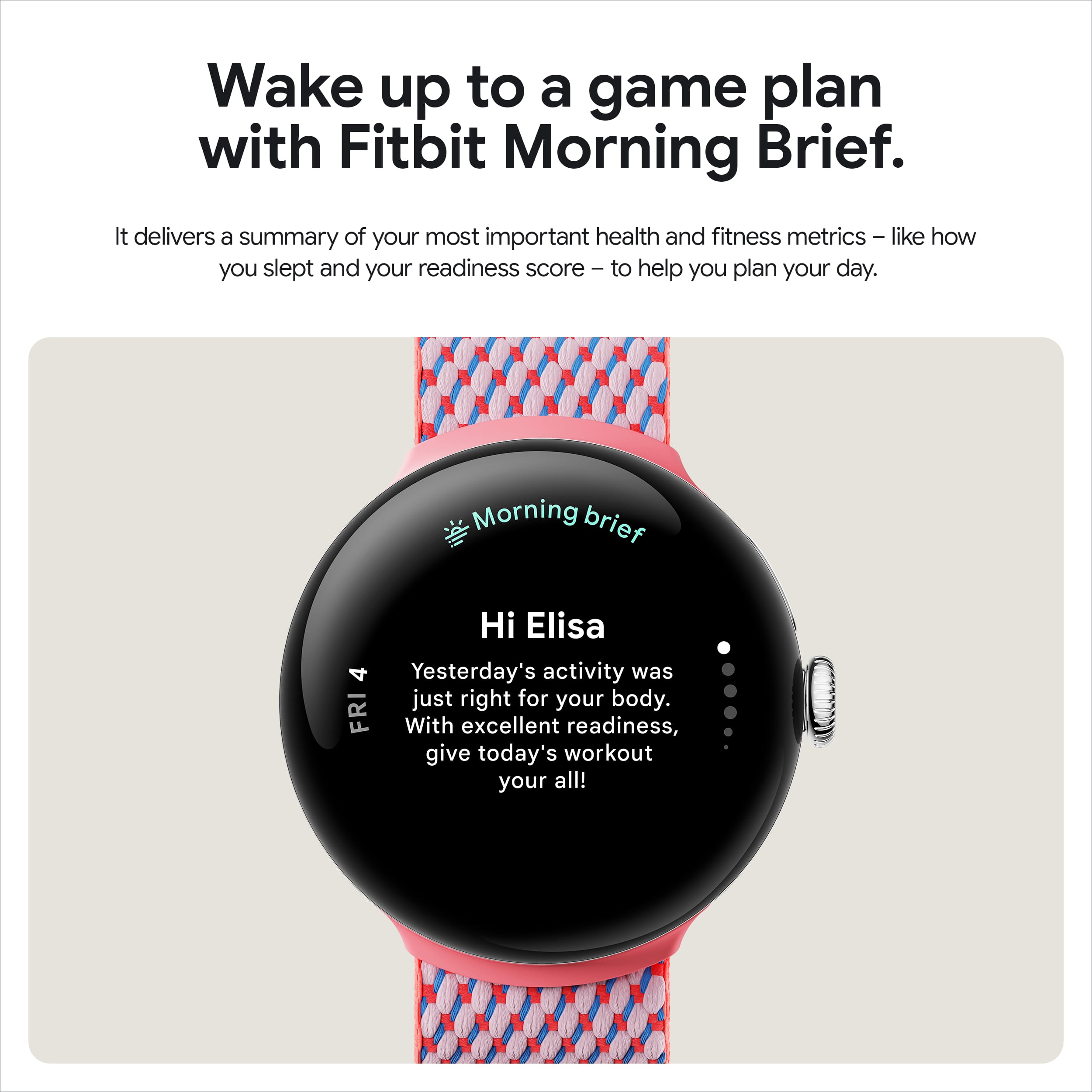
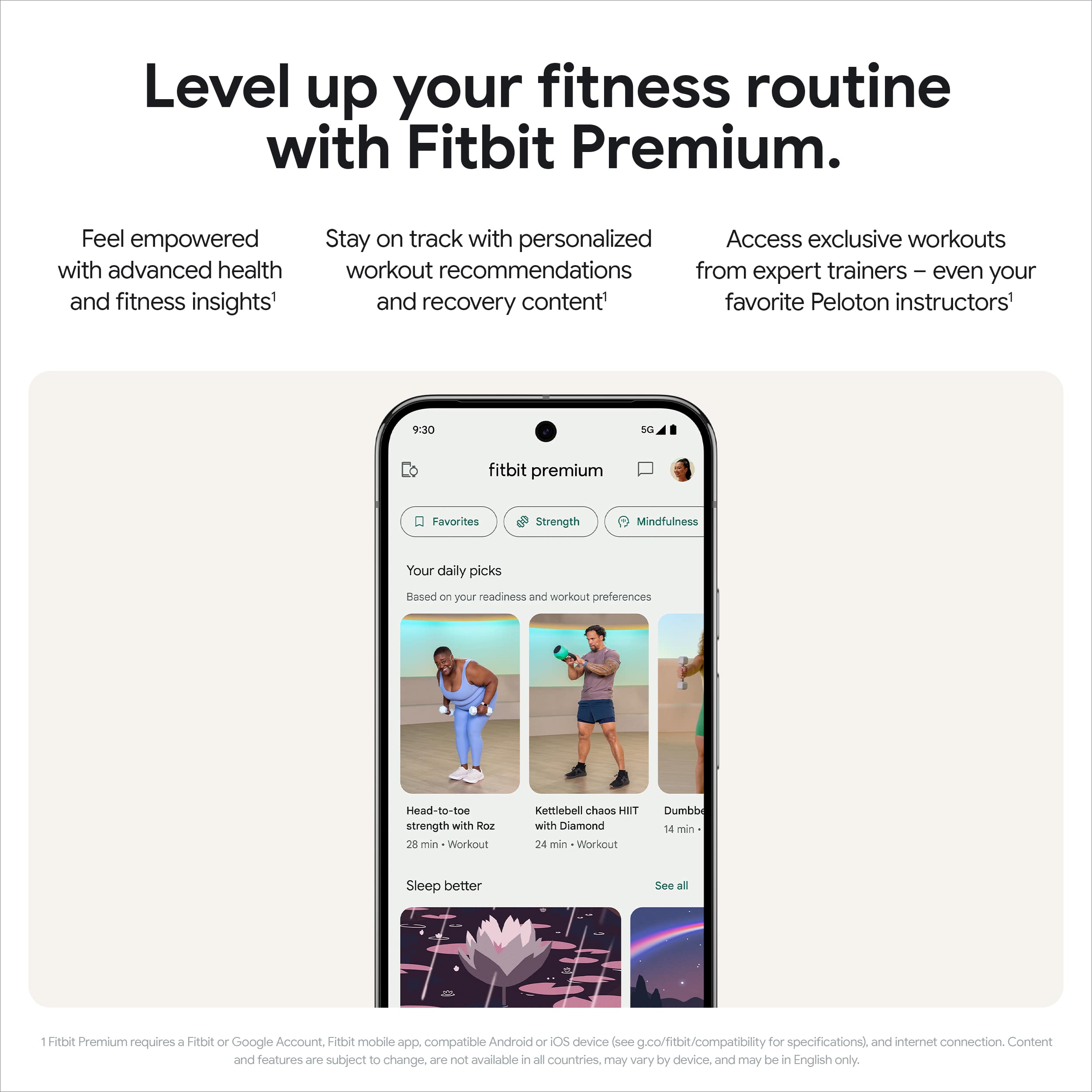
    This is the best Pixel watch to do date. Finally google comes out with a bigger size screen. The 45mm screen is PERFECT. This is an ideal size in my opinion, and I have smaller wrists. For anyone who might be hesitant to go bigger, don’t worry, you will be fine. Thanks to the bigger screen, you get more visibility to your content that comes across the pixel watch screen. It also allows typing to be significantly easier if you choose to type instead of using google assistant to type out for you. Battery life is fantastic here. I can get almost 3 days out of this. I am happy to finally have a pixel watch that can get more than 24 hours of use. This is not the only upgrade to battery life either, as the watch charges faster now as well with the proprietary charge google provides, which is very convenient for some last-minute charging before heading out somewhere. TIP: The cable/wire from the charging base will always be on the side of the crown. This will prevent you from fumbling around making sure you’re connecting it correctly. Performance wise, you get a seamless, easy to use interface that is quick, snappy and a breeze to swipe through. You get your typical google/pixel integration as well as added benefits when utilizing the Fitbit app. You can tell google focused on activity with the new Pixel Watch 3, not only with the battery life, but running features as well that is AI Powered. With Fitbit premium, you can utilize daily run recommendations that helps you hit your goals and target load. Google breaks down your balance activity into 3 sections, Cardio Load, which tracks your training and how much you are putting your heart through, Target Load, which is a personalized daily target to help balance recovery, reduce risk of injury and optimize your performance. Last, you have Readiness. Basically, this will tell you how ready you are to take on activity. Fitbit really has a lot to offer to make the experience of active users even better. The only negative to all this is a lot of the Fitbit features do require a subscription. Google gives you a nice trial period to enjoy all these features however, I wish it was included if you are not only a pixel watch user but also a pixel phone user. You have all your other health features, such as a heart rate, ecg, sleep score. You get a nice morning brief that summarizes your day before and prepares you for the day ahead. The Pixel Watch 3 is an extremely clean, fluid, all around great watch for your wrist. It’s a wonderful companion to any android phone. I really love Google’s clean hardware look and software look compared to other brands. If you want to step up your health game, keep track of your activities and be sure to not miss any important information or notifications, this is a must buy for you. If you’re coming from previous pixel watches, this is a no brainer. Enjoy the bigger screen, better battery life and faster interactions, you will not regret it.

    I would recommend this to a friend
  • Tech Insider Network Member

    Rated 5 out of 5 stars

    Gorgeous display and so many features

    |
    Tech Insider Network Member
    Posted .
    This reviewer received promo considerations or sweepstakes entry for writing a review.

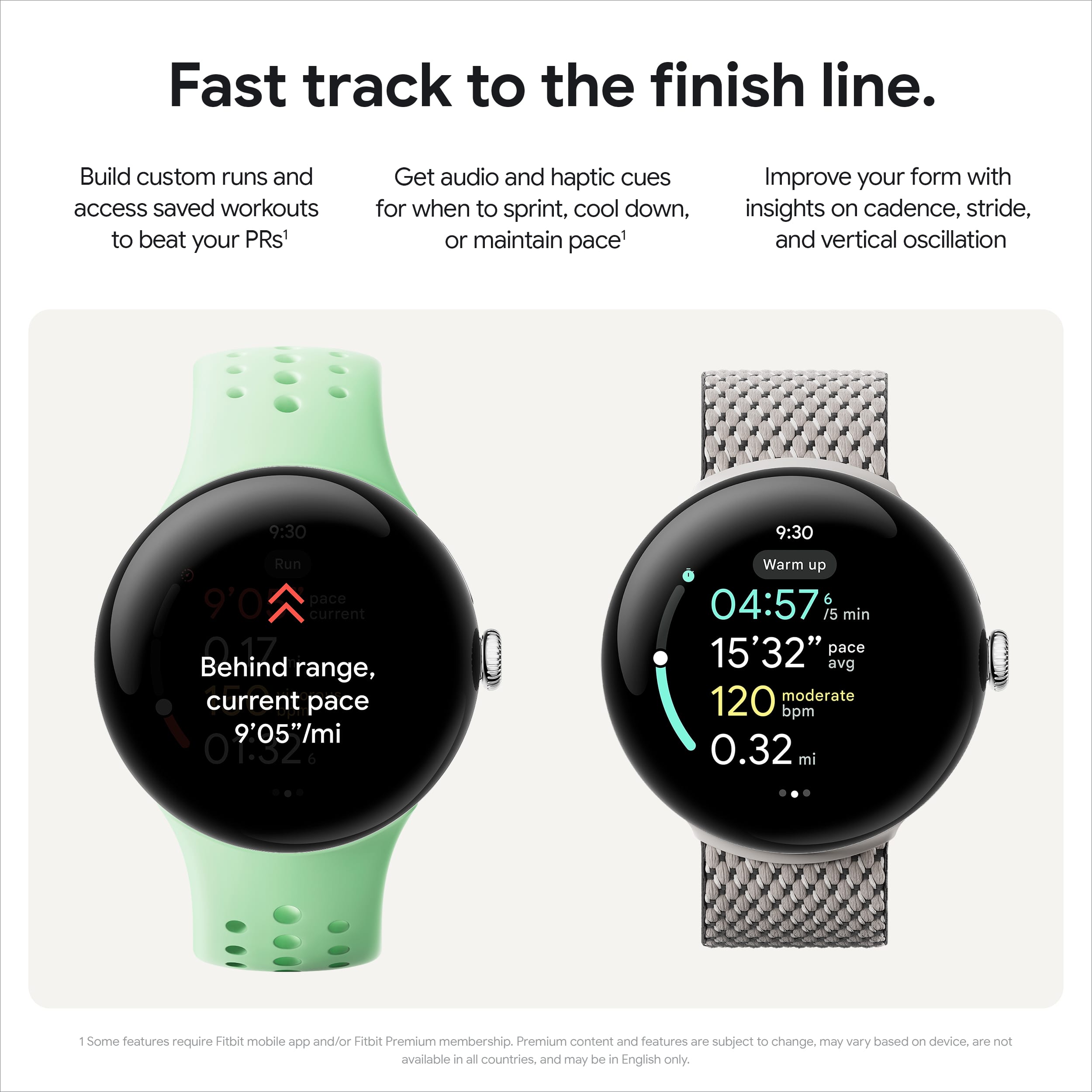
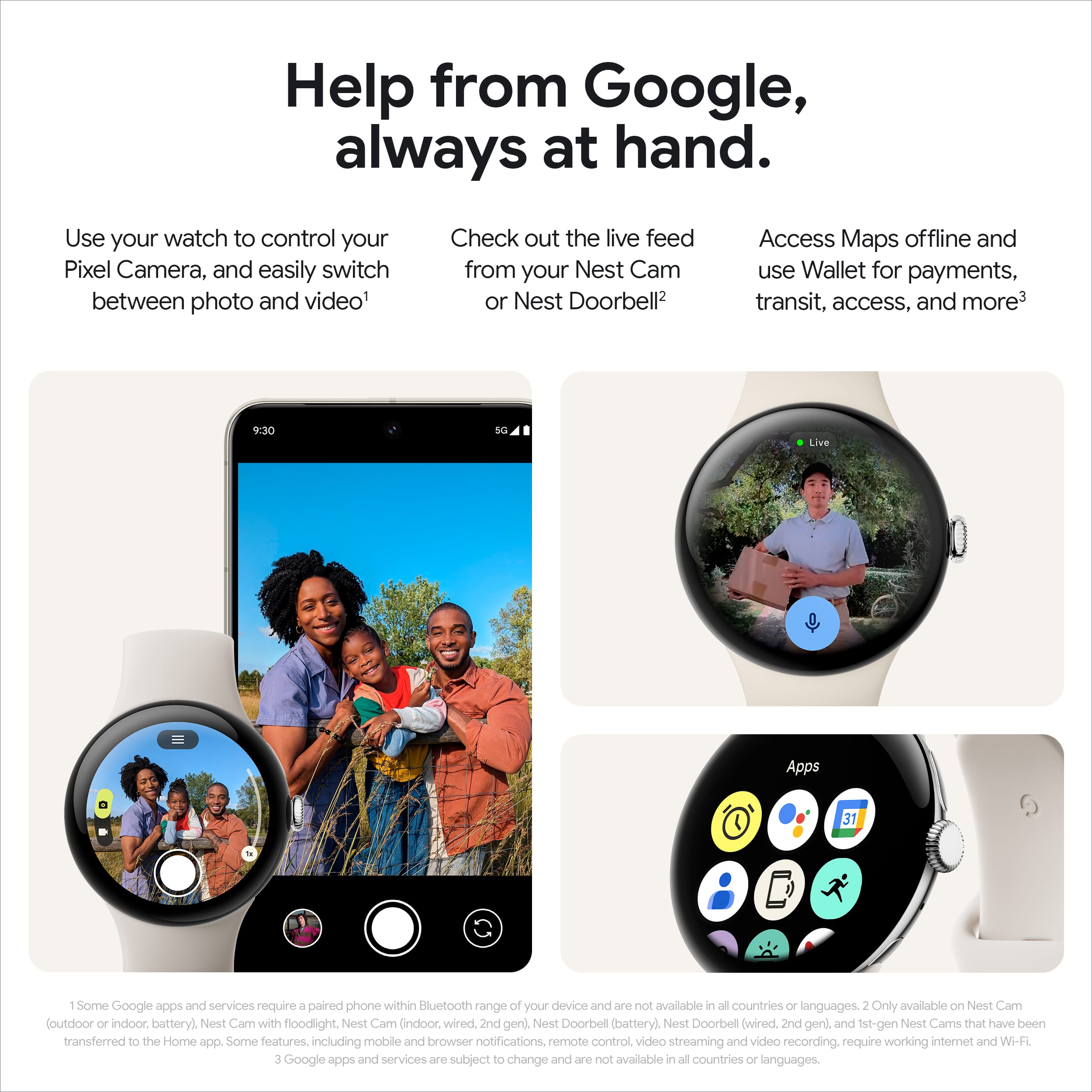
    The 45mm watch size is amazing. You can finally read the fine print and this watch lets you adjust the font display size. You can also select a watch face and display colors. Adaptive brightness is still readable on a sunny day. There is also a minimum brightness if you are at the movies or in the dark. Setup includes installing the Fitbit app. There is also a Fitbit premium option if you choose to subscribe (the first 6 months are free). Allow a few hours to tweak the watch to your specifications. I paired my watch to a Pixel 9 phone. If you have a Pixel phone there are extra features like camera control. You can swap bands fairly easily, but the directions are a little fuzzy. When you install the band, offset it a little to the left and then slide to the right. It is not as easy as the push button bands that other brands use. And the colors are so boring – pick some brighter options. The battery capacity is 35% bigger on the 45mm and Google has added features to enhance battery life. Auto battery saver is auto-enabled and turns on at 15% and off when charged to 25%. My average battery life has been about 2 days with heavy use. Charging is fast – under 80 minutes for a full charge. I just wish that a wall adapter had been included, much more convenient for travel. Auto Bedtime Mode enabled to detect when you fall asleep, for interruption free sleep. Morning Brief is enabled after 2 nights of sleep tracking and will notify you of your tracking within 30 minutes of waking up. The Pixel 3 can monitor irregular heart rhythms, ECG, high/low heart rates, etc… You can customize your runs via the Fitbit app and save them or build a custom run on the Pixel Watch 3. There are many metrics like stride length and step cadence. Workouts can be easily controlled as well. My watch automatically detected that I was circuit training. Very convenient. You have options to pause/resume and change songs/volume while working out. Call Assist screens spam calls. A nice feature is “ask to hold.” That allows you a little extra time to get to your phone or a quiet place. A message plays to the caller in the interim. Other features include: Google TV remote Nest camera controls Watch unlock for Pixel phones Offline Maps Camera app with Pixel phone Audio Recorder app Submersion detection So many features, enhanced battery life and a gorgeous display – what’s not to love? My favorite watch.

    I would recommend this to a friend
  • Tech Insider Network Member

    Rated 4 out of 5 stars

    Impressive, cutting edge elegant Smartwatch!

    |
    Tech Insider Network Member
    Posted .
    This reviewer received promo considerations or sweepstakes entry for writing a review.

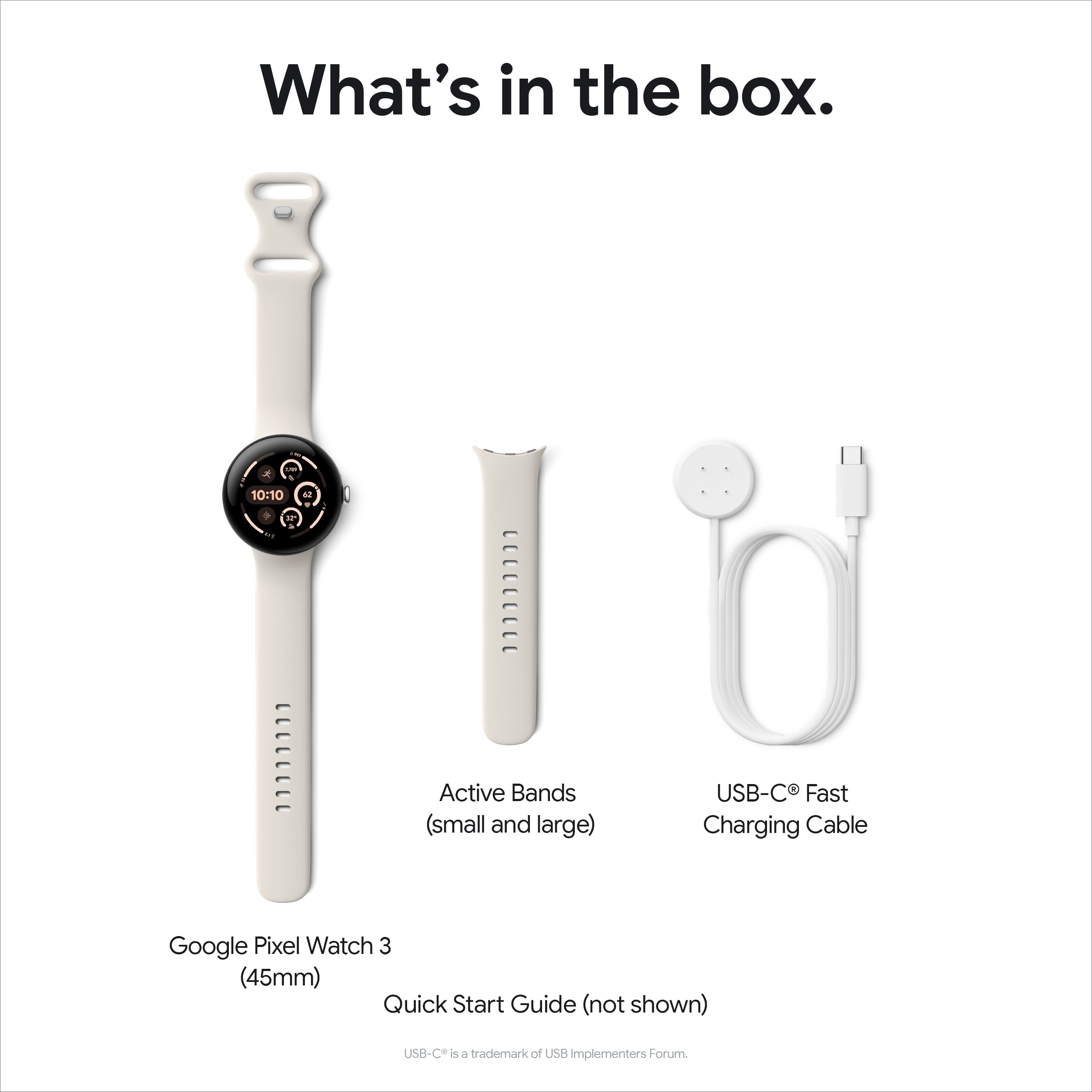
    Wow, google really nailed it with this watch! Not only is the exterior design fantastic, but all the technology inside is amazing! I have an android watch, and my daughter has Apple watch, but this Pixel watch 3 has surpassed both. I am very happy with the 45mm size. It fits perfectly on my wrist with the traditional round shape, with a 16% thinner round bezel, that gives you 40% more visible space on the 45mm size. It’s a stunning design that really makes it outstand over any other smartwatch in the market so far. It has a very elegant, modern, very bright and colorful vivid display. Even on a sunny day, I can see the pictures of the 3rd party notifications crystal clear. The touchscreen is very responsive and the mic and speaker work great. Google has gained a well deserved reputation by developing excellent devices, with cutting edge technology and innovative in many ways, leading the way rather than following trends. That was also the case when they released the Pixel phone 6 a couple of years ago, that I still have and it’s still a great device, and I also have the new google pixel tablet, which is a great tablet with a lot of improvements over the other tablet brands. Google has named the Display of this new Watch, Actua Display which has a maximum of 2000 nits, with a more power efficient mode. The 45mm size is perfect, not only for the visibility but for typing as well. The display is a 3D Corning Gorilla Glass 5, that will guarantee the durability and long life. I have had several android phones with Gorilla glass and never needed it to put a screen protector on any of them. Aluminum boy and 37 grams weight. It has an internal storage of 32GB. You can download music and maps for workouts or simply walking, without the need to carry your phone. GPS works flawlessly. My watch is WIFI, Black, 45mm display. I have a Samsung Galaxy, however, after all the time I have spent with the watch and learned about the many features it has, I definitely will do more with the Google pixel phone, something that I will explain later why. The setup is simple and if you have had a smartwatch before, the whole process is very intuitive. You will get the Pixel 3 Watch, Charging Cable (USB-c to charger adapter), Bands (small-Large), Quick Guide, and Warranty. Attaching the bands is easy, just slide the band connector to the left on the groove of the watch until you hear the click. To release the bands there is a small button on the right side of the groove. So, first, you install the pixel watch app on your phone. Then just press the crown dial for 3 seconds to turn on the watch. Mine came with 60% of charge so I was able to finish the initial setup, just put your watch close to your phone and all the setup process will run almost automatically. On the phone you just follow the instructions, add your watch, a few confirmation taps, setup the pin, setup up a payment method, and since it has nfc, you can skip this part if you want. Finally, follow a quick tutorial on how to access the haptics, swipe to the left, right up down, which I recommend if you are a first-time android watch user, and you are good to go. I setup the WIFI on the watch to make sure it will access all the firmware updates and sw or apps updates as well. For health tracking, Google works with fitbit, so all the hardware for the vitals readings, heart, oxygen, sleep tracking, exercise tracking, calories burned, steps count, running, etc, will be managed by fitbit, which nowadays is one of the most renowned health tracker companies. The Pixel Watch 3 hardware has sensors to measure heart rate, skin temperature, ECG, and electro dermal activity. Actually, there are a lot but a lot of health measurement reports you can get with the fitbit app that according to google there are around 90 pages of information for just that. If you want advanced and in depth insights, personalized workout recommendations, you can get the Fitbit premium membership. Six months of Fitbit premium membership is included with your Pixel Watch 3 purchase. I highly recommend updating the apps on the watch once you have finished the setup. I was trying to find the oxygen sensor app (spo2), but I couldn’t find it. For me, this feature is important and it is a feature that I had on my old android watch. Finally, after I did the update on the fitbit app it showed up. However, it is not on demand, only while monitoring in sleep mode. I will say, that almost all the functions you have on your phone are replicated in the pixel watch 3. You can make phone calls, read text messages, either SMS, WhatsApp, emails and reply to all of them. Battery life on default mode lasted a day and a half, even if “Always On” display setting is activated. With “Battery saver” selected, it lasted around 2 days, which is pretty good. I have set up the “tilt on wake” and “Touch to wake”, with the “Always display” off. The battery charging time is amazingly fast, around 40 min and the watch will be 100% fully charged. I am using a 30watt power adapter, maybe for others the charging time might be slower using a regular1amp power adapter. The charger base has 4 pins that line up on the back of the watch. Make sure to connect the charger base correctly to the watch, by placing the charging base with the cable on the side of the crown. The Pixel watch 3 is AI powered. Google states that AI is built into the watch, however, Google Gemini app as its new AI assistant technology is not installed in the Pixel watch 3, even if it was announced and promoted widely, and it is included in all the latest pixel phones. You can find several other faces and even customize them. I am sure it will satisfy the most exigent preference. Specs states that it will support up to 50mts Water Resistant. On the right side you will find the crown dial, a top button, mic and speaker. The top button will take you to the most recent apps, but when you use it in combination with the crown dial, pressing both at the same time, it will take a snapshot, which I found is really cool. There are a lot of many other cool things like TV remote app, and the camera functionality, where you can access the camera of you phone through the watch. But this feature can only access the camera of a pixel phone. You can record audio though the Pixel Record audio app and play it on your phone. If you have Nest security system, you can have access to the nest app functionality and interact with the camera and mic. I have Nightowl security camera system, and I was able to get the notifications and pictures on the watch display. Another cool feature is that you can take snapshots, by pressing the crown dial and the top right button at the same time. If you swipe from up to down, it will show you the preselected options or setting you can do, with symbols, like flashlight, that will light up the screen with a bright white, or you can choose the option to locate your phone, you can do the opposite as well from the app in the phone to locate the watch. You can select the saving mode for long lasting battery usage, or go to the settings on the gear icon. Many of these options can be accessed as well if you press the upper button and you can see all the apps available. If you swipe from left to right you will see the notifications, the sleep report, and the phone calls I received. I have apnea so for me its important to track my sleep activity, and this watch with the Fitbit app does a good job in this area, with a clear and understandable report. You must be aware that the data collected by the watch is based on cycles, so once the cycle of the full day ends, the daily readiness report will be available. In the menu, you will find that it supports Google Home, whether you have smart lights, garage door opener, smart thermostat, smart door lock, etc. Another two cool things I learned is that the Pixel Watch has a feature called “Car Crash Detection” that can detect if you've been in a severe car crash. It will call emergency services automatically, notify emergency contacts, and share your location and “Loss of Pulse Detection” is that it can detect a loss of pulse and automatically place a call to emergency services. The more I spend time with the Pixel watch the more I learned about other features and discover new ones so I like it more. Whether you are into the fitness trend or just a regular user, who likes to be on the top of the technology, this is the watch that is over the top at the moment, with full integration to your android phone. There are only 2 things I think Google should improve on this watch. The first one, instead of a proprietary charger, a wireless magnetic charge will be more industry standard. The second one, I hope it could be corrected with an app or firmware update since I don’t think is a limitation HW issue, the oxygen sensor measurement should be on demand, and not only taken while you sleep. Other than those cons, this smartwatch is a wonderful piece of advanced technology, it’s good looking, and easy to use. It is designed to please the most demanding of users. Google has made a huge technological leap with this watch, offering a lot of useful features. It’s intuitive and easy to use while being an elegant smartwatch that I feel proud to use.

    I would recommend this to a friend
  • Tech Insider Network Member

    Rated 5 out of 5 stars

    A runner's dream companion.

    |
    Tech Insider Network Member
    Posted .
    This reviewer received promo considerations or sweepstakes entry for writing a review.

    This is my first experience with a Google watch, and so far, there is a lot to like. The design language is playful yet sleek. The wrist band is made of flexible silicone, is easy to wipe or wash. There were two sizes included. Attaching the straps can take some figuring out, but once done, it’s rather simple. Once on, the 45mm screen casing takes over the wrist. The crown button gives it a bit of a classic aesthetic, which I appreciate. The Actua screen is super bright, the colors pop, and the text is easy to see (there are options for text size). The touch controls are very responsive, making navigation menus and choosing apps a breeze. I have a Pixel 9 Pro XL, so pairing and setting up was a breeze, although it took some time because of the amount of options offered. Once setup, there is plenty of information to be reached and interacted with through the screen such as emails, text messages, notifications, map navigation, Wallet payments, camera control, screen/answer/hang up calls, make audio recordings, use as a remote, check your camera’s feed (Google compatible cams), have emergency detection and handling, and much more with plenty of add-on apps. The watch’s screen can be customized, and most faces look great. Strangely, there is no Gemini AI support on the watch. I hope that Google keeps refining the experience and performance with future updates. The battery life is much better than I had expected. On a full charge, I was able to use the watch for two full days before I needed to charge it. This is with normal use and a bit of messing around. The watch takes less than an hour and a half from empty. It needs a proprietary magnetic 4-pin charging cable/base which I hope is not too expensive to replace. The main marketing feature and reason for many is health-oriented Fitbit monitoring. By default, I have access to track steps, heart rate, oxygen levels, sleep, and a “readiness score”. It is a bit annoying that to get the entire picture and metrics you must wear the watch for 6 days straight, instead of giving real-time information. The Pixel Watch 3 is a runner’s dream. It is designed to improve performance and reach goals. From cadence, speed, distance, cardio targeting, coaching (warmups, cool downs, pace training) to balancing rest and recovery, this watch can be a complete workout companion. There are more advanced workout features that require a Fitbit Premium subscription, mostly AI assisted, sleep patterns, and content related that may be worth it should you want a deeper dive into fitness. I still feel that this should have been included based on the asking price of the watch. There are so many more features that may be coming and some that I won’t really use, such as remote car unlocking, but I am glad it’s there. It’s a lot to learn, but it’s also an exciting ride. In the end, although the asking price is a little steep in my opinion, I feel that I am getting my money’s worth, since I am focusing this year on physical performance and goals.

    I would recommend this to a friend
  • Tech Insider Network Member

    Rated 4 out of 5 stars

    Comfortable SmartWatch that is smart looking

    |
    Tech Insider Network Member
    Posted .
    This reviewer received promo considerations or sweepstakes entry for writing a review.

    Google - Pixel Watch 3 (45mm) Smartwatch with Obsidian Band - Wi-Fi The Pixel Watch 3 (45mm) is the most comfortable Smartwatch I have used. Even though the watch material is recycled aluminum, it is a clean set of materials as I will often have skin reactions to poor-quality metals and I have no negative reaction. The watch is also a pleasing shape and style, not overly fat, and a good size on my wrist. The Silicon band is very comfortable and not hot, and it has a unique clasp mechanism that is secure and easy to use. The watch's back is slightly domed, giving the sensor good contact and making it very comfortable to wear full-time so you can track your sleep. The charging cord (USB-C) you receive does not have a charging brick, which seems to be a disappointing trend in chargeable devices. The charging connector is a bit weird since it has four pins you align to get the magnetic face of the cord to charge the watch. You are stuck with a proprietary watch charger instead of the more universal type. The back is domed instead of flat but unless you take the band off it is actually easier to charge the watch on it side since the band does not naturally lay flat. The watch charges quickly, taking about 35 minutes if using a 30-watt charging brick or larger. After setting things up power-wise, similar to other smartwatches I have used, I would get a day and a half or slightly more charge depending on activities using the watch. The domed watch face is aesthetically pleasing and has a bright, clear AMOLED display rated at 2,000 nits, and it has a very small bezel. Unlike some smartwatches, the stem on the Pixel is functioning and allows for scrolling. The face of the watch is easy to see in bright sunlight or dark conditions when the watch is set to Adaptive brightness, and since I don’t keep the watch display on continuously or activate it by movement, my battery life doesn’t suffer. The watch with the 45mm display has the addition of a 35 percent larger battery. Like most big-name smartwatch companies that also make smartphones, not all features and full compatibility are available unless you are using a Pixel phone. For example, “Do Not Disturb” does not sync with a non-Google phone, either from the phone or the watch. There are also a number of apps that do not have a compliment on a non-Google phone. Though the watch is set up for use with the Google Nest cameras and the Google Home system, I was surprised that I received notifications (which I get sent to my phone) from my Ring Doorbell and several 3rd party cameras, including a snapshot of what is being seen but no interaction with the doorbell cam or other cameras. The WearOS features are a big plus. I used one of my purchased WearOs watch faces to customize the watch face to my liking, including what the hotspots on the watch face do. The watch also relies on fitness features with an integration with the ‘Fitbit” app, some of which require a paywall for the Fitbit Premium features. You receive a 6 month trial to determine whether the cost of Premium is worth the features. Fitbit also integrates with several exercise machines and integrates these data points into the overall statistics. With the premium, you also get several coaches to select from to help you reach your goals. Since a lot of the data analysis requires a week to two weeks to gather enough data for a trend, I can’t really comment at this point because I have only had the watch for five days. I found it interesting that one night, it didn’t detect any sleep activity, and I didn’t do anything different than any other night, and the watch was charged 80%. Then, several hours later, the data on my sleep cycle showed up. The daily readiness report is nice, and I await its retrieval of enough data to fill out this feature more as I wear the watch daily. Some of the Fitbit features: • A new running dashboard with form analysis metrics • Custom running workouts • AI-generated daily running workout suggestions • Revamped Daily Readiness Score • New Cardio Load metric • Morning Brief • Various pulse and heart tracking features • Loss of added features, including personal coaching with the paid Premium upgrade The Bluetooth (Bluetooth 5.3) and WiFi (Wi-Fi 802.11a/b/g/n/ac/ax 2.4Ghz, 5Ghz) work well and have strong connectivity. I could receive clear phone calls from my phone even when it was in a different room. You can download a set of maps from Google and use them offline on the watch, but since my watch is not a 4G LTE version and is only WiFi, I carry my phone while out walking, running, or exercising, and the map feature is more to my liking on my phone. I looked up the sensors that this watch contains on the Google Watch site, and it is quite the list. But I am surprised there is not a native app to access some of the sensors like the compass and altimeter but there are some WearOS apps that can take advantage of these sensors: • Compass • Altimeter • Red and infrared sensors for oxygen saturation (SpO2) monitoring • Multipurpose electrical sensors compatible with ECG app • Multi-path optical heart rate sensor • 3-axis accelerometer • Gyroscope • Ambient light sensor • Electrical sensor to measure skin conductance (cEDA) for body response tracking • Skin temperature sensor • Barometer • Magnetometer This is a nice watch with many features, and if you're into fitness, its integration with Fitbit offers many options. If you have a Google Watch, you can do even more. If you don’t have a Google phone, I would make sure you check the Pixel Watch site to make sure the things you want to do don't require a Google phone or products.

    I would recommend this to a friend
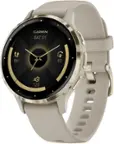
  • Rated 1 out of 5 stars

    display malfunction within 3 months. do not buy

    |
    |
    Posted .
    This reviewer received promo considerations or sweepstakes entry for writing a review.

    broken within 3 months. I protected it very well yet the screen stopped working and kept flickering.

    No, I would not recommend this to a friend
    • Brand response from Google Team
      Posted .

      Hey there, YudaP. We’re sorry to hear you’re having problems with the screen of the Pixel Watch 3. A factory reset will help resolve multiple issues that you may encounter on the watch — here’s how to do so:

      1. Press and hold both the crown and side button for approximately 20 seconds. A dark screen with a 'G' logo will display, or a colorful 'G' logo on Pixel Watch 3. If the watch is off, press the crown briefly to power it on.
      2. Upon seeing the 'G' logo, simultaneously tap the upper-left and lower-right edges of the watch face to enter 'Fastboot' mode.
      3. Navigate by pressing the side button next to the crown to scroll downwards.
      4. Select 'Recovery mode' by highlighting it and pressing the crown. The display will show 'No command.'
      5. Activate a debug screen by pressing and holding the crown while swiping up on the screen simultaneously.
      6. Scroll down to 'Wipe data or factory reset.'
      7. Initiate the reset by swiping right, which will also reset your PIN.
      8. Once the data wipe is complete, highlight 'Reboot system now' and swipe right or press the crown to restart the watch.

      If you’re still running into any issues, reach out to us here: https://support.google.com/googlepixelwatch/gethelp?sjid=1168929876280557452-NC madebygoogle

  • Tech Insider Network Member

    Rated 4 out of 5 stars

    The Pixel Watch I've Been Waiting For...

    |
    Tech Insider Network Member
    Posted .
    This reviewer received promo considerations or sweepstakes entry for writing a review.

    This is the Pixel Watch I think many of us have been waiting for! I’ll be honest, I had used the 1st generation of the Pixel Watch, and it had a lot of issues, but the Pixel Watch 3 largely solves nearly every issue I had with that one. First of all, once you unpack your new watch, be sure and fully charge it with the magnetic charger, and install any and all updates on the watch, as well as the watch app on your phone, plus possibly having to download the Fitbit app as well and get those set up. Two watch bands come with the Pixel Watch 3, a standard length band, and a slightly longer band. I have very large wrists, and the larger of the bands just BARELY fit (first hole), but other bands are available, and more will be as time goes on. The bands slide on easily via a sideways slide into a groove. The magnetic charger has four pins you have to line up on the back of the watch for proper charging (I’d prefer a less proprietary method, but this works). You now have a choice of two watch sizes, 41 mm and 45 mm. This new 45 mm is MUCH nicer to wear, view, and use, giving you 40% more screen real estate compared to the older, smaller, models. The new “Actua” display has smaller bezels than previous models, and along with the larger screen comes a larger battery, so now (finally) you can get a full day of use without having to top the watch off (longer if you turn off the always-on display mode, or use power saving settings). The new screen is also much brighter, so easier to see outdoors and in the sun, but can also dim itself down to just 1 nit of brightness for such places as a movie theater, or when wearing at bedtime. Navigation is easy, especially with the larger screen. Through a series of swipes, you can easily see your phone notifications, your Fitbit tiles/app features, and your watch settings. You can of course customize your watch faces and tweak them, or add more. The dial or “crown” allows for scrolling through the menus. It does stick out a bit as in past models though, and raising your hand in some ways depending on your hand, can push in on the crown accidentally. Fitbit integration is the biggest part of this watch, and with it, you can monitor a ton of health aspects of your day. Running routines allow you to monitor your stride, heart rate, distance, with the ability to compare over time how you are improving. Cardio load and daily readiness give you insights to your day ahead, the ability to do an ECG helps you monitor heart health, and even workout videos, using the Fitbit Premium features. You can keep track of pretty much any workout activity using the Watch 3 – lifting, biking, hiking, running, I mean, if you can physically do it, you can pretty much track it with this watch, even sleep patterns. Note though, you only get Fitbit Premium for six months with the watch, and have to pay after, though some features are still available in basic mode. Blood oxygen can be measured, but only when monitoring in sleep mode, unfortunately, and not on-demand. If you have certain Google TV devices, you can control that device with the watch after you update it. Have a Google Nest Camera? You can now view them and talk to someone through your watch. You are also now able to download maps for offline navigation, and Google assistant is available once activated. If you also have a Pixel phone, you can utilize the Pixel Watch 3 to control your phone’s camera, as well as call hold features. An updated audio recorder lets you record audio clips as well – I did find the mic slightly weak on this feature and have to talk in slighter higher than normal tones to get a clear recording, though. When testing calls through my Pixel phone in the watch, people have said I’m clear, though again, I do have to speak slightly louder than normal or hold the watch very close to my mouth for the audio to be heard really well by them. Notifications come in via my Pixel 9 Pro fine to the watch, and you can adjust the “ping” haptic to be stronger or softer per your preference. Should you opt for the LTE version of the watch, you’ll be able to use it independently of the phone, at the expense of some battery life. Mine is WiFi/Bluetooth only, though. Ok, so the Pixel Watch version 3 is overall, vastly better than previous generations, especially in the new 45mm size. But I still have a few small gripes that I would like to see them work on. First, only getting 6 months of Fitbit Premium? You should get 1-2 years if you’re buying the watch, in my opinion. The mics could be a bit better (stronger). And the crown (dial) does still stick out a bit and feels a bit cheapish like all previous models, and can easily be pressed in if you bend your hand up in the right way; I’d like to see the dial slightly recessed or more in the side than sticking out as it does. Last, it would be convenient to have the blood oxygen reading on-demand, and not just in sleep mode. Regardless, I do recommend the 45mm Pixel Watch 3, especially if you are able to pair it with a Pixel phone to get the best out of it. It’s finally the watch we’ve been waiting for! Thumbs-up.

    I would recommend this to a friend
  • Tech Insider Network Member

    Rated 4 out of 5 stars

    Google is Finally Getting Serious

    |
    Tech Insider Network Member
    Posted .
    This reviewer received promo considerations or sweepstakes entry for writing a review.

    📦 UNBOXING: Inside the box of the Pixel Watch 3, you’ll get a proprietary magnetic fast charger that terminates in USB-C, two watch bands to support different wrist sizes, and the Pixel Watch 3, itself. Other than that, there’s some basic documentation to get started, but the Watch app will guide you through the setup process. 💪 BUILD: The Pixel Watch 3 uses a Custom 3D Corning® Gorilla® Glass 5 for the display, recycled aluminum for the body, and Fluoroelastomer with soft-touch coating for the active watch band. It’s IP68 rated and supports 5 ATM which means it can endure water pressure equivalent to 50 meters, so it shouldn’t have any issues for swimmers. You can wear the watch on either arm, and wear it such that the Haptic Crown and Side Button are on either the left or right side of the watch face—whatever meets your personal preference. Overall, it feels quite durable, and the watch band feels comfortable to wear for long periods of time without any discomfort. Surprisingly, I even found that I could wear it to sleep without any discomfort. ⚙️ CONTROLS: The controls on the Pixel Watch 3 are simple. You can swipe across the display for most navigation. You can hold the Haptic Crown to power off, restart or trigger emergency SOS. You can hold the Side Button to trigger the Google Assistant. You can double-click the Haptic Crown to open your Wallet and use tap-to-pay, or double-click the Side Button to open your last used app. ⌚ DISPLAY: I love the 45 mm display on the Pixel Watch 3. It uses an AMOLED panel with a variable 1Hz to 60Hz refresh rate which is great for saving on battery and also delivering a responsive experience. Interactions on the touch screen are responsive, with low latency. It reaches a peak brightness of 2000 nits for excellent outdoor visibility or for use as a flashlight in a pinch, while also reaching as low as 1 nit for dark environments where you don’t want your watch to be a distraction. 🔋 BATTERY: The 45mm Pixel Watch 3 uses a 420mAh battery. Google claims they can achieve 24 hours of battery life when using the always-on display, and up to 36 hours with battery saver mode. Google also claims that using a 30W adapter, the fast-charger will take ~28 minutes to 50%, ~50 minutes to 80%, and ~80 minutes to 100%. In my experience, battery life has been excellent on the Pixel Watch 3. I found that I could even wear the watch to sleep for sleep tracking, and then top up to 100% during my morning rituals. With more casual usage, you may be able to obtain 48 hours of usage, as I’m finding that I’m usually around 50-60% when I put it on the charger to top-up to 100%. 🏃HEALTH & FITNESS: The Pixel Watch has integrations with Fitbit, and Google Fit. In my time with it, it seems a bit disjointed. There are separate phone apps for Fit and Fitbit, and there is overlap between the two apps. However, Fitbit’s app also provides Premium features through their Fitbit Premium subscription. You’ll get a 6 month trial included, and I was granted a number of Peloton classes and personalized workouts tailored to my preferences and activity. Between the two, the Fitbit app seems to be the one you’ll want to use because it’s available on both the watch and your phone, whereas Google Fit seems to only be available on the phone. I haven’t done any extensive testing, but the sensors seem to be accurate in their measured values when I compared to other devices. ℹ️ OTHER: Other notable features of the Pixel Watch are its ability to store data onboard its 32GB of eMMC storage. This means if you want to store music for workout activities, you should be able to connect Bluetooth headphones to the Pixel Watch 3 and listen without needing your phone. And you can also store offline maps with Google Maps. For me, both of these apps are especially useful on the watch when I want some music while getting cycling/walking directions. However, I must complain that the software ecosystem isn’t inherently “robust”, as there were some apps which I use that have not yet received support for this version of Wear OS, so the watch faces and complications that I rely on are simply not there. Regardless of the reason, it simply creates a bad impression of the Wear OS ecosystem. I used quite a few Wear OS watches from 2015 to 2018, and while the hardware and performance has improved, it does feel as though there are still remnants of platform/ecosystem issues. 🧐 CONCLUSION: Overall, the Pixel Watch 3 seems like a great step forward for the Pixel Watch series. It’s a good supplement to the Google Pixel ecosystem. The hardware is fantastic, and the software support is good but not amazing. With that said, the Pixel Watch 3 does get the basics right, and does a lot more on top of that. So if you’re a more casual watch user like I am, then I think it’s likely to be a good pick-up. But if you’re geared more towards fitness and being active, then there might be better options to investigate.

    I would recommend this to a friend
  • Tech Insider Network Member

    Rated 3 out of 5 stars

    Good hardware limited by FitBit/Health Integration

    |
    Tech Insider Network Member
    Posted .
    This reviewer received promo considerations or sweepstakes entry for writing a review.

    Using this watch for the past week, I really do appreciate the increased size. The design of the watch is great with a round screen and thin form factor - it doesn't look like some bulky screen. The watch is easily visible both indoors and outdoors, and the interface is easy to use, syncing with the Pixel phone easily and quickly. The watch lasts over a day in my testing, and the different watch faces offer enough variation for anyone to enjoy. And from there it falls apart in a few places, but mainly the issue lies with FitBit. The issue with FitBit is that there are multiple apps for FitBit - one for ECG, one for Exercise, Relax, and Today. I wish that it was all in one app, just with different tabs/modes? On the Pixel phone, there is only one FitBit app. My second issue stems from a minor usability issue - the charging puck. The magnetic charging puck has pins that line up with the back of the watch, but it is orientation specific - the best way to describe this is that if you have the cable going out from the puck going out *the same side* as the watch crown, that is correct. Any other direction, and it won't charge. Other fitness watches out there are able to charge wirelessly without pins to avoid this issue. My last issue is regarding watch band customization - while the watch bands look very sleek in terms of how they integrate into the watch, the mechanism restricts and limits the selection of bands that can be used to customize the look, potentially resulting in higher costs. These watch bands attach/disconnect by inserting at an angle while holding a button, then swiveling into place. In comparison, most other watches have a locking pin that slides in and out. Overall, I think that the Pixel Watch 3 is a good *general* smartwatch, but is held back a little bit by the range of customization and slightly confusing interface.

    No, I would not recommend this to a friend
    • Brand response from Google Nest Support
      Posted .

      Hi there.
      Thanks for sharing your experience with your Google Pixel Watch 3. We're always working to improve our services and products. Please share your feedback here: https://google.qualtrics.com/jfe/form/SV_2aStd8wsbcLGvwG Nest

  • Tech Insider Network Member

    Rated 4 out of 5 stars

    Decent smart watch by Google. Improved display.

    |
    Tech Insider Network Member
    Posted .
    This reviewer received promo considerations or sweepstakes entry for writing a review.

    I do like the larger size of the Google pixel watch 3, but still doesn't seem like a big enough upgrade over the watch 2 version. Other than the 4 mm size increase for the pixel watch 3, The Google watches still feels like its missing something to me. My biggest complaint about the Pixel watches are the way there's no protection of the face or bezel, scares me to death I'm going to break the watch. I did purchase replacement bands on Amazon to get rid of a snap closure band and use a standard holeand eyelet style band, for a more secure fit to keep the watch on my wrist. Everything about the watch performs and works well whether it's step recording, activity tracking, sleep tracking, swimming and other physical activity recorded on the watch. The larger 45 mm face display definitely makes this easier to read, especially out in the sunlight the brighter display is slightly noticeable over the previous gen to watch and is better to read also. I wish Google would incorporate standard wireless charging with this watch, instead of the needed cable puck style magnetic charger which I absolutely can't stand. Battery life with the Google pixel 3 watch is standard at best I normally get about a little over a days use before needing charging, usually I charge it every day so I don't risk running out of battery. A larger battery which would add some weight to the watch would definitely be accepted by myself the watch has a very light feel to it, almost like you're wearing nothing at all. Pairing the watch to my new Google pixel 9 pro XL was very easy and painless it paired right away to the Pixel watch app as well as the Fitbit app. In my opinion this is a little nicer than the Google Pixel watch too since it has a larger display but I don't know if I consider it worthy of an upgrade over the watch 2. The watch crown button and dial are nice features that serve their purpose, I don't find myself bumping the dial as much as I thought I would when moving my left wrist while wearing the watch. I would recommend this watch if you don't already have the Pixel 2 version but if you have the two the only reason I would recommend the watch 3 is for the larger display size and slightly better brightness over the watch 2.

    I would recommend this to a friend
Sponsored