Customer Ratings & Reviews
- Model:
- B6061A02
- SKU:
- 6503425
Rating by feature
- Value
Rating 4.6 out of 5 stars
- Quality
Rating 4.7 out of 5 stars
- Ease of Use
Rating 4.6 out of 5 stars
Customers are saying
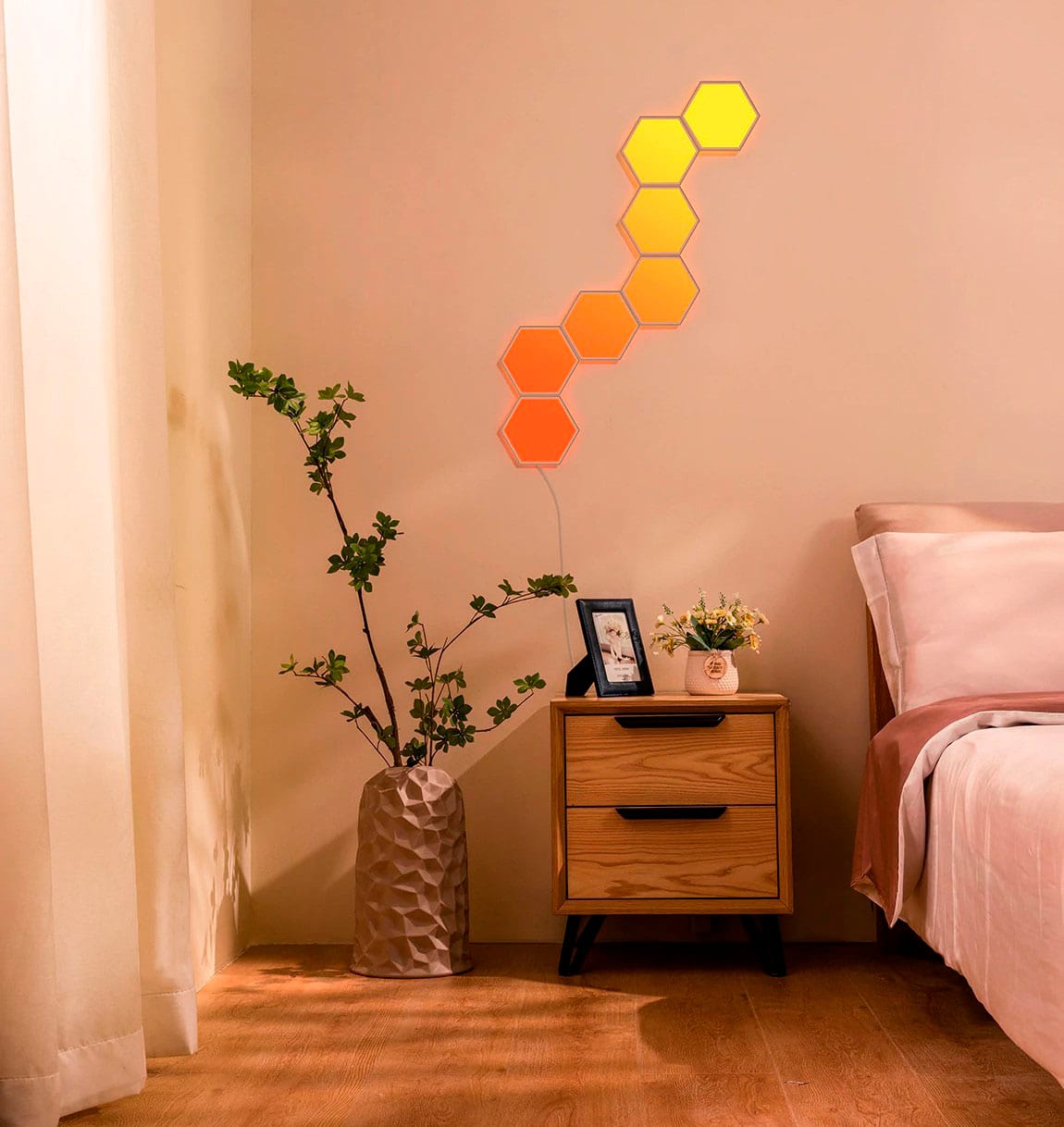
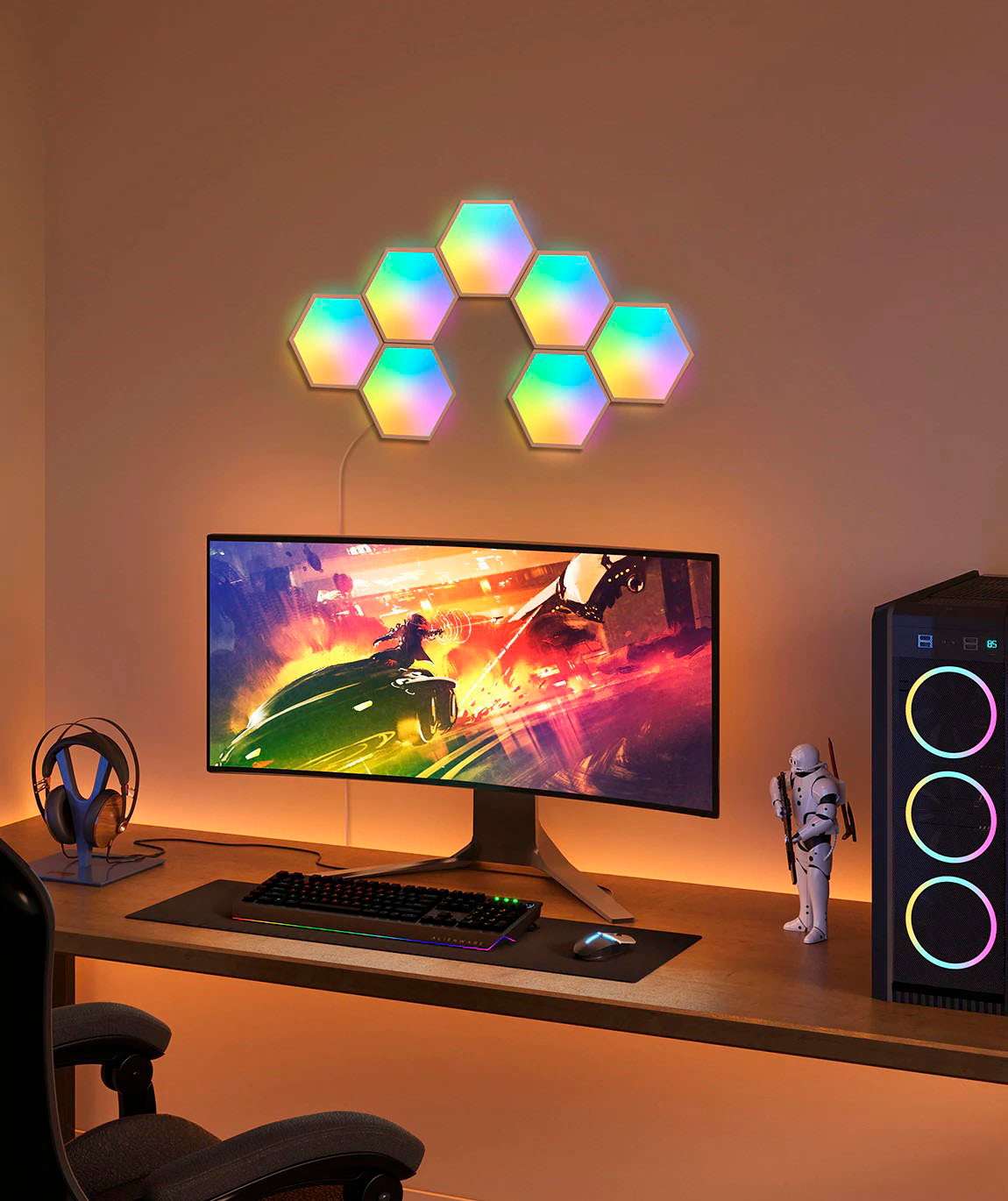
Customers appreciate the Hexa Wall Light Panels for their impressive brightness, easy setup, and music sync capabilities. The panels are described as being impressively bright at 100% and setup is said to be simple and easy. Additionally, customers enjoy the music syncing feature that utilizes an in-line microphone.
This summary was generated by AI based on customer reviews.
- Pros mentioned:App
Very Excellent
||Posted . Owned for 3 weeks when reviewed.This reviewer received promo considerations or sweepstakes entry for writing a review.They work/perform Great! 1) EZ installation w/ level and guide which r a must and work well! 2) App iz veryvery user friendly! 3) EZ Smart connection. 4) Customer service is very Excellent and Prompt. * Please add some additional sticky pads and connectors. * Adhesive Pads work so good, they take off a very thin layer of paint/sheetrock. The PRICE iz Amazing compared to other products. Keep up the Great work Govee!
I would recommend this to a friend - Pros mentioned:Brightness, Ease of use
Sweet smart led lights
||Posted . Owned for 2 weeks when reviewed.This reviewer received promo considerations or sweepstakes entry for writing a review.These things are really cool. I got them to add a light setup for my desk and didn’t realize they work with Razer chroma. They get really bright, if you want and can change many volts and have an insane amount of effects. As mentioned, it can be controlled through razer chroma (maybe others) and will react to games that use chroma, or you can control it with the phone app
I would recommend this to a friend - Pros mentioned:Brightness
Perfect light panel for gaming setup
||Posted . Owned for 1 month when reviewed.This reviewer received promo considerations or sweepstakes entry for writing a review.Fantastically bright panels with easy installation (as long as you read the instructions and plan out your layout). I love the control features of the Govee App. Alexa control works great
I would recommend this to a friend - Pros mentioned:Music mode
Fun and functional
||Posted . Owned for 3 months when reviewed.This reviewer received promo considerations or sweepstakes entry for writing a review.Nice fun touch for my studio with music sync feature wich is my favorite. Infinite combinations
I would recommend this to a friend - Pros mentioned:Ease of use
Stunning Beauty
||Posted . Owned for 1 month when reviewed.This reviewer received promo considerations or sweepstakes entry for writing a review.Incredibly beautiful, easy to set up and fun to play with!
I would recommend this to a friend - Pros mentioned:App, Brightness, Customization

Bright accent animated shapes light
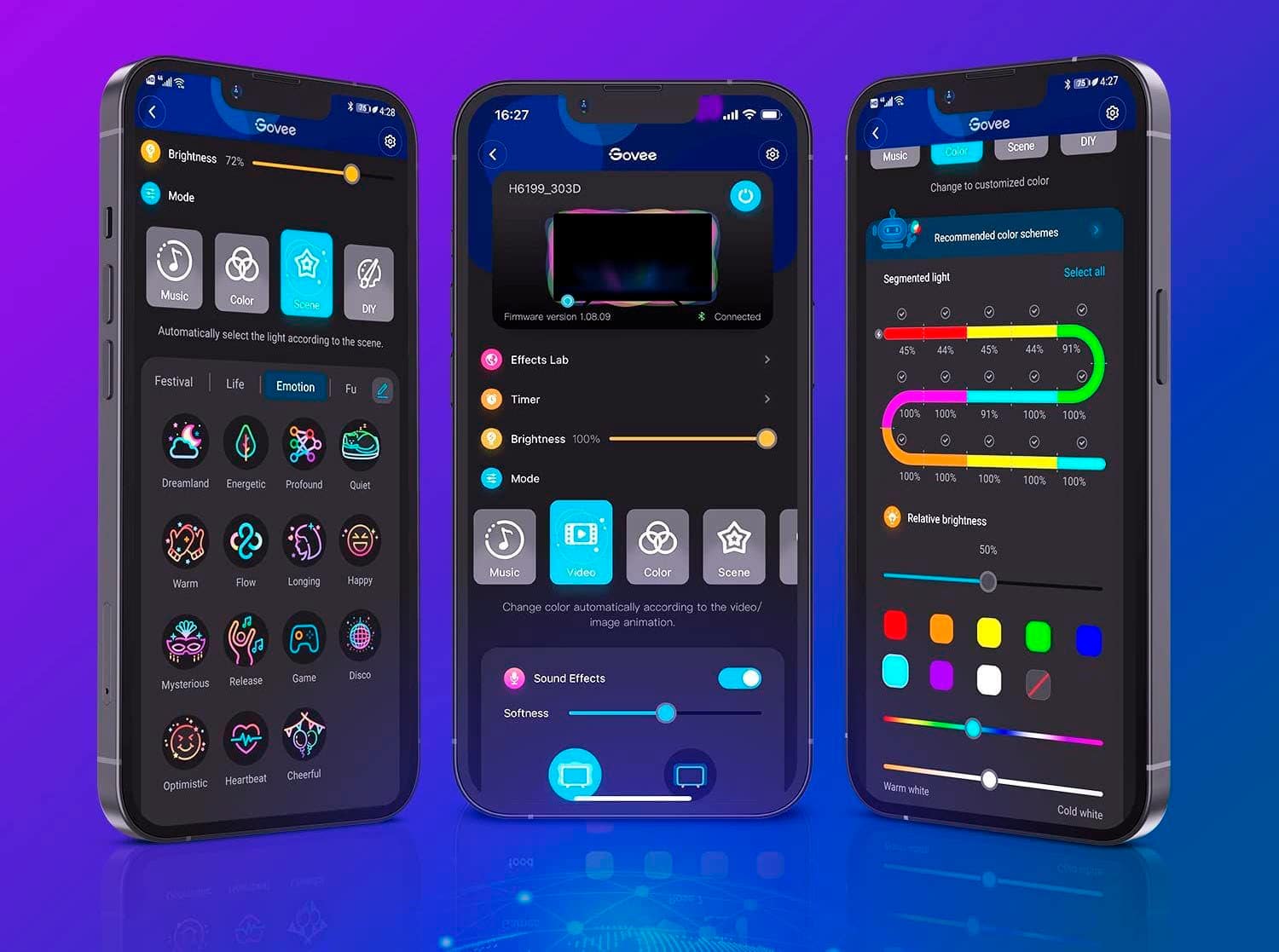
|Posted .This reviewer received promo considerations or sweepstakes entry for writing a review.Govee Glide HexaLight Panels are easy to install and looks bright in vibrant colors with a lot of customization on the app. For accent lighting this will be a great option at affordable pricing compared to its competitive brands that offer similar features. What’s in the box? In the box, it comes with 7 hexa panels, 7 linking cables, control box, power adapter, connection cable, mini level, orientation piece/guide, 1 user manual/guide. Setup: Its best to setup the lights by plugging in each individual panel to the main connector to make sure its working and have no issues. Once its done, download the Govee Home app from iOS App store or Google playstore and setup the user account as directed. Once logged into the account, just click the add new device (+ icon) and select indoor lighting, scroll down to wall lights section, and select the H6061 Govee Glide Hexa Light Panels, and it should automatically detect over Bluetooth. Make sure the control box is plugged in the wall outlet. Once it detects, just enter the Wi-Fi username and password to connect and follow the step-by-step instructions as directed in the video tutorial. Suggest to fully watch the video on how to connect the panel with linking cables and how to use the alignment bracket to avoid mistakes during the installation on wall. You can create you own pattern of design or pick from the predefined design layout. Brightness on this panels are good compared to other brands. App is intuitive and robust that offers lot of features to select various colors for each panel or effects lab. Setting timers/schedules is easy. Lot of automation options are available, and you can add one more set of 7 panels if you desire to do so. It does have music syncing with its in-line microphone. It supports Alexa and google integration but lacks apple HomeKit support. If you are in apple ecosystem and would like to have sync with hue lights and want to control from home app then you are out of luck. Overall, this is very bright, colorful wall mount light panels with great app support that will add good ambience to any space. Highly recommend for its easy setup process, great animation controls in the app, affordable compared to other leading brands.
I would recommend this to a friend Very nice lights
||Posted . Owned for 1 month when reviewed.This reviewer received promo considerations or sweepstakes entry for writing a review.I honestly like them. They do what they are supposed to do. The set up is easy, the app is easy to use. I hope you can buy them on sale if you find them.
I would recommend this to a friendColor combos are fun.
||Posted .This reviewer received promo considerations or sweepstakes entry for writing a review.Super neato. I like the programming you can do. It’s fun just making up crazy color combos. I also used the cardboard separators to mock up design ideas.
I would recommend this to a friendGoVee
||Posted . Owned for 1 month when reviewed.This reviewer received promo considerations or sweepstakes entry for writing a review.Product looks great. Multi light options and modes.
I would recommend this to a friend- Pros mentioned:App, Ease of useCons mentioned:Installation
Stylish light panels
|Posted .This reviewer received promo considerations or sweepstakes entry for writing a review.Light panels such as these give you the ability to add light to an area and do it with style. Setting up the light panel is easy and straightforward thru Govee’s excellent app. Once you sync the lights with app and check that all panels work you can make your own design or choose from a predesigned one. When installing the lights Govee makes it easy by including a small level and they use command strips type of double sided tape that you pull to remove so it doesn’t destroy the surface when removing it. I have another brand of light panels and though I like them, I had to purchase the 3m command strips for them because the included tape peeled my drywall when I went to remove them. As nice as smart lights like these are, they joy of using them are dependent on the user experience from the app since that controls everything. Govee has nailed this part as the app to control them is excellent. From the setup process (which couldn’t be easier), to controlling them, Govee is ahead of their competitors in this category. I have two other smart light brands and both have great products, but their apps leave a lot to be desired. From not being able to connect to lights, to needing to be on the same network to control them. You really don’t realize how much this matters until you need to turn something on or off and the app doesn’t connect. In my short time using them, the Govee app has connected every time with no delay in changing functions or turning the lights on or off. Govee Hexa gives you a cool and unique way to add more light, with an app that makes the experience of using them great.
I would recommend this to a friend - Pros mentioned:App, BrightnessCons mentioned:Installation
Get your room awash w/sophisticated light effects
|Posted .This reviewer received promo considerations or sweepstakes entry for writing a review.The Govee Hexa 7-piece light panel kit is a slightly more budget friendly hexagon wall panel array than the competitor's similarly shaped and featured starter pack, but the results are every bit as compelling once you finally get everything dialed in just right. The companion app is NEARLY intuitive and self-evident enough that you can configure your light panel array from your smartphone without consulting a FAQ or complicated directions; and while physical setup offered a few minor challenges, none were insurmountable, and my daughter is absolutely thrilled with the results--she is still finding new features, animations, and lighting possibilities weeks after initial installation. Initial unboxing might seem intimidating due to all the parts in the package, but Govee also provides a very clear and well-produced video accessible via QR code in the quick-start manual that neatly and quickly walks you through the main steps of installation and operation. Start by simply plugging in the main control unit to a wall outlet. This single push-button control is surface mountable via 3M foam backing tape. Unfortunately, unlike the mounting plates for the light panels, the control box adhesive is not of the 3M command/quick-removal variety, so you’ll need to decide ahead of time where you want your control box to go and ensure you have enough slack in the connecting cable to mount the panels where you want them. The control unit comes preconfigured out-of-the-box ready to pair via BT to your smartphone; once paired, you’ll use the app to get the system online—just make sure your phone is on a 2.4Ghz WiFi network or voice control via smart assistants will not be possible. The setup video advises you to check each light panel individually before mounting them to the wall—this ensures no nasty surprises when you step back from your masterpiece only to find that one of the panels in the middle won’t light up! Interconnection is fairly idiot-proof—flat, foldable connector ribbons are provided to hook one panel up to the next, with notches at one end of the ribbon that ALWAYS go into the power connector on the back of each panel. There is also a signal-flow arrow printed on the surface to ensure you’re hooking the right end of the ribbon up to each panel’s electrical connectors. The only rub here is that you have to ensure that the metallic contact pins on the ribbon are facing UP…it took us about 5 minutes of troubleshooting to understand why three of our panels weren’t working until we finally removed the panel from the mounting bracket and realized that the electrical contacts are only on one side of the base and one side of the ribbon—we simply flipped the ribbon over and power was flowing again. Mounting the panels themselves to the wall is a fairly painless process. Each panel is actually two pieces, the main hexagonal light panel, and a snap-on base that actually adheres to the wall. Once you decide where you want your first panel to go, simply remove the paper backing from the adhesive base, press the panel into place for 30 seconds to set, and then you’re off to the races. I have seen some reviewers complain that the included level only works for horizontal installations (i.e., where the top and bottom of the hexagon is parallel to the floor), but that is not actually the case. Govee thoughtfully put an adhesive on one end of the included bubble level so that you can temporarily stick it to the side of the first panel (I have included a photo for your reference)—this allows you to orient the panels vertically as well (with points at the top and bottom). On the backside of each panel (behind the removable base) is a smaller hexagon with each of the six sides numbered 1-5 with one power slot connector. The numbers correspond to the connections between panels as indicated in the app as you build your panel array so that you can create the proper lighting sequence and color flow on the wall that mirrors the one you build in the app. Electrical connections between panels are fairly straightforward so long as you follow the app’s layout and mounting guidance. Connect incoming the power ribbon to the port marked for power, and then a second (or third) outbound cable to the numbered port on the back of the panel as indicated in the app Then insert the notched end of that cable into the power slot of the next panel and affix it to the wall in the pattern indicated in the app. For example, Panel 1 gets its power from the control box. The app indicates that the connection between Panel 1 and Panel 2 should exit Panel 1 at port #1. Grab another connecting cable, insert one end into port #1, and the notched end that is hanging free will now become the power feed for Panel 2. Insert that notched end of that connecting ribbon into Panel 2’s power slot, then attach a new connecting cable that exits Panel 2 at port #4—this will become the power connector for Panel 3. It sounds complicated, but it’s really not, and the app makes it very clear which ports on which panels should be connected to the next (I have included a screen grab of the setup app to illustrate these connections). There is a plastic edge guide included in the box that you can use to help align each successive panel to the last for a uniform gap between all panels once they’re up, or you can simply mash them together by hand as you mount each new panel to the wall. The only niggle here is that regardless of which method you use, the panels don’t sit entirely rock solid in their plastic bases—they shift and twist ever so slightly, so you’ve got to make sure that your first panel remains level the entire time you’re placing the next one up against it or your whole array will slowly twist off center as you start to add more panels down the line. Rinse and repeat according to the app’s layout, run through the quick calibration sequence to ensure that the panels that light up on the wall match the ones lighting up in the app, and you should have an entire 7-panel array up and running in just a few minutes. Now that you’ve got these panels up and running, what can you do with them—a lot, actually. First, know that because this is a smart device, you'll unfortunately need to download the Govee companion app and create an account. I’d personally prefer not to have to manage yet another set of app/login credentials, but I understand that this is necessary not only to control the entire array from your phone, but also to add Google or Alexa voice control skills. We set up the Alexa skill for my daughter and she absolutely flipped at being able to adjust power, brightness, colors, and lighting effects with her voice. Within the app itself, there are literally hundreds of options for preset lighting color combinations and gradient “moods” or “themes,” different animations and lighting effects that run per panel or across the entire array, a DIY lab for creating your own effects and light movements across the array, and you can set the display to respond to sounds picked up by the smartphone’s mic or even respond to music streamed or played on the host device. Honestly, about the only disappointment here is that some of the marketing photos for this kit seem just slightly disingenuous—yes, you can jazz up your gaming area with some cool complementary lighting effects, but there is no real integration between the Govee app and other popular PC-based RGB controllers like iCUE, AuraSync, MysticLight, Synapse, etc. Aside from that, the Govee Hexa wall light panels offer a great deal of capability and flexibility to really bring a darkened room or corner alive with color that is bright, responsive, smooth, dynamic, and fun…definitely recommended if you’re in the market!
I would recommend this to a friend - Pros mentioned:App, Customization, Ease of use
Easy to set up and use, and delightful to look at!
|Posted .This reviewer received promo considerations or sweepstakes entry for writing a review.This set of 7 Govee Smart Hexa Wall Lights is, for lack of a less punny word, a delight. I've wanted a set of this style of hex light for a long time, and these scratched that itch nicely. In short: these lights are easy to set up, enjoyable to use, and provide every function a user could want to adjust, customize and schedule Govee smart light devices and integrations. The set is packaged in a 7.5x5x9-inch box, with the light panels stacked in a very protective carboard structure with cardboard cutouts between each panel. The rest of the hardware and an instruction card are packed inside a separate rectangular container inside the package. The instructions show how to first connect each light to test its function, then directs the user to view Govee's how-to video to install the panels. Setup is completed within the app, which allows you to design a layout in a visual GUI, then instructs you how to connect each panel as you stick them to the wall. Govee says the sticky pads it provides to attach the lights are designed for flat walls, and you should believe that. I have a slightly textured wall with an eggshell enamel paint, and I found myself having to reattach a few of the the lights after a day or two, but they stuck after that. If I had it to do over again, I might try to make the area where the lights are mounted more glossy or push the lights against the wall for longer to get them to stick better. I'm not dinging Govee for this, because they told me the lights are designed to stick to a flat surface and I tried my wall anyway. Turning back to the app, it is extensive! The main page is called "My Devices," and its main tab shows a list of the devices you have installed. A second tab allows you to create groups of devices, and a final tab allows you to set scheduled and automated changes to your devices. In the page for a select device, you can set up color, music effects, scenes, and DIY color/scenes. Not every feature within this section is entirely pleasant, to my sensibilities, but there are lots of usable and enjoyable scenes. On the bottom of the app interface is a menu bar with icons that allows you to access other pages in the app. One has color effects shared by other users, another shows Govee news items, a third offers users the chance to shop for other devices (with some discounts listed), and the final page is the user's account profile. Suffice it to say that Govee has done a great job creating an app that makes it easy to interact with its worldwide ecosystem and expand your own relationship with the brand.
I would recommend this to a friend - Pros mentioned:Brightness, Customization
Very cool lights
|Posted .This reviewer received promo considerations or sweepstakes entry for writing a review.I received these govee lights to test a few days back. There are 7 panels and you can arrange them in any pattern you wish, I chose one cluster (see photo) as I plan to use this as additional lighting in a rec room. The big thing here is to download the app, then scan the qr code and it then magically walked me into setting it up to wifi and Bluetooth connection with my phone. Once that us done, you then go into a set up which it walks you through which inputs and outputs you need to use to connect the panels in unison. That laid out well and worked the first time I did it. I pre-put it together on the floor at first, made sure it worked then numbers the back of the panels, took it back apart leaving the wires hooked to each preceeding panel. They want you to stick these to the wall with command hook like stickie tabs, and they work. I must admit, I accidentally hung the first tilted and had to undo it and it did not take the paint off my wall. They do have a few spare square included, I had to use one. They do include a level, and it is somewhat needed for first panel, but my design once that one was square all stay squared, though I still double checked. Now as far as brightness, it is quite bright. You can dim it from 1% to 100%. There are many effects from rainbow to fire, and yiu can customize colors and light individually on each panel, and how bright each panel it is compared to the next. Overall, this is a fin light, customizable as much as you want. Cost is expensive for a light, but hopefully the durability and uniqueness of this will be worth it. I do recommend it to my friends and family.
I would recommend this to a friend - Cons mentioned:Installation
Looks great, but setup could be improved a bit.
|Posted .This reviewer received promo considerations or sweepstakes entry for writing a review.This is my second experience with a light panel product like this, and I'm somewhat torn. If we go soley by the finished product, the Govee Hexa is amazing. The quality of the lighting effects is the best I've yet seen. They're designed to cast an interesting backlighting effect that helps blend them into the wall a bit better. The app offers a ton of different utility and decent integration with Google Home and Amazon Alexa assistants. But the experience is marred somewhat by the setup process required to get there. The last time I installed light panels they all clipped together Lego style, with rigid clips serving dual duty as both alignment guides and power hookups. The Govee Hexa doesn't have this. Each of the tiles is free floating, requiring the use of an (included) alignment tool and level to make sure they end up straight on the wall. And they're linked together using thin ribbon cables soldered to small PCBs. According to the instructions, we should have had all we needed for the installation plus two spares. We only ended up getting one spare, and two of the cables had sharp bends in them out of the box which rendered them non-functional. Fortunately I was able to rehabilitate one of them to get the full set working, but I'm not exactly encouraged to see parts missing out of the box. The good news though is that once we got through that, the rest of the setup was relatively painless. The included paint-safe adhesive strips do a good job holding the tiles in place, and once you get a few up they start to lose some of their play and help reinforce one another so that you can skip the alignment tool. The app guides you every step of the way as well (essential given that it needs to be sure the lights are being linked up the way it expects to produce the desired effects.) Getting everything up and running took about an hour and a half, and most of the calibration was essentially automatic. The wire running to the control box is a little obvious at the moment due to it holding the shape it had when it shipped, but it's been gradually loosening up over the last few days and I hope should eventually sit tighter to the wall. And, as mentioned, the RGB effects do a great job setting the mood and look so much better than options that only allow a single color per panel. Ultimately I wouldn't say you should necessarily avoid this product because of the ribbon cable issue - getting a replacement does seem relatively simple and I imagine that most wouldn't have to deal with a missing part - but it does raise the barrier of entry in my opinion. This is a product that needs someone with a decent amount of patience and a steady hand if you're going to get the best results.
I would recommend this to a friend - Pros mentioned:App, Brightness
Kids love them! I do, too!
|Posted .This reviewer received promo considerations or sweepstakes entry for writing a review.Had a few small hiccups in initial set-up, but once I got going, the mounting and connecting went smoothly. I had them up and calibrating within 40 minutes just in time to surprise my daughter. Instructions were fairly thorough with support available should you need it. While I was setting up, my son was whining a bit. As soon as I got them on and colorful, he was mesmerized and pretty much gazed his way to a nap. Great bonus. Once on, they are much brighter than I anticipated. My daughter likes to use as a night light, and they can't go past 5% brightness or it'll keep her up. But when she wants full blast, these can easily bathe the entire room in colored light. The app is easy to navigate and I have yet to have an issue connecting. There are plenty of scenes and functions to fit any type of mood/situation with intuitive controls for modifying speed, direction and brightness. The custom lab let's you dive even further and my daughter is having a ball tinkering with the palette. As expected, it syncs with Google Voice without a hitch. But be sure to setup a password within the app after you get the initial calibration. On initial set-up it doesn't require you to create one, but Google will need it. For the most part, I've been fairly limited to Hue lights for uniformity, but these are a great addition to the home.
I would recommend this to a friend - Pros mentioned:Brightness
Initial frustration, but in the end..... WOW!
|Posted .This reviewer received promo considerations or sweepstakes entry for writing a review.I received my Govee 7 piece Hexa Wall Light Panels and was excited to get them set up after watching a number of online videos showing what these can do. I followed the instructions, connecting the panels together in a pattern that was one of the pre-programmed ones and just set them up on the floor to make sure everything worked. When I had all of them plugged together and pressed the power button, all 7 panels lit up white. Success! The next step was to use the app to verify configuration. I started this step and the first panel turned green with all the others powered off, but then after 2 seconds I received an error message "Setup Failed". I searched the internet for clues as to what went wrong. I re-ran the process at least a dozen times, and was always thwarted at the verify configuration step. I tried switching from my regular wifi network to my guest network, and back again. I tried uplugging the power to the panels,waiting a full minute, and plugging it back in. Still nothing. Finally, I did a force stop of the Govee Home app and re-started it. It informed me there was a new version, 1.02 something rather than the 1.01something I had installed a couple days before. So I installed the newest update and then it worked! After that, the rest of the installation was very easy, especially after watching the video that explains the installation process (The cables have an unnotched end that go out of the current panel, and then the notched end goes into the un-numbered input opening of the next panel). The kit includes a level so you have your initial panel perfectly level, and after that it's just a matter of connecting the rest of the panels flush with whichever of the 6 sides you decide to attach to. You remove the tape and press against the wall for 30 full seconds and it's solidly in place. Then the fun begins! Run the app and check out all of the various settings. This kit is infinitely customizable: colors, speed of change, direction of change, change to the beat of music, you name it. It has a number of "themes" (also customizable) which elicit a number of emotions, from soothing (my favorite being ocean) to hyper intense like Disco. I am so glad I didn't give up in frustration, the end result is absolutely amazing! The panels are bright (but you can dim them or simply choose themes with softer colors) and consistent in the brightness from center to edge. Colors are crisp across the entire spectrum. The tape area is large enough that it is confidence inspiring, but they include a couple additonal tape pads just in case. I recommend this product and can see me expanding my current design (which you can do) in the future.
I would recommend this to a friend - Pros mentioned:Brightness
Bright & Colorful Game Room Addition
|Posted .This reviewer received promo considerations or sweepstakes entry for writing a review.INITIAL IMPRESSIONS & SET-UP The Govee Hexa Wall Panels are a bit of a challenge to set-up and configure. Though not impossible by any means, they are a bit more complicated than similar units. Luckily and wisely, Govee has included a tutorial video on how to hook-up, connect, and program the panels. Thankfully, the tutorial is very detailed and thorough. If not, I can see many people being frustrated by the whole process. Govee has provided a QR code linking the user to their installation video and once I watched the process, it was much easier to understand what the minimal amount of directions were trying to convey. The Govee panels attach to any flat surface via a generic 3M Command style adhesive. The adhesive works well, and I was able to remove a panel from my wall without any damage. While it is a simple solution for installation, I won’t exactly say it is refined or necessarily my favorite. While the Command style adhesive works OK, every wall in my house is textured. Even though the texture is light, there is still a great deal of the product that does not make contact to the wall. Placing one hex tile to the next other often leads to unevenness between the panels, based upon the texture behind the tile. While not horribly unsightly, these do look their best when affixed to a flat surface. USE The Govee’s are a ton of fun to play around with. Anyone that loves the RGB look, this will take it over the top. The Govee app has a bunch of pre-configured effects built in. The sheer number of animations and effects is quite impressive. However, Govee has not forgotten about the DIY’ers either. The app allows you to fully customize the panels to your liking in nearly any way imaginable, should you want something different and unique and have the patience. The panels are controllable together, or individually. The panels can be dimmed anywhere from 1% to 100%. At 100%, the panels are impressively bright. So bright, I find myself using them at about 50% brightness most of the time. The Govee app is compatible with both Android and iOS and the panels are also compatible with Amazon’s Alexa, and Google Home. NEGATIVES The Govee panels work via Bluetooth and via 2.4GHz Wi-Fi. There is no support for 5Ghz Wi-Fi. If you are like me and have one SSID, it can be a challenge to communicate with the Govees. This isn’t necessarily a negative to the product, as Govee clearly states they only support 2.4GHz Wi-Fi, just know that if you are having difficulty connecting and configuring the product, your device may be on the 5 GHz band. The Hexa Panels and the Govee app are difficult. The panels are difficult to assemble and configure initially. At least harder than most of Govee’s competitor’s’ products. Not only that, but the app also isn’t the most intuitive either. While neither is insurmountable, the whole user experience leaves me wanting. Even my 11 year old computer whiz kid gave up on the Govee app. Tried a couple of things and handed me back the iPad. Too frustrating was his words. FINAL THOUGHTS The Govee Hexa Wall Panels are a neat concept that adds more RGB bling to anyone looking for an additional pop of color to any room. As frustrating as the installation was, and the app is, I still like the Govee’s. They add a unique flair to any room. Adding them to a game room, brings back the retro, old-school vibe of the neon in the 80’s arcades. Recommended.
I would recommend this to a friend - Pros mentioned:Brightness
Dynamic decor, Dramatic designs, Dream on!
|Posted .This reviewer received promo considerations or sweepstakes entry for writing a review.“This is sick” is how my daughter summarized the Govee light tiles I got as a graduation gift to use in her dorm room this fall. These tiles can be configured in many different ways to form the geometric pattern of your choice. They’re controlled from the app with different colored lights based on the design you choose. They can also shift colors over time, similar to a lava lamp in my college days. Being LEDs, they use much less power and generate much less heat than that lamp did! Govee also added a feature that no lava lamp could do: Dance to the music! Once set by the app, the lights will react to music, talking, and other sounds going on in the room. Colors are configurable through the app as you might expect. Of note, the instructions provide examples of setting up the tiles with the connectors going from one tile to another sequentially. Doing this gives the most flexibility for controlling the lights. However, you lose flexibility in the design. We found the lights will also work when multiple connectors are attached from a single light to other lights surrounding it. The downside is that when the app is set to turn on light ‘2’ in the sequence, it will turn on all the lights which are connected to the first tile. Similarly, light ‘3’ will refer to all the tiles which are 2 hops from the primary. This can be a little confusing, but also can create some interesting symmetries, depending on how many tiles are connected. Installation is easy and the kit can be combined with additional tiles, if your intended design is more complex. They attach to the wall with adhesive, but are designed to come off when you want them to. Two extra adhesive strips come with the tiles. While there don’t seem to be extra strip available on their web site, they’re similar in size to the 3M ‘Command’ strips which will likely hold these hex tiles in place for you. For now, we’re looking forward to some dynamic dorm decor.
I would recommend this to a friend - Pros mentioned:App
Bright, Colorful, and Easy!
|Posted .This reviewer received promo considerations or sweepstakes entry for writing a review.These are a great alternative to some of the pricier options out there. They are a little smaller, but have the same effect. I don’t love that the color doesn’t go all the way to the edge. No matter the setting, there is a dim bezel all the way around each panel. This is used to give the lights some back lighting, but that effect is only visible around the border. Setup is simple and easy, though I wish the wall plug was smaller. It takes up a lot of space even when sharing the outlet with just one other plug. The app is straightforward and I had success setting up some custom effects right away. The mounting kit includes a miniature level which is amazing because this little accessory is going to be used in so many of my other house projects. It was really handy for mounting the panels. The wire plugs that connect the panels have to be bent when you attach one panel to the other. I am hopeful that this bending process doesn’t impact the overall durability of the connections. Also - there is only one specific slot the cable can plug into when attaching from another panel. This was confusing at first.
I would recommend this to a friend A little complicated to mount, but well worth it
|Posted .This reviewer received promo considerations or sweepstakes entry for writing a review.## Setup Comparing these with the Nano Aurora panels I’ve set up previously, the Govee Hexa panels were a little more complicated as you need to remember to insert both the cable from the previous panel and the cable to the next panel before sticking the panel to the wall. Additionally, the cables are a little longer than they need to be, so you also need to remember to fold them underneath the panel before pressing the panel against the wall. If you do mess up as I did, you can pull just the panel off of the wall (leaving the mounting bracket with the adhesive) by carefully lifting each corner until you find the corner that easily lifts apart from the bracket. Then, you can connect the cables to the panel, then snap the panel back into the mounting bracket on the wall. The app does a decent job of showing you which numbered port to place the cable. There are also several videos the app makes you watch so you get an understanding of how to mount the panels. Govee conveniently includes a simple level with the package, but the level is only good for horizontal leveling. If you do a vertical design like I did (see attached photo), you'll need to use your own level with a vertical level measure. Govee will initially connect the lights to your phone via Bluetooth, but you'll need to enter your WiFi credentials to get firmware updates and integrate with Alexa or Google Home. Unfortunately, there does not appear to be any official integration with Apple HomeKit or Samsung SmartThings at this time. ## Performance Each individual panel can show multiple colors at once, an advantage I believe these have over the NanoLeaf Aurora panels. Govee has included a lot of "scenes" that take advantage of this and showcase the impressive animations. The app also allows you to create your own designs, or simply set the panels to a single color if you like. Additionally, you can set timers to have the panels turn on and off automatically. If you want the colors to come through on your computer's camera (for streamers or those working from home), I found I had to reduce the brightness of the unit down to 2% so the colors did not appear "washed out" on camera. One downside I found was that controlling the lights with a "smart outlet" (where the power to the panel is cut off) is that the lights will "remember" the last animation that was set and resumes it, but it "forgets" the brightness settings and turns on at about 50% brightness. ## Summary The Govee Hexa light panels are a little difficult to set up at first, but they look great and each panel can display several different colors simultaneously. The Govee app comes with many pre-designed "scenes" (animations) with a wide range of styles from "party" (fast moving and strobing) to "relaxing" (subtle fades). While integrations exist with Alexa and Google Home, Apple HomeKit does not appear to be supported as of now.
I would recommend this to a friend