Customer Ratings & Reviews



- Model:
- 55H9F
- SKU:
- 6346784
Rating by feature
- Value
Rating 4.5 out of 5 stars
- Quality
Rating 4.2 out of 5 stars
- Ease of Use
Rating 4.3 out of 5 stars
Customers are saying
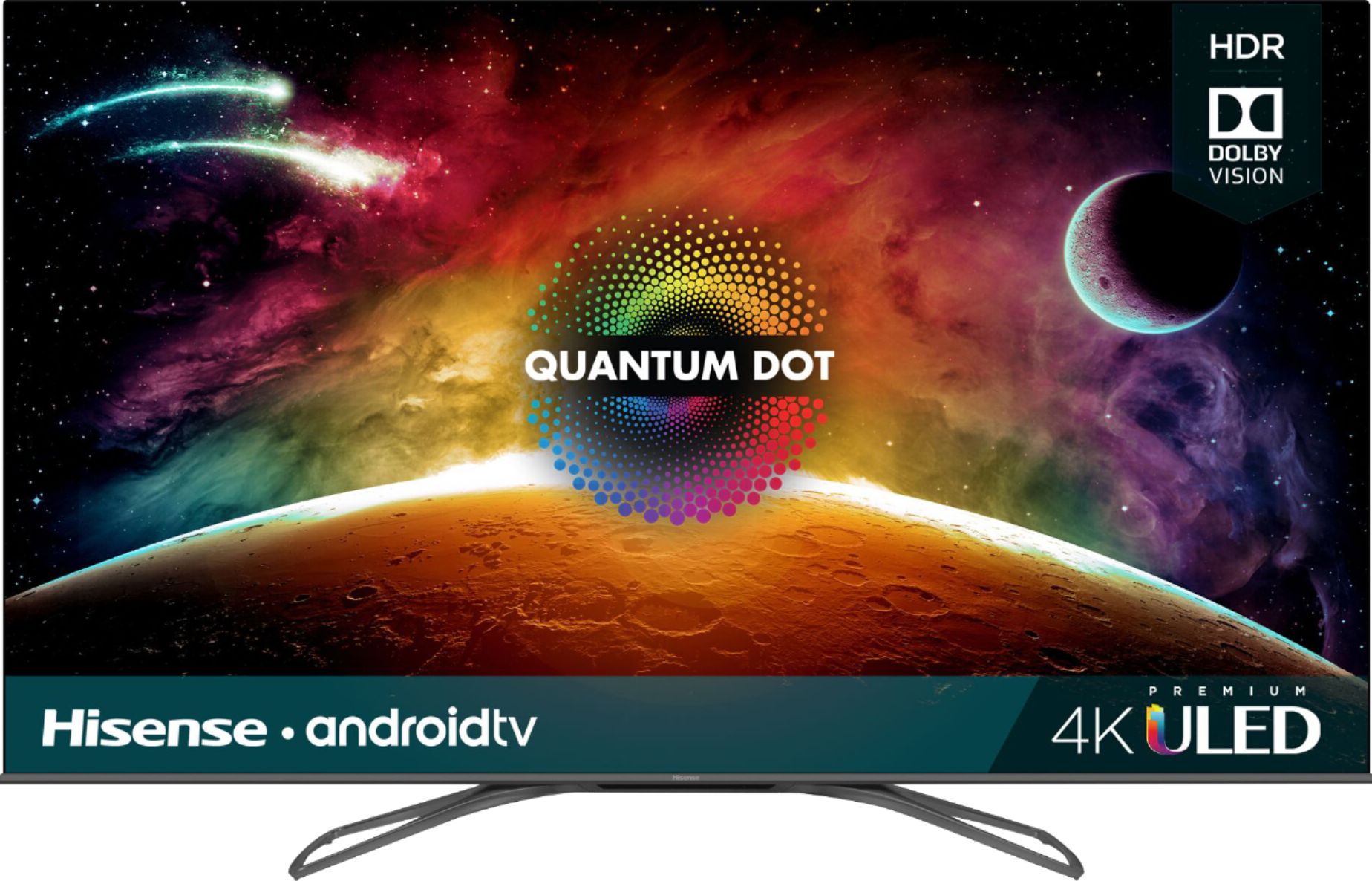
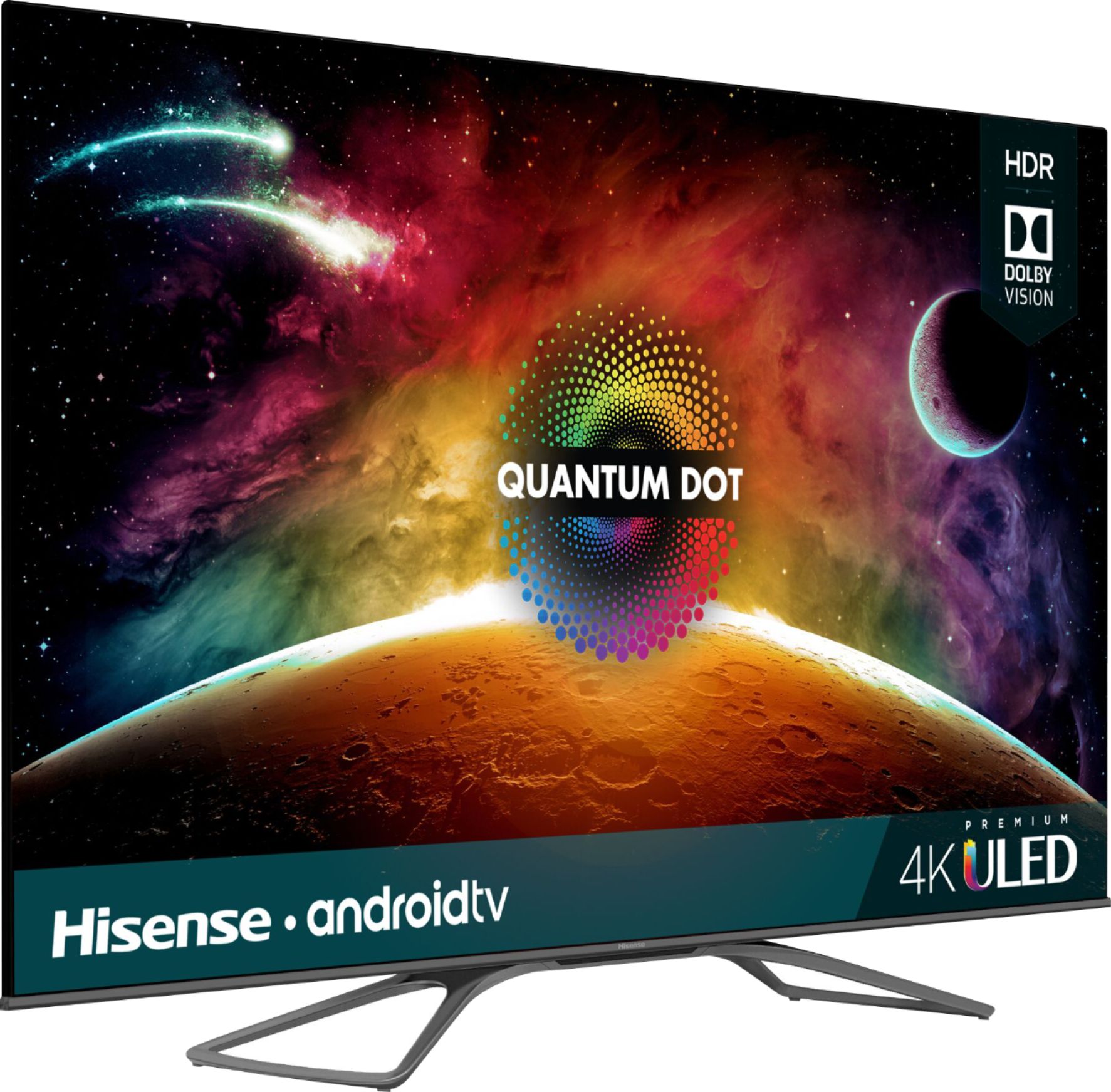
Customers are impressed with the picture quality, price, and color of the 55" Class - LED - H9F Series - 2160p - Smart - 4K UHD TV with HDR. They find that the picture quality is great, the price is worth it, and the colors are handled well. Some customers also appreciate the Android TV, gaming capabilities, motion, deep blacks, and HDR features. However, a few customers have mentioned that the remote control is not very responsive.
This summary was generated by AI based on customer reviews.
- Pros mentioned:Android tv, Picture quality

Hisense has come along way
|Posted .This reviewer received promo considerations or sweepstakes entry for writing a review.Let me start off by saying I have a 65 oled TV. Pros 1. Has android TV which is much more polished than before even more APPS. 2. Easy to set up with any android device or tablet. Set up took less than 5 mins following the directions. 3. Picture quality has been a big surprise. It isn't an oled or other high end TV. But for the price and what you get it does compete. 4. Picture is much better than tvs in the cost of 1.5 more expensive. 5. Remote is Bluetooth and no line of site needed. 6. Hdmi 2.0 that's a big plus for me. 7. Google home connection was simple once I. The network. I have a nice router that handle all of the connections easily. Cons 1. Some types of content get washed out with local dimming on low. Medium or higher is best for movie lovers. Can turn the whole TV off when all black seen. That was a surprise but also makes you think something is wrong. Overall awesome TV with updated Android TV that makes it easeito pick up where you left off on other devices. Even has resume play from most other streaming services. For the money you don't go for the big name brands when you can get all of the new tech for less. Even to include quantom dot!
I would recommend this to a friend - Pros mentioned:Picture quality
A Feature-Packed, Fun, Easy-to-Use Android TV
|Posted .This reviewer received promo considerations or sweepstakes entry for writing a review.This is my first experience with a 4K television and with Android TV. I must say that I have been mighty impressed with the experience after using the TV for four days. The ease of setup and use, the picture quality, and the features of the Hisense 55H9F are remarkable. The first time I turned on the TV, I was immediately led through a setup process that invited me to login with my Google account, which I was happy to do. This told the TV the apps I had acquired through Google Play, and the system asked me if I would like the system to install the ones that could be installed. Naturally the system had a number of preinstalled streaming apps including Netflix, YouTube, Google Play Movies & TV, Pluto TV, Spotify, Vewd, Vudu, and others. (Some) apps can be added from the Google Play store at any time. Note, however, that not all Google Play apps can be downloaded from the store. For example, I was not able to add my two meditation apps, Headspace and Waking Up. When I searched for these (by voice with Google), the system offered me four other meditation apps, but not the two I wanted. The emphasis is really on streaming apps. Speaking of Google voice searches, I found that you had to ask for things a certain way or you would get an unexpected result. For example, when I navigated to the "Get more apps" screen, the system encouraged me to speak to search Google Play. (You do have an option to search with the ancient VCR-like onscreen keyboard.) Speaking (or typing) just "Headspace" at that point gives the message "No results found." However, saying "Headspace app" will at least show some alternative meditation apps. I found the importance of exact phrasing to be important in other areas, too. A couple of times I tried to launch an app by voice by simply speaking the name of the app, and the system showed me a set of YouTube titles on that name. Including "app" in my voice command launched the app successfully. Other times, speaking only the name of the app worked. I also found that apps tend to stay open at the point you leave them unless you explicitly close them. For example, once I decided to stop listening to Pandora by switching to YouTube, which the system did no problem. But when I stopped watching YouTube by going to the home screen, Pandora started playing again at the point I left it, without my asking it. So the apps seem to be zombie-like unless you say something like "Close Pandora" ("Stop Pandora merely pauses the app.). In general, I think you might have to play around with this Android TV to figure out how to do some things, because the manual says very little except to go ahead and enjoy the TV because it is very easy to use. And it really is, for the most part. The only thing I had trouble doing was switching to live TV through the over-the-air antenna I use. I simply could not find how to get there for the longest time, either by talking to Google or navigating through the icon tiles and menus. I can't even remember how I finally got to the right place, but eventually I did and was able to have the TV scan for available channels, which it did beautifully. It did a much better job than the Samsung SmartTV I had been using. All 19 channels in my remote neck of the woods were detected, and the picture quality was much better than what I experienced with my Samsung TV. I did find an audio problem after the system did a firmware update two days after I started using the TV. Once the audio simply stopped in both Pandora and YouTube. But it was easily restored by stopping and restarting these apps. I had read that some users did have audio problems. I have read about other users having audio problems with Hisense TVs, and theirs seemed more severe. I haven't had the audio problem since, so I am guessing that it was a temporary, minor glitch. I have not enjoyed a big-screen HDTV so much since I got my first Smart TV many years ago. Over time, the luster wore off on the two Samsungs I have owned because the apps don't work very well and the range of app availability has been disappointing. I got to a point where I found I had to use these old Smart TVs as dumb TVs, feeding them signals from Roku and HTPC boxes. I have connected a Roku device, an HTPC, and a DVD player to my new Hisense, and it is easy to switch input sources to use these other devices with the remote control (which is well-designed and functions beautifully). Oh yeah, the TV also has built-in Chromecast, which allows me to project pictures and movies from my phone or computer. My android phone connected no problem with XCast and was able to project pictures (jpg, but not heic format) and mp4s, without doing anything with the TV. For my Windows 10 laptop I opened my Chrome browser and selected cast from the menu, and Android TV was listed as a cast-to device. It was easy to project mp4s, but some quirk in Chrome on Windows 10 apparently made it necessary to load pictures and mp3s into a browser tab to project them. As I said before, you might have to experiment a bit to discover how to use all the features of the Hisense 55H9F. But in my experience so far, it is well worth it. This is one fun 4K Android TV.
I would recommend this to a friend - Pros mentioned:Android tvCons mentioned:Remote control
Good TV. Couple of caveats though.
Posted .This reviewer received promo considerations or sweepstakes entry for writing a review.This is my first 4K TV - finally decided to upgrade - am I blown away? Nope - not drastically different from my six-year old 1080p TV, except maybe the colors are a bit brighter and it's definitely physically thinner. I selected this TV based on a review I saw on a specific ratings site, and I'm hoping I made the right choice for the price range. I chose this Hisense specifically because I wanted Android TV capability, but didn't want to spend the money to get a Sony. The Android TV on this display runs fairly smoothly, but does occasionally get a bit laggy, so you will sometimes need a bit of patience. There's only 4GB of internal storage, but should be enough for general app needs. For some reason, I am unable to get the mic on the remote to work when in the Play Store to search for apps. As soon as I select the mic, it turns on for a split second and then off again. I'm not sure if this is just an issue for me, or a software glitch in Android TV. I didn't bother to setup the Google Assistant, since I have no use for it, so I'm not sure if the microphone is working properly for that use. Note that although Hisense has the Amazon Prime Video app available for some of their TV's, this is NOT one of them. I do hope they release it for this particular model. Until then, my Fire Stick is connected. I didn't see much need to play with the Picture settings, except that I changed the system to Game Mode, which seemed slightly more natural in color, and ultimately should be better in the long run for gaming latency with my Xbox One. I also changed the backlight local dimming to "medium" (default is "off"), which made the screen a bit brighter overall, but not sure what else that setting might be doing. It also affected an issue I'll note later in this review. I encountered a bit of a challenge getting my Samsung Sound+ soundbar and rear speakers working well with the TV using the digital out. By default the output is set to PCM, but offers Dolby Digital and Dolby Digital Plus. I figured I could use the Dolby Digital option, which did work, but no surround sound. Dolby Digital Plus setting produced no sound, so I went back to PCM and now I'm getting sound from all my speakers, but it's the fake surround sound. So, I may have to keep trying. Presumably, Bluetooth connectivity should work with the soundbar, but not sure if that will make a difference. If you have a Logitech Harmony remote (with Hub in this case), you'll find that Harmony doesn't know this H9F model, since it's still so new. However, if you type in the H9E Plus (which Harmony does recognize), it works perfectly. So no need to try to manually program the Harmony Hub. My biggest gripe with this TV, which ultimately lead me to drop a star (aside from lack of Prime Video app), is that when the TV is on, there's an annoying whining sound around 8 kHz being caused by the backlight (I measured it with an RTA app). It's not extremely loud, and many people probably wouldn't notice it unless I pointed it out. But as I work in the A/V field, I'm ultra sensitive to sounds like this, and I find it to be very noticeable and annoying. It was louder when the backlight local dimming was "off", and is slightly better with local dimming set to low, medium, or high. It almost, but not completely, goes away if you manually reduce the backlight to "0". I'm really hoping I get used to it - and also hope it's something normal with this TV model and not just an issue with mine. All things considered, it's a fine TV. So long as none of the caveats I've mentioned are a turn off, you should be happy with this model.
I would recommend this to a friend - Pros mentioned:Android tv, Picture quality
WOW!
|Posted .This reviewer received promo considerations or sweepstakes entry for writing a review.Let me say I am blown away! The TV has 4 hdmi outlets, digital sound ports, is a smart TV and that is all before 4K. The picture is excellent and the size is awesome. My only complaints are you have to hold down a button and select off to turn the TV off and since it is a Google Smart TV it doesnt allow you to add apps that are competitive to Google.
I would recommend this to a friend Not worth the money
||Posted . Owned for 3 weeks when reviewed.This reviewer received promo considerations or sweepstakes entry for writing a review.I read several great reviews on this tv but they were all false in my opinion To get a decent you had to make it too dark when you brightened the picture it was all washed out no happy medium
No, I would not recommend this to a friendBrand response from HisenseProductExpert
Posted .Hisense USA apologizes about the experience you have had with the 55H9F, A software update should have resolved the issue that you were having with the picture quality of the TV. Thank you for your interest in Hisense USA if you have any other questions please give us a call at 1-888-935-8880.

- Pros mentioned:Picture quality
Great value for this television!
|Posted .This reviewer received promo considerations or sweepstakes entry for writing a review.For $600 this Hisense 55" LED H9F tv is a bargain. The number one reason why people buy a television is because of the picture that the set produces and with this Hisense you will not be disappointed. Out of the box it was very easy to remove and to set it up. I am replacing an older Samsung that was hanging over my fireplace. In order to hang it I just bought some longer M6 screws and used the same hardware that I was previously using to mount this new tv. It is light enough that I was able to go up a ladder and mount it on my own. Once it was all mounted and the connections had been made, it was very easy to set it up with Wifi. I would liken setting up this Android tv to setting up your android phone, very quick and easy. I was able to pair up the remote and eventually Alexa. I really like the feature where the remote can use voice commands. I also really enjoy using my phone as I browse the internet with the television. Did I mention that the picture is pretty good? I can't get over the quality of the picture for the price. The sound that comes from this tv is pretty good and can be adjusted depending on what you are watching. It even comes with a wall mounted sound option. The only option that I was bummed about was not being able to use my wireless soundbar with this tv. Overall, I just say enough good things about this Hisense. There is so much to like, especially for the price point. You are getting a great bargain with this Hisense H9F series.
I would recommend this to a friend - Pros mentioned:Picture quality
You get what you pay for!
|Posted .This reviewer received promo considerations or sweepstakes entry for writing a review.I received this television and had high hopes. I took it out the box and hooked it up, and it took about 15 minutes total. I quickly hook everything up to Google and my phone which is a nice feature, and couldn't wait to start watching 4K shows. I was a little disappointed even though the picture was clear and it sounds pretty good for just speakers in a TV. The colors really weren't vibrant enough for me, But you must also keep in mind that the television only cost $600 and I think it's a pretty good TV for $600. I also didn't like the blacks when the screen Fades out. I also tried playing video games on this television to see the difference in quality and it was average at best. I do believe that if someone's never really had a high-end 4K television this will be perfect for them! My last two TVs I purchase were $2,500 and $3,500. So I guess that's why I'm a little disappointed with this TV because of the picture quality I have with my other two. Keep in mind $3,500 is a huge difference from $600. If you're looking for an affordable TV, this should do the trick, but don't expect too much when it comes to picture quality and color.
I would recommend this to a friendBrand response from HisenseProductExpert
Posted .Hisense USA apologizes about the experience you have had with the 55H9F, A software update should have resolved the issue that you were having with the picture quality of the TV. Thank you for your interest in Hisense USA if you have any other questions please give us a call at 1-888-935-8880.
- Pros mentioned:Color
Terrific TV For The Price
|Posted .This reviewer received promo considerations or sweepstakes entry for writing a review.I love this TV! The picture clarity, brightness, and color are fantastic, just beautiful. Too bad there's not much 4K content yet. However, since it's a smart TV you can search for 4K videos and movies. For the price of $600 you simply cannot go wrong with this TV. One thing I would recommend is home theater speakers or at least a soundbar with a sub woofer. The built-in speakers don't give the immersive experience you need to enjoy action movies. And you would probably want that with any big screen TV anyway. Check out this TV before you spend thousands on a big name brand!
I would recommend this to a friend - Pros mentioned:Picture quality
Vivid & Crisp Picture
|Posted .This reviewer received promo considerations or sweepstakes entry for writing a review.So I upgraded to this TV from my 6 year old 720p Tv. It's like night and day. not only is the picture super clear and crisp, but the Android features are super convenient. Another good feature is the built in Chromcast. It saves having to use an HDMI slot for one. Over all I am really happy with this purchase and would highly recommend it as an upgrade.
I would recommend this to a friend - Cons mentioned:Remote control
I got the remote to control my soundbar.
Posted .This reviewer received promo considerations or sweepstakes entry for writing a review.I got the remote to control my soundbar. I am combining the 55" H9F and a Vizio Soundbar. Note: My H9F is connected the the soundbar via Optical Toslink cable. 1. Block the audio from the built in speakers by: > plugging any 3.5 mm jack into the Headphones jack. > go into the H9F and set the audio to Headphones only. 2. Un-pair the Bluetooth Remote. I suggest pairing your phone "Android TV" App as a backup, but I don't need to use it. Go to the Bluetooth settings on the H9F, and UNPAIR the bluetooth remote. **The remote will fully continue to function, except google talk functionality. 3. The non-paired remote still controls the H9F and now the Vizio soundbar at the same time. P.S. The remote now raises and lowers the volume on all my (3) Vizio soundbars.
I would recommend this to a friend Best bang for buck
Posted .This reviewer received promo considerations or sweepstakes entry for writing a review.Great TV love it this TV is the best bang for the buck
I would recommend this to a friend- Pros mentioned:Picture quality
Walk Away
Posted .This reviewer received promo considerations or sweepstakes entry for writing a review.Bought this TV because it was so highly rated, and it's been a reliability disappointment. I've already had to contact customer service for an updated firmware since the auto-update bricked the set causing an infinite boot loop (search - common issue), and since then with the company's updated firmware the performance of the built-in smart capabilities heavily degraded. The TV turns itself on randomly (no HDMI devices connected, so it's not something sending a CEC command). And now, a little over 2.5 years in, it's started to boot loop. Again. Even though no AndroidTV updates were made. When it works, the image quality is excellent, especially if you take the time to calibrate the SDR and HDR profiles... but it's a hot mess, and I'm looking to replace it. And the replacement will not be HiSense.
No, I would not recommend this to a friend Great looking TV...if it works...
Posted .This reviewer received promo considerations or sweepstakes entry for writing a review.I want to start by saying this is not a review to dis the tv but rather a genuine concern. It works well with some streaming apps and a chromecast, but when I connect my cable box, ‘no signal’ is displayed. I unplug the cable and attach to my old Samsung tv right next to my new hisense, it works great. I would really like to give this five stars if I can find an answer to this problem quickly, otherwise I fear I’ll have to return and begin my search again...
No, I would not recommend this to a friendBrand response from HisenseProductExpert
Posted .Thank you for your interest in the 55H9F. We are sorry to hear that you are not able to get your cable connected. Please try unplugging the TV from the outlet and plug the unit back in. Also try connecting the cable box to another HDMI port. If this does not resolve the issue please give us a call at 1-888-935-8880 or email us at [email protected].
Thanks Again,
We look forward to hearing from you!
Harley with the Hisense Support Team
TV
Posted .This reviewer received promo considerations or sweepstakes entry for writing a review.excelent television 120 hz 1080p would buy again..
No, I would not recommend this to a friendgood value
Posted .This reviewer received promo considerations or sweepstakes entry for writing a review.cant beat the quality within its price range but returned due to lack of some key feature.
No, I would not recommend this to a friend