Customer Ratings & Reviews





































- Model:
- ENVY Inspire 7955e/1W2Y8A#B1H
- SKU:
- 11865082
Rating by feature
- Value
Rating 4.4 out of 5 stars
- Quality
Rating 4.5 out of 5 stars
- Ease of Use
Rating 4.4 out of 5 stars
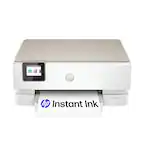
HP Envy Inspire
||Posted . Owned for 1 month when reviewed.This reviewer received promo considerations or sweepstakes entry for writing a review.Not much to say it's a great printer Im very happy with it and I will always buy HP
I would recommend this to a friendGreat printer for the price!
||Posted . Owned for 5 months when reviewed.This reviewer received promo considerations or sweepstakes entry for writing a review.Printing quality is great, was easy to set up and use.
I would recommend this to a friendNot impressed
||Posted . Owned for 3 months when reviewed.This reviewer received promo considerations or sweepstakes entry for writing a review.This thing is junk, returned the first one second one worked ok for a bit, just long enough for the return window to close and now I am at whits end with and really frustrated with it. I have never had HPs that didn’t work good but this one is Junk or the HP app is the problem not sure but fed up
No, I would not recommend this to a friendBrand response from HP Team
Posted .Hi, Ronnie.
I’m sorry to hear you’ve had such bad luck with two printers of this model. While I’m glad the second unit worked OK for a while, it’s no surprise you’re at your wit’s end with the frequent trouble you describe. I want to help you resolve this situation, so I’ll provide a resource and some information I hope will reach that end.
I can’t tell from your review what roadblocks you’ve hit or what’s causing them. I recommend that you contact us directly so we can help you assess what’s happening and find the best course of action. As you might already know, HP+ printers such as yours come with exclusive concierge support. To call and reach live HP+ experts, visit the following URL and enter your HP+ serial number:
- hp.com/plus-help
You’re also probably aware that HP printers have a one-year warranty from their purchase date that covers hardware as well as ink supplies – and that warranty extends to two years with an HP+ account. You can verify the warranty using the following link:
- support.hp.com/us-en/checkwarranty
Keith
HP Care
hp.com/support
Simple hp printer
||Posted . Owned for 1 month when reviewed.This reviewer received promo considerations or sweepstakes entry for writing a review.Very nice simple to use printer. Just like my old 1
I would recommend this to a friendFaulty noisy Printer
||Posted . Owned for 8 months when reviewed.This reviewer received promo considerations or sweepstakes entry for writing a review.Yes, I have a lot of problem and doesn’t work. This is the worst printer ever I want.
No, I would not recommend this to a friendPrint quality
||Posted . Owned for 1 month when reviewed.This reviewer received promo considerations or sweepstakes entry for writing a review.Picture printing quality is worse, it looks like grayscall
No, I would not recommend this to a friendBrand response from HP Team
Posted .Hi, Ajmal.
I’m sorry to hear that your printer has rendered prints of poor quality. I wholly understand why this would be an unsettling surprise. I want to help you remedy this situation, so I’ll offer some suggestions I hope will accomplish that.
First, I recommend following the steps listed in a guide on our support site to improving print quality. Issues covered include faded or streaked prints, color or black ink not printing properly or at all, and blurred or fuzzy text. Find that guide here:
- support.hp.com/us-en/document/ish_4804440-4201223-16
If print quality does not adequately improve, I hope you’ll contact us directly at +1 800-474-6836 so we can help you assess what’s happening and find the best course of action. To expedite the process, I recommend gathering the following information before the call:
- Model number
- Serial number
- Your location
- Case number (from any previous contact with HP support)
I'll also mention that HP printers have a one-year warranty from their purchase date that covers hardware as well as ink supplies – and that warranty extends to two years with an HP+ account – so if it comes to that, you might consider making use of it. You can verify the warranty using the following link:
- support.hp.com/us-en/checkwarranty
Keith
HP Care
hp.com/support
Printer and service department unreliable
||Posted . Owned for 3 weeks when reviewed.This reviewer received promo considerations or sweepstakes entry for writing a review.This HP printer is horrible.! Prints sporadically.
No, I would not recommend this to a friendPure frustration
||Posted . Owned for 8 months when reviewed.This reviewer received promo considerations or sweepstakes entry for writing a review.Has had a lot of issues with this printer and I have not even owned it a year.
No, I would not recommend this to a friendBrand response from HP Team
Posted .Hi, Rebecca.
I’m sorry to hear that you've encountered difficulty with your printer. I’m also sorry for any resulting inconvenience. I can’t tell from your review what specific issues you’ve encountered, but I want to help you remedy any issues you might face and get the most from the device, so I’ll offer what I hope are some helpful resources and suggestions.
First, for help solving problems, you can visit a page on our support site that has diagnostic tools for various tasks and issues, including connectivity, print quality and cartridge installation. There you’ll also find a general-purpose tool called the HP Print and Scan Doctor. If you use Windows, the tool will help identify and guide you through solutions to a wide range of common printing and scanning issues. Visit that page here:
- support.hp.com/us-en/topic/diagnostics
For additional help with difficulties, or to learn more about your printer and all its features, you can access troubleshooting guides, how-to documents, user manuals and software updates here:
- support.hp.com/us-en/product/model/2100402074
If you need further assistance with anything, I suggest you contact us directly so we can help you assess what’s happening and find the proper course of action. HP+ printers such as yours come with exclusive concierge support. To call and reach live HP+ experts, visit the following URL and enter your HP+ serial number:
- hp.com/plus-help
Keith
HP Care
hp.com/support
Good quality and does the job
||Posted . Owned for 2 weeks when reviewed.This reviewer received promo considerations or sweepstakes entry for writing a review.A great printer. Easy set up. No issues. Good quality. I would’ve given it 5 stars but the amount of paper that the tray can hold is abysmally small. Hence I’m finding that I have to reload far more often than most other printers I’ve had over the years. Other than that it’s a good printer .
I would recommend this to a friend
Solid Home Office Print Station
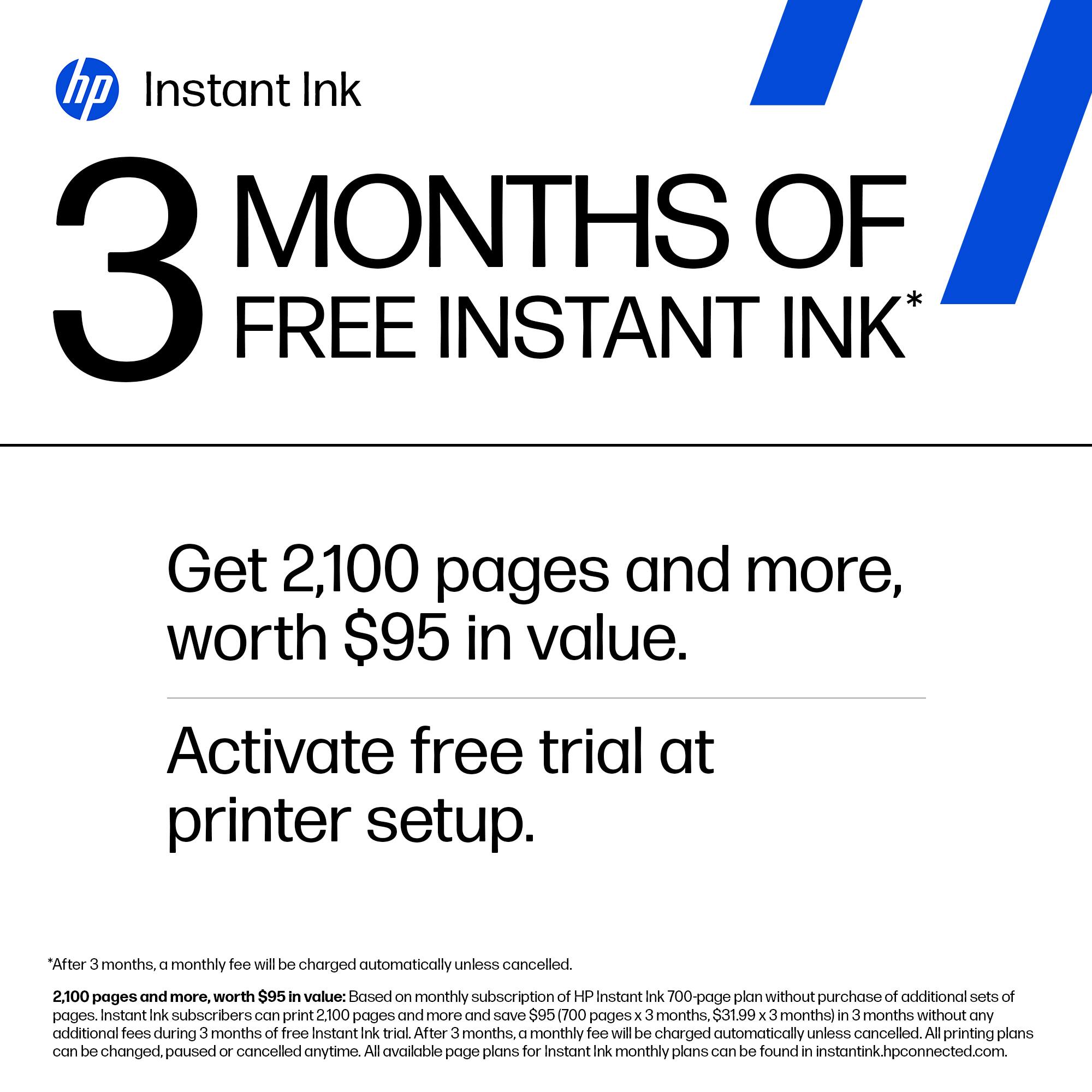
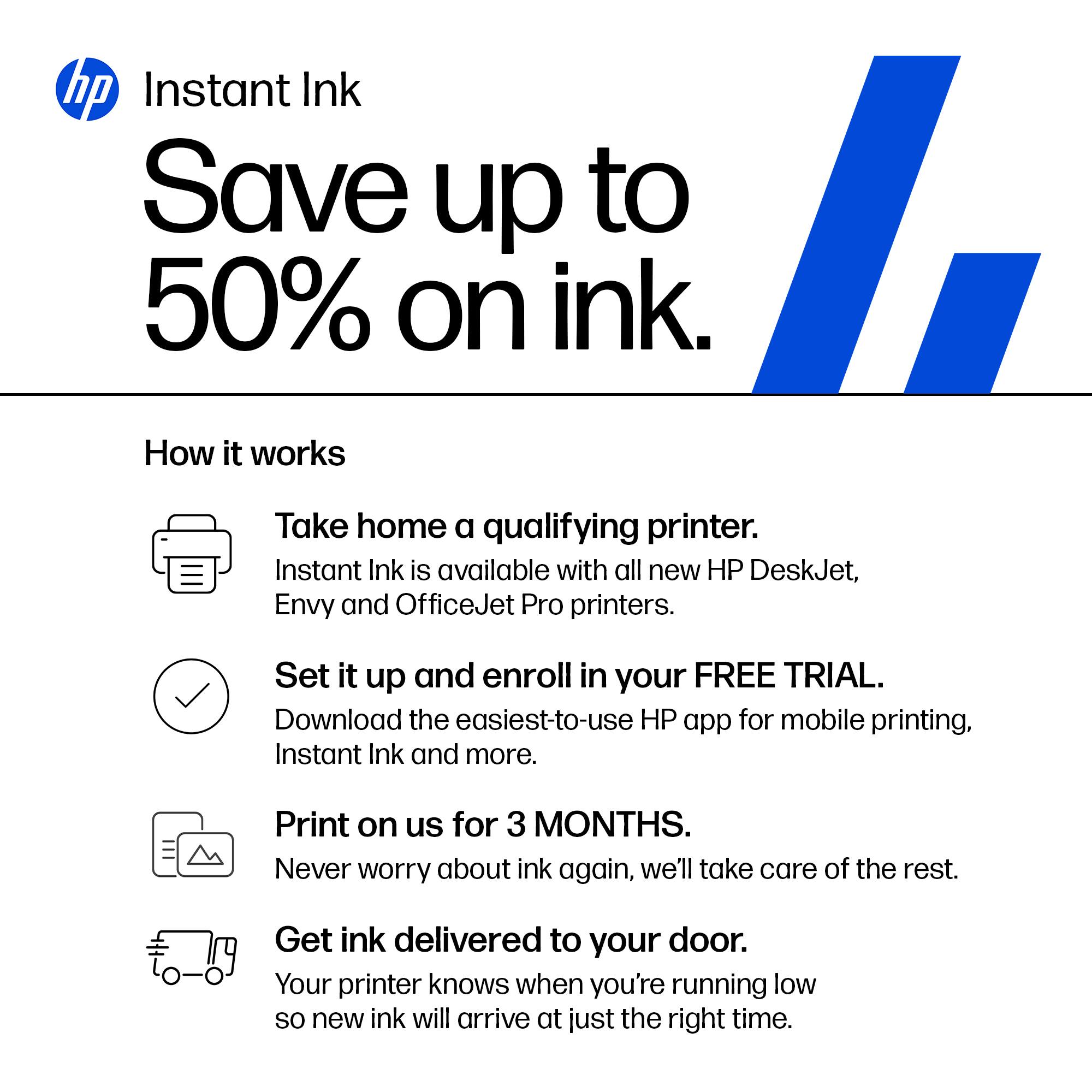
|Posted .This reviewer received promo considerations or sweepstakes entry for writing a review.The HP Envy 7955e printer is a new all-in-one (AIO) wireless printer from HP and is a complete refresh of the 7855. The AIO includes copying, scanning, and printing. It also utilizes HP’s Instant Ink Program, which has been retooled a bit this year – the first 6 months are free, and then a subscription plan is needed. The box contains the ink needed, a power cord, a getting started sheet, and the printer. I have another HP Envy printer – the 6055e, which is like a little brother to the 7955e, so I am interested in seeing what the main differences are. Comparing the 7955e to my 6055e is not really apples to apples. The 7955e is a decently larger machine that compares in size to my laser printer. I’m not unfamiliar with larger AIO’s, so this isn’t new territory for me. There is a physical power button on the machine located just above the touch screen. Other than that all other controls are through the touch screen or on your computer/phone via the HP Smart app. The paper tray holds up to 125 sheets while the auto-feeder 35. The paper tray is kind of interesting in that it has 2 layers in which to load paper. The bottom layer is for larger sizes and can range from 3.85” wide to 8.5” and will feed paper lengths from 5” up to 14” (the tray has a flip down door that allows the longer sheets to stick out). The top layer of the tray appears to be geared towards photos and smaller print sizes. It has pre-marked adjustment points for 4x6, 5x5, and 5x7. The spec sheet does say this tray doesn’t support custom media sizes. There is also has a little reminder image to show you which side to lay your photo paper down. The autofeed tray adjustment guide takes 8.5” wide down to 4.75”. Pages running through the autofeed output just below on the the top of the printer. Pages running through the main tray output to a little pull out shelf that has a angled stopper on the end of it that flips up via spring loading. The output tray can hold up to 35 sheets. The scanner/copier bed is just below the autofeed tray and has a hinged cover. The tray has marking for 8.5x11” or A4 paper – these are the largest sizes the bed will scan. The bed obviously scans one sheet at a time, so if you want to scan multiple items then you need to load via the auto tray. The only port on the printer other than the power inlet is for a standard printer USB cable to plug in – there is no network port. Setup for the printer was straightforward. I had been through this same process with the 6055e, so it was a snap. Like the 6055e it required a smart phone with the HP Smart app installed. Once inside the app the printer was recognized right away and I had it hooked up to my Wi-Fi in no time. I was prompted to signup for HP’s Instant Ink program. With these printers they are giving you 6 months free and then after that a paid subscription kicks in. With my 6055e there were 5 levels during signup with the entry tier being free (15 prints a month) – a pretty good deal. Recently HP stopped offering the free option, but they still have 5 levels. The entry level is pretty affordable, and with 6 months free it’s a good deal in my opinion if you are a casual printer. You can check out the Instant Ink website to get some more info on pricing and print levels. You can also opt to skip the Instant Ink program and just buy the cartridges. I’d try to figure what works best for you before signing up – you have 7 days after the initial setup to decide if you want to opt into the program. The 7955e is made positioned to be a wireless network printer for your home or small office, but it can still be tethered to a computer via a USB printer cable. It has wireless AC connectivity and is compatible with networks utilizing 2.4 or 5GHz signals. Just like my 6055e I can print to it from my PC, through the HP Smart app, or via a dedicated email address. Send it an email with the file you want printed, and you are set – you do need to enable this feature in the HP app and then assign it an email address. I did several different print/copy/scan jobs to see what differences/improvements over my 6055e existed. Printing a text document was straightforward – print speed is up 25% (12 to 15ppm). Text is nice and sharp and no signs of any print head inaccuracies. Scanning a picture is a 2 part adventure here with the addition of the autofeed tray. Scanning on the bed proved more accurate for photos and other non-text items. For text-based documents the difference between the scanner bed and autofeed tray were minimal. I would go as far to say using the bed for documents isn’t worth the time since the autofeed tray can roll through a stack of papers without any extra steps. My one criticism of the autofeed tray is every page I scanned came out slightly crooked – like 3-5° off. Doesn’t matter much for a text document or scanning for records, but still not something you want when you try for a high-quality scan. I was able to easily scan to my computer or to my phone through both the autofeed and bed. The scanning bed resolution is 1200 DPI, while autofeed resolution sits at 300 DPI. I noticed that I couldn’t select anything higher than 300 DPI while using the mobile app though. The copy quality got a bump up to 600 DPI (compared to 300 DPI on the 6055e). If you want a higher quality copy (like a picture), then you should scan it first and then do a regular print. Regular printing resolution is 1200 DPI for black, and 4800 x 1200 DPI for color on regular paper. My 6055e requires HP Photo paper to hit the highest resolution. I did a few photo prints on 8x10 and 5x5 (sample paper included with the printer). They came out with a really great print quality to them. Colors were accurate and the image was sharp without any bleeds. I would say that the image quality is a touch better than the 6055e – not a lot of difference truth be told. However, the prints came out quite a bit quicker, which was a nice improvement. This printer does 15ppm for text/B&W, and does 10ppm for color. Pictures are slower than this – around 25s to print the 5x5. However, it is nice and quiet still so no complaints that it takes a bit longer. I have maintained a color laser printer as my main day to day machine while WFH, and I kept the 6055e as my photo/scan station. I used it for the occasional scan, but mostly for photo prints or if the kids needed better color documents that what the laser provided. With the 7955e I can say that I will relegate the 6055e even further. It does everything better and faster, and will serve my home photo needs even more. The 7955e is also better home office companion with its higher print speed and the inclusion of the autofeed tray for scanning and copying. I am hoping the 7955e is a reliable printing platform like my 6055e has been for the last year. Overall I can’t really find any faults with the 7955e. Connectivity was easy, app has been solid, and computer interface is easy to live with. This is a good machine right out of the box.
I would recommend this to a friendReally Impressive Home Printer
|Posted .This reviewer received promo considerations or sweepstakes entry for writing a review.I recently upgraded my printer to the HP ENVY Inspire 7955e. This is a functional looking machine finished in white and sandstone recycled plastic. The machine consists of over 45% recycled parts, making it a very eco-friendly choice. The tilt adjustable contextual color touchscreen display on the front is intuitive, responsive and informative. Very useful indeed for navigating the options on the printer. Print, copy, scan, all wirelessly! The printer was a little more challenging to initially set up than my previous HP Envy Photo 7855. First, you need to remove the packaging tape and the cardboard inside. I started the set up using the instructions provided in the quick start guide, but I left the top of the printer open after removing the cardboard, expecting to be prompted to insert the ink cartridges, but instead, the HP Smart App set up timed out on both the printer and the app (iPhone 12 Pro) and I had to restart both. I finally realized that I needed to have the top closed on the printer for the set up to complete, where then I was prompted to open the lid and clip in the included printer cartridges. I would have thought that the app might have prompted me that set up wouldn't continue until the cover was closed. So just be aware of that issue. I loaded some paper and started the printer calibration which only took a moment. This was the only challenge I had with the printer over the last week. I've had the 'HP Smart' app on my iPhone for a couple of years now, and did all the set up of the new printer from there, adding it to my account. Bluetooth connectivity is great, meaning, yes, I can print directly from my phone. I know it's not a new thing, but it really is a convenient feature, especially if you have a document emailed to you, you can print it directly from your phone instead of having to fire up your computer! And that is what I did first. Loaded up some 8.5"x11" paper and sent a photo of a recent logo I created to print. It printed quickly, and silently, within about 30 seconds, it was all done. The print? A very smooth transition between the banding, smooth color transition and overall great ink coverage on a very porous paper (meaning it absorbs the ink which can reduce the vibrance of the colors), Printing on the included gloss photo paper samples netted a really vibrant and crisp image. I've printed from my iPhone 12 Pro and my Apple iMac, a 2014 model running Big Sur with no issues at all. Full functionality within my print settings, and seamless wireless connectivity and printing. I've also printed from my HP Spectre laptop, from the room upstairs, above my office, and had no issues with the wireless connectivity or print quality. Really smooth experience! One of the challenges with home printers is the ink. How many times have you gone to make that 'urgent' print and your ink has all dried up and won't print a page correctly. With the HP+ program you get 6 months of 'Instant Ink', where HP will send you ink based on the amount of usage the printer gets. I have signed up for the full plan, which starts at $0.99 a month, and goes up from there depending on the amount that you print per month. This should hopefully alleviate the pain of running out of ink! And with the HP+ subscription you also get an additional 2 years of warranty on your printed and additional access to the advanced features in the HP Smart App. And just like the printer, when you are sent new ink cartridges, HP sends you a prepaid envelope to recycle the old printer cartridges. Overall, this is a nice, feature packed, well-built machine, that I would recommend to my friends. A welcome addition to my home office!
I would recommend this to a friendHIGH QUALITY COLOR MFP FROM HP 7955e
|Posted .This reviewer received promo considerations or sweepstakes entry for writing a review.REVIEW: HP - ENVY INSPIRE 7955E WIRELESS ALL-IN-ONE INKJET PRINTER WITH 6 MONTHS OF INSTANT INK INCLUDED WITH HP+ - WHITE & SANDSTONE MODEL: ENVY INSPIRE 7955E HIGH QUALITY COLOR MFP FROM HP - 7955e The HP - ENVY INSPIRE 7955E has great print quality and is plenty fast, but man is this thing loud when printing at full speed. There is a quiet mode that can be enabled to slow things down a bit and it works well. Anyway, the prints and copies are very good. For best scanning results download the stand-alone HP drivers specifically for the HP - ENVY INSPIRE 7955E instead of HP SMART APP. [HP is now calling this OFFLINE Installation] This give you much more control of the scanning quality and the results are vastly improved. Run the HP SCAN app instead of the HP SMART APP. The full color touch screen is great and it even has a copy preview mode where you can see a thumbnail of what you are about to copy. Very cool. This newer designed printer does a great job of keeping a small footprint with all the various input and out trays tucked away when not in use. Sure everyone wants more paper tray capacity, but for home / small office use it is fine and does not overwhelm a small desk or side table. Because it is wireless you really can put it just about anywhere in your home / office out of sight if you wanted. SETUP: I don’t know if was related to recent outages on the net, but I found the automatic setup would hang and I had to setup much of the printer manually. I never received step by step instruction from the HP SMART APP. In my case a few reboots of both the printer and the computer eventually got everything installed through the HP SMART APP. Once that was completed (and I activated HP+ and Instant INK) everything worked perfectly. SCANNING NOTE: THERE IS NO AUTOMATIC 2 SIDED (duplex) SCANNING: Even though this prints on both sides it does not automatically scan or copy on both sides. PRO’s - Really Attractive Printer, I love the new color scheme - GREAT Print Quality DUPLEX Printing - GREAT Color and B&W Copy Quality - GREAT SCANS – But only with the dedicated scanning software not SMART APP - USB port that can be used after the setup is complete. FOR HP+ / E-INK You need to crunch the numbers for yourself to see if this makes sense for you. If you primarily use HP brand ink or toner, then you might as well save some money with the HP+ line of printers. SUMMARY / RECOMMENDATIONS It is not the cheapest option from HP, but if you want fast quality color and high resolution scans, I can make a strong case for the ENVY INSPIRE 7955E. If you do a lot of scanning, especially if you want automatic 2 sided scanning, then maybe look at some higher end models. For every day printing and great printing as well as scanning when occasionally needed, then ENVY INSPIRE 7955E is perfect.
I would recommend this to a friendGreat Printer 6 months ink inc.
|Posted .This reviewer received promo considerations or sweepstakes entry for writing a review.Setup: Plugged it in and turned it on. Had to remove the cardboard and get the tray cleared. It connected it to computer instantly. Use: I thought it was very fast to setup. The printing is very quick too. Came with the 2 sets of toner. I would say the print quality is good. Its kind of good that they prevent you from using it until you remove everything and put in the toners. This way the setup is correct vs breaking something by missing a piece of packaging. The app downloaded allowed me to setup buttons for scan to email and scan to One Drive. This saved a painful setup on the machine. Cons: Color is just ok but would be better if it was more grey than gold. Print speed could be better. Full color photo’s are a little slow.
I would recommend this to a friendexcellent printer!
|Posted .This reviewer received promo considerations or sweepstakes entry for writing a review.- so far im very satisfied with HP Envy Inspire printer you can copy and print, not only that it can also be controlled through smart phone if you ever wanted to print pictures or files - majority of the body of HP Envy are plastic, so make sure to be careful moving this or placing this printer - after opening the package HP also include ink for you to use right away, also if you go though the paper that came inside the packages inside you will find a free photo paper you can use for printing your personal photos - it does have the ability to be connected through wifi, which most modern printer supports - setting it up for the first time will require you download the app on your phone, but you can also set this up using your computer, but from my experience I did it through my iphone - the printer also have a built in touch screen, it can also be tilted if you prefer that, but from the screen you can also use the copy/ scan and there’s also a shortcut section that can be customize through the app - printing speed is also pretty fast when printing regular black letter files, im current putting it to the test by printing over 166 pages of my study guide, so far it’s moving fairly quickly - I do wish that app should stay as an alternative way to set up the printer, for me to proceed I have zero choice until I download the app either on your phone or computer. connecting through the internet I thought was already enough, but then having the app just to finish setting it up is something I don’t agree with - overall the application will also give you some kind of alert if the printer requires certain step to get it going, I do like that a lot - overall I think it’s a solid printer that offer great features you can use specially if you currently working from home, I think this HP envy printer is good for you.
I would recommend this to a friendExcellent Printer, Super High Quality Photos
|Posted .This reviewer received promo considerations or sweepstakes entry for writing a review.This turned out to be a fantastic multi-purpose printer. I recalled when a printer came with sprockets and paper had holes for the guide rails – wow have things improved. First of all the packaging was excellent. There was an inner box completely encased by an outer box providing double protection for the printer. The printer also had foam and cardboard providing added protection. I noticed to remove the printer from the inner box, the packaging folks at HP had come up with a sort of strong ‘strip-handle’ that you simply pulled and easily lifted the printer right out. You may recall when you had to turn the box upside down to dump out a new printer but not in this case. Tip of the cap to the engineers at HP. I noticed the simplicity of paper size adjustments and the nicely designed printer cartridge holders. Once the various protective tape strips are removed, you plug the printer in and install the HP Smart app on your phone or computer. Just follow the directions from the app and the printer is installed in a few minutes. The app finds the printer, helps you set up wireless and away you go. Super easy. This printer is in a little higher price point but is well worth it due to its range of functional capabilities, solid structure and excellent print quality. In short order it was installed on my laptop and on my iPad Pro. A nice feature of the install is the ability to send a link to your gmail, go to your computer and click on that link to quickly install on your computers in addition to your smart phone. Document quality, scan quality and photo printing was great and indeed the photo printing was spectacular. I’ve included a photo with this review and the colors pop vividly. This printer is best I’ve used and I do highly recommend it.
I would recommend this to a friendWireless Printer
||Posted . Owned for 1 month when reviewed.This reviewer received promo considerations or sweepstakes entry for writing a review.Great product, easy to set up and use, great printer
I would recommend this to a friendBestBuyHappyClient
||Posted . Owned for 3 months when reviewed.This reviewer received promo considerations or sweepstakes entry for writing a review.purchase made for my WFH office. Very stylish, easy to setup and operate. Quiet while printing. Prints fast, price cost effective for small business owner
I would recommend this to a friendHP Envy Inspire 7955e works splendidly.
||Posted . Owned for more than 2 years when reviewed.This reviewer received promo considerations or sweepstakes entry for writing a review.This printer has been working well for a couple years now, and the Instant Ink delivery is awesome. For a relatively inexpensive printer, it is easy to use and the printouts are very good quality.
I would recommend this to a friendTiny cartridge, online requirements.
|Posted .This reviewer received promo considerations or sweepstakes entry for writing a review.Having had several printers over the years, one annoying thing is when you want to print a picture and have to remove regular paper to insert photo paper and then back when done. With this one you have a tray to keep printer paper and another for photo paper (4x6, 5x5 or 5x7). Making printing a picture between regular documents easy. As for printing pictures, it has done a pretty decent quality, as well as regular printing jobs. However, the color cartridge is a single combined cartridge and is so low after 20 pictures that HP Instant Ink sent replacements already. As for the HP Instant Ink plan, it reminds me of old phone plans, where you pay per page instead of per minute, even with roll over pages. In a way it can be cost effective since printing 30 or so photos would lead to needing a new color cartridge soon and it is still under the 100 page count for the default plan. However, go over the plan limit you are paying for (or 700 pages during the 6 month trial) and you have to pay more per 10-50 pages, pending your plan. Plus, if you don’t activate your trial within 7 days or cancel your plan after 6 months, the Instant Ink cartridges you have installed will quit working. Requiring you to purchase retail cartridges regardless of how much ink you have remaining. I also find it odd that when you look at the ink levels through the HP Smart app, you have to log into the HP website and still don’t get an estimate of how many pages you might have available. I like having multi-function printers, especially with built-in double sided capability like this one. But, I really dislike the requirements to keep it connected and limited in the pages I print per month without additional costs. I also had an issue after 30 pages that the rollers that pull the page into the printer were acting like my older printer does. Claims it is a jam when the pressure of the wheel just couldn’t pull the page in. I applied a little wheel oil that I used to fix my old printer and it is working as intended, but not something I expected in the first week. Overall, not a bad printer, but I can’t recommend it with its built in restrictions and the minor issue I had with it so soon.
No, I would not recommend this to a friendHPPrinter
||Posted . Owned for 4 months when reviewed.This reviewer received promo considerations or sweepstakes entry for writing a review.Replaced old printer. This was easy to install and works very good. No issues with wireless connections. Good printer for the cost.
I would recommend this to a friend