Customer Ratings & Reviews







- Model:
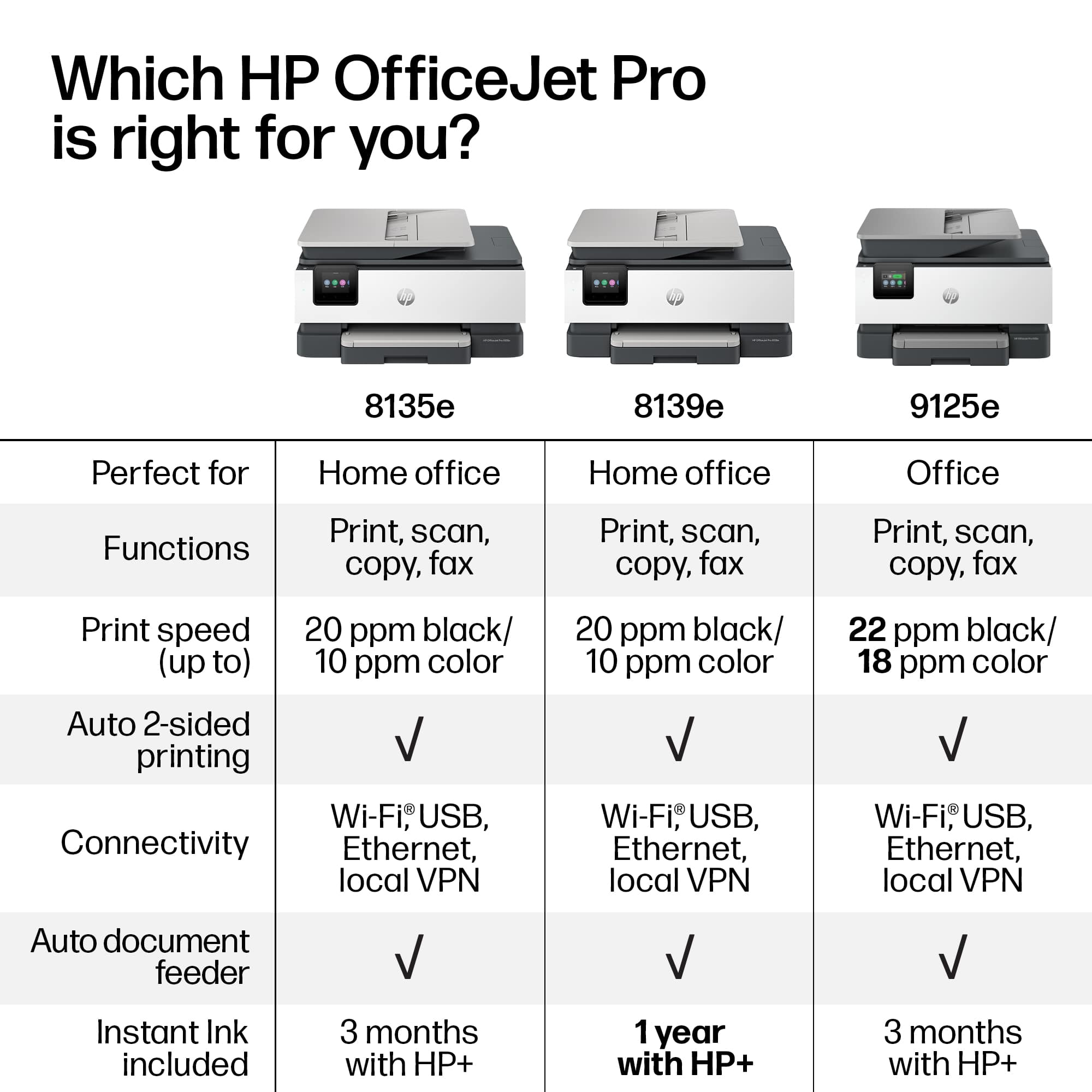
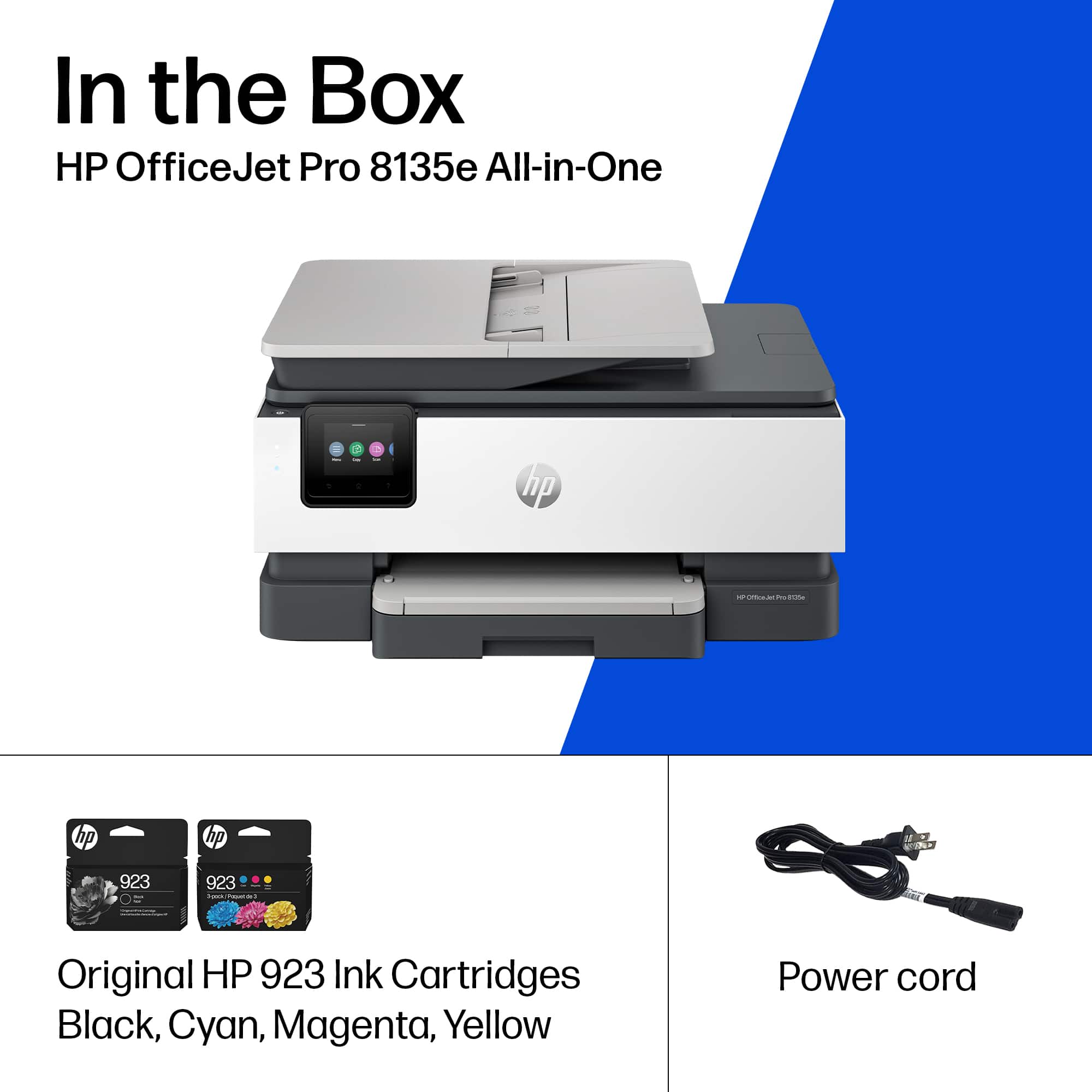
- OJ Pro 8135e /40Q35A#B1H
- SKU:
- 11006099
Rating by feature
- Value
Rating 4.3 out of 5 stars
- Quality
Rating 4.3 out of 5 stars
- Ease of Use
Rating 4.2 out of 5 stars
- Pros mentioned:Ease of use, Setup
New printer
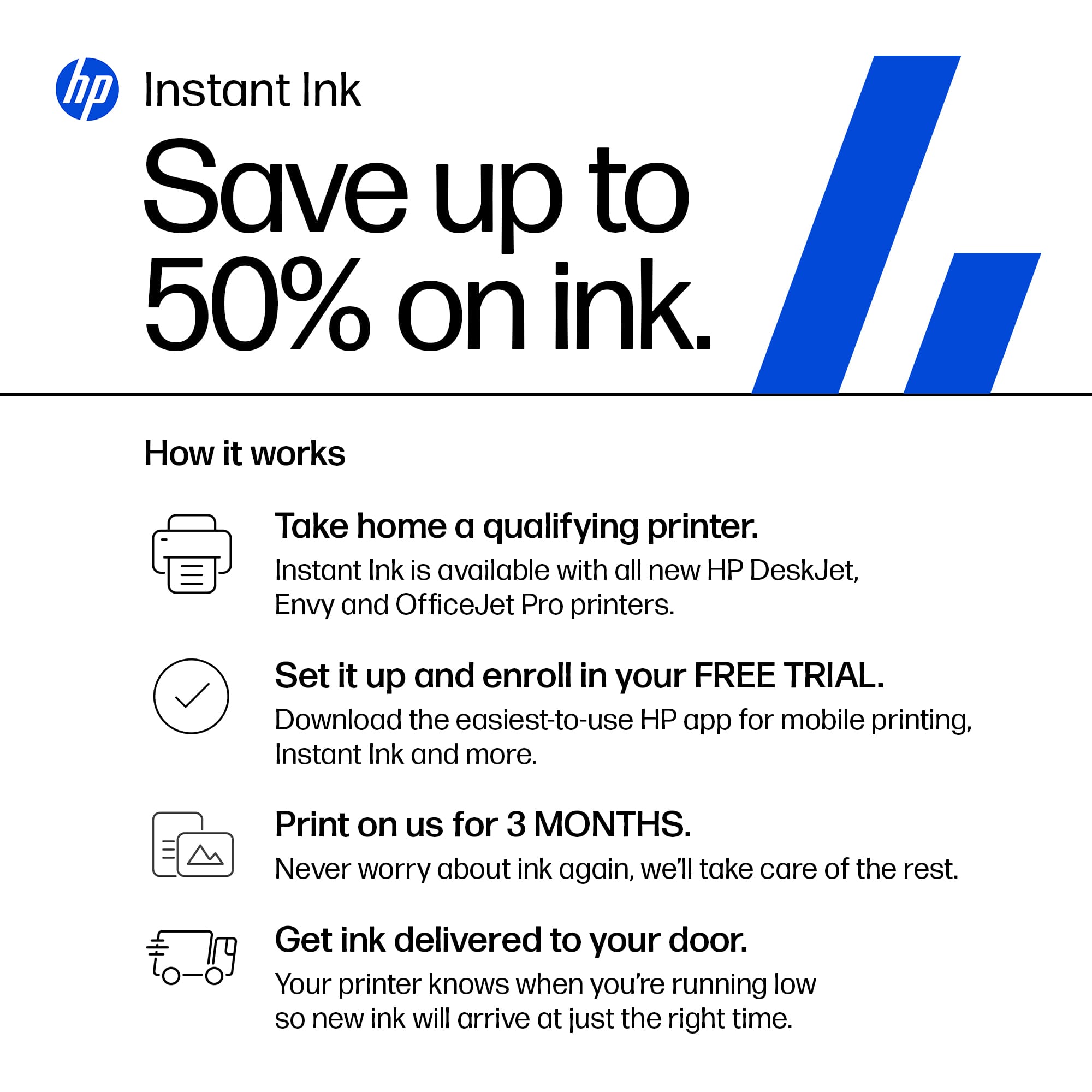
||Posted . Owned for 1 month when reviewed.This reviewer received promo considerations or sweepstakes entry for writing a review.Easy setup! Easy to use! We love the instant ink as well!
I would recommend this to a friend - Pros mentioned:Overall performance
Printer
||Posted . Owned for 3 weeks when reviewed.This reviewer received promo considerations or sweepstakes entry for writing a review.Works great for my business! Might go through ink quicker than I expected.
I would recommend this to a friend - Pros mentioned:Overall performance
All in one
||Posted . Owned for 10 months when reviewed.This reviewer received promo considerations or sweepstakes entry for writing a review.Set up was easy and had all the features we were looking for
I would recommend this to a friend - Pros mentioned:Print quality
My Printer
||Posted .This reviewer received promo considerations or sweepstakes entry for writing a review.Love it. It prints front and back, it scans, copies, and even has the capability to fax.
I would recommend this to a friend - Pros mentioned:Overall performance, Setup
New Printer
||Posted . Owned for 4 months when reviewed.This reviewer received promo considerations or sweepstakes entry for writing a review.Printer works well. Easy to set up and three months free instant ink.
I would recommend this to a friend - Pros mentioned:Print quality
Works great
||Posted . Owned for 2 weeks when reviewed.This reviewer received promo considerations or sweepstakes entry for writing a review.This prints and scans great for my small office at home
I would recommend this to a friend - Pros mentioned:Ease of use
Overall good
||Posted . Owned for 1 month when reviewed.This reviewer received promo considerations or sweepstakes entry for writing a review.Easy to set up. Just a bit of a snag concerning the paper feed.
I would recommend this to a friend - Cons mentioned:Connectivity
Review for 60 days. Directions hard to follow.
||Posted . Owned for 1 month when reviewed.This reviewer received promo considerations or sweepstakes entry for writing a review.The indicated cartridges are missing or damaged. Not working from the laptop. Not working from the menu bottom. Geek Squad on 12-18-25 made a service call seems to be fixed.
I would recommend this to a friend - Pros mentioned:Overall performance
Enjoying printer
||Posted . Owned for 1 month when reviewed.This reviewer received promo considerations or sweepstakes entry for writing a review.Nice printer………………………………………………………………………………..::::::
I would recommend this to a friend HP does it again
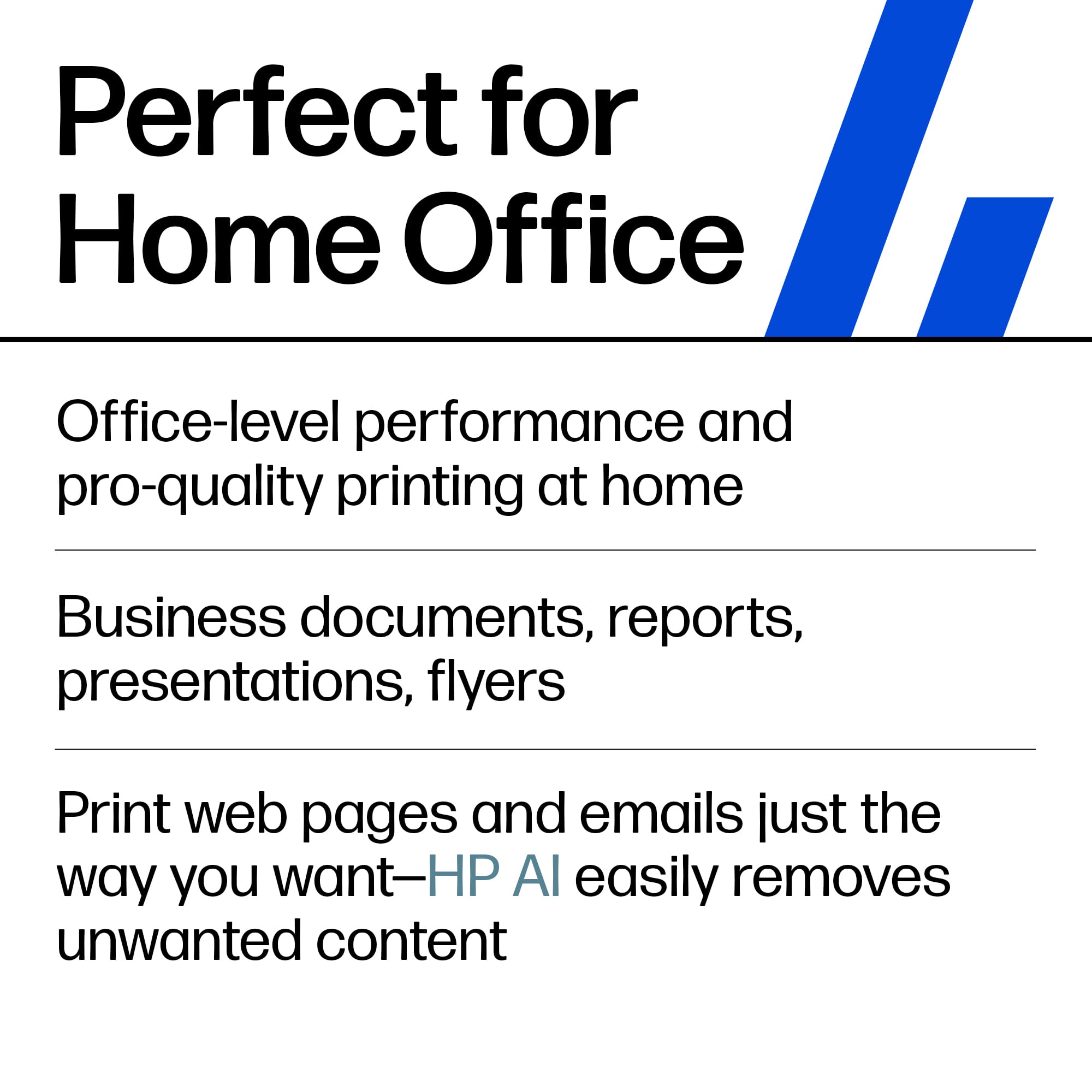
||Posted . Owned for 1 month when reviewed.This reviewer received promo considerations or sweepstakes entry for writing a review.This is the perfect purchase and printer for my home office!!!
I would recommend this to a friendOverall excellent
||Posted .This reviewer received promo considerations or sweepstakes entry for writing a review.Stability, great graphics. Easy setup. Not forgetting that is not noisy when in use.
I would recommend this to a friend- Pros mentioned:Ease of use
Great Printer
||Posted . Owned for 3 weeks when reviewed.This reviewer received promo considerations or sweepstakes entry for writing a review.I purchased this printer after I returned a Canon printer. It cost a little more, but for me it was worth it. love the ease of setting it up.
I would recommend this to a friend Best printer for the price.
||Posted . Owned for 1 month when reviewed.This reviewer received promo considerations or sweepstakes entry for writing a review.So far have used it extensively for school and work. The ability to use the HP app and scan directly to my phone is a life saver. Easy to use and fast. Ink last surprisingly a long time even if you print constantly.
I would recommend this to a friend- Pros mentioned:Ease of use
Easy to use, dependable and looks nice
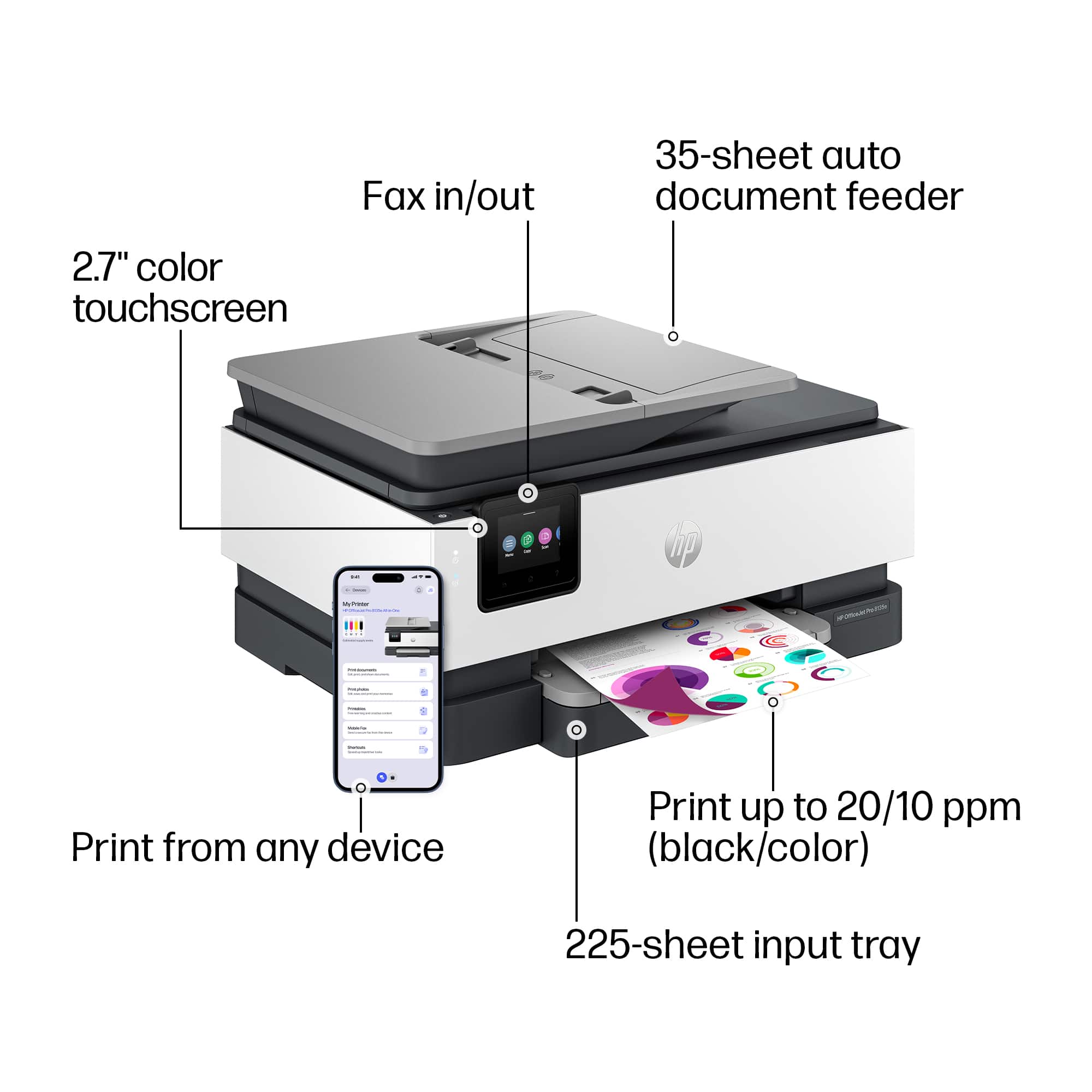
||Posted . Owned for 1 month when reviewed.This reviewer received promo considerations or sweepstakes entry for writing a review.Purchased this printer because our old one finally gave out. I wanted this one because for the feeder which makes it easier to scan multiple documents. My wife because it prints out photo quality pictures of the kids. Its easy to use and the kids also use it, even my youngest who can quickly find the copy touch screen button and copy or scan things from his books.
I would recommend this to a friend - Pros mentioned:Setup
Exactly what you need!
||Posted . Owned for 3 weeks when reviewed.This reviewer received promo considerations or sweepstakes entry for writing a review.I was looking for a printer for my home office. The HP-OfficeJet Pro 8135e was exactly what I needed and nothing more. It set up was so easy. The display in intuitive and provides the info you need when you need it. Ink installation is easy. Automatic duplex printing - and love the scan feature. Can print from any device connected to the network. You need this printer!!
I would recommend this to a friend - Pros mentioned:Overall performance
Dragonslayer Printer HP-Office JetPro 8130e
||Posted . Owned for 1 month when reviewed.This reviewer received promo considerations or sweepstakes entry for writing a review.Printer took many steps to install. Once installed, it has printed well every time.
I would recommend this to a friend - Pros mentioned:Print quality
Best printer
||Posted .This reviewer received promo considerations or sweepstakes entry for writing a review.I have bought many printers in the past years, this one is the best. Great quality prints, scans fast.
I would recommend this to a friend Does no work with Gallaxy phone
||Posted . Owned for 1 week when reviewed.This reviewer received promo considerations or sweepstakes entry for writing a review.I was looking forward to trying this Hp printer because my Hp Envy is old, and I needed a printer that would be more efficient for my current project I am working on. It took an hour to set up the printer because the instruction lack vital information as to what was needed to do. I was able to set it up, but when I tried to go online to downloadingthe software, I was unable to get the product to install on my android phone. I was only able to test the copy directly from the printer. The cartridges are very small, and the print feeder is too small and not automatic. The paper ends up falling out of the tray. I do a lot of printing, and I believe that I would be needing ink replacements weekly. I also found the quality to be poor. It was mostly plastic. I would not recommend this model to anyone who needs a reliable printer. Since i was unable to use the machine as it was, I had to return it. I hope their other models are more reliable. I never thought I would give any HP printer a negative review. I also was unable to give any photos or videos because it didn't work. My current printer is not working.
No, I would not recommend this to a friendBrand response from HP Team
Posted .Hi lizzib4u,
Apologies for the bad experience.
We'll like to help. Here's a detailed unboxing & setup video:
https://www.youtube.com/watch?v=nZM39cWeG0c
If a 2nd Device needs to be added, this resource will be useful:
https://www.youtube.com/watch?v=dq4pjCA-xSo
Hope that helps!
Sincerely,
Teo
UNEXPECTED TROUBLES AND EXPENSE
||Posted . Owned for 3 weeks when reviewed.This reviewer received promo considerations or sweepstakes entry for writing a review.When my old HP all-in-one printer passed on, I thought another HP was the answer. It was an OK answer, but had some frustrating elements. First, it takes a very electronically-knowledgeable (like a professional for us over 65) because A LOT has to be synchronized and set up. Cost me dearly to have this done. THEN the display is terrible. When you simply want to copy a document that you already have set to print and you push the round print icon, nothing happens!!! If you hit the round menu icon and then hit copy within that mode, SOMETIMES it goes a bit quicker. I can't express how LONG the wait time is...so long that you think it's broken! Once you get the copy mode to begin, if you have more things to copy, do it NOW before it "sleeps" again. The paper try pull-out that catches the printed pages is not very functional and the papers can easily get out of order or jam-up and get stuck, especially if you are printing out a lot of pages at once. You can't leave the room while it's printing more than a couple of pages. Needless to say, I am a bit disappointed that this machine is not more user-friendly and specifically that it is not easy to set-up even if you already had a similar HP printer prior. PLUS (just remembered something else)...the instruction paperwork is basically not there. You have to go online to find out anything...or do as I had to do, call in a professional and pay extra (which is like paying MORE than the list price of the machine)...I hope my review helps someone else who is not a computer wiz but rather someone who (unlike the young electronic people who design these things) gets frustrated with the assumption that this is easy! Thanks for listening.
No, I would not recommend this to a friendHappy HP
||Posted . Owned for 2 weeks when reviewed.This reviewer received promo considerations or sweepstakes entry for writing a review.I like this HP product. My last printer was an HP. Had it for several years and had to upgrade due to the software.
I would recommend this to a friend















