Customer Ratings & Reviews

























- Model:
- OJ Pro 9125e /403X0A#B1H
- SKU:
- 10757631
Rating by feature
- Value
Rating 4.3 out of 5 stars
- Quality
Rating 4.2 out of 5 stars
- Ease of Use
Rating 4.1 out of 5 stars
Customers are saying
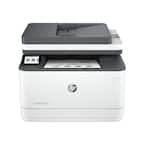
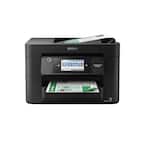
Customers admire the OfficeJet Pro 9125e for its print quality, ease of use, and overall performance, making it a valuable addition to any home office. The printer's setup process is also seamless, and its size is ideal for home use. However, some customers have expressed concerns about the printer's noise level and connectivity issues. Additionally, a few customers have mentioned concerns about the paper tray design.
This summary was generated by AI based on customer reviews.
It Does The Job!
||Posted . Owned for 3 weeks when reviewed.This reviewer received promo considerations or sweepstakes entry for writing a review.Good replacement for my 8610 for small business. It’s a bit smaller than my old one.
I would recommend this to a friendWorks great
||Posted . Owned for 3 weeks when reviewed.This reviewer received promo considerations or sweepstakes entry for writing a review.Love this thing!!! Highly reccomend for home or business depending on volume of printing!
I would recommend this to a friendHP 9021 E seris
||Posted . Owned for 3 weeks when reviewed.This reviewer received promo considerations or sweepstakes entry for writing a review.This printer is awesome. I like the new display which makes it easier to use it.
I would recommend this to a friendHorrible HP
||Posted . Owned for 1 month when reviewed.This reviewer received promo considerations or sweepstakes entry for writing a review.This printer is horrible, constantly displays error messages, looses print jobs and disconnects itself frequently from the WIFI.
No, I would not recommend this to a friendDefective Printers and Frustrating Experience
||Posted .This reviewer received promo considerations or sweepstakes entry for writing a review.The printer was unable to install the ink cartridges, displaying the message 'Cartridges missing.' I exchanged it for a second one, but that one had a black screen.
No, I would not recommend this to a friendNot ideal.
||Posted . Owned for 1.5 years when reviewed.This reviewer received promo considerations or sweepstakes entry for writing a review.It’s already broken, waiting in line to get it fixed.
No, I would not recommend this to a friend- Pros mentioned:Print quality
Decen Printer
||Posted . Owned for 1 month when reviewed.This reviewer received promo considerations or sweepstakes entry for writing a review.Works as designed. Quality prints. Easy setup. It is louder than my previous HP printer. Doesn’t seem to have the same level of quality in manufacturing.
I would recommend this to a friend - Pros mentioned:Print quality

Get All of It Done
|Posted .This reviewer received promo considerations or sweepstakes entry for writing a review.[PROS] Printer Size: The printer is the perfectly sized. It's compact enough to sit comfortably enough on a desk with consuming an excessive amount of space. Ease of Use: Most if not all of the functionality is straightforward. The HP Smart removes the burden of trying to understand the ins and out of the OfficeJet Pro. It's just as easy to print, scan, and fax through the mobile app and it is through the desktop app. Accuracy: I would like to highlight that I found myself extremely pleased with the quality of my prints and scans. The 9125e was able to recreate bar codes from important documents with great clarity and print others with precision. Furthermore, I was able to achieve the 18/22 ppm for color and black ink respectively [CONS] False alerts: While scanning, I did encounter a scanning error that suggested that there was a jam. However, I was able to resolve it without intervention. My hope is that it doesn't become a regular occurrence. Missing Full Guide: I'm all for reducing waste and recyclable materials, but I would've preferred to have a physical copy of the complete manual. The quick start guide is enough to set up, but I found the full online guide to be informative on how to do everything and maintenance. [CONCLUSION] The OfficeJet Pro 9125e is near-perfect printer for a home office. It's easy to set up and use for day-to-day needs. Personally, I would even recommend this for any individual such as a student who may need to print on a weekly basis.
I would recommend this to a friend - Pros mentioned:Print quality
So close to perfect
|Posted .This reviewer received promo considerations or sweepstakes entry for writing a review.The HP Office Jet Pro 9125e is a great looking, light weight all in one printer that prints and scans documents effortlessly and is designed to be used in homes or a small business. Set up: This printer was by far the easiest printer I have set up. HP provides simple step by step instructions which helped me have the printer running in less than 5 minutes. The Office Jet Pro 9125e is packed with business features (private printing, scan to network, scan to USB, Print from anywhere, scan to cloud, scan to email) and the best part about it is that they are easy to set up and use. You do not need to be a techy because HP has made the setup of all functions simple. Your able to add different users and provide permissions for what users can/can’t do. HP includes a HP+ service which is needed to use all the online features and the HP will send you refills on ink before you run out, to use the HP+ service you don’t need to sign up for the automatic ink refills. Printing: The printer prints up to 32 pages per minute and has a document holder of 250 pages. The printer does everything you need from color and black and white prints to double sided and has a function it calls “printables” which are fun printable options for kids and adults. Scanning: The HP Jet Pro 9125e is able to scan double sided documents and does this with great detail, I scan roughly 200 documents on a weekly bases and had no issues with paper jams. Now while I thought the quality of the scans was great the time it took to scan and process the scan was one of the worst I have seen, I’m hopefully a software update can fix this. A page scanned (on the scanner and not through the app) with the highest resolution (1200 DPI) took close to a minute to process and to me that’s just way to long. Now I do understand there is a lot of processing going on as the scanner is detecting text, extracting text, scribbling on the scanned picture etc but the time frame for processing is just to long. One of the reason I feel this is a software problem is that the scanning feature from the app on the phone works quick (2 to 3 seconds). Connectivity: The printer can be connected via Wi-Fi or hardwired. This printer is able to connect to 2.4 and 5 ghz networks and has a self-healing function incase it disconnects so you wont have to reconnect it to your network. I’m glad HP decided to use dual band wifi as the 2.4 gets congested, durning my test the printer was able to go 32 Mpbs on the 5.0 Ghz which is more than enough for any prints your sending it. Touch screen: The touch screen is a decent size and is visible in any type of lighting it also excels with there being no phantom clicks or the screen not registering my touch. HP has a great feature where you can swipe down on the touch screen and this shows some key information that you might need (IP address/printing errors) APP: The app for the Office Jet Pro 9125e is very similar across desktop’s and mobile devices, I also liked that as an admin you get access to everything you would on the web portal. The app has many functions as allowing for private prints which can be authorized by using your phone instead of typing in a code if you choose. The app and even allows you to use your phone to scan documents, this is key if your away from the printer and don’t want to make reoccurring trips to it. HP has done a great job making a printer which is loaded with features and made those features easy to use. I think this Is what sets this printer a part from most others, you don’t have to be a techy to use all of the features that you paid for. My only knock on the Jet Pro 9125e is how long the processing takes for scanned documents.
I would recommend this to a friend Great little Printer for the Price!
Posted .This reviewer received promo considerations or sweepstakes entry for writing a review.So far, this little printer is and has performed like a champ. I have a HP laptop, but also an iPhone, and it handles the print job from both effortlessly. Another really helpful thing (0ther than the size and weight) is that the device was really simple to set up with the provided instructions, and the smart features took the setup the rest of the way, taking much of the guess work out of the picture. Once I scanned the QR Code provided on the printer and followed the steps from there, everything pretty much fell into place. The printer also kind of did dome of it's own troubleshooting during setup along with some continual adjustments until things were just right. This is one of the reasons that I have chosen HP as one of my go-to brands over the years, as they (HP) are continually improving their products with more value and convenience for their customers. I almost can't wait to see what and how they continue to improve next. Great job.
I would recommend this to a friend- Pros mentioned:Print quality
9125e review
||Posted . Owned for 2 weeks when reviewed.This reviewer received promo considerations or sweepstakes entry for writing a review.Meets our printing and scanning needs, and print quality is good. a little noisy when booting up and operating. Frequently says internet connection is lost which causes printing errors, and don't understand it as it sits right next to the pc which doesn't drop connection.
I would recommend this to a friend - Pros mentioned:Print quality
Powerhouse performance, easy to setup and use
|Posted .This reviewer received promo considerations or sweepstakes entry for writing a review.This printer is easy to setup and install. Just plug in the printer and follow the on-screen guidance. The touch screen is nice and responsive so you can actually start printing within minutes. Easy. There’s a simple calibration process that requires user to scan a piece of paper and some online registration is recommended but that’s it. The printer uses inkjet technology hence the cartridges. HP offers a subscription system and the printer comes with complimentary 3 months instant ink with the HP+ program. This printer is suitable for those want to print both color and monochrome. Because after all this is an inkjet printer, it’s not as fast as laser printer but by no means that this printer is sluggish. It’s fast enough for most uses unless you need to print hundreds of pages every time. The printer is capable of duplex scanning, faxing and printing, which is a very useful feature. It also saves paper a lot because you can always print on both sides of the paper. The quality of the print is as expected with today’s inkjet printers. My only gripe with inkjet printer is that paper doesn’t feel as crisp after printing colorful page and this HP printer is no exception. Connection wise, it’s good. My computer found no problem connecting to the printer through wireless network and navigating all of the printer’s options to tweak its performance is easy enough. Also, for a SOHO printer it is actually not that big. It’s worth to mention that this is a closed system printer, which means the printer is intended to use genuine HP cartridges and regular firmware updates will be imposed to prevent user from using non-genuine or reused cartridges. The subscription system should help users in figuring out the cost of operating the printer in the long run. So who is this printer for? Well, an inkjet printer that relies on cartridges can become costly especially when there is no option to use cheaper third-party ones. So, if you print regularly, it is making more sense to subscribe to HP printing program. This printer is geared toward business users who need to print regularly or to consumers who don’t mind getting into the HP+ printing program.
I would recommend this to a friend - Pros mentioned:Print quality
Quality HP Printer, lightweight, quiet
|Posted .This reviewer received promo considerations or sweepstakes entry for writing a review.Wow! I really love this printer. I had an older OfficeJet that was still doing the job, but was wanting to trreat myself to a newer version. THe OfficeJet 9125e did not disappoint! I've been using HP printers since the original Deskjet and am so happy to provide my input. Getting the printer out of the box was a snap. When I opened the box, they had put in a diagram indicating to put the box on its back and slide out the printer so as not to damage the cover/hinged part. I plugged the printer in and within minutes was printing! So quick and easy. The key is to go to the website via QR code or short url on the Quick Start Guide. I already had HP Smart software on my computer, but if you don't, it doesn't take long to install it. I followed the prompts on the screen and got the ink cartridges loaded and was ready to print and scan. Hooked up by wifi and web print with no problems. The printer case is a great color. I live in a dusty area and my old black model always showed any speck of dust. The 9025e is a dark gray and is not as dust prone. The printer itself is about 18 inches wide and 13 inches deep (not counting the output tray). I have it placed on a standard filing cabinet and it fits great. Now, operations. This printer does it all for your home or small business. Print, scan, fax and copy. It will print B&W or color, one-sided or two-sided and is super fast. I especially love the scanning on this machine as I can dump a big stack of papers in the tray for scanning and let it go! I run a livestock business and scanning receipts for the CPA, or making quick copies of registration certificates for a buyer makes my life so much easier, especially since it's an all in one machine. Please note that you can scan/copy from the document feeder or directly from the glass. I do not use the fax function as I have no phone line. So, for home or small business, the OfficeJet is the way to go. I expect to use this machine for several years. The touch screen function are easy to read and manipulate on a vibrant screen color.
I would recommend this to a friend - Pros mentioned:Print quality
An Exercise in Frustration
|Posted .This reviewer received promo considerations or sweepstakes entry for writing a review.The HP Office Jet Pro 9125e printer has been frustrating. I have had print difficulties, set up problems, random errors, and pixelated / wavy scans. In my experience, the printer does not play nice with Samsung phones / tablets. Fast prints and double-sided scanning are nice, but the experience has been too temperamental and unreliable to comfortably recommend this printer. Setup: As said above, set up was … difficult. HP has you download the HP Smart application on your phone to guide you through the set-up process. It all seems very straightforward, until it randomly is not. The application gave me errors and then the printer would just be stuck with the message “the HP software is setting up your printer….” Eventually, I would either get a “a random error has occurred, if this keeps happening contact support.” I would then have to exit out of the app, turn off the printer, and start both up again. This happened two or three times during set up. Physically inserting the cartridges is not difficult, but after getting the printer up and running, I randomly get a message that the blue “C” cartridge is not communicating properly with the printer. So, I reset the cartridge, turn the printer off, and then pray. This was a recurring issue if I turned the printer off for any period of time and then turned it back on. These set-up difficulties may be due to my unique network and phone. That could be true, but that just helps make the setup feel needlessly complicated. I should not need to do more than plug the printer in to an outlet, turn it on, add the ink cartridges, and connect to the network. An app is just an extra complication for a device with a fairly impressive on-screen display. HP’s setup process feels more designed to help sell “Instant Ink” and “HP+” than it helps the end user. In thirty years, I have never had so much difficulty with a printer set up. Experience: I should say up front that I used HP printer paper and HP photo paper for my tests. I got this printer because I want to use it for print jobs related to an online shop. The prints are fast and look okay. Black prints look great, but colors seem a bit faded to my eye on normal prints. I am impressed by the print speed. But that speed comes with some costs as this printer shook every desk or table I put it on. The internal print head is moving back and forth very quickly, and you can feel it. I could never get the printer to work with my Samsung phone or tablet. I constantly got a “blocked error.” I tried troubleshooting this as some folks said it was a print spool error and I just needed a plugin. Others said to delete the HP plugin on my phone. None of it mattered for me as I could never get the printer to print from my Samsung phone or my Galaxy tablet. I was not impressed with my photo prints. I had random dots that would appear at creases or lines where one color met another color. I do not know what caused those dots, but it was specific to this printer. Photos had more of a red tint than I am used to, but that could just be a difference between the different printer manufacturers. Granted, this printer is advertised more as an office printer than a straight up photo printer, but I am wanting photographic prints for some projects and this result was subpar. Maybe there are settings I have not found that would fix this problem, but I can only shrug my shoulders at this time. Again, the process was more difficult than it should have been. It was definitely more difficult than I anticipated or expected based on past experiences. I went through the set-up ink quickly and decided to give HP Instant Ink a go. When I signed up, I was told it could take anywhere from 5 to 10 business days to receive the ink. I received my ink in five days. The printer is supposed to monitor your usage and reorder before your ink levels get critical. I cannot speak about that feature. If you are printing an exceptionally large print load, you could run out of ink quicker than the printer estimates. At that point, you could be stuck waiting for your next ink shipment. I could be biased, but I am not sold on another subscription service. I can see a benefit for a business that knows their output and can plan accordingly. But the idea of an overage cost if I unexpectedly have a lot of prints one month does not appeal to me. There is some rollover for unused prints. It is possible that this is financially the best option, but it does not feel right for me. I appreciate the feeder tray to scan in documents. Double-sided scanning is a nice feature for an office printer. Again, the scanning, like the printing, is fast. But scans were wavy and pixelated even on higher DPI settings. Conclusion: Do I recommend the printer? It depends on the user. I could see a user who does standard paper prints in an office environment thinking that this printer works well enough. Maybe set up works better for iPhone users. The printer is fast. Black ink looks good. In that environment without errors or frustrations, I think this could be a good printer. But my experience has not been great. I have had so many errors and problems with this model. Some of the error messages seem very random. Sometimes the printer or the computer will throw an error only for the printer to print anyways. The printer did not print from my phone. I do not know if it will ever print from Samsung devices. I had cartridge errors, poor scanning, and poor photo prints. I have some concerns about the capacity of the included ink cartridges. I am not sold on Instant Ink. The downside of yet another monthly subscription outweighs any convenience I might see. Plus, if it takes me 5 to 10 business days from the point where the printer decides to order another batch of ink, I might be forced to go out and purchase another set of ink anyway. The experience has been broken and frustrating. I really wanted to like this printer. But I just think this thing has been a mess. I have had many printers. This has been the most difficult printer for me bar none. The set-up, the error messages, the poor scans, and the print difficulties have exceeded my tolerance. I do not like leaving a negative review. For me, the pros of this particular printer have not outweighed the cons, and after more time and patience than I feel necessary, I cannot recommend the Office Jet Pro 9125e at this time. It may be good for someone else and there could be performance fixing firmware updates down the line, but as is, I cannot recommend this printer.
No, I would not recommend this to a friendBrand response from HP Team
Posted .Hi RedScorpion,
Apologies for the bad experience.
We'll like to help. We'll suggest updating the Printer firmware to resolve printing on Samsung cell phone or Tablets as well overall reliability of the printer:
Update Printer Firmware (via Control Panel):
https://www.youtube.com/watch?v=HDzj0LkNIPY
After updating the firmware, use HP Smart app to setup and connect printer to the network.
Hope that helps!
Sincerely,
Teo
- Pros mentioned:Print quality
Decent printer
||Posted . Owned for 1 month when reviewed.This reviewer received promo considerations or sweepstakes entry for writing a review.Prints quickly and clearly. It's a bit noisy. The only problem so far is getting the back cable to stay in. It does not fit in snugly.
I would recommend this to a friend - Pros mentioned:Print quality
Just What We Needed
||Posted .This reviewer received promo considerations or sweepstakes entry for writing a review.This printer is great. Quick, easy to use in general and for use as a network wireless printer. This was exactly what we needed and it exceeded our expectation. Thank you HP and thank you Best Buy for having exactly what we needed.
I would recommend this to a friend - Pros mentioned:Print quality
HP Office Jetpro 9125e
||Posted . Owned for 3 weeks when reviewed.This reviewer received promo considerations or sweepstakes entry for writing a review.Ease of setting up; I printed single and multiple pages in color without wet ink; The flatbed and document feeder is a nice feature without paper flying everywhere. I love the control panel touchscreen showing the scanner. Overall easy to use.
I would recommend this to a friend - Pros mentioned:Print quality
Excellent Office Printing Solution
|Posted .This reviewer received promo considerations or sweepstakes entry for writing a review.After looking for a replacement for another brand of printer that went out on me, I got this HP OfficeJet Pro 9120e printer as the stand in. Initially, I thought it was too small for office use based on the size of the box. Unboxing the HP 9120e still gave me doubt, as it has a small overall footprint. Initial setup was straightforward, but I did have some issues getting it to work with my Apple products. But once that was alleviated it was on to work and printing. It works on a four ink-well system, with a separate black ink well. That's good for me as we use that more than any other and I can replace that separately without buying a whole brand new cartridge. The paper well holds roughly a ream of paper at a time. It has the normal paper handling pull-outs most printers have. Auto-loading works well, as well as the scanning process (whether auto-loaded or placing it on the scanner platen itself). The printer has a USB Type A port on the side that enables easy document printing when switching between devices without having to have the device itself. The quality of the printing itself meets or exceeds the requirements for my office. We no longer possess laser printers due to the quality of printers such as this one. The abilities and speed of output make this a quality printer and great addition to the office. Longevity is to be seen, but so far we are really impressed with the HP printer.
I would recommend this to a friend Quick, quiet
||Posted . Owned for 3 weeks when reviewed.This reviewer received promo considerations or sweepstakes entry for writing a review.works well; quiet, quick, fair price Only disappointment: When we got the printer home, we realized it doesn't have an automatic feed for copying originals that multiple pages. The lid has to be lifted, and each page to be copied must be manuallly placed on the screen. We wish that had been obvious at purchase time, but we didn't ask about it.
No, I would not recommend this to a friend- Pros mentioned:Print quality
Good printer - expensive cartridges
||Posted . Owned for 1 month when reviewed.This reviewer received promo considerations or sweepstakes entry for writing a review.I bought the to replace an old HP8600 The good - fairly easy set up. easy to print and scan, fast print speed Disappointing - fairly noisy, ink cartridge set is $136 Overly complex print program - you can choose to pay/page, but it you exceed your estimate you pay much more. If you leave the program you cannot use the cartridges so have to buy new regular ones before you can print again. Recommend - you study the program before you sign up
I would recommend this to a friend