Customer Ratings & Reviews

- Model:
- RT00020
- SKU:
- 6429672
Rating by feature
- Value
Rating 4.5 out of 5 stars
- Quality
Rating 4.8 out of 5 stars
- Ease of Use
Rating 4.3 out of 5 stars
Customers are saying
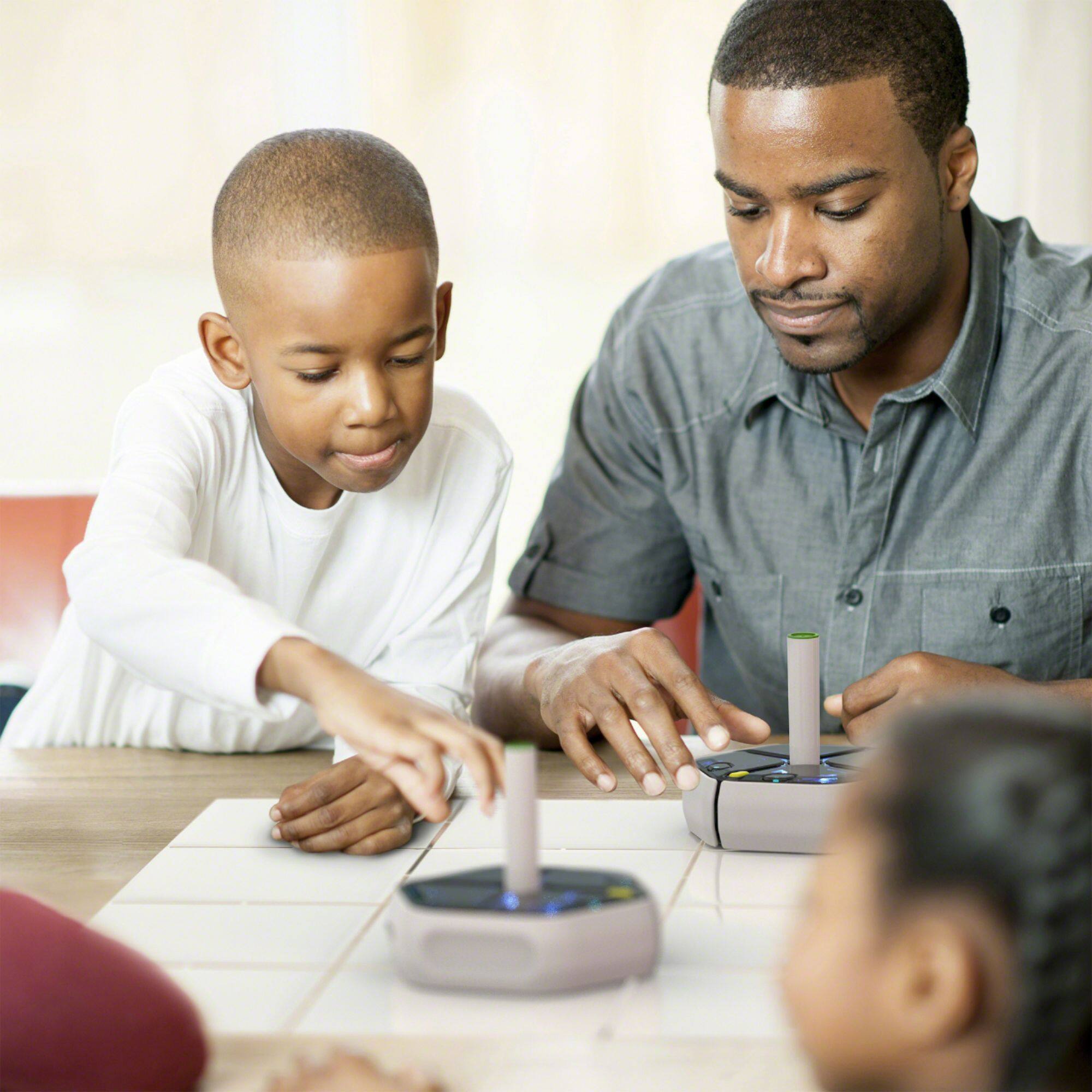
Customers frequently mention how the Root rt0 Coding Robot is an educational tool that is easy to set up and use. They appreciate the multiple sensors and the ability to code at different levels. Customers also enjoy the drawing feature, which allows children to be creative and engaged.
This summary was generated by AI based on customer reviews.
- Pros mentioned:Programming environment
Excellent
||Posted . Owned for 2 weeks when reviewed.This reviewer received promo considerations or sweepstakes entry for writing a review.So far so good. My kids love coding! I hope this will help with future goals
I would recommend this to a friend Cool dad toy
||Posted . Owned for 1 month when reviewed.This reviewer received promo considerations or sweepstakes entry for writing a review.Fun and kids loved it there fun but wish it stuck.
I would recommend this to a friendFun technology for the entire family
||Posted . Owned for 1 week when reviewed.This reviewer received promo considerations or sweepstakes entry for writing a review.Awesome! Perfect for my kid and the family! Brings lots of fun and good ideas to the table. Interactive and design is beyond expectations. Highly recommended to anyone interested on programming or simulation or simply looking for fun!
I would recommend this to a friend- Pros mentioned:Bluetooth, Drawing, Programming environment

Disappointed I didn't get the RT1 instead
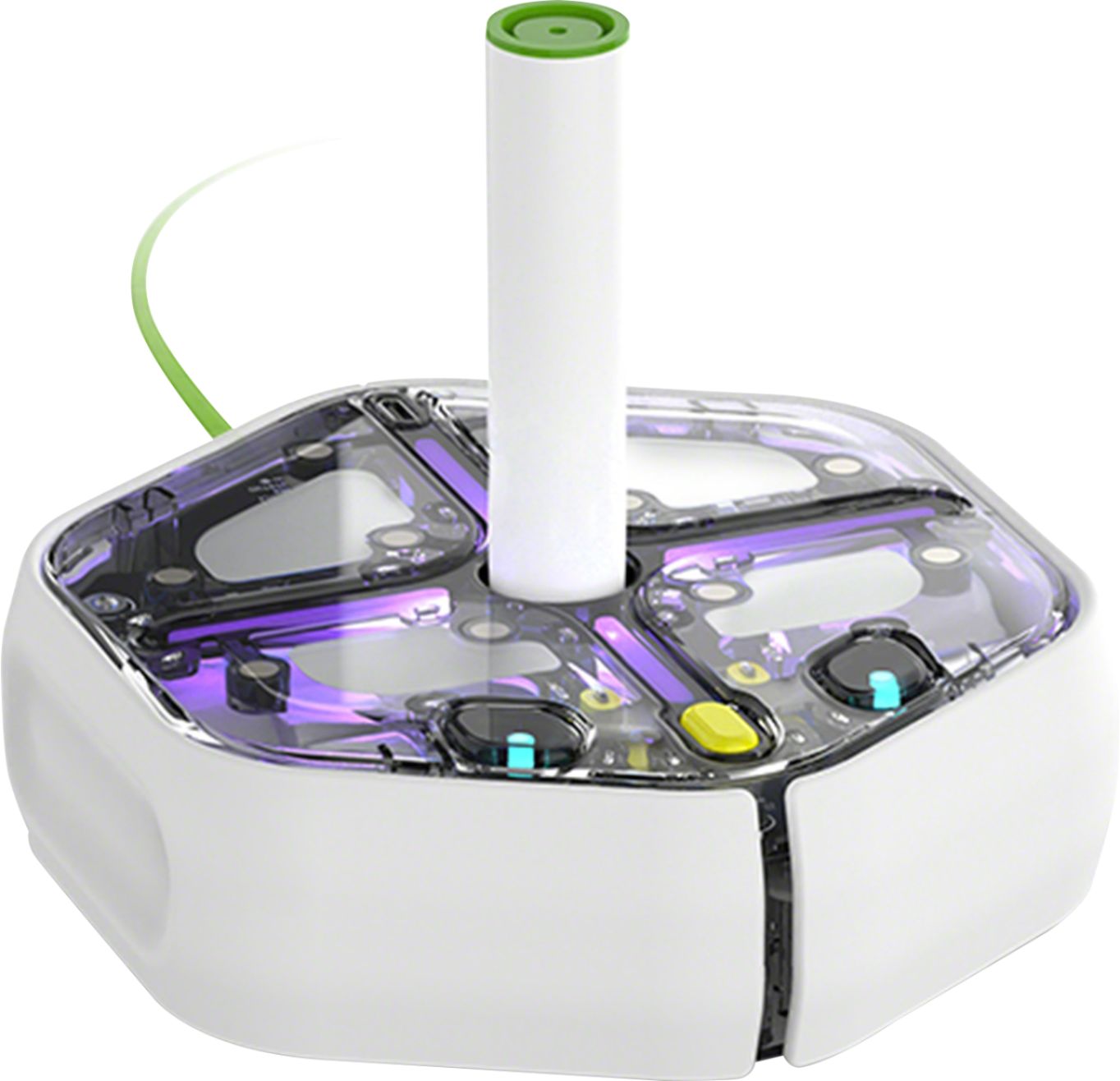
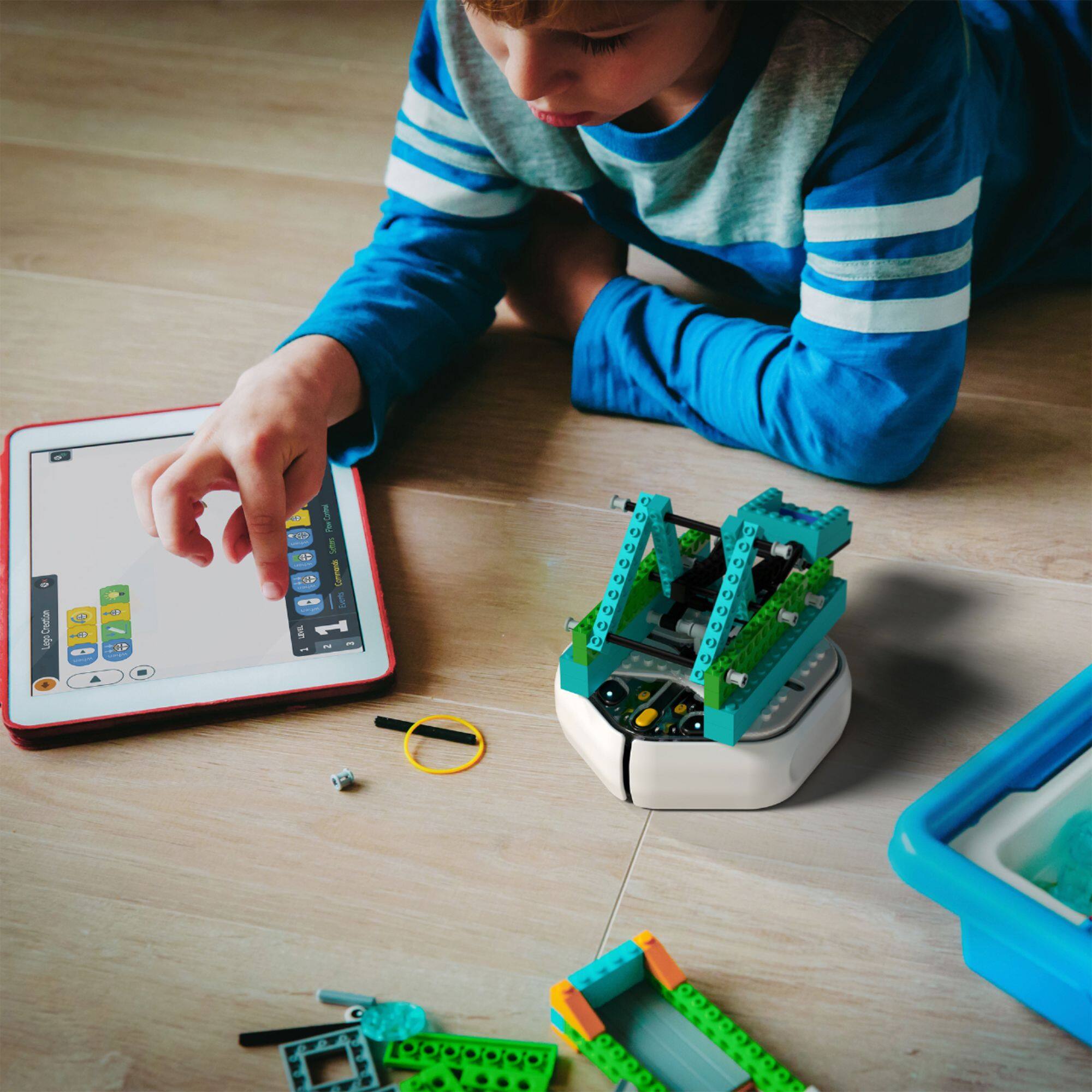
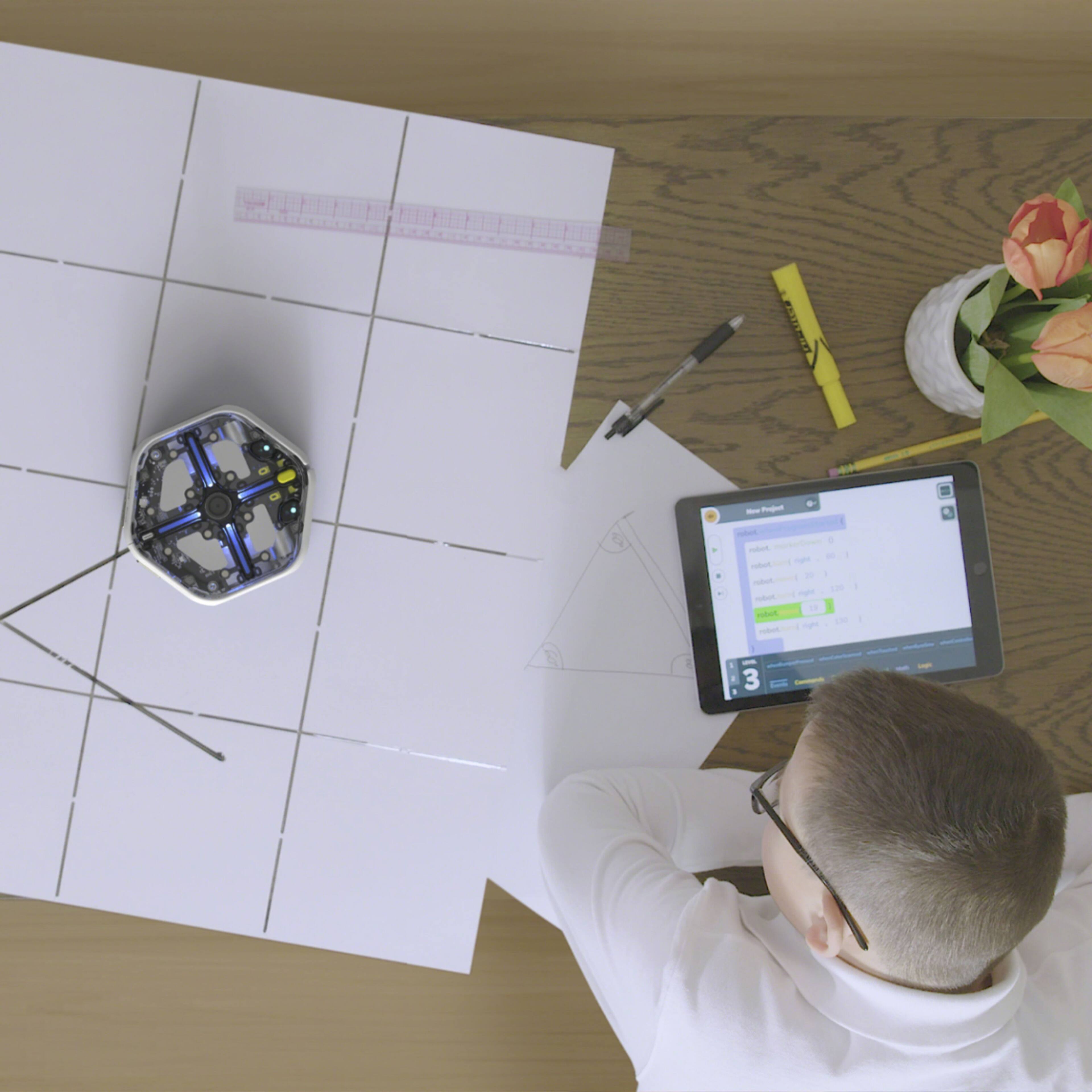
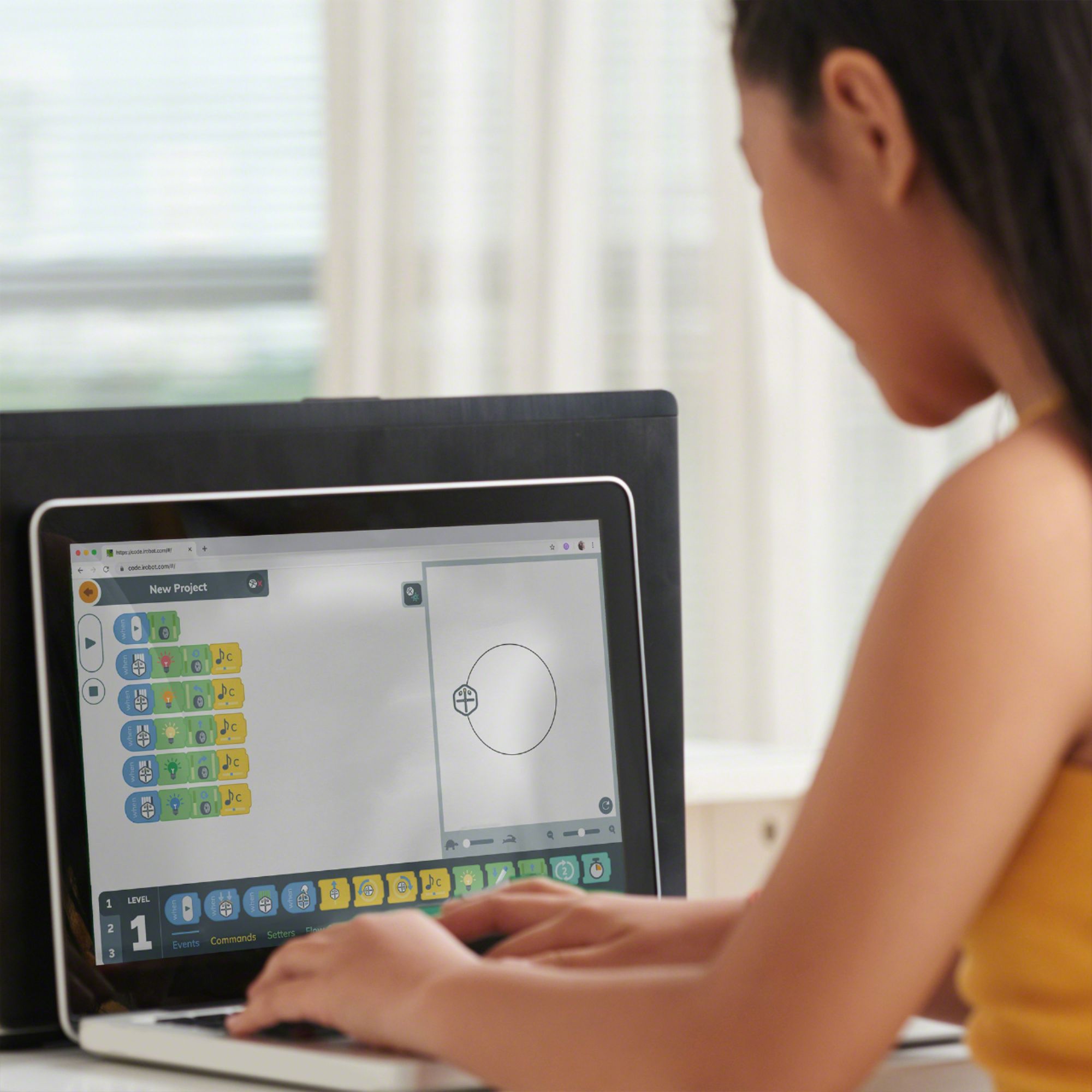
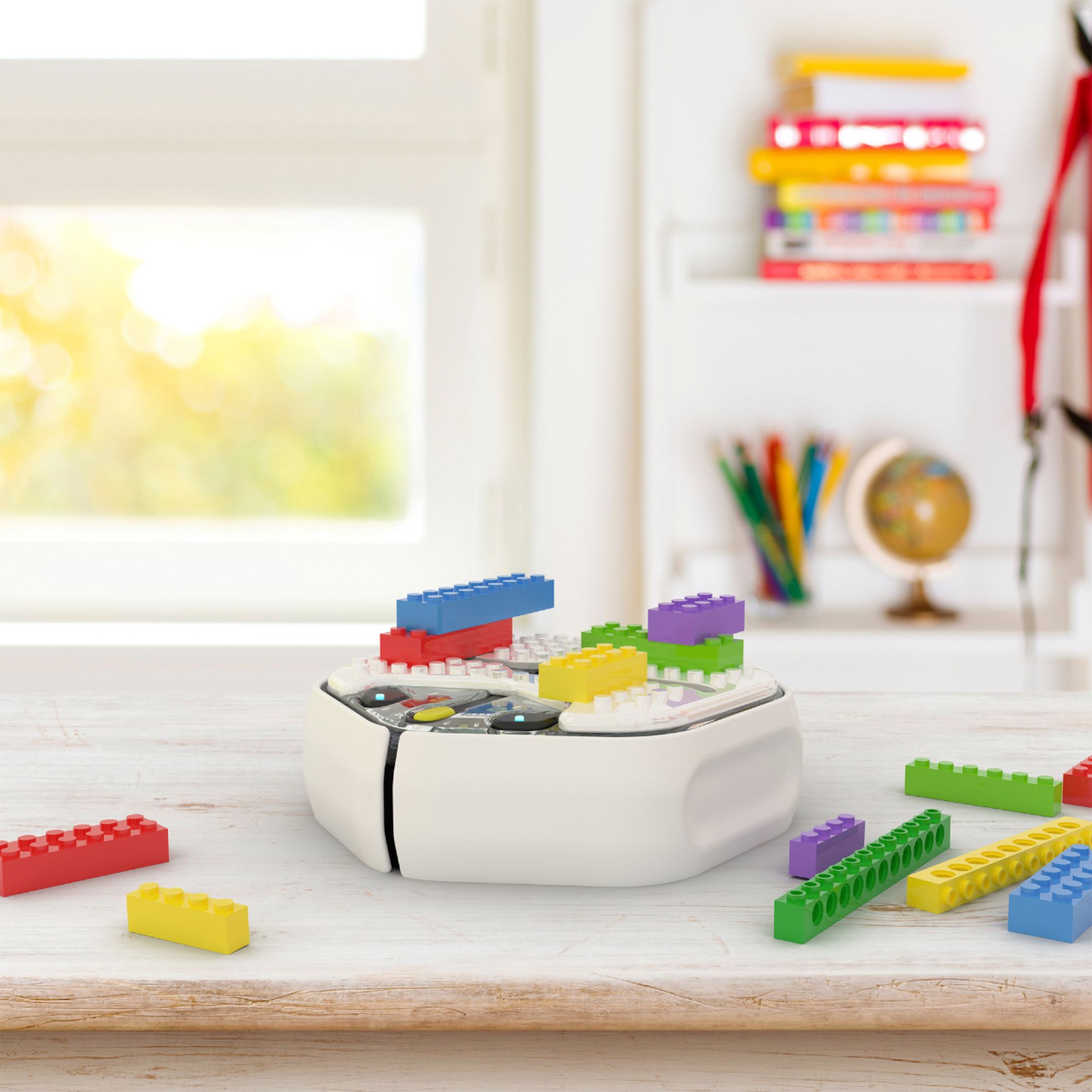
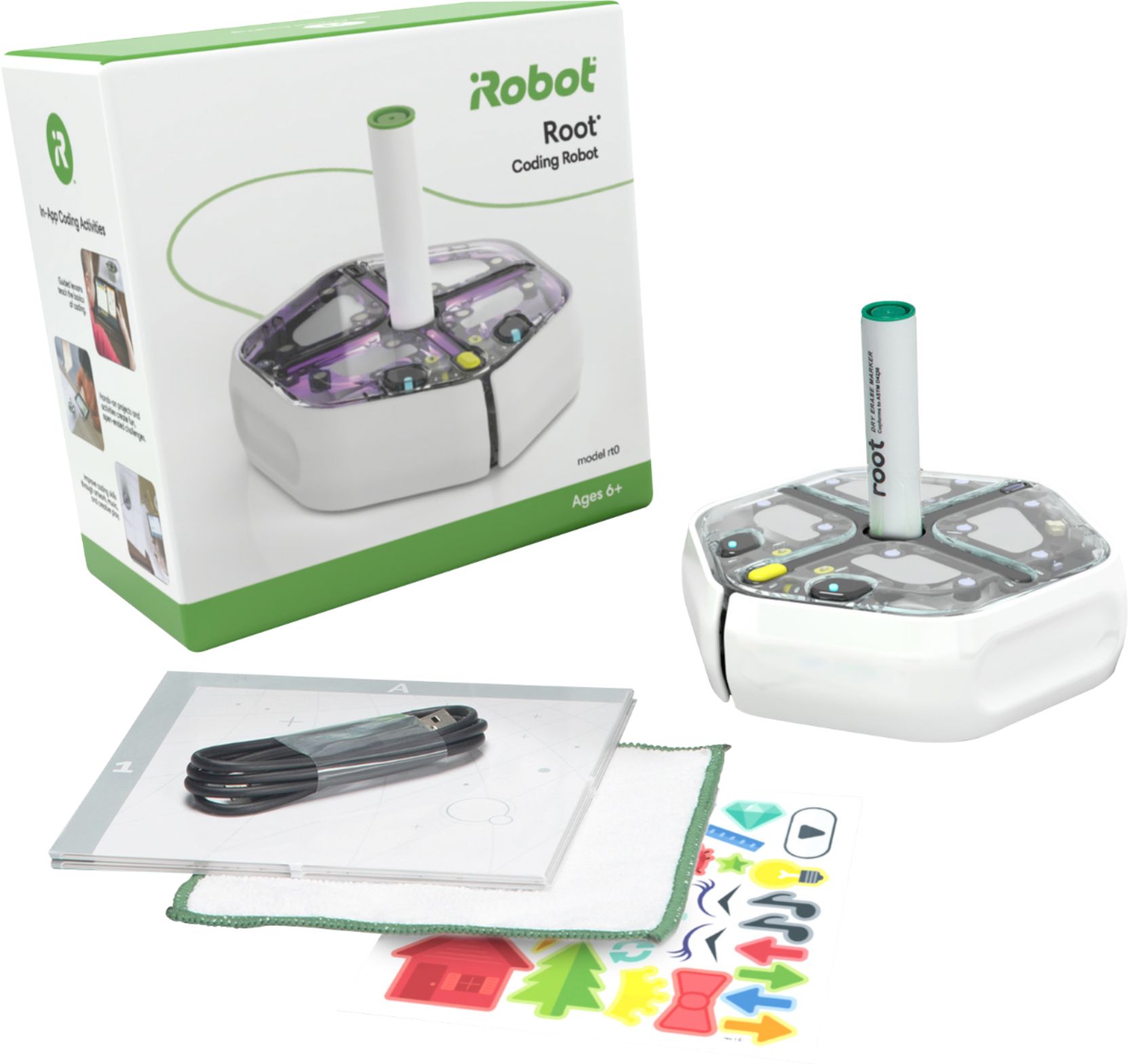
|Posted .This reviewer received promo considerations or sweepstakes entry for writing a review.I'm a huge proponent of robotics and programming curriculum for kids. My kids are going through the FIRST series of programs where they were exposed to LEGO robotics and my oldest is now starting into actually constructing robots in the FIRST Tech Challenge. To bolster my youngest's interest in programming and robotics, I decided to give the Root RT0 a try. In the box, you get the Root RT0 robot, a USB-C to USB-A charging cord, a dry-erase marker, a fold out dry-erase mat, some reusable static cling stickers, and a micro fiber erasing towel. There is also a legal/safety guide and a really basic user's manual that has 8 frames of illustrations, and a handful of words like an IKEA assembly guide. I was a little disappointed there is no charging block included and surprised that it took such a long time to charge with my 15 Watt charger. On the bottom of the robot there are two wheels. The front has two bump sensors. And the top has the remaining sensors like 4 touch sensor pads, light sensors, and gyroscopic sensors as well as various lights. In the center, there is a hole to insert an uncapped dry-erase marker. I tested the robot with standard Expo markers and they worked just fine. Also on the top are 10 magnetic dots to accommodate certain accessories. One of the accessories I'm interested in is the LEGO compatible brick plate so you can build LEGO creations that go on top of the Root RT0 robot. I was disappointed to learn that I selected the wrong robot. I should have gotten the Root RT1. The RT1 has an eraser pad, magnets on the bottom to draw on magnetic white boards (even vertically), a color sensor and has a white top instead of a clear top to enable further dry-erase marker decorating. The associated app can be easily found in the App Store or Google Play. Connecting the Root robot is straightforward and handled within the app. That means, you don't need to go into your Bluetooth settings to pair the robot to your phone. Within the app, you have the option of going to several tutorials or jumping into a program. However, there are several tutorials that require an enrollment into a premium program that costs $5/month. I really don't like paying a subscription fee for tutorials. There are several programming functions that had me scratching my head as I started learning the interface with my kids. After a little investigating, I realized the differences between the RT0 and RT1 robots. My kids suggested that the app should eliminate those functions and tutorials when its connected to an RT0 robot. I really like the different programming interfaces. The first level is a drag and drop programming interface that keeps things very linear. The second level is more like the Scratch programming language, it is also a drag and drop programming interface, but allows greater control and provides a deeper concept of functions. Finally the third level is actual text coding which provides much greater control. As a child progresses from one level to the next, they can flip between the levels to see how each level handles the same command. So if you've programmed something in Level 2, you can instantly flip to Level 3 to see how the code handles the same actions. While you can use the app on a phone, I highly recommend using a tablet to program the Root robot with. And while you can use a laptop, make sure it's one with a touch screen to make it more intuitive for younger learners. After going over the basics, my kids played with it for a couple hours on their own. They got it to draw shapes, write out words, programmed the sensors as triggers for actions, got it to play music and flash lights. In the near future, I will be going over the concept of loops so that they can draw repeating patterns like flowers or using the Root robot to make Spirograph-like drawings. But be aware that the Root robot's wheels and underbody may smudge dry-erase drawings as it passes over recently drawn lines. In the end, I would recommend other parents go for the Root RT1 robot instead. It has more sensors which allows you to do more things. It would then cause the included stickers to make a little more sense with the overall kit. I would also recommend that iRobot include the brick plate in with each robot kit. It unlocks a better play experience for any kids with some LEGO bricks. I also would recommend that iRobot re-think the premium tutorials subscription model. If they really want to encourage adoption of this robot as a learning tool, they should make it free.
I would recommend this to a friend Amazing education
||Posted . Owned for 2 weeks when reviewed.This reviewer received promo considerations or sweepstakes entry for writing a review.Amazing product. Gives me great interaction time with me and my little one. Lots of questions and lots of researching for the answers - both of us.
I would recommend this to a friendBeep boop boop
||Posted .This reviewer received promo considerations or sweepstakes entry for writing a review.This little coding robot fits the bill with helping get my kids interested in something other than watching TV!!!
I would recommend this to a friend- Pros mentioned:Bluetooth, Programming environment
Very Nice Intro to Robot Control Coding for Kids
|Posted .This reviewer received promo considerations or sweepstakes entry for writing a review.This is a code and go robot setup, NOT a build first kit. It's all ready to charge up and start. This robot named Root is adorable! Especially when its "eyes" "look" in the direction it is about to turn. Its eyes are LEDs by the way. Very cool for younger kids. An adult played with this with a 6 and 9-year-old, each on their own devices. We used the provided App for iPad tablet, Samsung Galaxy Tab tablet, and Pixel 4 smartphone. App worked well on each device and control of the Root was the same. It communicates through Bluetooth. Out of the box, charging the Root takes a bit of time, but runs quite a while on a full charge. The coding blocks are separated into levels 1, 2, and 3. For example, our 6-year-old, who can't read very well, could use level 1 icons or coding blocks to make programs. Very visual and makes sense. 9-year-old used level 1 and 2 briefly, but quickly moved to level 3, has the most code like display of steps. Cannot type code out, still have to use the block program style to create code. The first explored coding was using the dry erase marker to draw things below the robot, you can use the dry erase mat that comes with the kit, or tape together paper, etc. Piston to move pen/marker up and down to write is cool, would be nice to know the size or diameter of writing utensils that will fit. Very easy for kids to switch Bluetooth control of robot to each of their devices, an iPad and Android tablet. Kids just turn off Bluetooth and connect to the new device that has Bluetooth on. You can generate a 6-letter passkey to share programs with anybody. Magnetic mount spots on top of robot to attach accessory plates. Robot does not come with any accessory plates, but saw a building block plate on the iRobot website, could also make your own plate out of building blocks by attaching small metal discs/buttons on bottom of thin block plates with glue to correspond to the magnet mounts on top of the robot. Couldn't figure out how to make a function for looping via the coding options. Also, couldn't figure out how to add a Variable and add to the Variable's value every loop. This will take some more research to see what's ultimately possible. I heartily recommend this to anyone with kids aged 6 plus to get them interested in controlling a robot and seeing how simple coding works right in front of their eyes in the real world.
I would recommend this to a friend Great buy
||Posted . Owned for 3 weeks when reviewed.This reviewer received promo considerations or sweepstakes entry for writing a review.Bought this for my son for Christmas and he loved it. I like it too its fun and exciting to use
I would recommend this to a friend- Pros mentioned:Ease of use
Our 6 year old loves it.
|Posted .This reviewer received promo considerations or sweepstakes entry for writing a review.The robot and app were very easy to set up and connect to our ipad. We have a 6 year old boy who is very interested in robots so this was right up his alley. We worked together to learn the basics in level one and with some small projects he got the hang of. After that I let him go at it alone. I have 3 observations from his first week with it: - He spent 2 hours working on projects by himself right out of the box. He never got frustrated and just kept trying the code and figuring out how it worked. He stayed at level 1 and I think that's perfectly fine and I'm sure he'll go at his own pace. - It has bumpers on the front, but he routinely went off the dry erase paper that comes with it and was accidently writing on the table with the marker. For older kids I imagine this won't be an issue and ultimately its washable marker so wasn't really a long term issue for us. He really thinks its neat though having the marker go up and down to write based on his code. - He doesn't need the robot to do the coding. We went on an hour road trip this weekend and he says "Hey look dad, I'm coding in the car." So he was building projects and figuring things out even without the robot. So overall, I think this is a very neat robot to get him both interested in coding and for challenging his little mind instead of just playing games on an ipad.
I would recommend this to a friend Love it
||Posted . Owned for 1 month when reviewed.This reviewer received promo considerations or sweepstakes entry for writing a review.It is a great device and my children love it. I am not very technological but I like it
I would recommend this to a friendChild's gift
||Posted .This reviewer received promo considerations or sweepstakes entry for writing a review.This was purchased for a gift and have not given it yet. I believe it was a great purchase and will be educational.
I would recommend this to a friendCoding robot
||Posted . Owned for 5 months when reviewed.This reviewer received promo considerations or sweepstakes entry for writing a review.Looks like fun but difficult to set up. My daughter and granddaughter lost interest.
I would recommend this to a friend- Pros mentioned:Ease of use, Programming environment
I thought it was cool, my kids felt otherwise
|Posted .This reviewer received promo considerations or sweepstakes entry for writing a review.I have two boys ages 8 and 10 who are studying coding and other STEM lessons in school, so I thought this would be cool for them. After I packaging everything, downloading the app and charging the robot, we set out to give it a go. I was impressed with how intuitive it was and the different levels of learning based on skill level. You can draw, drive and it lights up as well. I thought being that they could use a tablet to program and play with it, the would enjoy it. However, I was wrong. My kids actually told me this is more Sega Genesis and they prefer Xbox One. I had to laugh at that because for one, I didn’t think they knew anything about Sega and the analogy was hilarious to me. Even with that aside, I told them to give it a try and have some fun with it. They played with it for about an hour and lost interest in it. My one year old son seemed to enjoy it more because he could chase it around and watch it light up and make sounds and music. I guess my one year old and I enjoyed it more than the two I got this for. With that being said, I do think it’s a great tool to introduce kids to coding and helping them to understand what they can do with it. I think the next time they are playing Fortnite, I will try to explain to them how coding makes that game work and maybe they will understand that the Sega Genesis really was an awesome gaming system, just like the robot can be with a little creativity and patience.
I would recommend this to a friend Coding Robot
||Posted .This reviewer received promo considerations or sweepstakes entry for writing a review.Perfect STEM toy for curious minds! Parents and kids can use and learn together!
I would recommend this to a friendAmazinggg
||Posted .This reviewer received promo considerations or sweepstakes entry for writing a review.Amazing my cousin loved it. It’s is really nice to enjoy .
I would recommend this to a friend- Pros mentioned:Bluetooth, Ease of use, Sensors
Good toy to teach basics of coding to young kids
|Posted .This reviewer received promo considerations or sweepstakes entry for writing a review.My son has been coding and playing with this since it arrived last Friday. He already had exposure to scratch website and has beginner level understanding of block coding. While scratch helped him to get into the world of coding, I feel he is more interested in this one as it draws in real-life based on the code you provided. The robot itself looks well made. It has multiple sensors to make sure it doesn't fall off etc. It connects to a computer via bluetooth. There is whole library available at edu.irobot.com. It has information for all levels. So, there is a whole lot of stuff that you can program with this little guy. It also seems to have a feature where it can stick to a white board. I was not able to test this feature. I think this will be more useful in a school like setting. Overall, I think it is a good basic robot to get your kids interested in programming. In the virtual environment of today, it can be a fun family game/activity instead of computer/video game.
I would recommend this to a friend - Pros mentioned:Drawing, Programming environment
Everyone needs this!
|Posted .This reviewer received promo considerations or sweepstakes entry for writing a review.WOW! I am so impressed. Right out of the box I could tell this would be an awesome experience for my kids (and me). You will need to let it charge fully before using, but it does not take too long to charge. While it is charging you can download the APP to your iOS or Android device. Once it is charged you open the app and it begins looking for the iRobot. You get to name your device. From there you go through introductory tutorials on your device to learn the basics of getting started. These are super quick but I strongly recommend watching them. Now you are ready to begin coding. There are 3 levels of coding. Level one is super straightforward and for your true beginners or younger users. There are challenges that walk you through each step along the way so you get to see the iRobot in action. You drag and drop the images of what you want it to do (go straight, turn, blink lights, or play a beep for instance). You learn to edit those images along the way too. Level 2 you advance into building blocks and using a few words to code and make iRobot do what you want. Level 3 is you step up to full language coding. This is a must have for anyone. Learning to problem solve, think ahead, and if/then statements is a foundational skill everyone should have and this teaches it to you in a fun and engaging way. You can code the iRobot to write or draw images or letters. it even has magnets so you can attach it to a whiteboard on the wall and it will still work. AMAZING!!!!!
I would recommend this to a friend - Pros mentioned:Sensors
Skip the RT0 and Spend the Extra for the RT1!
|Posted .This reviewer received promo considerations or sweepstakes entry for writing a review.The Root coding robot is ridiculously cool. The LEDs are bright, colorful, and responsive. The motors are powerful and accurate. The writing function is really neat. The ability to play tones across a wide array of pitches at a whim is glorious. The USB-C charging is a wonderful inclusion. There are a lot of competitors in this space, each with their own set of sensors and abilities and levels of activities, and the Root has, by far, one of the better interfaces of these coding robots. The app is wonderful - the 3 levels of coding (drag/drop, drag/drop + typing, full-on JavaScript-style coding) are perfect for growing coders from a young age. The fun see-through casing allows you to see the full array of motors and components, and the multitude of sensors (touch, light, gyro, impact) allows you to undertake a wide array of tasks and conditional functions. The included whiteboard and stickers are fun, and the option to be able to attach a "Lego topper" is pretty fun as well. So, why 2 stars? Why skip the RT0? I turned my kiddos loose on the Root RT0 robot and the big takeaway is this: iRobot is very, very unclear about what differentiates the RT0 vs RT1. At the time of this writing, there is one slider on the educational website which indicates the differences: no magnets, opaque casing, and no color sensor! The app encourages you to do things that you can't do with the RT0 but you CAN do with the RT1 and there's NO explanation for either the parents or the kids that if you have the see-through version it doesn't have the color sensor, so there are a slew of games and activities that you cannot do despite having all the stickers and everything else in the box indicating you SHOULD be able to do the activities. There are no indicators on the activities that you cannot do it, there's no smart filtering based on the robot that's connected (such as when you connect a Sphero R2-D2 vs a BB-8) - with so much thought put into literally everything else about this robot and app, this is a major source of frustration. The kids' disappointment was palpable and it took me 45 minutes of troubleshooting/web searches until - as mentioned earlier - I discovered exactly ONE reference on the iRobot RT1 features slider that mentioned the RT1 alone has the color sensor and so you can't do many of the activities in the app. In short: it's a tech parent's nightmare purchase - a fun toy that is amazing in every other sense but seems broken because it doesn't do the coolest things shown on the app with little to no explanation as to why and so you're left on your own with Google and/or returning it to the store thinking it's broken (which is a likely outcome for this particular bot). There are a slew of free activities (again, not differentiated based on which model you have, so it's hit or miss and your kids WILL be disappointed) and there's also a paid marketplace for additional content. Why iRobot would think parents would pay to subscribe to an App Marketplace that doesn't differentiate in the free version between things you can and can't do with your particular model of robot is just a weird business decision. Overall: skip this version, even though it's stupidly cool in its own right. Pay the extra for the RT1 - it's a coding robot; every sensor counts and makes the experience more fun and the robot itself more useful and gives it a longer life for your youngest tinkerers.
No, I would not recommend this to a friend - Pros mentioned:Ease of use
Fun coding bot!
|Posted .This reviewer received promo considerations or sweepstakes entry for writing a review.My 9 yr old son got into coding this past year because he liked the Mario maker game and that exposed him to the creation aspect of it. He's since been doing online video game classes. Exposing him to a real device like this for him to try coding opened new possibilities he didn't know he could do. The Root bot is small and cute, but offers many possible ways for him to use it. He likes how easy the app is to drag and drop icons as opposed to writing everything out. It wasn't difficult for him to learn right out of the box. The app allows you to preview the functions before you send it to the bot which preserves battery and helps with trial and error. There are 3 levels of coding difficulty: icons, icon with print, and written code. He started making it move, bump into obstacles and go around them, and play happy birthday. When I mentioned he could make it write, he was blown away. We looked at the PDFs supplied by the iRobot site and had it write his name with the included green dry erase marker on the included whiteboard. Surprising how long it takes to get the bot to do something as simple as writing letters. A completely different approach to coding when you see the results put to real world use instead of on a screen.
I would recommend this to a friend - Pros mentioned:Drawing, Ease of use
Nice little coding robot
|Posted .This reviewer received promo considerations or sweepstakes entry for writing a review.My son loved the iRobot - Root®. As soon as it was in his hands, he took it our of the box and had it up and running in no-time. He absolutely loved it. The setup was just like any other similar device: download the app, follow the steps, and you are ready to go. It comes with a dry-erase marker, eraser cloth, and a foldable whiteboard for your child to draw on. One place where we did have some issue on was having the marker stay in place in the robot. It keeps popping back out, so we just used a slim dry-erase marker. This is a simple "coding" robot, so it will definitely be great for younger aged children. The robot sings, has a nice looking color display, and it says its name in robot language haha. My son loves the ability to draw things using this robot. He has really been enjoying it. Aside from the issue with the dry-erase marker, this iRobot - Root® robot would make a nice gift for the coming holiday season.
I would recommend this to a friend