Customer Ratings & Reviews

- Model:
- JVAW62
- SKU:
- 6465108
Rating by feature
- Value
Rating 4.2 out of 5 stars
- Quality
Rating 4.5 out of 5 stars
- Ease of Use
Rating 4.5 out of 5 stars
Customers are saying
Customers recognize the ScreenCast USB-C® Wireless Display HDMI™ Extender for its plug-and-play functionality and straightforward setup. Many users appreciate the convenience of using it as a wireless HDMI cable. However, some customers have mentioned experiencing lag, which can cause audio and video to be out of sync.
This summary was generated by AI based on customer reviews.
- Pros mentioned:Compatibility, Ease of use, Hdmi

Ingenious Plug and Play Screencast
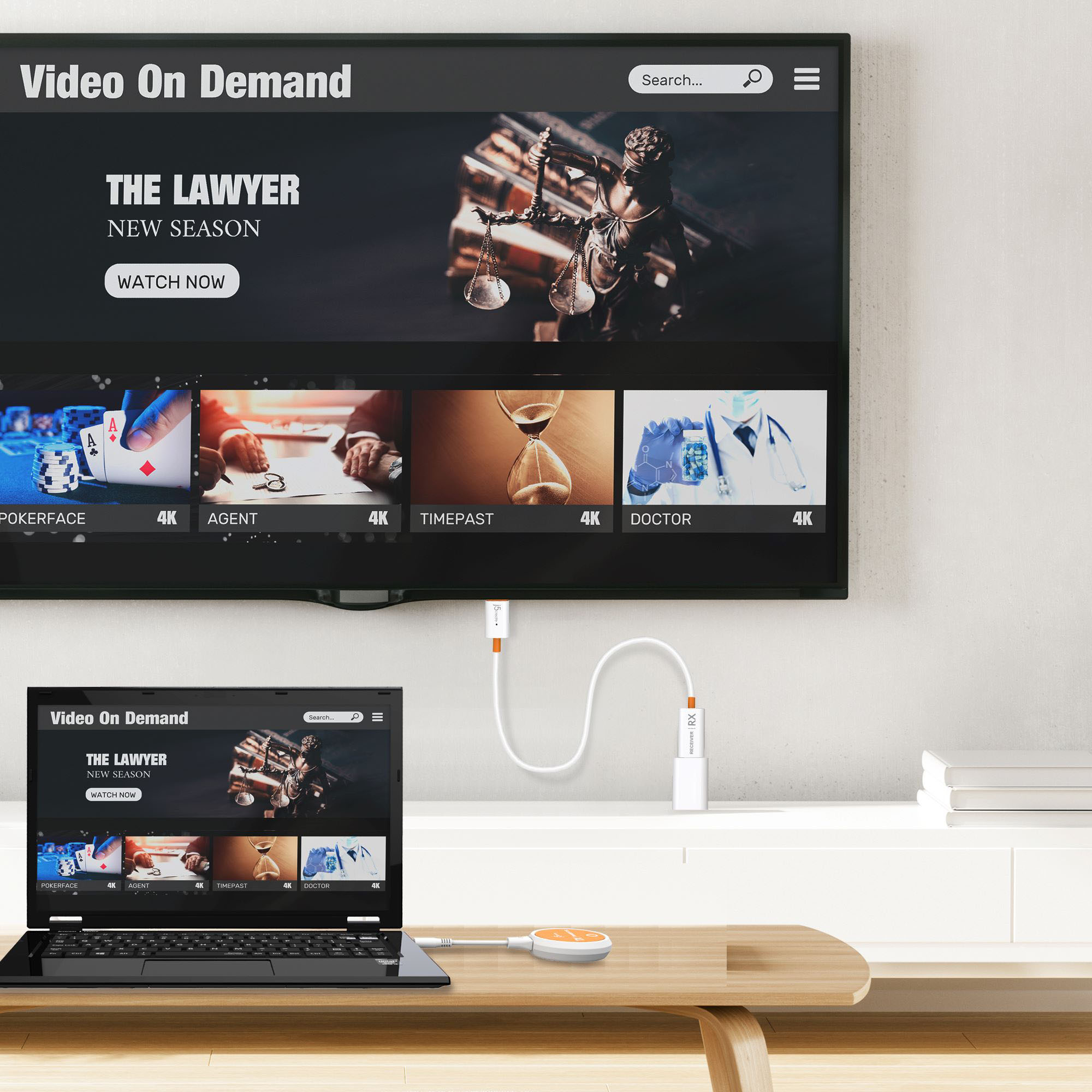
|Posted .This reviewer received promo considerations or sweepstakes entry for writing a review.The j5created Screencast Wireless Display Adapter and USB-C Wireless Display HDMI Extender alone and in combination is an ingenious design and both work great! Perfect for business or pleasure road trips, the j5create Screen Cast is so easy to use and works perfectly on a variety of operating systems and devices. It works with Android, Windows, iOS and macOS, laptops, tablets, cell phones and iPad. It is a wireless display adapter that allows screen casting from a multitude of devices to an HDTV. The only requirement of the TV is that it have an HDMI port, and if the TV has a USB connection to power the Screen Cast the USB would connect there, otherwise simply plug the USB into an electrical outlet adapter. An internet connection to mirror your device on the TV is not a requirement but is necessary to update firmware. The directions are written well, easy to follow, and can be easily found on the j5create website through QR codes that show up on the TV when the connection begins. If there are any problems with the connection, simply take a pin and reset the Screencast by inserting it into the pinhole on the HDMI connection of the Screencast. To enhance this Screencast device, j5create has designed and marketed the USB-C Wireless Display HDMI Extender that can cast HDMI to any TV from the same diversity of devices (with the exception of cell phones) but without using the internet. The USB-C Wireless Display HDMI Extender creates a direct connection between the mobile device and the TV. It will cast HDMI content without the internet because it creates a dedicated connection that mirrors everything on the device directly to another display. It works great for me with the windows laptop and with the iPad. To use, the Screencast must be set up as described above. Then the HDMI Extender needs to connect to a mobile device having a USB-C connection. The HDMI extender is then paired with the Screencast after the Screencast connected to the HDMI TV connection and powered by either the TV’s USB or and electrical adapter. To pair, press the lighted circle on the HDMI extender. Once the light on the HDMI extender quits blinking, which for me has only been a few seconds, it will turn solid white, and the HDMI image will then project onto the TV display. Again, if there are any issues with the connection, simply reset the HDMI connection of the Screencast by using a pin and inserting it into the pinhole and try to pair and connect again. Be sure that your firmware is up to date and the directions to do so, if it does not happen semi-automatically, are on the j5create website. This is a great device that is small, light, easy to transport and works with a variety of media. There is no software to install, no app to download, it is really a plug and play design and I definitely recommend it. I wish I would have had it back in the day when I lugged a lot of equipment to give a presentation on the road.
I would recommend this to a friend - Pros mentioned:Ease of useCons mentioned:Lag
J5Create - Makes it Big Time!
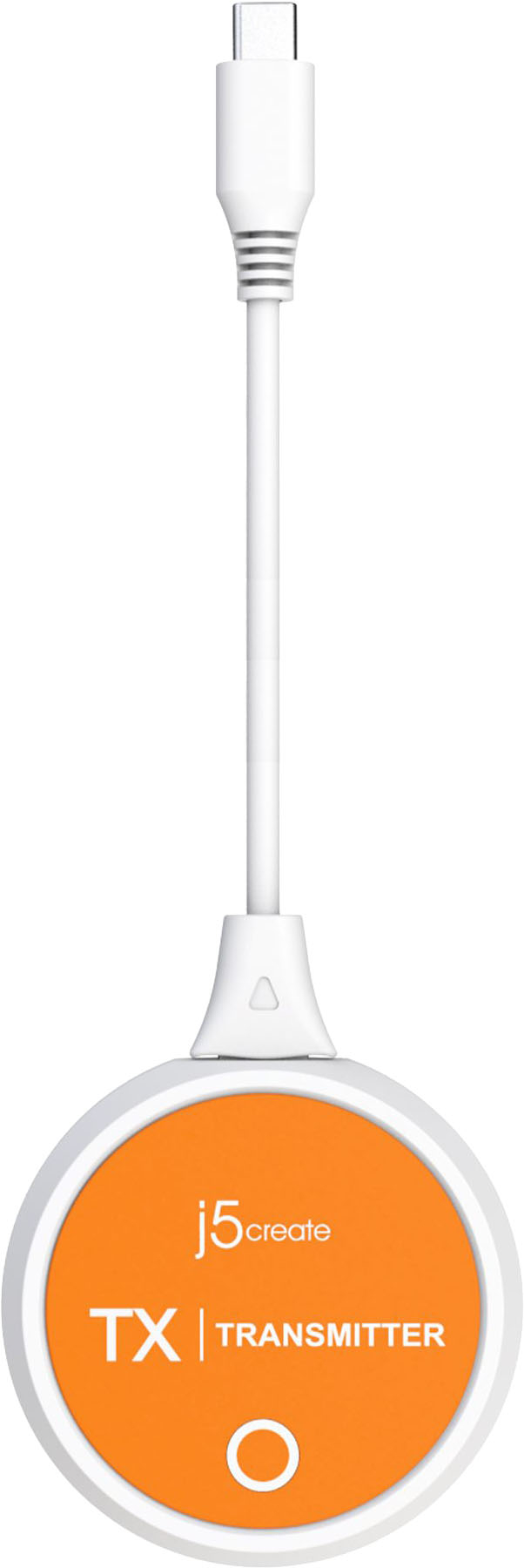
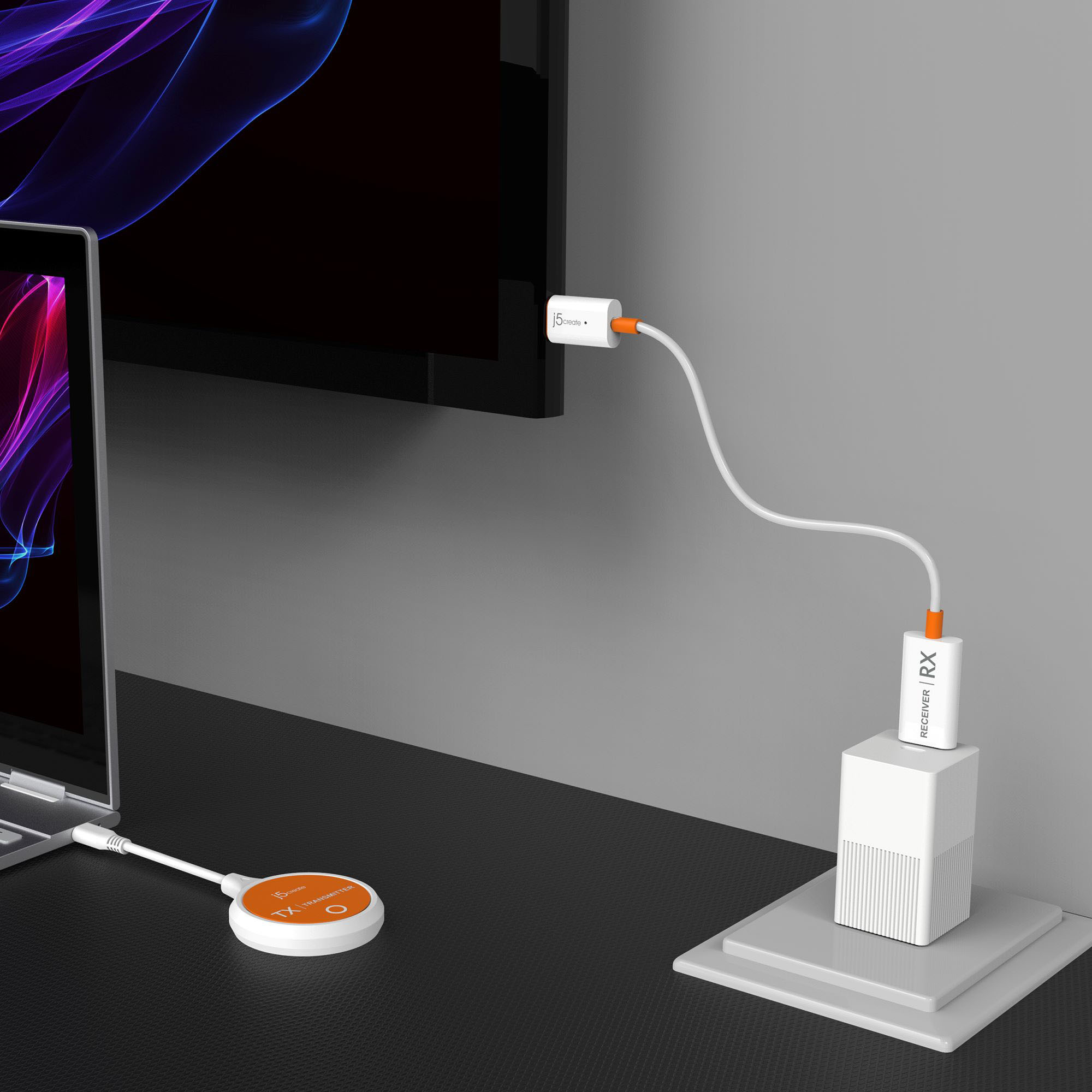
|Posted .This reviewer received promo considerations or sweepstakes entry for writing a review.I was wanting to use the J5 Create - ScreenCast USB C to stream from my gaming laptop (running windows 10 Home) to my big screen TV (LG ) to play games…specifically one of the high end FPS. I knew it was a stretch and I figured I would probably not be able to and I was right and wrong. Anyway let me start with the set up. Out of the box the instructions were pretty strait forward and there was a nice QR code that took you right to the instruction and a video. I would recommend doing that. Like most people that fancy themselves “techie” I just dove in and started plugging things in. I got to the set up screen on my tv and nothing was happening. The set up screen stated that it would start mirroring automatically but it didn’t. So I tailed tucked… I dove into the instructions for a careful read. I made sure the HDMI was seated properly and the that the USB A that powers the receiver on the HDMI was seated and all was well there. Then I put the broadcaster piece (the orange puck with the usb C) into my laptop and made sure it was seated. My laptop is new and a gaming laptop so I assumed it was DP output. If it’s a thunderbolt it is. It was. All was ready and still nothing. I went into display settings settings on my laptop and simply selected “connect to wireless display” and boom I was off and running. I did not see that little clue in the instructions anywhere. But that worked! NOTE: At this point I was connecting from my laptop to the J5create Cast receiver on the TV and not broadcasting from the J5 Broadcaster puck. (I did not catch that at the time). I pulled up the game and it loaded. There was a little lag but I was pretty optimistic. I was able to play it but there was times when it lagged. I played for about 10 minutes and the lag was a little irritating but the large screen was really cool. To be fair I have the HDMI receiver and the USB A behind my TV which the instructions said not to have the USB A behind your TV or in a cabinet due to that being the receiving part and it could affect latency and create the lag. The J5Create does come with a USB A extender and I plugged it into a USB Adapter into the wall and not the back of the tv and made sure the receiver was not blocked by my tv (see pics). I then realized that the J5 puck was not being used and only the laptop to the receiver was connected. Moving the receiver did help out with the lag but I was not sure if my laptop was connected 5g to the receiver or 2.4 and I wanted to make sure it was 5g and from the broadcaster to the receiver to optimize the connection. If you do connect the receiver to your laptop or iPhone or any other device you must re-pair the receiver to the broadcaster puck for it to work. You do this by pressing a paperclip end into the receiver for 2 seconds and it puts it into paring mode. then you plug in the puck into your laptop and make sure the light on the puck is flashing and boom after a few seconds delay… it starts mirroring just like it supposed to! Super cool. I like how you can use the J5 broadcaster (i call orange puck) or go direct with your device to the receiver. Very versatile. Note: The fastest connection I got with the least amount of lag was with the broadcaster ands receiver on 5 g with the receiver not behind the tv. Streaming the web and video were a breeze. The J5create is also an awesome business tool as well. Being able to plug into any HDMI ported monitor from my laptop or tablet and go direct from device to device or bypass the device and go from the broadcaster to the receiver to your tv is pretty awesome.
I would recommend this to a friendBrand response from J5create Team
Posted .Thank you for taking the time to tell your experience and setup of our device. We're glad to hear that things are working well for you. Enjoy and have a great day!

- Pros mentioned:Compatibility, Ease of use
Send wireless 1080p from devices to TV with ease
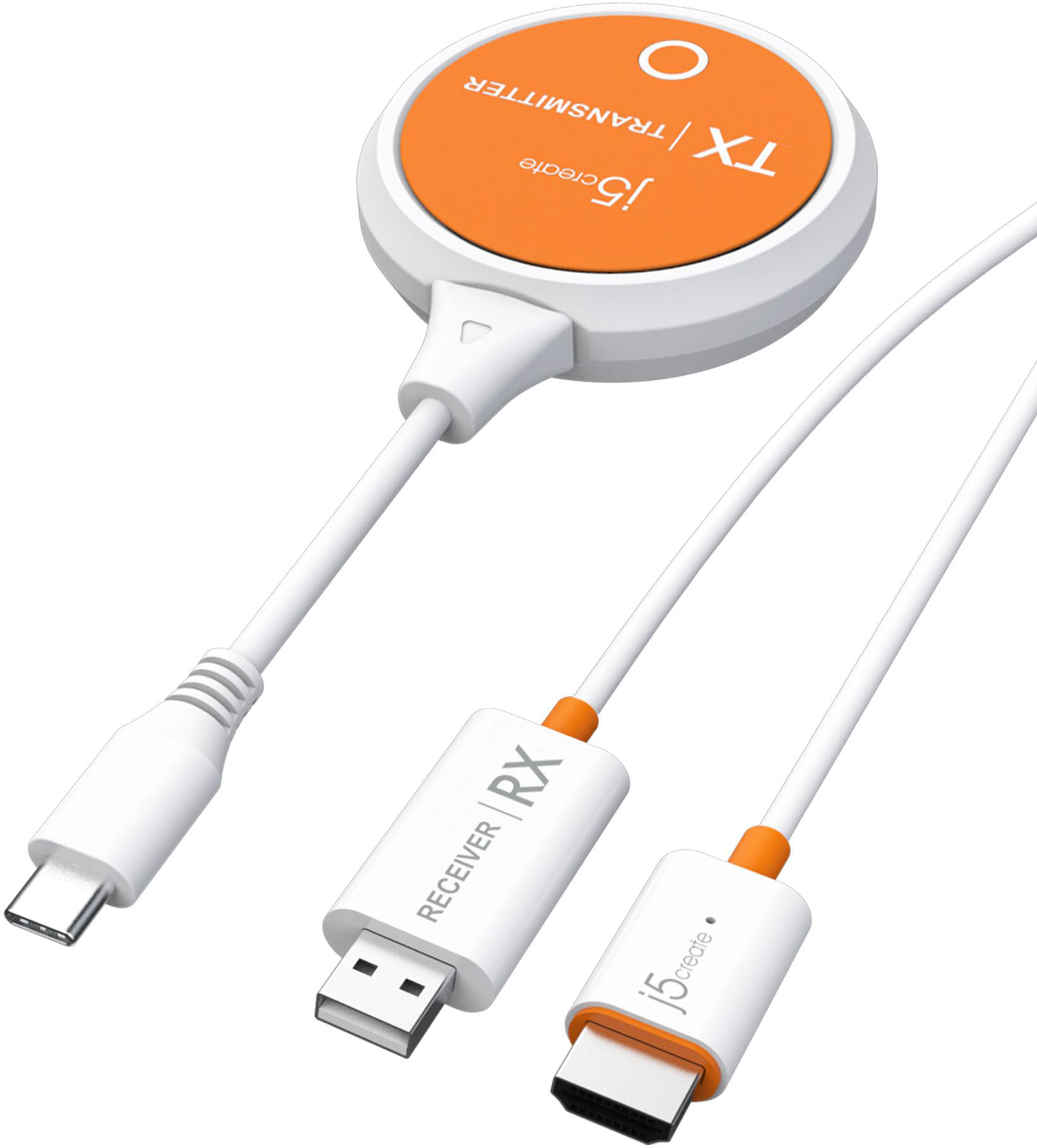
|Posted .This reviewer received promo considerations or sweepstakes entry for writing a review.With this little gadget users can wirelessly send content up to 1080p resolution from a laptop, smartphone or tablet to a nearby TV or projector with this HDMI extender. What’s the big deal? NO WIRES is the big deal. Whether at home, at the office or on the go during travel, isn’t that a nice capability to have? Of course, it is! Following the provided directions, setup is simple, too. **WHAT’S IN THE BOX** • USB-C Transmitter • Receiver cable with HDMI connector and USB-A for power from TV or external brick (not included) • USB extender cable for receiver **THE SETUP** As always, don’t be a know-it-all and read, then follow the instructions. This assures success. Even experienced geeks like yours truly need to read and follow instructions no matter how sure we are that we don’t need no stinking instructions. Just saying . . . Moving forward, ahem, Transmitter connected to laptop, check. Receiver WITH power brick connected by HDMI to TV, check. The directions state flat out to not place the USB-A connector behind the TV or inside a cabinet because this could (WILL) weaken the signal. I guess they know their equipment best. So, the wire from the USB-A to the TV’s HDMI acts as an antenna! DON’T fail to heed this admonition, check. Pair the receiver with the transmitter using its own mini-network. Using a paper clip or similar device (a pin), press and hold the tiny button in the tiny hole on the HDMI end of the receiver for two seconds to put it in pairing mode. Then press the button on the receiver for two seconds to complete the pairing mode setup. Check! The transmitter went into a USB-C port on my MacBook Pro. The receiver went into an HDMI port on a TV, with the USB-A extender wire attached and connected to external power. And now it’s time to . . . **PUT IT TO THE TEST** • Well, that was simple! • On my Mac, I set it to mirror the screen of my external 27-inch 4K monitor. Yes, users must tell display preferences on Mac or Display instructions on PCs where the Transmitter signal is to go. • Launched the AppleTV+ app on the Mac and chose what to watch, then set it to full screen. • On the TV, the image was already there, mirroring the computer screen, so it was full screen on the TV in 1080p. Reminder to readers that this device is NOT 4K. This is a convenience device, not a super high tech device. • And there you have it – SUCCESS!! • This success was duplicated using my Windows 11 PC. Piece of cake. Truly plug and play. **CONCLUSION** j5create ScreenCast USB-C Wireless Display HDMI Extender is designed for vacations, the office, the convenience of sending videos from a laptop, tablet, certain USB-C mobile phones, and also for casting to TVs without AirPlay or other native casting receiving on board. This little gadget works, as intended and promised. What more could be asked of it? I’d say it does everything claimed. And that’s what it’s all about, isn’t it? **WARRANTY** One year manufacturer’s warranty
I would recommend this to a friendBrand response from J5create Team
Posted .Create a dedicated AV connection without a wireless network using a transmitter and receiver kit to ensure a straightforward setup with no software installation required. With the support of DRM technology and HDCP 1.4 compliance, you can enjoy countless entertainment options on your favorite streaming applications, such as Netflix, Amazon Prime Video, Hulu, DISNEY+, and other streaming services. Thank you for your detailed review on the JVAW62. Have a great day!
Meh
||Posted . Owned for 3 months when reviewed.This reviewer received promo considerations or sweepstakes entry for writing a review.This gets the job done but there is a delay in audio when displaying video especially when using zoom or teams calls
No, I would not recommend this to a friend- Pros mentioned:Hdmi
Road Warrior’s Travel Must Have!
|Posted .This reviewer received promo considerations or sweepstakes entry for writing a review.The use case for this device is very specific. Do you have a laptop or iPad with USB-C and you want to display that device on a TV or projector without a long HDMI cable? This is the way. To test it out I grabbed my iPad Pro and plugged in the transmitter to the USB-C port. I plugged the USB-A and HDMI from the receiver into my projector. That’s it. Literally within 15-30 seconds I was up and running. I tested Hulu and Apple TV and the airplay worked beautifully in 16x9. Same with sharing videos from my photo gallery. When the iPad was not in AirPlay mode it would mirror the screen in the 4x3 ratio. Very impressed! I have a few use cases that I’m so excited about: - Hotel travel. Hooking up a streaming device to a hotel TV is hit or miss when you have to use hotel WiFi. This USB-C wireless display extender connects directly between the transmitter and receiver - no need to use Wi-Fi. I used to drag along a USB-C to HDMI adapter and an HDMI cable but I would have to be tethered physically which meant that my device was stationed up by the TV so I’d have to get out of bed to start something new or even pause. - Slide shows at mom’s house. Substitute whoever - but you get the idea. You’re visiting someone and you want to show pictures or videos from the latest trip. It’s quick and easy - most TV’s have a side HDMI port to plug into and within seconds you’re casting your laptop or iPad Pro/Mini 6 to the TV without any additional configuration. So easy. My only suggestion would be a pass through charging option for the transmitter. If I’m sharing my iPad video and it’s plugged into the charging port then eventually I’m going to drain my battery.
I would recommend this to a friendBrand response from J5create Team
Posted .Thank you for taking the time to write your experience using the JVAW62, it is much appreciated. The other option will be the JCC155G with an additional USB-C female port to provide charge to your device and still be able to connect to a display. However, it will not be a Wireless device. Thanks for your rating and have a great day. Cheers!
- Pros mentioned:Ease of use, Video quality
Simple device that is easy to use and just works!
|Posted .This reviewer received promo considerations or sweepstakes entry for writing a review.The j5create-Screencast USB-C Wireless Display HDMI Extender does exactly what it is supposed to do. Not only that it is very simple to set up and use. I was able to easily plug in the wireless TV receiver one end into an open USB type-A port and the other end into an open HDMI port behind the TV. Then all I had to do was plug in the transmitter to my phone and hold the button down after switching the input on my TV to the proper HDMI port. After that, it automatically mirrored whatever was on my phone screen to the 55” TV. It made it much easier to show pictures of my projects and videos to people. It also supports screencast and states that you can transmit 4k video to a TV or other device in this mode. One of the easiest and most simplified set up for a modern device I have seen. I believe it is well worth the money to be able to easily share on a larger screen with family or business partners with ease!
I would recommend this to a friendBrand response from J5create Team
Posted .It transmits audio and video signal from a USB-C equipped device to an HDMI enabled TV, projector, or monitor, creating a dedicated AV connection without an existing network. Thank you for your feedback, Androidaholic.
- Pros mentioned:Ease of use
Works as intended
|Posted .This reviewer received promo considerations or sweepstakes entry for writing a review.So it’s very easy to setup, pretty much a plug and play! I like the design of it, doesn’t matter what u attache it to it won’t bother you it’s small and very light. I tried it on my Windows laptop also my 12.9 iPad and works as it should. For a distance of aprox. 20ft i had a latency of give or take 0.4 second wich is really good. Connection was strong all the time i really enjoy it!
I would recommend this to a friendBrand response from J5create Team
Posted .Create a dedicated AV connection without a wireless network using a transmitter and receiver kit to ensure a straightforward setup with no software installation required. Thank you for your review, Denisik91. Enjoy!
Hey, It Work Great!
|Posted .This reviewer received promo considerations or sweepstakes entry for writing a review.TLDR; Purely Plug-and-Play, no extra software required. 1080p HDMI output only. Works on Windows PC and allows mirror and extended display modes. Works on Android phones with USB-C charge port. HDCP compliant! Has a pretty generous internal video buffer during moments of latency to prevent loss of frames. Receiver lives on the USB-A plug, so it is best to have it within line-of-sight of the transmitter or you may get stuttering, lagging video playback. Transmitter and can be hot to the touch during heavy video streaming. The j5create ScreenCast USB-C Wireless Display HDMI Extender is a pretty nifty device that can be used for various situations where you need to put something on the big screen. The fact that I can stream 1080p video wirelessly from my PC to my TV is pretty amazing. The best part about it is that there is no proprietary software connection protocol that you need to worry about. Connectivity is all built in the hardware; a USB-C transmitter dongle and a HDMI/USB-A receiver to HDMI cable. All you need is to provide power to the USB-A receiver, and it does the rest. I’ve tried it on my Windows laptop, my projector and even my Samsung Note 20 Ultra. Just plug them in, and it will automatically start the connection. Streaming quality at 1080p is quite good, and the only telltale indicator that I am streaming through the ScreenCast versus native TV apps is that the ScreenCast feed will ever so slightly stutter from time to time. It’s great, but it isn’t perfect. There were cases where my video stream from YouTube or a video I recorded would be as much as 10 seconds behind on the receiving display relative to the device transmitting the data. That is both concerning and impressive, but emphasis on impressive because it is able to buffer a large amount of video in these cases where it cannot keep up with processing. I learned that keeping the receiver within line of sight of the transmitter yielded the best performance, so that may mean trying to find a source of power for the receiver that is conveniently placed in order to attain that line of sight. That may or may not be feasible, especially with much larger TVs, so it really all depends on your setup at home. Both the HDMI/USB-A Receiver and USB-C Transmitter dongle are designed like many other streaming device dongles in both their shape and size. The HDMI/USB-A Receiver does separate each component in its own housing, tethered by a cable, to allow the receiver to be conveniently placed for best reception. There is about 2 feet of cabling between the two, and if you need more length there is an included extension cable if you need that extra length to reach a wall outlet.
I would recommend this to a friendBrand response from J5create Team
Posted .Easily share high definition content, from a distance, on your HDTV or larger display and enjoy the optimized viewing experience in 1080p. Thank you for your time to write your experience on the JVAW62. It's much appreciated. Enjoy and have a great day.
- Pros mentioned:Compatibility
Effwctoce Wireless projection
||Posted . Owned for 2 months when reviewed.This reviewer received promo considerations or sweepstakes entry for writing a review.The usb-c helps with connectivity. The transmitter does all the job and you will not struggle to sync at all. It works with tvs, projectors and monitors. More reliable than using a tv’s “mirror option.”
I would recommend this to a friend - Pros mentioned:Ease of use
Exactly what we needed!
||Posted . Owned for 3 weeks when reviewed.This reviewer received promo considerations or sweepstakes entry for writing a review.This device does exactly what we need it to do. Google chrome didn't do the trick but this little device is what we needed. Very glad we found it!
I would recommend this to a friend 100% Reliable in a Business Meeting Room
||Posted . Owned for 1 year when reviewed.This reviewer received promo considerations or sweepstakes entry for writing a review.We use this Wireless Display in a small meeting room in our office. It works 100% of the time and we have no issues with faulty connections, missing audio, etc... I would recommend this Wireless Display Extender for this kind of setting.
I would recommend this to a friend- Pros mentioned:Video quality
Let me tell you why this is great.
||Posted . Owned for less than 1 week when reviewed.This reviewer received promo considerations or sweepstakes entry for writing a review.No home internet required! Just what I was looking for, most streaming devices require home internet. I use this to stream from my ipad directly (not from its hotspot). Streams anything onto your TV.
I would recommend this to a friendBrand response from J5create Team
Posted .Eliminate the need and expense for cables by wirelessly sending what’s on your laptop, tablet, or mobile phone to your HDTV.
- Pros mentioned:Ease of use
Pleased
||Posted . Owned for 3 months when reviewed.This reviewer received promo considerations or sweepstakes entry for writing a review.I like this. It's easy to use, and works well. We're using it to send a signal from a 'puter to a projector. The only less great aspects are that the transmission dongle (the round one) is a mite cumbersome, and gets warmer than I like.
I would recommend this to a friend - Cons mentioned:Lag
Needs improvement
||Posted . Owned for 3 weeks when reviewed.This reviewer received promo considerations or sweepstakes entry for writing a review.It works, but the refresh is not as it should be. There is an annoying latency. It bothers me, particularly for the mouse pointer.
No, I would not recommend this to a friend - Pros mentioned:Video quality, Wireless
MUST BUY if you have USB-C device ecosystem!
|Posted .This reviewer received promo considerations or sweepstakes entry for writing a review.The j5create Screencast USB-C wireless display system is the easiest way to transmit a wireless video signal I have ever used. The fact I NO LONGER have to be tethered to a 6ft USB-C/HDMI cable is SO FREEING! Of course, there is a trade-off when I lose the 4K res of my phone/device content, but I am delighted with this value proposition @ 1080p60. FYI, mine had a firmware update I caught when I played later on in my advanced settings. You should check to ensure you are running the most recent software for a stable and reliable experience, but things worked flawlessly for me out of the box. I plugged everything in, and it just casts without effort. I did, however, unplug the dongle just to set up the display to receive wireless signals on my WiFi network, but it is not necessary. Follow on-screen instructions once the HDMI display shows the splash screen with configurations details. If you have no instant connection and see your dongle blinking, you will need to re-pair the two by inserting a pin into the hole of the USB/HDMI combo cable to enter pairing mode. Stack the two on top of each other, and it will re-pair. The SETUP To get started, plug in the USB-A to a power block and the other end into the HDMI display of your choice. Take the dongle and plug it into the USB-C device you want to cast your screen from; wait like 20 seconds, and it should just start mirroring. No software or network is needed; it's just plug and play. There are also more features you can enable with a wireless network, and it also has an option you can enable to mimic a Chromecast. If you connect to the actual cable through its network, you can do some deeper configuring! **Warning: You will need some IT skills and understanding of networking to set up. This is on the same level as some routers, but you can do it!** After enabling Chromecast functionality, I can cast to it like a streaming device, which is really nice. This system is something everyone should have as it has multiple uses. The MANY USES At work, I use it for presentations in clients' meeting space using their screens and tech they are comfortable with. I mirror my laptop wirelessly to my second monitor, so there is no need for a docking station or dongle to add a secondary display. At home, this will make any old TV useful again as you can cast whatever content you want so your kids can watch. No need to buy a box or streaming device when you can use your phone or tablet! Parent, you can use this to cast your kids' favorite media on an older TV without wireless display tech to end the "I can't see" arguments! When I travel, I like to use it to take over the hotel TV and avoid that whole system of "on-demand" and touching the nasty remote too much. College students will like this, too, as it can provide additional functionality to a display they may use for school or gaming so they can watch it and not have to "hold" their phone screen. Devices with USB-C like Windows PCs and laptops, newer iPads with USB-C, and Android phones are now your portable streaming sticks with this setup! As you can see, there is something here for everyone! WHAT DO WE HAVE HERE? Anytime you want to share something, use this to cast media! It seamlessly streams up to 1080p60, so it isn't made to satisfy the 4K pixel peepers; this is all about function and value in the 1080p HD wireless display space. It has an easy setup, no software or network required, HDCP 1.4 compliant so you can watch Netflix, Hulu, etc., and stream protected content. Mine worked and linked in maybe less than 15 seconds out of the box. I do want to mention it does get hot after periods of prolonged use and seems to be built to withstand moderate to peaks of heavy use. I have no issues with projection for me, and I love having the freedom to move around and not be tethered to a USB-C/HMDI cable I used in the past. For me, this is a BUY!
I would recommend this to a friend - Pros mentioned:Video qualityCons mentioned:Lag
Not for what I wanted to use it for.
||Posted . Owned for 3 weeks when reviewed.This reviewer received promo considerations or sweepstakes entry for writing a review.I wanted to use these as a wireless HDMI extension from my computer to my TV, but my computer didn't have the usb-c DisplayPort output that this requires. It worked on my phone, but the lag was so bad it was unusable. literal 30 seconds lag on samsung dex between swiping and having the tv screen respond. Good video quality though.
No, I would not recommend this to a friendBrand response from J5create Team
Posted .Please contact our Technical Support Team for further information about this issue. Their information can be found on our website under the "Support" tab and a specialist will be ready to assist you. Thank you.
- Pros mentioned:Hdmi
A great solution for cross-platform casting
||Posted . Owned for 1 month when reviewed.This reviewer received promo considerations or sweepstakes entry for writing a review.This is a pretty solid device for an environment where you might have to cast from multiple Mac or PC devices to the same TV.
I would recommend this to a friend - Pros mentioned:Compatibility
Nice buy
||Posted . Owned for 1 month when reviewed.This reviewer received promo considerations or sweepstakes entry for writing a review.This is a great product from a great company. Works seamlessly with all my devices
I would recommend this to a friend - Pros mentioned:Ease of use
WIFI EXTENDER
||Posted . Owned for 3 weeks when reviewed.This reviewer received promo considerations or sweepstakes entry for writing a review.This is a great product! I was skeptical at first but it works great.
I would recommend this to a friendBrand response from J5create Team
Posted .Happy that the Wireless Extender works nicely for you. Thank you, VikkiB.
- Pros mentioned:Ease of use
Easy to use and it works!
||Posted .This reviewer received promo considerations or sweepstakes entry for writing a review.So easy and functional! I’d buy again! Just plug it in and it works!
I would recommend this to a friendBrand response from J5create Team
Posted .Wirelessly cast full HD content from your mobile device to a larger TV or display.