Customer Ratings & Reviews
- Model:
- MTALKPRORBLK4
- SKU:
- 6417454
Rating by feature
- Value
Rating 4.1 out of 5 stars
- Quality
Rating 4.2 out of 5 stars
- Ease of Use
Rating 4.1 out of 5 stars
Customers are saying
Customers highly value the TALK PRO Professional Plug & Play USB Microphone's superior sound quality and ease of use. Many appreciate its stylish design and convenient features like the mute button and long cable. Positive feedback also highlights the microphone's affordability. However, some users have reported issues with the USB connection.
This summary was generated by AI based on customer reviews.
- Pros mentioned:Cable length, Sound quality

Sound like Pro on an Average Budget
|Posted .This reviewer received promo considerations or sweepstakes entry for writing a review.Love this microphone! Now that work-from-home is the norm, video chats & virtual meetings are a regular occurrence. This microphone made me instantly sound like a professional with my work team & everyone noticed immediately. I also have to make How-to videos and the voice clarity is excellent for recording audio-only files. I tested with music and was impressed with the full sound on playback. There are 4 Directional options, a sturdy tri-pod and an extra-long cord. Set-up is a snap, just plug into a USB port & go (literally less than 5 minutes). This really sparks the creative juices! It may be overkill for the average Zoom call, but if you do any podcasting or other semi-professional recording, I would highly recommend the Talk PRO. JLab has an excellent, short How To video that runs through the basics of working with a stand-alone mic: https://www.jlabaudio.com/products/talk-pro-usb-microphone
I would recommend this to a friend - Pros mentioned:Sound quality
Not Quite Professional Results
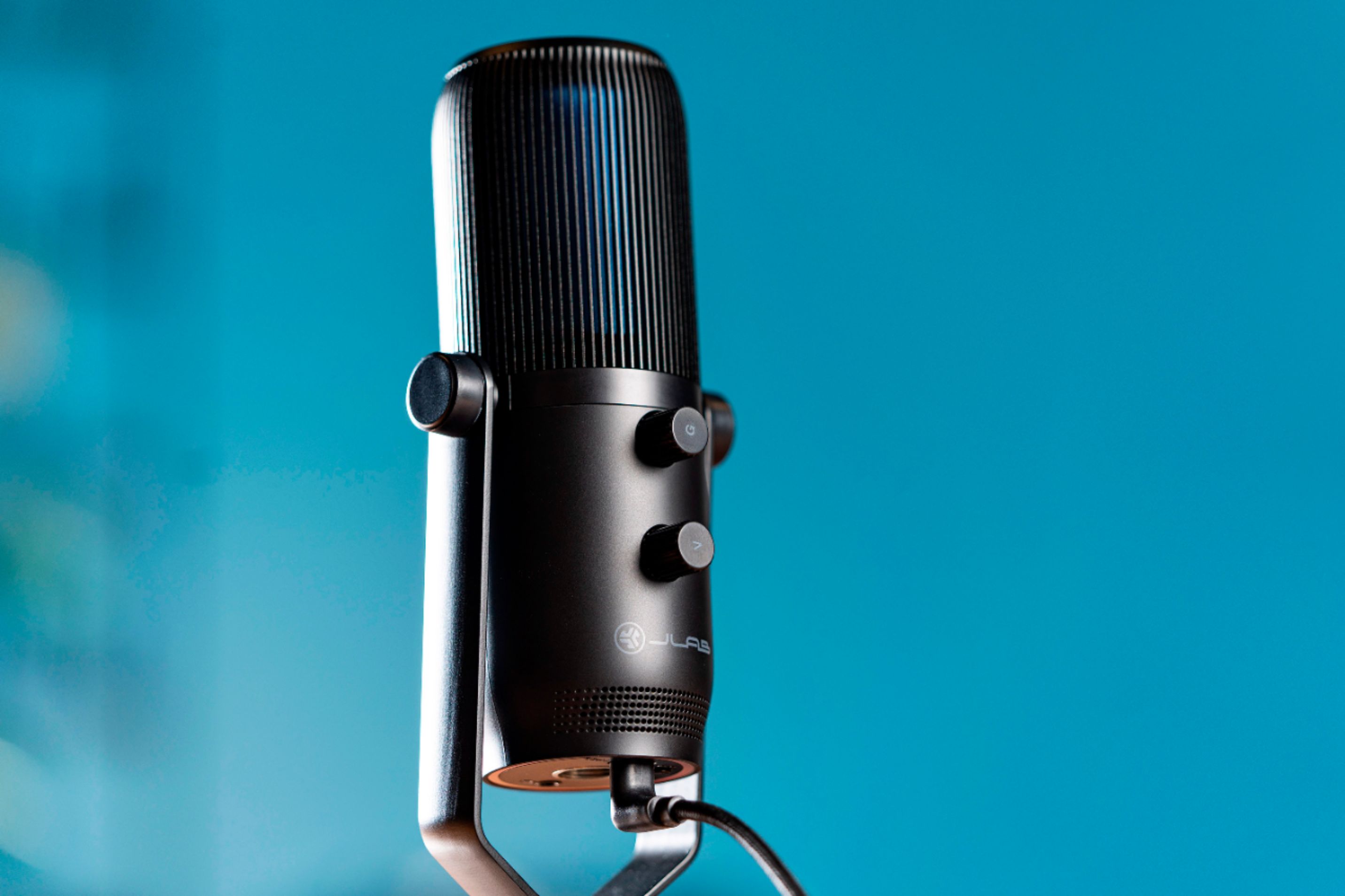
|Posted .This reviewer received promo considerations or sweepstakes entry for writing a review.The Talk PRO is a nice looking microphone with a simple (included) tripod mount - it can also be attached to a standard 5/8" swivel mount. It feels solid enough to last in a home or office or studio, but I don't think it is built to withstand a lot of travel. I used the microphone through the (included) USB-C cable - it did not require drivers and was fully plug-and-play. This microphone is actually an assembly that includes three condenser capsules that are configured to record in four directional pattern modes: omnidirectional, cardiod (capturing sound from one direction), bidirectional (capturing sound from two directions - like during an interview), and stereo. You can switch between the four pattern modes easily from the front of the microphone - you can also mute all sound from the front of the microphone. The four directional pattern modes were quite effective in their pickup patterns - and I found that in each mode, the Talk PRO tended to exclude a lot of ambient noise (a definite plus!). On the back of the microphone, there are separate controls for volume (out) and gain (in) - the gain control is a nice feature that I think helps adjust the microphone pickup where a speaker or speakers might be too close or too far away from the microphone - they don't work miracles, but you can adjust the overall sound to feel natural (not far-away or booming). Part of the JLAB's claim here to professional grade recording is a sample rate of 192kHz and a bit rate depth of 24-bits which exceeds the specifications of most competitors. That's part of what you're paying for here and I'm not convinced that the clarity overcomes some of the other deficits in the microphone. Without a doubt, the quality from this JLAB is way above what you'll get from a tiny pinhole microphone on a laptop or from your earbuds. The sound is clearer and more detailed and captures a broader spectrum of sound so voices sound more like voices and less like tinny echoes. And I found that using the gain control, I could make recordings that, for lack of a better word, made me sound very present and I liked that very much. But my recordings didn't quite sound like me - and my friends didn't quite sound like themselves - it's not a distortion and it's not clipped speech - it's just a little bit off and it's really off-putting. The differences are subtle but immediately obvious (to me). If I had to guess what might be causing the difference, I would guess that the way the microphone handles background noise might be extracting a little bit of the voice signal as well. I really had a hard time trying to draw a line between pros and cons here - because the microphone has some great features that will upgrade your sound immediately - but it also fails to capture the full reality (?) of my voice - it doesn't give you the full vocal experience. Ultimately, I think the features don't quite compensate for the inaccuracies of the actual recording - and that's a big deal to me. I don't dispute that it is a professional grade microphone, but I don't think the results are fully professional.
No, I would not recommend this to a friend Not a good purchase.
||Posted .This reviewer received promo considerations or sweepstakes entry for writing a review.Bad experience since the beginning. Poor quality cable, won't even be detected by windows. (looked it up and more users were having the same issue) Had to use another USB C cable but the overall audio reception of the mic is behind the industry standard. Better get a Samson G Track PRO Studio for the same price.
No, I would not recommend this to a friendBrand response from JLab Audio Team
Posted .We're very sorry to hear that your experience has not met your expectation. We would love to learn more about your experience as it's hard to give any tips on how to address your issue with the information provided. Our customer support team is ready and willing to help if you reach out to them. -JLab

It would be nice to get it to work
||Posted . Owned for 3 weeks when reviewed.This reviewer received promo considerations or sweepstakes entry for writing a review.I have tried multiple times to use it for Zoom meetings, and all anyone gets on the other end is static. I have had a few people, more technical than I, try and they were stymied. It appears to be a plug and play device, with little in the way of instruction or troubleshooting.
No, I would not recommend this to a friendBrand response from JLab Audio Team
Posted .Hi there, we are very sorry about this and we want to make it right! Please reach out to our customer support team for help on this issue. They will be more than happy to assist. -JLab
Wow
||Posted .This reviewer received promo considerations or sweepstakes entry for writing a review.Swapped and both units are defective. Tried on mac and 2 different windows computers. All them say the device malfuntioned and it cant be recognized. Have 0 issues with other peripherals. Taking this back tomorrow. Spend the same amount and just get a yeti.
No, I would not recommend this to a friendBrand response from JLab Audio Team
Posted .We are very sorry about the problems you've experienced with your microphone. This is very unusual and we wish we could've assisted you while you still owned them. In the future please know our customer support team is always available to help with issues regarding our products. -JLab Audio
Price match issues
||Posted . Owned for 1 month when reviewed.This reviewer received promo considerations or sweepstakes entry for writing a review.I would give this a 4 star, its a good product. But Best Buy decided to run a daily deal a couple weeks after purchase and there are many issues with there price matching issues. Spent to long waiting with no price match!
I would recommend this to a friendNever Worked
||Posted . Owned for 1 month when reviewed.This reviewer received promo considerations or sweepstakes entry for writing a review.Doesn't work, didn't work out of the box, customer service was unresponsive. Tried since Christmas to get it up and running and am now giving up. I cant find the receipt to return, very disappointing, do not recommend.
No, I would not recommend this to a friendBrand response from JLab Audio Team
Posted .Hi there, we are very sorry about this and we want to make it right! Please reach out on social media and we can help you out. They will be more than happy to assist. -JLab Audio
- Pros mentioned:Sound quality
Overkill for my use but in a good way
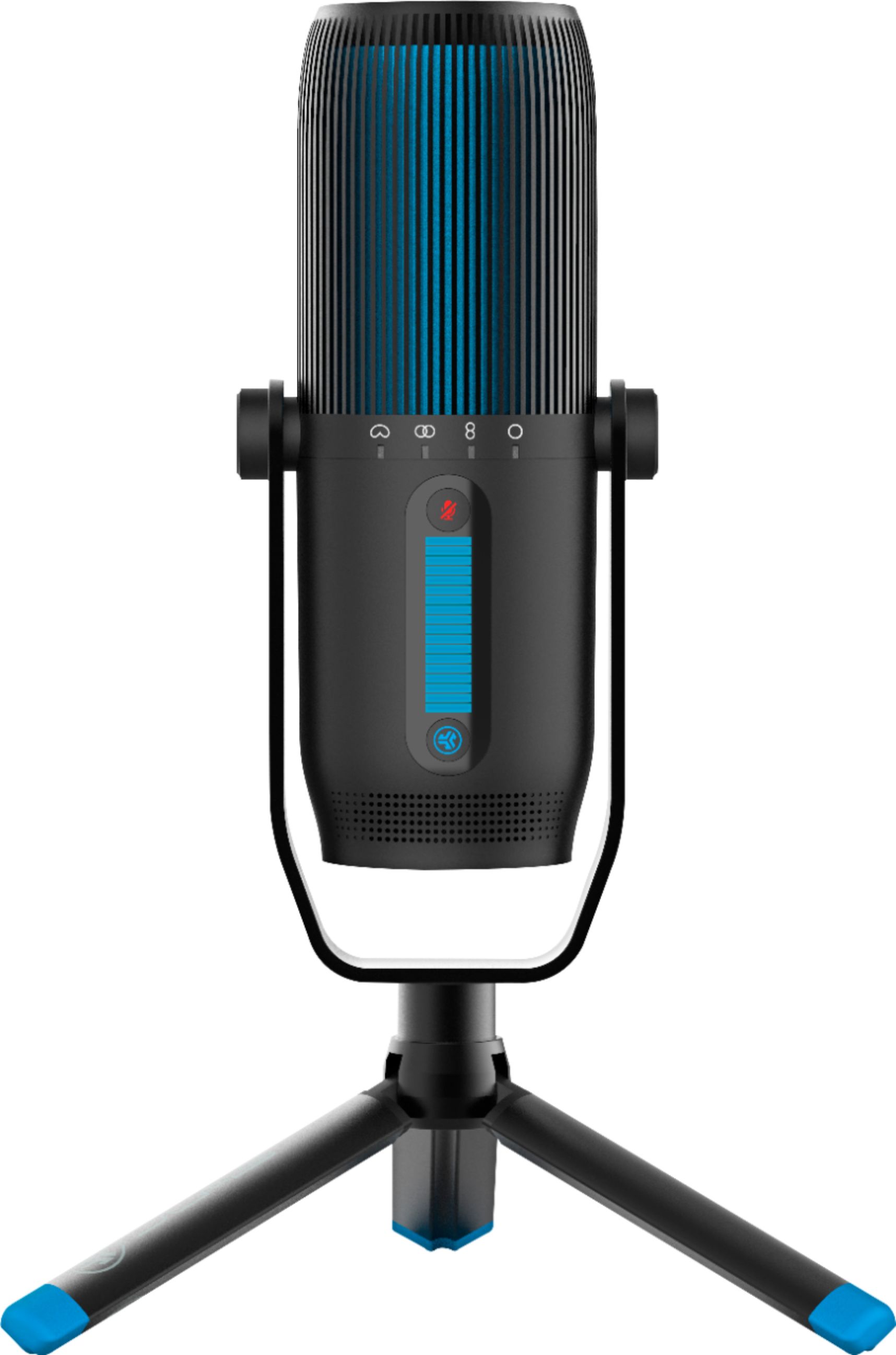
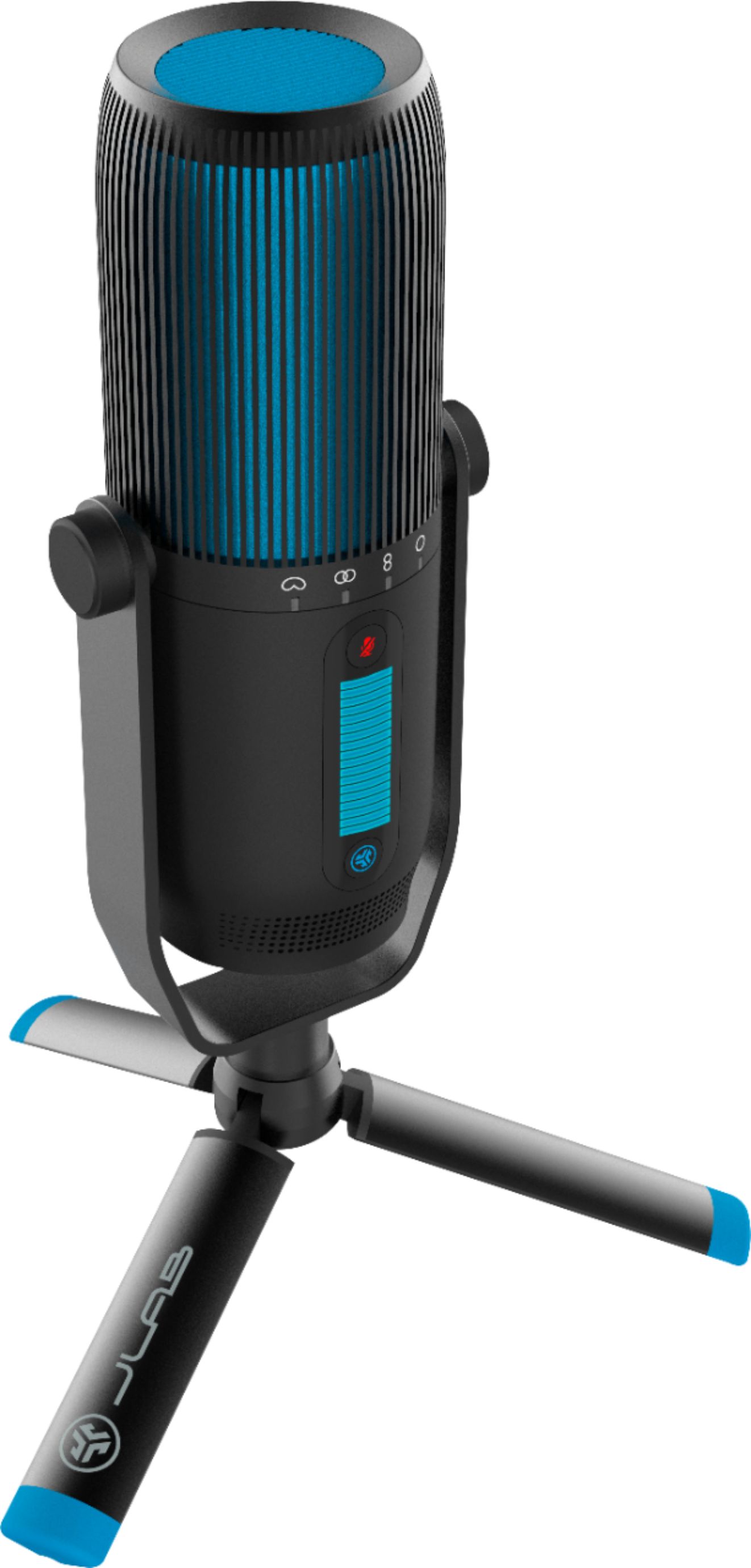
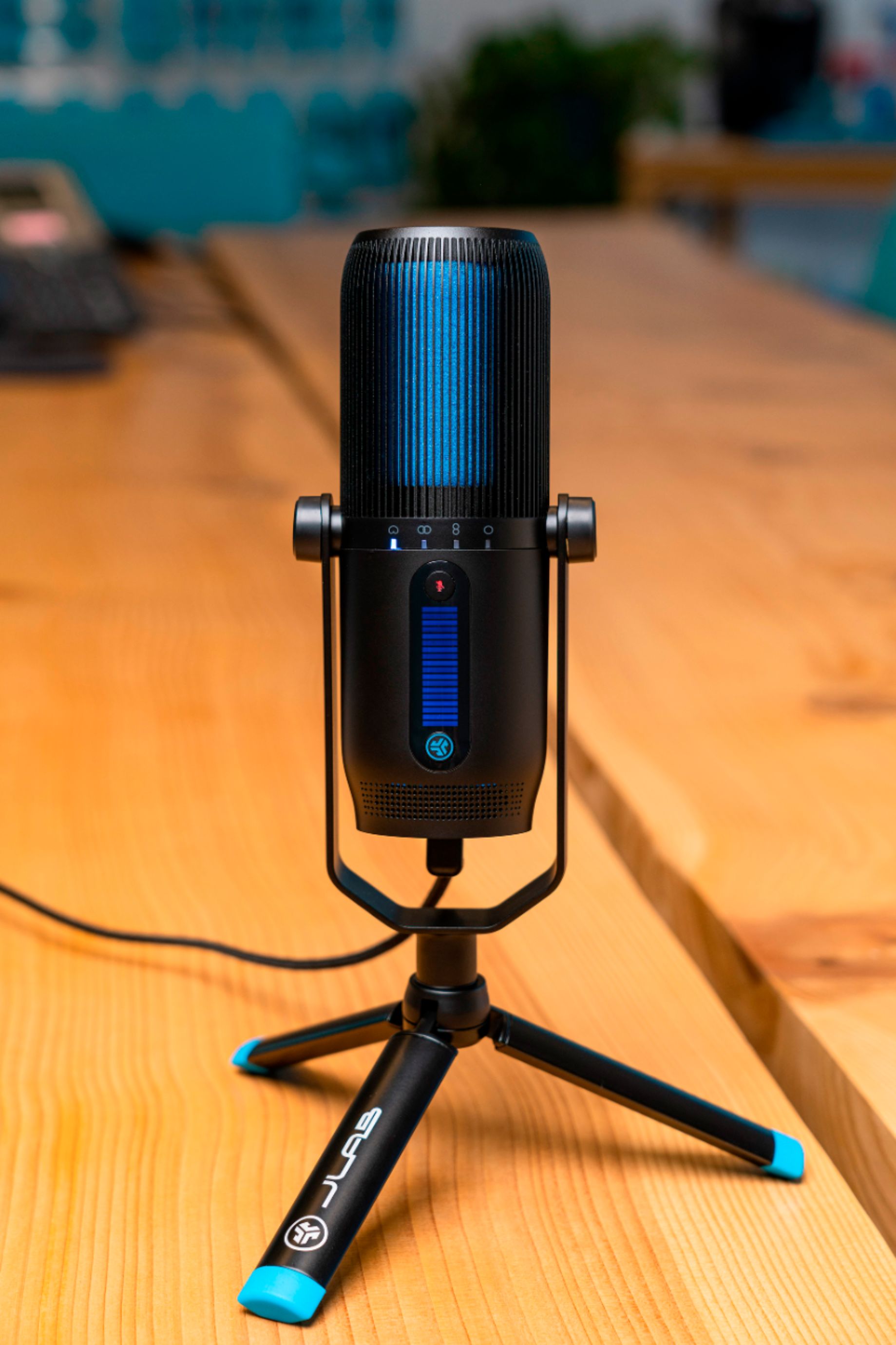
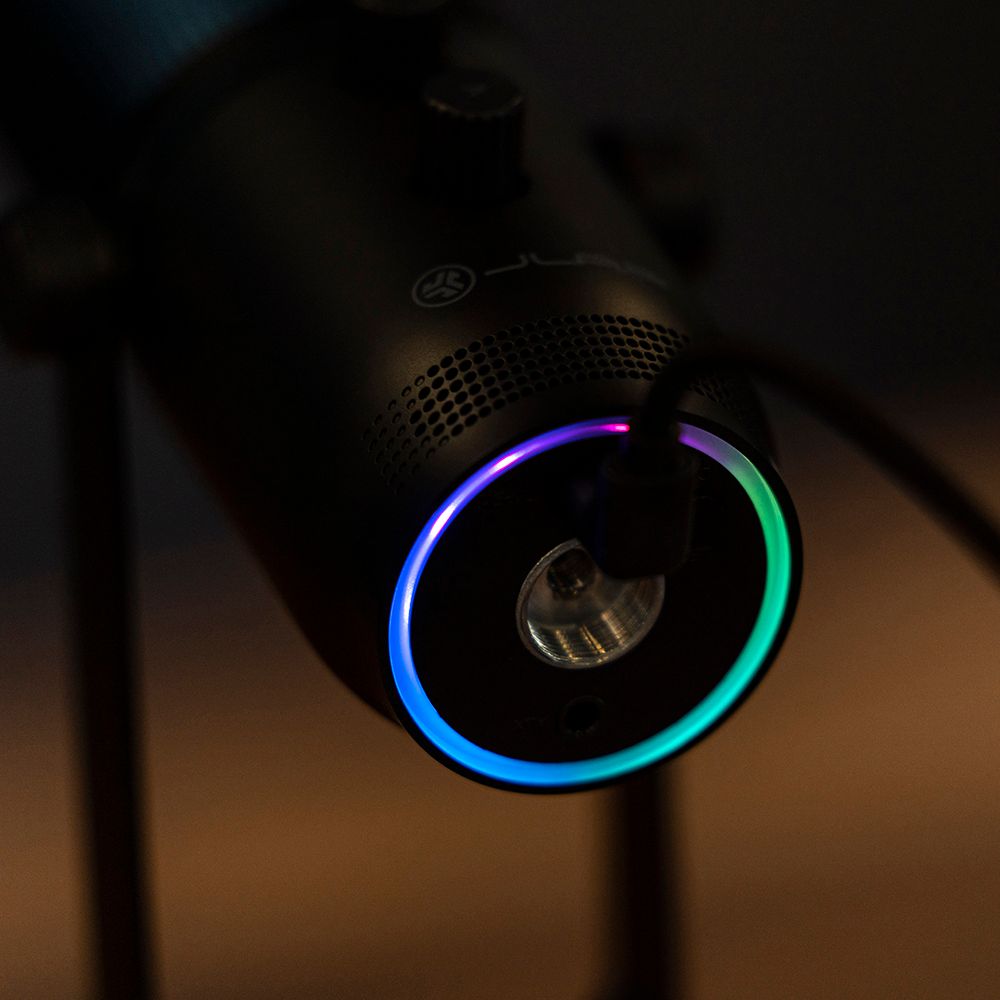
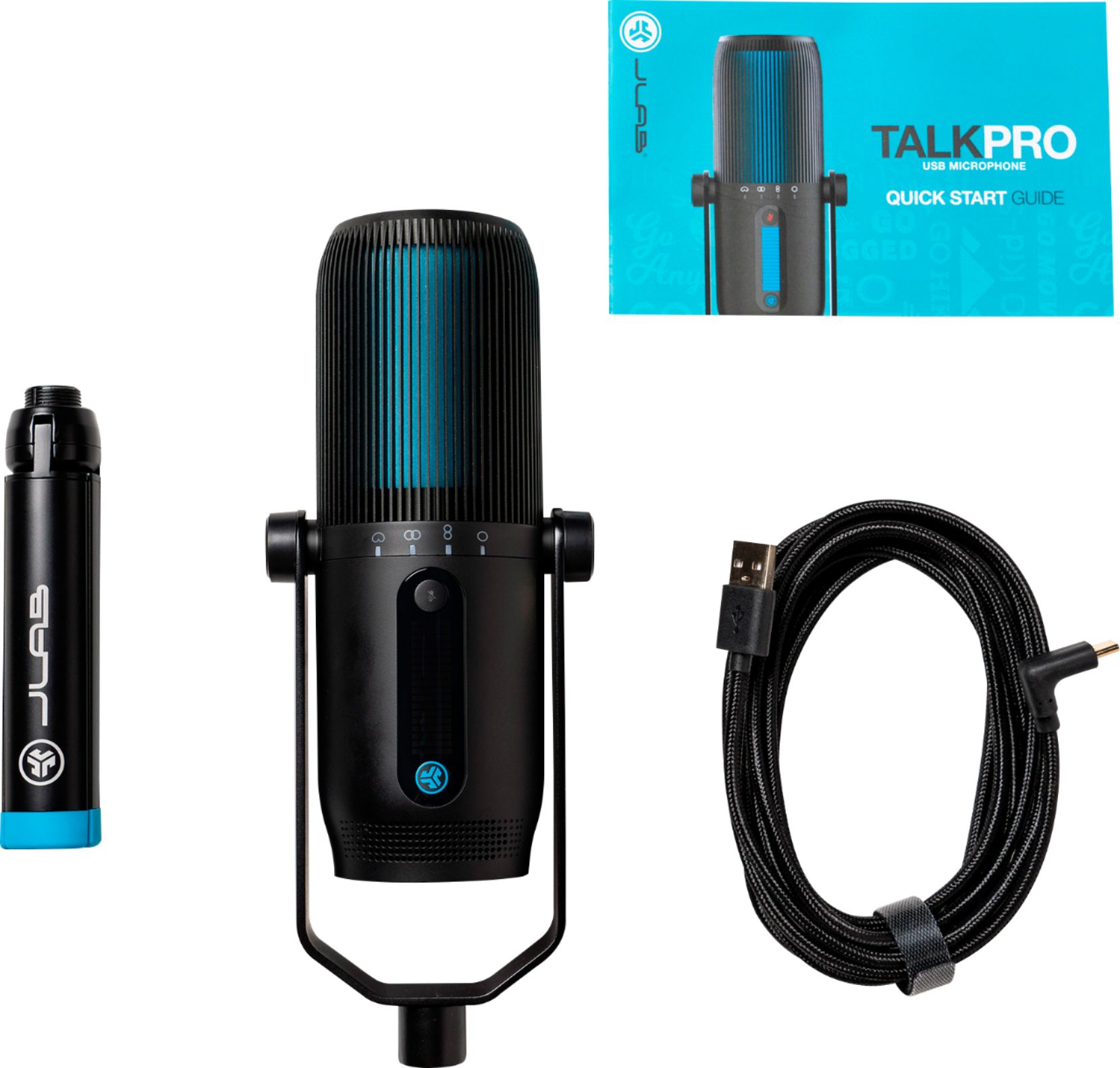
|Posted .This reviewer received promo considerations or sweepstakes entry for writing a review.Okay, this is overkill for my use. With work from home being the new normal out our company I find myself tweaking my home office setup to function better. Ergonomics was important but also tech can't be ignored. I have 3 scenerios... 1) using the company issued laptop with docking station and external monitors I have the lid closed and while the internal microphone and speakers worked okay I found the mic to pick up a lot of fan noise from the laptop once the temps got high enough to throttle up the fans. The result was a lot of unwelcome background noise. 2) I connected a webcam with built in microphone which was a huge improvement over the internal mic but it's an older webcam with lower resolution and the sound, while better than the internal mic, was still a bit tinny and people told me that I sounded like I was in a fish bowl. 3) I received a JLab Audio TALK PRO Professional microphone to review and while it is much larger than the previous solutions the sound improvement was huge!!! During Teams calls I would switch input between the 3 different mics and the JLab was the best by far according to the people I was conferencing with. A professional grade microphone for online conferencing with a price point of just under $150 isn't all that bad especially for what you are getting. It's a major improvement over standard desk, webcam and internal mics. In the box is the mic with mounting yoke, a tripod stand and the USB-C to USB-A cable. Installation was a breeze as no drivers had to be loaded. Simple plug and play! After selecting the TALK PRO as my default recording device I just had to go into Teams and make sure it was showing as primary input. The build quality is excellent with the TALK PRO Professional being just over 6 1/2" tall and about 2 1/2" in diameter (not including yoke and tripod). The included tripod stand folds compact so if you need something for on the go then I don't see why this would limit you. The yoke is removable as well and both the yoke and the microphone will accept standard boom threaded adapters. I've actually set mine up on a cheap desk clamp boom since my work from home desktop space is somewhat limited. Depending on how you use the mic you can select between 4 different modes of pickup from a button on the front. Cardiod for front recording, Omni for all around, Stereo for left and right channels and Bidirectional for front and rear with a light on the front to indicate which recording mode the mic is in . The other front button is for muting the mic. On the rear there are 2 dials, one is volume and the other is gain. There is a combined LED graph bar on the front to indicate levels ingeniously using the same lights but different colors, blue for volume, green for gain. If you are into LED lighting the mic also has that as a ring around the bottom. There is a button on the bottom that will allow you to cycle through mode and colors. A nice touch but probably unnecessary for the pro version of this mic. Speaking of versions JLabs does have 3 models of their new TALK microphones... the TALK GO at $49.99, the TALK Professional at $99.99 and the TALK PRO Professional at $149.99. I'm assuming the quality of the build is reflected in all models. So depending on your needs you should be able to justify one of the models. All in all I'm really impressed with the product. The sound quality of my Teams sessions is considerably better. Like I mentioned it's probably overkill for my current use but who knows, maybe I'll start a tech Youtube stream for seniors! :)
I would recommend this to a friend Isn't recognized by ps5
||Posted . Owned for 1 year when reviewed.This reviewer received promo considerations or sweepstakes entry for writing a review.Bought this mic for use with my ps4, but wasn't able to setup to still hear audio through my headset. Now my ps5 won't even recognize the mic when plugged in.
No, I would not recommend this to a friendBrand response from JLab Audio Team
Posted .Hi Ryan, we are sorry to hear you ran into some issues with our product. Please reach out to [email protected] or live chat via our website. It will be easier to provide assistance via the phone or live chat as we can walk you through some troubleshooting steps. We look forward to speaking with you!
#TeamJLAB
- Pros mentioned:Ease of use, Sound quality
Great high quality mic, moderate price
|Posted .This reviewer received promo considerations or sweepstakes entry for writing a review.The JLab Talk Pro has been an excellent addition to my setup. On conference calls or recording audio for podcasts, the output has been high quality. The build of the mic is quite nice in my opinion but it is not up to some of the more expensive options. I believe this to be a great value option where will see a high improvement in quality without as substantial of an investment as you would otherwise make. It looks nice too. Setup and install is super easy. I recorded some comments for work and sent them out within minutes of opening the box. It's nice to go headset free and not have to worry about much outside noise interference as well. Makes life very easy. Definitely recommend for anyone getting into podcasts or streaming who doesn't want to go all out into the more expensive options but wants some higher sound quality.
I would recommend this to a friend Peralta
||Posted . Owned for 1 month when reviewed.This reviewer received promo considerations or sweepstakes entry for writing a review.This mic is defective or something. Although reviews are good, it will not work correctly and keeps kicking out of the program. Need to take it back
No, I would not recommend this to a friendBrand response from JLab Audio Team
Posted .Hi there, we are extremely sorry about this! As always we have a two-year warranty on all Bluetooth products and would be able to exchange for a new set for any manufacturer issues. Please contact our customer support team for help. -JLab Audio
- Pros mentioned:Mute button
Talk is cheap
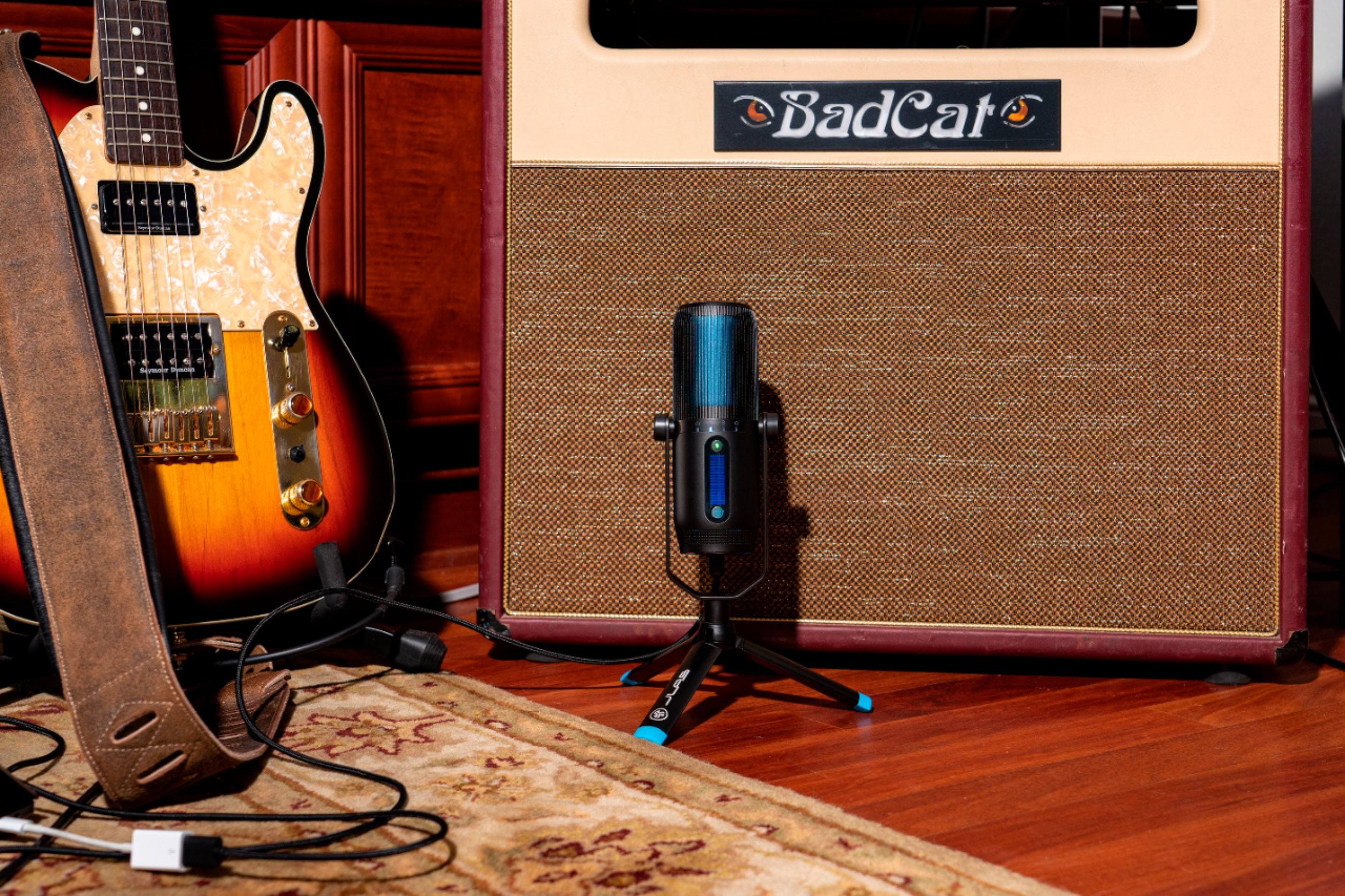
|Posted .This reviewer received promo considerations or sweepstakes entry for writing a review.JLAB’s foray into prosumer grade microphones delivers a great value. The big deal about this mic is its 192 kHz sample rate with 24-bit depth at this price point. You’d have to pay quite a bit more to get those specs with other brands. It’s such a good value that you can justify buying this for any kind of use when you want to sound your best: podcasting, narration, live streaming, interviewing, but also for Zoom conferencing and even plain old telephone calls (through your computer). The Talk PRO has 3 condensers and makes it easy to switch among 4 sound direction patterns via a button on the front of the mic: • Cardioid - used for solo speakers • Stereo - music recording, or ASMR if you’re into that • Omni - group recording; also great for conference room calls • Bidirectional - two person recordings like interviews Also on the front is a mute button. The button is green when the mic is live, and turns red when pressed to mute. It’s useful when you’re the only speaker, but if there are others who are not facing the front, they cannot see the status. There are dedicated knobs on the back side for gain (to control sound input) and volume (to let you listen to your input). There’s an LED meter on the front so you can see how much you’ve adjusted gain and volume. Even though gain adjustments show as green on the meter and volume in blue, it’s easy to forget which knob is gain vs volume. My one gripe is I wish there was a more obvious reminder of the button functions. On the bottom of the mic there’s a ring light that can be adjusted with a button. Pressing the button changes the ring color, while double or triple pressing it toggles patterns. It’s a kind of cool-but-pointless feature. A better use would have been to have the ring light encircle the body of the mic, and for it to indicate if the mic is on mute or not. The box comes with a tabletop tripod that can be detached from the mic and folded – a nice feature when you need to travel with the mic. The mic has a 5/8” input for swivel mounts if you don’t want to use the tripod. There’s also a 10-foot USB cable to give you plenty of length on where to position the mic. If you’re looking to upgrade your sound input, this is a solid choice for the money.
I would recommend this to a friend Speaker
||Posted . Owned for 3 weeks when reviewed.This reviewer received promo considerations or sweepstakes entry for writing a review.Would not connect Best Buy didn’t have another one in stock
No, I would not recommend this to a friendRETURN
||Posted . Owned for 3 weeks when reviewed.This reviewer received promo considerations or sweepstakes entry for writing a review.NOT functioning, need to RETURN and cannot get to the store right away!
No, I would not recommend this to a friendBrand response from JLab Audio Team
Posted .We're very sorry to hear that your experience has not met your expectation. We would love to learn more about your experience as it's hard to give any tips on how to address your issue with the information provided. Our customer support team is ready and willing to help if you reach out to them. -JLab
Stay away
||Posted . Owned for less than 1 week when reviewed.This reviewer received promo considerations or sweepstakes entry for writing a review.Microphone didn’t even work returned it the next day
No, I would not recommend this to a friendBrand response from JLab Audio Team
Posted .It saddens us that you've encountered this issue and we are sincerely sorry about it. We would like to dive into this a little more. Please give us a call or send us an email so we can come up with a solution that will best fit your needs. -JLab Audio
- Pros mentioned:Mute button
High quality sound
|Posted .This reviewer received promo considerations or sweepstakes entry for writing a review.I got this to help me record voice overs for training videos. It is awesome. Plug in and ready to use. It is sturdy and has a very nice trip pod stand. There is a long USB cord so you can really position the mic where you want and not feel like you are tied closely to your computer. There is an audio jack on the bottom of the mic so you can plug in headphones and listen to yourself through the microphone. This way you get a sense of how you sound while recoding. There are even lights on the bottom which give a nice glow in low light situations. I like how it has multiple modes, you can record from different sides of the mic, When it is just me, I set it to record only from the front of the mic, I have used it in a group setting and needed to pick up users from all sides, So I set it to pick up from all sides and it sounded amazing. There are two knobs on the back to adjust the gain and volume. There is also a button on the front that lets you quickly mute the mic. Very nice. This is a sturdy, high quality mic that will not break the bank.
I would recommend this to a friend - Pros mentioned:Sound quality
High Quality, Versatile, User Friendly
|Posted .This reviewer received promo considerations or sweepstakes entry for writing a review.This may be the most user-friendly device I've ever plugged into a computer. No settings changes were required on my Win 10 computer, it's true plug and play. Plug in the USB cord and you're ready to go to work or play.The 4 directional modes (cardioid, omni, stereo, bi-directional) are indicated on the front of the mic with led indicators so you always know which mode is active and the button to change the mode is also on the front along with the mute button. So they're within quick easy reach. The gain and volume knobs are on the back, big enough so there's no fumbling around for the controls. The mic has great build quality including the rock steady tripod, and looks great too. There is a 3.5 mm jack on the bottom for headphones (or speakers). The sound produced by this mic is awesome, very clear and natural, great for podcasts and zoom meetings.
I would recommend this to a friend - Pros mentioned:Ease of use, Sound quality
Excellent option!
|Posted .This reviewer received promo considerations or sweepstakes entry for writing a review.If you’re looking for a great microphone that gives excellent sound quality this is definitely worth a look. Setup was a breeze and I was extremely happy with the sound of the audio for my podcast test runs.
I would recommend this to a friend Stylish & Simple
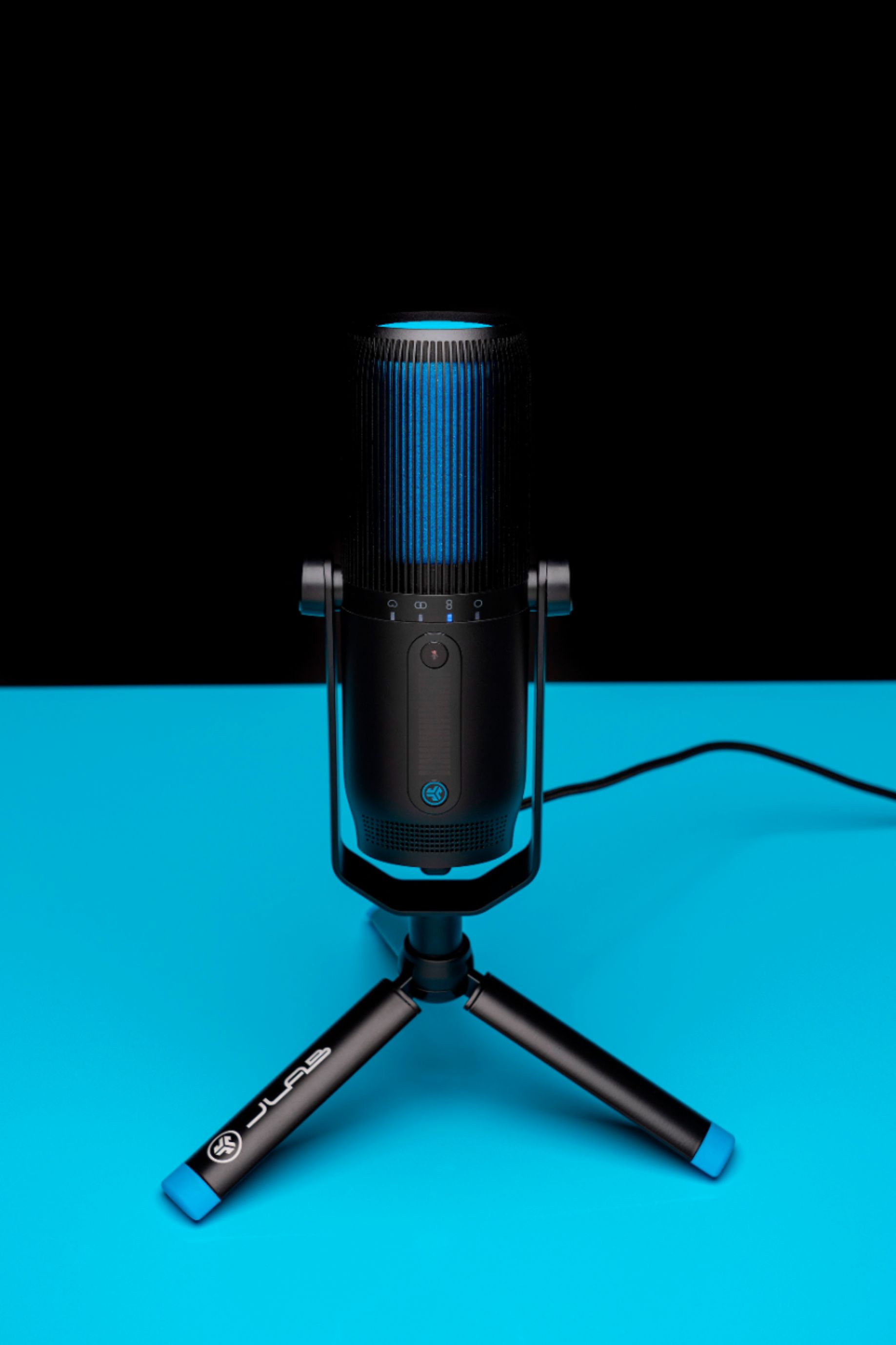
|Posted .This reviewer received promo considerations or sweepstakes entry for writing a review.I am a musician. I am also a graduate student. I was in the market for a microphone. Due to the pandemic, I started doing a lot of zoom calls for college. I normally use the built-in microphone on my computer. I first want to say how light this microphone is and how stylish it looks. It's neon blue with black. I don't do youtube but it would look cool in front of a camera. The box comes with instructions, a braided USB type-c, and tripod. The set up is very simple. Just plug it in and its ready to go. It records at 192 kHz and 24-bit resolution. I use Garageband for my recordings. This is an upgrade compared to my other microphone. I had to use the midi interface to connect my microphone but now its just USB. Convenience. The recording quality of the vocals is great! I like the lights underneath the microphone. It looks like a gamer microphone. I am happy with this microphone. Its functional and looks stylish enough for youtube. I am definitely going to be using for grad school and my music vocal recordings.
I would recommend this to a friend