Customer Ratings & Reviews


- Model:
- F0EM0003US
- SKU:
- 6365785
Rating by feature
- Value
Rating 4.6 out of 5 stars
- Quality
Rating 4.6 out of 5 stars
- Ease of Use
Rating 4.6 out of 5 stars
Customers are saying
Customers are positive about the A540-24API's touch screen, ease of use, and overall quality. Many appreciate its design and size, finding it compact and suitable for their needs. The speed of the solid-state drive is also frequently praised. However, some customers mention limited storage space and a desire for more ports.
This summary was generated by AI based on customer reviews.
Highly recommend !
Posted .This reviewer received promo considerations or sweepstakes entry for writing a review.This computer is amazing! I work remotely from home and perfect for my office size. I do not notice any performance issues when im runbing mutiple applications simultaneously. Highly recommend!
I would recommend this to a friend- Pros mentioned:Design, Quality, Touch screen
A solid pick for remote learning
||Posted . Owned for 1 month when reviewed.This reviewer received promo considerations or sweepstakes entry for writing a review.Owned for 2 months now - giving 5 stars because of the quality for the price-point. I purchased this for my daughter starting high school this year given the remote schooling. This all in one, is good quality for the price point and is very esthetic and a great minimalist design. Performance-wise, it is snappy with fast start times and runs quiet. My daughter loves the keyboard and mouse and the touch screen gives her a great option for school tasks that feels more natural using touch screen rather than mouse. The only not so wow is the camera resolution, need to use it with good lighting, though i feel the privacy feature is a must and was a great selling factor for me. It feels like it will last for the long haul through her high school days.
I would recommend this to a friendBrand response from Lenovo Product Expert
Posted .Thank you for choosing the Lenovo IdeaCentre A540-24 All-In-One system. This model ships with an infrared, FHD 1920 x 1080 webcam that can be used with facial recognition software to biometric security login to the computer. Be sure the lighting in the room is sufficient for broadcasting clear clean video out. Also be sure all Operating Software is up to date. You can easily accomplish this by scanning the computer with the Lenovo Utility software available on this computer. This system has Lenovo utilities installed to help maintain the health of the device and keep the operating system software up to date. Type "Lenovo Vantage" in the Cortana Search window (if Lenovo Vantage is not installed on your device, you can download the APP and install it now). Select Lenovo Vantage from the list. In the window that opens, click on "Health and Support". In the expanded menu, select "Hardware Scan" In the window that opens, select "Run Quick Tests". This will scan your entire system for errors. Follow any directions that may pop up. If the problem continues after this scan, now click on "System Update". First select Windows update from the menu. Scan your system to be sure you have the latest version of Windows 10. Once that scan is complete, select "Additional Updates". This will scan your device to be sure there are no new BIOS/Driver updates needed. Follow any instructions that may pop up. If the issue still continues after these updates, we recommend you call Lenovo Tech Support at: 877-453-6686 for additional help.

- Pros mentioned:Design, Ease of use, Quality
I love my “Lenny” Lenovo!
||Posted . Owned for 3 weeks when reviewed.This reviewer received promo considerations or sweepstakes entry for writing a review.I love my “Lenny” Lenovo! It’s easy to use and super fast! I am absolutely fascinated with the sleek design. Very high quality and worth the price.
I would recommend this to a friendBrand response from Lenovo Product Expert
Posted .Once again, thank you for choosing the Lenovo IdeaCentre A540-24 All-In-One system. You can keep your computer running at its best by keeping the Windows 10 Operating System and all supporting BIOS files and drivers up to date. You can easily accomplish this by scanning the computer with the Lenovo Utility software available on this computer. This system has Lenovo utilities installed to help maintain the health of the device and keep the operating system software up to date. Type "Lenovo Vantage" in the Cortana Search window (if Lenovo Vantage is not installed on your device, you can download the APP and install it now). Select Lenovo Vantage from the list. In the window that opens, click on "Health and Support". In the expanded menu, select "Hardware Scan" In the window that opens, select "Run Quick Tests". This will scan your entire system for errors. Follow any directions that may pop up. If the problem continues after this scan, now click on "System Update". First select Windows update from the menu. Scan your system to be sure you have the latest version of Windows 10. Once that scan is complete, select "Additional Updates". This will scan your device to be sure there are no new BIOS/Driver updates needed. Follow any instructions that may pop up. If you ever need additional help with your Lenovo computer, we recommend you call Lenovo Tech Support at: 877-453-6686 for additional help.
- Pros mentioned:Ease of use, Speed, Touch screen
Great desktop
||Posted . Owned for 1 month when reviewed.This reviewer received promo considerations or sweepstakes entry for writing a review.I recommend this desktop. Bought for working remotely from home. Great speed response, use mouse n touchscreen. Monitor size is awesome and easy on the eyes. I installed a 2nd monitor provided by work and mousing between both is fast. I was not able to connect mouse n keyboard. Would not recognize. Used my own wireless keyboard and attached mouse. I need to call for assistance if I decide to use mouse n keyboard received with desktop. Overall great desktop.
I would recommend this to a friendBrand response from Lenovo Product Expert
Posted .The Lenovo IdeaCentre A540-24 All-In-One system ships with both a wireless keyboard and mouse, that connect to the computer via a USB WiFi receiver that is stored within the battery compartment of the mouse. Remove the USB receiver, install it in a USB port on the computer. Install the included batteries within the mouse. The keyboard has a rechargeable internal battery. There is a USB to Micro-USB cable included for charging the keyboard. Plug the Micro-USB side of the cable into the front of the keyboard then connect the standard USB side to any USB port on the computer to charge the keyboard. You can use the keyboard while it is charging. If you need additional help, you can call Lenovo Tech Support at: 877-453-6686.
- Pros mentioned:Design, Speed, Touch screen
Great buy.
||Posted . Owned for 7 months when reviewed.This reviewer received promo considerations or sweepstakes entry for writing a review.Bought several for kids for the pandemic home schooling. Absolutely recommend. Super quick startup and a huge 24 inch screen. Been using ours since Septermber 2020, no problems encountered. With specs better than similarly priced models, its fast and can handle anything my kids and I have tasked it to do. School, streaming, gaming, all smooth. Plus it looks great. The design is beautiful. Would buy again.
I would recommend this to a friendBrand response from Lenovo Product Expert
Posted .Thank you for choosing the Lenovo IdeaCentre A540-24 All-In-One systems for your children. We are pleased to hear that the IdeaCentre A540-24 AIO is working out so well for your children.
- Pros mentioned:Design, Ease of use
great computer - love the all in one!
||Posted . Owned for 1 month when reviewed.This reviewer received promo considerations or sweepstakes entry for writing a review.this was a gift for my parents who needed an easy transition from their old computer and it was perfect! The all in one took up so much less space, it is stylish and functional. They tell me every time I talk to them they love it. We can Skype with the camera and feel much more secure since you can close it down when not in use.
I would recommend this to a friendBrand response from Lenovo Product Expert
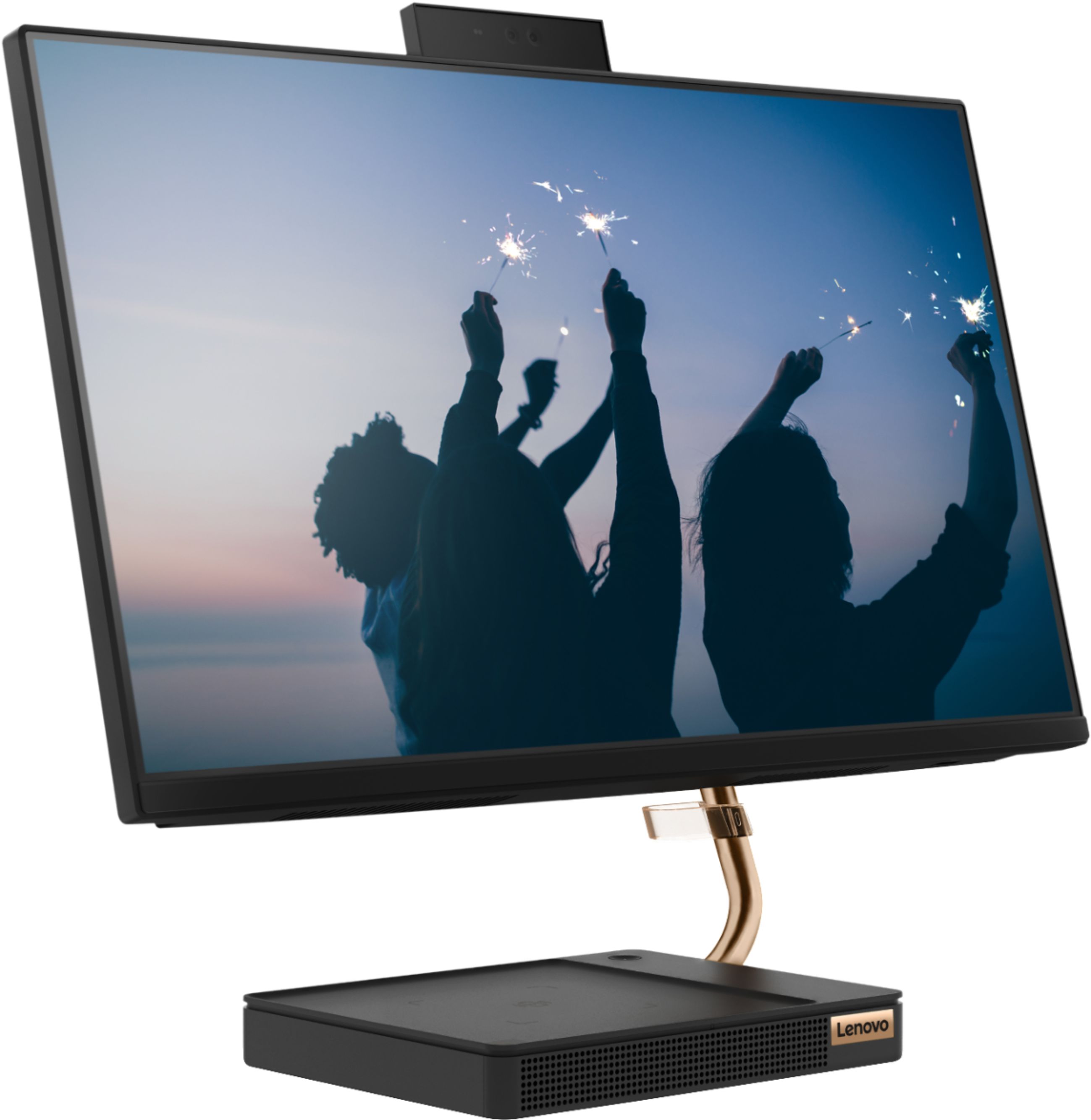
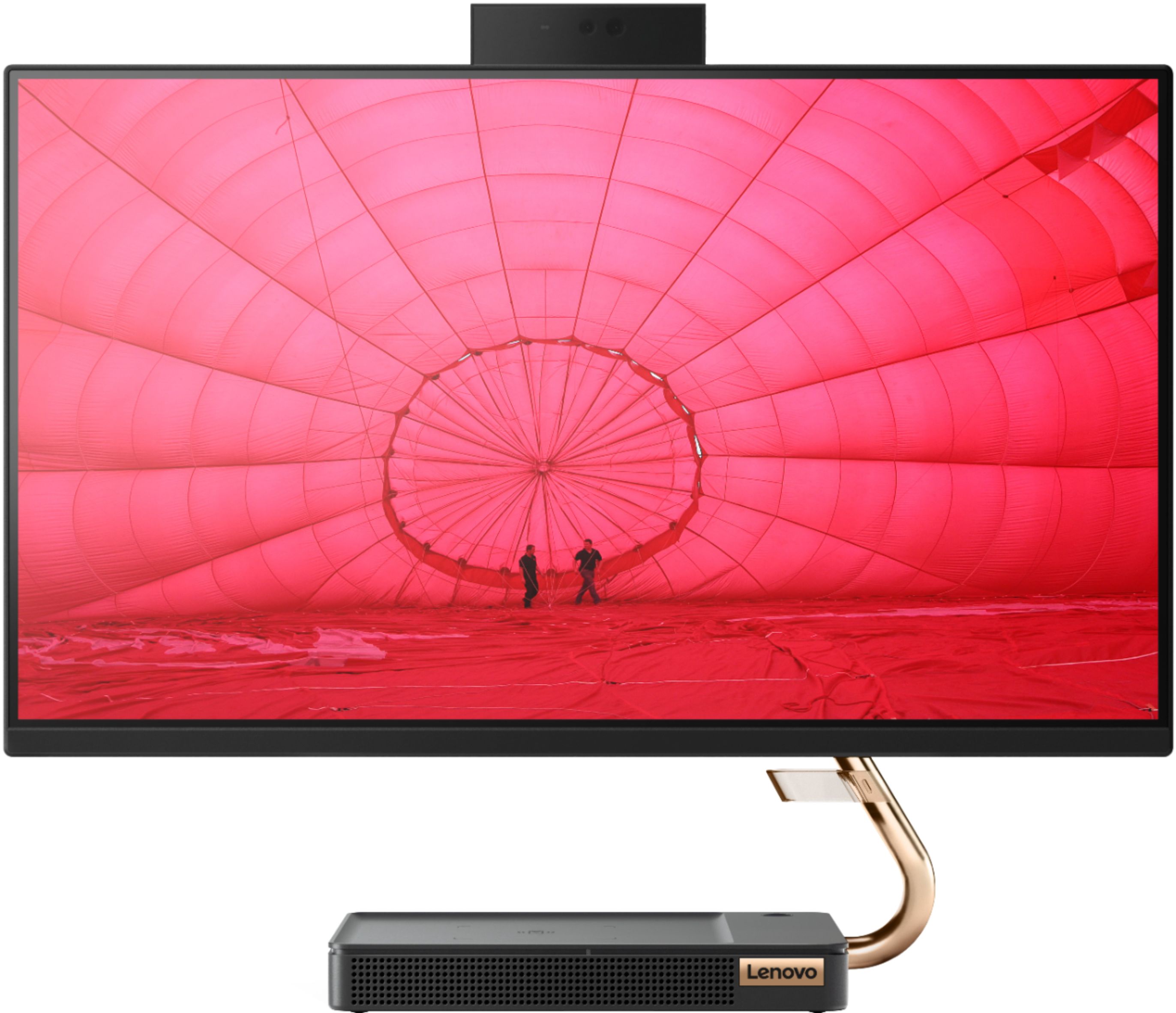
Posted .Thank you for choosing the Lenovo IdeaCentre A540-24 All-In-One system for your parents. We are pleased to hear that the performance of the IdeaCentre A540-24 AIO is working out so well for your parents. Taking its cue from nature, the stylish IdeaCentre A540 is inspired by the cypress tree: perfectly balanced and durable. Sacrificing nothing on performance, this all-in-one PC is an attractive addition to your home or office. With up to 93-percent screen-to-body ratio and thin, narrow bezels, the A540 minimizes visual distractions and gives you more to enjoy than a regular 24-inch display. To enhance your viewing experience even further, the A540 ships with FHD resolution.
- Pros mentioned:Ease of use, Touch screen
These are the best answers to tower computers!!!
||Posted . Owned for less than 1 week when reviewed.This reviewer received promo considerations or sweepstakes entry for writing a review.If you're short on big spaces then an all in one computer is your only really good answer!! This one I bought is more of the middle of the road priced model; I needed more than the basics, but not even close to all the big bells & whistles no matter how much fun they are to have around. To set it up from beginning to end was literally just a few minutes. This machine is simply a class act all by it's self to be sure. It does everything I have to tell it to and it doesn't fight back, not one bit!! Lol
I would recommend this to a friendBrand response from Lenovo Product Expert
Posted .Thank you for choosing the Lenovo IdeaCentre A540-24 All-In-One system. We are pleased to hear that the value, features and performance of the IdeaCentre A540-24 AIO meets your computing needs so well. Taking its cue from nature, the stylish IdeaCentre A540 is inspired by the cypress tree: perfectly balanced and durable. Sacrificing nothing on performance, this all-in-one PC is an attractive addition to your home or office. With up to 93-percent screen-to-body ratio and thin, narrow bezels, the A540 minimizes visual distractions and gives you more to enjoy than a regular 24-inch display. To enhance your viewing experience even further, the A540 ships with FHD resolution.
- Pros mentioned:Design, Speed
Surprisingly fast, very nice design
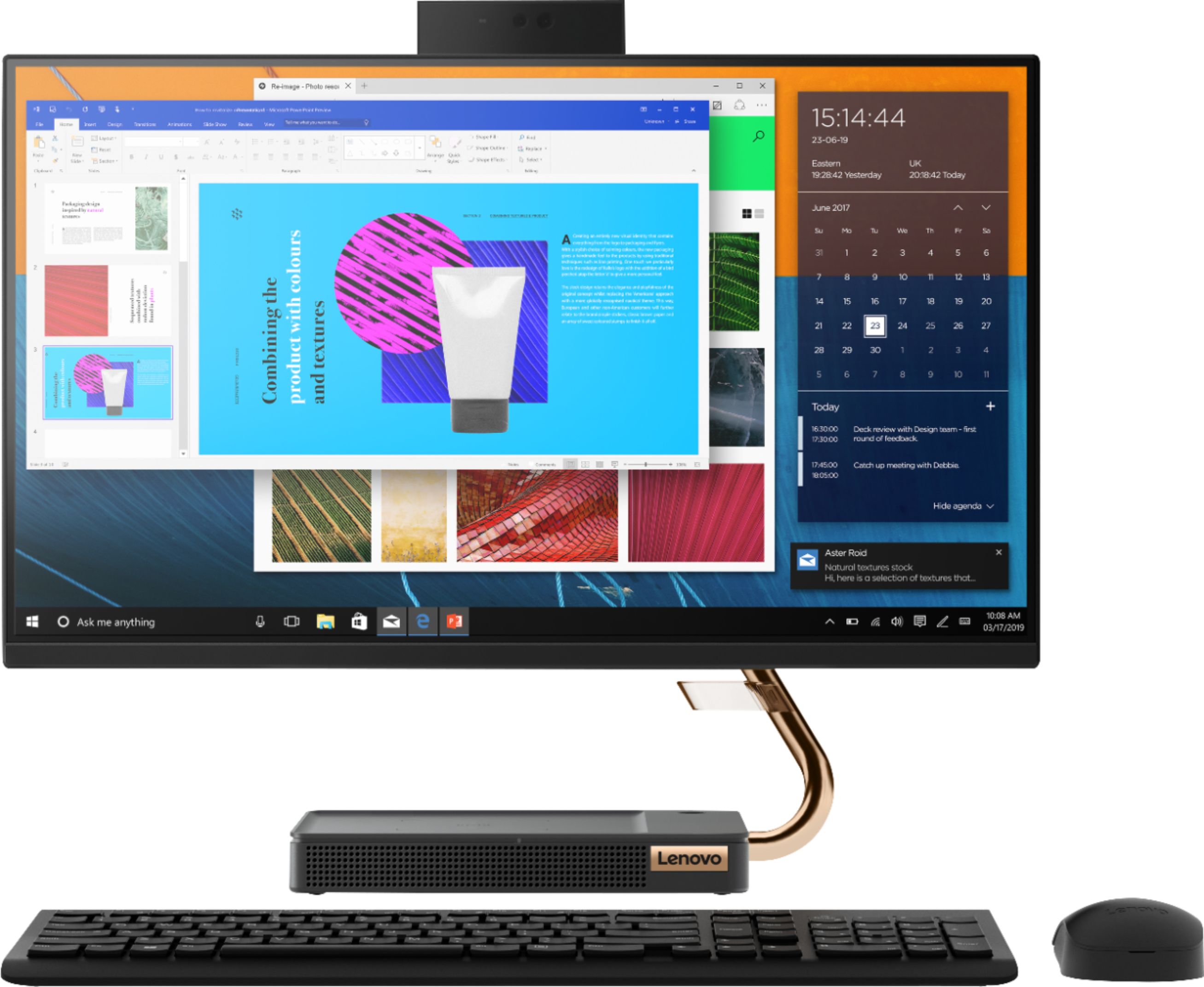
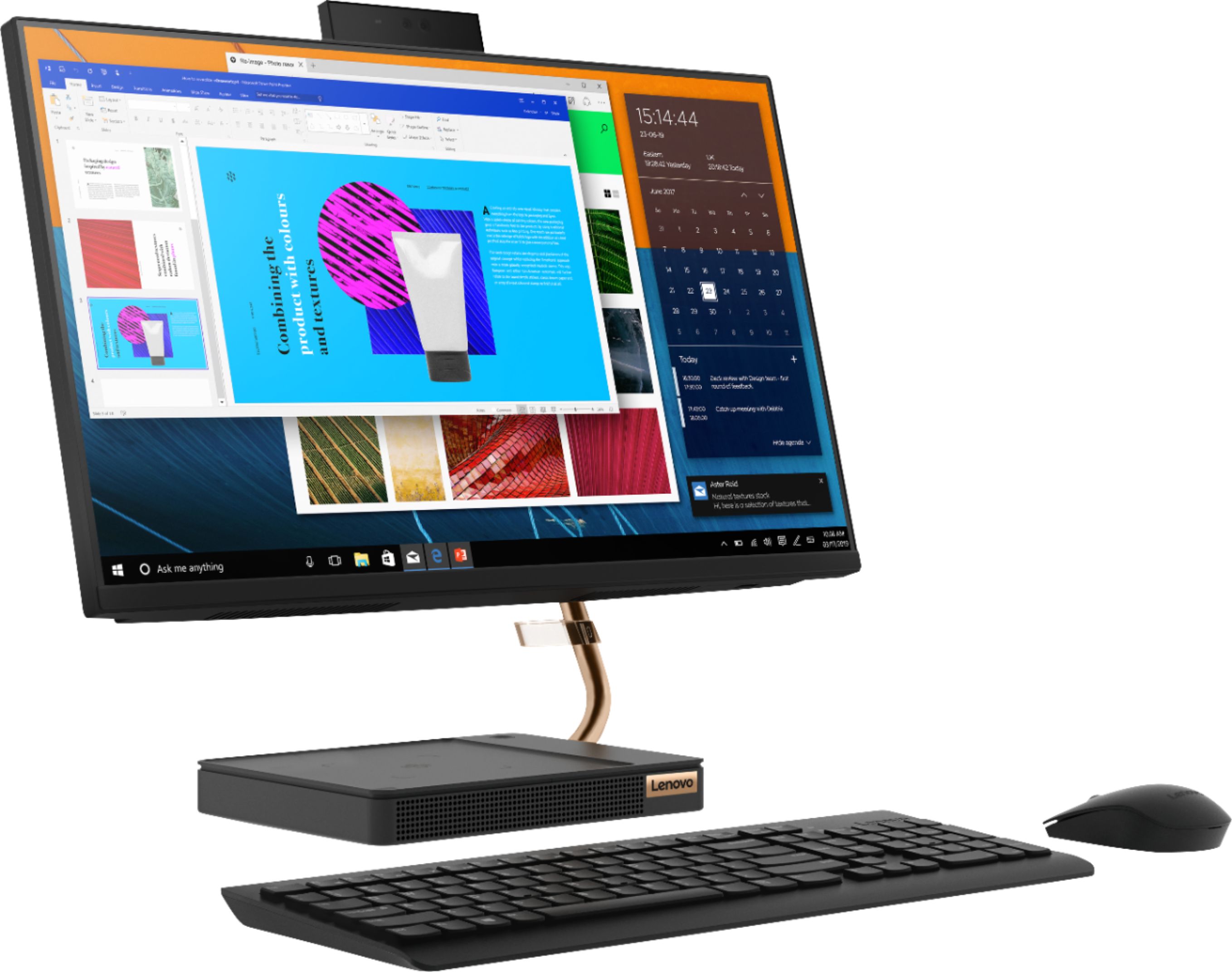
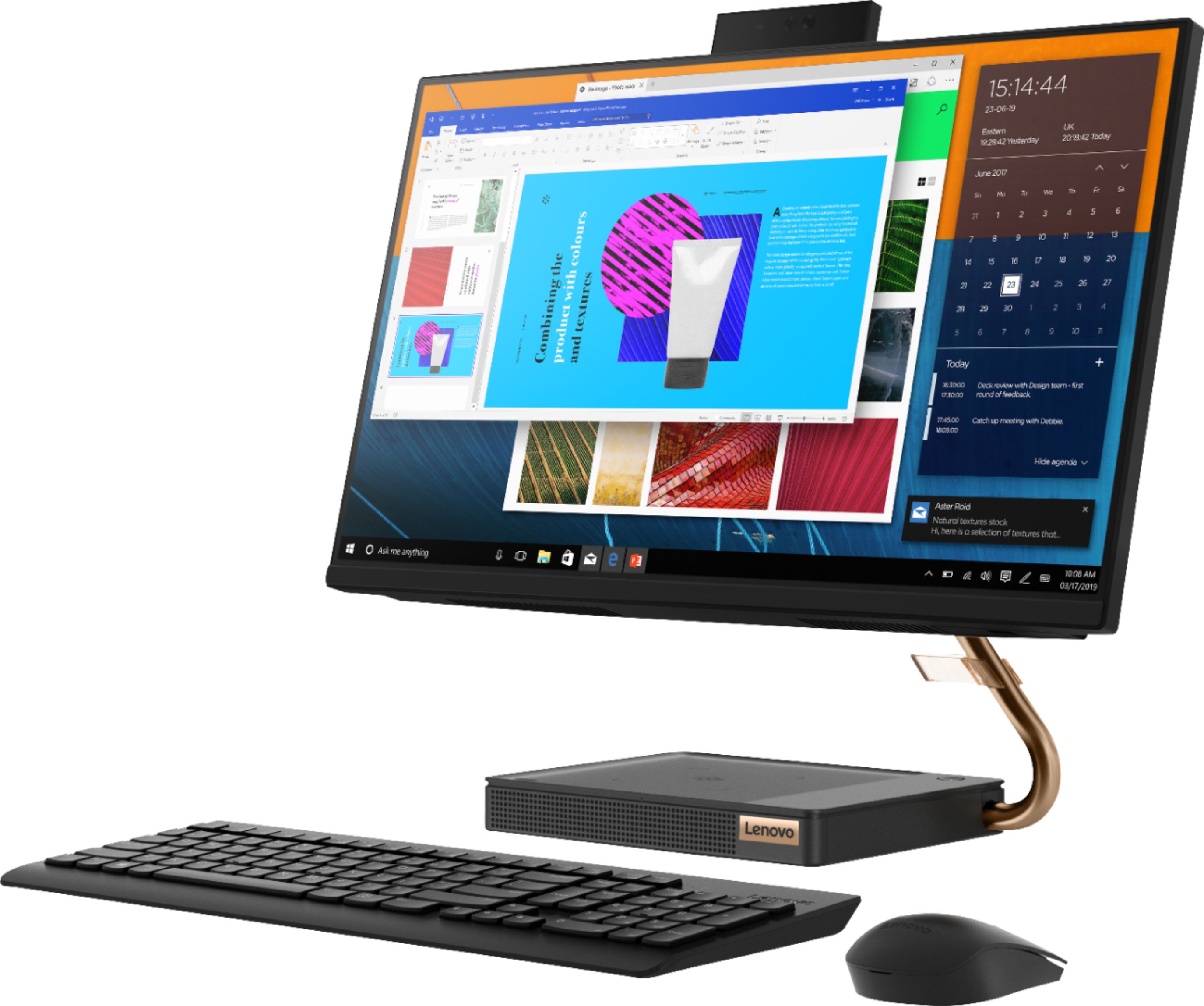
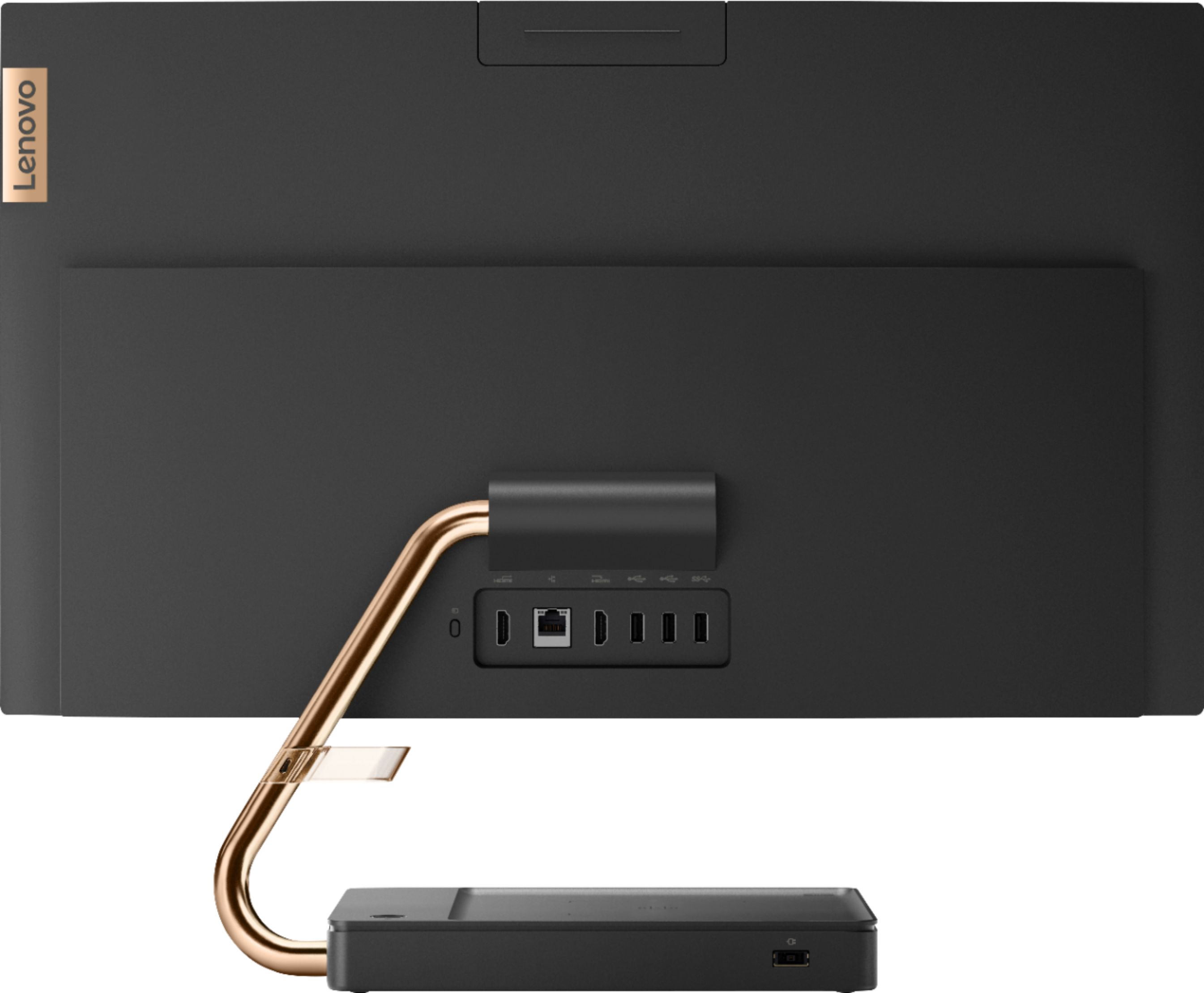
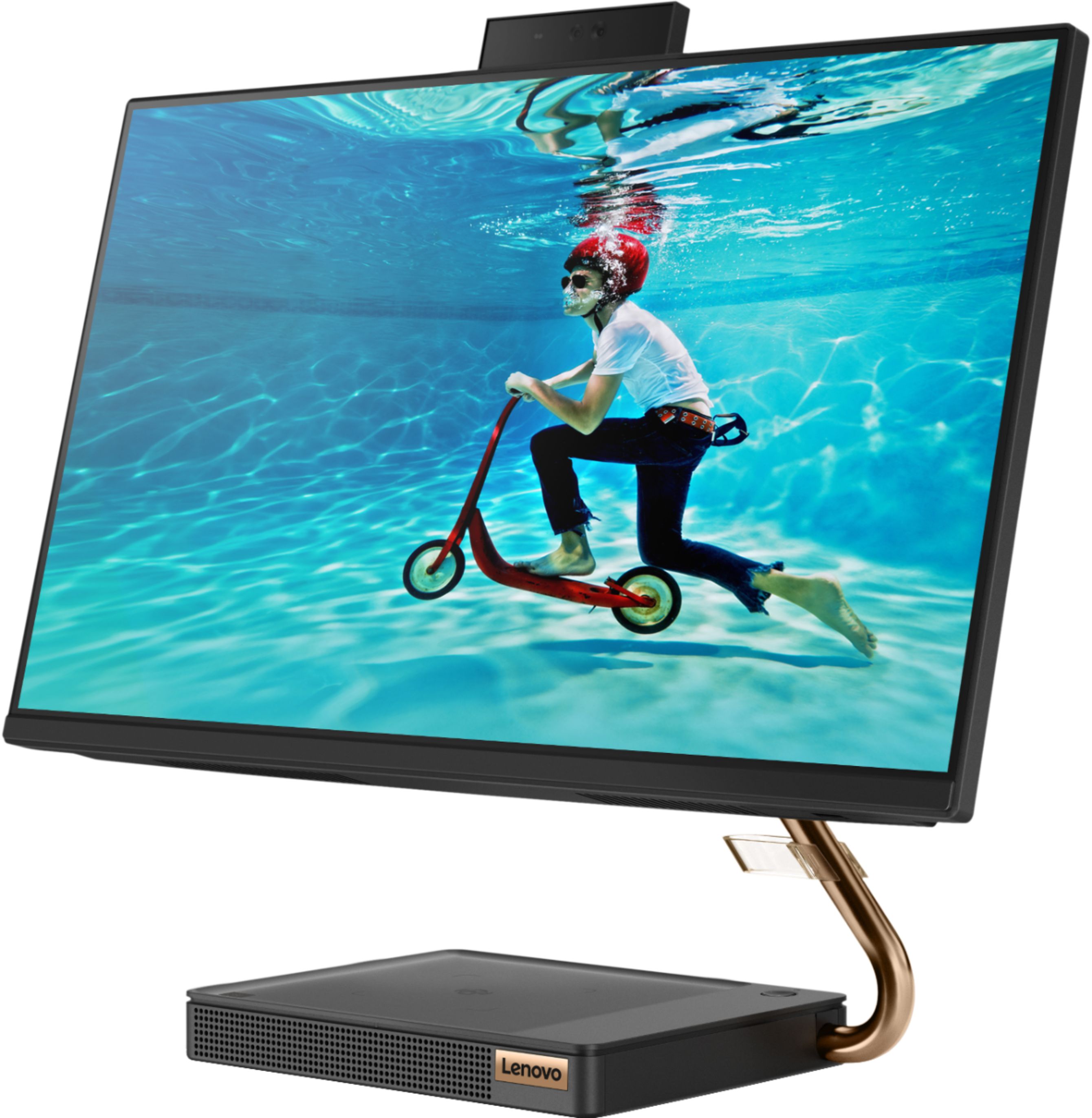
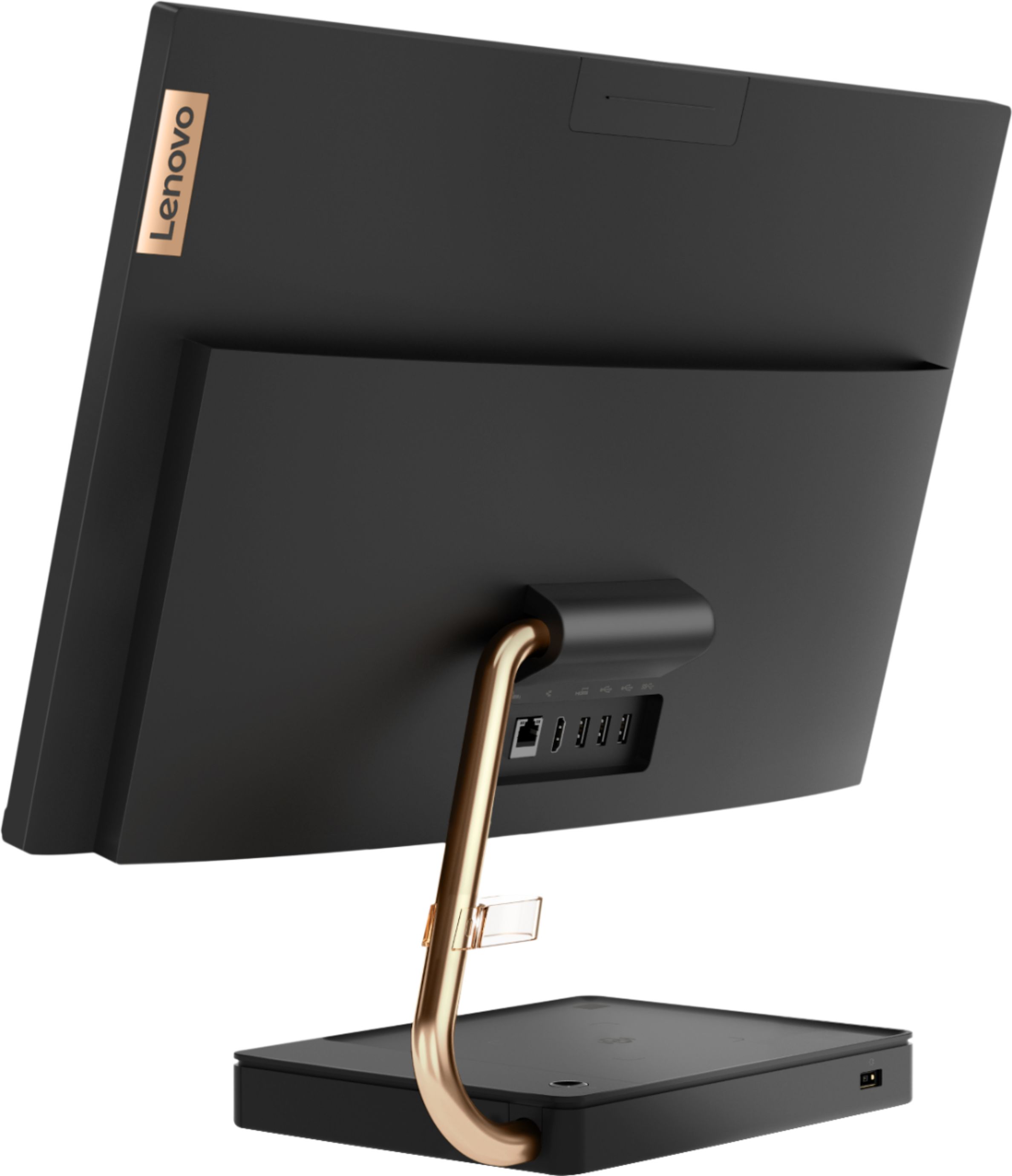
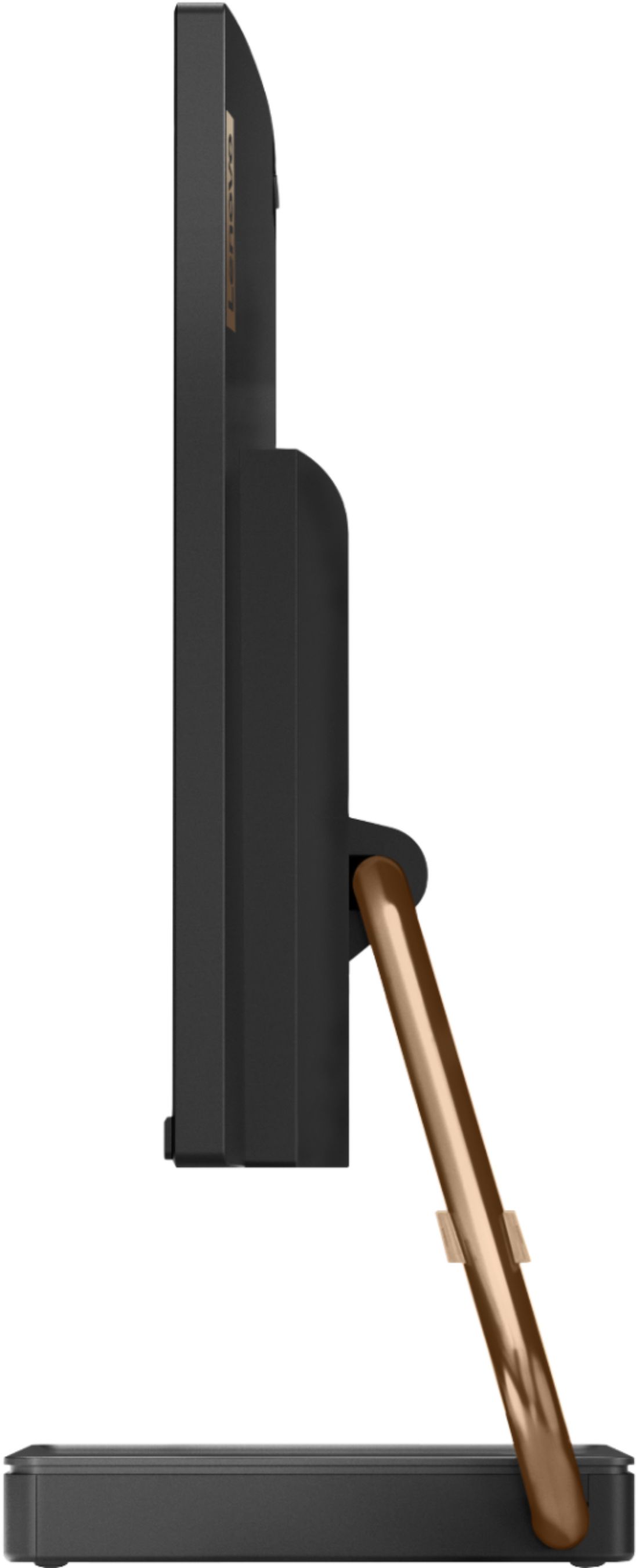
||Posted . Owned for 1 month when reviewed.This reviewer received promo considerations or sweepstakes entry for writing a review.I bought this for my 80+ mom because it was a simple, clean design. It's like a laptop in that most everything is contained in the base and the screen, but it's a better design for a desktop computer. All the connections are in the back of the screen except for the power cord which is in the base, and there's no other wires besides power. There's one button on the base to turn it on and that's it. The little rectangle at the top in the picture is the camera and microphone. They slide down behind the monitor for privacy, which is a really nice feature. The base has nice speakers, so unless you want hi fidelity sound, you have everything you need for teleconferencing or watching Netflix. It's just a very well designed computer overall. I was quite surprised with its speed too. I have an i7 with solid state drives, so I'm used to fast response times. This computer will probably bog down long before my i7 will, but it easily handled Netflix, Zoom, multiple tabs in Chrome, etc. It's obviously not a gaming rig. As a desktop PC or a media PC in a kitchen or den, though, it's perfect. If you want the convenience of a laptop but also want something more in the form factor of a desktop which takes up almost no desk space, this PC is a good choice.
I would recommend this to a friendBrand response from Lenovo Product Expert
Posted .Thank you for choosing the Lenovo IdeaCentre A540-24 All-In-One system for your mother. We are pleased to hear that the features and performance of the IdeaCentre A540-24 AIO meets the computing needs of your mother so well. Taking its cue from nature, the stylish IdeaCentre A540 is inspired by the cypress tree: perfectly balanced and durable. Sacrificing nothing on performance, this all-in-one PC is an attractive addition to your home or office. With up to 93-percent screen-to-body ratio and thin, narrow bezels, the A540 minimizes visual distractions and gives you more to enjoy than a regular 24-inch display. To enhance your viewing experience even further, the A540 ships with FHD resolution.
- Pros mentioned:Design, Quality, Touch screen
Amazing PC
||Posted . Owned for 1 month when reviewed.This reviewer received promo considerations or sweepstakes entry for writing a review.This is my first time purchasing a Lenovo and definitely an upgrade from my Dell. I love the design, touch screen, and programs. The modem is compact but doesn't come with a CD-Rom. You can purchase separately for like twenty bucks. Overall, a good quality product built to last.
I would recommend this to a friendBrand response from Lenovo Product Expert
Posted .Thank you for choosing the Lenovo IdeaCentre A540-24 All-In-One system. We are pleased to hear that the features and performance of the IdeaCentre A540-24 AIO meets your computing needs so well. Taking its cue from nature, the stylish IdeaCentre A540 is inspired by the cypress tree: perfectly balanced and durable. Sacrificing nothing on performance, this all-in-one PC is an attractive addition to your home or office. With up to 93-percent screen-to-body ratio and thin, narrow bezels, the A540 minimizes visual distractions and gives you more to enjoy than a regular 24-inch display. To enhance your viewing experience even further, the A540 ships with FHD resolution.
- Pros mentioned:Design, Ease of use, Speed
Very nice computer and my son loves for gaming
||Posted . Owned for 1 month when reviewed.This reviewer received promo considerations or sweepstakes entry for writing a review.The computer is pretty easy to set up and has a nice compact design. The versatility is great and we use it for everyday things. And it has a fast processor that functions well for my sons gaming it is just a all around good computer that can handle all things that you wiuld need a computer to do.
I would recommend this to a friendBrand response from Lenovo Product Expert
Posted .Thank you for choosing the Lenovo IdeaCentre A540-24 All-In-One system. We are pleased to hear that the IdeaCentre A540-24 AIO is working out so well. Taking its cue from nature, the stylish IdeaCentre A540 is inspired by the cypress tree: perfectly balanced and durable. Sacrificing nothing on performance, this all-in-one PC is an attractive addition to your home or office. With up to 93-percent screen-to-body ratio and thin, narrow bezels, the A540 minimizes visual distractions and gives you more to enjoy than a regular 24-inch display. To enhance your viewing experience even further, the A540 ships with FHD resolution.
- Pros mentioned:Design, Ease of use, Speed
Great all-in-one!
||Posted . Owned for 2 months when reviewed.This reviewer received promo considerations or sweepstakes entry for writing a review.Even compared to the iMac this is a stunning machine (for half the price). They really knocked it out of the park with it's design. I love the gold accents. It's also quite fast and easy to use. Just wish some of the ports were updated (no USB-C?). Overall, a great machine from Lenovo!
I would recommend this to a friendBrand response from Lenovo Product Expert
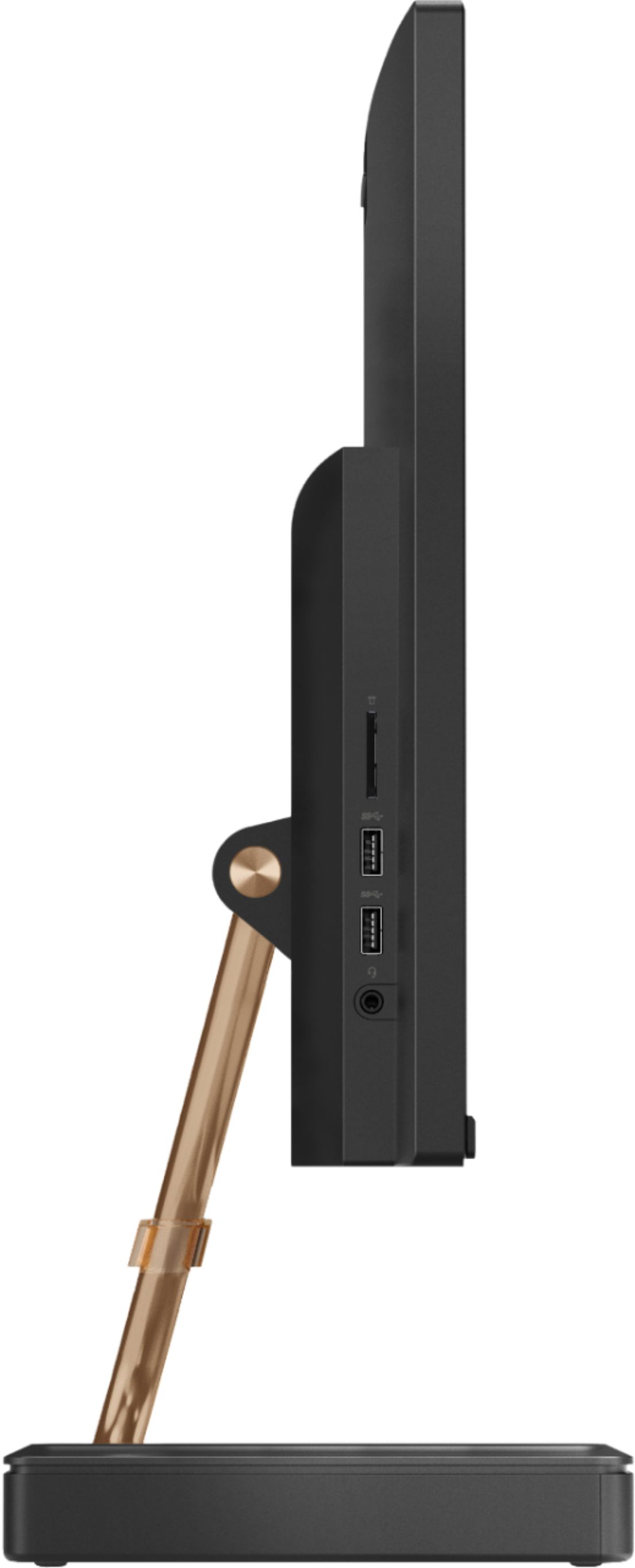
Posted .The Lenovo IdeaCentre A540-24 All-In-One system ships with two standard USB 2.0 ports, three standard USB 3.1 type ports, one HDMI-IN and one HDMI-Out port, a 3 in 1 SD card reader, compatible with SD, SDHC, SDXC smart cards and a combo audio 3.5mm jack. Taking its cue from nature, the stylish IdeaCentre A540 is inspired by the cypress tree: perfectly balanced and durable. Sacrificing nothing on performance, this all-in-one PC is an attractive addition to your home or office. With up to 93-percent screen-to-body ratio and thin, narrow bezels, the A540 minimizes visual distractions and gives you more to enjoy than a regular 24-inch display. To enhance your viewing experience even further, the A540 ships with FHD resolution.
- Pros mentioned:Quality, Touch screen
Very Impressed
||Posted . Owned for 3 weeks when reviewed.This reviewer received promo considerations or sweepstakes entry for writing a review.I've used Apple products for the past 12+ years. I recently purchased a Lenovo Yoga laptop and it changed everything. I discovered Windows features combined with a touchscreen computer were better suited for my needs so why I looked into Lenovo's desktop options. I am very impressed with this brand, set up was easy and I learn something new each time I boot up. Purchasing a laptop and this desktop was the same price as purchasing one iMac or MacBook - but I got more bang for my buck Feature highlights: face recognition to log in and shutter box closes for privacy. Screen is crystal clear and adjustable, perfect size so it does not overpower my desk and touch screen does not leave smudge prints. One flaw, the sound quality is not great. Overall quiet running system, keyboard and mouse are comfortable to use. I highly recommend you research the Lenovo brand you may just discover a new friend and you will not be disappointed.
I would recommend this to a friendBrand response from Lenovo Product Expert
Posted .Thank you for choosing the Lenovo IdeaCentre A540-24 All-In-One system. This model ships with stereo 3W speakers plus a 5W woofer for amazing audio. With the IdeaCentre A540, a truly immersive audio experience awaits. As well as certified JBL by Harman speakers, there’s Dolby premium sound, two 3W tweeters, and one 5W woofer. The result? Powerful, crystal clear, rich sound every time.
- Pros mentioned:Quality
So far, five stars
||Posted . Owned for 1 month when reviewed.This reviewer received promo considerations or sweepstakes entry for writing a review.I’ve only had the Lenovo for a few weeks and haven’t had much chance to use it. That being said, it is better than I expected. Good keyboard with a nice keyboard feel. The monitor is excellent and the solid state drive is fine, the computer boots up very quickly. Only disappointment is the sound quality - it is just average. The ad said it includes a subwoofer - I cannot hear it. Still for $500 it was a great value. For $729 which is what Best Buy was charging when I wrote this, still a decent value. The only question I have now is longevity.
I would recommend this to a friendBrand response from Lenovo Product Expert
Posted .The Lenovo IdeaCentre A540-24 All-In-One system delivers a truly immersive audio experience. There are stereo two 3W tweeters, and one 5W woofer. The result? Powerful, crystal clear, rich sound every time. If you are having issues with the audio from your Lenovo IdeaCentre A540-24 AIO, we recommend you contact Lenovo Tech Support for help with your specific issue at: 877-453-6686.
- Pros mentioned:Design, Quality, Speed
Excellent Computer For The Price
||Posted . Owned for 3 weeks when reviewed.This reviewer received promo considerations or sweepstakes entry for writing a review.I normally do not submit reviews. However, I want to give credit where credit is due. This computer is a hit for value, quality, speed, and design. I am truly ecstatic with my purchase.
I would recommend this to a friendBrand response from Lenovo Product Expert
Posted .Thank you for choosing the Lenovo IdeaCentre A540-24 All-In-One system. We are pleased to hear that the IdeaCentre A540-24 AIO meets your computing needs so well. Taking its cue from nature, the stylish IdeaCentre A540 is inspired by the cypress tree: perfectly balanced and durable. Sacrificing nothing on performance, this all-in-one PC is an attractive addition to your home or office. With up to 93-percent screen-to-body ratio and thin, narrow bezels, the A540 minimizes visual distractions and gives you more to enjoy than a regular 24-inch display. To enhance your viewing experience even further, the A540 ships with FHD resolution.
- Pros mentioned:Quality
Beautiful design & amazing performance for price
||Posted .This reviewer received promo considerations or sweepstakes entry for writing a review.I just picked this up yesterday and I'm glad I did! This thing looks and acts like it's double the price. Was pleasantly surprised by the quality of the speakers and the keyboard in particular. The lower storage in the SSD is made up for with lightning speeds starting up and launching programs. Plus it's one dang good lookin computer.
I would recommend this to a friendBrand response from Lenovo Product Expert
Posted .Thank you for choosing the Lenovo IdeaCentre A540-24 All-In-One system. We are pleased to hear that the value, features and performance of the IdeaCentre A540-124 AIO meets your computing needs so well. Taking its cue from nature, the stylish IdeaCentre A540 is inspired by the cypress tree: perfectly balanced and durable. Sacrificing nothing on performance, this all-in-one PC is an attractive addition to your home or office. With up to 93-percent screen-to-body ratio and thin, narrow bezels, the A540 minimizes visual distractions and gives you more to enjoy than a regular 24-inch display. To enhance your viewing experience even further, the A540 ships with FHD resolution.
- Pros mentioned:Quality, Touch screen
over all great pc
||Posted . Owned for 1 month when reviewed.This reviewer received promo considerations or sweepstakes entry for writing a review.touch screen, fast response, SSD driver, good camera I use it for business and know that the kids are home its been used all day and so far excellent performance, i couldn't not ask for a better computer I love it.
I would recommend this to a friendBrand response from Lenovo Product Expert
Posted .Once again, thank you for choosing the Lenovo IdeaCentre A540-24 All-In-One system. You can keep your computer running at its best by keeping the Windows 10 Operating System and all supporting BIOS files and drivers up to date. You can easily accomplish this by scanning the computer with the Lenovo Utility software available on this computer. This system has Lenovo utilities installed to help maintain the health of the device and keep the operating system software up to date. Type "Lenovo Vantage" in the Cortana Search window (if Lenovo Vantage is not installed on your device, you can download the APP and install it now). Select Lenovo Vantage from the list. In the window that opens, click on "Health and Support". In the expanded menu, select "Hardware Scan" In the window that opens, select "Run Quick Tests". This will scan your entire system for errors. Follow any directions that may pop up. If the problem continues after this scan, now click on "System Update". First select Windows update from the menu. Scan your system to be sure you have the latest version of Windows 10. Once that scan is complete, select "Additional Updates". This will scan your device to be sure there are no new BIOS/Driver updates needed. Follow any instructions that may pop up. If you ever need additional help with your Lenovo computer, we recommend you call Lenovo Tech Support at: 877-453-6686 for additional help.
- Pros mentioned:Ease of use, Quality, Touch screen
Well made
||Posted . Owned for 11 months when reviewed.This reviewer received promo considerations or sweepstakes entry for writing a review.Bought as a gift for my stepmother. Very easy to set up. Quality seems very solid. Nice looking and beautiful picture. Touch screen is responsive. She is very happy.
I would recommend this to a friend - Pros mentioned:Touch screen
Purchased and set up today
||Posted .This reviewer received promo considerations or sweepstakes entry for writing a review.The set up process was fairly easy. The only 2 issues I had were the keyboard has an on switch that is very tiny and hard to find so some people may think the keyboard doesn't work but it does. The mouse has a tiny USB insert inside the mouse where the batteries are located that must be removed and plugged into a USB port in order for the mouse to work. This is my first all in one touch screen computer and so far I am impressed with the price and quality. $499 + tax after a $230 black Friday deal seems to be a good deal. I don't plan to use the computer for gaming so 8GB of RAM should be sufficient. The computer is compact so great for tight spaces. The face recognition makes the boot up process very straight forward.
I would recommend this to a friendBrand response from Lenovo Product Expert
Posted .Thank you for choosing the Lenovo IdeaCentre A540-24 All-In-One system. We are pleased to hear that the features and performance of the IdeaCentre A540-24 AIO meets your computing needs so well. Taking its cue from nature, the stylish IdeaCentre A540 is inspired by the cypress tree: perfectly balanced and durable. Sacrificing nothing on performance, this all-in-one PC is an attractive addition to your home or office. With up to 93-percent screen-to-body ratio and thin, narrow bezels, the A540 minimizes visual distractions and gives you more to enjoy than a regular 24-inch display. To enhance your viewing experience even further, the A540 ships with FHD resolution.
- Pros mentioned:Ease of use, Speed, Touch screen
Great computer for homeschool
||Posted . Owned for 1 week when reviewed.This reviewer received promo considerations or sweepstakes entry for writing a review.We are homeschooling next year and wanted a computer that would be easy to use and this computer is exactly what we wanted. Touch screen is a plus. Fast with a great monitor
I would recommend this to a friendBrand response from Lenovo Product Expert
Posted .Thank you for choosing the Lenovo IdeaCentre A540-24 All-In-One system. We are pleased to hear that the ease of use, features and performance of the IdeaCentre A540-24 AIO meets your computing needs so well. Taking its cue from nature, the stylish IdeaCentre A540 is inspired by the cypress tree: perfectly balanced and durable. Sacrificing nothing on performance, this all-in-one PC is an attractive addition to your home or office. With up to 93-percent screen-to-body ratio and thin, narrow bezels, the A540 minimizes visual distractions and gives you more to enjoy than a regular 24-inch display. To enhance your viewing experience even further, the A540 ships with FHD resolution.
- Pros mentioned:Speed, Touch screen
Perfect for coronavirus remote working
||Posted . Owned for 3 weeks when reviewed.This reviewer received promo considerations or sweepstakes entry for writing a review.I bought this computer for the purpose of working from home due to the coronavirus. My laptop was too slow and has a small screen to use as a primary computer. I wanted something economical, as my company is not reimbursing employees for buying personal equipment. This is perfect! Super easy to set up. Large enough monitor to fit two documents on one screen (working remotely doesn't even allow us to hook up a second monitor). Fast. Good price for its value. This product has been excellent for my needs!!!
I would recommend this to a friendBrand response from Lenovo Product Expert
Posted .Thank you for choosing the Lenovo IdeaCentre A540-24 All-In-One system. We are pleased to hear that the performance of the IdeaCentre A540-24 AIO meets your computing needs so well. Taking its cue from nature, the stylish IdeaCentre A540 is inspired by the cypress tree: perfectly balanced and durable. Sacrificing nothing on performance, this all-in-one PC is an attractive addition to your home or office. With up to 93-percent screen-to-body ratio and thin, narrow bezels, the A540 minimizes visual distractions and gives you more to enjoy than a regular 24-inch display. To enhance your viewing experience even further, the A540 ships with FHD resolution.