Customer Ratings & Reviews


- Model:
- F0EM0003US
- SKU:
- 6365785
Rating by feature
- Value
Rating 4.6 out of 5 stars
- Quality
Rating 4.6 out of 5 stars
- Ease of Use
Rating 4.6 out of 5 stars
Customers are saying
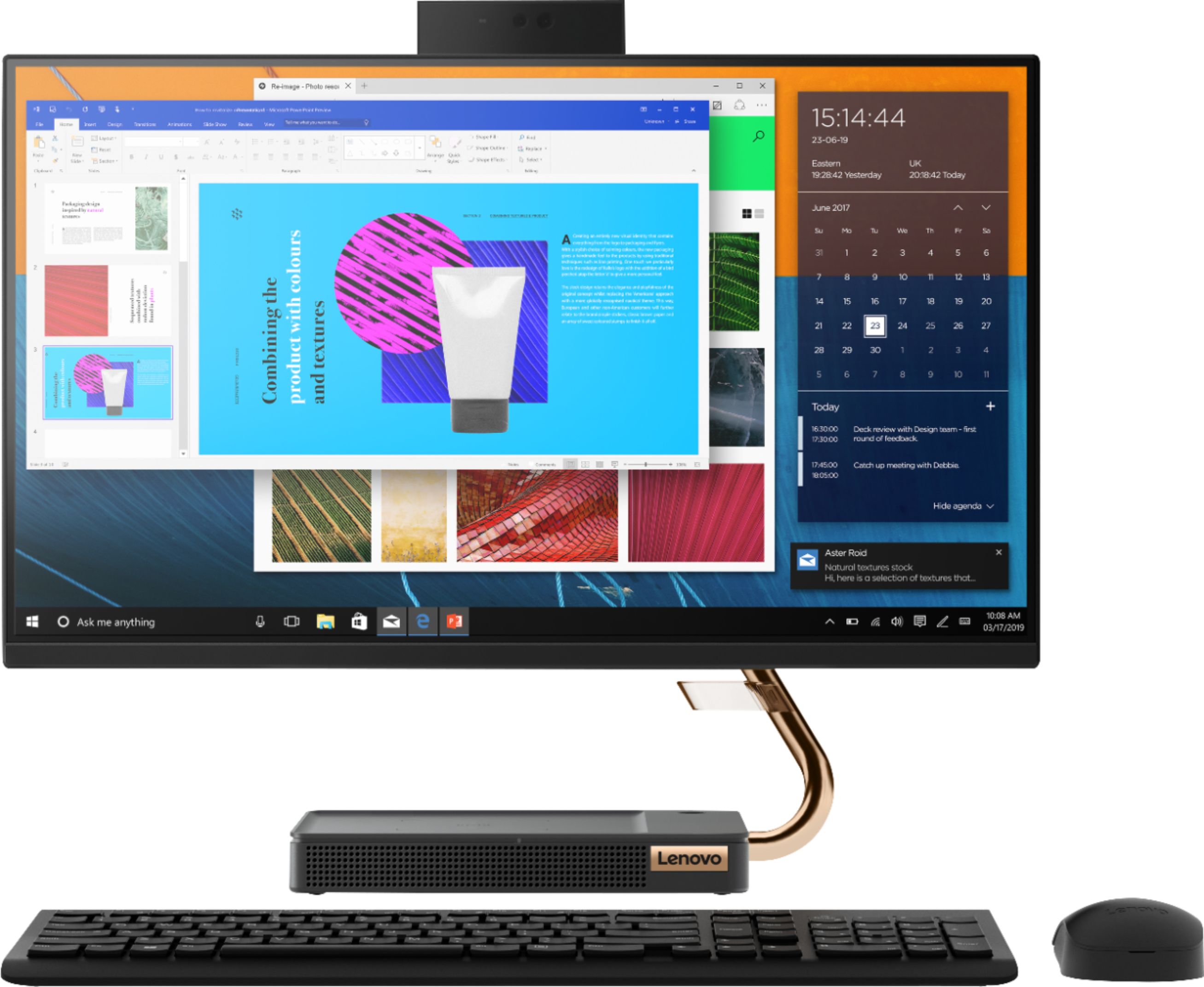
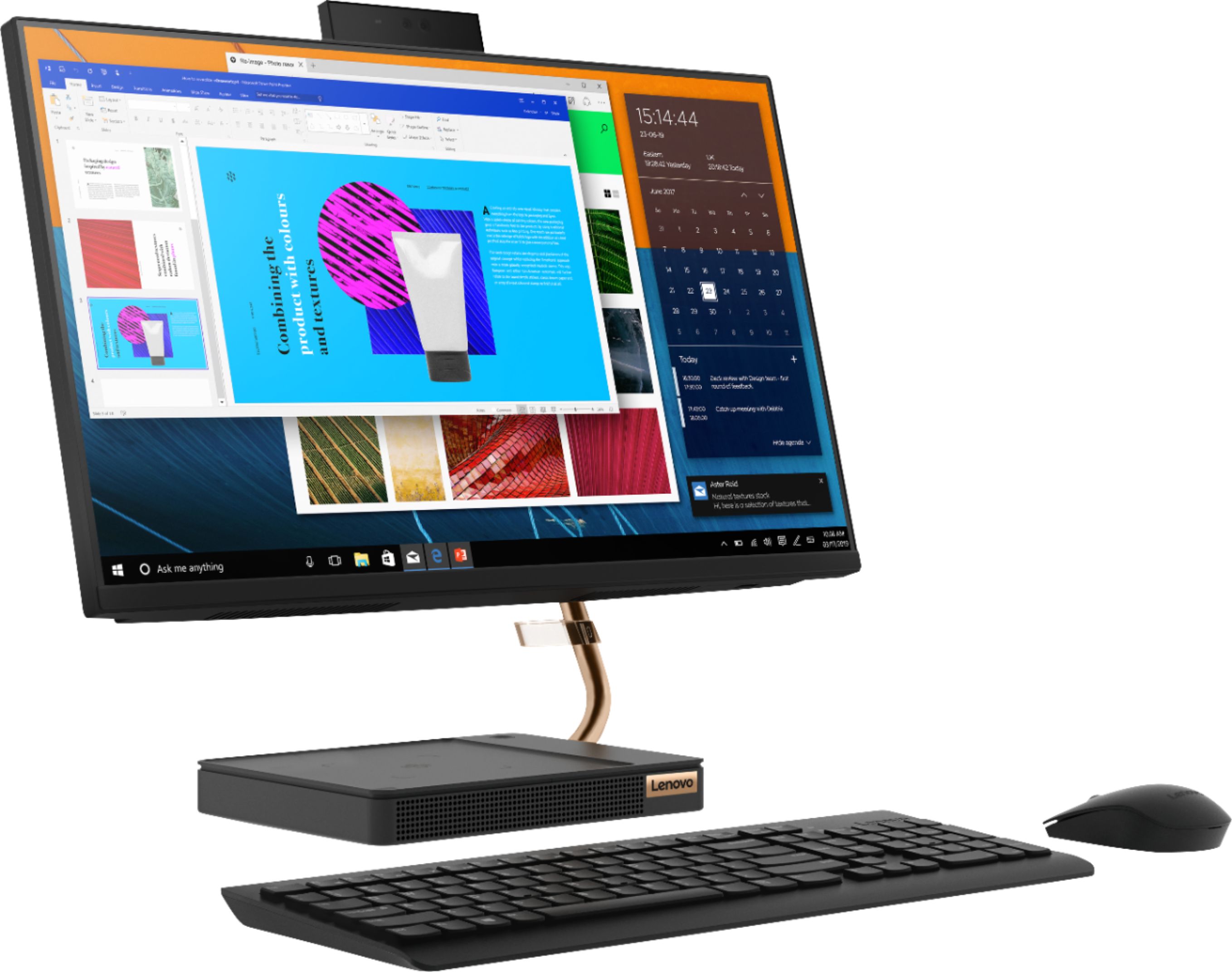
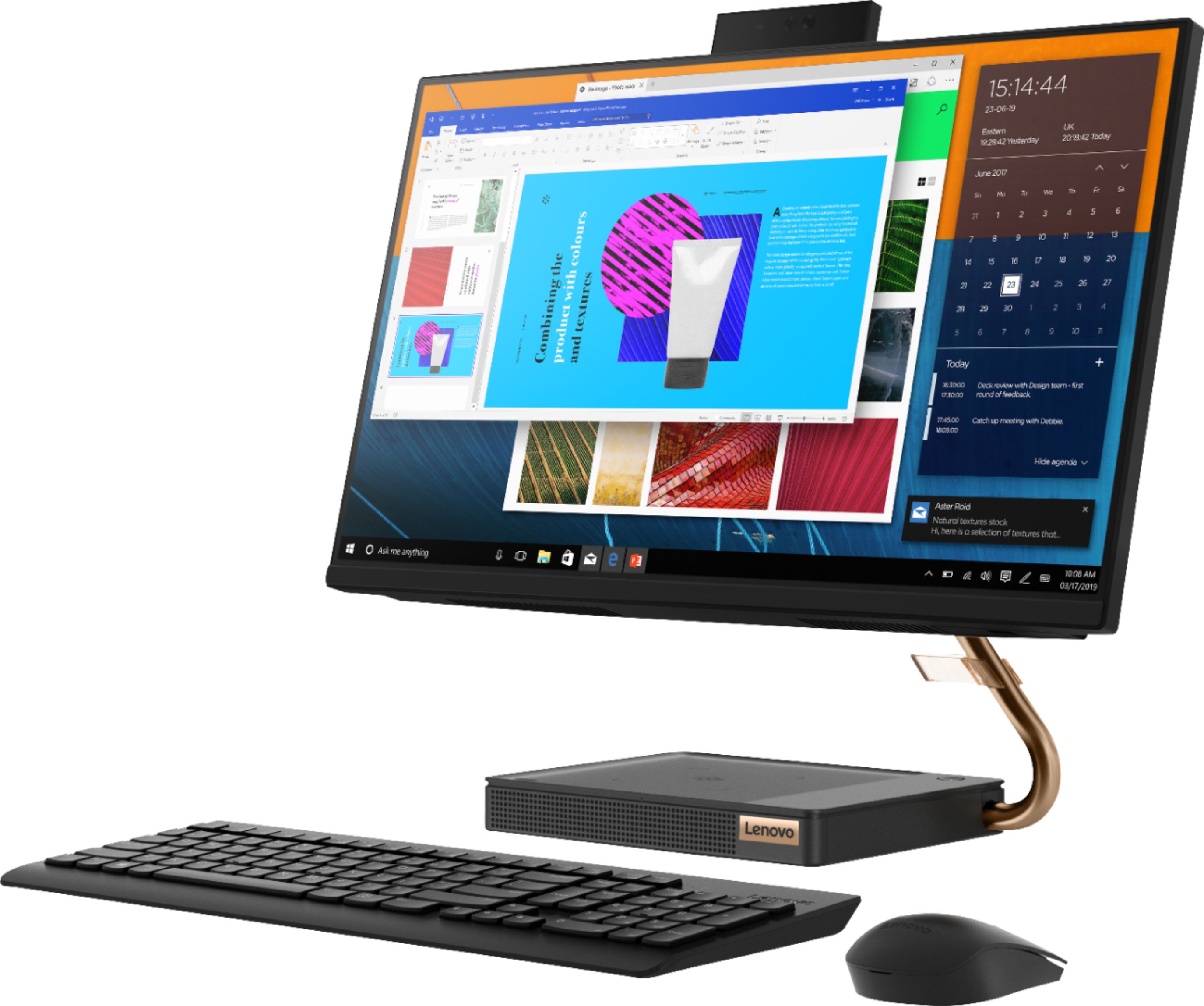
Customers are positive about the A540-24API's touch screen, ease of use, and overall quality. Many appreciate its design and size, finding it compact and suitable for their needs. The speed of the solid-state drive is also frequently praised. However, some customers mention limited storage space and a desire for more ports.
This summary was generated by AI based on customer reviews.
- Pros mentioned:Ease of use, Speed, Touch screen
Converted Lenovo from old HP!
||Posted . Owned for 1 month when reviewed.This reviewer received promo considerations or sweepstakes entry for writing a review.Very fast and the screen is great. Set up was so easy, and it connected with my old HP to down load everything. I mean everything! Awesome machine!
I would recommend this to a friend - Pros mentioned:Ease of use, Touch screen
Lenovo Touch Screen Desktop
||Posted . Owned for 1 month when reviewed.This reviewer received promo considerations or sweepstakes entry for writing a review.I had to purchase this computer all of a sudden when we were told to begin working from home from one day to the next. I knew I needed more than my laptop considering that I use two monitors at work. This was a very easy set up, very convenient and does not take up too much space on my dining room table/ office space. I do not need both screens that I use at my job, this one is big enough, it's perfect. I would highly recommend this computer to anyone that is in a situation to where they are able to work from home. It has been real handy and a life saver for work.
I would recommend this to a friendBrand response from Lenovo Product Expert
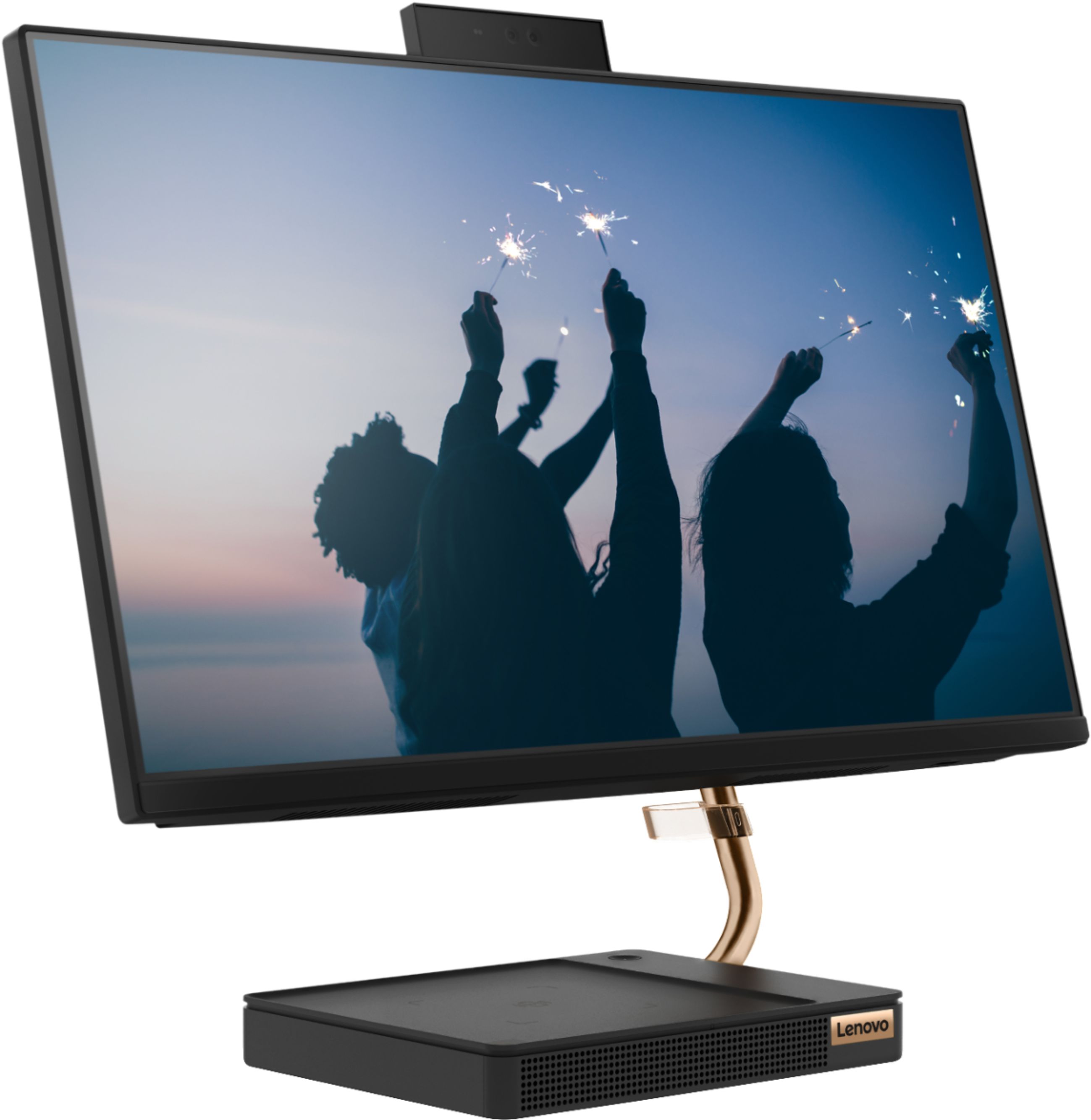
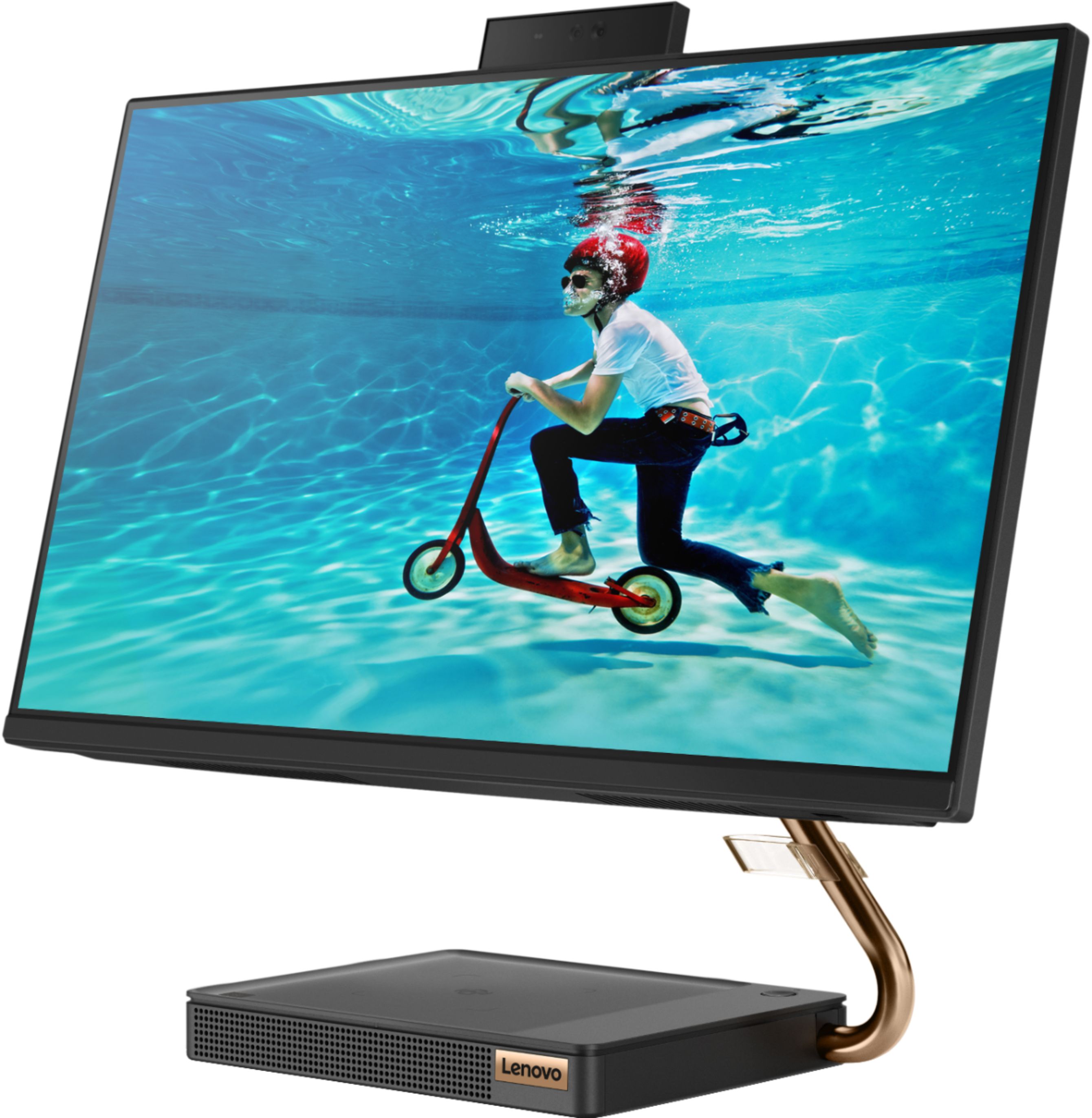
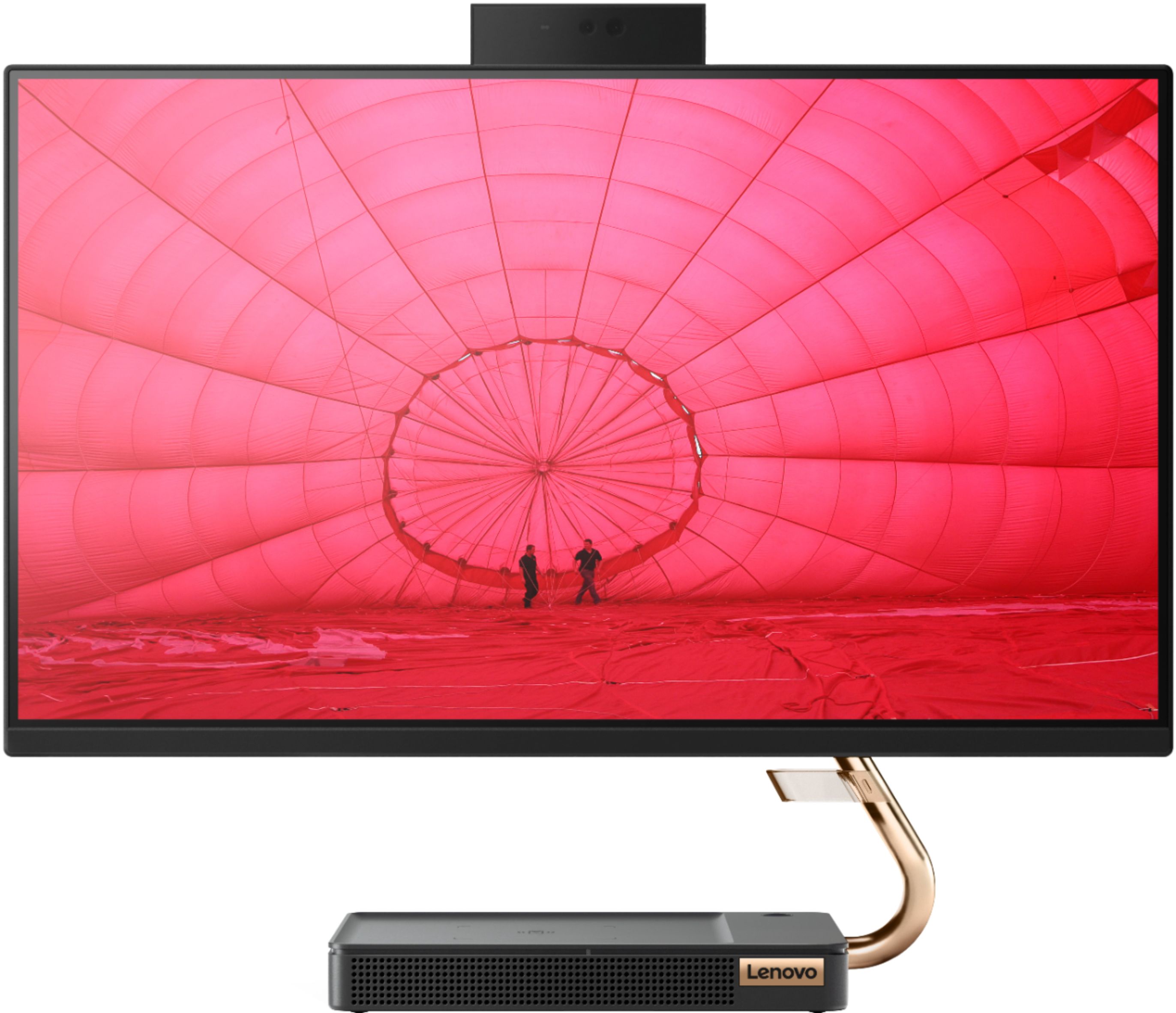
Posted .Thank you for choosing the lenovo IdeaCentre A540-24 All-In-One system. We are pleased to hear that the features and performance of the IdeaCentre A540-24 AIO meets your computing needs so well. Taking its cue from nature, the stylish IdeaCentre A540 is inspired by the cypress tree: perfectly balanced and durable. Sacrificing nothing on performance, this all-in-one PC is an attractive addition to your home or office. With up to 93-percent screen-to-body ratio and thin, narrow bezels, the A540 minimizes visual distractions and gives you more to enjoy than a regular 24-inch display. To enhance your viewing experience even further, the A540 ships with FHD resolution.

- Pros mentioned:Ease of use, Speed
Cute and easy to use
||Posted . Owned for 1 month when reviewed.This reviewer received promo considerations or sweepstakes entry for writing a review.This computer was so easy and simple to start up and setup. The colors coming through the screen is bright and pretty accurate. Runs smoothly whether I'm starting it up or browsing through the web. Haven't had the chance to start video editing on this but otherwise, it's a good computer. To top it off you get the keyboard and mouse along with the monitor. My only issue is that the stand for the monitor takes up a bit of space. So you want to make sure you have room on your desk for it and the keyboard.
I would recommend this to a friendBrand response from Lenovo Product Expert
Posted .Thank you for choosing the Lenovo IdeaCentre A540-24 All-In-One system. We are pleased to hear that the features and performance of the IdeaCentre A540-24 AIO meets your computing needs so well. Taking its cue from nature, the stylish IdeaCentre A540 is inspired by the cypress tree: perfectly balanced and durable. Sacrificing nothing on performance, this all-in-one PC is an attractive addition to your home or office. With up to 93-percent screen-to-body ratio and thin, narrow bezels, the A540 minimizes visual distractions and gives you more to enjoy than a regular 24-inch display. To enhance your viewing experience even further, the A540 ships with FHD resolution.
- Pros mentioned:Ease of use, Speed, Touch screen
Great computer for the price
||Posted . Owned for 3 weeks when reviewed.This reviewer received promo considerations or sweepstakes entry for writing a review.Easy install amazing sound and touch screen it’s a great computer haven’t found any complaints yet it’s fast and storage is great !
I would recommend this to a friendBrand response from Lenovo Product Expert
Posted .Once again, thank you for choosing the Lenovo IdeaCentre A540-24 All-In-One system. You can keep your computer running at its best by keeping the Windows 10 Operating System and all supporting BIOS files and drivers up to date. You can easily accomplish this by scanning the computer with the Lenovo Utility software available on this computer. This system has Lenovo utilities installed to help maintain the health of the device and keep the operating system software up to date. Type "Lenovo Vantage" in the Cortana Search window (if Lenovo Vantage is not installed on your device, you can download the APP and install it now). Select Lenovo Vantage from the list. In the window that opens, click on "Health and Support". In the expanded menu, select "Hardware Scan" In the window that opens, select "Run Quick Tests". This will scan your entire system for errors. Follow any directions that may pop up. If the problem continues after this scan, now click on "System Update". First select Windows update from the menu. Scan your system to be sure you have the latest version of Windows 10. Once that scan is complete, select "Additional Updates". This will scan your device to be sure there are no new BIOS/Driver updates needed. Follow any instructions that may pop up. If you ever need additional help with your Lenovo computer, we recommend you call Lenovo Tech Support at: 877-453-6686 for additional help.
- Pros mentioned:Quality, Touch screen
Performs great & has a premium finish
||Posted . Owned for 1 month when reviewed.This reviewer received promo considerations or sweepstakes entry for writing a review.Great computer! The screen is great and it's touch functionality works perfectly. The included keyboard is nice and has great feel to type on. I wasn't the biggest fan of the mouse, but am used to having back and forward buttons on a mouse. The mouse is nice, but lacks those buttons. The audio is clear and can get fairly loud too. I've been using it for about two months, and it's been working perfectly.
I would recommend this to a friendBrand response from Lenovo Product Expert
Posted .Thank you for choosing the Lenovo IdeaCentre A540-24 All-In-One system. We are pleased to hear that the features and performance of the IdeaCentre A540-24 AIO meets your computing needs so well. Taking its cue from nature, the stylish IdeaCentre A540 is inspired by the cypress tree: perfectly balanced and durable. Sacrificing nothing on performance, this all-in-one PC is an attractive addition to your home or office. With up to 93-percent screen-to-body ratio and thin, narrow bezels, the A540 minimizes visual distractions and gives you more to enjoy than a regular 24-inch display. To enhance your viewing experience even further, the A540 ships with FHD resolution.
- Pros mentioned:Ease of use, Speed, Touch screen
Great all in one
||Posted . Owned for 3 weeks when reviewed.This reviewer received promo considerations or sweepstakes entry for writing a review.This computer is easy to set up. It is fast and has a good size monitor. Loving this computer for working from home.
I would recommend this to a friend - Pros mentioned:Ease of use, Speed, Touch screen
Awesome computer
||Posted . Owned for 1 week when reviewed.This reviewer received promo considerations or sweepstakes entry for writing a review.I love this computer. I love the touch screen and the speed. It is very lightweight and easy to use.
I would recommend this to a friend - Pros mentioned:Ease of use, Speed, Touch screen
Good all in one
||Posted . Owned for 3 weeks when reviewed.This reviewer received promo considerations or sweepstakes entry for writing a review.Needed something for a second desktop. Great price and love the screen size. Starts up fast and easy to use
I would recommend this to a friendBrand response from Lenovo Product Expert
Posted .Thank you for choosing the Lenovo IdeaCentre A540-24 All-In-One system. We are pleased to hear that the value, features and performance of the IdeaCentre A540-24 AIO meets your computing needs so well. Taking its cue from nature, the stylish IdeaCentre A540 is inspired by the cypress tree: perfectly balanced and durable. Sacrificing nothing on performance, this all-in-one PC is an attractive addition to your home or office. With up to 93-percent screen-to-body ratio and thin, narrow bezels, the A540 minimizes visual distractions and gives you more to enjoy than a regular 24-inch display. To enhance your viewing experience even further, the A540 ships with FHD resolution.
- Pros mentioned:Design, Speed
Impressed
||Posted . Owned for 3 weeks when reviewed.This reviewer received promo considerations or sweepstakes entry for writing a review.My first all in one desktop. Bought this one mainly for the design as it was going in a hotel business center. It’s not slow so great for everyday stuff. This is my first time using AMD so I was impressed. Only thing I didn’t like was I wished the power cable didn’t have a brick. It kinda took away from the all in one clean look since I had to keep the brick behind the computer. would’ve been better if it was just a cable. But I understand that the computer and the screen both need power so it might be necessary to have the brick.
I would recommend this to a friend - Pros mentioned:Ease of use, Speed
Great computer
||Posted . Owned for 3 weeks when reviewed.This reviewer received promo considerations or sweepstakes entry for writing a review.Love this computer. Easy setup. Really fast. Also love that it dont take up alot of space.
I would recommend this to a friendBrand response from Lenovo Product Expert
Posted .Thank you for choosing the Lenovo IdeaCentre A540-24 All-In-One system. We are pleased to hear that the easy setup, features and performance of the IdeaCentre A540-24 AIO meets your computing needs so well. Taking its cue from nature, the stylish IdeaCentre A540 is inspired by the cypress tree: perfectly balanced and durable. Sacrificing nothing on performance, this all-in-one PC is an attractive addition to your home or office. With up to 93-percent screen-to-body ratio and thin, narrow bezels, the A540 minimizes visual distractions and gives you more to enjoy than a regular 24-inch display. To enhance your viewing experience even further, the A540 ships with FHD resolution.
- Pros mentioned:Speed
Solid State Drive surprised me
||Posted . Owned for 1 month when reviewed.This reviewer received promo considerations or sweepstakes entry for writing a review.This is the first computer that we've owned that had a solid state drive. I was a little concerned at purchase due to the reduced storage of the hard drive, but with a lot more stored up in the cloud I thought I'd go for it. I have also been pleasantly surprised with the speed at start up and shut down. Really good purchase and the Ryzen 3-Series processor has not disappointed.
I would recommend this to a friendBrand response from Lenovo Product Expert
Posted .Once again, thank you for choosing the Lenovo IdeaCentre A540-24 All-In-One system. You can keep your computer running at its best by keeping the Windows 10 Operating System and all supporting BIOS files and drivers up to date. You can easily accomplish this by scanning the computer with the Lenovo Utility software available on this computer. This system has Lenovo utilities installed to help maintain the health of the device and keep the operating system software up to date. Type "Lenovo Vantage" in the Cortana Search window (if Lenovo Vantage is not installed on your device, you can download the APP and install it now). Select Lenovo Vantage from the list. In the window that opens, click on "Health and Support". In the expanded menu, select "Hardware Scan" In the window that opens, select "Run Quick Tests". This will scan your entire system for errors. Follow any directions that may pop up. If the problem continues after this scan, now click on "System Update". First select Windows update from the menu. Scan your system to be sure you have the latest version of Windows 10. Once that scan is complete, select "Additional Updates". This will scan your device to be sure there are no new BIOS/Driver updates needed. Follow any instructions that may pop up. If you ever need additional help with your Lenovo computer, we recommend you call Lenovo Tech Support at: 877-453-6686 for additional help.
- Pros mentioned:Quality, Touch screen
Perfect for home, office, anywhere.
||Posted . Owned for 2 months when reviewed.This reviewer received promo considerations or sweepstakes entry for writing a review.All-in-one equals less clutter and more time to focus on your work. Perfect size screen. Great picture and resolution. JBL sound speakers will impress all. Sleek keyboard. Mouse that you can calibrate cursor speed by a switch at the bottom. Retractable web cam and best part is the the base that is an actual IQ wireless charger for supported devices.
I would recommend this to a friendBrand response from Lenovo Product Expert
Posted .Thank you for choosing the Lenovo IdeaCentre A540-24 All-In-One system. We are pleased to hear that the features and performance of the IdeaCentre A540-24 AIO meets your computing needs so well.
- Pros mentioned:Design, Speed
Great desktop for remote teaching
||Posted . Owned for 1 month when reviewed.This reviewer received promo considerations or sweepstakes entry for writing a review.This desktop has all the bells and whistles most people will ever need. First of all the design is sleek and modern looking, Secondly the screen is bright, yet easy on the eyes and lastly the processor is fast and can handle many open tabs. I am very satisfied with my purchase so far.
I would recommend this to a friendBrand response from Lenovo Product Expert
Posted .Thank you for choosing the Lenovo IdeaCentre A540-24 All-In-One system, model number F0EM0003US. We are pleased to hear that the features and performance of the IdeaCentre A540-24 AIO meets your computing needs so well. Taking its cue from nature, the stylish IdeaCentre A540 is inspired by the cypress tree: perfectly balanced and durable. Sacrificing nothing on performance, this all-in-one PC is an attractive addition to your home or office. With up to 93-percent screen-to-body ratio and thin, narrow bezels, the A540 minimizes visual distractions and gives you more to enjoy than a regular 24-inch display. To enhance your viewing experience even further, the A540 ships with FHD resolution.
- Pros mentioned:Ease of use, Speed
Great for Home Use
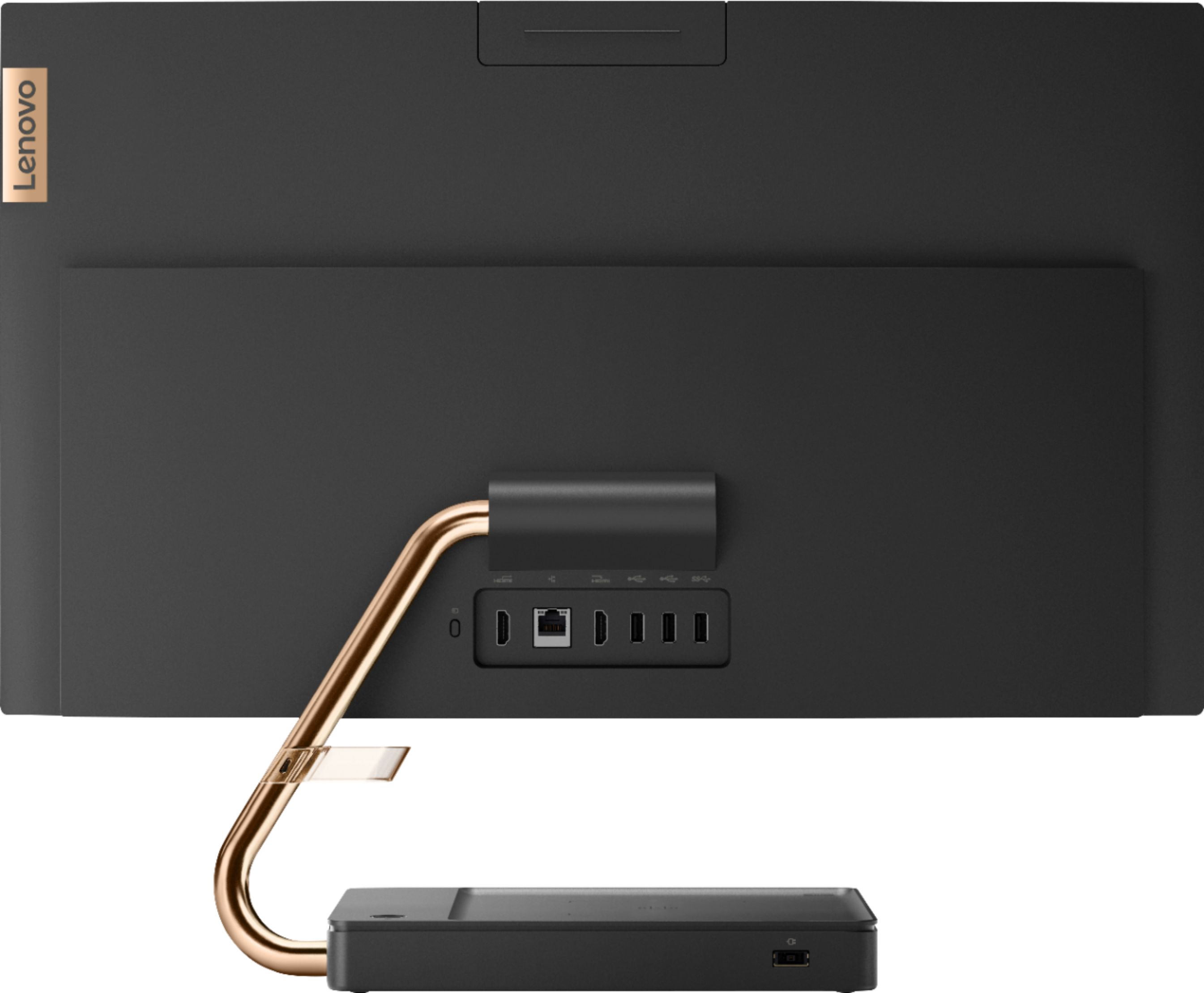
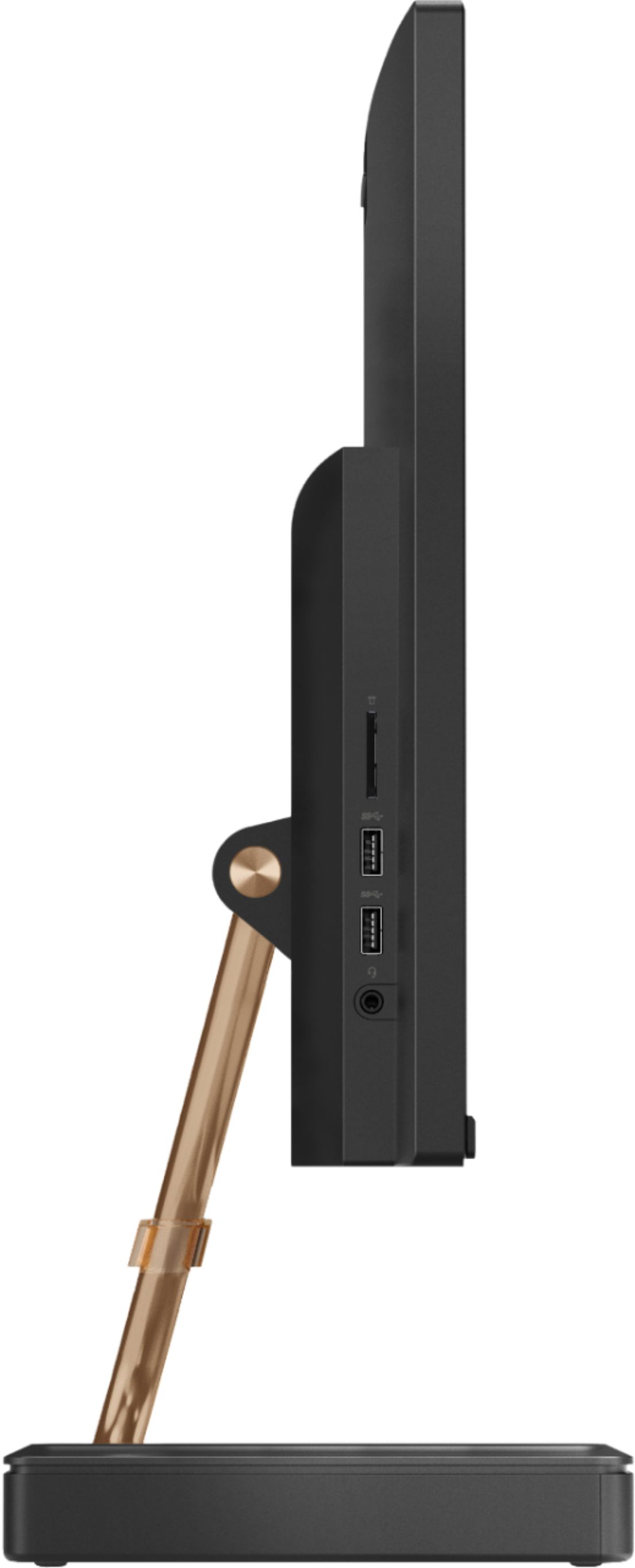
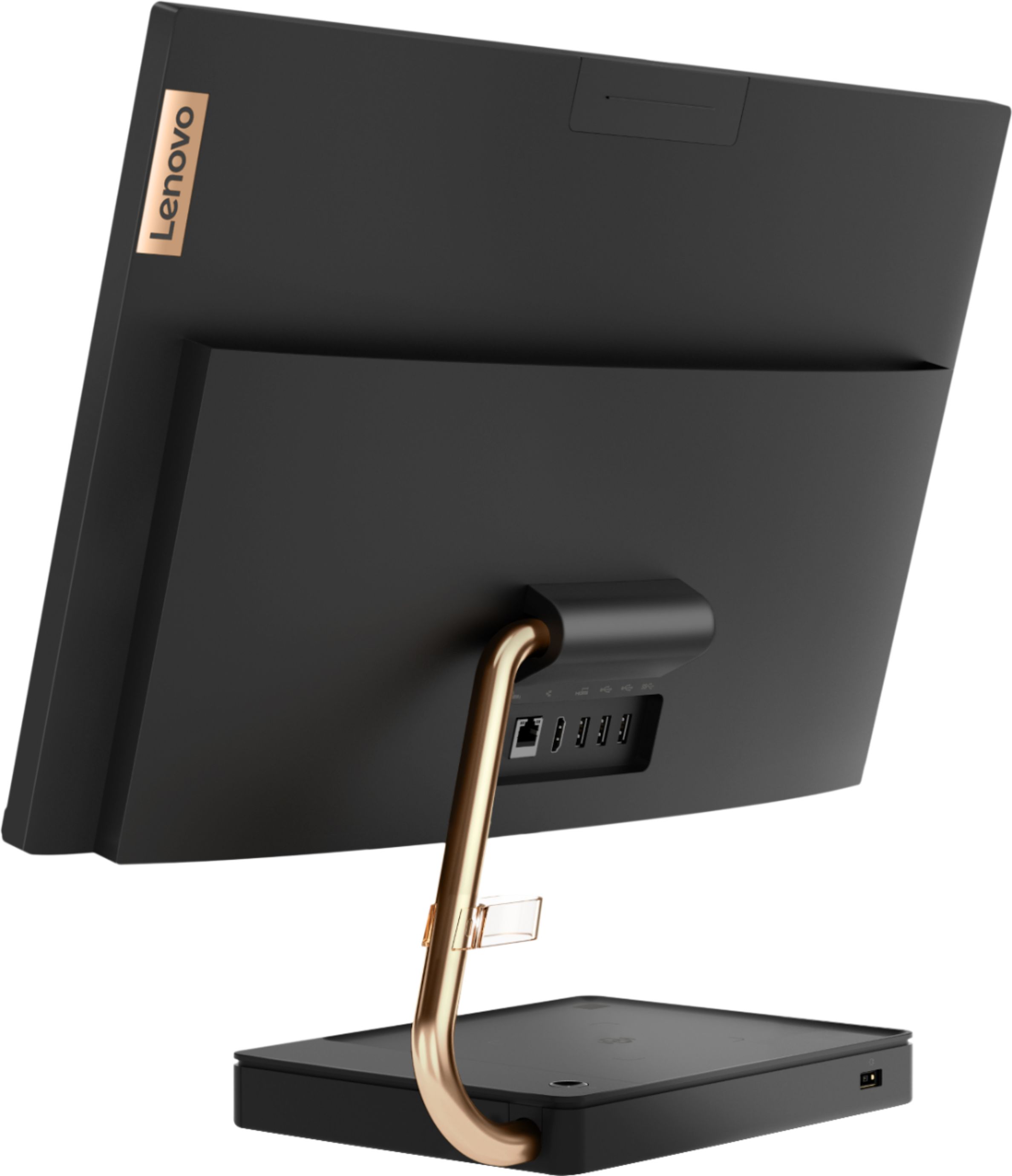
||Posted . Owned for 1 month when reviewed.This reviewer received promo considerations or sweepstakes entry for writing a review.Bought this for my parents to use for email, Zoom, etc. Easy to set up, fast enough for daily tasks and I love the keyboard/touchscreen combo. Downside is all USB ports are in teh back making it difficult to connect peripherals. Besides that, great overall computer
I would recommend this to a friendBrand response from Lenovo Product Expert
Posted .Thank you for choosing the Lenovo IdeaCentre A540-24 All-In-One system for your parents. You can extend USB accessibility by using a USB Hub like this one, this is just one example, there are many varieties available: https://www.bestbuy.com/site/j5create-4-port-usb-3-0-hub-black/4445016.p?skuId=4445016
- Pros mentioned:Quality
Good for what we need.
||Posted . Owned for 1 month when reviewed.This reviewer received promo considerations or sweepstakes entry for writing a review.Bought it for my 4th grader for distance learning. So far so good. It doesn't take up much space. Keyboard is comfortable and seems durable. I like that it's not very bulky and is rechargeable, but the mouse needs batteries though. Overall, glad we made the purchase. Reasonable price and does the job.
I would recommend this to a friendBrand response from Lenovo Product Expert
Posted .Thanks for choosing the Lenovo IdeaCentre A540 All-In-One. We are pleased to hear the features and performance of the A540 All-In-One are meeting your computing needs so well!
- Pros mentioned:Ease of use, Speed
Fast and Quiet
||Posted . Owned for 1 month when reviewed.This reviewer received promo considerations or sweepstakes entry for writing a review.This Lenovo desktop is incredibly fast. The reason is that it did not come with unnecessary pre-installed programs and apps. Booting it up-- powering it up to opening the browser- takes less than 30 seconds. Setting it up was also a breeze, and it's ultra quiet. I'm loving it so far.
I would recommend this to a friend - Pros mentioned:Speed, Touch screen
Works great for small business.
||Posted . Owned for 1 month when reviewed.This reviewer received promo considerations or sweepstakes entry for writing a review.Boots up fast, works well with my business software. Blinks when loading a lot of web images at once (like if you're scrolling through an article, it will turn black for a second to load). Touch screen is great for designing. Much faster than my 9 year old laptop. I'm happy.
I would recommend this to a friendBrand response from Lenovo Product Expert
Posted .Thank you for choosing the Lenovo IdeaCentre A540-24 All-In-One system. With regard to the blinking of images when on the web, this is a function of the amount of information being processed online, but be sure to have the latest version of Windows 10 on the computer and update all of the BIOS files and drivers up to that latest version of Windows 10 to keep your computer operating optimally. You can easily accomplish this by scanning the computer with the Lenovo Utility software available on this computer. This system has Lenovo utilities installed to help maintain the health of the device and keep the operating system software up to date. Type "Lenovo Vantage" in the Cortana Search window (if Lenovo Vantage is not installed on your device, you can download the APP and install it now). Select Lenovo Vantage from the list. In the window that opens, click on "Health and Support". In the expanded menu, select "Hardware Scan" In the window that opens, select "Run Quick Tests". This will scan your entire system for errors. Follow any directions that may pop up. If the problem continues after this scan, now click on "System Update". First select Windows update from the menu. Scan your system to be sure you have the latest version of Windows 10. Once that scan is complete, select "Additional Updates". This will scan your device to be sure there are no new BIOS/Driver updates needed. Follow any instructions that may pop up. If the issue still continues after these updates, we recommend you call Lenovo Tech Support at: 877-453-6686 for additional help.
- Pros mentioned:Design, Ease of use
Learning to use Templates; Love it!
||Posted . Owned for 3 weeks when reviewed.This reviewer received promo considerations or sweepstakes entry for writing a review.I decided it was time to purchase a new Computer and I am so happy I did. I am still learning the workings of the system; but it is kind of easy to navigate. I also have the Geek Squad available for assistance. This is a sleek model and I love the base of the computer.
I would recommend this to a friendBrand response from Lenovo Product Expert
Posted .Thank you for choosing the Lenovo IdeaCentre A540-24 All-In-One system. We are pleased to hear that the IdeaCentre A540-24 AIO is working out so well for you.
- Pros mentioned:Ease of use, Touch screen
Awesome
||Posted . Owned for 1 month when reviewed.This reviewer received promo considerations or sweepstakes entry for writing a review.I bought this for our family, however was forced to stay home and now I use this for work. I love it , my kids love it it’s a great computer for all uses. Out of box ready to go just plug it in and set it up. I’m super happy we purchased this amazing desktop, it’s awesome!
I would recommend this to a friendBrand response from Lenovo Product Expert
Posted .Once again, thank you for choosing the Lenovo IdeaCentre A540-24 All-In-One system for your family. You can keep your computer running at its best by keeping the Windows 10 Operating System and all supporting BIOS files and drivers up to date. You can easily accomplish this by scanning the computer with the Lenovo Utility software available on this computer. This system has Lenovo utilities installed to help maintain the health of the device and keep the operating system software up to date. Type "Lenovo Vantage" in the Cortana Search window (if Lenovo Vantage is not installed on your device, you can download the APP and install it now). Select Lenovo Vantage from the list. In the window that opens, click on "Health and Support". In the expanded menu, select "Hardware Scan" In the window that opens, select "Run Quick Tests". This will scan your entire system for errors. Follow any directions that may pop up. If the problem continues after this scan, now click on "System Update". First select Windows update from the menu. Scan your system to be sure you have the latest version of Windows 10. Once that scan is complete, select "Additional Updates". This will scan your device to be sure there are no new BIOS/Driver updates needed. Follow any instructions that may pop up. If you ever need additional help with your Lenovo computer, we recommend you call Lenovo Tech Support at: 877-453-6686 for additional help.
- Pros mentioned:Design
Love it for over all design
||Posted . Owned for 3 weeks when reviewed.This reviewer received promo considerations or sweepstakes entry for writing a review.Was buying this for my father in law for xmas gift but almost end up keeping it for ourselves. From the design perspective, the system is very stylish and looks far more expensive than the price range. Performance was quite fast for general web browsing, office Profession apps and love the fact that very few bloatware to distract or slow down the system. My kids love the system display because of thin edge touch screen, was almost like playing on a giant ipad for drawing and doodle type kids game. Speaker was loud and theater like with good base, and Netflix, amazon video plays well with great color and contrast. The unit runs smoothly with no glitch from the start. So positively impressed... great work Lenovo!!
I would recommend this to a friendBrand response from Lenovo Product Expert
Posted .Thank you for choosing the lenovo IdeaCentre A540-24 All-In-One system. We are pleased to hear that the features and performance are working out so well. Taking its cue from nature, the stylish IdeaCentre A540 is inspired by the cypress tree: perfectly balanced and durable. Sacrificing nothing on performance, this all-in-one PC is an attractive addition to your home or office. With up to 93-percent screen-to-body ratio and thin, narrow bezels, the A540 minimizes visual distractions and gives you more to enjoy than a regular 24-inch display. To enhance your viewing experience even further, the A540 ships with FHD resolution.