Customer Ratings & Reviews
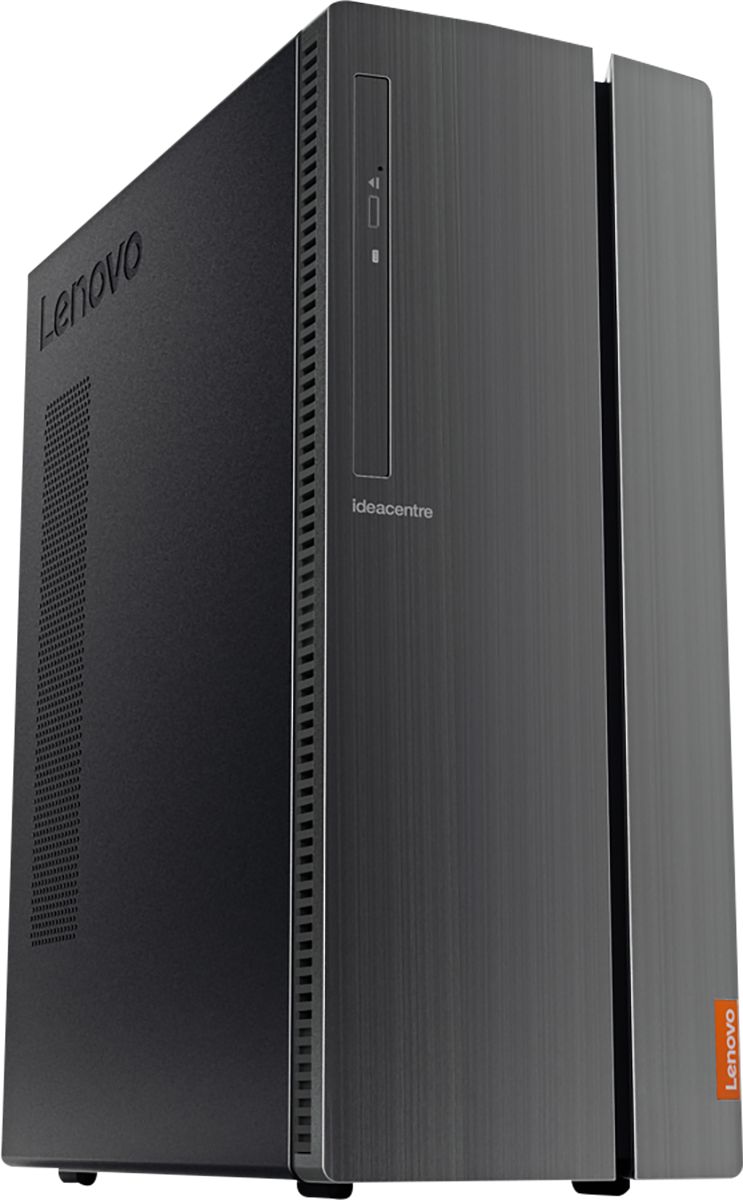
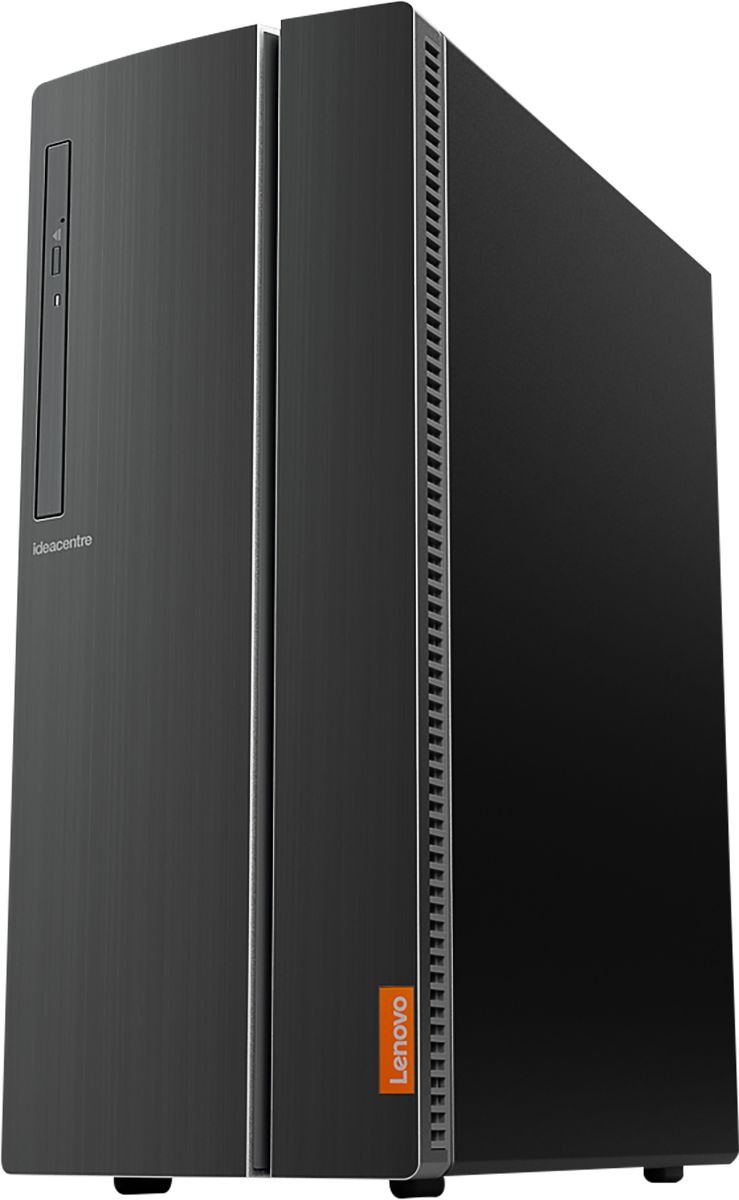
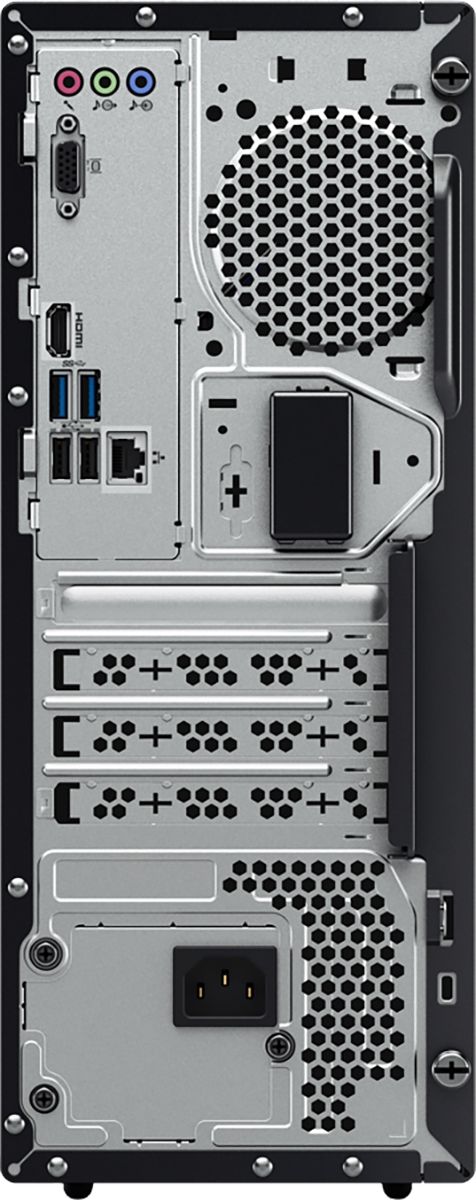
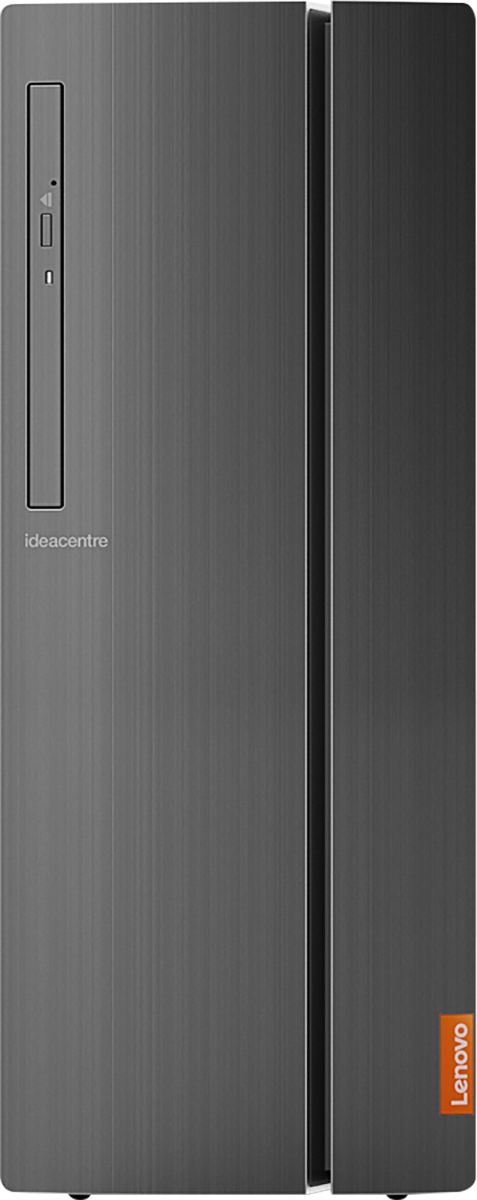
- Model:
- 90HV0005US
- SKU:
- 6203018
Rating by feature
- Value
Rating 4.5 out of 5 stars
- Quality
Rating 4.6 out of 5 stars
- Ease of Use
Rating 4.6 out of 5 stars
Customers are saying
Customers are positive about the IdeaCentre 510A's performance, ease of use, and affordability. Many appreciate its ample storage and memory, along with the straightforward setup process. However, some customers reported that the fan can be noisy. A few also noted limitations with the graphics card for demanding applications.
This summary was generated by AI based on customer reviews.
- Pros mentioned:Performance, Speed
Great Hardware for the Price
||Posted .This reviewer received promo considerations or sweepstakes entry for writing a review.My first Lenovo purchase "ever" and I must admit that I'm extremely impressed with everything about the hardware. It competes "head to head" with IBM, Dell, Gateway with speed and performance. I was just looking for a generic disposable Windows platform for developing software and came away with a very nice developers IDE.
I would recommend this to a friendBrand response from Lenovo Product Expert
Posted .Thank you for choosing the Lenovo IdeaCentre 510A desktop. We are pleased to hear that the value, features and performance of the IdeaCentre 510A meets your computing needs so well.

- Pros mentioned:Ease of use, Performance
Fast and care free.
||Posted . Owned for 3 weeks when reviewed.This reviewer received promo considerations or sweepstakes entry for writing a review.Impressed by how easy the setup was. Runs games and programs at speed without any hiccups. Exceeded my expectations.
I would recommend this to a friendBrand response from Lenovo Product Expert
Posted .Thank you for choosing the Lenovo IdeaCentre 510A Desktop, model number 90HV0005US. This configuration ships with the powerful, 6-Core/12-Thread Intel Core i7-8700 processor, with a base speed of 3.2GHz and a Turbo Boost Speed of 4.6GHz. This processor is supported by 12GB DDR4-2666MHz RAM. This system can handle many of today's most demanding programs.

- Pros mentioned:Ram, Speed
Great Computer
||Posted . Owned for 3 weeks when reviewed.This reviewer received promo considerations or sweepstakes entry for writing a review.This is my second Lenovo computer. This one has more memory and a faster processor. I would recommend this to anyone who needs basic computing needs. Not for hardcore gamers.
I would recommend this to a friendBrand response from Lenovo Product Expert
Posted .Once again, thank you for choosing the Lenovo IdeaCentre 510A Desktop. We appreciate your loyalty to the Lenovo Brand. You can keep your computer running at its best by keeping the Windows 10 Operating System and all supporting BIOS files and drivers up to date. You can easily accomplish this by scanning the computer with the Lenovo Utility software available on this computer. This system has Lenovo utilities installed to help maintain the health of the device and keep the operating system software up to date. Type "Lenovo Vantage" in the Cortana Search window (if Lenovo Vantage is not installed on your device, you can download the APP and install it now). Select Lenovo Vantage from the list. In the window that opens, click on "Health and Support". In the expanded menu, select "Hardware Scan" In the window that opens, select "Run Quick Tests". This will scan your entire system for errors. Follow any directions that may pop up. If the problem continues after this scan, now click on "System Update". First select Windows update from the menu. Scan your system to be sure you have the latest version of Windows 10. Once that scan is complete, select "Additional Updates". This will scan your device to be sure there are no new BIOS/Driver updates needed. Follow any instructions that may pop up. If you ever need additional help with your Lenovo computer, we recommend you call Lenovo Tech Support at: 877-453-6686 for additional help.
- Pros mentioned:Speed
Great Machine
||Posted .This reviewer received promo considerations or sweepstakes entry for writing a review.I've had it for about a month now and so far it's working great. It's very fast and I like that it didn't come with a bunch of bloatware. I use it for browsing the Internet, as well as photo and video editing and graphic design using Photoshop, After Effects, and other design software. It's a great machine for the price. Lenovo is the ONLY brand I trust for computers and they're the best value, in my opinion.
I would recommend this to a friendBrand response from Lenovo Product Expert
Posted .Thank you for choosing the Lenovo IdeaCentre 510A desktop. We are pleased to hear that the features and performance of the IdeaCentre 510A meets your computing needs so well. Lenovo is the number #1 manufacturer of computers in the World:
https://venturebeat.com/2019/01/10/gartner-and-idc-hp-and-lenovo-shipped-the-most-pcs-in-2018-but-total-numbers-fell/
- Pros mentioned:Performance, Speed
GREAT VALUE
||Posted . Owned for 1 month when reviewed.This reviewer received promo considerations or sweepstakes entry for writing a review.Works GREAT! Great Speed and Fast Response Time! Plenty of Storage for my thousands of photos!
I would recommend this to a friendBrand response from Lenovo Product Expert
Posted .Thank you for choosing the Lenovo IdeaCentre 510A Desktop, model number 90HV0005US. We are pleased to hear that the performance and features of the IdeaCentre 510A meets your computing needs so well. This configuration ships with the 6-Core/12-Thread Intel Core i7-8700 processor, with a base speed of 3.2GHz and a Turbo Boost Speed of up to 4.6GHz. This processor is supported by 12GB DDR4-2666MHz RAM. There is a 1TB mechanical hard drive for maximum storage space. This configuration can handle many of today's most demanding software.
- Pros mentioned:Performance
Fast
||Posted . Owned for 3 weeks when reviewed.This reviewer received promo considerations or sweepstakes entry for writing a review.This computer is great fast easy setup lots of memory I use it for business I hooked it up to a 50 inch TV perfect to read blue prints.
I would recommend this to a friendBrand response from Lenovo Product Expert
Posted .Thank you for choosing the Lenovo IdeaCentre 510A Desktop, model number 90HV0005US. This configuration ships with the powerful, 6-Core/12-Thread Intel Core i7-8700 processor, with a base speed of 3.2GHz and a Turbo Boost Speed of 4.6GHz. This processor is supported by 12GB DDR4-2666MHz RAM. This system can handle many of today's most demanding programs.
- Pros mentioned:Performance, Ram
Amazing
||Posted .This reviewer received promo considerations or sweepstakes entry for writing a review.This PC is super fast. I love this product. This my first Lenovo and I don't think I'll ever switch to another. It's perfect for all my phot editing needs. The HD could be bigger but overall this is a fine product. I like that it has DDR4 RAM and is easily doubled for faster performance.
I would recommend this to a friendBrand response from Lenovo Product Expert
Posted .Thank you for choosing the lenovo IdeaCentre 510A desktop. This configuration ships with a 1TB hard drive. We are pleased to hear that the IdeaCentre 510A meets your computing needs so well.
- Pros mentioned:SpeedCons mentioned:Graphics card
Fast and small
||Posted .This reviewer received promo considerations or sweepstakes entry for writing a review.Great size computer! Compact but FAST! Not for gaming as the graphics card is on board only. Great for everyday use, did I say fast?
I would recommend this to a friendBrand response from Lenovo Product Expert
Posted .Thank you for choosing the Lenovo IdeaCentre 510A desktop. We are pleased to hear that the performance of the IdeaCentre 510A meets your computing needs so well. Graphics processing within this model configuration is integrated within the Intel Core i7-8700 processor. It is the Intel UHD Graphics 630 version.
- Pros mentioned:Performance, Ram
Great performance as expected from an $800 unit
||Posted .This reviewer received promo considerations or sweepstakes entry for writing a review.Great performance as expected from an $800 unit. Plenty of ram and storage for anything you request from a business unit.
I would recommend this to a friendBrand response from Lenovo Product Expert
Posted .Thank you for choosing the Lenovo IdeaCentre 510A desktop. We are pleased to hear that the features and performance of the IdeaCentre 510A meets your computing needs so well.
- Pros mentioned:Performance, Speed
awesome buy
||Posted . Owned for 1 month when reviewed.This reviewer received promo considerations or sweepstakes entry for writing a review.Does what it is meant to do. It is really fast with the click of a button. I upgraded my old computer that was an i5 to an i7 and man there is a difference. I have had it for about 1 months an so far no problems. I use this computer for my office and it keeps up with 2 monitors with a lot of open windows as far as ready plans and working with excel spreed sheet. Surfing the web is a breeze. I would recommend this computer.
I would recommend this to a friendBrand response from Lenovo Product Expert
Posted .Thank you for choosing the Lenovo IdeaCentre 510A Desktop, model number 90HV0005US. We are pleased to hear that the performance of the IdeaCentre 510A meets your computing needs so well. This configuration ships with the powerful, 6-Core/12-Thread Intel Core i7-8700 processor, with a base speed of 3.2GHz and a Turbo Boost Speed of 4.6GHz. This processor is supported by 12GB DDR4-2666MHz RAM. This system can handle many of today's most demanding programs.
- Pros mentioned:Performance
Great computer.
||Posted .This reviewer received promo considerations or sweepstakes entry for writing a review.My old Lenovo was 6 years old and slowing down so I decided to replace it. I hope this Lenovo lasts as long and gives me no problems. Customer Service for Lenovo on the internet wants to charge you for anything I found out. So I called Customer Service and they were able to walk me thru my problem. Except when I had to call back this time the man I spoke with was rude. All I was doing was guessing why it was taking so long to reset my computer.
I would recommend this to a friendBrand response from Lenovo Product Expert
Posted .Thank you for choosing the Lenovo IdeaCentre 510A desktop. We are sorry to hear that you had a poor experience with Customer Service. Your Lenovo IdeaCentre 510A comes with Lenovo Utility software installed that can help you maintain the health of your computer. It is easy to use. This system has Lenovo utilities installed to help maintain the health of the device and keep the operating system software up to date. Type "Lenovo Vantage" in the Cortana Search window (if Lenovo Vantage is not installed on your device, you can download the APP and install it now). Select Lenovo Vantage from the list. In the window that opens, click on "Health and Support". In the expanded menu, select "Hardware Scan" In the window that opens, select "Run Quick Tests". This will scan your entire system for errors. Follow any directions that may pop up. If the problem continues after this scan, now click on "System Update". First select Windows update from the menu. Scan your system to be sure you have the latest version of Windows 10. Once that scan is complete, select "Additional Updates". This will scan your device to be sure there are no new BIOS/Driver updates needed. Follow any instructions that may pop up. If the issue still continues after these updates, we recommend you call Lenovo Tech Support at: 877-453-6686 for additional help.
- Pros mentioned:Price
With the price..
||Posted . Owned for 10 months when reviewed.This reviewer received promo considerations or sweepstakes entry for writing a review.Worth the price & enjoying it without issues, small compact & quick set up..
I would recommend this to a friend - Pros mentioned:Price
Good computer
||Posted . Owned for 9 months when reviewed.This reviewer received promo considerations or sweepstakes entry for writing a review.This computer worked very well for me and it was pretty decently priced. Used this for my office and i have no complaints. Would buy again.
I would recommend this to a friend - Pros mentioned:Speed
Replaced my Dell
||Posted . Owned for 5 months when reviewed.This reviewer received promo considerations or sweepstakes entry for writing a review.Purchased this in early beginning of my tax season to replace my five year old Dell i7 which started having intermittent and difficult to diagnose problems requiring three visits to the shop. Had Geek squad install a SD drive as primary and using the installed hard drive for backups. Starts up lighting fast. Has enough USB ports where I don't need connector adaptors.
I would recommend this to a friendBrand response from Lenovo Product Expert
Posted .Once again, thank you for choosing the Lenovo IdeaCentre 510A Desktop. You can keep your computer running at its best by keeping the Windows 10 Operating System and all supporting BIOS files and drivers up to date. You can easily accomplish this by scanning the computer with the Lenovo Utility software available on this computer. Just type "Lenovo Vantage" in the Cortana Search window (if Lenovo Vantage is not installed on your device, you can download the APP and install it now). Select Lenovo Vantage from the list. In the window that opens, click on "Health and Support". In the expanded menu, select "Hardware Scan" In the window that opens, select "Run Quick Tests". This will scan your entire system for errors. Follow any directions that may pop up. If the problem continues after this scan, now click on "System Update". First select Windows update from the menu. Scan your system to be sure you have the latest version of Windows 10. Once that scan is complete, select "Additional Updates". This will scan your device to be sure there are no new BIOS/Driver updates needed. Follow any instructions that may pop up. If you ever need additional help with your Lenovo computer, we recommend you call Lenovo Tech Support at: 877-453-6686 for additional help.
- Pros mentioned:Ram, Speed
Its great
||Posted . Owned for 2 weeks when reviewed.This reviewer received promo considerations or sweepstakes entry for writing a review.it is fast, plenty of ram and hard drive. It was easy to set up.
I would recommend this to a friend - Pros mentioned:Price
Machine works well. Easy access to FP USB ports.
||Posted .This reviewer received promo considerations or sweepstakes entry for writing a review.This machine works well. The front panel access to the USB ports and audio connectors is very nicely thought out. The enclosure is not too big or small. And access to the inside is mechanically simple. Excellent price.
I would recommend this to a friendBrand response from Lenovo Product Expert
Posted .Thank you for choosing the Lenovo IdeaCentre 510A desktop. We are pleased to hear that the features and performance of the IdeaCentre 510A meets your computing needs so well.
- Pros mentioned:Speed
Fast, quiet, dependable just what I was ooking for
||Posted .This reviewer received promo considerations or sweepstakes entry for writing a review.Nothing bad to say, my old system was crashing all the time. Lenovo on the other hand is quiet, fast and tons of storage. Certainly recommended.
I would recommend this to a friendBrand response from Lenovo Product Expert
Posted .Thank you for choosing the Lenovo IdeaCentre 510A desktop. We are pleased to hear that the performance of the IdeaCentre 510A meets your computing needs so well.
- Pros mentioned:Ram, Speed
GREAT DESKTOP
||Posted .This reviewer received promo considerations or sweepstakes entry for writing a review.This desktop is great. It has the newest I7 processor with more cores, an SSD drive and 12gb of ram. At this price what more can a person ask for. I have used Lenovo desktops in the past and have never been disappointed.
I would recommend this to a friendBrand response from Lenovo Product Expert
Posted .The Lenovo IdeaCentre 510A desktop, model number 90HV0005US, ships with a standard 1TB hard drive, there is no SSD drive within this configuration.
- Pros mentioned:Speed
Fast, great storage, easy to operate
||Posted . Owned for 3 weeks when reviewed.This reviewer received promo considerations or sweepstakes entry for writing a review.I love my new computer. Takes up less desk space but is twice as fast as my older unit. Robert L from the Geek Squad brought the computer to my home and set it up and has responded to my "panic" calls. Great job!!
I would recommend this to a friendBrand response from Lenovo Product Expert
Posted .Thank you for choosing the Lenovo IdeaCentre 510A Desktop, model number 90HV0005US. We are pleased to hear that the performance of the IdeaCentre 510A meets your computing needs so well. This configuration ships with the powerful, 6-Core/12-Thread Intel Core i7-8700 processor, with a base speed of 3.2GHz and a Turbo Boost Speed of 4.6GHz. This processor is supported by 12GB DDR4-2666MHz RAM. This system can handle many of today's most demanding programs.
- Pros mentioned:Ram, Speed
Solid Home PC
||Posted .This reviewer received promo considerations or sweepstakes entry for writing a review.I bought this PC as a relacement for a computer that is used for simple, low graphics, computer games, recording streaming videos for YouTube, and storing photos. The I7 processor and extra memory makes this PC a solid device that I would recommend to friends.
I would recommend this to a friendBrand response from Lenovo Product Expert
Posted .Once again, thank you for choosing the Lenovo IdeaCentre 510A Desktop. You can keep your computer running at its best by keeping the Windows 10 Operating System and all supporting BIOS files and drivers up to date. You can easily accomplish this by scanning the computer with the Lenovo Utility software available on this computer. This system has Lenovo utilities installed to help maintain the health of the device and keep the operating system software up to date. Type "Lenovo Vantage" in the Cortana Search window (if Lenovo Vantage is not installed on your device, you can download the APP and install it now). Select Lenovo Vantage from the list. In the window that opens, click on "Health and Support". In the expanded menu, select "Hardware Scan" In the window that opens, select "Run Quick Tests". This will scan your entire system for errors. Follow any directions that may pop up. If the problem continues after this scan, now click on "System Update". First select Windows update from the menu. Scan your system to be sure you have the latest version of Windows 10. Once that scan is complete, select "Additional Updates". This will scan your device to be sure there are no new BIOS/Driver updates needed. Follow any instructions that may pop up. If you ever need additional help with your Lenovo computer, we recommend you call Lenovo Tech Support at: 877-453-6686 for additional help.

















