Customer Ratings & Reviews



- Model:
- F0EA000GUS
- SKU:
- 6362952
Rating by feature
- Value
Rating 4.4 out of 5 stars
- Quality
Rating 4.4 out of 5 stars
- Ease of Use
Rating 4.5 out of 5 stars
Customers are saying
Customers express satisfaction with the IdeaCentre A340-22IGM's ease of use, screen size and picture quality, and its overall performance. Many appreciate the affordable price and the convenience of the touchscreen and all-in-one design. While some experienced issues with the DVD drive, the majority of feedback highlights positive aspects of this computer.
This summary was generated by AI based on customer reviews.
- Pros mentioned:Ease of use, Performance
Lenovo Desktop
||Posted . Owned for 11 months when reviewed.This reviewer received promo considerations or sweepstakes entry for writing a review.It is very user friendly and it performs at high capacity even while multi-tasking.
I would recommend this to a friendBrand response from Lenovo Product Expert
Posted .Thank you for choosing the Lenovo IdeaCentre A340-22 All-In-One system. We are pleased to hear that the IdeaCentre A340-22 AIO meets your computing needs so well.

- Pros mentioned:Screen size
Great buy for the price!
||Posted . Owned for less than 1 week when reviewed.This reviewer received promo considerations or sweepstakes entry for writing a review.I am really glad I settle with this all in one, so far, I have not regrets. It’s great for performing office work, and is working quite well. At times it’s a tad labored when powering it up, but I often just leave it on, to eliminate that issue. The screen is the perfect size, only downside is the corded mouse, and keyboard. Overall it’s quite satisfactory, I would recommend this anyone.
I would recommend this to a friendBrand response from Lenovo Product Expert
Posted .The Lenovo IdeaCentre A340-22 All-In-One system will boot from off to the Windows 10 desktop in less than 40-seconds. If your computer occasionally takes longer to boot, it is possible that Windows 10 is installing or configuring an update after a restart. You can check your system for any issues by scanning the computer with the Lenovo Vantage APP installed on the computer. This is an entry level, light use system with its Intel Pentium processor. It is not meant for multi-tasking or demanding programs. It is good for Microsoft Office and light internet browsing. If this describes your computing needs, the IdeaCentre A340-22 All-In-One system would be a good choice.
- Pros mentioned:Screen size, Speed
I love my new computer
||Posted . Owned for 8 months when reviewed.This reviewer received promo considerations or sweepstakes entry for writing a review.I purchase this last fall for work & I love it! It’s fast sleek & takes up minimum space!
I would recommend this to a friendBrand response from Lenovo Product Expert
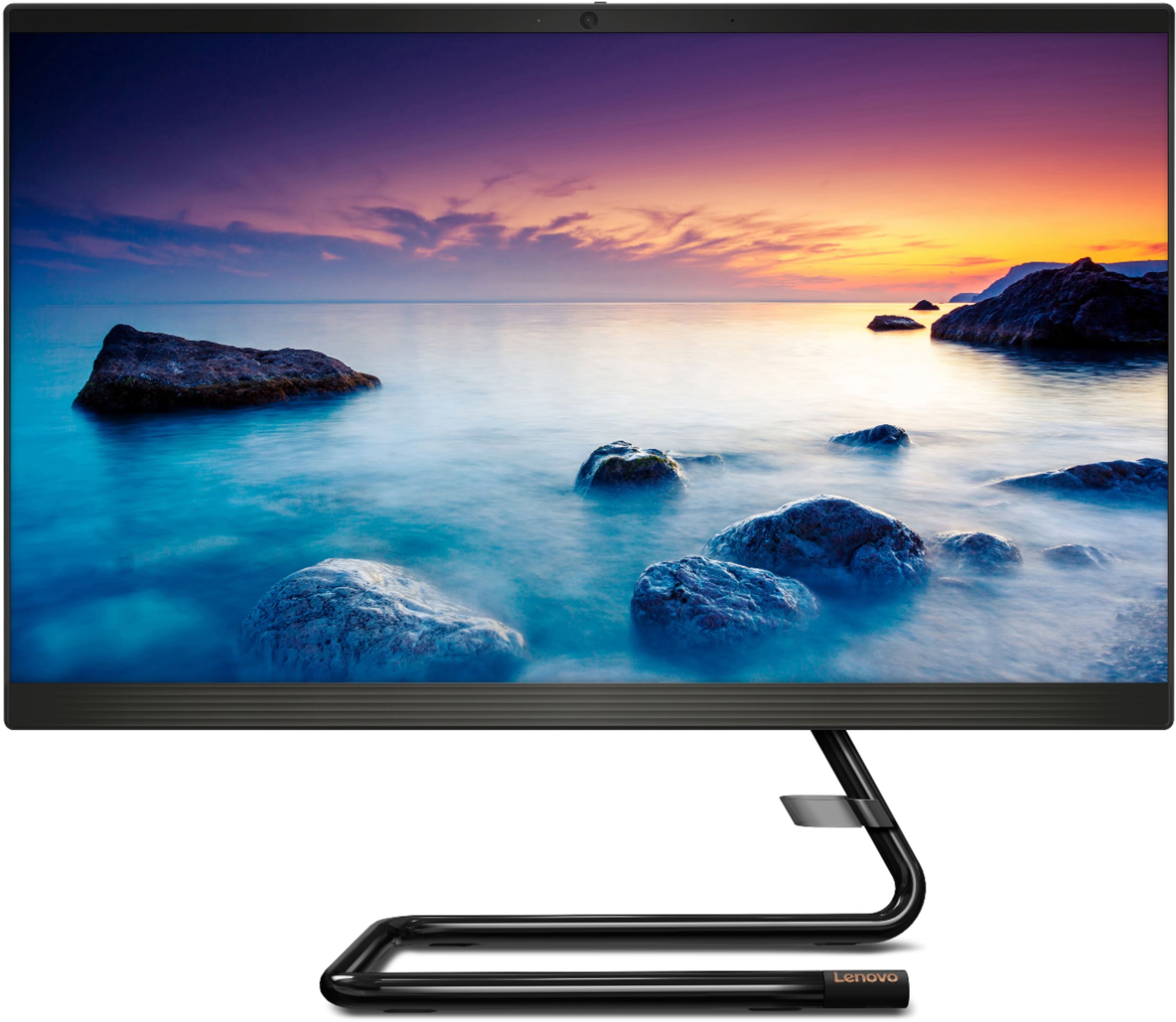
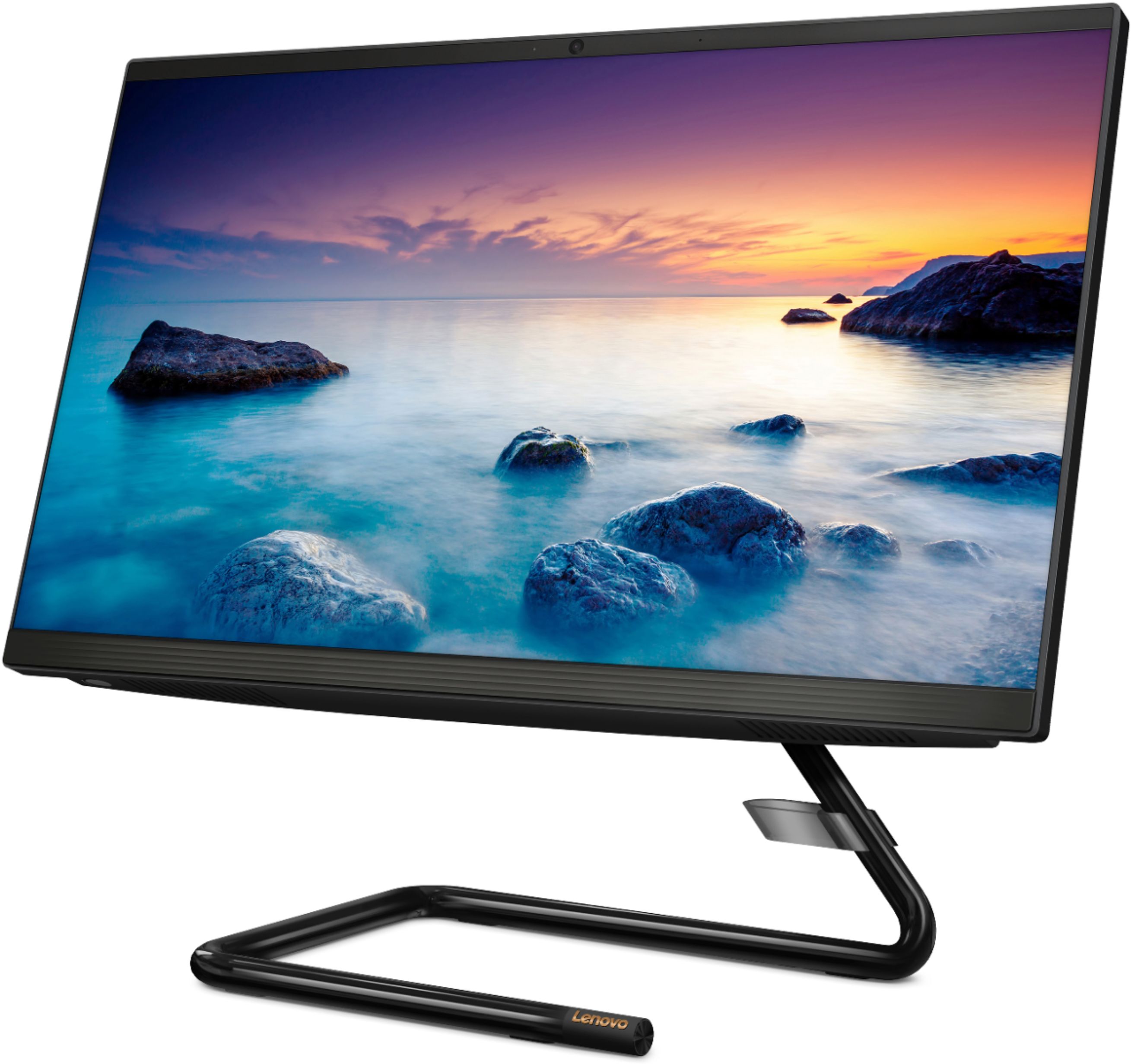
Posted .Thank you for choosing the Lenovo IdeaCentre A340-22 All-In-One system. We are pleased to hear that the IdeaCentre A340-22 AIO meets your computing needs so well. Elegant yet simple, the stand and base of the IdeaCentre all in one A340 is sure to impress—and save on desk space. Whether it’s for work, entertainment, or family video-chats, this eye-catching PC will look great in any room in your home. This is an entry level, light use system with its Intel Pentium processor. It is not meant for multi-tasking or demanding programs. It is good for Microsoft Office and light internet browsing. If this describes your computing needs, the Lenovo IdeaCentre A340-22 All-In-One system would be a good choice.
- Pros mentioned:Speed
Perfect setup for our family
||Posted . Owned for 1 month when reviewed.This reviewer received promo considerations or sweepstakes entry for writing a review.So far so good. Storage is great, nice screen, running quick
I would recommend this to a friendBrand response from Lenovo Product Expert
Posted .Thank you for choosing the Lenovo IdeaCentre A340-22 All-In-One system. We are pleased to hear that the features and performance of the IdeaCentre A340-22 AIO meets your family's computing needs so well. This is an entry level, light use system with its Intel Pentium processor. It is not meant for multi-tasking or demanding programs. It is good for Microsoft Office and light internet browsing. If this describes your computing needs, the Lenovo IdeaCentre A340-22 All-In-One system would be a good choice.
- Pros mentioned:Performance, Price
Great
||Posted . Owned for 7 months when reviewed.This reviewer received promo considerations or sweepstakes entry for writing a review.Great product. Love the looks and performance! Great value!
I would recommend this to a friend - Pros mentioned:Ease of use, Screen size
lenovo ideacentre A350
||Posted . Owned for 1 year when reviewed.This reviewer received promo considerations or sweepstakes entry for writing a review.for price excellent desk top. easy set up. does not take up space on desk.
I would recommend this to a friendBrand response from Lenovo Product Expert
Posted .Thank you for choosing the Lenovo IdeaCentre A340-22 All-In-One system. We are pleased to hear that the features and performance of the IdeaCentre A340-22 AIO meets your computing needs so well.
- Pros mentioned:Ease of use, Screen size
Great Computer for just everyday!
||Posted . Owned for 2 months when reviewed.This reviewer received promo considerations or sweepstakes entry for writing a review.This computer is great for everyday life! Simple to use and touch screen is really fun!
I would recommend this to a friendBrand response from Lenovo Product Expert
Posted .Thank you for choosing the Lenovo IdeaCentre A340-22 All-In-One system. We are pleased to hear that the performance of the IdeaCentre A340-22 AIO meets your computing needs so well. This is an entry level, light use system with its Intel Pentium processor. It is not meant for multi-tasking or demanding programs. It is good for Microsoft Office and light internet browsing. If this describes your computing needs, the Lenovo IdeaCentre A340-22 All-In-One system would be a good choice.
- Pros mentioned:Ease of use, Screen size
user friendly
||Posted . Owned for 3 weeks when reviewed.This reviewer received promo considerations or sweepstakes entry for writing a review.user friendly, picture quality great, doesn't take up much desk space
I would recommend this to a friendBrand response from Lenovo Product Expert
Posted .Thank you for choosing the Lenovo IdeaCentre A340-22 All-In-One system. We are pleased to hear that the ease of use, features and performance of the IdeaCentre A340-22 AIO meets your computing needs so well. This is an entry level, light use system with its Intel Pentium processor. It is not meant for multi-tasking or demanding programs. It is good for Microsoft Office and light internet browsing. If this describes your computing needs, the Lenovo IdeaCentre A340-22 All-In-One system would be a good choice.
- Pros mentioned:Ease of use, Screen size
Cool product
||Posted . Owned for 3 months when reviewed.This reviewer received promo considerations or sweepstakes entry for writing a review.Wonderful product. Large bright screen and extremely easy setup.
I would recommend this to a friend - Pros mentioned:Ease of use, Speed
Excellent all n one for beginners
||Posted .This reviewer received promo considerations or sweepstakes entry for writing a review.This is an awesome starter computer. It's fast, easy, and fun to use
I would recommend this to a friendBrand response from Lenovo Product Expert
Posted .Once again, thank you for choosing the Lenovo IdeaCentre A340-22 All-In-One system. You can keep your computer running at its best by keeping the Windows 10 Operating System and all supporting BIOS files and drivers up to date. You can easily accomplish this by scanning the computer with the Lenovo Utility software available on this computer. Just type "Lenovo Vantage" in the Cortana Search window (if Lenovo Vantage is not installed on your device, you can download the APP and install it now). Select Lenovo Vantage from the list. In the window that opens, click on "Health and Support". In the expanded menu, select "Hardware Scan" In the window that opens, select "Run Quick Tests". This will scan your entire system for errors. Follow any directions that may pop up. If the problem continues after this scan, now click on "System Update". First select Windows update from the menu. Scan your system to be sure you have the latest version of Windows 10. Once that scan is complete, select "Additional Updates". This will scan your device to be sure there are no new BIOS/Driver updates needed. Follow any instructions that may pop up. If you ever need additional help with your Lenovo computer, we recommend you call Lenovo Tech Support at: 877-453-6686 for additional help.
- Pros mentioned:Screen size
Good computer
||Posted . Owned for 1 month when reviewed.This reviewer received promo considerations or sweepstakes entry for writing a review.Nice sized screen and its touch capabilities are nice. Space saving.
I would recommend this to a friendBrand response from Lenovo Product Expert
Posted .Once again, thank you for choosing the Lenovo IdeaCentre A340-22 All-In-One system. You can keep your computer running at its best by keeping the Windows 10 Operating System and all supporting BIOS files and drivers up to date. You can easily accomplish this by scanning the computer with the Lenovo Utility software available on this computer. This system has Lenovo utilities installed to help maintain the health of the device and keep the operating system software up to date. Type "Lenovo Vantage" in the Cortana Search window (if Lenovo Vantage is not installed on your device, you can download the APP and install it now). Select Lenovo Vantage from the list. In the window that opens, click on "Health and Support". In the expanded menu, select "Hardware Scan" In the window that opens, select "Run Quick Tests". This will scan your entire system for errors. Follow any directions that may pop up. If the problem continues after this scan, now click on "System Update". First select Windows update from the menu. Scan your system to be sure you have the latest version of Windows 10. Once that scan is complete, select "Additional Updates". This will scan your device to be sure there are no new BIOS/Driver updates needed. Follow any instructions that may pop up. If you ever need additional help with your Lenovo computer, we recommend you call Lenovo Tech Support at: 877-453-6686 for additional help.
- Pros mentioned:Ease of use
Great gift and less cluter
||Posted . Owned for 1 month when reviewed.This reviewer received promo considerations or sweepstakes entry for writing a review.So this computer was a gift for my dad, it was easy to set up and I didn't do most of the set up. So once it was done my dad ask me how he transfer the stuff in his old computer to the new one in a day or so he did it him self, so I'm guessing he did it. He tells me how much he does on the computer and really appreciate it. Thank you Lenovo and thank you Best buy
I would recommend this to a friendBrand response from Lenovo Product Expert
Posted .Thank you for choosing the Lenovo IdeaCentre A340-22 All-In-One system for your father. We are pleased to hear that the ease of setup, features and performance of the IdeaCentre A340-22 AIO meets your father's computing needs so well. This is an entry level, light use system with its Intel Pentium processor. It is not meant for multi-tasking or demanding programs. It is good for Microsoft Office and light internet browsing. If this describes your computing needs, the Lenovo IdeaCentre A340-22 All-In-One system would be a good choice.
- Pros mentioned:Screen size, Speed
Love my new desk top
||Posted . Owned for 3 weeks when reviewed.This reviewer received promo considerations or sweepstakes entry for writing a review.Love this desk top, its fast and the screen is the perfect size
I would recommend this to a friendBrand response from Lenovo Product Expert
Posted .Once again, thank you for choosing the Lenovo IdeaCentre A340-22 All-In-One system. You can keep your computer running at its best by keeping the Windows 10 Operating System and all supporting BIOS files and drivers up to date. You can easily accomplish this by scanning the computer with the Lenovo Utility software available on this computer. This system has Lenovo utilities installed to help maintain the health of the device and keep the operating system software up to date. Type "Lenovo Vantage" in the Cortana Search window (if Lenovo Vantage is not installed on your device, you can download the APP and install it now). Select Lenovo Vantage from the list. In the window that opens, click on "Health and Support". In the expanded menu, select "Hardware Scan" In the window that opens, select "Run Quick Tests". This will scan your entire system for errors. Follow any directions that may pop up. If the problem continues after this scan, now click on "System Update". First select Windows update from the menu. Scan your system to be sure you have the latest version of Windows 10. Once that scan is complete, select "Additional Updates". This will scan your device to be sure there are no new BIOS/Driver updates needed. Follow any instructions that may pop up. If you ever need additional help with your Lenovo computer, we recommend you call Lenovo Tech Support at: 877-453-6686 for additional help.
- Pros mentioned:Ease of use, Screen size
Excellent sound , big screen
||Posted . Owned for 3 weeks when reviewed.This reviewer received promo considerations or sweepstakes entry for writing a review.Easy installment. Good size and the screen touch is very nice.
I would recommend this to a friendBrand response from Lenovo Product Expert
Posted .Once again, thank you for choosing the Lenovo IdeaCentre A340-22 All-In-One system. You can keep your computer running at its best by keeping the Windows 10 Operating System and all supporting BIOS files and drivers up to date. You can easily accomplish this by scanning the computer with the Lenovo Utility software available on this computer. This system has Lenovo utilities installed to help maintain the health of the device and keep the operating system software up to date. Type "Lenovo Vantage" in the Cortana Search window (if Lenovo Vantage is not installed on your device, you can download the APP and install it now). Select Lenovo Vantage from the list. In the window that opens, click on "Health and Support". In the expanded menu, select "Hardware Scan" In the window that opens, select "Run Quick Tests". This will scan your entire system for errors. Follow any directions that may pop up. If the problem continues after this scan, now click on "System Update". First select Windows update from the menu. Scan your system to be sure you have the latest version of Windows 10. Once that scan is complete, select "Additional Updates". This will scan your device to be sure there are no new BIOS/Driver updates needed. Follow any instructions that may pop up. If you ever need additional help with your Lenovo computer, we recommend you call Lenovo Tech Support at: 877-453-6686 for additional help.
- Pros mentioned:Performance, Speed
Amazing!
||Posted . Owned for less than 1 week when reviewed.This reviewer received promo considerations or sweepstakes entry for writing a review.The graphics are amazing and the computer runs fast and looks smooth!
I would recommend this to a friendBrand response from Lenovo Product Expert
Posted .Thank you for choosing the Lenovo IdeaCentre A340-22 All-In-One system. With its sleek, modern stand, and thin bezel display, the IdeaCentre all-in-one A340 is designed to catch the eye. Fire it up and marvel at the way it handles everything with ease, quickly and smoothly. Even with the space-saving design, it can store tons of data, too. All in all, this 21.5-inch all-in-one makes the ideal home PC. This is an entry level, light use system with its Intel Pentium processor. It is not meant for multi-tasking or demanding programs. It is good for Microsoft Office and light internet browsing. If this describes your computing needs, the IdeaCentre all-in-one A340 would be a good choice.
- Pros mentioned:Ease of use
great system
||Posted . Owned for 1 month when reviewed.This reviewer received promo considerations or sweepstakes entry for writing a review.This is a very sleek, beautiful look. It was very easy to set up.
I would recommend this to a friendBrand response from Lenovo Product Expert
Posted .Thank you for choosing the Lenovo IdeaCentre A340-22 All-In-One system. We are pleased to hear that the features and performance of the IdeaCentre A340-22 AIO meets your computing needs so well. This is an entry level, light use system with its Intel Pentium processor. It is not meant for multi-tasking or demanding programs. It is good for Microsoft Office and light internet browsing. If this describes your computing needs, the Lenovo IdeaCentre A340-22 All-In-One system would be a good choice.
- Pros mentioned:Ease of use
Great stand alone
||Posted . Owned for 3 weeks when reviewed.This reviewer received promo considerations or sweepstakes entry for writing a review.Easy to setup - works great. Love the fact that it is all in one.
I would recommend this to a friendBrand response from Lenovo Product Expert
Posted .Thank you for choosing the Lenovo IdeaCentre A340-22 All-In-One system. We are pleased to hear that the easy setup and performance of the IdeaCentre A340-22 AIO meets your computing needs so well. This is an entry level, light use system with its Intel Pentium processor. It is not meant for multi-tasking or demanding programs. It is good for Microsoft Office and light internet browsing. If this describes your computing needs, the Lenovo IdeaCentre A340-22 All-In-One system would be a good choice.
- Pros mentioned:Screen size, Speed
Good value..easy to use
||Posted . Owned for 1 month when reviewed.This reviewer received promo considerations or sweepstakes entry for writing a review.The Lenovo is attractive..not bulky. Fast.easy to use.
I would recommend this to a friendBrand response from Lenovo Product Expert
Posted .Once again, thank you for choosing the Lenovo IdeaCentre A340-22 All-In-One system. You can keep your computer running at its best by keeping the Windows 10 Operating System and all supporting BIOS files and drivers up to date. You can easily accomplish this by scanning the computer with the Lenovo Utility software available on this computer. This system has Lenovo utilities installed to help maintain the health of the device and keep the operating system software up to date. Type "Lenovo Vantage" in the Cortana Search window (if Lenovo Vantage is not installed on your device, you can download the APP and install it now). Select Lenovo Vantage from the list. In the window that opens, click on "Health and Support". In the expanded menu, select "Hardware Scan" In the window that opens, select "Run Quick Tests". This will scan your entire system for errors. Follow any directions that may pop up. If the problem continues after this scan, now click on "System Update". First select Windows update from the menu. Scan your system to be sure you have the latest version of Windows 10. Once that scan is complete, select "Additional Updates". This will scan your device to be sure there are no new BIOS/Driver updates needed. Follow any instructions that may pop up. If you ever need additional help with your Lenovo computer, we recommend you call Lenovo Tech Support at: 877-453-6686 for additional help.
- Pros mentioned:Screen size
Love the whole unit. Everything is easy to handle
||Posted . Owned for 1 month when reviewed.This reviewer received promo considerations or sweepstakes entry for writing a review.This computer is absolutely wonderful. It does not take up any space and it is very easy to move to another room. You can use both your hand operated clicker and you can also move things along by touching the screen. I am glad I bought this unit.
I would recommend this to a friendBrand response from Lenovo Product Expert
Posted .Thank you for choosing the Lenovo IdeaCentre A340 All-In-One. We are pleased to hear that the value and performance of the IdeaCentre A340 All-In-One" meets your computing needs so well. We
- Pros mentioned:Performance, Screen size
Good buy
||Posted . Owned for 1 month when reviewed.This reviewer received promo considerations or sweepstakes entry for writing a review.Nice and compact, great style and overall performance!
I would recommend this to a friendBrand response from Lenovo Product Expert
Posted .Thank you for choosing the Lenovo IdeaCentre A340-22 All-In-One system. We are pleased to hear that the performance of the IdeaCentre A340-22 AIO meets your computing needs so well. This is an entry level, light use system with its Intel Pentium processor. It is not meant for multi-tasking or demanding programs. It is good for Microsoft Office and light internet browsing. Elegant yet simple, the stand and base of the IdeaCentre all-in-one A340 is sure to impress—and save on desk space. Whether it’s for work, entertainment, or family video-chats, this eye-catching PC will look great in any room in your home.