Customer Ratings & Reviews
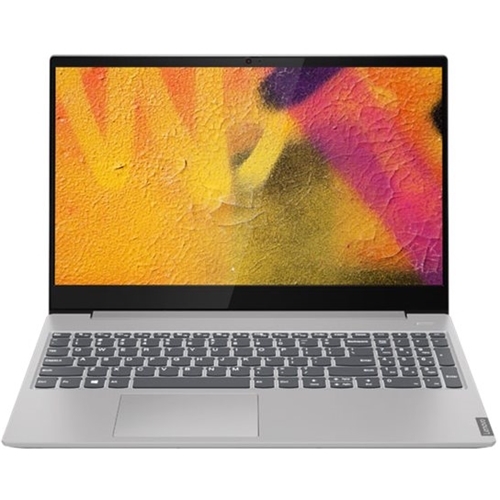
- Model:
- 81NC001GUS
- SKU:
- 6344745
to a friend
Great for office work
||Posted . Owned for 1 month when reviewed.This reviewer received promo considerations or sweepstakes entry for writing a review.It's a great computer for home office. My old computer, which was also a Lenovo, was 5 years old; decided to get this one and so far is great, really fast, you can have several programs opened at the same time and have a zoom meeting with no problems.
I would recommend this to a friendGreat product
||Posted . Owned for 1 month when reviewed.This reviewer received promo considerations or sweepstakes entry for writing a review.Computer is fast and also huge screen and very detailed. Enjoying it for some light programming.
I would recommend this to a friendDo not buy
Posted .This reviewer received promo considerations or sweepstakes entry for writing a review.This is the worst computer I have ever owned, and I'm including models from all the way back in the 80's. The touchpad is HYPER sensitive and constantly thinks I'm sending commands that I'm not. When I click on a field that I intend to write in, pop ups asking me what emoji I want to use block my ability to type--I have to constantly shut down the pop ups to do what I came to the page to do. The computer moves like molasses--not just for internet use. Pulling up Word takes almost as long as my ancient green screen computers took. The keyboard is not ergonomic--I regularly reach for the backspace and hit the useless 10 Key Numbers Lock key instead. Color is off, no matter how many times I recalibrate. The computer switches printer settings without my permission (yes, I've had the computer checked for bugs by Geek Squad). All in all the most frustrating computer I have ever used.
No, I would not recommend this to a friendBrand response from Lenovo Product Expert
Posted .We are sorry to hear that you are having issues with your Lenovo IdeaPad S340-15 laptop, model number 81NC001GUS. With regard to the touchpad, you can make adjustments to the touchpad in your system settings. You can get there by clicking on the magnifying glass at the bottom left of your Windows 10 screen. Type "touchpad" in the search window. Select "Mouse & touchpad settings" from the list of choices. You can make general adjustments to the touchpad there. You can also select "Additional mouse options" for more detailed adjustments to the touchpad sensitivity by increasing the delay of the touchpad. This configuration ships with the very fast, Quad-Core/Eight-Thread AMD Ryzen 7 3700U processor, with a base speed of 2.3GHz through 4-cores and a boost speed of up to 4.0GHz through 4-cores. Be sure any software you installed is compatible with Windows 10. There is no need to install Microsoft Office software. The software is already part of the operating system, you just need to activate the software with a purchased product key. If you have installed a copy of Microsoft Office, this is conflicting with the existing copy on the system and this will slow your system down. If you have installed a 3rd party anti-virus program, be sure that Windows Defender is turned off and that the trial version of McAfee Anti-Virus software is uninstalled. There can only be one anti-virus program on the system. You may need to restore your system to original factory default settings if any of the programming errors have occurred. You can do that by typing "restore" in the Cortana search window. Just click on the magnifying glass icon at the bottom left of your Windows 10 Desktop. Click on "Reset This PC" Then click on "Get Started" and follow the on screen directions to restore to factory defaults. If the problem persists, we recommend you contact Lenovo Tech Support at: 877-453-6686.
