Customer Ratings & Reviews

- Model:
- 90NC00R5US
- SKU:
- 6459507
Rating by feature
- Value
Rating 3.6 out of 5 stars
- Quality
Rating 3.4 out of 5 stars
- Ease of Use
Rating 3.7 out of 5 stars
Customers are saying
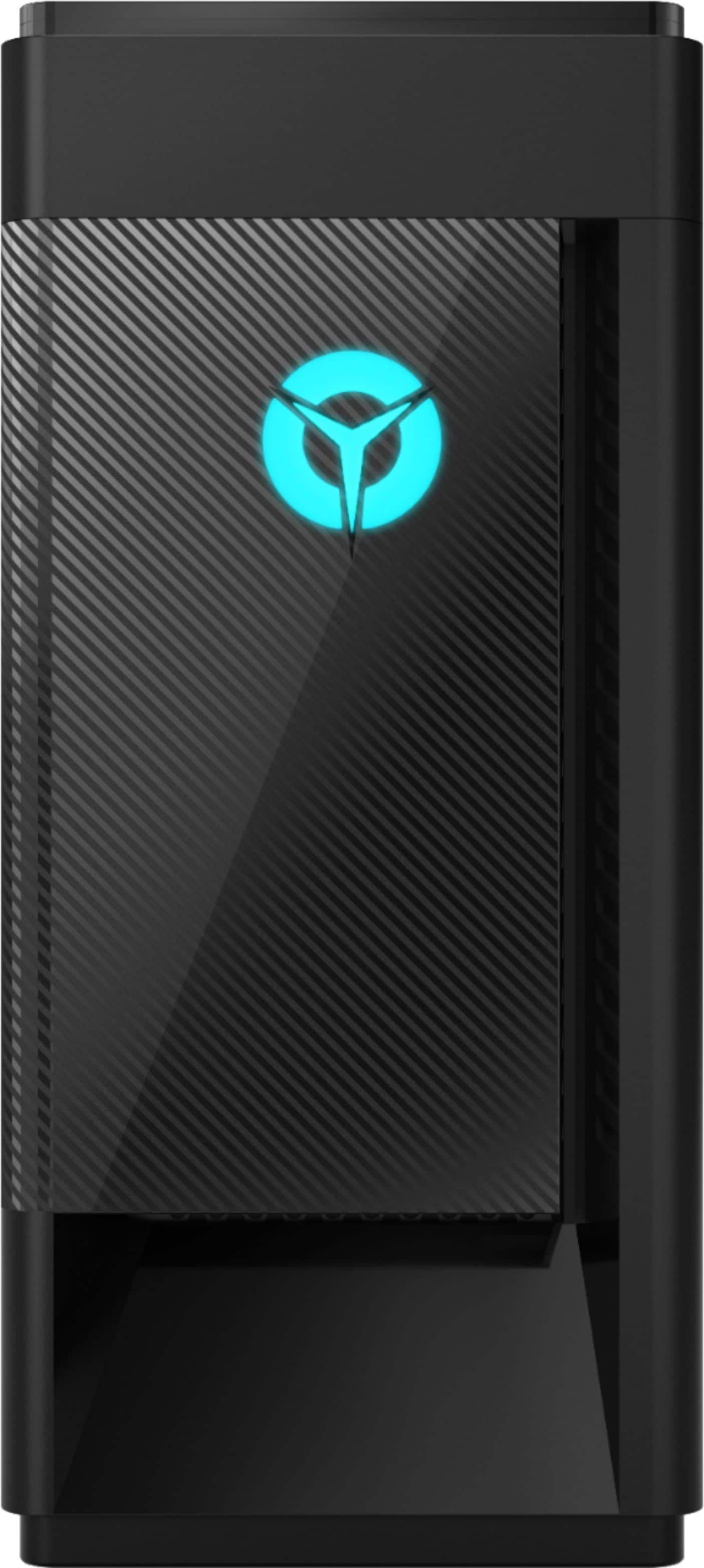
Customers have good things to say about the Legion Tower 5i's performance and its price point, frequently citing its ability to handle various games and its upgradeability. However, some customers reported issues with the video card, suggesting potential problems with its longevity or initial installation. A few also mentioned experiencing some hardware or software problems.
This summary was generated by AI based on customer reviews.
Bad Tower
||Posted .This reviewer received promo considerations or sweepstakes entry for writing a review.Bought a open box Lenovo tower and blue screened me at least 10 times in the first 3 days I had it. I returned the tower and exchange for HP computer.
No, I would not recommend this to a friendDo not trust "Certified Open Box"
||Posted . Owned for 1 month when reviewed.This reviewer received promo considerations or sweepstakes entry for writing a review.I would give this 0 stars, if possible. We made a significant investment for our son to get him a reliable computer for his birthday and he can't use it without it crashing and shutting down constantly. Will never trust Best Buy "certified" open box ever again. Truly heartbroken and, frankly, livid.
No, I would not recommend this to a friendBrand response from Lenovo Product Expert
Posted .We are sorry to hear that you are having issues with your Lenovo Legion Tower 5i Gaming Desktop Computer. First, Be sure any software you installed is compatible with Windows 10. There is no need to install Microsoft Office software. The software is already part of the operating system, you just need to activate the software with a purchased product key. If you have installed a copy of Microsoft Office, this is conflicting with the existing copy on the system and this will slow your system down. If you have installed a 3rd party anti-virus program, be sure that Windows Defender is turned off and that the trial version of McAfee Anti-Virus software is uninstalled. There can only be one anti-virus program on the system. You may need to restore your system to original factory default settings if any of the programming errors have occurred. You can do that by typing "restore" in the Cortana search window. Just click on the magnifying glass icon at the bottom left of your Windows 10 Desktop. Click on "Reset This PC" Then click on "Get Started" and follow the on screen directions to restore to factory defaults. If there is no incompatible software installed but the issues persist, check to be sure you have the latest version of Windows 10 on the computer. Then update all BIOS files and drivers up to that latest version of Windows 10. You can easily accomplish this by scanning the computer with the Lenovo Utility software available on this computer. This system has Lenovo utilities installed to help maintain the health of the device and keep the operating system software up to date. Type "Lenovo Vantage" in the Cortana Search window (if Lenovo Vantage is not installed on your device, you can download the APP and install it now). Select Lenovo Vantage from the list. In the window that opens, click on "Health and Support". In the expanded menu, select "Hardware Scan" In the window that opens, select "Run Quick Tests". This will scan your entire system for errors. Follow any directions that may pop up. If the problem continues after this scan, now click on "System Update". First select Windows update from the menu. Scan your system to be sure you have the latest version of Windows 10. Once that scan is complete, select "Additional Updates". This will scan your device to be sure there are no new BIOS/Driver updates needed. Follow any instructions that may pop up. If the issue still continues after these updates, we recommend you call Lenovo Tech Support at: 877-453-6686 for additional help.

Positive
||Posted .This reviewer received promo considerations or sweepstakes entry for writing a review.Great computer for a great price. It was easy to setup and was able to use it right away
I would recommend this to a friendBrand response from Lenovo Product Expert
Posted .Thank you for choosing the Lenovo Legion Tower 5i Gaming Desktop Computer. We are leased to hear that the value, easy setup and performance of the Legion Tower 5i meets your computing needs so well.
Definitely recommended
||Posted . Owned for 3 weeks when reviewed.This reviewer received promo considerations or sweepstakes entry for writing a review.Has been great so far. The gaming experience is excellent! No lag, clean, and smooth. Xbox pass free trial amazing games!
I would recommend this to a friendNot the best pc
||Posted .This reviewer received promo considerations or sweepstakes entry for writing a review.Just a few weeks after purchasing this pc it started freezing. I assumed it may not be compatible with the games I was playing. I’ve noticed the pc also freezes and restarts even while just surfing the web or viewing pdf files. I have looked up causes and found nothing to help.
No, I would not recommend this to a friendThis gaming PC is awesome the
||Posted .This reviewer received promo considerations or sweepstakes entry for writing a review.This gaming PC is awesome the only thing that I wish it had more was more ram stock with system
No, I would not recommend this to a friendAwesome Graphics!
||Posted . Owned for 1 month when reviewed.This reviewer received promo considerations or sweepstakes entry for writing a review.My grandson Loves the Graphics and speed of play. I think the glass side panel is a good touch.
I would recommend this to a friendJp
||Posted . Owned for 2 months when reviewed.This reviewer received promo considerations or sweepstakes entry for writing a review.Its been a hard time playing with this product. We paid 1200$ and has not to its value....
No, I would not recommend this to a friendGaming computer
||Posted . Owned for 1 month when reviewed.This reviewer received promo considerations or sweepstakes entry for writing a review.Works good for my sons gaming. He was so happy to get this on his bday.
I would recommend this to a friendGaming
||Posted . Owned for 11 months when reviewed.This reviewer received promo considerations or sweepstakes entry for writing a review.Good computer for starters and first time college kids
I would recommend this to a friendAnything Lenovo
||Posted .This reviewer received promo considerations or sweepstakes entry for writing a review.I really like anything Lenovo! Got this for my son he also likes it
I would recommend this to a friendGREAT PRICE
||Posted . Owned for 1 month when reviewed.This reviewer received promo considerations or sweepstakes entry for writing a review.AWESOME SYSTEM MY SON LOVES IT AND IT HAS ALL THE FEATURES HE WANTED
I would recommend this to a friendGreat for video editing.
||Posted . Owned for 3 weeks when reviewed.This reviewer received promo considerations or sweepstakes entry for writing a review.I love this gaming computer, using it for video editing and its great.
I would recommend this to a friendBrand response from Lenovo Product Expert
Posted .Thank you for choosing the Lenovo Legion Tower 5i Gaming Desktop Computer. We are pleased to hear that the performance of the Legion Tower 5i meets your computing needs so well.
Tower
||Posted . Owned for 4 months when reviewed.This reviewer received promo considerations or sweepstakes entry for writing a review.Barely works as advertised, struggles to run games on lowest quality
No, I would not recommend this to a friendGrandson Loves It!
||Posted . Owned for 3 weeks when reviewed.This reviewer received promo considerations or sweepstakes entry for writing a review.My grandson is unbelievably happy. I would say it is a success!
I would recommend this to a friendFreezes
||Posted . Owned for less than 1 week when reviewed.This reviewer received promo considerations or sweepstakes entry for writing a review.Horrible pc, i got the first one and it froze up a few times, the got a replacement and this one is worse than the first one. Taking back to best buy for a refund. Highly upset and disappointed
No, I would not recommend this to a friendBrand response from Lenovo Product Expert
Posted .We are sorry to hear that you are having issues with your Lenovo Legion Tower 5i Gaming Desktop Computer, model number 90NC00R5US. This system ships with Windows 10 Home 64-bit Operating System and should not freeze. Be sure any software you installed is compatible with Windows 10. There is no need to install Microsoft Office software. The software is already part of the operating system, you just need to activate the software with a purchased product key. If you have installed a copy of Microsoft Office, this is conflicting with the existing copy on the system and this will slow your system down. If you have installed a 3rd party anti-virus program, be sure that Windows Defender is turned off and that the trial version of McAfee Anti-Virus software is uninstalled. There can only be one anti-virus program on the system. You may need to restore your system to original factory default settings if any of the programming errors have occurred. You can do that by typing "restore" in the Cortana search window. Just click on the magnifying glass icon at the bottom left of your Windows 10 Desktop. Click on "Reset This PC" Then click on "Get Started" and follow the on screen directions to restore to factory defaults. If the problem persists, we recommend you contact Lenovo Tech Support at: 877-453-6686.
Mine Came Unable To Boot Up
||Posted . Owned for 10 months when reviewed.This reviewer received promo considerations or sweepstakes entry for writing a review.Returned it. Broken right out of the box. Would not boot up.
No, I would not recommend this to a friendGarbo
||Posted . Owned for 1 month when reviewed.This reviewer received promo considerations or sweepstakes entry for writing a review.Pure absolutely garbage, pure hunk of metal. GPU dead out of the "New Box" Lenovo is just plain garbage
No, I would not recommend this to a friendDon’t buy
||Posted . Owned for 3 months when reviewed.This reviewer received promo considerations or sweepstakes entry for writing a review.Trash !! DO NOT BUY !! Best buy was great with returning it tho .. excellent customer service
No, I would not recommend this to a frienddon't buy this
||Posted . Owned for 1 month when reviewed.This reviewer received promo considerations or sweepstakes entry for writing a review.Pc would freeze, gaming quality was average, download time is perfect, I wouldn't recommend this for gaming, and the quality was fine.
No, I would not recommend this to a friend