Customer Ratings & Reviews


- Model:
- 81FV0001US
- SKU:
- 6219202
Rating by feature
- Value
Rating 4.0 out of 5 stars
- Quality
Rating 4.0 out of 5 stars
- Ease of Use
Rating 4.4 out of 5 stars
Customers are saying
Customers highly value the Legion Y530's performance and graphics capabilities, with many praising its ability to smoothly run games. The build quality and keyboard also receive positive feedback. However, some users express concerns regarding the battery life and hard drive performance, while others mention issues with screen brightness.
This summary was generated by AI based on customer reviews.
- Cons mentioned:Battery life, Hard drive
Good looks, Subpar Performance
||Posted .This reviewer received promo considerations or sweepstakes entry for writing a review.Have waited for four months to pull the trigger on a laptop with a dedicated gpu and some portability. This laptop caught my eye immediately. It doesn’t look like a happy meal toy, no obnoxious lights and colors. Advertised 4-5 hours battery, 6 Core i7, gtx 1050ti 4gb. Decent hardware. Purchased it this week and I’ve probably spent 6 or 7 hours trying to fix issues. Random freezing, battery will show less than 2 hours left at 92%, with brightness at 50% and power saving on. Then it will show 3 hours other times. Battery drains extremely fast, sometimes showing plugged in not charging. Constant scaling issues when using external monitors. And the one thing that makes me really resent this is it being a gaming laptop in mid 2018 with only a mechanical hard drive and 8gb Ram. I’ve learned that the aesthetics are a plus, it shouldn’t be the deciding factor. Plenty of options for less with the same hardware and an ssd. I’ll be resetting windows to get my data off this and returning it tomorrow sadly.
No, I would not recommend this to a friendBrand response from Lenovo Product Expert
Posted .We are to hear that you are having issues with your Lenovo Legion Y530 laptop. Be sure any software you have installed is compatible with Windows 10 and this specific configuration. You can scan the device for hardware or software issues with Lenovo Utility software installed on the device. This system has Lenovo utilities installed to help maintain the health of the device and keep the operating system software up to date. Type "Lenovo Vantage" in the Cortana Search window (if Lenovo Vantage is not installed on your device, you can download the APP and install it now). Select Lenovo Vantage from the list. In the window that opens, click on "Health and Support". In the expanded menu, select "Hardware Scan" In the window that opens, select "Run Quick Tests". This will scan your entire system for errors. Follow any directions that may pop up. If the problem continues after this scan, now click on "System Update". First select Windows update from the menu. Scan your system to be sure you have the latest version of Windows 10. Once that scan is complete, select "Additional Updates". This will scan your device to be sure there are no new BIOS/Driver updates needed. Follow any instructions that may pop up. With regard to battery life, this system ships with a 3CELL 52.5WH, Lithium Polymer battery, with a battery life of up to 5 hours, depending on the work that the processor is performing. If you are getting substantially less battery life, be sure there are no unwanted programs running in the background, draining the battery. Here is a link to some tips for finding out what is draining your battery:
https://www.laptopmag.com/articles/battery-saver-windows-10. Additionally, to maximize battery life, try changing your power management setting to a more conservative one. You can do this in the control panel, in the power management category on your system. Select a more conservative power management setting to extend battery life. With regard to the standard hard drive that ships with this configuration, this is a 1TB 7200RPM standard drive. It is Intel Optane Memory ready, so, although this model is not user upgradable, your certified technician can add up to 16GB of Intel Optane Memory to work with the 1TB hard drive. This will give the hard drive hybrid drive performance with quick boot up and quick recall of those programs that you use the most.
- Pros mentioned:Performance, Ram
Best Game budget laptop
||Posted .This reviewer received promo considerations or sweepstakes entry for writing a review.Amazing Performance, As I bought the 8g Memory and bought an additional 8g stick for $50 which was very very easy to install now computer runs really smooth.
I would recommend this to a friendBrand response from Lenovo Product Expert
Posted .Thank you for choosing the lenovo Legion Y530 Laptop. Please keep in mind, this model is not user upgradable. A certified technician must do all of the work, so as to not void the warranty.

- Cons mentioned:Hard drive
I think this was a very good buy!!
||Posted . Owned for 3 weeks when reviewed.This reviewer received promo considerations or sweepstakes entry for writing a review.I purchased this one just for the specifications, and wow... I am really happy with it’s overall power for the $$. The only issue I had, was the old HDD, but I replaced it it the Samsung Evo SSD and Installed Ubuntu 19.04 on it; it’s a beast!
I would recommend this to a friendBrand response from Lenovo Product Expert
Posted .Thank you for choosing the Lenovo Legion Y530 laptop. Please keep in mind, this model is not user upgradable. A certified technician must do all of the work, so as to not void the warranty. For 2018, Lenovo retained its place for a second year as the best laptop vendor:
https://www.laptopmag.com/articles/laptop-brand-ratings

Greating value gaming laptop with great design
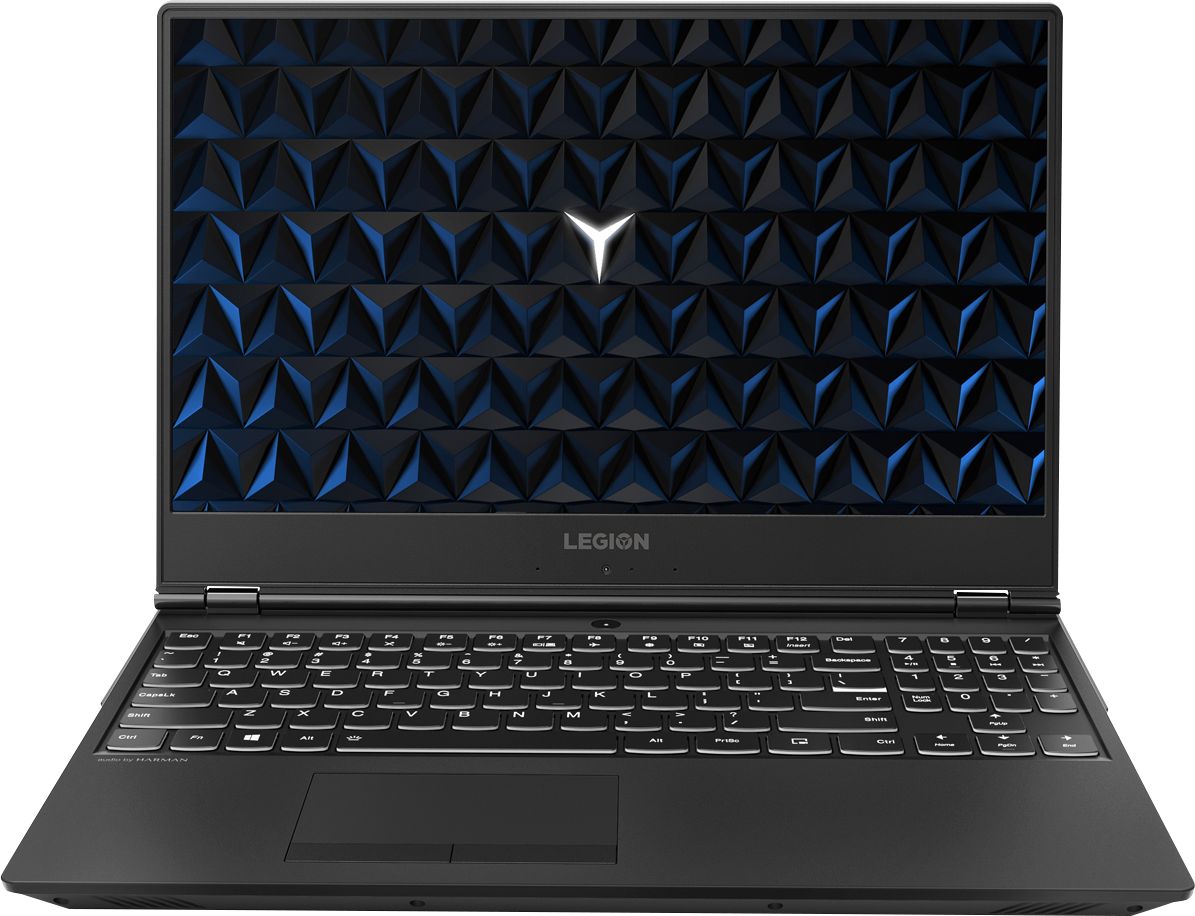
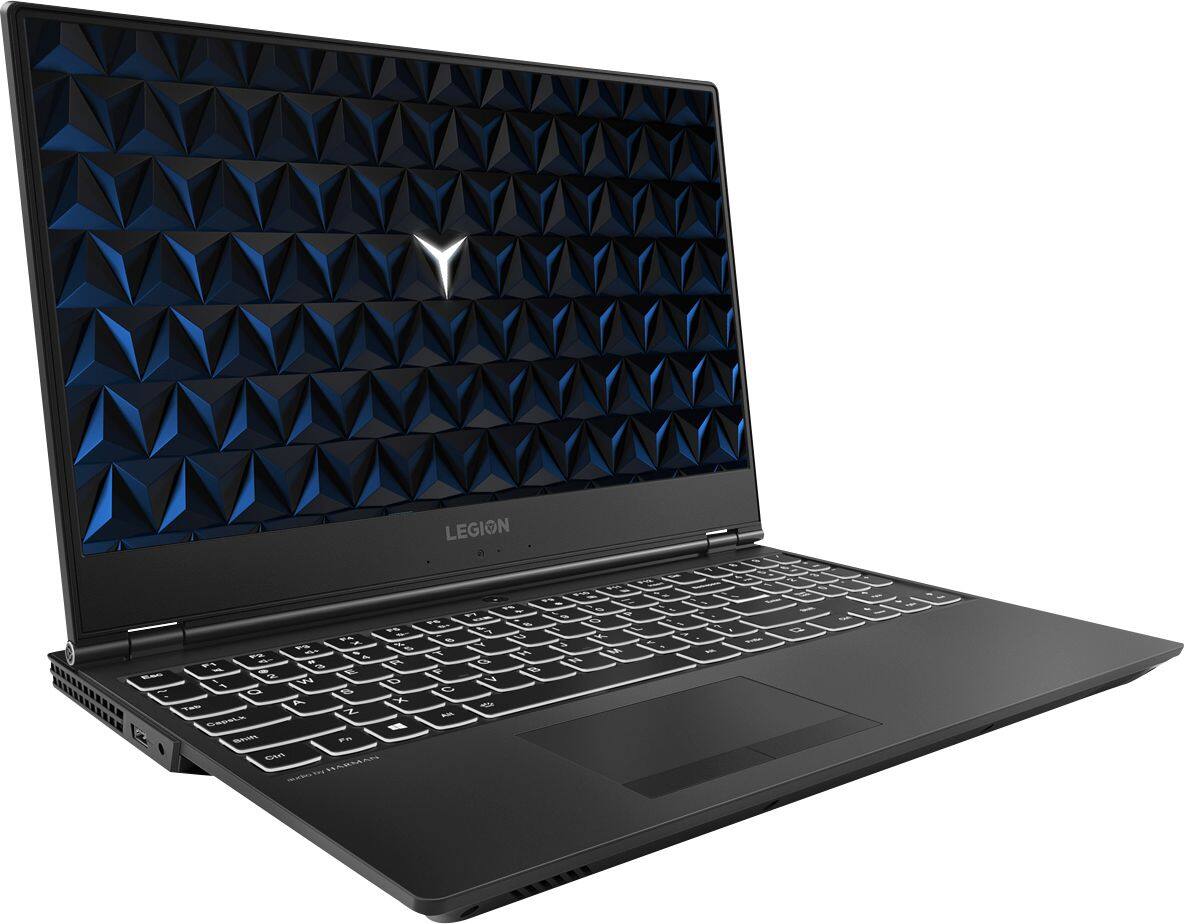
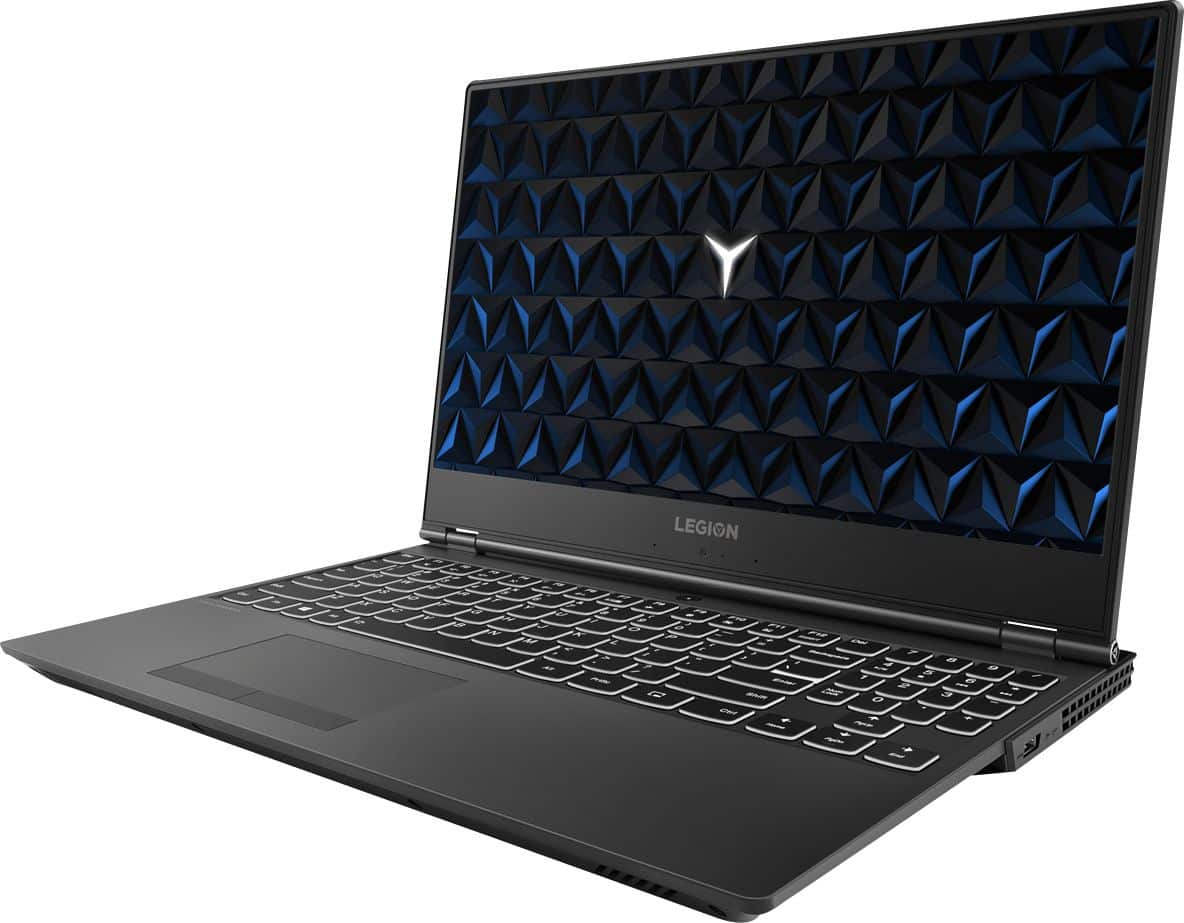
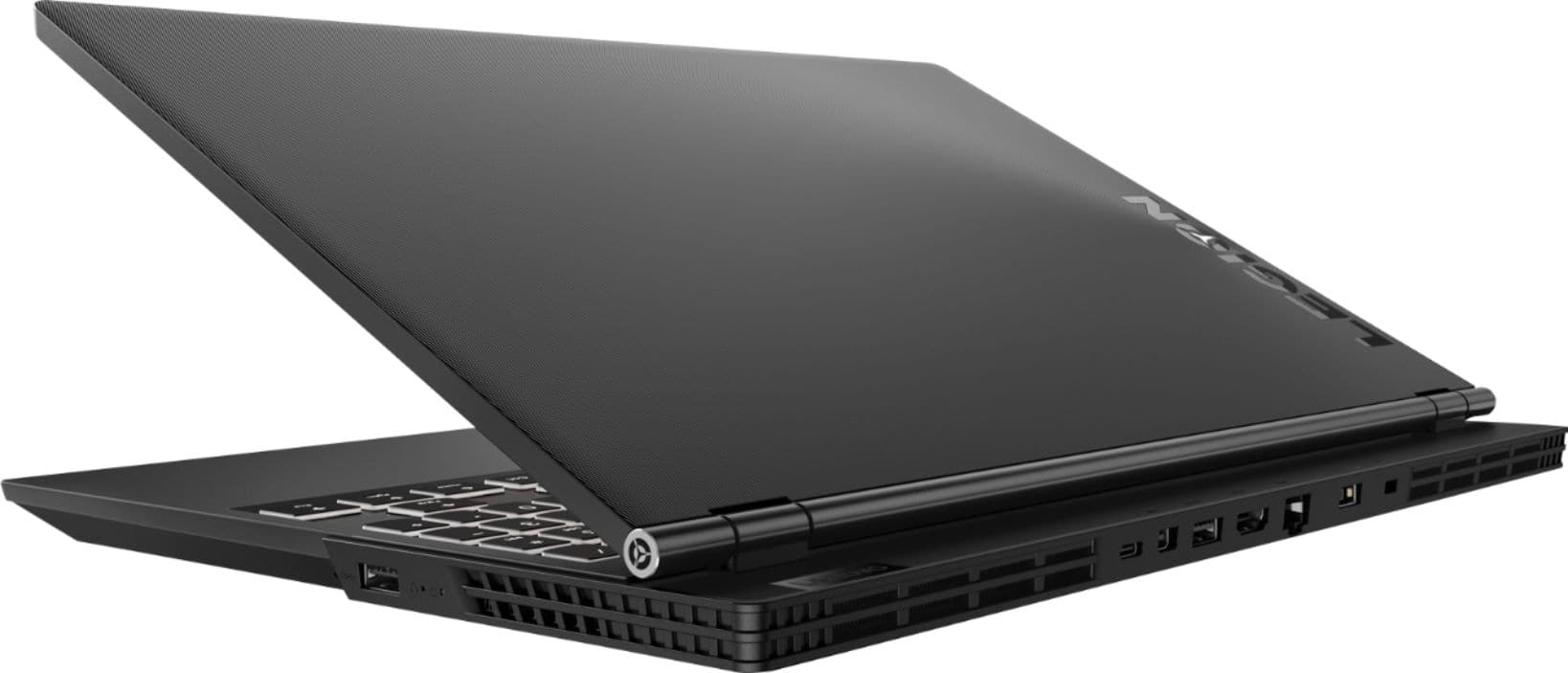
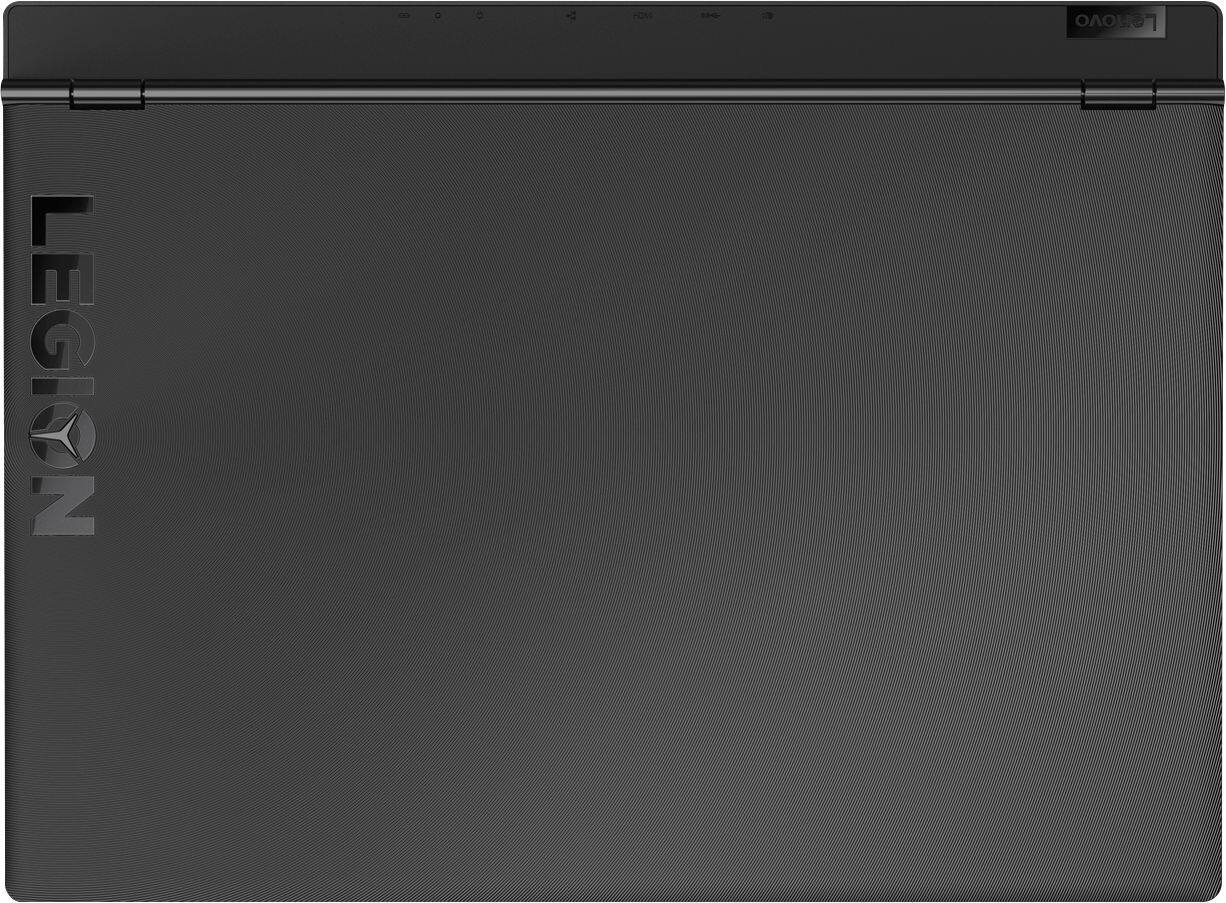
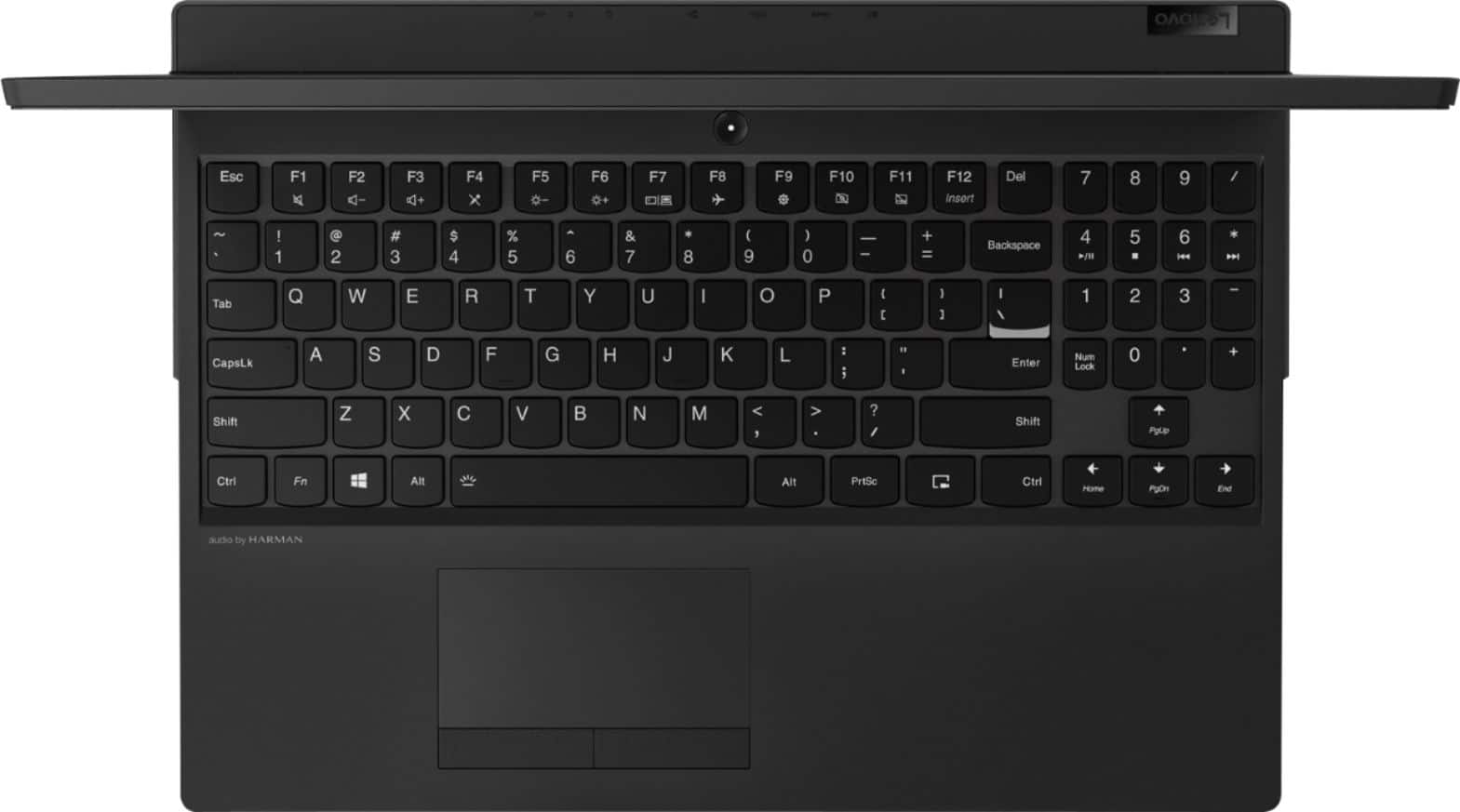
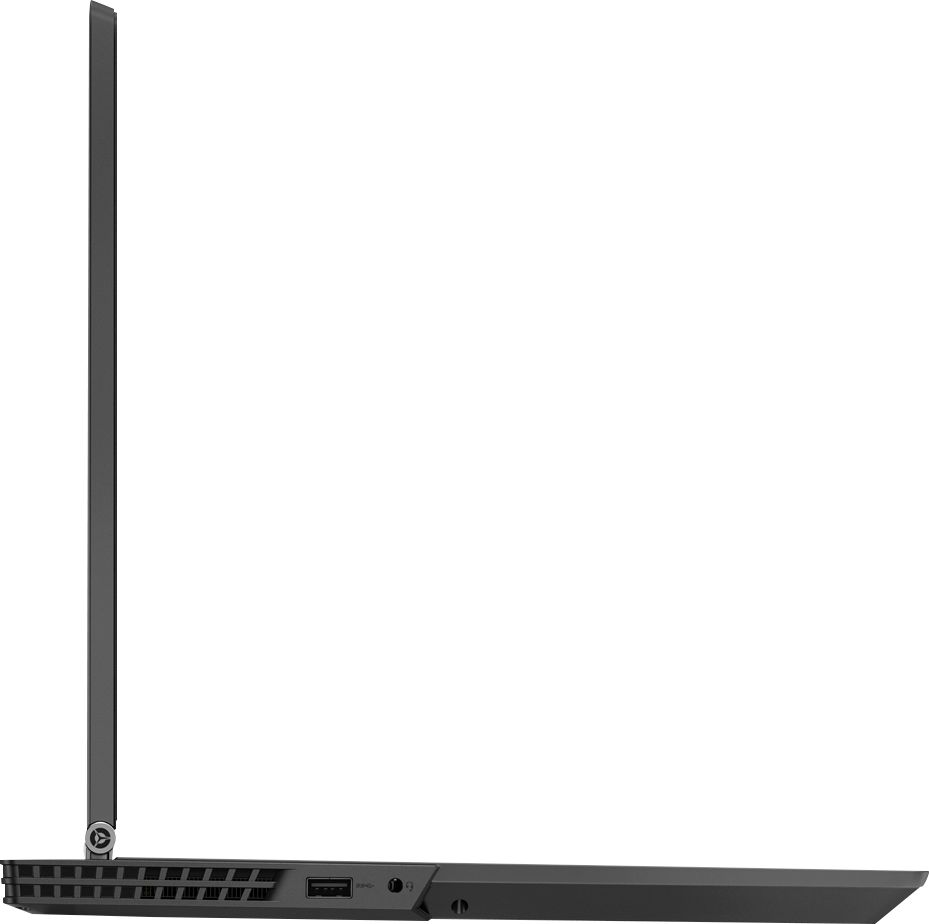
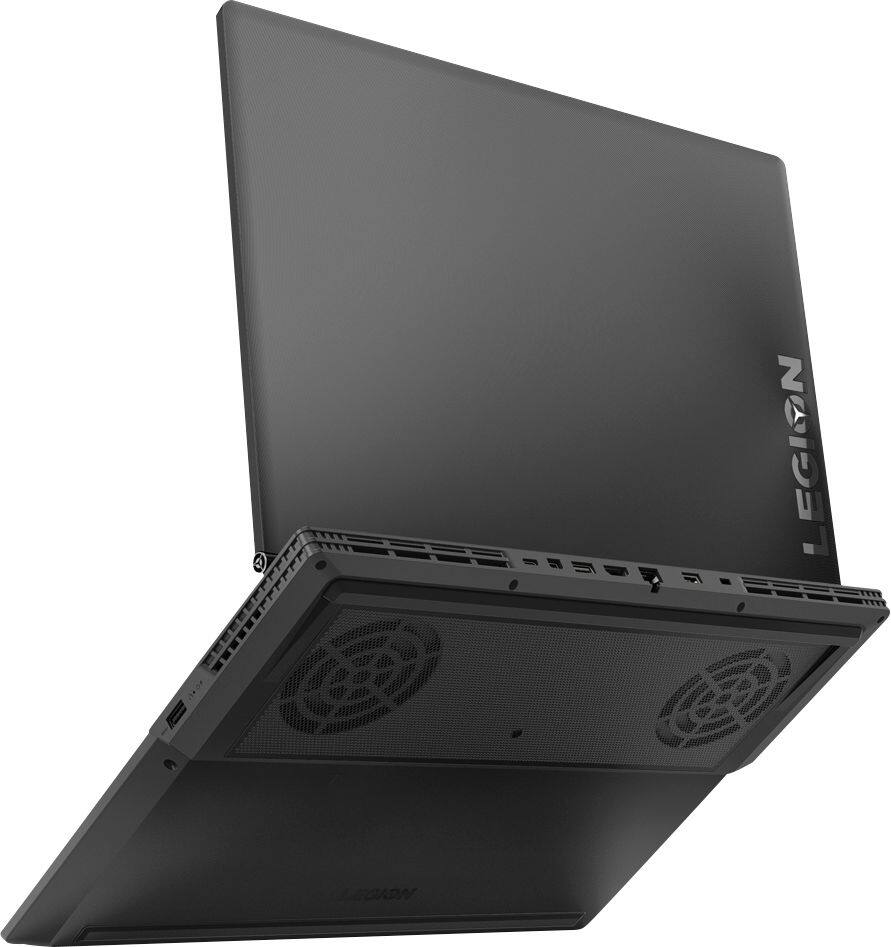
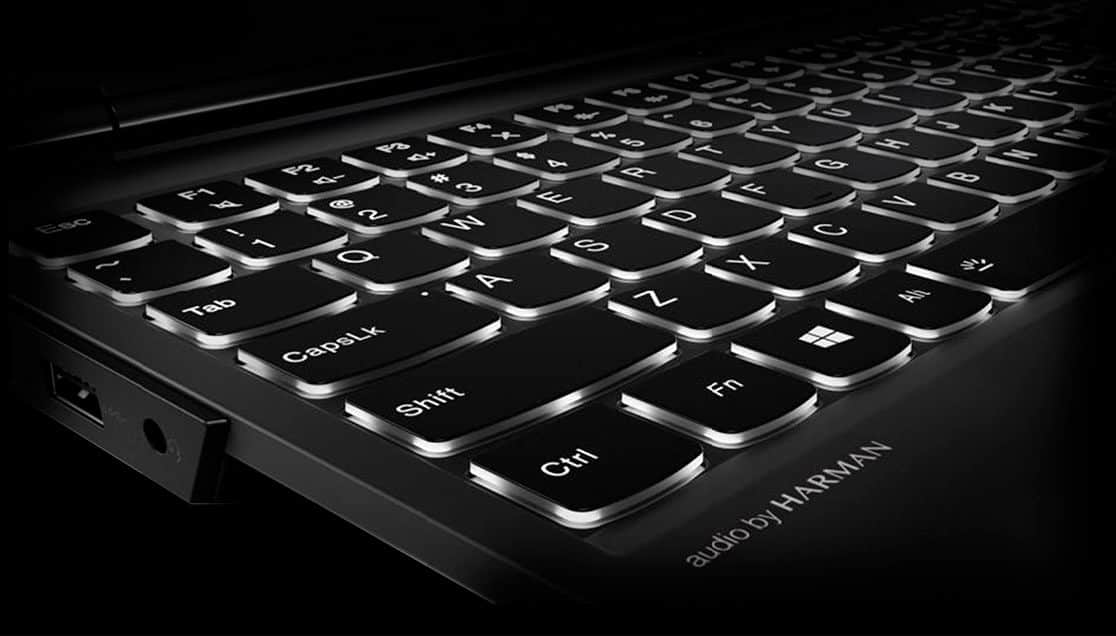
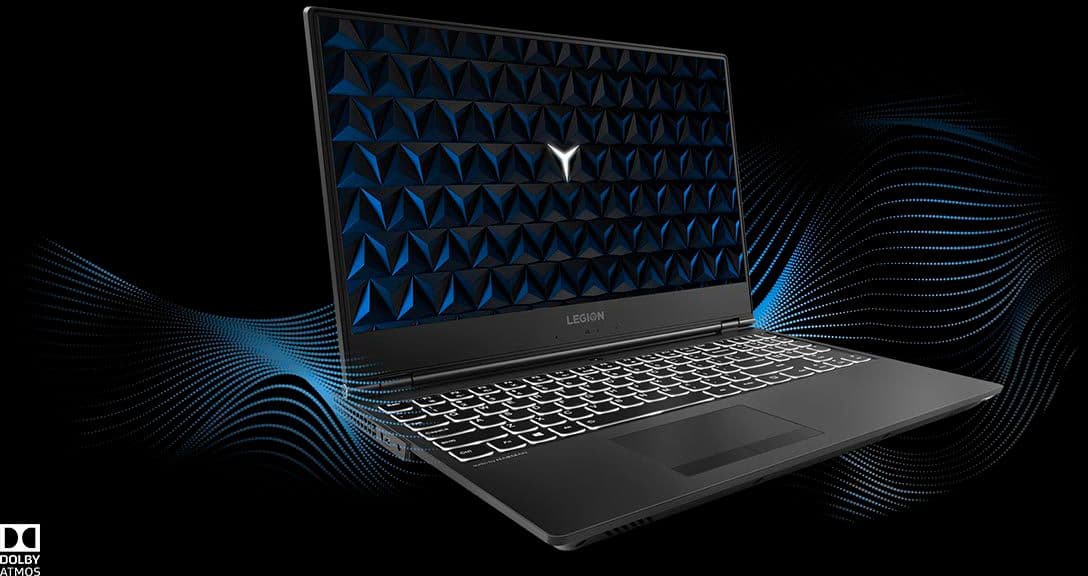
|Posted .This reviewer received promo considerations or sweepstakes entry for writing a review.======= Summary ======= The Legion Y530 is a well-designed and performant laptop with only one shortcoming - no SSD hard drive. The build is great, the thin-bezel display is awesome, it contains great components, and is a pleasure to use everyday. With its easy upgradeability, the Y530 will offer many years of service for most people. *Pro's: 1. Thin display bezels. 2. Relatively light and thin for a gaming laptop. 3. Excellent keyboard and touchpad. 4. Good design & build quality (despite being plastic). 5. Good selection of ports. 6. Decent gaming performance thanks to the GeForce GTX 1050 Ti GPU. 7. Easy access to internals for system upgrade. 8. Minimal amount of bloatware. Easily removable. *Con's: 1. Slower than a system with a SSD drive. 2. No Thunderbolt 3. ======= Design & Build Quality ======= There are lots of thing I like about the design and build quality of the Legion Y530. For a gaming laptop, it's relatively light at ~5 lbs and pretty thin. The laptop is all black and looks like a serious machine - no blingy red LED's and no flamboyant design curves, angular lines, or flourishes. I appreciate the toned-down design and subtlety. The parts of the laptop that you interact with the most feel nice despite being made of all plastic. The lid has a nice texture and radial pattern to it that makes the Legion look and feel different from other typical plastic laptops. Stains are easily resisted and cleaning up is simple and quick. The glowing white LED that illuminates the "Y" symbol inside the letter O is also very cool without being garish. The hinge is well-designed and enables one to easily open the lid with just one finger. It is also firm & sturdy and holds up the screen very well. Also nice is the soft-touch keyboard base, the smooth touchpad, and the textured touchpad buttons. The keyboard buttons with their "just-right" travel distance and responsiveness lead to comfortable typing and gaming experiences. The keyboard has white LED backlighting with two different brightness levels (FN + Spacebar to toggle between Brightness Level 1, Level 2, and Off). I LOVE that the backlighting doesn't turn off automatically after some idle time (Acer take note~!). Despite lacking aluminum and not being "premium", I'd give it a 8.5 out of 10 for design & build quality. ======= Display ======= The 1920x1080 Full HD 15.6" matte display, surrounded by those thin bezels, is quite nice. At normal viewing distance, everything is crispy and clear. For general-purpose web viewing and gaming, the display is perfectly adequate and appropriate. It doesn't get very bright at 250 nits but I'm satisfied. I LOVE how I can lift the lid with just one finger and how the display can be pushed back up to 180 degrees. ======= Speakers ======= The speakers sound nice and full with its Harman Kardon speakers with Dolby Audio tuning. Compared to skinny ultrabooks, such as my HP Spectre 13, the Legion Y530's speakers sound louder, fuller, more dynamic, and has a wider soundstage. Bass, of course, is weak but that is to be expected from a laptop. Listening to music and playing games was more than satisfactory and enjoyable. ======= Network & Connectivity Options ======= The Legion Y530 comes equipped with Realtek PCI Express Gigabit ethernet and Realtek 8822BE 802.11AC Wifi. I experienced no connectivity or connection speed issues. Everything was peachy. ======= Ports ======= A healthy number and types of ports are offered - 3x USB 3.0 Type A, 1x USB Type C Gen 1, 1x ethernet, 1x HDMI, and 1x mini-Display port. The ports suit my needs perfectly and I have no complaints. For my personal usage, not having a Thunderbolt port is not a loss. ======= Performance ======= The performance of the Legion Y530 has been a mixed bag for me. Due to its traditional 7200 RPM HDD (1TB Seagate BarraCuda Pro), the laptop boots slow (53 seconds to Windows log-in prompt from cold boot) and Windows 10 initialization is laggy. It took 2 minutes before I could start launching my Chrome browser. App installations take relatively long times compared to systems with a SSD hard drive. Same for Windows 10 updates. Fortunately, things do get better later on. Once Windows 10 has been fully initialized and all the background processes have been completed, the laptop kicks in and begins to perform very well. With Intel's 8th-generation Coffee Lake 8750H processor (6-core, 12-thread) and 8GB of DDR4-2666 RAM, the Legion Y530 pushes through everything effortlessly. I had no issues multitasking with Chrome (~25 tabs), Word, and YouTube. Gaming is executed smoothly as well as long as you don't crank up all the in-game settings to Very High or Ultra (dependent on the game, of course). In order to experience the full potential of the Legion Y530, one has to be plugged in and change the Power Options to "High Performance" inside the Windows Mobility Center. Otherwise, games don't run very well, especially on just battery power. Besides, the battery would quickly run down to empty in about an hour anyways without the charger. I mainly played 3 games on the Legion - Far Cry 5 (2018), Deus Ex Mankind Divided (2016), and Rise of the Tomb Raider (2016). The Rise of the Tomb Raider ran the best and allowed me to turn on most of the graphics settings to High. I obtained the following results in the in-game benchmark test: -Mountain Peak: 54.32 FPS (min: 25.32, max: 110.61) -Syria: 48.83 FPS (min: 3.11, max: 86.88) -Geothermal Valley: 43.04 FPS (min: 5.39, max: 93.04) -Overall score: 48.48 FPS Deus Ex Mankind Divided was harder on the GeForce GTX 1050 Ti. In order to get smooth frames, I had to lower the quality settings quite a bit to this: -Texture Quality: Low -Texture Filtering: Off -Shadow Quality: Medium -Contact Hardening Shadows: Off -Temporal Anti-Aliasing: Off -Motion Blur: On -Depth of Field: Off -Bloom: Off -Volumetric Lighting: Off -Subsurface Scattering: Off -Sharpen: On Playing Far Cry 5 was a lot better and I was able to play smoothly with these settings: -Texture Filtering: High -Shadows: Normal -Geometry & Vegetation: Normal -Environment: Normal -Water: Normal -Terrain: Normal -Volumetric Fog: Low -Anti-aliasing: Off -Motion Blur: On On Geekbench 4.2.3, the Y530 scored 4664 Single-core and 15,197 Multi-core. It performed better than my Samsung Notebook 9 Pro with an Intel Core i7 7500U dual-core CPU (4189 Single-core, 8503 Multi-core) and my HP Spectre 13 with an Intel Core i7 8550U 4-core CPU (4666 Single-core, 12,051 Multi-core). If this Legion Y530 had come with a SSD drive or at least an Intel Optane Memory accelerator, then the overall performance and smoothness of the machine would've been so much better. It's a shame Lenovo cut corners and instead included such a slow spinning hard drive. On the bright side, the prices of the SSD drives have come down greatly and it is easy enough to add one later. *Pro-Tip: After I formatted the Windows drive and freshly installed Windows 10, the Legion Y530 became noticeably more responsive and faster. It's still not as fast as having a SSD drive but the improvement was quite eye-opening. For even more speed, I will be investing in a NVME PCI-Express SSD hard drive shortly to use as my Windows drive. ======= Keyboard & TouchPad ======= As mentioned earlier, both the keyboard and touchpad on the Legion Y530 are excellent. The keys have good travel distance, are responsive, and very comfortable for long-term typing and gaming. I also LOVE the full-sized Arrow Keys and the spacious Number Pad area. My only slight gripe is not having dedicated PgUp & PgDn buttons (you have to use the Fn + Arrow Keys). The Touchpad is accurate and responsive to use thanks to Microsoft's Precision driver. Setting up custom touchpad gestures is easy and it works very well. The touchpad buttons make a clickity sound but not to the point of being annoying. My Legion's touchpad buttons didn't sound as loud as it did in some YouTube reviews I saw. I rate both of them 10 out of 10. ======= Battery Life ======= For a gaming laptop, the battery life I experienced has been excellent. When I'm just browsing the web and not gaming, I can get about 4 to 5 hours of battery life at 80% brightness. During gaming, however, it will last just about 1 hour. ======= Software ======= The Legion Y530 comes with a minimal amout of bloatware. I counted 3 Lenovo apps, 5 third-party games, and some Microsoft apps such as Xbox and Skype. Compared to other manufacturers' bloatware (e.g., Dell, HP), the Legion Y530 comes packed pretty clean. Windows 10 was at version 1709 and I updated to the latest 1803 Build 17134.191 without a hitch. ======= Upgradeability ======= The Legion Y530 offers several options for future component upgrades - DDR4 memory, SATA3 hard drive (HDD or SSD), Wifi module, and PCI-Express NVME M.2 2280 SSD hard drive. To upgrade, one removes 11 Philips screws from the bottom of the laptop and pop off the bottom cover. The bottom cover is held on by numerous plastic tabs so be gentle when popping the cover off to not break them. I HIGHLY recommend everyone to purchase a NVME M.2 2280 SSD drive and install it to greatly increase system responsiveness and performance. ======= My Verdict ======= The Legion Y530 is a good value entry-level gaming laptop with a great design, slim-bezel display, awesome keyboard and touchpad, great audio, and very decent hardware (6-core Intel Core i7, 8GB DDR4 RAM, and GeForce GTX 1050 Ti 4GB GPU). Its only weakness is the slow traditional spinning hard drive. Either replace it with a SATA SSD hard drive or add an NVME M.2 2280 SSD hard drive and you'll be all set for a smooth and fast computing & gaming experience.
I would recommend this to a friend- Cons mentioned:Hard drive
Quality Machine with One Issue
|Posted .This reviewer received promo considerations or sweepstakes entry for writing a review.On first impression you’ll notice gaming laptop with a clean slick look void of all the overbearing “gamer” styling. The specs on this unit almost seem perfect – top tier 8th generation 6 core Intel I7, 8GB RAM, GTX 1050Ti, 144Hz 1080P screen… loaded to the tippy top to running most current mainstream games at reasonable frame rates. Putting this to the test, the Y530 scored a 3DMark score of 2,542 in Time Spy with a CPU score of 4,954. A VRMark score of 3,860 was achieved, meeting minimal performance marks for a good experience with an HTC Vive or Oculus Rift. Thermals were acceptable, and the unit really holds up. Some might look at this configuration and find a flaw in only 8GB of RAM. I don’t find that to be my primary gripe. 8GB tends to work for most scenarios just fine for the average users – even during game. I also think the 1080P 144Hz screen is the perfect match for this spec. The big issue is the sluggish hard drive. In a world of affordable hybrid drives and SSDs – going back to a 2.5” rotational HDD feels outdated. Sequential reads hovered in the high 60MB/s, and writes around mid 40MB/s. Overall, I think the casual gamer is going to be pleased with the quality graphics card, top tier monitor and general cool style. Would a $30 Optane drive have made this an out of the park experience instead of just an acceptable one? Absolutely. With that being said, this unit does have an available m.2 slot. Do with that what you will.
I would recommend this to a friendBrand response from Lenovo Product Expert
Posted .Thank you for choosing the Lenovo Legion Y530 laptop. This model has the 1920 x 1080 (FHD) 60Hz refresh rate screen. This configuration has the 1TB 7200RPM standard hard drive. There is also an M.2 slot on this configuration for 16GB of Optane memory that can be added by a certified technician, like the Geek Squad.
- Pros mentioned:Build quality, Graphics, PerformanceCons mentioned:Battery life, Screen
great thin gaming laptop on a budget
||Posted .This reviewer received promo considerations or sweepstakes entry for writing a review.I was able to pick mine up for $675 and to be honest there is nothing at that price range that can match what this laptop has to offer. IO on the back is great for my setup. The sleek all black look makes so this laptop will age well. great keyboard to type on. and thin bezels around screen Negatives are the screen brightness, the location of the camera, the track pad is ok, nothing great, I prefer to use a mouse and battery drains quickly especially when you have to keep screen brightness all the way on high due to the low brightness.
I would recommend this to a friendBrand response from Lenovo Product Expert
Posted .The Lenovo Legion Y530 laptop ships with a IPS LCD w/LED Backlight (Anti-glare) screen, with a resolution of 1920 x 1080 (FHD) and a brightness level of 300 nits. For maximum screen brightness, be sure your auto-brightness feature is turned off. Here is a link to instructions for turning off auto-brightness within Windows 10: https://www.itsupportguides.com/knowledge-base/windows-10/windows-10-how-to-disable-automatic-brightness-adjustments/. The Legion Y530 ships with a web cam located at the bottom of the screen to keep the outside bezels of the screen as thin as possible. For 2018, Lenovo retained its place for a second year as the best laptop vendor:
https://www.laptopmag.com/articles/laptop-brand-ratings
Finally, Power and Portability in a Gaming Laptop
|Posted .This reviewer received promo considerations or sweepstakes entry for writing a review.Design: The Lenovo Legion Y530 is a powerful laptop with a sleek design. This is my first gaming laptop, mostly because I had not found a good hybrid between gaming power and portability until now. I find it to be just thin and light enough to consider it portable, which is great because I am on the go quite often. Although color scheme is not a priority of mine, I like the subtle black exterior with a white illuminated keyboard and logo on the lid. Most of the ports are on the back of the laptop, the impressively effective fans are underneath, and the power button is in the middle above the keyboard. Typing and using the various keys on the keyboard is easy thanks to the sufficient spacing and key size. My only complaint is that the touchpad feels a bit awkward to use due to the location, size, and left/right click buttons instead of a touchpad that clicks down, but that feeling has improved as I have gotten used to it. However, while at home, I prefer to use a mouse. Overall, I think the Lenovo Legion Y530 is a well-designed laptop. Features: The speakers are good, but I have heard better quality sound on several other similar laptops. If you usually use headphones, this may not matter much, but I was expecting better sound quality, especially since it is highlighted as a feature of this Lenovo Legion Y530. The HD webcam is very clear, so I have no complaints there. Since this is a gaming laptop, there is plenty of memory, a powerful processor, and great graphics. Even standard use, such as browsing the internet or watching videos, is enjoyable due to the speed and quality of the content displayed on the screen. The battery lasts quite a while for a gaming laptop, but it does not last me the whole day if I use the laptop frequently. However, the battery does charge relatively quickly. I think you get a lot of great features with this laptop. Gaming: With impressive graphics and lots of processing power, gaming sessions on this laptop are fantastic. I have experienced nothing but smooth gameplay, and the graphics are great on all the games that I have played. Connecting to Wi-Fi was a breeze, and the connection has always remained stable and fast, even during online games that require a lot of bandwidth. As a longtime gamer, I am impressed and would definitely recommend this laptop to fellow gamers. Verdict: The Lenovo Legion Y530 is the perfect blend of power and portability for gaming and everyday use. As opposed to other gaming laptops with flashy designs and colors, I like the subtlety and sleekness of this laptop. Processing power is not compromised due to the compact design, and my gaming sessions on this laptop have not disappointed me. Although it is not perfect in all aspects, if you are looking for a gaming laptop that is also great for everyday use, then look no further. I recommend the Lenovo Legion Y530 to others with confidence.
I would recommend this to a friendBrand response from Lenovo Product Expert
Posted .Thank you for choosing the Lenovo Legion Y530 laptop. We are pleased to hear that the value, features and performance of the Legion Y530 meets your computing needs so well.
- Pros mentioned:Graphics, Speed
Performance
||Posted .This reviewer received promo considerations or sweepstakes entry for writing a review.Laptop Runs smoothly, You can hardly hear the laptop cooling itself down. Customization options are nice, wish the keyboard light had an option to change the color but being able to make it brighter or dimmer is nice. Graphics are super clear and running speeds are quick/smooth. Only problem I've had is the internet not connecting once in a while even with it saying I'm connected. Nice sleek design and feel of the laptop, its not bulky for its size and its very light. Battery last forever before having to recharge it. The amount of notifications and messages I get about protection and recommendations for the laptop are annoying. Bought laptop on sale but for full price it would be better to just buy the upgraded version with a better processor.
I would recommend this to a friendBrand response from Lenovo Product Expert
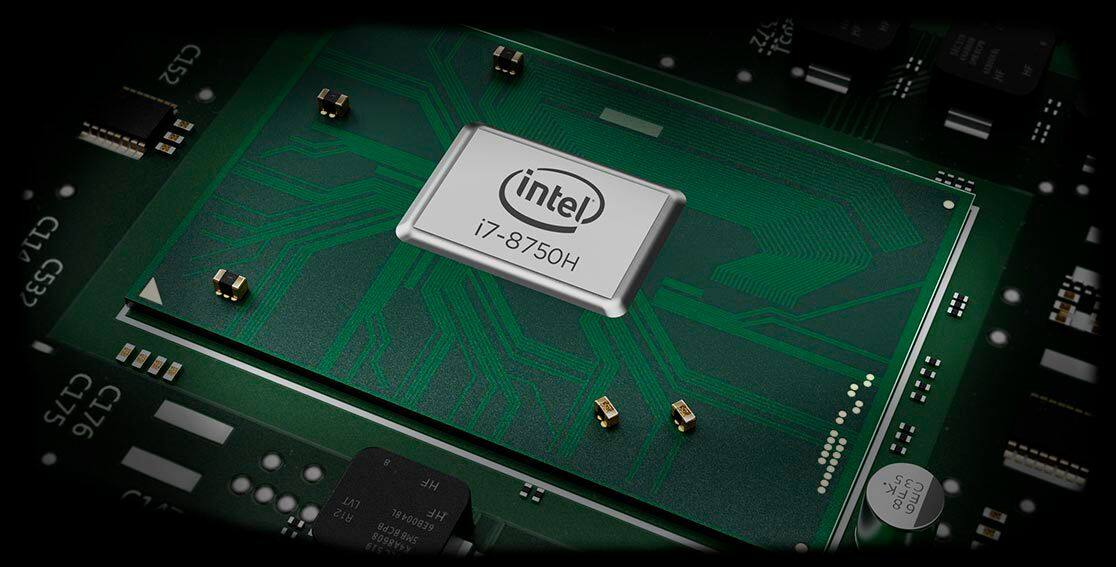
Posted .The processor within this configuration of the Lenovo Legion Y530 is the powerful Six-Core/Twelve-Thread Intel Core i7-8750H processor, supported by 8GB of DDR4-2666MHz RAM and the discrete GPU, Nvidia GeForce GTX 1050TI. The Lenovo Legion Y530 laptop ships with the latest 5G 802.11AC frequency WiFi. Be sure the router you are using has the latest firmware updates available from the router manufacturer's web site. Also be sure you have the latest BIOS and communications Drivers on the computer by scanning the device with the Lenovo Utility software installed. This system has Lenovo utilities installed to help maintain the health of the device and keep the operating system software up to date. Type "Lenovo Vantage" in the Cortana Search window (if Lenovo Vantage is not installed on your device, you can download the APP and install it now). Select Lenovo Vantage from the list. In the window that opens, click on "Health and Support". In the expanded menu, select "Hardware Scan" In the window that opens, select "Run Quick Tests". This will scan your entire system for errors. Follow any directions that may pop up. If the problem continues after this scan, now click on "System Update". First select Windows update from the menu. Scan your system to be sure you have the latest version of Windows 10. Once that scan is complete, select "Additional Updates". This will scan your device to be sure there are no new BIOS/Driver updates needed. Follow any instructions that may pop up. This configuration of the Legion Y530 ships with a 3CELL 52.5WH, Lithium Polymer battery, with a battery life of up to 5 hours, depending on the work that the device is performing. The Legion Y530 ships with an activated 30-day trial of McAfee virus protection software. If you are getting popup messages about security, your 30-day trial has ended and your device is unprotected from viruses. You do not need to use McAfee. You can install any 3rd party virus protection software you choose. You can also choose to use the free Windows Defender software that comes with Windows 10. But you can only have one virus protection software on the device that is active. You need to uninstall McAfee if you do not want to use it. Here is a link to information on uninstalling McAfee from Windows 10: https://service.mcafee.com/webcenter/portal/oracle/webcenter/page/scopedMD/s55728c97_466d_4ddb_952d_05484ea932c6/Page29.jspx?wc.contextURL=%2Fspaces%2Fcp&articleId=TS101331&_afrLoop=1355161020222084&leftWidth=0%25&showFooter=false&showHeader=false&rightWidth=0%25¢erWidth=100%25#!%40%40%3FshowFooter%3Dfalse%26_afrLoop%3D1355161020222084%26articleId%3DTS101331%26leftWidth%3D0%2525%26showHeader%3Dfalse%26wc.contextURL%3D%252Fspaces%252Fcp%26rightWidth%3D0%2525%26centerWidth%3D100%2525%26_adf.ctrl-state%3Dx25crirbo_9.
- Pros mentioned:Build quality, RamCons mentioned:Battery life
Great school laptop with some added benefits.
||Posted .This reviewer received promo considerations or sweepstakes entry for writing a review.So, I've been using this for a while and I only have the 8GB ram 1050ti model. But it'll still run most of my favorite games on lower settings. The touch pad is responsive and the keyboard is quite. I'm also a huge fan of the texture even though it's a finger print magnet. But it is very nice to see a gaming laptop that's not super flashy and could even pass for being a regular laptop. I definitely feel less embarrassed to have it out in public. You could also open the thing up and put in another ram card too get 16GB of ram for around $50 which I definitely recommend doing. One of the cons is definitely the battery life. But that's too be expected for this price. Biggest con to this laptop is that there is no thunderbolt 3 even though it has a USB type-c port. Which I think should just be a standard these days but this laptop would be gotten a 5 star rating if it had a thunderbolt 3 type-c connector.
I would recommend this to a friendBrand response from Lenovo Product Expert
Posted .Thank you for choosing the Lenovo Legion Y530 laptop. Please keep in mind, this model is not user upgradable. A certified technician must do all of the work, so as to not void the warranty. The Legion Y530 ships with a 3CELL 52.5WH, Lithium Polymer battery, with a battery life of up to 5 hours, depending on the work that the device is performing. You are correct, this Legion Y530 does not have a Thunderbolt port.
- Pros mentioned:Build qualityCons mentioned:Hard drive
Decent Gaming Laptop
||Posted .This reviewer received promo considerations or sweepstakes entry for writing a review.I purchased this laptop for light gaming and some work related functions. Overall, the laptop is solid- Its built well, it feels really comfortable, and the hinge is set in a place that allows the laptop to be in the 15" class but still function in a similar footprint to an ultrabook. The hardware is a little underwhelming: The 8GB of ram almost isn't enough and the 1TB HDD is slow and loud to spin up-but cooling is effective. Even after a few hours of gaming, it doesnt get remotely as hot as a G7 Dell or the Asus ROGs.. I purchased this laptop open box for ~ $730. Well worth the price and the effort to upgrade the RAM and replace the HDD with an M2 SSD.
I would recommend this to a friendBrand response from Lenovo Product Expert
Posted .Thank you for choosing the Lenovo Legion Y530 laptop. Please keep in mind, this model is not user upgradable. A certified technician must do all of the work, so as to not void the warranty. This 15.6-inch laptop gives you exactly what you need for a gaming experience that balances performance and portability. Its breathtakingly sleek design includes a three-sided narrow bezel for a more immersive gaming experience. The latest-generation specs include GTX graphics and Intel Core i7 six core processors, which guarantee you serious gaming power. Thermally optimized to run cooler and quieter with a full-sized white-backlit keyboard, the Lenovo Legion Y530 Laptop is primed for those who demand gaming wherever life takes them. For 2018, Lenovo retained its place for a second year as the best laptop vendor:
https://www.laptopmag.com/articles/laptop-brand-ratings
- Pros mentioned:Build quality, RamCons mentioned:Hard drive
Great Gaming PC... IF you know its target
||Posted .This reviewer received promo considerations or sweepstakes entry for writing a review.You'll find many reviews online about the great quality of Lenovo Legion laptops. So I won't comment on that one that much other than saying they are true when it comes to the build quality and aesthetics. Now, on its specs and performance... You need to know the exact target audience for this computer before buying: age, gaming needs/knowledge, other current/foreseeable uses, etc. It is an affordable solution for gaming if you don't expect to play triple A titles at the highest possible resolutions, and you don't care it not having the zippiest hard drive speeds. Sure, it will boot slower than other machines with SSDs, but when it comes to gaming it handles them quite well (again, knowing its limitations). If you are a hardcore gamer then definitely skip this one. If you are a beginner, or casual gamer (like the person who uses this computer) then you would be well served and satisfied for the price you paid. Need more juice? Yes, RAM and Disk can be easily upgraded. Better spend a reasonable amount of money on a nice looking, well built, average gaming system such as this and then build up when your needs grow (if they do), than spending a small fortune on a top level gaming machine that might be overkill for your needs. Know this machine's target audience first. If you're in it, then you can't go wrong with this very affordable and nice looking gaming laptop.
I would recommend this to a friendBrand response from Lenovo Product Expert
Posted .Thank you for choosing the Lenovo Legion Y530 laptop. Please keep in mind, this model is not user upgradable. A certified technician must do all of the work, so as to not void the warranty. We are pleased to hear that the features and performance of the Legion Y530 meets your computing needs so well. This 15.6-inch laptop gives you exactly what you need for a gaming experience that balances performance and portability. Its breathtakingly sleek design includes a three-sided narrow bezel for a more immersive gaming experience. The latest-generation specs include GTX graphics and Intel Core i7 six core processors, which guarantee you serious gaming power. Thermally optimized to run cooler and quieter with a full-sized white-backlit keyboard, the Lenovo Legion Y530 Laptop is primed for those who demand gaming wherever life takes them. For 2018, Lenovo retained its place for a second year as the best laptop vendor:
https://www.laptopmag.com/articles/laptop-brand-ratings
- Pros mentioned:Performance, Ram
AMAZING Light work laptop
||Posted .This reviewer received promo considerations or sweepstakes entry for writing a review.Powerful enough to handle any streamline of work, I make music and daytrade as a living and this is the best laptop i've used to do both things. The only thing i had to do was upgrade the ram from 8 GB to 32 GB myself, and the only reason its not 5 stars is because the SCREWS ON THE UNDERSIDE WERE STRIPPED!!! However i used left handed drill bits and got them out, and ended up being able to replace the ram. Now it's the perfect machine for travel and mobile work, and sometimes i play league of legends on it, and its great.
I would recommend this to a friendBrand response from Lenovo Product Expert
Posted .Please keep in mind, This model is not user upgradable. A certified technician must do all of the work, so as to not void the warranty. The maximum RAM model number 81FV0001US can support is 16GB DDR4-2666MHz. The screws on the bottom of Lenovo laptops are sealed with a Loctite type sealer to insure the screws stay in place.
- Pros mentioned:Build qualityCons mentioned:Battery life
Seems good
||Posted .This reviewer received promo considerations or sweepstakes entry for writing a review.Needed this for graphic arts classes in college. Seems sturdier than some of the other laptops we looked at. The keys are nice to use and the backlights on them are cool...and you can change the backlights to high, low, or off. Cooling fans are great and it even has a function to boost the fans to cool it off faster. Screen is very clear. Mouse pad works good. FYI...the computer has different "modes"...you have to click fn & f7 together, to change the modes. We couldn't find anything online about that, just had to figure it out. Battery doesn't last long, but it does charge quickly. Great computer!!
I would recommend this to a friendBrand response from Lenovo Product Expert
Posted .Thank you for choosing the Lenovo Legion Y530 laptop. This model ships with a 3CELL 52.5WH, Lithium Polymer battery, with a battery life of up to 5 hours, depending on the work that the device is performing. We are pleased to hear that the features and performance of the Legion Y530 meets your computing needs so well.
- Pros mentioned:Graphics, SpeedCons mentioned:Battery life
Great for a beginner
||Posted .This reviewer received promo considerations or sweepstakes entry for writing a review.I really like this laptop. Fast, good graphics, great sound, easy to use. Only problem is the battery life is horrible.
I would recommend this to a friendBrand response from Lenovo Product Expert
Posted .The Lenovo Legion Y530 laptop ships with a 3CELL 52.5WH, Lithium Polymer battery, with a battery life of up to 5 hours, depending on the work that the device is performing. To maximize battery life, be sure there are no unwanted programs running in the background, draining the battery. Here is a link to some tips for finding out what is draining your battery:
https://www.laptopmag.com/articles/battery-saver-windows-10. Also, to maximize battery life, try changing your power management setting to a more conservative one. You can do this in the control panel, in the power management category on your system. Select a more conservative power management setting to extend battery life. Finally, if the battery life does not improve, a battery reset may help. Here is a link to instructions for resetting a non-removable battery. If you need further assistance, we recommend you call Lenovo Tech Support at: 877-453-6686. Here is the link: https://www.techwalla.com/articles/how-to-reset-a-laptop-battery
- Pros mentioned:Performance
great with a slight dislike
||Posted . Owned for 2 weeks when reviewed.This reviewer received promo considerations or sweepstakes entry for writing a review.the laptop is amazing,i use it for class and gaming and its super light and looks great,runs games at 60fps so im super happy with that.Biggest problem i have with it would be the speakers,they are super raspy and have no base.That being said its still loud just dont expect clear. Another problem is the built in mic,just think it nonexistent as it wont pick up voice sometimes.Even with those problems i would still buy this computer again and happily
I would recommend this to a friend - Pros mentioned:Graphics, Performance
Well built machine...
||Posted .This reviewer received promo considerations or sweepstakes entry for writing a review.I got this as a graduation gift for my son. He has put it through its paces and loves its performance. With the dual fans it stays cool on his lap and it keeps the performance from taking a hit from heat. It looks good and performs great.
I would recommend this to a friendBrand response from Lenovo Product Expert
Posted .Thank you for choosing the Lenovo Legion Y530 laptop for your son. We are pleased to hear that the features and performance of the Legion Y530 meets your son's computing needs so well. For 2018, Lenovo retained its place for a second year as the best laptop vendor:
https://www.laptopmag.com/articles/laptop-brand-ratings
- Pros mentioned:Build quality, Graphics
It's a Great Looking Laptop with Okay Performance
||Posted .This reviewer received promo considerations or sweepstakes entry for writing a review.I've been using this laptop for a couple weeks now and for the price I think the build quality, finishes and overall design are fantastic. Often times, at this price point you get an over saturated gaming laptop with funky red lights and unnecessary angles, however with this laptop you get a simpler, quiet and sophisticated look that I think works for a broader audience. My only complaint is that the system performs slower than you would think. I've bought comparable laptops in the past with the same specs and have never run into issues where Windows would stop responding. Whenever I need to do simple tasks like open Google Chrome or open the settings and control panel options, the laptop takes a couple seconds to think about it. Honestly, at this price point I was hoping the speed would be a little better. I think this is a gamble purchase. If you like the design and just plan on using this for basic tasks like Word or Excel and general internet surfing, I think it's a good buy. If you're expecting great performance with gaming or 3D modeling, I'd look elsewhere.
No, I would not recommend this to a friendBrand response from Lenovo Product Expert
Posted .The Lenovo Legion Y530 laptop ships with the 6-Core/12-Thread Intel Core i7-8750H processor and 8GB DDR-4-2666MHz. You can scan the device, if you feel there may be software updates needed, by using Lenovo Utility software installed on this device. This system has Lenovo utilities installed to help maintain the health of the device and keep the operating system software up to date. Type "Lenovo Vantage" in the Cortana Search window (if Lenovo Vantage is not installed on your device, you can download the APP and install it now). Select Lenovo Vantage from the list. In the window that opens, click on "Health and Support". In the expanded menu, select "Hardware Scan" In the window that opens, select "Run Quick Tests". This will scan your entire system for errors. Follow any directions that may pop up. If the problem continues after this scan, now click on "System Update". First select Windows update from the menu. Scan your system to be sure you have the latest version of Windows 10. Once that scan is complete, select "Additional Updates". This will scan your device to be sure there are no new BIOS/Driver updates needed. Follow any instructions that may pop up. If the issue still continues after these updates, we recommend you call Lenovo Tech Support at: 877-453-6686 for additional help.
- Pros mentioned:PerformanceCons mentioned:Hard drive
Very Good Laptop
||Posted .This reviewer received promo considerations or sweepstakes entry for writing a review.Was torn between the Dell G7 and this one. The Dell had a better GPU but I was not a fan of the design. The Hard Drive that came with this laptop was sluggish, therefore I bought a Samsung Evo 970 to put in it and now it's blazingly fast. I am able to play most games on at least medium and in some cases high. Love!
I would recommend this to a friendBrand response from Lenovo Product Expert
Posted .Thank you for choosing the Lenovo Legion Y530 laptop. This model is Intel Optane Memory ready for improving the performance of the standard hard drive.
- Pros mentioned:Performance, Ram
great laptop for editing/basic gaming
||Posted .This reviewer received promo considerations or sweepstakes entry for writing a review.I’ve had this laptop for about a month now and it’s been nothing but amazing to me. The 8 GB of RAM lets me have a quick workflow with lightroom, photoshop and premiere and aftereffects and I’m able to play small games without lag. Absolutely love it.
I would recommend this to a friendBrand response from Lenovo Product Expert
Posted .Thank you for choosing the Lenovo Legion Y530 laptop. We are pleased to hear that the performance of the Legion Y530 meets your computing needs so well.
Good laptop but needs upgrades to be really useful
||Posted .This reviewer received promo considerations or sweepstakes entry for writing a review.This laptop packs decently powerful hardware into a surprisingly thin and light form factory. Yes, most of the chassis is plastic, but it's very solid with no undue flex or creaks. I absolutely LOVE the feel of the keyboard. The travel distance and tactility are just about perfect, and it's stunningly quiet. I appreciate the inclusion of a number pad, but its positioning is rather awkward. The screen I would describe as "OK." It's an IPS panel so the viewing angles are good, but this one is not particularly bright or vibrant. You can tweak the colors in the Intel driver control panel, and I'm sure you could get it looking better with proper calibration using a hardware device. Even then, you're probably not going to want to do any color-critical creative work on it. I/O is impressive. The three USB Type-A ports are spread around the machine, which could be a convenience or annoyance depending on your particular usage. It's the former in my case. The USB-C port cannot charge the laptop, but it supports data and video output. With it, mini-DisplayPort, and full-size HDMI, you can hook up three external monitors. While the built-in display doesn't support FreeSync or NVIDIA G-Sync variable refresh rate technology, you can take advantage of it on an external monitor when using the laptop's mini-DisplayPort or USB-C. You just need a cable that has a DisplayPort connection on the other end. The GeForce GTX 1050 Ti is now on the low end of GPUs that I would consider for laptops designed with gaming in mind. It will struggle with recent AAA titles at 1080p, but for older and indie games, it does the job well. The Core i7 8750H, which has six physical cores and 12 "threads" does a fine job in CPU-intensive tasks, but it runs hot. I would strongly advise purchasing high-quality thermal compound and “re-pasting” both the CPU and GPU. This particular model of Y530 needs some upgrades to really make it useful as an everyday productivity and light gaming laptop. Getting inside is a rather tense process. Undoing the 11 screws on the underside of the chassis is not a big deal. Once you've done that, though, it takes quite a lot of prying to free the bottom cover. A plastic "spudger" works best, but you can use a guitar pick or, if you're really desperate, a credit card. The clips are very tight, so you need to exercise a fair amount of caution. When you've freed the ones along the back side where the AC adapter plug is, it's not too tough to get the whole panel away. Once inside, you can re-paste the CPU and GPU by undoing six screws and carefully lifting the heatsink assembly. Use isopropyl rubbing alcohol to clean off the pre-installed thermal compound from the heatsink, CPU, and GPU. Once it dries, you can put on new paste. There are lots of guides online showing you how exactly to apply it. Screw the heatsink back in place, being sure not to over tighten the screws, then you can proceed with upgrading the wireless card, hard drive, and RAM. I recommend you do all three. The stock WiFi module doesn’t have great range. Better-quality Intel-branded modules are available online for less than $20. Carefully disconnect the two antennas, undo the screw holding the card down, and remove it, then reverse the procedure to install the new one. The fact that this laptop comes standard with only a platter/spinning hard drive is unacceptable in my opinion, especially since the prices of solid-state drives (SSDs) are at all-time lows. Swapping out the hard drive with a 2.5-inch SSD is fairly straightforward, and this is what I did. The laptop has a free slot for a faster M.2 PCI-Express SSD, but the particular unit I purchased (not sure about others) did not come with the necessary motherboard standoff and screw to secure it in place. I performed a clean Windows install, rather than cloning the stock drive. The Y530’s original OS installation is impressively free of “bloatware” and whatever applications it did have were ones I would never use, so using standard Windows 10 installation media wasn’t a big deal. Even a low-end SSD makes a massive difference to system responsiveness over a platter drive. To get to the RAM, you have to remove a metal shield, which is held in place with pressure-fit clips. Use the same spudger or guitar pick to carefully tease open the clips and lift off the shield. Your system might vary, but mine had a single 8 GB Samsung-branded memory module of DDR4-2666 speed. You’ll want to try and find a matching stick (which I did) or buy a dedicated pair to take advantage of dual-channel support. The laptop will take up to 32 GB of RAM if you elect to purchase two 16 GB modules. For not a lot of extra outlay, I have a laptop that runs cooler (thanks to the new thermal paste), has more stable Internet connectivity (thanks to the new WiFi card), and is more responsive (thanks to the extra RAM and SSD). Despite its deficiencies, the basic design and feel of the Y530 is still good enough to merit a recommendation. If you’re not comfortable tinkering, however, you might want to look elsewhere.
I would recommend this to a friend