Customer Ratings & Reviews

- Model:
- 81CU000CUS
- SKU:
- 6201046
to a friend
Customers are saying
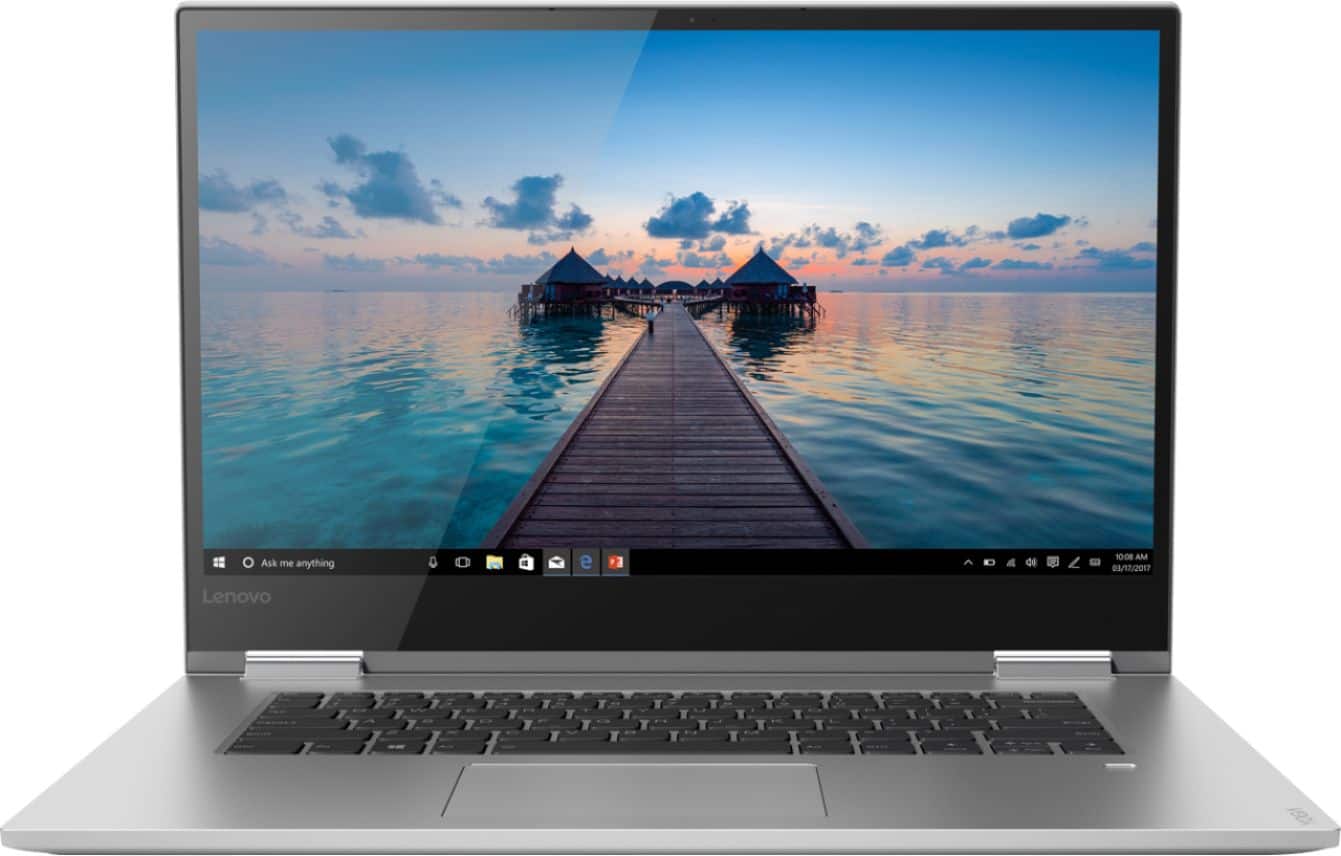
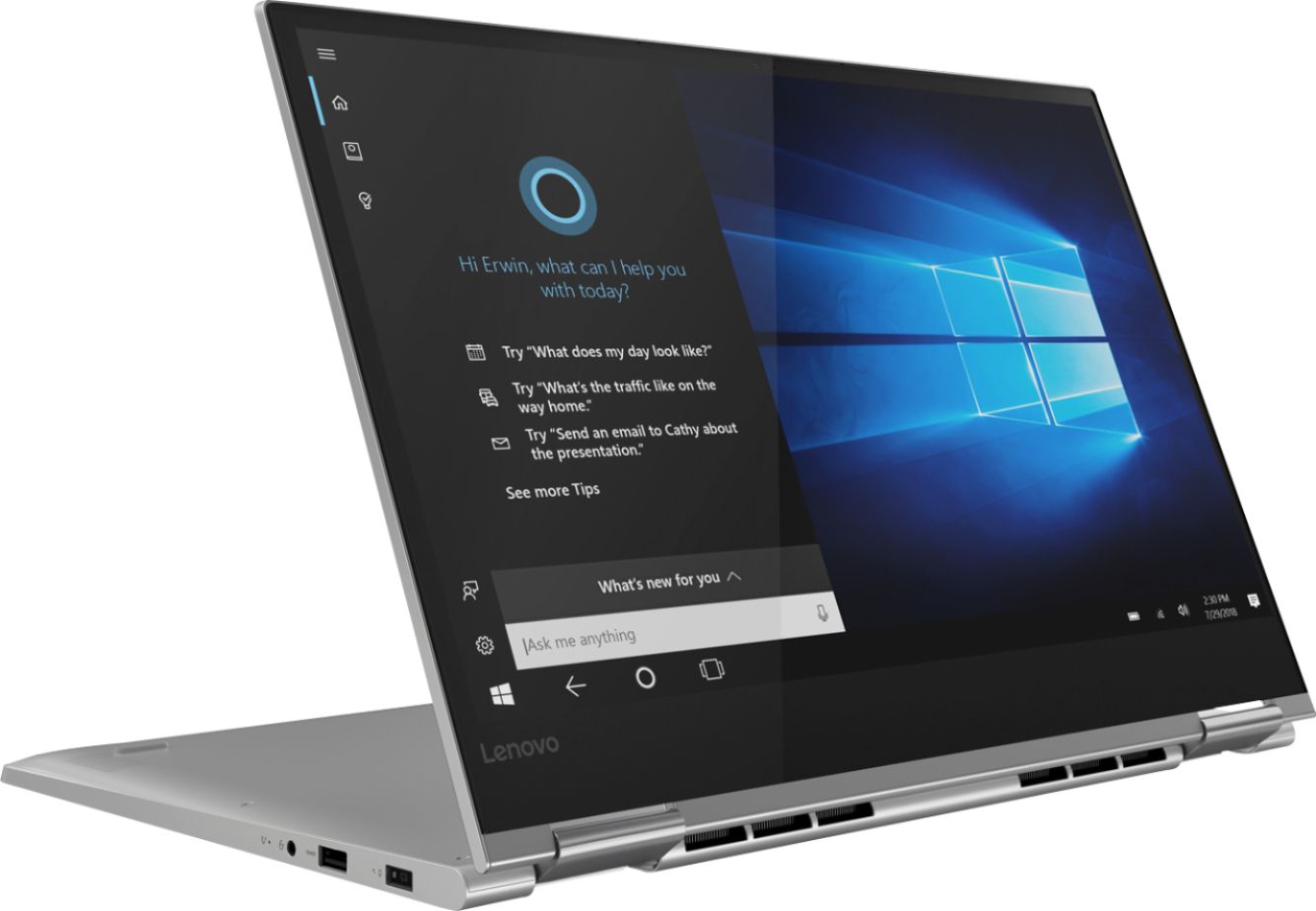
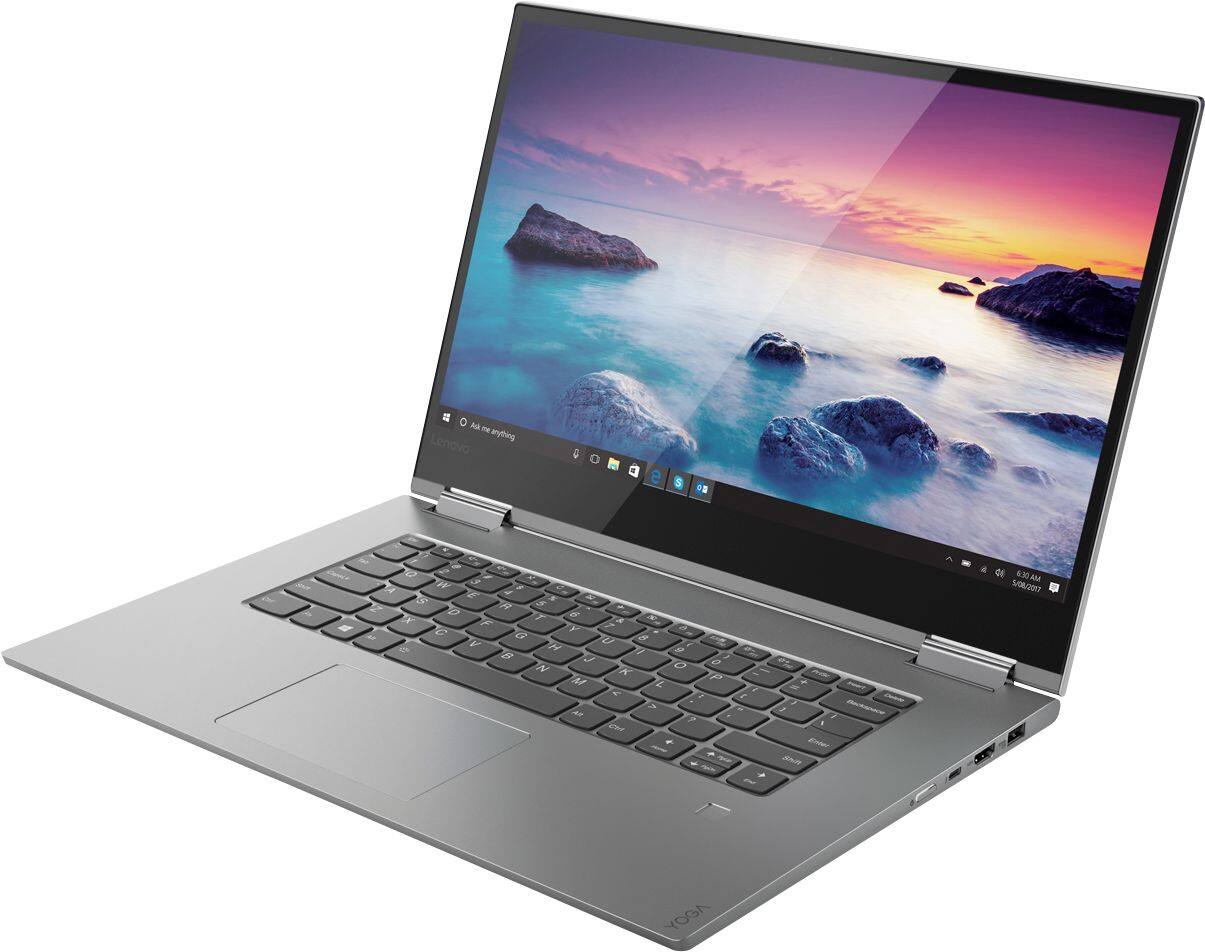
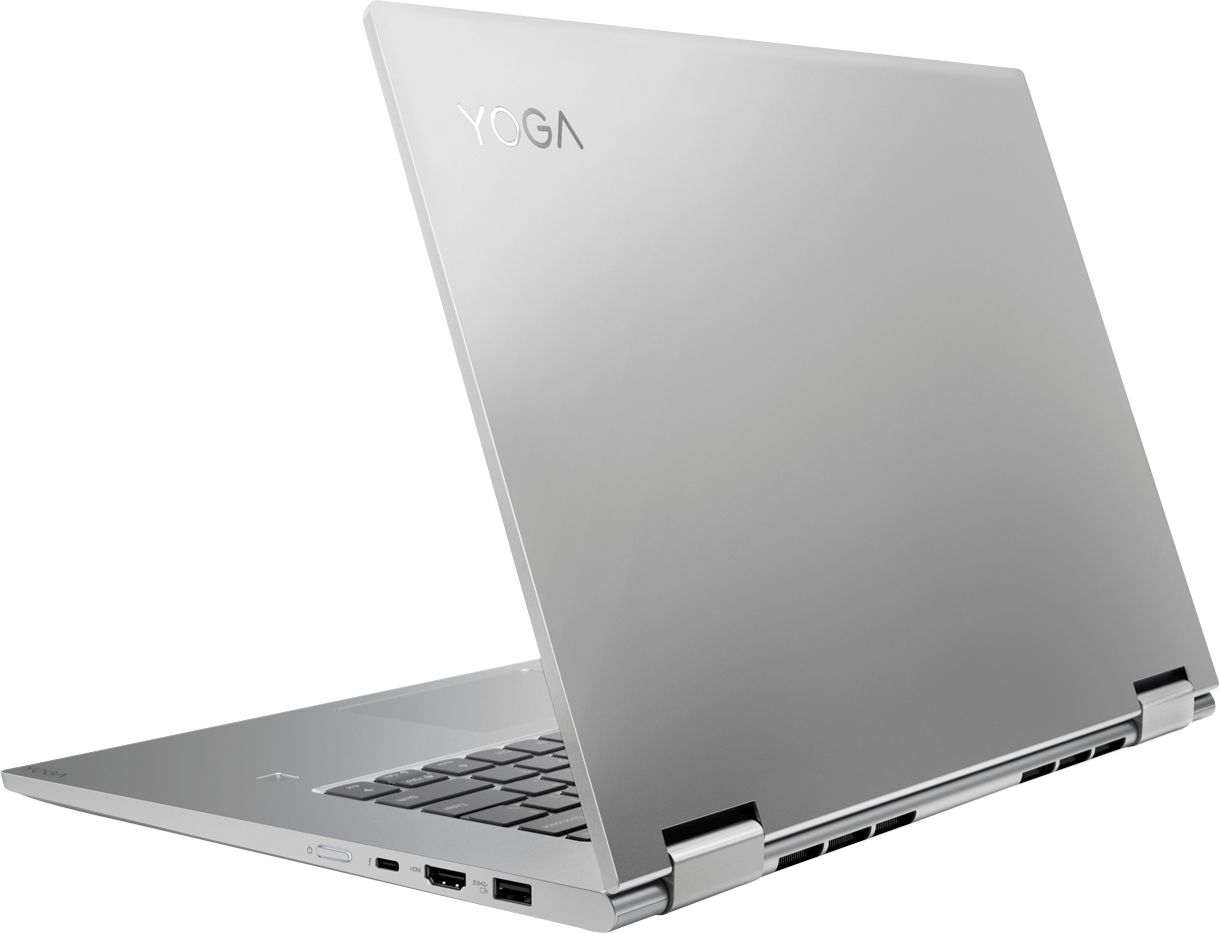
Customers frequently mention the Yoga 730's fast performance, stunning 4K screen, and powerful capabilities. It is also praised for its design, price, and the inclusion of a solid-state drive. However, customers commonly complain about its short battery life, loud fan noise, and cooling issues.
This summary was generated by AI based on customer reviews.
- Pros mentioned:ScreenCons mentioned:Battery life, Cooling
So far so good!
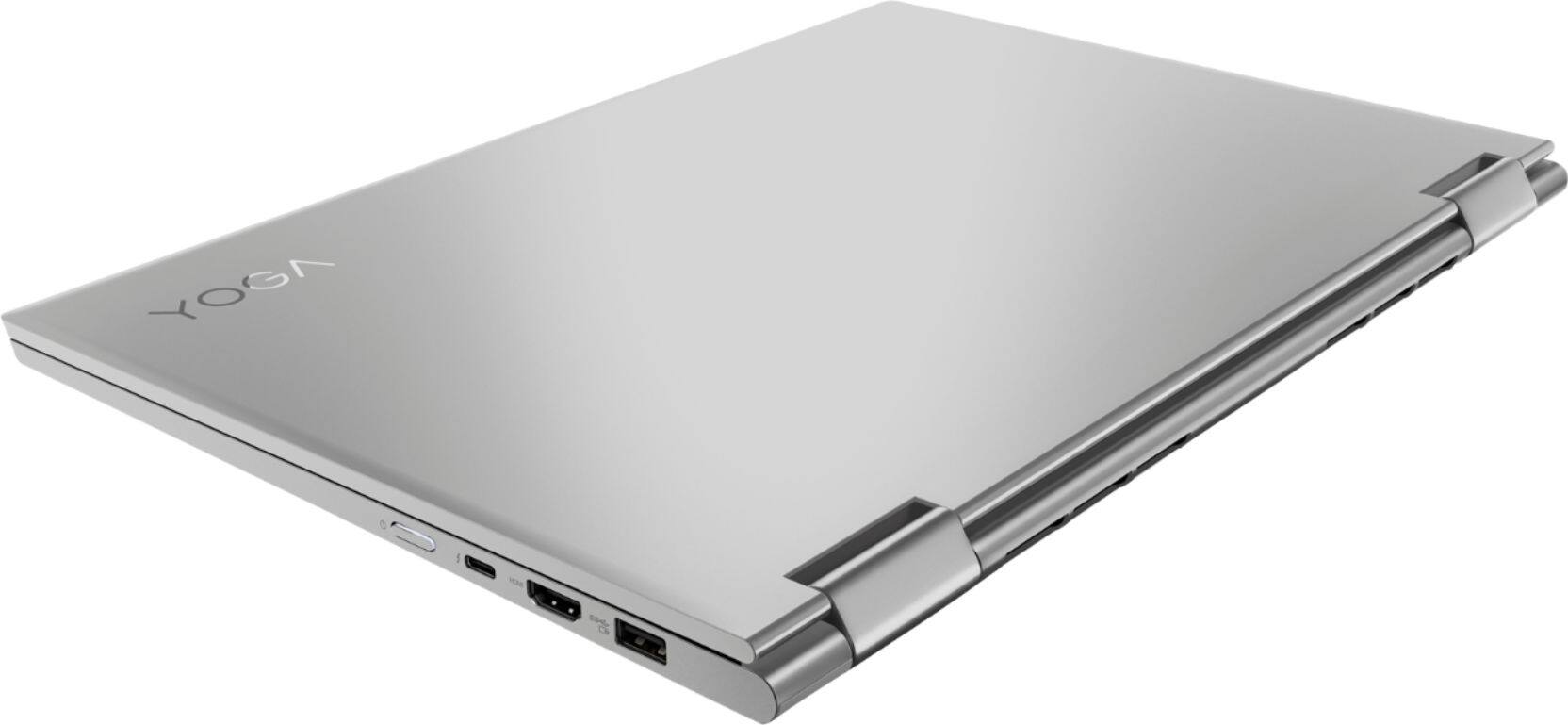
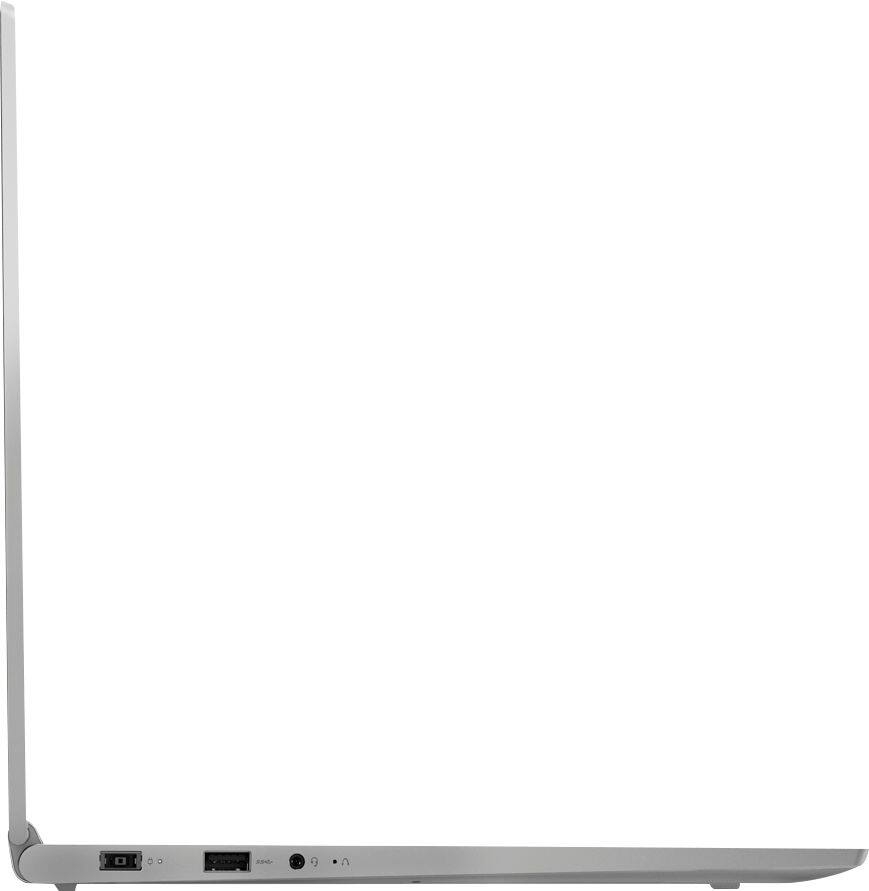
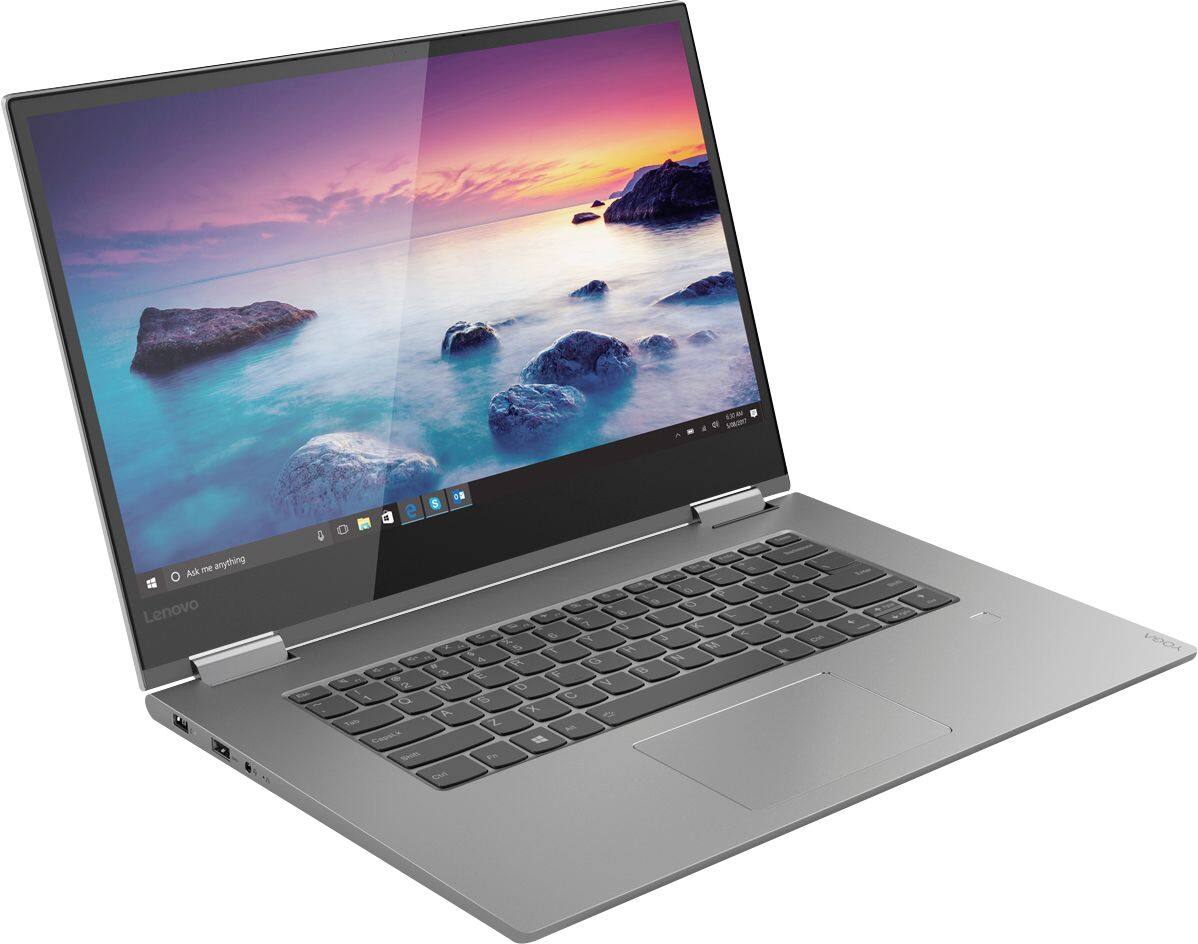
||Posted .This reviewer received promo considerations or sweepstakes entry for writing a review.*Consider this a preliminary review as I have only had the laptop for about a week.* I was looking for an upgrade from my 3-year-old 13.3" HP Specter x360 i7-5550. I needed something lightweight with a 15" or bigger screen that could handle AutoCAD. I wanted a 2-in-1 but it wasn't a deal breaker. That's when I found the Yoga 730. I saw a lot of good but also quite a few bad reviews, so at first I was skeptical about purchasing this laptop. After purchasing, I thought I'd write a review about the pros, cons, and respond to some of the complaints I've seen. Pros: Packaging is pretty sexy and has very little plastic (awesome for those who are environmental conscious). 4K screen (It. looks. AWESOME.). built in Bluetooth and webcam. NVidia 1050 GPU. Quad core. short travel space on the keyboard, narrow bezels, the track pad is smooth, very sturdy (no bend or give in the chassis). Hinging on the screen is sturdy. Cons: ran hot on start up (had to install a lot of updates right off the bat), short battery life, no SD card slot, the power cord is kind of hard to pull out from the charging port on the computer, few external ports, stickers were put on sloppily. **Most of the cons are "I wish it had..." as I have only had it for about a week** I wish the battery life was a little better because I'm not sure how it would handle 4 or 5 hours of classes. I read reviews about this laptop running hot. It doesn't run as hot as I was expecting, but I still use a laptop cooling pad. I wish it had more ports (e.g. one more USB 3 and a second USB C port would be nice) because you'll most likely have to purchase a dongle with more external ports. The charging cable really sticks in the charging port and it makes me nervous that one day I'll pull really hard and I'll go flying in one direction while my laptop flies in the other. The sloppiness of the stickers is really nit picky but it makes me think about the quality control issues I've read about this laptop and Lenovo having. ***Many reviews seem to be about Best Buy or Lenovo, not the computer itself. Definitely read the reviews for this laptop, don't just look at how many stars the reviewer gave the laptop*** One of the complaints I've seen is that this computer runs hot. Most computers will run hot. Most laptops don't have advanced cooling systems like external GPUs and desktops. ALWAYS get a laptop cooling pad. You can find them pretty cheap on a number of sites. This will help (but not prevent) the system from throttling, and will overall help your system run better. Some people think that the keyboard travel space is short. This is completely a preference thing. I love the travel distance being shorter because my hands are small. I actually type better on this keybaord than my previous HP spectre. I've also read a lot of reviews that all point out quality control issues. My laptop does not seem to have any quality control issues, but, again, I have only had this laptop for about a week. Most reviews claim to have issues within the first two months, so I will update this review if there are any issues or if nothing happens in two months or so. Purchasing tips: First, never buy used or certified refurbished from Best Buy. You might be getting the display unit which has been used a TON before you. Second, If you have an issue, Geek squad will not help you unless you already pay for them. Third, Best Buy has some strict return policies, so always research if you're purchasing online or ask A MANAGER. Three different employees will tell you three different things about policies. The only reason I was comfortable purchasing this from Best Buy is because I'm aware of the policies. Fourth, I can't speak to Lenovo's customer service, but many people have complained about them. Their copy and paste responses to all of these reviews doesn't help. They also make claims in those responses about returning items to Best Buy, showing that they are pretty ignorant about Best Buy's return policies. ****This is not a gaming laptop, and Lenovo should not claim that it is. It contains a pretty good GPU for a laptop but, again, this does not make it a gaming laptop. I have been able to run light games on it at the highest settings no issues. (I use a cooling pad which helps with this). I would recomend this laptop depending on what you are using it for. You get what you pay for with this one (in a good way!).
I would recommend this to a friendBrand response from Lenovo Product Expert
Posted .The Lenovo Yoga 730-15 4K model ships with a 3CELL 51.5WH, Lithium Polymer battery, with a battery life of up to 8 hours, depending on the work the device is performing and the settings you have on the device. Be sure there are no unwanted programs running in the background, draining the battery. Here is a link to some tips for finding out what is draining your battery:
https://www.laptopmag.com/articles/battery-saver-windows-10. Additionally, to maximize battery life, try changing your power management setting to a more conservative one. You can do this in the control panel, in the power management category on your system. Select a more conservative power management setting to extend battery life.
- Pros mentioned:4k screenCons mentioned:Battery life
Great Pc for a student and a proffesional
||Posted .This reviewer received promo considerations or sweepstakes entry for writing a review.I work as a technician for a IT department and I needed something that could power duo screen ,remote desktop,run my antivirus and vpn with no lag and be able to run basically every program.At the same time im a student so I needed something practical .light weight ,and durable.This computer is able to handle both jobs amazingly.I can run Bomb guard remote desktop and use other programs with out any Issues.With 16 GB of ram I can use any antivirus I choose and it wont slow the computer down .The SSD is a very important key feature because I dont have to worry about my Hard drive crashing and losing my data.The 4k Screen is a nice touch when doin video editing.The battery usually last around 3 -4 hours non stop with medium to heavy use.The only Con I have expirence so far is that the Hinges are a little bit too weak so when you use it in canvas mode and you use the touch screen it tends to move.At times the bottom part gets hot how ever not to the point where it Overheats .If you are looking for a good pc that can handle a wide range of task while still been stylish ,portable,and with in a Budget of 1,500 and lower then I will Recommend this PC.
I would recommend this to a friendBrand response from Lenovo Product Expert
Posted .Thank you for choosing the Lenovo Yoga 730-15. This model ships with a 3CELL 51.5WH, Lithium Polymer battery, with a battery life of up to 8 hours, depending on the work that the device is performing. Be sure there are no unwanted programs running in the background, draining the battery. Here is a link to some tips for finding out what is draining your battery:
https://www.laptopmag.com/articles/battery-saver-windows-10. Additionally, to maximize battery life, try changing your power management setting to a more conservative one. You can do this in the control panel, in the power management category on your system. Select a more conservative power management setting to extend battery life.
- Pros mentioned:4k screenCons mentioned:Battery life, Loud fan
Excelent for the price, screen could be better.
||Posted .This reviewer received promo considerations or sweepstakes entry for writing a review.Lenovo yoga 730 is excellent for the price. The 4k screen is great but for a laptop we cannot see the difference from HD. The screen is highly reflective, making the battery live shorter as we have to increase the brightness when use in an bright environment. Speed is very fast specially for the SSD, it comes with samsung SSD which is one of the fastest available. Fan noise is not so quiet for hard work , for normal use it seem to be off most of the time. Using Lenovo advantage software it is possible to set the fan noise to a quite mode, making it really quite for most activities. Four stars only because of wi-fi card that has some issues disconnecting a few times during a day. It shows connected but without connection. It seems in past days the problem was solved, but was a persistent problem for weeks.
I would recommend this to a friend - Pros mentioned:Design, Fast
Solid Performance & Value - True 4/5
||Posted .This reviewer received promo considerations or sweepstakes entry for writing a review.Spending substantial time on my newly purchased laptop over the last three days, I now feel qualified to write a review to explain my interpretation of pros and cons. Pros: Display - Ultra HD 4K. Need I say more? The display is incredible and is just as good as I had hoped. The colors are vivid and even basic web-browsing looks great. Speed - With 16GB RAM and an 8th Gen i7 processor the computer is incredibly fast for all the streaming, browsing, and gaming I have done so far. Design - The 2-in-1 feature is great, but not a huge selling point for me. However, the laptop design is sleek and build quality seems to be above average. Cons: Speaker - This is at the top of my cons list for good reason. The speaker is underneath the laptop, under the keypad. With that said, if you are actually using the laptop from your lap, sounds are muffled. This aspect alone scores 6/10 for me based on it's location. Touchpad - While the size and function of the touchpad are excellent, the click sound when selecting items is obnoxiously loud in my opinion. With that said, the detent/swich feels solid and there is no question that the pad is being depressed. Graphics Option - Not a true complaint really, but something to be aware of. Since the laptop is equipped with integrated Intel Graphics and the Nvidia card, you will need to go into your display options to select the Nvidia card for programs.
I would recommend this to a friendBrand response from Lenovo Product Expert
Posted .The Lenovo Yoga 730-15 4K model has stereo JBL speakers on the bottom bevel at the front of the device. There is Dolby Atmos sound enhancement software also included with this model. Dolby Atmos works best with headphones. If you are using the system speakers, for the best audio experience, be sure Dolby Atmos is turned off. With regard to the touchpad, you can make adjustments to the touchpad in your system settings. You can get there by clicking on the magnifying glass at the bottom left of your Windows 10 screen. Type "touchpad" in the search window. Select "Mouse & touchpad settings" from the list of choices. You can make general adjustments to the touchpad there. You can also select "Additional mouse options" for more detailed adjustments to the touchpad sensitivity by increasing the delay of the touchpad. This model ships with the Nvidia GTX 1050 GPU set as the default graphics processor, there is no need to select the GPU for graphics processing.
- Pros mentioned:ScreenCons mentioned:Battery life
Good Overall Laptop
||Posted .This reviewer received promo considerations or sweepstakes entry for writing a review.As the title suggests, I like this laptop overall. The size is comfortable, the touch screen is a nice touch (...no), and the settings are customize-able so anything I don't like I can change. I will say, if you are attached to a long battery life, I don't know if this is the BEST option. It's definitely not bad, and I haven't timed it, but I sometimes feel like it runs out faster than I think. But that could be me losing track of time. I also have had a couple of small issues with the computer recognizing that it should be charging. As in, I plug it in, it lights up, I leave for 2... 3... 4... 5... hours, come back, and it's still "charging." I eventually have to turn it on, see that it is "plugged in, but not charging," and replug it so it realizes that, yes, it should be charging. So that's something to keep an eye out for. But, overall, great laptop and the only issues are small ones I don't mind working around.
I would recommend this to a friend - Cons mentioned:Battery life
Nice, until it stopped charging.
||Posted .This reviewer received promo considerations or sweepstakes entry for writing a review.I purchased this laptop as an open-box deal when my old laptop finally decided to break down. This one had great specs and was pretty much exactly what I needed for work and for play. It ran smoothly, the features were nice, and it had more than enough power for my daily computing needs. The first issue I ran into after setting up this laptop, however, was that the wi-fi would occasionally drop for no reason. It would say connected, but I wouldn't be able to access the internet, despite it working perfectly fine on other devices on the same network. Then, I noticed the battery stuck at 73% despite being plugged in overnight. While plugged in, it wouldn't discharge but nor would it charge. Unplugged, it discharged quickly. Unsure of what to do, I let it die in the hopes that it was just a new battery issue. That fixed the problem for a couple days when it again refused to charge. In lieu of sending it back to Lenovo for 2-3 weeks, I bought a new charger in the hopes that it was the charger itself that was faulty. Again, it fixed it for a couple of days before it again stopped charging, this time discharging even while plugged in. I returned it not long after. If it hadn't have had those problems, it would've been a nice laptop. But take this review with some warning, however, because I also purchased an open-box, and it may have already been damaged for other reasons unrelated to the manufacturer. if you do get this laptop, it'll work great--so long as you don't have my horrible luck!
I would recommend this to a friendBrand response from Lenovo Product Expert
Posted .We are sorry to hear that you had issues with the battery within your Lenovo Yoga 730-15 4K model. The issue you describe may require a reset of the battery. Here is a link to instructions for resetting a non-removable battery. If you need further assistance, we recommend you call Lenovo Tech Support at: 877-453-6686. Here is the link: https://www.techwalla.com/articles/how-to-reset-a-laptop-battery
- Pros mentioned:4k screenCons mentioned:Battery life
Great laptop for a student on a limited budget
||Posted .This reviewer received promo considerations or sweepstakes entry for writing a review.I got a very good deal on the Yoga 730, by opting for a open box product. It's fairly a great laptop for its price even if you buy it as new. Performance wise, this laptop can handle a lot. I have literally ran programs requiring high computation and I had no issues. Screen is great, I loved the 4K experience. Touchpad is very smooth. I'm listing some cons here which might be a deterrent for some. Keyboard may not be the best on this laptop, I have an old HP DV6, which I felt was more comfortable. I might need some time to get used to the keyboard. Battery isn't so great, that is going to be a downside. I have a 4K model and I think I can fairly get a 4 hours usage. Laptop brightness level is on a low side, you might want to put it on full brightness level, but then it eats up the battery. Overall, I would still rate it a 5.
I would recommend this to a friendBrand response from Lenovo Product Expert
Posted .Thank you for choosing the Lenovo Yoga 730-15 4K model. This model ships with a 3CELL 51.5WH, Lithium Polymer battery, with a battery life of up to 8 hours, depending on the work that the device is performing. To maximize battery life, be sure there are no unwanted programs running in the background, draining the battery. Here is a link to some tips for finding out what is draining your battery:
https://www.laptopmag.com/articles/battery-saver-windows-10. Also, to maximize battery life, try changing your power management setting to a more conservative one. You can do this in the control panel, in the power management category on your system. Select a more conservative power management setting to extend battery life. Lastly, if battery life does not improve, a battery reset may help. Here is a link to instructions for resetting a non-removable battery. If you need further assistance, we recommend you call Lenovo Tech Support at: 877-453-6686. Here is the link: https://www.techwalla.com/articles/how-to-reset-a-laptop-battery. Regarding the brightness of the screen on the Yoga 730-15 4K model, the screen has a brightness level of 300 nits. For maximum brightness, be sure auto brightness is turned off and you have adjusted the screen brightness to your preference. Here is a link to instructions for turning off auto-brightness within Windows 10: https://www.itsupportguides.com/knowledge-base/windows-10/windows-10-how-to-disable-automatic-brightness-adjustments/
- Pros mentioned:Fast, Screen
My favorite laptop so far
||Posted . Owned for 1.5 years when reviewed.This reviewer received promo considerations or sweepstakes entry for writing a review.This computer is amazing!! Its fast , and its screen resolution is crystal clear! I believe this is the best you can get ! Wish it was a little cheaper but I guess you get what you pay for because its top of the line
I would recommend this to a friend - Pros mentioned:ScreenCons mentioned:Battery life
Terrible for gaming, good for everything else
||Posted .This reviewer received promo considerations or sweepstakes entry for writing a review.First of all, if you are buying this laptop for some gaming - DON'T. The CPU throttles so hard that any game even older ones will run at 15 fps with constant frame drops. Anything that involves using both the CPU and GPU at the same time destroys this laptop because intel has a 15 watt power limit that is immediately hit when gaming. The 1050 is completely unused. If you are NOT planning on gaming or using the CPU/GPU intensive workloads at the same time then this laptop will be good for you. The build quality is great and it looks amazing. The screen is awesome and the speakers do their job well. The only other complaint is the battery isn't that good. Overall it's is a good laptop as long as you don't put heavy workloads like gaming on it
No, I would not recommend this to a friendBrand response from Lenovo Product Expert
Posted .Lenovo recommends you always confirm the requirements of the software/games you plan on installing on a new computer, prior to investing in the computer. We recommend you check with the game/software software publisher's web site for their compatibility with Windows 10 Home 64-bit operating system and the minimum/recommended hardware requirements (Is a Graphics card required, the processor speed and the minimum required system RAM and the minimum available hard drive space) to run their program, then compare those requirements to the system's configuration that you are considering purchasing, before you make the purchase.
Great laptop for casual gaming with a few caveats
||Posted .This reviewer received promo considerations or sweepstakes entry for writing a review.I had an Asus ROG gaming laptop that died a few months back and wanted something to serve in its place while I finish grad school and then eventually build a gaming desktop. I wanted something thin, versatile, able to play games with medium settings, while still being affordable. After searching and searching I stumbled upon this on clearance for just over $1k. Though it’s not the most affordable or the best spec’d laptop, it’s had pretty much exactly what I wanted. It can play DOOM (2016) on medium at 60fps, Overwatch on medium to high at 60-80, and Destiny 2 (I did not find out what FPS). NOTE: You cannot add a second SSD, it doesn’t have a second m.2 port. You can upgrade your current SSD to 1tb which I did. The WiFi chip SUCKS. If you discover the Dropping it may because of your power settings or due to the chip just sucking. I replaced with a Intel 8265 for about $25. Lastly, the OEM ac adapter makes a buzzing/static sound. You may want to replace with a universal charger. Overall I am still happy with the purchase.
I would recommend this to a friendBrand response from Lenovo Product Expert
Posted .The Lenovo Yoga 730-15 4K model ships with the latest 5G 802.11AC frequency WiFi. Be sure the router you are using has the latest firmware updates from the router manufacturer's web site. Please keep in mind, this model is not user upgradable. A certified technician must do all of the work, so as to not void the warranty. The AC adapter/Charger should not make any noise when plugged in. We recommend you replace the AC adapter with a compatible replacement ASAP
- Pros mentioned:4k screenCons mentioned:Battery life
Nice Computer
||Posted .This reviewer received promo considerations or sweepstakes entry for writing a review.Very fast start up, thin and sleek, nice 4K screen, battery life could be a little better, but not terrible. It does charge very fast. It may be a little overkill for what I normally do with a computer which is just your typical web browsing and a few things here and there done with Microsoft Office. But, I tend to spend a little more money buying a good computer and hang on to it for longer. I am overall very pleased with it and got a good deal $150 off on sale, another $150 off student coupon and sales tax holiday in Missouri.
I would recommend this to a friendBrand response from Lenovo Product Expert
Posted .Thank you for choosing the Lenovo Yoga 730-15. This model has a battery life of up to 8 hours, depending on the work that the device is performing. If you are getting substantially less battery life, Be sure there are no unwanted programs running in the background, draining the battery. Here is a link to some tips for finding out what is draining your battery:
https://www.laptopmag.com/articles/battery-saver-windows-10.
- Pros mentioned:Design, Fast, Screen
Love! Love! Love!
||Posted .This reviewer received promo considerations or sweepstakes entry for writing a review.Handles graphics programs like a champ! FAST! Great size screen, light, easy to carry. Tablet runs fabulous presentations.
I would recommend this to a friendBrand response from Lenovo Product Expert
Posted .Thank you for choosing the Lenovo Yoga 730-15 4K model. We are pleased to hear that the features and performance of the Yoga 730-15 4K model meets your computing needs so well.
- Cons mentioned:Battery life
It's fast, versatile, and powerful.
||Posted .This reviewer received promo considerations or sweepstakes entry for writing a review.Overall, it's a really good laptop. The SSD lets it start up and load quickly, and the I7 processor and NVIDIA 1050 give it a lot of power for a laptop. The battery doesn't last super long, but that's to be expected from something that powerful.
I would recommend this to a friendBrand response from Lenovo Product Expert
Posted .The Lenovo Yoga 730-15 ships with a 3CELL 51.5WH, Lithium Polymer battery, with a battery life of up to 8 hours, depending on the work that the device is performing. If you are getting substantially less battery life, be sure there are no unwanted programs running in the background, draining the battery. Here is a link to some tips for finding out what is draining your battery:
https://www.laptopmag.com/articles/battery-saver-windows-10. Additionally, to maximize battery life, try changing your power management setting to a more conservative one. You can do this in the control panel, in the power management category on your system. Select a more conservative power management setting to extend battery life.
- Cons mentioned:Battery life
Exceptional
||Posted .This reviewer received promo considerations or sweepstakes entry for writing a review.Personally, I use this as a drawing tablet for photoshop on my bamboo ink pen and it works absolutely flawless. I do see that some people have issues with them but I did purchase mine in store at Best Buy. My laptop is set to tablet mode, 90% of the time and I can flip it 360 back to normal if I need to type on it. I am trying to figure out better shortcuts for Photoshop when I'm in tablet mode. I think this is simply more configuration on the program and not so much the laptop. ALWAYS GET WARRANTY. The laptop is a bit difficult in terms of upgrading harddrive, RAM I got warranty on it, I'm hoping that even without warranty, if it expires if I can repurchase it, I truly want this laptop to live and function for as long as I can have it!!! The colors are amazing. The battery will always depend on what you do, that I've come to terms with as far as mobile devices and laptop devices go. I do a lot of graphic rendering and use my brightness up on max so my life is about 4-5 hours on top of touch screen input which can also drain battery. Overall, the laptop is sleek and I truly think it was a great purchase on my end. Not to mention, I don't normally buy lenovo but I love this.
I would recommend this to a friendBrand response from Lenovo Product Expert
Posted .Thank you for choosing the Lenovo Yoga 730-15 4K model. We are pleased to hear that the features and performance of the Yoga 730-15 4K model meets your computing needs so well.
- Cons mentioned:Battery life
Overall a good product
||Posted .This reviewer received promo considerations or sweepstakes entry for writing a review.I will say there is nothing outstanding about this product. Good or bad. It is solid. Reasonably fast. Performs as advertised. It is sleek and smart looking. The weight is good. Everything about this laptop is good. But, nothing overwhelming. I did have a problem for a short time that seems to have corrected itself. The battery stopped charging. It would only work when it was plugged in. By the time I read online that the solution was to remove the battery and plug it in again, it seems to be working again. Other than this, again, the product is good.
No, I would not recommend this to a friend - Pros mentioned:Fast, Powerful
So far working great, great performance.
||Posted .This reviewer received promo considerations or sweepstakes entry for writing a review.It is too early to provide a true review about its performance and reliability but so far it is a great and powerful laptop. It was easy to set up and it is performing great. Has enough power to tackle lots of tasks and it is fast enough to work with high resource consumption applications.
I would recommend this to a friendBrand response from Lenovo Product Expert
Posted .Thank you for choosing the Lenovo Yoga 730-15. We are pleased to hear that the performance of the Yoga 730-15 meets your computing needs so well.
- Pros mentioned:Fast, Screen
Lenovo is the best!
||Posted .This reviewer received promo considerations or sweepstakes entry for writing a review.I have a Yoga for my personal computer, so when I was offered the chance to pick computers for some colleagues, I knew exactly what I’d choose. The reliability, speed and battery life are incomparable. The keyboard is so fun to type on and to top it off, it’s just a beautiful computer!
I would recommend this to a friendBrand response from Lenovo Product Expert
Posted .Thank you for choosing the Lenovo Yoga 730-15. We are pleased to hear that the features and performance of the Yoga 730-15 meets the computing needs of your colleagues so well.
- Cons mentioned:Battery life
Loved this computer
||Posted . Owned for 1.5 years when reviewed.This reviewer received promo considerations or sweepstakes entry for writing a review.I love this laptop. Kind of expensive though. Only other thing I didn’t care for was the battery life.
I would recommend this to a friend - Cons mentioned:Battery life, Loud fan
disaster of battery, freezing
||Posted .This reviewer received promo considerations or sweepstakes entry for writing a review.First I got the laptop. I really like it due to the high resolution (+). Normal game is perfect. But later the mouse became to slow or freeze sometimes. i thought it is due to driver softwares. I upgraded all from Levono website. it consumed me a lot of time because automatic update failed to work on website. so I installed one by one. after done it, I couldn't believe that after browsing websites for a while, the screen typically froze. I check the task manager that none of heavy programs running. the screen is still slowing and sometimes stops working. with this specs I expected much more than my old one. the blue screen occurred? with 16gb ram, It should have be an efficient machine with the high spec. the fan keeps working to cool most of time despite the light use and I disable all start-up features. whenever the loud noise of fan occurs, the laptop is slowing down. during light use, the laptop typically slows down even if i plugged in to the wall. Otherwise, battery is really a disaster. normal browsing is about 2 hrs though watching video is long enough for 3- 5 hrs
No, I would not recommend this to a friendBrand response from Lenovo Product Expert
Posted .We are sorry to hear that you are having issues with your Lenovo Yoga 730-15. You can scan this device for any hardware or software issues and potential fixes needed, by using the Lenovo Utility software installed on the device. This system has Lenovo utilities installed to help maintain the health of the device and keep the operating system software up to date. Type "Lenovo Vantage" in the Cortana Search window (if Lenovo Vantage is not installed on your device, you can download the APP and install it now). Select Lenovo Vantage from the list. In the window that opens, click on "Health and Support". In the expanded menu, select "Hardware Scan" In the window that opens, select "Run Quick Tests". This will scan your entire system for errors. Follow any directions that may pop up. If the problem continues after this scan, now click on "System Update". First select Windows update from the menu. Scan your system to be sure you have the latest version of Windows 10. Once that scan is complete, select "Additional Updates". This will scan your device to be sure there are no new BIOS/Driver updates needed. Follow any instructions that may pop up. Additionally, be sure any software you installed is compatible with Windows 10. There is no need to install Microsoft Office software. The software is already part of the operating system, you just need to activate the software with a purchased product key. If you have installed a copy of Microsoft Office, this is conflicting with the existing copy on the system and this will slow your system down. If you have installed a 3rd party anti-virus program, be sure that Windows Defender is turned off and that the trial version of McAfee Anti-Virus software is uninstalled. There can only be one anti-virus program on the system. You may need to restore your system to original factory default settings if any of the programing errors have occurred. You can do that by typing "restore" in the Cortana search window. Just click on the magnifying glass icon at the bottom left of your Windows 10 Desktop. Click on "Reset This PC" Then click on "Get Started" and follow the on screen directions to restore to factory defaults. If the problem persists, we recommend you contact Lenovo Tech Support at: 877-453-6686.
- Cons mentioned:Sharp edges
Excellent Value!
||Posted .This reviewer received promo considerations or sweepstakes entry for writing a review.Talked with a Lenovo rep while in the store, this is a Best Buy exclusive SKU. It has everything that was in my check list. 4K was a bonus. The 930 is just made with nicer materials, I’d have preferred the 930 chassis with the insides that this 730 contains. The plastic is a little plasticky and the corners and edges are sharp feeling. Good laptop and with the ssd, ram, graphics card, latest i7, and thunderbolt our it should last a while.
I would recommend this to a friendBrand response from Lenovo Product Expert
Posted .Thank you for choosing the Lenovo Yoga 730-15 4K model. The Yoga 730-15 Series is made with a full aluminum case.