Customer Ratings & Reviews




- Model:
- 80VF00FQUS
- SKU:
- 5723422
to a friend
Customers are saying
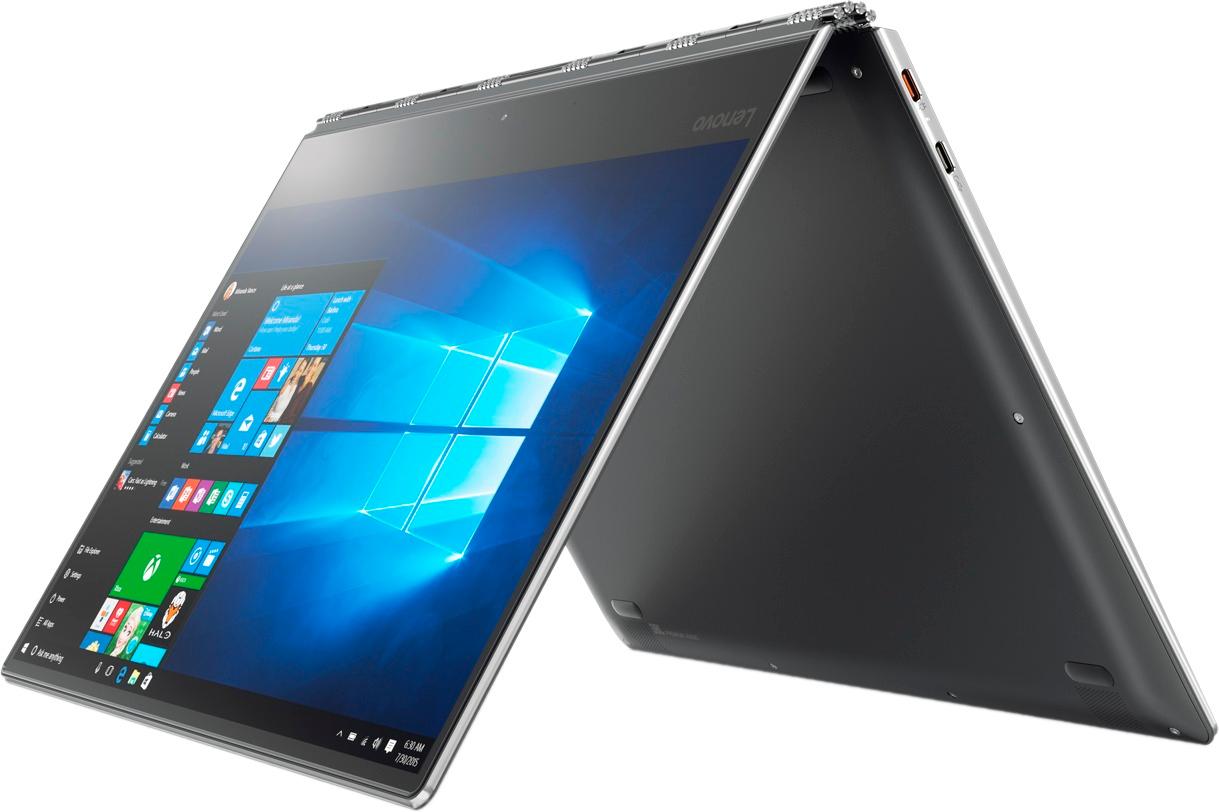
Customers admire the Yoga 910 2-in-1 laptop for its lightweight design, touchscreen capabilities, and extended battery life. They appreciate the overall performance, sleek design, and reasonable price point. However, some users have expressed concerns about fan noise, the size of the right shift key, limited port selection, and occasional freezing issues.
This summary was generated by AI based on customer reviews.
- Pros mentioned:Light weight, Speed
great laptop
||Posted .This reviewer received promo considerations or sweepstakes entry for writing a review.this is lightweight, fast like the previous version but with fingerprint scanner which makes it even better.
I would recommend this to a friendBrand response from Lenovo Product Expert
Posted .Thank you for choosing the Lenovo Yoga 910-14. We are pleased to hear that the features and performance of the Yoga 910-14 meets your computing needs so well.

Wanted to like
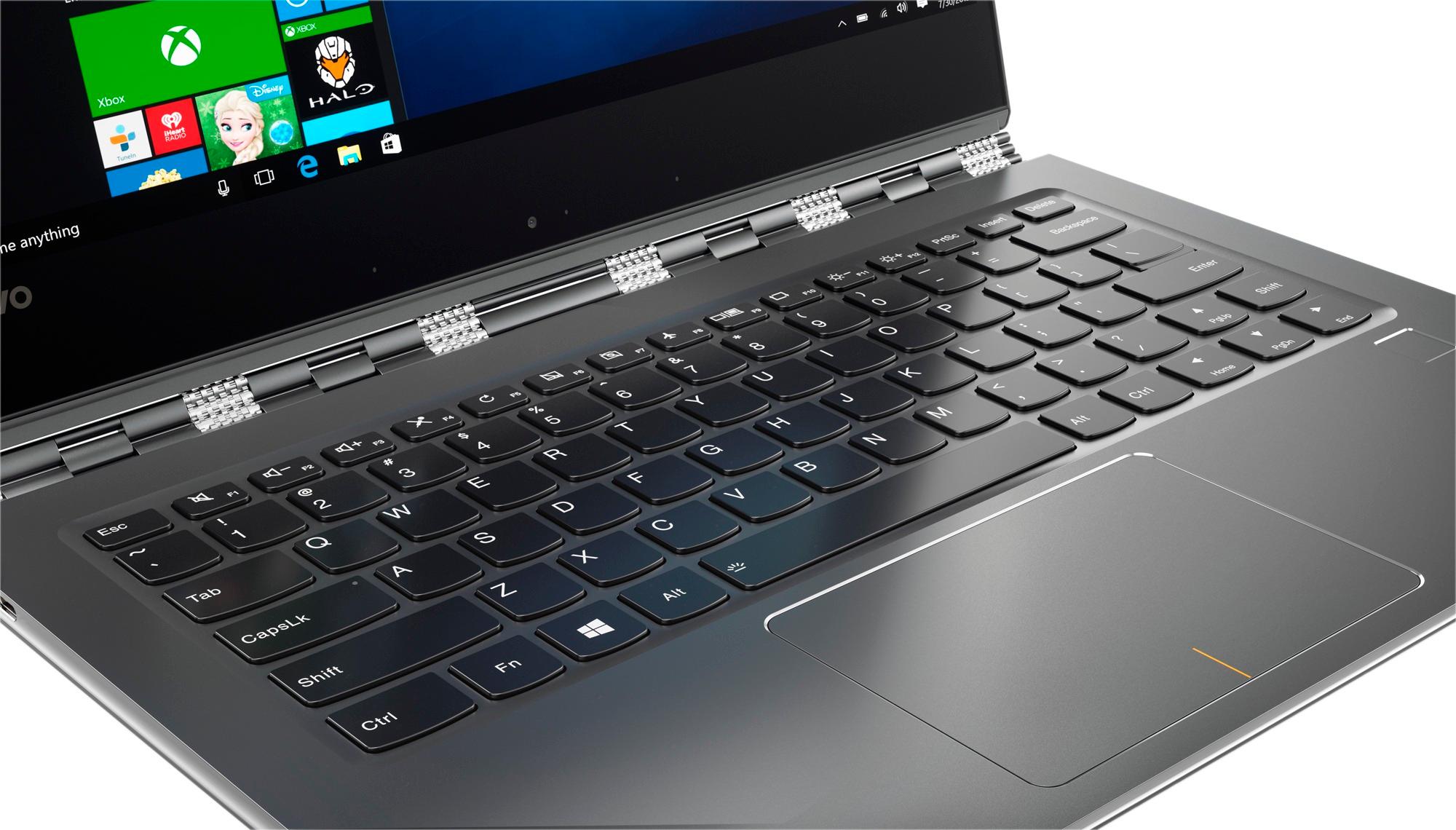
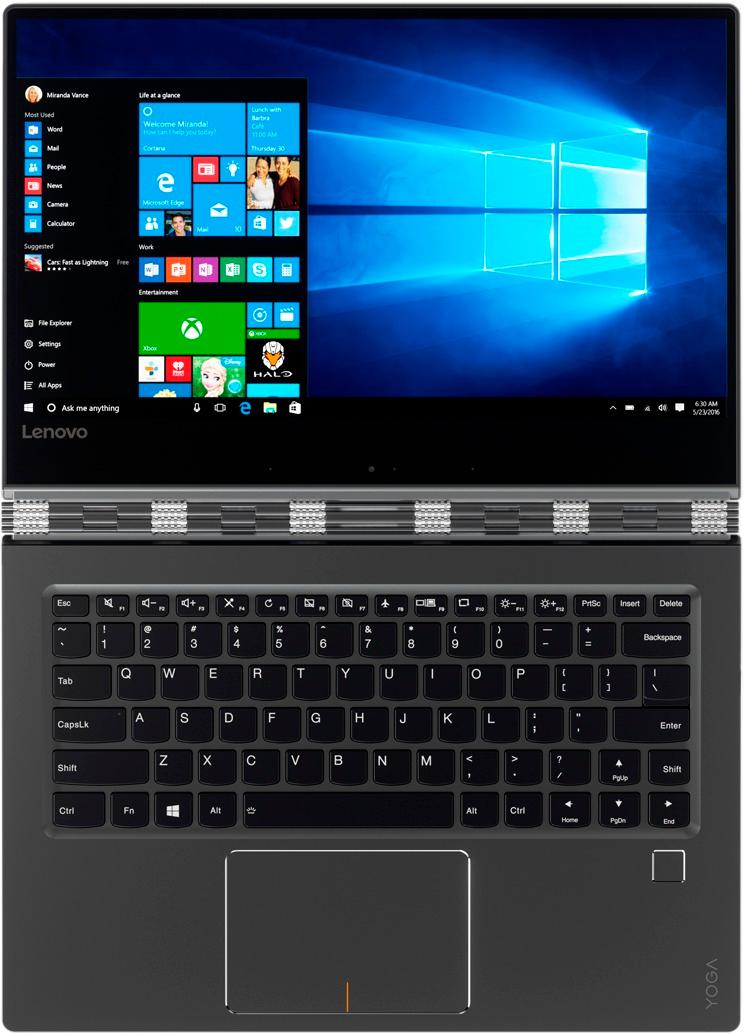
||Posted .This reviewer received promo considerations or sweepstakes entry for writing a review.I purchased this on my way to deciding on which laptop to buy. The price was great, and the 14" screen in a 13" body was perfect. So my decision? To return. I read several reviews complaining about the keyboard and couldn't understand what their problem was with the "shift" key. Now I understand. For someone who doesn't know how to type, maybe it doesn't matter. But I do. I didn't realize how often I use the right "shift" key to make question marks ("), quotations ("), parenthesis (()), amperstands (&) and a whole other set of punctuation keys. I tried Lenovo's solution by just changing the mapping of the keys, but then I was frustrated when I wanted to use the arrows. Now I've noticed the new Yoga 920s have come out, and thankfully they've fixed the keys with a regular solution. In either case, I'd suggest passing on this computer unless you're a "hunt-and-peck" typist.
No, I would not recommend this to a friendBrand response from Lenovo Product Expert
Posted .With regard to the right shift key issue you mention, there is a free software APP called KeyTweak that may help you. You can switch the key functions of specific keys on your keyboard with this software, so you could change the right shift key with the key you hit in its place. Just Google search "KeyTweak" and you will find articles about what the software does and you will find the download location for this free APP.
- Pros mentioned:Battery life
excellent laptop, meets my needs.
||Posted .This reviewer received promo considerations or sweepstakes entry for writing a review.My old laptop was dying and I wanted something with faster start up and longer battery life. I wanted a touchscreen and this was a highly rated unit from all the research I did. Much thinner and lighter than the Acer laptop I had previously. I am very pleased with my purchase and would recommend this laptop to my friends.
I would recommend this to a friendBrand response from Lenovo Product Expert
Posted .Thank you for choosing the Lenovo Yoga 910-14. We are pleased to hear that the features and performance of the Yoga 910-14 meets your computing needs so well.
- Pros mentioned:Touch screen
Easy to tote around
||Posted .This reviewer received promo considerations or sweepstakes entry for writing a review.Honestly, it doesn’t get much better for the screen size and capabilities when it comes to a small laptop. I’m not to crazy about the mouse pad, so I do use the touch screen with my pen quite a bit. Also, when you flip the screen completely, I wish there was a way to protect the keypad. I always feel like it’s going to be damaged. Otherwise, it’s a kick butt product.
I would recommend this to a friendBrand response from Lenovo Product Expert
Posted .Thank you for choosing the Lenovo Yoga 910-14. With regard to the touchpad, you can make adjustments to the touchpad in your system settings. You can get there by clicking on the magnifying glass at the bottom left of your Windows 10 screen. Type "touchpad" in the search window. Select "Mouse & touchpad settings" from the list of choices. You can make general adjustments to the touchpad there. You can also select "Additional mouse options" for more detailed adjustments to the touchpad sensitivity by increasing the delay of the touchpad. The Yoga 910-14 is not compatible with any active/digital pen but you can use a basic stylus with the touchscreen.
- Pros mentioned:Easy to use, Speed
Great laptop
||Posted .This reviewer received promo considerations or sweepstakes entry for writing a review.Fast and easy to use. Great screen and hinge design. Definitely recommend buying.
I would recommend this to a friend - Pros mentioned:Easy to use, Speed
Great Laptop
||Posted .This reviewer received promo considerations or sweepstakes entry for writing a review.Easy to use and very fast - great help at the store in picking the correct one
I would recommend this to a friendBrand response from Lenovo Product Expert
Posted .Thank you for choosing the Lenovo Yoga 910-14. We are pleased to hear that the performance of the Yoga 910-14 meets your computing needs so well.
- Cons mentioned:Ports
Mac User gone Windows
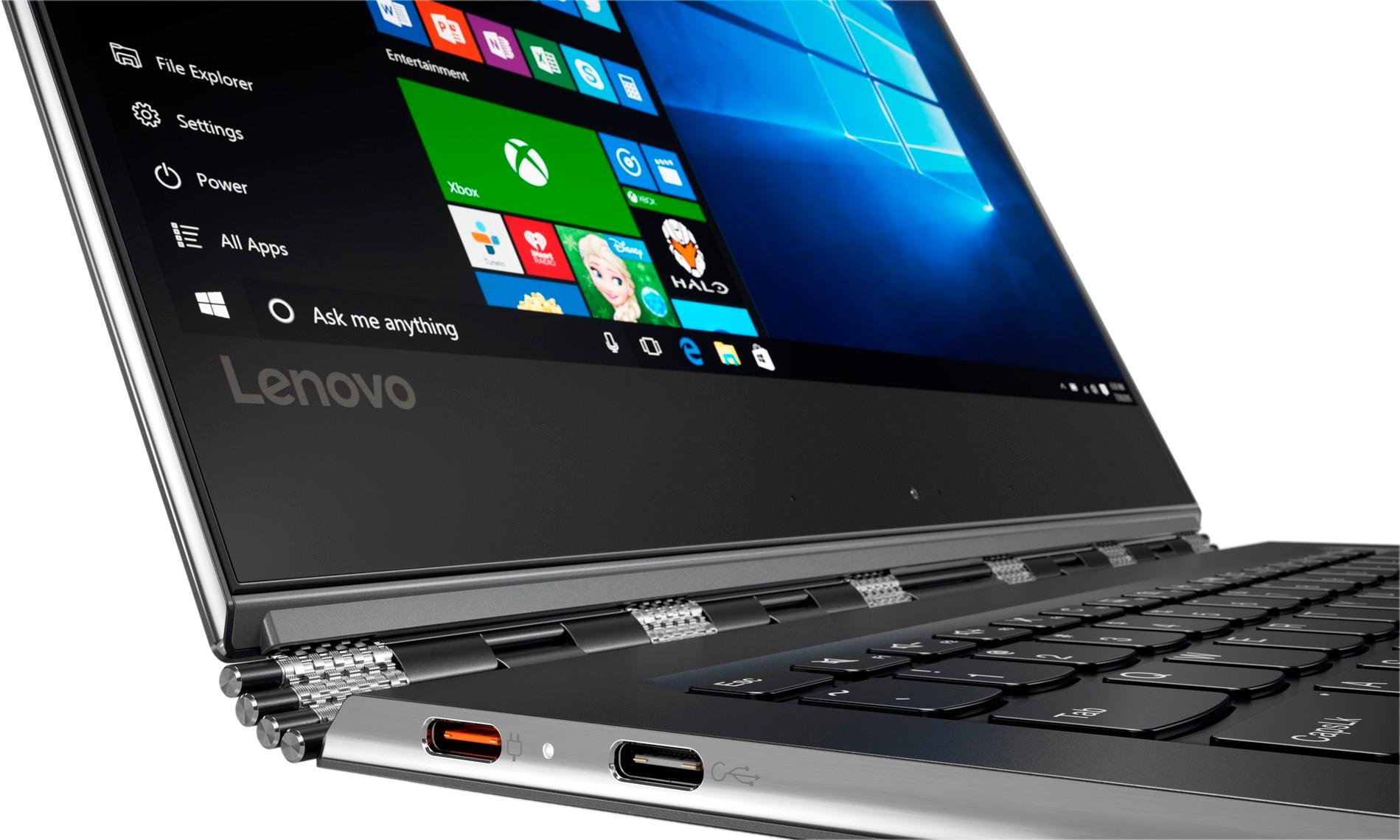
||Posted .This reviewer received promo considerations or sweepstakes entry for writing a review.I bought this computer for work and have been able to transition nicely from a Mac to use programs only supported by Windows. My only gripes are that there is only one standard USB port, so you can't use a USB drive and your wireless mouse at the same time, and because the trackpad is odd, or at least odd or this Mac user, you 100% need a mouse.
I would recommend this to a friend - Pros mentioned:Light weight, Speed
Good laptop
||Posted .This reviewer received promo considerations or sweepstakes entry for writing a review.Fast and light. Nice display. These have worked well for my company.
I would recommend this to a friendBrand response from Lenovo Product Expert
Posted .Thank you for choosing the Lenovo Yoga 910-14 for your company. We are pleased to hear that the features and performance of the Yoga 910-14 meets your business computing needs so well.
Great laptop.
||Posted .This reviewer received promo considerations or sweepstakes entry for writing a review.Great laptop for the price I got it for. Love the design.
I would recommend this to a friendBrand response from Lenovo Product Expert
Posted .Thank you for choosing the Lenovo Yoga 910-15. We are pleased to hear that the value and performance of the Yoga 910-14 meets your computing needs so well.
- Pros mentioned:Light weight, Touch screen
Good computer
||Posted .This reviewer received promo considerations or sweepstakes entry for writing a review.Light weight and having a touch screen is so convenient.
I would recommend this to a friendBrand response from Lenovo Product Expert
Posted .Thank you for choosing the Lenovo Yoga 910-14. We are pleased to hear that the features and performance of the Yoga 910-14 meets your computing needs so well.
- Cons mentioned:Freezing
Really good laptop for anyone
||Posted .This reviewer received promo considerations or sweepstakes entry for writing a review.Tends to get hot, and the fan doesn't activate sometimes, but it has really good accessibility. It can flip for easier maneuvering, and isn't overly elaborate. Recently though, there have been some minor glitches, but it still works good!
I would recommend this to a friendBrand response from Lenovo Product Expert
Posted .Thank you for choosing the Lenovo Yoga 910-14. This is a high performance system. It will generate heat any time it is turned on. The internal fan should be able maintain the proper temperature for the system. If you feel that the fan is not maintaining the proper temperature, we recommend you bring the device in to your local Best Buy and have the Geek Squad check out the device to be sure it is operating properly.
- Pros mentioned:Speed
Loved it
||Posted .This reviewer received promo considerations or sweepstakes entry for writing a review.I had only one problem with this device that it doesn't support active pin stylus as mentioned in the specifications. Otherwise its amazing. I love how fast it is and the screen is special, although the camera is placed in a weird place.
I would recommend this to a friendBrand response from Lenovo Product Expert
Posted .You are correct, the Yoga 910-14 is not compatible with any active/digital pen.
- Pros mentioned:Light weight
Great product
||Posted .This reviewer received promo considerations or sweepstakes entry for writing a review.The Yoga 910 is very light and integrates Windows 10 well. It has many different modes (laptop, tent, tablet) and the screen size is maximized. Only issues are the camera being at the bottom (instead of top), and only 1 older/more common USB port. The ports will be less of an issue as more technology incorporates USB-C
I would recommend this to a friend One of the best laptops I've ever owned
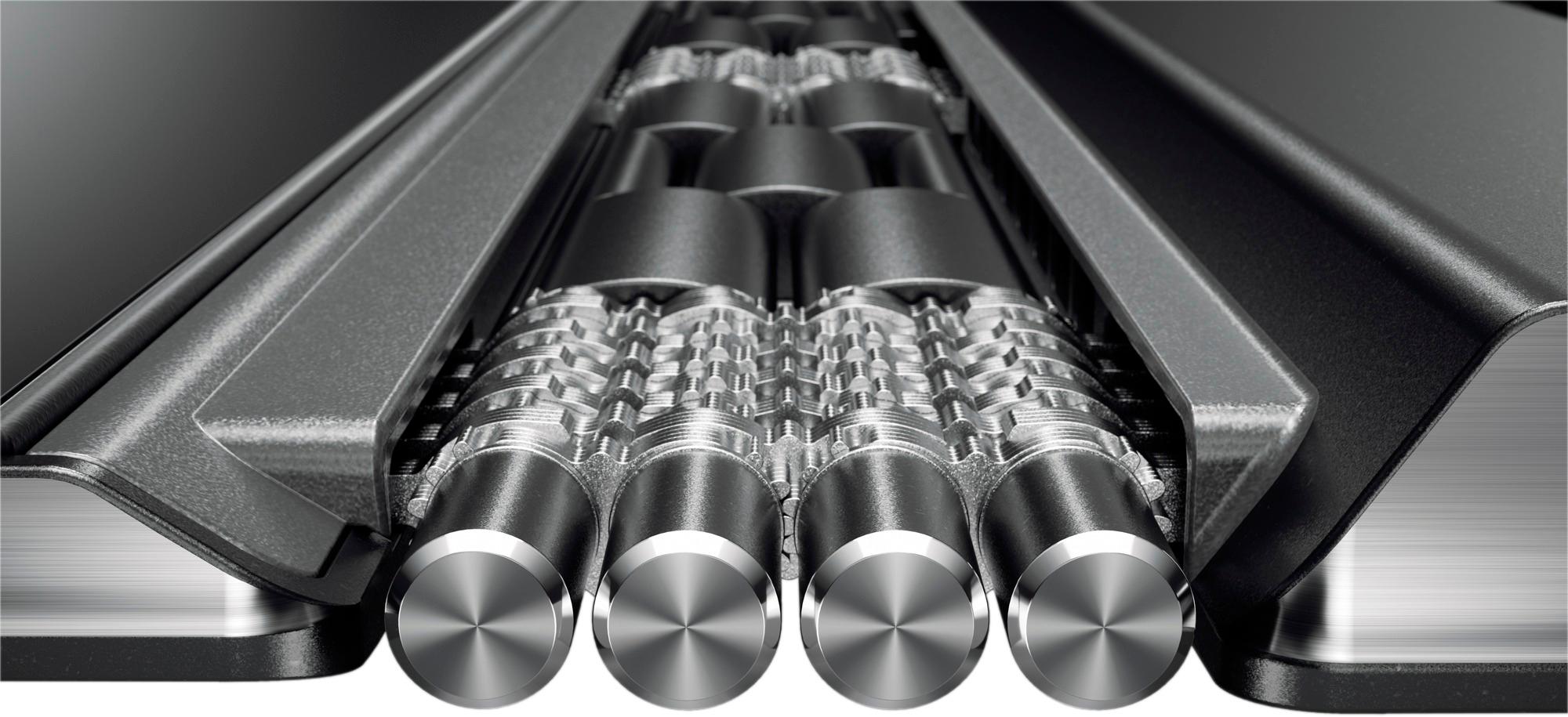
||Posted .This reviewer received promo considerations or sweepstakes entry for writing a review.I've been using Lenovo laptops and PC's at work for the past few years and have always been impressed with their products, so it only made sense to turn to Lenovo when I was shopping for a new laptop for personal use. After reading reviews online, I knew there were some people who were complaining about the keyboard layout, and I admit it took about 2 days to get used to it. But after that I was back to typing at my normal speed. Also, it's hard to get a premium 14" slim laptop. Most are either 13.3" or 15", but I find that 14" is the perfect size for me. The build quality is top notch - I especially like the hinges, you can tell that Lenovo spared no expense when turning this laptop into a viable 2-in-1. My only complaint is that the Ram is soldered on, making it nearly impossible to upgrade it on my own. But rest assured that 8BG is more than enough for typical, everyday use. I usually have Microsoft Excel and Word open, as well as a bunch of Chrome tabs and I've never noticed any lag.. Overall, it's a great laptop and I will absolutely be upgrading my next PC to a Lenovo as well.
I would recommend this to a friendBrand response from Lenovo Product Expert
Posted .Thank you for choosing the Lenovo Yoga 910-14. We are pleased to hear that the features and performance of the Yoga 910-14 are working out so well for you.
- Pros mentioned:Light weight
Great Laptop for a Student.
||Posted .This reviewer received promo considerations or sweepstakes entry for writing a review.My Lenovo Yoga is great and it does just what I need it to do. I mostly use mine for school and work. I like how it performs. I'm still playing around with the touch screen. The thing I like most is that its light weight so I don't mind carrying it around with me on the way to class.
I would recommend this to a friendBrand response from Lenovo Product Expert
Posted .Thank you for choosing the Lenovo Yoga 910-14. We are pleased to hear that the features and performance of the Yoga 910-14 meets your computing needs so well.
- Pros mentioned:Battery life, Touch screen
Functional, Lenova top quality
||Posted .This reviewer received promo considerations or sweepstakes entry for writing a review.I purchased this laptop for returning to graduate school. Cons: no pen support- I wish I considered the pen feature more, you cannot use a stylus on the screen! you can use one of the non-finer pens, that helps with my oral presentations. camera location- gives awkward angle, but I do not really use it anyway. Pros- I love the yoga movements! I love the size of the monitor. Good keyboard, and long battery life. (+10 hours) great finger touch sensitivity
I would recommend this to a friendBrand response from Lenovo Product Expert
Posted .Thank you for choosing the Lenovo Yoga 910-14. You are correct, the Yoga 910-14 does not support active/digital pen technology. The web cam is located at the bottom of the screen to allow for the thinnest possible outside edges on the screen.
- Cons mentioned:Shift key
So far, so good
||Posted .This reviewer received promo considerations or sweepstakes entry for writing a review.This PC has been what I hoped for. I haven't had any fan issues. I had trouble downloading the Keytweak app so I used sharpkeys. Still wish the right shift key was bigger but it really isn't that much of an issue.
I would recommend this to a friendBrand response from Lenovo Product Expert
Posted .Thank you for choosing the Lenovo Yoga 910-14. We are pleased to hear that the Yoga 910-14 is working out for you.
- Pros mentioned:Easy to use
Great computer
||Posted .This reviewer received promo considerations or sweepstakes entry for writing a review.I have had a Mac Book for about 8 years, and decided to switch to Windows because of school/work. Love how easy this computer is to use. It’s pricey, but definelty worth it.
I would recommend this to a friendBrand response from Lenovo Product Expert
Posted .Thank you for choosing the Lenovo Yoga 910-14. We are pleased to hear that the ease of use and performance of the Yoga 910-14 meets your computing needs so well.
- Pros mentioned:Light weight
Really nice laptop/tablet
||Posted .This reviewer received promo considerations or sweepstakes entry for writing a review.The Lenovo 910 is a great looking laptop. It is light weight and holds a charge for a very long time. This is perfect for taking to the office. The only negative is the shift key is in an odd please, but I'm sure I will get used to it.
I would recommend this to a friend - Pros mentioned:Speed
Smooth and Sleek
||Posted .This reviewer received promo considerations or sweepstakes entry for writing a review.This laptop makes school so much less stressful, its small, convenient, very fast and the graphics are incredible. I love the finger recognition to unlock and the design is just really modern, would defiantly recommend to any student!
I would recommend this to a friendBrand response from Lenovo Product Expert
Posted .Thank you for choosing the Lenovo Yoga 910-14. We are pleased to hear that the performance of the Yoga 910-14 meets your computing needs so well.