Customer Ratings & Reviews








- Model:
- 81TD0003US
- SKU:
- 6367803
Rating by feature
- Battery Life
Rating 4.0 out of 5 stars
- Speed
Rating 4.3 out of 5 stars
- Display
Rating 4.3 out of 5 stars
Customers are saying
Customers regard the Yoga C740's touch screen, ease of use, and performance as significant strengths, with many praising its lightweight design and decent battery life. Positive feedback also highlights the value for the price and the sleek design. However, some users noted the lack of an HDMI port and reported issues with fan noise and heat generation under certain conditions. The available RAM was generally well-received.
This summary was generated by AI based on customer reviews.
- Pros mentioned:Touch screen, Weight
My lil-power-guy
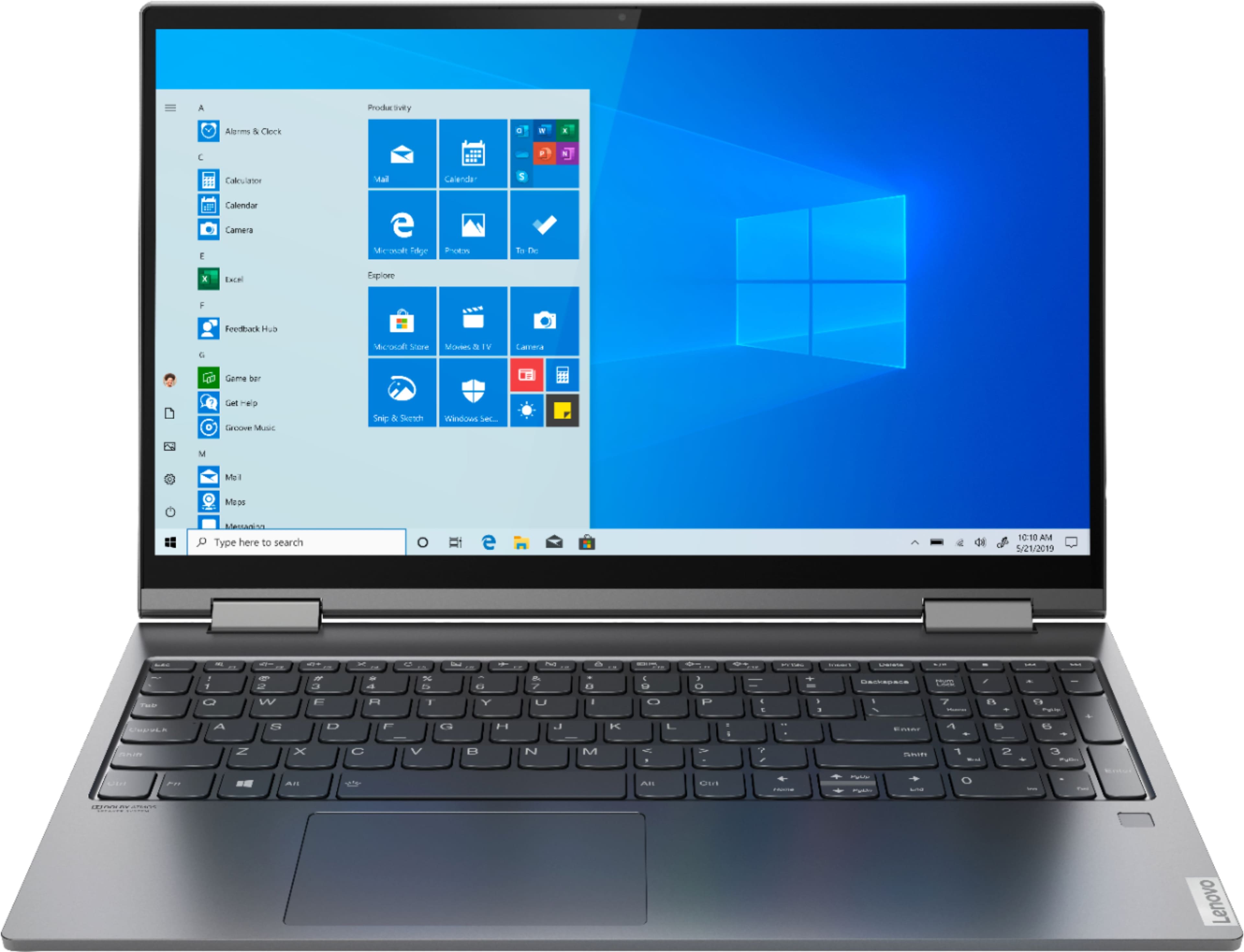
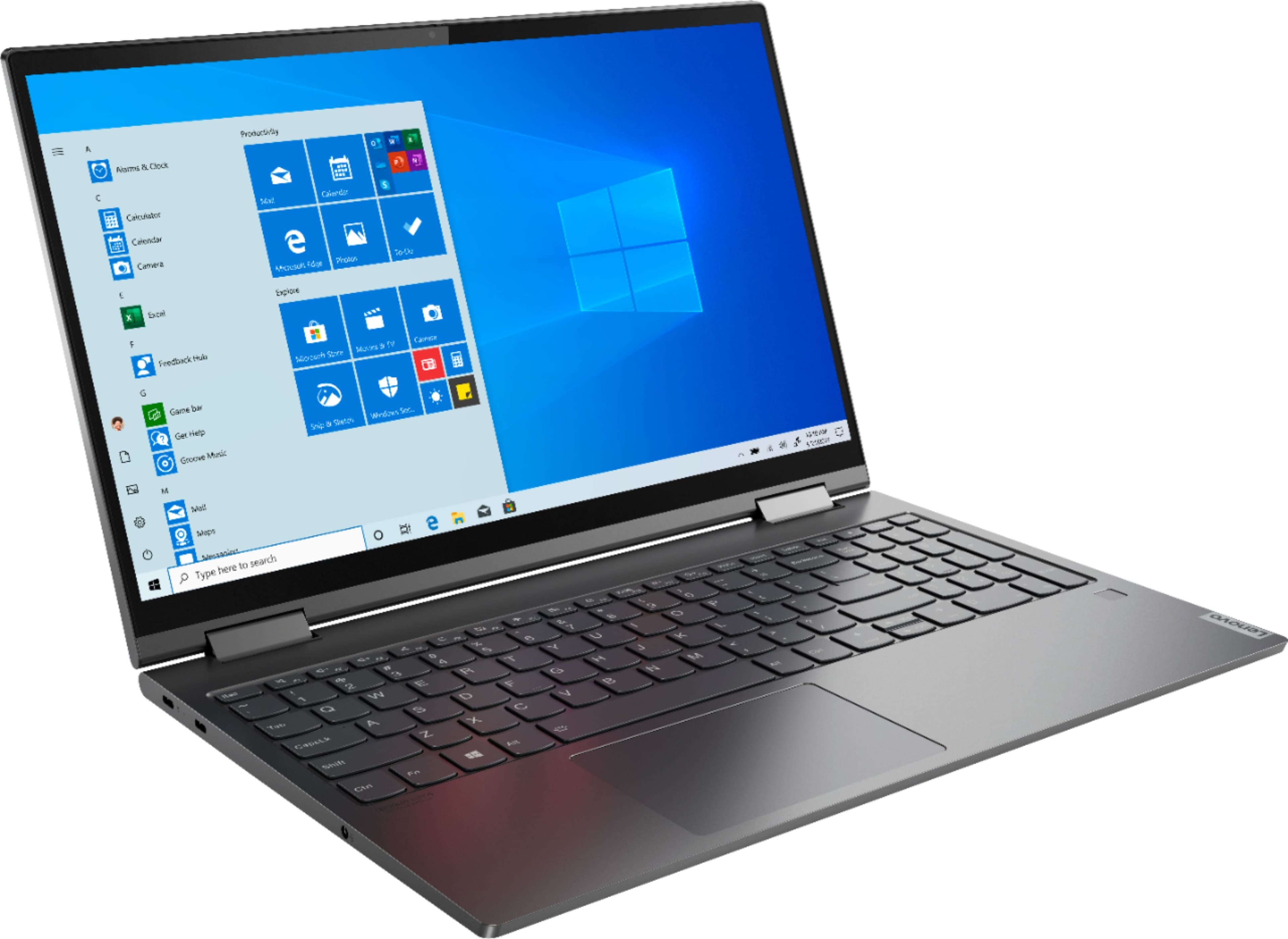
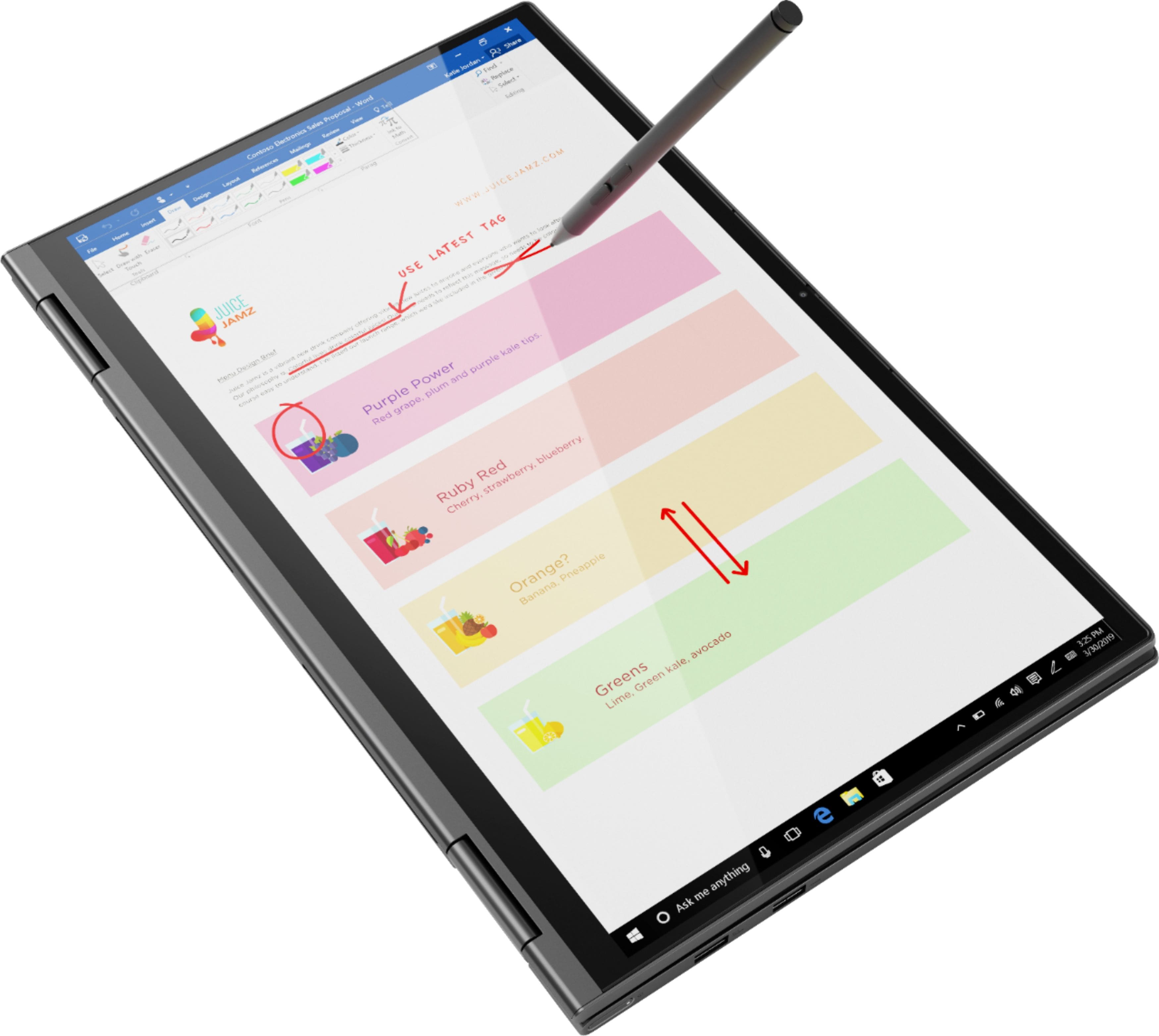
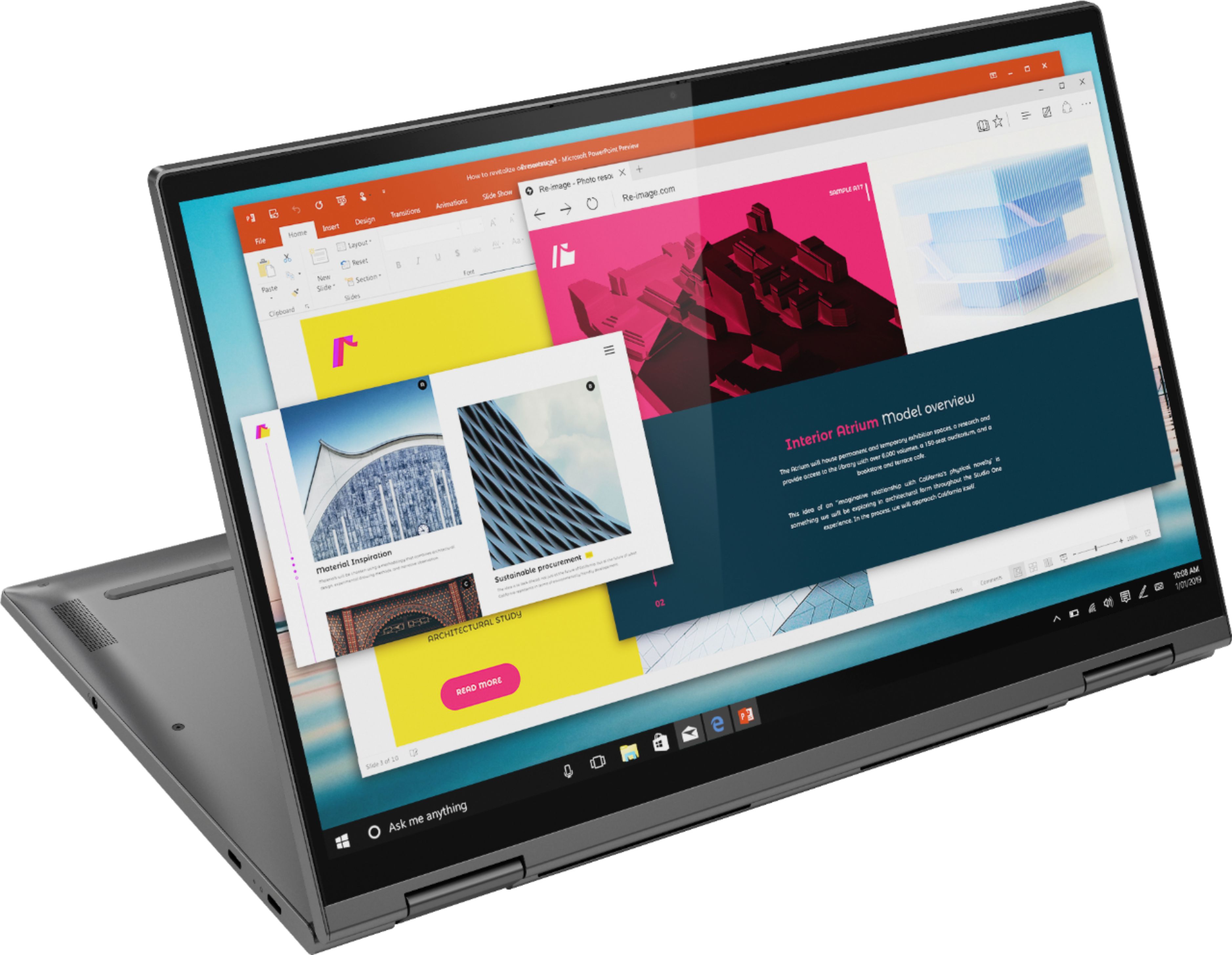
||Posted . Owned for 2 months when reviewed.This reviewer received promo considerations or sweepstakes entry for writing a review.I'm so impressed with this Lenovo laptop. It's light weight, has a backlight on the keyboard, and it has a touch screen! I can turn this laptop side ways and turn it into a tablet. I have the ability of turning the back light on the key board on and off, I can dim the screen light or brighten it-what ever I wish! And, having access to Alexia is an added bonus.
I would recommend this to a friendBrand response from Lenovo Product Expert
Posted .Hey there! Thanks for choosing the Lenovo Yoga C740 Laptop. We are pleased to hear the value, performance, and features of the C740 Laptop are meeting your computing needs so well!

- Pros mentioned:Touch screen
Love it!
||Posted . Owned for 1 month when reviewed.This reviewer received promo considerations or sweepstakes entry for writing a review.first I was skeptical about getting a laptop... it cleared all my worries up right away... bought a usb-c to hdmi connector. And connected it to my external monitor to help me trade... then I realized I could wireless connect to my 65" Samsung even better... and Its a touch screen. I dont use the touch screen much but from when I have used it, its been fine. I can wirelessly connect to my dre beats headset if I want to listen to music while I trade and even watch a movie on my 65" while I have my headset on. I'm not sure about the battery life because its always plugged in but its perfect for what I need. I bought it on sale which Is great! My only regret is not buying one for my son!
I would recommend this to a friendBrand response from Lenovo Product Expert
Posted .Thank you for choosing the Lenovo Yoga C740-15. We are pleased to hear that the features and performance of the Yoga C740-15 meets your computing needs so well. Combining heavyweight performance with lightweight portability, the Yoga C740’s 10th Gen Intel Core i5 processor enables longer battery life, high-speed connectivity, and ultra-responsive multi-tasking performance in a sleek package. Packing a one-two punch of stunning audio and visual experience, the Yoga C740 is the perfect companion for streaming your favorite videos or playing games. With a 15.6-inch FHD display. To match the tantalizing visuals, the Yoga C740’s Dolby Atmos speaker system creates an audio experience in which sound flows above and around you. Yoga is committed to protecting your privacy. Log in with your fingerprint or slide the Yoga C740’s TrueBlock Privacy Shutter closed for true peace of mind when you’re not using your webcam.
- Pros mentioned:Performance
Lenovo Yoga C740
||Posted . Owned for 11 months when reviewed.This reviewer received promo considerations or sweepstakes entry for writing a review.Lenovo yoga slim design, good performance, good for professionals.
I would recommend this to a friend - Pros mentioned:Speed
What is this humming noise?
||Posted . Owned for 1 week when reviewed.This reviewer received promo considerations or sweepstakes entry for writing a review.Nice fast laptop. Only thing I don't like about it is the incessant humming noise while I am using it. I also like the numerical pad on the right side, it just makes the typing space a bit smaller. I have a Dell laptop too and I got used to the wide-spaced keys.
I would recommend this to a friendBrand response from Lenovo Product Expert
Posted .We are sorry to hear that you are having issues with your Lenovo Yoga C740-15. There is an internal fan that operates intermittently and automatically to keep the system at the proper operating temperature. It should not need to run all the time. Try setting your Q-Control settings to quiet. You can use Lenovo Q-Control to manually control fan performance: ( Fn + Q ) option to change the fan. If it isn't the fan, check to see if it is the system speakers. Turn off the system audio by tapping the HotKey in the F2 position on your keyboard to toggle the audio system on/off. If the sound is not coming from the fan, then using the Lenovo Utility software available on the computer to be sure you have the latest version of Windows 10 on the computer, then update all of the BIOS files and drivers up to that latest version of Windows 10. This system has Lenovo utilities installed to help maintain the health of the device and keep the operating system software up to date. Type "Lenovo Vantage" in the Cortana Search window (if Lenovo Vantage is not installed on your device, you can download the APP and install it now). Select Lenovo Vantage from the list. In the window that opens, click on "Health and Support". In the expanded menu, select "Hardware Scan" In the window that opens, select "Run Quick Tests". This will scan your entire system for errors. Follow any directions that may pop up. If the problem continues after this scan, now click on "System Update". First select Windows update from the menu. Scan your system to be sure you have the latest version of Windows 10. Once that scan is complete, select "Additional Updates". This will scan your device to be sure there are no new BIOS/Driver updates needed. Follow any instructions that may pop up. If the issue still continues after these updates, we recommend you call Lenovo Tech Support at: 877-453-6686 for additional help.
Best laptop ever
||Posted . Owned for 1 month when reviewed.This reviewer received promo considerations or sweepstakes entry for writing a review.I've had this laptop during quarantine and I can't say enough good things about it. It's well made, boots up fast and is responsive. I wish it would last forever.
I would recommend this to a friendBrand response from Lenovo Product Expert
Posted .Thank you for choosing the Lenovo Yoga C740-15. We are pleased to hear that the Yoga C740-15 is working out so well for you. Combining heavyweight performance with lightweight portability, the Yoga C740’s 10th Gen Intel Core i5 processor enables longer battery life, high-speed connectivity, and ultra-responsive multi-tasking performance in a sleek package. Packing a one-two punch of stunning audio and visual experience, the Yoga C740 is the perfect companion for streaming your favorite videos or playing games. With a 15.6-inch FHD display. To match the tantalizing visuals, the Yoga C740’s Dolby Atmos speaker system creates an audio experience in which sound flows above and around you. Yoga is committed to protecting your privacy. Log in with your fingerprint or slide the Yoga C740’s TrueBlock Privacy Shutter closed for true peace of mind when you’re not using your webcam.
Perfect for Online School
||Posted . Owned for 3 weeks when reviewed.This reviewer received promo considerations or sweepstakes entry for writing a review.I upgraded my laptop to this Lenovo. The startup speed is fantastic, the storage is great for my schoolwork, and the tablet feature is a bonus!
I would recommend this to a friendBrand response from Lenovo Product Expert
Posted .Thank you for choosing the lenovo Yoga C740-15. We are pleased to hear that the features and performance of the Yoga C740-15 meets your computing needs so well. Combining heavyweight performance with lightweight portability, the Yoga C740’s 10th Gen Intel Core i5 processor enables longer battery life, high-speed connectivity, and ultra-responsive multi-tasking performance in a sleek package. Packing a one-two punch of stunning audio and visual experience, the Yoga C740 is the perfect companion for streaming your favorite videos or playing games. With a 15.6-inch FHD display. To match the tantalizing visuals, the Yoga C740’s Dolby Atmos speaker system creates an audio experience in which sound flows above and around you. Yoga is committed to protecting your privacy. Log in with your fingerprint or slide the Yoga C740’s TrueBlock Privacy Shutter closed for true peace of mind when you’re not using your webcam.
Terrible Laptop so far.
||Posted .This reviewer received promo considerations or sweepstakes entry for writing a review.Bought this laptop 2 days ago when it was on sale, only to immediately find right out of the box some dead pixels on the top right portion of the screen. Aside from that, the laptop seemed pretty great, so I figured I would just return it and get a new one. Not even a day has passed since I’ve gotten the second laptop and it’s already bricked. While I was setting it up and re-downloading everything, Lenovo’s own Vantage software prompted me to check for updates, after which it did a BIOS update. Shortly after that update, the laptop started freezing up, then the screen starting blacking out and me having to restart it multiple times. Finally, when I tried to get into the BIOS setup to try and downgrade the BIOS, a bunch of horizontal white lines appeared on the screen, and now the laptop won’t even come on at all. When I try to power it on, the keyboard backlight turns on for a second or two and then just turns back off, but nothing ever shows on the screen. I will also return this one for a third one, and make sure not to update the BIOS this time. Truth is, aside from the issues I’ve been having it’s actually pretty great. But if the third one ends up giving me problems as well, I’ll just get a laptop from a different manufacturer.
No, I would not recommend this to a friendBrand response from Lenovo Product Expert
Posted .We are sorry to hear that you are having issues with the initial setup and activation of Windows 10 on your Lenovo Yoga C740-15. It sounds like there may be an issue with a Windows 10 update. It is possible that restoring the computer back to original factory settings may correct the issue. This system is equipped with OneKey Recovery System. There is a very small pin hole on the back, right side of the device, right near the cooling vent on the back. You will need a pin to push this reset button. Plug the device in. Let the battery charge for about 15 minutes. Push the reset button. The system should boot to a choice screen where you can choose "Restore To Factory Default". Select this. It will delete everything from the hard drive except the original factory install of the operating system. You will need to reinstall all programs and files after the reset. If you don't have copies of the files, try to make one before you restore by selecting "Boot to desktop" and trying to back up your files. If the problem persists after the factory reset, we recommend you contact Lenovo Tech Support at: 877-453-6686.
Great laptop!
||Posted . Owned for 3 weeks when reviewed.This reviewer received promo considerations or sweepstakes entry for writing a review.The Lenovo Yoga is a sleek, user-friendly laptop. It has a a durable frame andnit looks great. The setup was easy. I love it!
I would recommend this to a friendBrand response from Lenovo Product Expert
Posted .Thank you for choosing the Lenovo Yoga C740-15. We are pleased to hear that the features and performance of the Yoga C740-15 meets your computing needs so well. Combining heavyweight performance with lightweight portability, the Yoga C740’s 10th Gen Intel Core i5 processor enables longer battery life, high-speed connectivity, and ultra-responsive multi-tasking performance in a sleek package. Packing a one-two punch of stunning audio and visual experience, the Yoga C740 is the perfect companion for streaming your favorite videos or playing games. With a 15.6-inch FHD display. To match the tantalizing visuals, the Yoga C740’s Dolby Atmos speaker system creates an audio experience in which sound flows above and around you. Yoga is committed to protecting your privacy. Log in with your fingerprint or slide the Yoga C740’s TrueBlock Privacy Shutter closed for true peace of mind when you’re not using your webcam.
Excellent laptop
||Posted . Owned for 1 month when reviewed.This reviewer received promo considerations or sweepstakes entry for writing a review.This laptop is slim and sleek. It's the right for business and watching movies. I love the fingerprint sensor and the separated number key pad... Easy quick charger.. Sound is nice
I would recommend this to a friendBrand response from Lenovo Product Expert
Posted .Thank you for choosing the Lenovo Yoga C740-15. We are pleased to hear that the features and performance of the Yoga C740-15 meets your computing needs so well.
Replacing the relic
||Posted . Owned for 3 weeks when reviewed.This reviewer received promo considerations or sweepstakes entry for writing a review.Quik and easy start-up. Meets all my needs of replacing the old laptop. Happy I was steered this way by the sales associate.
I would recommend this to a friendBrand response from Lenovo Product Expert
Posted .Thank you for choosing the Lenovo Yoga C740-15. We are pleased to hear that the Yoga C740-15 meets your computing needs so well.
Lasted me just about 2 years barely
||Posted . Owned for 1.5 years when reviewed.This reviewer received promo considerations or sweepstakes entry for writing a review.I got this summer of 2020 for college but started getting issues maybe starting 3 months after. I had a key fall off, my fingerprint sensor works 30% of the time. Up to now the chassis has not held up well and the battery gives me at most 4 hours of chrome usage before the battery is dead. But at the very least it held up for the time being and the rotating tablet form was neat although not as useful as I imagined.
No, I would not recommend this to a friend- Pros mentioned:Performance, Speed, Touch screen
Very nice overall
||Posted . Owned for 1 week when reviewed.This reviewer received promo considerations or sweepstakes entry for writing a review.I researched laptop computers for a little while to educate myself somewhat. This had the features I wanted for the price range I needed. My biggest dislike is the sharp edge. Along the whole front edge where your wrists are, it's just way to sharp. I'm able to work around it, but most computers try to round the edge a little to help. You could slit your wrists with this thing. It's heavy, weighs on my legs a little with lap use. But, I really like the performance and features. Pretty quiet. Fast. HD. Yoga tablet mode. Touchscreen. Backlit keyboard. Latest gen. i5, SSD, 12 GB mem- I'd probably buy it again...as a computer and a weapon to slice someone's throat if they attack me while I'm on it. It's a great computer at the price range.
I would recommend this to a friendBrand response from Lenovo Product Expert
Posted .The Lenovo Yoga C740-15, model number 81TD0003US, provides a full-size 15.6-inch screen (screen size measured diagonally) but only measures 14.09 x 9.27 x 0.72 inches and weighs just 4.18 lbs. Combining heavyweight performance with lightweight portability, the Yoga C740’s 10th Gen Intel Core i5 processor enables longer battery life, high-speed connectivity, and ultra-responsive multi-tasking performance in a sleek package. Packing a one-two punch of stunning audio and visual experience, the Yoga C740 is the perfect companion for streaming your favorite videos or playing games. With a 15.6-inch FHD display. To match the tantalizing visuals, the Yoga C740’s Dolby Atmos speaker system creates an audio experience in which sound flows above and around you. Yoga is committed to protecting your privacy. Log in with your fingerprint or slide the Yoga C740’s TrueBlock Privacy Shutter closed for true peace of mind when you’re not using your webcam.
- Pros mentioned:Speed, Touch screen, Weight
Nice Machine
||Posted .This reviewer received promo considerations or sweepstakes entry for writing a review.Purchased because we needed another device to facilitate distance learning for our two kids. This thing is better than we anticipated. Great battery life (it's early, but has been wonderful). The privacy shield on the camera is randomly great for meetings, though it often closes itself when you close the lid. It's fast and snappy for everything we've asked it to do. The touch screen is nice as there are many apps that are basically ported from the iPad app (or vice-versa to iOS) that look identical and allow my kids to touch the screen in both places. We got the large screen for our needs, but that does add some weight (though really it's not that heavy), if you are a student who would be lugging this around campus, or a pro who wants something to take on a plane I'd consider the smaller screen. The processing power is great though, the i5 plus 12 GB does the trick.
I would recommend this to a friendBrand response from Lenovo Product Expert
Posted .Thank you for choosing the Lenovo Yoga C740-15, model number 81TD0003US. When using the webcam, be sure to slide the Privacy Shutter tab all the way to the right. It should hold in place when all moved all the way to the right and not move due to closing the screen. The Yoga C740-15 is an ultra portable 2 in 1 system. It provides a full size 15.6-Inch (screen size measured diagonally) IPS LCD w/LED Backlight (Anti-glare) screen, with a resolution of 1920 x 1080 (FHD) and a brightness level of 250 nits, but only measures a total of 14.09 x 9.27 x 0.72 inches and weighs just 4.18 lbs.
BAD EXPERIENCE
||Posted . Owned for 8 months when reviewed.This reviewer received promo considerations or sweepstakes entry for writing a review.Not a very reliable laptop. Have been service already over 2 times and now getting shipped?!? Over 1.3k value, paid by now in full but if I had a payment they have jept the xomputer for over 3 weeks... so... either lend me a computer or pay me for the time I couod bot use it.
No, I would not recommend this to a friend- Pros mentioned:Ease of use, Speed, Touch screen
INCREDIBLE
||Posted . Owned for 2 weeks when reviewed.This reviewer received promo considerations or sweepstakes entry for writing a review.This thing is a beast. It's not really designed for gaming, but MAN when I need to get work done, it is zippy. Start up is incredibly quick, it is lightweight and has a great battery life, as well as great battery saving features to prolong life. Ease of use is top notch. When I first started using the touch screen, I wondered how I had gone so long in my life WITHOUT a 2-in-1. Love that it has a full number pad, and fully backlit keyboard. Beautiful resolution on the display, and with 12GB of RAM and a SSD, it really doesn't ever slow down. The only thing I wish is that it handled some more high end games. It can play them, but most of them on the lowest setting due to the slower processor.
I would recommend this to a friendBrand response from Lenovo Product Expert
Posted .Once again, thank you for choosing the Lenovo Yoga C740-15. You can keep your computer running at its best by keeping the Windows 10 Operating System and all supporting BIOS files and drivers up to date. You can easily accomplish this by scanning the computer with the Lenovo Utility software available on this computer. This system has Lenovo utilities installed to help maintain the health of the device and keep the operating system software up to date. Type "Lenovo Vantage" in the Cortana Search window (if Lenovo Vantage is not installed on your device, you can download the APP and install it now). Select Lenovo Vantage from the list. In the window that opens, click on "Health and Support". In the expanded menu, select "Hardware Scan" In the window that opens, select "Run Quick Tests". This will scan your entire system for errors. Follow any directions that may pop up. If the problem continues after this scan, now click on "System Update". First select Windows update from the menu. Scan your system to be sure you have the latest version of Windows 10. Once that scan is complete, select "Additional Updates". This will scan your device to be sure there are no new BIOS/Driver updates needed. Follow any instructions that may pop up. If you ever need additional help with your Lenovo computer, we recommend you call Lenovo Tech Support at: 877-453-6686 for additional help.
- Pros mentioned:Speed, Touch screen, WeightCons mentioned:Hdmi port
Consistent Brand!
||Posted . Owned for 2 weeks when reviewed.This reviewer received promo considerations or sweepstakes entry for writing a review.I recently purchased this laptop to complete school work (I'm a high school teacher) during school closures. I bought a Lenovo Yoga back in 2014 for college and I am happy to say that this upgrade is similar to my old computer, but faster and bigger than my old 13 inch screen. What I like about this version is the processor is able to keep up with my school work, it is much lighter than my school computer and it fits nicely in my backpack. Sometimes I forget that it's there. Also, the screen is the perfect size for the work that I am doing and makes recording lessons easier! What I didn't like when I first bought the computer is the HDMI port. I had to buy an adapter, but found one for a reasonable price. Sometimes my mouse and keyboard lag as well. Overall, I have enjoyed this computer and I am glad that I stuck with the Lenovo brand. The whiteboard app is an added bonus!
I would recommend this to a friendBrand response from Lenovo Product Expert
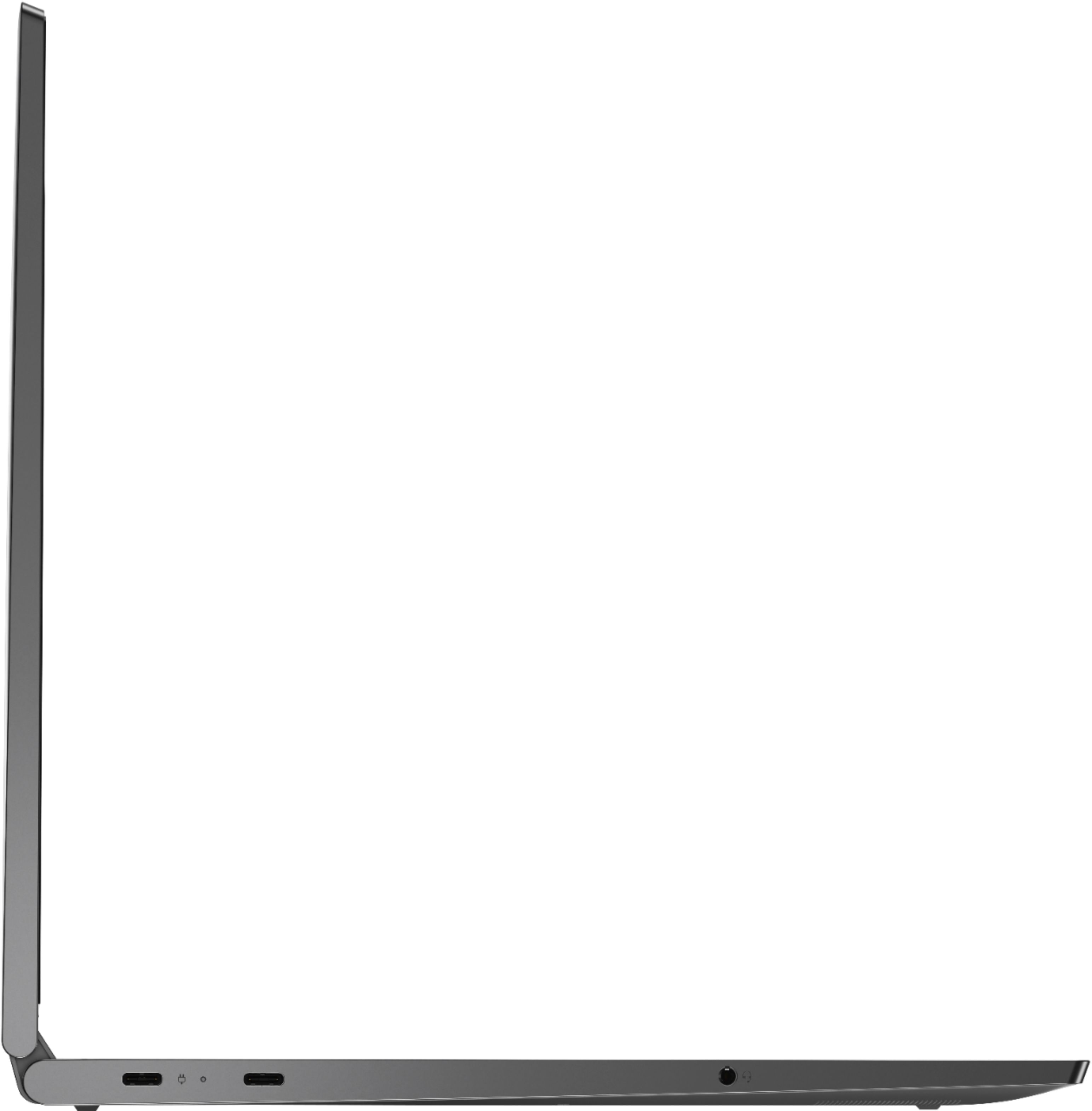
Posted .Thank you for choosing the Lenovo Yoga C740-15, model number 81TD0003US. This model ships with a USB-c port with Video-Out capability. You can connect an external HDMI monitor to this computer by using a USB-c to HDMI adapter. Regarding lag with your external mouse and the keyboard on your Yoga C740-15, be sure you have the latest version of Windows 10 on the computer, then update all of the BIOS files and drivers up to that latest version of Windows 10. You can easily accomplish this by using the Lenovo Utility software. This system has Lenovo utilities installed to help maintain the health of the device and keep the operating system software up to date. Type "Lenovo Vantage" in the Cortana Search window (if Lenovo Vantage is not installed on your device, you can download the APP and install it now). Select Lenovo Vantage from the list. In the window that opens, click on "Health and Support". In the expanded menu, select "Hardware Scan" In the window that opens, select "Run Quick Tests". This will scan your entire system for errors. Follow any directions that may pop up. If the problem continues after this scan, now click on "System Update". First select Windows update from the menu. Scan your system to be sure you have the latest version of Windows 10. Once that scan is complete, select "Additional Updates". This will scan your device to be sure there are no new BIOS/Driver updates needed. Follow any instructions that may pop up. If the issue still continues after these updates, we recommend you call Lenovo Tech Support at: 877-453-6686 for additional help.
Camera problem
||Posted . Owned for 1 year when reviewed.This reviewer received promo considerations or sweepstakes entry for writing a review.My camera doesn’t work and it’s goes blank. Even on zoom it’s doesn’t work at all .
No, I would not recommend this to a friend- Pros mentioned:Touch screen, Weight
Amazing! Owned for over a year
||Posted . Owned for 1.5 years when reviewed.This reviewer received promo considerations or sweepstakes entry for writing a review.I bought this laptop in 2020, so its been with me for quite some time now. I am very happy with this laptop! It has a very nice slim design and performs well. I take it to university and it is very light weight in my bag compared to other laptops this size! The 15.6 screen is worth it IMO. The battery life is amazing as well, I used to take my charger as a precaution but I honestly dont end up using it. I would definitely recommend for anyone that wents a solid laptop, anyone that wants to travel with it, and anyone that doesnt want to compromise on screen size!
I would recommend this to a friend - Pros mentioned:Weight
So far so good
||Posted . Owned for 1 week when reviewed.This reviewer received promo considerations or sweepstakes entry for writing a review.its only been a week since I got this laptop for school (and games *cough*) and so far I like it. The outer design is beautiful. The whole package itself is light. The resolution is crisp and the setup was fairly simple. The few cons I've had so far with this laptop, is that while the design is beautiful, opening it can be fairly difficult, since the top of the laptop has a slanted edge that goes down in a diagonal angle towards the bottom-half.....which makes it hard to grip. I have to hold the back of the laptop in order to open it. Also, for a laptop that states it can last 11+ hours the battery life runs out a little too quickly for my taste. The battery life would last for 3 hours; I later learned that I was suppose to update the entire laptop in order to extend the battery life, which has indeed extended life to 7 hours, which is an improvement. That being said, I feel like it still runs out too fast. The games I've been testing out so far have been rpgmaker games via steam, which only typically require 1-3 gb normally. I'm not running the Witcher or Final Fantasy XV or anything like that. I haven't even watched Netflix or anything yet, just a few YouTube videos, (probably won't watch much movies on it though, since I got my tablet already.) That being said, I still think its a good investment. Like I said, I'm really only using this for school (and games, lol.) Most of the shopping/net browsing I do is on my android phone or tablet. And with covid19 ruining everything, I don't see myself taking this laptop anywhere with me in the immediate future, so my concern about the battery life is rather low. I recommend this laptop for anyone who is planning on going to school, and needs something a bit simple, but can still do a lot of things.
I would recommend this to a friendBrand response from Lenovo Product Expert
Posted .The Lenovo Yoga C740-15, model number ships with a 3CELL_60.3WH_INTERNAL, Lithium Polymer Battery, with a battery life of up to 15 hours. If you are only getting 7 hours battery life, be sure you have the latest version of Windows 10 on the computer, then upgrade all of the BIOS files and drivers up to that latest version of Windows 10. You can easily accomplish this by scanning the computer with the Lenovo Utility software available on this computer. This system has Lenovo utilities installed to help maintain the health of the device and keep the operating system software up to date. Type "Lenovo Vantage" in the Cortana Search window (if Lenovo Vantage is not installed on your device, you can download the APP and install it now). Select Lenovo Vantage from the list. In the window that opens, click on "Health and Support". In the expanded menu, select "Hardware Scan" In the window that opens, select "Run Quick Tests". This will scan your entire system for errors. Follow any directions that may pop up. If the problem continues after this scan, now click on "System Update". First select Windows update from the menu. Scan your system to be sure you have the latest version of Windows 10. Once that scan is complete, select "Additional Updates". This will scan your device to be sure there are no new BIOS/Driver updates needed. Follow any instructions that may pop up. If your battery life continues to be below average, then, be sure any software you installed is compatible with Windows 10. There is no need to install Microsoft Office software. The software is already part of the operating system, you just need to activate the software with a purchased product key. If you have installed a copy of Microsoft Office, this is conflicting with the existing copy on the system and this will slow your system down. If you have installed a 3rd party anti-virus program, be sure that Windows Defender is turned off and that the trial version of McAfee Anti-Virus software is uninstalled. There can only be one anti-virus program on the system. You may need to restore your system to original factory default settings if any of the programming errors have occurred. You can do that by typing "restore" in the Cortana search window. Just click on the magnifying glass icon at the bottom left of your Windows 10 Desktop. Click on "Reset This PC" Then click on "Get Started" and follow the on screen directions to restore to factory defaults. If the problem persists, we recommend you contact Lenovo Tech Support at: 877-453-6686.
- Pros mentioned:Ease of use, Performance, Speed
Simply superb
||Posted . Owned for 2 weeks when reviewed.This reviewer received promo considerations or sweepstakes entry for writing a review.The excellent build quality of this laptop is readily apparent the minute you take it out of the box. It's impressive before you even power it up. Love the iron gray case and keyboard color. Makes the labels on the keyboard very readable even without using the keyboard back light. And that back light has 2 levels of brightness, another nice feature. The full HD display is excellent. Sound quality is quite good. And another great feature is the fingerprint reader so you don't have to type in your password each time to get to your desktop. Very fast. Shuts down and boots up seemingly in an instant. The 10th generation Intel i5 processor is more than enough computing power for my needs and I would suspect for most people's needs. As for ease of use, it literally doesn't get much easier. Set up was a complete breeze and after transferring my data, favorites, etc from my old laptop I didn't miss a beat. I'd have to dig deep to find anything to criticize. The only thing I can possibly say is that they could have had more of an overlap on the top when closed to make it easier to open. So if that's the only criticism that I can find, I would say the thing is pretty close to an ideal laptop. Very highly recommended. Sweet job on this, Lenovo. This is my first Lenovo and I don't think it will be my last.
I would recommend this to a friendBrand response from Lenovo Product Expert
Posted .Thank you for choosing the Lenovo Yoga C740-15. We are pleased to hear that the features and performance of the Yoga C740-15 meets your computing needs so well. Combining heavyweight performance with lightweight portability, the Yoga C740’s 10th Gen Intel Core i5 processor enables longer battery life, high-speed connectivity, and ultra-responsive multi-tasking performance in a sleek package. Packing a one-two punch of stunning audio and visual experience, the Yoga C740 is the perfect companion for streaming your favorite videos or playing games. With a 15.6-inch FHD display. To match the tantalizing visuals, the Yoga C740’s Dolby Atmos speaker system creates an audio experience in which sound flows above and around you. Yoga is committed to protecting your privacy. Log in with your fingerprint or slide the Yoga C740’s TrueBlock Privacy Shutter closed for true peace of mind when you’re not using your webcam.