Customer Ratings & Reviews
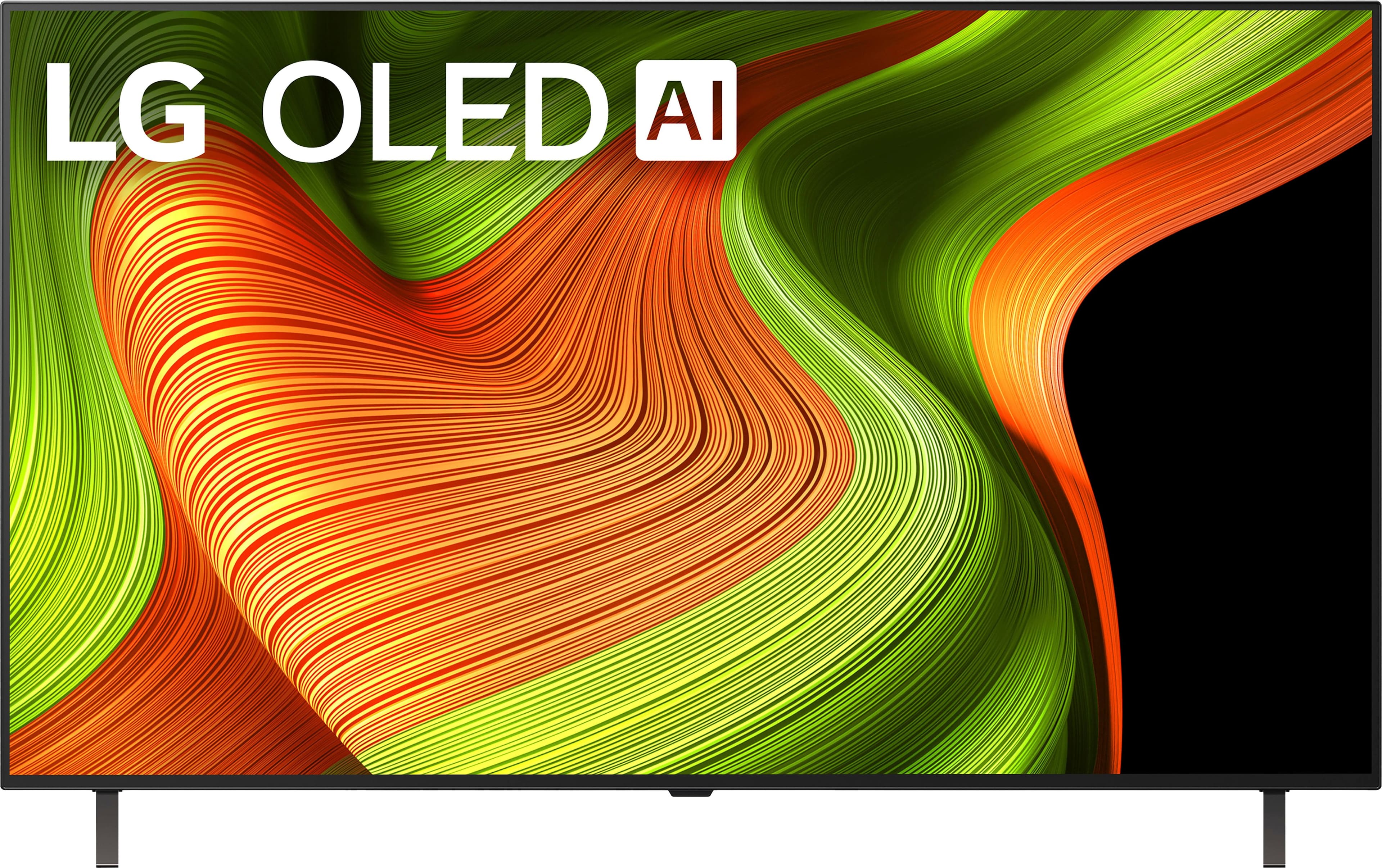

. Independently Tested for Quality and Workmanship CheckPlus: 100 % Color Volume to DCI-P3 oi PSSEANE Intertek [www.IntertekCheck.com](http://www.IntertekCheck.com). 100% Color Fidelity and '100% Color Volume to DCI-P3' applies to 2025 OLED TVs. *LG OLED Display is verified by UL for Perfect Color measured to IDMS 11.5 Ring-light Reflection standards. *100% Color Volume is defined as the performance of display which is equal or greater than the size of DCI-P3 standard color volume as verified independently by Intertek. *The LG OLED Panel is certified by Intertek for 100% Color Fidelity, measured to IDMS 11.5 Ring-light Reflection standards.](https://pisces.bbystatic.com/image2/BestBuy_US/images/products/3661ed5e-8d92-47a9-baef-65aa6eb5dcb9.jpg)











- Model:
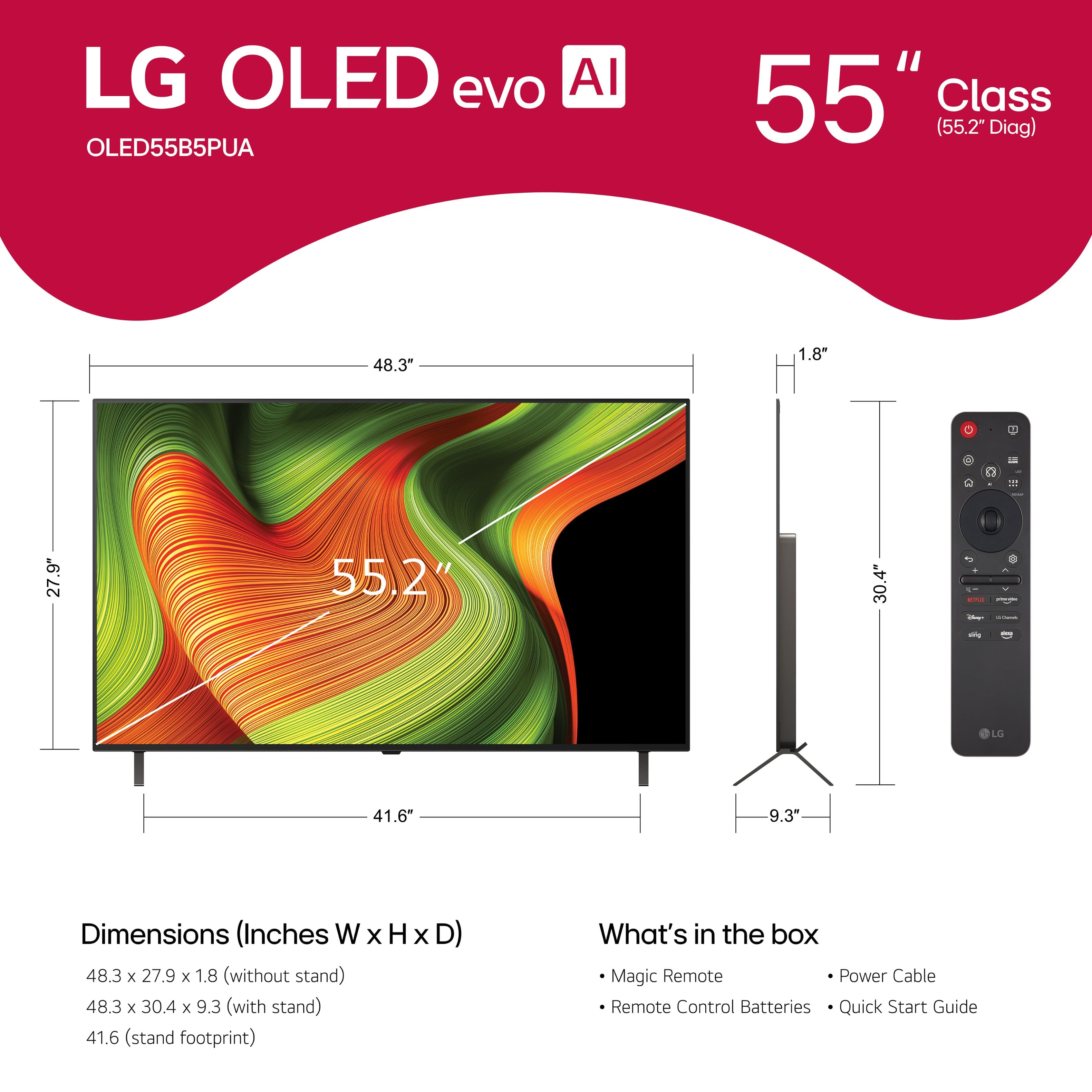
- OLED55B5PUA
- SKU:
- 10772189
Rating by feature
- Picture Quality
Rating 4.9 out of 5 stars
- Sound Quality
Rating 4.6 out of 5 stars
- Brightness
Rating 4.8 out of 5 stars
Nice picture on TV with totally worthless remote.
||Posted . Owned for 1 week when reviewed.This reviewer received promo considerations or sweepstakes entry for writing a review.This is a nice tv. Setup was terribly difficult and the remote control was nearly worthless in setting it up. Instructions are non existent. The remote is totally worthless, it has no MUTE button and using it for setup and programming was extremely difficult. For the cost of the TV it is quite disgusting that the remote is so poor. LG response to similar reviews are patronizing bull+++t
No, I would not recommend this to a friendBrand response from LG Digital Customer Care
Posted .Hello there. Thank you for sharing your experience with us. We understand your inquiry regarding the remote control and setup process for your LG 55" Class B5 Series OLED TV. To mute the volume, you can press and hold the volume down button or use the dedicated mute function often found by pressing the center scroll wheel or volume toggle depending on your specific Magic Remote version.
https://www.bestbuy.com/product/lg-55-class-b5-series-oled-ai-4k-uhd-smart-webos-tv-2025/JJ8VPZTKH9
For further assistance and any specific concerns you may have, please contact us on [email protected]. We appreciate your patience. —Renzo
Get the C5 instead
||Posted . Owned for 2 months when reviewed.This reviewer received promo considerations or sweepstakes entry for writing a review.Returned and got the C5 model which is far superior to this model
No, I would not recommend this to a friendRemote sensitivity
||Posted . Owned for 1 week when reviewed.This reviewer received promo considerations or sweepstakes entry for writing a review.So far everything seems good. One thing that is quite disappointing is the over-sensitivity of the remote pointer.
I would recommend this to a friendLoving it!!!
||Posted .This reviewer received promo considerations or sweepstakes entry for writing a review.This tv has all the specs i like and kt has the webos which is a plus and i can do anything with this tv
I would recommend this to a friendWorking
||Posted . Owned for 3 weeks when reviewed.This reviewer received promo considerations or sweepstakes entry for writing a review.Mind blowing absolutely stunning graphics perfect.
I would recommend this to a friendFirst new set in 15 (+) years.
||Posted . Owned for 1 month when reviewed.This reviewer received promo considerations or sweepstakes entry for writing a review.Love the TV set, but the remote is annoying with the pointer.
I would recommend this to a friendLG OLED Best television made
||Posted .This reviewer received promo considerations or sweepstakes entry for writing a review.Great television great installation that’s why I deal with them great salesman and quality
I would recommend this to a friendLG 55” TV
||Posted . Owned for 1 week when reviewed.This reviewer received promo considerations or sweepstakes entry for writing a review.Love the tv. Sound needs to be coming out from the front not the back.
I would recommend this to a friendHASSEL
||Posted . Owned for 1 week when reviewed.This reviewer received promo considerations or sweepstakes entry for writing a review.TV is OK , but DONT GET THE BEST BUY Citi bank credit card . They promise 10% of first purchase will be credited, but it’s a big hassle . Also they charge 30.99 % interest. This was called loan sharking at one time
No, I would not recommend this to a friendBrand response from LG Digital Customer Care
Posted .Hi, there. Thank you for sharing your feedback with us. We understand the importance of your LG OLED55B5PUA TV delivering the performance you expect. Regarding your Best Buy credit card, we recommend contacting Best Buy customer service to address your concerns, offer assistance, and discuss potential solutions. For your unit, one helpful step is to run the Picture Test (Settings → All Settings → Support → Picture Test) to confirm the panel is functioning properly and giving you the best image quality. For more details about the unit, visit https://www.lg.com/us/tvs/lg-oled55b5pua-oled-4k-tv. If you need further assistance, kindly send us an email at [email protected] so our team can help guide you. ^Juvy
LG tv
||Posted . Owned for 1 week when reviewed.This reviewer received promo considerations or sweepstakes entry for writing a review.Greta customer service! The geek squad was super quick with everything thank you!
I would recommend this to a friendOled 55 lg tv
||Posted . Owned for 1 week when reviewed.This reviewer received promo considerations or sweepstakes entry for writing a review.Love it just alot to learn, great color...my sales person was awesome
I would recommend this to a friendBrand response from LG Digital Customer Care
Posted .Hi there, KarenM. Thank you for sharing your experience with us. We understand your inquiry regarding getting to know the many features of your LG 55" Class B5 Series OLED AI 4K UHD Smart webOS TV. We are delighted to hear you love the color and had a great experience with your salesperson. To help you navigate your new TV more easily, we recommend using the "Voice Recognition" feature on your Magic Remote to quickly find settings or content.
https://www.bestbuy.com/product/lg-55-class-b5-series-oled-ai-4k-uhd-smart-webos-tv-2025/JJ8VPZTKH9
For further assistance and any specific concerns you may have, please contact us on [email protected]. We appreciate your patience. —Renzo
Great quality but not worth the price tag for me
||Posted . Owned for 2 weeks when reviewed.This reviewer received promo considerations or sweepstakes entry for writing a review.Best picture quality but the magic remote is so annoying. I also don't like web os system- you can't I still obs kids which my kids watch a lot. Great TV for a gamer but for a family tv that you g kids use a lot not worth the price tag
No, I would not recommend this to a friendBrand response from LG Digital Customer Care
Posted .Hi, Vikesh. Thank you for sharing your thoughts on the LG TV (OLED55B5PUA) model. We’re glad to hear you’re enjoying the picture quality, and we appreciate your feedback on the remote and webOS experience.
For easier navigation, you can adjust the Magic Remote pointer settings by going to Settings > All Settings > General > System > Pointer Options — this lets you change the speed and size of the pointer to better suit your preferences. For more information, visit. As for app availability, if you're looking to install specific content like OBS Kids, we recommend checking https://us.lgappstv.com/main to see if the app is supported or if there are similar alternatives available for download.
If you’d like help exploring kid-friendly apps or customizing your remote settings, feel free to send us an email at [email protected]. ^Juvy
LG 55 Class B5 Series OLED A! 4K UHD Smart TV
||Posted . Owned for 1 week when reviewed.This reviewer received promo considerations or sweepstakes entry for writing a review.Sometimes the screen is blurry. Not sure if it was worth the money.
No, I would not recommend this to a friendBrand response from LG Digital Customer Care
Posted .Hi there, SherriS. Thank you for sharing your experience with us. We understand that your LG 55" Class B5 Series OLED TV (2025) didn't meet your expectations regarding the screen clarity. We understand your inquiry regarding the blurry screen, and we suggest checking your internet connection for streaming content or ensuring your HDMI cables are securely connected for external devices to optimize picture quality.
https://www.bestbuy.com/product/lg-55-class-b5-series-oled-ai-4k-uhd-smart-webos-tv-2025/JJ8VPZTKH9
For further assistance and any specific concerns you may have, please contact us on [email protected], and our team will be more than happy to assist you. —Renzo
Poor customer service
||Posted . Owned for 1 month when reviewed.This reviewer received promo considerations or sweepstakes entry for writing a review.The first TV brought to my home was defective, did not work. No contact from Best Buy about the problem. No offer to schedule the replacement installation more quickly, etc.
I would recommend this to a friendBrand response from LG Digital Customer Care
Posted .Hi, Gail. Thank you for reaching out and sharing your experience. We understand the importance of having a smooth delivery and setup process, especially when the first TV arrived not working and you didn’t receive timely follow‑up for a replacement.
One helpful step you can try—if you decide to move forward with another unit—is to review the installation and delivery details in your Best Buy order history. You may contact Best Buy customer service at 888-237-8289 to ensure the next appointment is scheduled correctly and prioritized. You can also explore LG support resources here: https://www.lg.com/us/support. If you need further assistance or would like us to take a closer look at anything related to your LG experience, please feel free to send us an email at [email protected]. ^Juvy
Beware of broken TV
||Posted .This reviewer received promo considerations or sweepstakes entry for writing a review.Keeps turning off. Called customer support repeatedly, they do not have any answers. We keep getting transferred from one company to another.
No, I would not recommend this to a friendBrand response from LG Digital Customer Care
Posted .Hi, Rachel. Thank you for reaching out about your LG TV (OLED55B5PUA) model. We appreciate you sharing the details of what’s happening with your TV.
A helpful first step is to check the Auto Power Off and Energy Saving settings in your TV’s menu. Sometimes these features can cause the unit to shut down unexpectedly. You can find them under Settings > All Settings > General > Timers and Settings > All Settings > Support > Energy Saving. Disabling these options often resolves unexpected power‑off issues. You can also ensure your TV firmware is updated, as software updates may include fixes for power management. For more information, visit https://www.lg.com/us/support/help-library/lg-tv-troubleshooting-tv-intermittently-powers-onoff--1427121212479. If the issue continues after trying these steps, please send us an email at [email protected] so we can assist you further. ^Juvy
Not satisfied paid almost nine hundred bucks
||Posted . Owned for 1 month when reviewed.This reviewer received promo considerations or sweepstakes entry for writing a review.Not happy, keep getting errors on the t. V right now, I can't get it to turn on it. Pictulates, I get this white snow stuff, I went to the store and asked about it, they gave me some tips that I could do, I've hardly had it for more than a month.
No, I would not recommend this to a friendBrand response from LG Digital Customer Care
Posted .Hi, Jerry. Thank you for reaching out about your LG TV (OLED55B5PUA) model. We understand the importance of having a TV that performs reliably, especially when it’s only a month old. The white “snow” effect and difficulty powering on can sometimes be related to a loose HDMI connection or an input source issue. One helpful step is to unplug all external devices, then power‑cycle the TV by unplugging it for 60 seconds and plugging it back in. Once it restarts, try turning it on without any devices connected to see if the screen stabilizes. For more guidance, visit https://www.lg.com/us/support/help-library/lg-tv-power-my-tv-wont-turn-on--20154763472499. We’d like to take a closer look at your experience and assist you directly. Please send us an email at [email protected] with your details so our team can help move this forward. ^Juvy
Giving up on LG's
||Posted .This reviewer received promo considerations or sweepstakes entry for writing a review.This is my second LG in less than 3 years. first one died on me and the new one turns on by itself. This will be my last LG.
No, I would not recommend this to a friendBrand response from LG Digital Customer Care
Posted .Hi, Suzanne. Thank you for sharing your experience with the LG TV (OLED55B5PUA) model. We appreciate you letting us know about the unit powering on by itself.
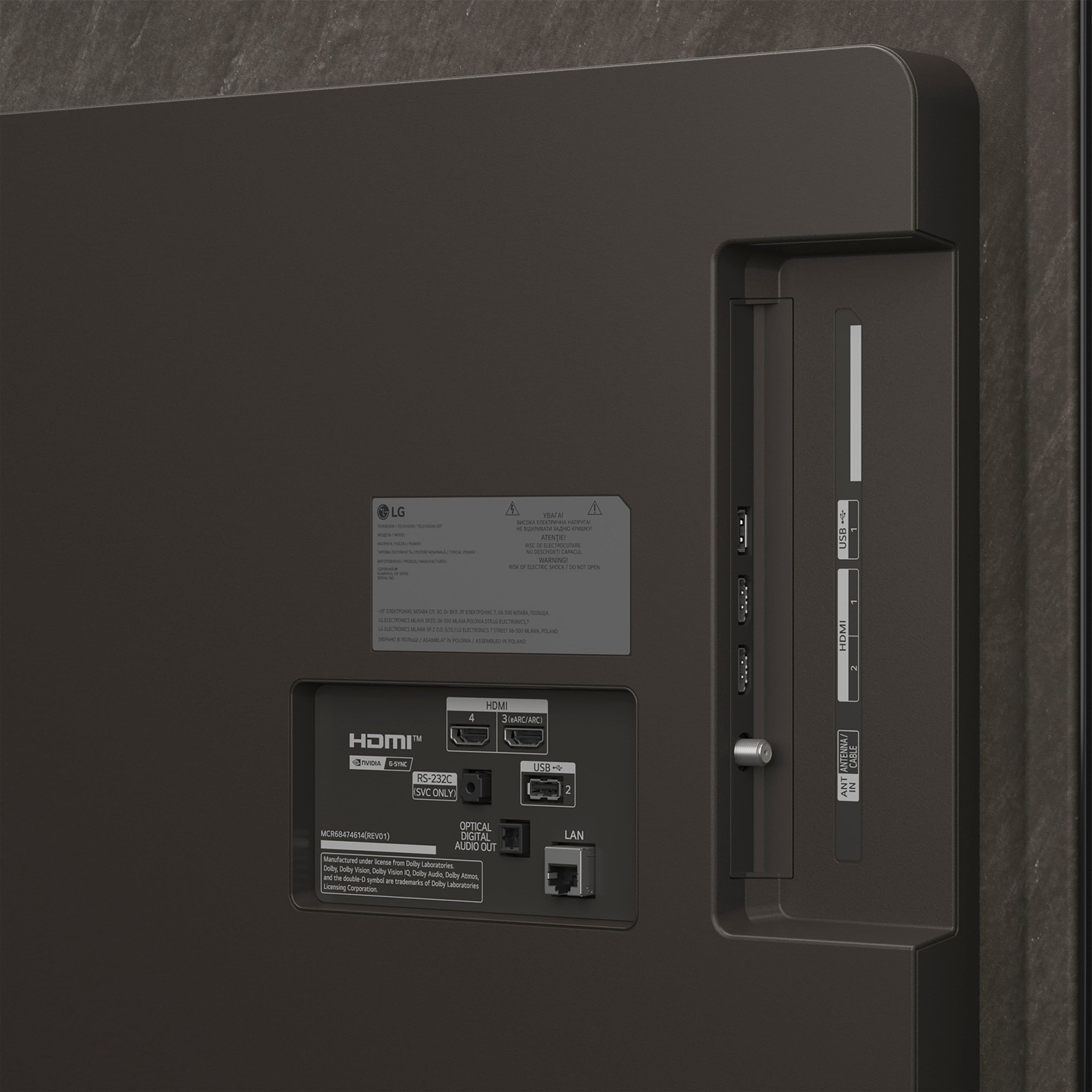
For this model, one helpful step is to check the Simplink (HDMI-CEC) setting in the TV’s menu. If Simplink is enabled, connected devices such as streaming boxes or game consoles can automatically power the TV on. You can disable Simplink under Settings > General > Devices > HDMI Settings. Additionally, ensure that the On/Off Timer feature is not set in the Timers menu, as this can also cause the TV to turn on unexpectedly. You can review more guidance here: https://www.lg.com/us/support/help-library/lg-tv-why-does-my-tv-turn-on-by-itself--20153353111993. If the issue continues after adjusting these settings, please send us an email at [email protected] so we can support you directly. ^Juvy
Terrible
||Posted .This reviewer received promo considerations or sweepstakes entry for writing a review.Where is my refund from the money you took from me and never provided the service
No, I would not recommend this to a friendBrand response from LG Digital Customer Care
Posted .Hi, James. Thank you for reaching out about your LG TV (OLED55B5PUA) model. We understand the importance of receiving the refund you’re expecting, especially when a service wasn’t completed as planned. While we don’t have access to specific billing or refund details here, a good step is to check your confirmation email or transaction record from the original service request to confirm the reference number and refund status. This information will help the right team look into your case more quickly. You can also reach out to Best Buy customer service at 888-237-8289 about this. For support related to your model, just head over to https://www.lg.com/us/support/product/lg-OLED55B5PUA. If you’d like us to dig deeper into this, don’t hesitate to send us an email at [email protected] so we can help you out directly. ^Juvy
Sleek & great quality
Posted .This reviewer received promo considerations or sweepstakes entry for writing a review.High quality and very sleek. I like that there are no obvious logos on it. It's a bit heavy though..
I would recommend this to a friendLG TVs are hard to beat
Posted .This reviewer received promo considerations or sweepstakes entry for writing a review.First time owning an OLED and we could'nt be happier. Replaced a 2015 LG LED that was great, but we wanted to try some newer tech and the price was too good to pass up on sale. LG is quality and we are enjoying the software the TV comes with. The remote it comes with is the only complaint, but we're leaving its quirks. Overall, we do not regret this purchase at all.
I would recommend this to a friend