Customer Ratings & Reviews
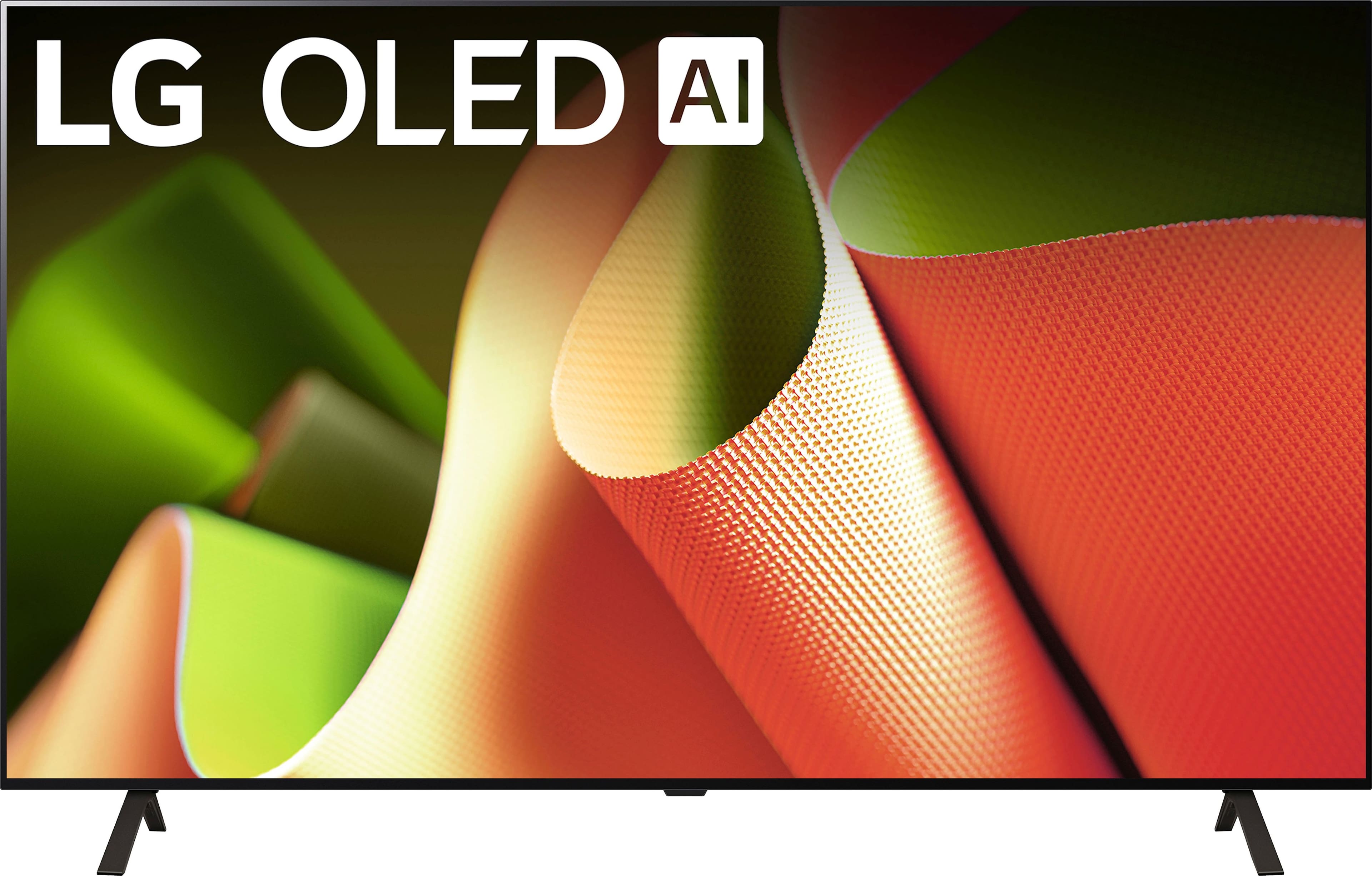








- Model:
- OLED77B4PUA
- SKU:
- 6578055
Rating by feature
- Picture Quality
Rating 4.9 out of 5 stars
- Sound Quality
Rating 4.6 out of 5 stars
- Brightness
Rating 4.8 out of 5 stars
Customers are saying
Customers admire the 77" Class B4 Series OLED 4K UHD Smart webOS TV (2024) for its excellent picture quality, especially its handling of dark scenes and overall OLED quality. The TV's 120Hz refresh rate and ease of use are also appreciated. However, some customers feel the remote control could be improved.
This summary was generated by AI based on customer reviews.
Best deal ever!!!
||Posted . Owned for 1 month when reviewed.This reviewer received promo considerations or sweepstakes entry for writing a review.I’m glad I chose Best Buy. I will definitely recommend this same tv to anyone around me who wants to get a tv
I would recommend this to a friendgreat tv for the price
||Posted .This reviewer received promo considerations or sweepstakes entry for writing a review.Great TV for the price. Just wish there weren't ads on the home screen. Sound quality is just ok. suggest a sound bar.
I would recommend this to a friendLove it
||Posted . Owned for 1 month when reviewed.This reviewer received promo considerations or sweepstakes entry for writing a review.Love it. Bright and vibrant obviously easy to set up.
I would recommend this to a friendGreat Tv
||Posted . Owned for 3 weeks when reviewed.This reviewer received promo considerations or sweepstakes entry for writing a review.I love the OLED screen i can never go back to a regular LED!
I would recommend this to a friendNot what I expected
||Posted . Owned for 1 month when reviewed.This reviewer received promo considerations or sweepstakes entry for writing a review.Quality was not as expected. Not worth the price even discounted. Returned and will wait for a better deal and a better TV
No, I would not recommend this to a friendDead pixels
Posted .This reviewer received promo considerations or sweepstakes entry for writing a review.After one month we are starting to have dead pixels
I would recommend this to a friendBrand response from LG Digital Customer Care
Posted .Hi there, TravisT. We understand your inquiry regarding your LG 77” Class B4 Series OLED 4K UHD Smart webOS TV (Model OLED77B4PUA) and appreciate you letting us know about the dead pixels you’ve noticed after just one month. Having every pixel performing at its best is what we aim for, so let’s try a quick troubleshooting step to help restore those areas:
Troubleshooting Step:
• Perform the built-in Pixel Cleaning cycle:
Press the Settings button on your Magic Remote and select All Settings.
Navigate to General → OLED Care → OLED Panel Care.
Choose Pixel Cleaning and let the TV run the full cycle (this can take up to an hour). This process helps re-energize stuck pixels and often clears dark or bright spots.
LG TV – Troubleshooting Pixel Outage or Colored Dots on Screen - https://www.lg.com/us/support/help-library/lg-tv-troubleshooting-pixel-outage-or-colored-dots-on-screen--20150933240306
After the cycle completes, please check your screen again. If the pixels remain out, there may be a hardware issue that requires further service. Please send us a private message on social media @LGUSSupport so our team can review warranty options and arrange any necessary repairs. We appreciate your patience and look forward to getting your OLED77B4PUA back to perfect picture quality.
—Renzo
Tv mounts and set up.
||Posted . Owned for less than 1 week when reviewed.This reviewer received promo considerations or sweepstakes entry for writing a review.Technicians were very professional and knowledgeable!
I would recommend this to a friendNot all apps available
||Posted . Owned for 1 month when reviewed.This reviewer received promo considerations or sweepstakes entry for writing a review.If you use DirectTV, LG won’t support the use of the DirectTV app- I wish I had known that!
I would recommend this to a friendStick with Sony or Samsung
||Posted . Owned for 1 month when reviewed.This reviewer received promo considerations or sweepstakes entry for writing a review.Screen and picture are great. Otherwise, disappointing and I wish I would have stuck with Sony. The HDMI eARC on this TV is very finicky - connecting to a Pioneer Elite 7.1 receiver. In fact, it doesn't work more than it works. The TV switches sound outputs by itself for no reason. Additionally, the TV channel tuner is garbage. I do not recommend this TV if you have a real home theater setup. If you use a dinky LG soundbar, it is probably fine.
No, I would not recommend this to a friendBrand response from LG Digital Customer Care
Posted .Hello there, RexW. Thank you for sharing your thoughts on the LG OLED77B4PUA 77” OLED TV. We’re glad to hear you’re enjoying the stunning picture quality, and we understand your inquiry regarding the HDMI eARC behavior and TV tuner performance. To improve eARC stability with your Pioneer Elite receiver, we recommend ensuring both the TV and receiver firmware are up to date. You can also try setting HDMI Input Audio Format to Bitstream and eARC Support to On in the TV’s Sound > Advanced Settings menu. If the sound output is switching unexpectedly, performing a factory reset and disabling Simplink (HDMI-CEC) may also help resolve signal conflicts between devices.
https://www.bestbuy.com/site/lg-77-class-b4-series-oled-4k-uhd-smart-webos-tv-2024/6578055.p?skuId=6578055
For the built-in tuner, adjusting or repositioning your antenna, or performing a fresh channel scan, can often help improve reception quality. We’d be happy to look into this further for you. Please send us a private message on Social Media @LGUSSupport so our team can assist you directly. We’re here to help you get the most out of your LG home theater setup.
—Renzo
Poor streamimg quality.
||Posted . Owned for 5 months when reviewed.This reviewer received promo considerations or sweepstakes entry for writing a review.I always buy Samsung tvs, but decided to go with the LG OLED as recommended by the salesman. Biggest issue is the streaming quality. The quality of streaming live tv on fubo is terrible, and I can watch the same channels on my Samsung tvs with excellent quality. I had YouTube TV before and not quite as many issues as Fubo, but i can't get local sports with this service. I tried to download Directv stream and roku to test those services, and lg does not support those apps on their device. Alternative is to stream through an external device, but I don't know why apps are limited on lg platform. I would not recommend lg tv for this reason and much prefer Samsung all around.
No, I would not recommend this to a friendBrand response from LG Digital Customer Care
Posted .Hi, there. Thank you for sharing your experience with the LG TV (OLED77B4PUA) model. We understand how critical seamless streaming is, especially when watching live sports and local content. We're all about providing high-quality products that really meet our customers' needs and expectations. This model has amazing picture quality, but sometimes the streaming experience can be influenced by the app platform or connection method instead of the TV itself. For the best results, we suggest connecting your TV through a 5GHz Wi-Fi band or going with a wired Ethernet connection to boost bandwidth and cut down on buffering.
As for app availability, LG’s webOS platform is always growing, but some providers like DIRECTV Stream and Roku haven’t rolled out native apps for LG TVs just yet. A lot of folks use external devices like a Roku Stick, Fire TV, or Apple TV to access more apps while still enjoying that stunning OLED picture quality. It’s a great way to get the best of both worlds!
We’re here to help you optimize your setup and check out your options. Just drop us a private message on social media @LGUSSupport, and our team will be more than happy to assist you! ^Juvy
LG Oled
||Posted .This reviewer received promo considerations or sweepstakes entry for writing a review.You can not get best screen quality sometime I am Tbilisi this oled or Led tv
No, I would not recommend this to a friendBrand response from LG Digital Customer Care
Posted .Hi there, Cemalettin. Thank you for sharing your experience with us regarding the picture quality of your OLED77B4PUA TV. We understand your inquiry about optimizing the screen quality. Your feedback is important, and we'd like to assist you further.
LG OLED TVs are known for their exceptional picture quality, with individual self-lit pixels creating perfect blacks and vibrant colors. To ensure you're getting the best possible display, we recommend checking your picture settings. Often, adjusting modes like "Filmmaker Mode" or "Cinema" can provide a more natural and accurate picture. Also, explore settings related to sharpness, noise reduction, and AI picture features, as these can sometimes impact the perceived clarity.
https://www.bestbuy.com/site/lg-77-class-b4-series-oled-4k-uhd-smart-webos-tv-2024/6578055.p?skuId=6578055
Please send us a private message on Social Media @LGUSSupport and our team will be more than happy to explore possible solutions and guide you through optimizing your TV's picture settings. We appreciate your patience. —Renzo
Disappointed with LG TV
||Posted . Owned for 3 months when reviewed.This reviewer received promo considerations or sweepstakes entry for writing a review.Yesterday my TV stopped working, with a red light power issue. LG said it would be between 7-10 working days before they could look at it. It’s only been in action for 8 weeks, and over that period on for less than 100 hrs I am very disappointed in the quality of the product, very poor.
No, I would not recommend this to a friendBrand response from LG Digital Customer Care
Posted .Hi, Christopher. Thank you for sharing your experience with us. We understand your concern about the LG TV (OLED77B4PUA) model, especially given the red power light issue after such a short period of use. We strive to provide reliable, high-quality products and ensure a smooth viewing experience.
As a first step, we recommend performing a power cycle by unplugging the TV for about 1-2 minutes and then plugging it back in to see if the issue resolves. Sometimes, this can help reset the system. For more help, you may visit https://www.lg.com/us/support/help-library/lg-tv-why-does-my-tv-have-no-power--1441914332865. If the issue persists, we understand that you’re waiting for service, and we sincerely appreciate your patience.
Please send us a private message on social media @LGUSSupport, and our team will help you directly to expedite the repair process or explore other possible solutions.
We value your feedback and are committed to ensuring you have the best experience with your LG product. ^Juvy
TV Lasted 8 months
||Posted .This reviewer received promo considerations or sweepstakes entry for writing a review.Tv went out after 8 months. Best Buy has not been very helpful to schedule warranty. I am still struggling to figure out how to schedule.
No, I would not recommend this to a friendBrand response from LG Digital Customer Care
Posted .Hi, Julie. Thank you for sharing your feedback with us. We understand your experience about the LG TV (OLED77B4PUA) model and the difficulty you've had with scheduling warranty service.
To help move things forward, we recommend visiting the LG Support Page, where you can register your product and submit a repair request directly. You’ll also find manuals, troubleshooting guides, and warranty details to assist you. If you prefer, you can also reach LG Support via 24/7 live chat or phone for immediate help.
For further assistance, please send us a private message on social media @LGUSSupport and our team will be more than happy to explore possible solutions. We appreciate your patience. ^Juvy
- Pros mentioned:Refresh rate
Best TV i’ve EVER had!
Posted .This reviewer received promo considerations or sweepstakes entry for writing a review.This 77 inch LG OLED is AMAZING! Infinite blacks, detailed colors, bright enough image for most living room environments, and not over poweringly bright to the point your eyes hurt (can’t understand why companies make TVs like that) and it’s a gamers dream supporting 120hz with ALL VRR technologies (GSync, and Free Sync). Also an awesome movie and TV viewing experience with Dolby Vision and other HDR formats that are also supported for gaming. If you are looking for the cheapest and most basic of OLED TV that doesn’t compromise on features without breaking the bank, this is it right here.
I would recommend this to a friend - Pros mentioned:Picture quality
LG' power
Posted .This reviewer received promo considerations or sweepstakes entry for writing a review.Great picture! The sales person explanation about how the pixels are ver prominent in the picture helped to decide on what to buy.
I would recommend this to a friend - Pros mentioned:Picture quality
oled
Posted .This reviewer received promo considerations or sweepstakes entry for writing a review.everything we hoped for. the crew who came and did the set up were great.
No, I would not recommend this to a friend